This article is contributed. See the original author and article here.
Pssst! You may notice the Round Up looks different – we’re rolling out a new, concise way to show you what’s been going on in the Tech Community week by week.
This article is contributed. See the original author and article here.
We use a combination of the Purview REST API (via JMESPath), and theClientobject to achieve getting the full list of Assets from Purview, and iterating to populate the corresponding metadata per Asset.
Extracting metadata from Purview with Synapse Spark Pools using Python
Let’s look at the relevant components from the script.
The first functionazuread_authis straightforward and not Purview specific – it simply allows us to authenticate to Azure AD using our Service Principal and the Resource URL we want to navigate (in this case, Purview:https://purview.azure.net:(
def azuread_auth(tenant_id: str, client_id: str, client_secret: str, resource_url: str):
    """
    Authenticates Service Principal to the provided Resource URL, and returns the OAuth Access Token
    """
    url = f"https://login.microsoftonline.com/{tenant_id}/oauth2/token"
    payload= f'grant_type=client_credentials&client_id={client_id}&client_secret={client_secret}&resource={resource_url}'
    headers = {
    'Content-Type': 'application/x-www-form-urlencoded'
    }
    response = requests.request("POST", url, headers=headers, data=payload)
    access_token = json.loads(response.text)['access_token']
    return access_token
We’re going to be passing around theaccess_tokenreturned above every time we make a call to Purview’s REST API.
Next, we leverage PyApacheAtlas to return aclientusingpurview_auth:
Once we have our proof of authentication (access_tokenandclient) – we’re ready to programmatically access the Purview REST API.
We useget_all_adls_assetsto recursively retrieve all scanned assets from our Data Lake from the Purview REST API.
Note: this function intentionally traverses the tree structure until only assets remain (i.e. no folders are returned, only files).
The function below applies the simple recursion techniques I outlined inthis articleagainst our Data Lake and Purview API to retrieve asset names and schemas.
While this is fine for exploration, due diligence (i.e. implementing a more optimal, piecemeal approach) should be applied for Production implementations on a case-by-case basis to avoid long-running jobs.
The API parameter used to determine whether we hit the end isisLeaf:
def get_all_adls_assets(path: str, data_catalog_name: str, azuread_access_token: str, max_depth=1):
    """
    Retrieves all scanned assets for the specified ADLS Storage Account Container.

    Note: this function intentionally recursively traverses until only assets remain (i.e. no folders are returned, only files).
    """

    # List all files in path
    url = f"https://{data_catalog_name}.catalog.purview.azure.com/api/browse"

    headers = {
            'Authorization': f'Bearer {azuread_access_token}',
            'Content-Type': 'application/json'
            }

    payload="""{"limit": 100,
                "offset": null,
                "path": "%s"
                }""" % (path)

    response = requests.request("POST", url, headers=headers, data=payload)

    li = json.loads(response.text)

    # Return all files
    for x in jmespath.search("value", li):
        if jmespath.search("isLeaf", x):
            yield x

    # If the max_depth has not been reached, start
    # listing files and folders in subdirectories
    if max_depth > 1:
        for x in jmespath.search("value", li):
            if jmespath.search("isLeaf", x):
                continue
            for y in get_all_adls_assets(jmespath.search("path", x), data_catalog_name, azuread_access_token, max_depth - 1):
                yield y

    # If max_depth has been reached,
    # return the folders
    else:
        for x in jmespath.search("value", li):
            if jmespath.search("!isLeaf", x):
                yield x
Note a couple points regarding this function:
We can further expand the implementation by abstracting away the data source and makingsource_typeinto a parameter (i.e. besides ADLS, we can query metadata aboutother sourcessupported on Purview – e.g. SQL DB, Cosmos DB etc.).
We’ll just need to deal with curating thepayloadon a case-by-case basis, but the basic premise remains the same.
Note thelimit: 100parameter is there because I didn’t want to deal withAPI Pagination logic(the demo Data Lake is small).
This parameter can be increased for larger implementations up until we hit the upper limit defined by the API – at which point we need to implement pagination best practices into our script logic (no different than other Azure/non-Azure APIs).
For deeper folder structures,max_depthcan be increased as desired
Once we have a list of all our assets, we can iterate through the list and retrieve the Schema and Classification from Purview inline:
Where we use theclientobject we defined earlier to callget_adls_asset_schema:
def get_adls_asset_schema(assets_all: list, asset: str, purview_client: str):
    """
    Returns the asset schema and classifications from Purview
    """
    # Filter response for our asset of interest
    assets_list = list(filter(lambda i: i['name'] == asset, assets_all))

    # Find the guid for the asset to retrieve the tabular_schema or attachedSchema (based on the asset type)
    match_id = ""
    for entry in assets_list:
        # Retrieve the asset definition from the Atlas Client
        response = purview_client.get_entity(entry['id'])

        # API response is different based on the asset
        if asset.split('.', 1)[-1] == "json":
            filtered_response = jmespath.search("entities[?source=='DataScan'].[relationshipAttributes.attachedSchema[0].guid]", response)
        else:
            filtered_response = jmespath.search("entities[?source=='DataScan'].[relationshipAttributes.tabular_schema.guid]", response)

        # Update match_id if source is DataScan
        if filtered_response:
            match_id = filtered_response[0][0]

    # Retrieve the schema based on the guid match
    response = purview_client.get_entity(match_id)
    asset_schema = jmespath.search("[referredEntities.*.[attributes.name, classifications[0].[typeName][0]]]", response)[0]

    return asset_schema
Note a couple takeaways from here:
JMESPath is awesome
The Atlas API response is slightly different based on the filetype (e.g.jsonvscsv), hence we deal with it case-by-case.
This makes sense, sincejsontechnically hasattachedSchema(i.e. Schema that comes as a part of the object itself), whereascsvis of typetabular_schema(i.e. Schema that Purview had to infer)
Finally, once the functions are done calling the API, we can call adisplay(files_df)on our DataFrame to get back the final output:
Final Output
Note: files_dfis a Pandas DataFrame, but we can easily convert to Spark withfiles_df = spark.createDataFrame(files_df).
Shouldn’t make a difference for our purposes since the DataFrame is small.
Our goal is to create this Power BI Report – which provides us with the same data that Purview Studio makes visually available to us. The idea here is for us to be able to leverage the ability of Power BI to create Custom Reports:
Demo Power BI Report generated from Purview Insights data
We simply specify the script as a Python Data source – where the script is structured such that it queries Purview’s APIs to produce Pandas Dataframes:
Using the Python Script as a Power BI Data Source
Note: We acknowledge that this method of data extraction is experimental in nature, and is definitely not suitable for ingesting a large amount of data into Power BI.
In our case, since the Insights data is pre-computed by the Purview Engine already, this serves the end goal of creating simple Custom Reports (i.e. our Python script doesn’t have to work very hard to extract this data).
Finally, we can refresh this Power BI report as needed, to ingest the latest data points from Purview:
Refreshing the Power BI dataset, which executes the underlying Python query
Wrap Up
We explored how to call the Purview REST API with Python to programmatically obtain Purview Asset Metadata – i.e. Schema and Classifications into Synapse as a DataFrame. We also looked at how we can apply the same techniques to ingest data from Purview Insights, and create custom Power BI dashboards with ease.
This article is contributed. See the original author and article here.
In this article, I would be talking about how can we write data from ADLS to Azure Synapse dedicated pool using AAD . We will be looking at direct sample code that can help us achieve that.
1. First step would be to import the libraries for Synapse connector. This is an optional statement.
2. Next step is to initialize variable to create/read data frames
Note : Above step can also be written in below format :
This article is contributed. See the original author and article here.
As mobile usage becomes more prevalent in your organizations, so does the need to protect against data leaks. App protection policies (APP, also known as MAM) help protect work or school account data through data protection, access requirements, and conditional launch settings. For more information, see App protection policies overview.
Conditional launch settings validate aspects of the app and device prior to allowing the user to access work or school account data, or if necessary, remove the work or school account data. Based on your feedback, we’ve updated an existing conditional launch setting, and are introducing four new management settings.
Jailbroken/rooted devices
Status: Jailbroken/rooted devices conditional launch setting was updated in February 2021 and works with both iOS and Android Microsoft apps.
To improve the overall security of devices accessing work or school account data using apps with App Protection Policies, the Jailbroken/rooted devices conditional launch setting can no longer be deleted and defaults to block access. Organizations now only have two options for jailbroken or rooted devices:
Block access – When the Intune SDK has detected the device is jailbroken or rooted, the app blocks access to work or school data.
Wipe data – When the Intune SDK has detected the device is jailbroken or rooted, the app will perform a selective wipe of the users’ work or school account and data.
For organizations that had previously removed the Jailbroken/rooted devices conditional launch setting, this is now enforced in the Intune SDK automatically. If users had been using a jailbroken or rooted device prior to this change, those devices would be blocked.
Disabled account
Status: The Disabled account conditional launch setting was released in Q4 2020 and works with both iOS and Android Microsoft apps.
When a user account is disabled in Azure Active Directory (Azure AD), customers have an expectation that work or school account data being managed by an APP is removed. Prior to this conditional launch setting, customers had to rely on the Offline grace period timer to remove the data after the token expired.
The Disabled account conditional launch setting works by having the Intune SDK check the state of the user account in Azure Active Directory when the app cannot acquire a new token for the user. If the account is disabled, then the Intune SDK will perform the following based on the policy configuration:
Block access – When Intune has confirmed the user has been disabled in Azure Active Directory, the app blocks access to work or school data.
Wipe data – When Intune has confirmed the user has been disabled in Azure Active Directory, the app will perform a selective wipe of the users’ work or school account and data.
If Disabled account is not configured, then no action is taken. The user continues to access the data in an offline manner until the Offline grace period wipe timer has expired with data access being wiped after 90 days (assuming default settings).
Important: The Disabled account setting does not detect account deletions. If an account is deleted, the user continues to access data in an offline manner until the Offline Grace Period wipe timer has expired.
The time taken between disabling an Azure Active Directory user account and the Intune SDK wiping the data varies. There are several components that impact the time to initiate the data wipe:
[Max time to wipe] = [Azure AD connect sync time] + [APP access token lifetime] + [APP check-in time]
The selective wipe will be executed the next time that the app is active after the max time to wipe has passed.
Max OS version
Status: The Max OS version conditional launch is supported with the March 2021 (Company Portal version 5.0.5084.0) release for Android Microsoft apps and the Intune SDK will be available for consumption by iOS Microsoft apps in April 2021.
The Max OS version conditional launch setting operates like the Min OS version setting. When the app launches, the operating system version is checked. The primary use case for the Max OS version conditional launch setting is to ensure that users don’t use unsupported operating system versions to access work or school account data. An unsupported version could be beta versions of next generation operating systems, or versions that you have not tested.
If the operating system version is greater than the value specified in the Max OS version, then the Intune SDK will perform the following based on the policy configuration:
Warn – The user sees a dismissible notification if the operating system version on the device doesn’t meet the requirement.
Block access – The user is blocked from accessing work or school account data if the operating system version on the device doesn’t meet the requirement.
Wipe data – The app performs a selective wipe of the users’ work or school account and data if the operating system version doesn’t meet the requirement.
Figure 1: Access is blocked due to OS version
Require device lock
Status: The Require device lock Android conditional launch setting was released in January 2021 and works with Android Microsoft apps.
The Require device lock conditional launch setting determines if the Android device has a device PIN, password, or pattern set. It cannot distinguish between the lock options or complexity, for that, device enrollment is required. If the device lock is not enabled on the device, then the Intune SDK will perform the following based on the policy configuration:
Warn – The user sees a dismissible notification if the device lock is not enabled.
Block access – The user is blocked from accessing work or school account data if the device lock is not enabled.
Wipe data – The app performs a selective wipe of the users’ work or school account and data if the device lock is not enabled.
Figure 2: Access is blocked until device lock is enabled
With this conditional launch setting, there is parity both mobile operating system platforms whereby app protection policies can enforce a device PIN (on iOS, device lock is required when encryption is required) on devices that are not enrolled.
SafetyNet Hardware Backed Attestation
Status: The SafetyNet hardware backed attestation conditional launch setting for Android will be supported in Q2 2021.
App protection policies provide the capability for admins to require end-user devices to pass Google’s SafetyNet Attestation for Android devices. Administrators can validate the integrity of the device (which blocks rooted devices, emulators, virtual devices, and tampered devices), as well as require that unmodified devices that have been certified by Google. Within APP, this is configured by setting SafetyNet device attestation to either Check basic integrity or Check basic integrity & certified devices.
Hardware backed attestation enhances the existing SafetyNet attestation service check by leveraging a new evaluation type called Hardware Backed, providing a more robust root detection in response to newer types of rooting tools and methods, such as Magisk, that cannot always be reliably detected by a software only solution. Within APP, hardware attestation will be enabled by setting Required SafetyNet evaluation type to Hardware-backed key once SafetyNet device attestation is configured.
As its name implies, hardware backed attestation leverages a hardware-based component which shipped with devices installed with Android 8.1 and later. Devices that were upgraded from an older version of Android to Android 8.1 are unlikely to have the hardware-based components necessary for hardware backed attestation. While this setting should be widely supported starting with devices that shipped with Android 8.1, Microsoft strongly recommends testing devices individually before enabling this policy setting broadly.
Important: Devices that do not support this evaluation type will be blocked or wiped based on the SafetyNet device attestation action. Organizations wishing to use this functionality will need to ensure users have supported devices. For more information on Google’s recommended devices, see Android Enterprise Recommended requirements.
If the device fails the attestation query, then the Intune SDK will perform the following based on the policy configuration:
Warn – The user sees a dismissible notification if the device does not meet Google’s SafetyNet Attestation scan based on the value configured.
Block access – The user is blocked from accessing work or school account data if the device does not meet Google’s SafetyNet Attestation scan based on the value configured.
Wipe data – The app performs a selective wipe of the users’ work or school account and data.
Figure 3: Access is blocked with a rooted device
We hope you find these enhancements to our Conditional launch capabilities useful. The Data Protection Framework has been updated for the settings that have been released and changes will be introduced as the new settings are released in the future.
Ross Smith IV Principal Program Manager Customer Experience Engineering
This article is contributed. See the original author and article here.
Microsoft has always had a strong commitment to provide full transparency for every operation performed during incidents. When customers open support request, Microsoft support engineers may eventually proceed to investigate the databases and those operations must be surfaced to our customers.
We are delighted to announce the general availability of the capability to audit operations performed by Microsoft support engineers when they need to access customer’s SQL assets during a support request. The use of this capability, along with the regular auditing, enables more transparency into customers’ workforce and is sometimes required for compliance with regulatory standards.
How to enable Azure SQL Auditing of Microsoft support operations?
This functionality can be enabled on every Azure SQL Server by turning the feature to ON and configuring the desired destinations or programmatically (API, Azure CLI and PowerShell cmdlet). Customers can also enable Azure SQL Auditing of Microsoft support operations on every Azure SQL Managed Instance by configuring their Audit log and specifying OPERATOR_AUDIT = ON. We are now allowing customers to use a single audit configuration for their SQL audit logs and the Auditing of Microsoft support operations.
How to investigate SQL audit logs of Microsoft support operations?
When Azure SQL Auditing of Microsoft support operations is configured to a storage account destination, customers can access the audit logs in the same way for Azure SQL Auditing or Azure SQL Auditing of Microsoft support operations.
When Azure SQL Auditing of Microsoft support operations is configured to a Log Analytics Workspace or an Event Hub destination, the audit logs will be audited under a new category called “DevOpsOperationsAudit“.
Adobe Animate version 21.0.3 (and earlier) is affected by a Heap-based Buffer Overflow vulnerability. An unauthenticated attacker could leverage this vulnerability to achieve arbitrary code execution in the context of the current user. Exploitation of this issue requires user interaction in that a victim must open a malicious file.
Adobe Animate version 21.0.3 (and earlier) is affected by an Out-of-bounds Read vulnerability. An unauthenticated attacker could leverage this vulnerability to disclose sensitive information in the context of the current user. Exploitation of this issue requires user interaction in that a victim must open a malicious file.
Adobe Animate version 21.0.3 (and earlier) is affected by an Out-of-bounds Read vulnerability. An unauthenticated attacker could leverage this vulnerability to disclose sensitive information in the context of the current user. Exploitation of this issue requires user interaction in that a victim must open a malicious file.
Adobe Animate version 21.0.3 (and earlier) is affected by an Out-of-bounds Read vulnerability. An unauthenticated attacker could leverage this vulnerability to disclose sensitive information in the context of the current user. Exploitation of this issue requires user interaction in that a victim must open a malicious file.
Adobe Animate version 21.0.3 (and earlier) is affected by a Memory Corruption vulnerability. An unauthenticated attacker could leverage this vulnerability to achieve arbitrary code execution in the context of the current user. Exploitation of this issue requires user interaction in that a victim must open a malicious file.
Adobe Animate version 21.0.3 (and earlier) is affected by an Out-of-bounds Read vulnerability. An unauthenticated attacker could leverage this vulnerability to disclose sensitive information in the context of the current user. Exploitation of this issue requires user interaction in that a victim must open a malicious file.
Adobe Animate version 21.0.3 (and earlier) is affected by an Out-of-bounds Read vulnerability. An unauthenticated attacker could leverage this vulnerability to disclose sensitive information in the context of the current user. Exploitation of this issue requires user interaction in that a victim must open a malicious file.
Adobe Connect version 11.0.7 (and earlier) is affected by an Input Validation vulnerability in the export feature. An attacker could exploit this vulnerability by injecting a payload into the registration form and achieve arbitrary code execution in the context of the admin account.
Adobe Connect version 11.0.7 (and earlier) is affected by a reflected Cross-Site Scripting (XSS) vulnerability. An attacker could exploit this vulnerability to inject malicious JavaScript content that may be executed within the context of the victim’s browser when they browse to the page containing the vulnerable field.
Adobe Connect version 11.0.7 (and earlier) is affected by a reflected Cross-Site Scripting (XSS) vulnerability. An attacker could exploit this vulnerability to inject malicious JavaScript content that may be executed within the context of the victim’s browser when they browse to the page containing the vulnerable field.
Adobe Creative Cloud Desktop Application version 5.3 (and earlier) is affected by a local privilege escalation vulnerability that could allow an attacker to call functions against the installer to perform high privileged actions. Exploitation of this issue does not require user interaction.
Adobe Creative Cloud Desktop Application version 5.3 (and earlier) is affected by a file handling vulnerability that could allow an attacker to cause arbitrary file overwriting. Exploitation of this issue requires physical access and user interaction.
Adobe Creative Cloud Desktop Application version 5.3 (and earlier) is affected by an Unquoted Service Path vulnerability in CCXProcess that could allow an attacker to achieve arbitrary code execution in the process of the current user. Exploitation of this issue requires user interaction
Adobe Framemaker version 2020.0.1 (and earlier) is affected by an Out-of-bounds Read vulnerability when parsing a specially crafted file. An unauthenticated attacker could leverage this vulnerability to achieve arbitrary code execution in the context of the current user. Exploitation of this issue requires user interaction in that a victim must open a malicious file.
Adobe Photoshop versions 21.2.5 (and earlier) and 22.2 (and earlier) are affected by a Memory Corruption vulnerability when parsing a specially crafted file. An unauthenticated attacker could leverage this vulnerability to achieve arbitrary code execution in the context of the current user. Exploitation of this issue requires user interaction in that a victim must open a malicious file.
Adobe Photoshop versions 21.2.5 (and earlier) and 22.2 (and earlier) are affected by an Out-of-bounds Write vulnerability in the CoolType library. An unauthenticated attacker could leverage this vulnerability to achieve arbitrary code execution in the context of the current user. Exploitation of this issue requires user interaction in that a victim must open a malicious file.
A flaw was found in ansible-tower. The default installation is vulnerable to Job Isolation escape allowing an attacker to elevate the privilege from a low privileged user to the awx user from outside the isolated environment. The highest threat from this vulnerability is to data confidentiality and integrity as well as system availability.
An attacker that is able to modify Velocity templates may execute arbitrary Java code or run arbitrary system commands with the same privileges as the account running the Servlet container. This applies to applications that allow untrusted users to upload/modify velocity templates running Apache Velocity Engine versions up to 2.2.
The default error page for VelocityView in Apache Velocity Tools prior to 3.1 reflects back the vm file that was entered as part of the URL. An attacker can set an XSS payload file as this vm file in the URL which results in this payload being executed. XSS vulnerabilities allow attackers to execute arbitrary JavaScript in the context of the attacked website and the attacked user. This can be abused to steal session cookies, perform requests in the name of the victim or for phishing attacks.
An issue was discovered on Athom Homey and Homey Pro devices before 5.0.0. ZigBee hub devices should generate a unique Standard Network Key that is then exchanged with all enrolled devices so that all inter-device communication is encrypted. However, the cited Athom products use another widely known key that is designed for testing purposes: “01030507090b0d0f00020406080a0c0d” (the decimal equivalent of 1 3 5 7 9 11 13 15 0 2 4 6 8 10 12 13), which is human generated and static across all issued devices.
An issue was discovered in Bloomreach Experience Manager (brXM) 4.1.0 through 14.2.2. It allows remote attackers to execute arbitrary code because there is a mishandling of the capability for administrators to write and run Groovy scripts within the updater editor. An attacker must use an AST transforming annotation such as @Grab.
An issue was discovered in Bloomreach Experience Manager (brXM) 4.1.0 through 14.2.2. It allows XSS in the login page via the loginmessage parameter, the text editor via the src attribute of HTML elements, the translations menu via the foldername parameter, the author page via the link URL, or the upload image functionality via an SVG document containing JavaScript.
** DISPUTED ** Camunda Modeler (aka camunda-modeler) through 4.6.0 allows arbitrary file access. A remote attacker may send a crafted IPC message to the exposed vulnerable ipcRenderer IPC interface, which manipulates the readFile and writeFile APIs. NOTE: the vendor states “The way we secured the app is that it does not allow any remote scripts to be opened, no unsafe scripts to be evaluated, no remote sites to be browsed.”
Prototype pollution vulnerability in ‘changeset’ versions 0.0.1 through 0.2.5 allows an attacker to cause a denial of service and may lead to remote code execution.
Clipper before 1.0.5 allows remote command execution. A remote attacker may send a crafted IPC message to the exposed vulnerable ipcRenderer IPC interface, which invokes the dangerous openExternal API.
The `com.bmuschko:gradle-vagrant-plugin` Gradle plugin contains an information disclosure vulnerability due to the logging of the system environment variables. When this Gradle plugin is executed in public CI/CD, this can lead to sensitive credentials being exposed to malicious actors. This is fixed in version 3.0.0.
In containerd (an industry-standard container runtime) before versions 1.3.10 and 1.4.4, containers launched through containerd’s CRI implementation (through Kubernetes, crictl, or any other pod/container client that uses the containerd CRI service) that share the same image may receive incorrect environment variables, including values that are defined for other containers. If the affected containers have different security contexts, this may allow sensitive information to be unintentionally shared. If you are not using containerd’s CRI implementation (through one of the mechanisms described above), you are not vulnerable to this issue. If you are not launching multiple containers or Kubernetes pods from the same image which have different environment variables, you are not vulnerable to this issue. If you are not launching multiple containers or Kubernetes pods from the same image in rapid succession, you have reduced likelihood of being vulnerable to this issue This vulnerability has been fixed in containerd 1.3.10 and containerd 1.4.4. Users should update to these versions.
An information exposure through log file vulnerability exists in Cortex XSOAR software where the secrets configured for the SAML single sign-on (SSO) integration can be logged to the ‘/var/log/demisto/’ server logs when testing the integration during setup. This logged information includes the private key and identity provider certificate used to configure the SAML SSO integration. This issue impacts: Cortex XSOAR 5.5.0 builds earlier than 98622; Cortex XSOAR 6.0.1 builds earlier than 830029; Cortex XSOAR 6.0.2 builds earlier than 98623; Cortex XSOAR 6.1.0 builds earlier than 848144.
prog.cgi on D-Link DIR-3060 devices before 1.11b04 HF2 allows remote authenticated users to inject arbitrary commands in an admin or root context because SetVirtualServerSettings calls CheckArpTables, which calls popen unsafely.
Dell SupportAssist Client for Consumer PCs versions 3.7.x, 3.6.x, 3.4.x, 3.3.x, Dell SupportAssist Client for Business PCs versions 2.0.x, 2.1.x, 2.2.x, and Dell SupportAssist Client ProManage 1.x contain a DLL injection vulnerability in the Costura Fody plugin. A local user with low privileges could potentially exploit this vulnerability, leading to the execution of arbitrary executable on the operating system with SYSTEM privileges.
In versions 4.18 and earlier of the Eclipse Platform, the Help Subsystem does not authenticate active help requests to the local help web server, allowing an unauthenticated local attacker to issue active help commands to the associated Eclipse Platform process or Eclipse Rich Client Platform process.
Incorrect Access Control in Emerson Smart Wireless Gateway 1420 4.6.59 allows remote attackers to obtain sensitive device information from the administrator console without authentication.
Emerson Smart Wireless Gateway 1420 4.6.59 allows non-privileged users (such as the default account ‘maint’) to perform administrative tasks by sending specially crafted HTTP requests to the application.
Envoy is a cloud-native high-performance edge/middle/service proxy. In Envoy version 1.17.0 an attacker can bypass authentication by presenting a JWT token with an issuer that is not in the provider list when Envoy’s JWT Authentication filter is configured with the `allow_missing` requirement under `requires_any` due to a mistake in implementation. Envoy’s JWT Authentication filter can be configured with the `allow_missing` requirement that will be satisfied if JWT is missing (JwtMissed error) and fail if JWT is presented or invalid. Due to a mistake in implementation, a JwtUnknownIssuer error was mistakenly converted to JwtMissed when `requires_any` was configured. So if `allow_missing` was configured under `requires_any`, an attacker can bypass authentication by presenting a JWT token with an issuer that is not in the provider list. Integrity may be impacted depending on configuration if the JWT token is used to protect against writes or modifications. This regression was introduced on 2020/11/12 in PR 13839 which fixed handling `allow_missing` under RequiresAny in a JwtRequirement (see issue 13458). The AnyVerifier aggregates the children verifiers’ results into a final status where JwtMissing is the default error. However, a JwtUnknownIssuer was mistakenly treated the same as a JwtMissing error and the resulting final aggregation was the default JwtMissing. As a result, `allow_missing` would allow a JWT token with an unknown issuer status. This is fixed in version 1.17.1 by PR 15194. The fix works by preferring JwtUnknownIssuer over a JwtMissing error, fixing the accidental conversion and bypass with `allow_missing`. A user could detect whether a bypass occurred if they have Envoy logs enabled with debug verbosity. Users can enable component level debug logs for JWT. The JWT filter logs will indicate that there is a request with a JWT token and a failure that the JWT token is missing.
The fbgames protocol handler registered as part of Facebook Gameroom does not properly quote arguments passed to the executable. That allows a malicious URL to cause code execution. This issue affects versions prior to v1.26.0.
Flatpak is a system for building, distributing, and running sandboxed desktop applications on Linux. In Flatpack since version 0.9.4 and before version 1.10.2 has a vulnerability in the “file forwarding” feature which can be used by an attacker to gain access to files that would not ordinarily be allowed by the app’s permissions. By putting the special tokens `@@` and/or `@@u` in the Exec field of a Flatpak app’s .desktop file, a malicious app publisher can trick flatpak into behaving as though the user had chosen to open a target file with their Flatpak app, which automatically makes that file available to the Flatpak app. This is fixed in version 1.10.2. A minimal solution is the first commit “`Disallow @@ and @@U usage in desktop files`”. The follow-up commits “`dir: Reserve the whole @@ prefix`” and “`dir: Refuse to export .desktop files with suspicious uses of @@ tokens`” are recommended, but not strictly required. As a workaround, avoid installing Flatpak apps from untrusted sources, or check the contents of the exported `.desktop` files in `exports/share/applications/*.desktop` (typically `~/.local/share/flatpak/exports/share/applications/*.desktop` and `/var/lib/flatpak/exports/share/applications/*.desktop`) to make sure that literal filenames do not follow `@@` or `@@u`.
Git is an open-source distributed revision control system. In affected versions of Git a specially crafted repository that contains symbolic links as well as files using a clean/smudge filter such as Git LFS, may cause just-checked out script to be executed while cloning onto a case-insensitive file system such as NTFS, HFS+ or APFS (i.e. the default file systems on Windows and macOS). Note that clean/smudge filters have to be configured for that. Git for Windows configures Git LFS by default, and is therefore vulnerable. The problem has been patched in the versions published on Tuesday, March 9th, 2021. As a workaound, if symbolic link support is disabled in Git (e.g. via `git config –global core.symlinks false`), the described attack won’t work. Likewise, if no clean/smudge filters such as Git LFS are configured globally (i.e. _before_ cloning), the attack is foiled. As always, it is best to avoid cloning repositories from untrusted sources. The earliest impacted version is 2.14.2. The fix versions are: 2.30.1, 2.29.3, 2.28.1, 2.27.1, 2.26.3, 2.25.5, 2.24.4, 2.23.4, 2.22.5, 2.21.4, 2.20.5, 2.19.6, 2.18.5, 2.17.62.17.6.
GLPI is an open-source asset and IT management software package that provides ITIL Service Desk features, licenses tracking and software auditing. In GLPI before version 9.5.4 it is possible to create tickets for another user with self-service interface without delegatee systems enabled. This is fixed in version 9.5.4.
GLPI is an open-source asset and IT management software package that provides ITIL Service Desk features, licenses tracking and software auditing. In GLPI before version 9.5.4 there is an Insecure Direct Object Reference (IDOR) on “Solutions”. This vulnerability gives an unauthorized user the ability to enumerate GLPI items names (including users logins) using the knowbase search form (requires authentication). To Reproduce: Perform a valid authentication at your GLPI instance, Browse the ticket list and select any open ticket, click on Solution form, then Search a solution form that will redirect you to the endpoint /”glpi/front/knowbaseitem.php?item_itemtype=Ticket&item_items_id=18&forcetab=Knowbase$1″, and the item_itemtype=Ticket parameter present in the previous URL will point to the PHP alias of glpi_tickets table, so just replace it with “Users” to point to glpi_users table instead; in the same way, item_items_id=18 will point to the related column id, so changing it too you should be able to enumerate all the content which has an alias. Since such id(s) are obviously incremental, a malicious party could exploit the vulnerability simply by guessing-based attempts.
GLPI is an open-source asset and IT management software package that provides ITIL Service Desk features, licenses tracking and software auditing. In GLPI before version 9.5.4 non-authenticated user can remotely instantiate object of any class existing in the GLPI environment that can be used to carry out malicious attacks, or to start a “POP chain”. As an example of direct impact, this vulnerability affects integrity of the GLPI core platform and third-party plugins runtime misusing classes which implement some sensitive operations in their constructors or destructors. This is fixed in version 9.5.4.
GLPI is an open-source asset and IT management software package that provides ITIL Service Desk features, licenses tracking and software auditing. In GLPI before version 9.5.4 a new budget type can be defined by user. This input is not correctly filtered. This results in a cross-site scripting attack. To exploit this endpoint attacker need to be authenticated. This is fixed in version 9.5.4.
An issue was discovered in GNOME GLib before 2.66.8. When g_file_replace() is used with G_FILE_CREATE_REPLACE_DESTINATION to replace a path that is a dangling symlink, it incorrectly also creates the target of the symlink as an empty file, which could conceivably have security relevance if the symlink is attacker-controlled. (If the path is a symlink to a file that already exists, then the contents of that file correctly remain unchanged.)
A flaw was found in gnutls. A use after free issue in client_send_params in lib/ext/pre_shared_key.c may lead to memory corruption and other potential consequences.
archive/zip in Go 1.16.x before 1.16.1 allows attackers to cause a denial of service (panic) upon attempted use of the Reader.Open API for a ZIP archive in which ../ occurs at the beginning of any filename.
encoding/xml in Go before 1.15.9 and 1.16.x before 1.16.1 has an infinite loop if a custom TokenReader (for xml.NewTokenDecoder) returns EOF in the middle of an element. This can occur in the Decode, DecodeElement, or Skip method.
In DeltaPerformer::Write of delta_performer.cc, there is a possible use of untrusted input due to improper input validation. This could lead to a local bypass of defense in depth protections with no additional execution privileges needed. User interaction is not needed for exploitation.Product: AndroidVersions: Android-11Android ID: A-160800689
In sound_trigger_event_alloc of platform.h, there is a possible out of bounds write due to a heap buffer overflow. This could lead to local escalation of privilege with no additional execution privileges needed. User interaction is not needed for exploitation.Product: AndroidVersions: Android kernelAndroid ID: A-167663878
In the FingerTipS touch screen driver, there is a possible out of bounds read due to an integer overflow. This could lead to local information disclosure with System execution privileges needed. User interaction is not needed for exploitation.Product: AndroidVersions: Android kernelAndroid ID: A-157156744
In qtaguid_untag of xt_qtaguid.c, there is a possible memory corruption due to a use after free. This could lead to local escalation of privilege with no additional execution privileges needed. User interaction is not needed for exploitation.Product: AndroidVersions: Android kernelAndroid ID: A-176919394References: Upstream kernel
In bindServiceLocked of ActiveServices.java, there is a possible foreground service launch due to a confused deputy. This could lead to local escalation of privilege with User execution privileges needed. User interaction is not needed for exploitation.Product: AndroidVersions: Android-11Android ID: A-173516292
In Builtins::Generate_ArgumentsAdaptorTrampoline of builtins-arm.cc and related files, there is a possible out of bounds write due to an incorrect bounds check. This could lead to remote code execution in an unprivileged process with no additional execution privileges needed. User interaction is not needed for exploitation.Product: AndroidVersions: Android-8.1 Android-9 Android-10 Android-11Android ID: A-160610106
In fts_driver_test_write of fts_proc.c, there is a possible out of bounds read due to a missing bounds check. This could lead to local information disclosure with System execution privileges needed. User interaction is not needed for exploitation.Product: AndroidVersions: Android kernelAndroid ID: A-157154534
In nci_proc_rf_management_ntf of nci_hrcv.cc, there is a possible out of bounds read due to a missing bounds check. This could lead to local escalation of privilege with System execution privileges needed. User interaction is not needed for exploitation.Product: AndroidVersions: Android-11Android ID: A-164440989
In the FingerTipS touch screen driver, there is a possible out of bounds write due to a heap buffer overflow. This could lead to local escalation of privilege with System execution privileges needed. User interaction is not needed for exploitation.Product: AndroidVersions: Android kernelAndroid ID: A-157155375
In checkUriPermission and related functions of MediaProvider.java, there is a possible way to access external files due to a permissions bypass. This could lead to local escalation of privilege with no additional execution privileges needed. User interaction is not needed for exploitation.Product: AndroidVersions: Android-11Android ID: A-115619667
In GenerateFaceMask of face.cc, there is a possible out of bounds write due to an incorrect bounds check. This could lead to local escalation of privilege with no additional execution privileges needed. User interaction is not needed for exploitation.Product: AndroidVersions: Android kernelAndroid ID: A-172005755
In convertToHidl of convert.cpp, there is a possible out of bounds read due to uninitialized data from ReturnFrameworkMessage. This could lead to local information disclosure with no additional execution privileges needed. User interaction is needed for exploitation.Product: AndroidVersions: Android kernelAndroid ID: A-154867068
In the NXP NFC firmware, there is a possible insecure firmware update due to a logic error. This could lead to local escalation of privilege with System execution privileges needed. User interaction is not needed for exploitation.Product: AndroidVersions: Android kernelAndroid ID: A-168799695
In iaxxx_core_sensor_change_state of iaxxx-module.c, there is a possible out of bounds write due to a missing bounds check. This could lead to local escalation of privilege with System execution privileges needed. User interaction is not needed for exploitation.Product: AndroidVersions: Android kernelAndroid ID: A-175124074
In the FingerTipS touch screen driver, there is a possible out of bounds read due to an integer overflow. This could lead to local information disclosure with System execution privileges needed. User interaction is not needed for exploitation.Product: AndroidVersions: Android kernelAndroid ID: A-156739245
In the Citadel chip firmware, there is a possible out of bounds write due to a missing bounds check. This could lead to local escalation of privilege with System execution privileges needed. User interaction is not needed for exploitation.Product: AndroidVersions: Android kernelAndroid ID: A-174769927
In oggpack_look of bitwise.c, there is a possible out of bounds read due to a missing bounds check. This could lead to remote information disclosure with no additional execution privileges needed. User interaction is needed for exploitation.Product: AndroidVersions: Android-11Android ID: A-169829774
In sdp_copy_raw_data of sdp_discovery.cc, there is a possible system compromise due to a double free. This could lead to remote code execution with no additional execution privileges needed. User interaction is not needed for exploitation.Product: AndroidVersions: Android-11 Android-8.1 Android-9 Android-10Android ID: A-174052148
In CrossProfileAppsServiceImpl.java, there is the possibility of an application’s INTERACT_ACROSS_PROFILES grant state not displaying properly in the setting UI due to a logic error in the code. This could lead to local escalation of privilege with no additional execution privileges needed. User interaction is needed for exploitation.Product: AndroidVersions: Android-11Android ID: A-166561076
In various methods of WifiNetworkSuggestionsManager.java, there is a possible modification of suggested networks due to a missing permission check. This could lead to local escalation of privilege by a background user on the same device with no additional execution privileges needed. User interaction is not needed for exploitation.Product: AndroidVersions: Android-11 Android-8.1 Android-9 Android-10Android ID: A-174749461
In Write of NxpMfcReader.cc, there is a possible out of bounds write due to a missing bounds check. This could lead to local escalation of privilege in the NFC server with System execution privileges needed. User interaction is not needed for exploitation.Product: AndroidVersions: Android-11Android ID: A-169259605
The unserialize() function supported a type code, “S”, which was meant to be supported only for APC serialization. This type code allowed arbitrary memory addresses to be accessed as if they were static StringData objects. This issue affected HHVM prior to v4.32.3, between versions 4.33.0 and 4.56.0, 4.57.0, 4.58.0, 4.58.1, 4.59.0, 4.60.0, 4.61.0, 4.62.0.
When unserializing an object with dynamic properties HHVM needs to pre-reserve the full size of the dynamic property array before inserting anything into it. Otherwise the array might resize, invalidating previously stored references. This pre-reservation was not occurring in HHVM prior to v4.32.3, between versions 4.33.0 and 4.56.0, 4.57.0, 4.58.0, 4.58.1, 4.59.0, 4.60.0, 4.61.0, 4.62.0.
An incorrect size calculation in ldap_escape may lead to an integer overflow when overly long input is passed in, resulting in an out-of-bounds write. This issue affects HHVM prior to 4.56.2, all versions between 4.57.0 and 4.78.0, 4.79.0, 4.80.0, 4.81.0, 4.82.0, 4.83.0.
xbuf_format_converter, used as part of exif_read_data, was appending a terminating null character to the generated string, but was not using its standard append char function. As a result, if the buffer was full, it would result in an out-of-bounds write. This issue affects HHVM versions prior to 4.56.3, all versions between 4.57.0 and 4.80.1, all versions between 4.81.0 and 4.93.1, and versions 4.94.0, 4.95.0, 4.96.0, 4.97.0, 4.98.0.
In-memory file operations (ie: using fopen on a data URI) did not properly restrict negative seeking, allowing for the reading of memory prior to the in-memory buffer. This issue affects HHVM versions prior to 4.56.3, all versions between 4.57.0 and 4.80.1, all versions between 4.81.0 and 4.93.1, and versions 4.94.0, 4.95.0, 4.96.0, 4.97.0, 4.98.0.
Incorrect bounds calculations in substr_compare could lead to an out-of-bounds read when the second string argument passed in is longer than the first. This issue affects HHVM versions prior to 4.56.3, all versions between 4.57.0 and 4.80.1, all versions between 4.81.0 and 4.93.1, and versions 4.94.0, 4.95.0, 4.96.0, 4.97.0, 4.98.0.
Due to incorrect string size calculations inside the preg_quote function, a large input string passed to the function can trigger an integer overflow leading to a heap overflow. This issue affects HHVM versions prior to 4.56.3, all versions between 4.57.0 and 4.80.1, all versions between 4.81.0 and 4.93.1, and versions 4.94.0, 4.95.0, 4.96.0, 4.97.0, 4.98.0.
The fb_unserialize function did not impose a depth limit for nested deserialization. That meant a maliciously constructed string could cause deserialization to recurse, leading to stack exhaustion. This issue affected HHVM prior to v4.32.3, between versions 4.33.0 and 4.56.0, 4.57.0, 4.58.0, 4.58.1, 4.59.0, 4.60.0, 4.61.0, 4.62.0.
In the crypt function, we attempt to null terminate a buffer using the size of the input salt without validating that the offset is within the buffer. This issue affects HHVM versions prior to 4.56.3, all versions between 4.57.0 and 4.80.1, all versions between 4.81.0 and 4.93.1, and versions 4.94.0, 4.95.0, 4.96.0, 4.97.0, 4.98.0.
Hyperledger Besu is an open-source, MainNet compatible, Ethereum client written in Java. In Besu before version 1.5.1 there is a denial-of-service vulnerability involving the HTTP JSON-RPC API service. If username and password authentication is enabled for the HTTP JSON-RPC API service, then prior to making any requests to an API endpoint the requestor must use the login endpoint to obtain a JSON web token (JWT) using their credentials. A single user can readily overload the login endpoint with invalid requests (incorrect password). As the supplied password is checked for validity on the main vertx event loop and takes a relatively long time this can cause the processing of other valid requests to fail. A valid username is required for this vulnerability to be exposed. This has been fixed in version 1.5.1.
IBM DataPower Gateway V10 and V2018 could allow a local attacker with administrative privileges to execute arbitrary code on the system using a server-side requesr forgery attack. IBM X-Force ID: 193247.
IBM DataPower Gateway 10.0.0.0 through 10.0.1.0 uses weaker than expected cryptographic algorithms that could allow an attacker to decrypt highly sensitive information. IBM X-Force ID: 189965.
IBM DB2 for Linux, UNIX and Windows (includes DB2 Connect Server) 9.7, 10.1, 10.5, 11.1, and 11.5 could allow a local user to read and write specific files due to weak file permissions. IBM X-Force ID: 192469.
IBM DB2 for Linux, UNIX and Windows (includes DB2 Connect Server) 9.7, 10.1, 10.5, 11.1, and 11.5 could allow an unauthenticated attacker to cause a denial of service due a hang in the SSL handshake response. IBM X-Force ID: 193660.
IBM DB2 for Linux, UNIX and Windows (includes DB2 Connect Server) 9.7, 10.1, 10.5, 11.1, and 11.5 db2fm is vulnerable to a buffer overflow, caused by improper bounds checking which could allow a local attacker to execute arbitrary code on the system with root privileges. IBM X-Force ID: 193661.
A vulnerability exists in IBM SPSS Modeler Subscription Installer that allows a user with create symbolic link permission to write arbitrary file in another protected path during product installation. IBM X-Force ID: 187727.
IBM Tivoli Netcool/OMNIbus_GUI 8.1.0 is vulnerable to stored cross-site scripting. This vulnerability allows users to embed arbitrary JavaScript code in the Web UI thus altering the intended functionality potentially leading to credentials disclosure within a trusted session.
IBM WebSphere Application Server 7.0, 8.0, 8.5, and 9.0 could allow a remote attacker to traverse directories on the system. When application security is disabled and JAX-RPC applications are present, an attacker could send a specially-crafted URL request containing “dot dot” sequences (/../) to view arbitrary xml files on the system. This does not occur if Application security is enabled. IBM X-Force ID: 193556.
A flaw was found in ImageMagick in coders/webp.c. An attacker who submits a crafted file that is processed by ImageMagick could trigger undefined behavior in the form of math division by zero. The highest threat from this vulnerability is to system availability.
A flaw was found in ImageMagick in MagickCore/visual-effects.c. An attacker who submits a crafted file that is processed by ImageMagick could trigger undefined behavior in the form of math division by zero. The highest threat from this vulnerability is to system availability.
A flaw was found in ImageMagick in MagickCore/resample.c. An attacker who submits a crafted file that is processed by ImageMagick could trigger undefined behavior in the form of math division by zero. The highest threat from this vulnerability is to system availability.
The is-svg package 2.1.0 through 4.2.1 for Node.js uses a regular expression that is vulnerable to Regular Expression Denial of Service (ReDoS). If an attacker provides a malicious string, is-svg will get stuck processing the input for a very long time.
An internal product security audit of LXCO, prior to version 1.2.2, discovered that credentials for Lenovo XClarity Administrator (LXCA), if added as a Resource Manager, are encoded then written to an internal LXCO log file each time a session is established with LXCA. Affected logs are captured in the First Failure Data Capture (FFDC) service log. The FFDC service log is only generated when requested by a privileged LXCO user and it is only accessible to the privileged LXCO user that requested the file.
A use-after-free vulnerability exists in the NMR::COpcPackageReader::releaseZIP() functionality of 3MF Consortium lib3mf 2.0.0. A specially crafted 3MF file can lead to code execution. An attacker can provide a malicious file to trigger this vulnerability.
Libjpeg-turbo versions 2.0.91 and 2.0.90 is vulnerable to a denial of service vulnerability caused by a divide by zero when processing a crafted GIF image.
An integer overflow flaw was found in libtiff that exists in the tif_getimage.c file. This flaw allows an attacker to inject and execute arbitrary code when a user opens a crafted TIFF file. The highest threat from this vulnerability is to confidentiality, integrity, as well as system availability.
A heap-based buffer overflow flaw was found in libtiff in the handling of TIFF images in libtiff’s TIFF2PDF tool. A specially crafted TIFF file can lead to arbitrary code execution. The highest threat from this vulnerability is to confidentiality, integrity, as well as system availability.
An issue was discovered in the Linux kernel through 5.11.3. Certain iSCSI data structures do not have appropriate length constraints or checks, and can exceed the PAGE_SIZE value. An unprivileged user can send a Netlink message that is associated with iSCSI, and has a length up to the maximum length of a Netlink message.
An issue was discovered in the Linux kernel through 5.11.3. A kernel pointer leak can be used to determine the address of the iscsi_transport structure. When an iSCSI transport is registered with the iSCSI subsystem, the transport’s handle is available to unprivileged users via the sysfs file system, at /sys/class/iscsi_transport/$TRANSPORT_NAME/handle. When read, the show_transport_handle function (in drivers/scsi/scsi_transport_iscsi.c) is called, which leaks the handle. This handle is actually the pointer to an iscsi_transport struct in the kernel module’s global variables.
An out-of-bounds access flaw was found in the Linux kernel’s implementation of the eBPF code verifier in the way a user running the eBPF script calls dev_map_init_map or sock_map_alloc. This flaw allows a local user to crash the system or possibly escalate their privileges. The highest threat from this vulnerability is to confidentiality, integrity, as well as system availability.
A flaw was found in the way memory resources were freed in the unix_stream_recvmsg function in the Linux kernel when a signal was pending. This flaw allows an unprivileged local user to crash the system by exhausting available memory. The highest threat from this vulnerability is to system availability.
A race condition was found in the Linux kernels implementation of the floppy disk drive controller driver software. The impact of this issue is lessened by the fact that the default permissions on the floppy device (/dev/fd0) are restricted to root. If the permissions on the device have changed the impact changes greatly. In the default configuration root (or equivalent) permissions are required to attack this flaw.
An issue was discovered in the Linux kernel through 5.11.3. drivers/scsi/scsi_transport_iscsi.c is adversely affected by the ability of an unprivileged user to craft Netlink messages.
LUCY Security Awareness Software through 4.7.x allows unauthenticated remote code execution because the Migration Tool (in the Support section) allows upload of .php files within a system.tar.gz file. The .php file becomes accessible with a public/system/static URI.
An internal product security audit of LXCO, prior to version 1.2.2, discovered that optional passwords, if specified, for the Syslog and SMTP forwarders are written to an internal LXCO log file in clear text. Affected logs are captured in the First Failure Data Capture (FFDC) service log. The FFDC service log is only generated when requested by a privileged LXCO user and it is only accessible to the privileged LXCO user that requested the file.
Untrusted search path vulnerability in Installer of MagicConnect Client program distributed before 2021 March 1 allows an attacker to gain privileges and via a Trojan horse DLL in an unspecified directory and to execute arbitrary code with the privilege of the user invoking the installer when a terminal is connected remotely using Remote desktop.
msgpack5 is a msgpack v5 implementation for node.js and the browser. In msgpack5 before versions 3.6.1, 4.5.1, and 5.2.1 there is a “Prototype Poisoning” vulnerability. When msgpack5 decodes a map containing a key “__proto__”, it assigns the decoded value to __proto__. Object.prototype.__proto__ is an accessor property for the receiver’s prototype. If the value corresponding to the key __proto__ decodes to an object or null, msgpack5 sets the decoded object’s prototype to that value. An attacker who can submit crafted MessagePack data to a service can use this to produce values that appear to be of other types; may have unexpected prototype properties and methods (for example length, numeric properties, and push et al if __proto__’s value decodes to an Array); and/or may throw unexpected exceptions when used (for example if the __proto__ value decodes to a Map or Date). Other unexpected behavior might be produced for other types. There is no effect on the global prototype. This “prototype poisoning” is sort of a very limited inversion of a prototype pollution attack. Only the decoded value’s prototype is affected, and it can only be set to msgpack5 values (though if the victim makes use of custom codecs, anything could be a msgpack5 value). We have not found a way to escalate this to true prototype pollution (absent other bugs in the consumer’s code). This has been fixed in msgpack5 version 3.6.1, 4.5.1, and 5.2.1. See the referenced GitHub Security Advisory for an example and more details.
Multiple integer overflow parameters were found in the web administration panel on NETGEAR JGS516PE/GS116Ev2 v2.6.0.43 devices. Most of the integer parameters sent through the web server can be abused to cause a denial of service attack.
The TFTP firmware update mechanism on NETGEAR JGS516PE/GS116Ev2 v2.6.0.43 devices does not properly implement firmware validations, allowing remote attackers to write arbitrary data to internal memory.
The CSRF protection mechanism implemented in the web administration panel on NETGEAR JGS516PE/GS116Ev2 v2.6.0.43 devices could be bypassed by omitting the CSRF token parameter in HTTP requests.
The NSDP protocol implementation on NETGEAR JGS516PE/GS116Ev2 v2.6.0.43 devices was not properly validating the length of string parameters sent in write requests, potentially allowing denial of service attacks.
NETGEAR JGS516PE/GS116Ev2 v2.6.0.43 devices allow unauthenticated users to modify the switch DHCP configuration by sending the corresponding write request command.
The NSDP protocol implementation on NETGEAR JGS516PE/GS116Ev2 v2.6.0.43 devices was affected by an authentication issue that allows an attacker to bypass access controls and obtain full control of the device.
The authentication token required to execute NSDP write requests on NETGEAR JGS516PE/GS116Ev2 v2.6.0.43 devices is not properly invalidated and can be reused until a new token is generated, which allows attackers (with access to network traffic) to effectively gain administrative privileges.
A buffer overflow vulnerability in the access control section on NETGEAR JGS516PE/GS116Ev2 v2.6.0.43 devices (in the administration web panel) allows an attacker to inject IP addresses into the whitelist via the checkedList parameter to the delete command.
A buffer overflow vulnerability in the NSDP protocol authentication method on NETGEAR JGS516PE/GS116Ev2 v2.6.0.43 devices allows remote unauthenticated attackers to force a device reboot.
The NSDP protocol version implemented on NETGEAR JGS516PE/GS116Ev2 v2.6.0.43 devices allows unauthenticated remote attackers to obtain all the switch configuration parameters by sending the corresponding read requests.
The hashing algorithm implemented for NSDP password authentication on NETGEAR JGS516PE/GS116Ev2 v2.6.0.43 devices was found to be insecure, allowing attackers (with access to a network capture) to quickly generate multiple collisions to generate valid passwords, or infer some parts of the original.
A cross-site scripting (XSS) vulnerability in the administration web panel on NETGEAR JGS516PE/GS116Ev2 v2.6.0.43 devices allows remote attackers to inject arbitrary web script or HTML via the language parameter.
A TFTP server was found to be active by default on NETGEAR JGS516PE/GS116Ev2 v2.6.0.43 devices. It allows remote authenticated users to update the switch firmware.
The TFTP server fails to handle multiple connections on NETGEAR JGS516PE/GS116Ev2 v2.6.0.43 devices, and allows external attackers to force device reboots by sending concurrent connections, aka a denial of service attack.
Netty is an open-source, asynchronous event-driven network application framework for rapid development of maintainable high performance protocol servers & clients. In Netty (io.netty:netty-codec-http2) before version 4.1.60.Final there is a vulnerability that enables request smuggling. If a Content-Length header is present in the original HTTP/2 request, the field is not validated by `Http2MultiplexHandler` as it is propagated up. This is fine as long as the request is not proxied through as HTTP/1.1. If the request comes in as an HTTP/2 stream, gets converted into the HTTP/1.1 domain objects (`HttpRequest`, `HttpContent`, etc.) via `Http2StreamFrameToHttpObjectCodec `and then sent up to the child channel’s pipeline and proxied through a remote peer as HTTP/1.1 this may result in request smuggling. In a proxy case, users may assume the content-length is validated somehow, which is not the case. If the request is forwarded to a backend channel that is a HTTP/1.1 connection, the Content-Length now has meaning and needs to be checked. An attacker can smuggle requests inside the body as it gets downgraded from HTTP/2 to HTTP/1.1. For an example attack refer to the linked GitHub Advisory. Users are only affected if all of this is true: `HTTP2MultiplexCodec` or `Http2FrameCodec` is used, `Http2StreamFrameToHttpObjectCodec` is used to convert to HTTP/1.1 objects, and these HTTP/1.1 objects are forwarded to another remote peer. This has been patched in 4.1.60.Final As a workaround, the user can do the validation by themselves by implementing a custom `ChannelInboundHandler` that is put in the `ChannelPipeline` behind `Http2StreamFrameToHttpObjectCodec`.
An integer buffer overflow in the Nginx webserver of ExpressVPN Router version 1 allows remote attackers to obtain sensitive information when the server running as reverse proxy via specially crafted request.
October is a free, open-source, self-hosted CMS platform based on the Laravel PHP Framework. In October before version 1.1.2, when running on poorly configured servers (i.e. the server routes any request, regardless of the HOST header to an October CMS instance) the potential exists for Host Header Poisoning attacks to succeed. This has been addressed in version 1.1.2 by adding a feature to allow a set of trusted hosts to be specified in the application. As a workaround one may set the configuration setting cms.linkPolicy to force.
A request-validation issue was discovered in Open5GS 2.1.3 through 2.2.0. The WebUI component allows an unauthenticated user to use a crafted HTTP API request to create, read, update, or delete entries in the subscriber database. For example, new administrative users can be added. The issue occurs because Express is not set up to require authentication.
PJSIP is a free and open source multimedia communication library written in C language implementing standard based protocols such as SIP, SDP, RTP, STUN, TURN, and ICE. In PJSIP version 2.10 and earlier, after an initial INVITE has been sent, when two 183 responses are received, with the first one causing negotiation failure, a crash will occur. This results in a denial of service.
PJSIP is a free and open source multimedia communication library written in C language implementing standard based protocols such as SIP, SDP, RTP, STUN, TURN, and ICE. In version 2.10 and earlier, PJSIP transport can be reused if they have the same IP address + port + protocol. However, this is insufficient for secure transport since it lacks remote hostname authentication. Suppose we have created a TLS connection to `sip.foo.com`, which has an IP address `100.1.1.1`. If we want to create a TLS connection to another hostname, say `sip.bar.com`, which has the same IP address, then it will reuse that existing connection, even though `100.1.1.1` does not have certificate to authenticate as `sip.bar.com`. The vulnerability allows for an insecure interaction without user awareness. It affects users who need access to connections to different destinations that translate to the same address, and allows man-in-the-middle attack if attacker can route a connection to another destination such as in the case of DNS spoofing.
A CWE-119:Improper restriction of operations within the bounds of a memory buffer vulnerability exists in PowerLogic ION8650, ION8800, ION7650, ION7700/73xx, and ION83xx/84xx/85xx/8600 (see security notifcation for affected versions), which could cause the meter to reboot.
A CWE-119:Improper restriction of operations within the bounds of a memory buffer vulnerability exists in PowerLogic ION7400, PM8000 and ION9000 (All versions prior to V3.0.0), which could cause the meter to reboot or allow for remote code execution.
The package printf before 0.6.1 are vulnerable to Regular Expression Denial of Service (ReDoS) via the regex string /%(?:(([w_.]+))|([1-9]d*)$)?([0 +-]*)(*|d+)?(.)?(*|d+)?[hlL]?([%bscdeEfFgGioOuxX])/g in lib/printf.js. The vulnerable regular expression has cubic worst-case time complexity.
A stack overflow in pupnp 1.16.1 can cause the denial of service through the Parser_parseDocument() function. ixmlNode_free() will release a child node recursively, which will consume stack space and lead to a crash.
A stack overflow via an infinite recursion vulnerability was found in the eepro100 i8255x device emulator of QEMU. This issue occurs while processing controller commands due to a DMA reentry issue. This flaw allows a guest user or process to consume CPU cycles or crash the QEMU process on the host, resulting in a denial of service. The highest threat from this vulnerability is to system availability.
A flaw was found in the virtio-fs shared file system daemon (virtiofsd) of QEMU. The new ‘xattrmap’ option may cause the ‘security.capability’ xattr in the guest to not drop on file write, potentially leading to a modified, privileged executable in the guest. In rare circumstances, this flaw could be used by a malicious user to elevate their privileges within the guest.
An issue was discovered in Quadbase EspressReports ES 7 Update 9. An unauthenticated attacker can create a malicious HTML file that houses a POST request made to the DashboardBuilder within the target web application. This request will utilise the target admin session and perform the authenticated request (to change the Dashboard name) as if the victim had done so themselves, aka CSRF.
An issue was discovered in Quadbase EspressReports ES 7 Update 9. It allows CSRF, whereby an attacker may be able to trick an authenticated admin level user into uploading malicious files to the web server.
JMS Client for RabbitMQ 1.x before 1.15.2 and 2.x before 2.2.0 is vulnerable to unsafe deserialization that can result in code execution via crafted StreamMessage data.
A flaw was found in Keycloak 12.0.0 where re-authentication does not occur while updating the password. This flaw allows an attacker to take over an account if they can obtain temporary, physical access to a user’s browser. The highest threat from this vulnerability is to confidentiality, integrity, as well as system availability.
A flaw was found in keycloak in versions prior to 13.0.0. The client registration endpoint allows fetching information about PUBLIC clients (like client secret) without authentication which could be an issue if the same PUBLIC client changed to CONFIDENTIAL later. The highest threat from this vulnerability is to data confidentiality.
An issue was discovered in the fltk crate before 0.15.3 for Rust. There is an out-of bounds read because the pixmap constructor lacks pixmap input validation.
An issue was discovered in the fltk crate before 0.15.3 for Rust. There is a NULL pointer dereference during attempted use of a multi label type if the image is nonexistent.
An issue was discovered in the fltk crate before 0.15.3 for Rust. There is a NULL pointer dereference during attempted use of a non-raster image for a window icon.
An issue was discovered in the diesel crate before 1.4.6 for Rust. There is a use-after-free in the SQLite backend because the semantics of sqlite3_column_name are not followed.
When a user opens manipulated Graphics Interchange Format (.GIF) format files received from untrusted sources in SAP 3D Visual Enterprise Viewer version 9, the application crashes and becomes temporarily unavailable to the user until restart of the application.
SAP Enterprise Financial Services versions, 101, 102, 103, 104, 105, 600, 603, 604, 605, 606, 616, 617, 618, 800, does not perform necessary authorization checks for an authenticated user, resulting in escalation of privileges.
LDAP authentication in SAP HANA Database version 2.0 can be bypassed if the attached LDAP directory server is configured to enable unauthenticated bind.
Knowledge Management versions 7.01, 7.02, 7.30, 7.31, 7.40, 7.50 allows a remote attacker with basic privileges to deserialize user-controlled data without verification, leading to insecure deserialization which triggers the attacker’s code, therefore impacting Availability.
SAP MII allows users to create dashboards and save them as JSP through the SSCE (Self Service Composition Environment). An attacker can intercept a request to the server, inject malicious JSP code in the request and forward to server. When this dashboard is opened by Users having at least SAP_XMII_Developer role, malicious content in the dashboard gets executed, leading to remote code execution in the server, which allows privilege escalation. The malicious JSP code can contain certain OS commands, through which an attacker can read sensitive files in the server, modify files or even delete contents in the server thus compromising the confidentiality, integrity and availability of the server hosting the SAP MII application.
The MigrationService, which is part of SAP NetWeaver versions 7.10, 7.11, 7.20, 7.30, 7.31, 7.40, 7.50, does not perform an authorization check. This might allow an unauthorized attacker to access configuration objects, including such that grant administrative privileges. This could result in complete compromise of system confidentiality, integrity, and availability.
SAP Netweaver Application Server Java (Applications based on WebDynpro Java) versions 7.00, 7.10, 7.11, 7.20, 7.30, 7.31, 7.40, 7.50, allow an attacker to redirect users to a malicious site due to Reverse Tabnabbing vulnerabilities.
A CWE-119:Improper Restriction of Operations within the Bounds of a Memory Buffer vulnerability exists in Interactive Graphical SCADA System (IGSS) Definition (Def.exe) V15.0.0.21041 and prior, which could result in arbitrary read or write conditions when malicious CGF (Configuration Group File) file is imported to IGSS Definition due to missing validation of input data.
A CWE-119:Improper Restriction of Operations within the Bounds of a Memory Buffer vulnerability exists in Interactive Graphical SCADA System (IGSS) Definition (Def.exe) V15.0.0.21041 and prior, which could result in loss of data or remote code execution when malicious CGF (Configuration Group File) file is imported to IGSS Definition.
A CWE-119:Improper Restriction of Operations within the Bounds of a Memory Buffer vulnerability exists in Interactive Graphical SCADA System (IGSS) Definition (Def.exe) V15.0.0.21041 and prior, which could cause remote code execution when malicious CGF (Configuration Group File) file is imported to IGSS Definition.
A CWE-119:Improper Restriction of Operations within the Bounds of a Memory Buffer vulnerability exists in Interactive Graphical SCADA System (IGSS) Definition (Def.exe) V15.0.0.21041 and prior, which could result in arbitrary read or write conditions when malicious CGF (Configuration Group File) file is imported to IGSS Definition due to an unchecked pointer address.
In SIMATIC MV400 family versions prior to v7.0.6, the ISN generator is initialized with a constant value and has constant increments. An attacker could predict and hijack TCP sessions.
A post-authenticated vulnerability in SonicWall SMA100 allows an attacker to export the configuration file to the specified email address. This vulnerability impacts SMA100 version 10.2.0.5 and earlier.
A post-authenticated command injection vulnerability in SonicWall SMA100 allows an authenticated attacker to execute OS commands as a ‘nobody’ user. This vulnerability impacts SMA100 version 10.2.0.5 and earlier.
An issue was discovered in Storage Performance Development Kit (SPDK) before 20.01.01. If a PDU is sent to the iSCSI target with a zero length (but data is expected), the iSCSI target can crash with a NULL pointer dereference.
ssri 5.2.2-8.0.0, fixed in 8.0.1, processes SRIs using a regular expression which is vulnerable to a denial of service. Malicious SRIs could take an extremely long time to process, leading to denial of service. This issue only affects consumers using the strict option.
swagger-codegen is an open-source project which contains a template-driven engine to generate documentation, API clients and server stubs in different languages by parsing your OpenAPI / Swagger definition. In swagger-codegen before version 2.4.19, on Unix like systems, the system’s temporary directory is shared between all users on that system. A collocated user can observe the process of creating a temporary sub directory in the shared temporary directory and race to complete the creation of the temporary subdirectory. This vulnerability is local privilege escalation because the contents of the `outputFolder` can be appended to by an attacker. As such, code written to this directory, when executed can be attacker controlled. For more details refer to the referenced GitHub Security Advisory. This vulnerability is fixed in version 2.4.19. Note this is a distinct vulnerability from CVE-2021-21364.
swagger-codegen is an open-source project which contains a template-driven engine to generate documentation, API clients and server stubs in different languages by parsing your OpenAPI / Swagger definition. In swagger-codegen before version 2.4.19, on Unix-Like systems, the system temporary directory is shared between all local users. When files/directories are created, the default `umask` settings for the process are respected. As a result, by default, most processes/apis will create files/directories with the permissions `-rw-r–r–` and `drwxr-xr-x` respectively, unless an API that explicitly sets safe file permissions is used. Because this vulnerability impacts generated code, the generated code will remain vulnerable until fixed manually! This vulnerability is fixed in version 2.4.19. Note this is a distinct vulnerability from CVE-2021-21363.
Switchboard Bluetooth Plug for elementary OS from version 2.3.0 and before version version 2.3.5 has an incorrect authorization vulnerability. When the Bluetooth plug is running (in discoverable mode), Bluetooth service requests and pairing requests are automatically accepted, allowing physically proximate attackers to pair with a device running an affected version of switchboard-plug-bluetooth without the active consent of the user. By default, elementary OS doesn’t expose any services via Bluetooth that allow information to be extracted by paired Bluetooth devices. However, if such services (i.e. contact list sharing software) have been installed, it’s possible that attackers have been able to extract data from such services without authorization. If no such services have been installed, attackers are only able to pair with a device running an affected version without authorization and then play audio out of the device or possibly present a HID device (keyboard, mouse, etc…) to control the device. As such, users should check the list of trusted/paired devices and remove any that are not 100% confirmed to be genuine. This is fixed in version 2.3.5. To reduce the likelihood of this vulnerability on an unpatched version, only open the Bluetooth plug for short intervals when absolutely necessary and preferably not in crowded public areas. To mitigate the risk entirely with unpatched versions, do not open the Bluetooth plug within switchboard at all, and use a different method for pairing devices if necessary (e.g. `bluetoothctl` CLI).
Out-of-bounds Read vulnerability in iscsi_snapshot_comm_core in Synology DiskStation Manager (DSM) before 6.2.3-25426-3 allows remote attackers to execute arbitrary code via crafted web requests.
Use After Free vulnerability in iscsi_snapshot_comm_core in Synology DiskStation Manager (DSM) before 6.2.3-25426-3 allows remote attackers to execute arbitrary code via crafted web requests.
Race Condition within a Thread vulnerability in iscsi_snapshot_comm_core in Synology DiskStation Manager (DSM) before 6.2.3-25426-3 allows remote attackers to execute arbitrary code via crafted web requests.
** DISPUTED ** An issue was discovered in Progress Telerik UI for ASP.NET AJAX 2021.1.224. It allows unauthorized access to MicrosoftAjax.js through the Telerik.Web.UI.WebResource.axd file. This may allow the attacker to gain unauthorized access to the server and execute code. To exploit, one must use the parameter _TSM_HiddenField_ and inject a command at the end of the URI. NOTE: the vendor states that this is not a vulnerability. The request’s output does not indicate that a “true” command was executed on the server, and the request’s output does not leak any private source code or data from the server.
Tenable for Jira Cloud is an open source project designed to pull Tenable.io vulnerability data, then generate Jira Tasks and sub-tasks based on the vulnerabilities’ current state. It published in pypi as “tenable-jira-cloud”. In tenable-jira-cloud before version 1.1.21, it is possible to run arbitrary commands through the yaml.load() method. This could allow an attacker with local access to the host to run arbitrary code by running the application with a specially crafted YAML configuration file. This is fixed in version 1.1.21 by using yaml.safe_load() instead of yaml.load().
The Spotfire client component of TIBCO Software Inc.’s TIBCO Spotfire Analyst, TIBCO Spotfire Analytics Platform for AWS Marketplace, TIBCO Spotfire Desktop, and TIBCO Spotfire Server contains a vulnerability that theoretically allows a low privileged attacker with network access to execute a stored Cross Site Scripting (XSS) attack on the affected system. A successful attack using this vulnerability requires human interaction from a person other than the attacker. Affected releases are TIBCO Software Inc.’s TIBCO Spotfire Analyst: versions 10.3.3 and below, versions 10.10.0, 10.10.1, and 10.10.2, versions 10.7.0, 10.8.0, 10.9.0, 11.0.0, and 11.1.0, TIBCO Spotfire Analytics Platform for AWS Marketplace: versions 11.1.0 and below, TIBCO Spotfire Desktop: versions 10.3.3 and below, versions 10.10.0, 10.10.1, and 10.10.2, versions 10.7.0, 10.8.0, 10.9.0, 11.0.0, and 11.1.0, and TIBCO Spotfire Server: versions 10.3.11 and below, versions 10.10.0, 10.10.1, 10.10.2, and 10.10.3, versions 10.7.0, 10.8.0, 10.8.1, 10.9.0, 11.0.0, and 11.1.0.
The auth_internal plugin in Tiny Tiny RSS (aka tt-rss) before 2021-03-12 allows an attacker to log in via the OTP code without a valid password. NOTE: this issue only affected the git master branch for a short time. However, all end users are explicitly directed to use the git master branch in production. Semantic version numbers such as 21.03 appear to exist, but are automatically generated from the year and month. They are not releases.
Twinkle Tray (aka twinkle-tray) through 1.13.3 allows remote command execution. A remote attacker may send a crafted IPC message to the exposed vulnerable ipcRenderer IPC interface, which invokes the dangerous openExternal API.
** UNSUPPORTED WHEN ASSIGNED ** A DNS client stack-based buffer overflow in ipdnsc_decode_name() affects Wind River VxWorks 6.5 through 7. NOTE: This vulnerability only affects products that are no longer supported by the maintainer.
Improper access control vulnerability in GROWI versions v4.2.2 and earlier allows a remote unauthenticated attacker to read the user’s personal information and/or server’s internal information via unspecified vectors.
Invalid file validation on the upload feature in GROWI versions v4.2.2 allows a remote attacker with administrative privilege to overwrite the files on the server, which may lead to arbitrary code execution.
Stored cross-site scripting vulnerability due to inadequate CSP (Content Security Policy) configuration in GROWI versions v4.2.2 and earlier allows remote authenticated attackers to inject an arbitrary script via a specially crafted content.
Path traversal vulnerability in GROWI versions v4.2.2 and earlier allows an attacker with administrator rights to read an arbitrary path via a specially crafted URL.
Path traversal vulnerability in GROWI versions v4.2.2 and earlier allows an attacker with administrator rights to read and/or delete an arbitrary path via a specially crafted URL.
Stored cross-site scripting vulnerability in Admin Page of GROWI (v4.2 Series) versions from v4.2.0 to v4.2.7 allows remote authenticated attackers to inject an arbitrary script via unspecified vectors.
Reflected cross-site scripting vulnerability due to insufficient verification of URL query parameters in GROWI (v4.2 Series) versions from v4.2.0 to v4.2.7 allows remote attackers to inject an arbitrary script via unspecified vectors.
Western Digital My Cloud OS 5 devices before 5.10.122 mishandle Symbolic Link Following on SMB and AFP shares. This can lead to code execution and information disclosure (by reading local files).
The food-and-drink-menu plugin through 2.2.0 for WordPress allows remote attackers to execute arbitrary code because of an unserialize operation on the fdm_cart cookie in load_cart_from_cookie in includes/class-cart-manager.php.
xmldom is a pure JavaScript W3C standard-based (XML DOM Level 2 Core) DOMParser and XMLSerializer module. xmldom versions 0.4.0 and older do not correctly preserve system identifiers, FPIs or namespaces when repeatedly parsing and serializing maliciously crafted documents. This may lead to unexpected syntactic changes during XML processing in some downstream applications. This is fixed in version 0.5.0. As a workaround downstream applications can validate the input and reject the maliciously crafted documents.
XWiki Platform is a generic wiki platform offering runtime services for applications built on top of it. In affected versions of XWiki Platform, the `{{wikimacrocontent}}` executes the content with the rights of the wiki macro author instead of the caller of that wiki macro. This makes possible to inject scripts through it and they will be executed with the rights of the wiki macro (very often a user which has Programming rights). Fortunately, no such macro exists by default in XWiki Standard but one could have been created or installed with an extension. This vulnerability has been patched in versions XWiki 12.6.3, 11.10.11 and 12.8-rc-1. There is no easy workaround other than disabling the affected macros. Inserting content in a safe way or knowing what is the user who called the wiki macro is not easy.
Some ZTE products have an input verification vulnerability in the diagnostic function interface. Due to insufficient verification of some parameters input by users, an attacker with high privileges can cause process exception by repeatedly inputting illegal parameters. This affects:<ZXONE 9700 , ZXONE 8700, ZXONE 19700><V1.40.021.021CP049, V1.0P02B219_@NCPM-RELEASE_2.40R1-20200914.set>
This article is contributed. See the original author and article here.
You might think of Azure Sentinel in the context of connecting the logs of third party devices (such as physical firewalls), to add the full picture of your environment for your Security, Information Event and Management processes. Azure Sentinel can also include other Microsoft solutions as data sources, such as Azure Active Directory, Microsoft Cloud App Security and Microsoft 365. Let’s take a look at the built-in threat hunting queries available for Microsoft 365.
NB: Previously known as Office 365, some remnants of this original name still exist, like the data connector name.
Ingesting Microsoft 365 data
First, you’ll need to add the Office 365 data connector to Azure Sentinel. A pre-requisite for this is that unified audit logging must be enabled on your Office 365 deployment. You can use the Microsoft 365 Security and Compliance Center to check the status of unified audit logging. Then you can enable the Office 365 log connector in Azure Sentinel, in the Data Connectors blade.
The Office 365 data connector in Azure Sentinel
At the time of writing, this data connector supports the ingestion of data from Exchange Online, SharePoint Online, OneDrive for Business and Microsoft Teams. For a full and current list of supported audit log data, visit the OfficeActivity Logs Reference.
Built-in threat hunting queries for Microsoft 365
There are currently 27 queries available in Azure Sentinel that Microsoft provides for the OfficeActivity logs. Queries with a * can include other data sources, like SignInLogs or even AWS Cloud Trail:
Multiple password reset by user*
Permutations on logon attempts by UserPrincipalNames indicating potential brute force*
Rare domains seen in Cloud Logs*
Tracking Privileged Account Rare Activity*
Exploit and Pentest Framework User Agent*
New Admin account activity seen which was not historically
SharePointFileOperation via previously unseen IPs
SharePointFileOperation via devices with previously unseen user agents
Non-owner mailbox login activity
Powershell or non-browser mailbox login activity
SharePointFileOperation via clientIP with previously unseen user agents
Multiple users email forwarded to same destination
Preview – TI (threat intelligence) map File entity to OfficeActivity Event*
Multiple Teams deleted by a single user
Summarize files uploaded in a Teams chat
Bots added to multiple teams
User made owner of multiple teams
External user from a new organisation added
User added to Team and immediately uploads file
Exes with double file extension and access summary
Mail redirect via ExO transport rule
New Windows Reserved Filenames staged on Office file services
Office Mail Fowarding – Hunting Version
Files uploaded to teams and access summary
External user added and removed in a short timeframe
Previously unseen bot or application added to Teams
Anomalous access to other user’s mailboxes
These queries give you common scenarios you might want to search the logs for, and the Kusto Query Language (KGQL) to run these queries at the click of a button. After filtering or searching the list of queries across all of the data sources, you can even click Run displayed queries to execute multiple searches at once.
The magic comes from deciding which queries are relevant to your organization and relevant to the potential security threat you’re proactively investigating. You can always build your own with KQL (or start with a built-in one and clone it to modify it), but the built-in queries offers some insights “out of the box” to get you started.
Let’s choose the Office Mail Forwarding – Hunting version query.
This query highlights cases where user mail is being forwarded and shows if it is being forwarded to external domains as well. It might be normal in your organization for mail to be forwarded, so monitoring and alerting on this every time it happens may generate noise you then start to ignore, because you know it’s normal. But if you’d been alerted of some abnormal employee behaviour, running this query can easily give you some more details.
Mail forward hunting query and result
The results show that meganb set up a mailbox rule to automatically forward emails to someone at an external email domain, and the time, client IP address and email server involved.
While that query ran once at a point in time, looking at historical data, we could use it to run a livestream session, notifying us via the Azure portal notifications when new events occur, or elevating that livestream session to an alert. For more details, visit Use livestream to hunt.
Other steps in the threat hunt
The scenario has highlighted a particular activity by a user, MeganB, so let’s dig a little deeper. Now I’m going to use the User and Behaviour Analytics to look at activity related to Megan’s account. This isn’t a straight query – again, Megan may have done a lot of valid work that we would need to try and filter out. Instead, UEBA analyzes the data sources and builds baseline behavioural profiles, using a variety of techniques and machine learning to identify anomalous activity. The results are presented as timeline and as a set of insights.
To help improve the threat response in your organization, a powerful tool like Azure Sentinel, plus the right data sources, is just the start. You don’t need to be faced with a blank canvas, having to decide which queries to build. Azure Sentinel’s built-in threat hunting queries for Microsoft 365 are a great way to start investigating potentially malicious user behaviour.
This article is contributed. See the original author and article here.
Introduction
PnP Core SDK is a library designed to help you work with Microsoft 365 services in your .NET projects, this currently focuses on SharePoint and Teams as part of the V1.0 GA release. The PnP Core SDK is the successor to the PnP-Sites-Core project – the library that underpins well known tools such as the PnP Provisioning Engine and PnP PowerShell, and is designed to use the latest development techniques and standards such as:
.Net 5 and .Net Standard 2.0 support – this has cross-platform support allowing you to build solutions for a wider range of platforms, greater performance, and a larger range of APIs.
Unified object model – obscures the underlying API used to retrieve the data, so from a developer point of view, the SDK handles determining the best API to use e.g., Graph, SharePoint, REST or CSOM meaning you can focus on writing your busines logic rather than dealing with working with the various APIs to access the features you need to consume. This yields a significantly faster response and huge performance benefits over the older CSOM method accessing SharePoint.
Batching support at the API level to reduce the calls to the service with retry logic to handle cases such as service throttling.
Improved Quality
The PnP Core SDK has a strong focus on quality, to help reduce bugs and issues, provide developers with better support working with the SDK, concentrating, and building on the following points:
Unit testing – with a project goal to maintain over 80% of the SDK covered by unit tests, we also as part use a new mocking framework that allows us to perform rapid tests without the dependency of the underlying services.
Improved documentation – we have built a portal that contains all the API documentation, how to use the SDK and perform common operations with sample code to help developers use the SDK in their business logic.
Samples – a range of samples initially focusing on, Console App, Web App, Azure Functions, Blazor, WPF and even an example on a Raspberry Pi – each demonstrating a working example using the SDK interacting with Microsoft 365 services.
Contributor guidance – we have included support documentation for contributors to explain, how to get setup, how to extend the models that work with SharePoint and the Graph, writing unit tests and supporting documentation.
This is a starting point, and we are actively working on better ways of supporting developers with the use of the SDK and testing to ensure that SDK maintains a high standard of quality – of course, we welcome any feedback, issues, suggestions from the community, all are welcome.
Getting started building an app
We are next going to show you, the simplest method of creating a console app that interacts with Microsoft 365, provides you with a login window, and creates a page in SharePoint using the awesome support for working with Modern Pages in the PnP Core SDK.
But before we start writing the application, we are going to need to setup a few things in Azure and SharePoint:
SharePoint Site
For the purposes of this example, we will use a Microsoft 365 Group connected team, please sure that you set one up for the application to connect to.
Azure AD App
The application uses Azure AD app to authenticate into the services required, for this you we recommend creating your own Azure AD app, and there are tools that can assist with this either the Microsoft 365 CLI, PnP PowerShell are great at making it easy to setup your own Azure AD Apps – additionally, we also have documentation to help set up the app. Make sure you take a note of the Azure AD app – Application Id, you will need this later.
So, let’s get going with using the SDK, so for this next section, we will show you how to get going in Visual Studio (btw, Visual Studio Code supported as well), to get the packages and connect to the Microsoft 365 Services using a C# Console Application.
Note: If you do not have visual studio, and you are using this for academic, open-source, or personal usage, you can download Visual Studio Community edition to get going, this blog is using Visual Studio 2019, version V16.9.
In Visual Studio, create a new C# Console Application (.NET core),
Create a new visual studio project
(Note: I have filtered the list using the dropdowns to find the project type quickly)
Select Next, and Enter Project Name, Location and Solution Name as your discretion,
Under additional information, please select .NET 5.0 as the Target Framework
Visual studio – select .NET version
Visual Studio will create a hello world project for you, as a starting place.
Continuing in Visual Studio, right click on the solution and find the “Manage NuGet Packages for Solution” option.
Option to manage NuGet packages in the solution right-click menu
When the package manager opens, Click to Browse for Packages and Enter “PnP Core SDK” in the search bar, to show the two packages described earlier.
Find the PnP Core SDK NuGet packages
About the versions and libraries
When searching for the NuGet packages you will see two options, these options are:
PnP.Core – this includes the core library that interacts with the Microsoft 365 workloads such as SharePoint and Microsoft Graph.
PnP.Core.Auth – includes the authentication library providing multiple methods in which to securely connect to Microsoft 365 using Azure Active Directory – this includes PnP.Core as a dependency. In most cases, you will only need to use this one to get started.
With regards to the way versioning is done for the SDK, there are major releases which currently is v1.0.0 and nightly releases e.g., v1.0.1-nightly which are the prerelease versions allowing you to use the very latest build this would include any fixes and new features.
PnP Core SDK release versions
Let’s start writing some code
Once you have added the NuGet packages, open the program.cs file, this is the entry point that the application runs calling on the Main method, we need to add code to this to configure the connection to Microsoft 365 services and perform the page operations.
Change the program.cs file using the following code:
using System;

// Add the relevant using statements for PnP Core
using Microsoft.Extensions.DependencyInjection;
using Microsoft.Extensions.Hosting;
using PnP.Core.Model.SharePoint;
using PnP.Core.Services;
using System.Threading.Tasks;
using PnP.Core.Auth;

// Ensure you have added the NuGet packages
//  - PnP.Core.Auth
//  - Microsoft.Extensions.Hosting

namespace GettingStartedConsoleApp
{
    class Program
    {
        // Update main method for asynchronous
        static async Task Main(string[] args)
        {
            // Setup the host
            // This app uses interactive login

            var host = Host.CreateDefaultBuilder()

            .ConfigureServices((hostingContext, services) =>
            {
                //    Add the PnP Core SDK library services
                services.AddPnPCore(options => {

                    options.DefaultAuthenticationProvider = new InteractiveAuthenticationProvider(
                            "f8023692-08de-48ea-8bef-d987f10e08d2", // Client Id
                            "contoso..onmicrosoft.com", // Tenant Id
                            new Uri("http://localhost"));  // Redirect Id
                });
            })

            // Let the builder know we're running in a console
            .UseConsoleLifetime()
            // Add services to the container
            .Build();

            // Start console host
            await host.StartAsync();

            // Connect to SharePoint
            using (var scope = host.Services.CreateScope())
            {
                // Obtain a PnP Context factory
                var pnpContextFactory = scope.ServiceProvider.GetRequiredService<IPnPContextFactory>();
                // Use the PnP Context factory to get a PnPContext for the given configuration
                using (var context = await pnpContextFactory.CreateAsync(new Uri("https://contoso.sharepoint.com/sites/pnpcoresdktestgroup")))
                {
                    var web = await context.Web.GetAsync();
                    Console.WriteLine($"Title: {web.Title}");

                    // Create the page
                    var page = await context.Web.NewPageAsync();

                    // Configure the page header
                    // Check out for more detail https://pnp.github.io/pnpcore/using-the-sdk/pages-header.html
                    page.SetDefaultPageHeader();
                    page.PageHeader.LayoutType = PageHeaderLayoutType.CutInShape;
                    page.PageHeader.ShowTopicHeader = true;
                    page.PageHeader.TopicHeader = "Welcome";
                    page.PageHeader.TextAlignment = PageHeaderTitleAlignment.Center;

                    // adding sections to the page
                    page.AddSection(CanvasSectionTemplate.OneColumn, 1);

                    // Adding text control to the first section, first column
                    // Check out for more detail https://pnp.github.io/pnpcore/using-the-sdk/pages-webparts.html#working-with-text-parts
                    page.AddControl(page.NewTextPart("<p style="text-align:center">" +
                                                        "<span class="fontSizeSuper">" +
                                                            "<span class="fontColorRed">" +
                                                                "<strong>PnP Core SDK Rocks!</strong>" +
                                                            "</span>" +
                                                        "</span>" +
                                                     "</p>"), page.Sections[0].Columns[0]);

                    // Save the page
                    await page.SaveAsync("Awesomeness.aspx");

                    // Publish the page
                    await page.PublishAsync();
                }
            }

            // Cleanup console host
            host.Dispose();
        }
    }
}
In the above sample, we look through the sections of the code:
Async – the PnP Core SDK is designed to work asynchronously, so we need to update the main method to include the “async” keyword and “Task” return type to allow the code inside to run.
 // Update main method for asynchronous
 static async Task Main(string[] args)
Configure Host – This block creates and configures the host to run the application, this adds references to the PnP Core SDK, configures the default authentication method, as the simplest method of connecting to Microsoft 365 services, there are other ways to implement this, such as using an appsettings.json file or inline code, if you want more information about this – the PnP Core SDK documentation site contains the additional instructions.
// Setup the host
// This app uses interactive login

var host = Host.CreateDefaultBuilder()

.ConfigureServices((hostingContext, services) =>
{
  //    Add the PnP Core SDK library services
 services.AddPnPCore(options => {

    options.DefaultAuthenticationProvider = new InteractiveAuthenticationProvider(
        "f8023692-08de-48ea-8bef-d987f10e08d2", // Client Id
        "contoso..onmicrosoft.com", // Tenant Id
        new Uri("http://localhost"));  // Redirect Id
    });
 })

 // Let the builder know we're running in a console
 .UseConsoleLifetime()
 // Add services to the container
 .Build();

 // Start console host
 await host.StartAsync();
Note, the client ID shown above is the same as the ID as the Azure AD app, you set up earlier.
Setup Context – This block will create a context to connect to SharePoint supplying the URL to the site this will use the default authentication provider specified earlier – on running the app, this will open a window or tab to allow you to interactively log into your tenant. When authenticated, you are returned a context to perform further options using the connection.
// Connect to SharePoint
using (var scope = host.Services.CreateScope())
{
   // Obtain a PnP Context factory
   var pnpContextFactory = scope.ServiceProvider.GetRequiredService<IPnPContextFactory>();

  // Use the PnP Context factory to get a PnPContext for the given configuration
  using (var context = await pnpContextFactory.CreateAsync(new Uri("https://contoso.sharepoint.com/sites/pnpcoresdktestgroup")))
  {
Make a page – Now that you have connected and you have a context object, you can set to write code that interacts with the service.
// Create the page
var page = await context.Web.NewPageAsync();

// Configure the page header
// Check out for more detail https://pnp.github.io/pnpcore/using-the-sdk/pages-header.html
page.SetDefaultPageHeader();
page.PageHeader.LayoutType = PageHeaderLayoutType.CutInShape;
page.PageHeader.ShowTopicHeader = true;
page.PageHeader.TopicHeader = "Welcome";
page.PageHeader.TextAlignment = PageHeaderTitleAlignment.Center;

// adding sections to the page
page.AddSection(CanvasSectionTemplate.OneColumn, 1);

// Adding text control to the first section, first column
// Check out for more detail https://pnp.github.io/pnpcore/using-the-sdk/pages-webparts.html#working-with-text-parts
page.AddControl(page.NewTextPart("<p style="text-align:center">" +
                                   "<span class="fontSizeSuper">" +
                                      "<span class="fontColorRed">" +
                                         "<strong>PnP Core SDK Rocks!</strong>" +
                                      "</span>" +
                                   "</span>" +
                                "</p>"), page.Sections[0].Columns[0]);

// Save the page
await page.SaveAsync("Awesomeness.aspx");

// Publish the page
await page.PublishAsync();
The code fragment is a simple example of using the Modern Pages support, by doing the following:
Creating a modern page
Setting the header of the page
Adds a one column section to the page
Adds a text web part to the page with some simple formatting, to the new section in the first column.
Saving the page
Publishing the page
If you want to dive deeper into how to use the SDK when working with Modern Pages, there is documentation on the site that covers adding web parts, configuring the header, publishing and promoting pages and multi-lingual support.
Once written, Hit F5, log in and see the result:
Resulting page creation by the console app
What’s Next
So, you have written the app, what’s next, if you want a further examples and a video walkthrough, checkout the short video by Paolo Pialorsi (one of the major authors of the SDK) on PiaSys Tech Bites, “Welcome PnP Core SDK” with a fantastic demo (no spoilers here) – https://www.youtube.com/watch?v=ozqN5-Yh5cM
Check out these great resources to help you build your solutions:
Want to contribute, have an issue, bug, feature suggestion – please engage with using the project site on GitHub – pnp/pnpcore | github.com
There is still plenty to do in the SDK, if you want to contribute to this open source repository, you are most welcome to, we have tagged areas in the issues list for areas we are looking for help with, please reach out either on social media, via GitHub to connect and support you getting started.
This article is contributed. See the original author and article here.
Call Summary:
This month’s community call features presentations on Excel JS API v1.13 updates, PowerPoint ribbon updates, UX changes for Outlook add-ins on the web and Discussion on building for the Microsoft 365 ecosystem. Discussion focused on ways Microsoft can help developers to be more successful building on the M365 ecosystem. 9 enabling components of a M365 Customer Success Developer Journey were presented. This month’s Community spotlight recognizes MVP Maarten van Stam. Thank you! Q&A in chat throughout call. The call was hosted by David Chesnut (Microsoft). Microsoft Presenters include: Raymond Lu, Lillian Liu, Hitesh Manwar, Nikhil Verma, Ying Hao. Recorded on March 10, 2021.
Topic Summaries:
Excel JS API v1.13 updates – Excel APIs are in Preview today, targeting GA release in July. The APIs are presently available in Script lab, include Dependent, Workbook, Range/Table, Event, Pivot Layout and Table style. Quick demos today on Range/Table APIs. Feedback on preview APIs requested.
PowerPoint ribbon updates – available in Office Online week of March 15th, Desktop and Mac in May+. New features shown – Allowing native controls, Setting tab location (to any location you want), and Setting focus for a tab. All functions accomplished in manifest with new elements.
UX changes for Outlook add-ins on the web – whenever an Admin installs an add-in, the user will now see a one-time nudge informing them that a new item has been installed and prompts the user to customize the settings as necessary. UX changes release to OWA commercial users April 2021.
Discussion on building for the Microsoft 365 ecosystem – focused on how Microsoft can help developers to be more successful with M365 ecosystem. 9 enabling components of a M365 Customer Success Developer Journey shown. Join the ongoing discussion at M365 Customer Success Platform Panel
Join – Microsoft Customer Success Platform – User Research Panel to be part of M365 customer success platform panel and share your challenges/ideas on M365 adoption & success. Also you may email the presenters from the Customer Success Engineering Team directly – yinghao@microsoft.com, nikhilv@microsoft.com
This article is contributed. See the original author and article here.
Introduction
This is John Barbare and I am a Sr. Customer Engineer at Microsoft focusing on all things in the Cybersecurity space.In this blog I will go over the new unified Microsoft 365 Defender Security Portal and go into detail of investigating an incident, the correlation of alerts, anda detailed look into at what Automated Investigation does and how it can help your organization. With that said, lets jump into Microsoft 365 Defender and look at a real incident and see how Microsoft 365 Defender can work for your organization.
Investigate Incidents in Microsoft 365 Defender
An incident is a collection of correlated alerts that make up the story of an attack. Malicious and suspicious events that are found in different device, user, and mailbox entities in the network are automatically aggregated by Microsoft 365 Defender. Grouping related alerts into an incident gives security defenders a comprehensive view of an attack.
For instance, security defenders can see where the attack started, what tactics were used, and how far the attack has gone into the network. They can also see the scope of the attack, like how many devices, users, and mailboxes were impacted, how severe the impact was, and other details about affected entities.
Having Automated Investigation or AIR (Automated Investigation and Response) set to full, Microsoft 365 Defender can automatically investigate and resolve the individual alerts through automation,various inspection algorithms, and artificial intelligence. AIR capabilities are designed to examine alerts and take immediate action to resolve breaches. AIR capabilities significantly reduce alert volume, allowing security operations to focus on more sophisticated threats and other high-value initiatives. All remediation actions, whether pending or completed, are tracked in the Action center. In the Action center, pending actions are approved (or rejected), and completed actions can be undone if needed.
Security defenders can also perform additional remediation steps to resolve the attack straight from the incidents view.Incidents from the last 30 days are shown in the incident queue. From here, security defenders can see which incidents should be prioritized based on risk level and other factors.Security defenders can also rename incidents, assign them to individual analysts, classify, and add tags to incidents for a better and more customized incident management experience.Microsoft 365 Defender aggregates all related alerts, assets, investigations, and evidence from across your devices, users, and mailboxes to give you a comprehensive look into the entire breadth of an attack.Investigate the alerts that affect your network, understand what they mean, and collate evidence associated with the incidents so that you can devise an effective remediation plan.
Investigate an Incident
Select an incident from the incident queue.A side panel opens and gives a preview of valuable information such as status, severity, categories, and the impacted entities. Any machines tags that have been assigned to the device(s) will also be displayed.Select Open incident page.
Open incident page
Incident Page Overview
This opens the incident page where you will find more information about incident details, comments, and actions, tabs (overview, alerts, devices, users, investigations, evidence).Review the alerts, devices, users, other entities involved in the incident.The overview page gives you a snapshot glance into the top things to notice about the incident.
Incident Page Overview
The attack categories give you a visual and numeric view of how advanced the attack has progressed against the kill chain. As with other Microsoft security products, Microsoft 365 Defender is aligned to the MITRE ATT&CK™ framework.The scope section gives you a list of top impacted assets that are part of this incident. If there is specific information regarding this asset, such as risk level, investigation priority as well as any tagging on the assets this will also surface in this section.
The alerts timeline provides a sneak peek into the chronological order in which the alerts occurred, as well as the reasons that these alerts linked to this incident.And last – the evidence section provides a summary of how many different artifacts were included in the incident and their remediation status, so you can immediately identify if any action is needed on your end.This overview can assist in the initial triage of the incident by providing insight to the top characteristics of the incident that you should be aware of.
Assigning the Incident
Once you have the Incident open, you will need to assign the incident. Select the Manage incident tab on the far right.
Assigning the Incident
Once selected, a flyout card will appear on the far right. Here you will be able to add any new Incident tags to the alert, assign to yourself, and add any comments for the alert. Currently without investigating the incident, you cannot resolve the incident or set the classification at this time.
The incident name is automatically generated and changes dynamically when added details or insights emerge. Modifying the incident name will prevent the system from updating the name based on future insights. You can modify the incident name to better align with your preferred naming convention if possible.After entering the correct information, go ahead and select save.
Assigning the Incident with comments
Alerts
You can view all the alerts related to the incident and other information about them such as severity, entities that were involved in the alert, the source of the alerts (Microsoft Defender for Identity, Microsoft Defender for Endpoint, Microsoft Defender for Office 365) and the reason they were linked together. Go ahead and select the Alerts tab at the top.
Alerts tab
By default, the alerts are ordered chronologically, to allow you to first view how the attack played out over time. Clicking on each alert will lead you to the relevant alert page where you can conduct an in-depth investigation of that alert. In the Detection source tab under the alert section is which source pulled all the alert from. In this incident, one can see alerts from Microsoft Defender for Endpoint (Endpoint and 365 Defender) and Defender for Office 365 (Office 365).
Detection source view
For any alert(s), you will want to investigate each alert listed under the Title column. For this Incident, we will select the first alert (Suspicious process injection observed) to investigate as part of the investigation. A flyout card will open and we can see details about this alert. We can see from here it was an Automated Investigation (#1859) that triggered this alert and is Partially Investigated. Also, all the alert details to include Incident name, service source, detection technology, detection status, category, Techniques, first/last activity seen, and when the alert was generated on.
Alert Details
If we scroll further down the card on the right, we receive an alert description which informs us about the alert. We can also see the list of alert recommended actions to take. Next, is the Automated investigation details and incident details with any comments that have been added to this open incident. From the card, select the Open alert page.
Alert Details
Opening the Alert Page
Once the Open alert page has been selected, it will pivot to the alert inside Microsoft Defender for Endpoint. This will give us more fine grained information to include the alert story and all other permanent information about the alert. If we see something we want to further investigate, select the drop down arrows at the end of each horizontal bar.
Full Alert Page and Details
In this alert, we selected the “powershell.exe launched a script inspected by AMSI”. Once selected, we can see the actual script that was run and why it was flagged as a suspicious process injection. This goes with any script-based attack as you can view the actual script that was run. You can copy the script and/or download the script as seen on the far right.
Analyzing the script
From here, we can continue to investigate the alert story to gather more evidence on the alert, go to the machine timeline to see what happened before and after the alert, and drill down to more details until a classification is warranted for a True/False positive for the classification.
Devices
The devices tab lists all the devices where alerts related to the incident are seen.
Clicking the name of the machine (under device name ) where the attack was conducted navigates you to its Machine page where you can see alerts that were triggered on it and related events provided to ease investigation.
Devices Tab
Selecting the Timeline tab enables you to scroll through the machine timeline and view all events and behaviors observed on the machine in chronological order, interspersed with the alerts raised (on the timeline with down arrow).
Timeline tab
Users
See users that have been identified to be part of, or related to a given incident.
Clicking the username navigates you to the user’s Cloud App Security page where further investigation can be conducted. Here we will go ahead and select the user.
Users
After selecting the user, we pivot to see the user’s profile, investigation priority score, alerts, and risky activities, and other information.
User’s Profile to Include Risky Actions
Mailboxes
Investigate mailboxes that have been identifiedas part of or related to an incident. To do further investigative work, selecting the mail-related alert will open Defender for Office 365 where you can take remediation actions.
Mailboxes
After selecting the user’s mailbox, we pivot to Defender for Office 365 to investigate the user’s mailbox. Using Explorer in Threat Management is a near real-time tool to help Security Operations teams investigate and respond to threats in the Security & Compliance Center. Learn more about Explorer.
This view shows information about all email messages sent by external users into your organization, or internal email sent between your users. This view can help you find missed threats. You can filter the view for threat hunting, and you can export up to 200,000 records for offline analysis.
Top 5 categories are shown by default; however, the chart can contain more than five categories of threats. Note that all filters used are manual, are applied upon clicking Refresh, and that the Advanced view contains a NOT condition for certain filters, and for creating complex queries. Use Threat Explorer rather than Export to see all records.
Explorer in Threat Management
Investigations
Select Investigations to see all the automated investigations triggered by alerts in this incident. The investigations will perform remediation actions or wait for analyst approval of actions, depending on how you configured your automated investigations to run in Microsoft Defender for Endpoint and Defender for Office 365.
Investigations tab
Select an investigation to navigate to the Investigation details page to get full information on the investigation and remediation status. If there are any actions pending for approval as part of the investigation, they will appear in the Pending actions tab. Take action as part of incident remediation.
We selected the first investigation “Suspicious process injection observed” and will pivot to the investigation details to see all investigation details.
One can select any of the tabs to see further details on the investigation, evidence, entities, and logs.
Investigations Graph
Evidence
Microsoft 365 Defender automatically investigates all the incidents’ supported events and suspicious entities in the alerts, providing you with auto response and information about the important files, processes, services, emails, and more. This helps quickly detect and block potential threats in the incident.
Evidence tab
Each of the analyzed entities will be marked with a verdict (Malicious, Suspicious, Clean) as well as a remediation status. This assists you in understanding the remediation status of the entire incident and what are the next steps that can be taken to further remediate.
Remediation Status of Evidence
Conclusion Thanks for taking the time to read this blog and I hope you have a better understanding of how an investigation works using Auto IRinMicrosoft 365 Defender. I haveimplementedMicrosoft 365 Defender in several large organizations and it has drastically reduced alert fatigue and hasSOC (Security Operations Centers)personnel focus more on high level alerts while Microsoft 365 performs all the other investigations in the background.
Hope to see you in the next blog and always protect your endpoints!
Thanks for reading and have a great Cybersecurity day!

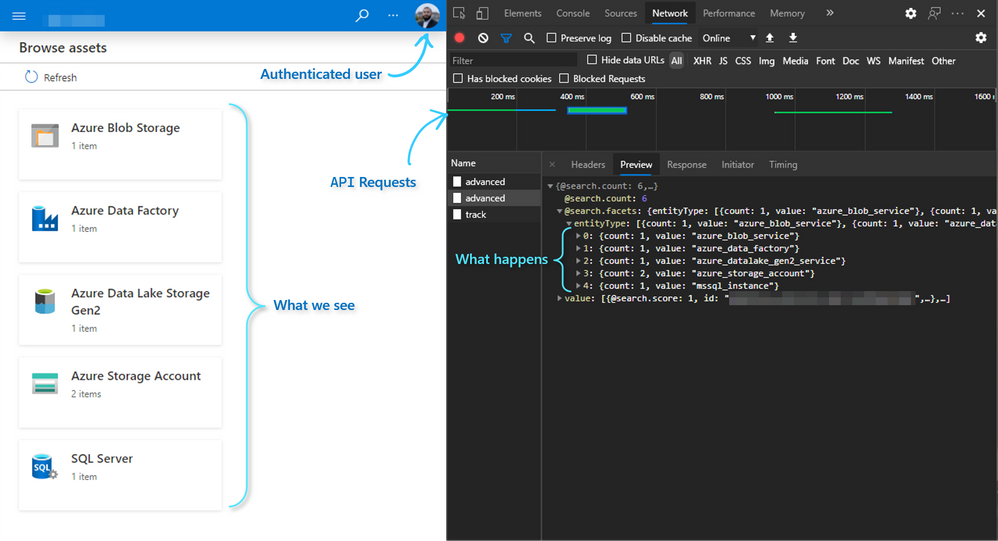
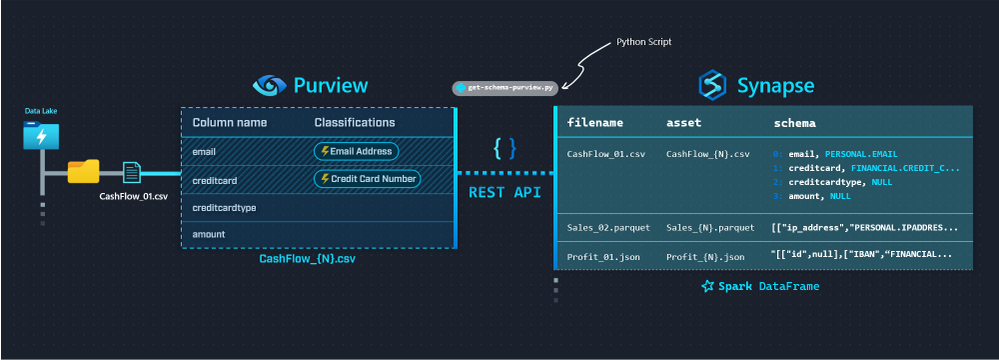
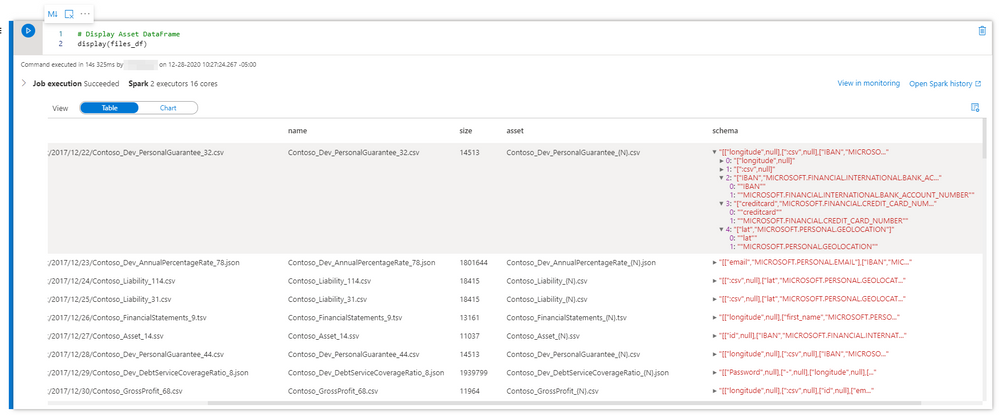
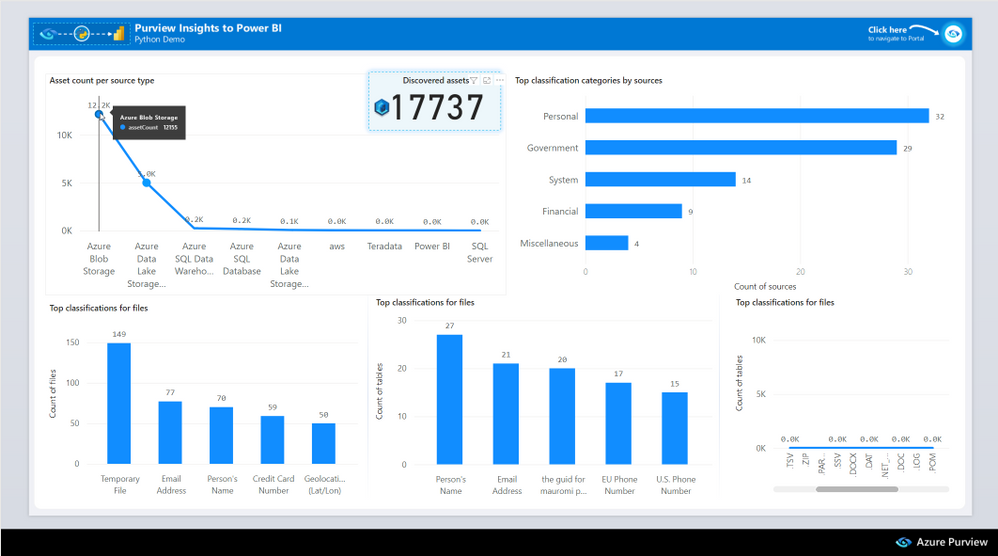
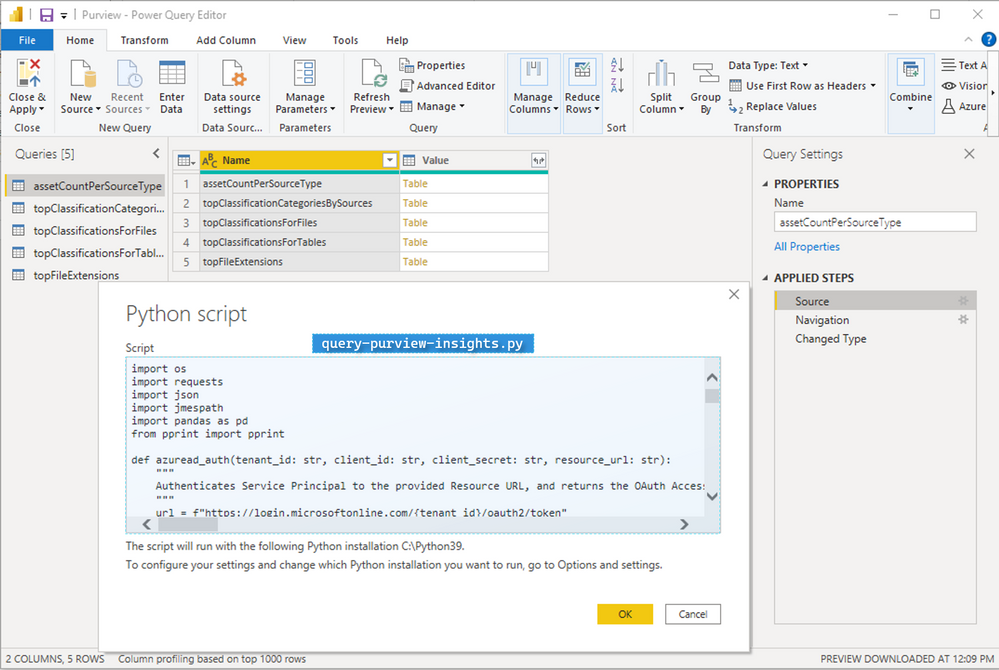
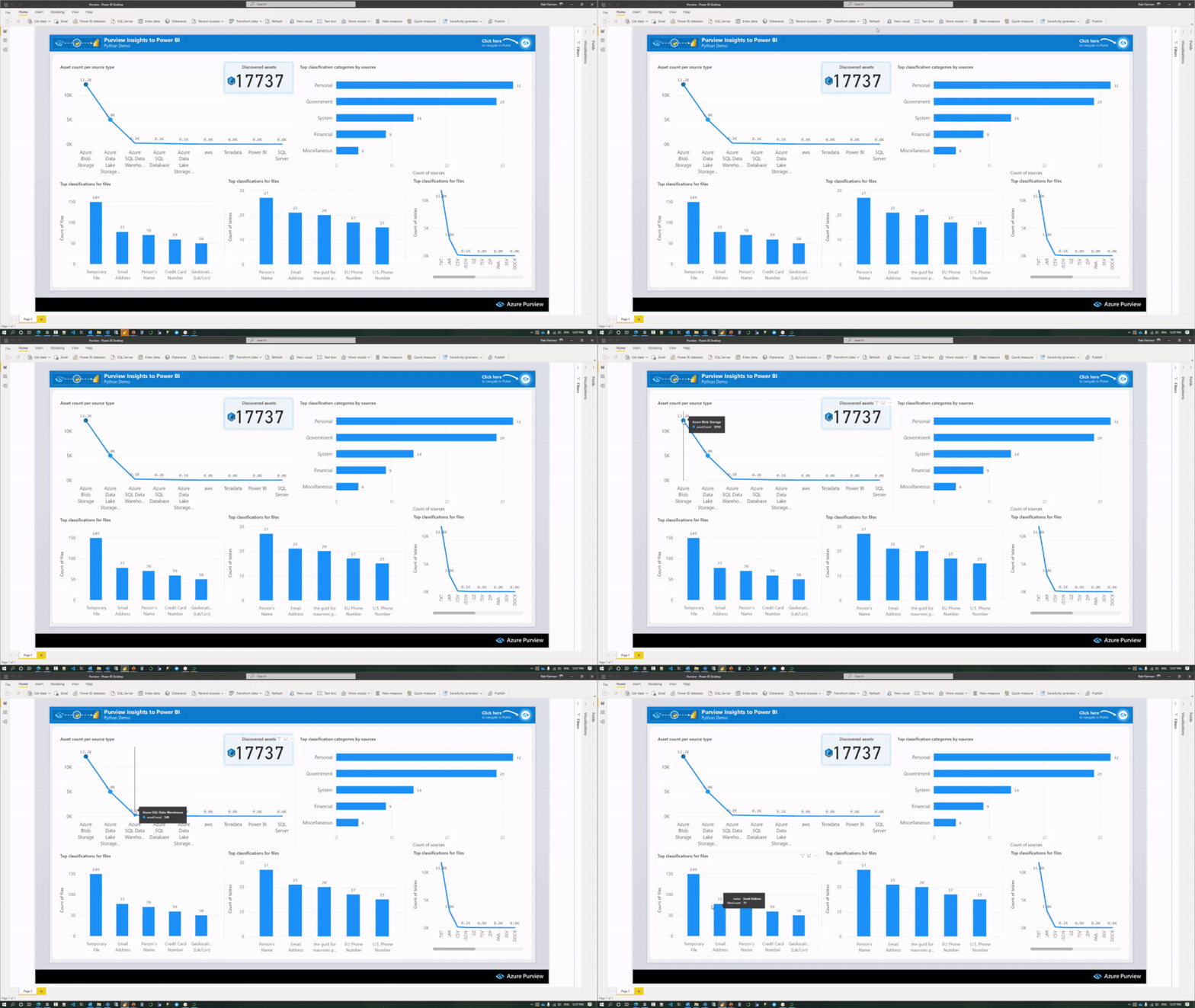
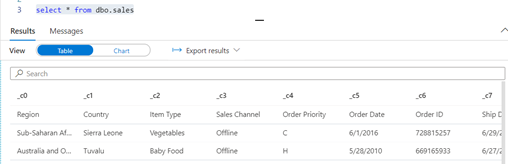



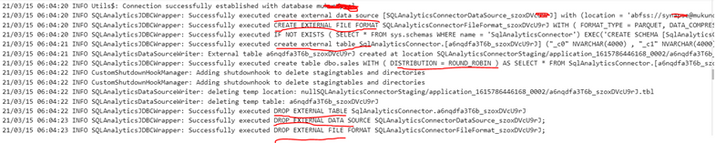
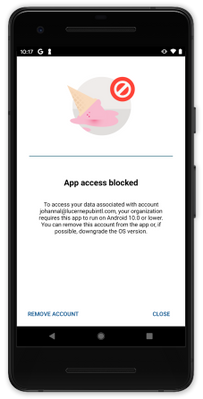
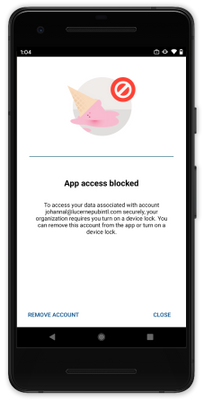
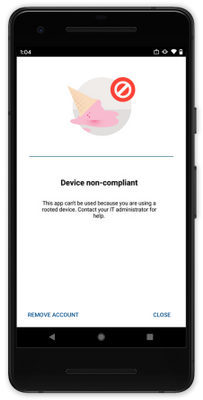
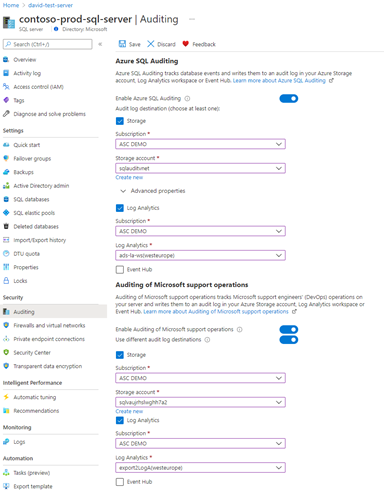
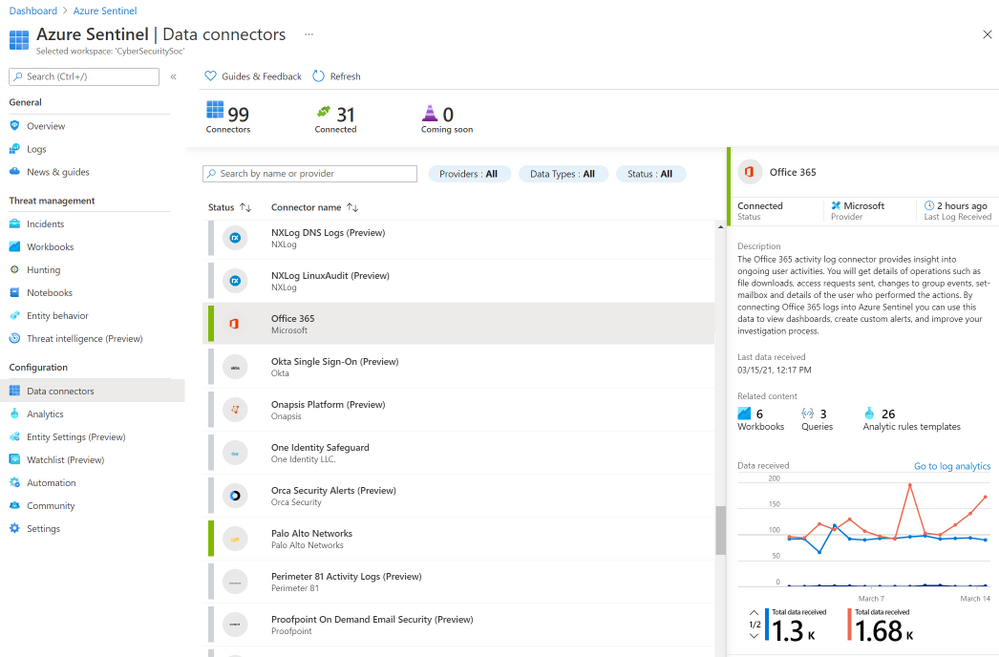
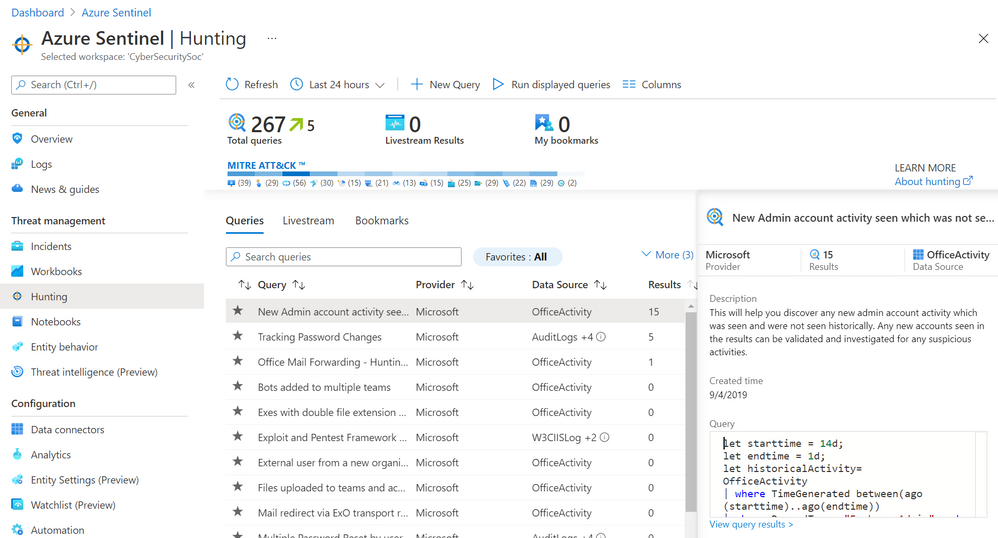
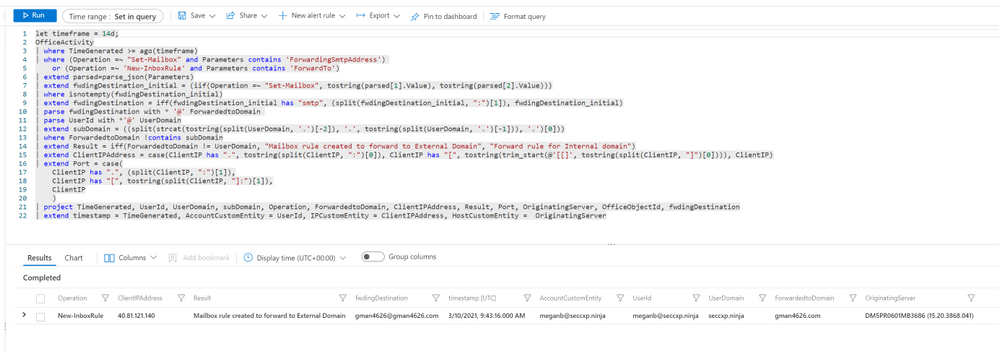
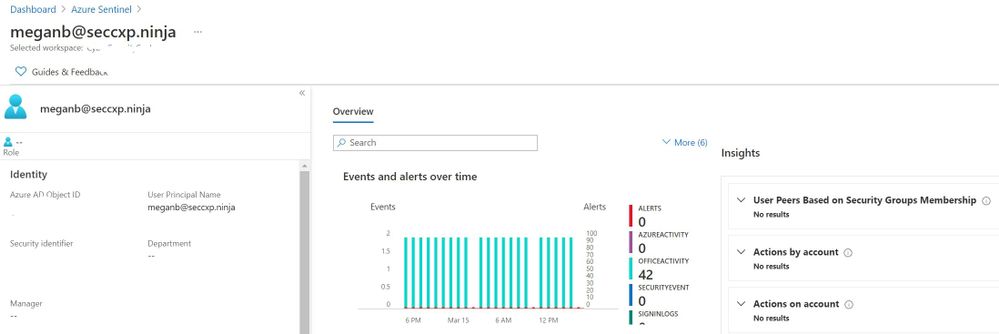
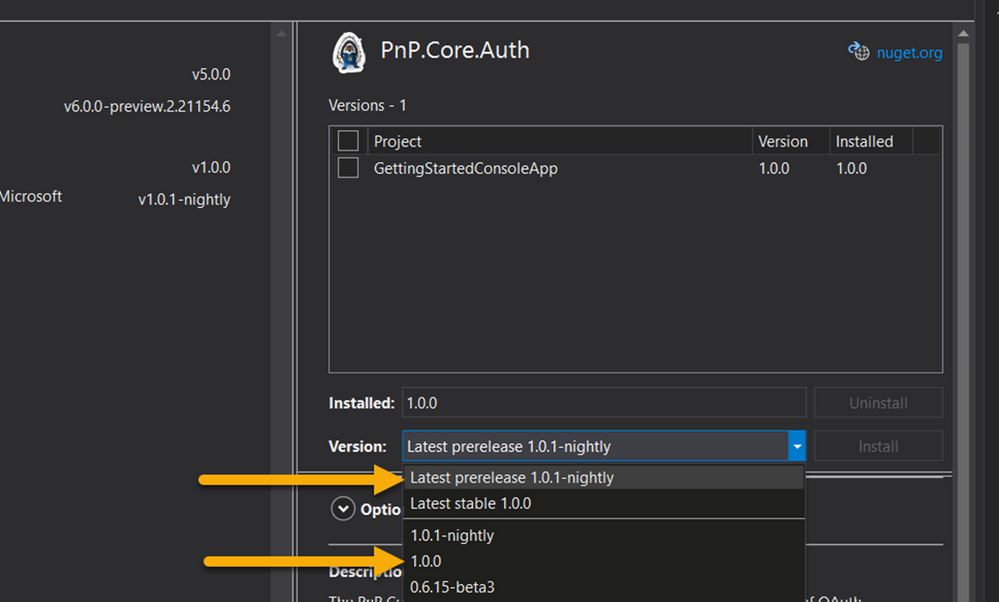
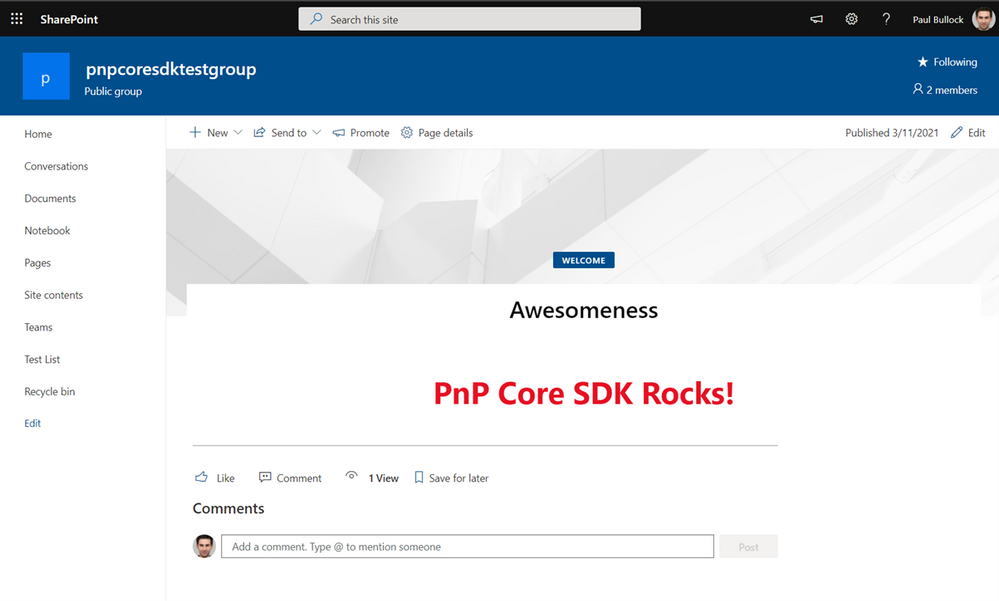
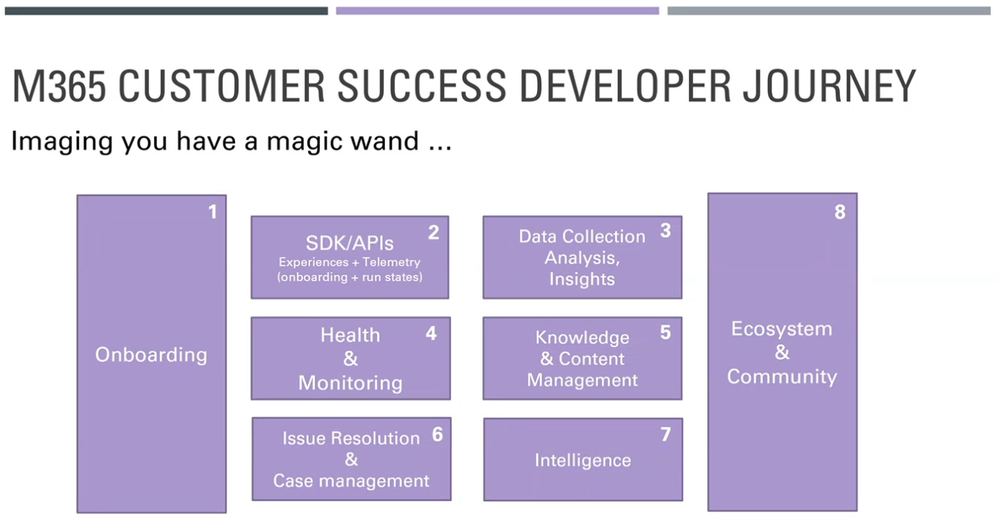
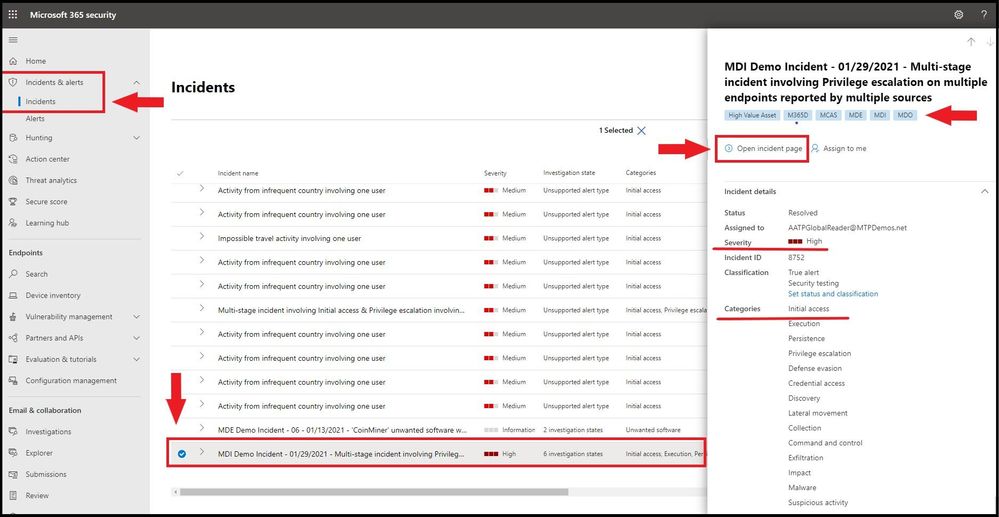
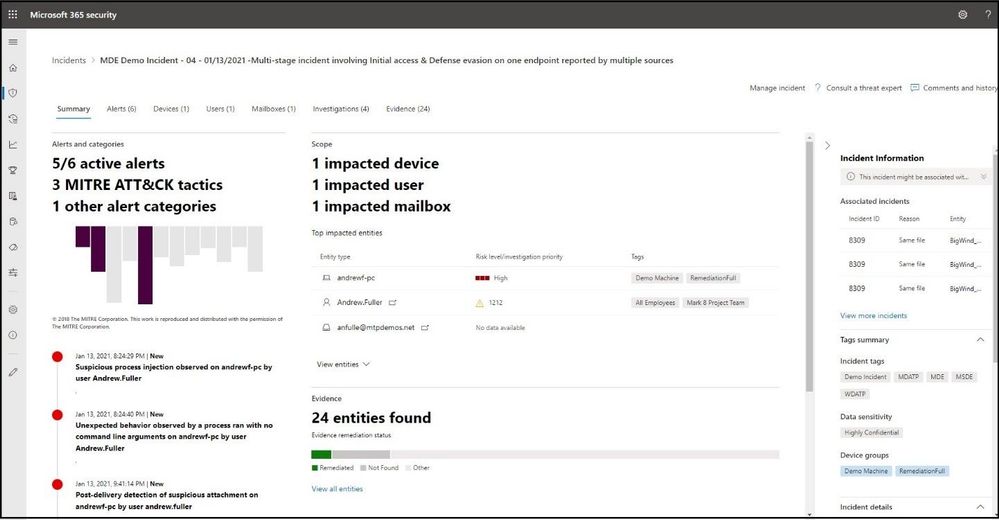
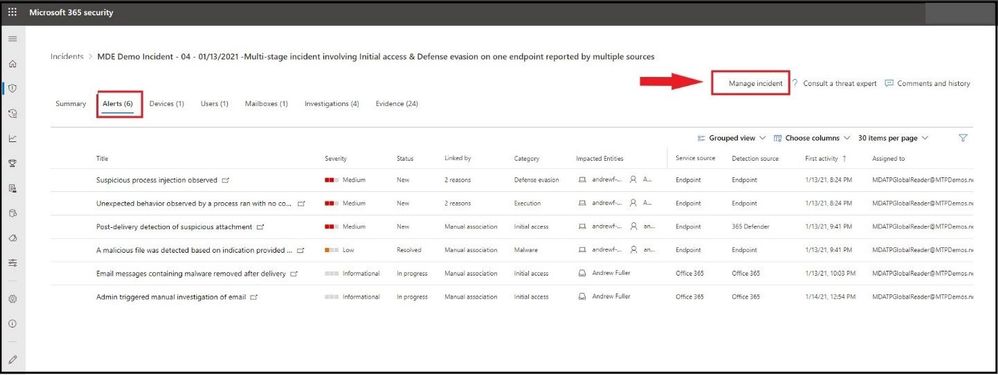
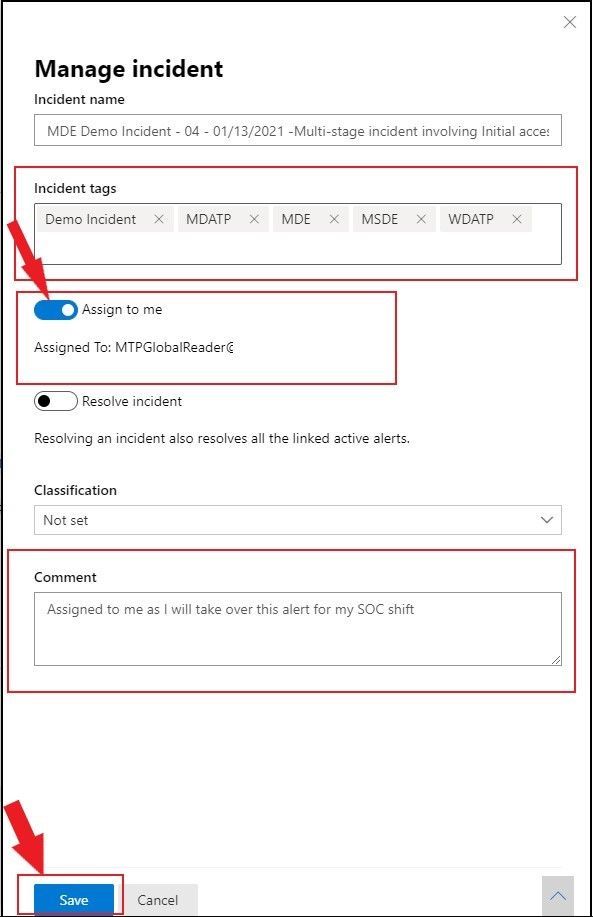
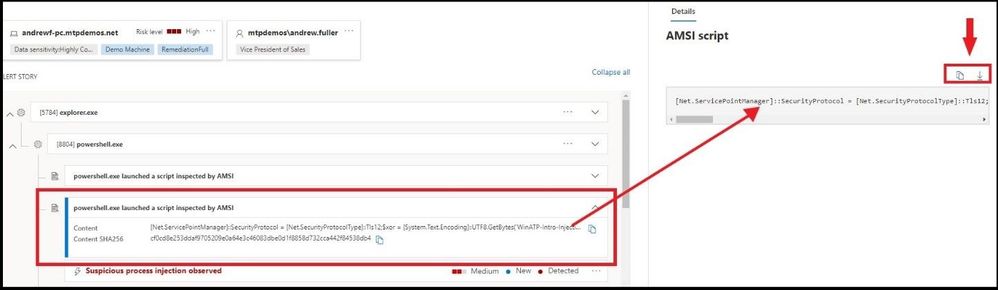
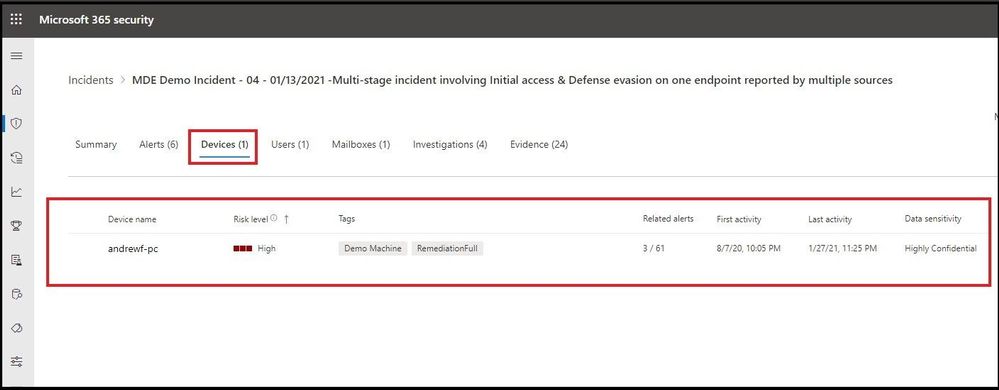
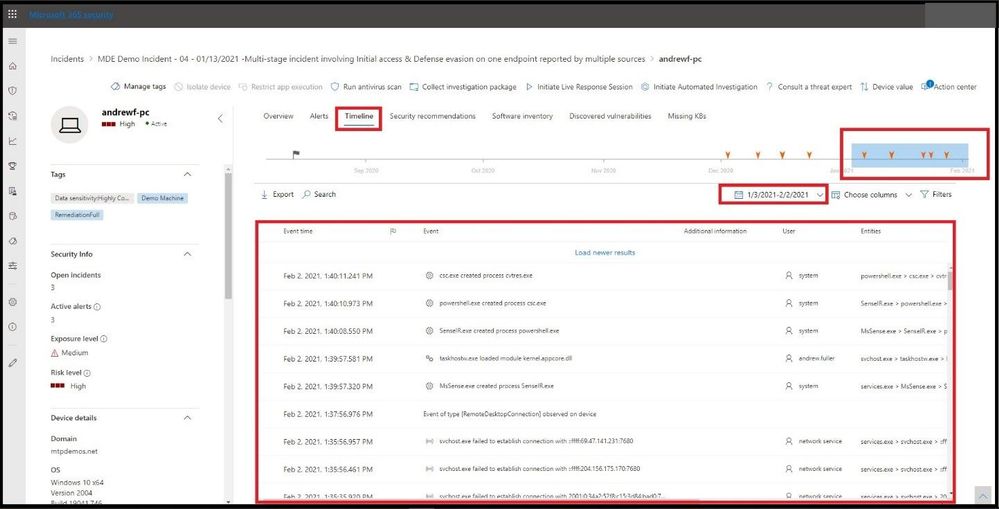
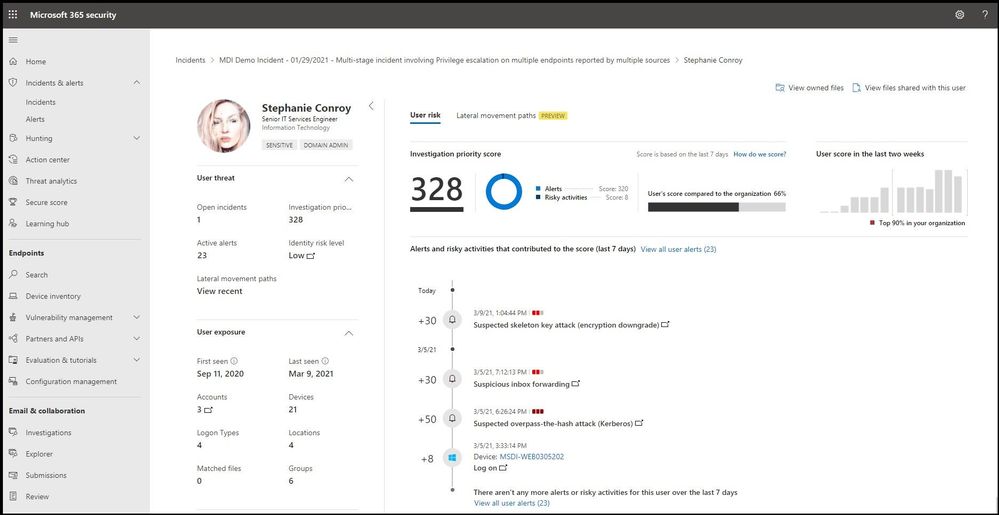
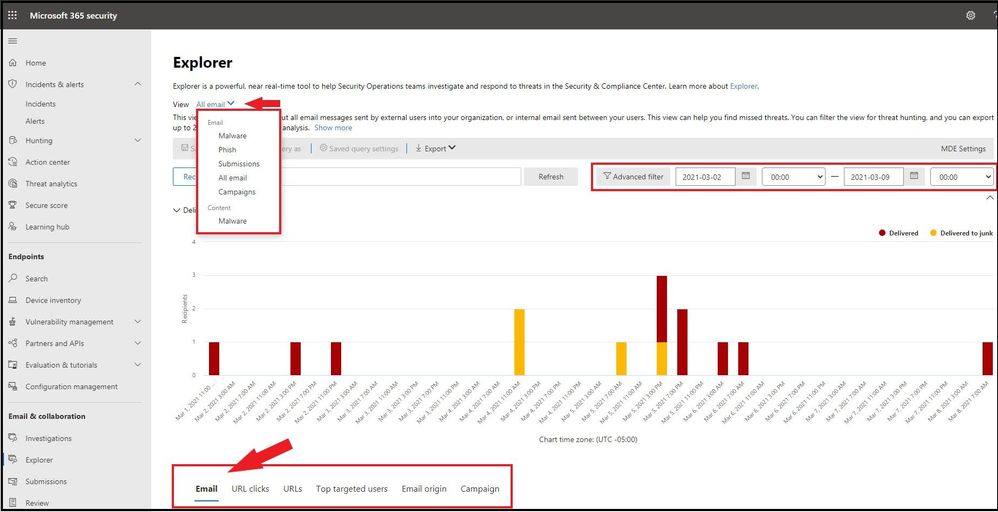
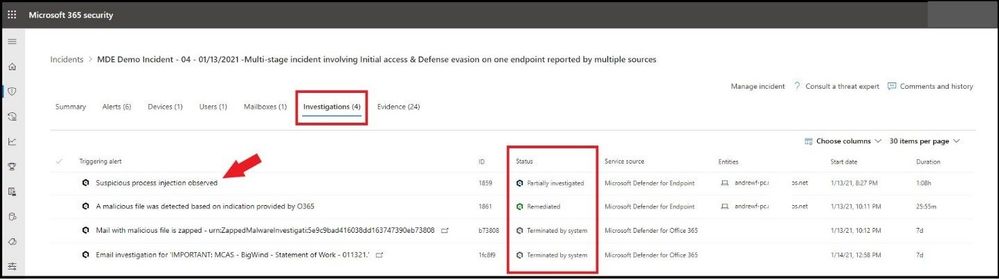

Recent Comments