
by Contributed | Mar 1, 2021 | Technology
This article is contributed. See the original author and article here.
The 2021 Imagine Cup is where passion meets purpose, and student innovators can bring their boldest tech ideas to life to impact our world. This year’s all-digital competition saw thousands of teams developing projects in four categories that aligned with their passions: Earth, Education, Healthcare, or Lifestyle. Students were invited to complete the Microsoft Learn Challenge as the first step in their competition journey and form teams of one to four people to leverage innovative tech, like AI, Power Platform, and Big Data, to develop a project proposal to make a difference.
We are consistently inspired by solutions students create to tackle common issues, and the 2021 competition is advancing with the selection of our World Finalist teams.
2021 prizes
These teams are heading to the next stage of the virtual World Finals to compete for USD10,000, Azure credits, and four spots in the World Championship. Runners-up will win USD2,500 and Azure credits. During the World Finals, teams will pitch their ideas to expert judges, demo their tech, and engage in a question and answer session. Projects will be judged on their innovative use of Azure technology, accessibility and inclusion, and marketability as a business idea.
Meet the World Finalists!
Earth category
Team Green Guru, United States
Project: Green Guide
|
|
Team Intelligent Hives, Poland
Project: Intelligent Hives – Bee Monitoring System
|
 |
Team ProTag, New Zealand
Project: ProTag
|
 |
Team SimplyLCA, Germany
Project: SimplyLCA
|
 |
Team Spiffeng, Singapore
Project: IoT Hydroponic System
|
 |
Team Virtual Radiologist, Nepal
Project: Pico Sat
|
 |
Education category
Team Agent of Change, Japan
Project: Ujiyan
|
 |
Team Cafrilearn, Kenya
Project: Makini
|
 |
Team Hands-On Labs, United States
Project: Hands-On Labs – How can we enable every student to have a truly ‘hands-on’ learning experience’ online?
|
 |
Team JAN/A, Czech Republic
Project: KnowledgePicker
|
 |
Team Nyansapo AI, United States
Project: Digital Literacy Assessment
|
 |
Team ReadAR, United States
Project: TeamAR
|
 |
Healthcare category
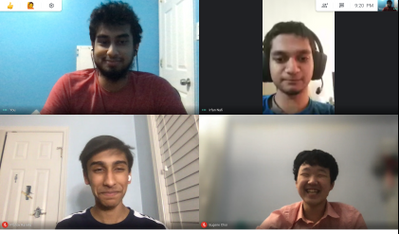
Team Atheia, United States
Project: Atheia
|
 |
Team Breathe Mongolia, Mongolia
Project: Sky Watcher
|
 |
Team Cepha, United States
Project: Cepha
|
 |
Team Cloud Access, Indonesia
Project: CardiWatch
|
 |
Team Flourish, Canada
Project: flourish
|
 |
Team Intelli-Sense, India
Project: Vision – the Blind Assist
|
 |
Team JBAwesome, Singapore
Project: Phychant — Development of Physical Disability and Speech Difficulties Assistant
|
 |
Team K-CPR, Korea
Project: K-CPR
|
 |
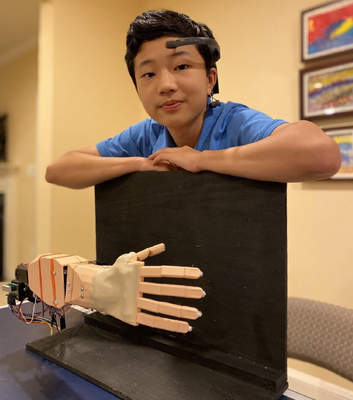
Team Neural Bionics, United States
Project: Neural Bionics
|
 |
Team REWEBA, Kenya
Project: REWEBA (Remote Well Baby)
|
 |
Team Sentirech, Mexico
Project: Sentirech
|
 |
Team Guardian, United States
Project: Guardian: A Novel Deep-Learning Based Fall Detection and Monitoring System for Senior Citizens
|
 |
Team Ubo, Tunisia
Project: Ubo
|
 |
Lifestyle category
Team Assurance, United States
Project: Assurance – Re(Imagine) Safety
|
 |
Team DataMasker, China
Project: WellMask
|
 |
Team Detectd, India
Project: Detectd- A sophisticated Artificial Intelligence based online Deepfake Detection platform
|
 |
Team EasyGov, United States
Project: EasyGov
|
 |
Team En#Plane, Korea
Project: HSG : Hate Speech Guard for Children
|
 |
Team INTELLIVOLT, Kenya
Project: Power Monitoring System
|
 |
Team Mimibot, Singapore
Project: Mimibot
|
 |
Team Roball Go, China
Project: Intelligent Visual Inspection Spherical Robot with Active Drive and Recovery
|
 |
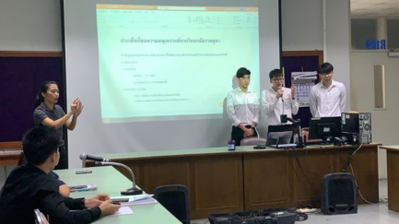
Team Threeotech, Thailand
Project: JustSigns
|
 |
Team Virtuoso Music, United States
Project: Virtuoso-Hyper-realistic AI Musician Using a Novel Multi-resolution Approach with deep convolutional neural networks
|
 |
Team Zephyr Air, United States
Project: Zephyr Air
|
 |
*Two World Finalist teams from Pakistan still to be announced.
Follow the action
Congratulations to all these incredible young developers for making it this far! Follow their journeys on Instagram and Twitter as they head to the World Finals to pitch their projects.
by Contributed | Mar 1, 2021 | Technology
This article is contributed. See the original author and article here.
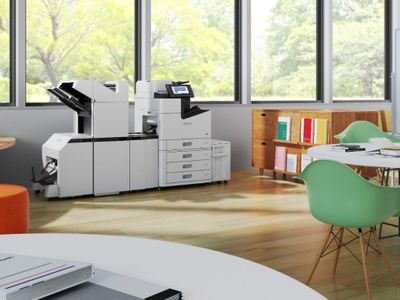
In September 2020, we announced that we are working with Microsoft on Universal Print integration. Epson is happy to share that we are ready to release Epson printers with built-in support for Universal Print from Microsoft.
Our Universal Print ready support is available by updating firmware according to the list of models below:
Support starting end of March 2021:
- (Japan) PX-M7080FX, PX-M7090FX, PX-S7090X
- (Other regions) WF-C878R, WF-C879R, WF-C878RB, WF-C879RB
Support starting May 2021:
- (Japan) LX-10050MF, LX-10050KF, LX-7550MF, LX-6050MF
- (Other regions) WF-C20600 Series, WF-C20750 Series, WF-C21000 Series

– Epson Universal Print
by Contributed | Mar 1, 2021 | Technology
This article is contributed. See the original author and article here.
Microsoft Project Trivia!
We’re starting trivia this month to help people learn more about Microsoft Project & its history. Leave your guesses to these questions in the comments & check back next month to see if you were right!
Question: What year was Microsoft Project first released?
Bonus: How many Windows applications did Microsoft release before Project?
Reimagine Project Management with Microsoft
Microsoft Project is hosting a free digital event to help our users learn more about how to leverage Project, Microsoft Planner, and Dynamics 365 Project Operations to best manage your projects – both big and small!
This includes 6+ hours of on-demand demos and product walkthroughs to help you discover and leverage new features and learn best practices to keep your projects on track. Get tailored guidance directly from the engineering teams behind these products.
This event goes live on March 18th, 2021. You can learn more here.
New Features
- Flexible Deployment for Project for the web ~ This feature is now available to all users! Create different environments for Project for the web based on organization, business unit, or team needs. Check out our blog post to learn more about this new experience
- Project Accelerator ~ The Project Accelerator allows users to leverage Power Apps to manage the entire lifecycle of your projects, including demand management, financial goals, team development, and artifact tracking.
- Filter on Project Home ~ Use a search bar to easily find your projects on Project Home.
Upcoming Features
- Export Timeline to PDF ~ Print your timeline information to a PDF so you can share your project schedule with external stakeholders.
- Assign tasks to non-group members ~ Assign a task to someone without automatically adding them to your project group.
- Effort in the Project details pane ~ See overall effort on your project directly in the Project details pane, including the total effort, completed effort for your project, and remaining effort on your whole project.
FAQ:
This section includes questions we see frequently, either through the in-app Feedback button or from the comments of last month’s blog.
Q: What dependencies are supported in Project for the web?
A: Project for the web currently only supports Finish-to-Start dependencies. If you need additional dependencies, please submit feedback using our in-app “Feedback” button in the top-right corner of the product. This best helps us keep track of customer needs.
Q: Where are attachments stored in Project?
A: You can find all your attached files in your Team’s SharePoint library.
Note that you can’t attach files to tasks in Project unless you have already shared your project to a group. You can do this by using the “Group members” button in the top-right corner of the product.
You can attach links to your tasks even before you add a group to your project.
We want to hear from you! If you have feedback, submit it by using the “Feedback” button in Project for the web. Make sure to include your email address so we can contact you directly with any follow up questions or comments. Your comments on our blog posts are also monitored, so let us know what you think about this or other articles.

by Contributed | Mar 1, 2021 | Technology
This article is contributed. See the original author and article here.
Microsoft Ignite 2021: March edition is almost here! And here’s your guide to everything you’ll find that’s Microsoft Endpoint Manager related! And we mean EVERYTHING!
Jump to: Core sessions | On-demand sessions | Ask the Experts | Depth on demand | Endpoint management deep dives – Q&A in March
Microsoft Endpoint Manager continues to be the one product, that hub, to unify security, apps, access, compliance, and the end-user experience across your entire estate. And whether those devices are Windows devices, Android, iOS, iPad OS, Mac OS, whether they are used by information workers or are being used as kiosks, whether they are assigned to a single user or are configured as shared devices, and whether they are on-premises or remote – or any combination, Endpoint Manager can help keep your organization running smoothly, whatever the future brings.
If you are currently using Configuration Manager to manage your devices and haven’t moved to the cloud, or you’ve started that path to cloud management, or you are natively managing all of your endpoints with Microsoft Intune, now is the time to hear about everything new with Endpoint Manager- even since last September. If you haven’t already, register at https://myignite.microsoft.com and start building your schedule. You can click the session titles below and add them to your schedule (aka: digital backpack). Make sure you bookmark this post as we’ll be updating it each day with links to all our announcements, in-depth learning on demand, and all post-Ignite activities.
Here’s what’s on the agenda, live and on-demand at Microsoft Ignite 2021: March edition!
Core sessions
Spotlight on the future of work
Start the event with Modern Work CVP Jared Spataro, as Jared talks about flexible work, and how Microsoft is empowering people to work from home, on the go, and at the office.
Engineer to engineer: let’s talk Windows!
After Jared’s keynote, even though this is a Windows session, you need to join our Windows CVP Aidan Marcuss with his guests (from left to right) Gabe Frost (Windows), Ramya Chitrakar (Endpoint Manager), and David Weston (security) for a fun conversation about all of the great features and capabilities we’ve built into Windows, security, and management based on YOUR FEEDBACK AND SUGGESTIONS. And how we’re carrying those further to help prepare your organization for the future.
We’ll have live Q&A throughout the session, too, so pick the time that works best for you and add it to your backpack!
After the Wednesday. March 3rd “Let’s talk Windows” session, around 4:30 PM PST, Steve Dispensa, Rob Lefferts, and Rudra Mitra will also join the live anchor desk to talk about the convergence of endpoint management and security so keep an eye on the MyIgnite main channel!
On-demand sessions
After or in between core sessions, we have also great sessions that you can watch or save to your digital backpack to watch on demand any time:
Ask the Experts
We offer live Q&A during the core sessions and in-between segments, but if you miss those, we also have our SMEs taking your questions live via Teams Live Events! Come join our diverse group of engineers, support, and other product experts as we discuss and answer your questions live! Space is limited so make sure you click your desired session to RSVP!
Microsoft Edge
If you have specific questions around deploying and managing Microsoft Edge, join Colleen Williams and members of the Edge engineering team on Tuesday, March 2 | 11:30PM-11:59PM PST for Ask the Experts: Microsoft Edge: Top reasons why customers love Microsoft Edge
Windows & Devices
If you are also looking for advice on deploying, managing, and servicing Windows & Devices, we have lots of goodies for you! First, we’ll offer live Q&A during the fireside chat with Panos Panay and Roane Sones on Tuesday, March 2 | 11:30AM PST. And if that time doesn’t work for you, keep an eye on the session builder as we’ll be replaying this session later in the day.
Then check out the special Ask the Experts sessions: Let’s talk Windows, which we’ll have live at two timeslots:
And for more session on Windows & Devices, check out our blog post here: Windows & Devices at Microsoft Ignite 2021: March edition
Depth on demand
And finally, we know you come to Microsoft Ignite for deep, technical learning, and to build your technical skills. Like we did in September, we have a breadth of deep dive videos on the Video Hub on Tech Community. These are direct from our engineers and product experts!
- What’s new in Windows management with Microsoft Endpoint Manager – Matt Call & Mike Danoski
- What’s new in iOS/macOS management with Microsoft Endpoint Manager – Arnab Biswas & Anya Novicheva
- What’s new in Android management with Microsoft Endpoint Manager – Priya Ravichandran
- Microsoft Defender + Tunnel: simple, secure mobile connectivity – Tyler Castaldo & Shravan Thota
- Enabling frontline workers with Microsoft Endpoint Manager – Chris Baldwin & Cory Ferro
- Application reliability in Endpoint analytics – Zach Dvorak
Endpoint management deep dives – Q&A in March
Of course, you’ve already heard about our Microsoft Endpoint Manager deep dives and Q&A events that are happening after Ignite! For more information on our Endpoint Management Acceleration Day, our 1:1 consults, and Ask the Experts Q&A, check out the Microsoft Endpoint Manager Blog!
Learn more
If you are looking for more of a prescriptive learning path, we’ve got some learning guides to help you manage and protect devices and apps with Endpoint Manager.
And, finally, here are some additional guides to help you maneuver around all that is Microsoft Ignite 2021: March edition.
Stay informed
Follow us at @MSIntune for the latest announcements and updates on Microsoft Endpoint Manager throughout Microsoft Ignite and beyond.
* Timing subject to change Refer to the MyIgnite session catalog for the latest times and updates.
by Contributed | Mar 1, 2021 | Technology
This article is contributed. See the original author and article here.
Imagine you have a SQL Managed Instance and a SQL Dedicated Pool. Now imagine that for some reason you need to run a SELECT, INSERT, UPDATE or even a CREATE TABLE on your SQL Dedicated Pool but executed from your SQL Managed Instance. In case you didn’t know, you can do this using Linked Servers.
For those unfamiliar with Linked Servers, they enable the instance in which you create them to read data from remote data sources and also to execute commands against remote database servers.
You can setup Linked Servers using SSMS or you can use T-SQL as well. Here’s a short example of how to setup a Linked Server from a SQL Managed Instance to Azure Synapse Analytics SQL Dedicated Pool, using T-SQL.
First, we need to start by creating the Linked Server on our SQL Managed Instance, and configuring it to point to our SQL Dedicated Pool:
-- Configure the linked server on your SQL Managed Instance
EXEC sp_addlinkedserver
  @server = 'yourLinkedServer', -- specify here the name you want for your linked server
  @srvproduct = N'',
  @Provider = 'MSOLEDBSQL', -- recommended OLE DB provider
  @datasrc='yourworkspacename.sql.azuresynapse.net', -- add here your SQL Dedicated Pool server name
  @catalog = 'yourDatabase'; -- add here your SQL Dedicated Pool database name as initial catalog (you cannot connect to the master database)
After having created the Linked Server, we need to define the credentials with which we want to connect to your SQL Dedicated Pool:
-- Add credentials and options to this linked server
EXEC sp_addlinkedsrvlogin
  @rmtsrvname = 'yourLinkedServer',
  @useself = 'false', -- so we can specify below which user and password to connect with
  @rmtuser = 'yourLogin', -- add here your login on your SQL Dedicated Pool
  @rmtpassword = 'yourPassword'; -- add here your password on your SQL Dedicated Pool
Lastly, by default Linked Servers are not able to make stored procedure calls so we need to enable a setting:
-- Enable RPC to the given server
EXEC sp_serveroption
  @server = 'yourLinkedServer',
  @optname = 'rpc out',
  @optvalue = true;
Once you’ve successfully executed all the previous steps, you can now remotely run T-SQL commands on your SQL Dedicated Pool directly from your SQL Managed Instance.
Executing T-SQL via Linked Servers requires we declare the objects we are referencing with a 4-part name in the format of:
-- Query the data using 4-part names
SELECT * FROM yourLinkedServer.yourDatabase.yourSchemaname.yourTablename;
However, if you try to run DDL or DML (other than SELECT) using this 4-part name you’ll get error messages as follows:
INSERT INTO yourLinkedServer.SampleSQL.dbo.Employee VALUES(1);
Msg 46706, Level 16, State 1, Line 29
Cursor support is not an implemented feature for SQL Server Parallel DataWarehousing TDS endpoint.
CREATE TABLE yourLinkedServer.SampleSQL.dbo.t1(col1 INT NULL);
Msg 117, Level 15, State 1, Line 31
The object name ‘yourLinkedServer.SampleSQL.dbo.t1’ contains more than the maximum number of prefixes. The maximum is 2.
A way to get around this is by running the DDL and DML in the format of:
EXEC ('DDL/DML') at yourLinkedServer
So for two previous examples, the T-SQL would be:
--to create a table
EXEC ('CREATE TABLE dbo.t1(col1 INT NULL)') at yourLinkedServer;
--to insert a row into the table
EXEC ('INSERT INTO dbo.t1 VALUES(1)') at yourLinkedServer;
Hope you find this useful!


Recent Comments