by Contributed | Jun 9, 2021 | Technology
This article is contributed. See the original author and article here.
So, you have a frontend app, written in a SPA framework like Angular, React, Vue or maybe Svelte? And you want to find the quickest way to get it to the Cloud? There are many ways to do so, GitHub, Azure Storage, but there’s also Azure Static Web Apps service.
So, there are a few moving parts that you may or may not use, like the below
Frontend, this is your app written in a framework like Angular, React.js, Vue.js etc
API, this is your backend that you build using Azure functions, so it’s Serverless which is great on your wallet but also for architecting with events in the Cloud
Auth, auth is always a bit cumbersome but great once it’s up and running.
Your problem
So, you want to get all this deployed? but before you get so far, you want to make sure that you can test everything on your own machine first, but can you? In a lot of cases, you can’t and that leads you to mock certain things like maybe the API or the auth part. So once deploying you are fairly confident it will work, but you are still crossing your fingers. But does it really have to be that way? Why can’t you have a great developer experience where everything is testable offline?
Well, Azure Static Web Apps, does come with CLI tool for this, and it delivers on the promise, you can develop your app 100% locally and only when you feel ready can you deploy, if you want. Doesn’t that sound nice? Of course it does !
CLI features
You are probably a bit tentative at this point, you are liking the sales pitch but isn’t 100% convinced.
Hmm ok, show me the features?
Sure, here they are:
- Serve static static app assets, or proxy to your app dev server
- Serve API requests, or proxy to APIs running in Azure Functions Core Tools
- Emulate authentication and authorization
- Emulate Static Web Apps configuration, including routing
Ok, sounds good, but I bet it’s a pain to install?
Not so much, it’s one line of Node.js, like so:
npm install -g @azure/static-web-apps-cli
and to start you type:
Hmm, sounds simple enough, so where’s my app at?
It’s at http://localhost:4280.
The API
Ok, nice, you let me server up my frontend. What about the API you said I could have?
Because it’s using Azure Functions, you need the libs to run that, so it’s a one time install of azure functions core tools like so:
npm install -g azure-functions-core-tools@3 –unsafe-perm true
and then there’s the command for starting both the frontend and the API:
swa start ./my-dist –api ./api-folder
Ok, I’m liking this more and more, you said something about auth too?
Authentication
There’s a local authentication API where auth lives here http://localhost:4280/.auth/login/ and provider is something like Twitter, Facebook etc.
Wait, and that wil just work?
Yep :)
Ok, that’s it you got me, I’ll go check it out. Where was it again?
The docs are here https://github.com/Azure/static-web-apps-cli
Summary
This article talked about the local emulator for Azure Static Web Apps that’s really competent and is capable of serving up you entire app, that’s frontend, API and even auth. And capable of doing so locally.
Additional links

by Contributed | Jun 9, 2021 | Technology
This article is contributed. See the original author and article here.
The following courses will guide you to becoming an Azure Defender for IoT Ninja.
Curriculum
This training program includes over 22 modules. For each module, the post includes a video, and/or a presentation, along with supporting information when relevant: product documentation, blog posts, and additional resources.
The modules are organized into the following groups:
- Overview
- Basic Features
- Deployment
- Sentinel Integration
- Advanced
Check back often as additional items will be published regularly.
Overview
Azure Defender for IoT enables IT and OT teams to auto-discover their unmanaged IoT/OT assets, identify critical vulnerabilities, and detect anomalous or unauthorized behavior — without impacting IoT/OT stability or performance.
Azure Defender for IoT delivers insights within minutes of being connected to the network, leveraging patented IoT/OT-aware behavioral analytics and machine learning to eliminate the need to configure any rules, signatures, or other static IOCs. To capture the traffic, it uses an on-premises network sensor deployed as a virtual or physical appliance connected to a SPAN port or tap. The sensor implements non-invasive passive monitoring with Network Traffic Analysis (NTA) and Layer 7 Deep Packet Inspection (DPI) to extract detailed IoT/OT information in real-time.
This section provides background information on IoT and OT networks and an overview of the Microsoft Azure Defender for IoT platform.
Basic Features
Learn about the core features of the platform including asset discovery, deployment options, reporting, alert handling, event timeline, risk assessment, attack vector simulations, and data mining and baselining.
Deployment
This section provides details on the deployment and tuning specifics. Learn about the differences between on-premises-only and cloud-connected options. Walk through the licensing components within the Azure portal.
Sentinel Integration
For cloud-connected options, remote sensors will send logging and analysis data to Azure. Once in the cloud, logging and asset data may be forwarded to Sentinel. All of the tools within Sentinel become available including automation/playbooks, workbooks, threat hunting and analytics, incident handling, notebooks, and more.
Advanced
Learn about advanced features and integrations including custom alerts, MITRE framework, enterprise data integration, large scale deployments, SOC integration, and more.
Azure Defender for IoT Product Documentation
You may find product documentation in the Azure portal:
by Contributed | Jun 9, 2021 | Technology
This article is contributed. See the original author and article here.
We have released for general availability Microsoft.Data.SqlClient 3.0. This .NET Data Provider for SQL Server provides general connectivity to the database and supports all the latest SQL Server features for applications targeting .NET Framework, .NET Core, and .NET Standard.
To try out the new package, add a NuGet reference to Microsoft.Data.SqlClient in your application.
If you’ve been following our preview releases, you know we’ve been busy working to add features and improve stability and performance of the Microsoft.Data.SqlClient library.
Some of the highlights of new features in 3.0 over the 2.1 release of Microsoft.Data.SqlClient include:
There are a few minor breaking changes in 3.0 over previous releases.
- .NET Framework 4.6.1 is the new minimum .NET Framework version supported
- The User Id connection property now requires Client Id instead of Object Id for User-Assigned Managed Identity when using the Active Directory Managed Identity authentication option
- SqlDataReader now returns a DBNull value instead of an empty byte[] for RowVersion/Timestamp values. Legacy behavior can be enabled by setting an AppContext switch.
For the full list of added features, fixes, and changes in Microsoft.Data.SqlClient 3.0, please see the Release Notes.
Again, to try out the new package, add a NuGet reference to Microsoft.Data.SqlClient in your application. If you encounter any issues or have any feedback, head over to the SqlClient GitHub repository and submit an issue.
David Engel
by Contributed | Jun 9, 2021 | Technology
This article is contributed. See the original author and article here.
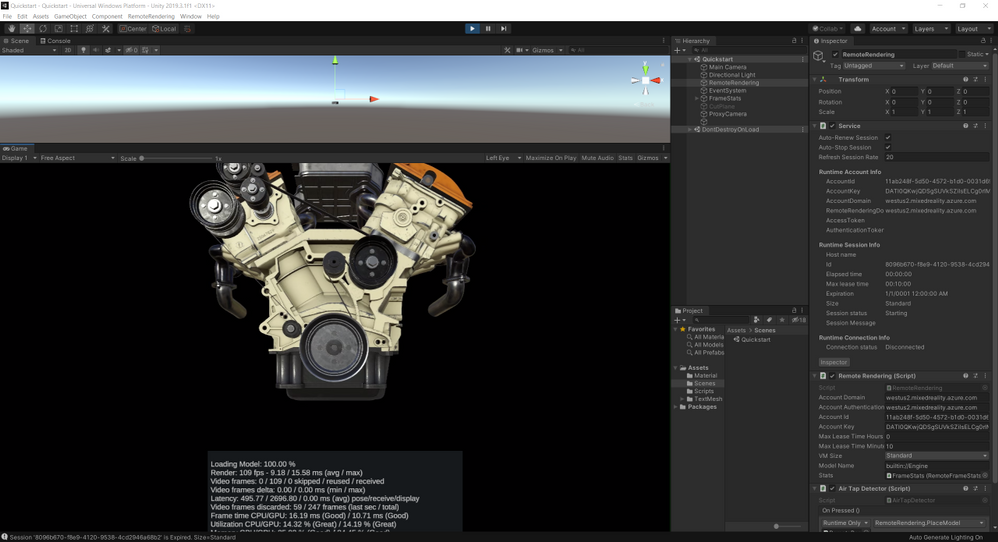
Mixed reality merges the digital and physical worlds. A key piece of the digital world is visualizing 3D models. Being able to view and interact with valuable 3D assets in mixed reality is improving workflows across many industries.
Azure Remote Rendering allows you to view these 3D models in mixed reality without the limitation of edge compute.
What is Azure Remote Rendering
Remote Rendering is a Mixed Reality Azure service that enables you to render high quality, interactive 3D content in Azure and stream it to devices like HoloLens 2 in real time. This lets you experience your 3D content in mixed reality with full detail, going beyond the limits of low powered devices. We offer an intuitive SDK backed by a powerful cloud service that makes it easy for you to integrate into your existing apps or any new apps.
Why use Azure Remote Rendering
As industries move to take advantage of mixed reality, being able to view complex 3D models unlocks a ton of business value. While HoloLens 2 is an incredible, untethered computer, it’s still limited in its processing power. To work around the limitation, designers and developers have traditionally resorted to a process called decimation where detail is removed from a model to enable visualization on mixed reality headsets. Decimation not only simplifies the model but can also take a large amount of time.
With Remote Rendering, you can skip the decimation process and view your complex 3D models in HoloLens 2 without any loss of detail.
Azure Remote Rendering Use Cases
Remote Rendering can bring value across many industries that require complex 3D models. Two use cases I want to highlight are 3D design review and layout visualization.
3D Design Review
Whether you are building a car engine or designing a new skyscraper, the ability to view the model in 3D and in mixed reality allows you to see how the product fits together. In addition to the benefits of viewing your product in 3D and spotting any issues, using Remote Rendering can create common understanding and speed up decision making, without having to go through a time intensive decimation process.
Layout Visualization
Imagine you are designing a factory line for a new product. With Remote Rendering and HoloLens 2, you can view the entire factory line in the real space to easily spot any errors, misalignments or missing pieces, thereby saving valuable time and avoiding costly rework.
Learn Module
We created a Microsoft Learn module to help you get started with Remote Rendering! In this module, we explore foundational concepts for Remote Rendering and take you through the process of creating the Azure resource followed by rendering a model in Unity. No device is required to complete the module; however, you’re welcome to deploy to a HoloLens to try out the experience in your real-world environment.
Check-out the video preview and visit aka.ms/learn-arr to get started!
by Contributed | Jun 9, 2021 | Technology
This article is contributed. See the original author and article here.
Introduction
Mashreq is the oldest regional bank based in UAE, with a strong presence in most GCC countries and a leading international network with offices in Asia, Europe, and United States. Based in Dubai, they have 15 domestic branches and 11 international ones, with more than 2,000 Windows devices deployed across all of them. Mashreq is a leader in digital transformation in the banking sector and, in 2019, they started digital transformation journey with Microsoft 365 and Dynamics 365 and switched later to Surface Pro device for their frontline employees.
Mashreq bank developed an application Universal Banker App (UB App) with React Native to empower frontline employees working at branches to serve customers across a broad range of inquiries and journeys. The application helped them to increase the proximity with the customer, improving the customer experience and reducing the service time. After the success in one Business Unit, they decided to deploy the tool to all other business group, however they faced different challenges:
- UB app was built for Android, while the other business group were using Windows PCs and Microsoft Surfaces.
- UB App was optimized for touch input, which is best for mobile devices, while other business group often work with a mouse & keyboard setup.
- Mashreq development team had a limited experience with Windows native development.
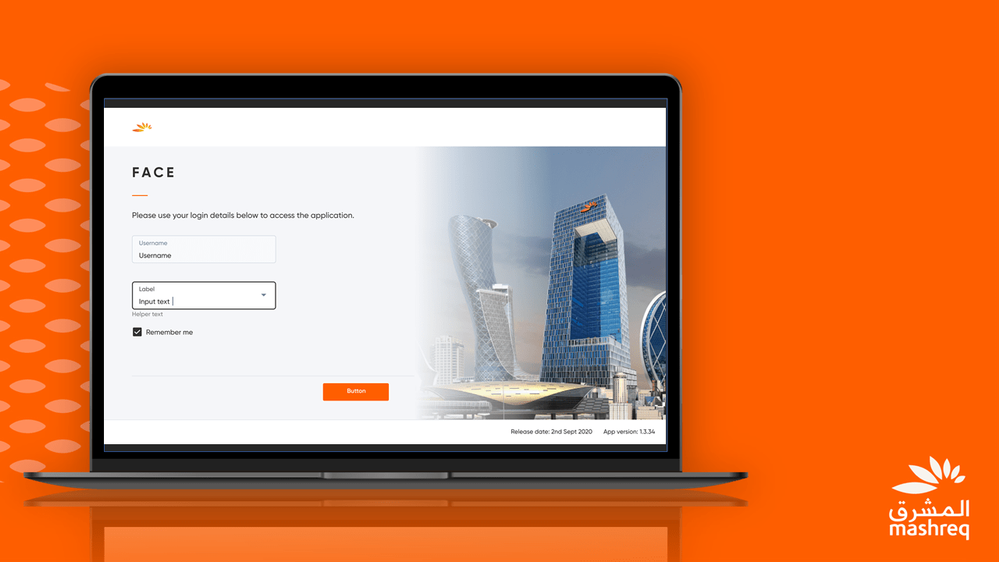
Thanks to React Native for Windows, Mashreq was able to address all these challenges on a very short time and developed Mashreq FACE App for Windows platform.
Reusing the existing investments to deliver a first-class experience on Windows
React Native for Windows has enabled the development team to reuse the assets they build on React Native for the Android application. “React Native for Windows allowed us to extend the same experience of the original Android application with maximum code reusability” said Anubhav Jain, Digital Product Lead in Mashreq. Thanks to the modularity provided by React Native, the development team was able to build a native Windows experience tailored for the other business groups by utilizing the existing components they had built for the Android version.
Thanks to the investments done by Microsoft on React Native, this is no longer a mobile-only cross-platform framework, but it’s a great solution to support cross-platform scenarios across desktop as well. This has enabled Mashreq to provide a first-class experience to the employees who are interacting with the application on Windows, whether if they are using PCs optimized for mouse and keyboard or departments who have adopted Microsoft Surface to provide a great touch experience.
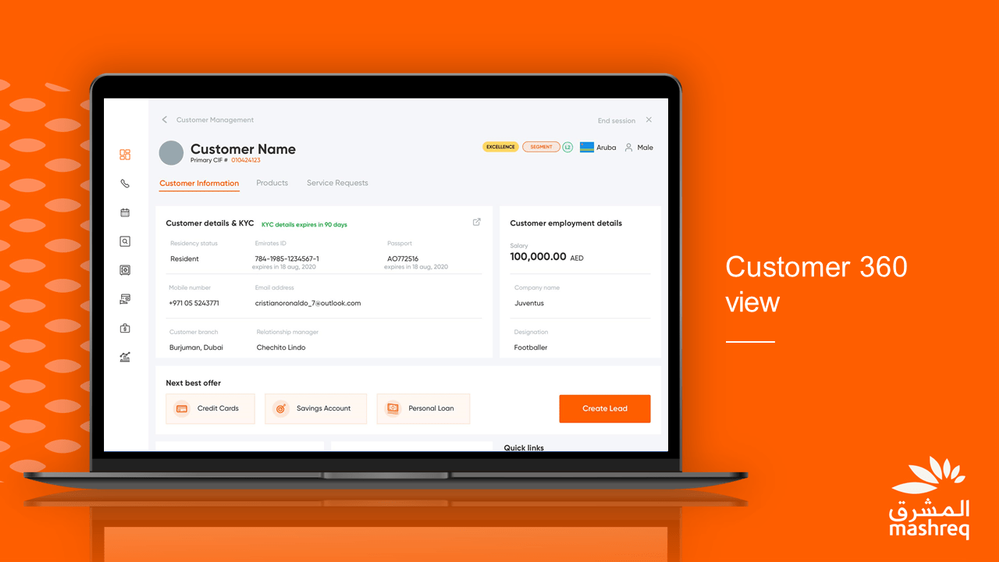
React Native for Windows has enabled the development team at Mashreq to develop with their existing workforce and allowed them to iterate faster on the project targeting multiple platforms.
React Native for Windows has enabled Mashreq not only to reuse their existing skills and code to bring their application to Windows, but also to enhance it by tailoring it with specific Windows features.
As part of their digital transformation journey, Mashreq has also deployed Microsoft Teams as official communication app internally and for external customers. The development team has integrated Microsoft Teams in FACE App on Windows, by enabling employees to call customers directly with just one click by using Microsoft Teams communication capabilities.
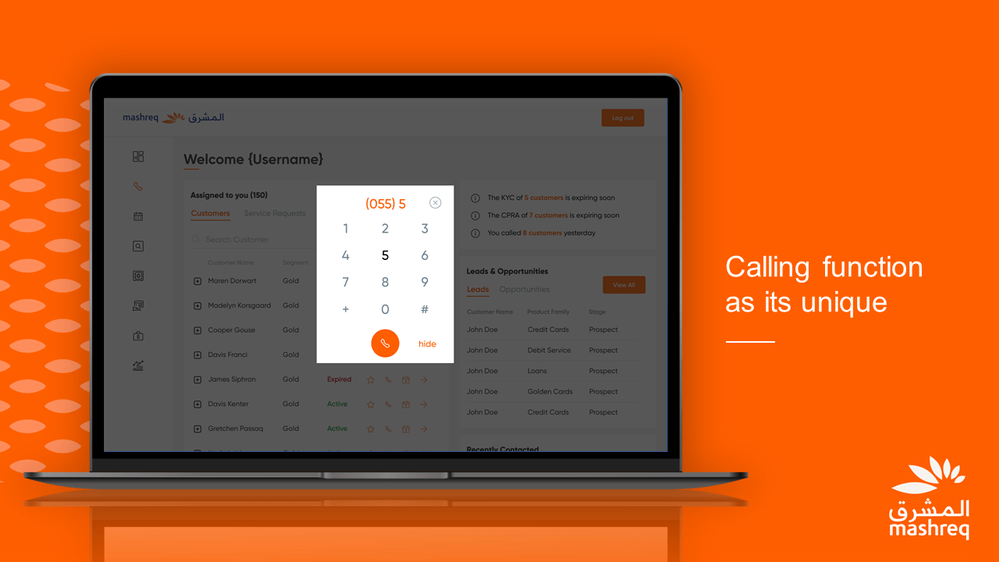
Since React Native for Windows generates a native Windows application, it empowers developers to support a wide range of Windows-only scenarios, like interacting with specialized Hardware. This feature has enabled Mashreq to implement specialized biometric authentication in FACE. By connecting to various types of biometric devices (such as card readers, fingerprint readers, etc.)-Mashreq can validate customer information simply by scanning the ID card provided by the government and do the fingerprint scanning. By working closely with Microsoft, Mashreq has been able to integrate inside the Windows version of FACE application the components required to enable the biometric authentication process while complying with government regulations. This integration enables to securely process financial & non-financial transactions.
Conclusion
Thanks to React Native for Windows, Mashreq will be able to seamlessly evolve Apps on Android and Windows while, at the same time, continue their digital transformation journey gradually adopting more Teams and Windows specific capabilities.




Recent Comments