
by Contributed | Oct 20, 2020 | Technology
This article is contributed. See the original author and article here.

It’s Cybersecurity Awareness month and a perfect time to highlight Microsoft 365 compliance capabilities for GCC, GCC High and DoD environments that I feel are important in helping you address and manage risk. The reality today for many government agencies is there is no audit traceability to determine which email messages and content an attacker may have seen during a breached session into a user’s mailbox. The standard level of Office 365 auditing includes events that a user logged into their mailbox but does not include detailed information on the activity that occurs within the mailbox. As a result, organizations have no choice but to assume all content within the mailbox is compromised whether or not sensitive data or PII was actually viewed by the adversary.
Under this circumstance, organizations subject to regulations such as HIPAA may face significant reporting requirements and need to notify constituents of the potential data breach.
With Advanced Audit, an organization can investigate a business email compromise knowing they have detailed audit data that documents each message that was accessed by an adversary. Rather than assuming more mail data was compromised than actually was, Advanced Audit provides defensible data for you to trace the attacker’s actual presence.
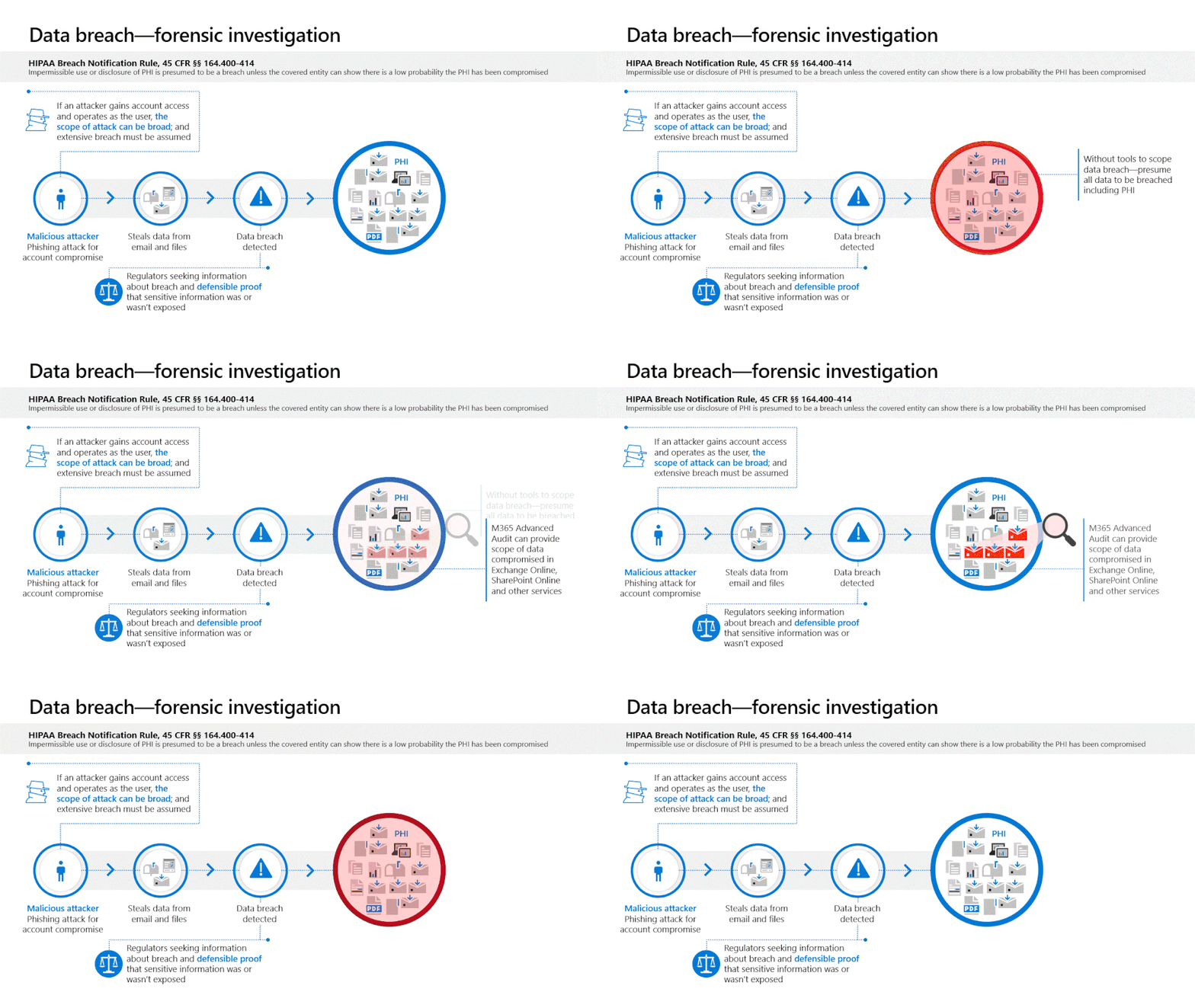
NOTE: Search term events in Exchange Online and SharePoint Online are expected to be available to GCC, GCC-High and DoD customers by end of Q1 CY2021.
What is Advanced Audit?
Advanced Audit is designed to help organizations conduct forensic investigations to help meet their regulatory, legal, and internal obligations. Advanced Audit not only helps identify the scope of data breach by providing additional events that help customers with forensic investigations, but also helps provide defensible proof on whether sensitive information was or wasn’t compromised.
Key capabilities include:
- Access to audit events that are crucial to forensic investigations, such as the MailItemsAccessed event, which can help with forensic investigations for business email compromise. Additional events will be brought to Government Community Cloud (GCC), GCC–High, Department of Defense (DoD) environments to include mail send events and user search events for both Exchange Online and SharePoint Online. Release schedule details will be posted on the public Microsoft 365 Roadmap as available.
- Increased audit storage from 90 days to 365 days within the Office 365 audit log. As Ponemon Research indicates in their recent study Cost of a Data Breach Report 2020 | IBM, the average time to identify a breach is over 200 days, this increased storage time enables organizations to conduct investigations within Office 365 for up to a year without having to move the audit data. The newly announced option for 10-year retention will be available for GCC, GCC–High, and DoD in early 2021. Further information will be provided on the public Microsoft 365 Roadmap.
- Increased API throughput to streamline the consumption of audit data into your existing process. Organizations that access auditing logs through the Office 365 Management Activity API were restricted by throttling limits at the publisher level. Advanced Audit shifts from a publisher-level limit to a tenant-level limit with increased bandwidth.
What are the benefits of MailItemsAccessed?
MailItemsAccessed, the first crucial event is now available to GCC and available in GCC-High and DoD tenants by end of October 2020, helps organizations investigate the potential scope of compromise following an incident. An audit event is triggered when mail data is accessed by both mail protocols and mail clients. With Advanced Audit, the new MailItemsAccessed event replaces MessageBind in audit logging in Exchange Online. This new auditing action plays a key role in providing defensible forensics to help assert whether a piece of mail data was compromised.
The MailItemsAccessed mailbox auditing action covers the following mail protocols: POP, IMAP, MAPI, EWS, Exchange ActiveSync, and REST. MailItemsAccessed provides several significant forensic improvements worth highlighting such as:
- Applies to all logon types
- Events are triggered by both bind and sync access types
- Events are aggregated into fewer audit records for when the same email message is accessed
It is important that forensic/investigation teams understand that this new information is available and modify investigation processes to enable consumption of the new information being written to the audit log. For detailed information on how to use this feature in Advanced Audit go to Use MailItemsAccessed audit records for forensic investigations.
What does this mean for investigation and reporting?
With the additional level of detail available in Advanced Audit, an organization will be able to investigate a business email compromise knowing they have detailed audit data that documents each message that was accessed by an adversary. Rather than assuming that more mail data was compromised than actually was, Advanced Audit provides defensible data for you to trace the attacker’s actual activity. Detailed information on how to use this new event to investigate business email compromise is available at Use Advanced Audit to investigate compromised accounts – Microsoft 365 Compliance | Microsoft Docs.
Recommended next steps
The Advanced Audit capability is available across GCC, GCC–High, and DoD environments at the Microsoft 365 G5 and Microsoft 365 G5 Compliance levels of licensing. For forensic/investigation teams, examine your current process to confirm the new audit events are being consumed and used in your existing investigation process.
For those organizations that are already licensed, review the documentation at Advanced Audit in Microsoft 365 – Microsoft 365 Compliance | Microsoft Docs for further technical implementation details. Support is available via the standard channels in the tenant or via your Customer Success Account Manager. We also encourage your feedback via the Microsoft 365 Security and Compliance UserVoice forum.
Additional resources
Microsoft 365 Roadmap to get the latest updates on our best-in-class productivity apps and intelligent cloud services.
Microsoft 365 Discover and Respond: Advanced eDiscovery and Advanced Audit website to learn more about the tools to help your organization find relevant data quickly and cost effectively.
Microsoft Public Sector blog
Microsoft Security blog
by Contributed | Oct 20, 2020 | Technology
This article is contributed. See the original author and article here.
Data Platform Summit (DPS) is the largest online learning event on Microsoft Azure Data, Analytics, and Artificial Intelligence. This community-driven conference is now a global event running non-stop training classes with pre-cons, sessions, and post-cons running from November 30 through December 8.
The Microsoft Azure data team will have quite a presence at DPS with 35+ sessions focused on Azure Arc enabled Data Services, SQL Server, Database migration to Azure, Azure SQL Edge, and Azure SQL. You’ll hear about the innovations and customer scenarios built on SQL Server and Azure SQL directly from the Azure data team. And on November 30 and December 1, the team delivering 3 live pre-cons which will run 4 hours each day for 2 consecutive days.
To get access to DPS for conference materials, sessions, training classes, recordings, and more register online today! As an added incentive to attend, DPS is offering the last 12 hours of the conference free for anyone to join.
Start planning today with this quick reference list of our Microsoft Azure data sessions (session links & dates will be updated as I get them):
Speakers |
Title |
Date |
PRE-CONFERENCE SESSIONS |
David Pless, Pam Lahoud, Amit Khandelwal, Tejas Shah, Aditya Badramraju |
SQL Server: Advanced Training for Azure VM Deployments |
Nov. 30, Dec. 1 |
Bob Ward,
Anna Hoffman |
The Azure SQL Workshop |
Nov. 30, Dec. 1 |
Raj Pochiraju |
Deep Dive SQL Server Migration to Azure SQL |
Nov. 30, Dec. 1 |
SESSIONS |
Aditya Badramraju, Pam Lahoud |
SQL Server in Azure Virtual Machines Reimagined |
|
Ajay Jagannathan |
Azure SQL: What to use when and product updates |
|
Alain Dormehl, Mara Steiu |
360-degree view of Azure SQL Monitoring |
|
Amit Banerjee |
SQL Server Licensing: Demystified |
|
Amit Khandelwal |
SQL containers are ready, are you? – For DBA and Developers |
|
Andreas Wolter |
Securing your data in Azure SQL Database |
|
Arvind Shyamsundar |
DevOps for AzureSQL |
|
Balmukund Lakhani, Dimitri Furman |
Fine Tuning Clouds: Azure SQL Database Performance Tuning Tips and Tricks |
|
Bob Ward |
Inside SQL Server on Kubernetes |
|
Bob Ward |
Inside Waits, Latches, and Spinlocks Returns |
|
Borko Novakovic, Vladimir Ivanovic, Srdan Bozovic |
Modernize your SQL applications with the recently enhanced version of Azure SQL Managed Instance |
|
Daniel Coelho |
Effective Data Engineering and Data Science on SQL Server Big Data Clusters |
|
David Pless, Brian Carrig |
SQL Server 2019: Building A Foundation With Persistent Memory |
|
Davide Mauri |
Create secure API with .NET, Dapper and Azure SQL |
|
Denzil Ribeiro |
Azure SQL Hyperscale Deep Dive |
|
Drew Skwiers-Koballa, Udeesha Gautam |
SQL Database Projects |
|
Emily Lisa, Shreya Verma |
Azure SQL High Availability and Disaster Recovery |
|
Hannah Qin, Drew Skwiers-Koballa |
How to Become an Azure Data Studio Contributor |
|
Jean-Yves Devant |
What is Azure Arc enabled PostgreSQL Hyperscale? |
|
Jose Manuel Jurado, Roberto Cavalcanti |
Azure SQL Database – Troubleshooting real world scenarios with Microsoft Support Engineers |
|
Julie Koesmarno, Alan Yu |
Azure Data Studio Notebooks Power Hour |
|
Kevin Farlee |
New ways to keep your SQL databases on Azure VMs protected and available |
|
Melony Qin |
Administrating Big Data Clusters ( BDC ) |
|
Mihaela Blendea |
Gain insights with SQL Server Big Data Clusters on Red Hat OpenShift |
|
Pedro Lopez, Joe Sack |
Azure SQL: Getting Started With An Intelligent Database |
|
Raj Pochiraju, Balmukund Lakhani, Ajay Jagannathan |
App Modernization and Migration from End to end, using data migration tools and Azure SQL |
|
Raj Pochiraju, Mukesh Kumar |
Database modernization best practices and lessons learned through customer engagements |
|
Rajesh Setlem, Mohammed Kabiruddin |
Understanding your SQL Server readiness to migrate databases to Azure SQL using database assessment and migration tools |
|
Sanjay Mishra |
The Future of Cloud Relational Databases |
|
Sasha Nosov |
Azure Arc Enabled SQL Server |
|
Silvano Coriani |
Leverage Azure SQL Database for Hybrid Transactional and Analytical Processing (HTAP) |
|
Tejas Shah |
Deployment, High Availability and Performance guidance for SQL Server on Linux in Azure IaaS ecosystem |
|
Vasiya Krishnan, Sourabh Agarwal |
Real-time data analysis using Azure SQL Edge |
|
Vicky Harp, Ken Van Hyning |
State of the SQL Tools |
|
Vin Yu |
What is Azure Arc Enabled Managed Instance? |
|
We’re looking forward to seeing you for this around-the-clock event! Tweet us at @AzureSQL for sessions you are most excited about.
by Contributed | Oct 20, 2020 | Technology
This article is contributed. See the original author and article here.
“How do you develop secure code?” I’ve been asked this a lot recently and it is time for a blog post as the public and various parts of Microsoft have gotten a glimpse of how much Azure Sphere goes through to hold to our security promises. This will not be a short blog post as I have a lot to cover.
I joined Microsoft in February 2019 with the goal of improving the security posture of Azure Sphere and also desired to give back to the public community when possible. My talk at the Platform Security Summit talks about the hardware however the talk did not provide detailed answers on how to improve security for software development and testing. Azure Sphere’s focus is IoT however we still give back to the open source community and want to see the software industry improve too, this blog post is to help reveal the efforts we go through and hopefully help others understand what it means to sign up saying you are secure.
First, you must realize that there is no magic bullet or single solution to keep a system secure, there are a wide range of potential issues and problems that require solutions. You must also accept that all code must be questioned regardless of where it is from, so how does Azure Sphere handle this? We have a range of guidelines and rules that we refuse to bend on. These become our foundation when questions come up about allowing an exception or if a new feature has the right design by checking if it violates a rule we refuse to bend on. The 7 properties is a good starting point and provides a number of overarching requirements, this is further extended with internal requirements that we do not want to bend on, an example being no unsigned code can ever be allowed to execute.
What is your foundation? What lines are you willing to draw in the sand that can not be compromised, bent, or ignored? Our foundation of what we deem secure is always being improved and expanded with the following being a few examples. These are meant to help drive thoughts on what works on your own software and is not meant to be a complete list. By having these lines along with the 7 properties allows for better security decisions as new features are added.
- No unsigned code allowed on the platform
- Will delay or stop feature development that risks the security of the platform
- Willing to do an out-of-band release if a security compromise or CVE is impactful enough
- NetworkD is the only daemon allowed to have CAP_NET_ADMIN and CAP_NET_RAW
- Assume the application on a real-time core is compromised
Now that a base foundation is laid we can build on top of it to better protect the platform. Although we require all code to be signed that does not mean not mean it is bug free, humans make mistakes and it is easy to overlook a bug. We can bring tools to the table to help remove both low hanging fruit and easily abusable bugs, in our case we use clang-tidy and Coverity Static Analysis.
clang-tidy has over 400 checks that can be done as part of static code analysis, we run with over 300 of the checks enabled. Although clang-tidy can detect a lot of simpler bugs it does not do a good job of deeper introspection at a static level, this is where Coverity comes into play. Coverity allows us to pick up where clang-tidy leaves off and provide deeper introspection of data usage between functions along with more stringent validations for potential failing code paths. A good question at this point is “how often should such tools be ran?” We want to eliminate coding flaws quickly, so both tools get ran on every pull request (PR) to our internal repos and the tools must pass before the PR is allowed to complete. This requirement does impact build times but not as much as may be expected. Our base code running under Linux is approaching 250k lines of total code in the repository across 2.4k files, running both tools adds roughly 8 minutes to the build and is not a bad trade off for the amount of validation being done.
clang-tidy and Coverity is not enough for us, it is still possible to mess up string parsing and manipulation, array handling, integer math and various other bugs. To help reduce this risk we heavily use C++ internally for our code and rely on objects for string and array handling. Our normal world, secure world, Pluton, and even our rom code is almost all C++ and we do what we can to limit assembly usage in low level parts of the system. C++ does introduce new risks though, object confusion through inheritance as an example. Part of our coding practices is that very few classes are allowed to inherit and this is further validated during the PR process which requires sign-off by someone besides the creator of the PR.
Larger projects require more contributors which increases the risk of insecure or buggy code being checked in as no single person is able to understand the whole code base. Allowing anyone to submit a PR then approve it themselves runs the risk of introducing bugs but having every lead engineer setup to sign off causes complications and bottlenecks when leads are only responsible for specific parts of the code base. Our PR pipeline has a number of automated scripts, one of them looks at a maintainers.txt file which contains directory or file paths along with an Azure DevOps (ADO) group name per line allowing an ADO group to own a specific directory and anything under it. The script auto-adds the required groups as reviewers to the PR forcing group sign off based on what files were modified and avoids complex git repository setups where a group is responsible per repository. With the growth of Azure Sphere’s internal teams, the maintainers.txt file is re-evaluated every 6 months by the team leads to make sure that the ownership that is specified for each directory in our repositories still makes sense.
What about when new features are developed and making sure they don’t introduce vulnerabilities into the system from information disclosure to policies that may impact the system? New features have a Request For Comment (RFC) process where a number of requirements must be signed off to begin coding, one of the requirements is a security related section where potential risks are listed along with any tests and fuzzing efforts that will be done. Potential risks can be anything including additional privileges that are required, file permission changes, manifest additions, or a new data parser. The security team evaluates the design itself along with the identified risks and efforts to mitigate before signing off on the design. Security sign-off is required to implement the new feature however the validations do not stop once the RFC is approved. Before the feature is exposed to customers it goes through a second check by the security team to make sure that what was designed is what was implemented for security relevant areas, if the tests for both good and bad input were sufficient, and if fuzzing was done to a satisfied level. At this point the security team signs off and the feature is available to customers in a new version of the software.
I’ve mentioned fuzzing but what does that actually mean and entail? At it’s core, fuzzing is simply any method of providing unexpected input into a piece of code and determine if the code does anything that is not expected. Depending on how smart your fuzzer is and what you are watching quickly determines what “not expected” means as this could be a range of things including crashing the software, information leakage, invalid data returns, excessive cpu usage, or causing the software to become unresponsive and hang, fuzzing for Azure Sphere currently means anything causing a crash or a hang of the system. Our platform is very cpu constrained and does not do well for fuzzing on the actual hardware however with our C++ design we are able to recompile our internal applications to x86 allowing us to use AFL based fuzzers on different components of the system and are in the process of using OneFuzz. At times our fuzzing efforts reveal crashes in open source components which are promptly reported to the appropriate parties, some times with a patch included, allowing us to not only improve our security and stability but also benefit the open source ecosystem.
Fuzzing each component and validating it runs properly is not enough, we must fuzz and test the communication paths between applications and between chips. Fuzzing at this level requires a complete system for testing end to end interactions which is possible with QEMU and allows us to extend the types of fuzzing we can do. We not only have the ability to fuzz various parts of the system in end to end tests with AFL, but are also able to test the stability and repercussions of network related areas including dropped network packets and noisy network environments by altering what QEMU does with the emulated network traffic.
Our ability to recompile the code to run on our desktop computers allows us to use other useful tools like Address Sanitizer (ASan) and Valgrind. We use the gtest framework for testing individual parts of the system including stress testing, it is during these tests that ASan and Valgrind are deployed. ASan allows for detection of improper memory usage in dynamic environments and use-after-free bugs while Valgrind adds additional detection for uninitialized memory usage, reading and writing memory after it is freed, and a range of other memory related validations. It could be considered overkill to be using these many tools on the code, however every tool has both strengths and weaknesses and no single tool is capable of detecting everything. The more bugs we can eliminate the harder it is to attack the core system as it evolves.
We use a lot of external software as part of our build system and a number of open source projects on the actual hardware, all of them are susceptible to CVEs which have to be monitored and quickly handled. We use Yocto for our builds and it comes with a useful tool, cve-check, that queries the Mitre CVE database, our daily builds are setup to run this tool each night and alert us to any new CVEs that impact not only our system but also impact our build infrastructure for tools we rely on. We need to protect both our end product and our build system, a weak build system gives an attacker a different target that can be far more damaging across the product if the builds were manipulated.
We bring to bear static code analysis, fuzzing, and extra validations to help with security of the system and we still bring even more to the table. The security team I run is responsible for coordinating red teams to look at our software and hardware. We rely on both internal and external red teams along with interacting and helping with the public bug bounties for Azure Sphere. As a defender we have to defend from everything while an attacker only needs a single flaw, when you are focused on the day to day things it is easy to overlook a detail so bringing in teams from outside of the immediate organization with the latest tools and techniques of attack brings a fresh set of eyes to help discover what was overlooked.
The security team for Azure Sphere looks a lot like a red team, we are constantly trying to figure out an answer to “If I control X what can I do now?” Once we have an answer we then evaluate if there is a better solution to harden the platform while also determining what can be strengthened or improved while being invisible to customers. We want a secure platform for customers to develop on without additional complexities hence the effort to be as invisible as possible for security relevant validations. This has resulted in a range of internal changes from having a common IPC server code path with simple validations before handing IPC data off to other parts of the platform to Linux Kernel modifications. I have the personal view that teaching a development team to think about security is hard while teaching a red team to create solutions and become developers is easier. This view is applied to the security team I run resulting in a more red-team centric group that is always looking for ways to break the system then helping create solutions. This type of thought process is what drove the memory protection changes in the kernel, the ptrace work that was being worked on when the bug bounty event identified it publicly, and even drives what compilation flags are used.
Another area that people don’t always recognize is that overly complex code can result in normally unused but still accessible code paths. Failure to remove code that should be unused not only wastes space, it is an area for bugs to lurk and can also be useful areas for an attacker, remember they only need to find a single opening. Although our platform space is small and we have a reason to limit our code size due to the limited memory footprint, we actively try to keep unused code from sitting around even in the open source libraries we use. We don’t need every feature in the Linux Kernel to be turned on so we turn off as much as possible to remove risks, less code compiled in means less areas for bugs to lurk. We apply this stripping mentality to everything we can which is why we don’t have a local shell, why we custom compile wolfSSL to be stripped down and smaller, and why we limit what is on the system. We want to remove targets of interest which also allows us to focus on what targets are left.
Creating and maintaining security for a platform is not easy and claiming you are secure often draws a bullseye on your product as hackers enjoy proving someone wrong about how secure they are. The effort required to not only design and create but maintain a secure product is not easy, is not simple, and is not cheap. Putting security first and not compromising is a very hard and difficult choice as it has direct impacts to how fast you can change and adapt for customers. This blog post only covered what we do internally to help write secure code and does not touch on a range of topics including the build acceptance testing (BVT) done in emulation and on physical hardware, code signing and validation, certificate validation and revocation for cloud or resource access, secure boot, or any of the physical hardware security designs that were mentioned during my talk.
I along with Azure Sphere want to see a more secure future, security requires dedication and the willingness to not compromise, it must come first and not be an after-thought, it must be maintained, and it can’t be delayed till later due to deadlines. This blog post is one of many ways of trying to give back to the public, hopefully it has helped people understand the effort it takes to keep a system secure and can encourage both ideas and conversations about security during product development outside of Azure Sphere.
Jewell Seay
Azure Sphere Operating System Platform Security Lead
If you do not push the limits then you do not know what limits truly exist
by Contributed | Oct 20, 2020 | Technology
This article is contributed. See the original author and article here.
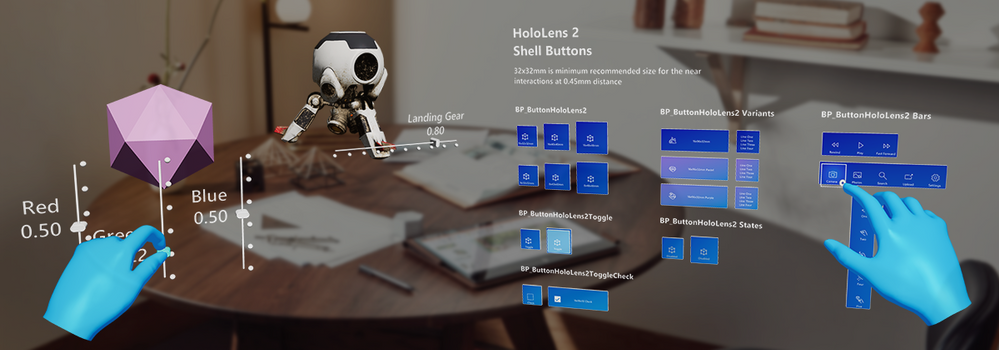
Today we’re shipping our third MRTK-Unreal release, UX Tools (UXT) 0.10, with a slew of new features to help developers place their content in their physical world, organize their controls into menus, and interact with existing UI. UX Tools 0.10 is compatible with Unreal Engine 4.25.
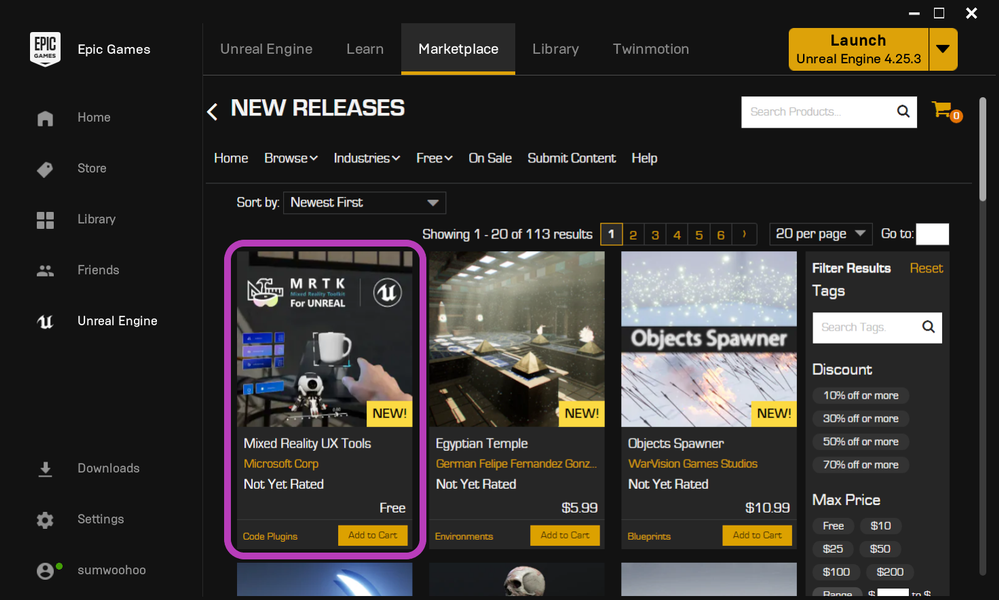
You can now add the plugin directly to your project from the Unreal Engine Marketplace! To try out a sample app demonstrating most of UXT’s key features, check out this download from our latest release on GitHub. Release highlights are below, and the full details can be found in our release notes.
Going forward, we’ll be releasing plugin updates at a bimonthly cadence, so you can expect to see a new set of features in December. Keep reading for a preview of the features coming next.
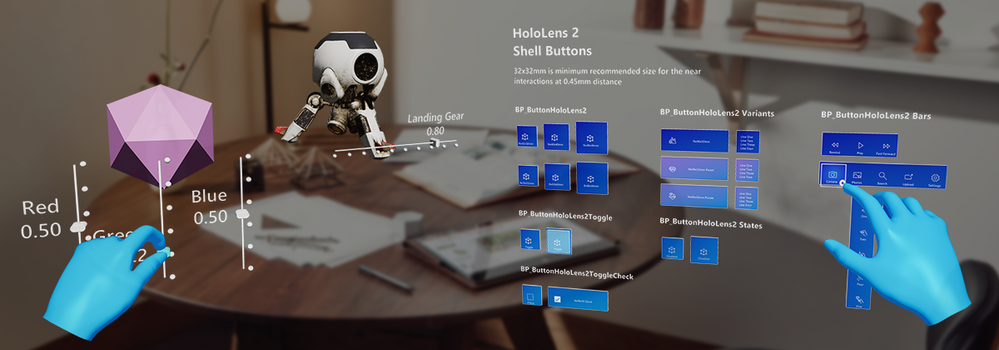
Release Highlights
- Distribution via the Unreal Engine Marketplace
- Tap to Place
- Hand Menu
- Near Menu
- Radio Buttons
- Surface Magnetism
- Unreal Motion Graphics support
- UI Elements
- Scrolling Collection (experimental)
- Tooltips (experimental)
- Cursor visual improvements
- Bounds control improvements
- Button, Slider, and TextActor conversion from Blueprints to C++
UX Tools is on the Unreal Engine 4 Marketplace– Add UX Tools to your project by opening the Epic Launcher, navigating to the Unreal Engine Marketplace, and searching for Mixed Reality UX Tools!
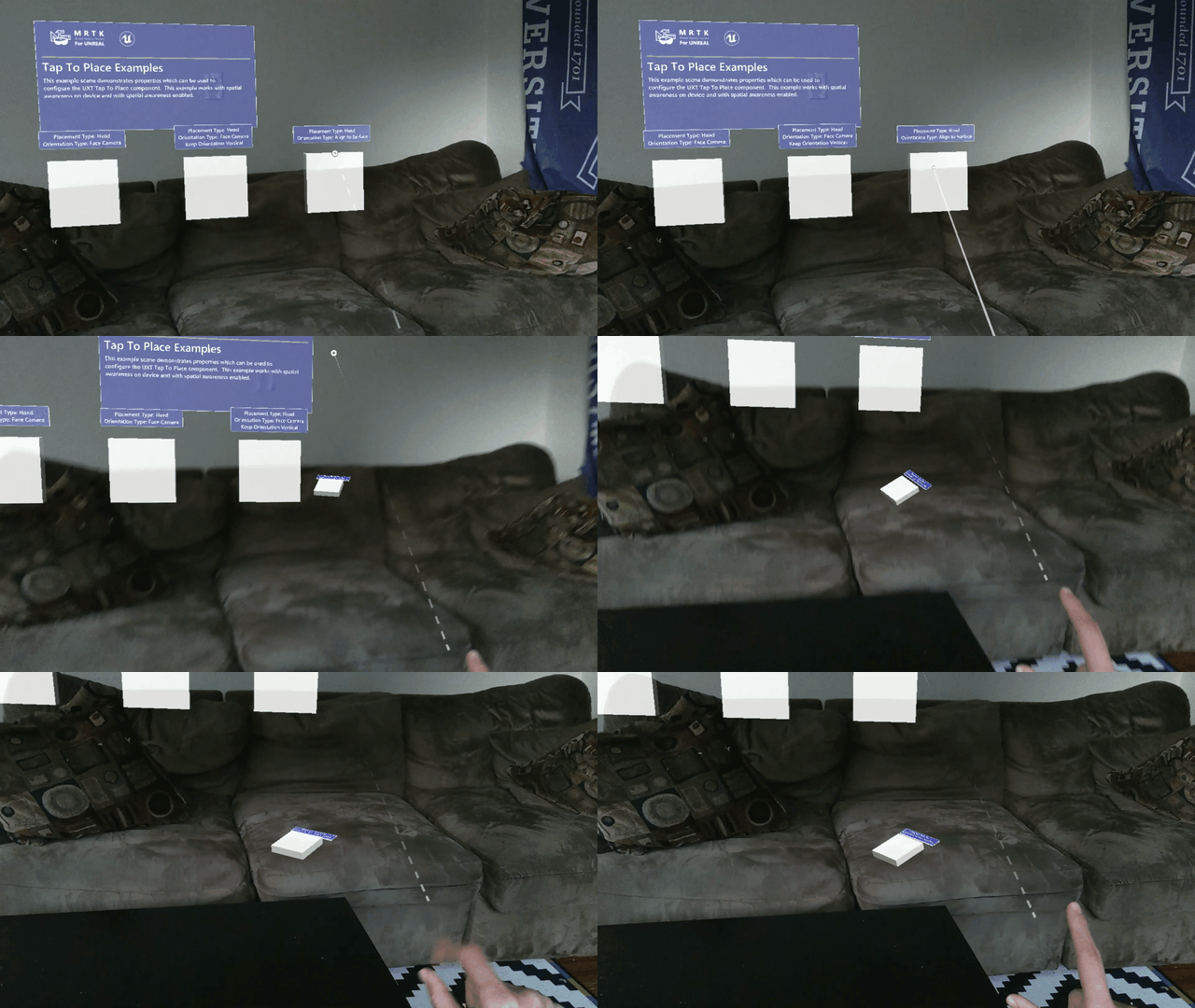
Tap to Place- Use either a hand ray or your head gaze to place holograms on the spatial mesh
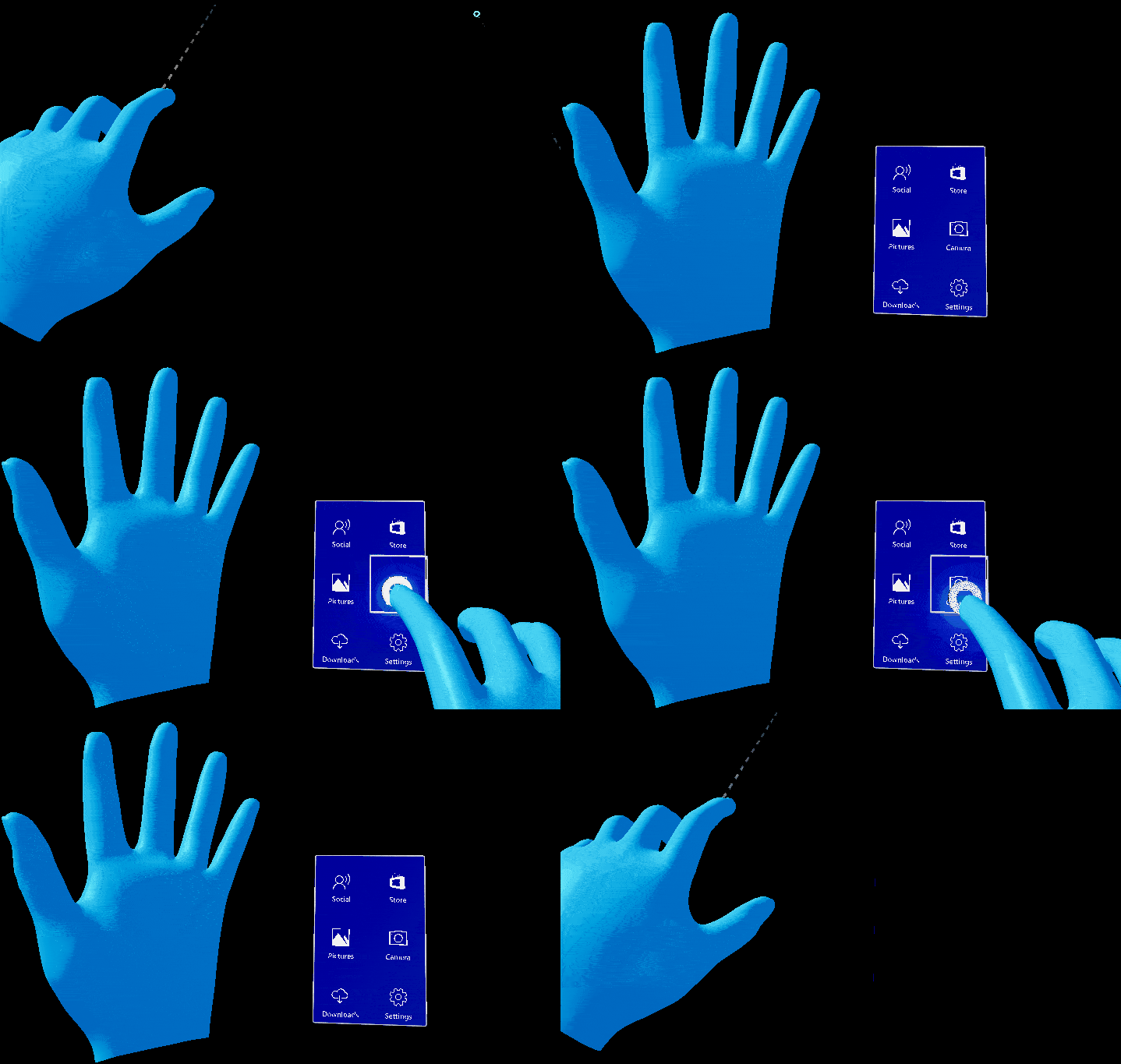
Hand Menu- Attach UI to a user’s hands for frequently used functions
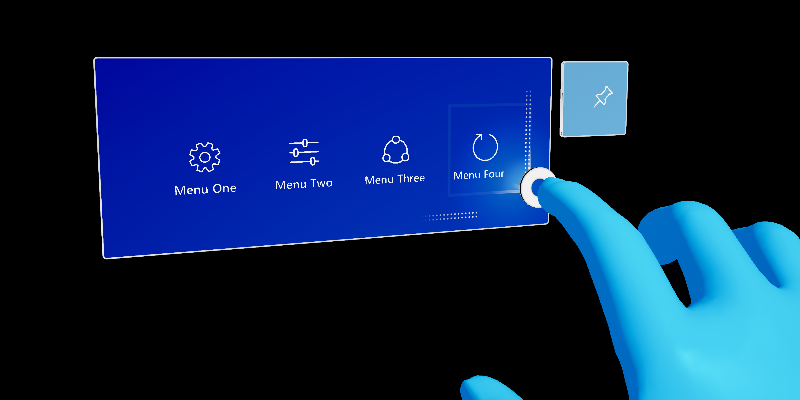
Near Menu- Create UI that follows the user, and can be pinned to the world
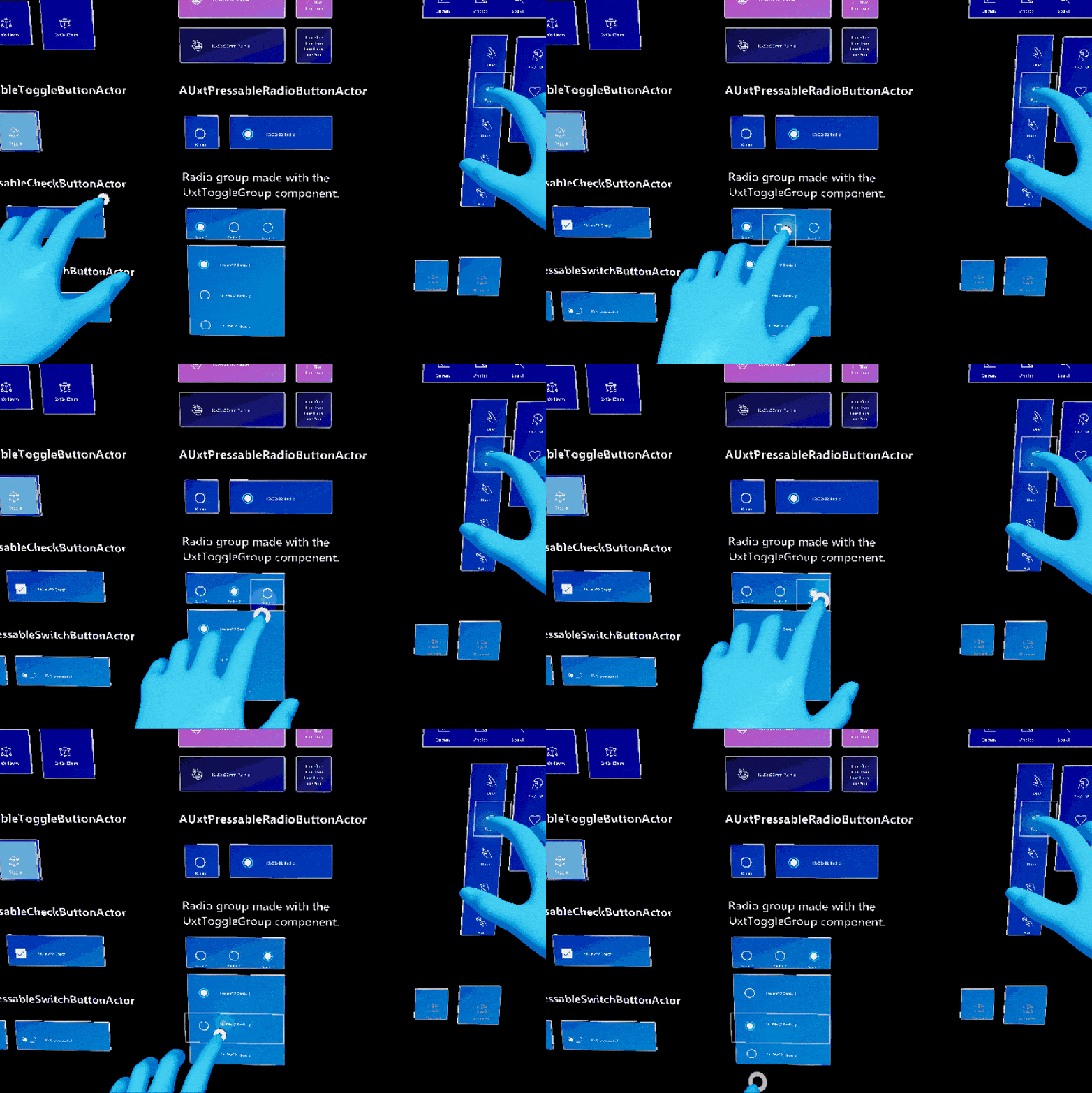
Radio Buttons- Ensure that only one button in a group is checked at a time
Surface Magnetism- Direct holograms to stick to a surface, whether in-game or to real world walls
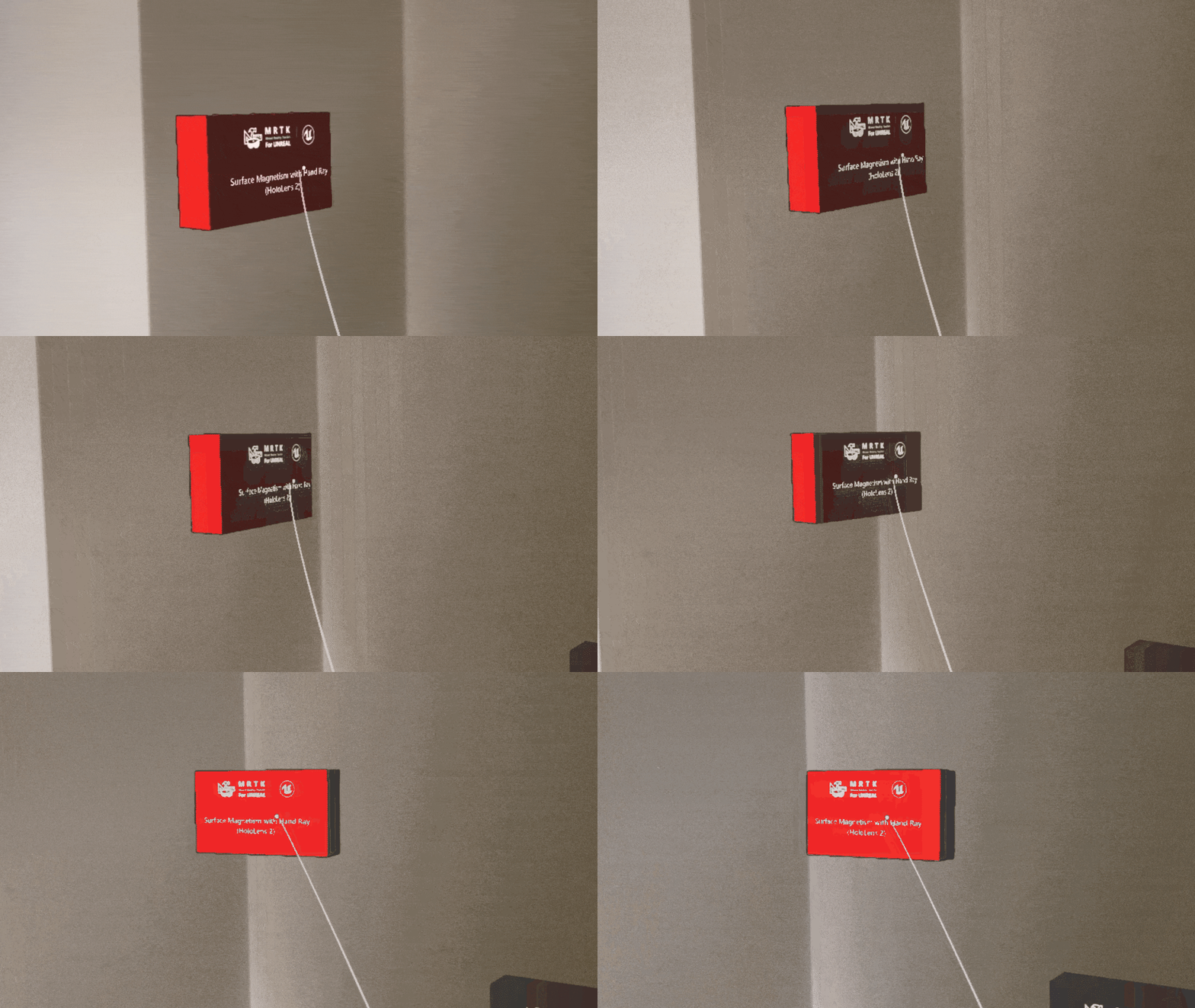
Unreal Motion Graphics support- Enable Unreal Engine’s built-in widget components to respond to hand interactions, both direct and far
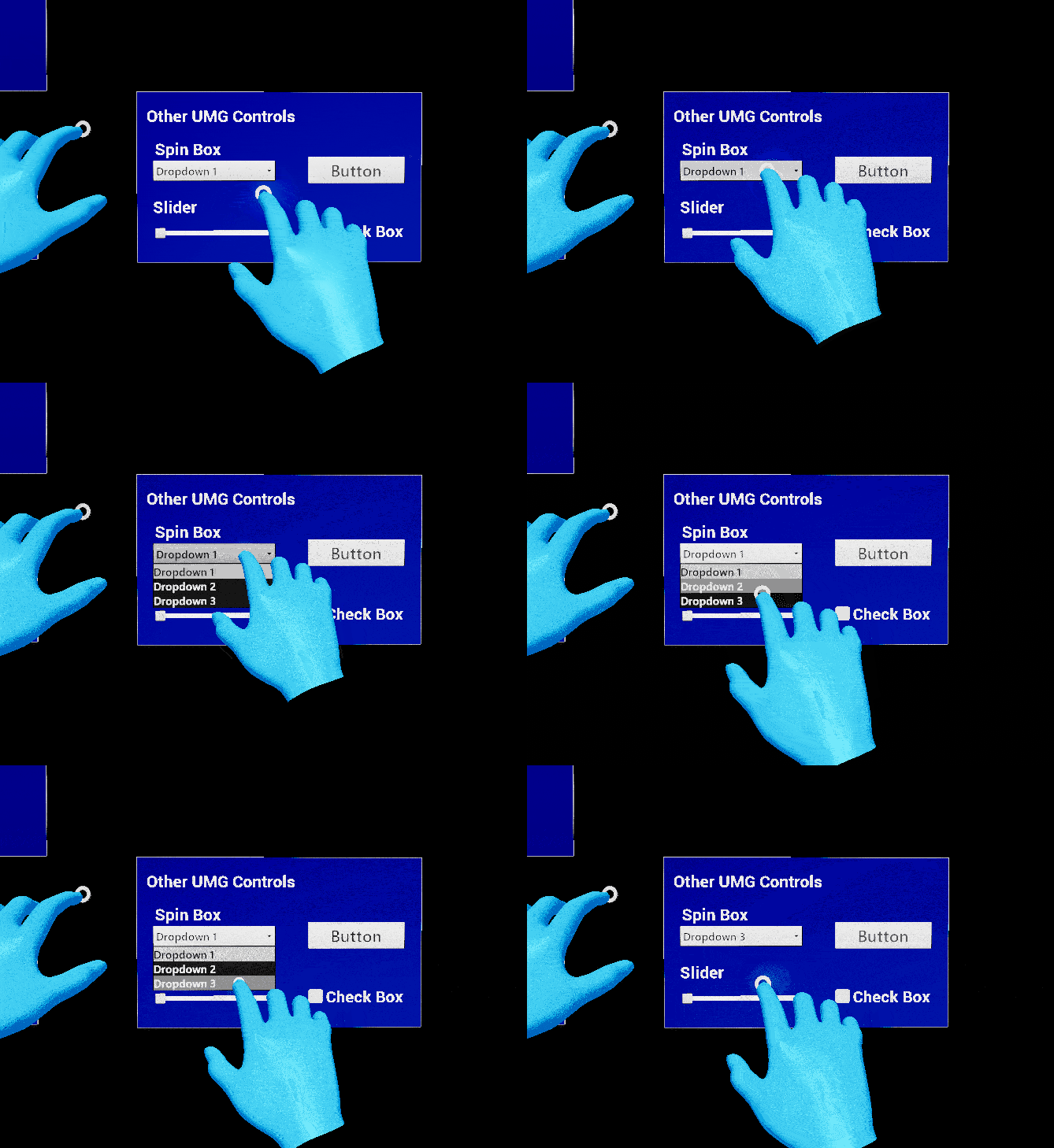
Scrolling Collection (experimental)- Scroll through a collection of 3D objects as if interacting with a touchscreen
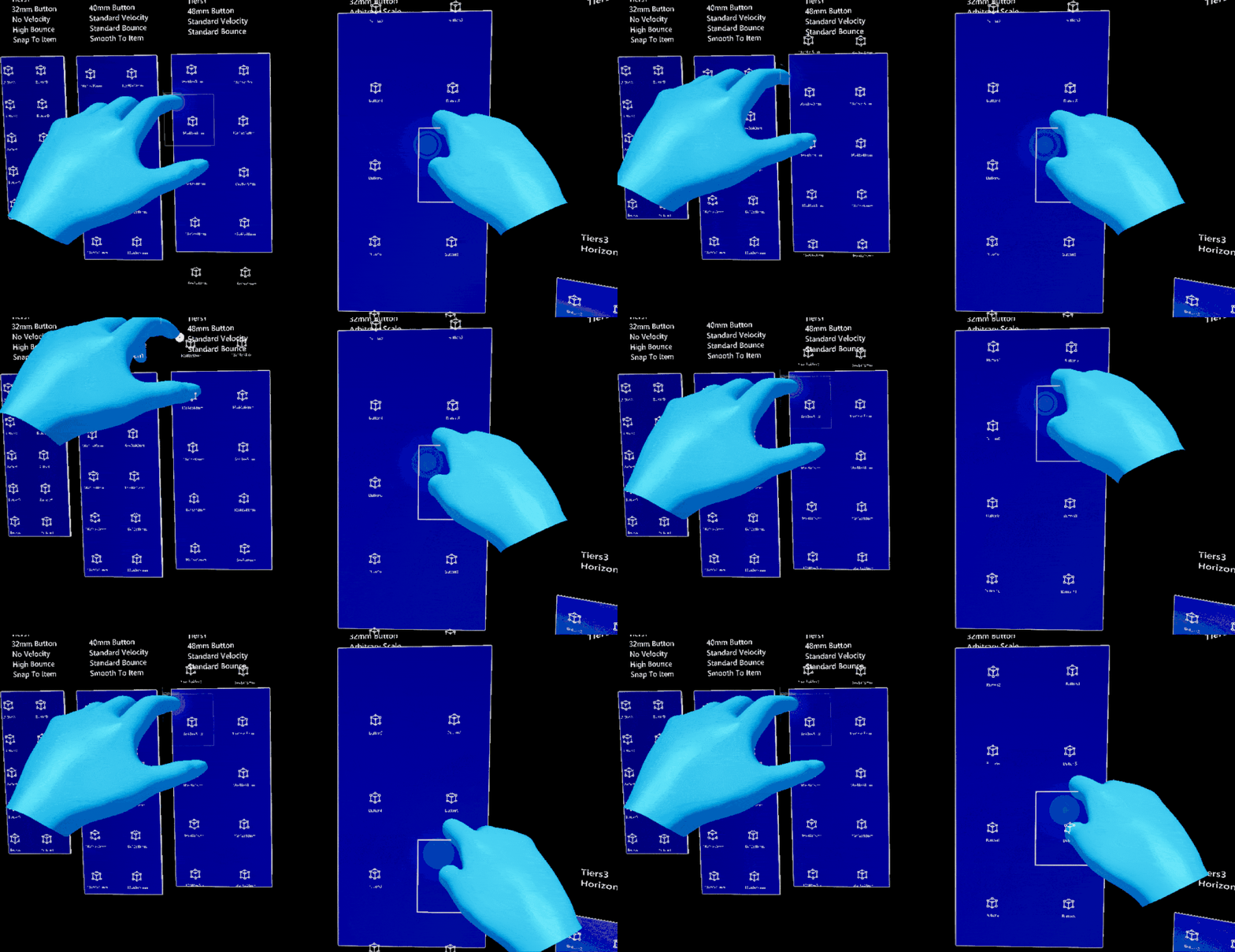
Tooltips (experimental)- Annotate objects with labels and anchors
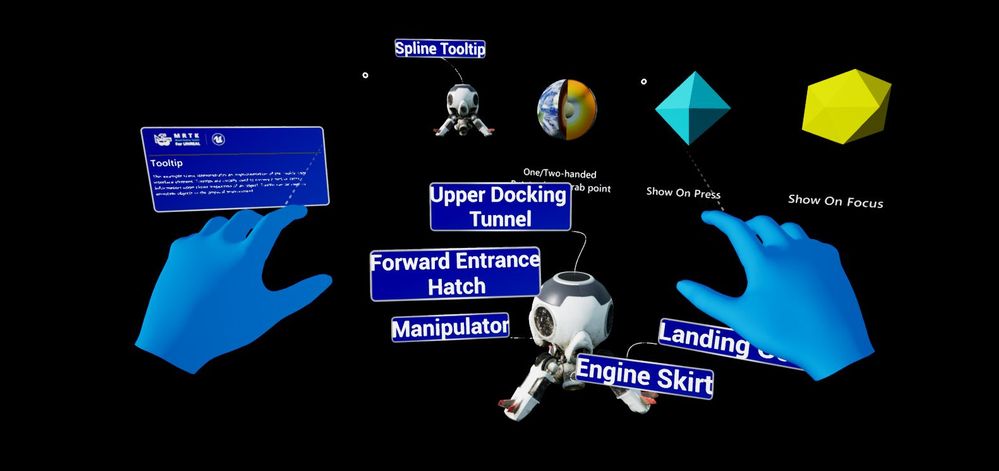
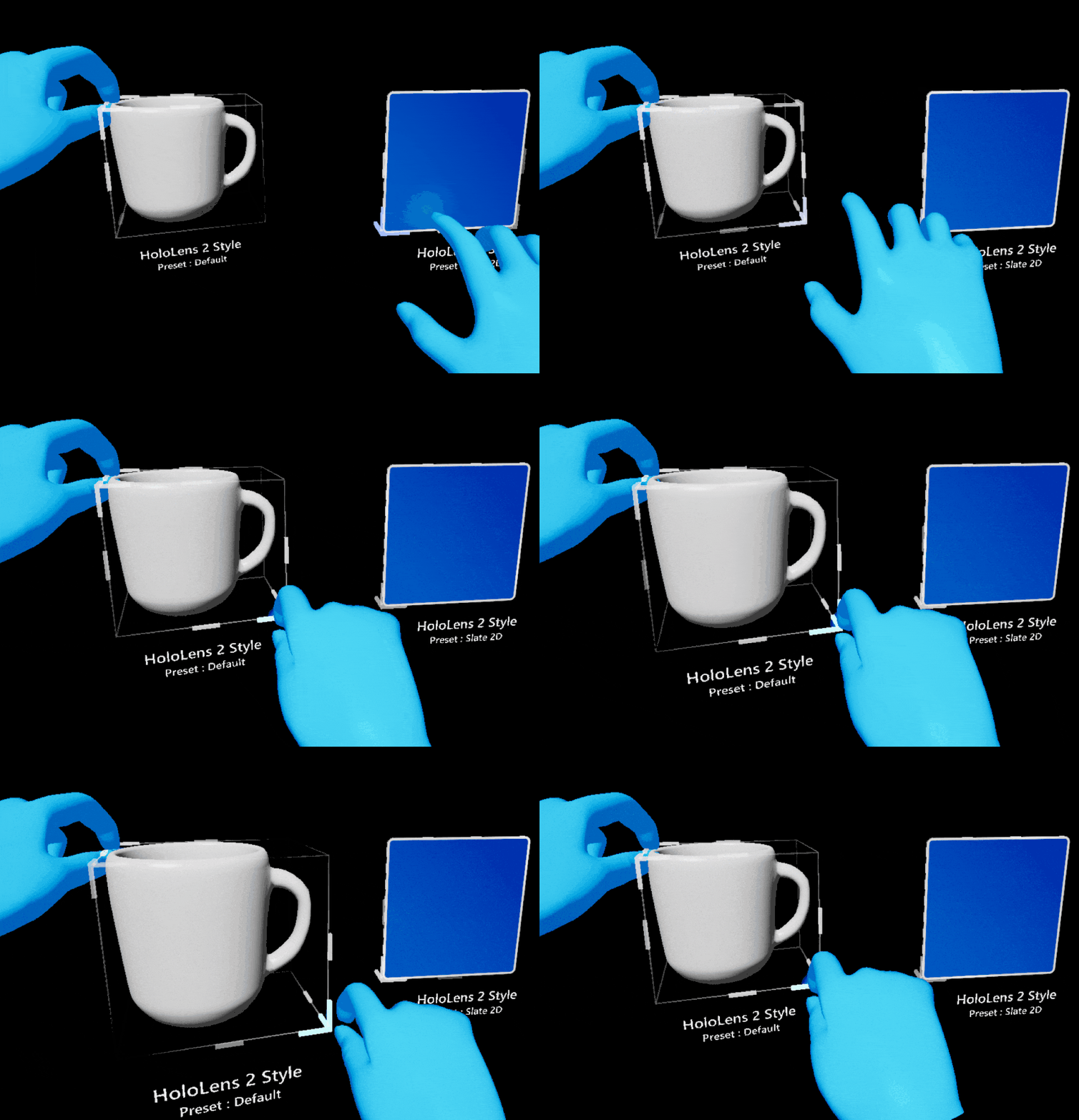
HoloLens 2 Style Bounds Control- Easily resize, rotate, or translate 2D and 3D objects
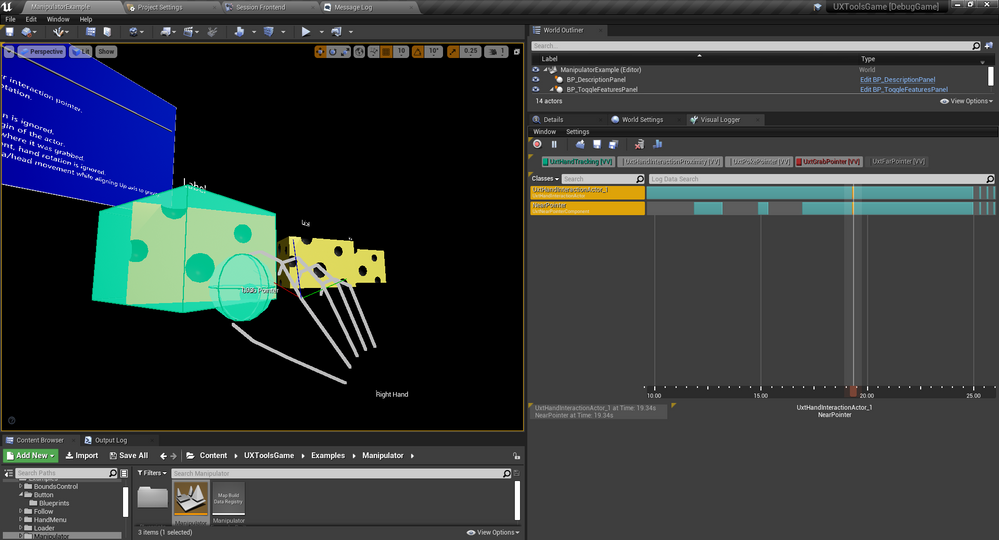
Visual Logging- Visualize joint positions, proximity, and pointers to aid in debugging hand interactions in the editor
Additional improvements include more polished cursor visuals, as well as conversion of the Button, Slider, and TextActor components from Blueprints to C++.
See the full release notes for more details.
What’s coming next?
The focus for our December release will be preparing MRTK-Unreal to scale: adding cross-platform support, putting UX tools, graphics tools, and examples into separate plugins, and building a foundation for OpenXR support. Cross-platform support has been a top ask from developers, and we hope that providing components that work across AR and VR platforms will enable us to expand the audience we’re able to reach.
- Cross-platform support with Unreal Engine 4.26: Windows Mixed Reality, Oculus Quest, and more
- Text box + keyboard
- OpenXR support
- UX Tools Examples plugin
- Graphics Tools plugin
Try it out!
UX Tools Game– a HoloLens 2 sample app showcasing all the key features of UX Tools. The latest GitHub release contains a pre-packaged appx.
Additional samples– check out the full list of open source sample apps built by Microsoft and Epic Games using Unreal Engine and UX Tools.
|

Ready to grab the latest plugin? Search for Mixed Reality UX Tools on the Unreal Engine Marketplace to add it directly to your project.
To view documentation on Mixed Reality UX Tools, see the source code, or file an issue, please visit our GitHub repository.
Thanks,
The MRTK-Unreal Team 

by Contributed | Oct 20, 2020 | Technology
This article is contributed. See the original author and article here.
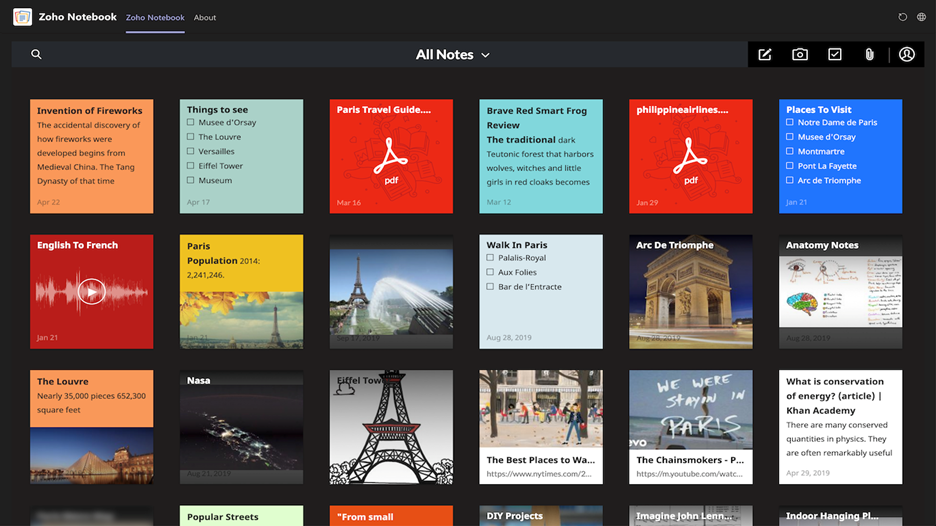
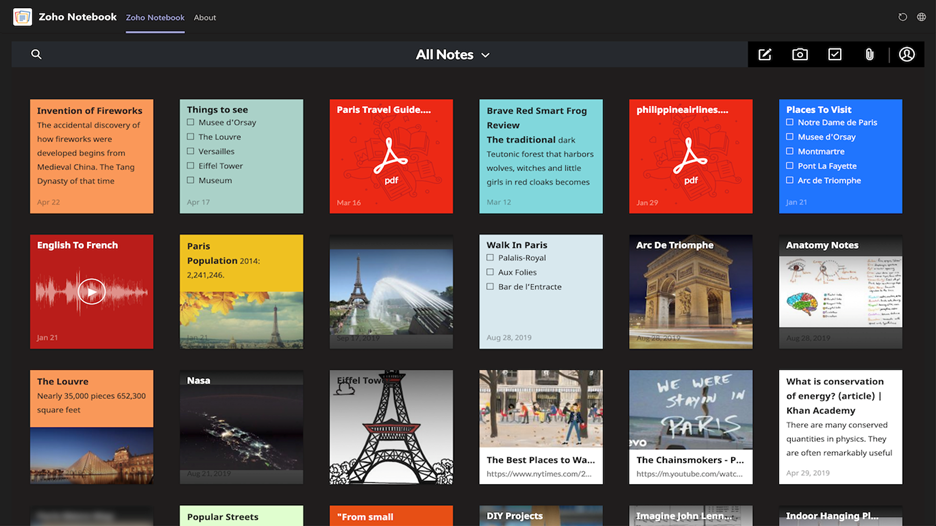
We’re delighted to introduce Zoho Notebook for Microsoft Teams today. With this integration, you can create, access, and edit all your note cards without switching browser tabs. Organize your note cards by creating and associating them with notebooks. Personalize your Notebook by color-coding your note cards and choosing your notebook covers. Install the Zoho Notebook tab for Microsoft Teams to stay organized and increase your productivity. Watch how Zoho Notebook works in Microsoft Teams here:
Have your thoughts by your side
Save time and jot down your thoughts the moment you think of them using the new Zoho Notebook tab for Microsoft Teams. Take notes, create to-do lists, capture moments, and add files and spreadsheets with the different types of note cards in Notebook. You can also access and edit your note cards without having to switch tabs.
Organize your thoughts
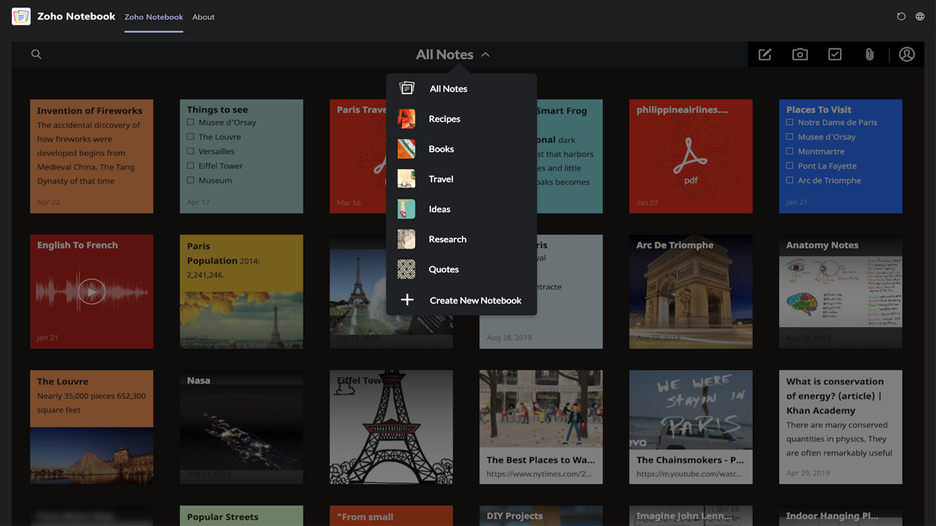
Become more organized and productive by creating and associating your note cards to notebooks. Move and copy note cards between different notebooks. You can also group your note cards together and favorite to find them easily.
Personalize your Notebook
Make your Notebook personalized by color-coding your note cards. Choose from a list of hand-drawn covers or get creative and use an image of your own as your notebook cover. Notebook even adjusts itself according to your theme in Microsoft Teams.
All the extras
Lock your notes using a passcode to keep them away from prying eyes, get notified of your key events by setting reminders to your notes, and find and retrieve your important note cards, all from within the Microsoft Teams interface.
Exclusive offer for Microsoft customers
Exclusive COVID-19 assistance for Microsoft customers: Sign up before December 31, 2020 and get Zoho Wallet credits worth $500 USD, valid for 60 days. The wallet credits can be used for the purchase of any Zoho app or for edition upgrades.
How to avail the offer:
- Sign up via this link: https://www.zoho.com/wallet/?cn=Microsoft2Zoho
- $500 USD will be automatically added in your Zoho wallet
- Voila! You can purchase any Zoho product using your Zoho Wallet credits within the next 60 days.
We hope you enjoy this new integration with Microsoft Teams. We’ve already started working on bringing in more contextual features in this integration, so hopefully you’ll hear from us soon.
Have suggestions? Leave a comment below or write to the Zoho team at support@zohonotebook.com.
by Contributed | Oct 20, 2020 | Technology
This article is contributed. See the original author and article here.
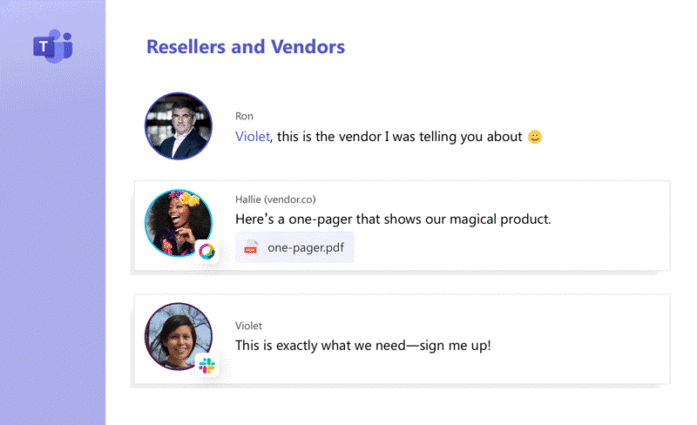
Want your workforce to stay in Microsoft Teams? Just roll it out, right? Wrong!
Microsoft supports over 75 million daily active Teams users. But the app hasn’t wiped out the competition yet. Many companies are using alternative apps alongside Microsoft Teams. For example, 63% of companies using Microsoft apps are using Slack in parallel. Users who have to navigate between Teams and another app either spend all day switching between apps or risk a huge gap in communication and information.
So, how do you stay in Microsoft Teams and empower full collaboration?
Microsoft Teams in the current collaboration landscape
Workplace silos are a common problem in today’s app-rich environment. Experimentation with video conferencing, file sharing, and productivity tools leads to app sprawl. Flexera Software found 64% of businesses have more apps than they need.
Internally, companies end up with fragmented app portfolios for various reasons. Mergers and acquisitions combine different styles of working with preferred apps for each team. New talent comes into the office and struggles to switch to a new environment. Just because most of your staff love Microsoft Teams, doesn’t mean there aren’t other apps in play. Even if you manage to get all employees on the same app internally, the challenge isn’t over.
What if your external contacts aren’t Teams users? How do you connect with a contractor on Webex while staying in Teams? If external contacts are in Teams, is a guest account on your channel enough?
Now, we’ve set the scene, the rest of this blog post details how your users can stay in Microsoft Teams and still communicate with users in external apps like Slack and Webex.
How to stay in Microsoft Teams when communicating with people on Webex
For external contacts, the easiest way to chat with Webex Teams users while staying in Teams is by creating a universal channel. Universal Channels for Microsoft Teams simplify collaboration. The app connects your Microsoft Teams chats and your external contact’s Webex Teams chats.
If you send a message in Teams to a contractor on Webex Teams, they’ll see it without having to switch tools. Webex Teams users can message Microsoft Teams users and vice versa. There are no guest accounts needed and no app-swapping actions required.

You can even connect Microsoft Teams for one business to another Teams instance. All you need to do is install a universal channel and choose Microsoft Teams as your app.
Once created, send the link to your universal channel and your external contacts can join from their app of choice.
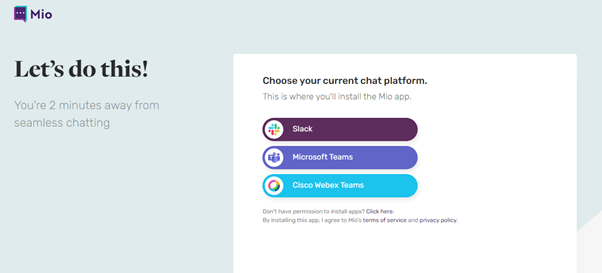
Once they join, you’ve connected your Microsoft Teams account to their Webex Teams account. Just like that, there’s no reason to leave Microsoft Teams.
Are there other ways to connect Microsoft Teams and Cisco Webex?
Installing a universal channel is the only way to link chat, emojis, and file-sharing between Webex Teams and Microsoft Teams.
Want to connect Microsoft Teams users with Cisco Webex Teams calling features? There’s an option for that too. Cisco announced the Call App for Microsoft Teams in April 2020.
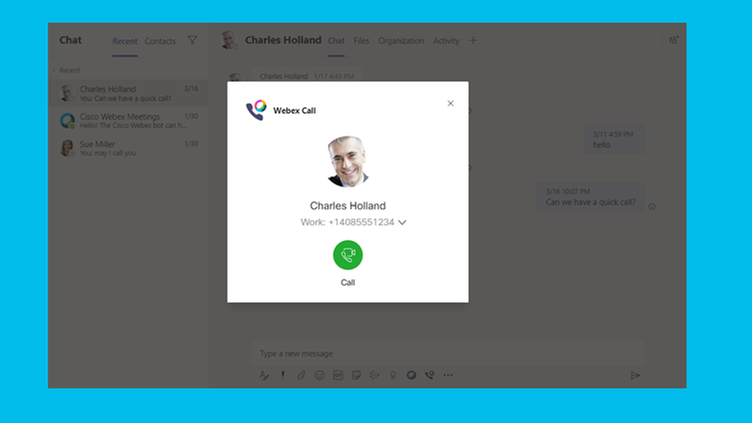
To access this feature, search Cisco Webex Meetings app in Teams and install. Your users will need to have activated Webex Control Hub accounts. Users also need to access Cisco Webex Calling or the UC manager.
Go to the Microsoft Teams Admin Center and click Teams Apps. Click on Manage Apps and search for Webex Calls. Toggle the app on.
Remember to update your permissions policies in the Teams app menu. Click on Setup policies and allow access to third-party apps. You’ll be able to use the Webex tab in Microsoft Teams to view upcoming meetings. You can also start, schedule, and join Webex meetings on this tab.
Remember, this function only connects calling features.
Other connection options for Cisco Webex and Microsoft include:
- Using bots: IFTTT bots are an option for those with developer knowledge. With bots, you can set up notifications. These alerts appear in Microsoft Teams when someone shares something in Webex.
- Cisco Meetings app: There’s a Cisco Webex Meeting app for Microsoft Teams. Downloading this app lets you schedule Webex Meetings without leaving Teams.
How to stay in Teams and talk to Slack Users
What if some employees in your company use Slack instead of Teams? A common scenario is that a small pocket of Slack users exists in your engineering or marketing teams. Through personal preference, shadow IT is common in most businesses.
By enabling message interoperability in your communicate estate, you can sync your internal Teams users with your internal Slack users. This means your employees who use Slack – either on the sly or approved – can now message cross-platform to their colleagues who are using Teams.
How does it work?
When you install Mio in the background, you choose which channels and teams to synchronize so you and your colleagues are always on the same page.
Once connected, Mio syncs all the features your teams depend on every day:
- Direct messages
- Threaded messages
- File uploads
- @ mentions
- Emoji reactions
- Message editing
By translating messages from Microsoft Teams to Slack (and vice versa), your Teams users can stay in Teams and stop using Slack.
What about external contractors who prefer Slack?
As is the case for connecting Microsoft Teams to Webex Teams, you can set up a universal channel to message cross-platform and cross-company to users in Slack.
When you create a universal channel, the tool grabs messages from Slack and delivers them to Microsoft Teams. (And vice versa).
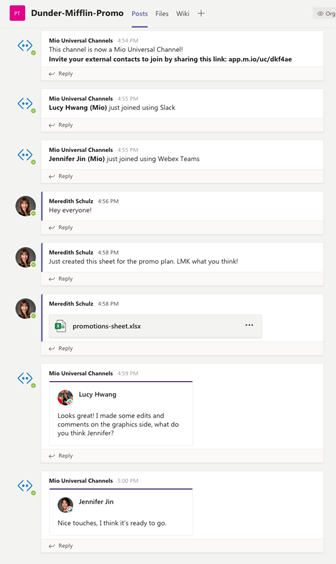
It’s the easiest way for your team members to stay in Teams while communicating with Slack users. You can send messages this way, files, and even emojis. There’s no need to switch between apps for you or your contacts.
Can you connect Slack and Microsoft in other ways?
Slack and Microsoft Teams introduced a VoIP integration in April 2020.
Install the Microsoft Teams Calls app and you can launch Teams calls in Slack. The shortcuts button on Slack will give you instant access to Teams calling. You can also use the /Teams-calls command to achieve the same results.
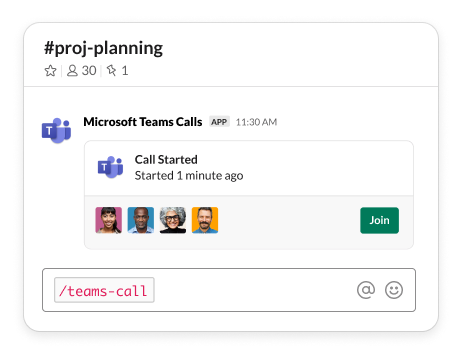
Unfortunately, this integration only goes one way. It doesn’t bring any Slack functionality into Teams.
An alternative option might be to use webhooks. With webhooks, you might let Slack messages on one channel appear on a channel in Teams. Unfortunately, webhooks aren’t scalable. You can’t connect endless channels and teams.
APIs and bots may offer another alternative. Microsoft has a Slack connector in its inventory allowing for some crossover. You can join Slack channels from Teams and set triggers for events. You can even set “Do Not Disturb” statuses for Slack users from Teams.
Again, you have limited options here. There’s no connection for direct messages or sending files from one platform to another. You could try building your own app if you have the knowhow. Unfortunately, functionality only goes as far as your building skills allow.
How to connect with Microsoft Teams external users?
So, what if everyone you want to reach is on Teams, but not in the same workspace? Maybe you need to reach contractors with another Teams instance.
One solution is guest access. Setting up guest access lets people use your Teams instance, with limited functionality. For example, your contacts still need to log out of their Teams tenant.
Another option is federation.
You have a few options here:
- Open federation: Open federation lets people find you on Teams. It also lets people in your company find, call, and chat with external parties. Users in this environment can chat with all domains using Skype for Business or Teams. The other company must be using open federation too, or have you added to their allow list.
- Specific federation: Go onto Org-wide settings and External access. Here, add companies to your Allow list. Only the domains you allow can reach you. Teams block all other domains.
- Block specific domains: Stop certain people from reaching you. Microsoft Teams supports blocking certain domains. Adding domains to your block list prevents connections with dangerous domains.
Whether your scenario is time burned switching between apps that aren’t Teams or lost information and productivity flicking between accounts, there are ways to remedy this.
What to do next?
Read over this blog post again now you’ve identified your pain point. Use the steps provided to sync your Microsoft Teams instance with other apps so you (and your team) need never leave Teams again!
by Contributed | Oct 20, 2020 | Technology
This article is contributed. See the original author and article here.
Authored by Tony Crabbe – leading business psychologist
In 1733 John Kay invented the flying shuttle. A simple mechanical device that allowed the worker to weave much wider fabrics, doubling the speed of production. In the few years that followed, parallel innovations in spinning and steam power increased productivity by a factor of 500. As the machines got better, so productivity increased; and so changed the world. Organizations flourished, income levels rose, longevity increased. Since then, this relationship between improving technology and productivity growth have remained constant for the last 2 centuries…until recently.
Over the last 15 years there has been a sharp decline in productivity growth in the US and across developed nations¹. This ever-increasing divergence between what we should be able to produce with our digital technology, and our actual business productivity, has been called the Productivity Gap.
Where is all the productivity? The answer is not to be found in our work ethic. Over the last 15 years, the amount of content an individual office worker is generating has increased by a factor of 200; over the same time periods we are also doing 50% more collaboration². We are working harder and longer than ever before; leveraging the flexibility afforded by our devices to stay connected 24/7.
So why are improvements in technology not resulting in the kind of productivity gains we might expect? The reason for this stems from a shift in the way value is created. As a popular HBR article explains, there are two types of performance: tactical (getting things done) and adaptive (insight, innovation and adaptation)³. Both types have always been important, but the balance of what matters most has shifted dramatically over the last decade whether you’re at a desk or on the frontline. What drives value and productivity today, in the midst of our digital transformation and our hybrid reality, is much more about adaptive performance. This shift from activity to insight also requires a shift in how we think about productivity. Productivity will no longer result from working longer and harder; through getting more stuff done, faster. Insight, innovation and adaptation are not enabled through more activity, but through more attention. The problem is, while our culture of busyness helps us to get a lot of things done; it kills attention.
Dan Nixon, a Senior Economist of the Bank of England, explains that our Productivity Gap is resulting from a ‘crisis of attention’ in organizations⁴. In a study by Microsoft, 58% of knowledge workers say they think less than 30 minutes a day; 30% say they do no thinking at all! Hardly the conditions for great insights! When it comes to creativity, McKinsey find that 94% of executives are dissatisfied with their organization’s innovation performance⁵. When it comes to collaboration, while we spend 85% of our time collaborating⁶, half of that time is spent responding to internal communication that adds no value to their business⁷ or attending meetings that are a ‘soul sucking waste of time’⁸. It is little wonder then that the heaviest collaborators are also the least engaged⁹.
In shackling our technology to an industrial work ethic, we have created more activity but less insight and innovation. Digital productivity can only happen when we combine the power of digital technology with the very best of human attention; when we enable real focus, imagination and great conversations. This is why Satya Nadella explains “the true scarce commodity is increasingly human attention.”
So what does it mean to manage attention?
Many of us are deeply familiar with time management, but what does it mean to manage human attention? Attention has three dimensions:
Direction: Think of attention like a flashlight, it has a direction. We point our attention to different topics and tasks at different moments. When we don´t manage the direction of our attention, we become overly reactive; we don´t feel a sense of progress against the projects that really matter to us, and our organizations. It is this sense of progress, that is one of the biggest predictors of impact, but also of motivation¹⁰. Managing direction involves simple habits that persistently redirect our attention onto the projects and activities that matter most. Think also of the flashlight of attention as having a narrow and a wide beam, we can choose to direct either form of attention onto a task at hand. For example, neuroscience shows us that when people direct their attention onto a task or meeting with the intention to be creative (a wide beam), different parts of their brain are activated in advance, and they produce more creative outputs.
- At many points each day we face WWIDN Moments (‘What will I do next?’) For example, first thing in the morning, or after leaving a meeting? Where do you look first in your WWIDN Moments?
- How often do you pause, at the end of the day, to reflect on how much progress you´ve made against what matters most?
Depth: Attention also has an intensity. The strength of our concentration or immersion. The degree to which we are fully present in a conversation. When we don´t manage the depth of our attention, we are not able to bring our full focus into our work and our meetings. Managing depth is about the ability to get into a state of deep immersion, or flow¹¹, which not only improves thinking performance, it reduces fatigue. More than this, managing depth is about managing the number of open files in the brain, which drain us of processing power. It is about establishing human connections in virtual meetings. When we connect with each other first, as a team, we then connect more fully with the conversation. It involves recognizing when to focus on different activities, recognizing that our attentional capabilities are not constant. Finally, in the hybrid workplace, it´s about recognizing that effectiveness is heavily context dependent; and so intentionally moving to different environments for different types of tasks is key.
- How often do you glance at your phone between meetings, even though you know you do not have time to fully respond? When you do this, you open files that pollute your brain
- How often do you keep your video on to keep you disciplined and present? One study showed attention span nearly doubled when the video was on.
Duration: There is also a time-based component of attention. The length of time it lingers on any given topic or task. The frequency with which we switch our attention. When we don´t manage the duration of our attention, we become distracted. The average office worker switches attention every 3 minutes, incurring a task cost which exhausts us, and reducing productivity by 40%. Managing duration is about clustering activities together. It´s about switching off the notifications at moments when focus is needed, rather than grazing on organizational uber-communication all day.
It´s also about establishing norms around single-tasking during meetings, whether virtual or in-person. After all, when people are only partially present in meetings, any chance of insight, innovation or true collaboration disappears; we also don´t extract the full value of the diversity in the meeting.
- Are you a Grazer or a Blaster? Grazers keep all notifications on all the time, and graze on messages all day. Blasters go into email, at set moments, blast through their inbox and then close it down, to concentrate of work that needs focus.
- How often do you ‘phub’ people? How often do you glance at your phone during conversations? How often do you turn up to a meeting and instantly open Outlook! Phubbing kills joint attention, it turns insightful conversations into limp exchanges.
When we don´t manage our attention, our typical psychological state is characterized by reactive, unfocused distraction: but it doesn´t have to be that way. Digital technology is an incredible enabler, so how can we shift our working habits away from busy activity and towards attention, leveraging the digital workplace as a catalyst to drive change? After all, the fundamental equation that will drive success is: Productivity = technology X attention. It is only when great technology AND the very best of human attention come together that we can ignite the true potential of the digital transformation on our performance and to change our world. Follow these best practices and share your own here in our forums.
- https://www.mckinsey.com/featured-insights/employment-and-growth/new-insights-into-the-slowdown-in-us-productivity-growth
- Rob Cross, Reb Rebele and Adam Grant (2016) Collaborative overload. Harvard Business Review Jan – Feb
- https://hbr.org/2017/10/there-are-two-types-of-performance-but-most-organizations-only-focus-on-one
- https://bankunderground.co.uk/2017/11/24/is-the-economy-suffering-from-the-crisis-of-attention/
- Scott D. Anthony, Paul Cobban, Rahul Nair, and Natalie Painchaud (2019) Breaking Down the Barriers to Innovation. Harvard Business Review, Nov – Dec
- Rob Cross, Reb Rebele and Adam Grant (2016) Collaborative overload. Harvard Business Review Jan – Feb
- Nick Atkin (2012) 40% of staff time is wasted on reading internal emails. The Guardian, Dec 17th
- Oliver Burkeman (2014) Meetings: even more of a soul-sucking waste of time than you thought. The Guardian, 26th Nov
- Rob Cross et al
- Teresa Amabile. The Progress Principle. Harvard Business Review Press
- Mihalyi Csikszentmihalyi (2008) Flow: The Psychology of Optimal Experience
Tune in next week when we shift our focus to harnessing attention for individual productivity and how technology can support. This blog post is a part of our series on the Modern Collaboration Architecture, authored by @ Rishi Nicolai, a Microsoft Digital Strategist with over 25 years of experience in leading organizations through change and improving employee productivity.
Tony Crabbe
Tony Crabbe is a Business Psychologist who supports Microsoft on global projects as well as a number of other multinationals. As a psychologist he focuses on how people think, feel and behave at work. Whether working with leaders, teams or organizations, at its core his work is all about harnessing attention to create behavioral change.
His first book, the international best-seller ’Busy’ was published around the world and translated to thirteen languages. In 2016 it was listed as being in the top 3 leadership books, globally. His new book, ‘Busy@Home’ explores how to thrive through the uncertainties and challenges of Covid; and move positively into the hybrid world.
Tony is a regular media commentator around the world, as well as appearances on RTL, the BBC and the Oprah Winfrey Network.
by Contributed | Oct 20, 2020 | Technology
This article is contributed. See the original author and article here.
We released a new version of SCOM Management Pack for Azure SQL DB. The biggest change is that it now supports vCore-based pricing tier for Azure SQL DB. This model was introduced after the last Azure SQL DB MP release so the previous MP (7.0.4.0) doesn’t work with it.
Please download at:
Microsoft System Center Management Pack for Microsoft Azure SQL Database
What’s New
- Added support of vCore-based pricing tier
- Added filtering list for SQL Servers and Databases to “Add Monitoring Wizard” template
- Updated the token renewal algorithm to get rid of 401 responses
- Updated Core Library MP and the “Summary” Dashboard
- Removed deprecated workflows
- Updated display strings
Issues Fixed
- Fixed an issue with Elastic Pool performance data on vCore-based pricing tiers
- Fixed an issue with an unnecessary slash symbol in some requests to Azure REST API
- Fixed monitoring issues for databases that are replicated by failover groups and elastic pools
- Fixed issue: datediff used for Long-Running Transactions monitoring results in overflow in some environments
We are looking forward to hearing your feedback.
by Contributed | Oct 20, 2020 | Technology
This article is contributed. See the original author and article here.
The Problem
So recently I was trying to run some kubectl commands using WSL2 to my home K8S cluster and encountered some strange events. Everything had worked fine when using WSL but for some reason I could now only ping external devices to my laptop (Router, Switch, Printer etc).
My Configuration
So just for clarification I have my configuration set like this.
- My local network runs a 192.168.1.0/24 subnet.
- My laptop runs as 192.168.1.10.
- Hyper-V installed on the laptop.
- WSL2 installed and running Ubuntu 18.04.
- WSL vSwitch configured in Hyper-V Virtual Switch Manager as “Internal Network”.
- Hyper-V configured with a dedicated vSwitch for Kubernetes (K8s-Switch).
- Set as “Internal Network”.
- 3 x Ubuntu 18.04 Kubernetes VMs configured below.
- k8s-master-01 (10.10.10.101/24).
- k8s-worker-01 (10.10.10.111/24).
- k8s-worker-02 (10.10.10.112/24).
The worker and the nodes are all configured to route traffic correctly and can actively ping my host and resolve external domains.
The Investigation
After conducting some internet-based investigation, I found discovered I was not the only person seeing this, and an issue was already raised on GitHub under the Microsoft/WSL https://github.com/microsoft/WSL/issues/4288.
There are some great discussions around the subject on here, but for anyone who wants to know the resolution that worked for me, keep reading.
The Resolution
After trying a few different suggestions, the best resolution I have found is listed by jonaskuke.
Essentially, we needed to set Forwarding to be enabled across the two v-Switches. Using this command (with admin rights) based on my v-Switch names works.
Get-NetIPInterface | where {$_.InterfaceAlias -eq 'vEthernet (WSL)' -or $_.InterfaceAlias -eq 'vEthernet (K8s-Switch)'} | Set-NetIPInterface -Forwarding Enabled
There are some discussions around post reboot persistency as it appears the setting is discarded post reboot, which may be due to the WSL v-Switch taking a while to imitate. However, keep this command in a .ps1 file and all is good.
by Contributed | Oct 20, 2020 | Technology
This article is contributed. See the original author and article here.
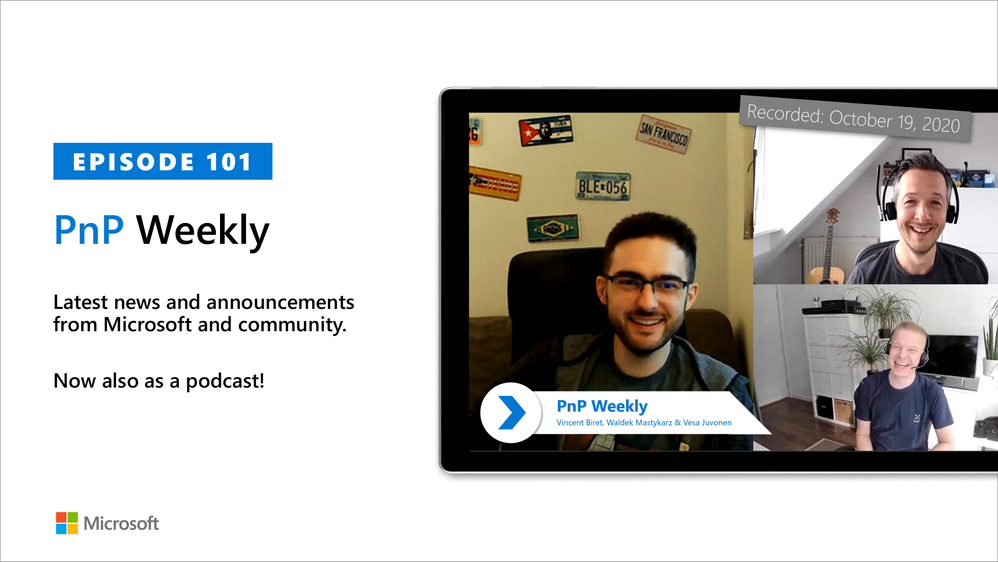
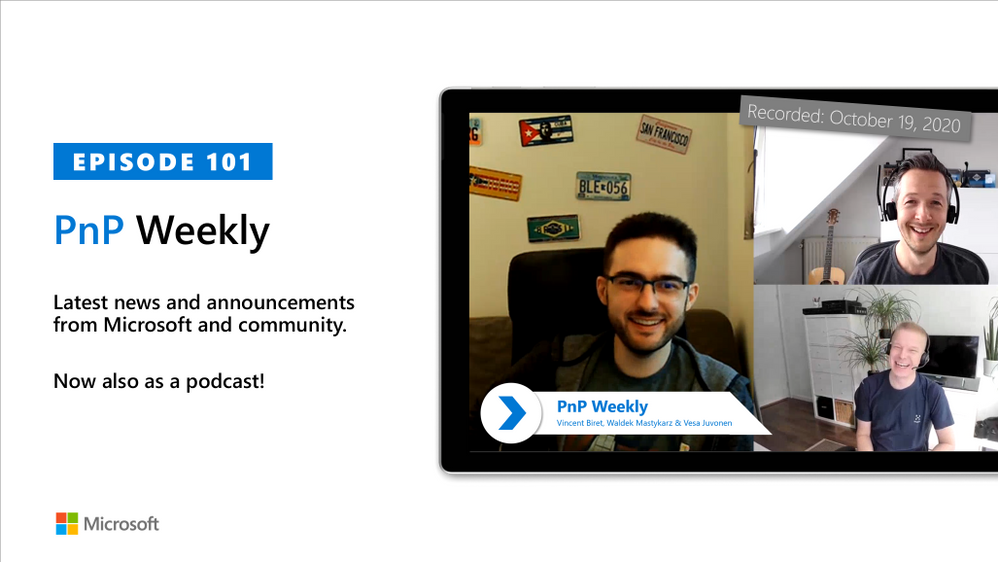
In this 1st installment after the 100th installment of the weekly discussion revolving around the latest news and topics on Microsoft 365, hosts – Vesa Juvonen (Microsoft) | @vesajuvonen, Waldek Mastykarz (Microsoft) | @waldekm, are joined by Vincent Biret (Microsoft) |@baywet, MVP alum, blogger, and presently a software engineer on the Microsoft Graph SDK team.
A number of topics were covered during today’s discussion – Program Management and Development at Microsoft, the advantage of being an SDK developer is working with Community and the elusive “inbox zero” including the novel approach identified by the cohort during this session to address.
This episode was recorded on Monday, October 19, 2020.
Did we miss your article? Please use #PnPWeekly hashtag in the Twitter for letting us know the content which you have created.
As always, if you need help on an issue, want to share a discovery, or just want to say: “Job well done”, please reach out to Vesa, to Waldek or to your PnP Community.
Sharing is caring!


Recent Comments