by Scott Muniz | Jul 27, 2020 | Uncategorized
This article is contributed. See the original author and article here.
Hello everyone, here is part 13 of a series focusing on Application Deployment in Configuration Manager. This series is recorded by @Steve Rachui, a Microsoft principal premier field engineer. These tutorials are from our library and uses Configuration Manager 2012 in the demos, however the concepts are still relevant for Configuration Manager current branch.
This session focuses on the App-V 5.0 sequencer and how it can be used to sequence packages to run in the App-V virtual environment. A couple of different scenarios are demonstrated.
Next in the series Steve shows how ConfigMgr together with App-V 5.0 work to deploy virtualized applications.
Posts in the series
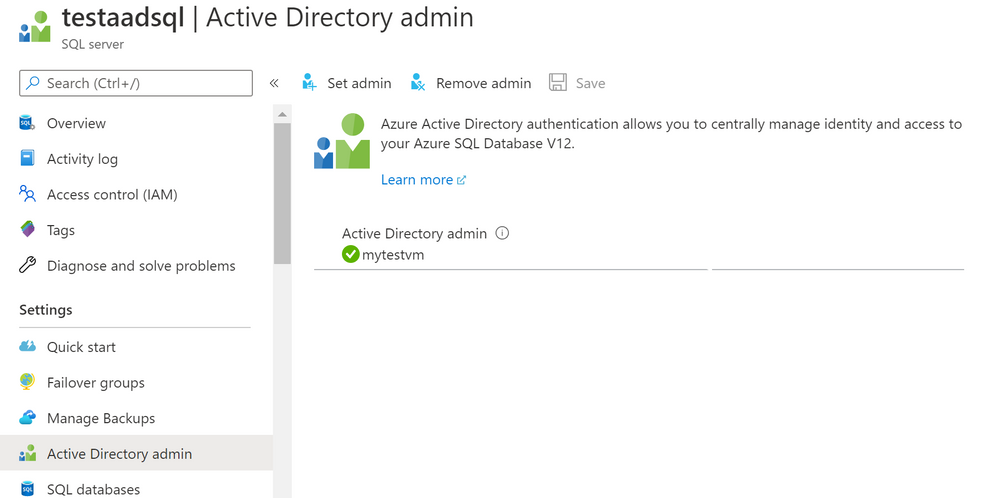
Go straight to the playlist
by Scott Muniz | Jul 27, 2020 | Alerts, Microsoft, Technology, Uncategorized
This article is contributed. See the original author and article here.
We are announcing a public preview for Azure AD user creation support for Azure SQL Database and Azure Synapse Analytics on behalf of Azure AD Applications (service principals). See Azure Active Directory service principal with Azure SQL.
What support for Azure AD user creation on behalf of Azure AD Applications means?
Azure SQL Database, Azure Synapse Analytics (formerly SQL Data Warehouse), and SQL Managed Instance support the following Azure AD objects:
- Azure AD users (managed, federated and guest)
- Azure AD groups (managed and federated)
- Azure AD applications
For more information on Azure AD applications, see Application and service principal objects in Azure Active Directory and Create an Azure service principal with Azure PowerShell.
Formerly, only SQL Managed Instance supported the creation of those Azure AD object types on behalf of an Azure AD Application (using service principal). Support for this in Azure SQL Database and Azure Synapse Analytics is now in public preview.
This functionality is useful for automated processes where Azure AD objects are created and maintained in Azure SQL Database without human interaction by Azure AD applications. Since service principals could be an Azure AD admin for SQL DB as part of a group or an individual user, automated Azure AD object creation in SQL DB can be executed. This allows for a full automation of a database user creation. This functionality is also supported for system-assigned managed identity and user-assigned managed identity (see the article, What are managed identities for Azure resources?).
Prerequisites
To enable this feature, the following steps are required:
1) Assign a server identity during SQL logical server creation or after the server is created.
See the PowerShell example below:
- To create a server identity during the Azure SQL logical server creation, execute the following command:
New-AzureRmSqlServer -ResourceGroupName <resource group>
-Location <Location name> -ServerName <Server name>
-ServerVersion “12.0” -SqlAdministratorCredentials (Get-Credential)
-AssignIdentity
(See the New-AzureRmSqlServer command for more details)
- For existing Azure SQL logical servers, execute the following command:
Set-AzSqlServer -ResourceGroupName <resource group>
-ServerName <Server name> -AssignIdentity
(See the Set-AzSqlServer command for more details)
To check if a server identity is assigned to the Azure SQL logical
server, execute the following command:
Get-AzSqlServer -ResourceGroupName <resource group>
– ServerName <Server name>
(See the Get-AzSqlServer command for more details)
2) Grant the Azure AD “Directory Readers” permission to the server identity
created above
(For more information, see Provision Azure AD admin (SQL Managed Instance)
How to use it
Once steps 1 and 2 are completed, an Azure AD application with the right permissions can create an Azure AD object (user/group or service principal) in Azure SQL DB. For more information, see the step-by-step tutorial doc ( see Tutorial: Create Azure AD users using Azure AD applications ).
Example
Using SMI (System-assigned Managed Identity) set up as an Azure AD admin for SQL DB,
create an Azure AD application as a SQL DB user.
Preparation
Enable steps 1 and 2 indicated above for the Azure SQL logical server
- In the example below, the server name is ‘testaadsql’
- The user database created under this serve is ‘testdb’
- Copy the display name of the application
- In the example below the app name is ‘myapp’
- Using the Azure portal, assign your SMI (display name) as an Azure AD admin for the Azure SQL logical server (see the screenshot below).
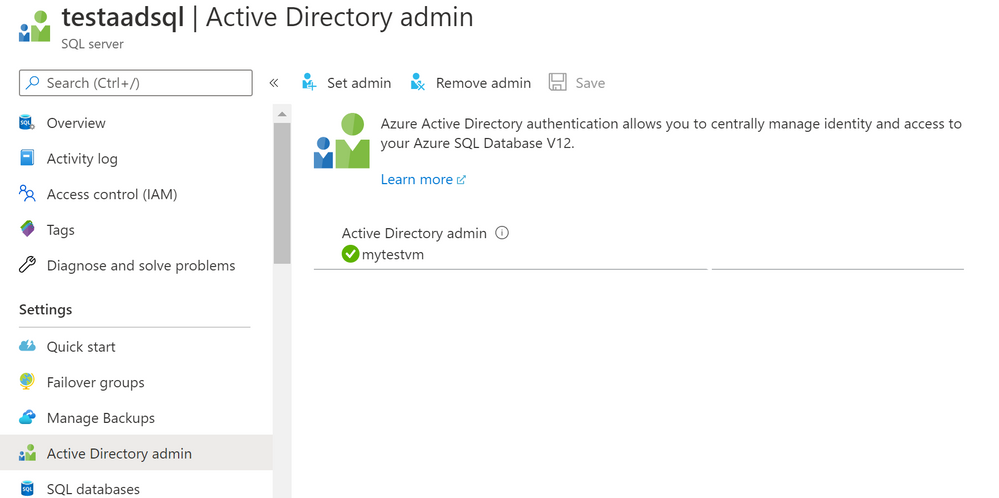
- Create Azure AD application user in SQL DB on behalf of the MSI
- To check that the user ‘myapp’ was created in the database ‘testdb’ you can execute the T-SQL command select * from sys.database_principals.
PowerShell Script
# PS script creating a SQL user myapp from an Azure AD application on behalf of SMI “mytestvm”
# that is also set as Azure AD admin for SQ DB
# Execute this script from the Azure VM with SMI name ‘mytestvm’
# Azure AD application – display name ‘myapp’
# This is the user name that is created in SQL DB ‘testdb’ in the server ‘testaadsql’
# Metadata service endpoint for SMI, accessible only from within the VM:
$response = Invoke-WebRequest -Uri ‘http://169.254.169.254/metadata/identity/oauth2/token?api-version=2018-02-01&resource=https%3A%2F%2Fdatabase.windows.net%2F‘ -Method GET -Headers @{Metadata=”true”}
$content = $response.Content | ConvertFrom-Json
$AccessToken = $content.access_token
# Specify server name and database name
# For the server name, the server identity must be assigned and “Directory Readers”
# permission granted to the identity
$SQLServerName = “testaadsql”
$DatabaseName = ‘testdb’
$conn = New-Object System.Data.SqlClient.SQLConnection
$conn.ConnectionString = “Data Source=$SQLServerName.database.windows.net;Initial Catalog=$DatabaseName;Connect Timeout=30”
$conn.AccessToken = $AccessToken
$conn.Open()
# Create SQL DB user [myapp] in the ‘testdb’ database
$ddlstmt = ‘CREATE USER [myapp] FROM EXTERNAL PROVIDER;’
$command = New-Object -TypeName System.Data.SqlClient.SqlCommand($ddlstmt, $conn)
Write-host ” “
Write-host “SQL DDL command was executed”
$ddlstmt
Write-host “results”
$command.ExecuteNonQuery()
$conn.Close()
For feedback/questions on this preview feature, please reach out to the SQL AAD team at SQLAADFeedback@Microsoft.com
by Scott Muniz | Jul 27, 2020 | Uncategorized
This article is contributed. See the original author and article here.
Introduction
With the advent of Artificial Intelligence and Internet of Things, a new paradigm of AIOT solutions is beginning to emerge. This is in part due to hardware advancements that allow for accelerated workloads to run on small form-factor edge devices in addition to software development kits that are targeted to these devices and AI use cases. In this post, we will specifically look at the NVIDIA Jetson family of devices and the NVIDIA DeepStream SDK, a platform that allows for optimized deployment of accelerated AI workloads to a device not much larger than a cell phone.
Video Analytics at the Edge
Video sources can be used in combination with Artificial Intelligence to perform a variety of useful tasks. These could include anomaly detection in manufacturing scenarios, self-driving vehicles, or even sorting Lego pieces. Intelligent Video Analytics solutions require a great deal of cross-domain knowledge in order to implement. For example, you need to optimize the acquisition and decoding of frames for the number of cameras involved, techniques for training, accelerating, and optimizing AI Inference workloads, and an ability to publish inference results out to local and remote reporting services. These problems are difficult, but with the use of tools like the NVIDIA DeepStream SDK, much of these problems are solved for you, allowing you to focus on developing a solution that meets your specific requirements. The diagram below depicts the solution we will be developing in this article, take note of the NVIDIA Jetson hardware and inclusion of the DeepStream SDK and Azure Services for reporting.
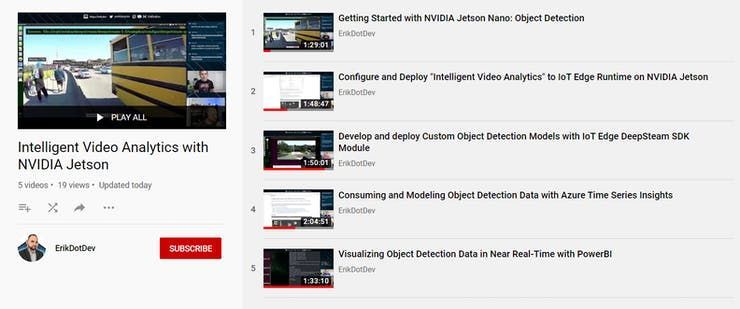
To demonstrate how to create an Intelligent Video Analytics solution, as part of #JulyOT, we have published a Github repository of best practices in the form of video content and code templates that can theoretically enable you to build an end-to-end custom object detection system with analytics and reporting to the Azure Cloud. The amazing thing about this content is that our videos were recorded live, while building out the entire solution from scratch with developer Erik St. Martin. The important thing to note here is that all of the topics that we will cover were brand new to him and may very well be completely new to you too! This has allowed us a unique opportunity to distill all of the various intricacies involved in developing a custom Intelligent Video Analytics solution into bite-sized chunks, resulting in approximately 8 hours of instructional content designed to teach anyone how to build their own solution!
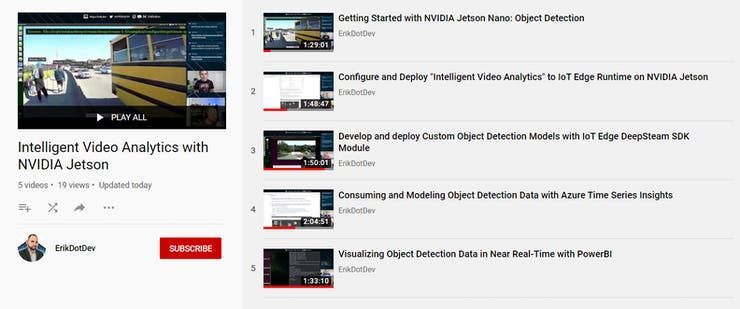
To begin, you will want to head to the Github repository, then you can head back here to go over each of the modules contained within, with the benefit of some additional background info on the objectives of each module.
Module 1 – Introduction to NVIDIA DeepStream
The NVIDIA DeepStream SDK delivers a complete streaming analytics toolkit for AI based video and image understanding and multi-sensor processing. DeepStream SDK features hardware-accelerated building blocks, called plugins that bring deep neural networks and other complex processing tasks into a stream processing pipeline.
The deepstream offering contains the DeepStream SDK which include an app (deepstream-test5) that is configurable to handle multiple streams and multiple networks for inference. The app can be connected to the Azure IoT Edge runtime to send messages to a configured Azure IoT Hub.
The DeepStream SDK is offered in the Azure Marketplace as an IoT Edge Module. We will employ this mechanism to configure and run a DeepStream workload on an NVIDIA embedded device.
Before continuing, it is highly suggested to familiarize with the DeepStream SDK Documentation, as it will provide you with the details on how to customize the Intelligent Video Analytics solution to your needs.
We cover pretty much everything you need to know in this 90 minute livestream titled “Getting Started with NVIDIA Jetson: Object Detection”. We highly recommend that you give a watch before proceeding to the next section.
Module 2 – Configure and Deploy “Intelligent Video Analytics” to IoT Edge Runtime on NVIDIA Jetson
In this section we will install and configure the IoT Edge Runtime on an NVIDIA Jetson Device. This will require that we deploy a collection of Azure Services to support the modules that are defined in the associated IoT Edge Deployment for IoT Hub.
In this section, we will only need to deploy an Azure IoT Hub and Azure Storage Account. If you are curious about the pricing involved for these services, they are summarized below:
-
-
-
Azure Stream Analytics on Edge Pricing (Technically, even though we are using a job that is not contained in the end-users subscription, billing does occur per device that runs the DeepStreamAnalytics Module)
Module 3 – Develop and deploy Custom Object Detection Models with IoT Edge DeepStream SDK Module
At this point, you should have deployed a custom DeepStream Configuration that is able to consume input from your desired sources. We will now look into ways to customize the object detection model that is employed in that configuration to enable to you to create a fully customized Intelligent Video Analytics Pipeline.
This section will assume that you might be brand new to the world of Computer Vision / Artificial Intelligence and that you are interested in the end goal of using a Custom Object Detection model that detects objects that you train it to detect. If you are interested in obtaining accurate detection of common objects immediately, without the need to train up a custom model, we will also demonstrate how to employ an academic-grade pre-trained object detection model (YoloV3) which has been trained on 80 common objects.
Module 4 – Filtering Telemetry with Azure Stream Analytics at the Edge and Modeling with Azure Time Series Insights
In this module we will explain how to flatten, aggregate, and summarize DeepStream object detection results using Azure Stream Analytics on Edge and forward that telemetry to our Azure IoT Hub. We will then introduce a new Azure Service known as Time Series Insights. This service will take in input via an event-source from our IoT Hub to allow us to analyze, query, and detect anomalies within the object detection data produced by our IoT Edge device.
Module 5 – Visualizing Object Detection Data in Near Real-Time with PowerBI
Power BI is a business analytics service provided by Microsoft. It provides interactive visualizations with self-service business intelligence capabilities, where end users can create reports and dashboards by themselves, without having to depend on information technology staff or database administrators.
In this module, we will cover how to forward object detection telemetry from our Azure IoT Hub into a PowerBI dataset using a cloud-based Azure Stream Analytics job. This will allow us to build a report that can be refreshed to update as detections are produced. We will then Publish a PowerBI report and convert it to a live dashboard. From there, we can query our data with natural language and interact with our data in near real-time.
In order to complete this module, it will require that you have an active PowerBI account. If you need to create one, this video walks through the process.
Conclusion
At this point, assuming you have gone through all of the included materials, you now know how to develop DeepStream applications using a variety of video input sources (USB Camera / RTSP / Looping File), how to containerize a DeepStream Workload for deployment as an IoT Edge module, utilize various services to gather samples, train, and deploy a custom object detection model, and how to publish results into Cloud-based services like Azure Time Series Insights and PowerBI. This is a HUGE accomplishment, and likely a very employable skillset at this time. The ~8 hour time investment for learning these techniques is necessary to fully demonstrate all of the components that make up an Intelligent Video Analytics service. It is our hope that you have found this content valuable and able to apply it to your specific scenario. We want to know what you are building! If you have replicated this project and modified the architecture to your use case, we’d love to see a link or description in the comments.
Until next time…
Happy Hacking!

by Scott Muniz | Jul 27, 2020 | Alerts, Microsoft, Technology, Uncategorized
This article is contributed. See the original author and article here.

“Cybersecurity is all about combining the power of new technologies, like Azure Sentinel, with the power of people,” said Ann Johnson, CVP Security, Compliance, and Identity, BD at Microsoft. “The Azure Sentinel Hackathon is an opportunity to bring new cybersecurity ideas to life that will help address evolving cyber challenges.”
When we kicked off the first Azure Sentinel Hackathon a couple of months ago, we challenged participants to build end-to-end cybersecurity solutions for Azure Sentinel, and they delivered!
We were excited to receive diverse submissions that deliver enterprise value by collecting data, managing security, detecting, hunting, investigating, and responding to cybersecurity threats. It’s truly inspiring to see the immense creativity and effort that participants put into their solutions. Please join us in congratulating the winners of the Azure Sentinel Hackathon.
First place: Ops Brew
Ops Brew from Vishnu KS and team, enables enterprises to minimize time spent in log pipelines setup by facilitating log streaming from multiple disjointed systems to advanced platforms, including Azure Sentinel. This solution also supports data transformation, normalization and filtering before Azure Sentinel ingestion, helping with easy data onboarding and reduced bandwidth consumption for log data traffic. Definitely take a look at this solution at https://devpost.com/software/ops_brew
“A sophisticated solution for enterprises and service providers to ingest normalized data into Azure Sentinel!”, said John Lambert, Distinguished Engineer and General Manager, Microsoft Threat Intelligence Center.
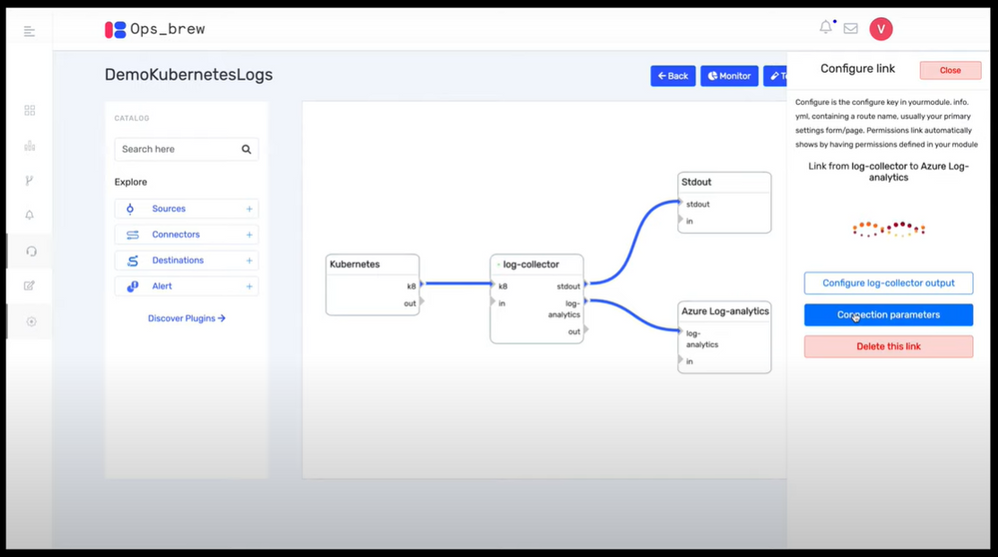 Ops Brew
Runner up: goPuff’s Sentry Platform
goPuff’s Sentry Platform from Chris Maenner and team is a server-less incident response platform to detect and alert on network and communication infrastructure. This solution is comprised of Slack and Cisco Meraki data ingestion into Azure Sentinel, followed by hunting queries, workbooks and playbooks to help IT Operations staff easily identify and remediate threats. See the solution at https://devpost.com/software/gopuff-s-sentry-platform
“Really lights up the Azure Sentinel response capabilities with their playbooks”, said Maarten Goet, Director of Cybersecurity, Wortell and Microsoft MVP.
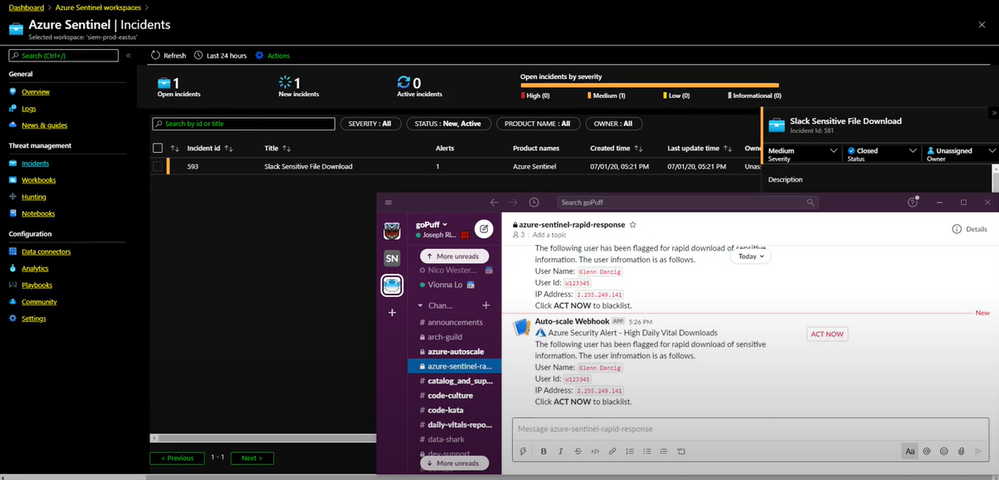 goPuff’s Sentry Platform
Popular Choice: MIDAS
MIDAS (Microcluster-Based Detector of Anomalies in Edge Streams) from Siddharth Bhatia, finds anomalies, intrusions, DoS attacks, financial fraud, fake ratings on dynamic graphs in real-time. It can be used to create analytics in Azure Sentinel to detect and alert on micro cluster suspicious patterns of data. Take a look at the solution at https://devpost.com/software/midas-5fw93u.
“This was truly a creative approach to anomaly detection”, said Ann Johnson.
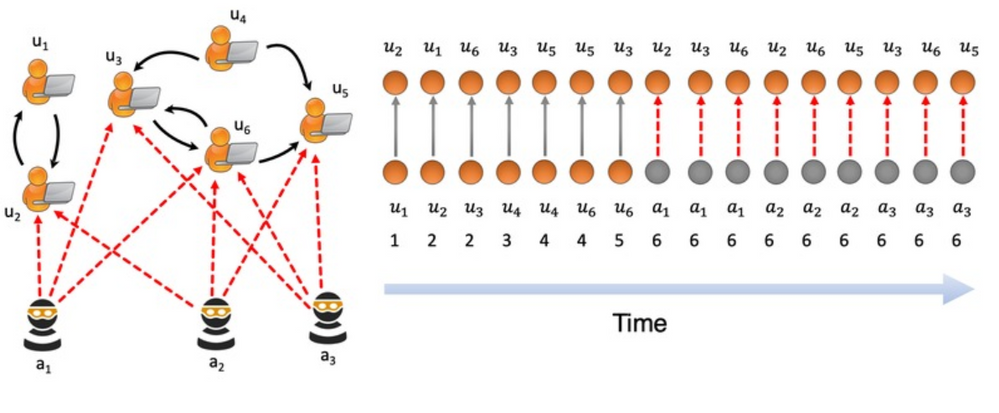 MIDAS
MIDAS
Honorable mention: Protect Slack with Azure Sentinel
We’d like to recognize Protect Slack with Azure Sentinel from Priyadarshini Murugan and team as an honorable mention. This is an end-to-end solution that includes data ingestion, analytics and hunting to secure and monitor Slack using Azure Sentinel. Try out this solution at https://devpost.com/software/azure-sentinel-project.
“Fully working solution for a Slack connector including analytics rules; bonus: full solution published on Github!”, said Maarten Goet.
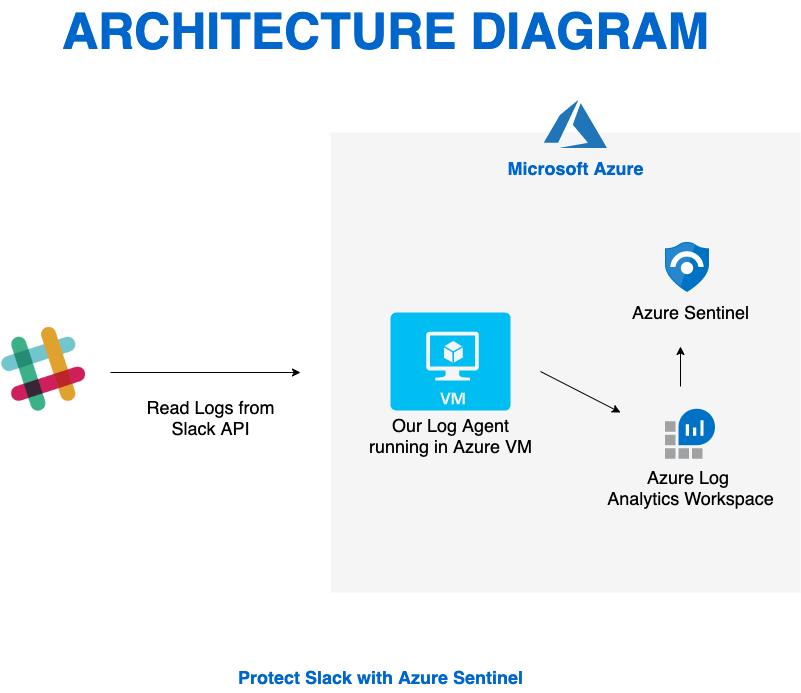 Protect Slack with Azure Sentinel
Again, congratulations to the winners and huge thanks to all the hackathon participants. We also wanted to take a moment to thank our all-star panel of judges for taking time out of their busy schedules to review and provide feedback on all the submissions. Many thanks for the support to Ann Johnson, John Lambert and Maarten Goet.
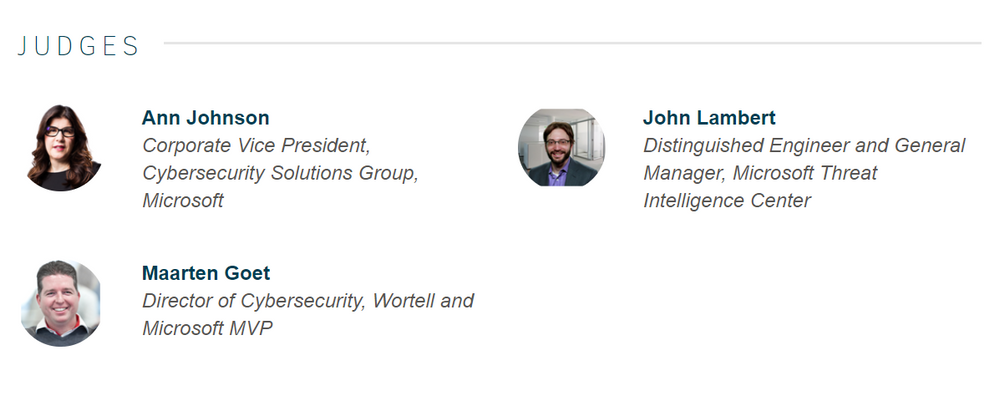 Azure Sentinel Hackathon Judges
This Hackathon is just the beginning, and hopefully has inspired you to be a member of the Azure Sentinel Threat Hunters community. Get started now by joining the Azure Sentinel Threat Hunters GitHub community and follow the guidance. Let us know your feedback using any of the channels listed in the Resources.

by Scott Muniz | Jul 27, 2020 | Alerts, Microsoft, Technology, Uncategorized
This article is contributed. See the original author and article here.

Another great week of Azure blogs, videos and podcasts from the team. Learn how to build a reminder for Turnip time, more GraphQL on AppService, IoT for July and much more!
Content Round Up
Building an Animal Crossing Turnip Timer!
Chloe Condon
Have you started playing Animal Crossing New Horizons on your Nintendo Switch? Do you keep forgetting to buy turnips every Sunday? Looking for a fun & easy project that will help remind you when to start searching for Daisy Mae? :thinking_face::money_bag::chart_increasing:
No problem! We made a Courier + Azure Function problem to solve that!
The Future of Xamarin
Brandon Minnick
Talk “The Future of Xamarin” by Brandon Minnick from Microsoft at the first day of mDevCamp Online.
Download New Azure Architecture Icons now!
Thomas Maurer
With the latest Azure Portal refresh, Microsoft Azure got some new icons as well. If you want to draw some Azure architecture diagrams you can now download the latest Azure Architecture Icons from the Azure Architecture Center.
What’s shutting down my VM?
Sonia Cuff
This post details the shutdown causes/triggers as well as runs through the Auto-shutdown support for Azure VMs. Sonia shares the steps she used to find a resolution to address the issue.
GraphQL on Azure: Part 2 – App Service
Aaron Powell
In this post we’ll look at how we can deploy a .NET GraphQL server into an Azure App Service using GraphQL .NET.
Stronger Together: Datos Interview
David Smith
Israel-based startup Datos Health https://www.datos-health.com/ provides a telemedicine platform, and has seen tremendous growth following the outbreak of the novel coronavirus. In this interview, CEO Uri Bettish shares how Datos scaled to provide “virtual clinics” to monitor COVD-19 patients at home.
Managing Your Hybrid Cloud using Azure Arc with Thomas Maurer – RunAsRadio PodCast
Thomas Maurer
We all have a hybrid cloud solution – how do you manage it? Richard chats with Thomas Maurer about Azure Arc, a tool in the Azure suite for managing virtual machines, Kubernetes clusters, and data services in Azure, your on-premises servers, even other cloud providers! Thomas talks about how IT folks end up with an array of tools for managing servers depending on the location and how Azure Arc ends that. Arc provides location-independent access to all your resources, and it’s in preview now, so free to use (although you may have to pay for additional Log Analytics data)… check it out!
Getting started with Azure Data Explorer using the Go SDK
Abhishek Gupta
With the help of an example, this blog post will walk you through how to use the Azure Data explorer Go SDK to ingest data from a Azure Blob storage container and query it programmatically using the SDK. After a quick overview of how to setup Azure Data Explorer cluster (and a database), we will explore the code to understand what’s going on (and how) and finally test the application using a simple CLI interface
What’s New in the Azure Hybrid Space?
Thomas Maurer
This week I had the honor to be on Mary Jo Foley podcast called MJFChat on Petri.com and talk about what’s new in the Azure Hybrid space. This was the perfect time since we had some great Hybrid Cloud announcements this week during Microsoft Inspire, especially when it comes to Azure Stack HCI.
Tartine & Tech: VSCode Remote Development Extension
Yohan Lasorsa
In this episode, Yohan talks about the Remote Dev Extensions in VSCode. Find out how to open your project in a container, a remove machine or in WSL.
Azure Mini Fun Bytes: How to setup Azure Blob Storage
Anthony Bartolo
In this post, Jay Gordon walks through steps to setup Azure Blob Storage.
JulyOT Learn IoT Live Stream Series Episode 4 – Café Dev
Christopher Maneu
Are you a developer and curious about IoT? Want to learn how you can create IoT solutions:globe_with_meridians:? Let’s do this together in July! Join me each Thursday 5pm CET/8am PST to learn how to create IoT solutions. Follow along with online exercises on Microsoft Learn and ask your questions live!
:blue_book:Episode 4 menu Today, we’ll see how you can easily make sense of timed data with a Time Series database. For this, we’ll use Azure Time Series Insights, a managed time-services database.


Recent Comments