by Contributed | Apr 9, 2021 | Technology
This article is contributed. See the original author and article here.
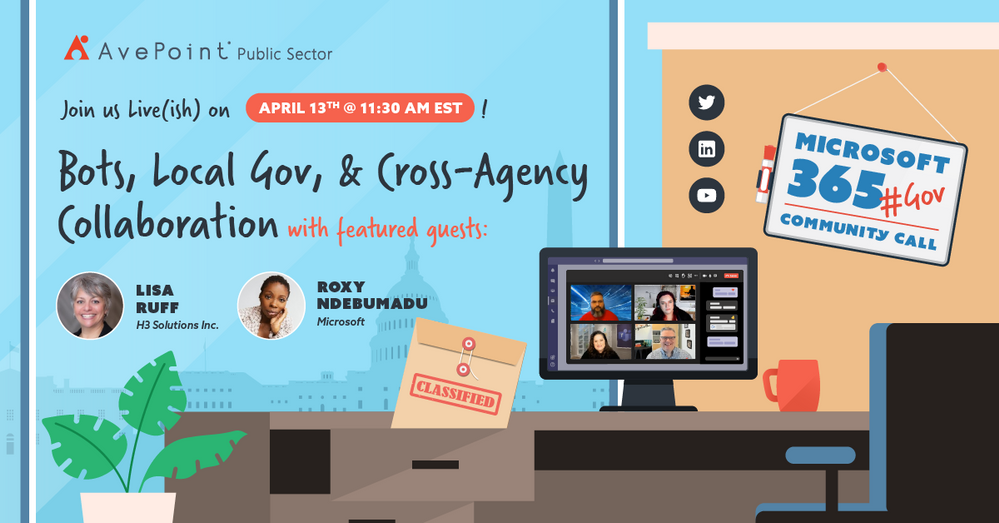
April 2021 #M365GovComCall discussing Bots, State & Local Government, and Cross-Agency Collaboration in M365 for Government
A new month means a new M365 Government Community Call! This month @Jeremy Wood, @Rima Reyes, @Sarah Gilbert and I are very excited to have Lisa Ruff and Roxy Ndebumadu join us to talk about Bots and Cross-Agency Collaboration in M365 as well as what specialty needs and use cases may exist within State and Local government.
April 2021 Panelists
- Lisa Ruff (@RuffLisa | LinkedIn), VP of Sales & Partnerships at H3 solutions, the Maker of AtBot
- Roxy Ndebumadu (@RoxyNdebumadu | LinkedIn), Sr. Customer Success Manager in Microsoft Federal, Bowie City councilwoman District 4
- Jeremy Wood (@geekwithin | LinkedIn), Director of Policy & Planning at the Millennium Challenge Corporation, Organizer of Microsoft 365 for Government DC Users Group
- Rima Reyes (@rimazima | LinkedIn), Principal Program Manager for Government at Microsoft Teams Engineering
- Sarah Gilbert (@singingtech | LinkedIn), Community Technical Manager Public Sector at Microsoft
- Jay Leask (@jayleask | LinkedIn), Lead Modern Workplace Strategist at AvePoint Public Sector, Organizer at NOVA365 and Azure User Group
How to Watch
We go live the second Tuesday of each month on LinkedIn where you can engage with our panel and ask questions right in the chat. Be sure you “Follow” the AvePoint Public Sector LinkedIn page to be notified every time we go live!
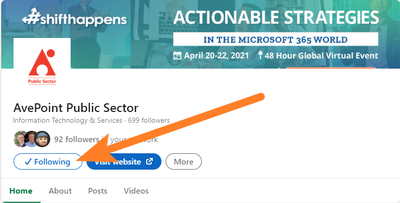 “Follow” the AvePoint Public Sector LinkedIn page for notifications every time we go live!
After the show we will update this page with notes, links to articles and topics we discussed, as well as embed the recorded video for your viewing!
by Contributed | Apr 9, 2021 | Technology
This article is contributed. See the original author and article here.
April 2021 #M365GovComCall discussing Bots, State & Local Government, and Cross-Agency Collaboration in M365 for Government
A new month means a new M365 Government Community Call! This month @Jeremy Wood, @Rima Reyes, @Sarah Gilbert and I are very excited to have Lisa Ruff and Roxy Ndebumadu join us to talk about Bots and Cross-Agency Collaboration in M365 as well as what specialty needs and use cases may exist within State and Local government.
April 2021 Panelists
- Lisa Ruff (@RuffLisa | LinkedIn), VP of Sales & Partnerships at H3 solutions, the Maker of AtBot
- Roxy Ndebumadu (@RoxyNdebumadu | LinkedIn), Sr. Customer Success Manager in Microsoft Federal, Bowie City councilwoman District 4
- Jeremy Wood (@geekwithin | LinkedIn), Director of Policy & Planning at the Millennium Challenge Corporation, Organizer of Microsoft 365 for Government DC Users Group
- Rima Reyes (@rimazima | LinkedIn), Principal Program Manager for Government at Microsoft Teams Engineering
- Sarah Gilbert (@singingtech | LinkedIn), Community Technical Manager Public Sector at Microsoft
- Jay Leask (@jayleask | LinkedIn), Lead Modern Workplace Strategist at AvePoint Public Sector, Organizer at NOVA365 and Azure User Group
How to Watch
We go live the second Tuesday of each month on LinkedIn where you can engage with our panel and ask questions right in the chat. Be sure you “Follow” the AvePoint Public Sector LinkedIn page to be notified every time we go live!
“Follow” the AvePoint Public Sector LinkedIn page for notifications every time we go live!
After the show we will update this page with notes, links to articles and topics we discussed, as well as embed the recorded video for your viewing!

by Contributed | Apr 9, 2021 | Technology
This article is contributed. See the original author and article here.
Export SharePoint Version History to Excel Using PowerShell
Mohamed El-Qassas is a Microsoft MVP, SharePoint StackExchange (StackOverflow) Moderator, C# Corner MVP, Microsoft TechNet Wiki Judge, Blogger, and Senior Technical Consultant with +10 years of experience in SharePoint, Project Server, and BI. In SharePoint StackExchange, he has been elected as the 1st Moderator in the GCC, Middle East, and Africa, and ranked as the 2nd top contributor of all the time. Check out his blog here.

Azure Linux VM: Using several apps to remote connect
George Chrysovalantis Grammatikos is based in Greece and is working for Tisski ltd. as an Azure Cloud Architect. He has more than 10 years’ experience in different technologies like BI & SQL Server Professional level solutions, Azure technologies, networking, security etc. He writes technical blogs for his blog “cloudopszone.com“, Wiki TechNet articles and also participates in discussions on TechNet and other technical blogs. Follow him on Twitter @gxgrammatikos.

Excluding failing dependencies from Application Insights logging
Tobias Zimmergren is a Microsoft Azure MVP from Sweden. As the Head of Technical Operations at Rencore, Tobias designs and builds distributed cloud solutions. He is the co-founder and co-host of the Ctrl+Alt+Azure Podcast since 2019, and co-founder and organizer of Sweden SharePoint User Group from 2007 to 2017. For more, check out his blog, newsletter, and Twitter @zimmergren

Create your classroom lab with Azure Lab Services!
Sergio Govoni is a graduate of Computer Science from “Università degli Studi” in Ferrara, Italy. Following almost two decades at Centro Software, a software house that produces the best ERP for manufacturing companies that are export-oriented, Sergio now manages the Development Product Team and is constantly involved on several team projects. For the provided help to technical communities and for sharing his own experience, since 2010 he has received the Microsoft Data Platform MVP award. During 2011 he contributed to writing the book: SQL Server MVP Deep Dives Volume 2. Follow him on Twitter or read his blogs in Italian and English.

Teams Real Simple with Pictures: Forms to the Flow, to the List, to the Team and Yammer using conditions and approvals
Chris Hoard is a Microsoft Certified Trainer Regional Lead (MCT RL), Educator (MCEd) and Teams MVP. With over 10 years of cloud computing experience, he is currently building an education practice for Vuzion (Tier 2 UK CSP). His focus areas are Microsoft Teams, Microsoft 365 and entry-level Azure. Follow Chris on Twitter at @Microsoft365Pro and check out his blog here.
by Contributed | Apr 9, 2021 | Technology
This article is contributed. See the original author and article here.
A plethora of cloud services stories to share this week. News includes Cloud Services (extended support) is generally available, migration tool in preview, new Azure AD Verifiable Credentials, Windows Virtual Desktop Start VM on connect feature, Azure Monitor container insights support for Azure Arc enabled Kubernetes extension mode in preview and an enterprise-scale Microsoft Learn module of the week.
Microsoft announces general availability of Cloud Services (extended support)
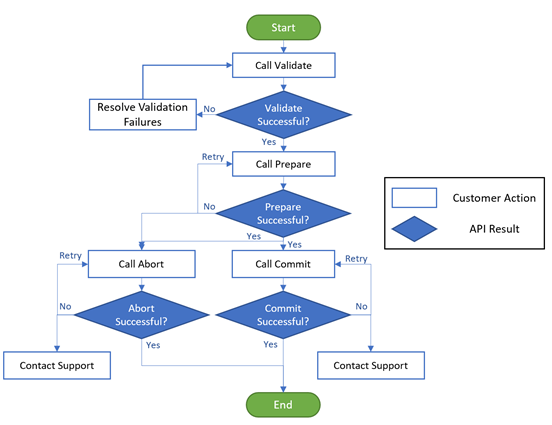
The new Azure Resource Manager (ARM)-based deployment model for Azure Cloud Services has now become generally available along with the platform-supported tool for migrating existing cloud services to Cloud Services (extended support) has gone into preview.
The primary benefit Cloud Services (extended support) provides is regional resiliency along with feature parity with Azure Cloud Services deployed using Azure Service Manager (ASM). It also offers some ARM capabilities such as role-based access and control (RBAC), tags, policy, private link support, and use of deployment templates.
There are several resources customers can use to learn more about Cloud Services (extended support).
Public preview for Azure AD verifiable credentials is now available
Organizations can now empower users to control credentials that manage access to their information. Organizations using Azure AD can now easily design and issue verifiable credentials to represent proof of employment, education, or any other claim, so that the holder of such a credential can decide when, and with whom, to share their credentials. Each credential is signed using cryptographic keys associated with the DID that the user owns and controls.
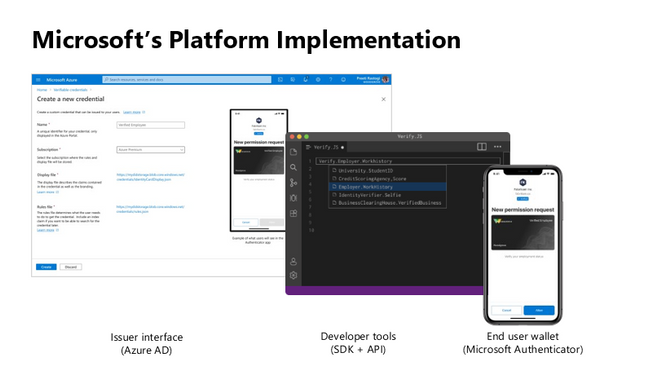
Unlike current proprietary identity systems, verifiable credentials are standards-based which makes it easy for developers to understand, and doesn’t require custom integration. Users can manage and present credentials using Microsoft Authenticator with one key difference. Unlike domain-specific credentials, verifiable credentials function as proofs that users control, even when they’re issued by organizations. Because verifiable credentials are attached to DIDs that users own, they can be confident that they—and only they—control who can access them and how.
Please visit Verifiable Credentials documentation to learn more.
Start VM on connect feature for Windows Virtual Desktop now in public preview
The start VM on connect setting for Windows Virtual Desktop automatically turns on a VM that is in a deallocated state when a user attempts to connect to it. This setting enables the ability to deallocate VMs that are not in use to save cost while ensuring that users can connect to it if needed.
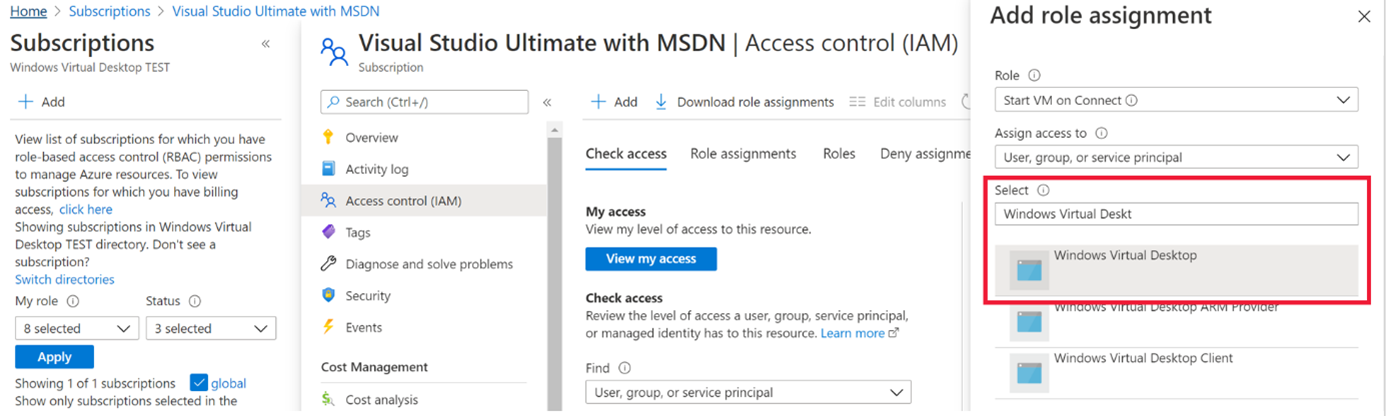
Please note the following limitations currently with the public preview:
- The setting can be configured on the validation pool only
- The setting can only be applied for personal host pools only.
- Access to this setting is available from PowerShell and Rest API only.
Learn more about additional pre-requisites and set-up guidance in our documentation.
Azure Monitor container insights support for Azure Arc enabled Kubernetes extension model in public preview
Containers insights in Azure Monitor is now extending monitoring support for Kubernetes clusters hosted on Azure Arc via public preview.
Container insights on Azure Arc-enabled Kubernetes keeps the same features as Azure Kubernetes Service (AKS) monitoring, such as:
- Performance visibility by collecting memory and processor metrics from controllers, nodes, and containers that are available in Kubernetes.
- Visualization through workbooks and in the Azure portal.
- Alerting and querying historical data for troubleshooting issues.
- Capability to scrape Prometheus metrics.
With the new extension model update, you receive these new benefits:
- Easier enablement of container insights through the portal.
- Receive automatic agent updates for the latest version of monitoring.
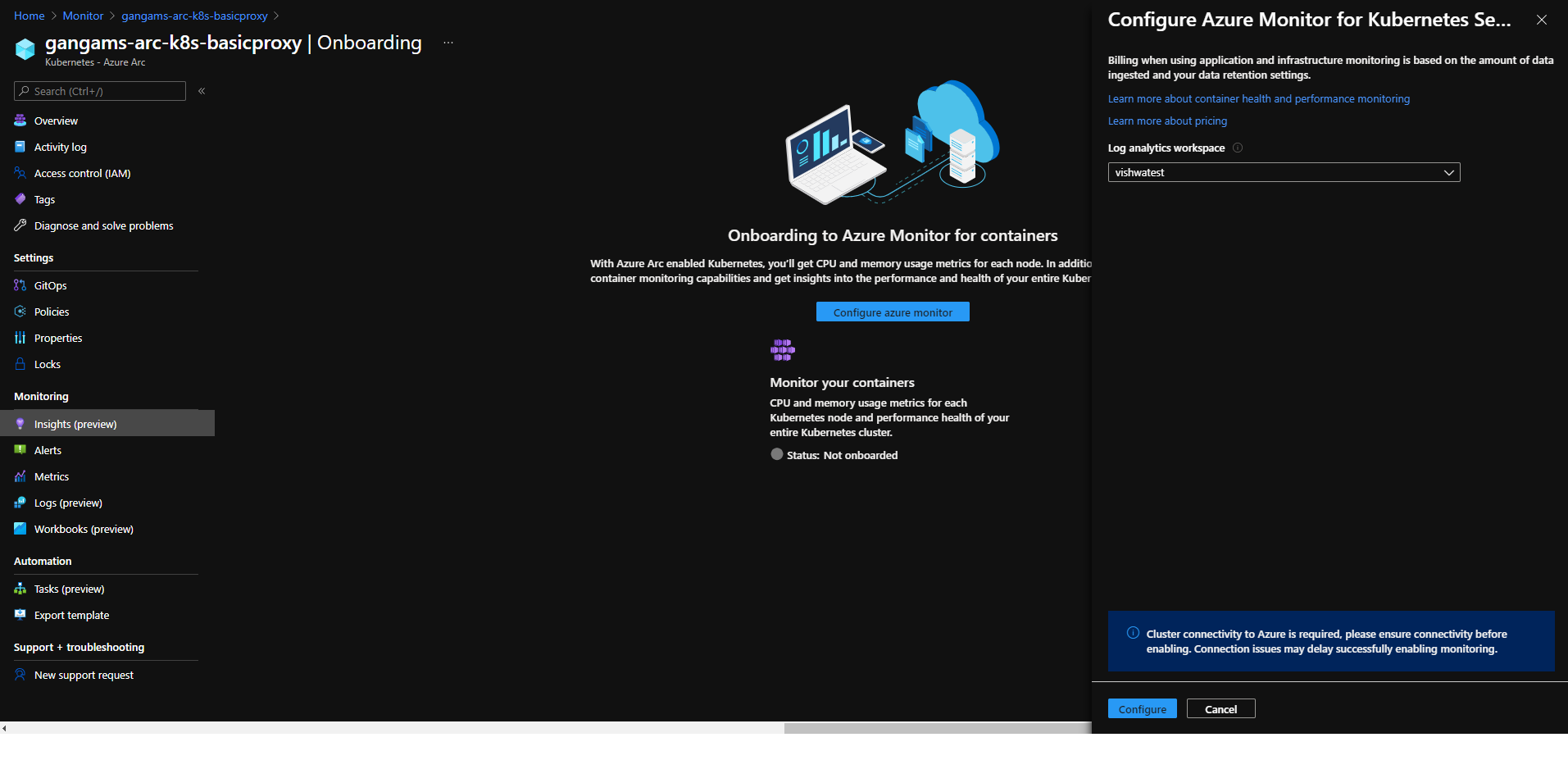
Learn more about containers insights.
Learn more about Azure Arc-enabled Kubernetes onboarding through the extension model.
Community Events
- Global Azure 2021 – April 15th to 17th, communities around the world are organizing localized live streams for everyone around the world to join and learn about Azure from the best-in-class community leaders.
- Hello World – Special guests, content challenges, upcoming events, and daily updates
- Testing in Production – Producer Pierre and Producer Steve are back to share thier broadcasting tips and talk a little tech
MS Learn Module of the Week

Creating an enterprise-scale architecture in Azure
Learn how Microsoft Cloud Adoption Framework for Azure enterprise-scale landing zones can help your organization to accelerate cloud adoption from months to weeks. We will explore how to create Azure landing zone architecture at enterprise-scale. Learn about landing zone critical design areas to build and operationalize your Azure environment.

Modules include:
- Introduction to enterprise-scale landing zones in the Microsoft Cloud Adoption Framework for Azure
- Enterprise-scale architecture organizational design principles
- Network design principles for enterprise-scale architecture
- Enterprise-scale architecture operational design principles
Learn more here: Create an enterprise-scale architecture in Azure

Let us know in the comments below if there are any news items you would like to see covered in the next show. Be sure to catch the next AzUpdate episode and join us in the live chat.

by Contributed | Apr 9, 2021 | Technology
This article is contributed. See the original author and article here.
SharePoint Framework Special Interest Group (SIG) bi-weekly community call recording from April 8th is now available from the Microsoft 365 Community YouTube channel at http://aka.ms/m365pnp-videos. You can use SharePoint Framework for building solutions for Microsoft Teams and for SharePoint Online.
Call summary:
Preview the new Microsoft 365 Extensibility look book gallery – cross platform extensibility. Update on upcoming SharePoint Framework v1.12.1 features, preview, beta and release. Register now for April trainings on Sharing-is-caring. Latest project updates include: PnPjs Client-Side Libraries v2.4.0 release scheduled for April 9, and please provide feedback on v3.0 Hub planning and discussion issues posted – issue #1636 by April 15th. CLI for Microsoft 365 Beta v3.9 delivered. Reusable SPFx React Controls – v2.6.0 and v3.0.0 (on hold for SPFx v1.12.1) and Reusable SPFx React Property Controls – v2.5.0 and v3.0.0 (on hold for SPFx v1.12.1). PnP SPFx Generator v1.16.0 (Angular 11 supported), PnP Modern Search v3.19 to be released shortly and v4.1.0 released March 20th. There were eight PnP SPFx web part samples delivered last 2 weeks. Great work! The host of this call is Patrick Rodgers (Microsoft) @mediocrebowler. Q&A takes place in chat throughout the call.
Actions:
Demos:
Teams Meeting Questionnaire App with SharePoint Framework – The Questionnaire Pre-meeting app allows Microsoft Teams meeting attendees to ask questions related to meeting before meeting starts. SPFx v1.12 provides support for Microsoft Teams meeting apps development, this web part. Operationally – in calendar create meeting, then add Meeting Questionnaire tab to meeting. Questionnaire is tied to a single SharePoint list that organizes questions by Meeting ID. Sample in PnP Samples repository.
Building an advanced SPFx Image Editor web part – This solution contains an SPFx web part – a browser-based HTML Image Editor that uses canvas and Office UI Fabric. Use File Picker component to select image and manipulate it – Resize, Crop, Flip, Rotate, Scale, Filter (Grayscale / Sepia), Redo / Undo, History of Actions. Web part created initially to pick files from a custom external data source. Sample is in Sample Gallery.
Viva Connections Desktop and Extensibility – Microsoft Viva is a suite of products. Viva Connections is an integrated experience with Microsoft Teams and SharePoint backed by Microsoft security, privacy, and compliance. Viva Connections is extensible – use out of the box web parts or create custom web parts and extensions based on requirements. You ultimately determine what capabilities to make available in the Viva Connections UX. The journey – a phased rollout of capabilities Worldwide over the next 6 months. Currently available Viva Connections Desktop is just a start on this journey.
SPFx web part samples: (https://aka.ms/spfx-webparts)
As is the case this week, samples are often showcased in Demos. Thank you for your great work.
Agenda items:
Demos:
Resources:
Additional resources around the covered topics and links from the slides.
General Resources:
Other mentioned topics:
Upcoming calls | Recurrent invites:
PnP SharePoint Framework Special Interest Group bi-weekly calls are targeted at anyone who is interested in the JavaScript-based development towards Microsoft Teams, SharePoint Online, and also on-premises. SIG calls are used for the following objectives.
- SharePoint Framework engineering update from Microsoft
- Talk about PnP JavaScript Core libraries
- Office 365 CLI Updates
- SPFx reusable controls
- PnP SPFx Yeoman generator
- Share code samples and best practices
- Possible engineering asks for the field – input, feedback, and suggestions
- Cover any open questions on the client-side development
- Demonstrate SharePoint Framework in practice in Microsoft Teams or SharePoint context
- You can download a recurrent invite from https://aka.ms/spdev-spfx-call. Welcome and join the discussion!
“Sharing is caring”


Recent Comments