by Contributed | Apr 12, 2021 | Technology
This article is contributed. See the original author and article here.
Want to get Started learning GitHub and DevOps?
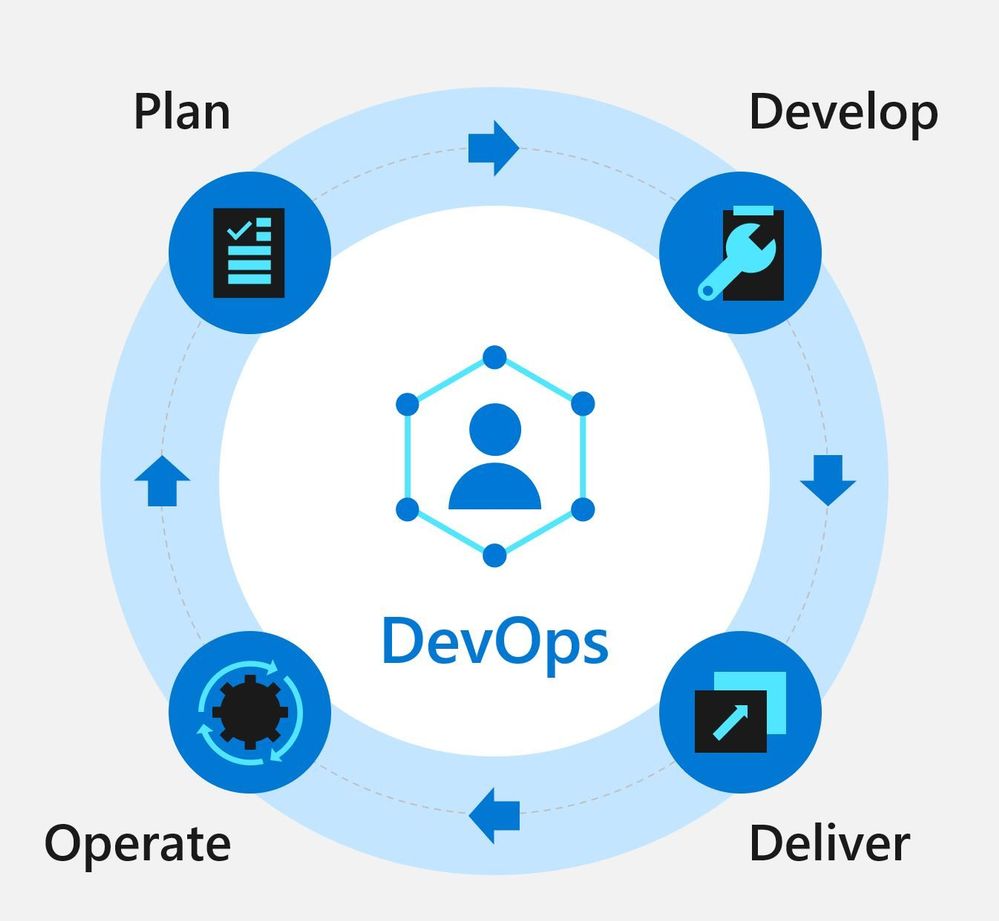
Well look now further we have a dedicated rep to help you get skilled in DevOps using GitHub.
microsoft/DevOps-with-GitHub-Event-Learning-Path:The DevOps with GitHub Event Learning Path shows the DevOps journey using Azure and GitHub tools.
Explore overviews, tutorials, samples, and more
http://aka.ms/all-things-devops
Learning Path Description:
Tailwind Traders loves building software and working in the cloud. Their team is growing and becoming more specialized. In this learning path, you’ll work along with the Tailwind development and operations teams as they figure out how to work better together using DevOps patterns and practices.
Sessions:
Listed below are 5 sessions and all resources associated with them so you can redeliver them in your technical community
There are no demos, however video recordings of demos have been provided
[ADO10] Getting started with DevOps
Abstract:
As teams grow, finding ways to effectively work together is vital. Communication across teams is challenging. We need to enable discovery of conversations and related information. Source code, scripts, configuration files, deployment docs and other related content also need to be centralized and versioned. Finally, teams need tooling that not only works across multiple project types and languages, but also facilitates remote-first collaboration.
Attendee Takeaways:
- Make communication centralized and discoverable.
- Everything that can be versioned goes in source control.
- Pick tools that support your team’s workflow – including source control, remote collaboration, and language and project types.
Resources:
[ADO20] Managing the Flow of Work
Abstract:
DevOps is all about continuously delivering value. Before we can even begin thinking about CI/CD, we need to make sure we do the right work. Sprint after sprint, iteration after iteration, we need to plan our work and manage our workflows.
This includes planning and tracking all units of work for the project. With frequent small iterations, there is no time to waste. Careful planning needs to happen to ensure the correct work gets done for each iteration. With the compressed time frame for each iteration, team members must work and coordinate their activities. Thus cross (functional) team visibility of work becomes vital for that coordination and allocation of resources. Visibility also ensures problems or bottlenecks get surfaced and addressed quickly.
Managing source control changes are also important. We need to be in a deployable state at the end of every sprint. The main branch should be protected, yet changes being introduced should not be overly hampered and slowed down by the process. Being able to iterate quickly and safely is vital.
And Finally, we need automation surrounding all our workflows to help enable everything as well as add consistency in what we do.
Attendee Takeaways:
- Make work in progress visible with Azure boards.
- Use trunk-based development to keep integration pain down and master ready to ship.
- Automate your workflow to add consistency and remove drudgery.
Resources:
[ADO30] Building in Security and Quality
Abstract:
Security and compliance are core concerns for organizations. Adopting DevOps practices and delivering software faster can increase those concerns. We can take steps to increase security and compliance as part of our DevOps lifecycle.
Attendee Takeaways:
- Shift security left by enabling security at the earliest possible point.
- Keep your container images current and be aware hidden dangers in base images.
- Use infrastructure as code and policy as code to provide consistency in environments.
Resources:
[ADO40] Delivering Change to the Cloud
Abstract:
The team at Tailwind Traders has a problem – they’re still too dependent on manual processes and key individuals to bring their ideas to customers! While they have successfully implemented a raft of practices that result in trusted builds ready for deployment to the cloud, actually delivering the changes in an effective, trustworthy way is the next challenge.
Tailwind Traders realises they need to automate their deployments, just as they automated their builds. It’s important that they can deliver value quickly, but just as important they catch issues before they get to production with robust pipelines that can deploy to the variety of services their projects require.
Attendee Takeaways:
- Deployment automation enables repeatability.
- ChatOps and similar patterns enable control and automation.
- Keep secrets in as few places as possible.
Resources:
[ADO50] Operating Software in the Cloud
Abstract:
DevOps doesn’t stop when you deploy. Incident response, identity management, and controlling access to production are all part of learning to run software well.
Attendee Takeaways:
- For incidents to be effectively managed, someone needs to be responsible for responding.
- No magic people or machines! Reduce the dependence on individual user accounts or environments with service principals and managed identities.
- Use automation to deliver change into the environment – remove manual steps.
Resources:
Certification Resources
Explore Microsoft Learn Content for the AZ-400 Certification
http://aka.ms/getting-started-devops
Designing and Implementing Microsoft DevOps Solutions
http://aka.ms/az400-cert

by Contributed | Apr 12, 2021 | Technology
This article is contributed. See the original author and article here.
Today, we continue to strike a balance between many of our current conditions, where most frontline workers are strained and socially distant, and tomorrow, where there is the possibility of a safe return to the more traditional ways of working. As we continue supporting frontline workers and organizations in this digital transformation balance, we are releasing new enhancements for frontline workers and corporate teams to continue to communicate more effectively, digitize processes and make data and workers more secure no matter the work conditions.
Richer communication and community
Coming soon, Teams for RealWear headsets will make it easier for workers to show what they see – with voice commands for using the device flashlight and adjusting zoom levels with their outgoing video. Learn more about RealWear and Teams here.
Coming soon: RealWear Camera Zoom & Flashlight
For organizations with thousands of employees scattered across different locations, internal communications can grow quite complex. Connect your entire workforce to drive deeper connection and insights across your organization while keeping everyone informed. Now you can share important community announcements for all members of your community and notify them to make sure they see the message, even if it’s outside of their preferred notification settings, with Yammer essential announcements.
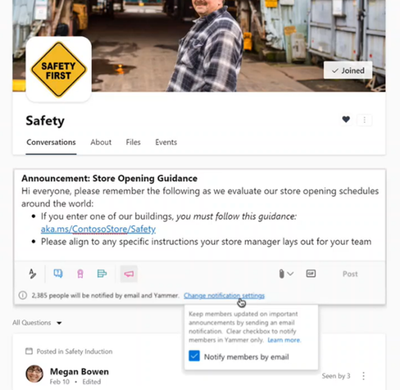 Now Available: Yammer Essential Announcements
Manage and moderate content shared with your entire organization faster with Yammer community insights. These key metrics help admins and corporate teams measure activity, understand engagement, and find valuable insights about how frontline workers are engaging as a community.
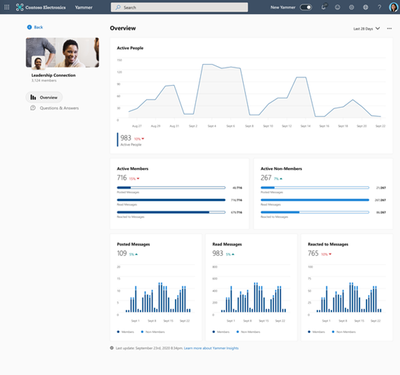 Available now: Community insights
Dig deeper and see which conversations and content performs the best. Conversation insights provide real-time visibility into impressions, total views, click-through rate, and a break-down of reactions.
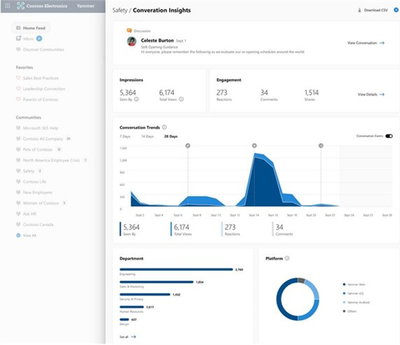 Coming soon: Conversation insights
Improve your live events viewership by monitoring attendance, to understand which audience has the greatest viewership, and see where those views are coming from with live events insights in Yammer. All geared to help you optimize your current and future events with your frontline workforce and entire organization.
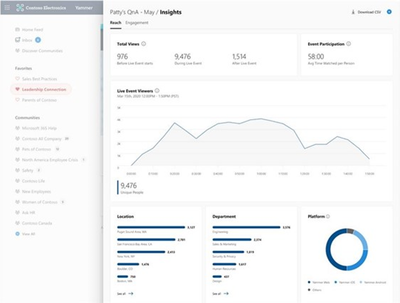 Now available: Live event insights
Finally, improve the sense of community for your frontline workers with new suggested communities on the right rail of the Yammer homepage that will suggest relevant communities for frontline workers to discover and join.
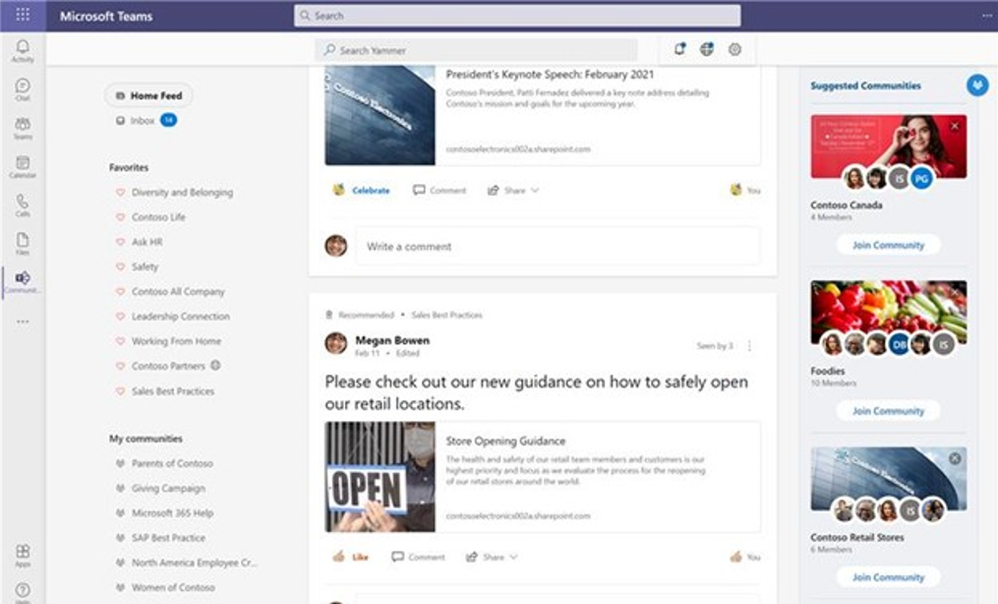 Now Available: Yammer Suggested Communities
Learn more about all the new features coming to Yammer here.
Automated business workflows
As work conditions continue to fluctuate, it has become increasingly important to make sure repeatable but still critical processes are automated and have the right systems and owners connected to the workflow.
New APIs for Time Clock will notify your organization’s Time & Attendance system and determine if the clock in/out is valid and prevent it if it is not. This helps organizations create rules for how early or late someone can clock-in/out without requiring manager approval. It can also enable new business workflows around clocking in/out such a health screening survey that must be completed before clocking-in for the day. All these clock-ins will be automatically shared to your existing payroll system to provide even more visibility and alignment. Learn more about frontline relevant APIs here.
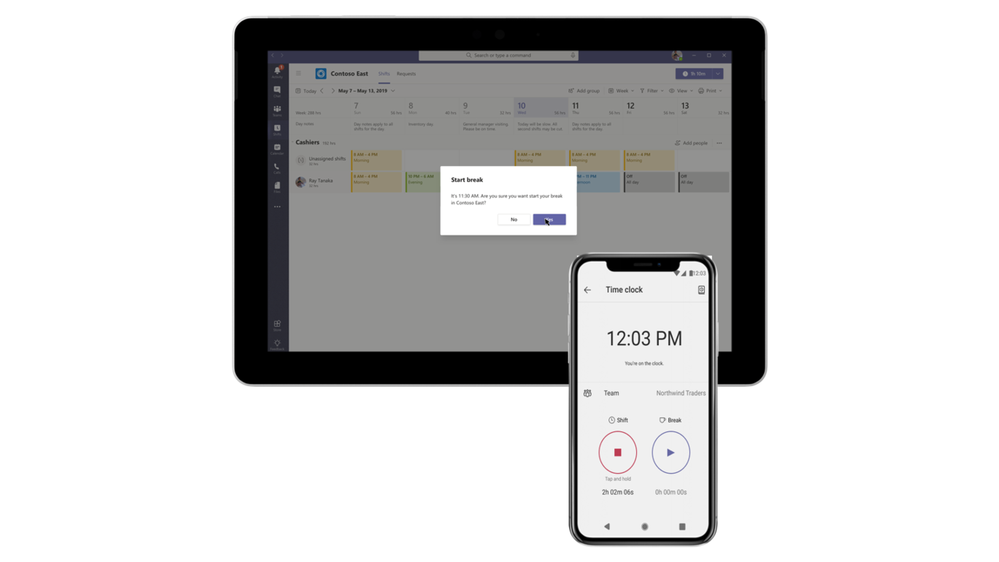 Now available: Time Clock APIs
With the schedule owner permission setting on TeamsShiftsPolicy, the organization can identify which users should be able to modify a Shifts schedule while still protecting the ownership of Teams that they are members of. It allows users who aren’t the owner of a Team to be able to edit and manage Shift schedules, approve swaps and authorize time off requests. This enables users such as managers and supervisors to have schedule ownership without having to be the owners of the entire Teams, reducing instances of accidentally deleting or modifying the Team without realizing the effects it has on other users. Learn more about how to set up Shifts here.
Now available: schedule owner permissions
Approvals are a critical component of how frontline workers get the right permissions for anything from delivering fast customer service to making speedy repair decisions on the factory floor. To streamline workflows, new Approvals templates provide a repeatable structure for common approvals such as when employees are reporting leave, filling out expense reports or requesting overtime. Admins and Team owners can use these as is, customize, or create new templates for their organization and teams.
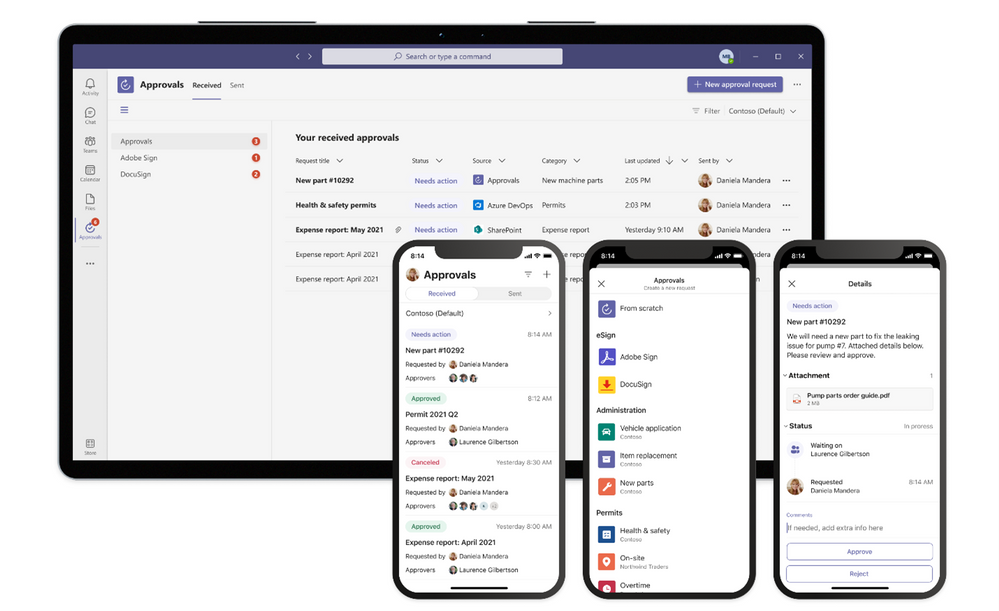 Now available: Approvals templates
Often frontline processes need more formal attestation and require the approvers’ signatures in the process. Now, key partners like Adobe Sign, DocuSign, and other 3rd party providers allow teams to create an electronic signature approval natively within the Approvals app. With this new feature, approvers can add their e-signature without leaving Teams, enabling an efficient and faster approval process. Once the approval process is completed, the information is stored in Teams, and you can easily access the approval record and view the eSignatures.
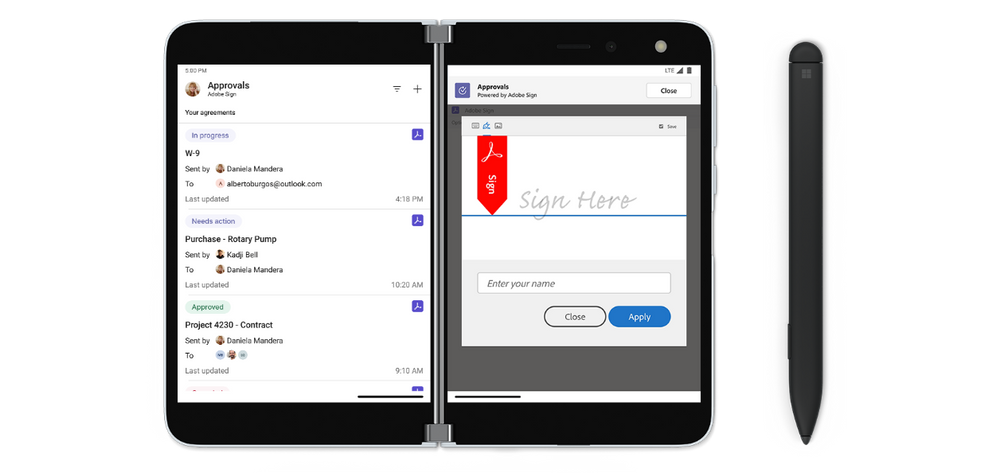 Now available: Approvals with electronic signature
Finally, we have enhanced our task publishing feature in Tasks in Teams so operations and corporate teams can more clearly manage their Task lists and drive alignment with frontline locations. A member of a publishing team can now see separate Drafts, Published, and Unpublished sections to easily see which task lists are at which stage of their lifecycle. We’ve also made it easier to see the impact of publishing tasks at a glance. Teams will see an updated summary that prominently displays the number of tasks and the number of recipient teams, so they can easily confirm that everything looks right. Learn more about task publishing here.
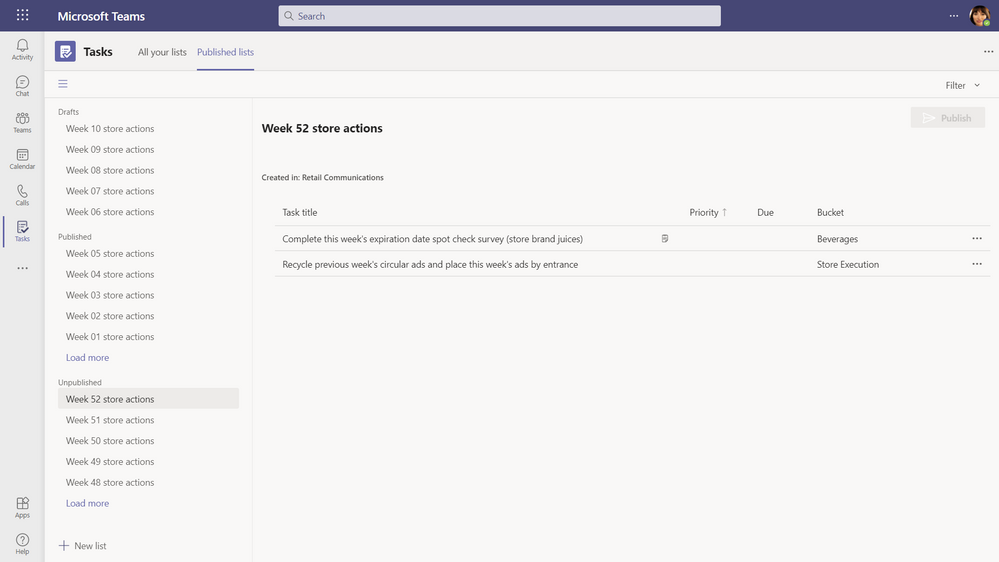 Now available: Publish list confirmation screen summary & unpublished lists section in task publishing
More secure with simple management
Like frontline workers day-to-day job, we know their roles, tasks and devices can vary. Whether your organization empowers workers to bring their own devices or provides shared devices, we have you covered with secure and simple tools to make sure the experience is seamless.
You can now provision shared devices at scale with Microsoft Intune and Configuration Manager now a part of a unified management platform known as Microsoft Endpoint Manager. IT admins can choose to enroll their organization’s Android Enterprise (AE) dedicated devices into Microsoft Intune with Azure AD shared mode automatically configured, making it easier to set up and customize how frontline workers use shared devices.
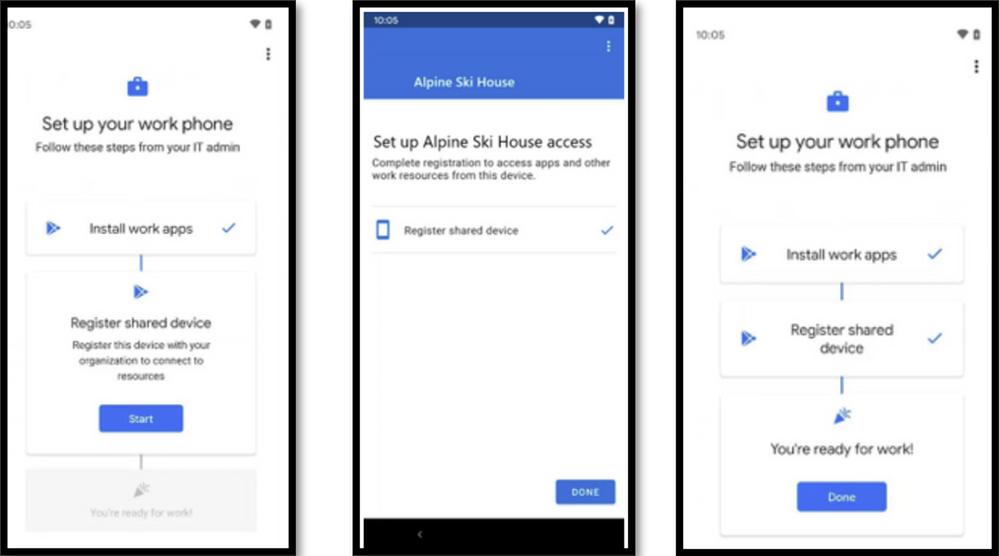 Now Available: Identity – Provisioning Shared Devices at Scale
IT admins can now enforce Zero Trust security policies such as device-based Conditional Access, using device compliance to secure corporate data for shift-based frontline users signing in and out of apps on shared devices. These policies enable organizations to secure their frontline workers and organizational data from identity risk with powerful, adaptive risk detection.
Now Available: Identity – Device Based Conditional Access for Shift Workers
Now, IT admins can now use Managed Home Screen to create a customized sign-in and sign-out experience across all apps, including Microsoft Teams, that participate with shared device sign-out. Improve user experience by customizing a single screen for frontline users to easily sign-in, configure a session PIN for the duration of the shift, and configure timers for automatic sign-out for added security during shift handovers. To see the full list of configurations available with Managed Home Screen, see the documentation.
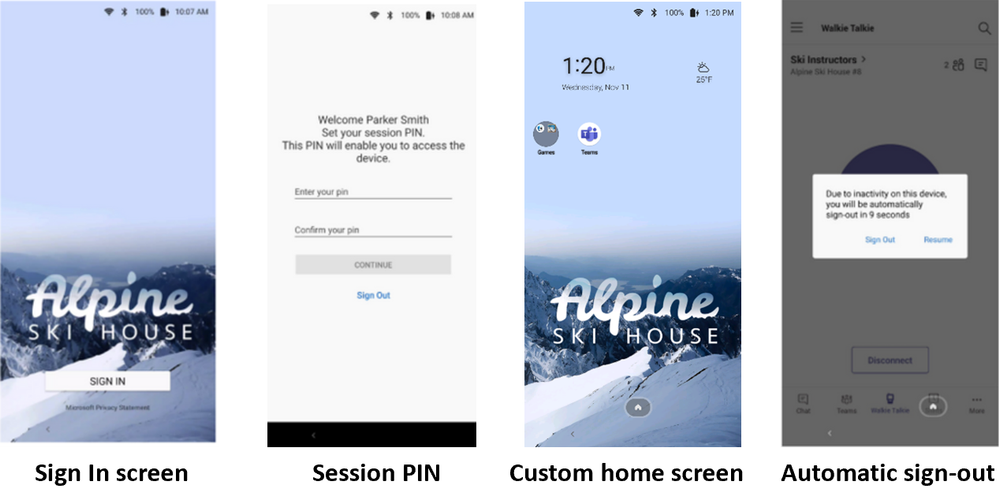 Now Available Identity – Customized Sign-in Experience with Microsoft Managed Home Screen
Frontline workers are the backbone of the world’s economy, and in today’s rapidly evolving landscape, yesterday’s tools are often not enough to get today’s job done. Don’t wait for the future with yesterday’s tools, innovate today with Microsoft Teams and bring all the tools your entire workforce needs into one platform.
by Contributed | Apr 12, 2021 | Technology
This article is contributed. See the original author and article here.
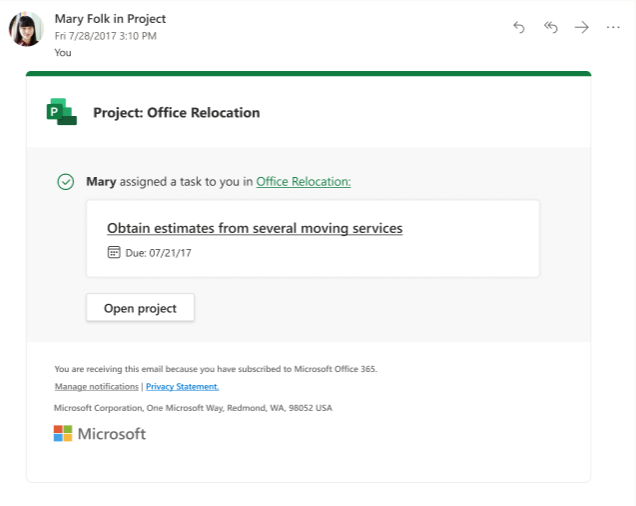
Based on the many requests from you, email notifications are now available for you to connect directly with coworkers on the work being tracked in Project. Your team members will get a notification once they have been assigned a task or have been added to a project.
How it works
To turn on notifications:
- To reach the Project Home, type project.microsoft.com in the Search box of your browser.
- Click the Settings icon in the top right corner of the page.
- Click the Notifications Settings link.
- Select the notification settings you want.
- Click the Done button.
Scenarios to try
Assign a task:
- In an existing shared project, create a task and assign it to one of your teammates.
- Within 10 seconds, your teammate should receive an email with links to take them directly to the project or assigned task.
Create a new project:
- Create a project normally in Project Home and assign a group to your project.
- Group members should get an email within 10 seconds, notifying them that they’ve been added to a new group. They can use the link in the email to directly open the project.
Feedback
If you have feedback about this or any other feature, you can let us know, either in the comments of this blog post or through our in-app feedback button. To submit feedback through the in-app button, click on the smile icon in the ribbon in Project. This will display three feedback options through which you can submit feedback. Please be sure to include your email so we can reach out to you if we have any follow ups about your comment.
by Contributed | Apr 12, 2021 | Technology
This article is contributed. See the original author and article here.
The Log Analytics Windows Agent for Winter 2021 is now available. This release contains a new troubleshooting tool and changes to how the agent handles certificate changes in Azure Services. Due to the certificate change, later this year, your agent will no longer be able to communicate with Azure and you will need to update to this version or later. We will announce specific timelines in a separate post soon. As always, we suggest using the latest agent available.
If you have installed the Log Analytics Agent for Windows by using Azure extensions and have automatic extension updates turned on, this update will be applied automatically. The latest release is also available to download from the Advanced Settings section in Log Analytics in the Azure portal.
More information
Review agent release notes. If you have questions, get answers from community experts in Microsoft Q&A. If you have a support plan and require technical support, please create a support request.
by Contributed | Apr 12, 2021 | Technology
This article is contributed. See the original author and article here.
Welcome to our series highlighting Microsoft Learn Student Ambassadors who achieved the Gold milestone and have recently graduated from their university. Each blog features a different student and highlight their accomplishments, their experience with the Student Ambassadors program, and what they’re up to now.
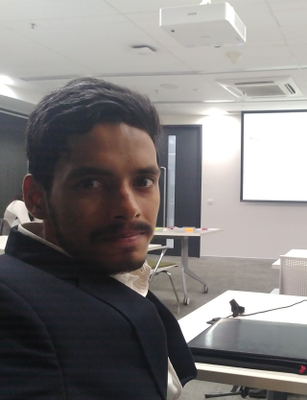
Today we’d like to introduce Tarun Nanduri, who graduated a few months ago from Pragati Engineering College in Surampalem, India.
Responses have been edited for clarity and length.
Q: When you joined the program, did you have specific goals you wanted to reach, and did you achieve them? How has the program helped to prepare you for the next chapter in your life?
One thing is confidence. The amount of positivity or confidence that this program brings into the academic culture is very high–it’s unimaginable, I would say. I was always a confident guy, but then Microsoft Learn Student Ambassadors gave me a platform to talk with more and more people and build that foundation higher.
When I joined the program back in August 2017, the thing which excited me to join was to travel around India and also around the globe. To my fortune, I’ve traveled in my first year itself and also in my last year before graduating to Student Ambassador gatherings like the Gold Summit and the India Summit where I got to meet great program managers, and it was a whole lot of networking and a whole lot of idea sharing.
The other thing which excited me is Microsoft Azure. In 2017 I was not even aware of what the cloud is, how cloud development works,, but Microsoft Azure gave us a brilliant start. Giving students a USD100 credit allowed us to explore more and more on the cloud, deploy apps, and scale them out. It helped me know how cloud works and everything. Microsoft Azure is one of my favorite cloud platforms–it is the best thing I have learned from this community. Because of this program, I would say did I learn more about cloud computing and Azure.
Yes, it was a beautiful experience from 2017 to 2020.
Q: In the program, what was the one accomplishment that you’re the proudest of and why?
My very first event that I worked on as a Student Ambassador that I weill forever cherish was an interactive event, an hour of code in our college. 11 Student Ambassadors connected and made hour of code possible for more than 700 plus students at one time.
I’ve done multiple events, but one of my favorite events which I’m proud of is an Application Development workshop series. It’s a week or more with 80+ students each and every day coming in and out. Everything from A to Z, from organization to giving the certificates, it’s on me, including the talks. That was my greatest experience–sharing my knowledge and empowering juniors to learn more about Microsoft technologies and also technology as a whole. And letting them build their own on their own, letting their ideas materialize.
Q: So what have you been doing or what are you working on? What have you been up to since graduation?
I’m working as a software engineer at NCR Corporation. It’s been a good journey so far, and I hope I reach more and more heights. I believe in learning wherever we go. Go wherever, but never stop learning, that’s it. I’m enjoying my job at this moment, but my dream job would be to be like a CEO, like Sundar Pichai or Satya Nadella.
Q: If you could redo things, is there anything you would have done differently while in the program?
Not the whole term, but 2018 to 2019. I was quite passive then, so I didn’t do many events or didn’t participate or be active in the community. So I would like to redo that because the contributions I’ve made before and after gave me an opportunity to become a Gold Ambassador, so if I were the same way in 2018 and 2019, I would have reached many more heights.
Q: If you were to describe the Student Ambassadors program to a student who is considering joining, what would you say to them?
I would like to showcase myself as a real example of how the program transformed me from a college student who just passed +2 (editor’s note: the 2 year bridge between 10 years of primary/secondary schooling and undergraduate college) and became a graduate or a technology graduate. The amount of positivity that this brings into one’s academic career is unimaginable, so if you would like to make an impact, this is the right place for you.
Q: What advice would you give to new Student Ambassadors?
Talk with folks. Don’t be a single person doing all the things. Get some regional Student Ambassadors around you. Talk with them and do some community events together. Even though you’re knowledgeable, doing community events gives you fun and also gives you great experiences. That network matters a lot. You will enjoy the benefits once you graduate from the university.
Q: Do you have a motto, a guiding principle that drives you in life?
There are multiple things I believe in:
- Never stop learning.
- Sharing is learning, so learn as you share and share as you learn.
- The more you know, the more you realize you don’t know. That played a good role in my development as a software engineer.
Good luck to you, Tarun, in your journey!


Recent Comments