
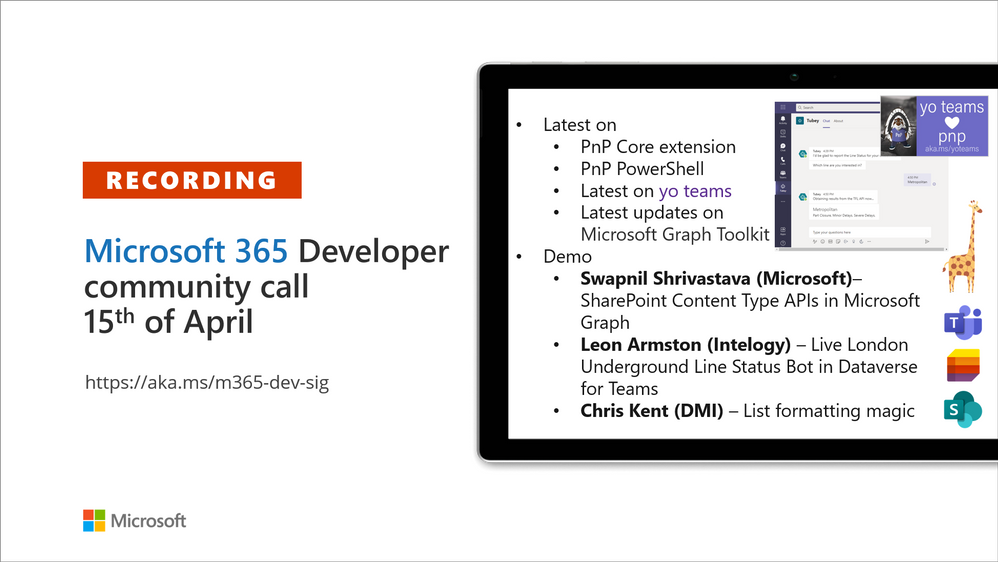
Microsoft 365 Developer Community Call recording – 15th of April, 2021
This article is contributed. See the original author and article here.
Recording of the Microsoft 365 – General M365 development Special Interest Group (SIG) community call from April 15, 2021.
Call Summary
Latest news from Microsoft 365 engineering and updates on open-source projects: PnP .NET libraries, PnP PowerShell, modernization tooling, on yo Teams, on Microsoft Graph Toolkit, and on Microsoft Teams Samples.
The Microsoft 365 developer community survey is now open, visit the Microsoft Teams samples gallery to get started with Microsoft Teams development, preview the new Microsoft 365 Extensibility look book gallery, and register now for April trainings on Sharing-is-caring. Recent PnP project updates include – PnP .NET Libraries – PnP Framework v1.4.0 and PnP Core SDK v1.1.0 and PnP PowerShell v1.5.0 (new commandlets for Microsoft Viva Connections and Syntex). yo Teams generator-teams (apps generator) v3.0.3 GA and 3.1.0 Preview, yo teams-build-core (gulp tasks) v1.0.1 + v1.1.0 Preview, and msteams-react-base-component (React UI helpers) v3.1.0, have been released. Microsoft Graph Toolkit try out the new OneDrive file components (Preview). The host of this call was Vesa Juvonen (Microsoft) | @vesajuvonen. Q&A takes place in chat throughout the call.
Actions:
- Microsoft 365 Developer Community Survey – https://aka.ms/m365pnp/survey
- Try public beta of SPFx v1.12.1.
- Register for Sharing is Caring Events:
- First Time Contributor Session – April 27th (EMEA, APAC & US friendly times available)
- Community Docs Session – April
- PnP – SPFx Developer Workstation Setup – April 29th
- PnP SPFx Samples – Solving SPFx version differences using Node Version Manager – May
- AMA (Ask Me Anything) – May 2021 – Tech Community – May 11th
- First Time Presenter – April 21st
- More than Code with VSCode – April 28th
- Maturity Model Practitioners – April 20th
- PnP Office Hours – 1:1 session – Register
- Download the recurrent invite for this call – http://aka.ms/m365-dev-sig
- Call attention to your great work by using the #PnPWeekly on Twitter.
Microsoft Teams Development Samples: (https://aka.ms/TeamsSampleBrowser)
Looking for Samples! Please share your good work

It’s together time – Super comfy seats!
Demos delivered in this session
SharePoint Content Type APIs in Microsoft Graph – Classic SharePoint APIs are now showing up in Microsoft Graph. In this demo, step through beta API methods, properties and responses for creating a content type (CT), adding CT to list, adding a column, copying to default location, updating a CT, publishing a CT, and associating CT to a hub site. API permission requirements are called out and differ slightly by API.
Live London Underground Line Status Bot in Dataverse for Teams – the next stage in the evolution of the presenter’s Tube Status solution. An interactive Tube bot in Power Virtual Agents, using Power Automate, and configuring your Azure environment for Azure API Management and Azure Functions. Dataverse for Teams allows users to leverage Azure API Management service using a custom connector in Power Platform. See solution architecture, execution triggers, rules, calls and more.
Microsoft list formatting with header and footer settings – we are reminded that there are layers of formatting options for lists and that there is sample code for each layer. Here we look at header and footer settings, for groups and entire list, beyond the vanilla capabilities delivered 2 weeks ago. This session looks at Collapsed Simple formatting used for Q&A. Uses groupProps, aggregates, hiding, tips on double nesting and more.
Thank you for your work. Samples are often showcased in Demos.
Topics covered in this call
- PnP .NET library updates – Bert Jansen (Microsoft) | @O365bert – 6:51
- PnP PowerShell updates – Bert Jansen (Microsoft) | @O365bert – 9:26
- yo Teams updates – Wictor Wilén (Avanade) @wictor – 10:42
- Microsoft Graph Toolkit updates – Beth Pan (Microsoft) | @beth_panx – 12:16
- Microsoft Teams Samples – Bob German (Microsoft) | @Bob1German – 13:53
Demo: SharePoint Content Type APIs in Microsoft Graph – Swapnil Shrivastava (Microsoft) – 16:07
Demo: Live London Underground Line Status Bot in Dataverse for Teams – Leon Armston (Intelogy) | @LeonArmston – 25:18
Demo: Microsoft list formatting with header and footer settings – Chris Kent (DMI) | @theChrisKent – 41:29
Resources:
Additional resources around the covered topics and links from the slides.
- Slides used in this community call
- Documentation – contentType resource type
Blog – Azure API Management connector on the Power Platform
Documentation – Use column formatting to customize SharePoint
Documentation – Use view formatting to customize SharePoint
Repo – SharePoint List Formatting Samples
- PnP Weekly – Episode 122 with guest MVP Mark Rackley (PAIT Group) | @mrackley| video | podcast
- Microsoft Graph Toolkit in Microsoft Learn | http://aka.ms/learn-mgt
- Microsoft 365 PnP Community hub | aka.ms/m365pnp/community
- Microsoft 365 Extensibility look book gallery | aka.ms/m365/extensibility
- Microsoft Teams Samples Gallery | aka.ms/teams-samples
- Viva Connections https://aka.ms/VivaConnections
General resources:
- SharePoint look book
- Yo Teams video training package
- .NET Standard 2.0 version of SharePoint Online CSOM API
- Microsoft 365 community (PnP) videos | aka.ms/m365pnp-videos
- Microsoft Teams Toolkit for Visual Studio Code
- yo Teams | aka.ms/yoteams
- Video – Getting started using yo Teams | Wictor Wilén (Avanade)| @wictor
- Build a crisis management site to connect people and information
- Developer documentation | https://aka.ms/spdev-docs
- PnP Power Shell
- SharePoint Modernization Partner Guidance – Feedback welcome
- Solution – Building a modern search experiences with SharePoint Framework web parts
- Page transformation guidance
- Page transformation videos
- Modernization scanner
- Microsoft 365 developer program site – Need to become a Tenant Admin to test look book capabilities? Get a Microsoft 365 E5 developer subscription (free tenant for 90 days)
- SharePoint Provisioning Service – Easily provision look book designs to any tenant in the world
- SharePoint Provisioning templates on Github
- PnP Provisioning Tenant Templates documentation
- SharePoint Page Transformation webcast series
- PnP Power Shell
- SharePoint Modernization Tools
Upcoming Calls | Recurrent Invites:
- M365 General Dev call – April 15th at 7:00 am PDT | https://aka.ms/m365-dev-sig
- Microsoft Identity Platform – April 15th at 9:00 am PDT |https://aka.ms/IDDevCommunityCalendar
- Microsoft Teams monthly call – April 20th at 8:00 am PDT | https://aka.ms/microsoftteamscommunitycall
- Power Apps monthly call – April 21st at 8:00 am PDT | https://aka.ms/PowerAppsMonthlyCall
- SharePoint Framework call – April 22nd at 7:00 am PDT | https://aka.ms/spdev-spfx-call
- M365 General Dev call – April 29th at 7:00 am PDT | https://aka.ms/m365-dev-sig
- Microsoft Graph call – May 4th at 8:00 am PDT | https://aka.ms/microsoftgraphcall
- SharePoint monthly call – May 11th at 8:00am PDT | https://aka.ms/sp-call
- Office add-in monthly call – May 12th at 8:00 am PDT | https://aka.ms/officeaddinscall
- Adaptive Cards monthly call – May 13th at 9:00 am PDT | https://aka.ms/adaptivecardscommunitycall
General Microsoft 365 Dev Special Interest Group bi-weekly calls are targeted at anyone who’s interested in the general Microsoft 365 development topics. This includes Microsoft Teams, Bots, Microsoft Graph, CSOM, REST, site provisioning, PnP PowerShell, PnP Sites Core, Site Designs, Microsoft Flow, PowerApps, Column Formatting, list formatting, etc. topics. More details on the Microsoft 365 community from http://aka.ms/m365pnp. We also welcome community demos, if you are interested in doing a live demo in these calls!
You can download recurrent invite from http://aka.ms/m365-dev-sig. Welcome and join in the discussion. If you have any questions, comments, or feedback, feel free to provide your input as comments to this post as well. More details on the Microsoft 365 community and options to get involved are available from http://aka.ms/m365pnp.
“Sharing is caring”
Microsoft 365 PnP team, Microsoft – 16th of April 2021







Recent Comments