by Scott Muniz | Aug 7, 2020 | Alerts, Microsoft, Technology, Uncategorized
This article is contributed. See the original author and article here.
Hi all, Zoheb here publishing on behalf of a guest author, Morne Naude. So without further ado…
Hi Everyone,
Morne here again and welcome to the first blog in our series on Azure Active Directory Security where we will be sharing all details on how we helped our SMC customers reduce the attack vector by enabling Identity Protection in Azure.
If you have not read our introductory blog covering the entire background on our SMC Delivery Methodology, please do give it a read now before continuing here.
How Microsoft Mission Critical Team Helped Secure AAD
If an Electron Can Be in Two Places at Once, Why Can’t You …
Well you can’t PERIOD
We refer to this as Atypical travel “Sign in from an atypical location based on the user’s recent sign-ins.“ or Unfamiliar sign-in properties “Sign in with properties we’ve not seen recently for the given user.”
Before we get on to more details on how we helped our SMC customer, here is some background information on Identity Protection & Risky Sign ins which may help you understand the subject better.
What is Azure Active Directory Identity Protection?
Identity Protection is a tool that allows organizations to accomplish three key tasks:
- Automate the detection and remediation of identity-based risks.
- Investigate risks using data in the portal.
- Export risk detection data to third-party utilities for further analysis.
Identity Protection uses the learnings Microsoft has acquired from their position in organizations with Azure AD, the consumer space with Microsoft Accounts, and in gaming with Xbox to protect your users. Microsoft analyses 6.5 trillion signals per day to identify and protect customers from threats.
This is but a few examples of risk types Azure identity protection use in its classifications.
Risk Classification
|
Risk detection type
|
Description
|
|
Atypical travel
|
Sign in from an atypical location based on the user’s recent sign-ins.
|
|
Anonymous IP address
|
Sign in from an anonymous IP address (for example: Tor browser, anonymizer VPNs).
|
|
Unfamiliar sign-in properties
|
Sign in with properties we’ve not seen recently for the given user.
|
|
Malware linked IP address
|
Sign in from a malware linked IP address
|
|
Leaked Credentials
|
This risk detection indicates that the user’s valid credentials have been leaked
|
|
Azure AD threat intelligence
|
Microsoft’s internal and external threat intelligence sources have identified a known attack pattern
|
Coming back to our customers’ pain areas, we were detecting a high number of Risky Sign ins every day across the organization, we spotted these during the Azure AD Assessments as well as observations from the Risky Sign in logs.
Working with the Mission Critical team gives our customers the ultimate personalized support experience from a designated team that:
- Knows you and knows what your solution means to your enterprise
- Works relentlessly to find every efficiency to help you get ahead and stay ahead
- Advocates for you and helps ensure get you the precise guidance you need.
Knowing the customer well helped us understand the extent of the problem, to work closely with their Identity team and recommend improvements to them.
There were various attack trends observed from Azure AD Connect Health related to Password spray, Breach replay, Phishing etc. on Azure and it was an urgent need of the hour to get into a better security posture.
After speaking with the messaging team, we realized that few of the Risky users had strange Mailbox rules created and were spamming multiple users in the organization (more details to come in one of our following blogs).
If you are interested to read more about Forms Injection Attacks on emails please see: https://docs.microsoft.com/en-us/microsoft-365/security/office-365-security/detect-and-remediate-outlook-rules-forms-attack?view=o365-worldwide
Our customer had no policy/process configured to tackle this issue, they only had Multi Factor Authentication (MFA) in place for Global Admins.
Policies
We suggested to enable User Risk as well as Sign-in Risk policies for users deemed as “high-risk”, below are some details on how it was enabled for our customer.
Identity Protection analyses signals from each sign-in, both real-time and offline, and calculates a risk score based on the probability that the sign-in wasn’t performed by the user. Administrators can decide based on this risk score signal to enforce organizational requirements. Administrators can choose to block access, allow access, or allow access but require multi-factor authentication.
We enabled Sign in risk Policy to force “MFA” for all “High Risk” users as per configuration below.
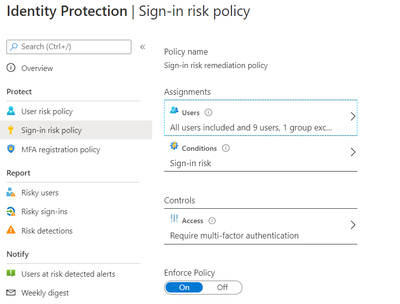
Identity Protection can calculate what it believes is normal for a user’s behaviour and use that to base decisions for their risk. User risk is a calculation of probability that an identity has been compromised. Administrators can decide based on this risk score signal to enforce organizational requirements.
Considering the circumstances, we suggested to our customer to implement below User Risk policy, this policy would ensure that if there is any “High Risk” user he will be required to change Password as per configuration below.
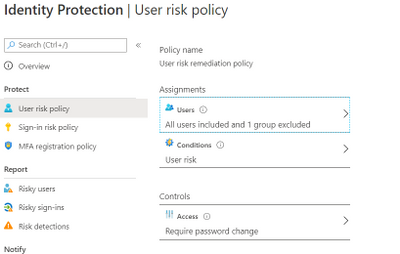
So, these two policies ensured all the Risky Sign in users are forced to use MFA and change their passwords.
Notification for Risky users
Our customer has Azure AD P2 licensing, so we could leverage the full set of Identity protection features.
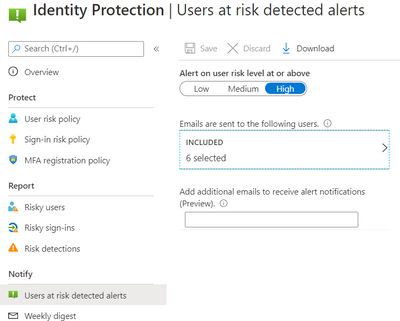
We configured the users at risk email in the Azure portal under Azure Active Directory > Security > Identity Protection > Users at risk detected alerts.
By default, recipients include all Global Admins. Global Admins can also add other Global Admins, Security Admins, Security Readers as recipients.
Optionally you can Add additional emails to receive alert notifications; this feature is a preview and users defined must have the appropriate permissions to view the linked reports in the Azure portal. We included members of the Identity and Security teams as well.
The weekly digest email contains a summary of new risk detections, such as:
- New risky users detected
- New risky sign-ins detected (in real-time)
- Links to the related reports in Identity Protection
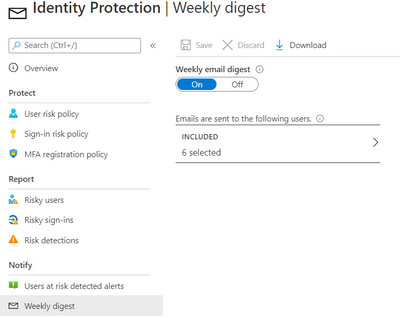
This resulted in a drastic reduction in the number of risky users and risky sign-ins. Additionally we helped implement a process of investigation and remediation of these at- risk accounts from the service desk to the internal security department. Currently the business is in the process of including Medium based at-risk accounts into the above policies.
NOTE: The features and guidelines implemented in this case were specific to this customer’s requirements and environment, so this is not a “General” guideline to enable any of the mentioned features.
Hope this helps,
Morne

by Scott Muniz | Aug 7, 2020 | Alerts, Microsoft, Technology, Uncategorized
This article is contributed. See the original author and article here.

August is already a week over, can you believe it? That doesn’t stop this team they’re everywhere doing great things to make the experience better for you in the docs, product and services. Have some feedback? Comment on their posts, contact them on twitter or wherever you see them engaging.
Cloud Advocates List on Microsoft Docs
Azure Cloud Adviocates Twitter List
Follow @azureadvocates on Twitter
Content Round Up
WebAssembly, your browsers sandbox
Aaron Powell
We’ve been doing web development for 30+ years and in all that time have you ever stopped to think, “This SPA needs more C++”? Well thanks to the power of WebAssembly you can finally bring C, C++, Rust, Go and other high level languages to the browser.
So does this mean that we can replace our JavaScript with these other languages? Probably not, so what is the role that WebAssembly can play in building web applications? And most importantly, what does it look like as a web developer to try and incorporate these platforms that have traditionally been on the server?
MS Dev Twitch Stream: Build a Virtual Reality Snake Game with JavaScript! – Aug 5th
Cassie Breviu
Did you know that you can create Virtual Reality (VR) websites with JavaScript using BabylonJS? In this session you will get an introduction on how to build WebVR sites! We will discuss the main concepts used in building 3D experiences. Then go step-by-step to build out a basic version of the classic snake game. By the end of this session you should have a starting point to building your first VR game!
Azure Monitor for Azure Arc enabled servers
Thomas Maurer
As you know Azure Arc for servers is currently in preview and allows you to manage your Windows and Linux machines hosted outside of Azure on your corporate network or other cloud providers, similar to how you manage native Azure virtual machines. With the new extensions which were introduced a couple of weeks ago, you can now also use Azure Monitor to not only monitor your servers in Azure but also servers running on-premises or at other cloud providers. This will provide you with cloud-native management for your Linux and Windows servers.
Docker, FROM scratch
Aaron Powell
Docker’s popularity has exploded over the last couple of years, especially in the DevOps space, but unless you’ve spent a lot of time in that area it can be a confusing technology to wrap your head around.
So let’s step back and start looking at Docker from, well, FROM scratch (and we’ll understand just what that means).
With minimal starting knowledge of Docker we’ll look into what it is, cover off all the core concepts from images to containers, volumes to networks, and how we can compose environments. We’ll also look at how to use Docker in Dev, not just DevOps and how containers can be useful tools without being something to run production infrastructure on.
HobbyHack Augmented Reality on the Web Workshop Video
Aysegul Yonet
Augmented Reality applications are becoming common user experiences on mobile devices. WebXR gives you a way to build for all mobile platforms as well as Augmented Reality headsets once. In this workshop you will learn: * The basic concepts of WebXR and 3D on the web. * Possible use cases for Augmented Reality mobile applications that solve real-world problems. * How to get started prototyping really fast.
Assess AWS VMs with Azure Migrate
Sarah Lean
Using Azure Migrate assess and understand what it would look like if you moved AWS VMs over to Azure.
ITOpsTalk Blog: Step-by-Step: Traditional Windows Cluster setup in Azure
Pierre Roman
How to deploy a windows cluster using Azure Shared Disks
Blog/ Setting-up Visual Studio Codespaces for .NET Core (EN)
Justin Yoo
Since April 2020 Visual Studio Codespaces has been generally available. In addition to that, GitHub Codespaces has been provided as a private preview. Both are very similar to each other in terms of their usage. There are differences between both, though, discussed from this post. Throughout this post, I’m going to focus on the .NET Core application development.
Add ISO DVD Drive to a Hyper-V VM using PowerShell
Thomas Maurer
Hyper-V offers the capability to add an ISO image to a virtual CD/DVD drive and you can use Hyper-V Manager to do that, or you can also use PowerShell. Here is how you can add an ISO to a Hyper-V virtual machine (VM) using PowerShell. There are two ways of doing it if you already have a virtual DVD drive attached to the VM or if you need to add a virtual DVD drive.
State of the Art in Automated Machine Learning
Francesca Lazzeri
- Automated Machine Learning (AutoML) is important because it allows data scientists to save time and resources, delivering business value faster and more efficiently
- AutoML is not likely to remove the need for a “human in the loop” for industry-specific knowledge and translating the business problem into a machine learning problem
- Some important research topics in the area are feature engineering, model transparency, and addressing bias
- There are several commercial and open-source AutoML solutions available now for automating different parts of the machine learning process
- Some limitations of AutoML are the amount of computational resources required and the needs of domain-specific applications
Building & Debugging Microservices faster using Kubernetes and Visual Studio
Shayne Boyer
Shayne walks through using Docker, Visual Studio 2019 and Kubernetes during his talk at .NET Conf 2019: Focus on Microservices. This demonstrations shows how you can take advantage of Visual Studio tools to build, debug and deploy microservices to Kubernetes faster.
Video: Assess AWS VMs with Azure Migrate
Sarah Lean
In this video Sarah Lean talks about how you can utilize Azure Migrate to assess your virtual machines hosted in AWS with a view to migrating them to Azure.
Let’s Talk About Azure AD and Microsoft Identity Platform
Matt Soucoup
Have you been following along with all the changes in Azure Active AD and the various Microsoft Identity branded things? The changes and new features are amazing … but change can be confusing. So, so many terms. And how do they all fit together? Let’s have a little chat…
Authenticate a ASP.NET Core Web App With Microsoft.Identity.Web
Matt Soucoup
So you want to authenticate your ASP.NET Core web app with Azure AD. It sounds daunting, but with a little help from the `Microsoft.Identity.Web` SDK and knowing how it fits in with the pieces of Azure AD’s Applications, it’s not too bad.
The intention of this article is straightforward. Configure Azure AD to allow users of your application to sign-in. And create an ASP.NET Core web application that signs in.

by Scott Muniz | Aug 7, 2020 | Alerts, Microsoft, Technology, Uncategorized
This article is contributed. See the original author and article here.
Another week, another ton of Azure to share. Here are some of the headlines we’re covering this week: SOC operational metrics now available in Azure Sentinel, Azure Monitor for containers with Azure Portal now supports Kubernetes resource view, Azure AD My Sign-Ins goes GA, Selective disks backup for Azure Virtual Machine is in public preview, and Microsoft Authenticator app lock now enabled by default.
SOC operational metrics now available in Azure Sentinel
Azure Sentinel incident data is now available within the Log Analytics workspace. The data can be used to report on metrics within the Security Operations Center (SOC). Typical SOC metrics include incidents created over time, mean time to triage, mean time to closure, etc. Administrators will now be able to run queries to get the metrics that are operationally important for the SOC via the new Security Incident table now available in Log Analytics. In addition, Microsoft has added the Security Operational Efficiency workbook into your templates, so you have a pre-built SOC metrics workbook out-of-the-box for use.
Azure Monitor for containers with Azure Portal now supports Kubernetes resource view
With the public preview of Azure portal providing Kubernetes resource view, administrators can use point and click navigation to see live, in-depth details of the workloads they have access to. The public preview includes multiple resource types (including deployments, pods, and replica sets) and supports the following key capabilities:
- Workloads running on a cluster, including the ability to filter resources by namespace
- Find the node an application is running on and their Pod IP address
- See pods in the replica set, ready status of each pod, and images associated with each
- Drill down to individual deployments to see live status and specification details
- Execute on the fly changes to YAML to validate dev/test scenarios
With Azure Monitor for containers enabled, users can view deployment hierarchy, insights such as CPU usage and memory usage in the Kubernetes resources view, and seamlessly transition to Azure monitor for more in-depth insights.
Azure AD “My Sign-In’s” is now Generally Available
In public preview, this new Identity feature allowed Enterprise users to review their sign-in history to check for any unusual activity. They could see:
- If anyone is trying to guess their password.
- If an attacker successfully signed into their account from a strange location.
- What apps the attacker accessed.
My Sign-Ins has just moved to General Availability and now allows end users to report “This wasn’t me” or “This was me” on unusual activities.
Selective disks backup for Azure Virtual Machine is in public preview
Microsoft recently announced the public preview of selective disks backup and restore capability for Azure Virtual Machines. Using the selective disks backup functionality, provides an option to back up a subset of the data disks in a VM. Each recovery point contains only the disks that are included in the backup operation which further allows you to have a subset of disks restored from the given recovery point during the restore operation. This applies to both restore from snapshot and vault.
Microsoft Authenticator app lock now enabled by default
Some time ago, Microsoft released the App Lock feature in response to feedback that organizations wanted to make sure apps they used were secured by a PIN or biometric. Last month, Microsoft expanded App Lock’s protection. Now, if App Lock is enabled, when you approve any notification, you’ll also have to provide your PIN or biometric. In the latest release, App Lock will be enabled by default if you’ve set up a PIN or biometric on your device.
MS Learn Module of the Week
Strengthen authentication (conditional access) with Azure Active Directory
Learn about modern authentication and the security benefits it provides to your organization, such as enabling multi-factor authentication (MFA) and a passwordless environment.
This module will detail how to:
- Define modern authentication.
- Understand how to enable multi-factor authentication.
- Explain how passwordless authentication improves security.
Let us know in the comments below if there are any news items you would like to see covered in next week show. Az Update streams live every Friday so be sure to catch the next episode and join us in the live chat.
by Scott Muniz | Aug 6, 2020 | Alerts, Microsoft, Technology, Uncategorized
This article is contributed. See the original author and article here.
You can find the new blog here: https://aka.ms/azsdk/blog
by Scott Muniz | Aug 6, 2020 | Alerts, Microsoft, Technology, Uncategorized
This article is contributed. See the original author and article here.
Have you been following along with all the changes in Azure Active Directory (AD)-land and the various Microsoft Identity branded things?
(Especially since my epic series on all things Azure AD B2C?)
The changes and new features are amazing but change can be confusing. So let’s have a little chat about Azure AD and Microsoft Identity.
The Quick Tour
OK – so I’m going to level with you… the way things are named in Microsoft’s Identity Platform is a little bit… well, confusing.
I just illustrated my own point – I said Microsoft Identity Platform without introducing it first. What in the world does that even mean?
Microsoft uses the term Microsoft Identity Platform as the next evolution to the Azure Active Directory Developer Platform. It’s the all encompassing term for building apps with Azure AD.
The official Microsoft Identity Platform docs are good. Surprisingly good. But, you still need to know what you’re talking about before really grabbing and retaining info from the docs.
So let’s take the quick tour around Azure AD and Microsoft Identity XXX and try to remove any confusion around process and terms.
Azure AD Sign-In Overview
The super high level overview of Azure AD is that it is an Identity Provider (or IdP).
It verifies your users are who they say they are – and one way can be by username and password.
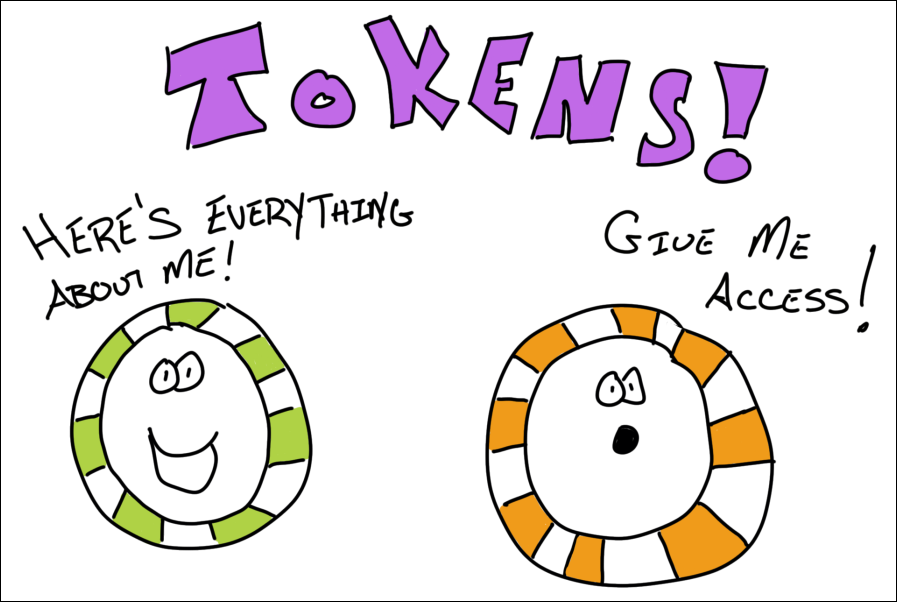
After it successfully verifies the user, it returns two tokens. A Token is a Base64 encoded string (also known as a JSON Web Token (JWT), which is just a standard) that has information in it about the user.
That info is known as Claims.
Think of it as… a user signs in, Azure AD verifies they are who they say they are, and returns 2 tokens full of information that Azure AD claims is true about that user.
Oh – and those 2 token flavors? One is known as an Identity token. And the other is an Access token. An Identity token has information about the user. And an Access token is used to gain access to other resources – like a Web API.
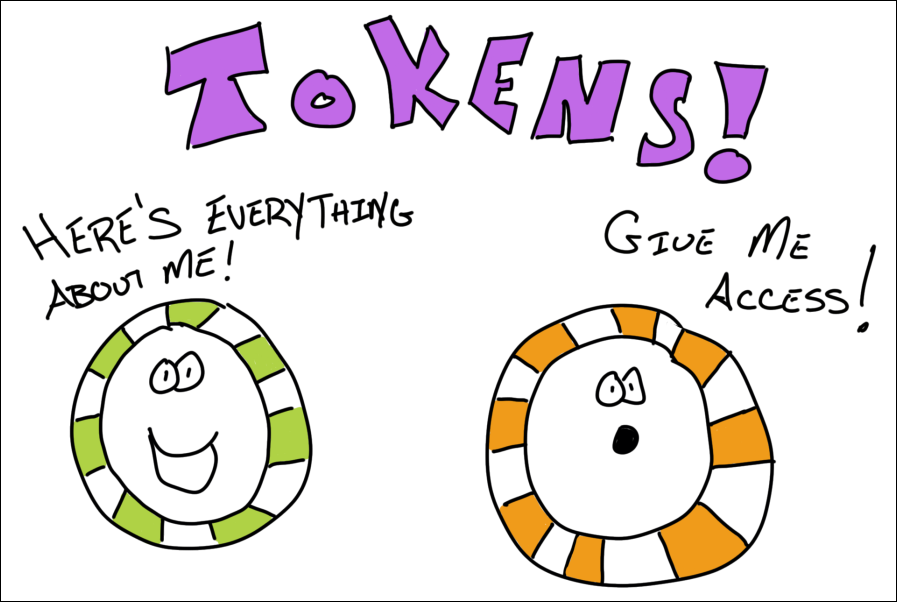
There’s more to it than that – but that’s the gist. And those are also the standard terms you’ll see docs and blogs throw around when talking about signing in users.
Communicating with Azure AD
This is where we could get deep, deep into the details – so I’ll do my best not to.
There are industry standards that Azure AD implements that allow your app to talk to it.
You’ve probably heard of some of them before – like OpenID Connect or OAuth.
For our discussion, these aren’t important other than to know Azure AD supports them.
Supporting them means somebody else can write an SDK to abstract away all the intricacies of implementing the standard yourself to do the communication. That’s a big deal, you don’t want to mess up people signing in to your app.
Specifically, the sign-in request to Azure AD will be directed at an endpoint. And this is where things get confusing.
There used to be v1 endpoints. Now there are v2 endpoints. And you may even hear folks talk about Microsoft Identity Platform endpoints.
But endpoints are really a part of Azure AD Applications…
Azure AD Applications
You can think of an Azure AD Application as a representation of your “real” app in Azure AD.
So let’s say you had a todo list application. That application has a web app, mobile app, and a web API.
Within Azure AD, you would have 2 applications. One to model the frontend apps. The other to model the web API.
Why a separate one to model the web API?
This goes back to those access tokens from before.
The user of the frontend app will authenticate with Azure AD and get an access token that will be passed to the web API to get access to it.
That access is granted by a Scope. It’s a portion of the backend’s functionality that is scoped out for other application’s to use.
So through the Azure AD portal, you create (or expose) a scope (or API permission as it will sometimes be called) for the backend’s Azure AD Application.
Then the frontend application is granted permission to that scope (again through the portal).
When the user signs in – they will be asked to Consent to the backend scope being used.
If you’ve ever used your Twitter credentials to signup for an account on another service, you’re already familiar with the consent screen. It’s the “Application ABCD wants to read your timeline”.
Your code is responsible for asking for the particular scope needed when signing-in to the frontend. And on the backend, your code is responsible for checking any authorization. Scopes tell you what’s going to happen, but leave the implementation details up to you.
Azure AD Application Types and Endpoints
Ok, to make Azure AD Applications a bit more confusing, there are a bunch of different types of them.
V1, V2, and Microsoft Identity Platform applications.
To get this out of the way – V2 and Microsoft Identity Platform applications are exactly the same thing. Just a rebranding, if you will.
V2 applications are a newer version of Azure AD Applications than V1.
They support more functionality, such as the ability to sign-in with corporate, personal (hotmail or xbox), or even Azure AD guest credentials. (And there’s a bunch more).
If you’re doing anything new – you pretty much don’t have a choice but to use V2 applications. And that’s a good thing.
If you’re supporting V1 apps – that’s fine too! Just know that when you start reading about the functionality and features of Azure AD applications, you need to know which version you’re on.
And which SDKs you can use depends on the Azure AD Application version – we’ll get to that.
Sometimes you’re going to hear about V1 and V2 endpoints. Well, a V1 application calls V1 endpoints and a V2 application calls V2 endpoints.
The functionality of what V1 and V2 applications can do really is dictated by the endpoints.
So you’ll hear Azure AD Application and Azure AD Endpoint versions mentioned interchangeably.
You do need to tell the SDK about the endpoint’s address. And there’s a couple variations of that (which will be covered in the next article). But know that you don’t have to invoke it directly – the SDK will take care of that for you.
And that brings us to…
The SDKs
If the various different types of Azure AD Applications and Endpoints and the terms that different but mean the same thing didn’t scare you off – wait until you see the SDKs.
First off – the SDKs are Amazing with a capital A. You can get down and dirty with the low-level specifics of handling authentication – or keep it nice and easy. Your choice.
But with choice comes… confusion?
First off – the folks who are developing the SDKs are awesome and creating them for all types of platforms. iOS, Android, .NET, JavaScript, even Python and Ruby.
Here’s what you need to know.
There’s a library called ADAL. It’s used for V1 applications. But… You don’t need to use it any longer. It still works, but if you can transition off it, may as well.
That’s because…
There’s another library called MSAL. This is for both V1 and V2 applications. It’s modern. Actively being developed. Open-sourced. Works for Azure AD and B2C (I know, we didn’t even talk about B2C – ON PURPOSE!).
You can get low-level with MSAL and it’ll do whatever you need.
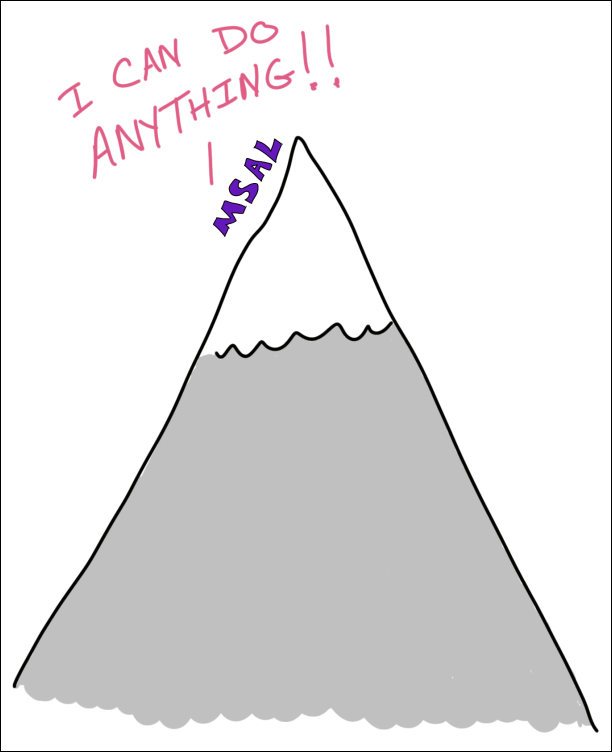
But if you don’t need to get super duper low level (and you’re developing web apps)…
There’s yet another library called Microsoft.Web.Identity. This is brand new and is still in preview at the time I’m going to publish this article.
This library wraps a lot of the functionality that’s present in MSAL and it just works in tandem with ASP.NET Core.
There are even dotnet new templates for it that install the appropriate NuGets and boilerplate code.
Microsoft.Web.Identity uses MSAL under-the-hood. It’s just abstracted away.
The Talk…
That’s it!
Everything demystified, right?
Azure AD is amazingly powerful, we only touched the tip of the tip of the tip of the iceberg here. But it should give you enough info to start digging into the documentation and blogs and have a level-set of what they’re talking about.
If not – and you have questions – is there a better way for me to explain it – leave a comment! DM me on Twitter. This stuff can be confusing and having a plain ‘ol talk is the best way to lay it all out.
There’s going to be a couple of follow-up posts to this one.
The first will be creating an Azure AD Application for a .NET web app using `Microsoft.Identity.Web` and signing in.
The next will be gaining access from that app to a web API.
Then use a SPA to get access to that same web API.
Until then…
by Scott Muniz | Aug 6, 2020 | Alerts, Microsoft, Technology, Uncategorized
This article is contributed. See the original author and article here.
This blog is authored by Brian Delaney and Jon Shectman — with hearty thanks to our collaborator and pal Clive Watson.
In this article, we’ll share significant, functional enhancements we’ve made to the Insecure Protocols Workbook (IP Workbook) and we’ll detail how you can leverage these improvements to mitigate with speed, accuracy, and efficiency. If you’re new to the IP Workbook, we suggest starting with the implementation guide, which covers basic configuration steps, and sets you up for success in usage. Once you’ve completed the steps there, pop back over here to learn how to best use the recent enhancements and features.
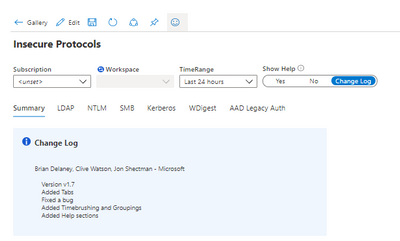
One of the first things you’ll notice in the new release is the new Show Help section in the top menu. By sliding the toggle, you can display Help for each protocol section. You can also display the Change Log.
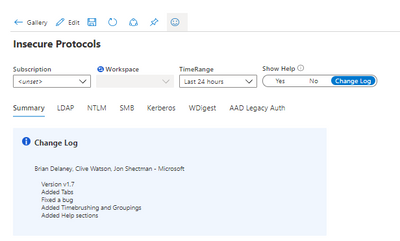
By comparing your workbook version to the version in the Azure Sentinel Workbook Templates section, it’s easy to ensure you’re using the newest version. (At the time of this writing, Version 1.7 is the latest.)
We have also reimagined the navigation experience by adding Tabs. Tabs mean you no longer need scroll down to the protocol data you want to research; gone are the days of a single linear page.

Clicking a tab hides all of the other protocol pages, making available only the protocol data that you wish to research at that given moment.
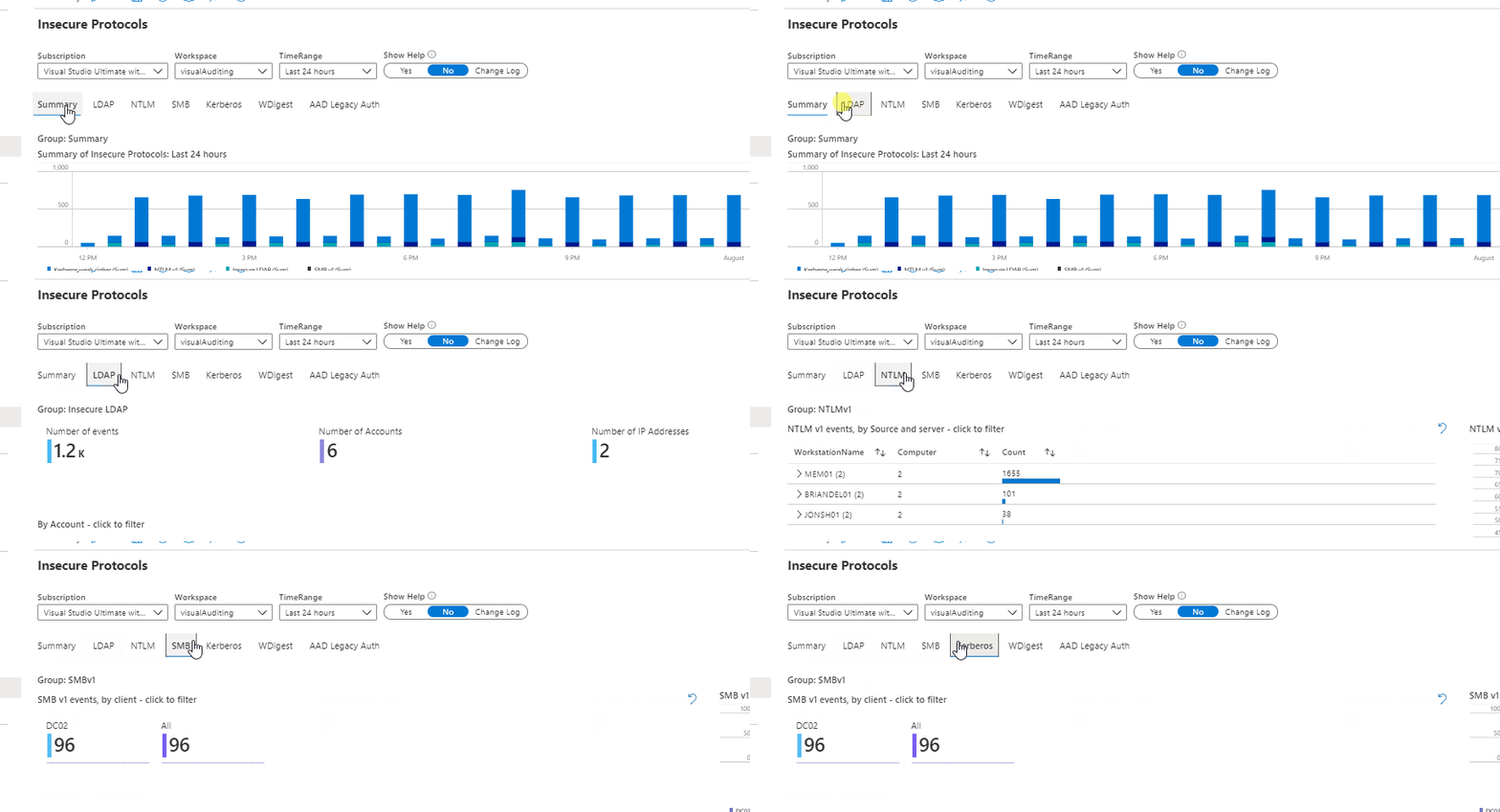
This way, there is no confusion about which protocol data you are viewing, and you can clearly display a mitigation success (e.g. a data void) when you have removed a particular protocol from your estate. Tabs should make for a visually simpler, more actionable data comprehension experience.
Next, let’s examine Timebrushing and Groupings. Groupings is a back-end feature that will be largely transparent to you. Groupings maximizes efficiency in the way that each set of queries runs, making them load faster and with more efficiency. You should see better performance, with fewer lags for data paging as your workbook sections populate.
Timebrushing is one of the most significant functional changes we have introduced with this update to the IP workbook. As its name implies, Timebrushing allows you to “paint” a particular slice of time in a graphical interface and to export that parameter to filter your subsequent queries.
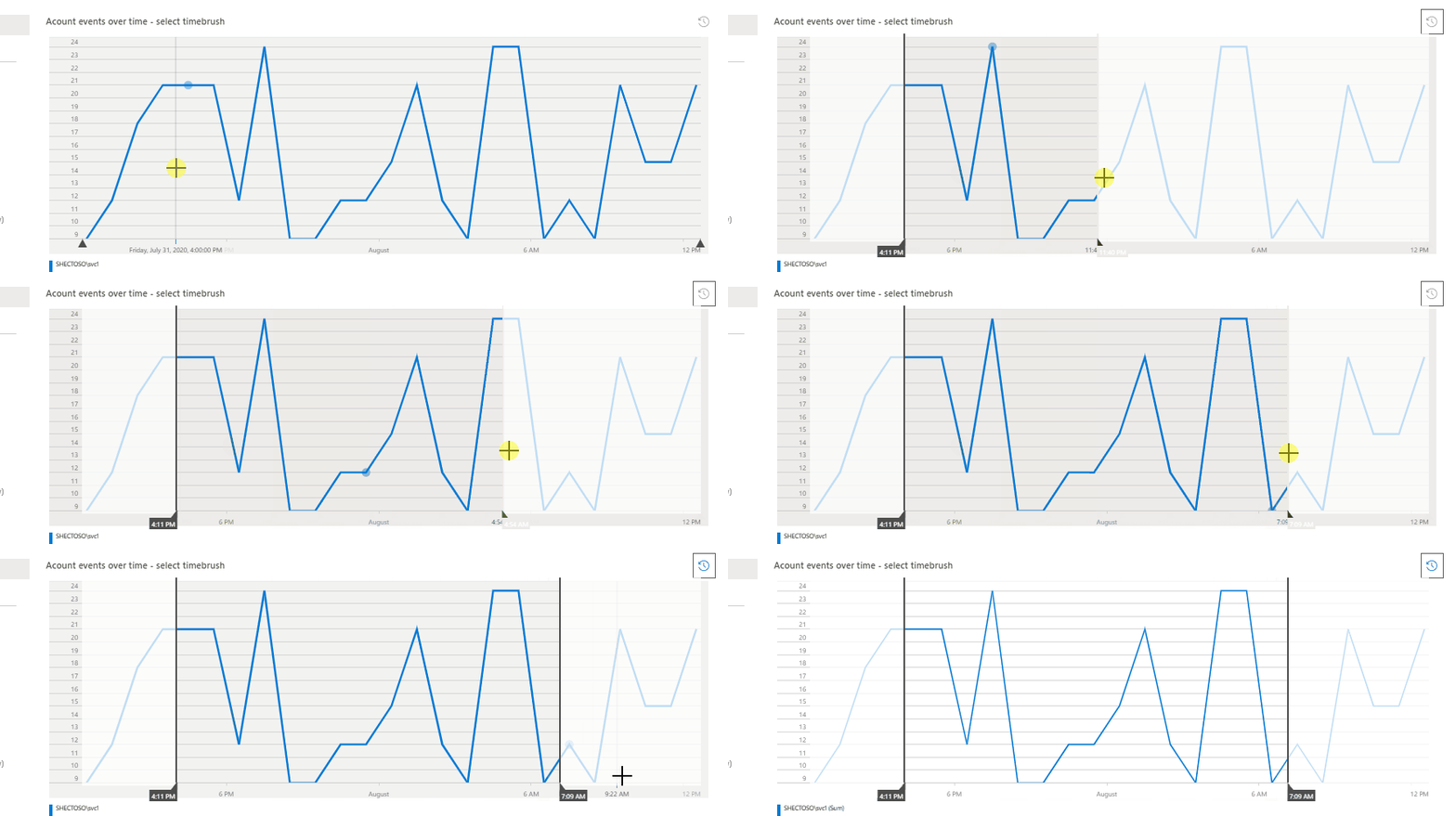
The value here is that Timebrushing allows for very specific, precise data analysis. Put differently, it allows us to filter our data to zero in on a specific activity that might have happened during a specific time. By way of example, let’s examine how we might use Timebrushing and several other filters to research Insecure LDAP.
The Insecure LDAP tab features one of two starting points to parse our data: Account or IP addresses. In this example, we’ll start by filtering by Account. Let’s filter on the most active account, svc1:
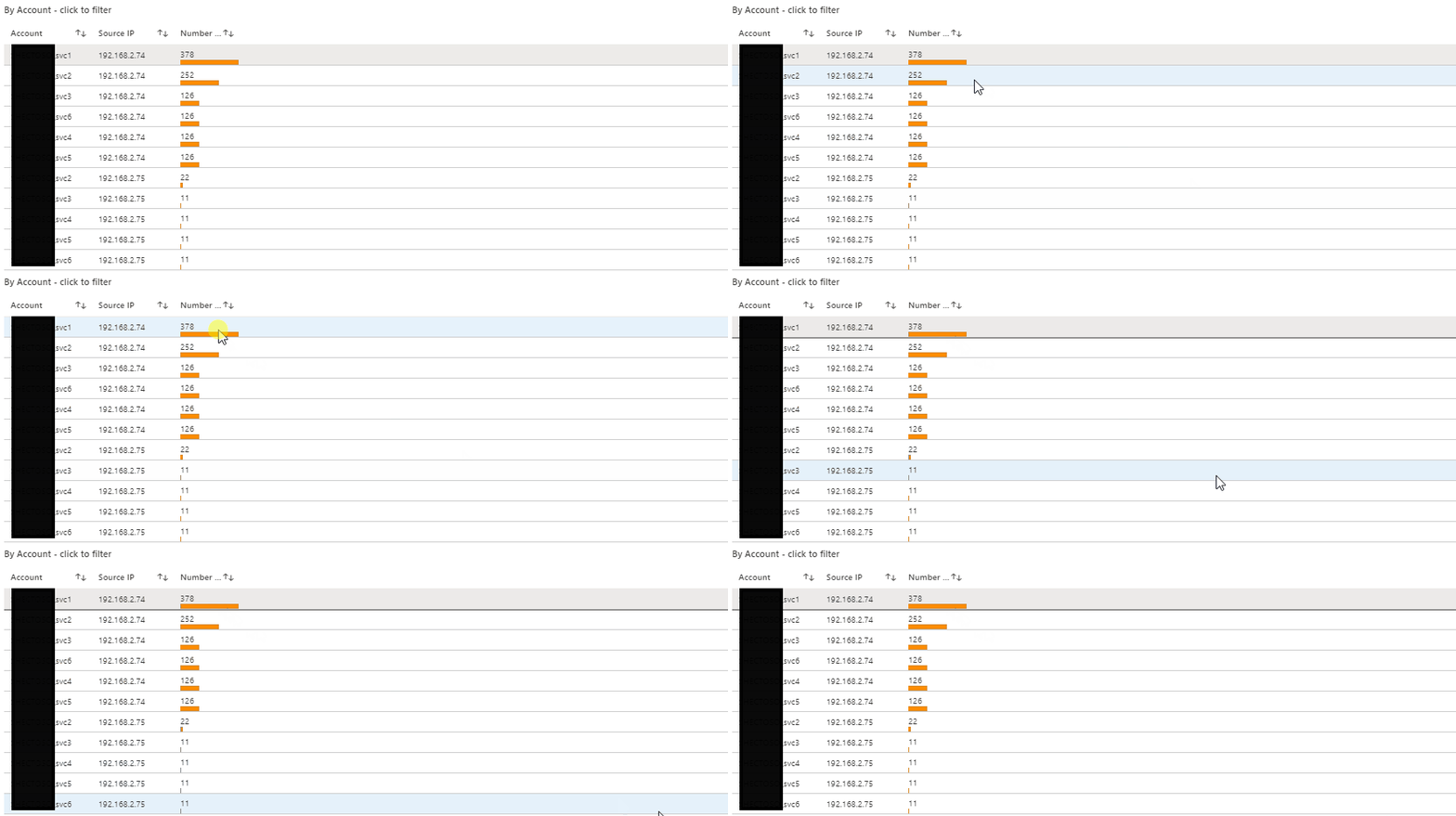
This outputs the query parameter (e.g. display only accounts containing the value svc1) in the subsequent filters. Then let’s say I want to understand how svc1 was used during a time of heavy activity in the logs.
From the time graph, I can see that there’s a particularly heavy, sustained usage of svc1 to make insecure LDAP calls from about 3:50am through about 6:50am. Let’s Timebrush that slice and examine the data further:
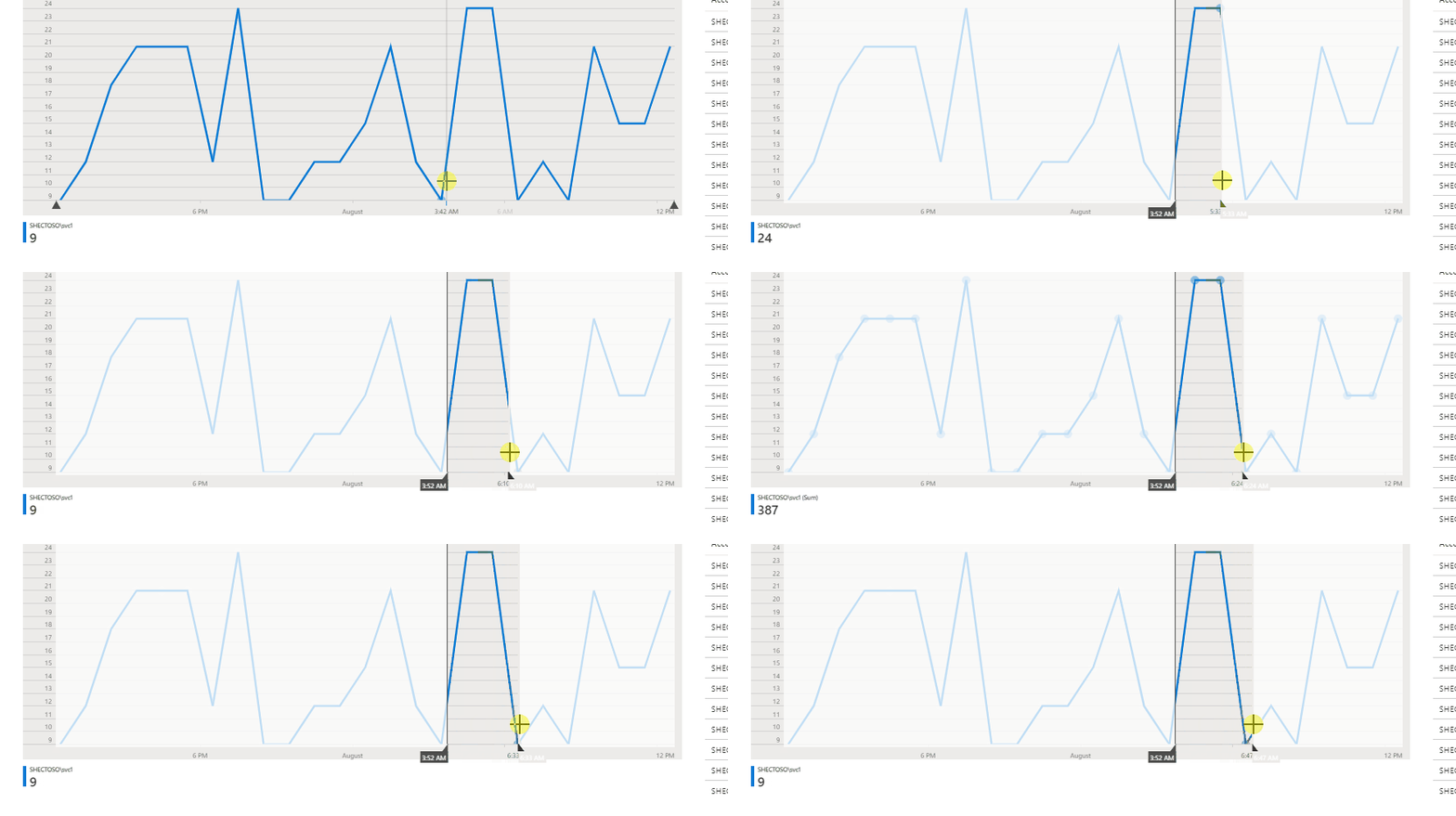
And here a story emerges. Because of time binning (necessary to group the data into understandable chunks), we get a nice breakdown of the Insecure LDAP activity that can be sorted by BindingType, count or TimeGenerated (as I have done here). In other words, we see that during this time slice, svc1 made significant numbers of Insecure LDAP calls each and every (time binned) hour. I can then drop down on the page and take what I’ve just learned (e.g. that svc1 is being used in an insecure manner) and I can research it by Source IP address.
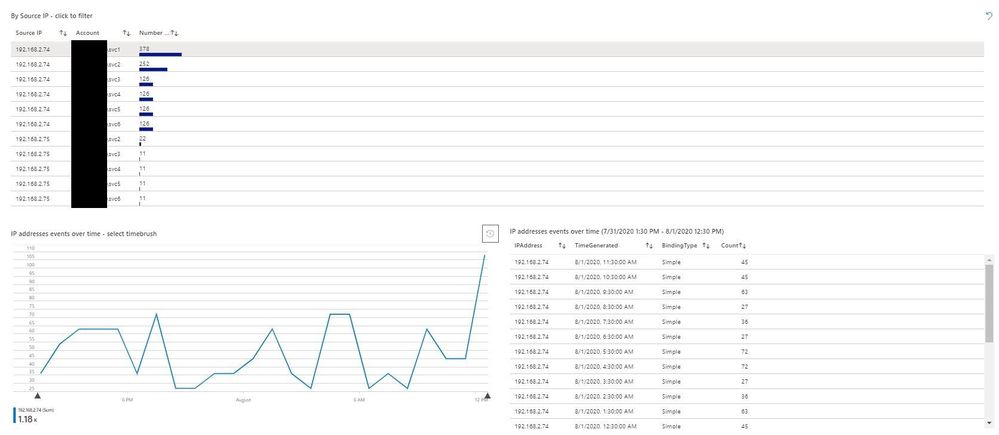
Here I can fill in the blanks in the story from the account. svc1 made Insecure LDAP calls during multiple slices of time from a computer with IP address 192.168.2.74. Instead of having to sift through thousands of log files or (worse yet) try mitigating Insecure LDAP without a solid understanding of its presence in the environment, we now have a place to focus our mitigation activities. And, of course, once we have mitigated all of our Insecure LDAP in the environment, we will configure our domain controllers to no longer accept it at all — thereby effectively mitigating significant business risk to the organization.
The final enhancement that you’ll see in examining the IP Workbook is the Help section I mentioned earlier.
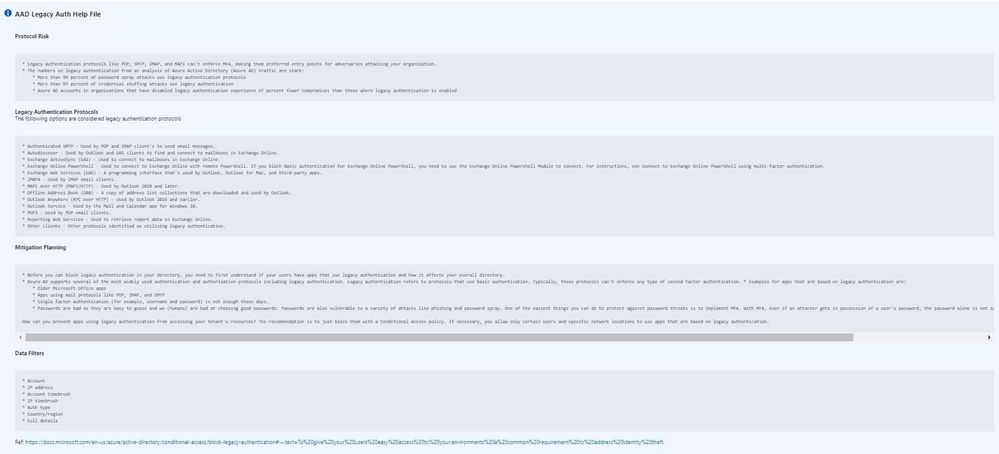
Each Help section is tab-specific, as you can see while moving between tabs with the Help toggle switch turned on.
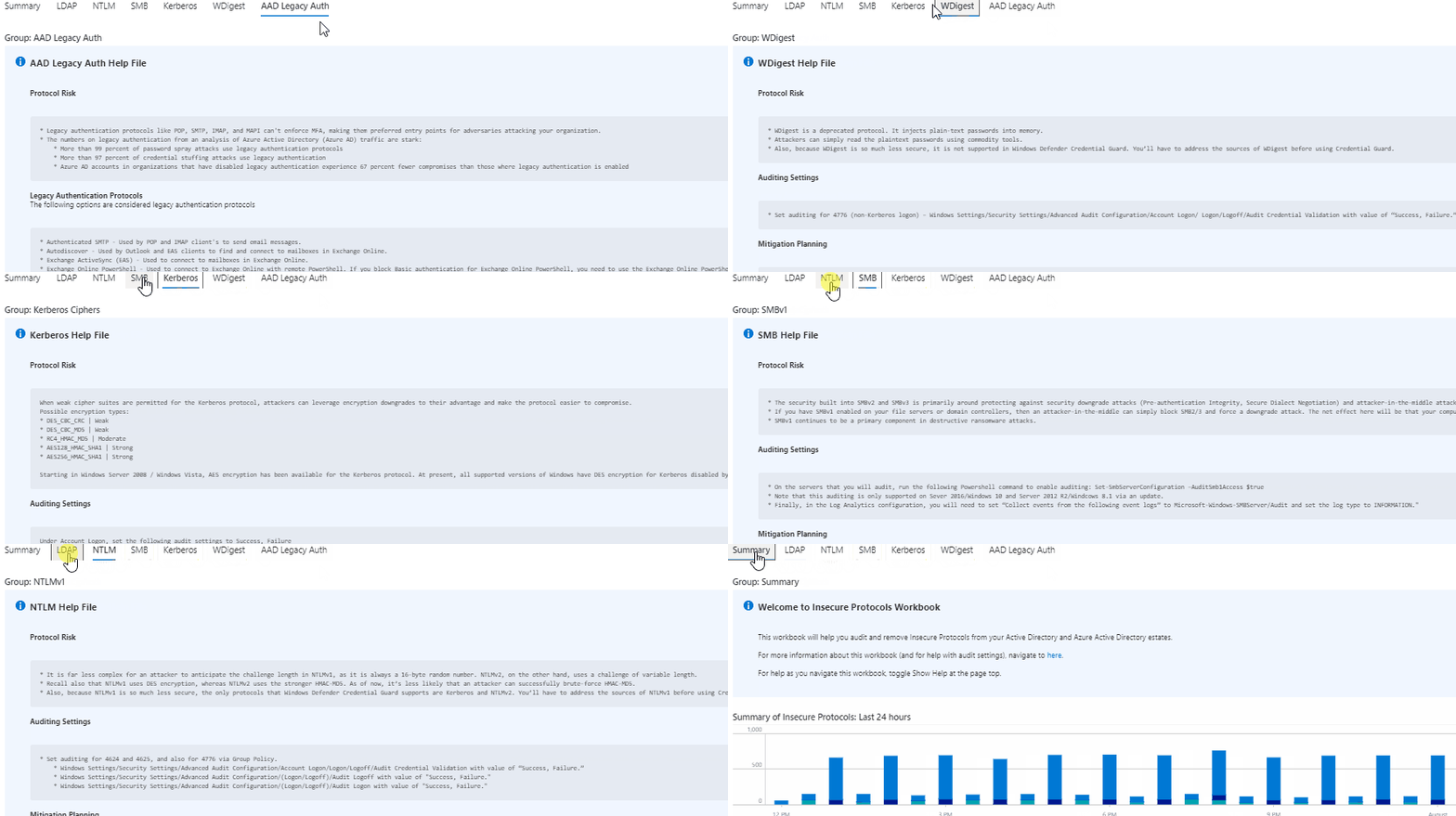
The Help sections mainly follow the same format and contain sections that provide insight into each insecure protocol:
- Protocol Risk: risk of having the protocol active
- Auditing Settings: how to populate the data in the IP Workbook
- Mitigation Planning: concrete, actionable steps to take in order to remove the protocol from your estate
- Data Filters: available data filters on the particular tab
By way of example, let’s examine the Help file for Azure Active Directory Legacy Authentication (AAD Legacy Auth Tab). From the start, Protocol Risk gives us some compelling reasons to remove these insecure, outdated protocols.
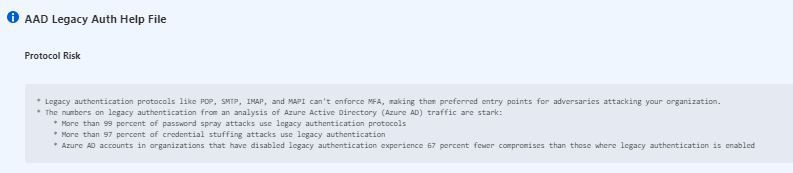
The AAD tab is the only tab that does not include Auditing Settings, since we simply use AAD Sign-in logs here (e.g. this is a cloud-native SaaS data source). Instead, this tab lists the Legacy Authentication Protocols that you should consider as in-scope for this project.

The Mitigation Planning and Data Filters sections will look familiar from other tabs and once you start using the IP Workbook’s Help section frequently. Of course, once you’re familiar with each protocol, you can and should toggle off the Help section in order to maximize your screen real estate and to focus on understanding your data.

In this article, we covered enhancements to the IP Workbook, discussed how to leverage them to aid your data understanding, and drilled a bit deeper into the Timebrushing and Help features. Let us know how the IP Workbook is working for you and especially if you have ideas for enhancements. And until then, as always, happy auditing.


Recent Comments