by Scott Muniz | Aug 19, 2020 | Azure, Microsoft, Technology, Uncategorized
This article is contributed. See the original author and article here.
Introduction
During the migration journey from SQL Server to Azure SQL Database or Managed Instance, the customers I meet often wondering how to deal with the Integrated Authentication, their applications, especially the legacy ones.
The following tutorial will help you to create a small sandbox based on an Azure SQL Database, an Azure Active Directory synchronized with an OnPremise Active Directory.
This tutorial is, of course, for testing/learning purpose only and is not intended to be used in production or any other environment.
Note that we’ll mainly use the Azure portal, but all of the following actions can be done using Powershell.
Subscriptions
In this example, we’ll use a MSDN subscription, providing an Azure Active Directory Free license. If using a different subscription, ensure that you’ll have sufficient administration rights at the Azure Active Directory level.
If you don’t have a subscription, you can create a free account here
Provisioning Resources
We’ll start by creating the resources required for this sandbox:
1 Windows Server Virtual Machine, playing the role of a Domain Controller
1 Windows Server Virtual Machine, playing the role of an application host
1 Azure SQL Database
To start log on : https://portal.azure.com
Domain Controller
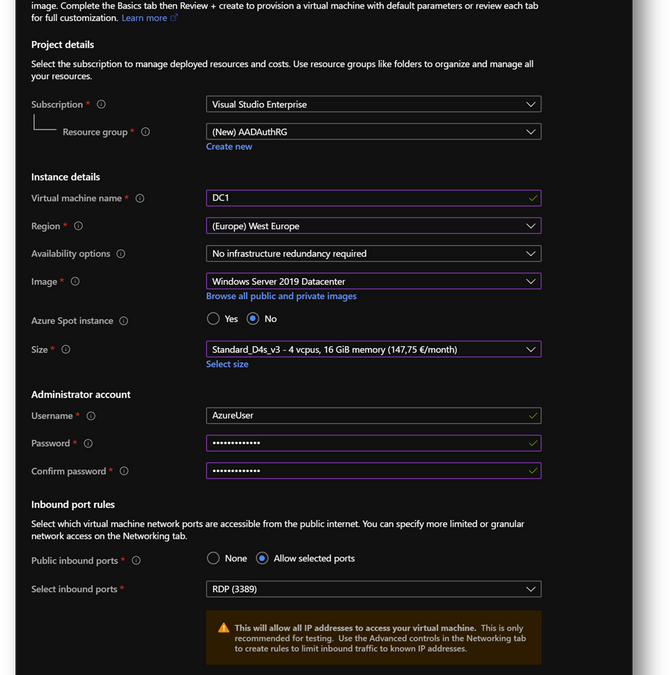
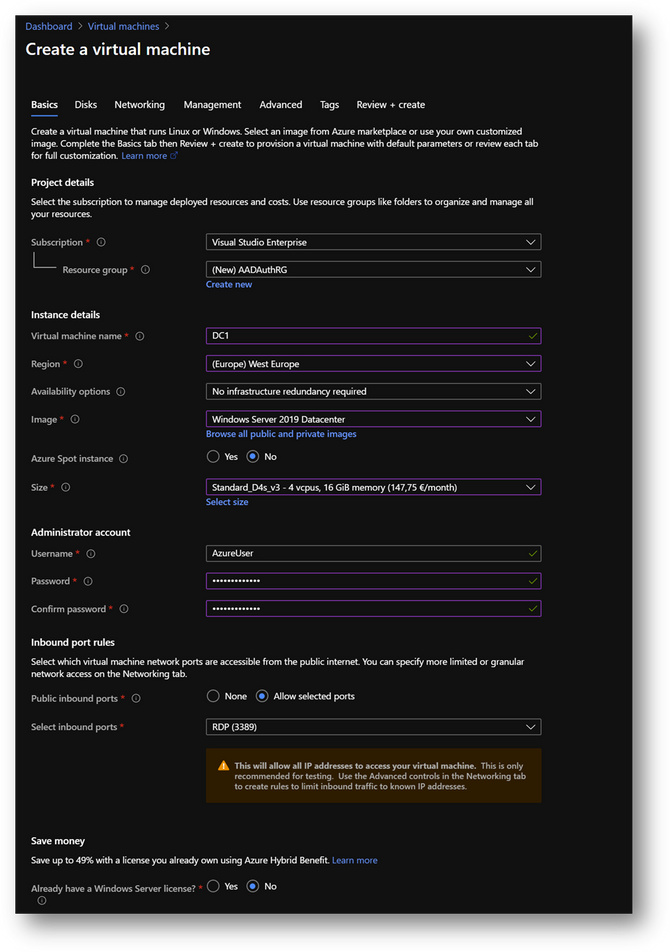
- Create a new virtual machine DC1. Then move to the [Networking] pane. (link)
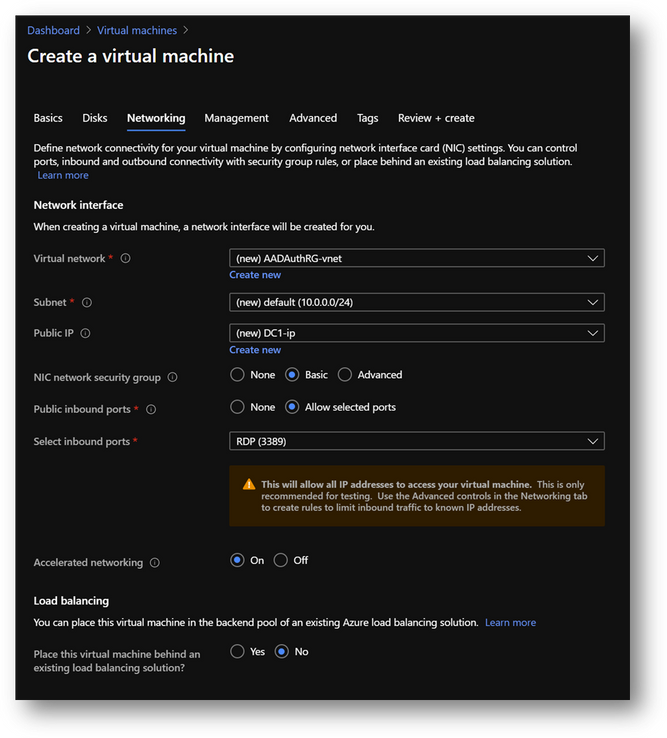
- No modification required on the [Networking] pane.
- Click on [Review and Create] and then click on [Create]
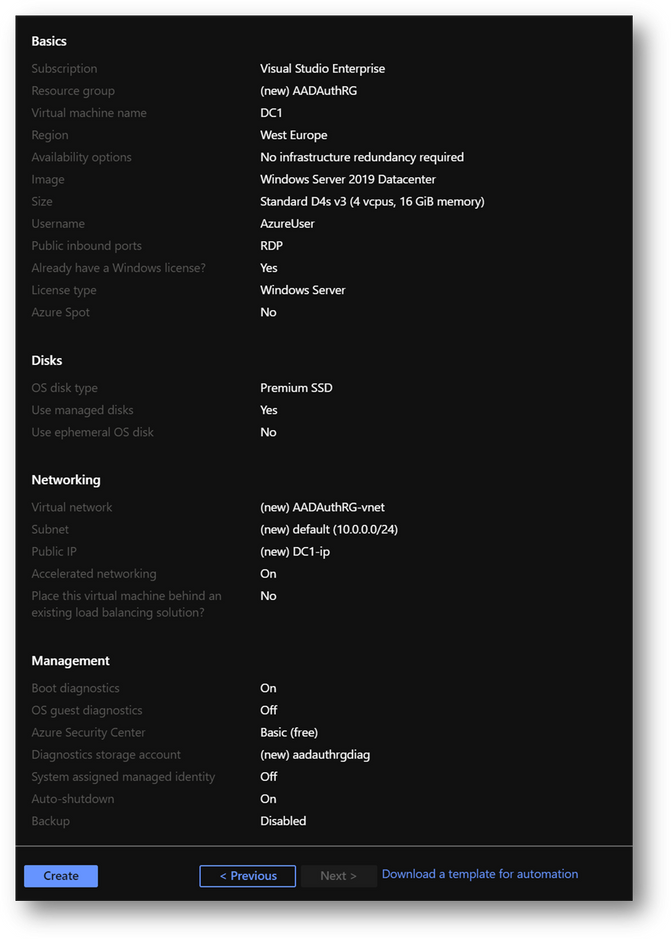
|
Summary
|
|
Resource Group
|
AADAuthRG
|
|
Virtual Machine Name
|
DC1
|
|
Virtual Machine Size
|
Standard D4s v3
|
|
Vnet Name
|
AADAuthRG-vnet
|
|
Subnet
|
10.0.0.0/24
|
|
Private IP address*
|
10.0.0.4
|
|
Local Administrator
|
AzureUser
|
|
Local Administrator Password
|
Strong Password required
|
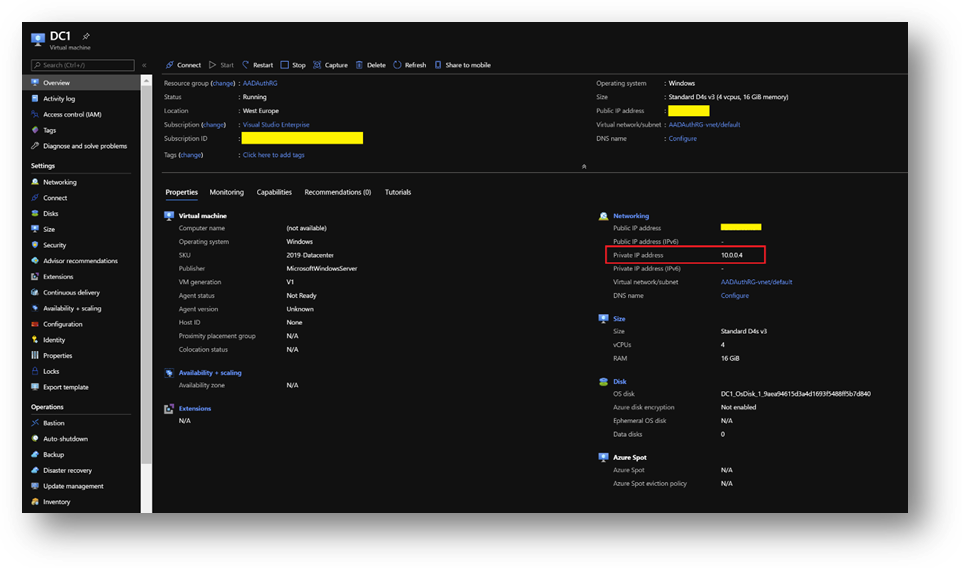
*The private IP should be the same. If not, keep yours in mind as it will be required at a later stage.
NB: To find the private IP address of DC1, select your virtual machine and go the [Overview] blade.
Application Host
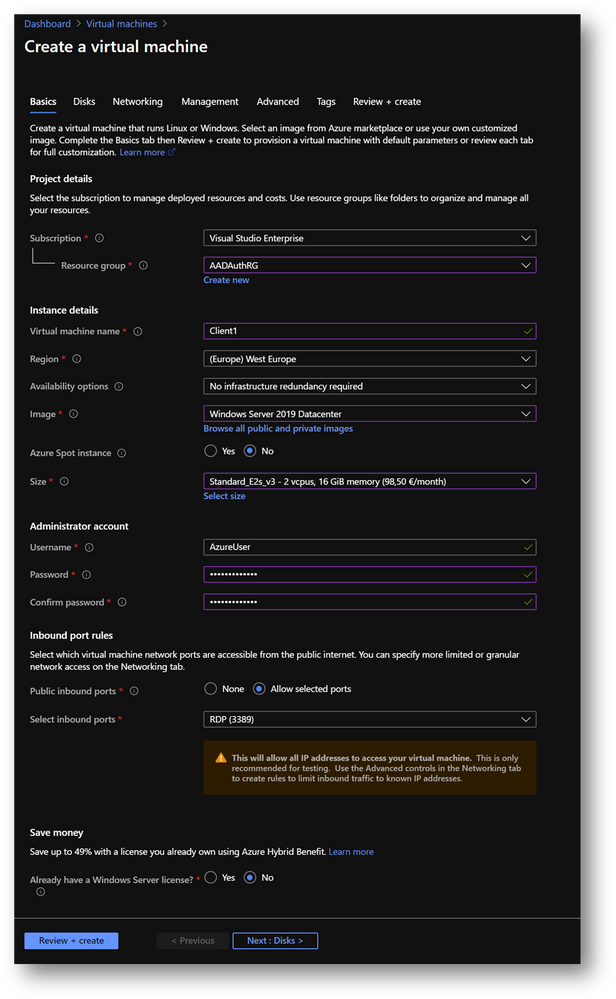
- Create a new virtual machine Client1 in the same resource group AADAuthRG
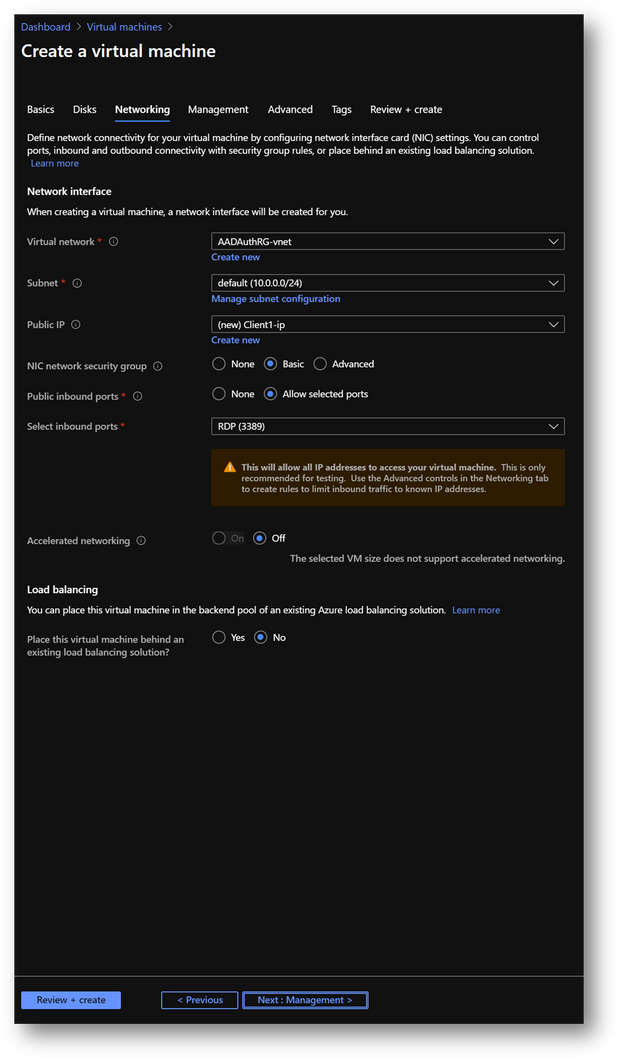
- On the [Networking] pane, use the already created virtual network AADAuthRG-vnet
- Click on [Review and Create] and then click on [Create]
|
Summary
|
|
Resource Group
|
AADAuthRG
|
|
Virtual Machine Name
|
Client1
|
|
Virtual Machine Size
|
Standard E2s v3
|
|
Vnet Name
|
AADAuthRG-vnet
|
|
Subnet
|
10.0.0.0/24
|
|
Private IP address*
|
10.0.0.5
|
|
Local Administrator
|
AzureUser
|
|
Local Administrator Password
|
Strong Password required
|
*The private IP may be different. Keep yours in mind as it will be required at a later stage.
- Once Client1 created, select it, go to the [Networking] pane and click on the [Network Interface]
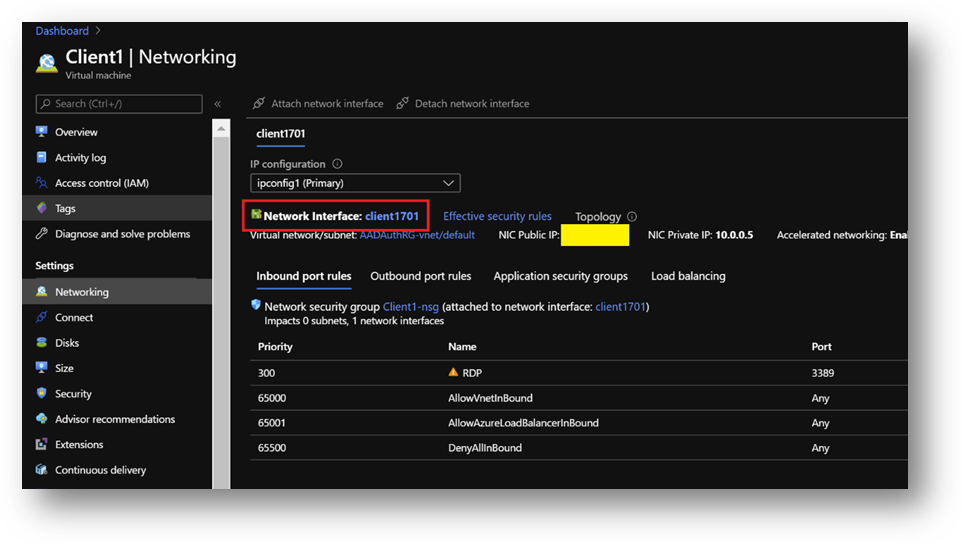
- Click on the [DNS servers] blade, select [Custom] and add the DC1 private IP address. [Save].
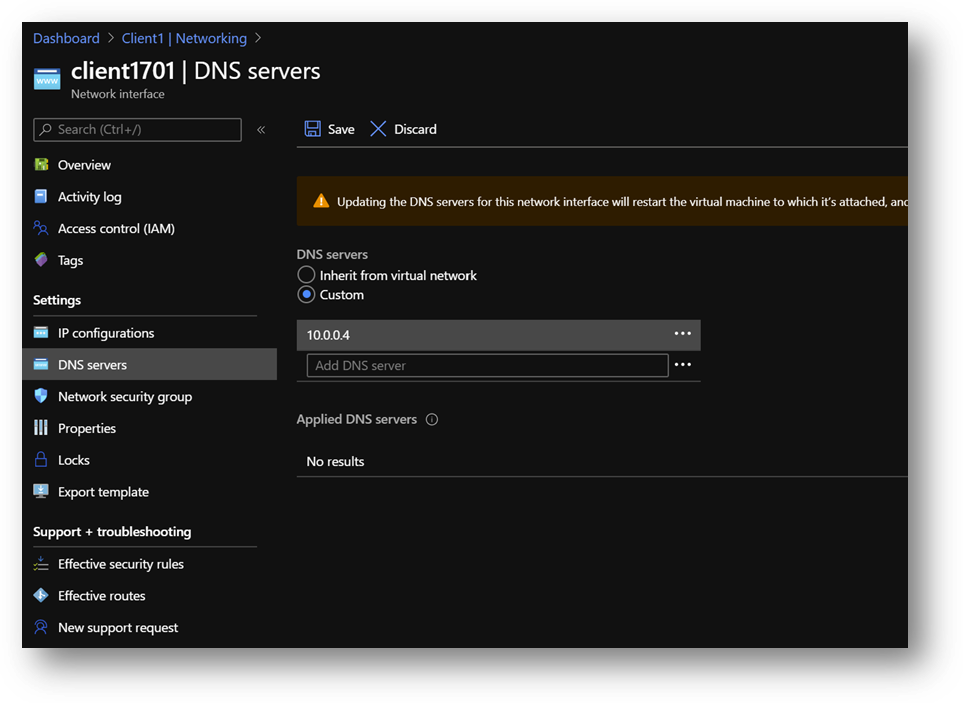
- Restart Client1 or connect and execute “ipconfig /renew” in a Command Prompt
Azure SQL Database
We will use an Azure SQL Database (link) but you can use an Azure SQL Managed Instance (link) instead. The provisioning duration will be longer.
- Create a new Azure SQL Database AdventureWorksLT in the same resource group AADAuthRG
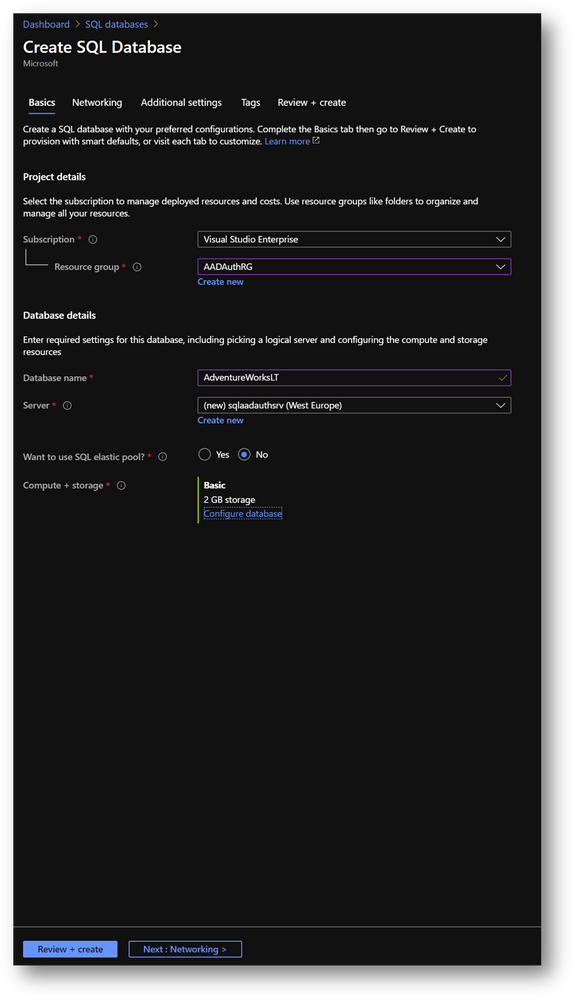
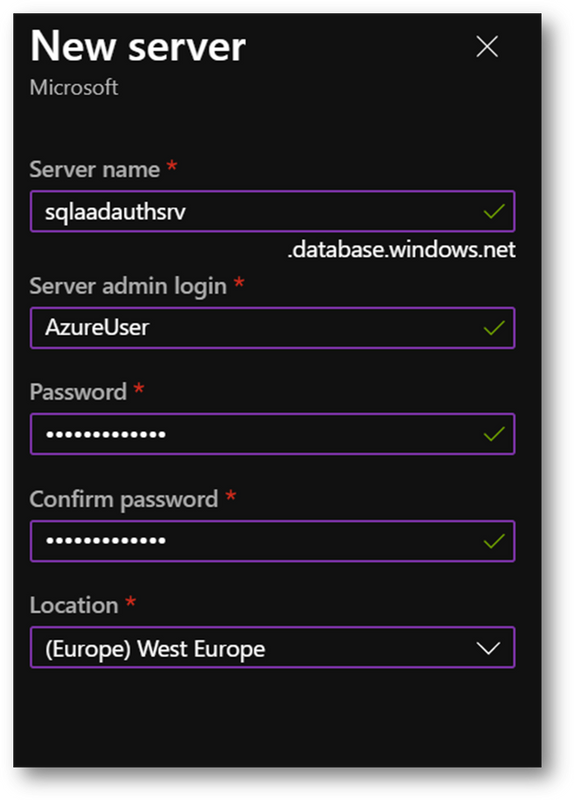
- You’ll be asked to create a new server
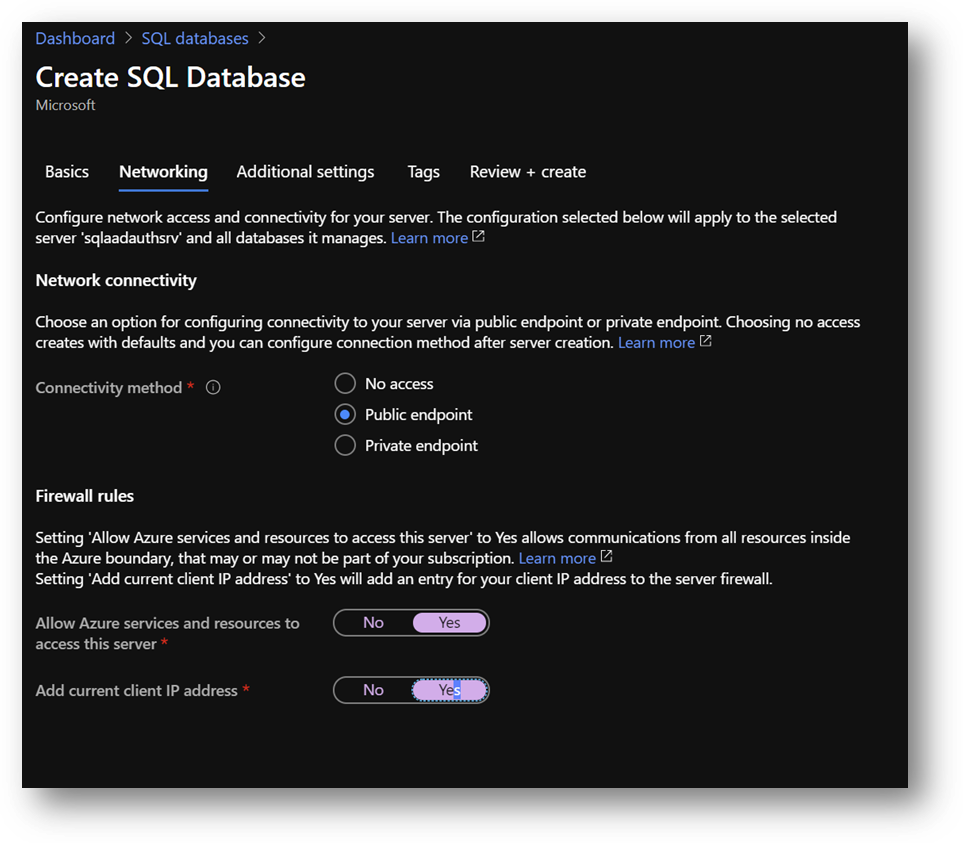
- On the [Networking] pane
- Select [Public Endpoint]
- Set [Allow Azure services and resources to access this server] to ON
- Set [Add current client IP address] to ON, if you want to access the server from your current computer
- On the [Additional settings] pane, set [Use existing data] to [Sample Data]
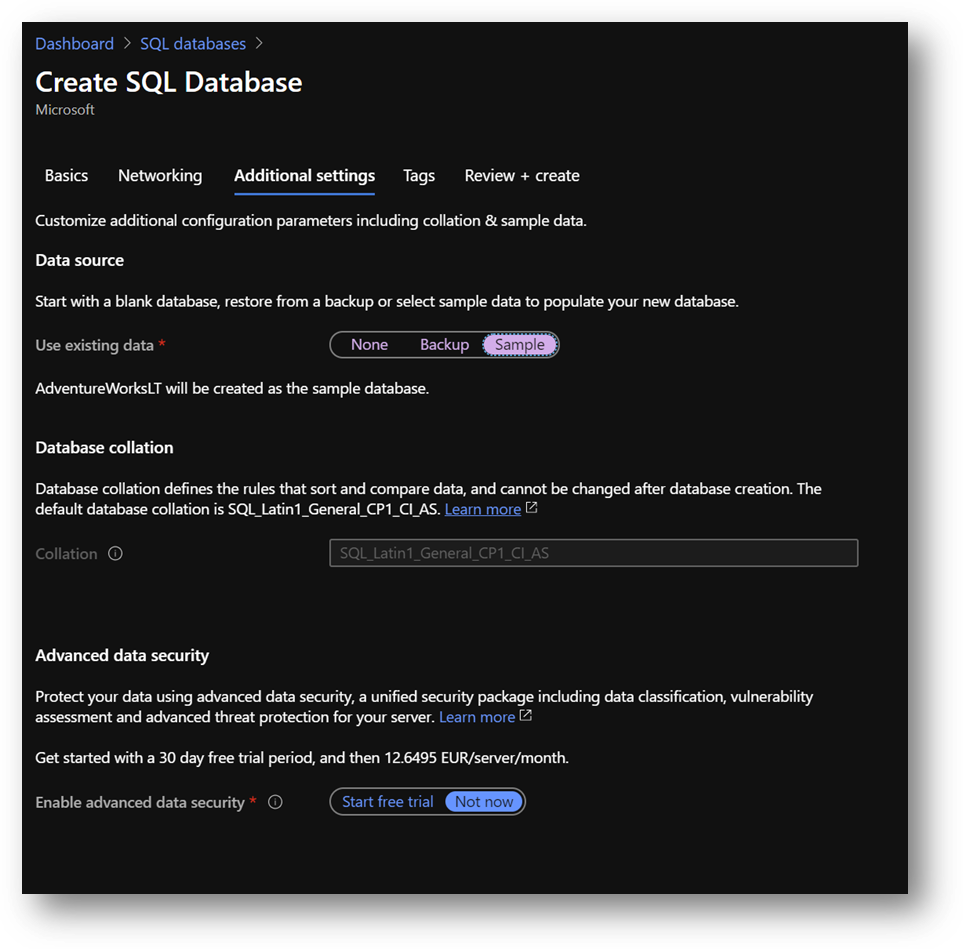
- Click [Review and create] and then [Create]
|
Summary
|
|
Resource Group
|
AADAuthRG
|
|
Azure SQL Database server name
|
sqlaadauthsrv
|
|
Azure SQL Database name
|
Standard E2s v3
|
|
Service tier
|
DTU-based – Basic
|
|
Connectivity Method
|
Public Endpoint
|
|
Allow Azure services and resources to access this server
|
On
|
|
Add current client IP address
|
On
|
|
Azure SQL Database server Administrator
|
AzureUser
|
|
Azure SQL Database server Administrator Password
|
Strong Password required
|
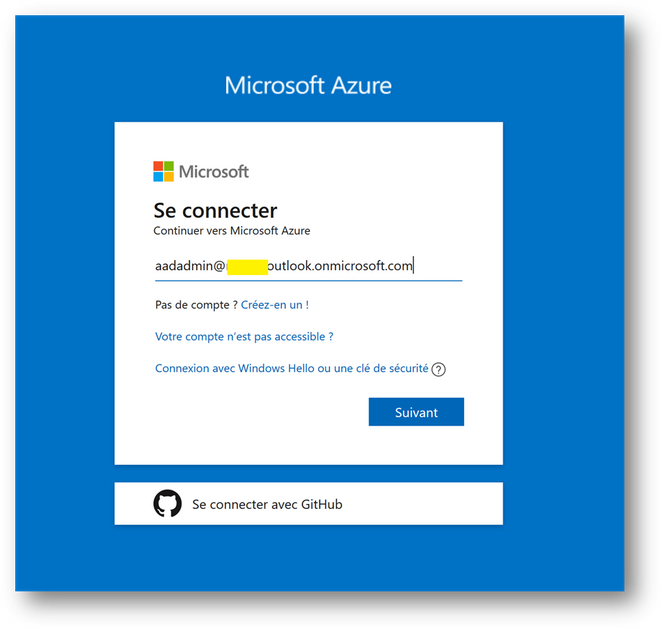
Azure Active Directory administrator
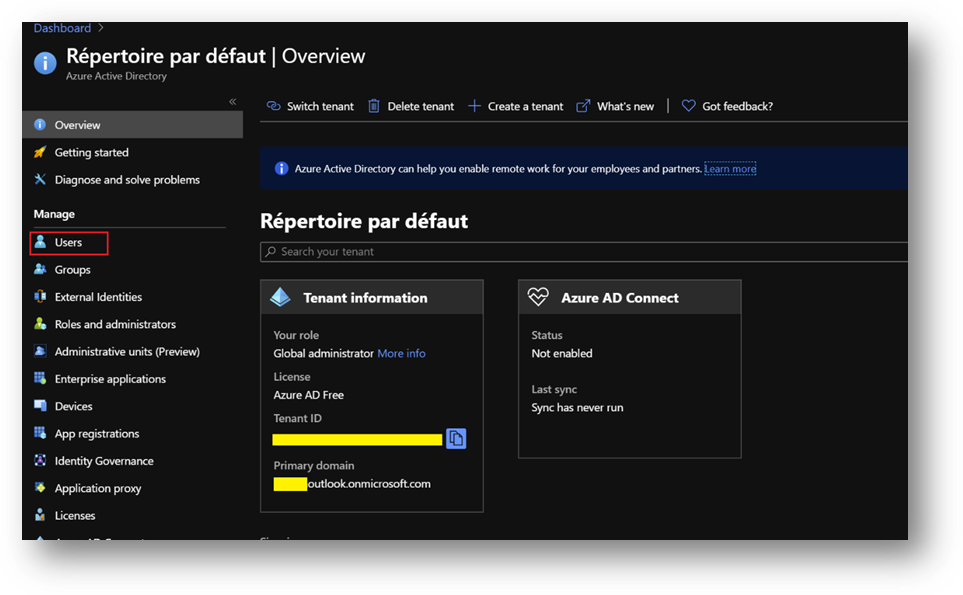
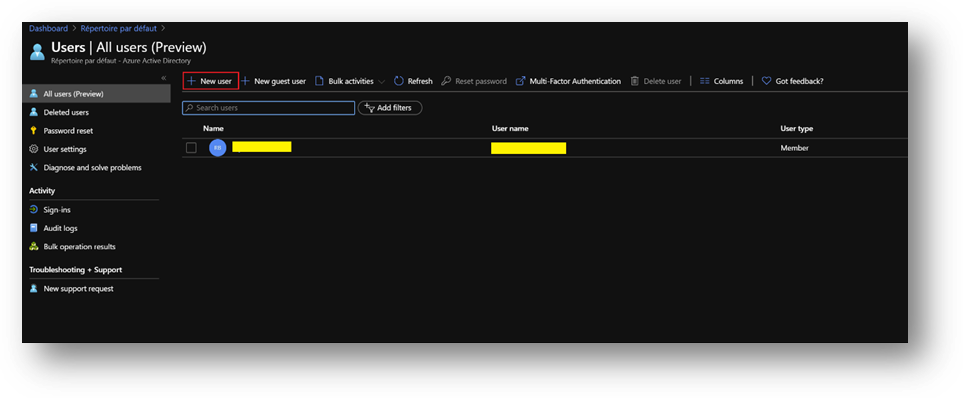
- Click on [New User] and name it
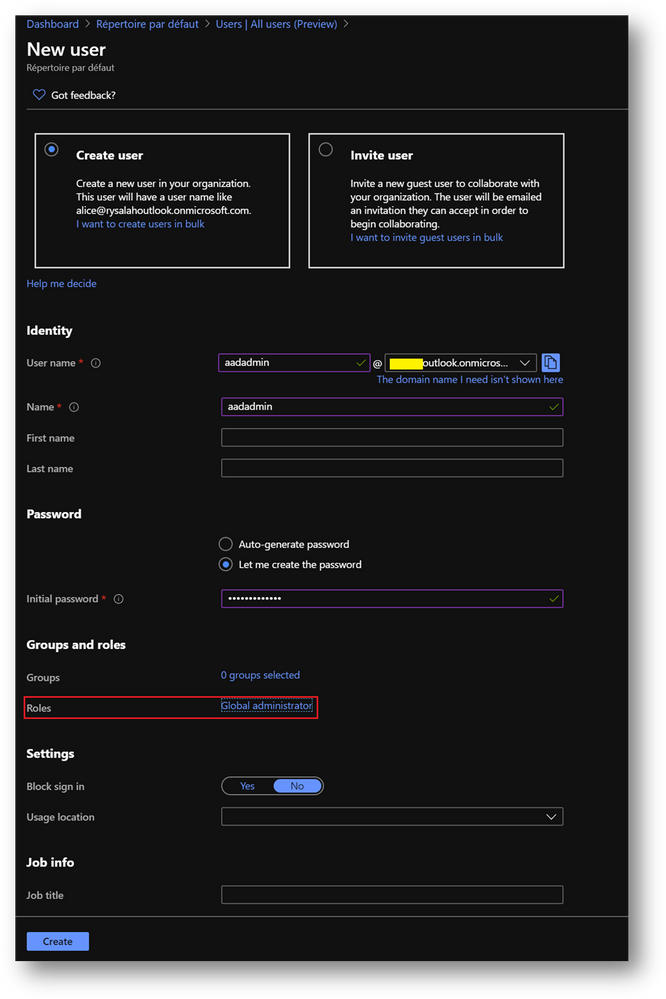
- In the [Roles] menu, select [Global administrator]
Configuration
Configure the Domain Controller
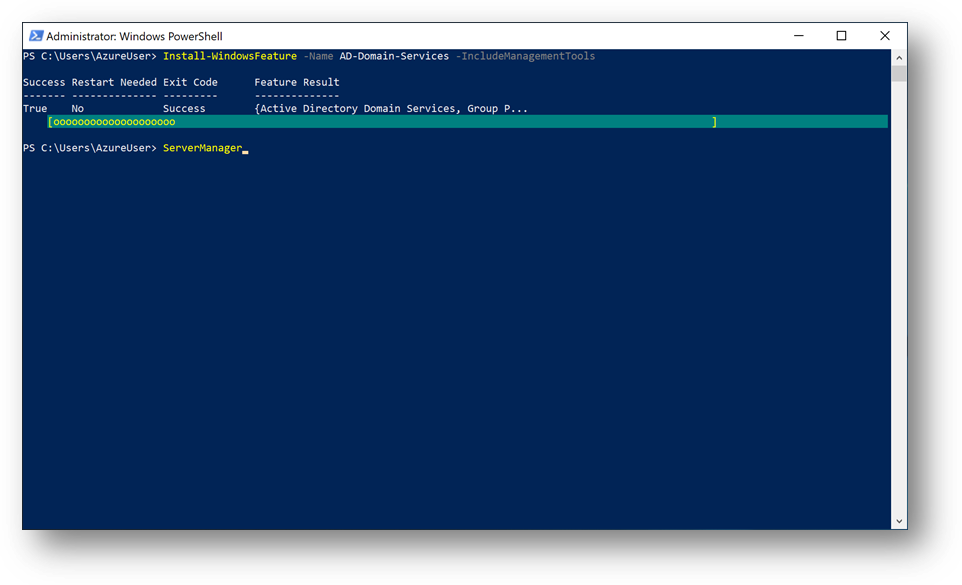
To start, we need to install the Active Directory Domain Services feature. Connect to the DC1 Virtual Machine, start a Windows Powershell session and execute the following command:
Install-WindowsFeature -Name AD-Domain-Services -IncludeManagementTools
You should have a Success exit code.
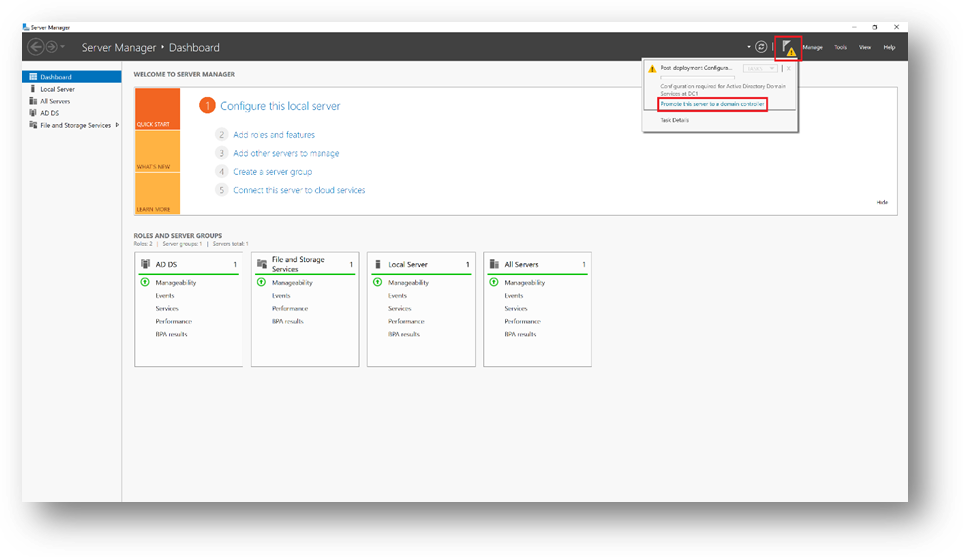
Once done, DC1 must be promoted to domain controller. To do so, start ServerManager
- Click on the flag and then click on [Promote this server to a domain controller]
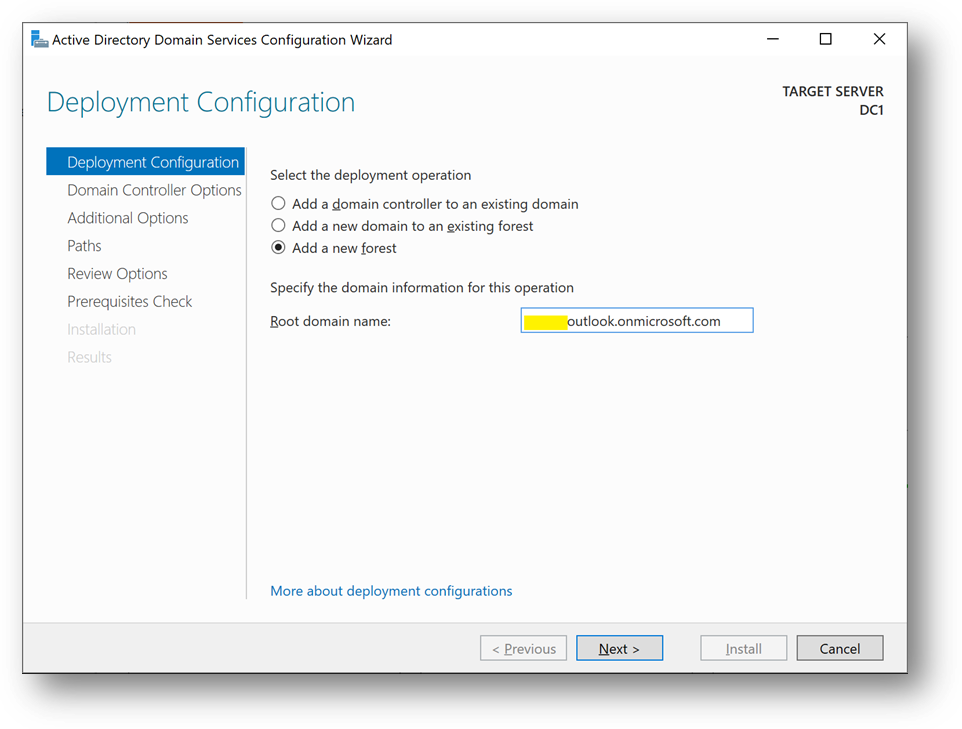
- Add a new forest. As the domain needs to be verified to be used with Azure Active Directory, we will use the domain already provided within AAD.
- You can also use a custom domain, but this way, we won’t have to create a new TXT or MX record at the domain registrar.
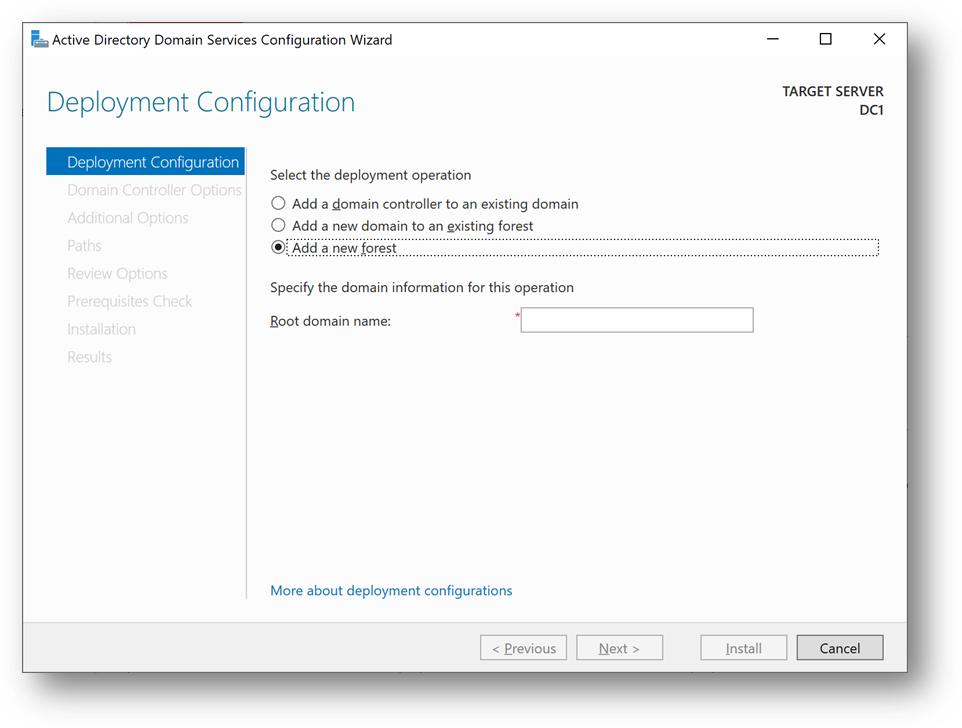
- On the Azure portal, go to [Azure Active Directory] blade, then [Overview]. You’ll find the Primary domain name. Copy it.
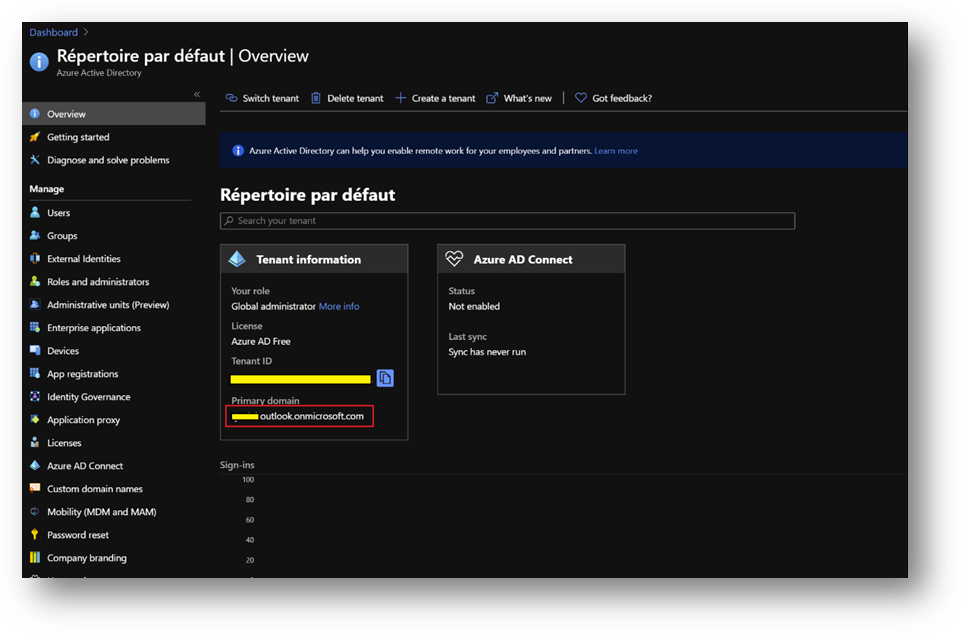
- Paste the primary domain name as the [Root domain name]
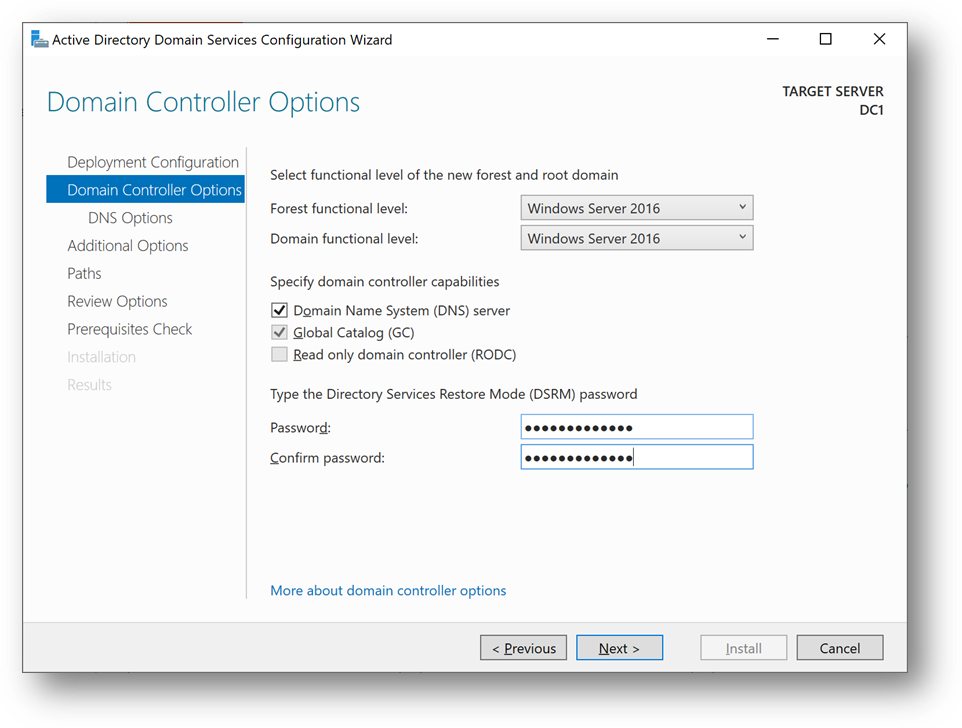
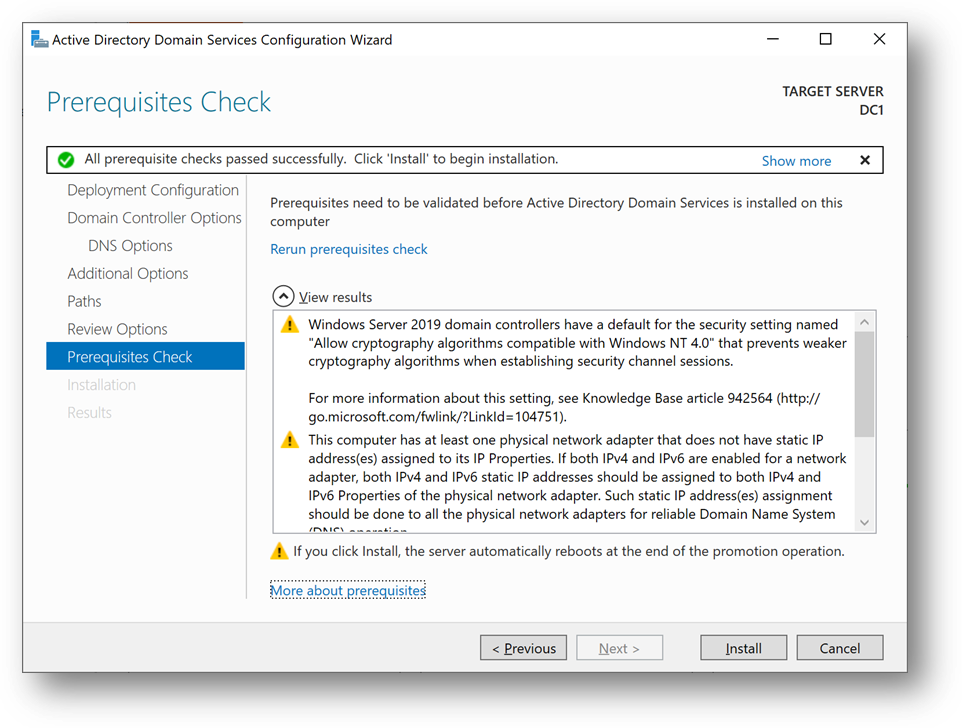
- Set a strong password and click [Next] until you reach the [Prerequisites Check]
- Click on [Install]
- You can also use this Powershell script
Import-Module ADDSDeployment

Install-ADDSForest `
-CreateDnsDelegation:$false `
-DatabasePath "C:windowsNTDS" `
-DomainMode "WinThreshold" `
-DomainName "***outlook.onmicrosoft.com" `
-DomainNetbiosName "***OUTLOOK" `
-ForestMode "WinThreshold" `
-InstallDns:$true `
-LogPath "C:windowsNTDS" `
-NoRebootOnCompletion:$false `
-SysvolPath "C:windowsSYSVOL" `
-Force:$true
DC1 will restart and you’ll be disconnected. Wait a minute and reconnect.
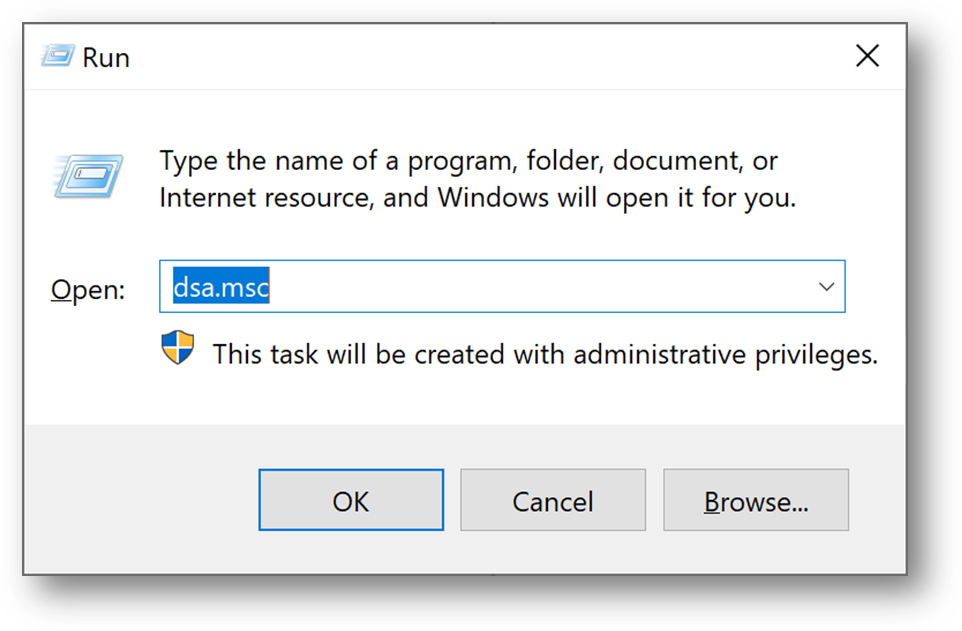
- [Windows + R] and type “dsa.msc”
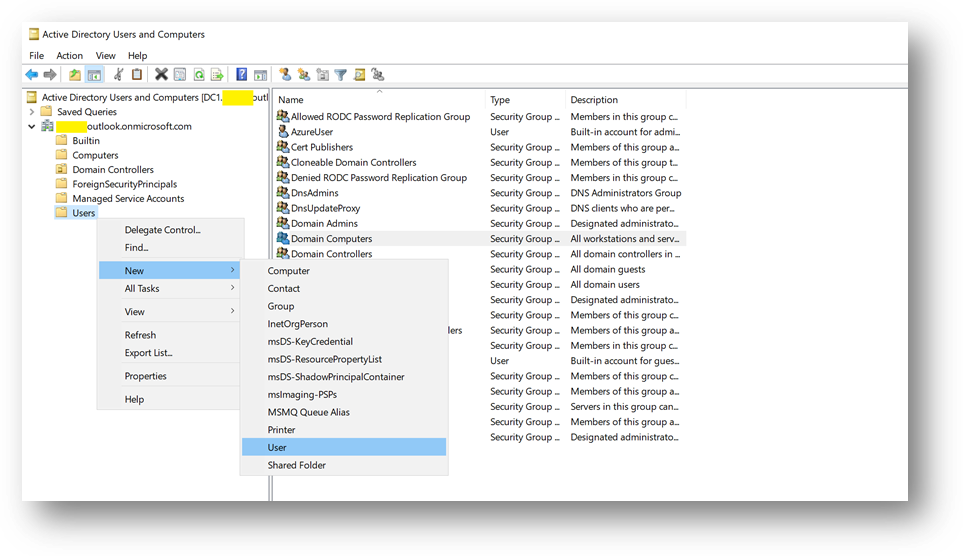
- We will now create a domain administrator. Click right on the [Users] folder in your domain and select New User
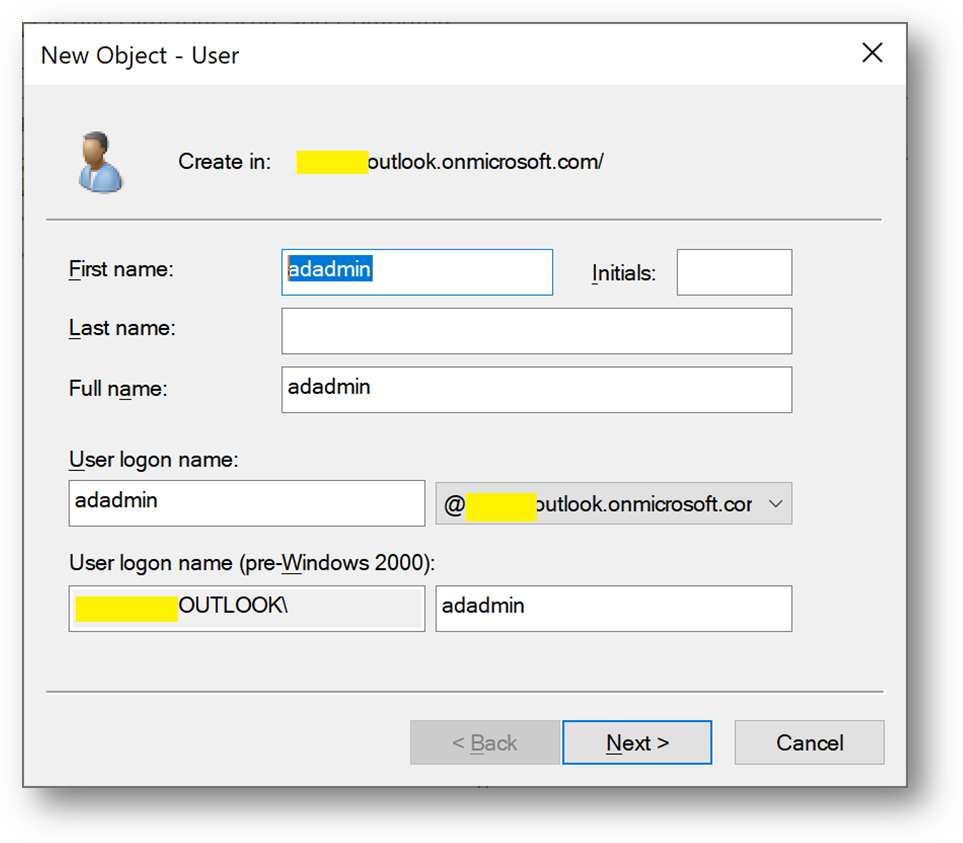
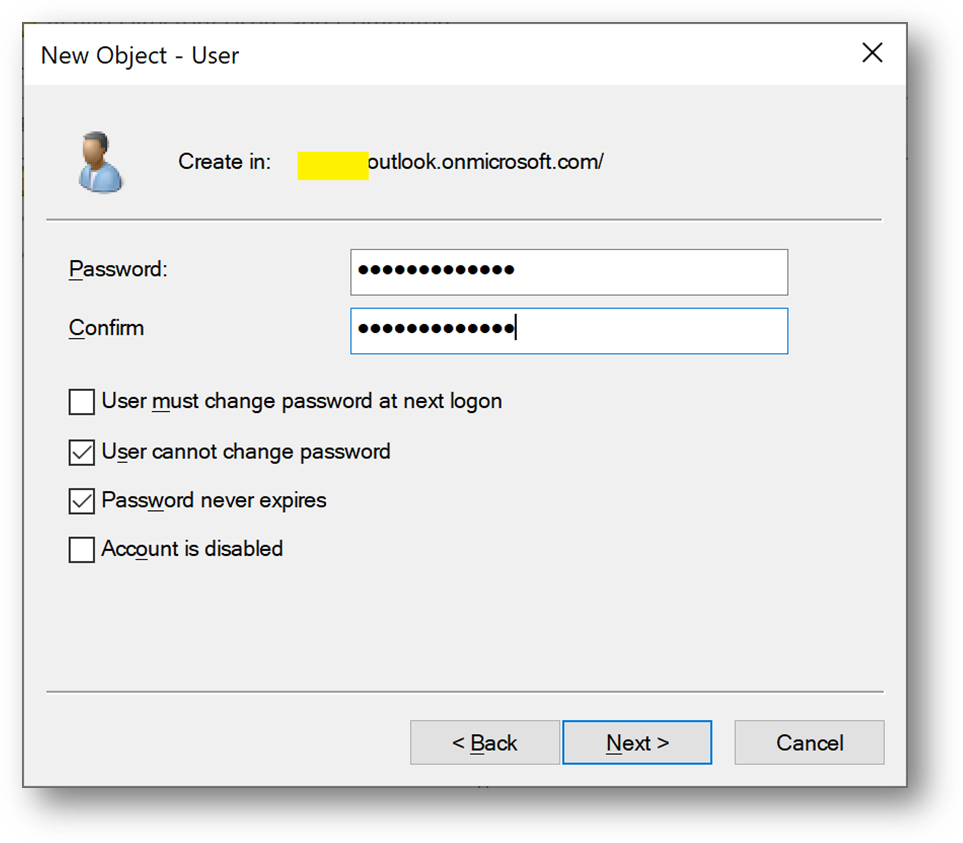
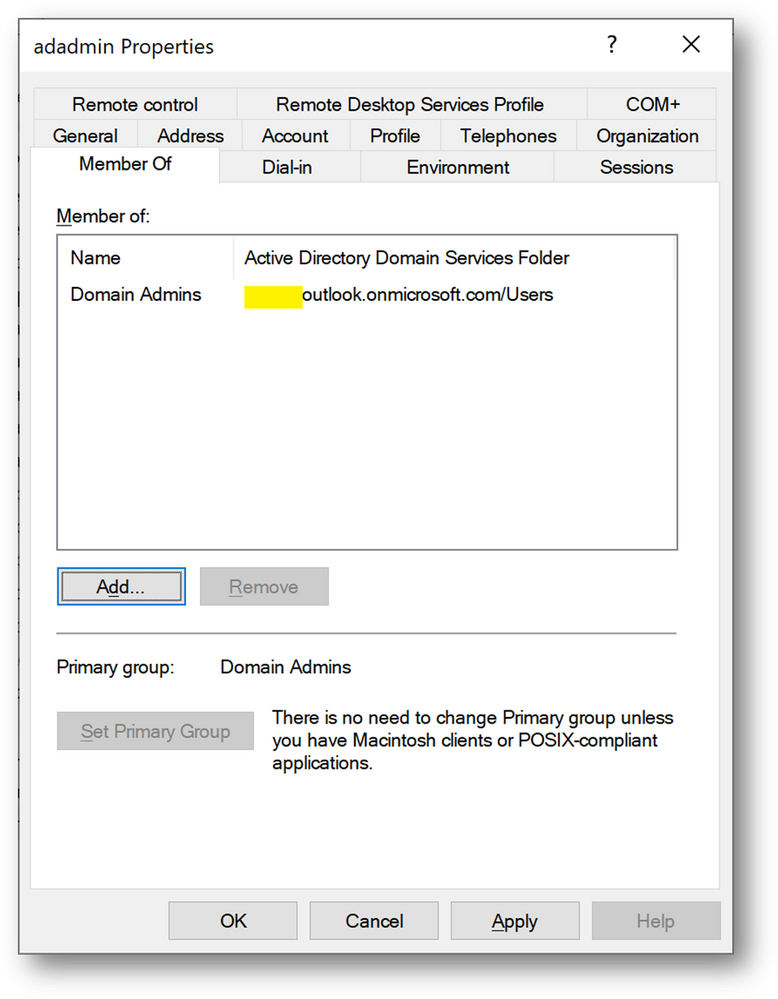
- Create a user adadmin
- Add this account to the [Domain Admins] group
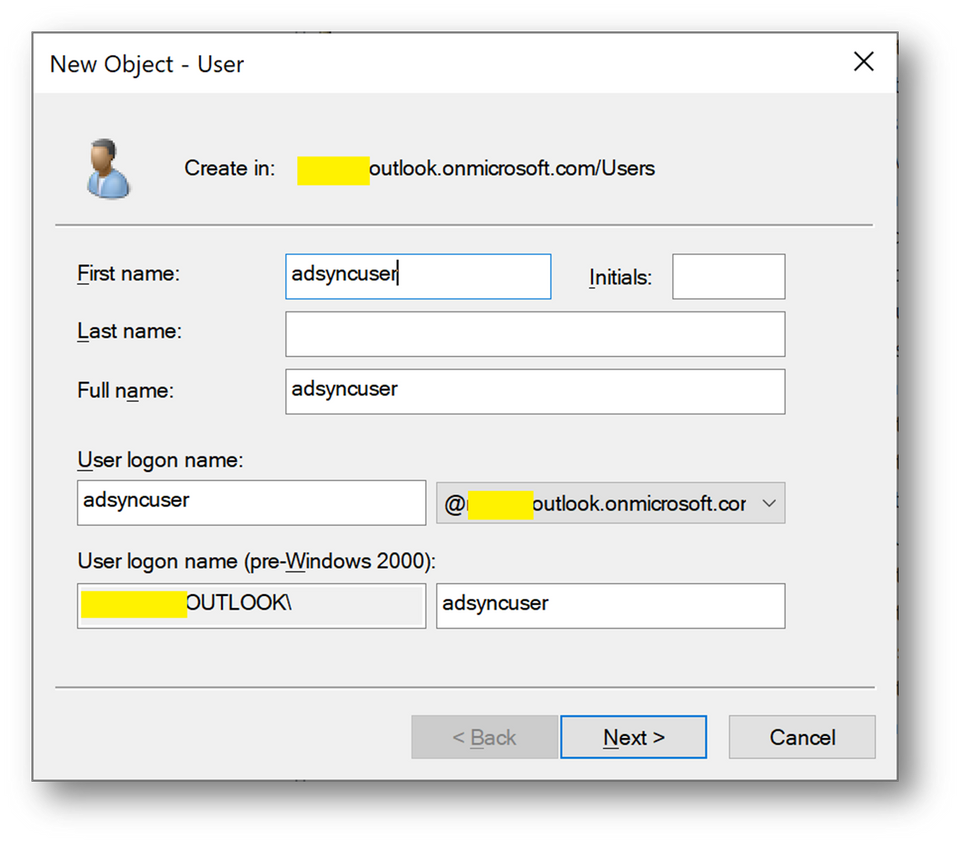
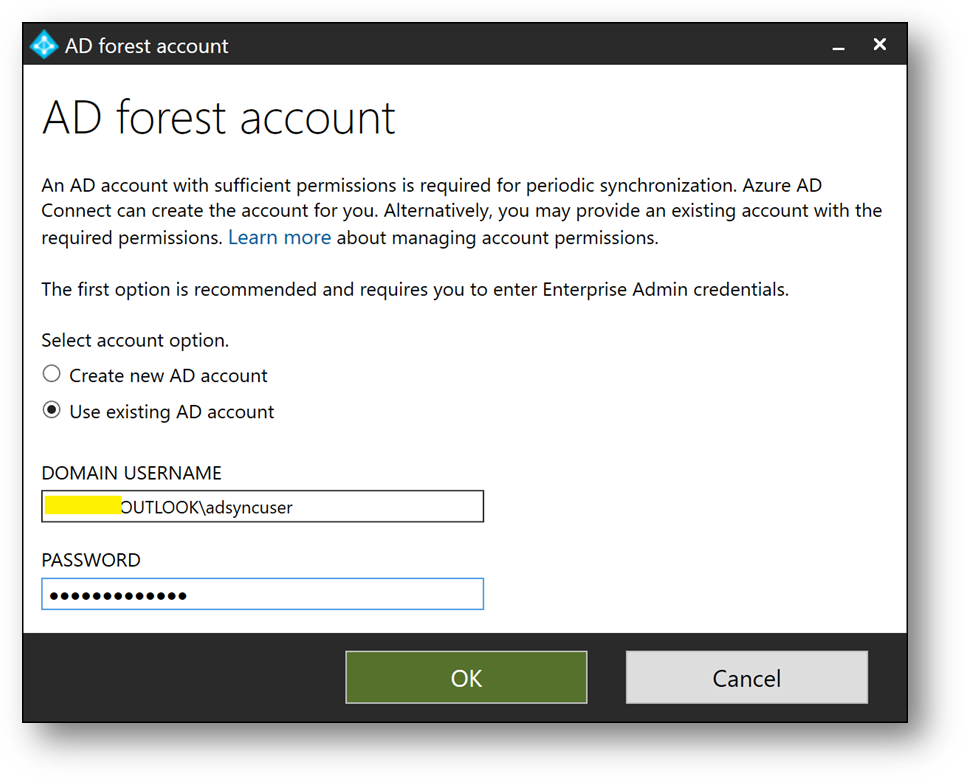
- We will need at a later stage a synchronizaiton account. We’ll create adsyncuser now
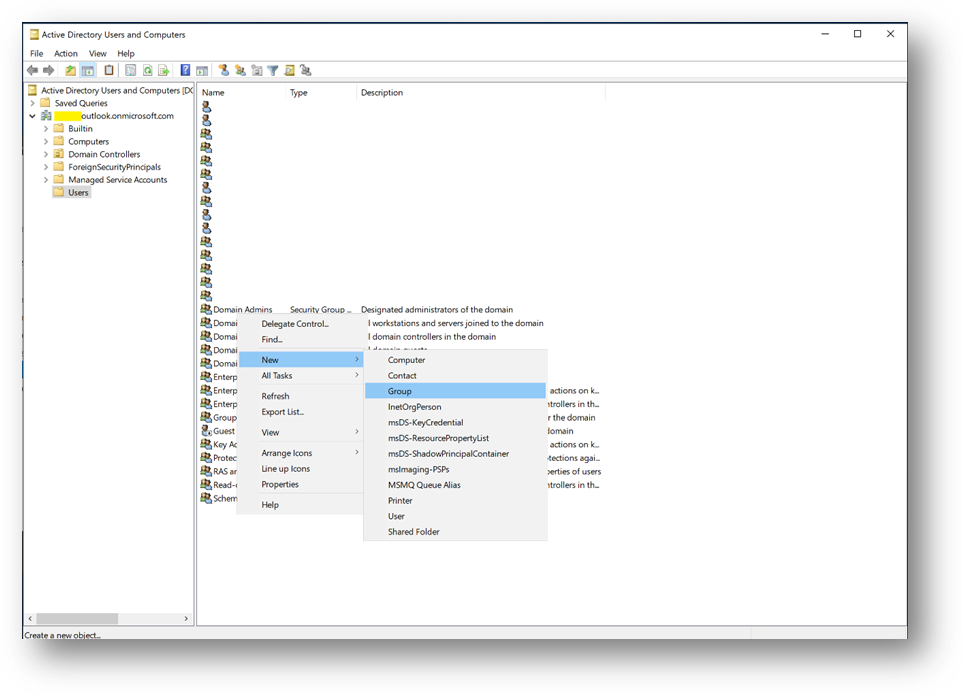
- We will also create a new Security Group containing the applicative account(s).
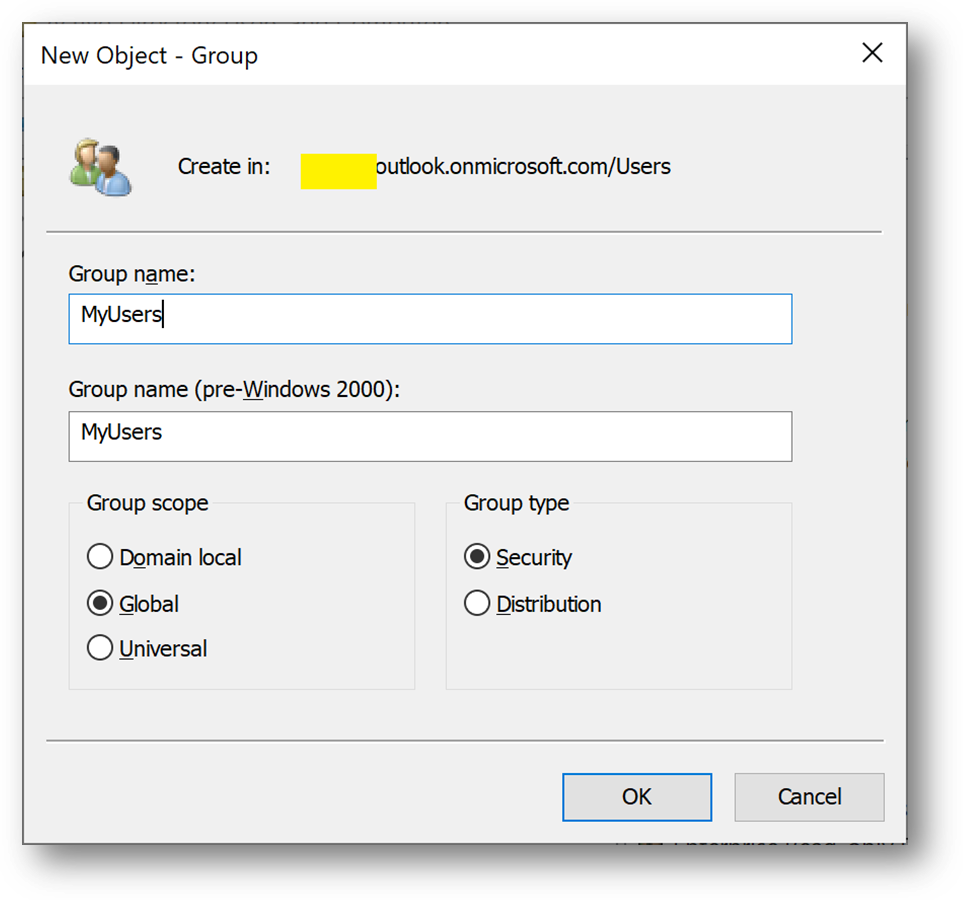
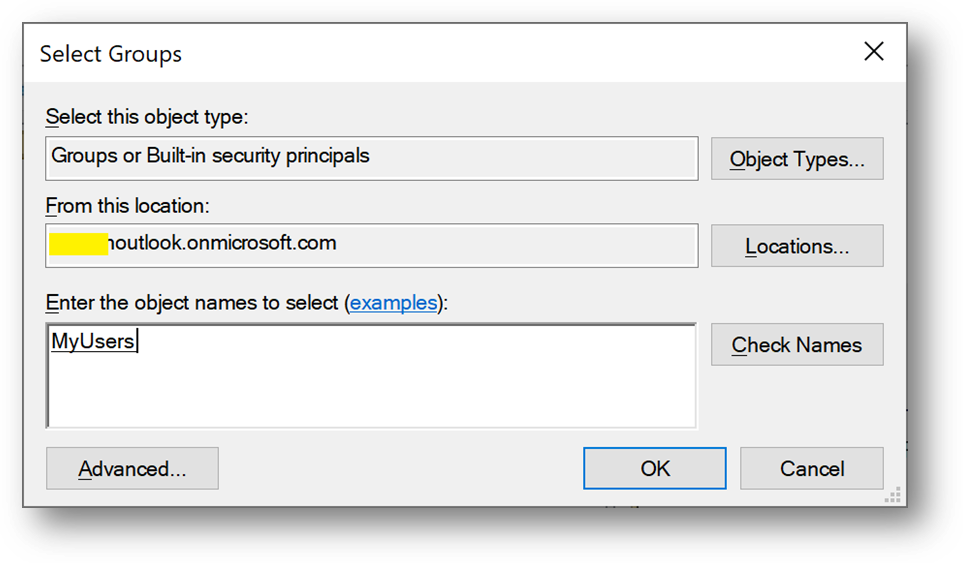
- Click right on [Users] and select New –> Group and name it MyUsers
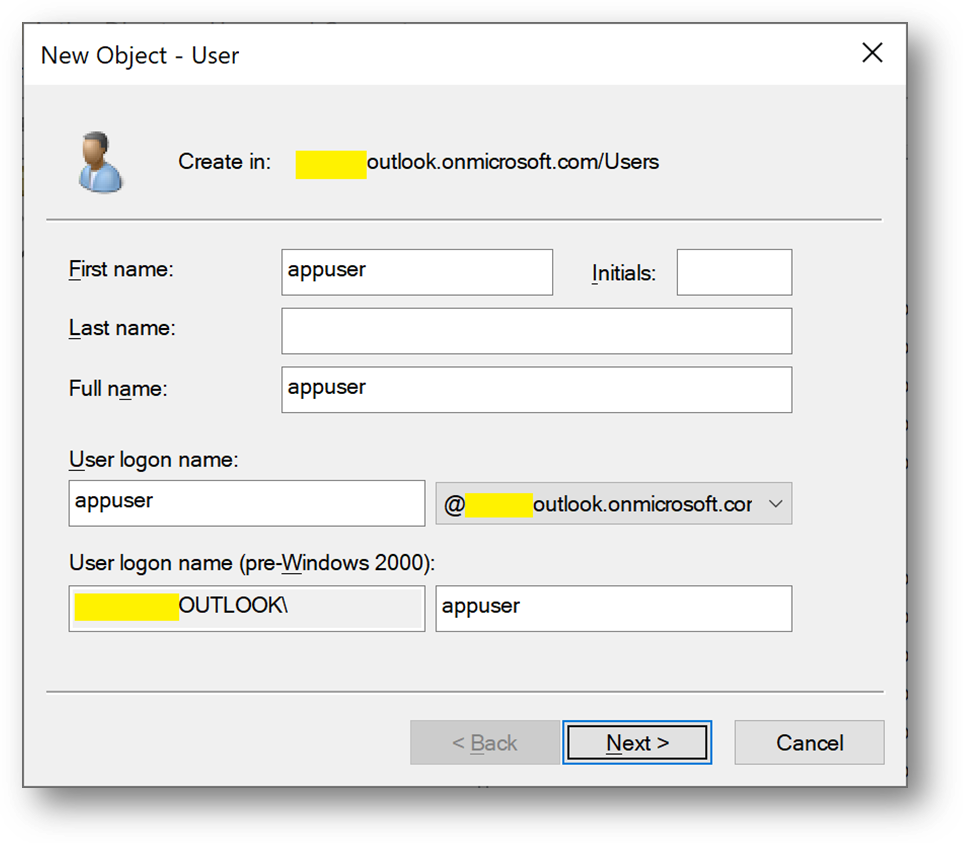
- Then create a new user appuser, this account will be used next on the Client1 server.
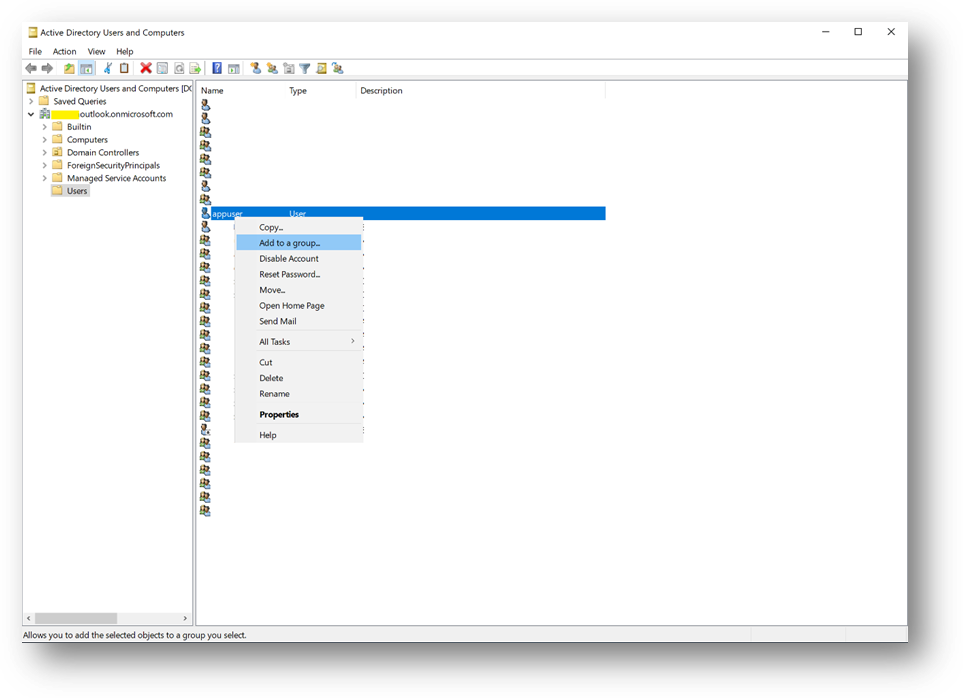
- Add appuser to the MyUser group
Configure the Applicative host
- Connect to the Client1 virtual machine
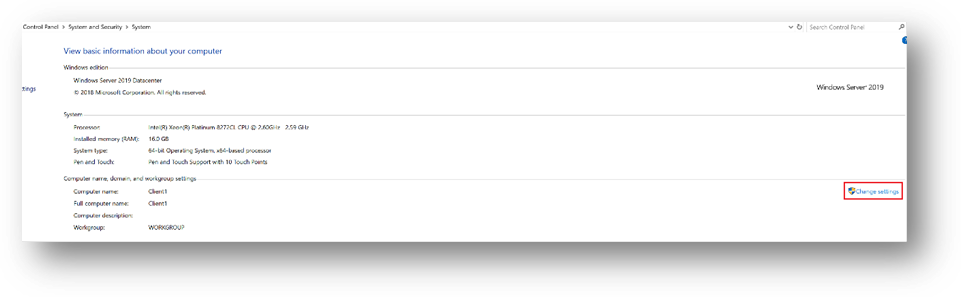
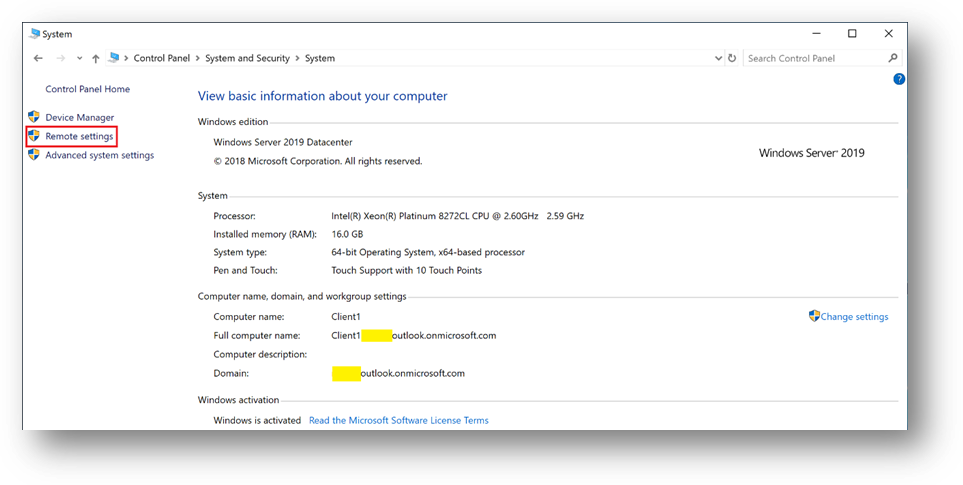
- Go to the Control Panel –> System and Security –> System. Click on [Change Settings], then [Change]
- Select [Domain] and enter your domain name
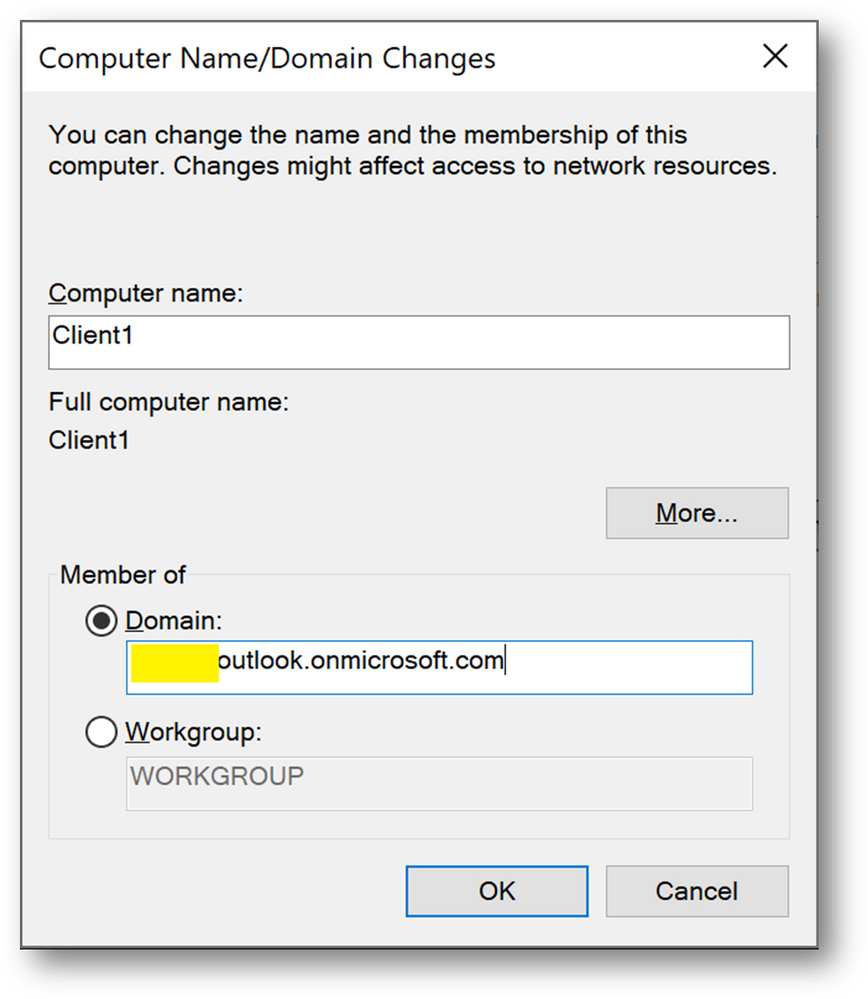
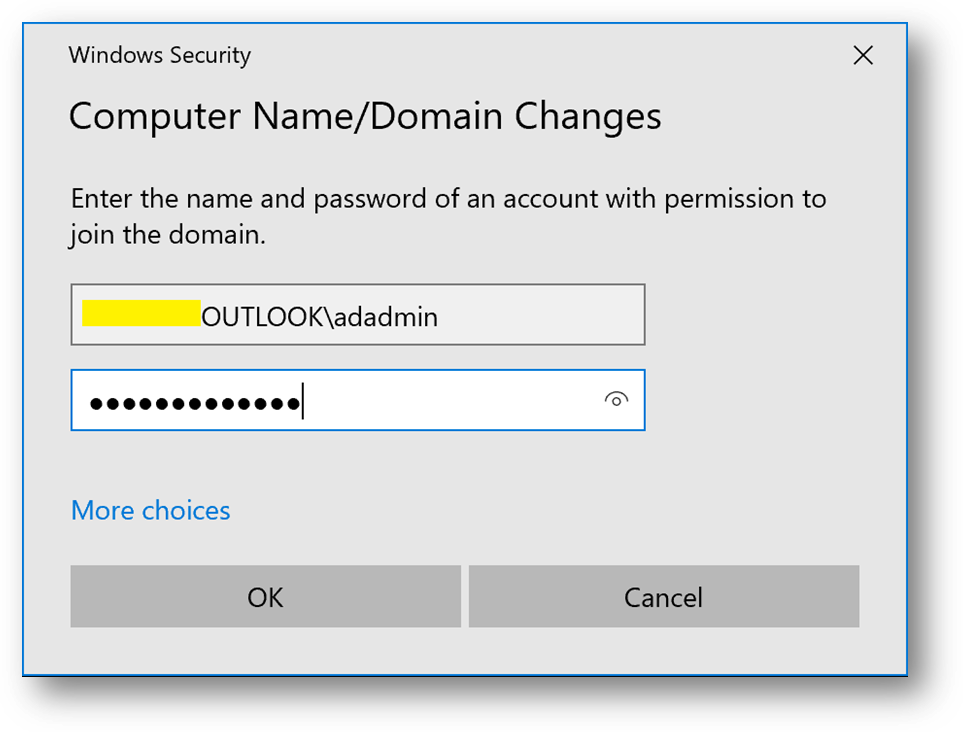
- Use the previously created credentials.
- You’ll be prompt to restart. Click on [Restart later]
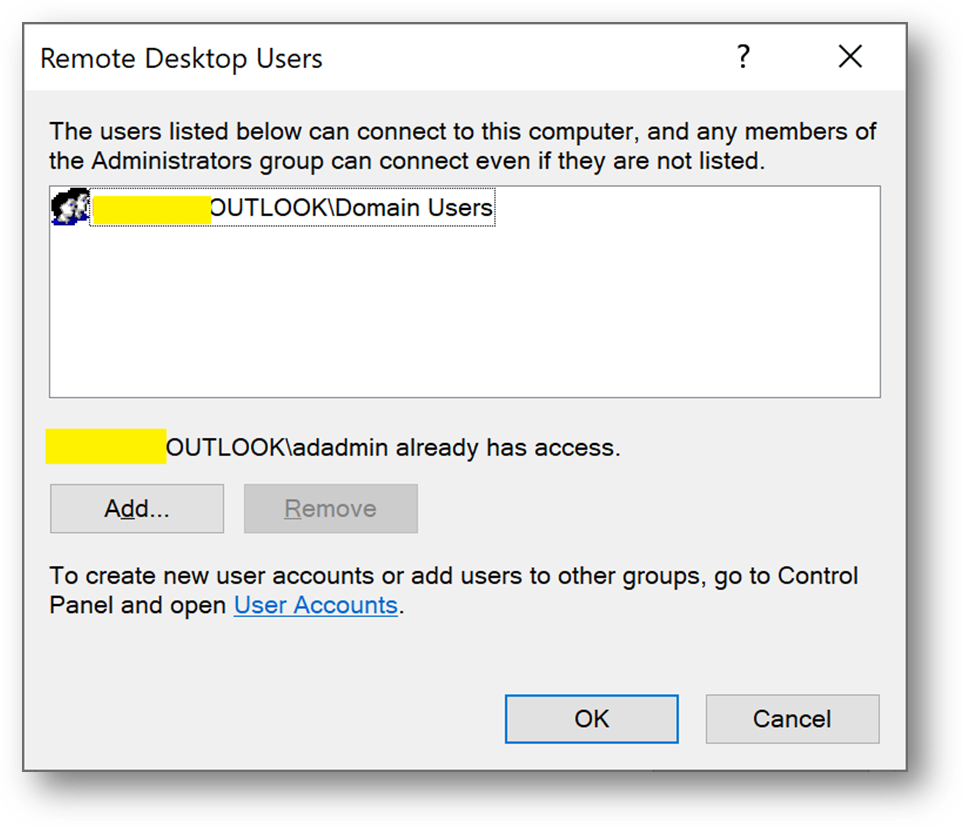
- Still in Control Panel –> System and Security –> System, Click on [Remote Settings]
- Click on [Select Users]
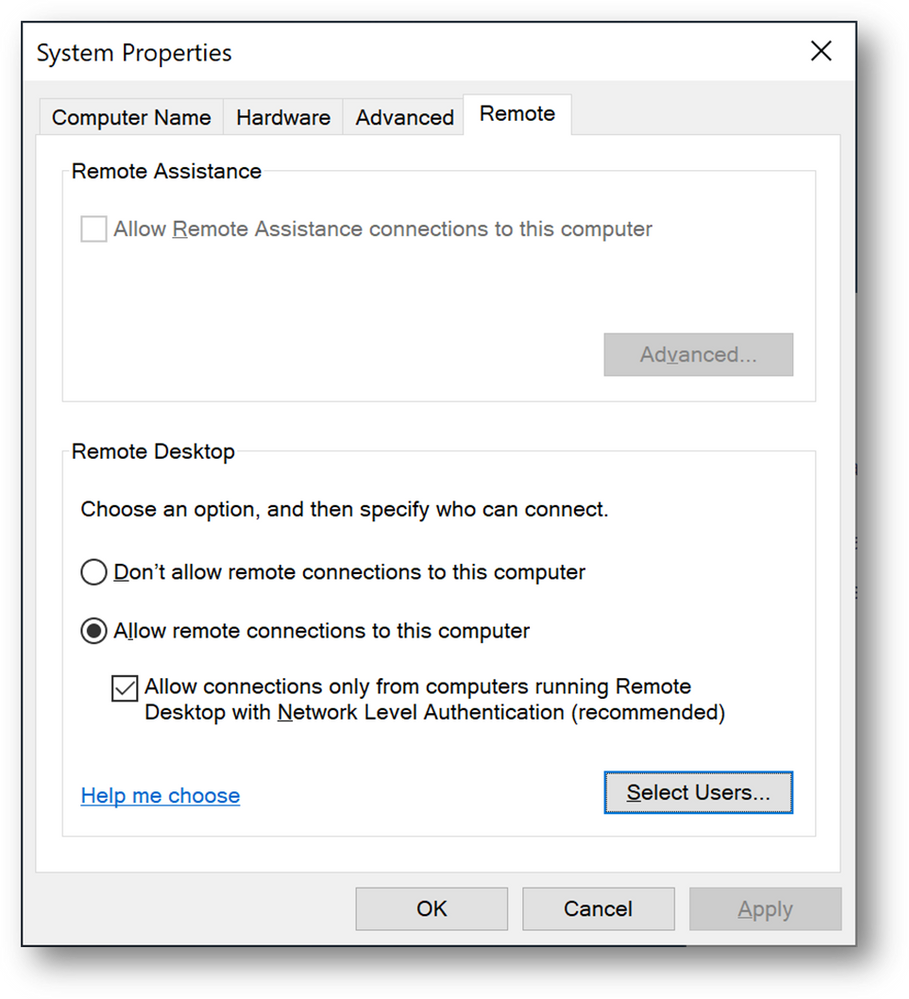
- Add the [Domain Users] group
Install ADConnect
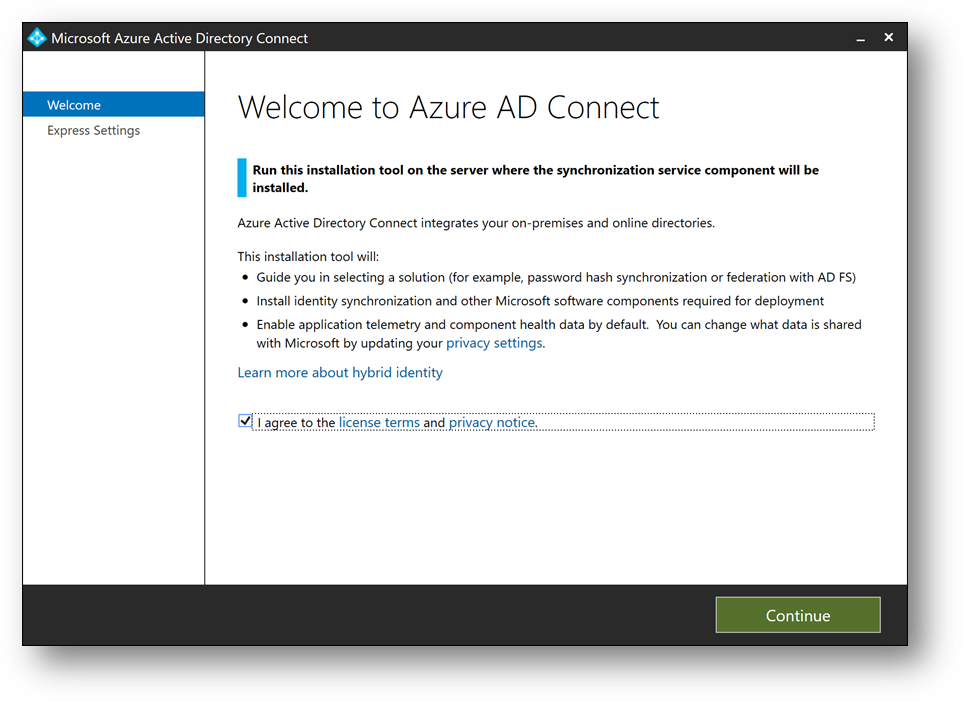
- Download ADConnect and install it on DC1. It will start automatically. (More details)
- Installing Azure AD Connect on a Domain Controller is not recommended due to security practices and more restrictive settings that can prevent Azure AD Connect from installing correctly. (Link)
- Check [I Agree to the license terms and privacy policy] and click on [Next]
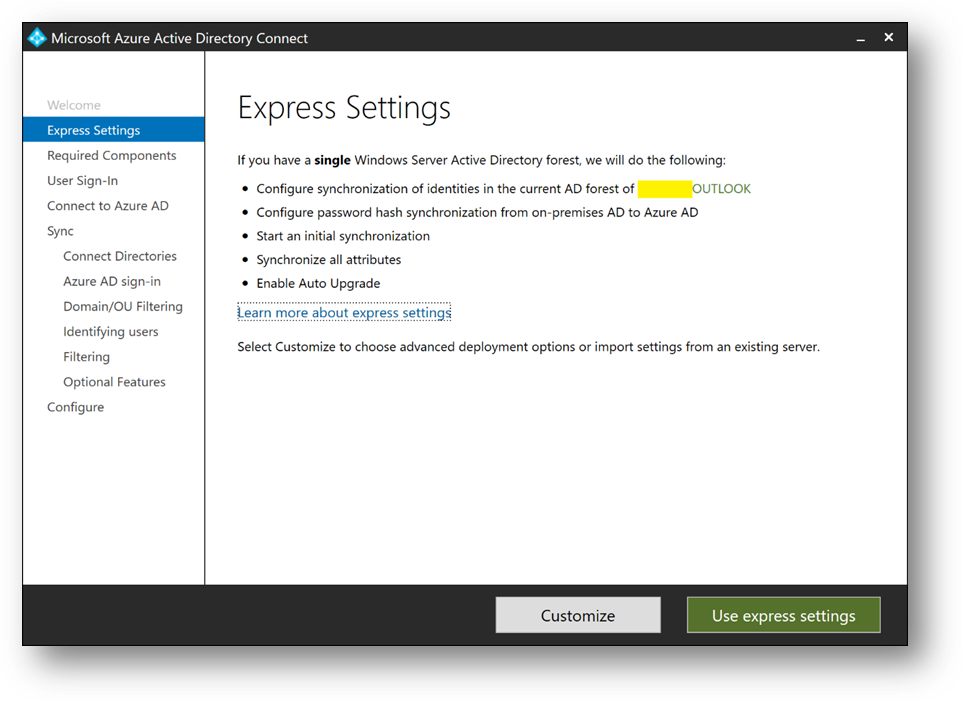
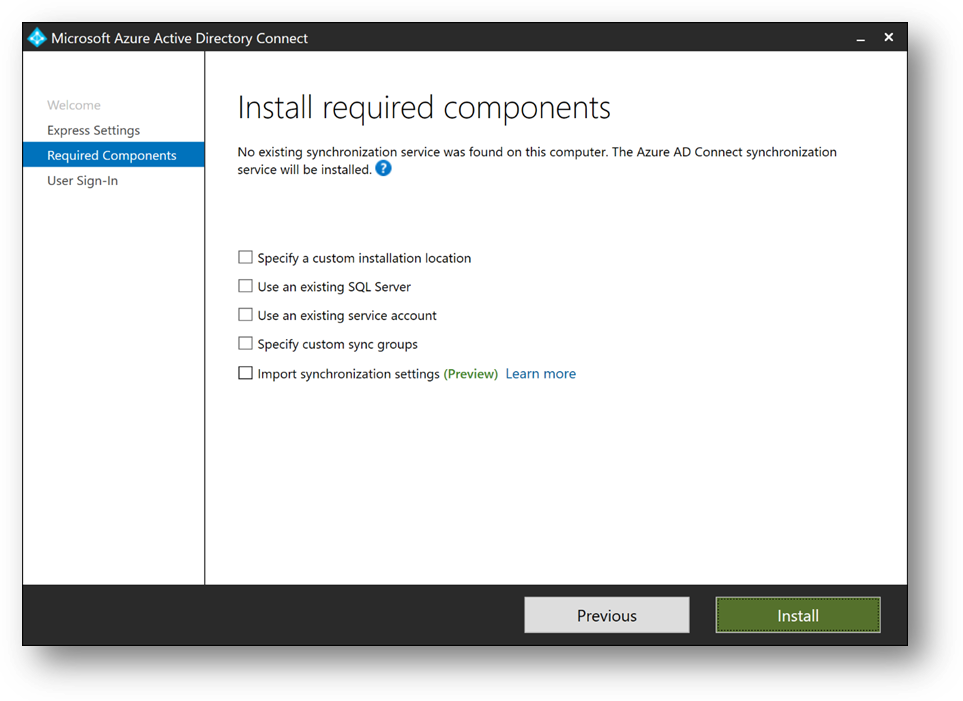
- Click on [Customize], then [Install]
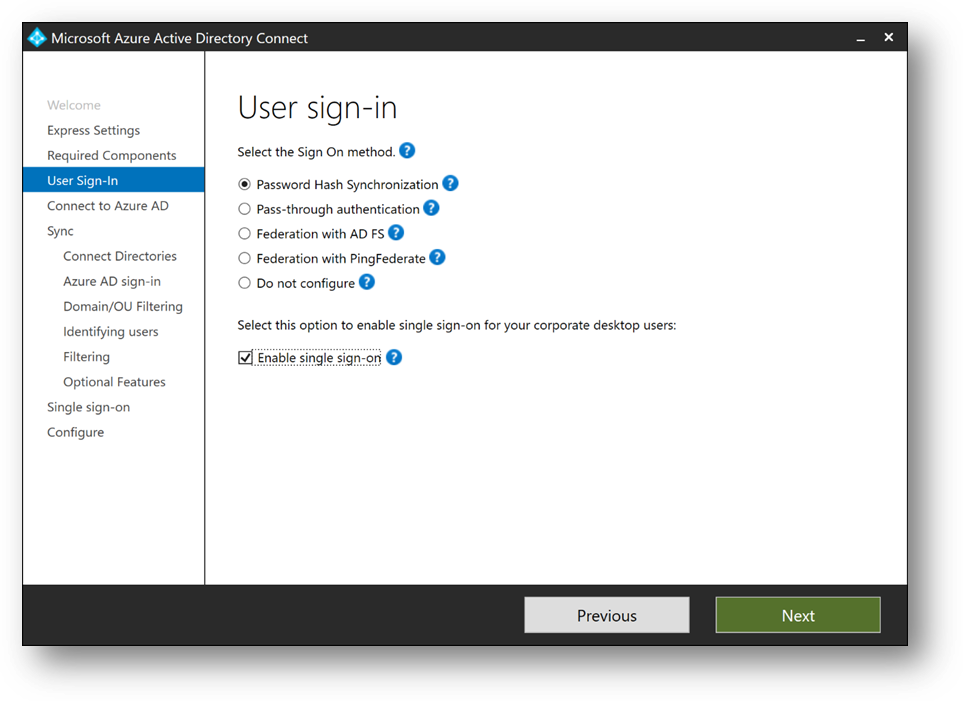
- Select [Password Hash Synchronization]
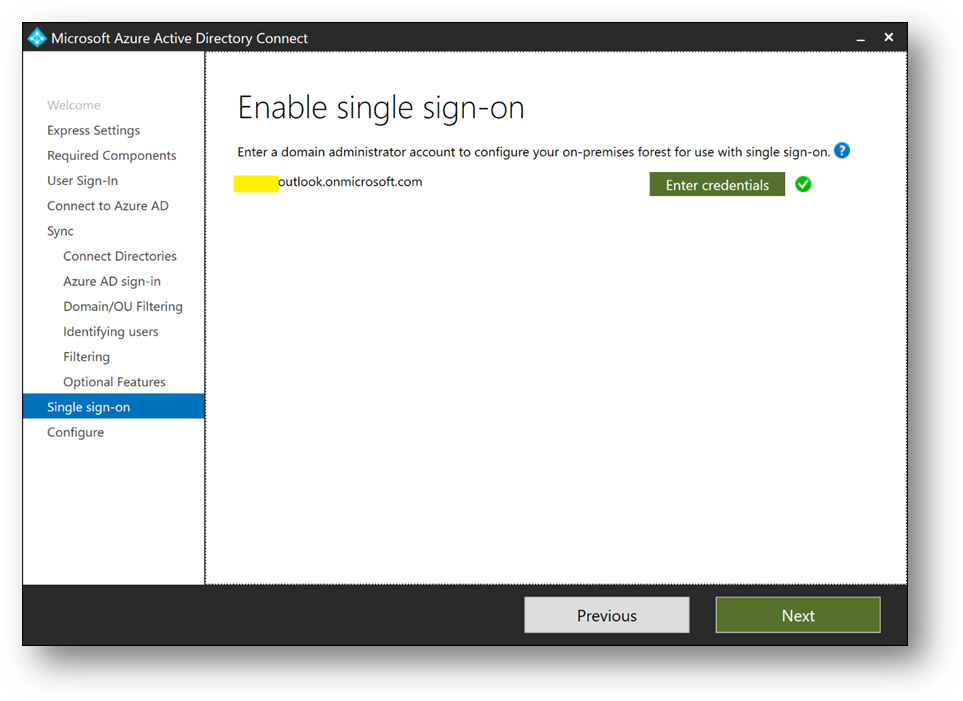
- Check [Enable single sign-on] and click on [Next]
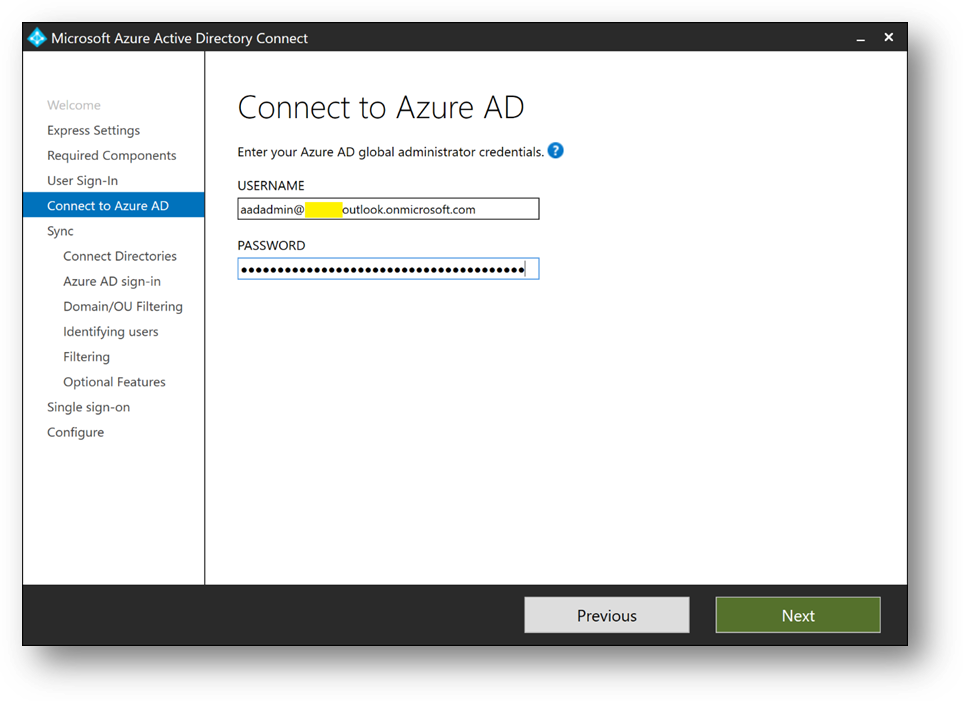
- Connect with your Azure Active Directory global administrator aadadmin.
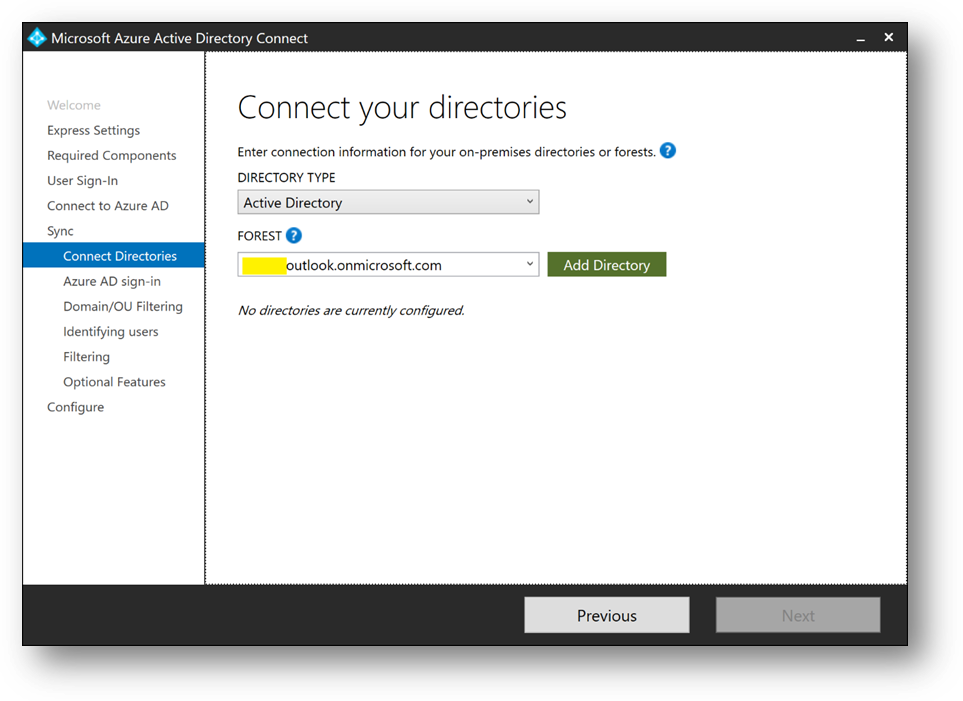
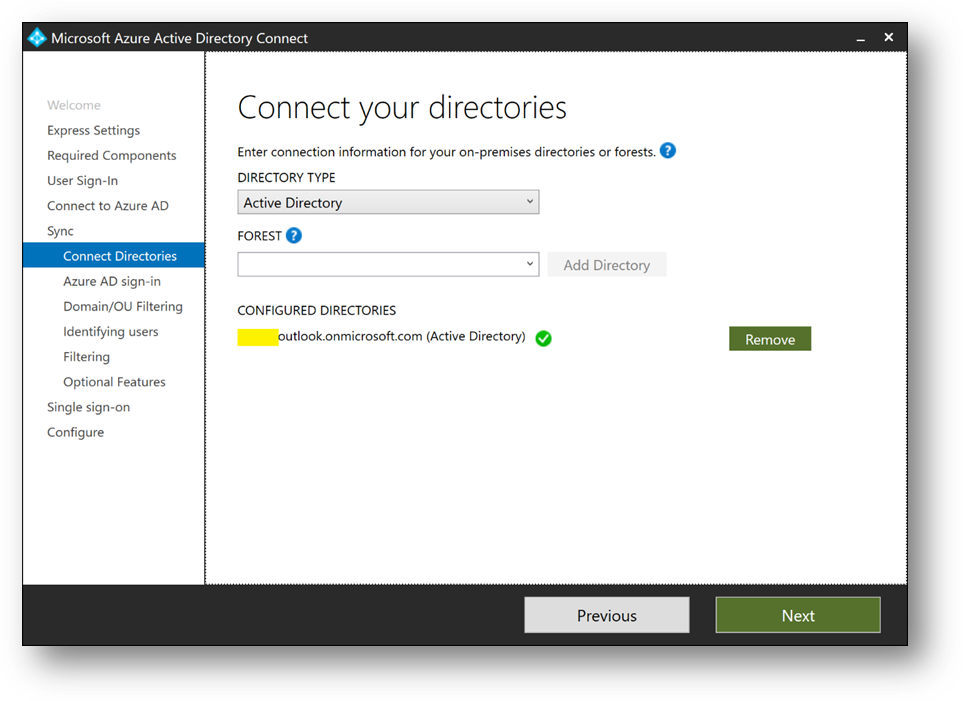
- Click on [Add directory] to connect your directory
- Select [Use existing AD account], use the adsyncuser account and click on [OK]
- Click on [Next]
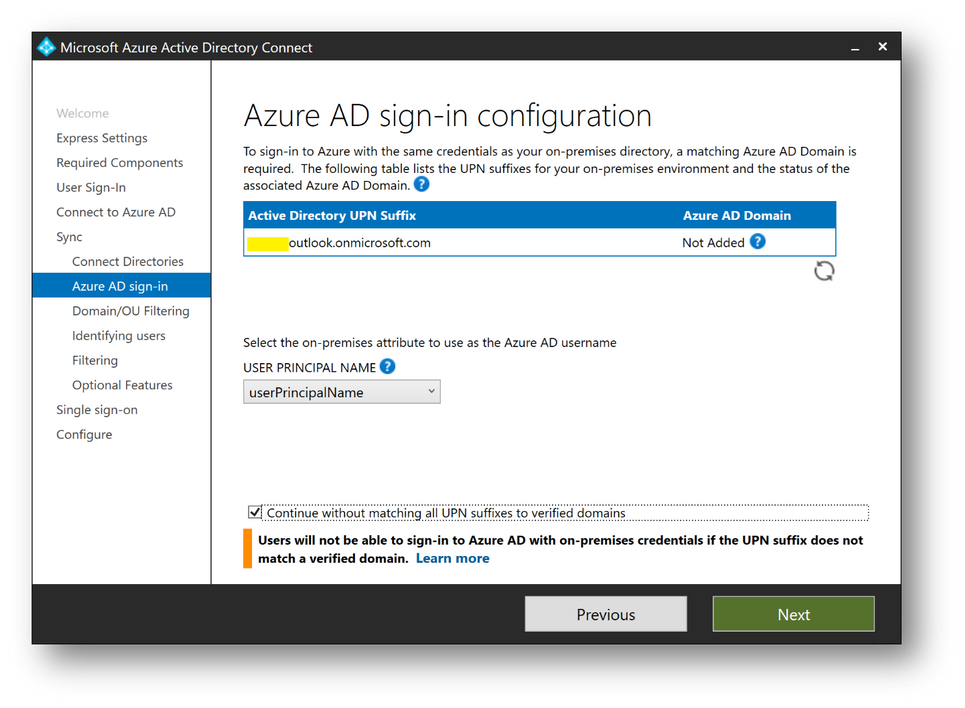
- Check [Continue without matching all UPN suffixes to verified domain] and click on [Next]
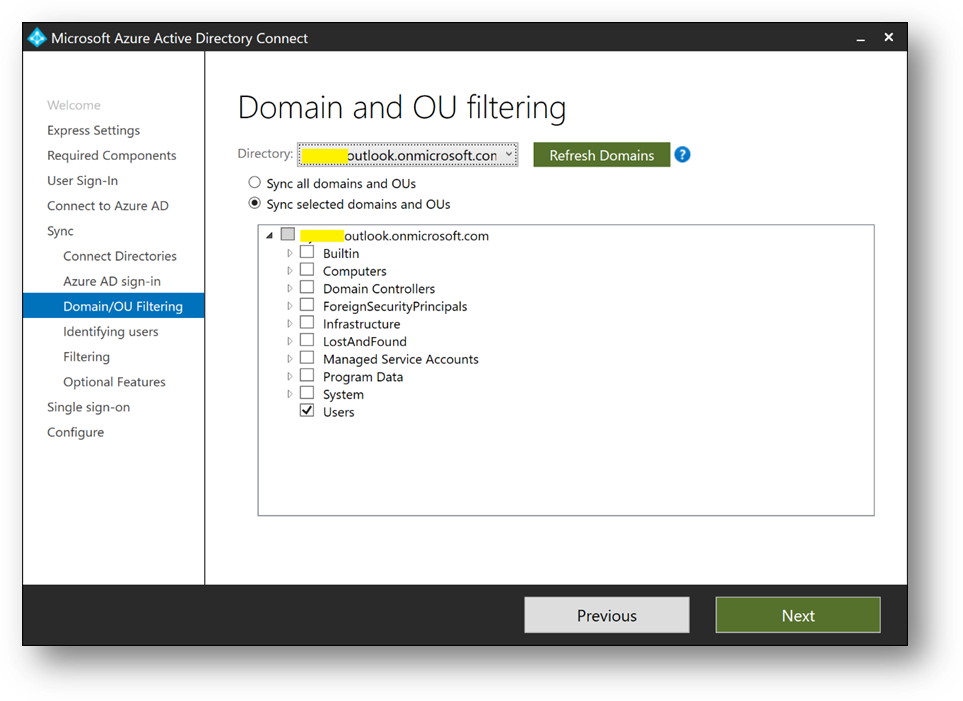
- Select [Sync select domains and OUs] and check [Users] only. Click on [Next]
- Click on [Next]
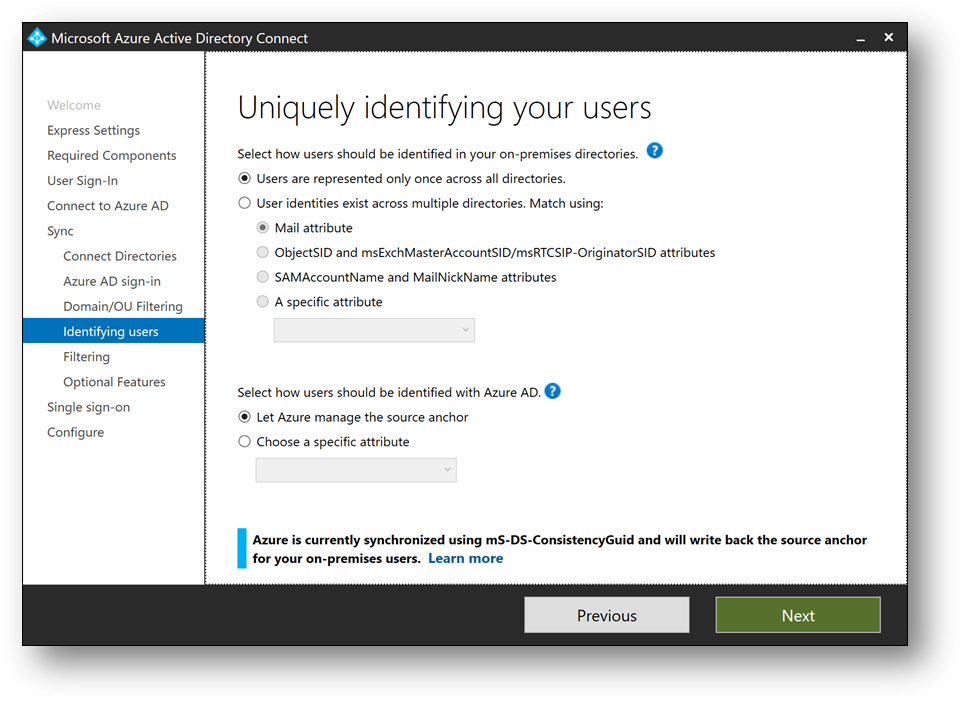
- Select [Synchronize selected] and enter MyUsers. Click [Resolve], then [Next]
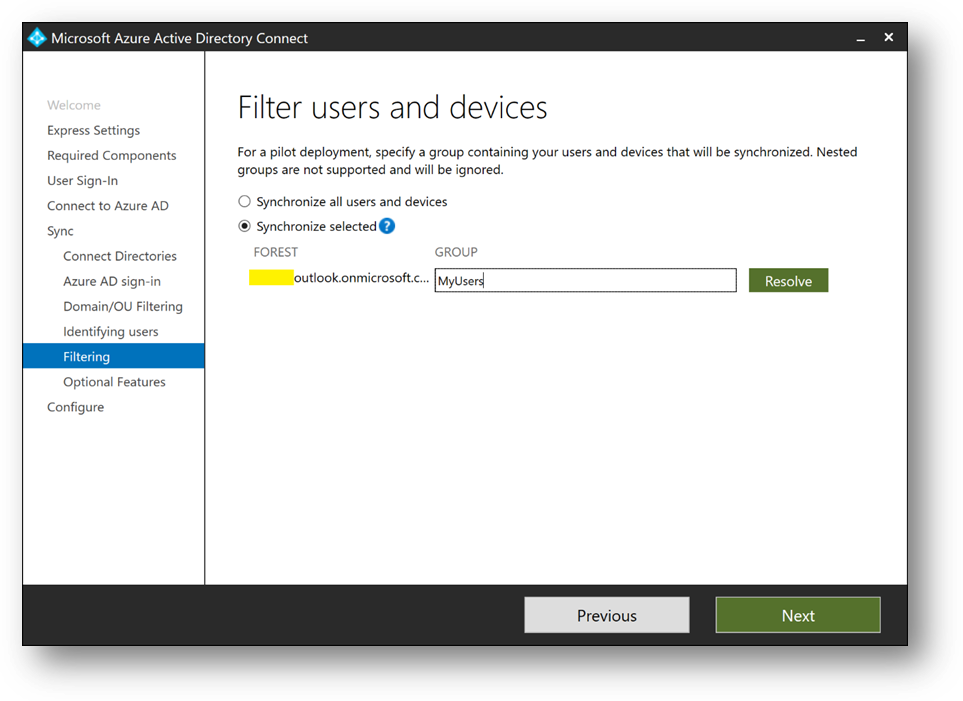
- Click on [Next]
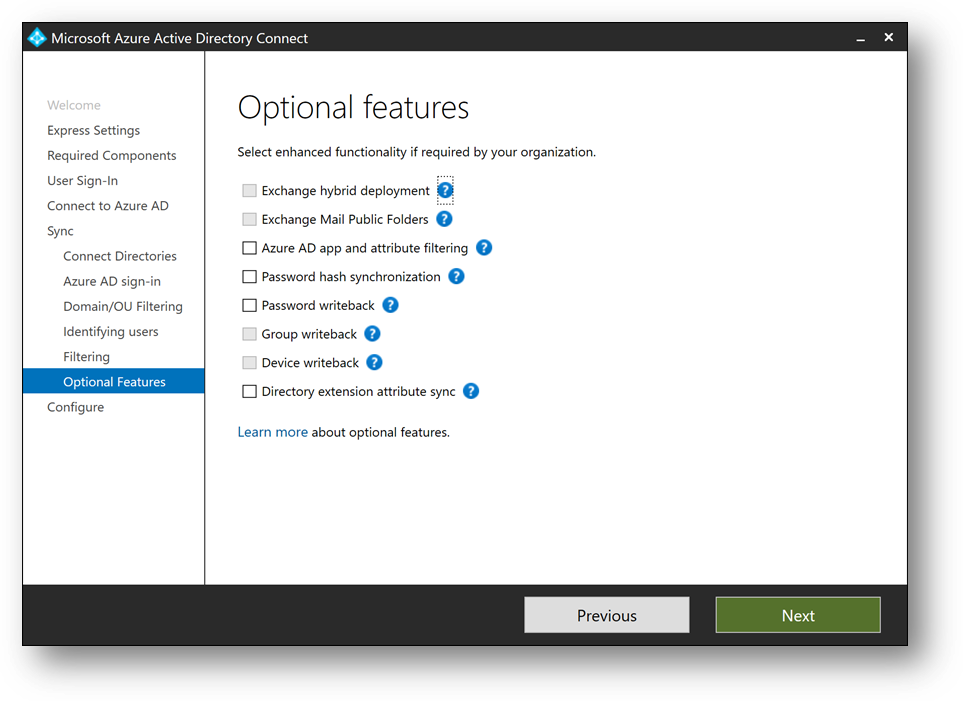
- Click on [Next]. If prompted for Forest Credentials, use adadmin
- Verify [Start the synchronization process when configuration completes] is checked and click on [Install]
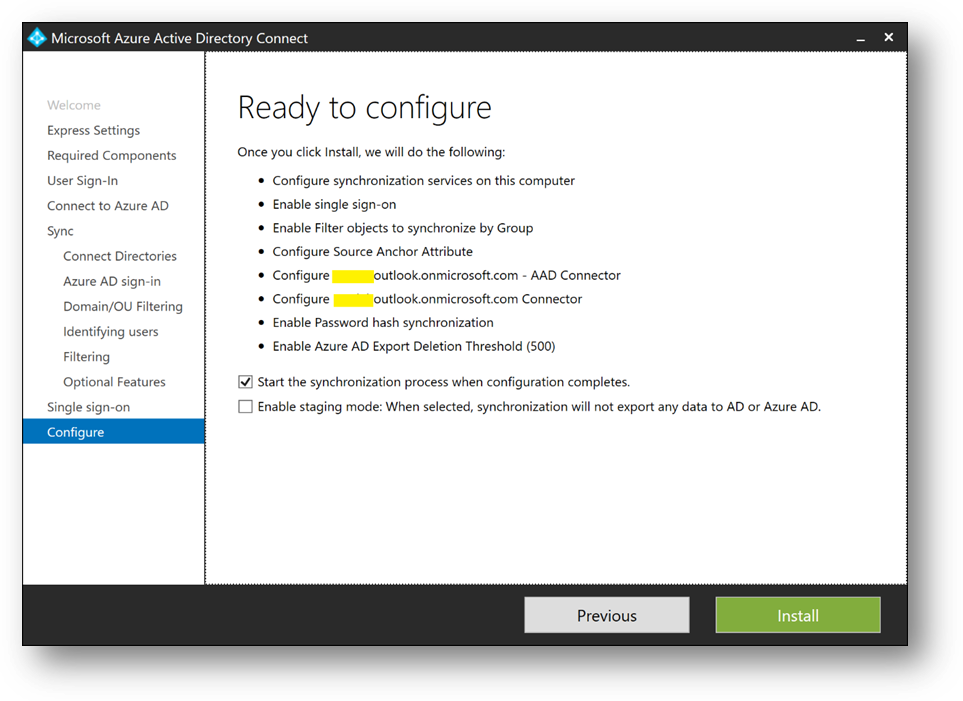
- Click on [Exit]
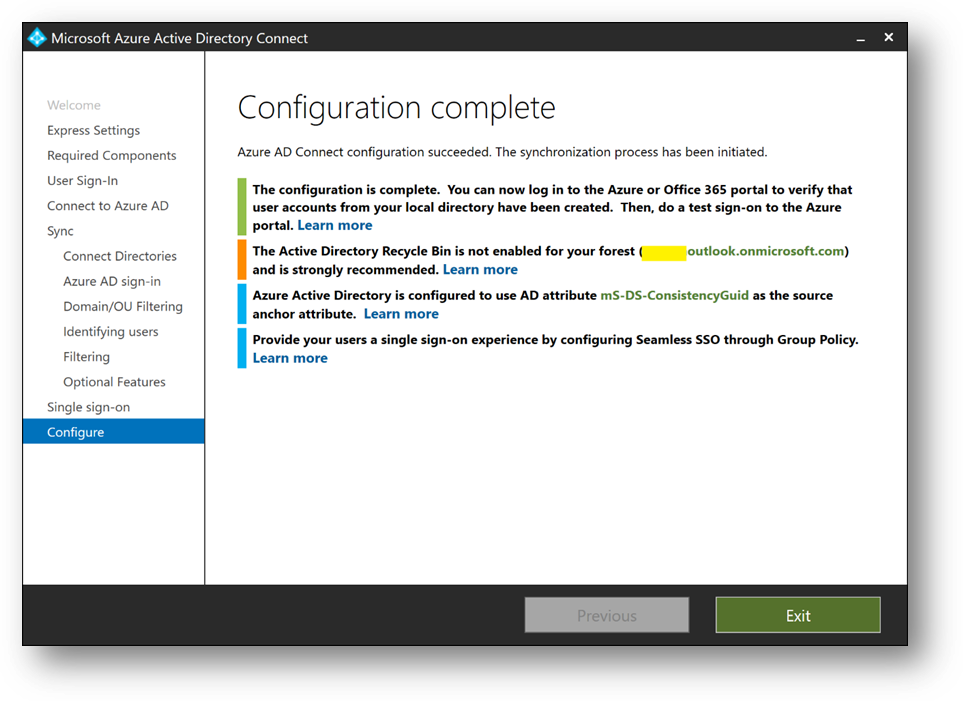
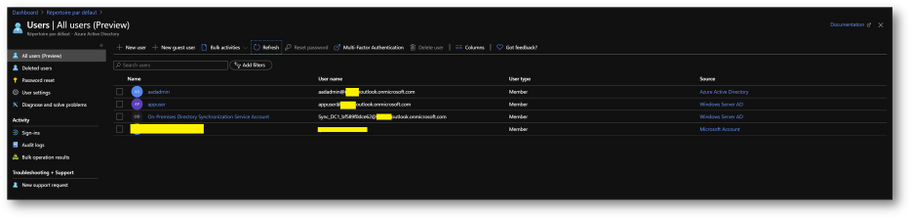
- On the Azure portal, you should now see your appuser in your Azure Active Directory
- Check Seamless Single Sign-on is enable on your forest. To do it, click on the [Azure AD Connect] blade in your Azure Active Directory
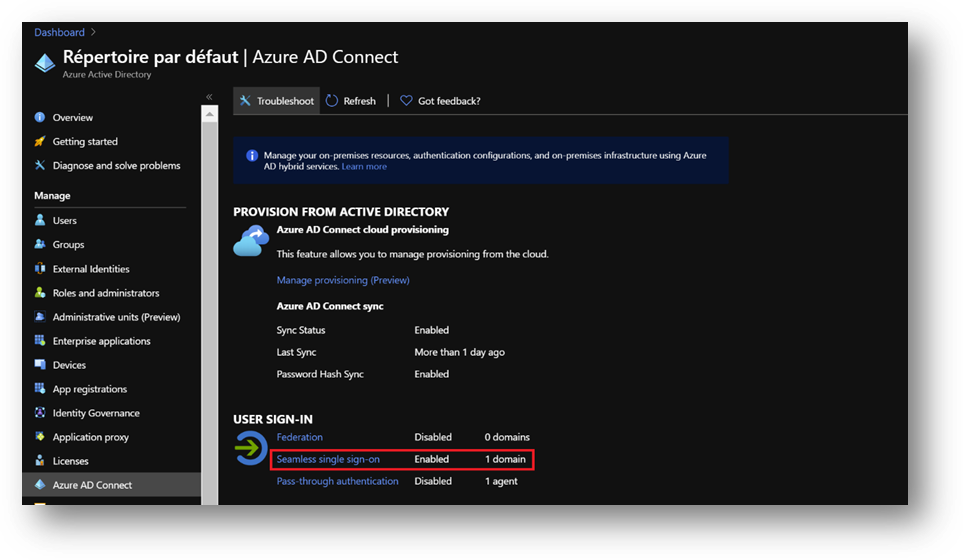
- If Seamless Single Sign-on is disable, enable it using the following procedure.
https://docs.microsoft.com/en-us/azure/active-directory/hybrid/tshoot-connect-sso#manual-reset-of-the-feature
Add a GPO
To enable Seamless Single Sign-on, we’ll use a GPO to modify some settings
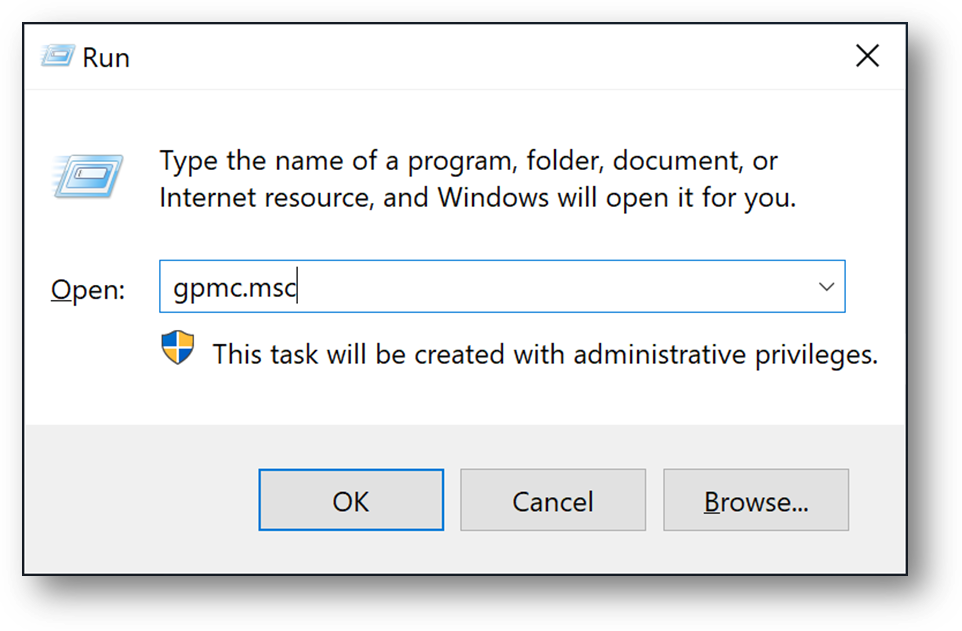
- On DC1, [Windows + R] and type “gpmc.msc”
- Click right on your domain and select [Create a GPO in this domain, and Link it here…]
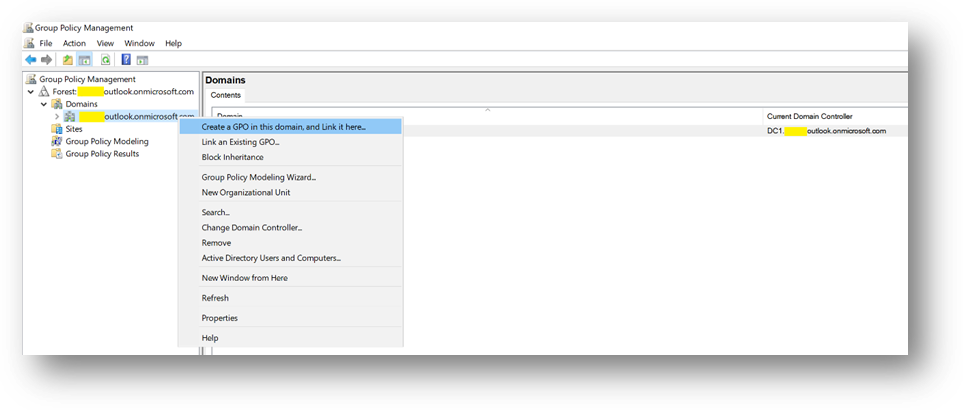
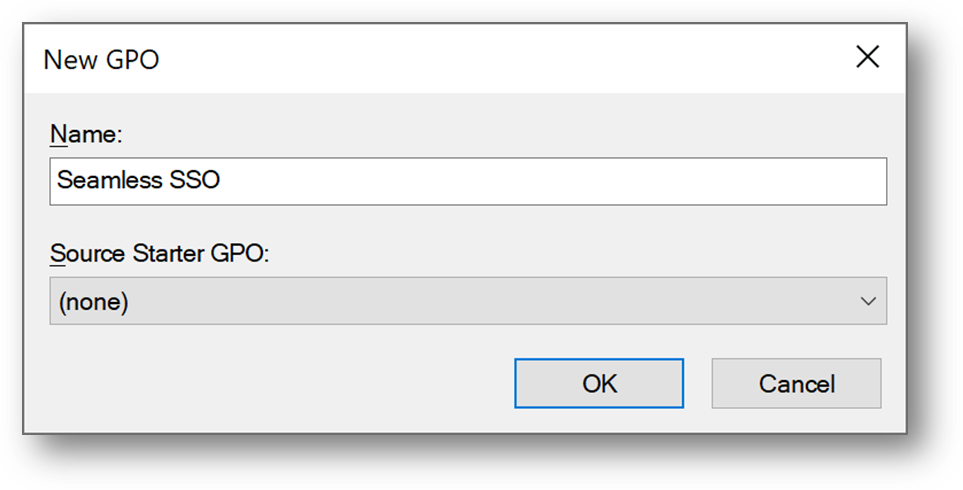
- Name it Seamless SSO
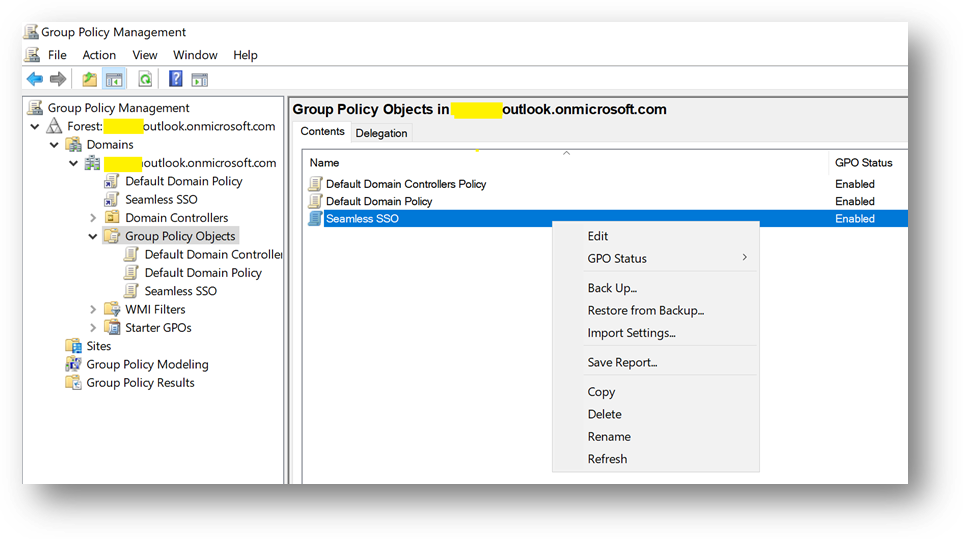
- Edit the Seamless SSO GPO
- Go to “User ConfigurationPoliciesAdministrative TemplatesWindows Componentslnternet Explorerlnternet Control PanelSecurity Page” and open “Site to Zone Assignment List”
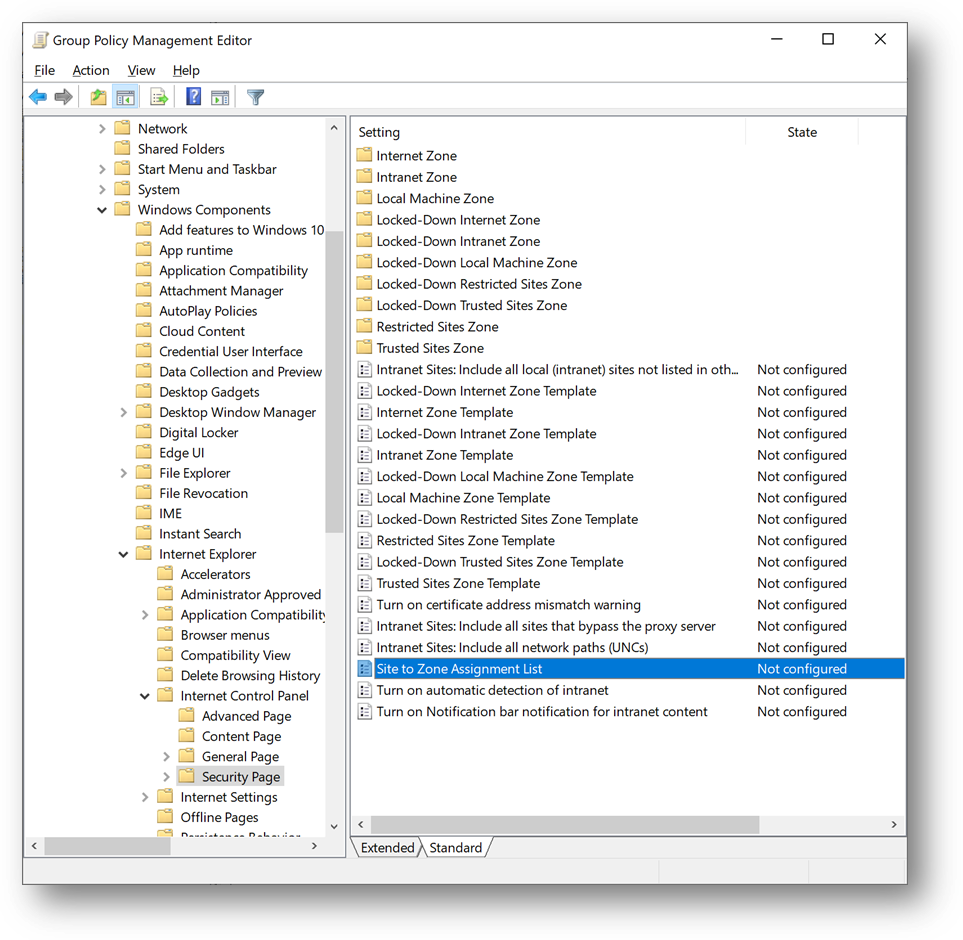
- Select [Enabled] and click on [Show]
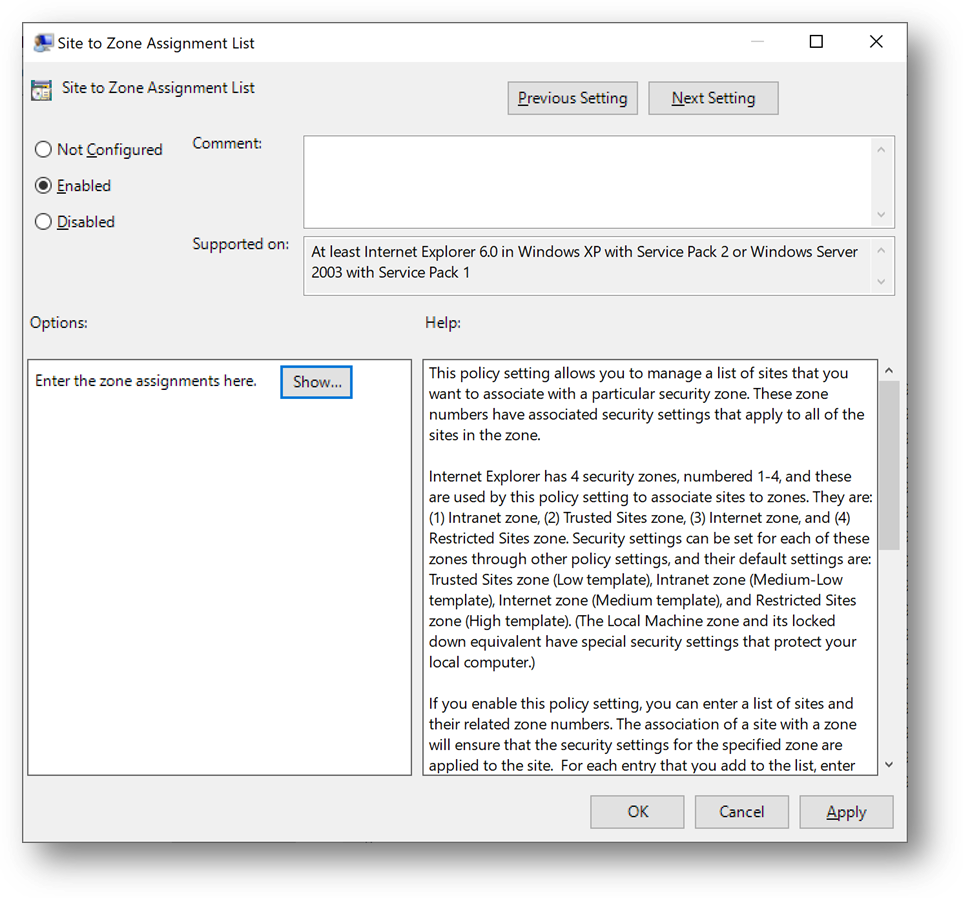
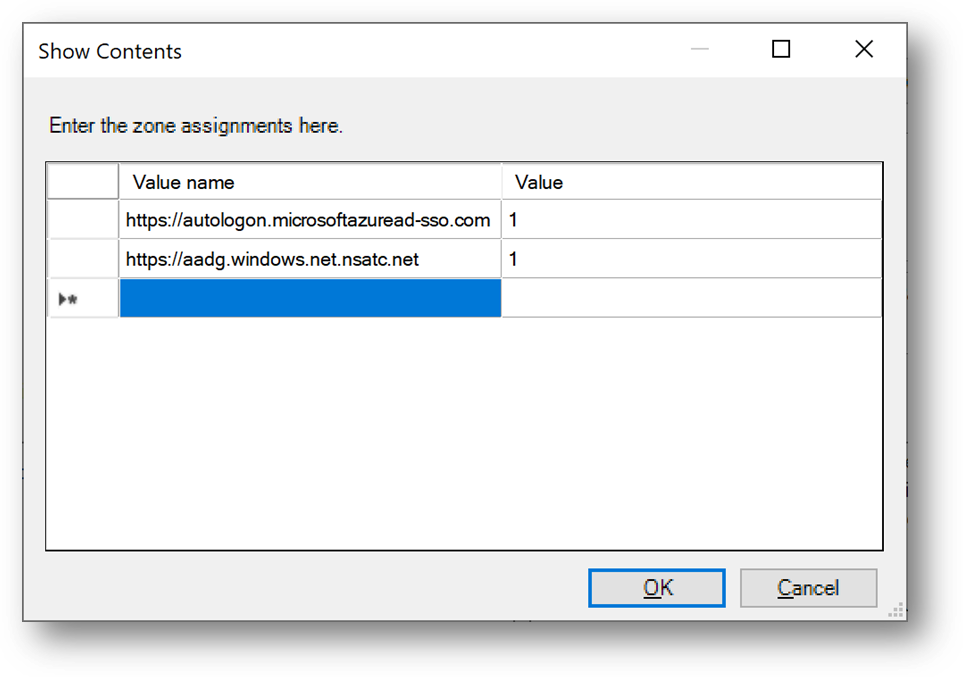
- Enter the following records and click on [OK]
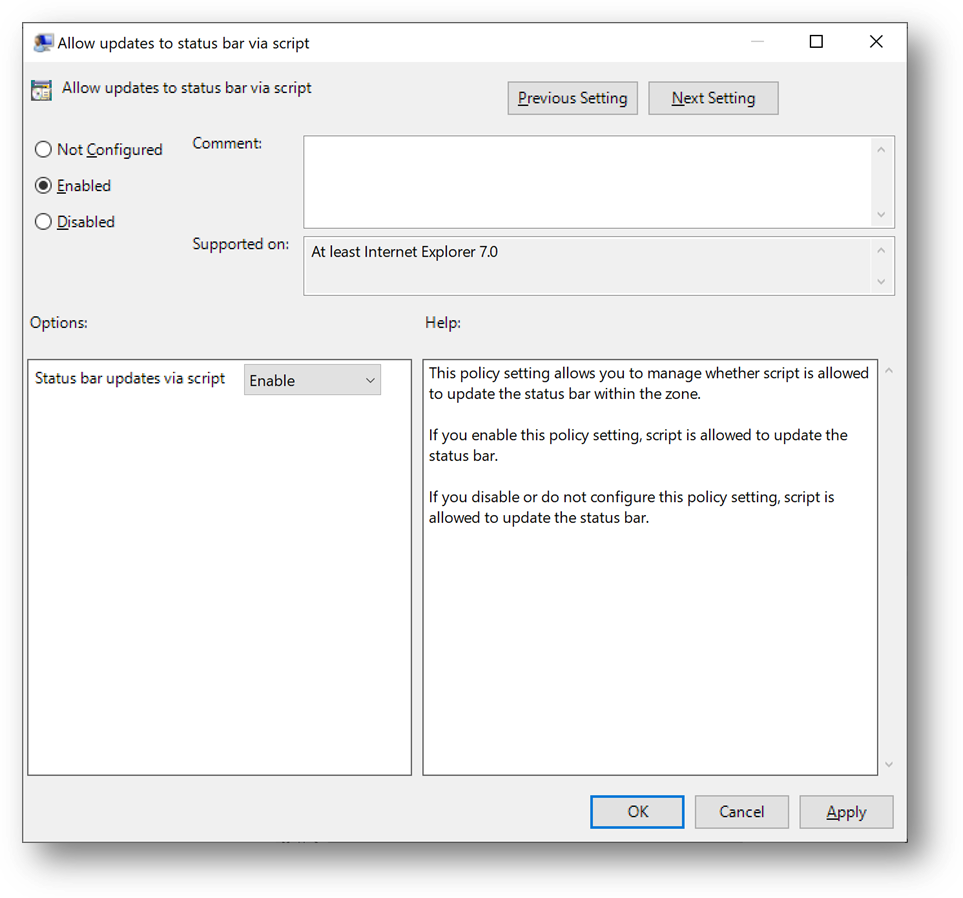
- Then go to “User TemplatesWindows Componentslnternet Explorerlnternet Control PanelSecurity Pagelntranet Zone” and open “Allow updates to status bar via script”
- Select [Enabled] and click on [OK]
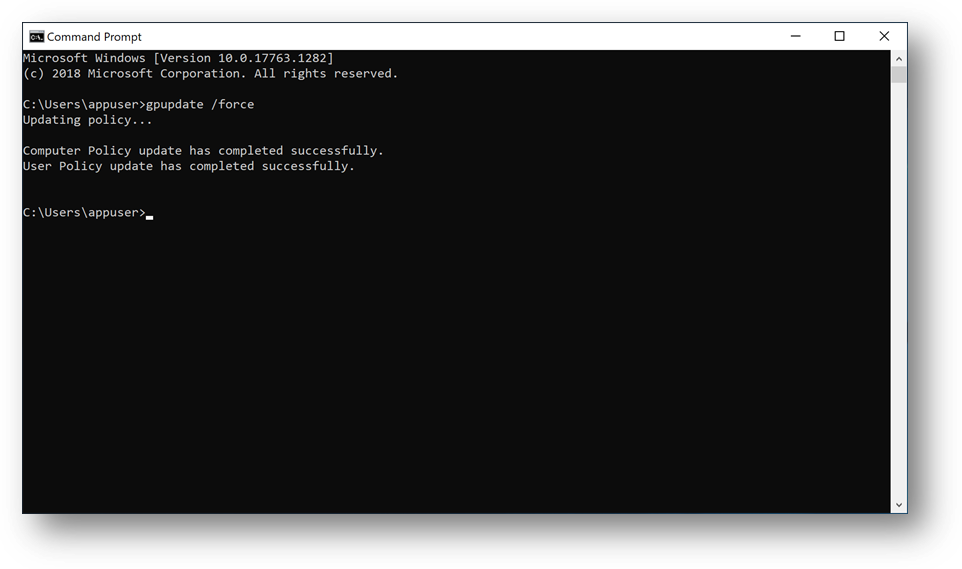
- Connect to Client1, launch a Command Prompt and type “gpudate /force”
Configure Azure SQL Database
We’ll now configure the Azure AD authentication with Azure SQL. (link)
- On the Azure portal, go to your Azure SQL Database server sqlaadauthsrv and click on [Active Directory admin] blade.
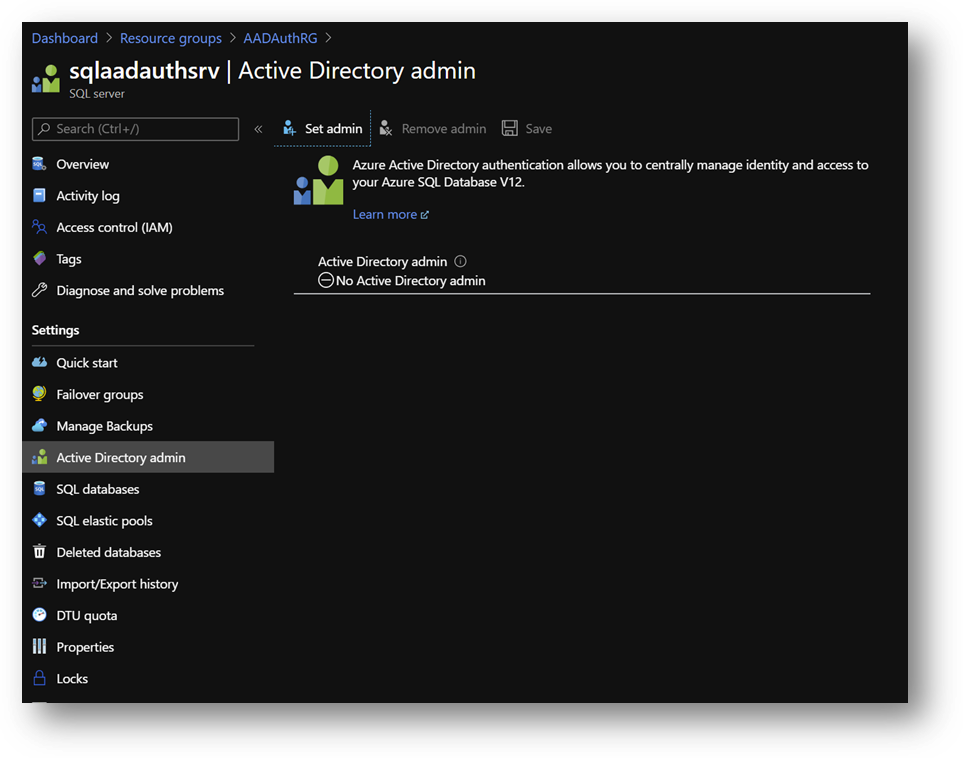
- Click on [Set admin] and select aadadmin. Then click on [Save]
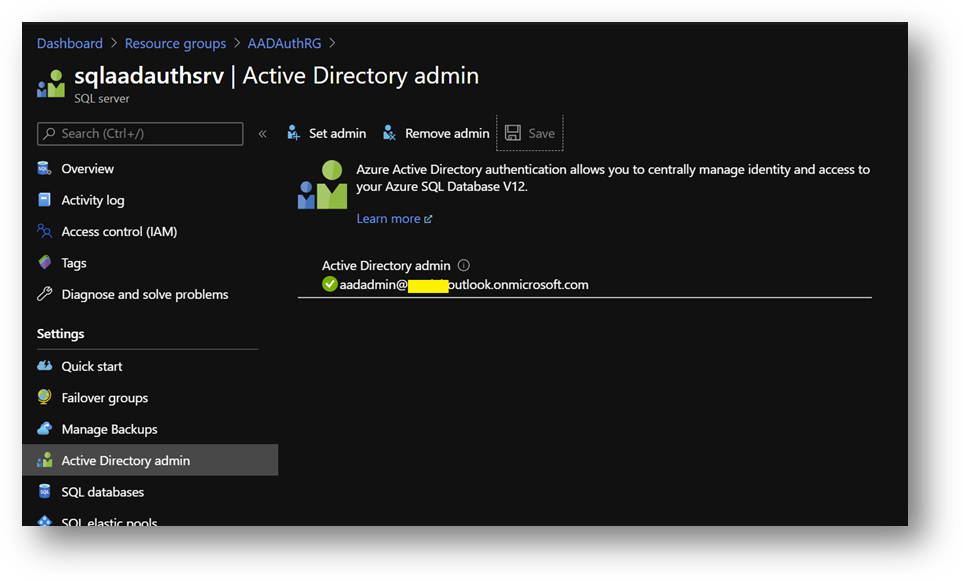
Note: For this sanbox, I use aadadmin account, which is an AAD Global Administrator, to reduce the number of tasks. However, an account with less privileges should be used for a production environment or any other environment.
- Now, open SSMS and connect to your Azure SQL Database with your aadadmin user using “Azure Active Directory – Password” authentication method.
Only connections established with Active Directory accounts can create other Active Directory users
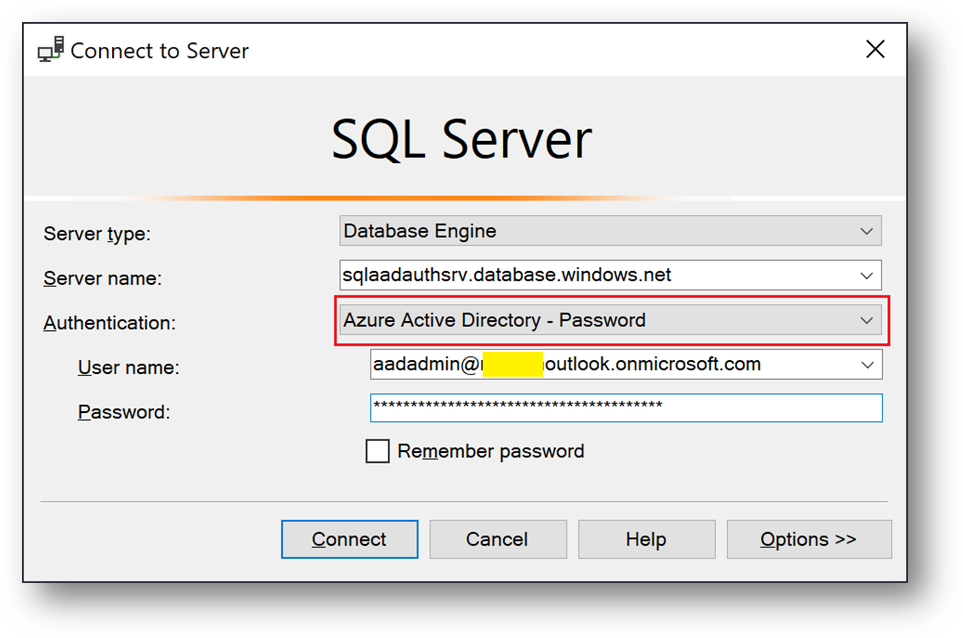
- Open a new query on AdventureWorksLT and create a database user for appuser
CREATE USER [appuser@***outlook.onmicrosoft.com] FROM EXTERNAL PROVIDER
EXEC sp_addrolemember 'db_datareader', 'appuser@***outlook.onmicrosoft.com';
- Now, connect to Client1 using <Domain>appuser account.
- You should now be able to connect your Azure SQL Database with the “Azure Active Directory – Integrated” authentication method.
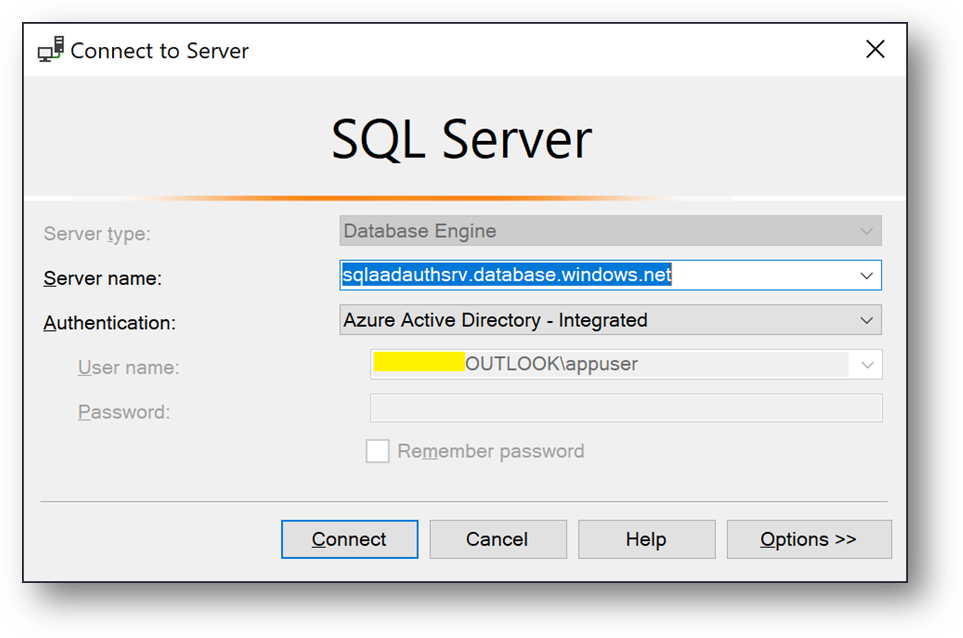
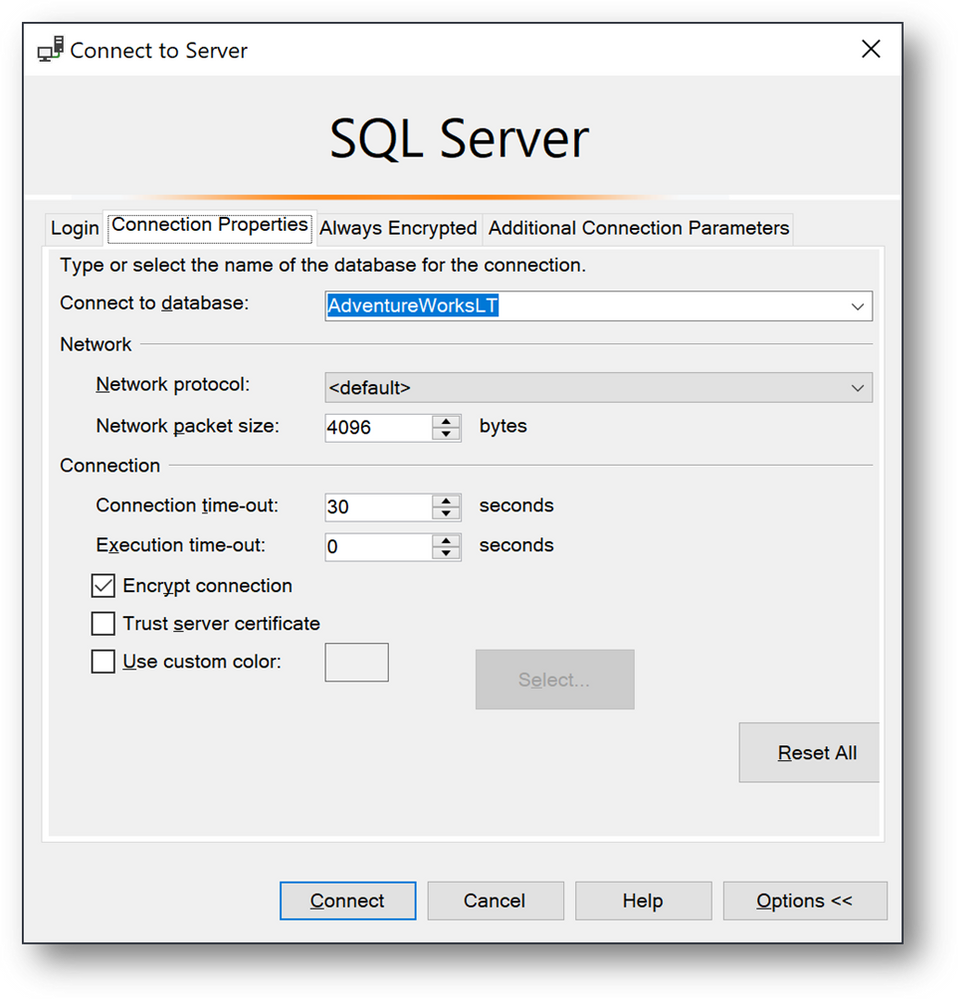
- Click on [Options], [Connection Properties] and fill the [Connect to database] field with the database Name AdventureWorksLT.
- Finally click on [Connect]
Hope this helps.
Ryad B
Customer Engineer – Data & AI

by Scott Muniz | Aug 18, 2020 | Azure, Microsoft, Technology, Uncategorized
This article is contributed. See the original author and article here.
In a historic day, Microsoft today announced it has transitioned Azure HDInsight to the Microsoft engineered distribution of Apache Hadoop and Spark, specifically built to drastically improve the performance, improved release cadence of powerful Open Source data analytics frameworks and optimized to natively run at cloud scale in Azure. This transition will further help customers by establishing a common Open Source Analytics distribution across various Azure data services such as Azure Synapse & SQL Server Big Data Clusters.
Starting this week, customers creating Azure HDInsight clusters such as Apache Spark, Hadoop, Kafka & HBase in Azure HDInsight 4.0 will be created using Microsoft distribution of Hadoop and Spark.
As part of today’s release, we are adding following new capabilities to HDInsight 4.0
SparkCruise: Queries in production workloads and interactive data analytics are often overlapping, i.e., multiple queries share parts of the computation. These redundancies increase the processing time and total cost for the users. To reuse computations, many big data processing systems support materialized views. However, it is challenging to manually select common computations in the workload given the size and evolving nature of the query workloads. In this release, we are introducing a new Spark capability called “SparkCruise” that will significantly improve the performance of Spark SQL.
SparkCruise is an automatic computation reuse system that selects the most useful common subexpressions to materialize based on the past query workload. SparkCruise materializes these subexpressions as part of query processing, so you can continue with their query processing just as before and computation reuse is automatically applied in the background — all without any modifications to the Spark code. SparkCruise has shown to improve the overall runtime of a benchmark derived from TPC-DS benchmark queries by 30%.
SparkCruise: Automatic Computation Reuse in Apache Spark
Hive View: Hive is a data warehouse infrastructure built on top of Hadoop. It provides tools to enable
data ETL, a mechanism to put structures on the data, and the capability to query and analyze large data sets that are stored in Hadoop. Hive View is designed to help you to author, optimize, and execute Hive queries. We are bringing Hive View natively to HDInsight 4.0 as part of this release.
Tez View: Tez is a framework for building high-performance batch and interactive data processing applications. When you run a job such as a Hive query Tez, you can use Tez View to track and debug the execution of that job. Tez View is now available in HDInsight 4.0
Frequently asked questions
What is Microsoft distribution of Hadoop & Spark (MDH)?
Microsoft engineered distribution of Apache Hadoop and Spark. Please read the motivation behind this step here
• Apache analytics projects built, delivered, and supported completely by Microsoft
• Apache projects enhanced with Microsoft’s years of experience with Cloud-Scale Big Data analytics
• Innovations by Microsoft offered back to the community
What can I do with HDInsight with MDH?
Easily run popular open-source frameworks—including Apache Hadoop, Spark, and Kafka—using Azure HDInsight, cost-effective, enterprise-grade service for open-source analytics. Effortlessly process massive amounts of data and get all the benefits of the broad open-source ecosystem with the global scale of Azure.
What versions of Apache frameworks available as part of MDH?
|
Component
|
HDInsight 4.0
|
|
Apache Hadoop and YARN
|
3.1.1
|
|
Apache Tez
|
0.9.1
|
|
Apache Pig
|
0.16.0
|
|
Apache Hive
|
3.1.0
|
|
Apache Ranger
|
1.1.0
|
|
Apache HBase
|
2.1.6
|
|
Apache Sqoop
|
1.4.7
|
|
Apache Oozie
|
4.3.1
|
|
Apache Zookeeper
|
3.4.6
|
|
Apache Phoenix
|
5
|
|
Apache Spark
|
2.4.4
|
|
Apache Livy
|
0.5
|
|
Apache Kafka
|
2.1.1
|
|
Apache Ambari
|
2.7.0
|
|
Apache Zeppelin
|
0.8.0
|
In which region Azure HDInsight with MDH is available?
HDInsight with MDH is available in all HDInsight supported regions
What version of HDInsight with MDH will map to?
HDInsight with MDH maps to HDInsight 4.0. We expect 100% compatibility with HDInsight 4.0
Do you support Azure Data Lake Store Gen 2? How about Azure Data Lake Store Gen 1?
Yes, we support storage services such as ADLS Gen 2, ADLS Gen1 and BLOB store
What happens to the existing running cluster created with the HDP distribution?
Existing clusters created with HDP distribution runs without any change.
How can I verify if my cluster is leveraging MDH?
You can verify the stack version (HDInsight 4.1) in Ambari (Ambari–>User–>Versions)
How do I get support?
Support mechanisms are not changing, customers continue to engage support channels such as Microsoft support
Is there a cost difference?
There is no cost or billing change with HDInsight with Microsoft supported distribution of Hadoop & Spark.
Is Microsoft trying to benefit from the open-source community without contributing back?
No. Azure customers are demanding the ability to build and operate analytics applications based on the most innovative open-source analytics projects on the state-of-the-art enterprise features in the Azure platform. Microsoft is committed to meeting the requirements of such customers in the best and fastest way possible. Microsoft is investing deeply in the most popular open-source projects and driving innovations into the same. Microsoft will work with the open-source community to contribute the relevant changes back to the Apache project itself.
Will customers who use the Microsoft distribution get locked into Azure or other Microsoft offerings?
The Microsoft distribution of Apache projects is optimized for the cloud and will be tested extensively to ensure that they work best on Azure. Where needed, the changes will be based on open or industry-standard APIs.
How will Microsoft decide which open-source projects to include in its distribution?
To start with, the Microsoft distribution contains the open-source projects supported in the latest version of Azure HDInsight. Additional projects will be included in the distribution based on feedback from customers, partners, and the open-source community.
Get started
by Scott Muniz | Aug 18, 2020 | Azure, Microsoft, Technology, Uncategorized
This article is contributed. See the original author and article here.
Final Update: Tuesday, 18 August 2020 20:26 UTC
We’ve confirmed that all systems are back to normal with no customer impact as of 8/18, 19:00 UTC. Our logs show the customers would have seen intermittent data gaps when using Workspace Based Application Insights starting on 8/15, 16:45 UTC and that during the 3 days, 2 hours and 15 minutes that it took to resolve the issue, 657 customers of this public preview feature in East US, South Central US, and West US 2 regions experienced the issue.
- Root Cause: A regression in a recent deployment that has been rolled back.
- Incident Timeline: 3 Days. 2 Hours & 15 minutes – 8/15, 16:45 UTC through 8/18, 19:00 UTC
We understand that customers rely on Application Insights as a critical service and apologize for any impact this incident caused.
-Jeff
by Scott Muniz | Aug 18, 2020 | Azure, Microsoft, Technology, Uncategorized
This article is contributed. See the original author and article here.
Azure Sphere OS version 20.08 Update 1 is now available in the Retail Eval feed. This OS release contains a security update.
Because this change represents a critical update to the OS, the retail evaluation period will be shortened and the final 20.08 release will be published as soon as possible within the next 7 days to ensure systems stay secure. During this time, please continue verifying that your applications and devices operate properly with this retail evaluation release before it’s deployed broadly via the Retail feed. The Retail feed will continue to deliver OS version 20.07 until we publish the final 20.08 release.
For more information
For more information on Azure Sphere OS feeds and setting up an evaluation device group, see Azure Sphere OS feeds.
If you encounter problems
For self-help technical inquiries, please visit Microsoft Q&A or Stack Overflow. If you require technical support and have a support plan, please submit a support ticket in Microsoft Azure Support or work with your Microsoft Technical Account Manager. If you would like to purchase a support plan, please explore the Azure support plans.
by Scott Muniz | Aug 18, 2020 | Azure, Microsoft, Technology, Uncategorized
This article is contributed. See the original author and article here.
Within Azure SQL maintenance tasks such as backups and integrity checks are handled for you, and while you may be able to get away with automatic updates keeping your statistics up-to-date, sometimes it’s not enough. Proactively managing statistics in Azure SQL requires some extra steps, and in this Data Exposed episode with MVP Erin Stellato, we’ll step through how you can schedule and automate regular updates to statistics.
Watch on Data Exposed
Additional Resources:
SQL Server Maintenance Solution
SQL Server Index and Statistics Maintenance
View/share our latest episodes on Channel 9 and YouTube!
by Scott Muniz | Aug 18, 2020 | Azure, Microsoft, Technology, Uncategorized
This article is contributed. See the original author and article here.
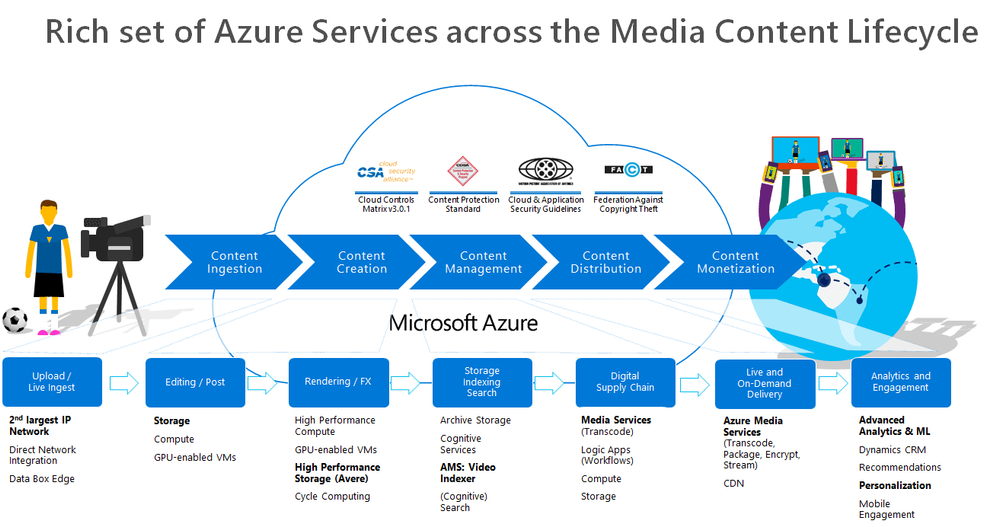
Over the last two months, I’ve engaged with a few media companies who wanted to learn how to integrate Azure Media Services into their workflow. Azure Media Services (AMS) offers a whole range of media capabilities for content ingest, storage, transcoding, video AI, encryption, dynamic packaging, and delivery – be it for live streaming or VOD through a single or multi-CDN.

This post contains 2 sample workflow implementations for content ingest and clear stream publishing
- A logic app that monitors newly uploaded content in an Azure Storage for transcoding and indexing.
- A logic app for publishing a media asset with a clear stream locator.
Reference and Set-up
Before I start, let me just share first that I referred to these 2 GitHub Repos extensively in implementing this logic app:
In doing so, I had to refactor some functions and split them into two. I also had to add some more functions to suit my needs. So I forked the v3 repository, which you can check out here: https://github.com/raffertyuy/media-services-v3-dotnet-core-functions-integration.
Create an Azure Function App and deploy the functions found in the advanced-vod-workflow folder.
Also, if you prefer to skip reading the logic app documentation below, feel free to clone the repo above and go straight to the code.
Upload and Process Workflow
Media companies will have an existing process for the creation of mezzanine files. These files are then typically uploaded to a CDN for content distribution. Given that this process already exists, the idea here is to add/modify the upload destination to an Azure Storage instead and expect it to be processed in Azure Media Services.
Media Service Assets
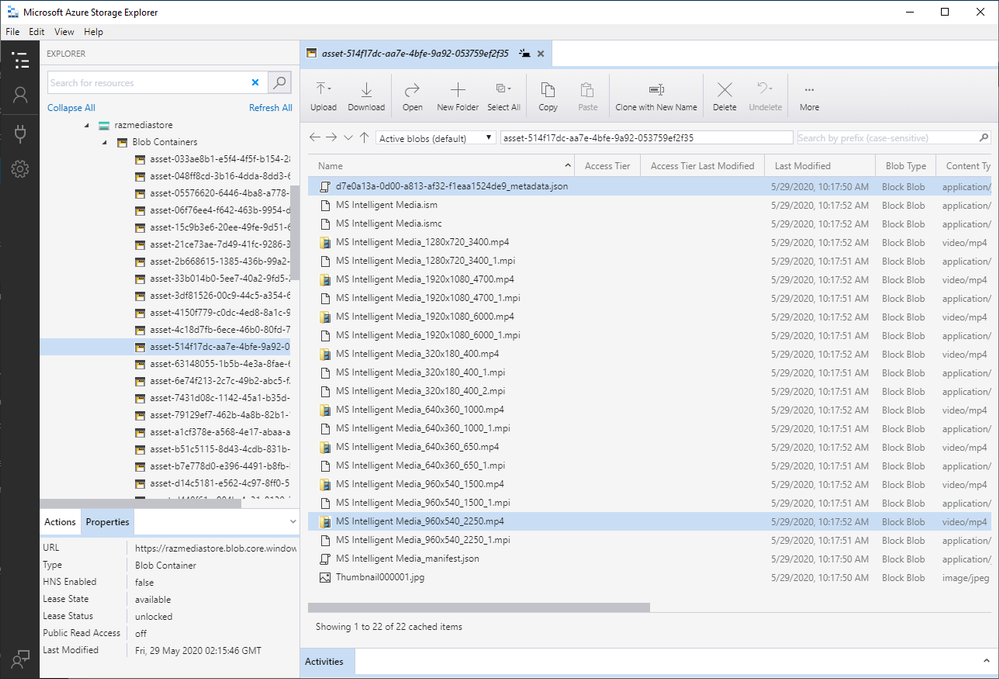
An Asset is a core concept specific to Azure Media Services (AMS). It is not a single blob in Azure Storage. An asset from a storage perspective will contain multiple files, such as its metadata, multiple bitrate files, etc. Internally, AMS handles this by mapping each asset to an Azure Blob container, which contains all of these files.
So the main challenge is how to upload a mezzanine file and get it recognized as a media asset by Azure Media Services, and this is where logic apps come in.
The Logic App
Azure Logic Apps is a cloud service that helps you schedule, automate, and orchestrate tasks, business processes, and workflows when you need to integrate apps, data, systems, and services across enterprises or organizations. In this particular case, we are using logic apps to:
- Monitor an Azure Storage account for new uploads
- Create an Asset in Azure Media Services
- Transcode the asset into multi-bitrate
- Send to Azure Video Indexer for Video AI insights
In implementing this logic app, I used a lot of connectors, including a connector to Azure Functions. I used Azure functions to execute code that is not available in Logic Apps.
Monitor an Azure Storage Account for New Uploads
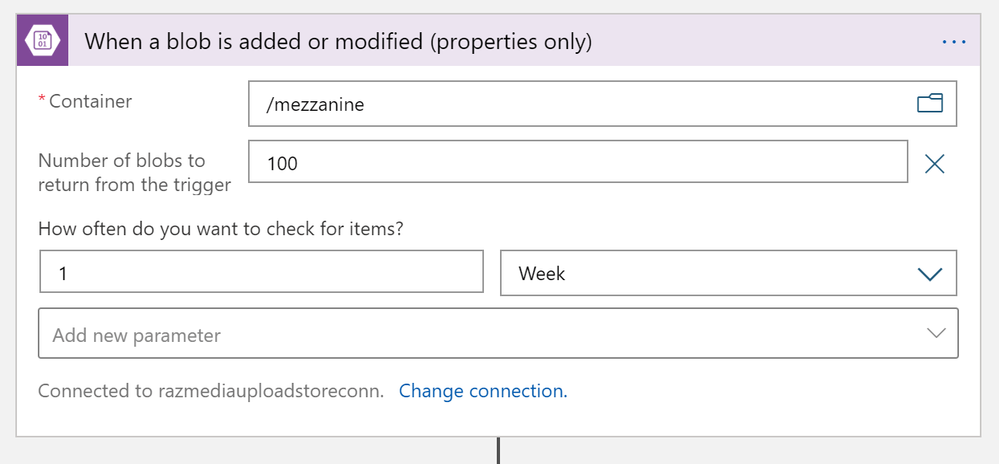
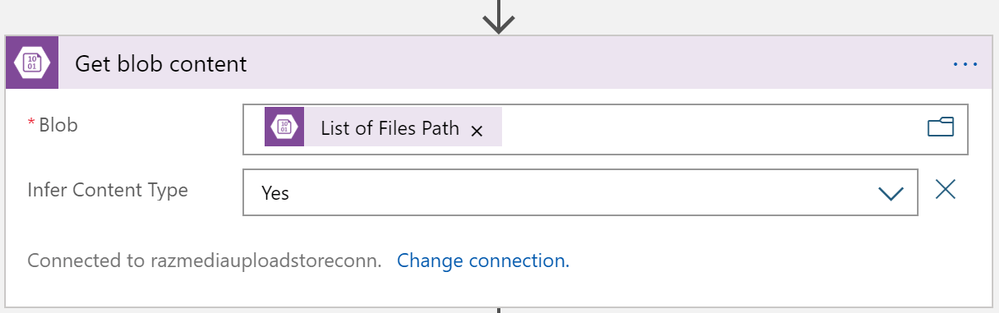
This one is easy; I used the Azure Blob Storage trigger to monitor for new files uploaded to my /mezzanine Azure storage container. But since media files usually are quite large, we need to ensure that the file is segmented in chunks. As recommended in this article, the way is to use the “properties only” trigger and then use an additional Get blob content action.
Create an Asset in Azure Media Services
Interestingly, AMSv3, at this point, does not have a quick API call to convert a file into a recognized media asset. The process is first to create an “empty asset” and then copy the blob content over. The process looks like this:
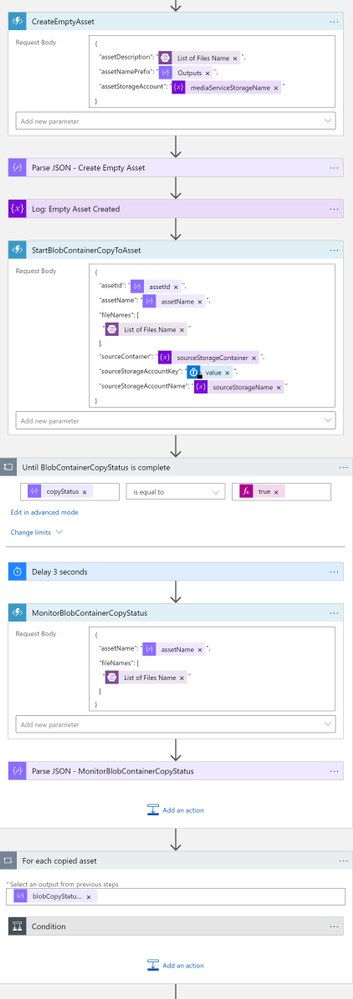
Note that CreateEmptyAsset, StartBlobContainerCopyToAsset, and MonitorBlobContainerCopyStatus are Azure Functions.
Transcode the Asset into Multi-bitrate
Azure Media Services has out-of-the-box presents for us to do our tests, but in a real-world scenario, a media company will likely have their custom-defined list of transcoding profiles. In this sample implementation, I used the H264MultipleBitrate1080 preset. I then created a Transform (if it doesn’t yet exist) and then submitted a job for transcoding. You may refer to this article to understand these concepts better.
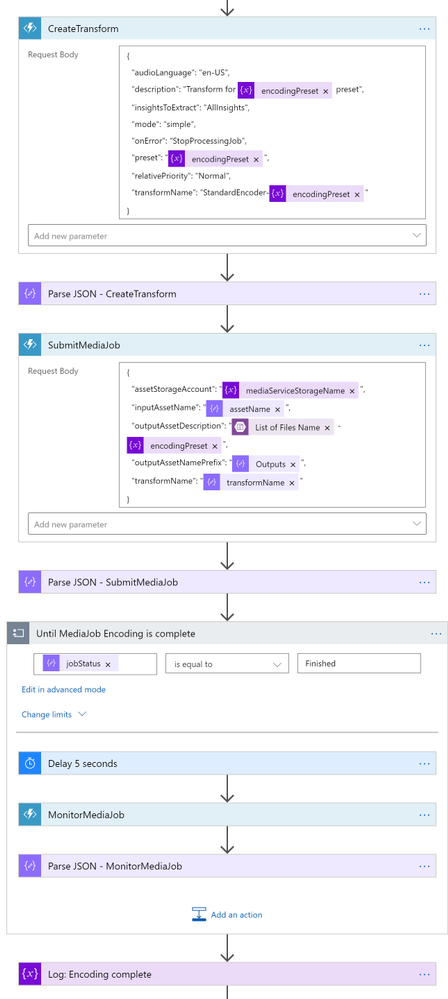
So I used the CreateTransform and SubmitMediaJob functions here. If you are planning to modify this logic app to suit your needs, you may need to spend some time understanding how to use these functions. In this logic app, this is where I spent most of my time. The sample code isn’t very well documented and not bug-free (As previously stated, this is a forked repo from AzureSamples), so it required a lot of trial-and-error and bug fixing.
If you are planning to create a new custom preset, you need to set "preset": "CustomPreset" and then define a "customPresetJson": {...} according to this.
After the asset is transcoded, I then move the asset to another blob container. Since there is no “move” action, I had to create in the destination container first, and then delete the original one.
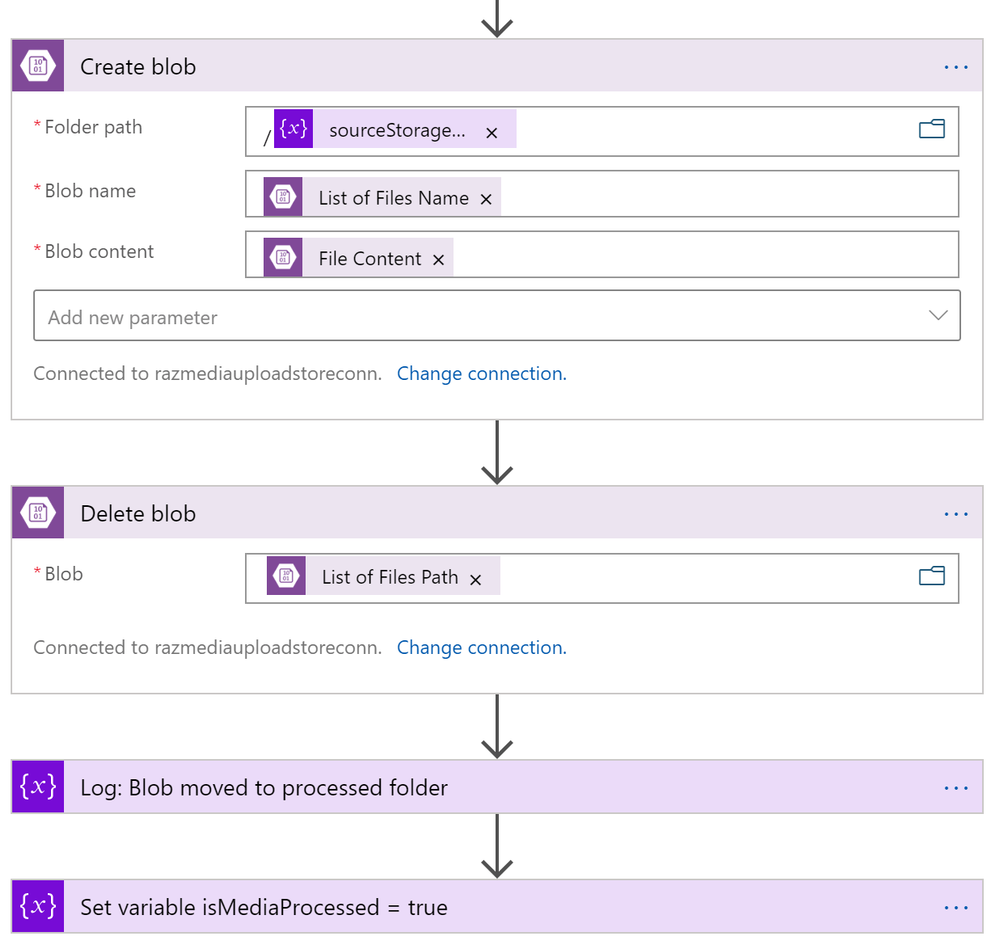
Send to Azure Video Indexer
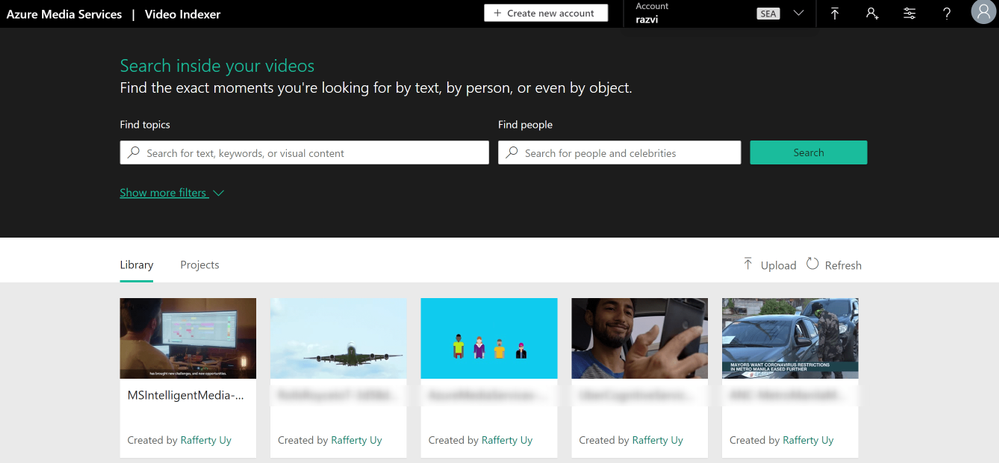
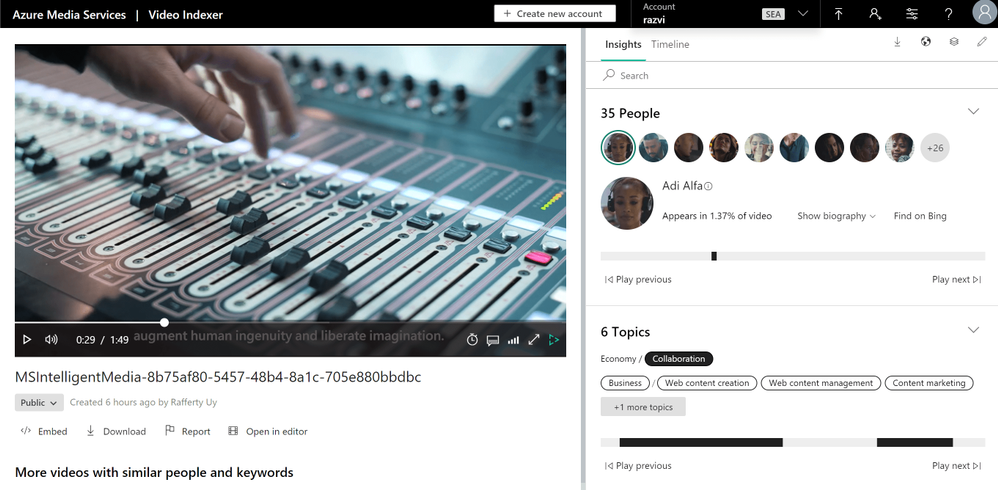
Parallel to transcoding, I added another branch for sending the file to Video Indexer. Azure Video Indexer is the media service AI solution for extracting more insights such as the transcripts, keywords, sentiments, celebrities, landmarks, etc. that are found in the media asset.
In uploading, you may choose to upload from a blob URL straight. But since we already have a media asset, I went with the Asset ID parameter option.
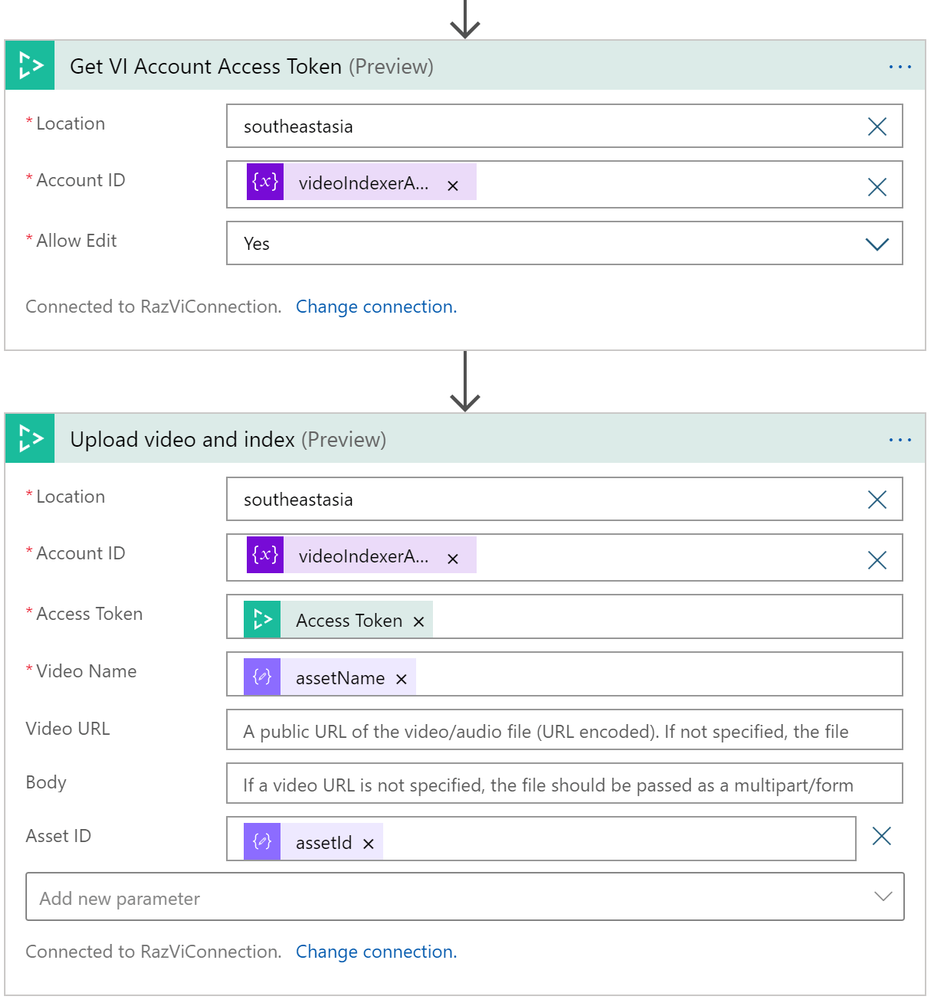
One interesting note here is that VI will transcode the asset again into a 720p Single Bitrate file.
Output
And here are the results after running this logic app
Azure Media Service Explorer
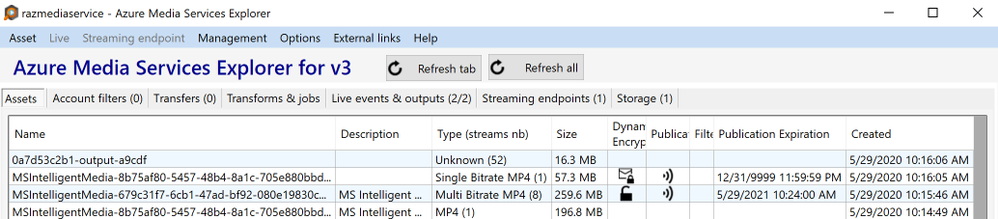
Media Asset in the Azure Storage
Insights from Azure Video Indexer
Publish Asset for Streaming
Publishing an asset in this article’s definition is about creating a streaming locator so that the asset is available for VOD.
The Logic App
This is a pretty simple logic app and could have been combined with the previous one. But there are many reasons for not publishing an asset immediately after transcoding such as:
- Checking the quality of the video,
- Adding AES or DRM encryption policies,
- Adding closed captions,
- and more
So to disconnect, I used an HTTP POST request to trigger this logic app, with the following JSON content-type body.
{
    "properties": {
        "alternative-media-id": {
            "type": "string"
        },
        "assetName": {
            "type": "string"
        },
        "contentKeyPolicyName": {
            "type": "string"
        },
        "endDateTime": {
            "type": "string"
        },
        "startDateTime": {
            "type": "string"
        },
        "streamingEndpointName": {
            "type": "string"
        },
        "streamingLocatorId": {
            "type": "string"
        },
        "streamingPolicyName": {
            "type": "string"
        }
    },
    "type": "object"
}
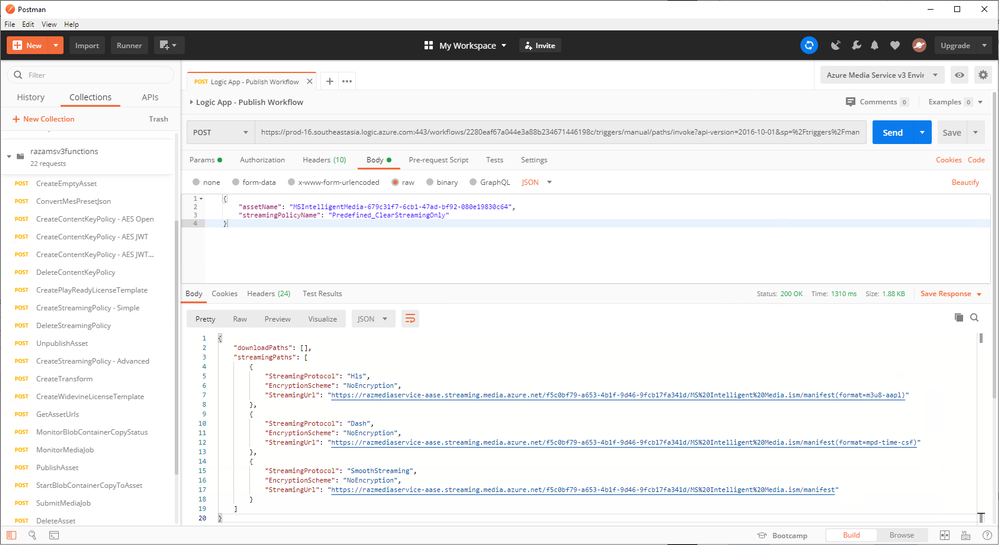
A simple request body will look like this:
{
    "assetName": "MSIntelligentMedia-679c31f7-6cb1-47ad-bf92-080e19830c64",
    "streamingPolicyName": "Predefined_ClearStreamingOnly"
}
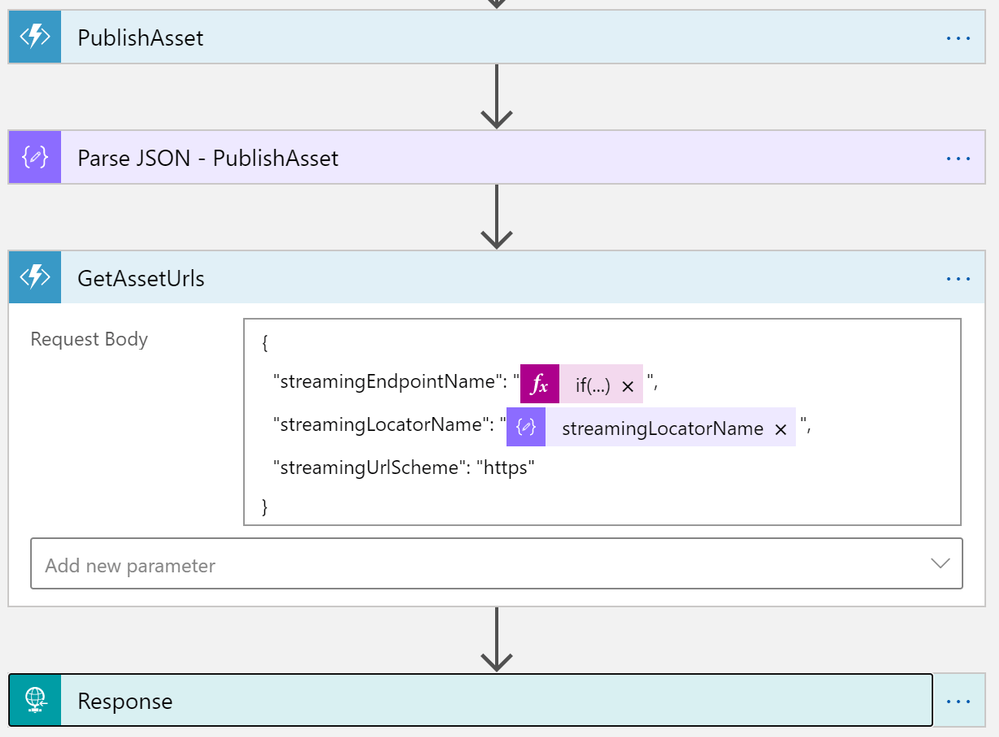
With this HTTP request, it will be as simple as calling the PublishAsset and GetAssetUrls Azure Functions.
Output
This HTTP request will give me the following output.
Conclusion
In this post, we learned how to create an Upload-and-Publish workflow using Azure Logic Apps and Azure Functions. Azure Functions for calling the Azure Media Service APIs and Logic Apps to orchestrate the workflow. This post also shows that Azure Logic Apps is not just a low-code/no-code tool. It is fully capable of integrating with your custom code.
GitHub Repository: https://github.com/raffertyuy/media-services-v3-dotnet-core-functions-integration


Recent Comments