by Contributed | Oct 21, 2020 | Technology
This article is contributed. See the original author and article here.
Infrastructure as Code
Infrastructure as Code, IaC is the process of expressing your infrastructure as Code as readable text files over using UIs to configure the same. The benefits of doing so are many. Below are some benefits:
- Dev and Ops can work in the same process. There’s a need for Developers and Ops to work more tightly to innovate faster with speed and accuracy. Developers normally store their code in a version control system like Git. You can now do the same with your templates, text files desribing your Cloud resources.
- Anyone can deploy. When your templates are in version control, anyone on the team can deploy, just use a tool like Azure-CLI or PowerShell to do so. When everyone in a team can deploy it’s important that it can be done reliably.
- You know what’s in the Cloud. Before IaC you were/are using a graphical interface or some tool to manage your resources. It’s easy to loose track of what you have in the Cloud. If you instead express your resources as text files it’s a lot easier to see what’s going on.
- Easier to reproduce elsewhere. In theory at least, it should be a lot easier to recreate your Cloud operation elsewhere if you are looking to expand your company’s business elsewhere.
Azure Resource Management
Azure Resource Management, ARM, is one of the ways you can use to implement IaC, the other way is by using Terraform. The idea is to express your cloud resources as JSON files. Then you deploy the files to the Cloud by running either Azure-CLI or PowerShell. Every JSON file is known as a template. A template contains your resources you want to deploy but it also contains different constructs that makes it easy to manage your resources as things gets more complicated. Examples of such constructs are parameters, variables, template functions and outputs.
LEARN path
IaC using ARM is quite a big topic. Therefore myself and some colleagues have authored a 4 part series describing the various constructs and aspects of it.
Here’s a link to the path, an overview page for all the tutorials
https://docs.microsoft.com/en-us/learn/paths/deploy-manage-resource-manager-templates/
Each tutorial contains various aspects of ARM. Below follows a description of each tutorial:
Deploy consistent infrastructure in Azure by using Azure Resource Manager (ARM) templates
https://docs.microsoft.com/en-us/learn/modules/create-azure-resource-manager-template-vs-code/
Write Azure Resource Manager templates by using Visual Studio Code to deploy your infrastructure to Azure consistently and reliably.
- Implement an Azure Resource Manager template by using Visual Studio Code.
- Declare resources and add flexibility to your template by adding resources, parameters, and outputs.
Deploy to multiple Azure environments by using ARM templates
https://docs.microsoft.com/en-us/learn/modules/modify-azure-resource-manager-template-reuse/
Manage multiple Azure environment deployments of your Azure Resource Manager templates by using functions, variables, tags, and parameter files.
- Create an expression for a unique value by using Azure Resource Manager template functions.
- Reuse your expression by storing it in an Azure Resource Manager template variable.
- Organize and track your deployed Azure resources by using resource tags.
- Manage multiple deployment parameters by using Azure Resource Manager template parameter files.
Validate your deployments by using what-if and the ARM template test toolkit
https://docs.microsoft.com/en-us/learn/modules/arm-template-test/
This module teaches two major things, how to preview your changes with the what-if operation and the value of doing so. Secondly it teaches you how to create valid templates and gives you good recommendations that you can follow using the ARM template test toolkit tool.
- Preview what changes will happen before you deploy by using the what-if operation.
- Validate your templates adherence to sound recommendations using ARM template test toolkit.
- Implement domain specific rules for deployments that can be run by ARM template test toolkit.
Deploy modular and reusable ARM templates from the command line and by using GitHub Actions
https://docs.microsoft.com/en-us/learn/modules/deploy-templates-command-line-github-actions/
Learn how to deploy Azure Resource Manager (ARM) templates by using Azure PowerShell, the Azure CLI, and from GitHub Actions. Use linked templates to break down complex templates into templates that are more modular.
- Choose the best way to deploy ARM templates, based on your needs.
- Modularize your templates by using linked templates.
- Learn how to create a GitHub Actions to deploy templates.

by Contributed | Oct 21, 2020 | Technology
This article is contributed. See the original author and article here.
This week, we are joined by none other than six-time titleholder Ashraf Alam!
Originally from Bangladesh, Ashraf recently relocated to the United Kingdom to begin work as Principal Engineer and System Architect at Schroders. Here, Ashraf is driving digital platform strategy to create innovative digital services for customers.
Previously, Ashraf was part of the cloud platform team at Autodesk for building high performance secured services for its several millions of customers and users.
The ASP.NET IIS MVP says these projects require a focus on digital ecosystems to support business growth and ensure customer satisfaction. “It is a very fascinating experience to learn and utilize the latest cloud platforms, like Microsoft Azure, to build and transform to reliable digital services for businesses,” Ashraf says.
Ashraf is also applying this technical knowledge to the non-profit online donation platform pashe.life. The platform, which Ashraf says is created by highly skilled developers looking to create a better world, allows donors to directly contribute to verified receivers and follow up with them in a trustworthy way.
During his MVP tenure between 2007 and 2012, Ashraf looks back fondly at events like Microsoft Open Day, Microsoft Windows 7 Launch Party, Microsoft Open Source in .NET Open Day, and Microsoft SharePoint Community Day.
“Also, being a judge at Microsoft Imagine Cup regional competition was a great experience as it allowed me to learn about innovative thoughts and works from young students to create a better world,” he says.
Today, Ashraf remains a regular contributor to the open source community. He is active at github with one of his pet projects being EISK, which provides libraries and templates for .net developers to build scalable web applications easily. Since its first release in 2008, this starter kit has proven popular at MSDN galleries and codeplex. Moreover, the project has been featured in Microsoft’s Channel 9’s weekly show TWC9, also recently been listed in Microsoft’s Open Source project gallery and builtwithdot.net projects.
Besides open source engagements, Ashraf is a proud contributor at stackoverflow community and blogs at dev.to.
Looking forward, Ashraf is excited about using his tech knowledge to create larger societal change for the better. “Along with my professional engagements, my plan is to connect more with technical and startup communities to create examples and promote philosophy towards creating positive impacts through technology,” he says.
For more on Ashraf, check out his Twitter @AshrafulAlam

by Contributed | Oct 21, 2020 | Technology
This article is contributed. See the original author and article here.
We are very excited to announce the first monthly Azure Data Explorer ‘Ask Microsoft Anything’ (AMA)!
The AMA will take place on Wednesday, October 28, 2020 from 9:00 a.m. to 10:00 a.m. PT in the Azure Data Explorer AMA Group. Add the event to your calendar and view in your time zone here.
An AMA is a live online event similar to a “YamJam” on Yammer or an “Ask Me Anything” on Reddit. This AMA gives you the opportunity to connect with members of the product engineering team who will be on hand to answer your questions and listen to feedback.
by Contributed | Oct 21, 2020 | Technology
This article is contributed. See the original author and article here.
We continue improving your ADX Web Explorer user experience, here are some recent features you might have missed.
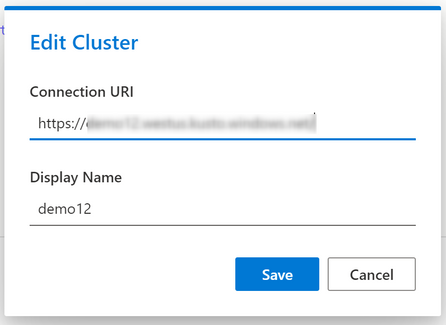
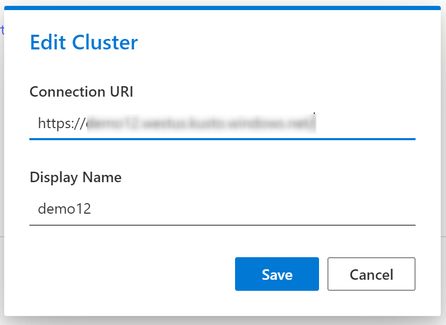
Cluster friendly names
You can now rename your cluster connections to display shorter and friendlier names.
Just right click on your clusters to edit them
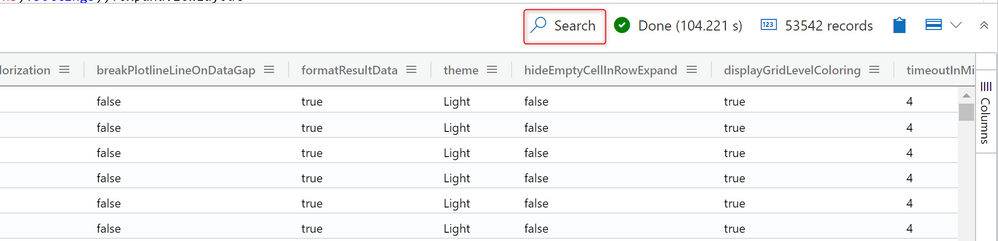
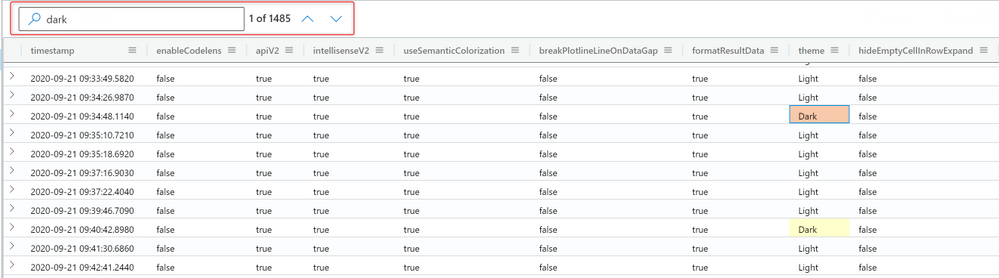
Search in grid
Search in the results grid by selecting the Search button on the top right of the results grid and entering an expression in the search box on the left
Rename a tab
To rename a tab just double click the tab name

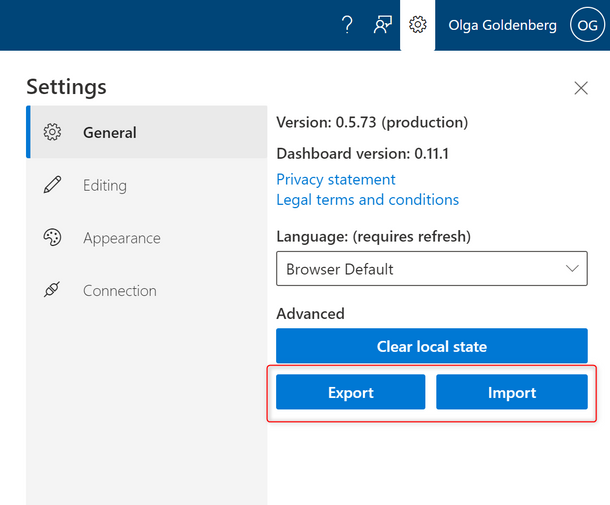
Export and import your query work environment
ADX allows you to export your entire work environment to a JSON file, this includes your cluster connections, open query tabs and settings.
You can use this functionality to manually backup your work environment or to easily migrate your cluster connections and query tabs between different devices.
Please note that the Export action only addresses the query work environment, and won’t include any dashboard data.
Maximize results pane
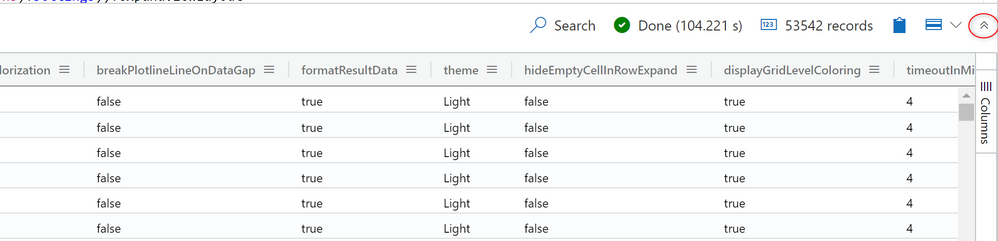
Use the arrows in the top right of the results pane to maximize its size.
Thank you for using our product and providing us with valuable feedbback!
Stay tuned for the next what’s new post.
Learn more about Azure Data Explorer (Kusto):
- Azure Data Explorer
- Documentation
- Course – Basics of KQL
- Query explorer
- Azure Portal
- User Voice
- Cost Estimator
- ADX End to End Lab
Join us to share questions, thoughts, or ideas about Azure Data Explorer (Kusto) and receive answers at the Azure Data Explorer community.
by Contributed | Oct 21, 2020 | Technology
This article is contributed. See the original author and article here.
Final Update: Wednesday, 21 October 2020 09:20 UTC
We’ve confirmed that all systems are back to normal with no customer impact as of 10/21, 07:48 UTC. Our logs show the incident started on 10/21, 07:30 UTC and that during the 18 minutes that it took to resolve the issue some customers may have experienced intermittent data latency, data gaps and incorrect alert activation in Brazil South Region.
- Root Cause: The failure was due to an issue with one of our back-end services.
- Incident Timeline: 18 minutes – 10/21, 07:30 UTC through 10/21, 07:48 UTC
We understand that customers rely on Application Insights as a critical service and apologize for any impact this incident caused.
-Sandeep

by Contributed | Oct 21, 2020 | Technology
This article is contributed. See the original author and article here.
October 23, 2020 is the 12th anniversary of Small Basic. I updated my program for the anniversary as SFF730-7. This program is very new because it can run also on newest Small Basic Online with an issue #151 fixed.

Happy Birthday Small Basic!!
See Also
by Contributed | Oct 21, 2020 | Technology
This article is contributed. See the original author and article here.
Together with the Tiberiu Radu (Azure Stack Hub PM @rctibi), we created a new Azure Stack Hub Partner solution video series to show how our customers and partners use Azure Stack Hub in their Hybrid Cloud environment. In this series, as we will meet customers that are deploying Azure Stack Hub for their own internal departments, partners that run managed services on behalf of their customers, and a wide range of in-between as we look at how our various partners are using Azure Stack Hub to bring the power of the cloud on-premises.
Today, I want you to introduce you to Azure Stack Hub Partner Salt. Salt is a Service Provider that has won the Microsoft Partner of the Year 3 times since 2017. Their business focuses on bringing a multi-tenanted Azure Stack Hub environment in the Caribbean Islands. Join them as they tell us more about their journey towards becoming a trusted advisor to their customers and learn more about the types of workloads planned with Azure Stack Hub.
Links mentioned through the video:
I hope this video was helpful and you enjoyed watching it. If you have any questions, feel free to leave a comment below. If you want to learn more about the Microsoft Azure Stack portfolio, check out my blog post.
by Contributed | Oct 21, 2020 | Technology
This article is contributed. See the original author and article here.
As organizations start to use Azure Security Center Secure Score to measure their journey to a better cloud security posture, it becomes important to understand how this secure score is progressing over time. With our new Power BI dashboard, you will be able to track your secure score progress over time and your resources’ health.
The dashboard contains out-of-the-box reports that will help you analyze your security status by providing the necessary information to investigate changes in your score over time.
By using the dashboard you can infer actionable insights regarding your security status. For example, discover which resources should be addressed due to recent changes and which areas require more attention. The dashboard consists of two reports:
- Secure Score Summary provides summarized data regarding your score progress.
- Resources Summary provides summarized data regarding your resources’ health.
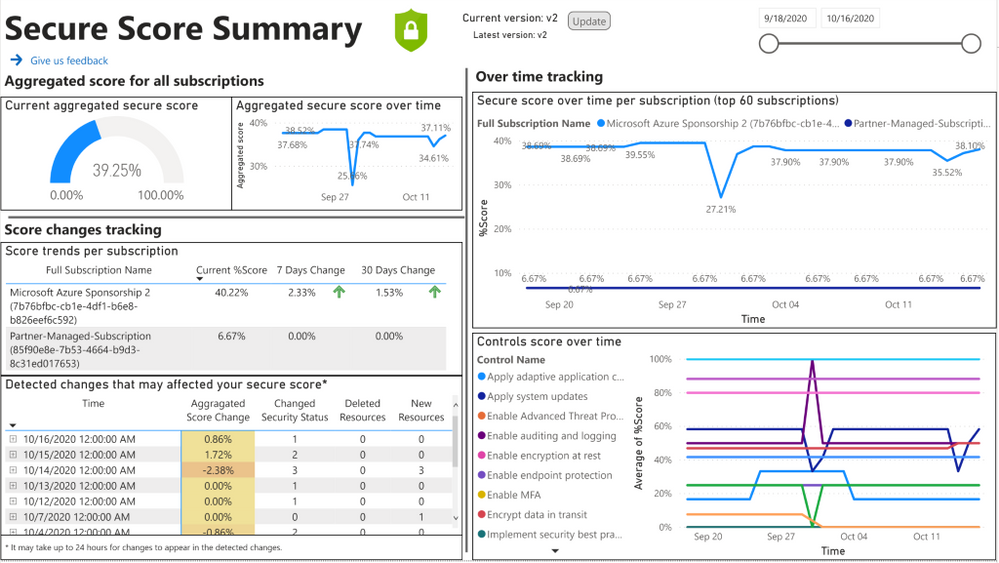
In the Secure Score Summary report, you can use the “Secure score over time per subscription” chart to see changes in the score. In case you observed a dramatic change in your score, you can find in the “detected changes that may affect your secure score” table which changes might have caused the score to drop. This table presents deleted resources, newly deployed resources, or resources that their security status changed for one of the recommendations. A sample of this Power BI dashboard is shown below:
 Fig 1: Secure Score Summary report
Let’s use a sample scenario where the secure score dropped by 10%. Looking at the detected changes table, you found a VM that its security status changed on the same day. If the VM changed to unhealthy for one of the recommendations, it can explain the drop. Your next step will be to investigate what was the change and which recommendation you need to remediate to make this resource healthy again. To do that you can use the “Resources that changed their security status” table, which presents more details about the changed resources. Another option is to use “Unhealthy resources over time per recommendation” that presents the number of unhealthy resources for each recommendation every day. Looking at this chart you can observe recommendations that their number of unhealthy resources increased on the same date the score was dropped. Pressing on the recommendation line will filter the “Resources that changed their security status” table according to the date and recommendation you choose. Once you find the resource and the recommendation that caused the score to drop, you can contact the resource owner for remediation.
In addition to the over time tracking, you can leverage the Resources Summary report to understand your current security status. Using the “Controls status sorted by potential impact” chart you can see the percentage of unhealthy resources per control, and in case you want to drill down to a specific recommendation you have the “Recommendations current state” table.
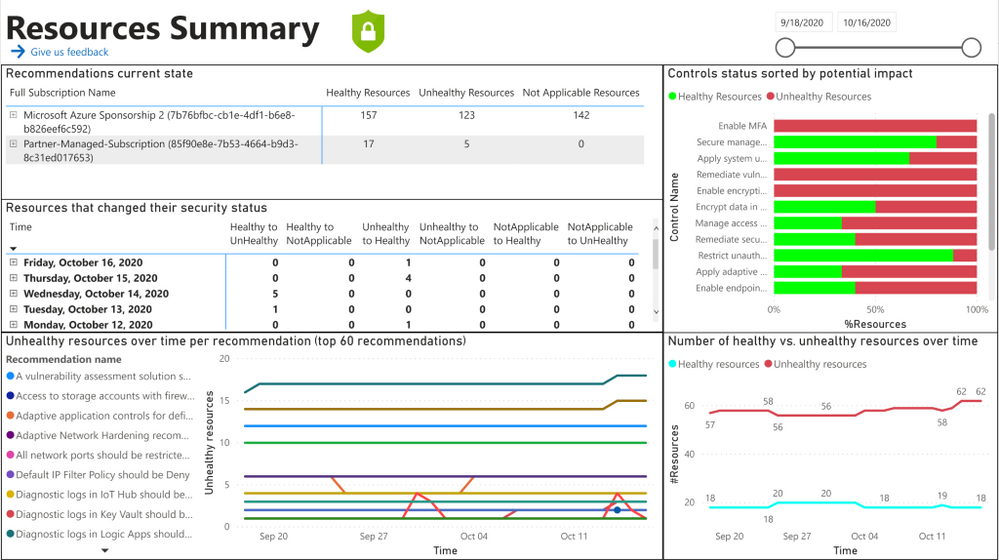 Fig 2: Resources Summary report
More details about the dashboard and installation guidelines can be found here.
Send feedback
Have you tried the dashboard? Help us getting better by filling this form. Your feedback is highly appreciated.
Reviewers
Yuri Diogenes – Principal Program Manager, CxE
Miri Landau – Senior Program Manager, Azure Security Center
Moshe Israel – Senior Data Scientist, Azure Security Center
Shahar Weiss – Senior Software Engineer, Azure Security Center
by Contributed | Oct 20, 2020 | Technology
This article is contributed. See the original author and article here.
Join us for our October community call that will focus on key tactics for driving adoption:
How to design relevant themes
How to create specific training pages with Learning Pathways
How to get feedback from employees
We will also discuss Reflect, the new app template that allows you to check in with employees on a variety of topics, but especially to understand their health & well being. Launched for education we will discuss how it can be used in commercial environments as well.
As always join us via our links as follows:
8am PDT – https://aka.ms/M365ChampionsCallAM
5pm PDT – https://aka.ms/M365ChampionsCallPM
by Contributed | Oct 20, 2020 | Technology
This article is contributed. See the original author and article here.
Welcome to your single resource for ways to learn, events to attend and communities to join to always stay up-to-date on Windows Server.
Microsoft Learn
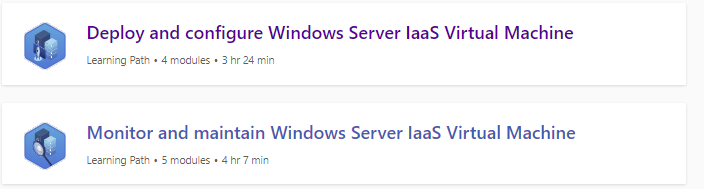
Windows Server Learning Paths
Explore Windows Server in-depth through guided paths or learn how to accomplish a specific task through individual modules.
Training Videos
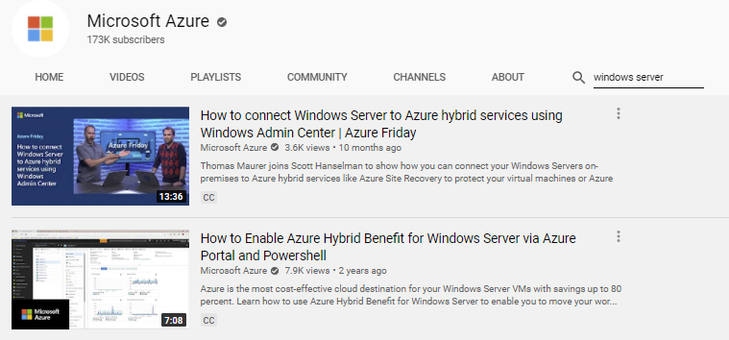
Windows Server on the Microsoft Azure YouTube Channel
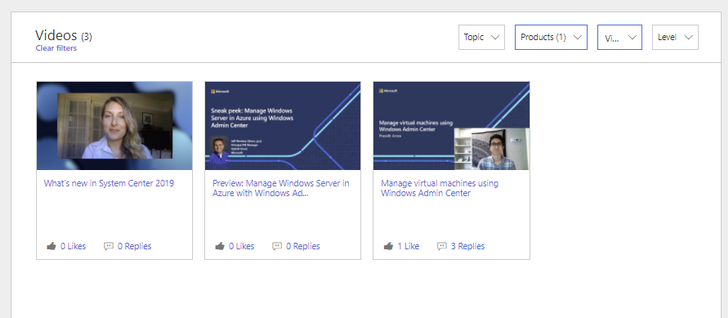
Tech Community Video Hub
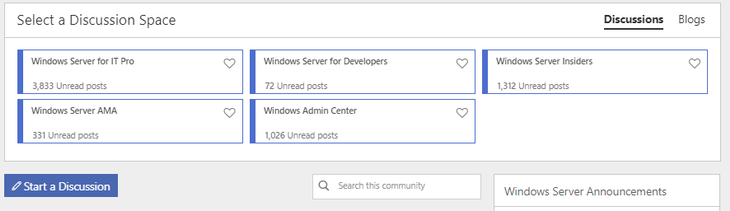
Windows Server Tech Community
Share best practices, get the latest news and learn from experts about Windows Server here
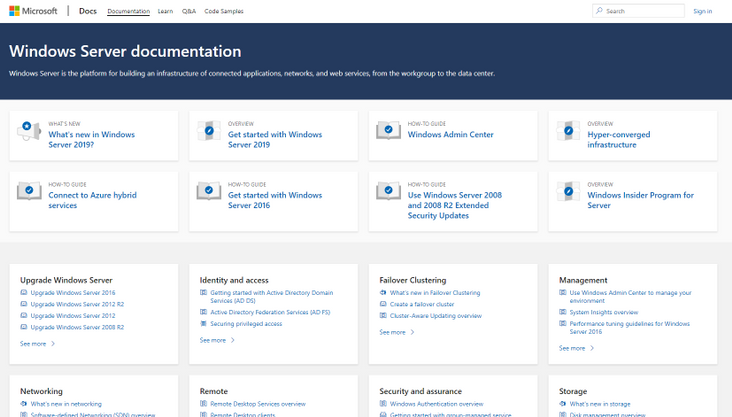
Windows Server Docs
Check out the plethora of official technical documentation, questions, and learning resources on the Windows Server Docs page.
Events
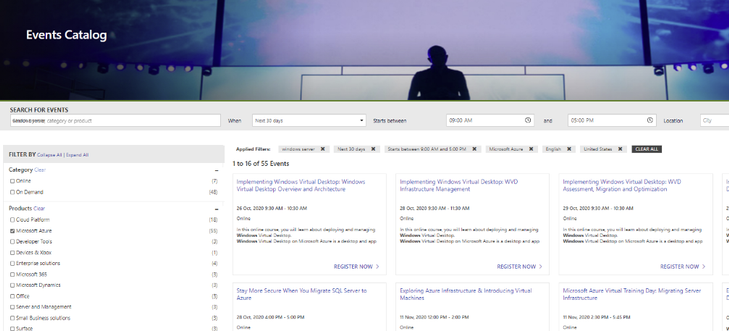
Track upcoming Microsoft Azure and Windows Server events using the Microsoft Events Catalog
Windows Server Blogs
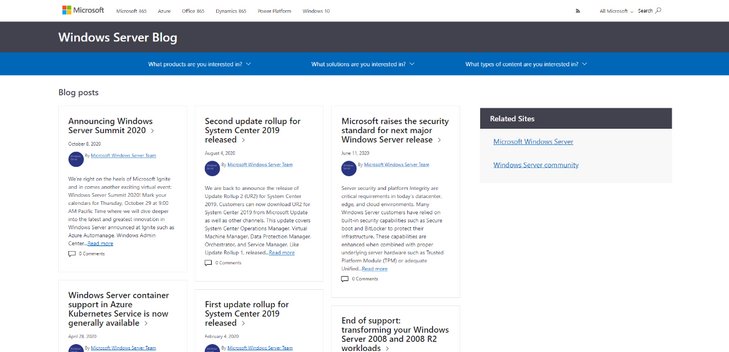
Stay up to date on the latest news, product updates and announcements on the Windows Server blog channel.
Partner Network
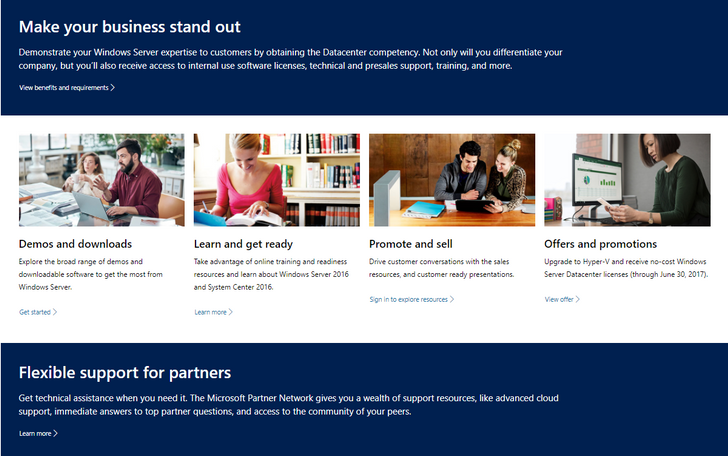
Equip yourself with partner resources such as demos, readiness materials, offers, and more to be the best partner you can be for your Windows Server customers.
With these resources at your fingertips, we can’t wait to see what you continue to do with Windows Server!


Recent Comments