This article is contributed. See the original author and article here.
This document is provided “as is.” MICROSOFT MAKES NO WARRANTIES, EXPRESS OR IMPLIED, IN THIS DOCUMENT. This document does not provide you with any legal rights to any intellectual property in any Microsoft product. You may copy and use this document for your internal, reference purposes.
As announced at Ignite 2021, Azure Defender for Resource Manager is available in Public Preview. This new Azure Defender plan provides threat detection against malicious usage of Azure Resource Management Layer (Portal, Rest, API, PowerShell). To learn more about Azure Defender for ARM, read our official documentation.
During the public preview time you can enable Azure Defender for Resource Manager without any additional charge, just go to Price & settings, select the subscription, change the plan to ON (as shown below) and click Save to commit the change.
Now that you have this plan set to ON, you can use the steps below to validate this threat detection:
Provision a new VM and keep the default TCP/IP configuration.
Connect to this machine using RDP.
Create a file on this machine called runtime-disable-enabe.ps1 and paste the content below in this file:
Param([switch] $Force)
# Check if PowerShellGet exists
if (Get-Module -ListAvailable -Name PowerShellGet) {
Write-Host “PowerShellGet Module exists”
}
else {
if ($PSBoundParameters.ContainsKey(‘Force’)) {
Install-Module -Name PowerShellGet -Force
}
else {
Write-Warning -Message (‘PowerShellGet Not Found. Please use the -force flag to install PowerShellGet and Azure Powershell’)
Exit
}
}
# Install Azure Powershell
if ($PSVersionTable.PSEdition -eq ‘Desktop’ -and (Get-Module -Name AzureRM -ListAvailable)) {
Write-Warning -Message (‘Az module not installed. Having both the AzureRM and ‘ +
‘Az modules installed at the same time is not supported. Use the -force flag to install the necessary modules.’)
After some minutes you should see Azure Defender for Resource Manager alert showing up on your dashboard, like the one below:
Is important to emphasize that these operations (disable AM runtime) are done over built-in capabilities of Azure, in this case VM extensions. Using VM extension one doesn’t need to log-in into the affected VM (no node-level credentials are required!). For a deeper discussion on a use case scenario for this threat detection, read the article Azure LoLBins: Protecting against the dual use of virtual machine extensions.
This article is contributed. See the original author and article here.
wordpress — wordpress
Unvaludated input in the Advanced Database Cleaner plugin, versions before 3.0.2, lead to SQL injection allowing high privilege users (admin+) to perform SQL attacks.
Wireless-N WiFi Repeater REV 1.0 (28.08.06.1) suffers from a reflected XSS vulnerability due to unsanitized SSID value when the latter is displayed in the /repeater.html page (“Repeater Wizard” homepage section).
Advantech Spectre RT ERT351 Versions 5.1.3 and prior has insufficient login authentication parameters required for the web application may allow an attacker to gain full access using a brute-force password attack.
In Advantech Spectre RT Industrial Routers ERT351 5.1.3 and prior, the affected product does not neutralize special characters in the error response, allowing attackers to use a reflected XSS attack.
Advantech Spectre RT ERT351 Versions 5.1.3 and prior logins and passwords are transmitted in clear text form, which may allow an attacker to intercept the request.
WebAccess/SCADA Versions 9.0 and prior is vulnerable to cross-site scripting, which may allow an attacker to send malicious JavaScript code to an unsuspecting user, which could result in hijacking of the user’s cookie/session tokens, redirecting the user to a malicious webpage and performing unintended browser actions.
The aimeos (aka Aimeos shop and e-commerce framework) extension before 19.10.12 and 20.x before 20.10.5 for TYPO3 allows XSS via a backend user account.
In Apache Ambari versions 2.6.2.2 and earlier, malicious users can construct file names for directory traversal and traverse to other directories to download files.
Apache Hive cookie signature verification used a non constant time comparison which is known to be vulnerable to timing attacks. This could allow recovery of another users cookie signature. The issue was addressed in Apache Hive 2.3.8
If was found that the NetTest web service can be used to overload the bandwidth of a Apache OpenMeetings server. This issue was addressed in Apache OpenMeetings 6.0.0
A carefully crafted PDF file can trigger an OutOfMemory-Exception while loading the file. This issue affects Apache PDFBox version 2.0.22 and prior 2.0.x versions.
A carefully crafted PDF file can trigger an infinite loop while loading the file. This issue affects Apache PDFBox version 2.0.22 and prior 2.0.x versions.
A flaw was found in 3scale’s APIcast gateway that enabled the TLS 1.0 protocol. An attacker could target traffic using this weaker protocol and break its encryption, gaining access to unauthorized information. Version shipped in Red Hat 3scale API Management Platform is vulnerable to this issue.
decompress_gunzip.c in BusyBox through 1.32.1 mishandles the error bit on the huft_build result pointer, with a resultant invalid free or segmentation fault, via malformed gzip data.
A flaw was found in cairo’s image-compositor.c in all versions prior to 1.17.4. This flaw allows an attacker who can provide a crafted input file to cairo’s image-compositor (for example, by convincing a user to open a file in an application using cairo, or if an application uses cairo on untrusted input) to cause a stack buffer overflow -> out-of-bounds WRITE. The highest impact from this vulnerability is to confidentiality, integrity, as well as system availability.
A vulnerability in the web-based management interface of Cisco RV132W ADSL2+ Wireless-N VPN Routers and Cisco RV134W VDSL2 Wireless-AC VPN Routers could allow an authenticated, remote attacker to execute arbitrary code on an affected device or cause the device to restart unexpectedly. The vulnerability exists because the web-based management interface does not properly validate user-supplied input. An attacker could exploit this vulnerability by sending crafted HTTP requests to an affected device. A successful exploit could allow the attacker to execute arbitrary code as the root user on the underlying operating system or cause the device to reload, resulting in a denial of service (DoS) condition on the affected device.
Concrete CMS (formerly concrete5) before 8.5.5 allows remote authenticated users to conduct XSS attacks via a crafted survey block. This requires at least Editor privileges.
Improper access control vulnerability in Workflow of Cybozu Office 10.0.0 to 10.8.4 allows authenticated attackers to bypass access restriction and alter the data of Workflow via unspecified vectors.
Improper access control vulnerability in Custom App of Cybozu Office 10.0.0 to 10.8.4 allows authenticated attackers to bypass access restriction and obtain the date of Custom App via unspecified vectors.
Cross-site scripting vulnerability in Address Book of Cybozu Office 10.0.0 to 10.8.4 allows remote attackers to inject an arbitrary script via unspecified vectors. Note that this vulnerability occurs only when using Mozilla Firefox.
Improper access control vulnerability in Bulletin Board of Cybozu Office 10.0.0 to 10.8.4 allows authenticated attackers to bypass access restriction and obtain the data of Bulletin Board via unspecified vectors.
Cross-site scripting vulnerability in Address Book of Cybozu Office 10.0.0 to 10.8.4 allows remote attackers to inject an arbitrary script via unspecified vectors.
Cross-site scripting vulnerability in E-mail of Cybozu Office 10.0.0 to 10.8.4 allows remote attackers to inject an arbitrary script via unspecified vectors.
Improper access control vulnerability in Scheduler of Cybozu Office 10.0.0 to 10.8.4 allows an authenticated attacker to bypass access restriction and alter the data of Scheduler via unspecified vectors.
Improper access control vulnerability in Bulletin Board of Cybozu Office 10.0.0 to 10.8.4 allows an authenticated attacker to bypass access restriction and alter the data of Bulletin Board via unspecified vectors.
Improper access control vulnerability in Phone Messages of Cybozu Office 10.0.0 to 10.8.4 allows authenticated attackers to bypass access restriction and obtain the data of Phone Messages via unspecified vectors.
Improper input validation vulnerability in Custom App of Cybozu Office 10.0.0 to 10.8.4 allows authenticated attacker to alter the data of Custom App via unspecified vectors.
Improper access control vulnerability in Cabinet of Cybozu Office 10.0.0 to 10.8.4 allows authenticated attackers to bypass access restriction and obtain the date of Cabinet via unspecified vectors.
EIC e-document system does not perform completed identity verification for sorting and filtering personnel data. The vulnerability allows remote attacker to obtain users’ credential information without logging in the system, and further acquire the privileged permissions and execute arbitrary commends.
The users’ data querying function of EIC e-document system does not filter the special characters which resulted in remote attackers can inject SQL syntax and execute arbitrary commands without privilege.
** UNSUPPORTED WHEN ASSIGNED ** The eslint-fixer package through 0.1.5 for Node.js allows command injection via shell metacharacters to the fix function. NOTE: This vulnerability only affects products that are no longer supported by the maintainer. The ozum/eslint-fixer GitHub repository has been intentionally deleted.
A vulnerability in exacqVision Web Service 20.12.2.0 and prior could allow an unauthenticated attacker to view system-level information about the exacqVision Web Service and the operating system.
ExpressionEngine before 5.4.2 and 6.x before 6.0.3 allows PHP Code Injection by certain authenticated users who can leverage Translate::save() to write to an _lang.php file under the system/user/language directory.
A flaw was found in the fabric8 kubernetes-client in version 4.2.0 and after. This flaw allows a malicious pod/container to cause applications using the fabric8 kubernetes-client `copy` command to extract files outside the working path. The highest threat from this vulnerability is to integrity and system availability. This has been fixed in kubernetes-client-4.13.2 kubernetes-client-5.0.2 kubernetes-client-4.11.2 kubernetes-client-4.7.2
FastStone Image Viewer <= 7.5 is affected by a user mode write access violation near NULL at 0x005bdfc9, triggered when a user opens or views a malformed CUR file that is mishandled by FSViewer.exe. Attackers could exploit this issue for a Denial of Service (DoS) or possibly to achieve code execution.
FastStone Image Viewer v.<= 7.5 is affected by a Stack-based Buffer Overflow at 0x005BDF49, affecting the CUR file parsing functionality (BITMAPINFOHEADER Structure, ‘BitCount’ file format field), that will end up corrupting the Structure Exception Handler (SEH). Attackers could exploit this issue to achieve code execution when a user opens or views a malformed/specially crafted CUR file.
FastStone Image Viewer <= 7.5 is affected by a user mode write access violation at 0x00402d8a, triggered when a user opens or views a malformed CUR file that is mishandled by FSViewer.exe. Attackers could exploit this issue for a Denial of Service (DoS) or possibly to achieve code execution.
FastStone Image Viewer <= 7.5 is affected by a user mode write access violation near NULL at 0x005bdfcb, triggered when a user opens or views a malformed CUR file that is mishandled by FSViewer.exe. Attackers could exploit this issue for a Denial of Service (DoS) or possibly to achieve code execution.
FastStone Image Viewer <= 7.5 is affected by a user mode write access violation at 0x00402d7d, triggered when a user opens or views a malformed CUR file that is mishandled by FSViewer.exe. Attackers could exploit this issue for a Denial of Service (DoS) or possibly to achieve code execution.
Switchboard Bluetooth Plug for elementary OS from version 2.3.0 and before version version 2.3.5 has an incorrect authorization vulnerability. When the Bluetooth plug is running (in discoverable mode), Bluetooth service requests and pairing requests are automatically accepted, allowing physically proximate attackers to pair with a device running an affected version of switchboard-plug-bluetooth without the active consent of the user. By default, elementary OS doesn’t expose any services via Bluetooth that allow information to be extracted by paired Bluetooth devices. However, if such services (i.e. contact list sharing software) have been installed, it’s possible that attackers have been able to extract data from such services without authorization. If no such services have been installed, attackers are only able to pair with a device running an affected version without authorization and then play audio out of the device or possibly present a HID device (keyboard, mouse, etc…) to control the device. As such, users should check the list of trusted/paired devices and remove any that are not 100% confirmed to be genuine. This is fixed in version 2.3.5. To reduce the likelihood of this vulnerability on an unpatched version, only open the Bluetooth plug for short intervals when absolutely necessary and preferably not in crowded public areas. To mitigate the risk entirely with unpatched versions, do not open the Bluetooth plug within switchboard at all, and use a different method for pairing devices if necessary (e.g. `bluetoothctl` CLI).
autoar-extractor.c in GNOME gnome-autoar before 0.3.1, as used by GNOME Shell, Nautilus, and other software, allows Directory Traversal during extraction because it lacks a check of whether a file’s parent is a symlink in certain complex situations. NOTE: this issue exists because of an incomplete fix for CVE-2020-36241.
Fluxbb 1.5.11 is affected by a denial of service (DoS) vulnerability by sending an extremely long password via the user login form. When a long password is sent, the password hashing process will result in CPU and memory exhaustion on the server.
Fujitsu ServerView Suite iRMC before 9.62F allows XSS. An authenticated attacker can store an XSS payload in the PSCU_FILE_INIT field of a Save Configuration XML document. The payload is triggered in the HTTP error response pages.
Heap buffer overflow in tab groups in Google Chrome prior to 89.0.4389.90 allowed a remote attacker to potentially exploit heap corruption via a crafted HTML page.
Use after free in WebRTC in Google Chrome prior to 89.0.4389.90 allowed a remote attacker to potentially exploit heap corruption via a crafted HTML page.
Use after free in Blink in Google Chrome prior to 89.0.4389.90 allowed a remote attacker to potentially exploit heap corruption via a crafted HTML page.
The snapshot feature in Grafana before 7.4.1 can allow an unauthenticated remote attackers to trigger a Denial of Service via a remote API call if a commonly used configuration is set.
The BackupDelete functionality in Grav CMS through 1.7.0-rc.17 allows an authenticated attacker to delete arbitrary files on the underlying server by exploiting a path-traversal technique. (This vulnerability can also be exploited by an unauthenticated attacker due to a lack of CSRF protection.)
The Backup functionality in Grav CMS through 1.7.0-rc.17 allows an authenticated attacker to read arbitrary local files on the underlying server by exploiting a path-traversal technique. (This vulnerability can also be exploited by an unauthenticated attacker due to a lack of CSRF protection.)
In Hamilton Medical AG,T1-Ventillator versions 2.2.3 and prior, an information disclosure vulnerability in the ventilator allows attackers with physical access to the configuration interface’s logs to get valid checksums for tampered configuration files.
In Hamilton Medical AG,T1-Ventillator versions 2.2.3 and prior, an XML validation vulnerability in the ventilator allows privileged attackers with physical access to render the device persistently unusable by uploading specially crafted configuration files.
In Hamilton Medical AG,T1-Ventillator versions 2.2.3 and prior, hard-coded credentials in the ventilator allow attackers with physical access to obtain admin privileges for the device’s configuration interface.
HGiga MailSherlock contains a SQL Injection. Remote attackers can inject SQL syntax and execute SQL commands in a URL parameter of email pages without privilege.
A flaw was found in http-proxy-agent, prior to version 2.1.0. It was discovered http-proxy-agent passes an auth option to the Buffer constructor without proper sanitization. This could result in a Denial of Service through the usage of all available CPU resources and data exposure through an uninitialized memory leak in setups where an attacker could submit typed input to the auth parameter.
IBM Spectrum Scale 5.0.0 through 5.0.5.5 and 5.1.0 through 5.1.0.2 could allow a local user to poison log files which could impact support and development efforts. IBM X-Force ID: 190450.
IBM Spectrum Scale 5.0.0 through 5.0.5.5 and 5.1.0 through 5.1.0.2 could allow a local user with a valid role to the REST API to cause a denial of service due to weak or absense of rate limiting. IBM X-Force ID: 190973.
IBM Spectrum Scale 5.0.0 through 5.0.5.5 and 5.1.0 through 5.1.0.2 uses an inadequate account lockout setting that could allow a local user er to brute force Rest API account credentials. IBM X-Force ID: 190974.
Jenkins Warnings Next Generation Plugin 8.4.4 and earlier does not perform a permission check in methods implementing form validation, allowing attackers with Item/Read permission but without Item/Workspace or Item/Configure permission to check whether attacker-specified file patterns match workspace contents.
Jenkins CloudBees AWS Credentials Plugin 1.28 and earlier does not perform a permission check in a helper method for HTTP endpoints, allowing attackers with Overall/Read permission to enumerate credentials IDs of AWS credentials stored in Jenkins in some circumstances.
An incorrect permission check in Jenkins Role-based Authorization Strategy Plugin 3.1 and earlier allows attackers with Item/Read permission on nested items to access them, even if they lack Item/Read permission for parent folders.
An incorrect permission check in Jenkins Matrix Authorization Strategy Plugin 2.6.5 and earlier allows attackers with Item/Read permission on nested items to access them, even if they lack Item/Read permission for parent folders.
libdiscover/backends/KNSBackend/KNSResource.cpp in KDE Discover before 5.21.3 automatically creates links to potentially dangerous URLs (that are neither https:// nor http://) based on the content of the store.kde.org web site. (5.18.7 is also a fixed version.)
An improper access control vulnerability in the JWT plugin in Kong Gateway prior to 2.3.2.0 allows unauthenticated users access to authenticated routes without a valid token JWT.
An issue was discovered in the Linux kernel before 5.11.8. kernel/bpf/verifier.c has an off-by-one error (with a resultant integer underflow) affecting out-of-bounds speculation on pointer arithmetic, leading to side-channel attacks that defeat Spectre mitigations and obtain sensitive information from kernel memory, aka CID-10d2bb2e6b1d.
An issue was discovered in fs/io_uring.c in the Linux kernel through 5.11.8. It allows attackers to cause a denial of service (deadlock) because exit may be waiting to park a SQPOLL thread, but concurrently that SQPOLL thread is waiting for a signal to start, aka CID-3ebba796fa25.
An issue was discovered in fs/fuse/fuse_i.h in the Linux kernel before 5.11.8. A “stall on CPU” can occur because a retry loop continually finds the same bad inode, aka CID-775c5033a0d1.
An issue was discovered in the Linux kernel through 5.11.8. The sound/soc/qcom/sdm845.c soundwire device driver has a buffer overflow when an unexpected port ID number is encountered, aka CID-1c668e1c0a0f. (This has been fixed in 5.12-rc4.)
An issue was discovered in the Linux kernel before 5.11.8. kernel/bpf/verifier.c performs undesirable out-of-bounds speculation on pointer arithmetic, leading to side-channel attacks that defeat Spectre mitigations and obtain sensitive information from kernel memory, aka CID-f232326f6966. This affects pointer types that do not define a ptr_limit.
rtw_wx_set_scan in drivers/staging/rtl8188eu/os_dep/ioctl_linux.c in the Linux kernel through 5.11.6 allows writing beyond the end of the ->ssid[] array. NOTE: from the perspective of kernel.org releases, CVE IDs are not normally used for drivers/staging/* (unfinished work); however, system integrators may have situations in which a drivers/staging issue is relevant to their own customer base.
M-System DL8 series (type A (DL8-A) versions prior to Ver3.0, type B (DL8-B) versions prior to Ver3.0, type C (DL8-C) versions prior to Ver3.0, type D (DL8-D) versions prior to Ver3.0, and type E (DL8-E) versions prior to Ver3.0) allows remote authenticated attackers to bypass access restriction and conduct prohibited operations via unspecified vectors.
M-System DL8 series (type A (DL8-A) versions prior to Ver3.0, type B (DL8-B) versions prior to Ver3.0, type C (DL8-C) versions prior to Ver3.0, type D (DL8-D) versions prior to Ver3.0, and type E (DL8-E) versions prior to Ver3.0) allows remote authenticated attackers to cause a denial of service (DoS) condition via unspecified vectors.
A remote code execution issue was discovered in MariaDB 10.2 before 10.2.37, 10.3 before 10.3.28, 10.4 before 10.4.18, and 10.5 before 10.5.9; Percona Server through 2021-03-03; and the wsrep patch through 2021-03-03 for MySQL. An untrusted search path leads to eval injection, in which a database SUPER user can execute OS commands after modifying wsrep_provider and wsrep_notify_cmd. NOTE: this does not affect an Oracle product.
** DISPUTED ** MikroTik RouterOS 6.47.9 allows remote authenticated ftp users to create or overwrite arbitrary .rsc files via the /export command. NOTE: the vendor’s position is that this is intended behavior because of how user policies work.
MinIO is an open-source high performance object storage service and it is API compatible with Amazon S3 cloud storage service. In MinIO before version RELEASE.2021-03-17T02-33-02Z, there is a vulnerability which enables MITM modification of request bodies that are meant to have integrity guaranteed by chunk signatures. In a PUT request using aws-chunked encoding, MinIO ordinarily verifies signatures at the end of a chunk. This check can be skipped if the client sends a false chunk size that is much greater than the actual data sent: the server accepts and completes the request without ever reaching the end of the chunk + thereby without ever checking the chunk signature. This is fixed in version RELEASE.2021-03-17T02-33-02Z. As a workaround one can avoid using “aws-chunked” encoding-based chunk signature upload requests instead use TLS. MinIO SDKs automatically disable chunked encoding signature when the server endpoint is configured with TLS.
The web service responsible for fetching other users’ enrolled courses did not validate that the requesting user had permission to view that information in each course in moodle before 3.10.2, 3.9.5, 3.8.8, 3.5.17.
When creating a user account, it was possible to verify the account without having access to the verification email link/secret in moodle before 3.10.2, 3.9.5, 3.8.8, 3.5.17.
A vulnerability was found in Moodle affecting 3.7 to 3.7.1, 3.6 to 3.6.5, 3.5 to 3.5.7 and earlier unsupported versions, where users with the capability to create courses were assigned as a teacher in those courses, regardless of whether they had the capability to be automatically assigned that role.
A vulnerability was found in Moodle 3.7 to 3.7.1, 3.6 to 3.6.5, 3.5 to 3.5.7 and earlier unsupported versions, where forum subscribe link contained an open redirect if forced subscription mode was enabled. If a forum’s subscription mode was set to “forced subscription”, the forum’s subscribe link contained an open redirect.
It was possible for some users without permission to view other users’ full names to do so via the online users block in moodle before 3.10.2, 3.9.5, 3.8.8, 3.5.17.
A vulnerability was found in Moodle 3.7 to 3.7.1, 3.6 to 3.6.5, 3.5 to 3.5.7 and earlier unsupported versions, where the mobile launch endpoint contained an open redirect in some circumstances, which could result in a user’s mobile access token being exposed. (Note: This does not affect sites with a forced URL scheme configured, mobile service disabled, or where the mobile app login method is “via the app”).
A vulnerability was found in Moodle affection 3.7 to 3.7.1, 3.6 to 3.6.5, 3.5 to 3.5.7 and earlier unsupported versions where activity creation capabilities were not correctly respected when selecting the activity to use for a course in single activity mode.
A packet of death scenario is possible in mvfst via a specially crafted message during a QUIC session, which causes a crash via a failed assertion. Per QUIC specification, this particular message should be treated as a connection error. This issue affects mvfst versions prior to commit a67083ff4b8dcbb7ee2839da6338032030d712b0 and proxygen versions prior to v2021.03.15.00.
myDBR 5.8.3/4262 is affected by: Cross Site Scripting (XSS). The impact is: execute arbitrary code (remote). The component is: CSRF Token. The attack vector is: CSRF token injection to XSS.
A denial of service vulnerability was discovered in nbdkit 1.12.7, 1.14.1 and 1.15.1. An attacker could connect to the nbdkit service and cause it to perform a large amount of work in initializing backend plugins, by simply opening a connection to the service. This vulnerability could cause resource consumption and degradation of service in nbdkit, depending on the plugins configured on the server-side.
A denial of service vulnerability was discovered in nbdkit. A client issuing a certain sequence of commands could possibly trigger an assertion failure, causing nbdkit to exit. This issue only affected nbdkit versions 1.12.7, 1.14.1, and 1.15.1.
Nessus Agent versions 7.2.0 through 8.2.2 were found to inadvertently capture the IAM role security token on the local host during initial linking of the Nessus Agent when installed on an Amazon EC2 instance. This could allow a privileged attacker to obtain the token.
Cloud Manager versions prior to 3.9.4 contain an insecure Cross-Origin Resource Sharing (CORS) policy which could allow a remote attacker to interact with Cloud Manager.
Element Plug-in for vCenter Server incorporates SpringBoot Framework. SpringBoot Framework versions prior to 1.3.2 are susceptible to a vulnerability which when successfully exploited could lead to Remote Code Execution. All versions of Element Plug-in for vCenter Server, Management Services versions prior to 2.17.56 and Management Node versions through 12.2 contain vulnerable versions of SpringBoot Framework.
A privilege escalation flaw was found in OpenShift builder. During build time, credentials outside the build context are automatically mounted into the container image under construction. An OpenShift user, able to execute code during build time inside this container can re-use the credentials to overwrite arbitrary container images in internal registries and/or escalate their privileges. The highest threat from this vulnerability is to data confidentiality and integrity as well as system availability. This affects github.com/openshift/builder v0.0.0-20210125201112-7901cb396121 and before.
A flaw was discovered in OpenShift Container Platform 4 where, by default, users with access to create pods also have the ability to schedule workloads on master nodes. Pods with permission to access the host network, running on master nodes, can retrieve security credentials for the master AWS IAM role, allowing management access to AWS resources. With access to the security credentials, the user then has access to the entire infrastructure. Impact to data and system availability is high.
A flaw was found in atomic-openshift of openshift-4.2 where the basic-user RABC role in OpenShift Container Platform doesn’t sufficiently protect the GlusterFS StorageClass against leaking of the restuserkey. An attacker with basic-user permissions is able to obtain the value of restuserkey, and use it to authenticate to the GlusterFS REST service, gaining access to read, and modify files.
A flaw was found in multiple versions of OpenvSwitch. Specially crafted LLDP packets can cause memory to be lost when allocating data to handle specific optional TLVs, potentially causing a denial of service. The highest threat from this vulnerability is to system availability.
SQL injection vulnerability in the Paid Memberships Pro versions prior to 2.5.6 allows remote authenticated attackers to execute arbitrary SQL commands via unspecified vectors.
Prototype pollution vulnerability in ‘patchmerge’ versions 1.0.0 through 1.0.1 allows an attacker to cause a denial of service and may lead to remote code execution.
An issue was discovered in Pillow before 8.1.1. TiffDecode has a heap-based buffer overflow when decoding crafted YCbCr files because of certain interpretation conflicts with LibTIFF in RGBA mode. NOTE: this issue exists because of an incomplete fix for CVE-2020-35654.
An issue was discovered in Pillow before 8.1.1. The PDF parser allows a regular expression DoS (ReDoS) attack via a crafted PDF file because of a catastrophic backtracking regex.
Pion WebRTC before 3.0.15 didn’t properly tear down the DTLS Connection when certificate verification failed. The PeerConnectionState was set to failed, but a user could ignore that and continue to use the PeerConnection. )A WebRTC implementation shouldn’t allow the user to continue if verification has failed.)
This affects all versions of package port-killer. If (attacker-controlled) user input is given, it is possible for an attacker to execute arbitrary commands. This is due to use of the child_process exec function without input sanitization. Running this PoC will cause the command touch success to be executed, leading to the creation of a file called success.
Portainer 1.24.1 and earlier is affected by incorrect access control that may lead to remote arbitrary code execution. The restriction checks for bind mounts are applied only on the client-side and not the server-side, which can lead to spawning a container with bind mount. Once such a container is spawned, it can be leveraged to break out of the container leading to complete Docker host machine takeover.
Portainer 1.24.1 and earlier is affected by an insecure permissions vulnerability that may lead to remote arbitrary code execution. A non-admin user is allowed to spawn new containers with critical capabilities such as SYS_MODULE, which can be used to take over the Docker host.
A vulnerability was found in postgresql versions 11.x prior to 11.3. The Windows installer for EnterpriseDB-supplied PostgreSQL does not lock down the ACL of the binary installation directory or the ACL of the data directory; it keeps the inherited ACL. In the default configuration, this allows a local attacker to read arbitrary data directory files, essentially bypassing database-imposed read access limitations. In plausible non-default configurations, an attacker having both an unprivileged Windows account and an unprivileged PostgreSQL account can cause the PostgreSQL service account to execute arbitrary code.
A vulnerability was found in postgresql versions 11.x prior to 11.3. The Windows installer for BigSQL-supplied PostgreSQL does not lock down the ACL of the binary installation directory or the ACL of the data directory; it keeps the inherited ACL. In the default configuration, an attacker having both an unprivileged Windows account and an unprivileged PostgreSQL account can cause the PostgreSQL service account to execute arbitrary code. An attacker having only the unprivileged Windows account can read arbitrary data directory files, essentially bypassing database-imposed read access limitations. An attacker having only the unprivileged Windows account can also delete certain data directory files.
A vulnerability in the BIOS of Pulse Secure (PSA-Series Hardware) models PSA5000 and PSA7000 could allow an attacker to compromise BIOS firmware. This vulnerability can be exploited only as part of an attack chain. Before an attacker can compromise the BIOS, they must exploit the device.
In pygments 1.1+, fixed in 2.7.4, the lexers used to parse programming languages rely heavily on regular expressions. Some of the regular expressions have exponential or cubic worst-case complexity and are vulnerable to ReDoS. By crafting malicious input, an attacker can cause a denial of service.
A potential stack overflow via infinite loop issue was found in various NIC emulators of QEMU in versions up to and including 5.2.0. The issue occurs in loopback mode of a NIC wherein reentrant DMA checks get bypassed. A guest user/process may use this flaw to consume CPU cycles or crash the QEMU process on the host resulting in DoS scenario.
An issue was discovered in Quadbase EspressReports ES 7 Update 9. An authenticated user is able to navigate to the MenuPage section of the application, and change the frmsrc parameter value to retrieve and execute external files or payloads.
An issue was discovered in Quadbase ExpressDashboard (EDAB) 7 Update 9. It allows CSRF. An attacker may be able to trick an authenticated user into changing the email address associated with their account.
Modem will enter into busy mode in an infinite loop while parsing histogram dimension due to improper validation of input received in Snapdragon Auto, Snapdragon Compute, Snapdragon Connectivity, Snapdragon Mobile
Buffer overflow occurs when trying to convert ASCII string to Unicode string if the actual size is more than required in Snapdragon Auto, Snapdragon Compute, Snapdragon Connectivity, Snapdragon Consumer IOT, Snapdragon Industrial IOT, Snapdragon Mobile, Snapdragon Voice & Music
Potential out of bound read exception when UE receives unusually large number of padding octets in the beginning of ROHC header in Snapdragon Auto, Snapdragon Compute, Snapdragon Connectivity, Snapdragon Consumer IOT, Snapdragon Industrial IOT, Snapdragon IoT, Snapdragon Mobile, Snapdragon Voice & Music, Snapdragon Wearables
Use after free in GPU driver while mapping the user memory to GPU memory due to improper check of referenced memory in Snapdragon Auto, Snapdragon Compute, Snapdragon Connectivity, Snapdragon Consumer IOT, Snapdragon Industrial IOT, Snapdragon Mobile, Snapdragon Voice & Music, Snapdragon Wearables
Integer overflow in boot due to improper length check on arguments received in Snapdragon Consumer IOT, Snapdragon Industrial IOT, Snapdragon Voice & Music
Buffer overflow can occur in video while playing the non-standard clip in Snapdragon Auto, Snapdragon Compute, Snapdragon Connectivity, Snapdragon Consumer IOT, Snapdragon Industrial IOT, Snapdragon Mobile, Snapdragon Voice & Music, Snapdragon Wearables
Use after free condition in msm ioctl events due to race between the ioctl register and deregister events in Snapdragon Auto, Snapdragon Compute, Snapdragon Connectivity, Snapdragon Consumer IOT, Snapdragon Industrial IOT, Snapdragon Mobile, Snapdragon Wearables
A vulnerability was found in the Quay web application. Sessions in the Quay web application never expire. An attacker, able to gain access to a session, could use it to control or delete a user’s container repository. Red Hat Quay 2 and 3 are vulnerable to this issue.
It has been discovered in redhat-certification that any unauthorized user may download any file under /var/www/rhcert, provided they know its name. Red Hat Certification 6 and 7 is vulnerable to this issue.
If certificates that signed grub are installed into db, grub can be booted directly. It will then boot any kernel without signature validation. The booted kernel will think it was booted in secureboot mode and will implement lockdown, yet it could have been tampered. This flaw is a reintroduction of CVE-2020-15705 and only affects grub2 versions prior to 2.06 and upstream and distributions using the shim_lock mechanism.
Redash 8.0.0 is affected by LDAP Injection. There is an authentication bypass and information leak through the crafting of special queries, escaping the provided template because the ldap_user = auth_ldap_user(request.form[“email”], request.form[“password”]) auth_ldap_user(username, password) settings.LDAP_SEARCH_TEMPLATE % {“username”: username} code lacks sanitization.
Rockwell Automation DriveTools SP v5.13 and below and Drives AOP v4.12 and below both contain a vulnerability that a local attacker with limited privileges may be able to exploit resulting in privilege escalation and complete control of the system.
In Rockwell Automation FactoryTalk Services Platform Versions 6.10.00 and 6.11.00, there is an issue with the implementation of the SHA-256 hashing algorithm with FactoryTalk Services Platform that prevents the user password from being hashed properly.
Schema-Inspector is an open-source tool to sanitize and validate JS objects (npm package schema-inspector). In before version 2.0.0, email address validation is vulnerable to a denial-of-service attack where some input (for example `a@0.0.0.0.0.0.0.0.0.0.0.0.0.0.0.0.0.0.0.0.0.0.0.0.0.0.0.0.0.0.0.0.0.0.0.0.0.0.0.0.0.0.0.0.`) will freeze the program or web browser page executing the code. This affects any current schema-inspector users using any version to validate email addresses. Users who do not do email validation, and instead do other types of validation (like string min or max length, etc), are not affected. Users should upgrade to version 2.0.0, which uses a regex expression that isn’t vulnerable to ReDoS.
The “order_col” parameter in archive.php of SEO Panel 4.8.0 is vulnerable to time-based blind SQL injection, which leads to the ability to retrieve all databases.
The Debian shadow package before 1:4.5-1 for Shadow incorrectly lists pts/0 and pts/1 as physical terminals in /etc/securetty. This allows local users to login as password-less users even if they are connected by non-physical means such as SSH (hence bypassing PAM’s nullok_secure configuration). This notably affects environments such as virtual machines automatically generated with a default blank root password, allowing all local users to escalate privileges.
shescape is a simple shell escape package for JavaScript. In shescape before version 1.1.3, anyone using _Shescape_ to defend against shell injection may still be vulnerable against shell injection if the attacker manages to insert a into the payload. For an example see the referenced GitHub Security Advisory. The problem has been patched in version 1.1.3. No further changes are required.
A vulnerability has been identified in the Silverstripe CMS 3 and 4 version of the symbiote/silverstripe-queuedjobs module. A Cross Site Scripting vulnerability allows an attacker to inject an arbitrary payload in the CreateQueuedJobTask dev task via a specially crafted URL.
Softaculous before 5.5.7 is affected by a code execution vulnerability because of External Initialization of Trusted Variables or Data Stores. This leads to privilege escalation on the local host.
Online Ordering System 1.0 is vulnerable to unauthenticated SQL injection through /onlineordering/GPST/admin/design.php, which may lead to database information disclosure.
Online Ordering System 1.0 is vulnerable to arbitrary file upload through /onlineordering/GPST/store/initiateorder.php, which may lead to remote code execution (RCE).
An issue was discovered in Squid through 4.13 and 5.x through 5.0.4. Due to improper input validation, it allows a trusted client to perform HTTP Request Smuggling and access services otherwise forbidden by the security controls. This occurs for certain uri_whitespace configuration settings.
SSH Tectia Client and Server before 6.4.19 on Windows allow local privilege escalation in nonstandard conditions. ConnectSecure on Windows is affected.
StackStorm before 3.4.1, in some situations, has an infinite loop that consumes all available memory and disk space. This can occur if Python 3.x is used, the locale is not utf-8, and there is an attempt to log Unicode data (from an action or rule name).
In Stormshield Network Security (SNS) 1.0 through 4.2.0, the parsing of some malformed files can lead to the crash of ClamAV service causing a Denial of Service.
Subversion’s mod_authz_svn module will crash if the server is using in-repository authz rules with the AuthzSVNReposRelativeAccessFile option and a client sends a request for a non-existing repository URL. This can lead to disruption for users of the service. This issue was fixed in mod_dav_svn+mod_authz_svn servers 1.14.1 and mod_dav_svn+mod_authz_svn servers 1.10.7
The unofficial Swift Development Environment extension before 2.12.1 for Visual Studio Code allows remote attackers to execute arbitrary code by constructing a malicious workspace with a crafted sourcekit-lsp.serverPath, swift.languageServerPath, swift.path.sourcekite, swift.path.sourcekiteDockerMode, swift.path.swift_driver_bin, or swift.path.shell configuration value that triggers execution upon opening the workspace.
The Taidii Diibear Android application 2.4.0 and all its derivatives allow attackers to obtain user credentials from Shared Preferences and the SQLite database because of insecure data storage.
The Taidii Diibear Android application 2.4.0 and all its derivatives allow attackers to obtain user credentials from an Android backup because of insecure application configuration.
The Taidii Diibear Android application 2.4.0 and all its derivatives allow attackers to view private chat messages and media files via logcat because of excessive logging.
ua-parser-js >= 0.7.14, fixed in 0.7.24, uses a regular expression which is vulnerable to denial of service. If an attacker sends a malicious User-Agent header, ua-parser-js will get stuck processing it for an extended period of time.
In Unisys Stealth (core) before 6.0.025.0, the Keycloak password is stored in a recoverable format that might be accessible by a local attacker, who could gain access to the Management Server and change the Stealth configuration.
The urllib3 library 1.26.x before 1.26.4 for Python omits SSL certificate validation in some cases involving HTTPS to HTTPS proxies. The initial connection to the HTTPS proxy (if an SSLContext isn’t given via proxy_config) doesn’t verify the hostname of the certificate. This means certificates for different servers that still validate properly with the default urllib3 SSLContext will be silently accepted.
Multiple files and folders in Utimaco SecurityServer 4.20.0.4 and 4.31.1.0. are installed with Read/Write permissions for authenticated users, which allows for binaries to be manipulated by non-administrator users. Additionally, entries are made to the PATH environment variable which, in conjunction with these weak permissions, could enable an attacker to perform a DLL hijacking attack.
Varnish varnish-modules before 0.17.1 allows remote attackers to cause a denial of service (daemon restart) in some configurations. This does not affect organizations that only install the Varnish Cache product; however, it is common to install both Varnish Cache and varnish-modules. Specifically, an assertion failure or NULL pointer dereference can be triggered in Varnish Cache through the varnish-modules header.append() and header.copy() functions. For some Varnish Configuration Language (VCL) files, this gives remote clients an opportunity to cause a Varnish Cache restart. A restart reduces overall availability and performance due to an increased number of cache misses, and may cause higher load on backend servers.
The unofficial SwiftFormat extension before 1.3.7 for Visual Studio Code allows remote attackers to execute arbitrary code by constructing a malicious workspace with a crafted swiftformat.path configuration value that triggers execution upon opening the workspace.
The unofficial SwiftLint extension before 1.4.5 for Visual Studio Code allows remote attackers to execute arbitrary code by constructing a malicious workspace with a crafted swiftlint.path configuration value that triggers execution upon opening the workspace.
The unofficial apple/swift-format extension before 1.1.2 for Visual Studio Code allows remote attackers to execute arbitrary code by constructing a malicious workspace with a crafted apple-swift-format.path configuration value that triggers execution upon opening the workspace.
The iOS and macOS apps before 1.4.1 for the Western Digital G-Technology ArmorLock NVMe SSD store keys insecurely. They choose a non-preferred storage mechanism if the device has Secure Enclave support but lacks biometric authentication hardware.
Wiki.js an open-source wiki app built on Node.js. Wiki.js before version 2.5.191 is vulnerable to stored cross-site scripting through mustache expressions in code blocks. This vulnerability exists due to mustache expressions being parsed by Vue during content injection even though it is contained within a `<pre>` element. By creating a crafted wiki page, a malicious Wiki.js user may stage a stored cross-site scripting attack. This allows the attacker to execute malicious JavaScript when the page is viewed by other users. For an example see referenced GitHub Security Advisory. Commit 5ffa189383dd716f12b56b8cae2ba0d075996cf1 fixes this vulnerability by adding the v-pre directive to all `<pre>` tags during the render.
Improper URL handling in Wireshark 3.4.0 to 3.4.3 and 3.2.0 to 3.2.11 could allow remote code execution via via packet injection or crafted capture file.
Unvalidated input in the Modern Events Calendar Lite WordPress plugin, versions before 5.16.6, did not sanitise the mec[post_id] POST parameter in the mec_fes_form AJAX action when logged in as an author+, leading to an authenticated SQL Injection issue.
Unvalidated input in the Anti-Spam by CleanTalk WordPress plugin, versions before 5.149, lead to multiple authenticated SQL injection vulnerabilities, however, it requires high privilege user (admin+).
The Slider by 10Web WordPress plugin, versions before 1.2.36, in the bulk_action, export_full and save_slider_db functionalities of the plugin were vulnerable, allowing a high privileged user (Admin), or medium one such as Contributor+ (if “Role Options” is turn on for other users) to perform a SQL Injection attacks.
Unvalidated input and lack of output encoding in the Constant Contact Forms WordPress plugin, versions before 1.8.8, lead to multiple Stored Cross-Site Scripting vulnerabilities, which allowed high-privileged user (Editor+) to inject arbitrary JavaScript code or HTML in posts where the malicious form is embed.
Unvalidated input and lack of output encoding in the ThirstyAffiliates Affiliate Link Manager WordPress plugin, versions before 3.9.3, was vulnerable to authenticated Stored Cross-Site Scripting (XSS), which could lead to privilege escalation.
Unvalidated input and lack of output encoding in the WP Customer Reviews WordPress plugin, versions before 3.4.3, lead to multiple Stored Cross-Site Scripting vulnerabilities allowing remote attackers to inject arbitrary JavaScript code or HTML.
Unvalidated input and lack of output encoding in the Envira Gallery Lite WordPress plugin, versions before 1.8.3.3, did not properly sanitise the images metadata (namely title) before outputting them in the generated gallery, which could lead to privilege escalation.
Unvalidated input and lack of output encoding in the Testimonials Widget WordPress plugin, versions before 4.0.0, lead to multiple Cross-Site Scripting vulnerabilities, allowing remote attackers to inject arbitrary JavaScript code or HTML via the below parameters: – Author – Job Title – Location – Company – Email – URL
Unvalidated input in the Blog2Social WordPress plugin, versions before 6.3.1, lead to SQL Injection in the Re-Share Posts feature, allowing authenticated users to inject arbitrary SQL commands.
Unvalidated input in the Photo Gallery (10Web Photo Gallery) WordPress plugin, versions before 1.5.55, leads to SQL injection via the frontend/models/model.php bwg_search_x parameter.
Unvalidated input in the Ajax Load More WordPress plugin, versions before 5.3.2, lead to SQL Injection in POST /wp-admin/admin-ajax.php with param repeater=’ or sleep(5)#&type=test.
Unvalidated input in the AccessPress Social Icons plugin, versions before 1.8.1, did not sanitise its widget attribute, allowing accounts with post permission, such as author, to perform SQL injections.
Arbitrary file upload in the Modern Events Calendar Lite WordPress plugin, versions before 5.16.5, did not properly check the imported file, allowing PHP ones to be uploaded by administrator by using the ‘text/csv’ content-type in the request.
A business logic issue in the MStore API WordPress plugin, versions before 3.2.0, had an authentication bypass with Sign In With Apple allowing unauthenticated users to recover an authentication cookie with only an email address.
Arbitrary file upload in the PowerPress WordPress plugin, versions before 8.3.8, did not verify some of the uploaded feed images (such as the ones from Podcast Artwork section), allowing high privilege accounts (admin+) being able to upload arbitrary files, such as php, leading to RCE.
Unvalidated input and lack of output encoding in the Team Members WordPress plugin, versions before 5.0.4, lead to Cross-site scripting vulnerabilities allowing medium-privileged authenticated attacker (contributor+) to inject arbitrary web script or HTML via the ‘Description/biography’ of a member.
Unvalidated input and lack of output encoding in the WP Shieldon WordPress plugin, version 1.6.3 and below, leads to Unauthenticated Reflected Cross-Site Scripting (XSS) when the CAPTCHA page is shown could lead to privileged escalation.
Unvalidated input in the Contact Form Submissions WordPress plugin, versions 1.6.4 and before, could lead to SQL injection in the wpcf7_contact_form GET parameter when submitting a filter request as a high privilege user (admin+)
Unvalidated input and lack of output encoding in the Themify Portfolio Post WordPress plugin, versions before 1.1.6, lead to Stored Cross-Site Scripting (XSS) vulnerabilities allowing low-privileged users (Contributor+) to inject arbitrary JavaScript code or HTML in posts where the Themify Custom Panel is embedded, which could lead to privilege escalation.
Unvalidated input in the WP Google Map Plugin WordPress plugin, versions before 4.1.5, in the Manage Locations page within the plugin settings was vulnerable to SQL Injection through a high privileged user (admin+).
Lack of CSRF checks in the ActiveCampaign WordPress plugin, versions before 8.0.2, on its Settings form, which could allow attacker to make a logged-in administrator change API Credentials to attacker’s account.
Unvalidated input in the AdRotate WordPress plugin, versions before 5.8.4, leads to Authenticated SQL injection via param “id”. This requires an admin privileged user.
Unvaludated input in the 301 Redirects – Easy Redirect Manager WordPress plugin, versions before 2.51, did not sanitise its “Redirect From” column when importing a CSV file, allowing high privilege users to perform SQL injections.
Unvalidated input in the Contact Form 7 Database Addon plugin, versions before 1.2.5.6, was prone to a vulnerability that lets remote attackers inject arbitrary formulas into CSV files.
Lack of authorisation checks in the Modern Events Calendar Lite WordPress plugin, versions before 5.16.5, did not properly restrict access to the export files, allowing unauthenticated users to exports all events data in CSV or XML format for example.
Unvalidated input and lack of output encoding in the Modern Events Calendar Lite WordPress plugin, versions before 5.16.5, did not sanitise the mic_comment field (Notes on time) when adding/editing an event, allowing users with privilege as low as author to add events with a Cross-Site Scripting payload in them, which will be triggered in the frontend when viewing the event.
In WoWonder < 3.1, remote attackers can gain access to the database by exploiting a requests.php?f=search-my-followers SQL Injection vulnerability via the event_id parameter.
Wrongthink peer-to-peer, end-to-end encrypted messenger with PeerJS and Axolotl ratchet. In wrongthink from version 2.0.0 and before 2.3.0 there was a set of vulnerabilities causing inadequate encryption strength. Part of the secret identity key was disclosed by the fingerprint used for connection. Additionally, the safety number was improperly calculated. It was computed using part of one of the public identity keys instead of being derived from both public identity keys. This caused issues in computing safety numbers which would potentially be exploitable in the real world. Additionally there was inadequate encryption strength due to use of 1024-bit DSA keys. These issues are all fixed in version 2.3.0.
Zen Cart 1.5.6d allows reflected XSS via the main_page parameter to includes/templates/template_default/common/tpl_main_page.php or includes/templates/responsive_classic/common/tpl_main_page.php.
The MPS Agent in Zoho ManageEngine Desktop Central MSP build MSP build 10.0.486 is vulnerable to DLL Hijacking: dcinventory.exe and dcconfig.exe try to load CSUNSAPI.dll without supplying the complete path. The issue is aggravated because this DLL is missing from the installation, thus making it possible to hijack the DLL and subsequently inject code, leading to an escalation of privilege to NT AUTHORITYSYSTEM.
Zoom through 5.5.4 sometimes allows attackers to read private information on a participant’s screen, even though the participant never attempted to share the private part of their screen. When a user shares a specific application window via the Share Screen functionality, other meeting participants can briefly see contents of other application windows that were explicitly not shared. The contents of these other windows can (for instance) be seen for a short period of time when they overlay the shared window and get into focus. (An attacker can, of course, use a separate screen-recorder application, unsupported by Zoom, to save all such contents for later replays and analysis.) Depending on the unintentionally shared data, this short exposure of screen contents may be a more or less severe security issue.
The Web CGI Script on ZyXEL LTE4506-M606 V1.00(ABDO.2)C0 devices does not require authentication, which allows remote unauthenticated attackers (via crafted JSON action data to /cgi-bin/gui.cgi) to use all features provided by the router. Examples: change the router password, retrieve the Wi-Fi passphrase, send an SMS message, or modify the IP forwarding to access the internal network.
This article is contributed. See the original author and article here.
Azure Service bus ||change broker property of Azure Service Bus message using azure-spring-cloud-stream-binder-servicebus Library
Use Case:
To change broker property of Azure Service Bus message using spring-cloud-stream-binder-servicebus library.
Pre-Requisites:
Azure Service bus Namespace
Azure Service bus SAS connection string
Console Application to change the messageID of the service bus using spring-cloud-stream library.
Scenarios:
Set the custom MessageID of the Service bus message using the Spring-cloud-stream library.
Steps to follow:
At present azure-spring-cloud-stream-binder-servicebus library do not support setting the messageID.
MessageID/Broker properties are auto-generated from spring-cloud library and doesn’t use the properties from Service bus Message.
Here we are trying to set the MessageID of the Service bus broker message as ‘ce095552-b466-4d03-ac41-430ec9286806’, however post receiving the same message and checking the messageID, it will be different ‘c0491323-a39b-3d19-a983-1157b055fdcf’ as this is auto-generated by the spring-cloud library as shown below:
Code trying to set the MessageID of the broker message:
Code
Reference Code
Properties
Map<String,Object> accessorMap = new HashMap<>(); accessorMap.put(MessageHeaders.ID, “ce095552-b466-4d03-ac41-430ec9286806”); accessorMap.put(“messageId”, “ce095552-b466-4d03-ac41-430ec9286806”); accessorMap.put(MessageHeaders.TIMESTAMP, new Date().getTime()); accessorMap.put(MessageHeaders.CONTENT_TYPE,”application/json”);
com.microsoft.azure.servicebus.Message newMessage = new com.microsoft.azure.servicebus.Message(“ce095552-b466-4d03-ac41-430ec9286806”,MessageBody.fromValueData(streamMsg.toString()),”application/json”);
Refer the workaround, in following code, you can provide a subclass of ServiceBusTopicTemplate, and override the logic of how the message id is defined.
So, in the example below, you can set the header when building spring integration message.
@Bean public ServiceBusTopicOperation topicOperation(ServiceBusTopicClientFactory factory) { return new CustomizeMessageIdServiceBusTopicTemplate(factory); }
public static class CustomizeMessageIdServiceBusTopicTemplate extends ServiceBusTopicTemplate {
Running the above sample code, you should be able to set the MessageID of the Azure service bus using azure-spring-cloud-stream-binder-servicebus library.
This article is contributed. See the original author and article here.
Azure Policy lets you assess resources against certain criteria at different levels in your environment – from the top level management groups containing multiple subscriptions down to resource groups. So what happens if the policies at one level are different from the policies at another level in your environment hierarchy? Sonia explores some scenarios!
How Azure Policy assignments work
When you apply an Azure Policy at a certain level (known as assigning it to a scope), that assignment will be inherited by all the child resources under that scope. If I add a policy at the subscription level for example, all of the resources groups under that subscription will also be impacted by that policy. However, existing resources will not be modified by a Deny policy – they will be marked as non-compliant.
Azure Policy is an “explicit deny” system. This means that if any policy assignment in the hierarchy would deny a resource configuration, then it will be denied. To manage exceptions (say you want one resource group to be allowed resources of a larger size that aren’t allowed anywhere else in the subscription), you can exclude the resource group from the policy that is denying those resource sizes (known as SKUs), and you can assign a different allowed sizes policy to that resource group.
Scenarios with the Allowed virtual machine SKUs policy
My test environment started with the following:
Subscription level: No policy assignments
Resource group level: Allowed virtual machine SKUs set to standard_dc2s, standard_dc2s_v2, standard_dc4s, standard_dc4s_v2, standard_dc8_v2
VM in the resource group: Size Standard_DS1_v2
How can there be a VM in that resource group with a size that’s not listed in the allowed VM SKUs policy?
The policy is set to Deny, so that tells me that the policy was assigned to the resource group AFTER the VM had been created. Azure Policy is showing that there are some non-compliant resources in this resource group. Assigning a deny policy won’t modify existing resources, but it will show them as non-compliant. It will prevent existing resources from being resized to a SKU that’s not listed, and it will prevent new resources from being created with a SKU that’s not explicitly allowed.
So, what happens if I go and add an Azure Policy at the subscription level to allow the Standard_DS1_v2 SKU being used by that VM?
Once assigned and assessed, my VM is showing as compliant with the subscription-level policy but still non-compliant with the resource group level policy assignment.
Policy compliance and non-compliance at different assignment scopes
What happens if I now add a completely new resource group?
The new resource group will inherit the subscription level policy, which allows Standard_DS1_v2.
But if I then go and add an allow SKU policy at the resource group level, list Standard_D4s_v3 and try to create a new VM in that resource group with the D4s_v3 SKU – the creation of the VM will fail as it does not meet the more restrictive subscription-level policy.
Adding exclusions
If I really want to enable a resource group to allow a SKU that’s not listed in the subscription level policy assignment, I can add the resource group to the exclusions at that subscription level. Then I can set a more permissive list of SKUs when I assign the policy at the resource group level. This will allow the creation of new resources that match the SKUS listed at the resource group level.
Exclude a resource group from an Azure Policy assignment
If I have existing resources in a resource group that I want keep at that size, but I don’t want any new resources to be created (or existing resources to be resized) to that SKU, I can exempt single resources from a policy assignment, at any level. This will prevent the resource from being evaluated against that policy. Exclusions are also useful if the resource is in a temporary state of non-compliance, or the policy condition is mitigated by some other method (for example, another vendor’s security product).
Scenario with the Allowed locations
My test environment is configured with:
Subscription level: Allowed location Australia East
Resource group level: Allowed location East US 2
If I try to add a VM to the resource group and set its location to East US 2, the creation will fail due to that location not being listed in the subscription level’s policy assignment. Again, I’d need to add this resource group to the exclusion at the subscription level.
VM creation warning on location not meeting Azure Policy assignment
Triggering an Azure Policy compliance scan
Did you know that right in the Azure Portal you can trigger a compliance scan, using Cloud Shell (the first icon)?
Azure portal – CloudShell
There’s a PowerShell command for this, but it can take a little while to run on larger environments. So we don’t have to wait for it to finish before we get our CloudShell prompt back, we can run it as a job:
$job = Start-AzPolicyComplianceScan -AsJob
And to check the progress, we run $job
AZPolicyComplianceScan job status
Custom non-compliance messages
One of my favorite Azure Policy enhancements is the ability to add a custom message to be displayed when a resource change or creation is denied due to non-compliance against a policy assignment. You can use this to give more clarity to exactly which policy assignment is saying no (such as “Allowed SKUs in SVM-RG-09 are D series only”) or to direct people to who to contact for more information or an exemption (such as “Email SKUPolicyOwner@yourcompany.com for more info”)
Do you have any other scenarios?
These are just two little examples – do you have any other suggestions for scenarios where you may have a conflict with your Azure Policy assignments? Let us know if there’s anything you’d like to model through or discuss.
This article is contributed. See the original author and article here.
Join the Microsoft Advertising team to learn about exciting new features coming soon to the developer roadmap. We’ll explore features that are currently available as well as several that we’ll be piloting and releasing soon.
This webcast will provide you with a clear understanding of upcoming features and the value they can bring to your Microsoft Advertising campaigns. Along with a view of the features coming soon and those recently updated, we’ll also provide an estimated timeline as to when features will become available, so you’ll have the building blocks needed to develop the solution that works best for you.
You can register here for the webcast on March 30, 2021 at 11:00 a.m. U.S. Pacific Time.
In this webcast we will cover:
Multi-Factor Authentication Requirements
Dynamic Search Ads Mix Mode
Autobidding
Global Expansion
Retail Updates
Responsive Search Ads
Conversion Import
Dynamic Remarketing for new verticals
Google Import API
Scripts Updates
If you can’t make the live webcast, register to watch it on demand when it’s most convenient for you. The on-demand version is usually available 24 hours after the live event.
This article is contributed. See the original author and article here.
On January 28, 2021 Microsoft released its first Environmental Sustainability Report “A Year of Action” documenting progress the company made since announcing its 2020 commitments to become a carbon negative, water positive, zero waste company that protects more land than it uses by 2030. See a summary of the overall report in Part One of this blog series and learn more about the carbon negative commitment in Part Two. This third and final post will close out with a deeper look at the water positive, zero waste and ecosystems commitments, including the mysterious Planetary Computer.
Water Positive
Microsoft’s water positive commitments at a glance
A company is water positive when it puts more water back into the environment than it consumes. Microsoft will accomplish this through a combination of reduction and replenishment (physically putting water back into the environment, like recharging groundwater aquifers).
Why is a tech company like Microsoft focused on water? The UN predicts that by 2030, the world may face a 40% shortfall in available freshwater. Climate change, pollution, industrialized animal agriculture and increased demand could reduce water availability in major cities more than 66% by 2050, and as we all know from Standing Rock, “Mni Wiconi” (water is life). But it’s not just freshwater: the oceans are in trouble too. The World Economic Forum estimates that there will be more plastic waste in the oceans than fish (by weight) by 2050 unless we take drastic action to stem the tide of pollution. Microsoft spent much of its 2020 attempting to standardize and digitize water data (where it exists at all), an unglamorous but extremely important baseline for improving the situation. And true to form, Microsoft examined the unique role that technological solutions like Artificial Intelligence (AI) can provide for better water management.
While not as flashy or headline grabbing as carbon reduction, water commitments are no less important. There are few things that all people, and most of life on Earth require, but access to water is one of them. This issue is deeply intertwined with human rights, especially Indigenous rights. Environmental racism means that black, brown and poor people around the world will often face the worst and most immediate effects of the climate crisis: at the top of that list is lack of access to reliable, clean drinking water. Becoming water positive, while working with a growing number of partner organizations including the United Nations Water Resilience Coalition, means making progress on all these front and addressing systemic inequity while improving the underlying environment we all depend on.
“Microsoft is taking responsibility for our own water use and developing technology to help others do the same.” – President Brad Smith
Zero Waste
Each year, humanity creates 11 billion tons of waste including plastics, e-waste and harmful chemicals that pollute our land, clog our waterways, deplete scarce natural resources and contaminate the air we breathe. Inefficiencies associated with a wasteful society also create a lot of unnecessary carbon emissions.
Zero waste is a set of principles focused on waste prevention that encourages the redesign of resource life cycles to reduce or eliminate waste generation. The goal is for no trash to be sent to landfills, incinerators or the ocean. In practice, for most individuals and companies, 100% waste diversion or elimination is simply not achievable, so the goal is 90% diversion from landfill to achieve TRUE Zero Waste certification. Microsoft has committed to becoming a zero waste company by 2030 and will eliminate single use plastics from its packaging by 2025.
The company spent much of 2020 working to accelerate the development of a circular economy, a system in which economic activity is decoupled from the consumption of scarce resources, waste is designed out and there is an emphasis on repair, disassembly and reuse. Waste data has many of the same challenges as water data: where it exists at all, it is often fragmented, unstructured, and hard to use. Here too the company made strides in the standardization and digitization of waste data (a necessary precursor for leveraging the power of AI).
On a personal note, I was surprised and delighted to see page 54 of the report: it referenced my Plastic Free Oceans Hackathon project! A small army of Microsoft volunteers created a scalable way to automate the recognition of plastic pollution in rivers using AI, which resulted in a multi-year partnership with The Ocean Cleanup. This is one of my proudest accomplishments at Microsoft and a clear example of the role technology (and technology companies) can play in creating solutions for the world’s most pressing environmental challenges.
“Waste is almost purely synonymous with opportunity.” – Microsoft Chief Environmental Officer Lucas Joppa
Ecosystems
Microsoft’s ecosystems goals at a glance
And last but certainly not least, ecosystems. This is perhaps the least obvious of the company’s four sustainability commitments: what does a tech company have to do with protecting ecosystems and biodiversity? A lot as it turns out!
We often know more about the rate of decline than we know about the overall health and wellness of a single species or the many species that comprise an ecosystem. Technologies like Artificial Intelligence and Machine Learning can help accelerate the collection and synthesis of large data sets, letting conservation researchers spend less time digging through data, and more time planning conservation with actionable insights. But why does protecting ecosystems and biodiversity matter?
Nature, and the benefits that it provides, are the foundation of our society, cultures and the global economy. We depend on healthy and intact ecosystems for clean air, water, food, medicine, energy and resources. Simply put, there is no human civilization if we continue to destroy the complex web of life that supports us. For its part, Microsoft has committed to protecting more land than it uses by 2025 (which is 11k acres or 44,515 square meters), putting resources and technology in the hands of scientists and nonprofits working on conservation, and curiously, developing a Planetary Computer.
The Planetary Computer
Of all the things packed into the Year of Action report, none piqued my curiosity like the Planetary Computer. What is it? The report calls it “a platform that provides access to the world’s critical environmental datasets.” Think of it less as some kind of enormous supercomputer and more like open-source access to very large datasets and powerful computing resources for the environmental science community (you know, the people writing all the reports telling us how bad things are). According to Microsoft Chief Environmental Officer Lucas Joppa, the end goal is an answer to the most complex environmental science question of all “how do we manage Earth΄s natural resources to ensure a climate-stable future?”
Microsoft is a technology company, so it makes sense that technology solutions are the most meaningful contribution it can make to combatting the climate crisis, the degradation of Earth’s ecosystems and frightening loss of biodiversity we are currently experiencing. The goal is to better monitor, model and manage the world’s ecosystems.But don’t take it from me, this is the brainchild of Lucas Joppa who sits at the intersection of computer and environmental science.
“This won’t be built as a crystal ball. Instead, it will be a global portfolio of applications connecting trillions of data points to computing power and machine learning capable of converting that all into contextualized information.”
Conclusion
If we step back, zoom out and look at the moment in history we are in, it is precarious. Too many carbon emissions in our atmosphere are warming the planet and changing the climate in unpredictable and destabilizing ways; freshwater sources and oceans around the world have been degraded and filled with pollution; consumption of scarce resources continues to accelerate while waste piles up and contaminates the environment; and the living things that prop up our entire way of life, from soil microbes to whales, are going extinct faster than we can identify them.
Humans have fundamentally transformed the entire planet in just 250 years with the explosion of growth and technology ushered in by the first Industrial Revolution. But that progress has come at a cost, and we are now paying the price. Unless we drastically change the ways we power our civilizations, grow and transport our food and design and consume our products, we face a climate catastrophe. But it’s not too late to make meaningful change, and while not a cure all, technology has an important role to play.
Committing to become a carbon negative, water positive, zero waste company by 2030 is remarkable. There aren’t many organizations doing this, and none the size of Microsoft. But if these goals seem overly ambitious, consider that every organization on the planet will need to do the same thing, and sooner rather than later. As large as Microsoft is, it is barely a drop in the ocean when it comes to climate change. Its strategy – its moonshot – is that the rest of the world will want to do the same when they see it can be done, and along the way, the company will develop solutions it will sell to those organizations to become the world’s leading environmental technology solutions provider.
At the heart of these commitments is something more: a desire to do something, anything, to avert a climate catastrophe and a willingness to bring the full resources of a trillion-dollar tech company to bear to make it happen faster. These commitments, and the progress made to date, are a proportional and appropriate response to what the best available science is telling us needs to happen. Let’s hope it spurs companies and governments around the world to respond in kind, because ultimately, that is what’s required to make a meaningful difference.
See a summary of the overall report in Part One of this blog series and learn more about the carbon negative commitment in Part Two.
This article is contributed. See the original author and article here.
This webinar provides an overview of the Microsoft 365 Apps upgrade and the new management strategy, as well as servicing channel best practices and Microsoft Information Protection.
This webinar was presented on February 24, 2021, and the recording can be found here.
Attached to this post are:
The FAQ document that summarizes the questions and answers that came up over the course of both Webinars.
A PDF copy of the presentation.
Thanks to those of you who participated during the two sessions and if you haven’t already, don’t forget to check out our resources available on the Tech Community.
Thanks!
@Robin_Baldwinon behalf of the MIP and Compliance CXE team
This article is contributed. See the original author and article here.
This isthethird blog in our series onusing BitLocker withMicrosoft Endpoint Manager – Microsoft Intune.In thelastpost, we describedhow to effectively troubleshoot common scenarios using theMicrosoftencryption report in theMicrosoft Endpoint Manager admin center.Now we’lllookatcommon issues,the logs and data you need to collect,and thesteps you can take totroubleshoot BitLocker encryption on the client side.
BitLockerencryption process
Thefollowing steps describethe flow of eventsthatshould result in a successful encryption of a Windows 10 devicethat has not been previously encrypted with BitLocker:
An administrator configures a BitLocker policy configured through Endpoint security > Disk encryption with the desired settings and targets a user group or device group.
The policy is saved to a tenant in the Intune service.
A Windows 10 Mobile Device Management (MDM) client syncs with the Intune service and processes the BitLocker policy settings.
The BitLocker MDM policy Refresh scheduled task runs on the device that replicates the BitLocker policy settings to full volume encryption (FVE) registry key.
BitLocker encryption is initiated on the drives.
The encryption report identifies common troubleshooting scenarios that are documented in the BitLocker configuration service provider (CSP) status node.However,some status scenarios might not be reportedand you will need access to the device to investigate further.
If you determine that there is no actionable information in the encryption report to understand why BitLocker was not enabled, the next step is to access an affected device and gather the required data to complete the investigation.
If a device is accessible, you can initiate a sync with the Intune service manually from your Windows device by selecting Settings > Accounts> Access work or school > Connect <tenant> Azure AD > Info before collecting the data.
Event logs
Mobile device management (MDM) agent event log
The MDM event log is useful to determine if there’s been an issue processing the policy sent from Intune. The OMA DM agent will connect to the Intune service and attempt to process the policies targeted at the user or device. Success and failures processing Intune policies will be found in this log.
Once the sync is complete, collect or review the following information:
Location: Right-click on Start Menu > Event Viewer > Applications and Service Logs > Microsoft > Windows > Microsoft-Windows-DeviceManagement-Enterprise-Diagnostics-Provider > Admin
File system location: C:WindowsSystem32winevtLogsMicrosoft-Windows-DeviceManagement-Enterprise-Diagnostics-Provider%4Admin.evtx
To filter this log, right–click the event log and select Filter Current Log> Critical/Error/Warning. Then search through the filtered logs for BitLocker (press F3 and enter the text).
Errors in BitLocker settings will follow the format of the BitLocker CSP, so you will see entries like this:
Note You can also enable debug logging for this event log using the Event Viewer for troubleshooting.
BitLocker-API management event log
This is the main event log for BitLocker. If the policy has been processed by the MDM agent and there are no errors in the DeviceManagement-Enterprise-Diagnostics-Provider admin event log, this is the next log to investigate.
LOG> BitLocker-API management
Location: Right-click on Start Menu > Event Viewer > Applications and Service Logs > Microsoft > Windows > BitLocker-API
File system location: C:WindowsSystem32winevtLogsMicrosoft-Windows-BitLocker%4BitLocker Management.evtx
Usually, errorsare logged here if there are hardware or software prerequisites missing that the policy requires such as Trusted Platform Module (TPM)or Windows Recovery Environment (WinRE). As you can see in the following example, conflicting policy settings that cannot be implemented during silent encryption and manifest as group policy conflicts are also logged:
Failed to enable Silent Encryption.
Error: BitLocker Encryption cannot be applied to this drive because of conflicting Group Policy settings. When write access to drives not protected by BitLocker is denied, the use of a USB startup key cannot be required. Please have your system administrator resolve these policy conflicts before attempting to enable BitLocker.
Resolution: Configuring the compatible TPM startupPIN to Blockedwill resolve conflicting Group Policy settingswhen using silent encryption.
Configuring the TPM startup PIN and startup key to Allowed and other startup key and PIN setting to Blocked for user interaction and will result in a conflicting Group Policy error in BitLocker-AP event log.
Also, if you configure TPM startup PIN or startup key to require user interaction, it will cause silent encryption to fail. You must set the PIN and TPM startup key to Blocked if silent encryption is required.
Configuringany of thecompatible TPMsettingstoRequiredwill cause silent encryption to fail.
Microsoft Endpoint Manager – BitLocker | OS Drive Settings
TPM not available
Another common errorin the BitLocker-APIlogisthatthe TPMis notavailable.ThefollowingexampleshowsthatTPM is a requirement for silent encryption:
Failed to enable Silent Encryption. TPM is not available
Error: A compatible Trusted Platform Module (TPM) Security Device cannot be found on this computer.
Resolution:Ensure there is a TPM available on the device and if it is present check the status viaTPM.mscorthe PowerShell cmdlet get-tpm.
Un-Allowed DMA capable bus
If the BitLocker-API log displays the status: Un-Allowed DMA capable bus/device(s) detected, it means that Windows has detected an attached Direct memory access (DMA)-capable device that might expose a DMA threat.
Resolution: To remediate this issue,first verify that the device has no external DMA ports with the original equipment manufacturer (OEM). Then follow thesestepsto add the device to the allowed list.Note:Only add a DMA device to the allowed list if it is an internal DMA interface/bus.
System event log
Ifyou’re havinghardware–related issues—such as problems with the TPM—errors will appear in the system event log for TPMfrom theTPMProvisioningServiceor TPM-WMI source.
LOG > System event
Location: Right-click on Start Menu > Event Viewer > Windows Logs > System
File system location: C:WindowsSystem32winevtLogsSystem.evtx
Filtering properties for the System event log
Resolution: Filter on these event sources to help identify any hardware-related issues that the device may be experiencing with the TPM and check with the OEM manufacturer whether there are any firmware updates available.
Task scheduler operational event log
The task scheduler operational event log is useful for troubleshooting scenarios where the policy has been received from Intune, but BitLocker encryption has not successfully initiated. BitLocker MDM policy refresh is a scheduled task that should run successfully when the MDM agent syncs with the Intune service.
The log is worth investigating when:
The BitLocker policy appears in the DeviceManagement-Enterprise-Diagnostics-Provider admin event log, in MDM diagnostics, and the registry.
There are no errors (i.e., the policy has been picked up successfully from Intune).
Nothing is logged in the BitLocker-API event log to show that encryption was even attempted.
LOG > Task scheduler operational event
Location:Event Viewer > Applications and Service Logs > Microsoft > Windows > TaskScheduler
File system location:C:WindowsSystem32winevtLogsMicrosoft-Windows-TaskScheduler%4Operational.evtx
Important You must manually enable this event log before logging anything because the log will identifyany problems running the BitLocker MDM policy Refresh scheduled task.
To enable this log, Right-click on StartMenu > EventViewer>Applications and Services> Microsoft > Windows > TaskScheduler >Operational.
Screenshot of the TaskScheduler – Operational Logs
Then enter task scheduler in the Windows search box, select Task Scheduler > Microsoft > Windows > BitLocker. Right-click on BitLocker MDM policy Refresh and choose Run.
When the run is complete, inspect the Last Run Result column for any error codes and examine the task schedule event log for errors.
Example screenshot of BitLocker tasks in Task Scheduler
In the example above, 0x0 has run successfully. The error 0x41303 this means the task has never previously run.
Note Check out thisarticle for more information about Task Scheduler error messages.
Checking BitLocker settings
MDM Diagnostics Report
You can create a report of MDM logs to diagnose enrollment or device management issues in Windows 10 devices managed by Intune. The MDM Diagnostic Report containsuseful information about an Intune enrolled device and the policies deployed to it.
Theoperating system (OS)build andeditionin encryption failures: It’s important to investigate the OS build and edition because some CSPs were introducedon specific versions of Windows and will only work on a certain edition. For example, the bulk of BitLocker CSP settings were introduced in Windows 10, version 1703 but these settings weren’t supported on Windows 10 Pro until Windows 10, version 1809.
Additionally,there aresettingssuch asAllowStandardUserEncryption(addedinversion1809),ConfigureRecoveryPasswordRotation(added in version1909),RotateRecoveryPasswords(added in version1909),and Status(added in version1903).
Checking if your Windows version and edition supports the settings configured in your policy is the first step in understanding why they are not applying correctly.
Investigating with the EntDMID: This is a unique device ID for Intune enrollment. You can use the EntDMID to search through the All Devices view in the Microsoft Endpoint Manager admin center to identify a specific device. It is also a crucial piece of information for Microsoft support to enable further troubleshooting on the service side if a support case is required.
You can also use the MDMDiagnosticReport to identify whether a policy has beensuccessfully sent to the device with the settings the administrator configured.By using the BitLocker CSP as a reference, you can decipher which settings have been picked up when syncing with the Intune service.Thisarticlediscusses this topicin more detail.You can use the report to determine if the policy is targeting the device and identify what settings have been configured using the BitLocker CSP documentation.
MSINFO32
MSINFO32 is an information tool that contains device data you can use to determine if a device satisfies BitLocker prerequisites. The required prerequisites will depend on BitLocker policy settings and the required outcome. For example, silent encryption for TPM 2.0 requires a TPM and Unified Extensible Firmware Interface (UEFI).
Location: In the Search box, enter msinfo32, right-click System Information in the search results and select Run as administrator.
File system location: C:WindowsSystem32Msinfo32.exe.
However, if this item doesn’t meet the prerequisites, it doesn’t necessarily mean that you can’t encrypt the device using an Intune policy.
If you have configured the BitLocker policy to encrypt silently and the device is using TPM 2.0, it is important to verify that BIOS mode is UEFI. If the TPM is 1.2, then having the BIOS mode in UEFI is not a requirement.
Secure boot, DMA protection, and PCR7 configuration are not required for silent encryption but might be highlighted in Device Encryption Support. This is to ensure support for automatic encryption.
BitLocker policies that are configured to not require a TPM and have user interaction rather than encrypt silently will also not have prerequisites to check in MSINFO32.
TPM.MSC file
TPM.mscisaMicrosoftManagementConsole(MMC)Snap–infile. You can useTPM.msctodetermine whether your device has a TPM,to identity theversion,and whether it is ready for use.
Location: In the Search box enter, tpm.msc, right-click and select Run as administrator.
File system location: MMC Snap-in C:WindowsSystem32mmc.exe.
As we discussed in previous blogs, having a TPM is not a prerequisite for BitLocker but is highly recommended due to the increased security it provides.
Having a TPM is required forsilent and automatic encryption.Ifyou’retrying to encrypt silentlywithIntune andthere areTPM errorsin the BitLocker-API and system event logs,TPM.mscwill helpyouunderstand the problem.
The followingexample showsa healthyTPM 2.0 status. Notethe specification version 2.0 in the bottom rightandthatthe status is ready for use.
Example screenshot of a healthy TPM 2.0 status in the Trusted Platform Module console
This example shows an unhealthy status when the TPM is disabled in the BIOS:
Example screenshot of an unhealthy TPM 2.0 status in the Trusted Platform Module console
Configuring a policy to require a TPM and expecting BitLocker to encrypt when the TPM is missing or unhealthy is one of the most common issues.
Get-Tpm cmdlet
A cmdlet is a lightweight command in the Windows PowerShell environment. In addition to running TPM.msc, you can verify the TPM using the Get-Tpm cmdlet. You will need to run this cmdlet with administrator rights.
Location: In the Search box enter cmd, right-click and select Run as administrator > PowerShell > get-tpm.
Example screenshot of a present and active TPM in a PowerShell window
In the example above, you can see that the TPM is present and active in the PowerShell window. The values equal True. If the values were set to False, it would indicate a problem with the TPM. BitLocker will not be able to use the TPM until it is present, ready, enabled, activated, and owned.
Manage-bde command-line tool
Manage-bde is a BitLocker encryption command line tool included in Windows. It’s designed to help with administration after BitLocker is enabled.
Location:In theSearchbox, entercmd,right–click andselectRun as administrator>entermanage–bde–status.
Example screenshot of the manage-bde.exe command in a Command Prompt window
You can use manage-bde to discover the following information about a device:
Is it encrypted? If reporting in the Microsoft Endpoint Manager admin center indicates a device is not encrypted, this command line tool can identify the encryption status.
Which encryption method has been used? You can compare information from the tool to the encryption method in the policy to make sure they match. For example, if the Intune policy is configured to XTS-AES 256-bit and the device is encrypted using XTS-AES 128-bit, this will result in errors in Microsoft Endpoint Manager admin center policy reporting.
What specific protectors are being used? There are several combination of protectors. Knowing which protector is used on a device will help you understand if the policy has been applied correctly.
In the following example, the device is not encrypted:
Example screenshot of a device not encrypted with BitLocker
BitLocker registry locations
This is the first place in the registry to look when you want to decipher the policy settings picked up by Intune.
Location: Right clickonStart>RUN>enterregeditto open the Registry Editor.
The MDM agent registry key will help you identify the Globally Unique Identifier (GUID) in the PolicyManager that contains the actual BitLocker policy settings.
BitLocker registry location in the Registry Editor
The GUID is highlighted in the above example. You can include the GUID (it will be different for each tenant) in the following registry subkey to troubleshoot BitLocker policy settings:
Screenshot of the Registry Editor displaying the BitLocker policy settings configured by the MDM agent
This report shows the BitLocker policy settings that have been picked up by the MDM agent (OMADM client). These are the same settings that you will see in the MDM Diagnostic report, so this is an alternative way of identifying settings that the client has picked up.
Example of EncryptionMethodByDriveType registry key:
The settings in the policy provider registrykey will be duplicated into the mainBitLocker registry key.You can compare the settings to ensure theymatch what appears in thepolicysettings in theuser interface (UI),MDM log, MDM diagnostics and the policy registry key.
REAgentC.exe is a command line executabletool thatyou can use toconfigure the Windows Recovery Environment (Windows RE). WinRE is a prerequisite for enabling BitLocker in certain scenariossuch assilent or automatic encryption.
Location:Right-click onStart>Run>entercmd>right–clickcmdand selectRun as administrator>reagnetc /info.
File system location:C:WindowsSystem32ReAgentC.exe.
Tip
If you seeerrormessages in the BitLocker-APIaboutWinRenot being enabled, run the following command on the device to determine the WinRE status:
Output of the ReAgentC.exe command in Command Prompt
Ifthe WinRE status isdisabled,it is possible to enable it manuallyusingthe following command lineasanadministrator:
Example screenshot to enable ReAgentC.exe in Command Prompt
Conclusion
WhenBitLocker fails toenable ona Windows10deviceusingan Intune policy,in most cases,the hardware or software prerequisitesare not in place.Examining the BitLocker-API log will helpyouidentify which prerequisite is not satisfied.Themostcommonissuesare:
TPM is not present
WinRE is not enabled
UEFI BIOS is not enabled for TPM 2.0 devices
Policy misconfigurationcanalsocause encryption failures. Notall Windows devicescan encryptsilentlyso think abouttheusersanddevicesthatyou’retargeting.
ConfiguringastartupkeyorPINfor apolicy intended for silent encryptionwill notworkbecause ofthe user interaction requiredwhen enabling BitLocker. Keepthis in mind when configuring the BitLocker policy in Intune.
It is useful to be able to verify whether the policy settings have been picked up by the device to determine whether the targeting has been successful.
It is possible toidentify the policysettingsusing MDM diagnostics, registry keys and thedevice management enterprise event logto verify if the settings have been successfully applied.TheBitLocker CSPdocumentationcan help youdecipher these settings to understand whether they match what has been configured in the policy.
Thereare multiple places to configure BitLocker settings in theMicrosoft Endpoint Manager admin center–Securitybaselines, Endpointsecurity,andConfiguration profiles.It’s not a good idea to have conflicting policies.The preferred and recommended approach is to useEndpointsecurity>Diskencryption.
Reference
Here’s an overview of the logs,diagnosticchecks, and command-line tools discussed in this post:
BitLocker-API and system event log: Investigate this log if the policy has been processed successfully and Windows is now attempting to implement the settings.
Task scheduler operational event log: Check this log if the policy has been processed in DeviceManagement-Enterprise but nothing has happened in BitLocker-API.
Collect diagnostics remote action: Use Intune to collect logs remotely without interrupting the user.
BitLocker settings checks
MDM Diagnostics report: Use this report to verify if BitLocker settings have been applied and what they are configuring.
Registry keys: Use to verify if the policy received from MDM provider has applied to Windows correctly.
Command line/Powershell tools
Get-Tpm cmdlet: Check the TPM status of the device.
Tpm.msc: Check the TPM status of the device.
REAgentc.exe: Check WinRE status of the device.
MSINFO32.exe: Check the hardware prerequisites for BitLocker.
Manage-bde.exe: Check the BitLocker encryption status of the device.
More info and feedback
For further resources on this subject, please see the links below.
This article is contributed. See the original author and article here.
It’s 5 PM on Friday evening – the weekend will soon be here. You do one last sweep of your inbox before signing off when your cellphone the bat phone rings. Someone didn’t get the memo about the unwritten operational rule of IT Administration: Never make changes on a Friday. The phone itself seems terrified with every ring. A panicked voice on the other end says, “I can’t ping my VM.” Pandemonium ensues…
Today we’re going to talk about a new, free, downloadable tool that can help.
Networks are complex. There are many different vendors, with many different configurations – Even your network team might be different than your Server/HCI team. In the revelry mentioned above, everything may look the same on your hosts, but it’s hard to know if the issue is caused by the host or the physical network without being able to see the physical network configuration.
If LLDP is enabled on your switchports, it can be an easy task to quickly validate some of the physical network settings. LLDP or Link Layer Discovery Protocol is an IEEE standard (802.1AB) that allows networked devices to advertise their configuration (among other things) to neighboring devices. To Windows and Azure Stack HCI, the neighboring device is the physical switchport that its connected (via the NIC). LLDP’s Wikipedia site has a nice intro where you can learn a bit more.
With LLDP, switchports can advertise the VLAN, MTU, and DCB configuration among others information which can be critical information for Azure Stack HCI systems. However, not all switches support advertisement of the same information. Without getting into the details (which you can read more about on the Wikipedia site linked above), the switch will determine how much information you can view.
Azure Stack HCI Network Switches
To improve Azure Stack HCI reliability where we have a purpose-built OS, we have begun to require that switches support LLDP. Most importantly, we require that they support some of the “organizationally specific Custom TLVs.” That is a fair amount of jargon, but it boils down to supporting capabilities like VLAN, MTU, etc. In the picture below, you can see the Organizationally Specific TLVs (type 127) along with the MTU and PFC configuration of the switchport this NIC is attached.
Note: We intend to grow the list of required TLVs over time as we work with network vendors. Check the Custom TLVs documentation link just above for updates.
Help! I need to buy a switch for Azure Stack HCI!
We document some Network Switches for Azure Stack HCI that the vendor has verified meet the requirements – the list will grow as we hear from the various switch vendors. Talk to your Network Vendor to see if your switch meets the requirements.
Having this information at your disposal can help you answer several critical questions particularly when you want to get started on your weekend:
Did you misconfigure your host or is it the physical network?
Did the network engineer add the necessary configuration to the correct switchport?
Is the switchport configuration the same on each team member?
Is the switchport configuration the same between each cluster node?
Help! My Network Admin says LLDP is insecure!
LLDP does not require credentials to receive information but that doesn’t mean it’s insecure. LLDP allows the administrator of the network device to choose which information (TLVs), if any, is sent to neighbors with the intention that this information can be used for diagnostic purposes.
Get Started
Back to our IT hero for a moment. How can you quickly determine whether the issue is on the switch or you missed some settings on your host?
An LLDP enabled switchport will periodically (typically every 30 seconds) send messages to its neighbors, including the juicy information you may want as an IT Administrator to determine whether your physical host configuration matches that of the physical network.
Retrieving this information is traditionally a bit of a challenge, however there is a tool to make this simple.
Note: If you’re not in control of your network switches, make sure you ask your network team to enable LLDP and any “organizationally specific TLVs” that the switch supports.
Install the Module
First install the DataCenterBridging module from the PowerShell gallery. This module contains a few goodies and has been updated to include the functions to parse the LLDP data from the switch.
There are four available commands at the time of writing:
Getting the Physical Switch Information
Let’s start off by trying to get the LLDP information using Get-FabricInfo. With each of the commands you can specify the SET Switch or individual Interface names (using the InterfaceName parameter). In this case, we are specifying the SET Switch that starts with the name Converged. The cmdlet finds all the physical NICs attached the switch and looks for available LLDP messages on each interface.
At first run, it probably will not find anything. The cmdlet tells you to run Test-FabricInfo to help identify the problem.
Running Test-FabricInfo identifies a few problems that we need to resolve.
You can use Enable-FabricInfo to resolve all the problems in one shot. This will install the feature and ensure that the LLDP agent is enabled on the underlying interfaces, etc.
Note: Want to know everything this is doing? Look at the code on GitHub!
Next, run Test-FabricInfo again to determine if all the requirements are met. You can see we got a little better. Only two remaining issues; we didn’t find any LLDP packets for the interfaces in the SET switch.
Wait about 30 seconds – the typical amount of time that a switchport will send LLDP packets – and try again. If you still fail after the messages above, contact your network administrator and ensure that LLDP is enabled on the switchports connected to your team members.
If LLDP is enabled on your physical switch, you will see the following below which indicates that Test-FabricInfo found an LLDP message from the physical switch for each member of the Converged team.
Now we are ready to run Get-FabricInfo. Make sure you put the output into a variable, so you can inspect it. In this case, we add everything to the $FabricInfo variable which has an object for every team member.
You can walk the individual team members to see information collected on the Windows or HCI host (under InterfaceDetails) or the physical switch (Fabric) to which the NICs are connected.
For example, here’s a look at the IP and Subnet information on pNIC01. We collect this so it’s easy to compare to the information collected from the switch. As you can see, we have the IP Address, Subnet, VLAN, etc.
In this case, we have a virtual switch on the host and as part of the storage configuration on this system, we have a team mapped host vNIC. The IP, Subnet, etc. are being displayed from that team-mapped host vNIC. If the team member isn’t part of a virtual switch, we’ll display the configuration on the physical NIC.
Now let’s take a look at what the switch sent us and what we can learn about the physical network (as mentioned before, the information will vary based on what the switch supports):
NativeVLAN: 1133 – Untagged traffic will be sent over this vlan
VLANID: Info Not Provided… This includes the trunked VLANs that can be carried on this switchport. The switch below did not include this information in the packet sent to the host.
FrameSize: 9236 – The physical NIC and virtual NICs MTU configuration should not exceed the switches value or traffic will be segmented (or in some cases dropped).
PFC is enabled on Priority3 – Data needing lossless communication (e.g. RoCE-based RDMA) should use Priority 3.
From this information, we can determine that VLAN 711 (on the storage vNIC) is not using the native vlan, and the switch is not showing the trunked VLANs in LLDP either. This leads to two conclusions:
We should check the switch configuration or contact our network administrator if network connectivity is not available on pNIC01 because we could not confirm that traffic is available here.
We should ask our network administrator to find us a switch that does advertise this information so that we can identify this problem ourselves (and without ruining their weekend).
Here’s the same view but from another switch. This switch did not send the PFC information, but it does show the VLAN IDs available to the host (1, 11, 12, and 40).
From here, we can tell that VLAN 711 is not available on the physical network which is at least one obvious reason why there may not be network connectivity on this link.
Some of the other problems on the physical network that you can easily identify:
Missing VLANs
Misconfigured Jumbo Frames
Misconfigured PFC settings
Topology problems e.g. cabled to the wrong switch (check ChassisGroups for this information)
Reminder: The information displayed is dependent on the switch’s capabilities. If the switch is unable to provide us with a certain TLV, we display the text “Information Not Provided By Switch.” If you see this message, you should work with your network administrator to identify if the information can be included.
Summary
Get-FabricInfo allows you to answer several questions about the physical network configuration that may come in handy when troubleshooting diagnostic issues. Is the physical network setup as I expected it? Is the configuration the same between cluster nodes? All of this and more can be answered if your switch supports LLDP and you’re running Windows or Azure Stack HCI.
Hopefully that Friday afternoon call isn’t quite so scary anymore!
This article is contributed. See the original author and article here.
Microsoft 365’s greatest business impact can be achieved using the Power Platform family of technologies. PowerApps, Power Automate, and PowerBI are a core part of the Microsoft 365 experience and empower both citizen developers and IT to meet the mission needs of the organization.
Microsoft PowerApps allow organizations to efficiently and effectively drive toward a zero trust security model within their existing budget and M365 services scope. Because MS PowerApps are a low code development framework, included with your government Microsoft 365 (M365) subscription, existing M365 Engineers can quickly adjust service delivery methods without starting from scratch or purchasing additional costly development tools or specialized Subject Matter Development Experts. In this session, we will focus on transforming enterprise IT service administration leveraging MS PowerApps, which allows for low level IT administration without risk of high level access and permissions.

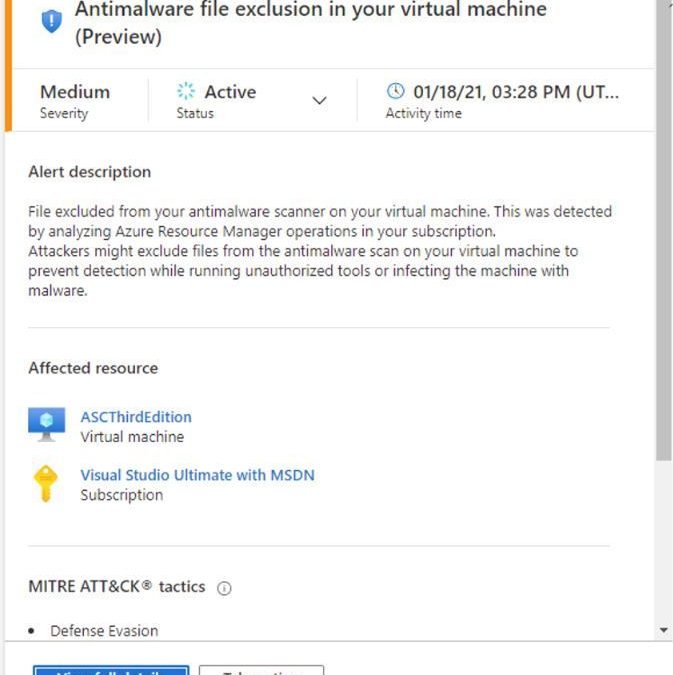

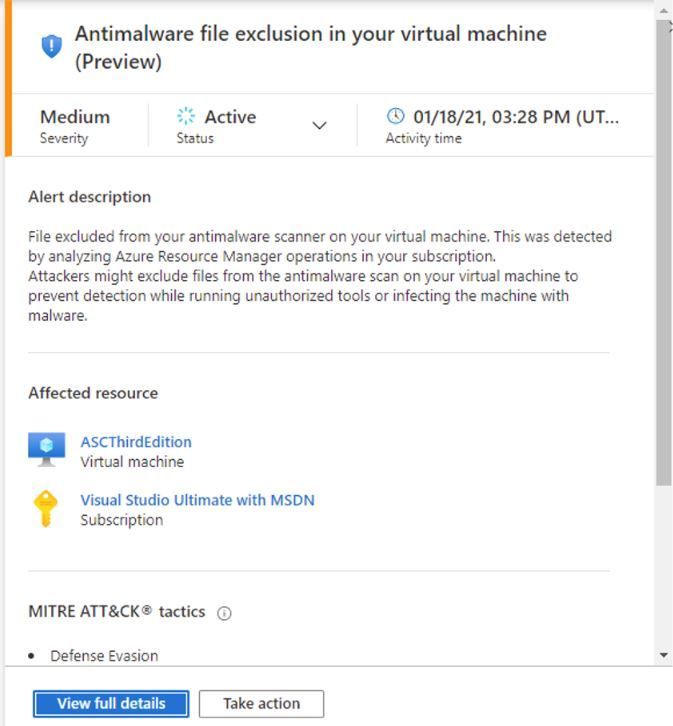
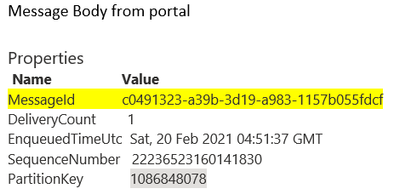

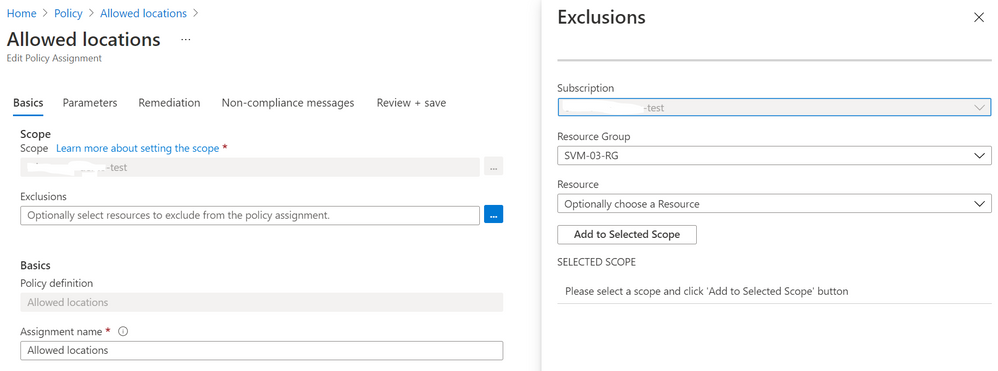
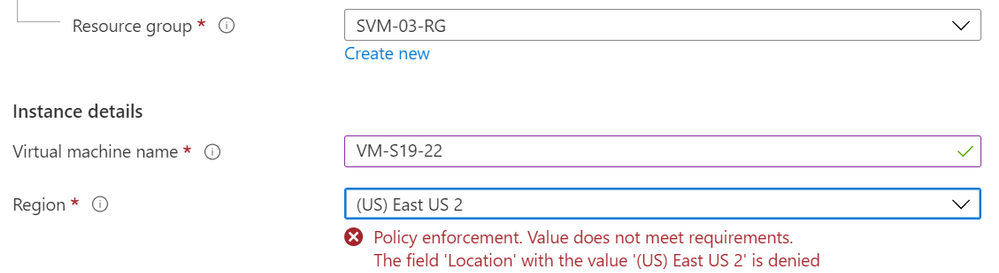


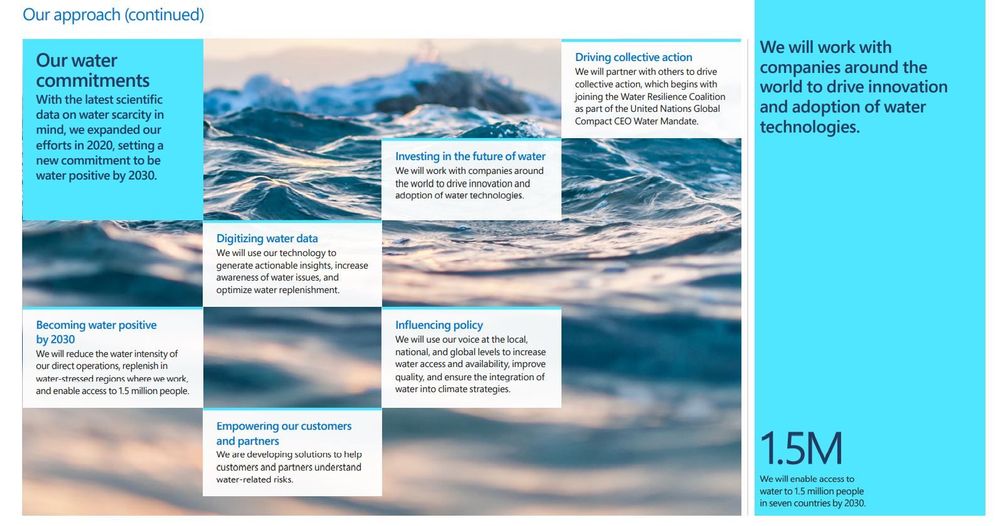
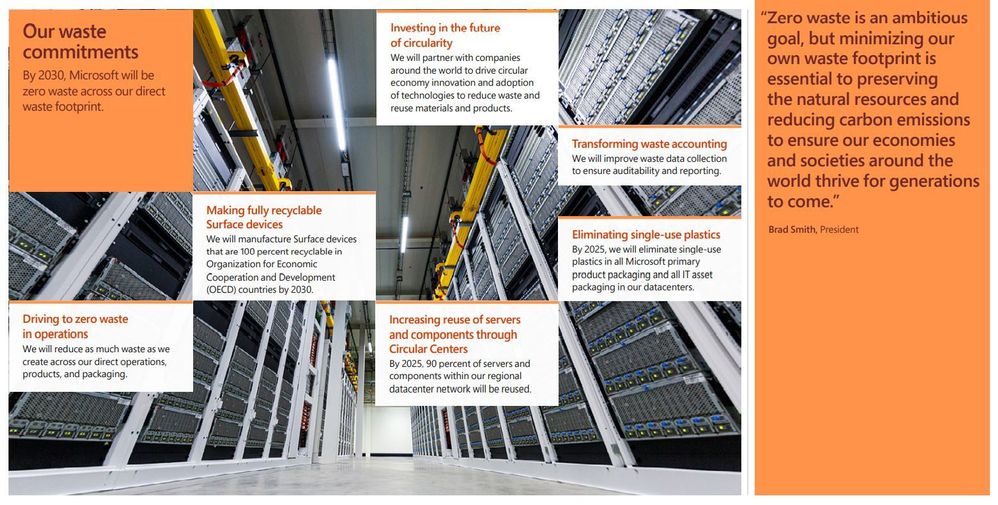
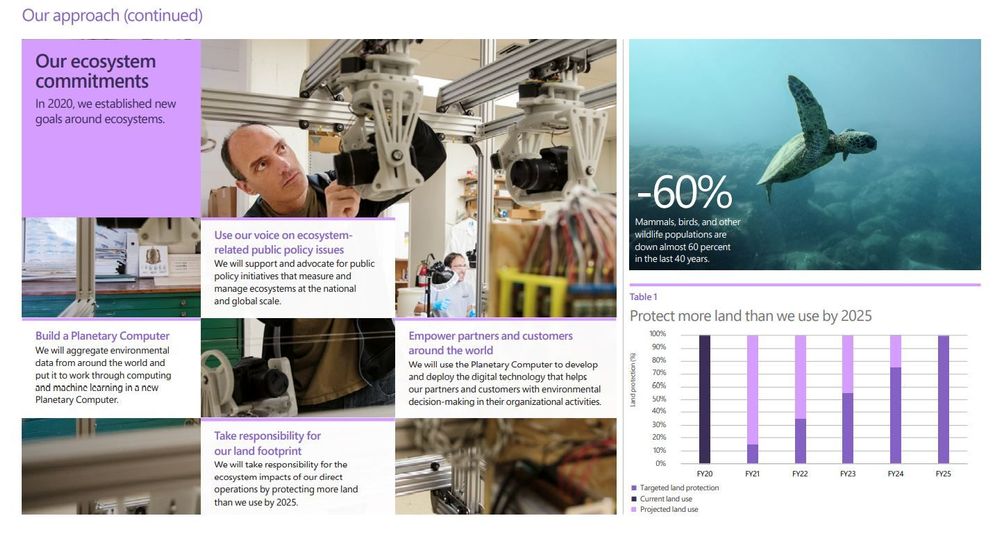
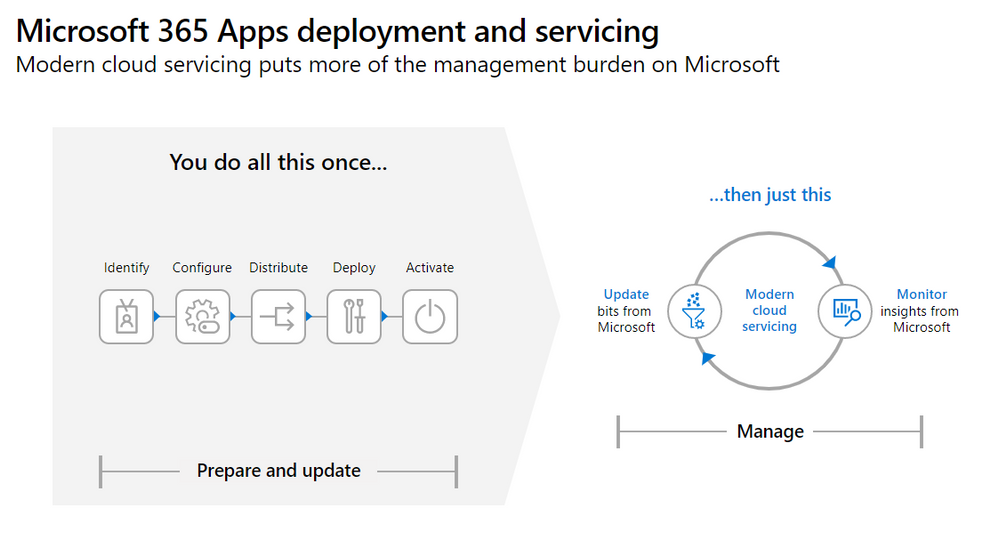
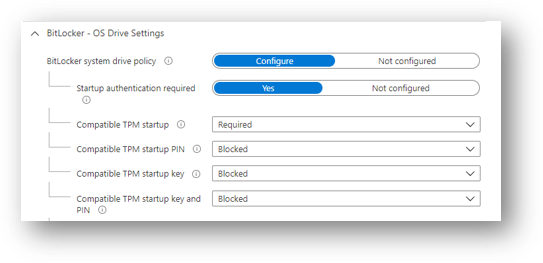
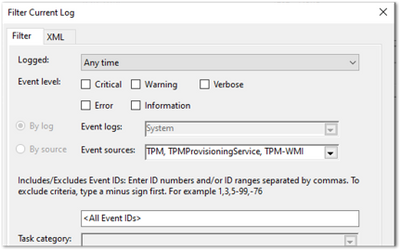
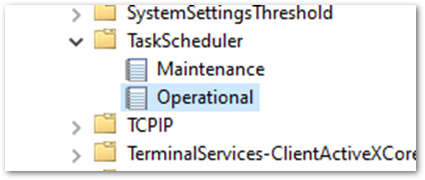
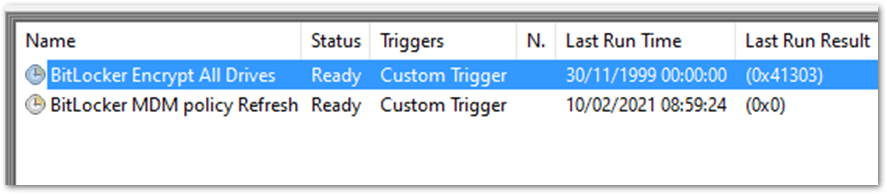
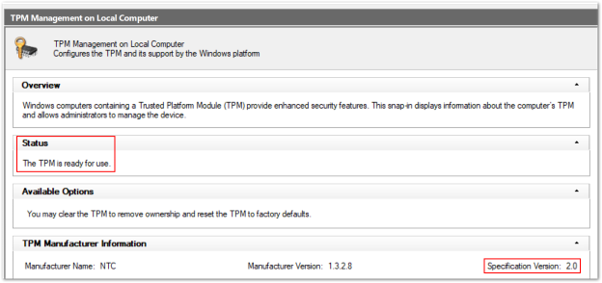
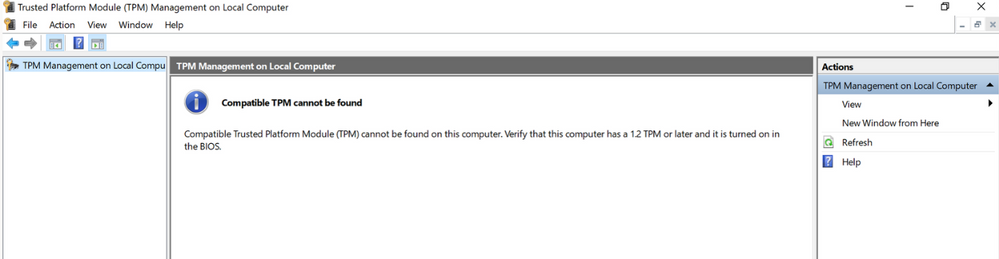
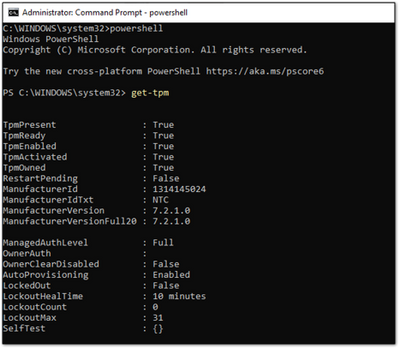
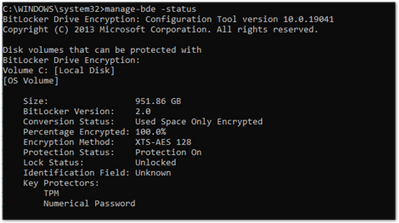
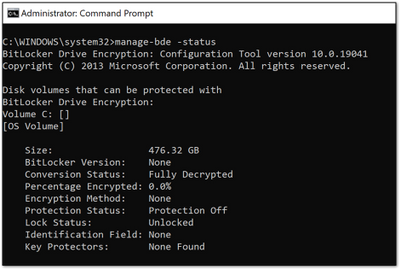
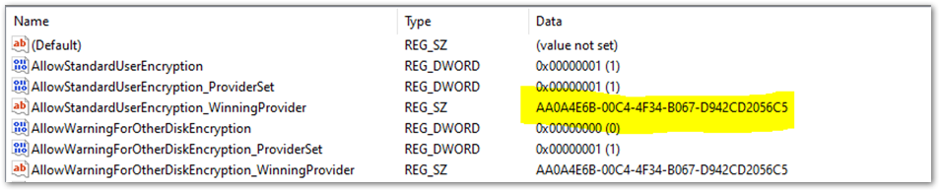

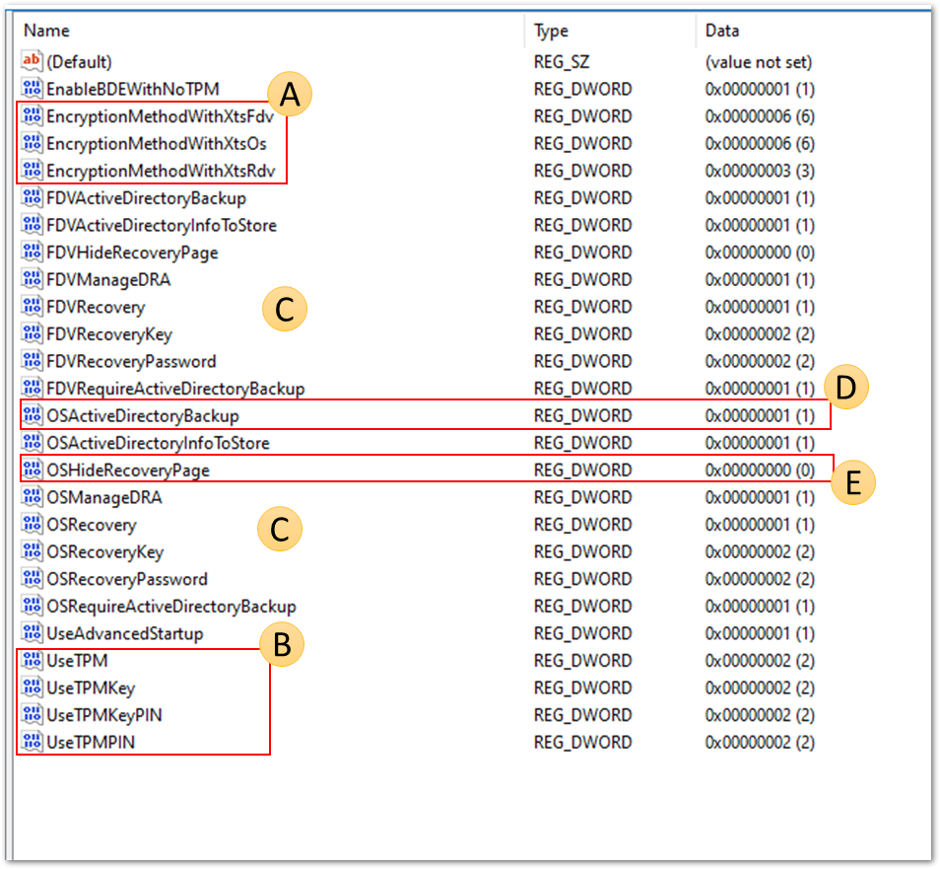
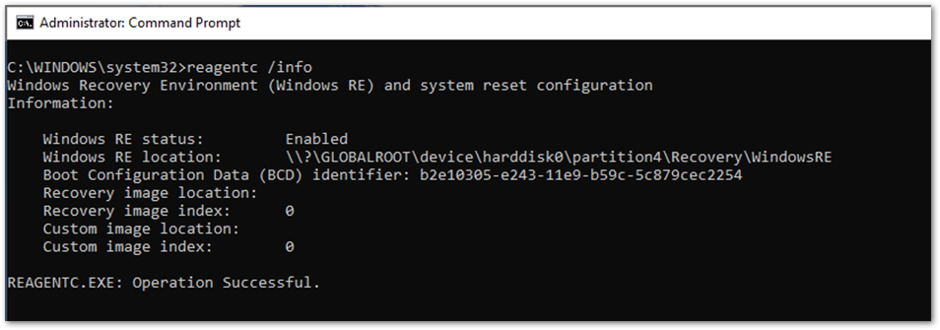
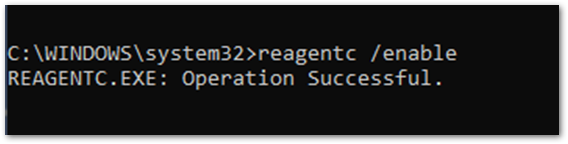
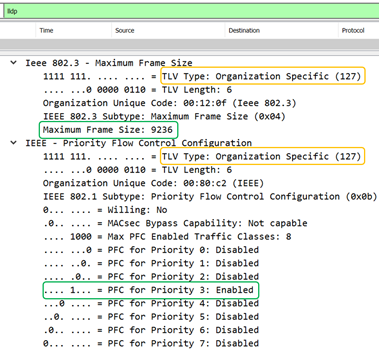

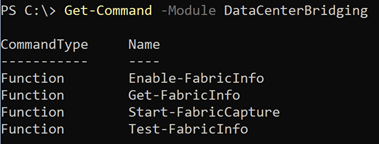
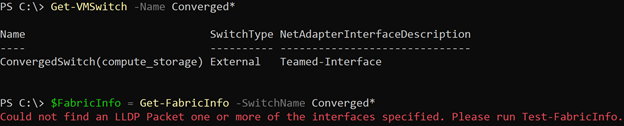
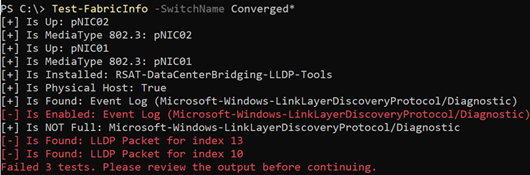

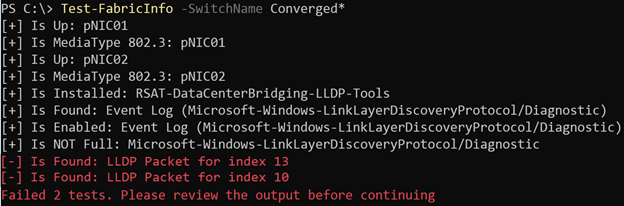
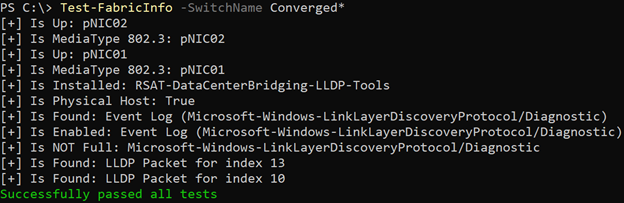
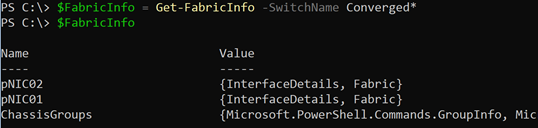
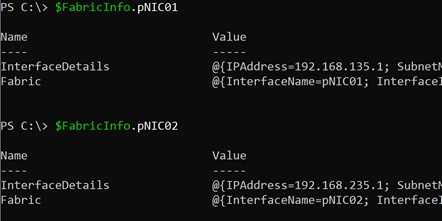
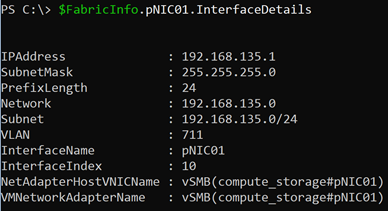
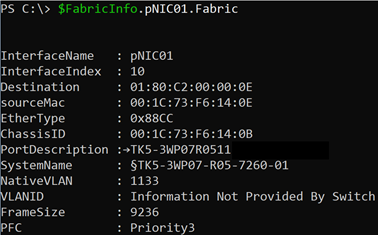
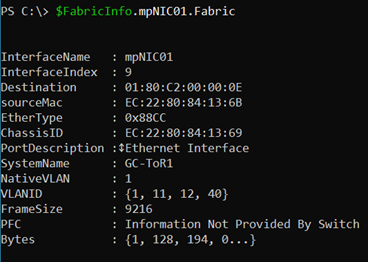
![Power Up Microsoft 365 with the Power Platform [M365 Meetup for Government]](https://www.drware.com/wp-content/uploads/2021/03/large-1330)


Recent Comments