by Scott Muniz | Jul 15, 2020 | Uncategorized
This article is contributed. See the original author and article here.
This blog describes enhancement in SQL 2019 for TDE enabled databases in which MaxTransferSize is no longer required.
Backup Compression and Transparent Data Encryption (TDE) have been two valuable features for customers using SQL Server. In version of SQL Server prior to SQL Server 2016 for TDE enabled databases – specifying WITH COMPRESSION had no effect on backup size.
Starting with SQL Server 2016, backup compression was enabled for TDE-enabled databases provided MAXTRANSFERSIZE > 64KB is specified along with compression. This in turn causes backup compression to kick in and improve overall backup performance by reducing the size and time it takes to complete the backup. For more details, you can read a blog post from our SQLCAT team on this improvement related to TDE and backup compression.
Starting with SQL Server 2019 CU5, setting MAXTRANSFERSIZE larger than 64KB is no longer required to enable the optimized compression algorithm for TDE enabled databases. In other words, if a backup command is specified WITH COMPRESSION or the backup compression default server configuration is set to 1, MAXTRANSFERSIZE will automatically be increased to 128 KB to enable optimum compression of TDE enabled database backup.
If an existing backup command is already making use of MAXTRANSFERSIZE > 64K along with compression, the provided value of MAXTRANSFERSIZE will be honored and backup compression for the TDE enabled database will continue to work.
For more info refer to:
Improvement: MAXTRANSFERSIZE no longer required to enable backup compression on TDE encrypted databases
https://support.microsoft.com/en-gb/help/4561915/improvement-maxtransfersize-no-longer-required-to-enable-backup-compre
by Scott Muniz | Jul 15, 2020 | Uncategorized
This article is contributed. See the original author and article here.
Learn how Teams integrates with your existing workflows and technologies to drive more productivity.
On Wednesday, July 29th from 12 Noon – 3 PM Eastern, you’ll hear from Microsoft Chief Nursing Information Officer Kathleen McGrow, as well as end-users in the health and life sciences sector about how Teams fits into their daily workflows. You’ll also learn how Pexip can help you join Teams meetings from legacy video systems, get a sneak peek of the new 85″ Surface Hub 2, and discover how Kinly can help optimize your Teams collaboration strategy.
Agenda
| 12:00 |
Keynote: How Teams fits into your healthcare setting (Microsoft)
|
| 12:30 |
Connecting legacy video systems with Teams (Pexip) |
| 1:00 |
Developing your Teams strategy (Kinly) |
| 1:30 |
Collaborating with Surface Hub 2 – (Microsoft) |
| 2:00 |
Customer Panel (Becton Dickinson, MVP Health Care) |
| 2:30 |
Open Q&A |
The Presenters
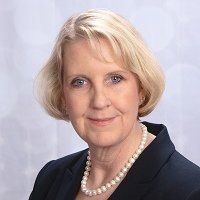 |
Kathleen McGrow, DNP, Chief Nursing Information Officer & Industry Executive at Microsoft (LinkedIn)
|
 |
Frank Buchholz, Sr. Product Marketing Manager – Surface at Microsoft (LinkedIn)
|
 |
Olly Henderson Sales Director – Microsoft Lead US at Kinly (LinkedIn)
|
 |
Andrew Reitter, Sr Director of Business Development at Pexip (LinkedIn)
|
|
|
Anthony Kay, Telecommunications Engineer at Becton Dickinson (LinkedIn)
|
 |
David Swits, Sr Leader, Cloud & Infrastructure Services at MVP Health Care (LinkedIn)
|
 |
Jeremiah Brown, Leader, Cloud Services and Microsoft Technologies at MVP Health Care (LinkedIn)
|
We look forward to seeing you there!
by Scott Muniz | Jul 15, 2020 | Azure, Microsoft, Technology, Uncategorized
This article is contributed. See the original author and article here.
The Azure Sphere OS update 20.07 is now available for evaluation via the Retail Eval feed. The evaluation period provides 14 days for backwards compatibility testing. During this time, please verify that your applications and devices operate properly with this release before it’s deployed broadly via the Retail feed. The Retail feed will continue to deliver OS version 20.06 until we publish the 20.07 update in two weeks.
The evaluation release includes an OS update only; it does not include an updated SDK.
Areas of focus for compatibility testing with the 20.07 evaluation release should include:
- Apps/functionality utilizing real-time cores
- Apps/functionality using ADC and/or PWM
- Apps/functionality that use functions in the Azure IoT C SDK (include/azureiot)
For more information
For more information on Azure Sphere OS feeds and setting up an evaluation device group, see Azure Sphere OS feeds.
If you encounter problems
For self-help technical inquiries, please visit Microsoft Q&A or Stack Overflow. If you require technical support and have a support plan, please submit a support ticket in Microsoft Azure Support or work with your Microsoft Technical Account Manager. If you do not have a support plan and require technical support, please explore the Azure support plans.
![[Guest blog] My Journey with Helping Kids Love Technology](https://www.drware.com/wp-content/uploads/2020/07/large-523)
by Scott Muniz | Jul 15, 2020 | Uncategorized
This article is contributed. See the original author and article here.
This article was written by Data Platform MVP Indira Bandari in New Zealand. She shares about her experience teaching kids how to code.
In this article, I wanted to share my journey with helping kids get to know about and foster a love of technology.
How did it all start?
In June 2016, I signed up as a mentor for #JHACK NZ 2016, a Game Development Competition for kids in high school. JHACK, with the help of Microsoft ran their first workshop on June 26, 2016. Over 100 kids were trained for half a day on a game development software called Construct 2.
They were given 6 weeks to develop games and submit. All the mentors that signed up also were trained on Construct 2. When I was returning home from the training, it hit me. I had a realization. Why not also teach tech to some of the primary school kids that come to the Sunday school where I volunteer? That July came with new beginnings. I started with 12 kids between ages 9 to 12, teaching them the same software, Construct 2 for 6 straight weeks.
After 2 weeks of successfully running the course, I mentioned this to the Program Manager of #JHackNZ. It evolved even more. She encouraged me and said “Why don’t the kids submit some games for the competition?” Even better, I was able to use this resource to inspire the kids to build games. The result: 8 individual games and 1 group game were successfully submitted.
Come September, the students I taught joined the rest of the participants in the game competition. It was a full day of fun and activity for the kids with industry experts. 5 games were selected for individual category and 5 games were selected for group games category, followed by presentations to the audience about their creations.
We were thrilled to hear that 2 of our kids were finalists. Take a look at their presentations here: Season Run Star Gatherer.
So after their presentations in the final round, we were once again pleased to hear that these 2 games placed SECOND and THIRD in the individual category. I couldn’t believe this and this was a significant achievement for all of us. You can check the photos here.
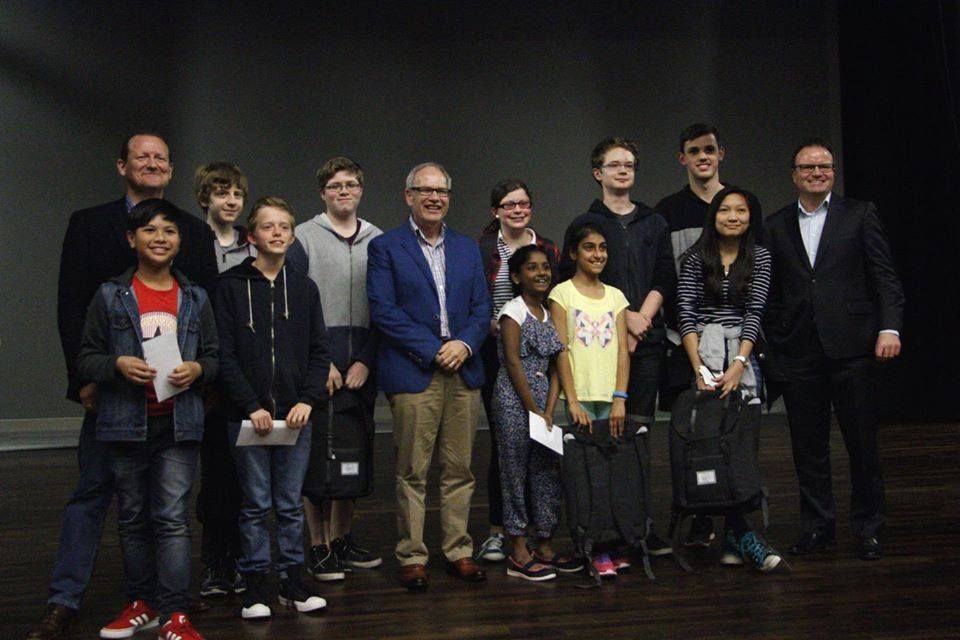 JHACK Winners
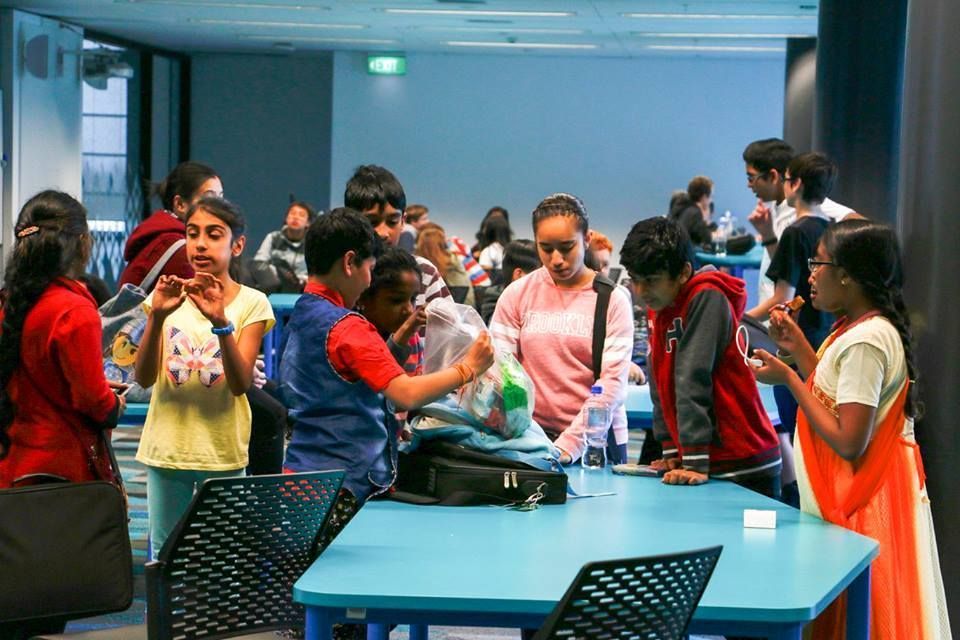 Kids enjoying the JHACK competition finale
What did I learn from this?
- Each kid is different in terms of what they can achieve
- They are creative in their own unique way
- They enjoy creating games that are similar to the ones they play
- They tend to have fun and make life interesting
- When the presentation time came, they used all their imagination to weave stories around the games they have created to make it fun and interesting for the audience
So what came next?
After the success of the game development classes, I turned teaching kids tech into a yearly practice. And what better to teach them than what I have been doing for the last 15 years?
With that, I have been running a 12-14 week course on Databases and Data Visualizations every year since then. In the databases section of the class for the first 6 weeks, I teach them fundamentals of SQL using Microsoft SQL Server using SQL Server Management Studio. In the next 6-8 weeks, I take Data Visualization classes and teach them basics of Power BI.
Now, I conduct Power BI competitions for kids after the 12-14 weeks course. The kids select their own datasets from MakeoverMonday.com or kaggle.com based on their interests. If you want to learn more, find the details of this competition here.
So, what are these kids capable of?
Kids are extremely courageous when it comes to trying new initiatives. If they are given access to technology with proper guidance, you’ll be amazed at how they can come up with exceptionally creative solutions.
So far, I have trained 22 kids in Power BI and some of them have started using them in their schools. A couple of kids have participated in Hackathons such as Hackthecrisis NZ and Hackforgood. The exposure at such a young age prepared them for being brave in try new technologies, such as building websites, using PowerApps, Power Virtual Agents, qnamaker, Cognitive services etc. It also encourages them to become more involved at school or wherever they get the opportunity. It is so interesting to see these kids receive certificates in school that are related to technology. One of my students even started her own YouTube channel.
New initiative this year
Inspired by my own 5-year old kid, I have started teaching coding basics classes for 5 – 9 year olds. Thanks to code.org, I’ve been amazed to see these kids progress, even achieving tech certificates as as they move to higher levels.
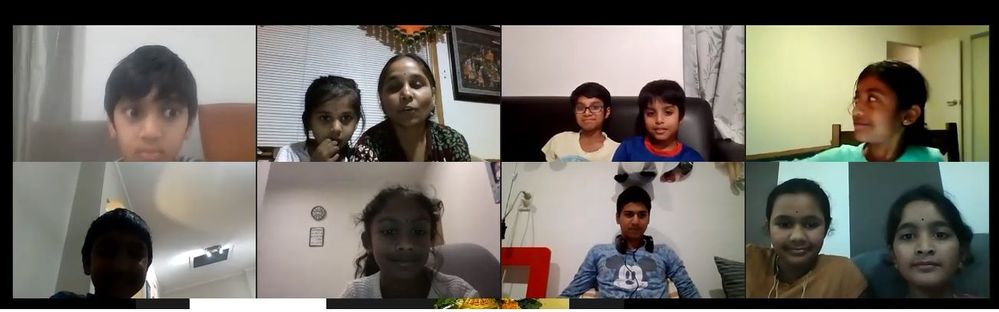 Coding classes for 5 to 9 year olds
What joy mentorship and teaching have brought me over the course of these past few years. I encourage everyone to find opportunities to use their technical expertise and mentor future technologists.
#HumansofIT
#TechforGood
#FutureTechnologists
by Scott Muniz | Jul 15, 2020 | Uncategorized
This article is contributed. See the original author and article here.
The Microsoft Biz Apps for Women community continues to grow in Asia Pacific – pandemic or not.
Originally launched two years ago in Australia’s largest city, The Sydney Microsoft Business Applications Women Meetup has since grown to more than 300 members across multiple locations. Inspired by these efforts, The ASEAN Microsoft BizApps UG Women in Tech event launched in June to further support women in the region.
BizApps MVP and Sydney group organizer Olena Grischenko said she wanted to create a safe place for women to grow and openly discuss ideas. “I wanted to see more women actively engaged in the community and started with myself. I wanted to see more women being recognised for the work they do and simply more women connected and visible in the space,” Olena said.
The purpose of the community is to empower, promote, and support women involved with Microsoft Business Applications to speak at conferences and other events. They also run study groups to help people to prepare for certifications.
The group – whose committee includes Linda Do (Microsoft Product Marketing Manager), Abby (Mi) Kong (Dynamics 365 Applications Specialist), Gill Walker (Founder and Managing Director at Opsis), Karen Scott Davie (Microsoft MTC and Senior Consultant), and Katherine Woods (Dynamics 365 Consultant) – has since expanded to Melbourne and Auckland, New Zealand.
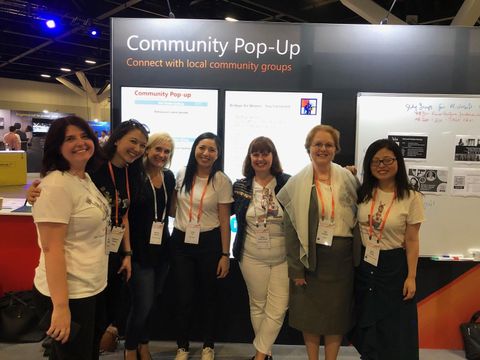
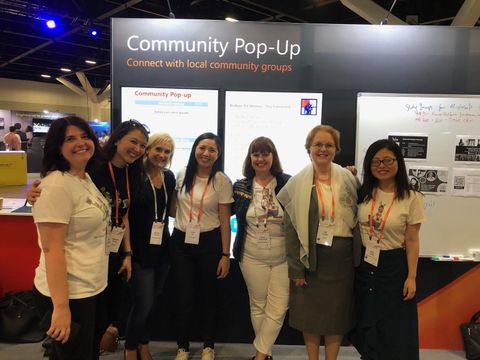
Further, the group recently enjoyed being only one of four community groups invited to set up a booth at Microsoft Ignite in February.
Usually, the group can be found on the first Thursday of every month at the Microsoft Reactor in Sydney. The monthly meetup, however, has recently been using Office 365 and Microsoft Teams to stay connected during the coronavirus pandemic. Recent virtual topics covered by the group include “The Seven Deadly Sins of Dynamics 365 Training” and “Tactics to Surviving Corona Disruptions and Staying Connected.”
“Although we miss our live events, I have to admit there are some good things which happened to us, too,” Olena said. “The most important thing is that we got closer to our New Zealand peers. We share the audience and actively interact with each other, especially on the leadership level.”
Supporting and promoting Asian Pacific Women in BizApps grew even further thanks to the efforts of another group in Singapore. Manonmani VS, Geetha Chockalingam, and Jeevarajan Kumar – in conjunction with Panjaporn Vittayalerdpun from Microsoft and other ASEAN BizApps UG leads – organized the ASEAN Microsoft BizApps UG Women in Tech event on June 13 to empower all women in the ecosystem to effectively use the platform for a better tomorrow.
More than 180 participated in this Women in Tech event via Microsoft Teams and learnt practical information of Power Platform and Dynamics 365, career stories of women in leadership, and use cases.
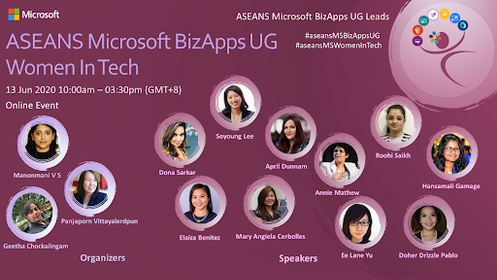
Coorganizer and MVP Jeevarajan said the team wanted to inspire and encourage all women interested in BizApps to be “part of us, ride, and rise with us.”
“There has been much less participation from women in all past community meetups. This meetup had more new women participants and all women speakers highlighted their journey – which inspired not only women but also men to know more about the platform and other Microsoft initiatives around this platform,” Jeevarajan said.
Eleven women speakers including 4 MVPs and 4 MSFTs spoke on a variety of topics with regional relevance. For example, New Zealand MVP Elaiza Benitez presented on “Tackling an NZ use case with AI Builder Forms Processing”. Moreover, Australian MVP Ee Lane Yu spoke about building trivia using “PVA Bot, Adaptive Cards and Teams”, Indian MVP Roohi Shaikh delved into moving Power Apps Biz Logic to the Cloud for better results, and Sri Lankan MVP for Microsoft Azure Hansamali Gamage demonstrated how to create a payment reminder using Power Apps, Excel, and Azure Functions.
Hansamali said she was excited to take part in an event which focused on inspiring women to improve their day-to-day work. “Since it’s all about women speakers, I was very thrilled to be part of it,” she said.
Check out the Microsoft User Group Singapore YouTube channel to see presentations from the day. For more information on the Sydney Microsoft Business Applications Women community, visit their Meetup page.


Recent Comments