by Scott Muniz | Jul 17, 2020 | Uncategorized
This article is contributed. See the original author and article here.
During Day three of our Back To School event, Maria Langworthy, PM on Microsoft’s Education Experiences Team, gave a great overview of the connected classroom. Maria is an education researcher who has worked with large international education systems to develop both pedagogy and technology solutions that drive 21st century learning.
Maria talked about a set of publications Microsoft has produced to address some of the challenges schools are facing as they transition to remote learning. These publications detail how to design an effective remote learning system. Topics include connectivity and device planning, platform planning, education resources and materials planning, and how each of these aspects interoperate and can be facilitated with Microsoft tools. These resources also include an abundance of training and support material and can be found here- https://aka.ms/resilientlearning
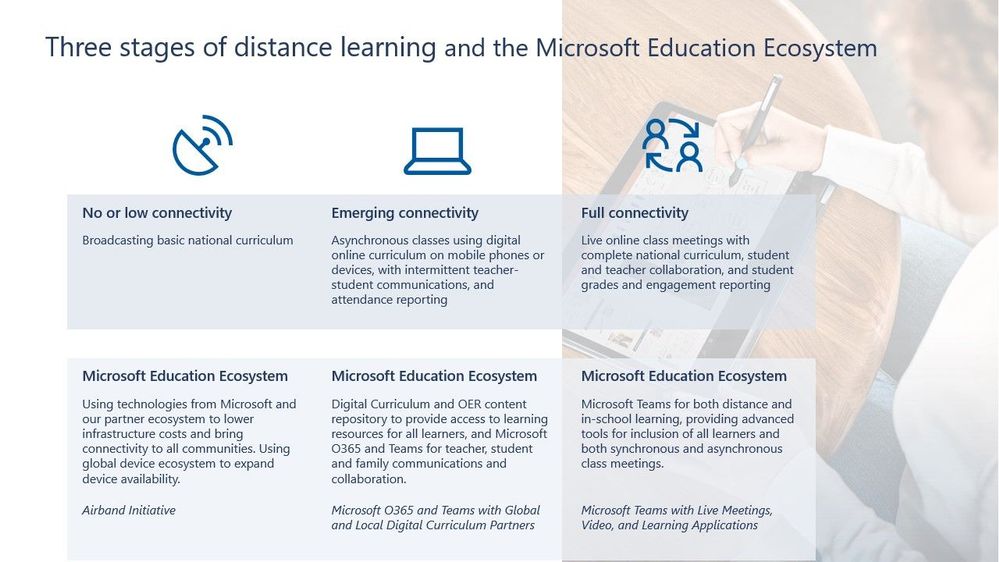
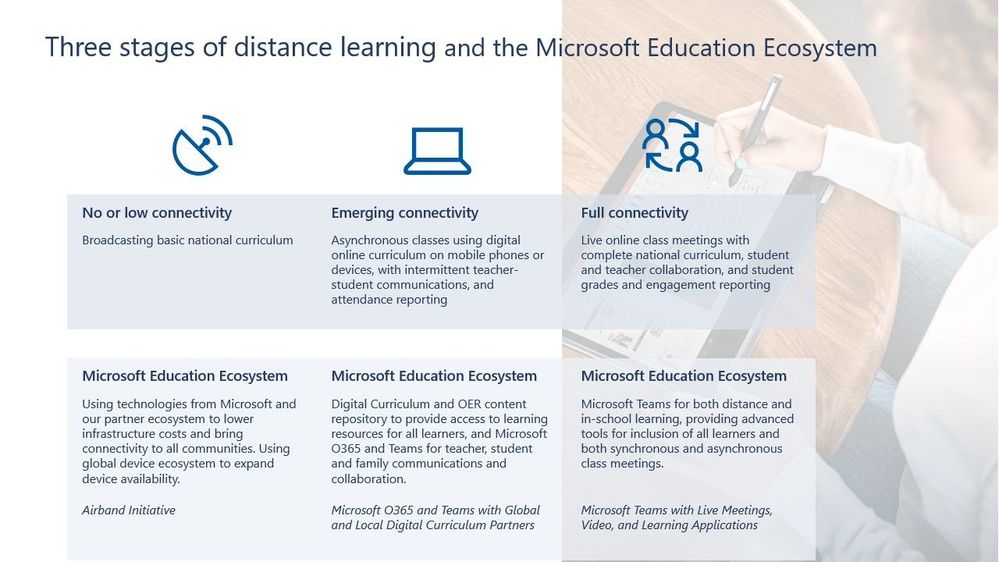
In discussions with UNESCO and ministries of education around the world, Microsoft researchers have discovered that most schools fall into three categories of connectivity. These categories are: No or low connectivity, emerging connectivity, and full connectivity (see example below). Microsoft has developed remote solutions for each category and is constantly working to sustain learning experiences across the board. Nearly all schools are working on a transition to remote learning environments.
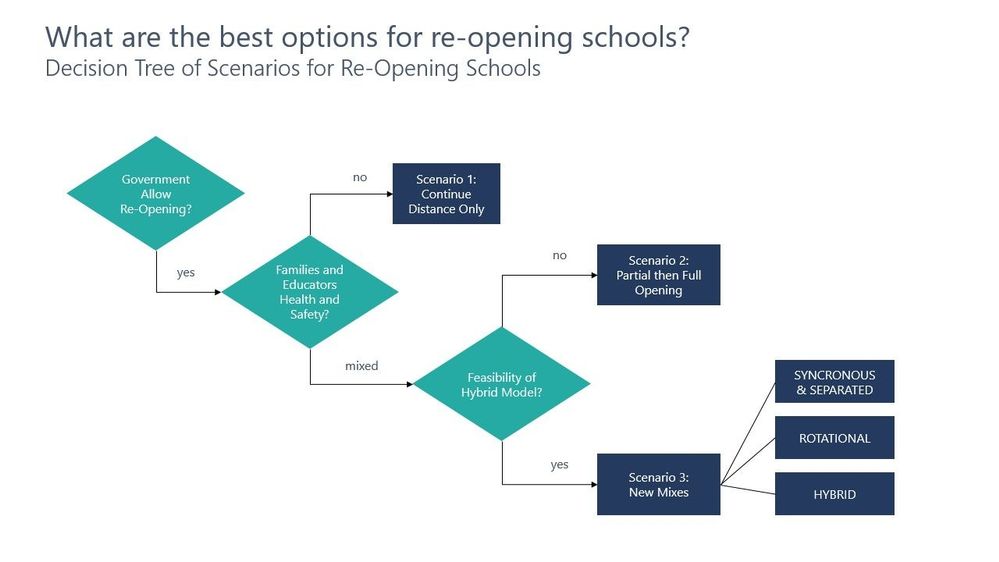
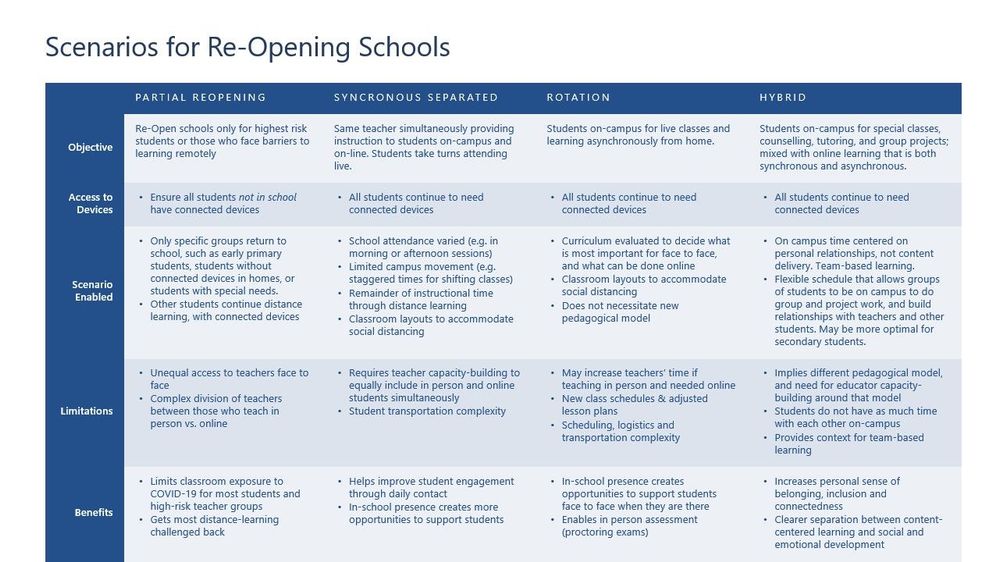
In collaboration with UNESCO, Maria and her team have developed a decision tree and criteria table for addressing scenarios for re-opening schools amid the COVID-19 pandemic. These resources are designed to help schools think through their options and figure out what is best for their organization.
Transitioning to remote and hybrid learning solutions is a challenge being faced by students and educators around the world. Maria laid out the common phases that organizations pass through as they move toward remote and hybrid solutions:
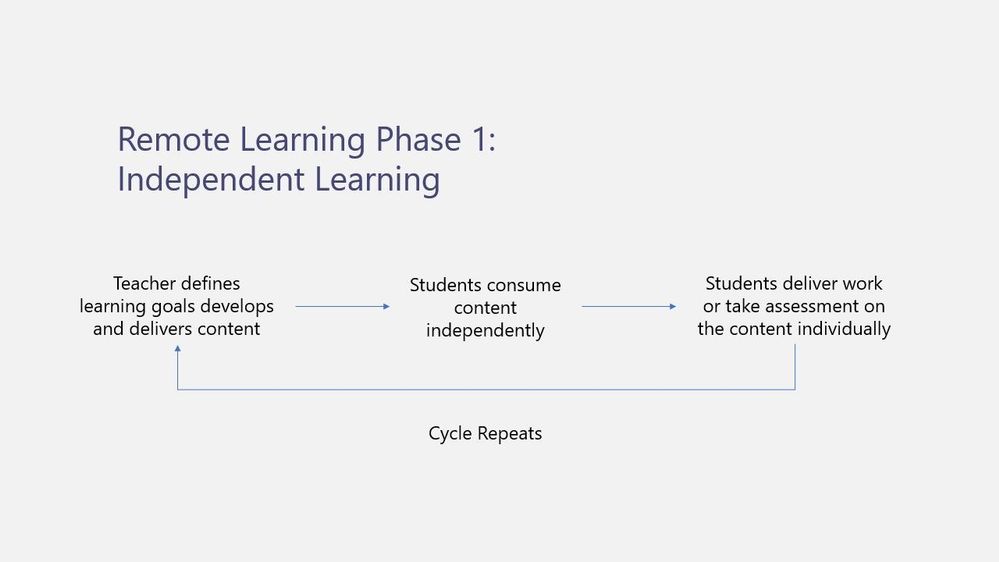
Phase 1- Independent Learning
Phase one details the first phase many educators find themselves in as they transition to a remote solution. As depicted in the image below, it is common for educators to take the traditional teaching model practiced in non-remote/hybrid classrooms and attempt to apply it in a remote environment. Many teachers and students have struggled with this format due to delayed communication, a confusion around the many tools being used by a given organization, and a general hesitancy to ask questions in a remote environment. This independent learning model is outlined in the image below.
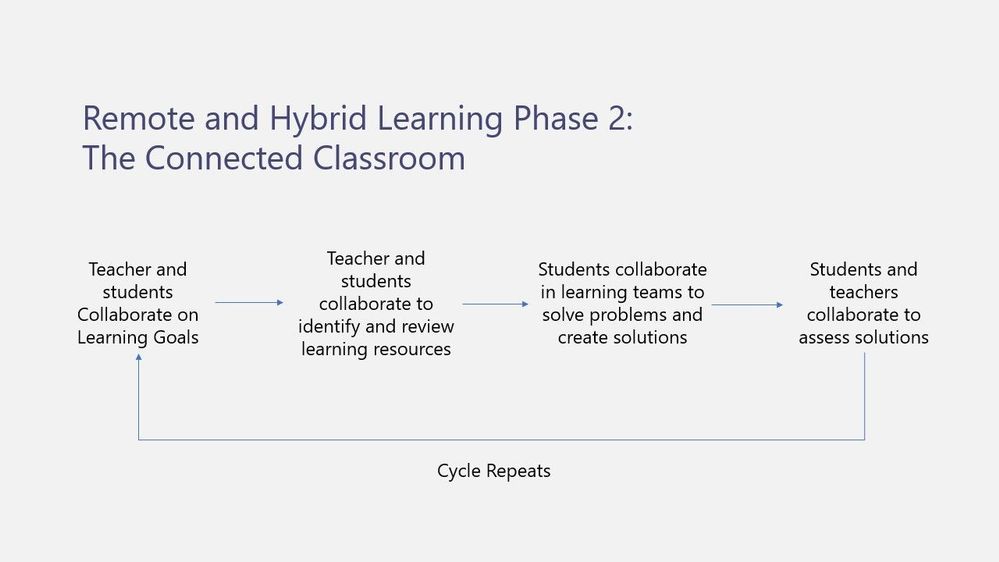
Phase 2- The Connected Classroom
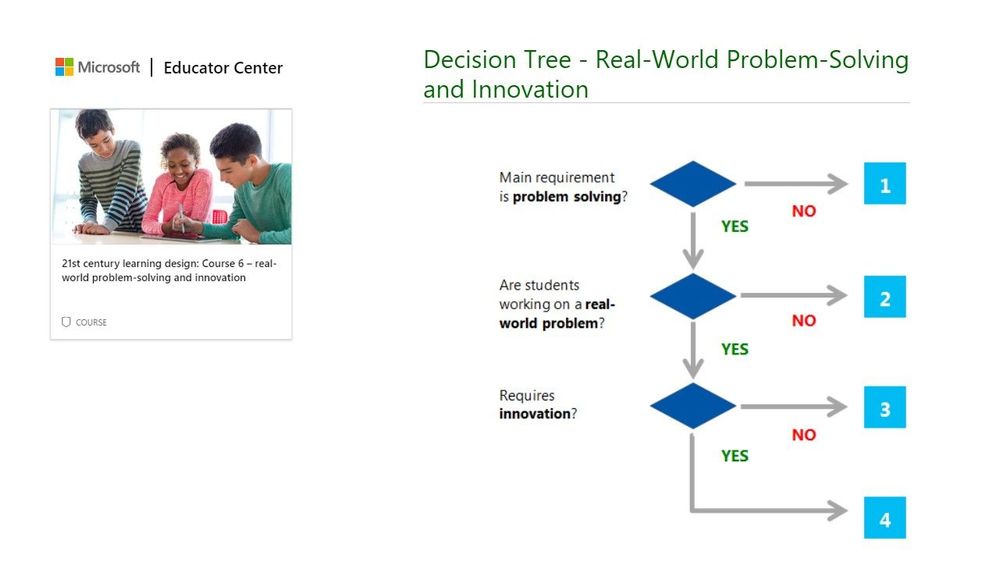
The idea of the connected classroom shifts the traditional model to a more project-based and student-centric environment that lends itself well to remote and hybrid learning scenarios. This model encourages students and teachers to work together to develop collaborative projects and requires students to develop self-management skills as they work solve problems in remote teams. As seen in the image below, phase two encourages teachers to facilitate students collaborating with each other by creating learning experiences within a structured environment that encourage students to take ownership of their own learning. Resources within the Microsoft Education Center on 21st Century Learning Design provide rubrics to help teachers design these engaging learning experiences and can be accessed here.
High level assignment rubrics (as seen in the “Real-World Problem Solving example below) are also available within the 21st century learning design section of Microsoft’s Education Center (MEC).
We are here to support you as you work through the challenges of transitioning to remote and hybrid learning environments. For the latest on everything Microsoft EDU, we also invite you to join the Enable Remote Learning Community (ERL) to connect with a global network of educators and discover the latest feature releases and updates.
by Scott Muniz | Jul 17, 2020 | Uncategorized
This article is contributed. See the original author and article here.
This week, Azure Data Factory announced the immediate public availability of Azure Data Factory Managed Virtual Network as public preview.
Microsoft Defender ATP announced high value asset tagging.
@Rolf-42 is our member of the week, and has been a fantastic contributor especially in the Microsoft Learn community.
View the Weekly Roundup for July 13-17 in Sway and attached PDF document.
by Scott Muniz | Jul 17, 2020 | Uncategorized
This article is contributed. See the original author and article here.
Are you an app maker who builds solutions to simplify, automate, and transform tasks and processes for your team where you have deep expertise in the solution domain? Are you skilled in key technical business analyst tasks, such as data modeling, basic UX design, requirements analysis, process analysis, etc.? Do you create and enforce business processes, structures digital collection of information, improves efficiency of repeatable tasks, and automates business processes? Are you use Power Platform to solve business problems? Do you have experience with Visual Basic for Applications, Excel Pivot Tables, Teams and other tools? Do you have a basic understanding of data models, user interface, and processes? If so, I have a great opportunity for you to showcase your skills and be recognized for them… take and pass this beta exam!
The new Microsoft Certified: Power Platform App Maker Associate certification has one exam that is currently in beta: PL-100: Microsoft Power Platform App Maker.
To receive the 80% discount*, use code PL100KLSrise when prompted for payment.
This is NOT a private access code. You can use this code to register for and take the exam on or before 8/14/2020.
*The first 300 people who register can take these exams for an 80% discount! (Why beta exams are no longer free.) The seats are offered on a first-come, first-served basis. You must register for the exam on or before 8/14/2020. Take the exam as soon as possible, so we can leverage your comments, feedback, and exam data in our evaluation of the quality of the questions.
Preparing for Beta Exams
Taking a beta exam is your chance to have a voice in the questions we include on the exam when it goes live. The rescore process starts on the day that exams go live, and final scores are released approximately 10 days later. For updates on when the rescore is complete, follow me on Twitter (@libertymunson). For questions about the timing of beta exam scoring and live exam release, see the Creating high-quality exam: The path from beta to live blog post.
Remember, the number of spots is limited, so when they’re gone, they’re gone. You should also be aware that there are some countries where the beta code will not work (including Turkey, Pakistan, India, and China). You will not be able to take the beta exam in those countries.
Also keep in mind that these exams are in beta, which means that you will not be scored immediately. You will receive your final score and passing status after your exam is live.
Related announcements
Skill up and stand out, with new role-based training and certification!
New role-based certification and training is here, and we’re just getting started!
by Scott Muniz | Jul 17, 2020 | Uncategorized
This article is contributed. See the original author and article here.
The total cost of ownership (TCO) for video analytics is an important consideration for customers. That’s why we integrated
Live Video Analytics from Azure Media Services and
Microsoft Rocket (from Microsoft Research). The integration enables an order-of-magnitude improvement in throughput per edge core (frame per second analyzed per CPU/GPU core), while still maintaining the accuracy of the video analytics insights.
Microsoft Rocket, an open-source project from Microsoft Research, provides cascaded video pipelines that combined with Live Video Analytics from Azure Media Services, makes it easy and affordable for developers to build video analytics applications in their IoT solutions. For details, see our full post on the
IoT blog.
by Scott Muniz | Jul 17, 2020 | Uncategorized
This article is contributed. See the original author and article here.
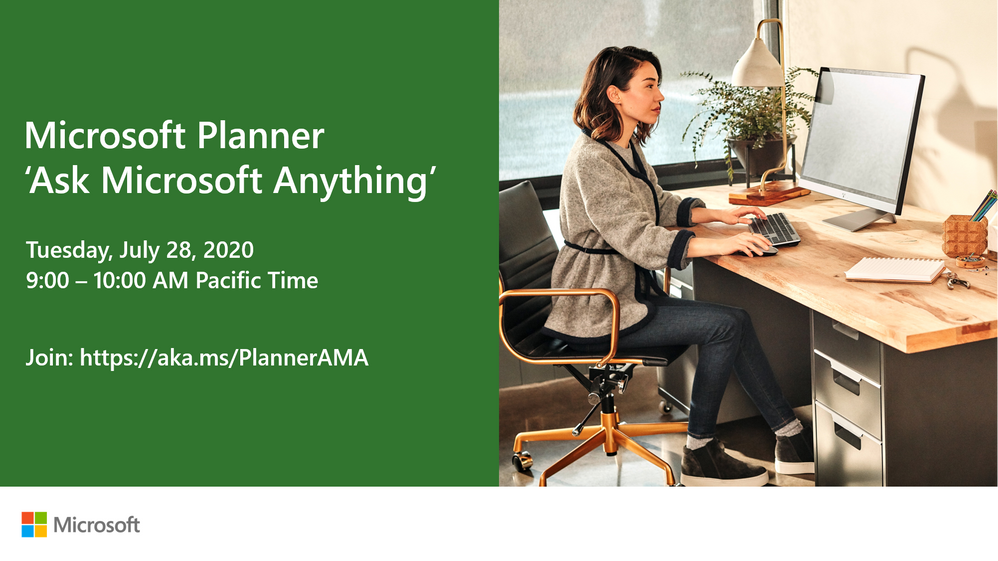
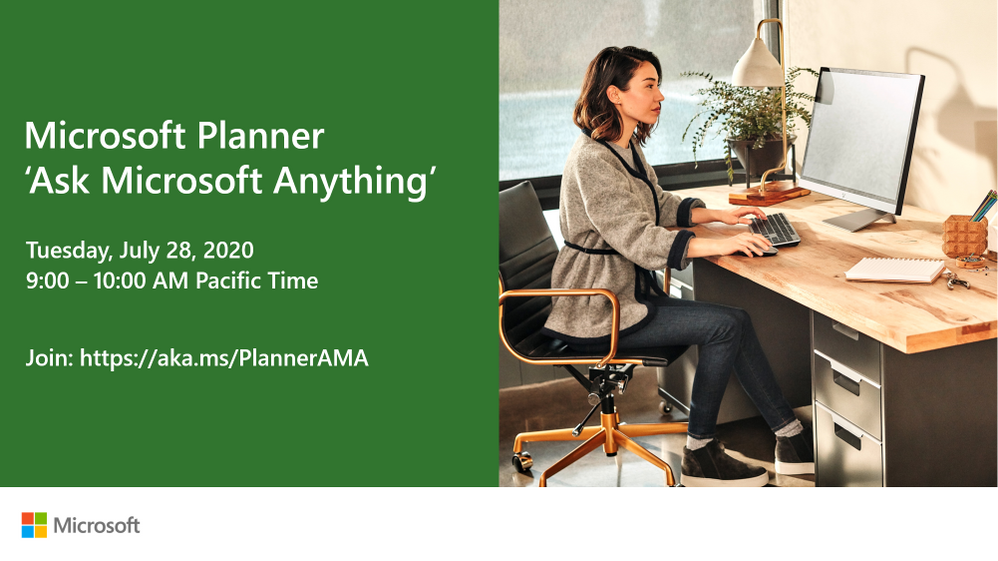
We want to hear from you and answer your questions around using Microsoft Planner! We will be hosting an “Ask Microsoft Anything” (AMA) session on Tuesday, July 28, 2020 at 9:00 AM to 10:00 AM Pacific Time, here, on the Tech Community. Save the date!
To join, simply, visit the Planner AMA space on July 28 at 9:00 AM Pacific Time and click “Start a New Conversation” to post your question. This event is open to all Tech Community members and we’ll have members of the Microsoft product and engineering teams standing by to provide answers.
In the meantime, if you haven’t already, be sure to join the Planner Community.
We look forward to answering your questions!


Recent Comments