
by Scott Muniz | Oct 7, 2021 | Security, Technology
This article is contributed. See the original author and article here.
Official websites use .gov
A .gov website belongs to an official government organization in the United States.

Secure .gov websites use HTTPS A
lock ( )
) or
https:// means you’ve safely connected to the .gov website. Share sensitive information only on official, secure websites.
by Scott Muniz | Oct 7, 2021 | Security, Technology
This article is contributed. See the original author and article here.
In coordination with the Office of Management and Budget (OMB), the Federal Chief Information Security Officer Council (FCISO) Trusted Internet Connections (TIC) Subcommittee, and the General Services Administration, CISA has released Trusted Internet Connections 3.0 Remote User Use Case. The Remote User Use Case provides federal agencies with guidance on applying network and multi-boundary security for agencies that permit remote users on their networks. In accordance with OMB Memorandum M-19-26, this use case builds off TIC 3.0 Interim Telework Guidance originally released in Spring 2020.
The TIC 3.0 Remote User Use Case considers additional security patterns agencies may face with remote users and includes four new security capabilities:
- User Awareness and Training,
- Domain Name Monitoring,
- Application Container, and
- Remote Desktop Access.
In conjunction with the Remote User Use Case, CISA has also released Response to Comments on TIC 3.0 Remote User Use Case and the Pilot Process Handbook. These additional documents provide feedback on the Remote User Use Case and describes the process by which agencies should conduct TIC 3.0 pilots.
CISA encourages all federal government agencies and organizations to review the TIC 3.0 Remote User Use Case and visit the CISA TIC page for updates and additional information on the TIC program.
by Scott Muniz | Oct 6, 2021 | Security, Technology
This article is contributed. See the original author and article here.
Mozilla has released security updates to address vulnerabilities in Firefox and Firefox ESR . An attacker could exploit some of these vulnerabilities to take control of an affected system.
CISA encourages users and administrators to review the Mozilla security advisories for Firefox 93, Firefox ESR 78.15, and Firefox ESR 91.2.
by Scott Muniz | Oct 6, 2021 | Security, Technology
This article is contributed. See the original author and article here.
The Apache Software Foundation has released Apache HTTP Server version 2.4.50 to address two vulnerabilities. An attacker could exploit these vulnerabilities to take control of an affected system. One vulnerability, CVE-2021-41773, has been exploited in the wild.
The Cybersecurity and Infrastructure Security Agency (CISA) encourages users and administrators to review the Apache HTTP Server 2.4.50 vulnerabilities page and apply the necessary update.
by Contributed | Oct 6, 2021 | Technology
This article is contributed. See the original author and article here.
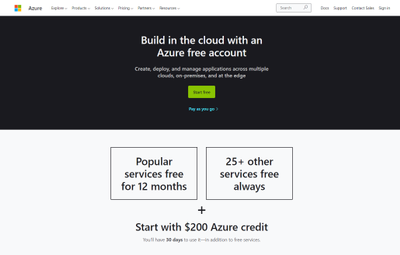
Getting started with Azure Purview for data governance is quick and easy. First, if you don’t already have an Azure account, get instant access and $200 of credit to try Azure Purview by signing up for a free account.
After you create an Azure account, sign into the Azure portal and search for Purview accounts.
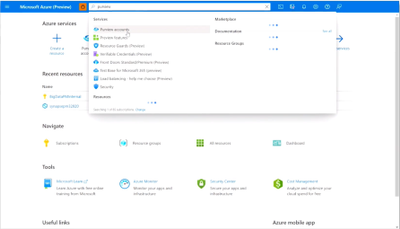
Then select Create to start an Azure Purview account. Note that you can add only one Azure Purview account at a time.
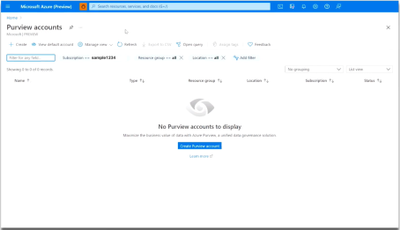
In the Basics tab, select an existing Resource group or create a new one.
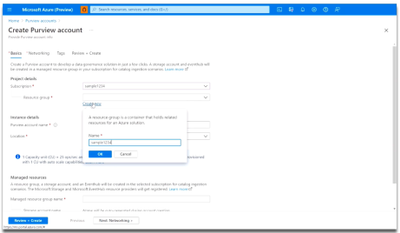
Now, enter a name for your Azure Purview account. Note that spaces and symbols are not allowed.
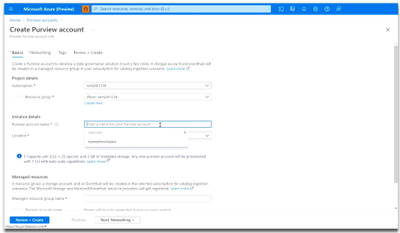
Next, choose your Location.
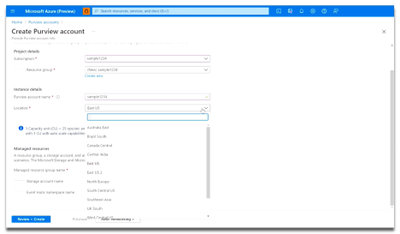
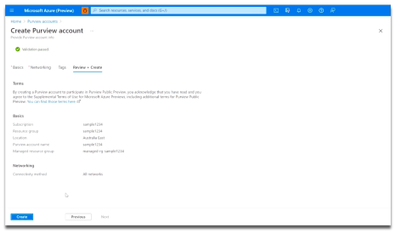
Finally, select the Review + Create button, then the Create button. Your Azure Purview account will be ready in a few minutes!
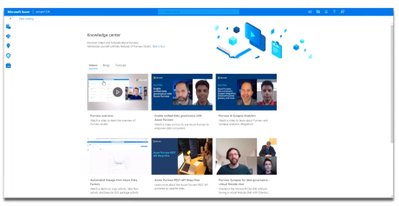
Once you’ve launched an Azure Purview account, be sure to first visit the Knowledge center in the Azure Purview Studio.
The Knowledge center can be accessed via the home page.
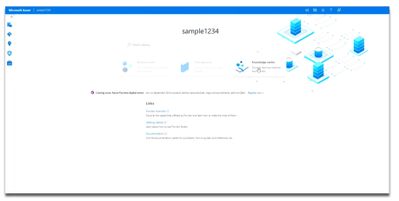
Here, you can watch videos to learn more about the capabilities of Azure Purview, read blog posts about the latest product announcements, and do tutorials to get started with registering and scanning new data sources. Learn how to set up a business glossary and take a tour of the Azure Purview Studio to familiarize yourself with key features.
Try Azure Purview today


Recent Comments