by Scott Muniz | Apr 18, 2022 | Security, Technology
This article is contributed. See the original author and article here.
CISA has released draft versions of two guidance documents—along with a request for comment (RFC)—that are a part of the recently launched Secure Cloud Business Applications (SCuBA) project:
- Secure Cloud Business Applications (SCuBA) Technical Reference Architecture (TRA)
- Extensible Visibility Reference Framework (eVRF) Program Guidebook
The public comment period for the RFC guidance documents closes on May 19, 2022.
In accordance with Executive Order 14028, which is aimed at improving security for federal government networks, CISA’s SCuBA project aims to develop consistent, effective, modern, and manageable security that will help secure agency information assets stored within cloud operations.
CISA encourages interested parties to review the RFC guidance documents and provide comment. See CISA Blog: SCuBA? It means better visibility, standards, and security practices for government cloud for more information and for links to the RFC guidance documents.
by Contributed | Apr 18, 2022 | Technology
This article is contributed. See the original author and article here.
Along with the announcement of Azure Managed Grafana, we are excited to introduce new Grafana integrations with Azure Monitor including the ability to pin Azure Monitor visualizations from Azure Portal to Grafana dashboards and new out-of-the-box Azure Monitor dashboards.
Full stack visibility from multiple sources in a single screen
Grafana allows you to query, visualize and create operational dashboards on Azure Monitor data. Using Azure Managed Grafana, you can now view your Azure monitoring data in Grafana dashboards in a few simple clicks. You can quickly pin Azure Monitor visualizations from the Azure Portal to new or existing Grafana dashboards by adding panels to your Grafana dashboard directly from Azure Monitor. Additionally, you can combine app and infrastructure metrics from multiple Azure sources into a single dashboard for full stack visibility.
How to create your first dashboard
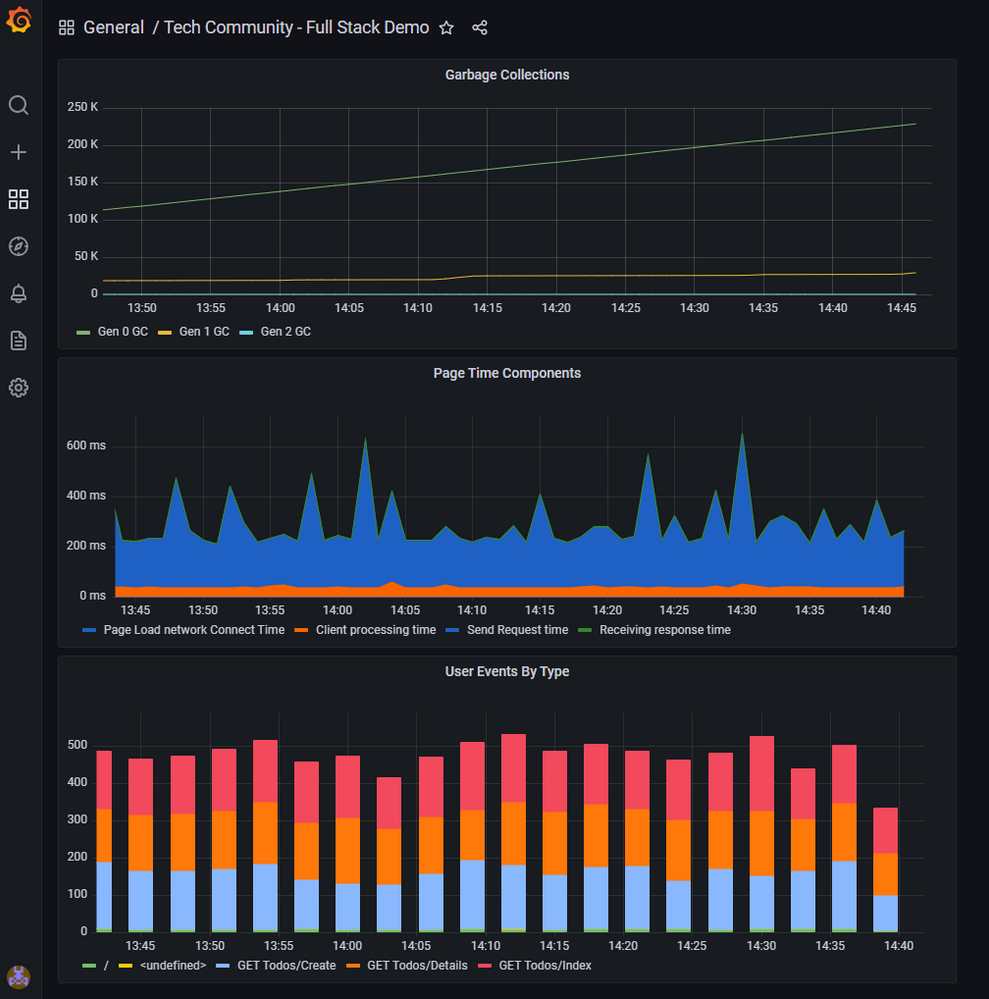
In this example of a full-stack dashboard used to monitor Azure App Services, a DevOps engineer wants to include application layer response times from Azure Monitor application insights, garbage collection counts from Azure Monitor metrics and user events by type from Azure Monitor logs all in a single screen view.
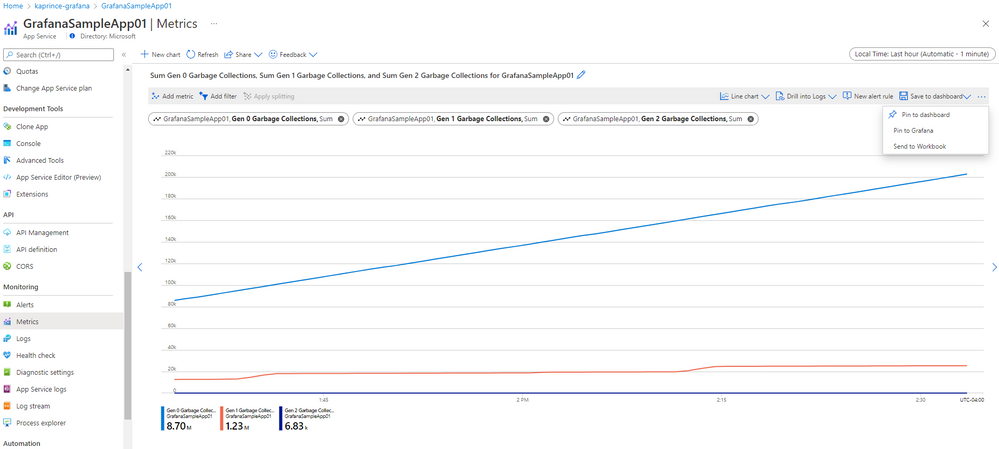
After creating an Azure Managed Grafana workspace in the Azure portal, the engineer navigates to Azure Monitor metrics explorer to build the chart for the Garbage Collections metrics from the Azure App Service platform. Then, use Pin to Grafana to embed the chart into the dashboard.
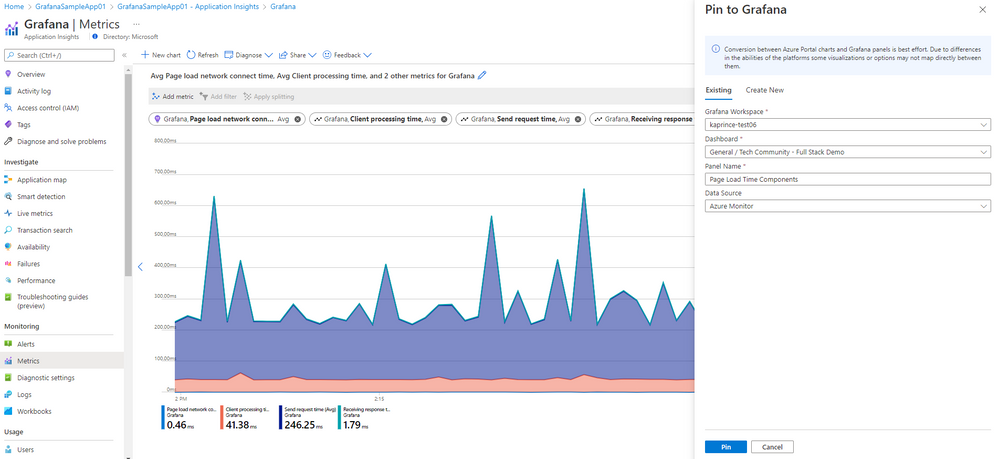
Next, the engineer navigates to Azure Monitor Application Insights and uses Metrics to create a chart showing page load time component metrics before using Pin to Grafana to embed the chart into the same Grafana dashboard.
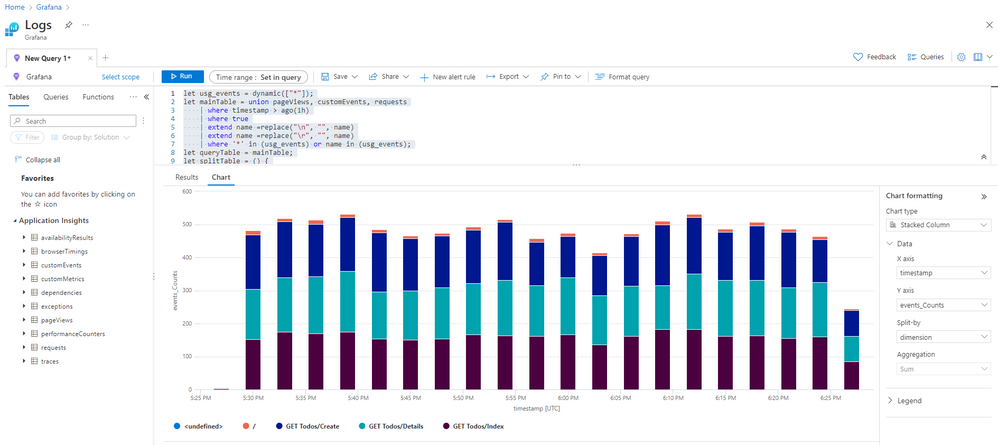
Last, the engineer uses Log Analytics to write a custom query to view the number of user events on the App Service split by event type. This query can also be run in Grafana which supports Azure Monitor logs and Azure Resource Graph in addition to the Azure Monitor metrics shown above.
The resulting Grafana dashboard highlights that multiple data sources and different layers of the application stack can be monitored in a single dashboard.
Get started quickly with new out of the box dashboards
You can also easily get started with full-stack Azure app and infrastructure monitoring using out-of-the-box Grafana dashboards. New dashboards are now available for several popular Azure Monitor insights and to view Azure alerts. These dashboards are included in or can be downloaded from Azure Monitor Team dashboards. Use these out of the box dashboards ‘as is’ or as starting points for creating your own custom versions.
- Application insights dashboards
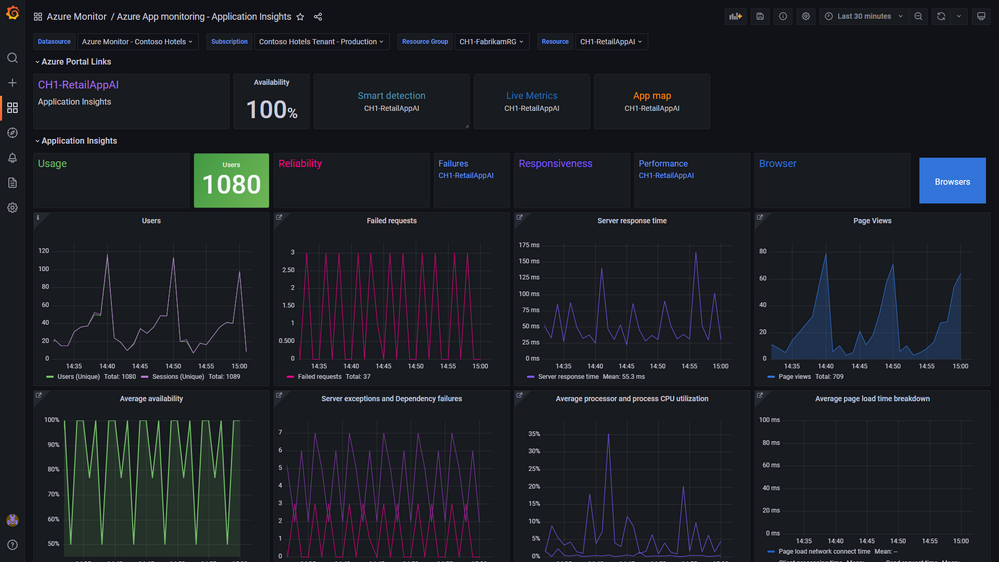
- Application Overview – View the usage, reliability, and responsiveness of your app in a single screen. Drill down to additional dashboards and the Azure Portal in context to continue troubleshooting.
- Application Performance – View response times for operations and dependencies
- Application Failures – View failures by response codes, exception types and dependencies.
- VM insights dashboards
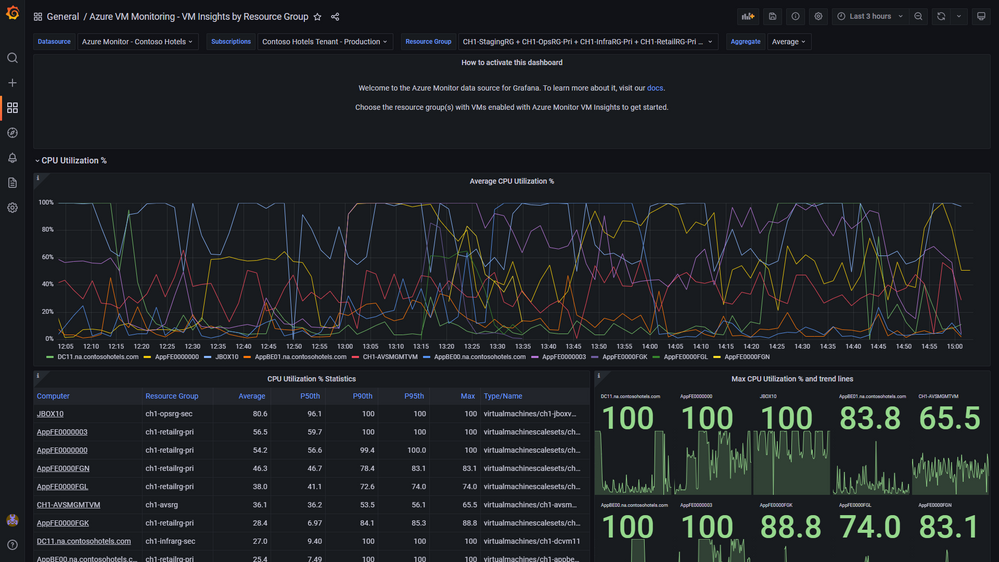
- Azure VM Monitoring – VM Insights by Workspace
- Azure VM Monitoring – VM Insights by Resource Group
- Container Insights
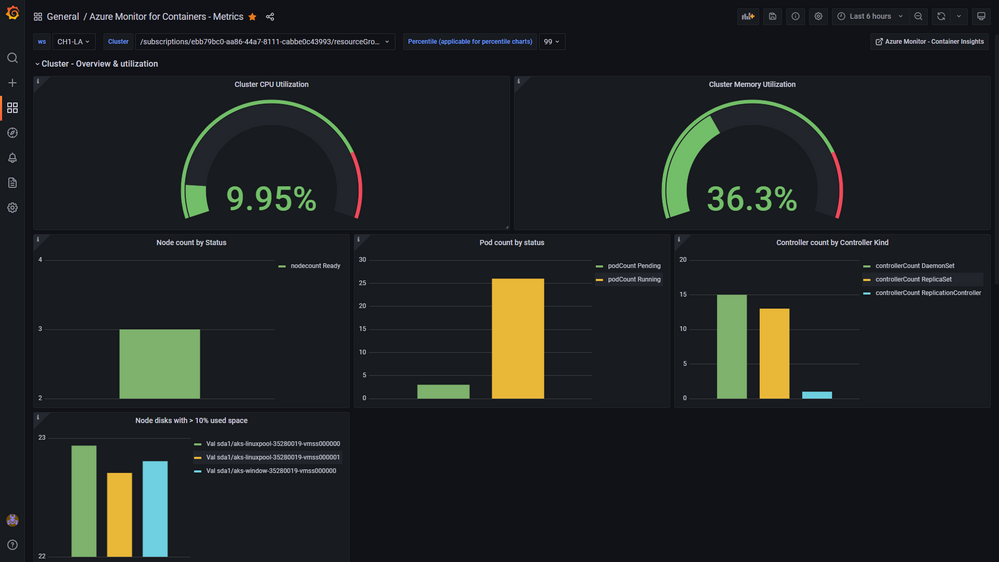
- Azure Monitor for Containers – View cluster and namespace utilization, node infrastructure metrics based on data stored in the relevant Log Analytics workspace.
- Azure Monitor Alerts
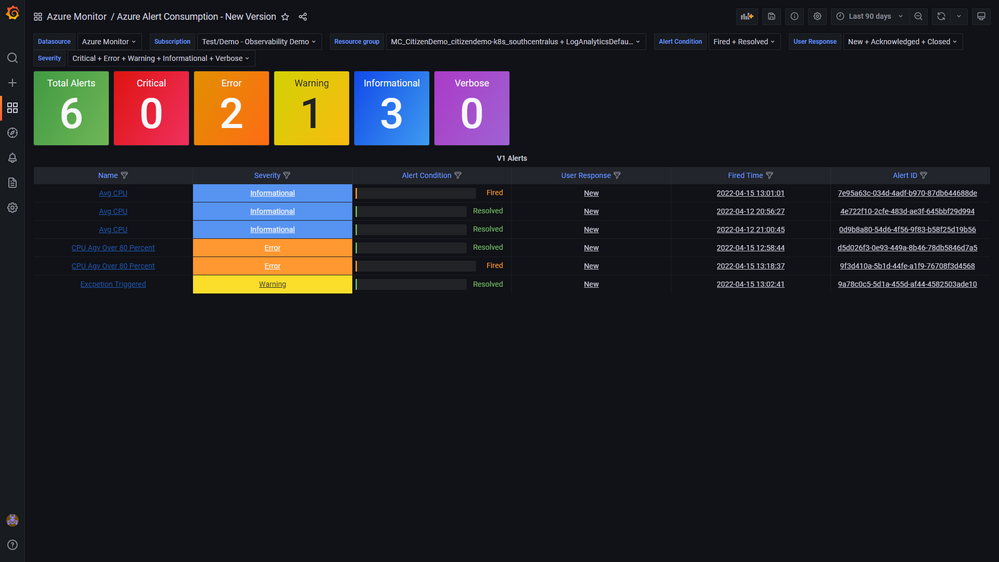
- Alerts at scale – View alerts with their monitor conditions and state across one of more resource groups. Drill into Alert consumption dashboard for additional details.
- Alerts consumption – View the details of individual alerts. Drill into Portal with alert context to continue investigation.
Notes:
These new workflows are in addition to previously announced Azure Managed Grafana capabilities including:
- System-assigned Managed Identity
- Azure RBAC roles for Grafana administrator, editor, and viewer.
Get started today with this Quickstart on creating your first Azure Managed Grafana workspace.
by Contributed | Apr 17, 2022 | Technology
This article is contributed. See the original author and article here.
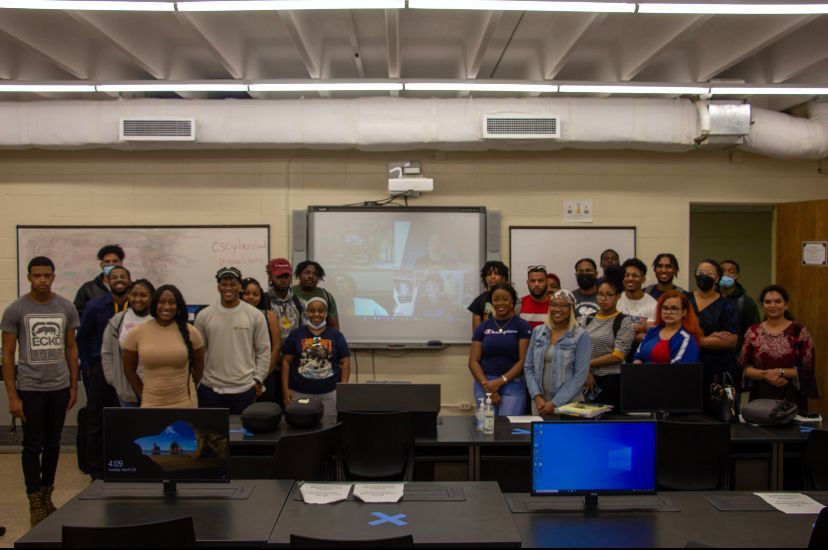
Students at Grambling State University for the Babylon.js workshop.
When emerging technologies are on the rise, marginalized communities are often unfortunately the last to onboard due to lack of exposure and/or resources. Although as a company we have our fair share of academic initiatives and programs in place to provide skilling opportunities for students across various technology fields, what we lacked was mixed reality engagement with Historically Black Colleges and Universities (HBCU). This year, we came together to launch a pilot program to help close the digital divide with respect to mixed reality technologies by providing mixed reality resources, workshops, and device access to students. This on-going effort is being completed with our Microsoft Partner, Engaged Media, LLC.
In February, we hosted an Intro to Babylon.js & WebXR workshop for the HBCU Legacy Bowl, a post-season all-star game presented by the Black College Football Hall of Fame. For the workshop, 80+ student athletes learned about careers in the XR industry and created their own virtual hall of fame using Babylon.js. The workshop concluded with a demo of the Black College Football Hall of Fame HoloLens Experience created by Engaged Media, LLC. The students were excited to not only try out the HoloLens 2 device but to also see themselves and other HBCU athletes who’ve come before them reflected in such immersive experiences.
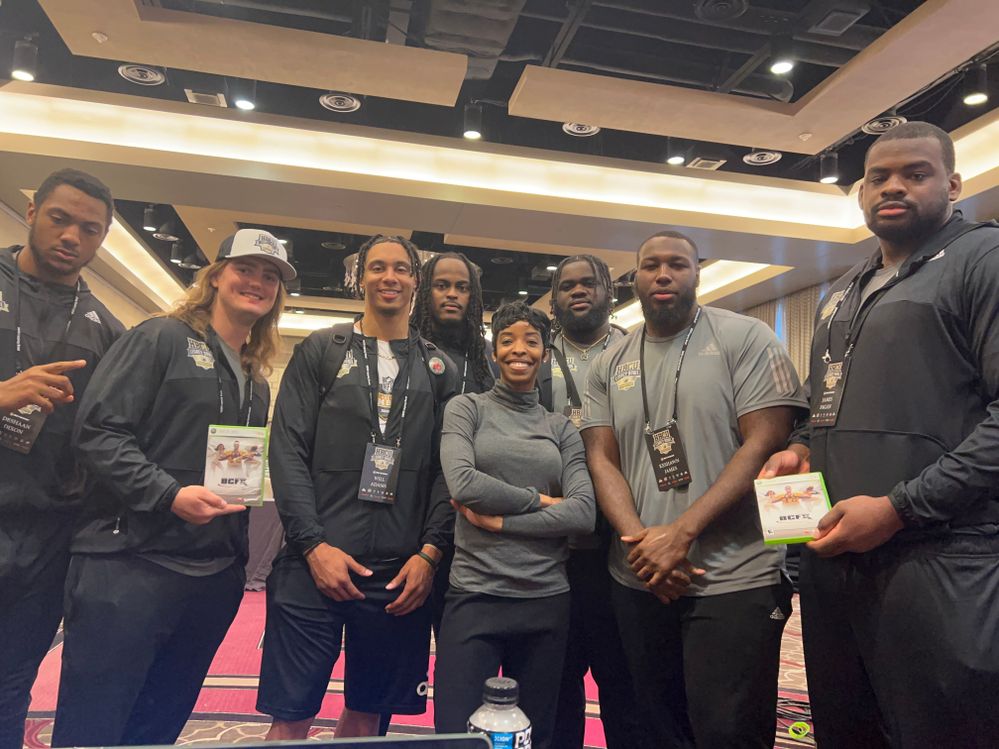 April Speight with student athletes at the HBCU Legacy Bowl.
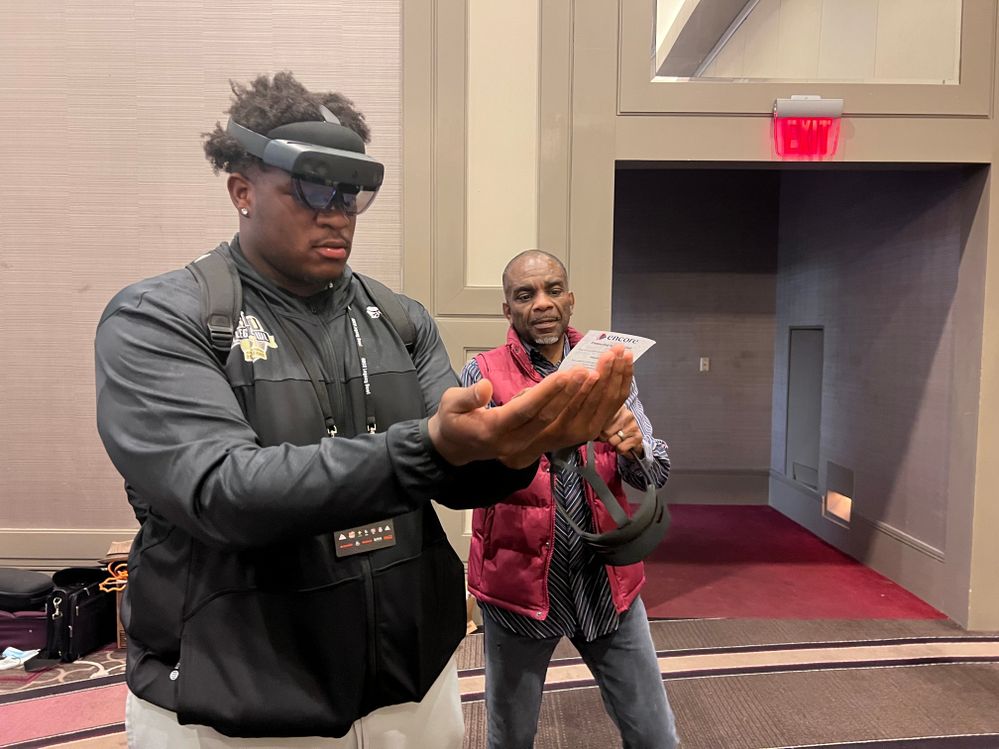 Ezra Jay demoing a HoloLens 2 with a student.
Our next stop in March was with Grambling State University and Southern University and A&M. We hosted a two-day hybrid workshop for both Babylon.js and HoloLens 2 Fundamentals. For the Babylon.js workshop, the students created a campus landmark utilizing custom 3D models created specifically for each school. As for the HoloLens 2 Fundamentals workshop, students received hands-on experience developing a Unity app for HoloLens and also subsequently trying out the app in the device.
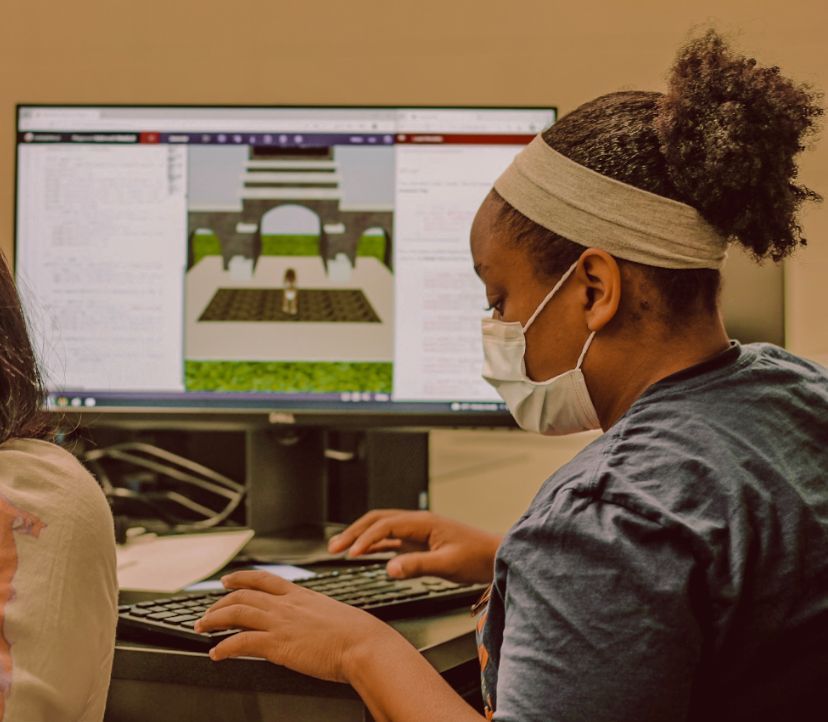 A student at Grambling State University creating a 3D scene with Babylon.js
 Jared Shepherd with two students trying out a HoloLens 2.
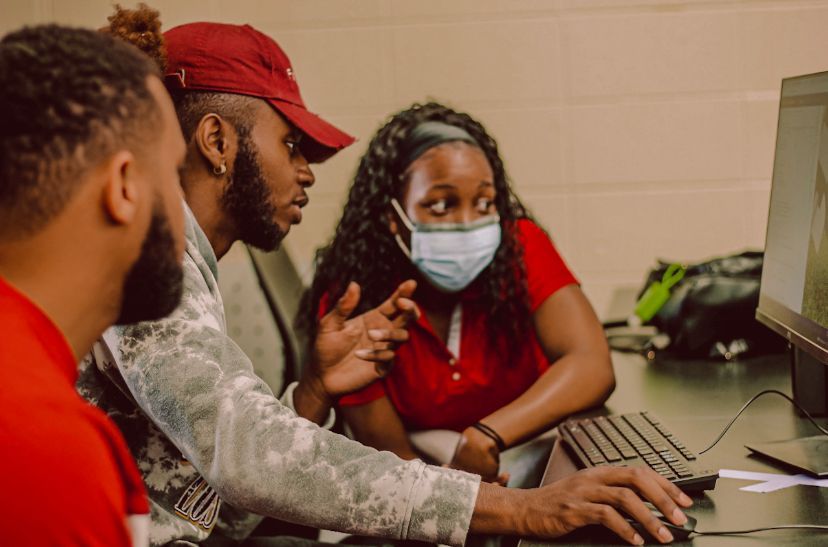 Students at Grambling State University working together.
The amount of appreciation and gratitude expressed by the students and faculty truly reflect the impact that engaging with HBCUs has on helping to close the digital divide. In all instances, it was the first time that these students had the chance to actually try out the HoloLens 2 devices. And for many, it was their first time creating for an immersive environment. While we still have a long road ahead of us, we’re looking forward to continuing making an impact for HBCU students across the country.
The success of this initiative would not be made possible without the collaboration between both Microsoft and Engaged Media, LLC. A generous thank you is extended to:
- April Speight (Sr. Cloud Advocate, Microsoft Cloud Advocacy)
- Tammy Richardson (Sr. Director Demand Planning, Microsoft Retail Stores & Merchandising)
- Jared Shepherd (Demand Planner, Microsoft Retail Stores & Merchandising)
- Jacqueline Beauchamp (Founder, Chairwoman and CEO, Engaged Media, LLC)
- Ezra Jay (Co-Founder & Development Director, Engaged Media, LLC)
We will continue moving forward with this program when the Fall semester starts in partnership with the Nonprofit Tech Acceleration for Black and African American Communities, an organization led by Darrell Booker within Microsoft Philanthropies. With a total of 102 HBCUs spread across the US, we look forward to spreading awareness and exposure of mixed reality to students!
by Contributed | Apr 16, 2022 | Technology
This article is contributed. See the original author and article here.
What is Microsoft Community Champions Program?
External technology specialists that contribute to the Microsoft Q&A community by delivering high-quality answers to technical queries are recognized through the Microsoft Community Champions program. They are the genuine ‘champions’ of the team. Our champions provide a hand by acting as moderators and suggesting ways to improve our platform and user experience. Both MVPs and non-MVP expert users are welcome to participate in this program.
Incentives
As a thank you, Microsoft offers the following benefits to our members:
- Top contributions to Microsoft’s social media accounts are recognized.
- Participation in monthly calls and direct access to the Microsoft Q&A team
- Networking with other computer experts who share your interests
MVP members are eligible for the following incentives:
- Microsoft’s contribution to the Q&A section is being evaluated for the MVP Award’s yearly renewal.
Non-MVP members are eligible for the following incentives:
- Azure Connection Program provides early access to Microsoft product information.
- MVP Award consideration
Special discounts
Members who have provided quality answers to 100 or more questions are eligible for special rewards:
- In Microsoft Q&A, you can see who’s on top of the leaderboard.
- Moderator’s rights

What is Microsoft Q&A?
Microsoft Q&A is a community-driven platform that provides quick, high-quality technical answers to people all around the world. For English users, Microsoft Q&A has taken the position of MSDN and TechNet forums. For non-English users, Microsoft Q&A will eventually replace MSDN and TechNet forums.
Why Microsoft Q&A?
We understand how critical it is for consumers to receive prompt and accurate responses to concerns concerning Microsoft technology. The MSDN and TechNet forums, on the other hand, are out of date. Microsoft Q&A delivers the set of features that our clients want and want, and it is built on a new platform and architecture that is strong, scalable, and dependable.
Read more about Microsoft Q&A — https://docs.microsoft.com/en-us/answers/support/qna-faq
What are the Top Microsoft Q&A features?
Microsoft Q&A is a Microsoft Docs technical community platform that delivers a comprehensive online experience in addressing your technical questions. Microsoft Q&A is a single platform that allows developers and IT professionals all around the world to access learning materials, post questions, connect with Microsoft technical and community experts, and exchange comments. Microsoft Q&A seeks to build a flourishing technical community where people can contribute their cumulative Microsoft expertise and get the answers they need to keep using Microsoft technology.
There are a lot of other features listed below that will assist you in better understanding Microsoft Q&A. Click on the link below and check the other good features of Microsoft Q&A.
Read more about Microsoft Q&A features — https://docs.microsoft.com/en-us/answers/support/qna-top-features
About Microsoft Q&A moderators
Microsoft Q&A moderators are Microsoft employees or community members who are part of a support team or a product group or who were active moderators in MSDN and TechNet and want to continue on Microsoft Q&A or active community members in Q&A who are making a positive impact. Most of part of their work is to answer questions or help the community.
There are two types of moderators on Microsoft Q&A:
- Microsoft moderators
- Volunteer moderators
Both Microsoft moderators and Volunteer moderators take part in the task of helping to support the community by:
Read more about Microsoft Q&A moderators — https://docs.microsoft.com/en-us/answers/support/moderators
About Reputation points
Reputation points, as the name indicates, allow you to earn points for excellent contributions on Microsoft Q&A and utilize them to demonstrate your reputation to other users.
What are the methods for gaining Reputation points?
You may gain a reputation by first engaging in and positively contributing to the Microsoft Q&A community. You’ll earn reputation points when people appreciate your contribution (for example, by someone acknowledging your response as right).
The table below displays the actions we track in the recognition system, as well as the points connected with them. Many activities receive zero (0) points; they are provided to help you understand what we consider to be high-quality contributions. It’s also worth noting that not all of the activities indicated here will appear in your profile activity stream; for example, negative acts aren’t displayed publicly.
Activity
|
Points earned
|
You sign in to Microsoft Q&A for the first time
|
1
|
Your feedback gets approved
|
50
|
One of the feedback you voted for gets approved
|
5
|
You have content reported for moderation
|
-10
|
You had content reported for moderation and the moderator subsequently found it did not require action
|
10
|
You received a vote on a question, answer, comment, or feedback item
|
5
|
You accepted an answer to a question you posted
|
20
|
A user accepted your answer
|
75
|
Read more about reputation points — https://docs.microsoft.com/en-us/answers/support/reputation-points
About Microsoft Community experts
Microsoft Q&A creates community experts for users based on their tags. When you obtain three Accepted Answers on a tag in a 30-day period, you become a community expert. When you become a tag expert, your user account will begin to follow that tag automatically. This means that if a question is asked with a tag that falls within your area of expertise, you will receive an immediate notice asking you to respond.
A “Community Expert” badge will appear next to your name on the response you submit when you are acknowledged as an expert on a tag.

Additionally:
- Being designated as an expert on a tag does not grant you any more reputation points.
- You can’t call yourself an expert on your own.
Read more about community experts — https://docs.microsoft.com/en-us/answers/support/community-experts
Microsoft Q&A Azure leader boards
Microsoft Q&A Azure Leaderboard is a place where top contributors in the Microsoft Q&A platform get special appreciation over the Microsoft platform as well as on social media channels like Azure Support Twitter handle. Apart from that Microsoft recognizes top contributors by providing incentives like moderator privileges on the Microsoft Q&A platform & gift cards.
Read more about Microsoft Q&A Azure leader boards — https://docs.microsoft.com/en-us/answers/support/azure-leaderboard
Participate in the program, nominate yourself
If you are interested in joining the Microsoft Q&A Community Champions program and helping shape the future of Microsoft Q&A, and If you would like to learn more and participate in the program, please apply here — https://aka.ms/comchampions

Do you have any questions or want more information?
Feel free to ask any questions below, or join us at the official MicrosoftTechNet Wiki groups on facebook.

by Scott Muniz | Apr 15, 2022 | Security, Technology
This article is contributed. See the original author and article here.
Google has released Chrome version 100.0.4896.127 for Windows, Mac, and Linux. This version addresses a vulnerability that an attacker could exploit to take control of an affected system. This vulnerability has been detected in exploits in the wild.
CISA encourages users and administrators to review the Chrome Release Note and apply the necessary updates.


Recent Comments