
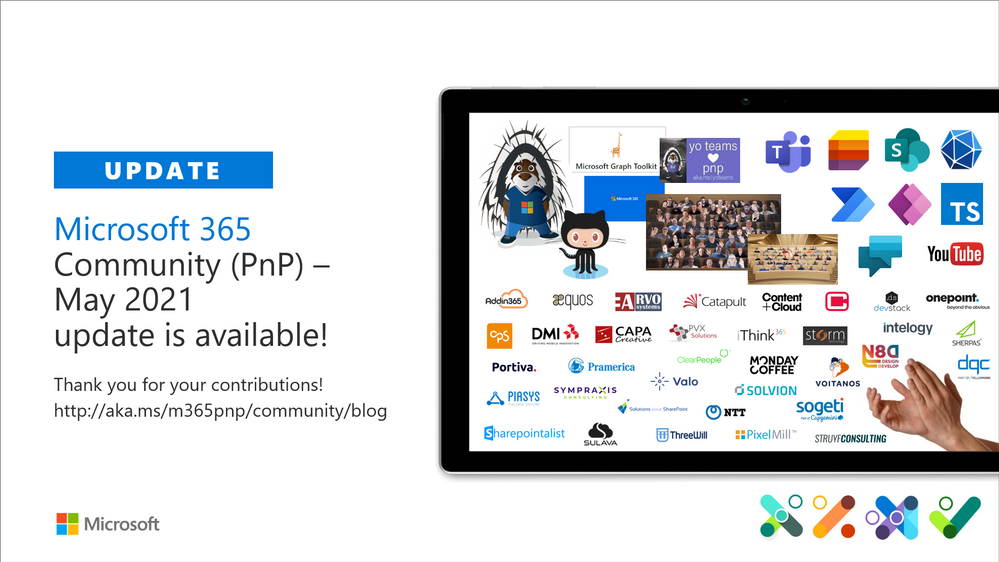
Microsoft 365 PnP Community – May 2021 update
This article is contributed. See the original author and article here.
Microsoft 365 Patterns and Practices (PnP) Community April 2021 update is out with a summary of the latest guidance, samples, and solutions from Microsoft or from the community for the community. This article is a summary of all the different areas and topics around the community work we do around Microsoft 365 ecosystem during the past month. Thank you for being part of this success. Sharing is caring!
What is Microsoft 365 Community (PnP)
Microsoft 365 PnP is a nick-name for Microsoft 365 platform community activities coordinated by numerous teams inside of the Microsoft 365 engineering organizations. PnP is a community-driven open source initiative where Microsoft and external community members are sharing their learning’s around implementation practices for Microsoft 365.
Topics vary from Microsoft Viva, Microsoft Graph, Microsoft Teams, OneDrive and SharePoint. Active development and contributions happen in GitHub by providing contributions to the samples, reusable components, and documentation for different areas. PnP is owned and coordinated by Microsoft engineering, but this is work done by the community for the community.
- See more details from New Microsoft 365 Patterns and Practices (PnP) team model with new community leads
The initiative is facilitated by Microsoft, but we have multiple community members as part of the PnP team (see team details in end of the article) and we are always looking to extend the PnP team with more community members. Notice that since this is open source community initiative, so there’s no SLAs for the support for the samples provided through GitHub. Obviously, all officially released components and libraries are under official support from Microsoft.
Some key statistics around Microsoft 365 PnP initiative from April 2021:
- Unique visitors during the past 2 weeks in PnP, OneDrive, Microsoft-Search, OfficeDev and SharePoint GitHub organization repositories – 63,769
- Overall unique contributors in the PnP, OneDrive, Microsoft-Search, OfficeDev and SharePoint GitHub organizations – 1,824
- Microsoft 365 Community (PnP) YouTube channel had 101,785 views with 6,332 hours of watch time and 22,304 subscribers
- Microsoft 365 Developer YouTube channel had 44,064 views with 3,297 hours of watch time and 13,633 subscribers
Most viewed videos in the Microsoft 365 Community (PnP) YouTube channel during April 2021:
- Getting started on deploying Viva Connections for Microsoft Teams desktop | 10,040
- Microsoft Teams community call – April 2021 | 6,917
- Building a beautifully designed Intranet with SharePoint – latest design and branding capabilities | Cathy Dew (Microsoft) & Katie Swanson (Microsoft) | 3,235
- Getting started with Site Designs in SharePoint Online – Laura Kokkarinen (Sulava) | 3,085
- Working with Microsoft Lists (webinar) – Harini Saladi, Miceile Barrett, Chakkaradeep Chandran and Mark Kashman | 2,930
- Your intranet is now in Microsoft Teams with Microsoft Viva Connections | 2,195
- Introducing: New Employee Onboarding – a Microsoft Teams app template | Nidhi Sharma (Microsoft) | 2,109
- Architecting Your Intranet | Melissa Torres (Microsoft) | 2,104
- SharePoint Framework Tutorial 1 – HelloWorld WebPart | 1,856
- Microsoft Teams Meeting Questionnaire App with SharePoint Framework | Nanddeep Nachan | 1,717
Most viewed videos in the Microsoft 365 Developer YouTube channel during April 2021:
- Authenticate and connect with Microsoft Graph – June 2019 | 1,316
- Build Outlook Add-ins that integrate your solution seamlessly into your users’ Outlook experience | Juan Balmori, Hitesh Manwar – 1,197
- An introduction to Microsoft Graph for developers – Part I – Getting started – October 2019 | 1,175
- Demo: Getting started with Power Apps Portals | Brian Knight (Pragmatic Works) | 929
- Getting Started with Microsoft Graph and Application Registration | 926
- Build and Office add-in using modern JavaScript tools and technologies | 839
- Getting Started with Microsoft Graph | 817
- Create interactive conversational bots for Microsoft Teams | 803
- Accessing Files with Microsoft Graph | 754
- Develop multi-tenant applications with Microsoft Identity Platform – April 2020 | 725
Main resources around Microsoft 365 Community:
- Microsoft 365 Community – http://aka.ms/m365pnp – One location for all the resources and news around PnP
- Microsoft 365 community blog – http://aka.ms/m365pnp/community/blog
- Microsoft 365 development blog – http://aka.ms/m365pnp-blog
- Microsoft 365 Community Channel on YouTube – http://aka.ms/m365pnp-videos
- Microsoft 365 Developer YouTube channel – https://aka.ms/M365DevYouTube
Latest Dev Blog posts
Here are the latest blog posts and announcements around Microsoft 365 development topics from https://developer.microsoft.com/en-us/microsoft-365/blogs.
- 5th of May – Understanding the Office Add-ins runtime
- 5th of May – Application permissions support for assignments API in Microsoft Graph now available
- 28th of April – Announcing SharePoint Framework 1.12.1 – Extending more of Microsoft Teams
- 28th of April – Learn how to develop apps with the Microsoft Graph Toolkit
- 27th of April – Microsoft Graph Mailbag – Create engaging apps with the Microsoft Teams Activity Feed API
- 21st of April – Build quality Microsoft Teams apps with these best practices: Part 3
- 20th of April – Utilize change notification APIs for Microsoft Teams messages
- 20th of April – Breaking changes to the Microsoft Graph assignments API (beta)
- 19th of April – Leverage new Microsoft Teams chat APIs to enable new scenarios
- 15th of April – Migrate messages from other chat platforms to Microsoft Teams with Microsoft Graph APIs
- 14th of April – Enhance app engagement with the Microsoft Teams Activity Feed API
- 14th of April – Build quality Microsoft Teams apps with these best practices: Part 2
- 13th of April – Announcing public preview of SharePoint Framework 1.12.1
- 13th of April – Microsoft Graph Mailbag – Copy/Move Files and Folders in SharePoint Online
- 12th of April – Enable compliance scenarios with hosted content and delta message APIs in Microsoft Teams
- 12th of April – Explore Microsoft Graph scenarios for JavaScript development now on Microsoft Learn
- 9th of April – New feature request experience for Microsoft Graph and Office Platform
- 8th of April – Jedox explains batching Excel Custom Functions API calls
- 6th of April – Build quality Microsoft Teams apps with these best practices: Part 1
- 1st of April – Get Microsoft Graph change notifications delivered through Azure Event Hubs
Latest community posts at https://aka.ms/m365pnp/community/blog
- 10th of May – Django Lohn (InSpark) – Power Apps: source code editing for Canvas Apps
- 7th of May – Vesa Juvonen (Microsoft) – New Microsoft 365 Patterns and Practices (PnP) team members – May 2021
- 7th of May – Luise Freese – Microsoft 365 PnP Community Spotlight: Stefan Bauer
- 7th of May – Michael Roth (IT-P Information Technology-Partner GmbH) – Let’s build a timer app for Teams meetings
- 6th of May – André Lage (Datalynx AG) – Navigate OneDrive data with Microsoft Graph and Mgt-File-List Beta version
- 6th of May – Mohamed Derhalli (BDO Canada) – Introducing React Video Banner Web Part
- 6th of May – Carl Cookson (Avanade) – Using Power Automate And Graph API To Manage External Access To Teams
- 6th of May – Hubert Lam (NSW Department of Education) – Simple reminders for any Teams Channel or Chat message
- 5th of May – Chandani Prajapati – How to to get all site collections with their sub webs using PnP PowerShell?
- 5th of May – Luis Mañez (ClearPeople) – Community sample: Engage your users with SharePoint stories/reels
- 4th of May – Bob German (Microsoft) – What’s up with Markdown?
- 1st of May – Ari Gunawan (Mitrais) – How to Set Up Tailwind CSS in a SPFx Project
- 29th of April – Damien Bird (Aberdeen City Council) – Power Platform MS Forms Quiz with dynamic Leader Board created using Power Automate and HTTP Trigger
- 29th of April – Luise Freese – How to get Source Code files for Power Apps Canvas apps
- 29th of April – Garry Trinder (CPS) – CLI for Microsoft 365 v3.9
- 29th of April – Vesa Nopanen (Sulava) – Power Virtual Agents bot setting the Out Of Office
- 29th of April – David Chesnut (Microsoft) – Office Add-in Developer Community (PnP) – March 2021 update
- 26th of April – Damien Bird (Aberdeen City Council) – Teams – an adoption idea? Transfer your group chat emails to Teams with Power Automate
- 25th of April – Luise Freese – Microsoft 365 PnP Community Spotlight: Wictor Wilén
- 25th of April – Michael Roth (IT-P Information Technology-Partner GmbH) – What I (as a non dev) learned as I created my first Power App
- 25th of April – Michael Roth (IT-P Information Technology-Partner GmbH) – Learn to debug your Power Apps
- 23rd of April – Yves Habersaat (Sword Group) – Export Power Apps and Power Automate user licenses
- 21st of April – Luise Freese – How to beautify your Power Apps
- 17th of April – Luise Freese – Microsoft 365 PnP Community Spotlight: Mikael Svenson
- 15th of April – Will Holland (ThreeWill) – Use Power Automate to automatically create SharePoint News Links from an RSS feed
- 15th of April – Luise Freese – LearnTogether: Build Apps with Microsoft Graph ?
- 14th of April – Sam Collins (Coupled Technology) – FAQ’s in a Document Card
- 12th of April – Lee Ford (Symity Ltd) – Introduction to tokens
- 12th of April – Chandani Prajapati – How to get any site collection users with their roles using PnP PowerShell?
- 11th of April – Chandani Prajapati – How to show profile picture in Person column in SharePoint list/library?
- 9th of April – Luise Freese – Microsoft 365 PnP Community Spotlight: Albert-Jan Schot
- 7th of April – Luise Freese – Microsoft Graph Fundamentals learning path – Module 3
- 7th of April – Luise Freese – PnP WatchParty for Microsoft’s ‘LearnTogether Building apps with Microsoft Graph’ event
- 7th of April – Django Lohn (InSpark) – Power Apps: source code editing for Canvas Apps
- 7th of April – Yannick Reekmans (Qubix) – Change your own profile picture as a Guest in Microsoft Teams
- 6th of April – Mike Homol (ThreeWill) – Improving the Page Properties web part
- 5th of April – Luise Freese – Microsoft Graph Fundamentals learning path – Module 2
- 1st of April – Luise Freese – Microsoft Graph Fundamentals learning path – Module 1
- 1st of April – Will Holland (ThreeWill) – Copy a list – with list items – to another site
Community call recording blog posts:
- 7th of May – SharePoint Framework Community Call Recording – 6th of May, 2021
- 3rd of May – Office Add-ins community call – April 14, 2021
- 30th of April – Microsoft 365 Developer Community Call recording – 29th of April, 2021
- 28th of April – Power Apps Community Call – April 2021
- 23rd of April – SharePoint Framework Community Call Recording – 22nd of April, 2021
- 22nd of April – Microsoft Teams Community Call – April 2021
- 16th of April – Microsoft 365 Developer Community Call recording – 15th of April, 2021
- 14th of April – SharePoint community call – April 13th, 2021
- 9th of April – SharePoint Framework Community Call Recording – 8th of April, 2021
- 8th of April – Microsoft Graph community call – April 6th, 2021
- 2nd of April – Microsoft 365 Developer Community Call recording – 1st of April, 2021
PnP Weekly video blog / podcast shows:
- 3rd of May – Microsoft 365 PnP Weekly – Episode 125 – Sandy Ussia (Lightning Tools)
- 27th of April – Microsoft 365 PnP Weekly – Episode 124 – Emily Mancini (Sympraxis Consulting)
- 20th of April – Microsoft 365 PnP Weekly – Episode 123 – April Dunnam (Microsoft)
- 13th of April – Microsoft 365 PnP Weekly – Episode 122 – Mark Rackley (PAIT Group)
- 4th of April – Microsoft 365 PnP Weekly – Episode 121 – Nik Charlebois (Microsoft)
We highly recommend also subscribing on the Microsoft 365 Developer Podcast show, which is a great show covering also latest development in the Microsoft 365 platform from developer and extensibility perspective.
Community Calls
There are numerous different community calls on different areas. All calls are being recorded and published either from Microsoft 365 Developer or Microsoft 365 Community (PnP) YouTube channels. Recordings are typically released within the following 24 hours after the call. You can find a detailed agenda and links to specific covered topics on blog post articles at the Microsoft 365 developer blog when the videos are published.
- Adaptive Cards https://aka.ms/adaptivecardscommunitycall – Updates and news around Adaptive Cards with live demos
- Microsoft Graph https://aka.ms/microsoftgraphcall – Updates and news from Microsoft Graph with live demos
- Microsoft identity platform https://aka.ms/IDDevCommunityCalendar – Latest on the identity side
- Microsoft Teams https://aka.ms/microsoftteamscommunitycall – Microsoft Teams monthly update with live demos
- Office Add-ins https://aka.ms/officeaddinscommunitycall – News and community work around Office add-ins with live demos
- PowerApps https://aka.ms/PowerAppsMonthlyCall – Monthly summary on PowerApps community with live demos
- SharePoint https://aka.ms/spdev-call – Consists of the latest news, providing credits for all community contributors and live demos typically by SharePoint engineering.
- M365 General Dev SIG https://aka.ms/spdev-sig-call – Bi-weekly – General topics on Microsoft 365 Dev from various aspects – Microsoft Teams, Microsoft Graph Toolkit, Provisioning, Automation, Scripting, Power Automate, Solution design
- SharePoint Framework SIG https://aka.ms/spdev-spfx-call – Bi-weekly – Consists of topics around SharePoint Framework and JavaScript-based development in the Microsoft Teams and in SharePoint platform.
If you are interested in doing a live demo of your solution or sample in these calls, please do reach out to the PnP Team members (contacts later in this post) and they are able to help with the right setup. These are great opportunities to gain visibility for example for existing MVPs, for community members who would like to be MVPs in the future or any community member who’d like to share some of their learnings.
Microsoft 365 Community (PnP) Ecosystem in GitHub
Most of the community driven repositories are in the PnP GitHub organization as samples are not product specifics as they can contain numerous different solutions or the solution works in multiple different applications.
- PnPjs – PnPjs Framework repository
- CLI Microsoft 365 – Cross-OS command line interface to manage Office 365 tenant settings
- generator-spfx – Open-source Yeoman generator which extends the out-of-the-box Yeoman generator for SharePoint with additional capabilities
- generator-teams – Open-source Microsoft Teams Yeoman generator – Bots, Messaging Extensions, Tabs, Connectors, Outgoing Web hooks and more
- teams-dev-samples – Microsoft Teams targeted samples from community and Microsoft engineering
- Sharing is Caring – Getting started on learning how to contribute and be active on the community from GitHub perspective.
- pnpcore – The PnP Core SDK is an SDK designed to work against Microsoft 365 with Microsoft Graph API first approach
- powershell – PnP PowerShell module which is PowerShell Core module targeted for Microsoft 365
- pnpframework – PnP Framework is a .Net Standard 2.0 library targeting Microsoft 365 containing the PnP Provisioning engine and a ton of other useful extensions
- https://github.com/pnp/teams-dev-samples – Samples around the Microsoft Teams development models from Microsoft and from the community
- sp-dev-fx-webparts – Client-side web part samples from community and Microsoft engineering
- sp-dev-fx-extensions – Samples and tutorial code around SharePoint Framework Extensions
- sp-dev-fx-library-components – Samples and tutorial code around the SharePoint Framework library components
- sp-starter-kit – Starter kit solution for SharePoint modern experiences
- sp-dev-fx-vs-extension – Open source Visual Studio IDE extension for creating SharePoint Framework solutions in the Visual Studio 2015 or 2017
- sp-dev-build-extensions – Different build extensions like gulp tasks and gulp plugins from the community and engineering around SharePoint development
- sp-dev-solutions – Repository for more polished and fine-tuned reusable solutions build with SharePoint Framework
- sp-dev-samples – Repository for other samples related on the SharePoint development topics – WebHooks etc.
- sp-dev-fx-controls-react – Reusable content controls for SharePoint Framework solutions build with React
- sp-dev-fx-property-controls – Reusable property pane controls to be used in web parts
- sp-dev-list-formatting – Open-source community-driven repository for the column and view formatting JSON definitions
- sp-dev-site-scripts – Open-source community-driven repository for community Site Designs and Site Scripts
- sp-dev-modernization – Tooling and guidance around modernizing SharePoint from classic to modern
- sp-power-platform-solutions – Solution and sample code for SharePoint Power Platform solutions
- powerfx-samples – Samples that demonstrate different usage patterns for the Power Fx low-code programming language
- powerapps-samples – Samples that demonstrate different usage patterns for Power Apps
- powerautomate-samples – Samples that demonstrate different usage patterns for Power Automate
- powerva-samples – Samples that demonstrate different usage patterns for Power Virtual Agents
All SharePoint specific repositories or services supported directly by Microsoft are located in the SharePoint GitHub organization
- sp-dev-docs – Source for new SharePoint dev center documentation exposed from http://docs.microsoft.com/en-us/sharepoint/dev
- sp-dev-provisioning-templates – Open-source templates used by the SharePoint Look Book site
- sp-provisioning-service – Source code of the SharePoint look book site
PnP specific repositories – solution designs and tooling
- PnP – Main repository for SP add-in, Microsoft Graph etc. samples
- PnP-Sites-Core – Office Dev PnP Core component
- PnP-PowerShell – Office Dev PnP PowerShell Cmdlets
- PnP-Tools – Tools and scripts targeted more for IT Pro’s and for on-premises for SP2013 and SP2016
- PnP-Provisioning-Schema – PnP Provisioning engine schema repository
- PnP-IdentityModel – Open source replacement of Microsoft.IdentityModel.Extensions.dll
Repositories in the GitHub Microsoft Search organization controlled by the PnP initiative
- pnp-modern-search – Home of PnP Modern Search solutions, see more from the documentation
Other related resources from GitHub
- Microsoft Graph Toolkit in GitHub – Community contributions welcome!
- Office add-in Patterns and Practices in GitHub – Community contributions welcome!
- Microsoft Graph GitHub organization
- OfficeDev GitHub organization – Includes all Microsoft Teams samples from Microsoft
What’s supportability story around the community tooling and assets?
Following statements apply across all of the community lead and contributed samples and solutions, including samples, core component(s) and solutions, like SharePoint Starter Kit, yo teams or PnP PowerShell. All Microsoft released SDKs and tools are supported based on the specific tool policies.
- PnP guidance and samples are created by Microsoft & by the Community
- PnP guidance and samples are maintained by Microsoft & community
- PnP uses supported and recommended techniques
- PnP is an open-source initiative by the community – people who work on the initiative for the benefit of others, have their normal day job as well
- PnP is NOT a product and therefore it’s not supported by Premier Support or other official support channels
- PnP is supported in similar ways as other open source projects done by Microsoft with support from the community by the community
- There are numerous partners that utilize PnP within their solutions for customers. Support for this is provided by the Partner. When PnP material is used in deployments, we recommend being clear with your customer/deployment owner on the support model
Please see the specifics on the supportability on the tool, SDK or component repository or download page.
Microsoft 365 PnP team model
In April 2020 we announced our new Microsoft 365 PnP team model and grew the MVP team quite significantly. PnP model exists for having more efficient engagement between Microsoft engineering and community members. Let’s build things together. Your contributions and feedback is always welcome! During August, we also crew the team with 5 new members. PnP Team coordinates and leads the different open-source and community efforts we execute in the Microsoft 365 platform.
We welcome all community members to get involved on the community and open-source efforts. Your input do matter!
- New Microsoft 365 Patterns and Practices (PnP) team members – May 2021 – Gautam Sheth (Valo) and Patrick Lamber (Experts Inside AG)
- New Microsoft 365 Patterns and Practices (PnP) team members – February 2021 – April Dunnam (Microsoft), Emily Mancini (Sympraxis Consulting) and Veronique Lengelle (CPS)
- New Microsoft 365 Patterns and Practices (PnP) team members – December 2020 – Luise Freese and Sébastien Levert
- New Microsoft 365 Patterns and Practices (PnP) team members – August 2020 – Albert-Jan Schot (Portiva), Koen Zomers (Microsoft), Paul Bullock (CaPa Creative), Rabia Williams (Microsoft) and Yannick Plenevaux (PVX Solutions)
Got feedback, suggestions or ideas? – Please let us know. Everything we do in this program is for your benefit. Feedback and ideas are more than welcome so that we can adjust the process for benefitting you even more.
Area-specific updates
These are different areas which are closely involved on the community work across the PnP initiative. Some are lead and coordinated by engineering organizations, some are coordinated by the community and MVPs.
Microsoft Graph Toolkit
Microsoft Graph Toolkit is engineering lead initiative, which works closely with the community on the open-source areas. The Microsoft Graph Toolkit is a collection of reusable, framework-agnostic web components and helpers for accessing and working with Microsoft Graph. The components are fully functional right of out of the box, with built in providers that authenticate with and fetch data from Microsoft Graph.
- Latest version currently is 2.1. See the v2.1 announcement blog post for more details – Microsoft Graph Toolkit adds a new Electron Provider plus enhanced capabilities
- mgt.dev – Microsoft Graph Toolkit Playground
- Getting started with Microsoft Graph Toolkit guidance video from developer community call by Beth Pan (Microsoft)
- Latest code and preview versions from https://aka.ms/mgt
All the latest updates on the Microsoft Graph Toolkit is being presented in our bi-weekly Microsoft 365 Generic Dev community call, including the latest community contributors.
Microsoft 365 Community docs
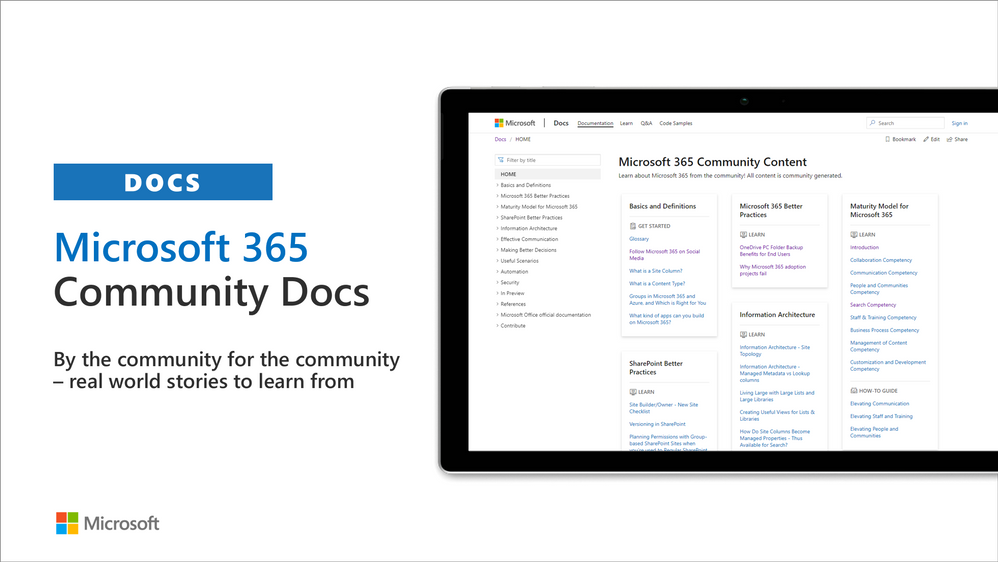
Community docs model was announced in the April 2020 and it’s great to see the interest for community to help each other by providing new guidance on the non-dev areas. See more on the announcement from the SharePoint blog – Announcing the Microsoft 365 Community Docs. We do welcome contributions from the community – our objective is to build a valuable location for articles from Microsoft and community together.
Latest updates on this area as follows:
- New article by Michael Roth – Accessibility by Design
- New article by Emily Mancini (Sympraxis Consulting) – Microsoft 3565 Maturity Model – Elevating Collaboration
- Updated article by Ralph Rivas (Sogeti) – Understanding Power Platform Licensing
- Updated article by Marc D Anderson (Sympraxis Consulting) – How Do Site Columns Become Managed Properties – Thus Available for Search
- Updated article by Marc D Anderson (Sympraxis Consulting) – Glossary
Have ideas for articles or want to contribute yourself? – Get involved! Here are also some additional resources explaining the model more detailed.
- YouTube – Introducing Microsoft 365 Community Docs
- GitHub issue list with articles ideas
SharePoint Framework development samples
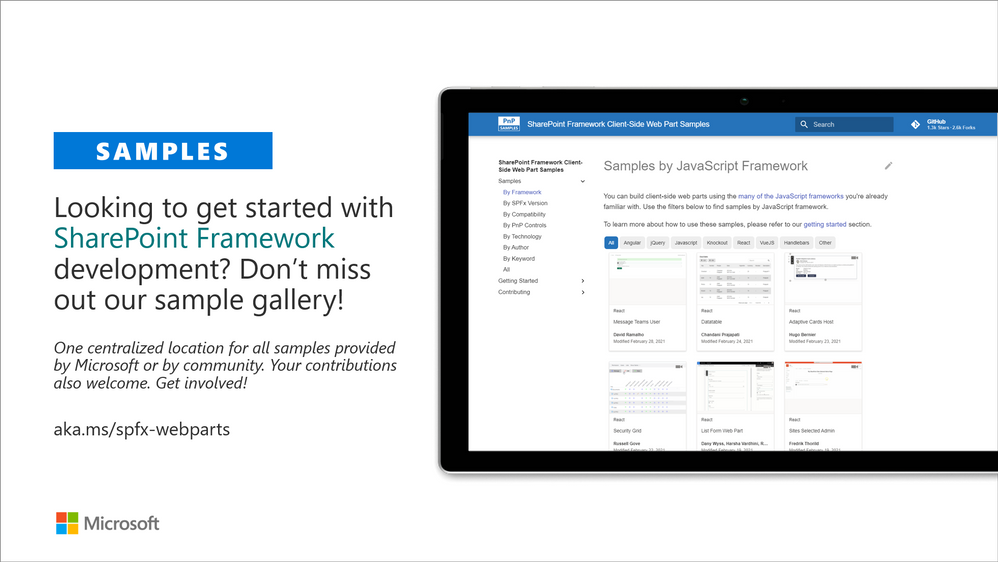
These are the updated SharePoint Framework samples which are available from the the different repositories.
- New sample react-teams-membership-updater by Nick Brown which can be used to update the membership of a team based on the contents of a CSV file, can be hosted in a SharePoint site where a list can be defined for logging purposes or run inside teams as a personal app.
- New sample react-application-news-ticker by Ari Gunawan that displays news as a running text at the top of every modern page
- Updates to react-staffdirectory by Tristian O’Brien which is a web part shows the current user’s colleagues, and allows the user to search AD directory.
- Updates to react-datatable by Chandani Prajapati which provides easy way to render SharePoint custom list in datatable view with all the necessary features.
- Other to numerous SPFx web part and extension samples by our awesome community members!
How to find what’s relevant for you? Take advantage of our SharePoint Framework web part and extension sample galleries – includes also solutions which work in Microsoft Teams
- Web Part sample gallery – http://aka.ms/spfx-webparts
- Extensions sample gallery – http://aka.ms/spfx-extensions
Microsoft Teams community samples
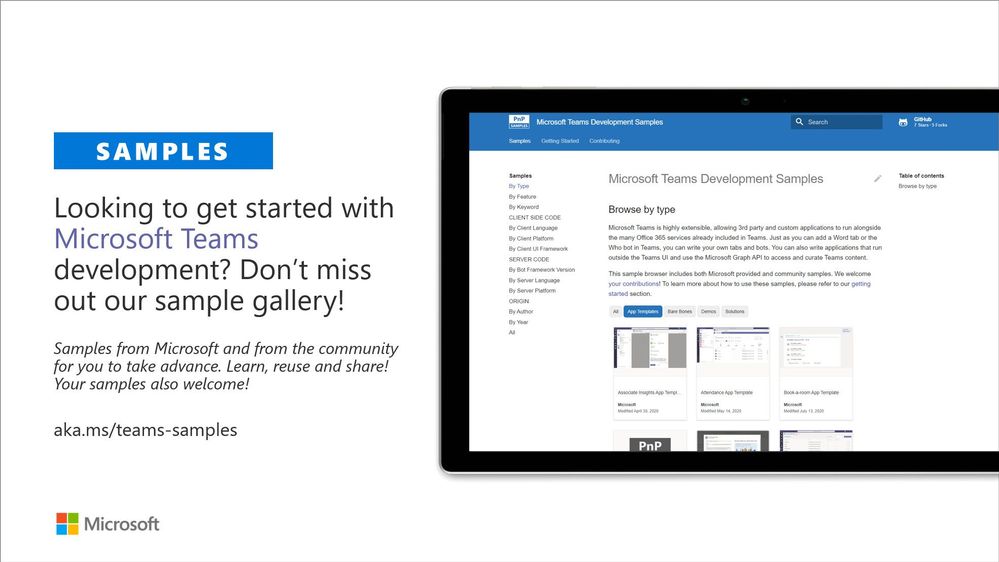
These are samples which have been contributed on the community samples since last summary. We do welcome all Microsoft Teams samples to this gallery. They can be implemented using in any technology.
- New sample msgext-bot-SPUploader by Sathya Raveendran and Varaprasad SSLN which is a document manager solution
- New sample tab-activity-feed by Sébastien Levert (Microsoft) which shows on how to build a solution leveraging the Teams Activity Feed API to send notifications to other users
- Updates to tab-sso by Shama which shows how to create a tab for Teams that uses the built-in Single Sign-On (SSO) capabilities
- Numerous updates on the existing samples provided by community and Microsoft
If you are interested on Microsoft Teams samples, we have just released also new Microsoft Teams sample gallery. Contributions to Microsoft Teams samples is also more than welcome. This gallery already surfaces all Microsoft samples, Microsoft Teams app templates and community samples.
Power Platform samples
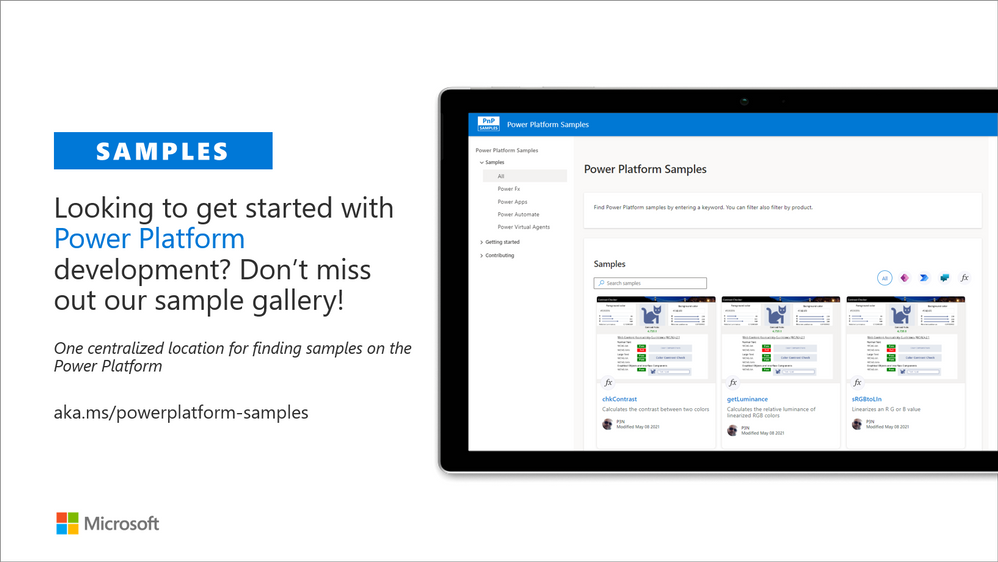
These are the updated Power Platform samples which are available from the new Power Platform sample gallery.
- New sample color-functions by P3N showing functions that calculate the contrast between two colors
- New sample convertbasenumber-functions by コルネ showing function that converts base numbers
- New sample date-functions by Matthew Devaney (Hitachi Solutions) providing set of data functions for data manipulation
- New sample financial-functions by Matthew Devaney (Hitachi Solutions) providing set of financial functions
- New sample geolocation-utils by Hiroaki Nagao providing a function to calculate distance and compass heading between two locations
- New sample list-functions by Laura Graham-Brown (AIS) providing set of functions around lists
- New sample regex-functions by Geetha Sivasaiam and P3N on set of functions that performs regex match on currency, percent & time formats
- New sample Tagbox by Carmen Ysewijn (Qubix) showing a textbox that adds items into a dynamic list
- New sample Timesheet by April Dunnam (Microsoft) showing a timesheet application is a tablet-based canvas app that gives you a way to create and manage weekly timesheets
- New sample calendar-component by April Dunnam (Microsoft) providing a re-usable component that allows you to display events in a calendar
- New sample expandable-navigation by Luise Freese providing an example for a expandable navigation using Fluent UI icons
- New sample status-indicator by Derek Cash-Peterson (Sympraxis Consulting) showing how to add a status indicator in a display form
- New sample timer by Michael Roth (IT-P) providing an example of how to use the timer function as a stopwatch
- New sample Try-Catch-Finally by Remy Blok (Prodware) providing a pattern for Try-Catch-Finally
- New sample exception-handing-in-do-until-loop by Remy Blok (Prodware) providing a pattern for breaking out of a ‘Do Until’-loop in Power Automate when an exception occurs.
- New sample ics-calendar-invite by April Dunnam (Microsoft) which sends an
.icscalendar invite when a new event is added to a SharePoint list - New sample planner-task-from-flagged-email by April Dunnam (Microsoft) which creates Planner Task from flagged emails
- New sample teams-invites-via-graph-api by Carl Cookson (Avanade) sample showing how guest user can request access to a Team
How to find what’s relevant for you? Take advantage of our Power Platform sample gallery.
- Power Platform sample gallery – https://aka.ms/powerplatform-samples
Sharing is Caring initiative
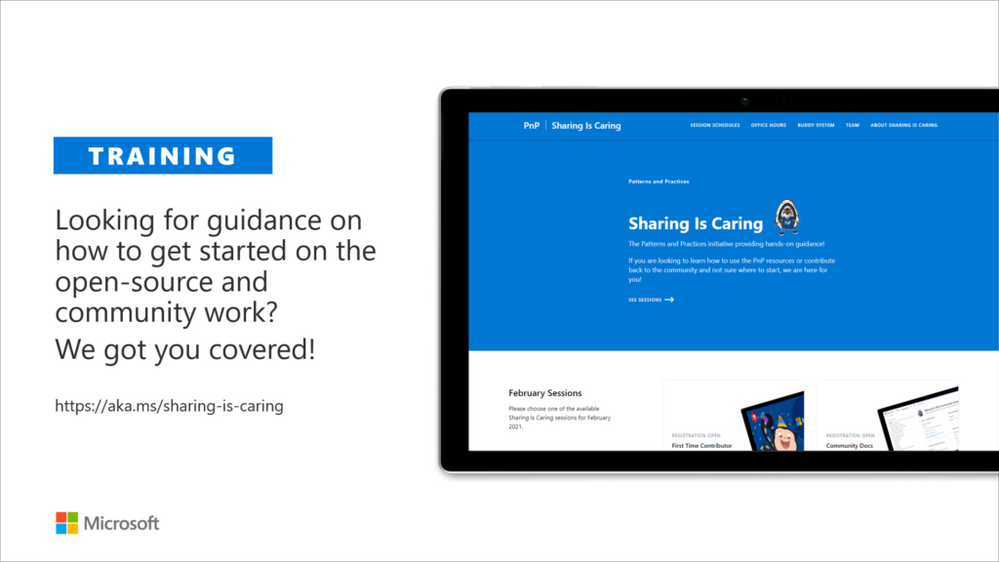
The “Sharing Is Caring” imitative is targeted for learning the basics around making changes in Microsoft Docs, in GitHub, submitting pull requests to the PnP repositories and in GitHub in general. Take advantage of this instructor lead training for learning how to contribute to docs or to open-source solutions. Everyone is welcome to learn how to get started on contributing to open-source docs or code!
- See more from the guidance documentation – including all upcoming instructor lead sessions which you can participate!
Different Microsoft 365 related open-source initiatives build together with the community
See exact details on the latest updates from the specific open-source project release notes. You can also follow up on the project updates from our community calls. There are numerous active projects which are releasing new versions with the community even on weekly basis. Get involved!
- Microsoft Look Book – Discover the modern experiences you can build with SharePoint in Microsoft 365. Look book provides design examples for SharePoint Online which can be automatically provisioned to any tenant in the world. See more from https://lookbook.microsoft.com. This service is also provided as open-source solution sample from GitHub.
- yo teams – Open-source Yeoman generator for Microsoft Teams extensibility. Supports creation of bots, messaging extensions, tabs (with SSO), connectors and outgoing Webhooks. See more from https://aka.ms/yoteams.
- PnP Framework – .NET Standard 2.0 SDK containing the classic PnP Sites Core features for SharePoint Online. More around this package from GitHub.
- PnP Core SDK – The PnP Core SDK is an SDK designed to work for Microsoft 365 with Graph API first approach. It provides a unified object model for working with SharePoint Online and Teams which is agnostic to the underlying API’s being called. See more around the SDK from documentation.
- PnP PowerShell – PnP PowerShell is a .NET Core 3.1 / .NET Framework 4.6.1 based PowerShell Module providing over 400 cmdlets that work with Microsoft 365 environments and more specifically SharePoint Online and Microsoft Teams. See more details from documentation.
- Reusable SharePoint Framework controls – Reusable controls for SharePoint Framework web part and extension development. Separate projects for React content controls and Property Pane controls for web parts. These controls are using Office UI Fabric React controls under the covers and they are SharePoint aware to increase the productivity of developers.
- Office 365 CLI – Using the Office 365 CLI, you can manage your Microsoft Office 365 tenant and SharePoint Framework projects on any platform. See release notes for the latest updates.
- PnPJs – PnPJs encapsulates SharePoint REST APIs and provides a fluent and easily usable interface for querying data from SharePoint sites. It’s a replacement of already deprecated pnp-js-core library. See changelog for the latest updates.
- PnP Provisioning Engine and PnP CSOM Core – PnP provisioning engine is part of the PnP CSOM extension. They encapsulate complex business driven operations behind easily usable API surface, which extends out-of-the-box CSOM NuGet packages. See changelog for the latest updates.
- PnP PowerShell – PnP PowerShell cmdlets are open-source complement for the SharePoint Online cmdlets. There are more than 300 different cmdlets to use and you can use them to manage tenant settings or to manipulate actual SharePoint sites. They See changelog for the latest updates.
- PnP Modern Search solution – The PnP ‘Modern Search’ solution is a set of SharePoint Online modern Web Parts allowing SharePoint super users, webmasters and developers to create highly flexible and personalized search based experiences in minutes. See more details on the different supported capabilities from https://aka.ms/pnp-search.
- Modernization tooling – All tools and guidance on helping you to transform you SharePoint to modern experiences from http://aka.ms/sppnp-modernize.
- SharePoint Starter Kit v2 – Building modern experiences with Microsoft Teams flavors for SharePoint Online and SharePoint 2019 – reference solution in GitHub.
- List formatting definitions – Community contributed samples around the column and view formatting in GitHub.
- Site Designs and Site Scripts – Community contributed samples around SharePoint Site Designs and Site Scripts in GitHub.
- DevOps tooling and scripts – Community contributed scripts and tooling automation around DevOps topics (CI/CD) in GitHub.
- Teams provisioning solution – Set of open-source Azure Functions for Microsoft Teams provisioning. See more details from GitHub.
Documentation updates
Please see all the Microsoft 365 development documentation updates from the related documentation sets and repositories as listed below:
- Microsoft Teams platform documentation – Microsoft Docs | GitHub
- SharePoint Developer documentation – Microsoft Docs | GitHub
- Microsoft Graph documentation – Microsoft Docs | GitHub
- Office add-in documentation – Microsoft Docs | GitHub
Microsoft 365 Dev and Microsoft 365 Community (PnP) YouTube video channels
You can find all Microsoft 365 related videos on our YouTube Channel at http://aka.ms/m365pnp-videos or at Microsoft 365 Dev. These channels contains already a significant amount of detailed training material, demo videos, and community call recordings.
Here are the new Microsoft demo or guidance videos released since the last monthly summary:
- Microsoft Lists integration with Power BI – Mark Kashman (Microsoft) | @mkashman
- SharePoint Content Type APIs in Microsoft Graph – Swapnil Shrivastava (Microsoft)
- SharePoint Framework v1.12.1 new features – Vesa Juvonen (Microsoft) | @vesajuvonen
- Getting started with Microsoft Viva Connections Desktop – Tejas Mehta (Microsoft) @tpmehta & Prateek Dudeja (Microsoft) @PrateekDudeja4
- Viva Connections Desktop and Extensibility – Vesa Juvonen (Microsoft) | @vesajuvonen
- Introduction to PnP Core SDK – Getting started in .NET 5 – Bert Jansen (Microsoft) | @o365bert
- List group header formatting options for Microsoft Lists – Naveed Ahmed (Microsoft) | @naveed3
- Best practices for data migrations to Microsoft 365 – Joshua Badach
- Choosing the right tools for your Microsoft 365 migration – Eric Warnke (Microsoft) | @EricWarnke
- Getting started on deploying Viva Connections for Microsoft Teams desktop – Microsoft
- Your intranet is now in Microsoft Teams with Microsoft Viva Connections – Microsoft
- Create custom apps with Power Apps – Microsoft
- Explore Microsoft Graph scenarios for JavaScript development – Dan Wahlin (Microsoft) | @danwahlin
- Learn how to develop apps with the Microsoft Graph Toolkit! – Ayca Bas (Microsoft) | @aycabs
- Outlook add-in for creating templated signatures programmatically with events – David Chesnut (Microsoft)
- Updates to Office Scripts and TICTAC UFO customer demonstration – Sudhi Ramamurthy (Microsoft)
- Support tickets on Microsoft 365 around Office add-ins – Richard Tylor (Microsoft)
- Take a lap around the Company Communicator app – Mykhailo Sydorchuk (Microsoft)
- Streamline your work with Microsoft Graph | Tips & Tricks #1 – Bob German (Microsoft) | @Bob1German
- Microsoft Graph Toolkit can do WHAT? | Tips & Tricks #2 – Ayca Bas (Microsoft) | @aycabs
- Build Teams apps with Power Apps in Dataverse for Teams | Tips & Tricks #3 – April Dunnam (Microsoft) | @aprildunnam
- Start calling the Microsoft Graph API in under 5 minutes! | Tips & Tricks #4 – Dan Wahlin (Microsoft) | @danwahlin
- Set up your new Microsoft 365 Developer subscription | Tips & Tricks #5 – Bob German (Microsoft) | @Bob1German
- Create a chatbot in Microsoft Teams with Power Virtual Agents | Tips & Tricks #6 – April Dunnam (Microsoft) | @aprildunnam
Community demos as following:
- Advanced Page Properties web part solution – Mike Homol (ThreeWill) | @homol
- Running the CLI for Microsoft 365 in Azure Container Instances orchestrated by Logic Apps – Albert-Jan Schot (Portiva) | @appieschot
- Make your Power Apps sessions persistent when switching Microsoft Teams tabs! – Hardit Bhatia (Hitachi Solutions America, Ltd.) | @ThePowerAddict
- Surfacing your existing solution in Microsoft Teams – Rick Van Rousselt (Advantive) | @RickVanRousselt
- Make your Power Apps user experience awesome with Gestalt design principles – Rory Neary | @azurerory
- Build your first Microsoft Teams Bot – Stephan Bisser (Solvion) | @stephanbisser
- Live London Underground Line Status Bot in Microsoft Dataverse for Teams – Leon Armston (Intelogy) | @LeonArmston
- Microsoft Lists formatting with header and footer settings – Chris Kent (DMI) | @theChrisKent
- Microsoft Teams Meeting Questionnaire App with SharePoint Framework – Nanddeep Nachan | @NanddeepNachan
- Building an advanced SPFx Image Editor web part – Peter Paul Kirschner (cubido) | @petkir_at
- Customer scenario – Microsoft Teams integration with external systems – Kathy (Qinqyu) Xu (Pfizer) & Paolo Pialorsi (PiaSys) | @paolopia
- Using Single Sign-On (SSO) with Office Add-ins – Andrew Connell (Voitanos)
- Microsoft Teams – Authentication and Single Sign-on – Andrew Connell (Voitanos)
- Microsoft Teams – Use the teamwork Microsoft Graph endpoint – Andrew Connell (Voitanos)
PnP Weekly sessions – Community visitors and latest articles from Microsoft and community on Microsoft 365 topics.
- Microsoft 365 PnP Weekly – Episode 125 – Sandy Ussia (Lightning Tools)
- Microsoft 365 PnP Weekly – Episode 124 – Emily Mancini (Sympraxis Consulting)
- Microsoft 365 PnP Weekly – Episode 123 – April Dunnam (Microsoft)
- Microsoft 365 PnP Weekly – Episode 122 – Mark Rackley (PAIT Group)
- Microsoft 365 PnP Weekly – Episode 121 – Nik Charlebois (Microsoft)
Key contributors to the May 2021 update
Here’s the list of active contributors (in alphabetical order) since last release details in GitHub repositories or community channels. PnP is really about building tooling and knowledge together with the community for the community, so your contributions are highly valued across the Microsoft 365 customers, partners and obviously also at Microsoft.
Thank you for your assistance and contributions on behalf of the community. You are truly making a difference! If we missed someone, please let us know.
- Adam Wójcik – Adam-it
-
Agustin Del Vento (Change Champions Consulting Inc.)
- Albert-Jan Schot (Portiva) – @appieschot
- Alberto Gutierrez (Minsait) – @albertogperez
- Alex Terentiev (SharePointalist) – @alexaterentiev
- Alex Moumne (Fluidmaster) – afhmoumne
-
Alison Collins (Coupled Technology) – ReactIntern
- Anders Mörtsell (Sogeti) – @andersmortsell
- André Lage (Datalynx AG) – @aaclage
- Andrew Benson (InElec) – @ViewPorter
-
Andrew Burns (AmSty) – @SharePointRox
- Andrew Connell (Voitanos) – @andrewconnell
- Andrew Koltyakov (ARVO Systems) – @andrewkoltyakov
-
Andy Boylan (AdEPT Technology Group) – apboylan
- Anoop Tatti (Content+Cloud) – @anooptells
- Ari Gunawan (DevStack) – @arigunawan3023
-
Asha Prajapati (T-systems India Pvt Ltd) – Ashaprjpt0707
- Beau Cameron (Aerie Consulting) – @Beau__Cameron
-
Bianca Wilkinson – bianca-git
- Bruce Cotter (Business Journey Consulting, LLC) – businessjourneyconsulting
-
Bruce Lane – brucelane
- Carl Cookson (Avanade) – @LinkeD365
- Carmen Ysewijn (Qubix) – @CarmenYsewijn
- Chandani Prajapati – @Chandani_SPD
- Charles Ndiaye (Netexio) – @manusquall
- chimenjoku – chimenjoku
- Chris Kent (DMI) – @theChrisKent
-
Chris Revell (Consult 365 IT Solutions) – @consult_365
- Christian Zuellig (Monday Coffee) – @ChristianZuell1
-
Christine Green (EBSCO Information Services) – @cacurtica
- codepwner – codepwner
- Dan Toft (Evobis) – @tanddant
-
Daniel Westerdale (Westerdale Solutions Ltd) – @westerdaled
- Damien Bird (Aberdeen City Council) – @DamoBird365
- David Warner II (Catapult) – @DavidWarnerII
- Django Lohn (InSpark) – @LohnDjango
- Denis Molodtsov (CleverPoint Consulting) – @Zerg00s
- Derek Cash-Peterson (Sympraxis Consulting) – @spdcp
- Elio Struyf (Struyf Consulting) – @eliostruyf
-
Ellery July – @techrealist
- Emily Mancini (Sympraxis Consulting) – @EEMancini
-
Eric Legault (Eric Legault Consulting Inc.) – @elegault
- Eric Overfield (PixelMill) – @EricOverfield
- Erwin van Hunen (Valo Intranet) – @erwinvanhunen
- Frank Cornu (aequos) – @FranckCornu
- Ganesh Sanap – @ganeshsanap20
- Garry Trinder (CPS) – @garrytrinder
- Gautam Sheth (Valo) – @gautamdsheth
- Geetha Sivasaiam (Artis Consulting) – @GSiVed
-
Gissur Simonarson (Fujitsu) – @gissisim
- Giacomo Pozzoni (DQC Sverige Ab) – @PozzoniGiacomo
-
Haiye Wang – haiyewang0717
- Hardit Bhatia (Hitachi Solutions America, Ltd.) | @ThePowerAddict
-
Hamid Malik (Smart-IS) – @HamidHMalik
- Harold Wolfinger
-
Heidi Connor – bryllyg
-
Henrik Yllemo (Ylltec Sweden AB) – @yllemo
-
Henry Morales
- Hiroaki Nagao – @mofumofu_dance
- Hubert Lam (NSW Department of Education) – @z3019494
- Jarbas Horst (Valo) – @devjhorst
-
Janeen Jackson – ajhodgejackson
- Jasper Voskuilen – @jaspervoskuilen
-
Jennifer McGee (Wood plc)
- Jens Otto Hatlevold (Bouvet) – jensotto
- João Mendes – @joaojmendes
- Joel Rodrigues (Storm Technology) – @JoelFMRodrigues
-
John Kelly (Domino Printing Sciences) – @fairgold
-
John O’Brien (Microsoft Canada) – obrien-j
- Jonathan Cooper (First Horizon) – jdcooper901
-
Joy Muehlenbein (Edwards Lifesciences) – @huh_larious
- Julie Turner (Sympraxis Consulting) – @jfj1997
-
Kanakarajulu Thota (Atos GITSS) – @KanakarajuNaidu
- Kathleen Boilek (Alaka’Ina Foundation) – @kaboilek
- Kathy (Qinqyu) Xu (Pfizer)
- Kerry Lambert (NI) – @kazoogal23
- Keval Solanki – @keval_solanki
- koruneko – koruneko
- Krzysztof Mikołajec (Krzysztof Mikolajec Consulting, Sii Pl) – @krzymiko
- Laura Graham-Brown (AIS) – @Laura_GB
- Laura Kokkarinen (Sulava) – @LauraKokkarinen
- Lee Ford (Symity Ltd) – @lee_ford
- Leon Armston (Intelogy Ltd) – @LeonArmston
- Liam Cleary (SharePlicity) – @helloitsliam
- Luis Mañes (ClearPeople) – @luismanez
- Luis Renteria – TheSharePointProfessional
- Luise Freese (Luise Freese M365 Princess) – @LuiseFreese
- Lukas Jung – lukju
-
Luke Pfaffinger (Prime Group)
- Maarten van Stam (Deloitte Nederland) – @aafvstam
-
Manoj Kumar Mittal (Mindtree) – @Manojmcan
- Marc D Anderson (Sympraxis Consulting) – @sympmarc
- Mark Rackley (PAIT Group) – @mrackley
- Matthew Devaney (Hitachi Solutions) – @mattbdevaney
- Matt Tracy (US Air Force)
- Mike Homol (ThreeWill) – @homol
- Michael Fenech (Atrium Hospitality) – SPHateMe
- Michael Roth (IT-P GmbH) – @MichaelRoth42
- Michiel Hamers (Ordina MTech) – @michielhamers
- Michel Mendes (Storm Technology) – @michelcarlo
- Mike – diver7
-
Mike Duffy (Boardwalk Pipelines) – @mike_duffy
-
Mike Ruhl (Williams Companies) – @ruhlma
- Mohamed Derhalli (BDO Canada) – derhallim
-
Nabil Cherchali (OpenText) – @ncherchali
- Nanddeep Nachan – @NanddeepNachan
- Naveed Mohammad (Cognizant) – naveed243
-
Neil Sreenan (HKS Inc.) – @nsreenanhks
- Nick Brown (Cardiff University) – @techienickb
-
Nikki Chapple (NTT Cloud Communications) – @chapplenikki
-
Nitin Jain (First Horizon) – @nitincomplete
- Phil Harding – phillipharding
- Paolo Pialorsi (PiaSys.com) – @PaoloPia
- Patrik Hellgren (Sherpas Group) – @patrikhellgren
- Patrick Lamber (Expertsinside AG) – @patricklamber
- Paul Bullock (CaPa Creative Ltd) – @pkbullock
- Paul Schaeflein (AddIn365) – @paulschaeflein
-
Peter Guhr – pguhr
- Peter Paul Kirschner (cubido business solutions GmbH) – @petkir_at
-
Phil Broadbery (PKF) – @peb71b
- P3N – P3N
- Ralph Rivas (Sogeti) – @bigpix2000
- Ravi Kulkarni (Cognizant) – @RaviKul16a87
- Remy Blok (Prodware) – remyblok
-
Reidar Husmo (PointTaken) – reidarhusmo
- Rick Van Rousselt (Advantive) | @RickVanRousselt
-
Rocio Holub (DAI)
- Rolands Strakis (Atea Global Services SIA) – wonderplayer
- Rory Neary – @azurerory
-
Ross Allan (PKF LittleJohn)
- Sam Collins (Coupled Technology) – @samc148
- Sandeep Vootoori – sandeepvootoori
- Sandy Ussia (Lightning Tools) – @SandyU
-
Sebastian Nagy – snagy22000
-
Sébastien Noel (ENGIE)
-
Sekhar Reddy Bhumireddy (Krish Services Group, Inc) – bhumi-github
- Sergei Sergeev (Mastaq) – @sergeev_srg
- Shiva Bezwada (JCS Solutions LLC) – @Texaport
- Simon Doy (iThink 365) – @simondoy
- Simon Hudson (Cloud2) – @simonjhudson
- Smita Nachan – @smitanachan
- Spencer Harbar (Triumph Media Limited) – @harbars
- Stefan Bauer (n8d) – @StfBauer
- Stephan Bisser (Solvion) – @stephanbisser
- Steve Beaugé (Solutions pour SharePoint) – stevebeauge
- Sudharsan Kesavanarayanan (NTT Digital Business Solutions) – @sudharsank
- Susan McClements (1st Source Bank) – @smcclements
- Tetsuya Kawahara – @techsn_k
-
Theresa Lubelski – @SharePointMadam
- thomassmart – thomassmart
- Thomy Gölles (Solvion) | @thomyg
- Todd Baginski (Canviz) – @toddbaginski
- Tristian O’Brien – tristian2
-
Troy Meacham (US Army)
- Wictor Wilen (Avanade) – @wictor
- Will Holland (ThreeWill) – @_WCHolland
- Velin Georgiev (Pramerica) – @velingeorgiev
- Veronique Lengelle (CPS) – @veronicageek
- Vesa Nopanen (Sulava) – @vesanopanen
- Yannick Plenevaux (PVX Solutions) – @yp_code
- Yannick Reekmans (Qubix) – @YannickReekmans
- Yves Habersaat (Sword Group) – @yhabersaat
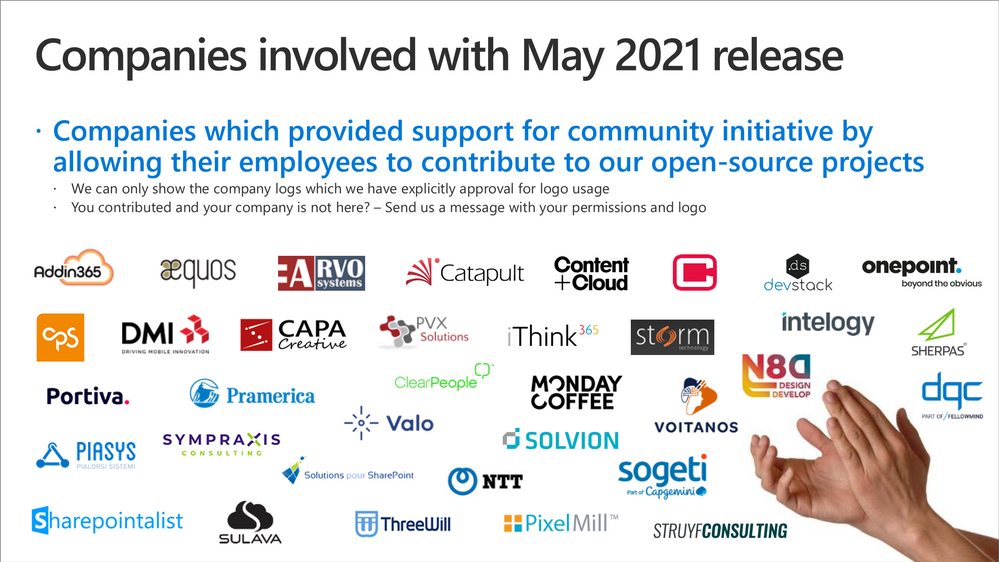
Companies: Here’s the companies, which provided support the community initiative for this month by allowing their employees working for the benefit of others in the community. There were also people who contributed from other companies during last month, but we did not get their logos and approval to show them in time for these communications. If you still want your logo for this month’s release, please let us know and share the logo with us. Thx.
Microsoft people: Here’s the list of Microsoft people who have been closely involved with the PnP work during last month.
- Antons Mislevics – antonsmislevics
- Allen Snow – @asnow003
- April Dunnam – @aprildunnam
- Amrutha Srinivasan | @amruthasrin
- Ayca Bas – @aycabs
- Bert Jansen – @O365Bert
- Beth Pan – @beth_panx
- Bob German – @Bob1German
- Charles Sterling – @chass
- Dan Wahlin – @DanWahlin
- David Chesnut – davidchesnut
- Elise Yang – @elisenyang
- Hema Sandhu – hemab-toronto
- Hugo Bernier – bernierh
- Jason Johnston – jasonjoh
- Jeremy Kelley – @Fizzlenik
- Joanne Hendrickson – JoanneHendrickson
- John Nguyen – johnguy0
- John Sudds – jsuddsjr
- Karthig Balendran – @KarthigBalendr1
- Kevin Coughlin – @kevintcoughlin
- Kinga – kkazala
- Koen Zomers – @koenzomers
- Holland Kaviani – Holland-ODSP
- Laura Graham – Lauragra
- Linda Lu Cannon – lindalu-MSFT
- Loki Meyburg – @lokimeyburg
- Luca Bandinelli – lucaband
- Luis E. Torres – luisenriquetorres
- Matt Wolodarsky – @mwolodarsky
- Melissa Torres – @Meltorac
- Mikael Svenson – @mikaelsvenson
- Nik Charlebois – @NikCharlebois
- Nicolas Vogt – vogtn
- Nikola Metulev – @metulev
- Pam Green (Microsoft) – @contextuallib
- Pat Miller – @PatMill_MSFT
- Patrick Rodgers – @mediocrebowler
- Philippe Signoret – @psignoret
- Rabia Williams – @williamsrabia
- Rob Garrett – robgarrett
- Saikrishna-MSFT – Saikrishna-MSFT
- Shane Weaver – shweaver-MSFT
- Sébastien Levert – @sebastienlevert
- Steven Jia – Steven-Jia
-
Tim Mayo (Microsoft) – @timmayo
- Tomomi Imura – @girlie_mac
- Vesa Juvonen – @vesajuvonen
- Waldek Mastykarz – @waldekm
- Vincent Biret – @baywet
PnP Team
PnP Team manages the PnP community work in the GitHub and also coordinates different open-source projects around Microsoft 365 topics. PnP Team members have a significant impact on driving adoption of Microsoft 365 topics. They have shown their commitment to the open-source and community-driven work by constantly contributing to the benefit of the others in the community.
Thank you for all that you do!
- Albert-Jan Schot (Portiva) – @appieschot
- Alex Terentiev (SharePointalist) – @alexaterentiev
- Andrew Connell (Voitanos) – @andrewconnell
- Andrew Koltyakov (ARVO Systems) – @andrewkoltyakov
- Beau Cameron (Aerie Consulting) – @Beau__Cameron
- Chris Kent (DMI) – @theChrisKent
- David Warner II (Catapult) – @DavidWarnerII
- Elio Struyf (Struyf Consulting) – @eliostruyf
- Emily Mancini (Sympraxis Consulting) – @EEMancini
- Eric Overfield (PixelMill) – @EricOverfield
- Erwin van Hunen (Valo Intranet) – @erwinvanhunen
- Frank Cornu (aequos) – @FranckCornu
- Garry Trinder (CPS Solutions) – @garrytrinder
- Gautam Sheth (Valo Intranet) – @gautamdsheth
- Julie Turner (Sympraxis Consulting) – @jfj1997
- Laura Kokkarinen (Sulava) – @LauraKokkarinen
- Luise Freese – @LuiseFreese
- Marc D Anderson (Sympraxis Consulting) – @sympmarc
- Paolo Pialorsi (Piasys.com) – @PaoloPia
- Patrick Lamber (Expertsinside AG) – @patricklamber
- Paul Bullock (CaPa Creative Ltd) – @pkbullock
- Rabia Williams (Engage Squared) – @williamsrabia
- Stefan Bauer (n8d) – @StfBauer
- Velin Georgiev (Pramerica) – @velingeorgiev
- Veronique Lengelle (CPS) – @veronicageek
- Wictor Wilen (Avanade) – @wictor
- Yannick Plenevaux (PVX Solutions) – @yp_code
Here are the Microsoft Internal PnP Core team members:
- April Dunnam – @aprildunnam
- Bert Jansen – @O365Bert
- Bob German – @Bob1German
- Hugo Bernier – @bernierh
- Koen Zomers – @koenzomers
- Mikael Svenson – @mikaelsvenson
- Patrick Rodgers – @mediocrebowler
- Rabia Williams – @williamsrabia
- Sébastien Levert – @sebastienlevert
- Vesa Juvonen – @vesajuvonen
- Waldek Mastykarz – @waldekm
Next steps
See all of the available community calls, tools, components and other assets from https://aka.ms/m365pnp. Get involved!
Got ideas or feedback on the topics to cover, additional partnerships, product feature capabilities? – let us know. Your input is important for us, so that we can support your journey in Microsoft 365.
“Sharing is caring”
Microsoft 365 Community (PnP) – May11th 2021


Recent Comments