by Contributed | May 21, 2021 | Technology
This article is contributed. See the original author and article here.
This is a continuation of Troubleshooting Node down Scenarios in Azure Service Fabric here.
Scenario#6:
Check the Network connectivity between the nodes:
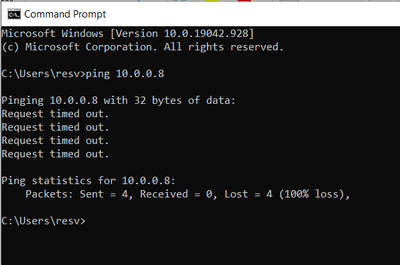
- Open a command prompt
- Ping <IP Address Of Other Node>
If request times out.
Mitigation:
Check if any NSG blocking the connectivity.
Scenario#7:
Node-to-Node communication failure due to any of the below reason could lead to Node down issue.
- If Cluster Certificate has expired.
- If SF extension on the VMSS resource is pointing to expired certificate, On VM reboot node may go down due to this expired certificate.
“extensionProfile”: {
“extensions”: [
{
“properties”: {
“autoUpgradeMinorVersion”: true,
“settings”: {
“clusterEndpoint”: “https://xxxxx.servicefabric.azure.com/runtime/clusters/xxxxxxxx-xxxx-xxxx-xxxx-xxxxxxxxxxxx“,
“nodeTypeRef”: “sys”,
“dataPath”: “D:SvcFab”,
“durabilityLevel”: “Bronze”,
“enableParallelJobs”: true,
“nicPrefixOverride”: “10.0.0.0/24”,
“certificate”: {
“thumbprint”: “XXXXXXXXXXXXXXXXXXXXXXXXXXXXX”,
“x509StoreName”: “My”
}
- Make sure certificate is ACL’d to network service.
- If Reverse Proxy certificate has expired.
- If above are taken care, Go to Scenario#8.
Scenario#8:
Node1 is not able to establish lease with a Neighboring node2 could cause node1 to do down.
From the SF traces:
For example in the logs we see a node with Node ID “e4eac25286f23859b79b5483964ab0c8” (Node1) failed to establish lease with a node with Node ID “c196867202638ea43655614031736e9” (Node2)–

Now the focus should be on the node with which the lease connectivity is failing rather than the node which is down.

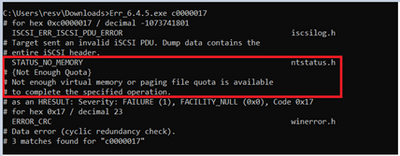
From above traces, we get the Error code: c0000017
To understand what this Error code means, please download Microsoft Error Lookup Tool.
And execute the exe by passing error code as Parameter:
Mitigation:
Restart the node (Node2) which could free up the Virtual Memory and start establishing the lease with Node1 to bring the Node1 Up.
by Contributed | May 21, 2021 | Technology
This article is contributed. See the original author and article here.
This is a continuation of Troubleshooting Node down Scenarios in Azure Service Fabric here
Scenario#5:
Virtual Machine associated with the node is healthy, but Service Fabric Extension being unhealthy could cause node to go down in Service Fabric cluster.
Analysis:
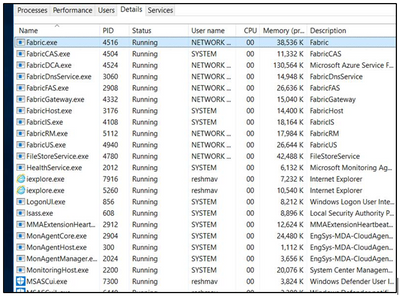
RDP into node, which is down. Open Task manager and Observe the Fabric processes.
If Fabric.exe and FabricHost.exe is crashing and Restarting often, then check Mitigation#1.
If ServiceFabricNodeBootStrapAgent.exe is crashing and Restarting often check Mitigation#2.
If FabricInstallerSvc.exe is crashing and Restarting often check Mitigation#3.
Mitigation#1:
- <path>/Cluster.current.xml
- Does it match manifest for cluster (compare with the one in SFX)
- No
- Does SFX indicate upgrades in progress?
- No upgrades in progress
- Go to <Path>
- Open Clustermanifest.current.xml
- Replace contents of Clustermanifest.current with contents of manifest in SFX.
- Save
- In task manager, select Fabric.exe if running and click on “End Task” button
- If Fabric.exe is not running, reboot VM.
- It will take a few minutes for node to become healthy.
- Node did not become healthy, start from beginning.
Path: D:SvcFab_Nodename_FabricClusterManifest.current.xml
Mitigation#2:
Check if this process listed in list of processes in Task Manager.
- If “Yes”:
- Wait a while to see if the node heals itself.
- This process tries to heal the failure at a coarse level by restarting the VM and reinstalling SF runtime.
- It waits for 15 minutes after an attempt to heal before taking the next action.
- Check ServiceFabricNodeBootstrapAgent.InstallLog – Check “From the Node” Path: C:PackagesPluginsMicrosoft.Azure.ServiceFabric.ServiceFabricNode<version>ServiceServiceFabricNodeBootstrapAgent.InstallLog
- Did not heal, go to “Event Viewer logs” for error details.
- If “No”:
- Go to Services tab in Task Manager and click on Open Services link at the bottom.
- Check the startup mode for the bootstrap service, make sure it is Automatic .
- Start service.
- If it stays running, go to “Yes” section above.
Mitigation#3:
Check if the connectivity of the Node is working.
For more details Refer to Part III – Troubleshooting Node down Scenarios.
by Contributed | May 20, 2021 | Technology
This article is contributed. See the original author and article here.
We’re very pleased to announce that Group Managed Service Account (gMSA) for Windows containers with non-domain joined host solution is now available in the recently announced AKS on Azure Stack HCI Release Candidate!
The Journey
Since the team started the journey bringing containers to Windows Server several years ago, we have heard from customers that the majority of traditional Windows Server apps rely on Active Directory (AD). We have made a lot of investments in our OS platform, such as leveraging Group Managed Service Accounts (gMSA) to give containers an identity and can be authenticated with Active Directory. For example, this blog showcased improvements in the Windows Server 2019 release wave: What’s new for container identity. We have also partnered with the Kubernetes community and enabled gMSA for Windows pods and containers in Kubernetes v1.18. This is extremely exciting news. But this solution needs Windows worker nodes to be domain joined with an Active Directory Domain. In addition, multiple steps need to be executed to install webhook and config gMSA Credential Spec resources to make the scenario working end to end.
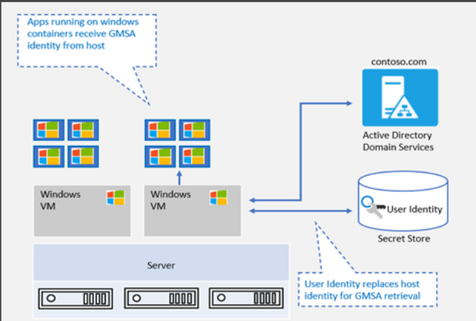
To ease the complexities, as announced in this blog on What’s new for Windows Containers on Windows Server 2022 – Microsoft Tech Community, improvements are made in the OS platform to support gMSA with a non-domain joined host. We have been working hard to light up this innovation in AKS and AKS on Azure Stack HCI. We are very happy to share that AKS on Azure Stack HCI is the first Kubernetes based container platform that supports this “gMSA with non-domain joined host” end-to-end solution. No domain joined Windows worker nodes anymore, plus a couple of cmdlets to simplify an end-to-end user experience!
“gMSA with non-domain joined host” vs. “gMSA with domain-joined host”
gMSA with non-domain joined host |
gMSA with domain-joined host |
- Credentials are stored as K8 secrets and authenticated parties can retrieve the secrets. These creds are used to retrieve the gMSA identity from AD.
- This eliminates the need for container host to be domain joined and solves challenges with container host updates.
|
- Updates to Windows container host can pose considerable challenges.
- All previous settings need to be reconfigured to domain join the new container host.
|
|

|
Simplified end to end gMSA configuration process by build-in cmdlets
In AKS on Azure Stack HCI, even though you don’t need to domain join Windows worker nodes anymore, there are other configuration steps that you can’t skip. These steps include installing the webhook, the custom resource definition (CRD), and the credential spec, as well as enabling role-based access control (RBAC). We provide a few PowerShell cmdlets to simply the end-to-end experience. Please refer to Configure group Managed Service Accounts with AKS on Azure Stack HCI.
Getting started
We have provided detailed documentation on how to integrate your gMSA with containers in AKS-HCI with non-domain joined solution.
- Preparing gMSA in domain controller.
- Prepare the gMSA credential spec JSON file (This is a one-time action. Please use the gMSA account in your domain.)
- Install webhook, Kubernetes secret and add Credential Spec.
- Deploy your application.
If you are looking for this support on AKS, you can follow this entry on AKS Roadmap [Feature] gMSA v2 support on Windows AKS · Issue #1680.
As always, we love to see you try it out, and give us feedback. You can share your feedback at our GitHub community Issues · microsoft/Windows-Containers , or contact us directly at win-containers@microsoft.com.
Jing
Twitter: https://twitter.com/JingLi00465231
by Contributed | May 20, 2021 | Technology
This article is contributed. See the original author and article here.
It’s hard to believe but it’s this time of the year again when we get to connect and you get to learn at Microsoft Build.
For this edition, the way you will be able to engage with the IoT team will be even more intimate than in the past with a series of Product Round Table sessions, as well as 1:1 consultation. RSVP rapidly as seats are need be reserved for these ones.
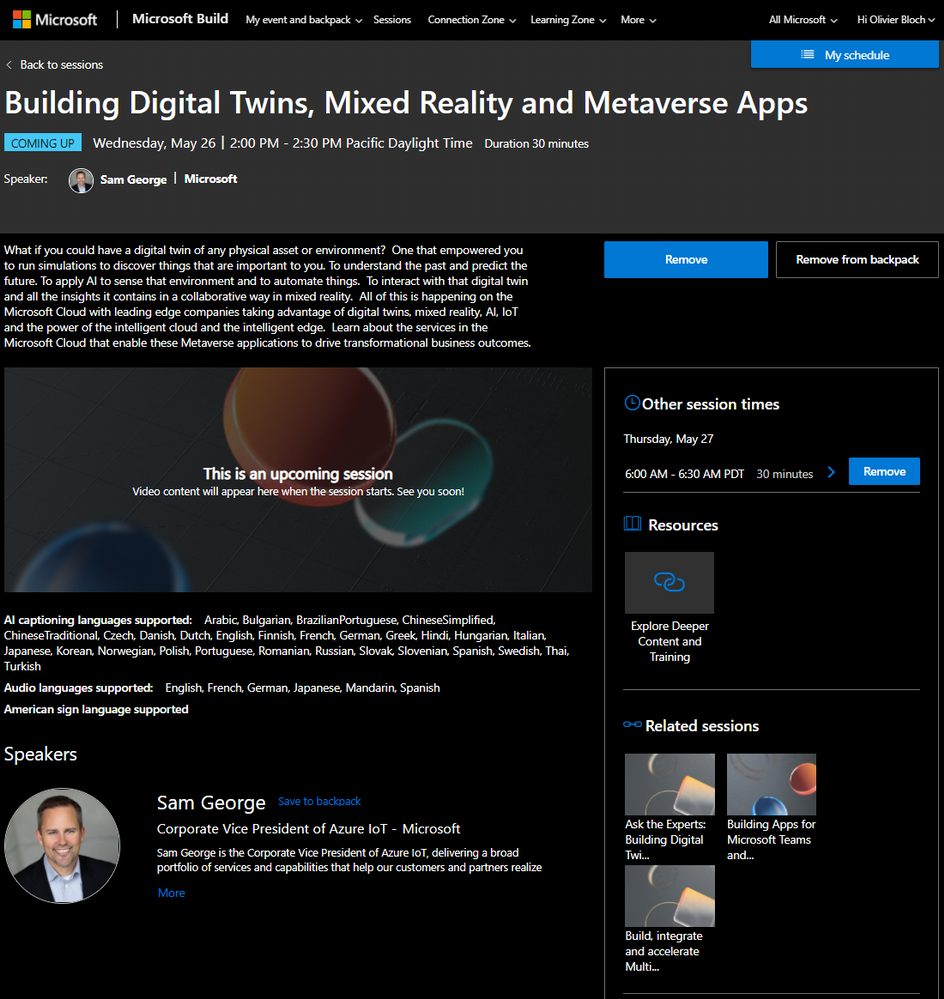
If you were to only watch one session, we highly recommend you tune in Sam George’s keynote: Building Digital Twins, Mixed Reality and Metaverse Apps. It will be played a couple times on Wednesday, May 26 | 2:00 PM – 2:30 PM Pacific Daylight Time and Thursday, May 27
6:00 AM – 6:30 AM PDT.
In addition to these opportunities to connect with the team, we will deliver some sessions.
Here is a list of all IoT sessions going on at Build this year:
Title
|
Speaker(s)
|
Type of session
|
Building Digital Twins, Mixed Reality and Metaverse Apps
|
Sam George
|
Breakout
|
Ask the Experts: Bringing Azure Linux workloads to Windows
|
Terry Warwick
|
Connection Zone
|
ConnectIoT data to Hololens 2 with Azure Digital Twins and Unity
|
Brent Jackson, Adam Lash
|
Connection Zone
|
Ask the Experts: Building Digital Twins, Mixed Reality and Metaverse Apps
|
Kence Anderson, Chafia Aouissi, Ines Khelifi, Christian Schormann, Simon Skaria, Scott Stanfield
|
Connection Zone
|
Build Secured IoT solutions for Azure Sphere with IoT Hub
|
David Glover, Mike Hall, Daisuke Nakahara
|
On-Demand
|
Round table: Simplifying IoT solution development
|
John Strohschein, Lori Birtley, Samantha Neufeld, Sarah Grover
|
Product round table
|
Round table: Azure Sphere: securing IoT devices and lowering your costs
|
Gregg Boer, Megha Tiwari, Rebecca Holt, Sudhanva Huruli, Vladimir Petrosyan
|
Product round table
|
Round table: Build connected environment solutions – Architecture patterns
|
Basak Mutlum, Chafia Aouissi, Christian Schormann, Ines Khelifi, Steve Busby
|
Product round table
|
Round table: Industrial IoT analytics with Azure Time Series Insights
|
Chris Novak, Ellick Sung
|
Product round table
|
Round table: Verfied Telemetry – enhancing data quality of IoT devices
|
Ajay Manchepalli, Akshay Nambi, Ryan Winter
|
Product round table
|
Round table: IoT semiconductor ecosystem: building and connecting secured devices
|
Bill Lamie, James Scott, Joseph Lloyd, Mahti Daliparthi, Marc Goodner, Mike Hall, Pamela Cortez, Rebecca Holt, Steve Patrick, Sudhanva Huruli
|
Product round table
|
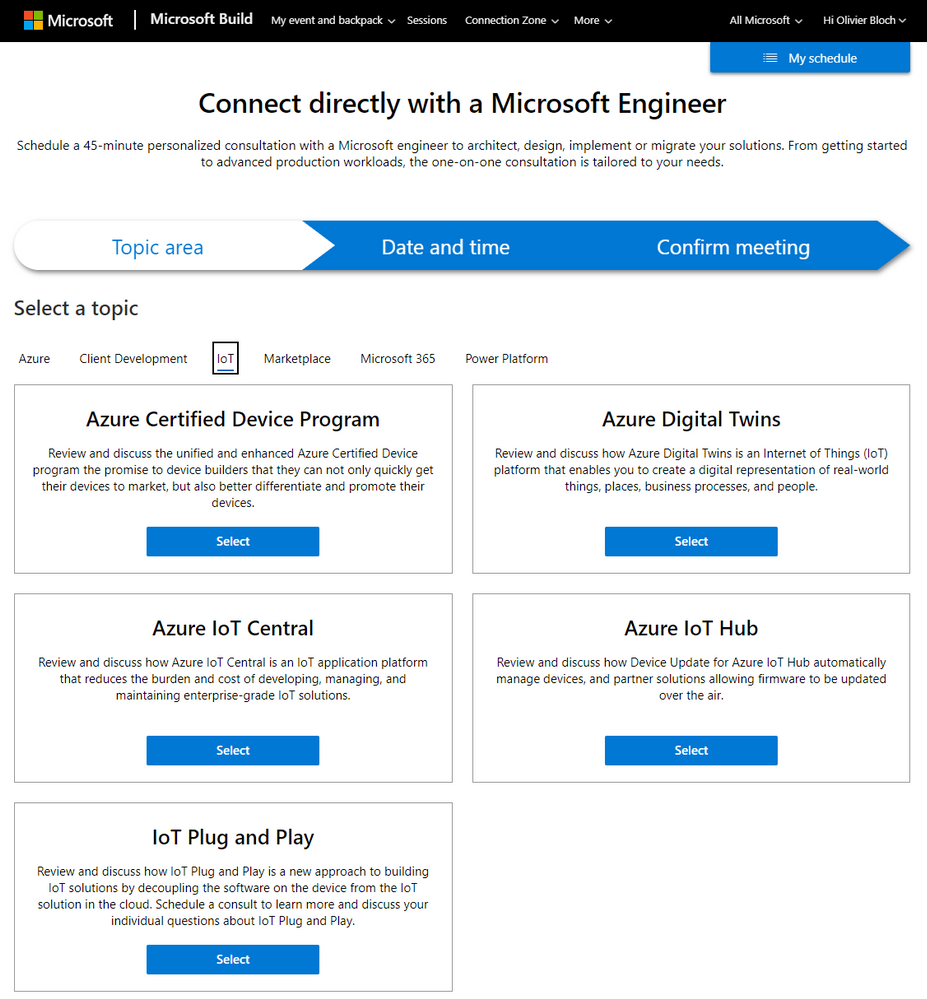
For 1:1 consultation with Microsoft engineers, you can find the IoT ones on this page under the IoT tab:
As usual we will update this blog post with more content, pointers and resources.
Have a great Microsoft Build 2021!
by Contributed | May 20, 2021 | Technology
This article is contributed. See the original author and article here.
Go hybrid or go home. Wait, you can either stay home or join in-person. Win/Win!
The Microsoft 365 Collaboration Conference is a unique ‘hybrid’ event in Orlando, Florida. ‘Hybrid’ for everyone = speakers and attendees participating in person and virtually; for those who can travel safely as the vaccine rollout continues and virtually for those who are unable to join us in-person safely.
The event brings together business leaders, IT pros, developers, and consultants to learn how technology can power teamwork, employee engagement and communications, and organizational effectiveness. Each session is delivered by acclaimed presenters – thought leaders, engaged MVPs and product members from Microsoft working on Microsoft 365, Microsoft Teams, SharePoint, and Power Platform.
The Microsoft 365 Collaboration Conference is a unique ‘hybrid’ event in Orlando, Florida with three unique Microsoft keynotes.
You’ll find over 200 sessions, panels, and workshops for everyone who works with Microsoft 365, presented by Microsoft’s leaders and experts from around the world. Below, you can review the subset of keynotes and sessions delivered by Microsoft employees from the product groups.
The Microsoft 365 Collaboration Conference embraces all of Microsoft 365: Microsoft Teams, SharePoint, Power Platform, OneDrive, Yammer, Microsoft Stream, Outlook, Office applications, Power Apps, Power BI, Power Automate and more.
Virtually
|
In-person
|
Early Bird (April 15, 2021 – May 10, 2021):
Full Conference Only: $599
Virtual Show Package 1: $898
Virtual Show Package 2: $1197
Virtual Show Package 3: $1496
Pre-conference OR Post-conference: $399
|
Early Bird (April 15, 2021 – May 10, 2021):
Full Conference Only: $1799
Virtual Show Package 1: $2248
Virtual Show Package 2: $2697
Virtual Show Package 3: $3146
Pre-conference OR Post-conference: $699
|
Regular (After May 10, 2021):
Full Conference Only: $599
Virtual Show Package 1: $898
Virtual Show Package 2: $1197
Virtual Show Package 3: $1496
Pre-conference OR Post-conference: $399
|
Regular (After May 10, 2021):
Full Conference Only: $1899
Virtual Show Package 1: $2348
Virtual Show Package 2: $2797
Virtual Show Package 3: $3246
Pre-conference OR Post-conference: $699
|
Microsoft keynotes and sessions (all times listed in the US EST time zone)
Microsoft keynote sessions:
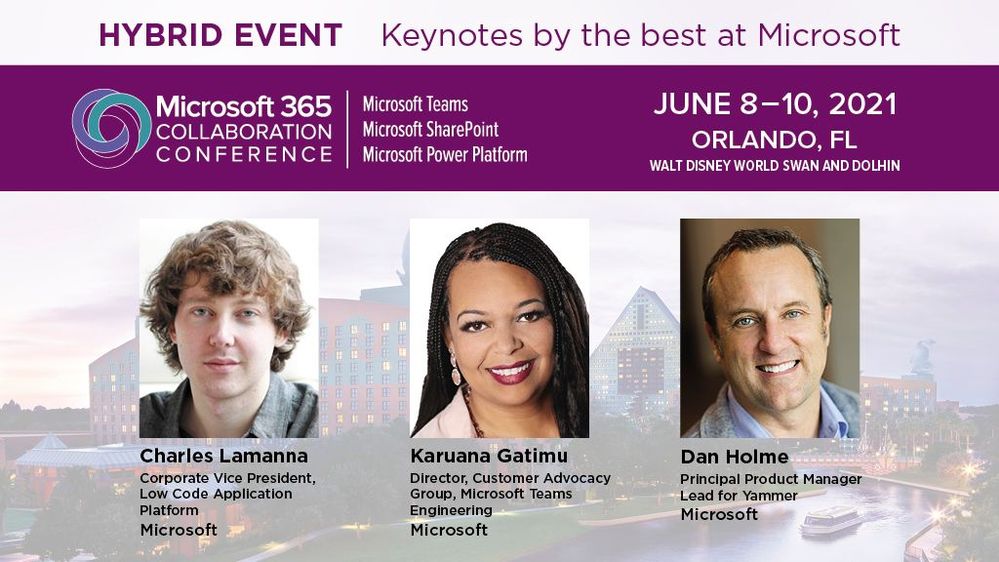
- Day One Keynote | “Microsoft 365: Your key to delivering on employee wellbeing and productivity goals” by @Karuana Gatimu | June 8th, 9am-10am
- Day Two Keynote | “The future of work: productivity and employee experience” by @Dan Holme | June 9th, 9am-10am
- Day Three Keynote | “What’s new and what’s next for the Microsoft Power Platform” by Charles Lamanna | June 10th, 12m-1pm
Microsoft breakouts sessions:
- “Practical guidance for driving Microsoft 365 adoption” by Karuana Gatimu (6/8 10:30am – 11:30am)
- “Meet Microsoft Viva: a new kind of employee experience” by John Mighell (6/8 12pm – 1pm)
- “Building a vibrant community – from inclusive campaigns to empowering your groups” by Laurie Pottmeyer and Josh Leporati (6/8 12pm – 1pm)
- “Governance best practices for Office 365, including Microsoft Teams guidance” by Karuana Gatimu (6/8 2:15pm – 3:15pm)
- “Get to know Microsoft Lists” by Mark Kashman and Harini Saladi (6/8 3:45pm – 4:45pm)
- “Roadmap to end user learning with Microsoft 365” by Josh Leporati (6/8 3:45pm – 4:45pm)
- “What’s new for intelligent file experiences across Microsoft 365” by Ankita Kirti and Stephen Rice (6/9 10:30am – 11:30am)
- “How Visio integrates with Microsoft 365 apps to enhance virtual collaboration” by Nishant Kumar (6/9 12pm – 1pm)
- “Meeting & virtual event best practices” by Karuana Gatimu (6/9 12pm – 1pm)
- “The Latest in Microsoft Teams” by Karuana Gatimu (6/9 2:15pm – 3:15pm)
- “Tasks, Planner, & To-Do: Decrease stress and increase productivity” by TBA (6/9 3:45pm – 4:45pm)
- “Modern Calling – How Teams changes the way we communicate” by Sean Wilson (6/10 9am – 10am)
- “IT Pro deep dive – Microsoft Teams” by Stephen Rose (6/10 10:30am – 11:30am)
- “What’s new and next for Microsoft Search” by Bill Baer (6/10 10:30am – 11:30am)
- “SharePoint + Teams: Powering content collaboration” by Cathy Dew (6/10 2pm – 3pm)
- “Architecting your intelligent intranet” by DC Padur and Melissa Torres (6/10 3:30pm – 4:30pm)
View all Microsoft 365 Collaboration Conference (Orlando, FL) sessions.
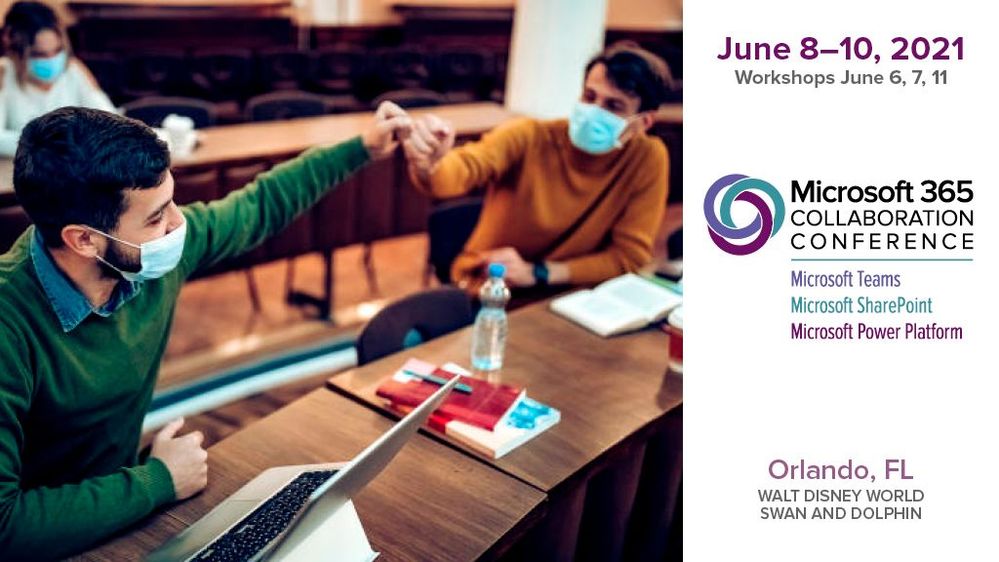 The event brings together business leaders, IT pros, developers, and consultants safely for those who can travel as the vaccine rollout continues and virtually for those who are unable to join in-person.
BONUS | A word from @Jeff Teper about the broader value of the event (previously known as SharePoint Conference):
Thanks, Mark Kashman, senior product manager – Microsoft


Recent Comments