by Contributed | Feb 1, 2022 | Technology
This article is contributed. See the original author and article here.
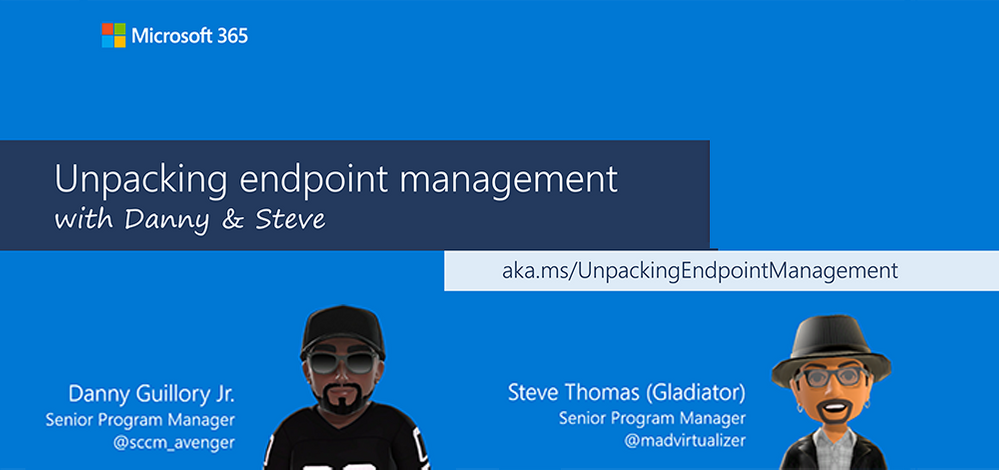
Last March, my colleague Danny Guillory and I embarked on an idea based on your feedback—a targeted and interactive web series focused on “real talk” around unified endpoint management. We wanted it to be open to everyone and reasonably transparent. We wanted to foster a live community event where we could not only bring on guests from Microsoft engineering teams, but also (more importantly) engage with you directly through live Q&A!
So far, the level of engagement has been amazing. You’ve asked questions and we’ve tried our best to provide answers or find answers when we couldn’t. We’ve been listening to your feedback (really appreciate it!) and taking your ideas to the product teams developing Microsoft Endpoint Manager. Now we continue our monthly web series in 2022 and are innovating the show further by:
- Bringing in customers and industry professionals to share their experiences and best practices around Endpoint Manager (capital “E”, capital “M”) and endpoint management.
- Expanding the platforms through which you can consume the show (podcast option, anyone?)
- Opening up the ability for you to post questions one week in advance of each show so you can make sure your questions get in.
- Exploring new topics as well as revisiting previous topics with more proven and recommended practices alongside out-of-the-box thinking and ideas around innovating endpoint management.
And so, Unpacking Endpoint Management continues—the first Friday of each month—in 2022 here on the Tech Community! Our next episode will be this Friday, February 4th at 8:00 AM Pacific Time!
Remember to follow Wheaton’s Law and keep it civil. And finally, don’t forget to bookmark https://aka.ms/UnpackingEndpointManagement for a list of future episodes! In addition, you can find a list of previous episodes – now on demand – including the now-famous “Policy Pizza Party” premiere episode.
Have an idea for a future episode? Drop us a comment below!
by Contributed | Jan 28, 2022 | Technology
This article is contributed. See the original author and article here.
Hello friends,
Welcome to a new year and the first AKS on Azure Stack HCI update in 2022. The January update is now available!
As always, you can also evaluate AKS-HCI any time by registering here. If you do not have the hardware handy to evaluate AKS on Azure Stack HCI you can follow our guide for evaluating AKS-HCI inside an Azure VM: https://aka.ms/aks-hci-evalonazure.
Here are some of the changes you’ll see in the January update:
Kubernetes 1.22 support
We’re delighted to share that AKS-HCI now supports Kubernetes 1.22. Notable new features in Kubernetes 1.22 include Windows enhancements, a new PodSecurity admission feature, API server tracing feature, generic data populators, and more. Learn more
Please note that Kubernetes release 1.22 comes with a number of deprecated APIs. Please migrate to non-deprecated/stable APIs and test your workloads and environments before upgrading your production environments. To read more about the deprecation of old Kubernetes APIs, click here.
Support for AKS on Azure Stack HCI and Windows Server clusters with SDN enabled
With the latest AKS-HCI January release, we support running AKS on Azure Stack HCI and Windows Server clusters with Software Defined Networking (SDN) enabled by using the same external virtual switch. With this support, your AKS-HCI cluster and pods running on a traditional VLAN network will co-exist with SDN VMs running on a SDN logical network or a SDN virtual network.
Improved error messages and new PowerShell warnings for Restart-AksHci and Uninstall-AksHci
January includes updated warnings and a confirmation prompt for both Restart-AksHci and Uninstall-AksHci to prevent unexpected data/configuration loss.
Documentation for fixing certificates after a break
Many of us shut down our deployments (management and target clusters) for the holidays then came back to find our local deployments in an unmanageable state. Under the hood, this is because cluster certificates are rotated every 3-4 days for security reasons.
We have published a series of guides to help get going again after deferred use or maintenance. That includes a guide for:
- Repairing a cluster that has been shutoff for more than 4 days
- Repairing a cluster that hasn’t been used for more than 60 days
- How to recover if the certificate renewal pod enters a crash loop state (rare)
Documentation for getting applications up and running in Kubernetes
There are new docs this month to help get a scoped set of applications up and running in AKS on Azure Stack HCI. Check out our docs for:
While not a specific application – we also have a new doc on setting up an ingress controller, which is important for all web apps.
Once you have downloaded and installed the AKS on Azure Stack HCI January 2022 Update – you can report any issues you encounter and track future feature work on our GitHub Project at https://github.com/Azure/aks-hci. And, if you do not have the hardware handy to evaluate AKS on Azure Stack HCI you can follow our guide for evaluating AKS-HCI inside an Azure VM: https://aka.ms/aks-hci-evalonazure.
I look forward to hearing from you all!
Cheers,
Sarah
by Contributed | Jan 28, 2022 | Technology
This article is contributed. See the original author and article here.
We’ve all been eagerly waiting for it!
You’ll find the Power BI Roadmap here covering April – September 2022: https://powerbi.microsoft.com/en-us/roadmap/
by Contributed | Jan 27, 2022 | Technology
This article is contributed. See the original author and article here.
We’re energized to hear of customers already using Windows Server 2022 to power their apps, data, and infrastructure. We also understand that some customers need more time to modernize as support for older versions of Windows Server will eventually end. The purpose of this blog is to remind customers of the key dates and options for Windows Server 2008/R2 and 2012/R2 versions.
As outlined in this blog, there are several options to continue to run and protect Windows Server workloads. Customers can migrate to Azure to get free Extended Security Updates (ESUs) to protect their workloads while they are planning their upgrade to the latest version of Windows Server. They can also combine Extended Security Updates (ESUs) with Azure Hybrid Benefit to further increase savings on Azure. If customers need to remain on-premises for regulatory or compliance reasons, they can purchase Extended Security Updates (ESUs) for their on-premises servers, more about that below. For their on-premises servers, customers can use Azure Arc to take advantage of automated/scheduled ESU updates and installation as well as the security and governance capabilities in Azure.
Windows Server 2008/2008 R2 end of Year 2 of Extended Security Updates
For Windows Server 2008/2008 R2 customers, the end date for Year 2 of Extended Security Updates (ESUs) was January 11th, 2022. End of Support for the third year of ESUs will be January 10th, 2023 for Windows Server licenses.
Customers can get an additional fourth year of free ESUs only on Azure (including Azure Stack HCI, Azure Stack Hub, and other Azure products). With this, customers will have until January 9th, 2024 for Windows Server 2008/2008 R2 to upgrade to a supported release.
Windows Server 2012/2012 R2 End of Support
For Windows Server 2012/2012 R2 customers, the end of support date is October 10th, 2023. These Extended Security Updates will be available for purchase no later than October 2022, but available for installation after the EOS date, October 10, 2023. ESUs will continue for three years, renewable on an annual basis, until the final date on October 13th, 2026.
Purchasing Extended Security Updates
For customers that cannot meet the end of support deadline and have Software Assurance or subscription licenses under an enterprise agreement enrollment, and they cannot migrate their Windows Server to Azure, they will have the option to buy Extended Security Updates. For detailed instructions on how to purchase and activate Windows Server 2008/R2 Extended Security Updates, please see this blog post on Tech Community. More details about the purchase of Windows Server 2012/R2 Extended Security Updates will be published closer to the End of Support date.
Learn more about End of Support options

by Contributed | Jan 27, 2022 | Business, Microsoft 365, Microsoft Teams, Microsoft Viva, Technology
This article is contributed. See the original author and article here.
This month, we’re bringing new capabilities to help empower the frontline workforce, make content more accessible across Microsoft 365, and more.
The post From empowering frontline workers to accessibility improvements—here’s what’s new in Microsoft 365 appeared first on Microsoft 365 Blog.
Brought to you by Dr. Ware, Microsoft Office 365 Silver Partner, Charleston SC.


Recent Comments