
This article is contributed. See the original author and article here.
Stretch databases where introduced in SQL server 2016 to allow store your cold data un Azure and access them transparently and securely without any change in queries or applications.
Today I have been working on case were customer was disabled and enabled stretch on a table several times, and result had been that he had his cold data distributed on several stretch databases and only one of them was replicating cold data.
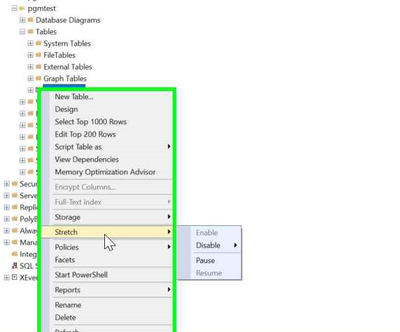
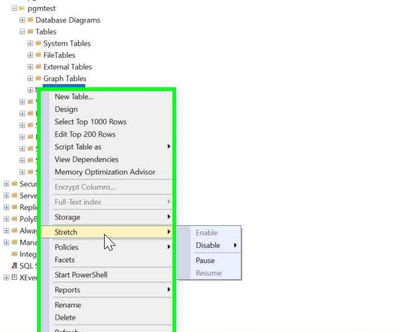
Remember, If you need stop movement of cold data to your stretch database temporary , the option to use is “ Pause”.
The way to reconcile all of them on a single stretch database is not difficult but you will need download orphan data to your on-premises using “Linked servers” to orphan databases and using INSERT INTO to merge all of them or your on-premises main database.
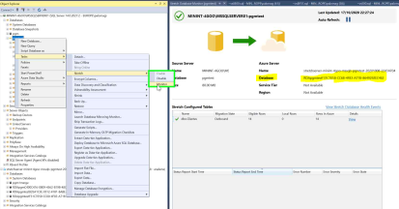
1.- If stretch is enable you will need identify stretch database that is active and receiving data.
Select Tasks | Stretch | Monitor for a database in SQL Server Management Studio to open “Stretch Database Monitor”
The top portion of the monitor displays general information about both the Stretch-enabled SQL Server database and the remote Azure database.
The bottom portion of the monitor displays the status of data migration for each Stretch-enabled table in the database.
2.- Create one linked server per each orphan database.
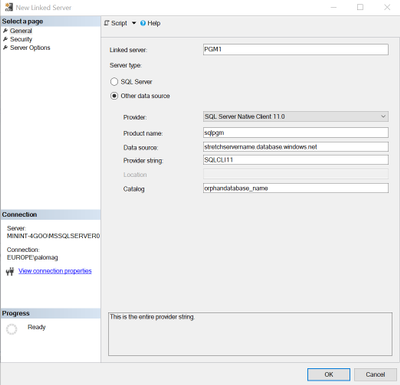
Sample:
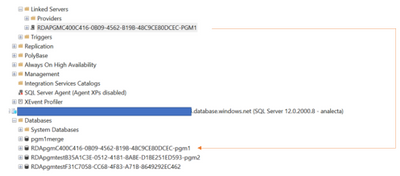
3.- Insert data from each Linked server on target on-premises table using INSERT INTO
insert into [<target_database_name].[dbo].[<target_table_name>]
select * from <linked_server_name>.dbo.<source_database_name>.dbo.[<table_name>]
4.- Let stretch replication upload data to the active stretch database.
See you soon!
Brought to you by Dr. Ware, Microsoft Office 365 Silver Partner, Charleston SC.

Recent Comments