by Contributed | May 20, 2021 | Technology
This article is contributed. See the original author and article here.
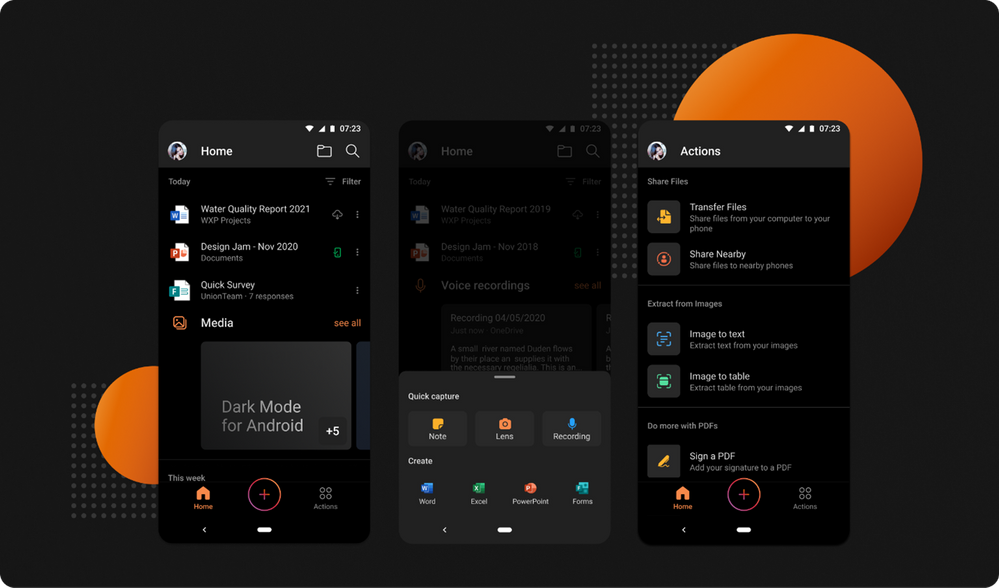
You asked, we listened! Dark Mode is now rolling out in the Office app for Android phones. It’s been a highly requested feature by many of our customers, and we’re proud to begin releasing it today. Many people prefer using Dark Mode as they find it provides a more comfortable visual experience for reading and working on mobile devices.
The Office app helps you get work done on a mobile device by combining Word, Excel, and PowerPoint into a single app and adding many rich capabilities for creating and working with PDFs, images, scanning, capturing notes, and much more. Now you can do all this using a theme of your choice — based on the time of day, your surroundings, or your device settings. Dark Mode ensures that you can adjust the Office app to low-light environments, while providing you with better viewing options and keeping battery consumption low.
How to enable Dark Mode
The newest version of the Office app for Android will automatically adjust to Dark Mode if your device is already set to that preference. You can also turn Dark Mode on or off by tapping your profile icon on the Home tab in the Office app, selecting Settings, and then selecting Light, Dark, or System Default from the Theme options.
Download the Microsoft Office Mobile App today and always keep it up-to-date to ensure you have the latest features and improvements. The feature will be rolling out to users worldwide over the next few weeks, so if you do not see it in your app yet, you can expect to receive an update in the near future that will have it.
Please share your feedback with us about Dark Mode right from the app by tapping your profile icon on the Home tab, and then select, “Send Feedback.” For more information about Dark Mode investments across Microsoft apps, check out this “Designing Dark Mode” article on Medium.
Continue the conversation by joining us in the Microsoft 365 Tech Community! Whether you have product questions or just want to stay informed with the latest updates on new releases, tools, and blogs, Microsoft 365 Tech Community is your go-to resource to stay connected!
by Contributed | May 20, 2021 | Technology
This article is contributed. See the original author and article here.
Get ready to learn, connect, and code at Microsoft Build 2021 on May 25-27, 2021! Explore what’s next in tech and the future of hybrid work, discover solutions, and add to your toolbox.
Whether you’re new to the industry or are a seasoned developer, the Learning Zone is the place to build your skills and learn something new. Through a variety of learning activities, workshops, sessions, and more, you’ll find something that fits your skill level and personal learning style to expand your knowledge.
- Cloud Skills Challenge – If you like competition, sign up and complete one or more unique challenges tailored to different themes across our cloud services and be entered for a chance to meet one of our product leaders – Amanda Silver, Donovan Brown, Scott Hanselman, or Mark Russinovich, just to name a few!
- Learn Live – If hands-on learning is your preferred style, tap into these self-paced modules while you’re guided by subject matter experts.
- Student Zone – This isn’t just for ‘traditional students.’ If you’re new to the industry or looking to make your next career move in tech, be sure to check out these sessions.
In addition, join us in the Ask the Experts: Microsoft Certification sessions in the Connection Zone to get your Microsoft Certification questions answered by our panel experts.
You’ll also find a Table Topics session on How the community and certifications can help you achieve more in the Connection Zone – an opportunity to connect with the community and our experts to tap into help with your professional development.
To get the latest event details, follow us on LinkedIn and Twitter (#MSBuild, #CloudSkillsChallenge, #ProudToBeCertified). After the event, be sure to continue what you start from one free convenient location – Microsoft Learn. You’ll find deeper technical content, training options, certification details, and developer communities.
Now that you know what we have in store for you, register for Microsoft Build today and join us in the Learning Zone on May 25-27 so you can build your learning journey.
by Scott Muniz | May 20, 2021 | Security, Technology
This article is contributed. See the original author and article here.
Cisco has released security updates to address vulnerabilities in multiple Cisco products. A remote attacker could exploit some of these vulnerabilities to take control of an affected system. For updates addressing lower severity vulnerabilities, see the Cisco Security Advisories page.
CISA encourages users and administrators to review the following Cisco advisories and apply the necessary updates:
by Contributed | May 20, 2021 | Technology
This article is contributed. See the original author and article here.
The Internet of Things (IoT) technology stack in Operational Technology (OT) is widely used across various industries, including oil & gas, manufacturing, utilities, and natural resources, for solving operational challenges and delivering mission-critical insights and analytics.
More and more organizations are leveraging Microsoft’s Azure cloud platform to perform large scale analytics and machine learning using data from IoT assets, something that had not been simple to do using traditional systems such as Scada and Historians.
In this article, we preview an end-to-end Azure Data and AI cloud architecture that enables IoT analytics. This article is based on our 3-part blog series on the Databricks Blog site. You can find more information and code samples starting with
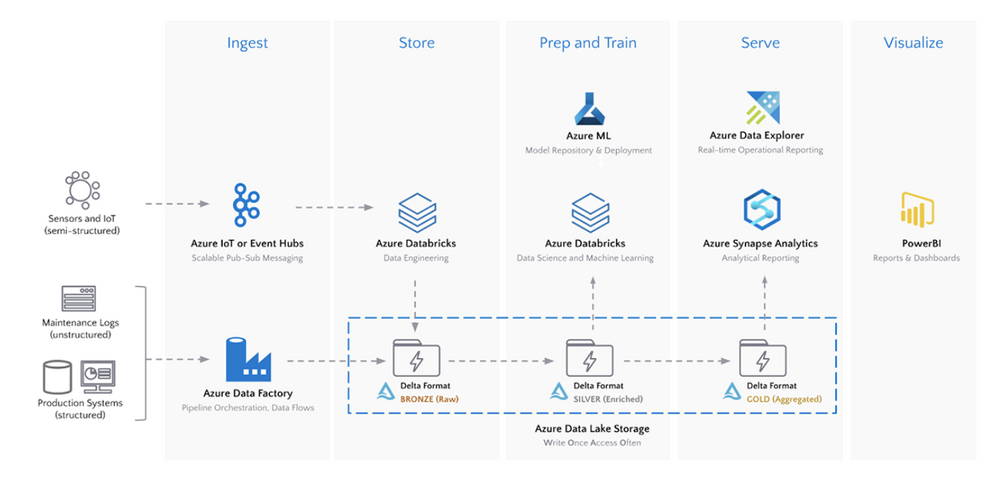
Here is the overall architecture discussed in this article and the Databricks blog series:
For making this article applicable on a common IoT use case, consider the scenario of balancing optimal short-term utilization of an asset, such as a wind turbine, against its long-term maintenance costs.
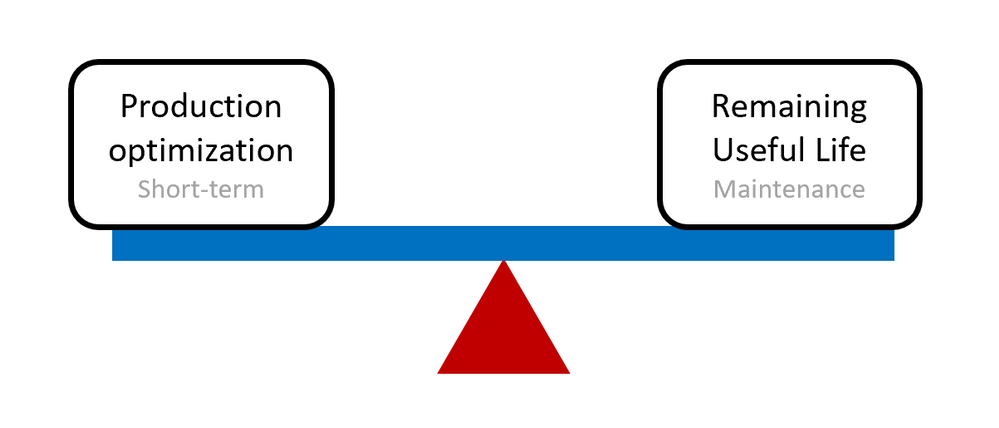
In order to develop insights on short-term optimization as well as longer term maintenance costs, various data sources need to be considered and ingested into the cloud for centralized storage and analysis. Here are a few Azure cloud services to consider, depending on whether the data sources can be stream or batch processed.
- For streaming data into Azure, IoT Hub or Event Hub should be used
- For batch data ingestion and data orchestration, Azure Data Factory should be considered
For the wind turbine scenario, streaming data can be the sensor data collected from the turbines, while structured data can be maintenance and failure data collected in a batch process.
Once the data sources are ingested into Azure, there are a few options, again depending on stream or batch processing, to process and store the data. In this architecture, the Delta format in Azure Databricks backed by Azure Data Lake Gen 2 is the preferred data format for large-scale IoT data sources: Delta Lake and Delta Engine guide – Azure Databricks – Workspace | Microsoft Docs
Once the data is ingested, processed and stored into Delta format, Azure Databricks can be used for big data analytics including data engineering and data science using Spark. As a common pattern, multiple zones within the data lake and aggregations are highlighted below identified through
- Bronze for raw granular IoT data
- Silver for aggregated data, commonly used for machine learning and data science
- Gold for enriched data ready for analytics and reporting purposes
Data engineers can use Azure Databricks and create 3 Delta tables corresponding to these three zones. Users can use programming languages namely Python, Scala, R, and SQL in Azure Databricks for accelerated data engineering and data science development.
Azure Machine Learning can be used for machine learning, most commonly together with Azure Databricks, in this IoT architecture. For example, Azure Databricks can be used with Spark to engineer features and aggregate data. Then Azure Machine Learning can be used to build models through code, drag-and-drop, or even automated machine learning. In addition, Azure Machine Learning can be used to deploy and operationalize machine learning models.
For the wind turbine scenario, the bronze Delta table could be the granular IoT sensor data from the turbines while the silver Delta table is the aggregated (by the hour for example) data. Then Azure Databricks can be used to perform feature engineering and feature selection to build a machine learning and analytics ready dataset. This dataset would then be loaded in Azure Machine Learning to build a predictive maintenance model or a power generation prediction model.
Finally, once the predictions and gold enriched data is created in the gold Delta table with Azure Databricks, it can be loaded into Azure Synapse Analytics for BI analytics and reporting scenarios together with Power BI. Azure Data Explorer provides real-time operational analytics so IoT data can be streamed directly from IoT Hub or Event Hub to Data Explorer.
In summary, this article covered the end-to-end steps for enabling IoT data analytics and machine learning on the Azure cloud platform, including some best practices, recommended services, and application with wind turbine operations use case. This blog series has the full details and provides code samples as well: Articles by Hubert Duan – The Databricks Blog.
by Contributed | May 20, 2021 | Technology
This article is contributed. See the original author and article here.
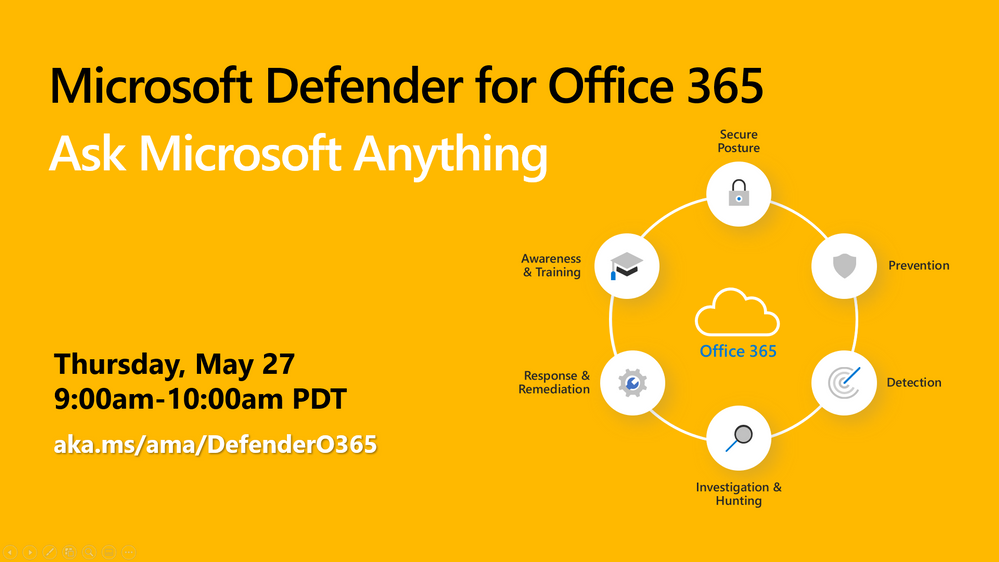
The Microsoft Defender for Office 365 team wants to hear from you! We’re excited to invite you to join us for a Tech Community Ask Microsoft Anything (AMA). Our team will be on hand to answer any of your questions about Microsoft Defender for Office 365, Exchange Online Protection, and email and collaboration security in general, so come prepared!
The AMA will take place Thursday, May 27, 2021, from 9:00-10:00am Pacific Time. We hope to see you there!
Use the link below to add a reminder to your calendar and to join the discussion.
https://aka.ms/ama/DefenderO365
by Contributed | May 20, 2021 | Technology
This article is contributed. See the original author and article here.
On October 31, 2021, Windows Server Update Services (WSUS) 3.0 Service Pack 2 (SP2) will no longer synchronize and download updates.
WSUS is key to the Windows servicing process for many organizations. Whether being used standalone or as a component of other products, it provides a variety of useful features including automating the download and installation of Windows updates.
Extended support for WSUS 3.0 SP2 ended on January 14, 2020, in alignment with the end of support dates for Windows Server 2008 SP2 and Windows Server 2008 R2. It is, however, still possible to synchronize and download updates from Microsoft using WSUS 3.0 SP2.
WSUS relies on several different components for secure communication. The protocol that is used for a given connection depends on the capabilities of the associated components. If any component is out of date, or not properly configured, the communication might use an older, less secure protocol. Microsoft is transitioning all endpoints to the more secure TLS 1.2 cryptographic protocol. WSUS 3.0 SP2 does not support this newer protocol. As a result, any organizations still using WSUS 3.0 SP2 must migrate to a currently supported version of WSUS by October 31, 2021.
For guidance, see Deploy Windows Server Update Services.


Recent Comments