by Scott Muniz | Dec 17, 2020 | Security
This article was originally posted by the FTC. See the original article here.
This year, during the pandemic, your holidays might be moving a bit online. On the 10th day of Consumer Protection, maybe you’re planning to send e-cards to family and friends. Or maybe your kids are writing their letter to Santa online, using a site that promises a customized letter back from Santa. Before you share your personal information — and certainly before you pay:
-
Check out the website. Do a quick online search for the site or company name, plus the words “complaint,” “review,” or “scam.” What do people say about them? (Knowing, of course, that those glowing reviews could be fakes…)
-
Share only what you need to share. Does the site really need your home address, your age, or access to your contacts? And none of these companies needs your bank account or Social Security number. (Frankly, Santa probably already knows, so why would he ask?)
-
Don’t click links in unexpected texts or emails. Nothing good comes of that. Instead, check them out first, and then type in the URL yourself so you know where you’re headed.
-
Ignore calls for immediate action. Scammers try to get you to act before you have time to think. Take your time. Legit offers will still be there.
If you decide to move forward with your card or Santa letter, pay with a credit card to get the best protections. But only pay if the site’s URL starts with “https.” That means your transaction will be encrypted — but that, alone, doesn’t mean the site is legit.
If you spot a scammy e-mail, text, or website, tell your friends and family so they can avoid it, too. Then tell the FTC at ReportFraud.ftc.gov.
Brought to you by Dr. Ware, Microsoft Office 365 Silver Partner, Charleston SC.
by Scott Muniz | Dec 16, 2020 | Security, Technology
This article is contributed. See the original author and article here.
Mozilla has released security updates to address vulnerabilities in Firefox, Firefox ESR, and Thunderbird. An attacker could exploit some of these vulnerabilities to take control of an affected system.
CISA encourages users and administrators to review the Mozilla Security Advisories for Firefox 84, Firefox ESR 78.6, and Thunderbird 78.6 and apply the necessary updates.
by Scott Muniz | Dec 16, 2020 | Security
This article was originally posted by the FTC. See the original article here.
You’ve finished your online shopping, your gifts have shipped and you’re waiting for them to arrive – but some Grinch decides to ruin your holiday. On this 9th day of Consumer Protection, we’re talking about how to stop porch pirates in their tracks.
Every year millions of people have packages stolen right from their doorsteps. So what’s the best way to stop them?
-
Require a signature. When your shopping cart is full and it’s time to choose your shipping details, take a moment to check “signature required.” A contact-free way to sign may be available through major package delivery services. You can request delivery confirmations, too.
-
Give specific delivery instructions. Many shippers will let you specify where to leave packages — maybe in your back yard, or even redirecting them to a trusted neighbor’s address, if you won’t be home.
-
Install motion activated lights. Outdoor lights with a motion sensor might make your home a lot less attractive to would-be thieves, making them much more visible than they’d likely want to be.
Brought to you by Dr. Ware, Microsoft Office 365 Silver Partner, Charleston SC.

by Scott Muniz | Dec 15, 2020 | Security, Technology
This article is contributed. See the original author and article here.
Official websites use .gov
A .gov website belongs to an official government organization in the United States.

Secure .gov websites use HTTPS A
lock ( )
) or
https:// means you’ve safely connected to the .gov website. Share sensitive information only on official, secure websites.
by Scott Muniz | Dec 15, 2020 | Security
This article was originally posted by the FTC. See the original article here.
“Hello? It’s me — Frosty. Look it’s a long story but without my top hat, I’m melting. Please, I need your help — send money now or I’ll be nothing but a puddle!”
Brought to you by Dr. Ware, Microsoft Office 365 Silver Partner, Charleston SC.
by Scott Muniz | Dec 15, 2020 | Security, Technology, Tips and Tricks
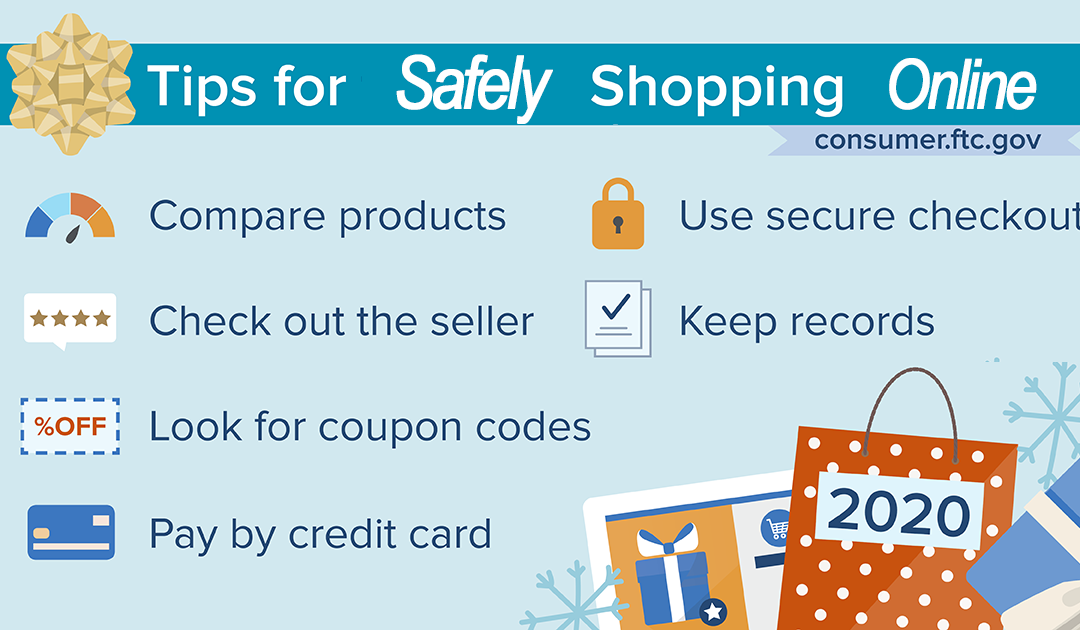
Retailers are already preparing for what they hope will be a successful shopping season. Because of COVID-19, it’s likely that we’ll be going online to look for those perfect buys. With so many deals around and what seem like eternal “Black Friday” sales, it’s important to keep some online shopping tips in mind.
So, if you plan to shop from the comfort of your home instead of heading out in person for those doorbuster deals, first, make sure your home computer has the latest antivirus software updated. This will help protect you from hackers and identity thieves. Read more computer safety tips here.
Once you’re ready to shop, make sure you:
- Take time to compare products. To get the best deal, compare products. Do research online, check product comparison sites, and read online reviews.
- Check out the seller. Confirm that the seller is legit. Look for reviews about their reputation and customer service, and be sure you can contact the seller if you have a dispute.
- Look for coupon codes. Search the store’s name with terms like “coupons,” “discounts,” or “free shipping.”
- Pay by credit card. Paying by credit card gives you added protections. Never mail cash or wire money to online sellers. If the seller asks you to pay this way, it could be a scam.
- Use secure checkout. Before you enter your credit card information online, check that the website address starts with “https.” The “s” stands for secure. If you don’t see the “s,” don’t enter your information.
- Keep records of online transactions until you get the goods, confirm you got what you ordered, and that you’re satisfied you won’t have to return the item.
Check out more ways to ensure hassle-free online shopping here. And if you spot a fraud while shopping online, report it to the FTC at ReportFraud.ftc.gov.


Recent Comments