
by Scott Muniz | Jul 14, 2020 | Uncategorized
This article is contributed. See the original author and article here.
The last few months increased the challenges of managing time across work and personal lives. See how Microsoft 365 can help people feel organized by saving time, protecting their personal time, and planning their calendars for a balanced day.
The post Get more control of your day with Microsoft 365 appeared first on Microsoft 365 Blog.
Brought to you by Dr. Ware, Microsoft Office 365 Silver Partner, Charleston SC.
by Scott Muniz | Jul 14, 2020 | Uncategorized
This article is contributed. See the original author and article here.
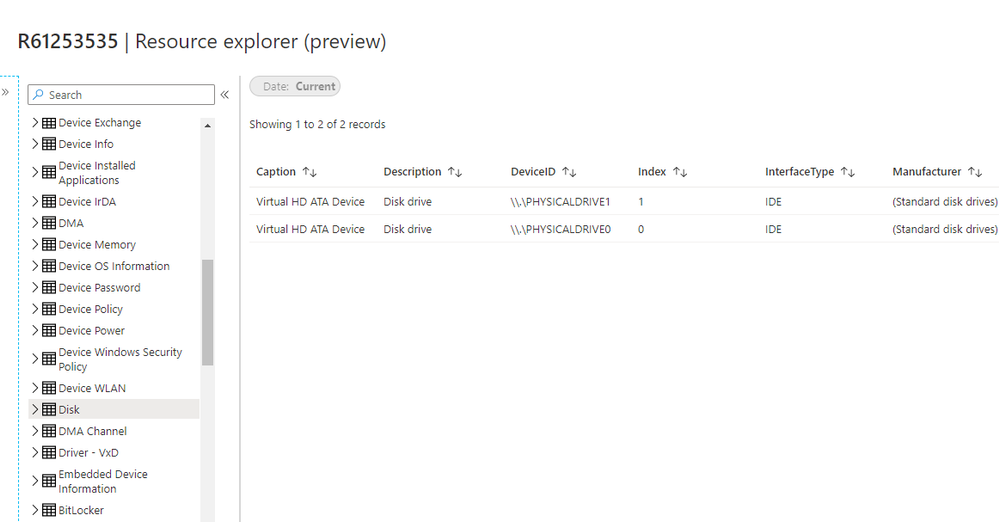
Update 2007 for the Technical Preview Branch of Microsoft Endpoint Configuration Manager has been released. Hardware inventory can now be viewed for a tenant attached Configuration Manager device in the admin center.
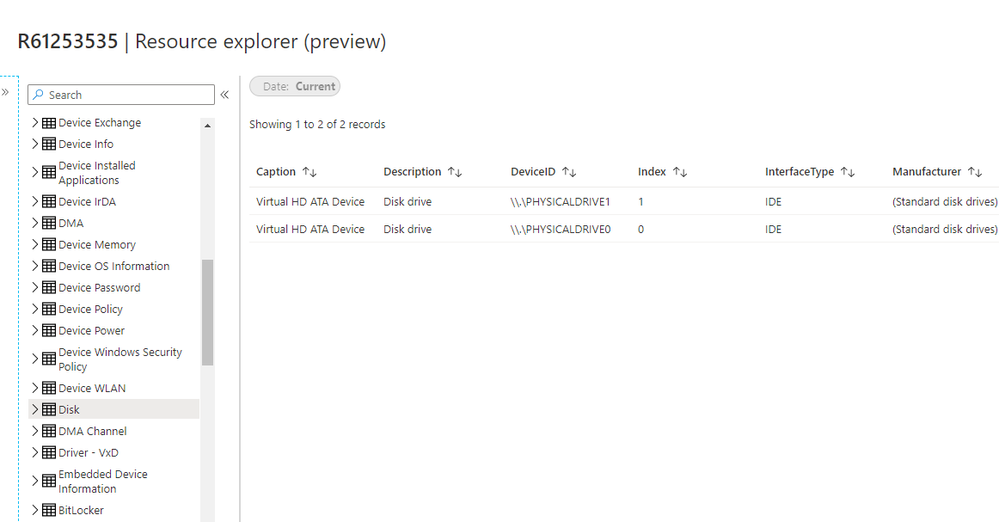 Resource Explorer preview
Learn more about Tenant attach: View hardware inventory in Microsoft Endpoint Manager admin center
This preview release also includes:
Improvements to client data sources dashboard – The client data sources dashboard now offers an expanded selection of filters to view information about where clients get content. These new filters include:
- Single boundary group
- All boundary groups
- Internet clients
- Clients not associated with a boundary group
Fixed-width font now used in some console areas – Based on your UserVoice feedback, various areas in the Configuration Manager console now use the fixed-width font Consolas. This font provides consistent spacing and makes it easier to read. In this release, you’ll see the Consolas font in the following places:
- Application scripts
- Configuration item scripts
- WMI-based collection membership queries
- CMPivot queries
- Scripts
Manage task sequence policy size – Configuration Manager technical preview version 2004 included new management insight rules for OS deployment. These insights help you manage the policy size of task sequences. Large task sequences cause problems with client processing. To further help manage the size of task sequences, starting in this release Configuration Manager restricts the following actions for a task sequence that’s greater than 2 MB in size:
- Save changes in the task sequence editor
- Save changes with PowerShell cmdlets
- Import a new task sequence
- Any other change using supported SDK methods
Update 2007 for Technical Preview Branch is available in the Microsoft Endpoint Configuration Manager Technical Preview console. For new installations, the 2007 baseline version of Microsoft Endpoint Configuration Manager Technical Preview Branch is available on the Microsoft Evaluation Center. Technical Preview Branch releases give you an opportunity to try out new Configuration Manager features in a test environment before they are made generally available.
We would love to hear your thoughts about the latest Technical Preview! Send us Feedback about product issues directly from the console and our UserVoice page for ideas about new features.
Thanks,
The Configuration Manager team
Configuration Manager Resources:
Documentation for Configuration Manager Technical Previews
Try the Configuration Manager Technical Preview Branch
Documentation for Configuration Manager
Microsoft Endpoint Manager announcement
Microsoft Endpoint Manager vision statement
Configuration Manager Forums
Configuration Manager Support
by Scott Muniz | Jul 14, 2020 | Azure, Microsoft, Technology, Uncategorized
This article is contributed. See the original author and article here.
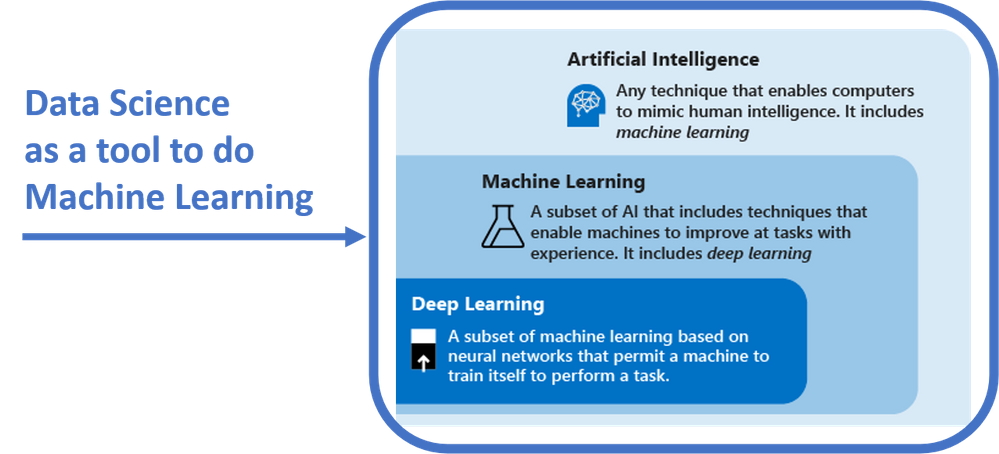
Data science is about extracting knowledge from data. Data science is an important area of study because it is a tool that data scientists leverage to gain insights from data and prepare it for the machine learning modeling phase. By “doing data science”, data scientists actually apply techniques, such as data pre-processing and cleaning, feature engineering and descriptive statistics, to their data in order to understand it and start building AI solutions.
In this sense, data science has become an area of study that universities and companies should look at as a first step to start their machine learning journey:
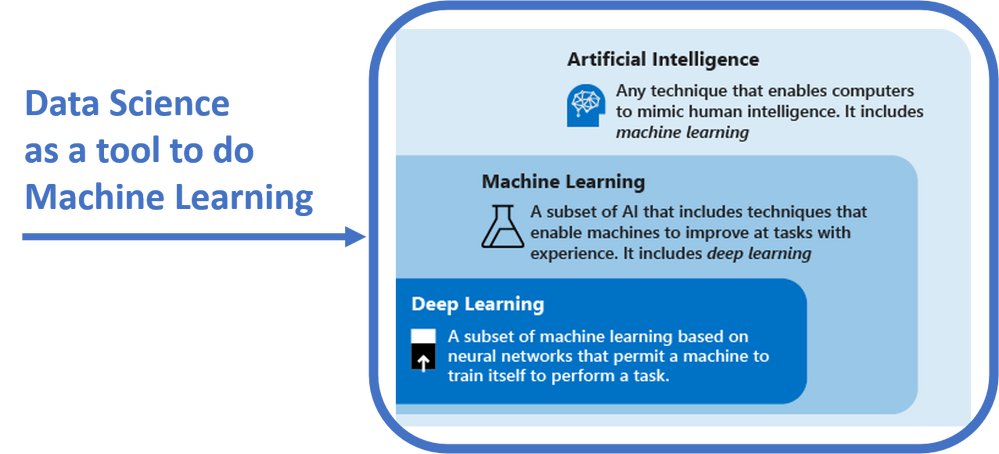
To learn more about Machine Learning versus AI and Deep Learning, please visit: https://www.aka.ms/DLvsML
Sarah Guthals, PhD (@sarahguthals) and Francesca Lazzeri, PhD (@frlazzeri) have released “A Developer’s Introduction to Data Science”, a 28-part video series that focuses on how to use data science to build machine learning solutions: this series is now live on both Channel 9 and YouTube.
The content of this series is structured as follow:
|
Video Title
|
Video Description
|
|
Introduction to the Developer’s Intro to Data Science Video Series
|
In this 28-video series, you will learn important concepts and technologies to build your end-to-end machine learning applications on Azure. To learn more, check out: http://www.aka.ms/DevIntroDS_GitHub and http://www.aka.ms/DevIntroDS_Learn
|
|
What is the Data Science Lifecycle?
|
In this video you will learn what the Data Science Lifecycle is and how you can use it to design your data science solutions.
|
|
How do you define your business goal and scope your data science solution?
|
In this video, Sarah describes the problem that she is facing where she thinks data science methods might be able to help her improve her business goals.
|
|
What is Machine Learning?
|
What is Machine Learning? In this video you will learn what machine learning, supervised learning and unsupervised learning are and how you can use the model development cycle to build, train, test and deploy your machine learning models.
|
|
Which Machine Learning Algorithm Should You Use?
|
Which machine learning algorithm should I use? In this video you will learn how to select the right machine learning algorithm for your data science scenario and how to answer different questions with different machine learning approaches.
|
|
What is AutoML?
|
In this video, you will learn how you can use Automated machine learning (Automated ML) to accelerate the data science life cycle.
|
|
How do you create a machine learning resource in Azure?
|
In this video, you will learn how to create a Machine Learning resource inside of Azure. By using Azure for your machine learning toolset, you’re able to create the storage account, application insights, key vault and container registry (all resources that will support your machine learning work) in just a matter of minutes.
|
|
How do you setup your local environment for data exploration?
|
In this video, you will learn how to setup your local environment for data exploration. Specifically, you will setup Visual Studio Code to be able to run Python Jupyter Notebooks and connect to your Azure Machine Learning resource.
|
|
How do Jupyter notebooks work in Visual Studio Code?
|
In this video, you will get an introduction to how Jupyter Notebooks work inside of Visual Studio Code and install the Python packages useful for this data science project, and make sure you have access to the AzureML SDK.
|
|
How do you connect your Azure Machine Learning resources to your local Visual Studio Code environment?
|
In this video, you will learn how to connect the Machine Learning resource that you created in Azure to your local Visual Studio Code environment. This allows you to run your machine learning experiments on the cloud instead of locally.
|
|
How do you prepare your data for a time series forecast?
|
In this video you will learn how to prepare your data to be effectively run through machine learning algorithms. Then, you will learn how to upload your data from your local computer into your Azure Machine Learning resource (specifically the datastore resource) and how to
|
|
Why do you split data into testing and training data in data science?
|
In this video, you will learn why you split your data into training and testing data. Then you will learn how to actually split your data using a date into two different Pandas DataFrames using Python in Visual Studio Code.
|
|
What is an AutoML Config file?
|
In this video you will learn how to run a machine learning experiment with Automate ML and how to create your AutoMLConfig file to submit an automated ML experiment in Azure Machine Learning.
|
|
What should your parameters be when creating an AutoML Config file?
|
See how Sarah and Francesca configure and run an AutoMLConfig file to submit an automated ML experiment in Azure Machine Learning.
|
|
How do you create an AutoML Config file and run your data science experiments on the cloud?
|
In this video, you will actually put your data through AutoML in Azure to train and test with a number of machine learning algorithms that Azure supports.
|
|
What is Azure Machine Learning?
|
Azure Machine Learning is a cloud-based environment that you can use to train, deploy, automate, manage, and track your machine learning models.
|
|
How can you collaborate on Jupyter Notebooks using Azure Machine Learning studio?
|
In this video, you will see the Azure Machine Learning Studio and learn how create a Jupyter Notebook in the cloud. By doing this, you ensure you have access to your code anywhere.
|
|
How do you choose the best model and perform feature engineering?
|
In this video you will learn how to use Automated ML to select your best model and perform features engineering: Automated ML is the process of automating the time consuming, iterative tasks of machine learning model development and can help you optimize when developing end to end applications on Azure.
|
|
How do you use Azure ML for best model selection and featurization?
|
During training, the Azure Machine Learning service creates a number of in parallel pipelines that try different algorithms and parameters. When configuring your experiments, you can enable the advanced setting featurization, that can help you with automatic data cleansing, preparing, and transformation to generate synthetic features.
|
|
How do you evaluate and retrieve a time series forecast from Azure Machine Learning?
|
In this video, you will learn how to use an external python function to run your data through a forecast evaluation. Using Python files uploaded to the cloud environment within the Azure Machine Learning Studio, you can call functions within those files from the Jupyter Notebooks within the same cloud environment.
|
|
How do you score your machine learning model on accuracy?
|
In this video, you will use the root mean squared error, mean absolute error, and mean absolute percentage error to score the accuracy of your model. You will then learn how to visualize the productions of your model within the Jupyter Notebook within the Azure Machine Learning studio cloud environment using scatter plots.
|
|
How do you deploy a machine learning model as a web service within Azure?
|
In this video, you will gather all of the important pieces of your model to be able to deploy it as a web service on Azure so that your other applications can call it on the fly.
|
|
What have you learned from deploying a machine learning model as a web service?
|
In this video, Sarah summarizes all of the learnings from measuring the accuracy of the machine learning model used in this series. Sarah also revisits the business goal to determine whether the effort would actually provide valuable information for her business.
|
|
What is the importance of model deployment in machine learning?
|
In this video, Francesca summarizes the most important steps to deploy your machine learning models with Azure Machine Learning. Model deployment is the method by which you integrate a machine learning model into an existing production environment.
|
|
How do you select the right machine learning algorithm?
|
A common question in data science is “Which machine learning algorithm should I use?”. In this video you will learn how the algorithm you select depends primarily on two different aspects of your data science scenario:
1) What you want to do with your data? Specifically, what is the business question you want to answer by learning from your past data?
2) What are the requirements of your data science scenario? Specifically, what is the accuracy, training time, linearity, number of parameters, and number of features your solution supports?
|
|
How does ethics play a role in data science?
|
In this video, Sarah challenges you to think about where ethics plays a role in all data science problems. Regardless of the type of data analysis or machine learning model you are using, your questions, data, and parameters to your algorithms might introduce bias and actually cause harm.
|
|
What is model interpretability and how can you incorporate it into your data science solutions?
|
Interpretability is critical for data scientists, auditors, and business decision makers alike to ensure compliance with company policies, industry standards, and government regulations. In this video you will learn how to use the Model Interpretability toolkit to explain your models
|
|
Concluding the Developer’s Intro to Data Science Video Series
|
In this 28-video series, you learnt important concepts and technologies to build your end-to-end machine learning applications on Azure: Sarah and Francesca guided you through the data science process, from understanding your data, to applying machine learning algorithms and deploying your models on Azure.
|
Additional resources:
More videos coming:
The month of July 2020 is Data month for the Microsoft Reactors global live streams on Twitch! For the middle two weeks of July, you will get to dive even deeper on these and similar concepts with Sarah, Francesca, and other Cloud Advocates and Microsoft employees!
by Scott Muniz | Jul 14, 2020 | Azure, Microsoft, Technology, Uncategorized
This article is contributed. See the original author and article here.
We are delighted to introduce the Public Preview for the Anomalous RDP Login Detection in Azure Sentinel’s latest machine learning (ML) Behavior Analytics offering. Azure Sentinel can apply machine learning to Windows Security Events data to identify anomalous Remote Desktop Protocol (RDP) login activity. Scenarios include:
- Unusual IP – the IP address has rarely or never been seen in the last 30 days.
- Unusual geolocation – the IP address, city, country, and ASN have rarely or never been seen in the last 30 days.
- New user – a new user logs in from an IP address and geolocation, both or either of which were not expected to be seen based on data from the last 30 days.
Configure anomalous RDP login detection
- You must be collecting RDP login data (Event ID 4624) through the Security events data connector. Make sure that in the connector’s configuration you have selected an event set besides “None” to stream into Azure Sentinel.
- From the Azure Sentinel portal, click Analytics, and then click the Rule templates tab. Choose the (Preview) Anomalous RDP Login Detection rule, and move the Status slider to Enabled.
As the machine learning algorithm requires 30 days’ worth of data to build a baseline profile of user behavior, you must allow 30 days of Security events data to be collected before any incidents can be detected.
by Scott Muniz | Jul 14, 2020 | Azure, Microsoft, Technology, Uncategorized
This article is contributed. See the original author and article here.
We are delighted to introduce the Public Preview for the Anomalous RDP Login Detection in Azure Sentinel’s latest machine learning (ML) Behavior Analytics offering. Azure Sentinel can apply machine learning to Windows Security Events data to identify anomalous Remote Desktop Protocol (RDP) login activity. Scenarios include:
- Unusual IP – the IP address has rarely or never been seen in the last 30 days.
- Unusual geolocation – the IP address, city, country, and ASN have rarely or never been seen in the last 30 days.
- New user – a new user logs in from an IP address and geolocation, both or either of which were not expected to be seen based on data from the last 30 days.
Configure anomalous RDP login detection
- You must be collecting RDP login data (Event ID 4624) through the Security events data connector. Make sure that in the connector’s configuration you have selected an event set besides “None” to stream into Azure Sentinel.
- From the Azure Sentinel portal, click Analytics, and then click the Rule templates tab. Choose the (Preview) Anomalous RDP Login Detection rule, and move the Status slider to Enabled.
As the machine learning algorithm requires 30 days’ worth of data to build a baseline profile of user behavior, you must allow 30 days of Security events data to be collected before any incidents can be detected.
by Scott Muniz | Jul 14, 2020 | Uncategorized
This article is contributed. See the original author and article here.
Currently, the process to submit a support case related to Microsoft Defender ATP goes through the support portal at https://support.microsoft.com.
Today, we are announcing that we will be rolling out an upgraded support process offering a more modern and advanced support experience through the Microsoft Defender Security Center.
Starting on July 20th, 2020, an in-product support widget will be integrated into the Microsoft Defender Security Center. Using this widget, customers will be able to:
- Find solutions to common problems
- Submit a support case to the Microsoft support team
Accessing the new support widget can be done in one of two ways:
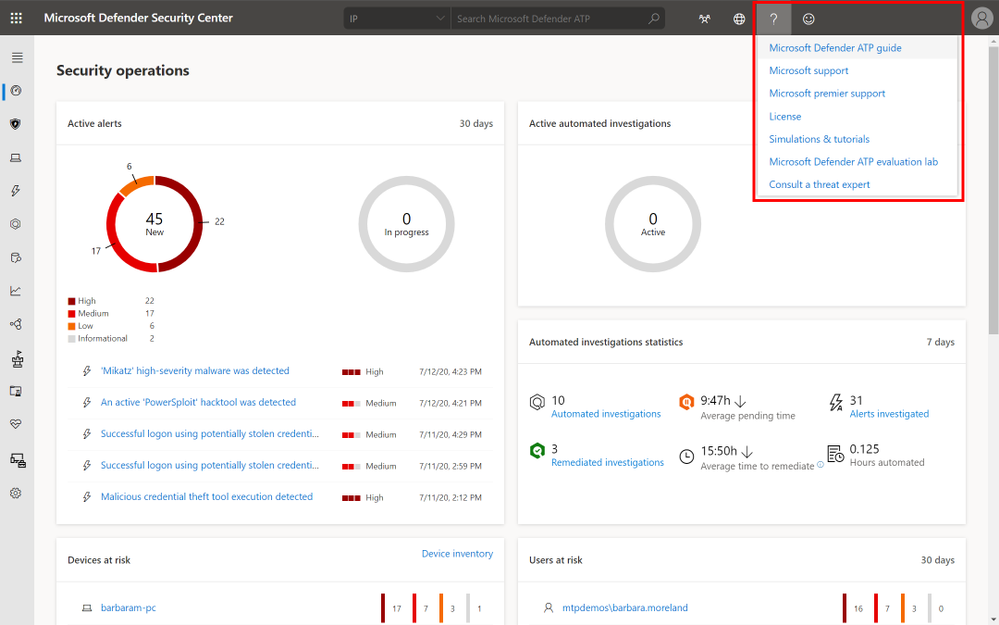
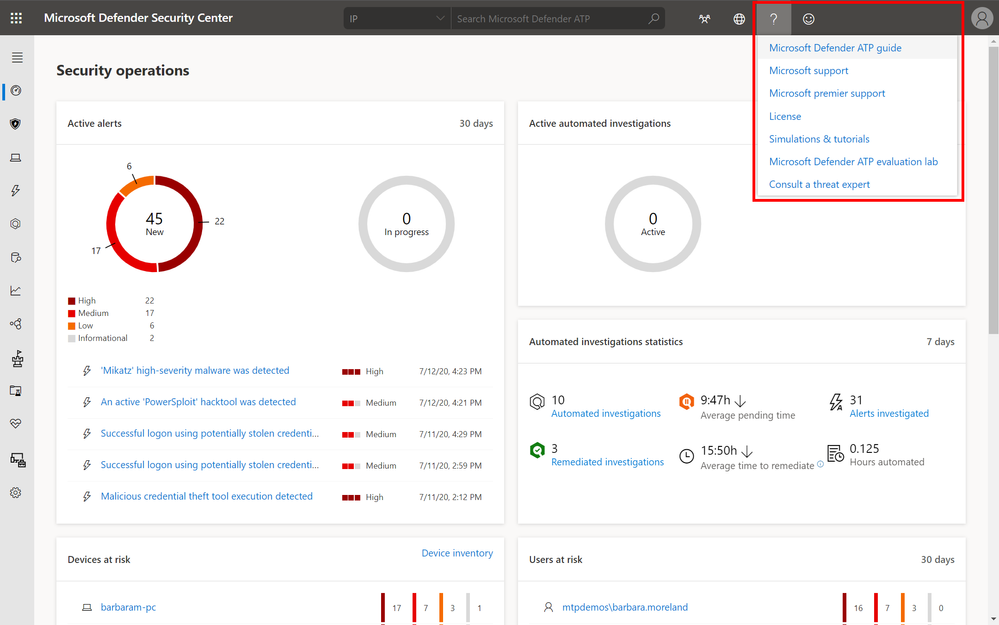
1) Clicking on the question mark on the top right of the portal and then clicking on “Microsoft support”:
2) Clicking on the Need help? button in the bottom right of the Microsoft Defender Security Center:
 Need help button in Microsoft Defender Security Center
In the widget you will be offered two options:
- Find solutions to common problems
- Open a service request
Find solutions to common problems
The “find solutions to common problems” option includes articles that might be related to the question you may ask. Just start typing the question in the search box and articles related to your search will be surfaced.
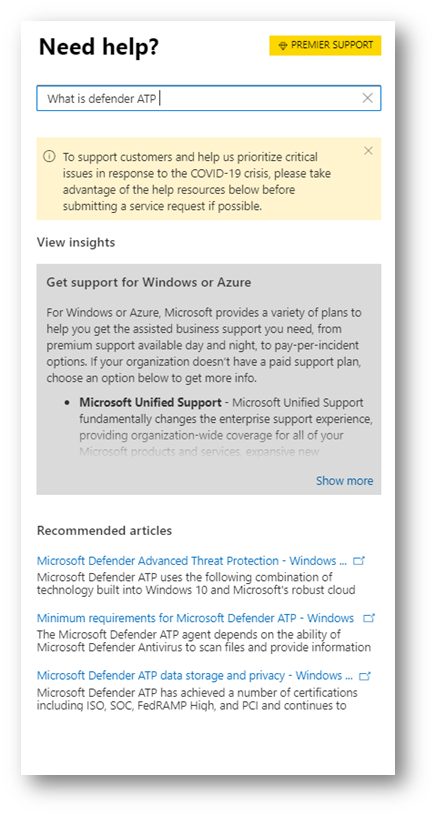 Find a solution to a common problem window
In case the suggested articles are not sufficient, you can open a service request.
Open a service request
This option is available by clicking the icon that looks like a headset. You will then get the following page to submit your support case:
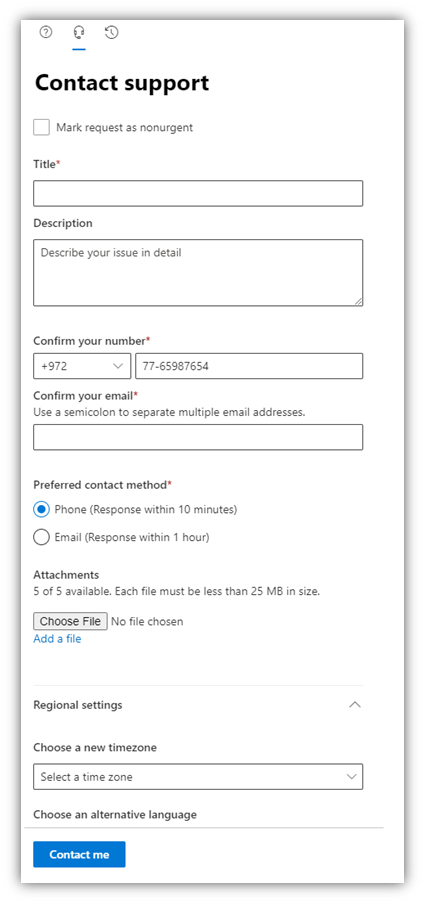 Open a service request window
On this page, you fill in a title and description for the issue you are facing, as well as a phone number and email address where we may reach you. You may also include up to five attachments that are relevant to the issue in order to provide additional context for the support case. Finally, you select your time zone and an alternative language, if applicable. The request will be sent to Microsoft Support Team. We will respond to your service request shortly.
As mentioned, this new support process will become available as of July 20, 2020. After this date, the option to submit cases from the support.microsoft.com portal will not be possible.

by Scott Muniz | Jul 14, 2020 | Uncategorized
This article is contributed. See the original author and article here.

Università Politecnica delle Marche has incorporated Microsoft Learn into their curriculum to educate students with new technology concepts and skills required to enter the job market.
They are one of many universities worldwide leveraging Microsoft Learn to support them with teaching cloud computing, AI and data science in an interactive way.
With Microsoft Learn, students can learn at their own pace, gain an understanding of concepts and immediately put their knowledge into practice through the execution of scripts within sandbox environments and getting hands on with practice tools.
Get started today at https://aka.ms/learnforstudents
by Scott Muniz | Jul 14, 2020 | Azure, Microsoft, Technology, Uncategorized
This article is contributed. See the original author and article here.
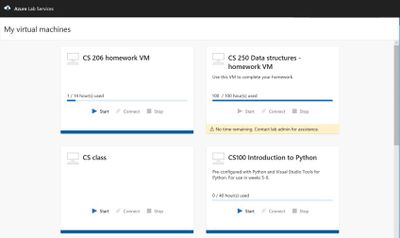
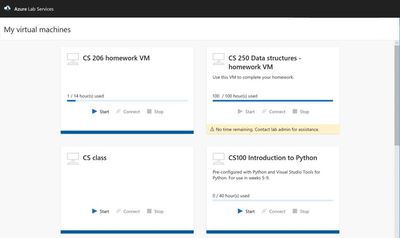
Azure Lab Services allow you to Invite users to access lab resources right away. When they sign in, they’ll see a full list of VMs they can access across multiple labs. With one click they can connect and start working—no Azure subscription needed.
- Immediate access to VMs for invited users, with no need to share your Azure subscription
- Custom templates to quickly provision lab VMs and use repeatedly across labs
- Scheduling feature to automatically shut down and start VMs and limit usage hours
- Provisioning and scaling to hundreds of VMs with a single click—with the service managing all underlying infrastructure
Cost optimization and tracking
Manage your lab budget with usage control features. Schedule designated usage times or set up recurring auto-shutdowns and start times. Track individuals’ hourly usage or limit usage by setting up quotas.
Automatic management and scaling
As a managed service, Lab Services gives you automatic provisioning and management of your lab’s underlying infrastructure. Just prepare the right lab experience for your users and the service will handle the rest—rolling out and scaling your lab to hundreds of VMs with a single click.
![[Guest Blog] Accelerating Filipino lives and careers through Business Apps](https://www.drware.com/wp-content/uploads/2020/07/large-477-999x675.)
by Scott Muniz | Jul 14, 2020 | Uncategorized
This article is contributed. See the original author and article here.
This article was written by Business Applications MVP Paul Soliman as part of the Humans of IT Guest Bloggers series. This month, the Humans of IT blog will spotlight the career journeys and mentorship experiences of our community members. In today’s story, Paul shares about his non-traditional tech background, and how Business Applications helped transform his career.
10 years ago, I was just living in Pampanga (province in the Philippines) and just playing with my band. I was a nobody, didn’t have any solid dreams and didn’t really take college seriously. In fact, I did not even attend my own graduation because I really hated school then.
Then, everything changed. I was so blessed when I started my internship/ part-time job at Starbucks Philippines, where I was first trained and immersed in Business Applications.
This first job gave me an opportunity to explore Business Applications. I learned to understand the business processes within my organization, and our team was starting to translate it systematically. I remember being so amazed to see how these business apps help connect people, processes and technology.
Although school didn’t teach me about what an ERP system was, through Business Applications, I was able to adapt and learn accounting, warehousing, customer management and other real-world applications of business-driven tech. It was eye-opening, and frankly even life-changing.
After 4 years since I had my first consulting role, I was able to see great budding tech talents coming from both public and private schools in the Philippines. These fresh graduates were clearly able to excel in their environment. Being from the Philippines, I realized that Filipinos can really be world class in the Business Apps implementation space, too. It was a proud moment for me.
Fast forward to 2019, Microsoft is doing a good job in democratizing complex technologies via Power Platform. I’ve seen numerous students create solutions for critical business pain points via a five-hour hackathon, and later on developing them into complete end-to-end systems. It’s amazing, and I’ve seen this happen so many times over. These students were able to understand complex business tasks when we guided them on how to scope, envision solutions and do project management. Their ideas and potentials were unlocked, and the technology made it possible for them to create a tangible solution.
Because of this insight and aspiration, we’ve decided to create a community in the Philippines to unite Business Apps practitioners and help encourage fresh graduates, students and other people that want to extend or make a career shift into tech. When we saw that these democratized applications through Power Platform were helping non-developers (aka Citizen Developers) create applications using low-code to no-code framework, we thought that we can really make an impact by teaching this technology to other people and helping them accelerate their own careers, too.
The community that we have created was the first Dynamics 365 and Power Platform driven community in the Philippines.
We started from just two members in last July 2019, and today we have 400+ active members already and being managed through our Facebook page: https://www.facebook.com/groups/BizAppsPH/
We are so happy that Microsoft APAC and PH are supporting us in this journey. Monthly events were conducted in the Microsoft PH’s office and right now with our COVID-19 situation here in the Philippines, not only we did not stop, but we even brought the learning via Microsoft Teams to our members and other people who are interested to make a career shift in tech.
Here are some photos from our local community events here in the Philippines:
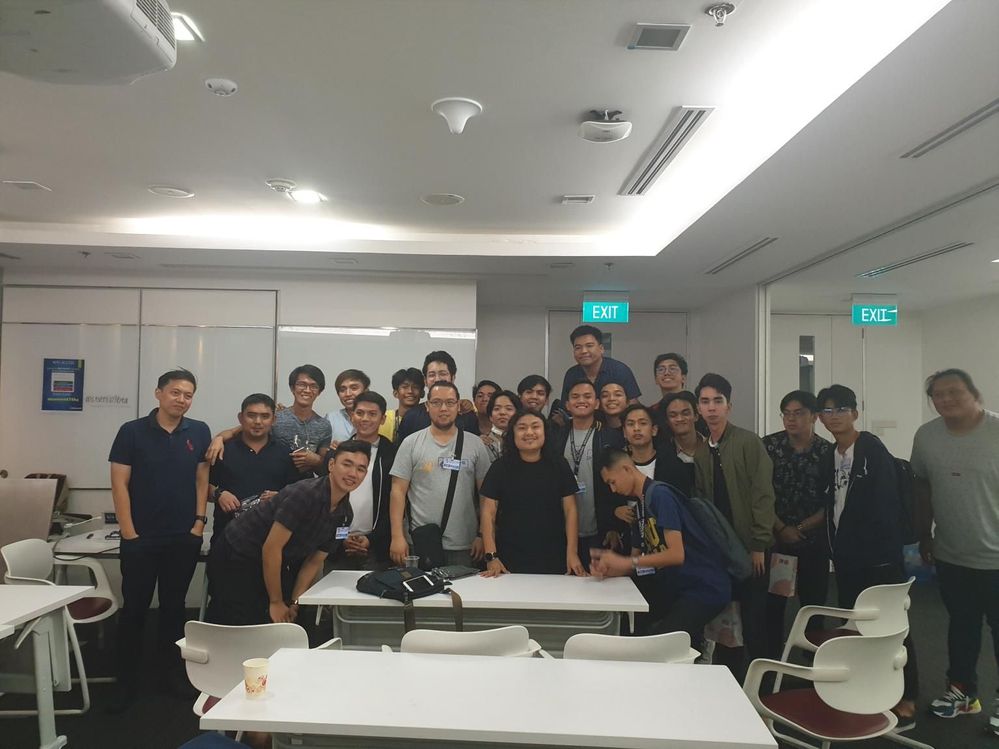 HackED – Power Platform Hackathon for Students
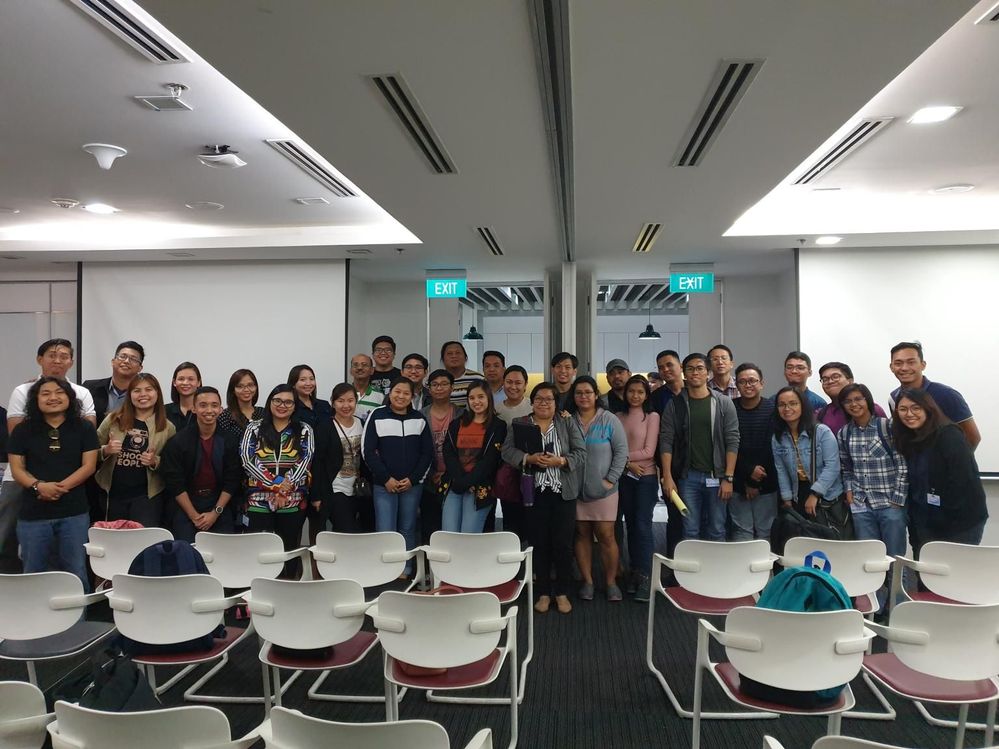 Global Power Platform Bootcamp 2020
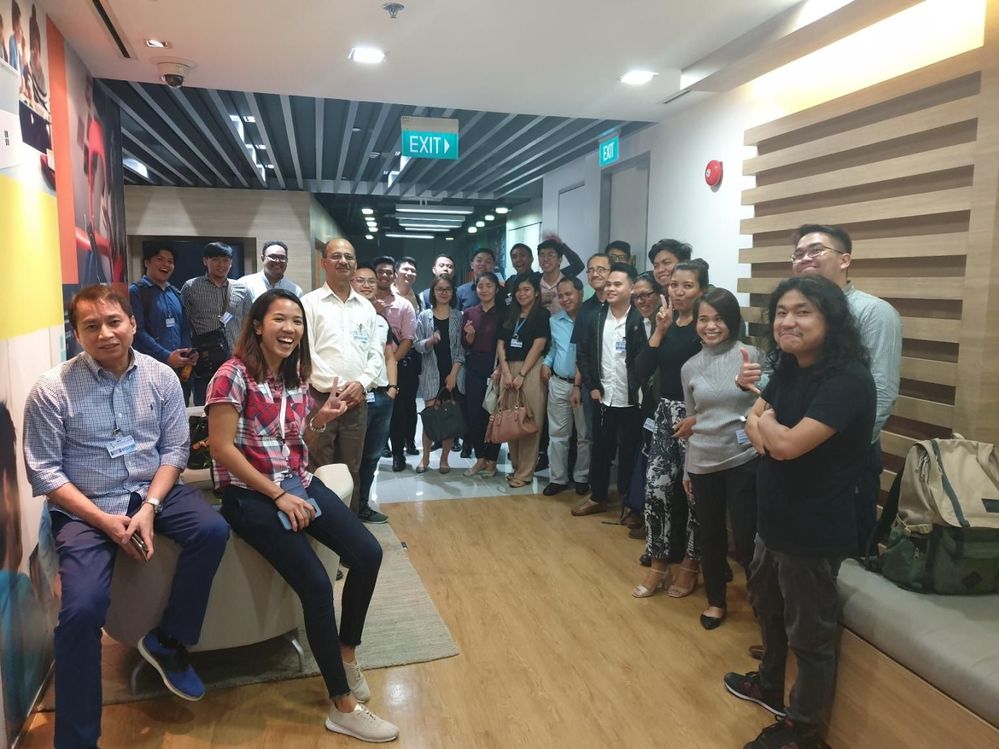 BizApps PH Power Dynamics 365 and Power Platform Community
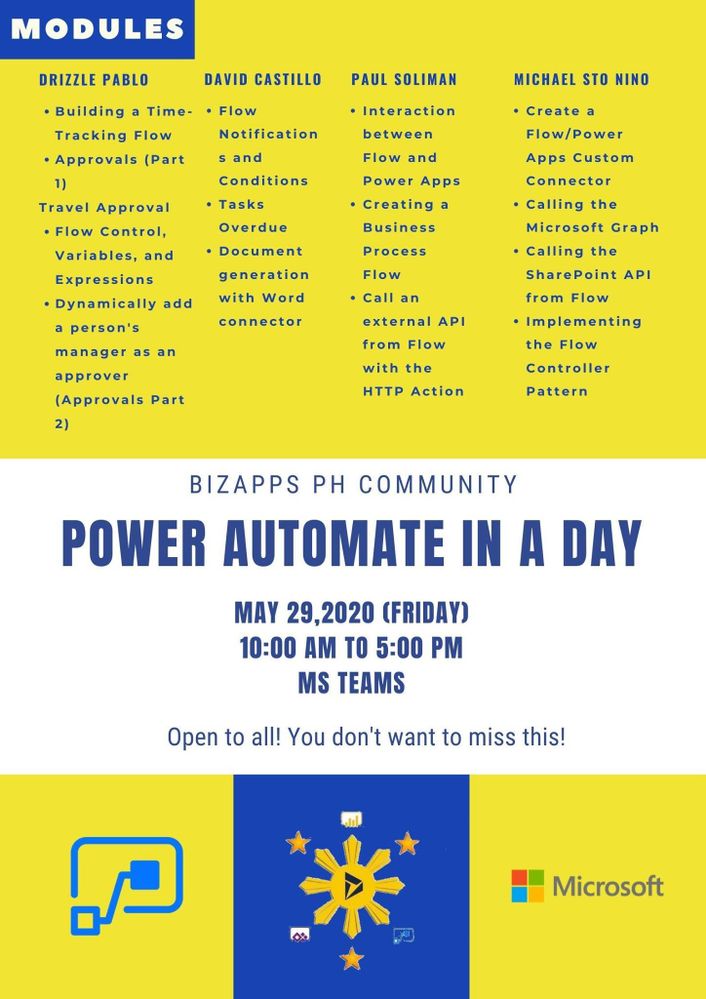 Power Automate in a Day
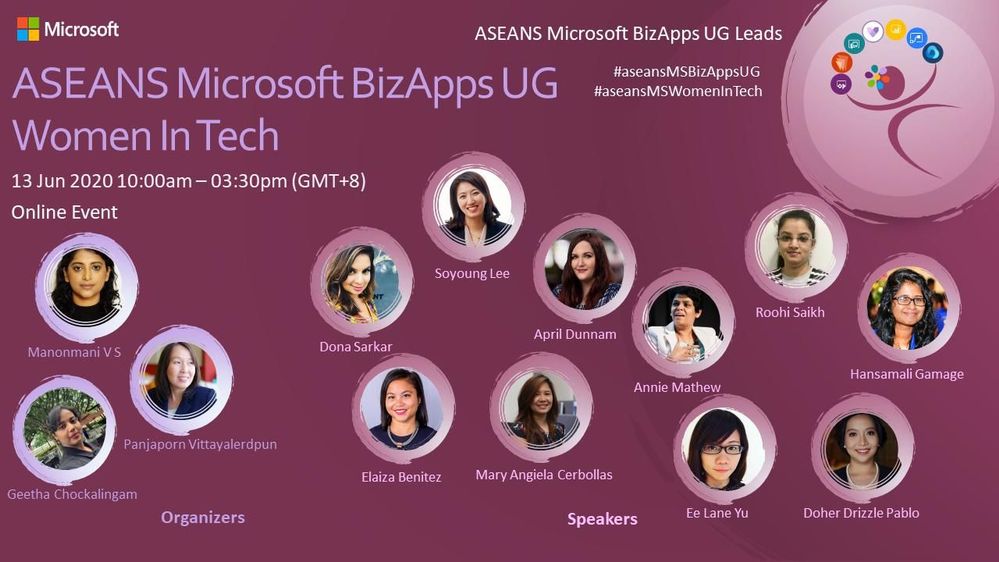 Women in Tech
These face-to-face and online events gave our community and non-community members a new perspective and fresh insight about whatdemocratized technology like Power Apps can do to help their lives and careers. It has been incredible to witness how our community members appreciated and changed their mindset towards business apps-driven career, especially when they realized that you don’t even need a Bachelor’s degree and or any background in programming to create solutions that will help solve organizational issues. It’s truly a gamechanger!
In my opinion, the first step to accelerate lives and careers of Filipinos has already been achieved by founding this community, but personally I will not stop here. Remember what I wrote in first part of this blog, when I was just a simple, unknown, rockstar-wannabe in our humble province? Everything changed when I was given an opportunity to learn and have passion for what I am doing especially tech in general. Now, I want to share THAT life-changing opportunity to my people too.
Fast forward till July 2020: I am now running two of my own startup companies in the PH that were built on top of Microsoft Azure, Power Platform and Dynamics 365. Even in my wildest dreams, I did not see this coming. Since 2009, I have done Business Apps-related work and businesses. I have a family now and thanks to tech, I am now able to provide for them. I am so thankful that I was able to find my passion in tech, especially in Microsoft Business Applications.
 Latest family pic
The second part of my life’s mission is to give OPPORTUNITIES to my people to help them also find their passion and career in Business Apps. Without an opportunity, great talents and passion will not be unlocked. There is so much potential talent just waiting to be realized, and we cannot simply let them slip by.
Here in the Philippines, we are launching Citizen Developer Vision 2022, a program that will help K12 students, fresh graduates and other people who want to be immersed and discover careers in the Business Apps space. We are currently having ongoing discussions with schools and subsequently, we will also meet with the local Department of Education to roll out this program nationwide.
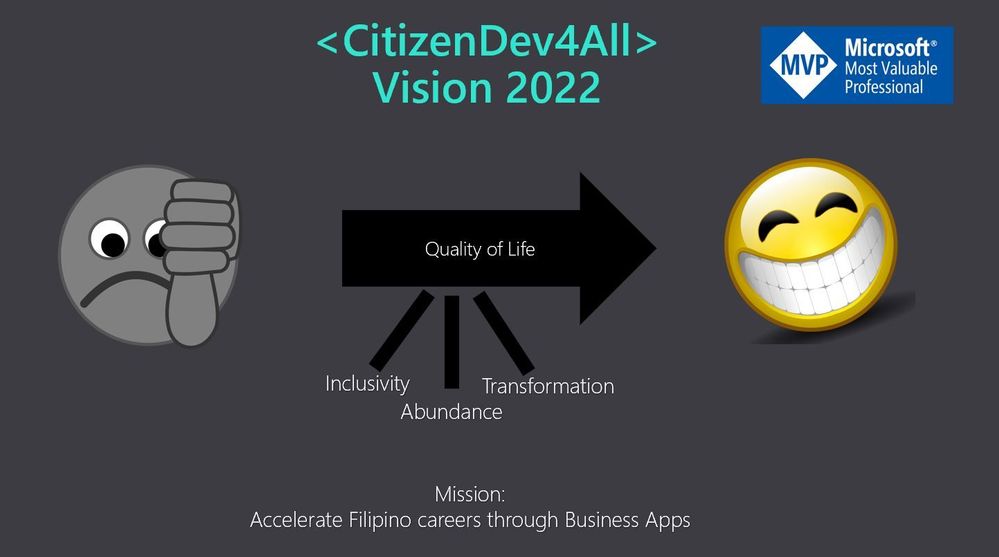
I hope this will inspire you to also embrace technology and help unlock opportunities for your local community. After all, everyone should be given the opportunity to pursue a fulfilling and abundant life, no matter where you are in this world.
About Paul:
Paul Soliman is the CEO of Hacktiv Colab Inc and the CTO, Raven Global Inc. He is also the first Microsoft MVP for Business Apps in the Philippines – an honor that he is extremely proud of, and hopes will inspire many others in the Philippines and the greater Asia Pacific region to also follow in his path and discover their own tech superpowers.
Connect with Paul Soliman:
Twitter: @heypaulroots
LinkedIn: https://www.linkedin.com/in/paulsoliman/
MVP profile: https://mvp.microsoft.com/en-us/PublicProfile/5003685?fullName=Paul%20%20Soliman
#HumansofIT
#TechforGood
#LessCodeMorePower
by Scott Muniz | Jul 14, 2020 | Azure, Microsoft, Technology, Uncategorized
This article is contributed. See the original author and article here.
Azure DMS Hybrid (Preview) is helpful when you want to migrate from On-Premise SQL server to Azure and don’t have site-to-site connectivity between the both, also, if there is limited site-to-site connectivity bandwidth. Azure DMS Hybrid (Preview) uses a migration worker which is hosted On-Premise together with an instance of Azure DMS running in the cloud. You can use Azure Database Migration Service hybrid mode to migrate data from an on-premises instance of SQL Server to Azure SQL Database
Note:- The Azure Database Migration Service hybrid installer runs on Microsoft Windows Server 2012 R2, Window Server 2016, Windows Server 2019, and Windows 10.
Note:- The Azure Database Migration Service hybrid installer requires .NET 4.7.2 or later. To find the latest versions of .NET, see the Download .NET Framework page.
In this article we will be using Azure DMS Hybrid (preview) for online database migration from On-Premise to Azure Managed Instance. Below are the steps to perform the mentioned operation:
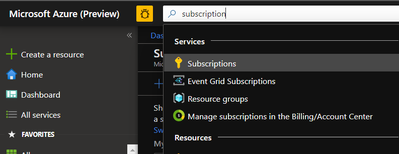
- Sign into Azure portal and go to the subscription where you want to deploy Database Migration Service.
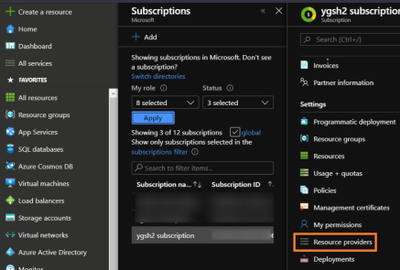
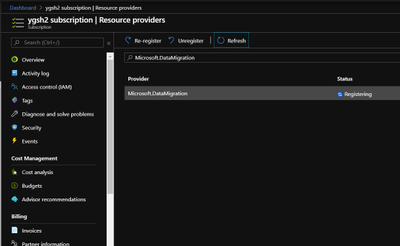
- Look for Resource providers, search for migration, and then register Microsoft.DataMigration.
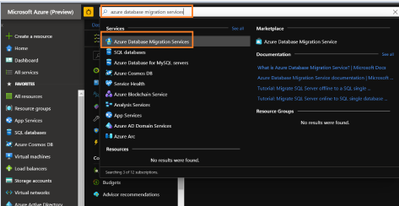
- In the global search, look for Azure Database Migration Services.
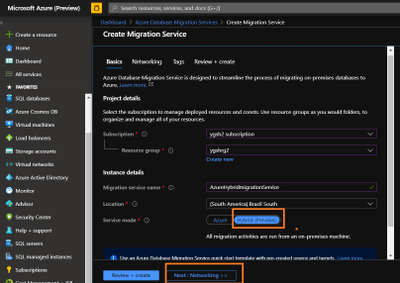
- Give the required information and select service mode as Hybrid (Preview)
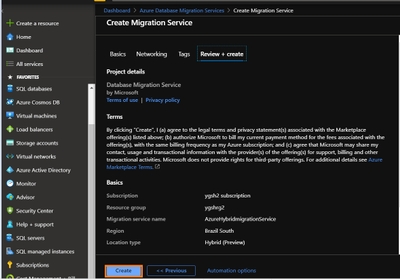
- Review networking and tags. Once done, create Database Migration Services.
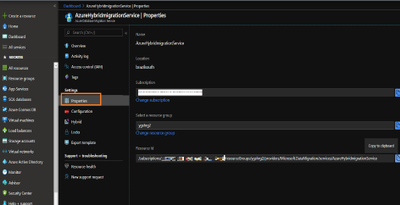
- Go to the properties of Azure DMS and copy the resource ID. This will be needed later.
- Now, we need to register the application in the Azure Active Directory. Registering the application means that your developers can use Azure AD to authenticate users and request access to user resources such as email, calendar, and documents.
Any member of your directory (not guests) can register an application, otherwise known as creating an application object.
Registering an application allows any user to do the following:
- Get an identity for their application that Azure AD recognizes
- Get one or more secrets/keys that the application can use to authenticate itself to AD
- Brand the application in the Azure portal with a custom name, logo, etc.
- Apply Azure AD authorization features to their app, including:
- Role-Based Access Control (RBAC)
- Azure Active Directory as oAuth authorization server (secure an API exposed by the application)
- Declare required permissions necessary for the application to function as expected, including:
- App permissions (global administrators only). For example: Role membership in another Azure AD application or role membership relative to an Azure Resource, Resource Group, or Subscription
- Delegated permissions (any user). For example: Azure AD, Sign-in, and Read Profile
For knowing who can add application on to Azure AD instance please refer https://docs.microsoft.com/en-us/azure/active-directory/develop/active-directory-how-applications-are-added#who-has-permission-to-add-applications-to-my-azure-ad-instance
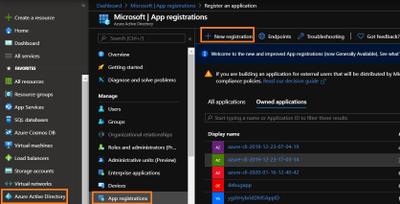
For registering app in Azure Active directory:- Go to Azure active directory> App registration > New Registration
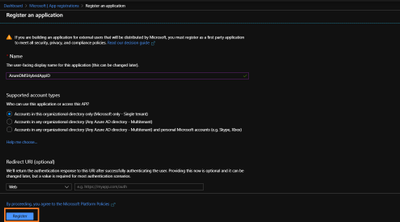
- In new registration provide display name (This can be changes later). Click register.
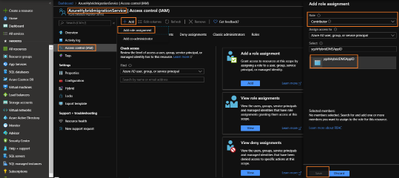
- Go to DMS > Access control (IAM) > Add > Add role assignment > assign contributor role to your application ID (you can also create custom roles as well by following MSDN).
Note:- To add role assignments, you must have Microsoft.Authorization/roleAssignments/write and Microsoft.Authorization/roleAssignments/delete permissions, such as User Access Administrator or Owner
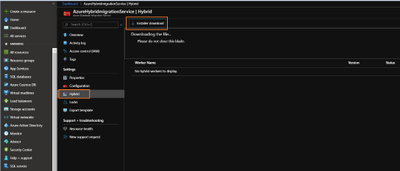
- Once role is assigned, go to Hybrid blade under settings of Azure Database Migration Service. Download the installer folder by clicking on Installer download.
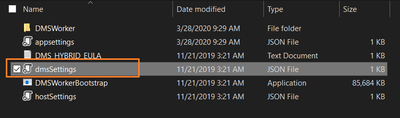
- Unzip the downloaded folder and open dmsSettings.Json file in notepad.
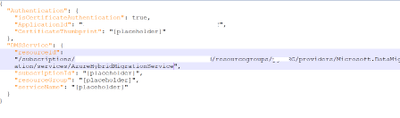
- In the dmsSettings file provide the Application ID of your registered application and resource ID of your DMS and leave rest of the settings as it is. Save the file.
- Now we would need to generate certificate which Azure Database Migration Service will use to authenticate the communication from the hybrid worker. For generating certificate go the location of your recently downloaded folder and run the below command in admin cmd.
<drive>:<folder>Install>DMSWorkerBootstrap.exe -a GenerateCert

A certificate would get generated in the mentioned location.
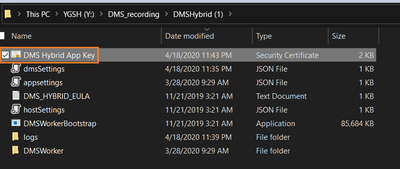
14. Now upload the recently created certificate to Certificates & secrets of your application.
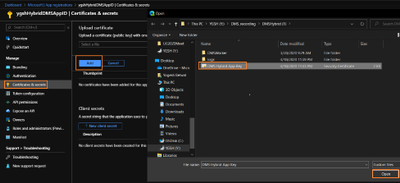
- After uploading certificates create a new client secret. Please copy and save the value of Client Secret, we will need it later.
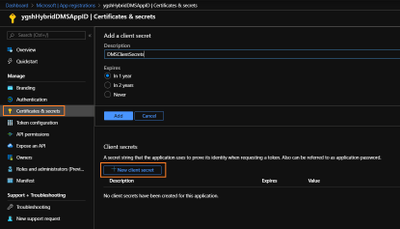
- Now we need to install Azure Database Migration Service hybrid worker on your on-premise machine. For this go the location of your folder which we have recently downloaded and unzipped, and run below command in admin Command Prompt.
<drive>:<folder>Install>DMSWorkerBootstrap.exe -a Install -IAcceptDMSLicenseTerms -d
Once above command is successful you will see Database Migration Service status as Online.
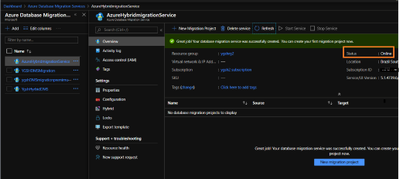
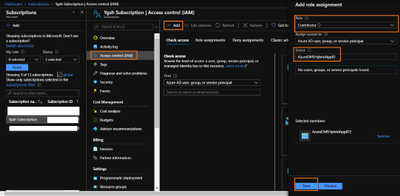
- In your subscription, assign contributor role to your application ID.
For this go to your subscription > Access Control (IAM) > Add
Select “Contributor” role from the drop down and Select “search for your Application ID”
- Once the above operation is successful, we will start online Migration of the database. For this,
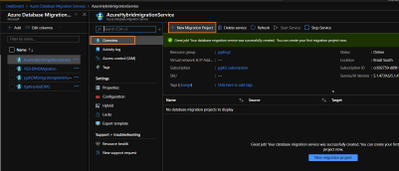
go to Azure Database Migration Service, on the overview blade, select New Migration Project.
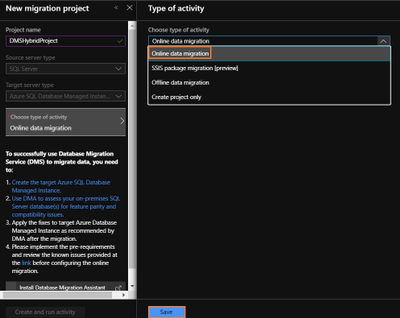
- Enter Project Name > choose type of activity > Online Data Migration. (Note:- This article is about online Migration)
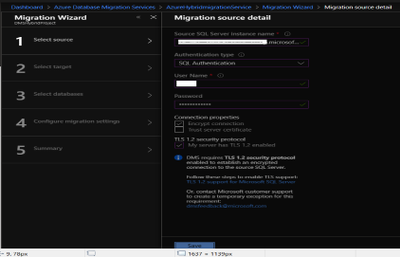
- Under select source > enter on-premises SQL server`s FQDN and credentials.
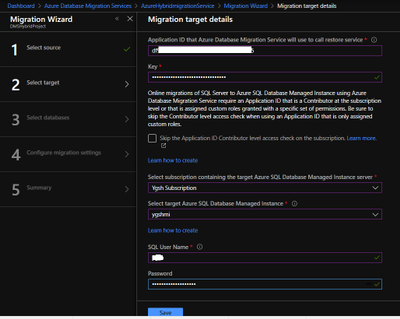
- Under select target > provide the application ID and in the key column enter Client secret of your Application. Also, provide the target MI credentials.
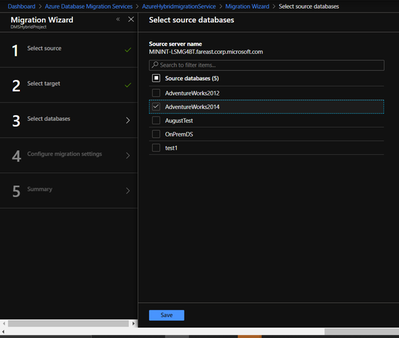
- Under Select Databases > select Source database which you wish to migrate to MI.
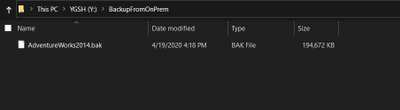
- Before starting the migration, please make sure that On-premise SQL server service has required permission on the backup folder ( the folder where you have kept required backup of your database).
Go to your backup folder > right click – > Properties > Security > Edit > Add your On-Premise SQL Service and give read and write permission to it.
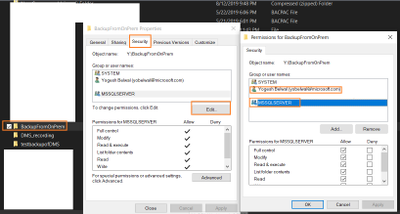
Note: – We also need give read/write permission to the windows account which will impersonate the DMS.
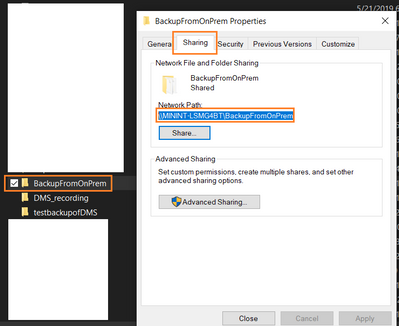
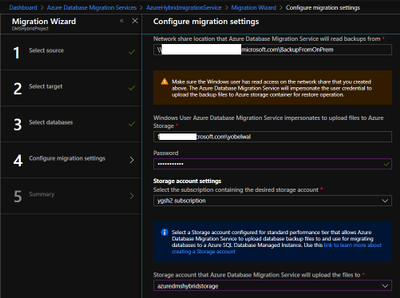
- Under Configure migration settings > please provide the network share location of the backup folder and Azure storage location, where DMS will upload the file.
Note:- To get network share location go to your backup folder location > Right click- > Sharing > Share
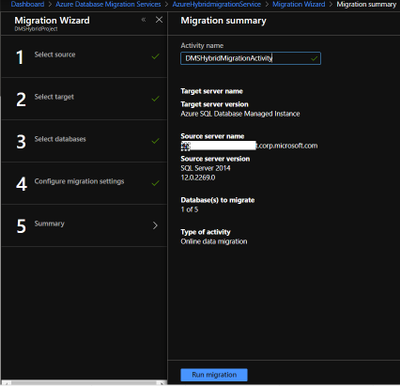
- Provide migration activity name and click on run migration.
Once migration has started check the status of the migration.
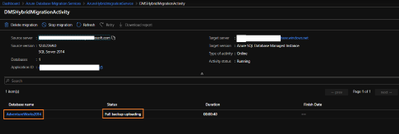
- On the migration activity page click on the database name to see the status of the migration.
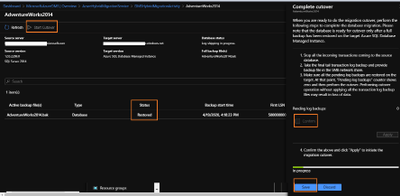
Once backup status shows restored, you can start cutover based upon your business requirements.
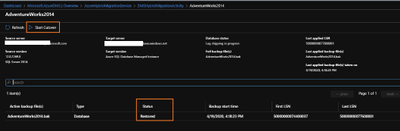
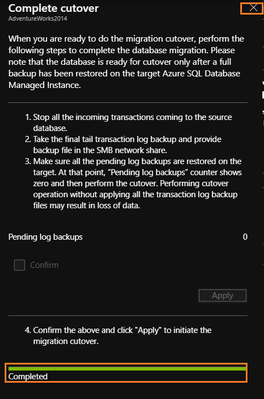
Once cutover is completed you can close the complete cutover window.
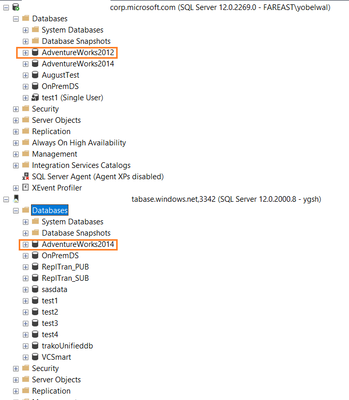
- Once cutover is completed, Database migration to MI is successful. It can also be verified using Azure portal or SSMS.


Recent Comments