by Scott Muniz | Aug 22, 2022 | Security, Technology
This article is contributed. See the original author and article here.
| activerecord — update_by_case |
This Rails gem adds two methods to the ActiveRecord::Base class that allow you to update many records on a single database hit, using a case sql statement for it. Before version 0.1.3 `update_by_case` gem used custom sql strings, and it was not sanitized, making it vulnerable to sql injection. Upgrade to version >= 0.1.3 that uses `Arel` instead to construct the resulting sql statement, with sanitized sql. |
2022-08-12 |
not yet calculated |
CVE-2022-35956
MISC
CONFIRM |
| adobe — acrobat_reader |
Adobe Acrobat Reader versions 22.001.20169 (and earlier), 20.005.30362 (and earlier) and 17.012.30249 (and earlier) are affected by an out-of-bounds read vulnerability that could lead to disclosure of sensitive memory. An attacker could leverage this vulnerability to bypass mitigations such as ASLR. Exploitation of this issue requires user interaction in that a victim must open a malicious file. |
2022-08-11 |
not yet calculated |
CVE-2022-35671
MISC |
| adobe — acrobat_reader |
Adobe Acrobat Reader versions 22.001.20169 (and earlier), 20.005.30362 (and earlier) and 17.012.30249 (and earlier) are affected by a Use After Free vulnerability that could lead to disclosure of sensitive memory. An attacker could leverage this vulnerability to bypass mitigations such as ASLR. Exploitation of this issue requires user interaction in that a victim must open a malicious file. |
2022-08-11 |
not yet calculated |
CVE-2022-35670
MISC |
| adobe — acrobat_reader |
Adobe Acrobat Reader versions 22.001.20169 (and earlier), 20.005.30362 (and earlier) and 17.012.30249 (and earlier) are affected by an Improper Input Validation vulnerability that could lead to disclosure of sensitive memory. An attacker could leverage this vulnerability to bypass mitigations such as ASLR. Exploitation of this issue requires user interaction in that a victim must open a malicious file. |
2022-08-11 |
not yet calculated |
CVE-2022-35668
MISC |
| adobe — acrobat_reader |
Adobe Acrobat Reader versions 22.001.20169 (and earlier), 20.005.30362 (and earlier) and 17.012.30249 (and earlier) are affected by an out-of-bounds write vulnerability that could result in arbitrary code execution in the context of the current user. Exploitation of this issue requires user interaction in that a victim must open a malicious file. |
2022-08-11 |
not yet calculated |
CVE-2022-35667
MISC |
| adobe — acrobat_reader |
Adobe Acrobat Reader versions 22.001.20169 (and earlier), 20.005.30362 (and earlier) and 17.012.30249 (and earlier) are affected by an Improper Input Validation vulnerability that could result in arbitrary code execution in the context of the current user. Exploitation of this issue requires user interaction in that a victim must open a malicious file. |
2022-08-11 |
not yet calculated |
CVE-2022-35666
MISC |
| adobe — acrobat_reader |
Adobe Acrobat Reader versions 22.001.20169 (and earlier), 20.005.30362 (and earlier) and 17.012.30249 (and earlier) are affected by an out-of-bounds read vulnerability that could lead to disclosure of sensitive memory. An attacker could leverage this vulnerability to bypass mitigations such as ASLR. Exploitation of this issue requires user interaction in that a victim must open a malicious file. |
2022-08-11 |
not yet calculated |
CVE-2022-35678
MISC |
| adobe — acrobat_reader |
Adobe Acrobat Reader versions 22.001.20169 (and earlier), 20.005.30362 (and earlier) and 17.012.30249 (and earlier) are affected by a Use After Free vulnerability that could result in arbitrary code execution in the context of the current user. Exploitation of this issue requires user interaction in that a victim must open a malicious file. |
2022-08-11 |
not yet calculated |
CVE-2022-35665
MISC |
| adobe — experience_manager_core_components |
Adobe Experience Manager Core Components version 2.20.6 (and earlier) is affected by a reflected Cross-Site Scripting (XSS) vulnerability. If an attacker is able to convince a victim to visit a URL referencing a vulnerable page, malicious JavaScript content may be executed within the context of the victim’s browser. Exploitation of this issue requires a low author privilege access. |
2022-08-10 |
not yet calculated |
CVE-2022-35697
MISC |
| adobe — framemaker |
Adobe FrameMaker versions 2019 Update 8 (and earlier) and 2020 Update 4 (and earlier) are affected by a Use After Free vulnerability that could result in arbitrary code execution in the context of the current user. Exploitation of this issue requires user interaction in that a victim must open a malicious file. |
2022-08-11 |
not yet calculated |
CVE-2022-35675
MISC |
| adobe — framemaker |
Adobe FrameMaker versions 2019 Update 8 (and earlier) and 2020 Update 4 (and earlier) are affected by an out-of-bounds read vulnerability that could lead to disclosure of sensitive memory. An attacker could leverage this vulnerability to bypass mitigations such as ASLR. Exploitation of this issue requires user interaction in that a victim must open a malicious file. |
2022-08-11 |
not yet calculated |
CVE-2022-34264
MISC |
| adobe — framemaker |
Adobe FrameMaker versions 2019 Update 8 (and earlier) and 2020 Update 4 (and earlier) are affected by an out-of-bounds read vulnerability when parsing a crafted file, which could result in a read past the end of an allocated memory structure. An attacker could leverage this vulnerability to execute code in the context of the current user. Exploitation of this issue requires user interaction in that a victim must open a malicious file. |
2022-08-11 |
not yet calculated |
CVE-2022-35673
MISC |
| adobe — framemaker |
Adobe FrameMaker versions 2019 Update 8 (and earlier) and 2020 Update 4 (and earlier) are affected by an out-of-bounds read vulnerability when parsing a crafted file, which could result in a read past the end of an allocated memory structure. An attacker could leverage this vulnerability to execute code in the context of the current user. Exploitation of this issue requires user interaction in that a victim must open a malicious file. |
2022-08-11 |
not yet calculated |
CVE-2022-35674
MISC |
| adobe — framemaker |
Adobe FrameMaker versions 2019 Update 8 (and earlier) and 2020 Update 4 (and earlier) are affected by a Heap-based Buffer Overflow vulnerability that could result in arbitrary code execution in the context of the current user. Exploitation of this issue requires user interaction in that a victim must open a malicious file. |
2022-08-11 |
not yet calculated |
CVE-2022-35677
MISC |
| adobe — framemaker |
Adobe FrameMaker versions 2019 Update 8 (and earlier) and 2020 Update 4 (and earlier) are affected by a Heap-based Buffer Overflow vulnerability that could result in arbitrary code execution in the context of the current user. Exploitation of this issue requires user interaction in that a victim must open a malicious file. |
2022-08-11 |
not yet calculated |
CVE-2022-35676
MISC |
| adobe — illustrator |
Adobe Illustrator versions 26.3.1 (and earlier) and 25.4.6 (and earlier) are affected by a Use After Free vulnerability that could result in arbitrary code execution in the context of the current user. Exploitation of this issue requires user interaction in that a victim must open a malicious file. |
2022-08-11 |
not yet calculated |
CVE-2022-34263
MISC |
| adobe — illustrator |
Adobe Illustrator versions 26.3.1 (and earlier) and 25.4.6 (and earlier) are affected by an out-of-bounds read vulnerability that could lead to disclosure of sensitive memory. An attacker could leverage this vulnerability to bypass mitigations such as ASLR. Exploitation of this issue requires user interaction in that a victim must open a malicious file. |
2022-08-11 |
not yet calculated |
CVE-2022-34261
MISC |
| adobe — illustrator |
Adobe Illustrator versions 26.3.1 (and earlier) and 25.4.6 (and earlier) are affected by an out-of-bounds write vulnerability that could result in arbitrary code execution in the context of the current user. Exploitation of this issue requires user interaction in that a victim must open a malicious file. |
2022-08-11 |
not yet calculated |
CVE-2022-34260
MISC |
| adobe — illustrator |
Adobe Illustrator versions 26.3.1 (and earlier) and 25.4.6 (and earlier) are affected by an out-of-bounds read vulnerability that could lead to disclosure of sensitive memory. An attacker could leverage this vulnerability to bypass mitigations such as ASLR. Exploitation of this issue requires user interaction in that a victim must open a malicious file. |
2022-08-11 |
not yet calculated |
CVE-2022-34262
MISC |
| airspan — airspot_5410 |
In Airspan AirSpot 5410 version 0.3.4.1-4 and under there exists a stored XSS vulnerability. As the binary file /home/www/cgi-bin/login.cgi does not check if the user is authenticated, a malicious actor can craft a specific request on the login.cgi endpoint that contains a base32 encoded XSS payload that will be accepted and stored. A successful attack will results in the injection of malicious scripts into the user settings page. |
2022-08-08 |
not yet calculated |
CVE-2022-36266
MISC
MISC
MISC |
| amazon — opensearch_security |
OpenSearch Security is a plugin for OpenSearch that offers encryption, authentication and authorization. Versions 2.0.0.0 and 2.1.0.0 of the security plugin are affected by an information disclosure vulnerability. Requests to an OpenSearch cluster configured with advanced access control features document level security (DLS), field level security (FLS), and/or field masking will not be filtered when the query’s search pattern matches an aliased index. OpenSearch Dashboards creates an alias to `.kibana` by default, so filters with the index pattern of `*` to restrict access to documents or fields will not be applied. This issue allows requests to access sensitive information when customer have acted to restrict access that specific information. OpenSearch 2.2.0, which is compatible with OpenSearch Security 2.2.0.0, contains the fix for this issue. There is no recommended work around. |
2022-08-12 |
not yet calculated |
CVE-2022-35980
CONFIRM
MISC
MISC |
| amd — multiple_products |
Execution unit scheduler contention may lead to a side channel vulnerability found on AMD CPU microarchitectures codenamed “Zen 1”, “Zen 2” and “Zen 3” that use simultaneous multithreading (SMT). By measuring the contention level on scheduler queues an attacker may potentially leak sensitive information. |
2022-08-10 |
not yet calculated |
CVE-2021-46778
MISC |
| apache — avro_rust_sdk |
It is possible to provide data to be read that leads the reader to loop in cycles endlessly, consuming CPU. This issue affects Rust applications using Apache Avro Rust SDK prior to 0.14.0 (previously known as avro-rs). Users should update to apache-avro version 0.14.0 which addresses this issue. |
2022-08-09 |
not yet calculated |
CVE-2022-35724
MISC |
| apache — avro_rust_sdk |
It is possible for a Reader to consume memory beyond the allowed constraints and thus lead to out of memory on the system. This issue affects Rust applications using Apache Avro Rust SDK prior to 0.14.0 (previously known as avro-rs). Users should update to apache-avro version 0.14.0 which addresses this issue. |
2022-08-09 |
not yet calculated |
CVE-2022-36124
MISC |
| apache — traffic_server |
Improper Input Validation vulnerability in HTTP/2 request validation of Apache Traffic Server allows an attacker to create smuggle or cache poison attacks. This issue affects Apache Traffic Server 8.0.0 to 9.1.2. |
2022-08-10 |
not yet calculated |
CVE-2022-25763
CONFIRM
DEBIAN
FEDORA
FEDORA |
| apache — traffic_server |
Improper Input Validation vulnerability in HTTP/2 frame handling of Apache Traffic Server allows an attacker to smuggle requests. This issue affects Apache Traffic Server 8.0.0 to 9.1.2. |
2022-08-10 |
not yet calculated |
CVE-2022-31780
CONFIRM
DEBIAN
FEDORA
FEDORA |
| apache — traffic_server |
Improper Input Validation vulnerability in header parsing of Apache Traffic Server allows an attacker to request secure resources. This issue affects Apache Traffic Server 8.0.0 to 9.1.2. |
2022-08-10 |
not yet calculated |
CVE-2021-37150
CONFIRM
DEBIAN
FEDORA
FEDORA |
| apache — traffic_server |
Improper Input Validation vulnerability in HTTP/2 header parsing of Apache Traffic Server allows an attacker to smuggle requests. This issue affects Apache Traffic Server 8.0.0 to 9.1.2. |
2022-08-10 |
not yet calculated |
CVE-2022-31779
CONFIRM
DEBIAN
FEDORA
FEDORA |
| apache — traffic_server |
Improper Input Validation vulnerability in HTTP/1.1 header parsing of Apache Traffic Server allows an attacker to send invalid headers. This issue affects Apache Traffic Server 8.0.0 to 9.1.2. |
2022-08-10 |
not yet calculated |
CVE-2022-28129
CONFIRM
DEBIAN
FEDORA
FEDORA |
| sourcecodester — apartment_visitors_management_system |
A vulnerability was found in SourceCodester Apartment Visitor Management System and classified as critical. Affected by this issue is some unknown functionality of the file action-visitor.php. The manipulation of the argument editid/remark leads to sql injection. The attack may be launched remotely. The identifier of this vulnerability is VDB-206168. |
2022-08-11 |
not yet calculated |
CVE-2022-2772
MISC |
| sourcecodester — apartment_visitors_management_system |
A vulnerability was found in SourceCodester Apartment Visitor Management System. It has been classified as problematic. This affects an unknown part of the file profile.php. The manipulation leads to cross site scripting. It is possible to initiate the attack remotely. The identifier VDB-206169 was assigned to this vulnerability. |
2022-08-11 |
not yet calculated |
CVE-2022-2773
MISC |
| arista — eos |
This advisory documents the impact of an internally found vulnerability in Arista EOS for security ACL bypass. The impact of this vulnerability is that the security ACL drop rule might be bypassed if a NAT ACL rule filter with permit action matches the packet flow. This could allow a host with an IP address in a range that matches the range allowed by a NAT ACL and a range denied by a Security ACL to be forwarded incorrectly as it should have been denied by the Security ACL. This can enable an ACL bypass. |
2022-08-05 |
not yet calculated |
CVE-2021-28511
MISC |
| autodesk — 3ds_max |
A Stack-based Buffer Overflow Vulnerability in Autodesk 3ds Max 2022, 2021, and 2020 may lead to code execution through the lack of proper validation of the length of user-supplied data prior to copying it to a fixed-length stack-based buffer when parsing ActionScript Byte Code files. This vulnerability may allow arbitrary code execution on affected installations of Autodesk 3ds Max. |
2022-08-10 |
not yet calculated |
CVE-2022-25793
MISC |
| bookwyrm — bookwyrm |
BookWyrm is a social network for tracking your reading, talking about books, writing reviews, and discovering what to read next. Some links in BookWyrm may be vulnerable to tabnabbing, a form of phishing that gives attackers an opportunity to redirect a user to a malicious site. The issue was patched in version 0.4.5. |
2022-08-12 |
not yet calculated |
CVE-2022-35953
CONFIRM
MISC |
| cisco — adaptive_security_appliance_and_firepower_threat_defense |
A vulnerability in the handling of RSA keys on devices running Cisco Adaptive Security Appliance (ASA) Software and Cisco Firepower Threat Defense (FTD) Software could allow an unauthenticated, remote attacker to retrieve an RSA private key. This vulnerability is due to a logic error when the RSA key is stored in memory on a hardware platform that performs hardware-based cryptography. An attacker could exploit this vulnerability by using a Lenstra side-channel attack against the targeted device. A successful exploit could allow the attacker to retrieve the RSA private key. The following conditions may be observed on an affected device: This vulnerability will apply to approximately 5 percent of the RSA keys on a device that is running a vulnerable release of Cisco ASA Software or Cisco FTD Software; not all RSA keys are expected to be affected due to mathematical calculations applied to the RSA key. The RSA key could be valid but have specific characteristics that make it vulnerable to the potential leak of the RSA private key. If an attacker obtains the RSA private key, they could use the key to impersonate a device that is running Cisco ASA Software or Cisco FTD Software or to decrypt the device traffic. See the Indicators of Compromise section for more information on the detection of this type of RSA key. The RSA key could be malformed and invalid. A malformed RSA key is not functional, and a TLS client connection to a device that is running Cisco ASA Software or Cisco FTD Software that uses the malformed RSA key will result in a TLS signature failure, which means a vulnerable software release created an invalid RSA signature that failed verification. If an attacker obtains the RSA private key, they could use the key to impersonate a device that is running Cisco ASA Software or Cisco FTD Software or to decrypt the device traffic. |
2022-08-10 |
not yet calculated |
CVE-2022-20866
CISCO |
| cisco — small_business_routers |
Multiple vulnerabilities in Cisco Small Business RV160, RV260, RV340, and RV345 Series Routers could allow an unauthenticated, remote attacker to execute arbitrary code or cause a denial of service (DoS) condition on an affected device. For more information about these vulnerabilities, see the Details section of this advisory. |
2022-08-10 |
not yet calculated |
CVE-2022-20841
CISCO |
| codeigniter — codeigniter |
Shield is an authentication and authorization framework for CodeIgniter 4. This vulnerability may allow [SameSite Attackers](https://canitakeyoursubdomain.name/) to bypass the [CodeIgniter4 CSRF protection](https://codeigniter4.github.io/userguide/libraries/security.html) mechanism with CodeIgniter Shield. For this attack to succeed, the attacker must have direct (or indirect, e.g., XSS) control over a subdomain site (e.g., `https://a.example.com/`) of the target site (e.g., `http://example.com/`). Upgrade to **CodeIgniter v4.2.3 or later** and **Shield v1.0.0-beta.2 or later**. As a workaround: set `ConfigSecurity::$csrfProtection` to `’session,’`remove old session data right after login (immediately after ID and password match) and regenerate CSRF token right after login (immediately after ID and password match) |
2022-08-12 |
not yet calculated |
CVE-2022-35943
MISC
MISC
MISC
CONFIRM |
| dell — chengming_3980 |
Prior Dell BIOS versions contain an Improper Authentication vulnerability. An unauthenticated attacker with physical access to the system could potentially exploit this vulnerability by bypassing drive security mechanisms in order to gain access to the system. |
2022-08-09 |
not yet calculated |
CVE-2022-29083
CONFIRM |
| digi — connectport_x2d_gateway |
An attacker may be able to execute malicious actions due to the lack of device access protections and device permissions when using the web application. This could lead to uploading python files which can be later executed. |
2022-08-10 |
not yet calculated |
CVE-2022-2634
MISC |
| esri — arcreader |
An out-of-bounds read vulnerability exists when parsing a specially crafted file in Esri ArcReader 10.8.1 (and earlier) which allow an unauthenticated attacker to induce an information disclosure issue in the context of the current user. |
2022-08-12 |
not yet calculated |
CVE-2021-29118
CONFIRM |
| esri — arcreader |
A use-after-free vulnerability when parsing a specially crafted file in Esri ArcReader 10.8.1 (and earlier) allows an unauthenticated attacker to achieve arbitrary code execution in the context of the current user. |
2022-08-12 |
not yet calculated |
CVE-2021-29117
CONFIRM |
| esri — arcreader |
An out-of-bounds read vulnerability exists when parsing a specially crafted file in Esri ArcReader 10.8.1 (and earlier) which allow an unauthenticated attacker to induce an information disclosure issue in the context of the current user. |
2022-08-12 |
not yet calculated |
CVE-2021-29112
CONFIRM |
| f-secure — elements_endpoint_detection_and_response |
A Denial-of-Service vulnerability was discovered in the F-Secure Atlant and in certain WithSecure products while scanning fuzzed PE32-bit files it is possible that can crash the scanning engine. The exploit can be triggered remotely by an attacker. |
2022-08-05 |
not yet calculated |
CVE-2022-28880
MISC
MISC |
| forkcms — forkcms |
A stored cross-site scripting (XSS) issue in the ForkCMS version 5.9.3 allows remote attackers to inject JavaScript via the “start_date” Parameter |
2022-08-12 |
not yet calculated |
CVE-2022-35585
MISC |
| forkcms — forkcms |
A cross-site scripting (XSS) issue in the Fork version 5.9.3 allows remote attackers to inject JavaScript via the “publish_on_time” Parameter. |
2022-08-12 |
not yet calculated |
CVE-2022-35589
MISC |
| forkcms — forkcms |
A cross-site scripting (XSS) issue in the ForkCMS version 5.9.3 allows remote attackers to inject JavaScript via the “end_date” Parameter |
2022-08-12 |
not yet calculated |
CVE-2022-35590
MISC |
| forkcms — forkcms |
A cross-site scripting (XSS) issue in the Fork version 5.9.3 allows remote attackers to inject JavaScript via the “publish_on_date” Parameter |
2022-08-12 |
not yet calculated |
CVE-2022-35587
MISC |
| gitea — gitea |
In Gitea before 1.16.9, it was possible for users to add existing issues to projects. Due to improper access controls, an attacker could assign any issue to any project in Gitea (there was no permission check for fetching the issue). As a result, the attacker would get access to private issue titles. |
2022-08-12 |
not yet calculated |
CVE-2022-38183
MISC
MISC |
| go — go |
Improper exposure of client IP addresses in net/http before Go 1.17.12 and Go 1.18.4 can be triggered by calling httputil.ReverseProxy.ServeHTTP with a Request.Header map containing a nil value for the X-Forwarded-For header, which causes ReverseProxy to set the client IP as the value of the X-Forwarded-For header. |
2022-08-10 |
not yet calculated |
CVE-2022-32148
MISC
MISC
MISC
MISC
MISC
FEDORA |
| google — android |
In Bluetooth, there is a possible way to connect or disconnect bluetooth devices without user awareness due to a missing permission check. This could lead to local escalation of privilege with User execution privileges needed. User interaction is not needed for exploitation.Product: AndroidVersions: Android-13Android ID: A-181962588 |
2022-08-12 |
not yet calculated |
CVE-2022-20330
MISC |
| google — android |
In ContentResolver, there is a possible way to determine whether an app is installed, without query permissions, due to side channel information disclosure. This could lead to local information disclosure with no additional execution privileges needed. User interaction is not needed for exploitation.Product: AndroidVersions: Android-13Android ID: A-190726121 |
2022-08-12 |
not yet calculated |
CVE-2022-20316
MISC |
| google — android |
In Midi, there is a possible way to learn about private midi devices due to a permissions bypass. This could lead to local escalation of privilege with no additional execution privileges needed. User interaction is not needed for exploitation.Product: AndroidVersions: Android-13Android ID: A-203549963 |
2022-08-12 |
not yet calculated |
CVE-2022-20290
MISC |
| google — android |
In PackageInstaller, there is a possible way to determine whether an app is installed, without query permissions, due to side channel information disclosure. This could lead to local information disclosure with no additional execution privileges needed. User interaction is not needed for exploitation.Product: AndroidVersions: Android-13Android ID: A-203683960 |
2022-08-12 |
not yet calculated |
CVE-2022-20289
MISC |
| google — android |
In ContentService, there is a possible way to check if an account exists on the device due to a missing permission check. This could lead to local information disclosure with User execution privileges needed. User interaction is not needed for exploitation.Product: AndroidVersions: Android-13Android ID: A-202160584 |
2022-08-12 |
not yet calculated |
CVE-2022-20295
MISC |
| google — android |
In PackageManager, there is a possible package installation disclosure due to a missing permission check. This could lead to local information disclosure with User execution privileges needed. User interaction is not needed for exploitation.Product: AndroidVersions: Android-13Android ID: A-187176203 |
2022-08-12 |
not yet calculated |
CVE-2022-20323
MISC |
| google — android |
In ContentService, there is a possible disclosure of available account types due to a missing permission check. This could lead to local information disclosure with User execution privileges needed. User interaction is not needed for exploitation.Product: AndroidVersions: Android-13Android ID: A-199751623 |
2022-08-12 |
not yet calculated |
CVE-2022-20305
MISC |
| google — android |
In AlarmManagerService, there is a possible way to determine whether an app is installed, without query permissions, due to side channel information disclosure. This could lead to local information disclosure with no additional execution privileges needed. User interaction is not needed for exploitation.Product: AndroidVersions: Android-13Android ID: A-198782887 |
2022-08-12 |
not yet calculated |
CVE-2022-20307
MISC |
| google — android |
In Settings, there is a possible way for an application without permissions to read content of WiFi QR codes due to a missing permission check. This could lead to local information disclosure with no additional execution privileges needed. User interaction is needed for exploitation.Product: AndroidVersions: Android-13Android ID: A-187176859 |
2022-08-12 |
not yet calculated |
CVE-2022-20321
MISC |
| google — android |
In SELinux policy, there is a possible way of inferring which websites are being opened in the browser due to a missing permission check. This could lead to local information disclosure with no additional execution privileges needed. User interaction is not needed for exploitation.Product: AndroidVersions: Android-13Android ID: A-166269532 |
2022-08-12 |
not yet calculated |
CVE-2022-20340
MISC |
| google — android |
In DreamServices, there is a possible way to launch arbitrary protected activities due to a confused deputy. This could lead to local escalation of privilege with User execution privileges needed. User interaction is not needed for exploitation.Product: AndroidVersions: Android-13Android ID: A-189574230 |
2022-08-12 |
not yet calculated |
CVE-2022-20319
MISC |
| google — android |
In PackageInstaller, there is a possible way to determine whether an app is installed, without query permissions, due to side channel information disclosure. This could lead to local information disclosure with no additional execution privileges needed. User interaction is not needed for exploitation.Product: AndroidVersions: Android-13Android ID: A-194694069 |
2022-08-12 |
not yet calculated |
CVE-2022-20318
MISC |
| google — android |
In SystemUI, there is a possible way to unexpectedly enable the external speaker due to a logic error in the code. This could lead to local information disclosure with no additional execution privileges needed. User interaction is needed for exploitation.Product: AndroidVersions: Android-13Android ID: A-190199063 |
2022-08-12 |
not yet calculated |
CVE-2022-20317
MISC |
| google — android |
In ActivityManager, there is a possible disclosure of installed packages due to a missing permission check. This could lead to local information disclosure with no additional execution privileges needed. User interaction is not needed for exploitation.Product: AndroidVersions: Android-13Android ID: A-191058227 |
2022-08-12 |
not yet calculated |
CVE-2022-20315
MISC |
| google — android |
In Camera Provider HAL, there is a possible memory corruption due to a use after free. This could lead to local escalation of privilege with System execution privileges needed. User interaction is not needed for exploitation.Product: AndroidVersions: Android-13Android ID: A-199680794 |
2022-08-12 |
not yet calculated |
CVE-2022-20306
MISC |
| google — android |
In Settings, there is a possible way to bypass factory reset protections due to a logic error in the code. This could lead to local escalation of privilege with no additional execution privileges needed. User interaction is not needed for exploitation.Product: AndroidVersions: Android-13Android ID: A-202975040 |
2022-08-12 |
not yet calculated |
CVE-2022-20292
MISC |
| google — android |
In Bluetooth, there is a possible out of bounds write due to a missing bounds check. This could lead to local escalation of privilege with System execution privileges needed. User interaction is not needed for exploitation.Product: AndroidVersions: Android-13Android ID: A-192206329 |
2022-08-12 |
not yet calculated |
CVE-2022-20313
MISC |
| google — android |
In WifiP2pManager, there is a possible toobtain WiFi P2P MAC address without user consent due to missing permission check. This could lead to local information disclosure without additional execution privileges needed. User interaction is not needed forexploitationProduct: AndroidVersions: Android-13Android ID: A-192244925 |
2022-08-12 |
not yet calculated |
CVE-2022-20312
MISC |
| google — android |
In Telecomm, there is a possible disclosure of registered self managed phone accounts due to a missing permission check. This could lead to local information disclosure with User execution privileges needed. User interaction is not needed for exploitation.Product: AndroidVersions: Android-13Android ID: A-192663553 |
2022-08-12 |
not yet calculated |
CVE-2022-20311
MISC |
| google — android |
In Telecomm, there is a possible disclosure of registered self managed phone accounts due to a missing permission check. This could lead to local information disclosure with User execution privileges needed. User interaction is not needed for exploitation.Product: AndroidVersions: Android-13Android ID: A-192663798 |
2022-08-12 |
not yet calculated |
CVE-2022-20310
MISC |
| google — android |
In PackageInstaller, there is a possible way to determine whether an app is installed, without query permissions, due to side channel information disclosure. This could lead to local information disclosure with no additional execution privileges needed. User interaction is not needed for exploitation.Product: AndroidVersions: Android-13Android ID: A-194694094 |
2022-08-12 |
not yet calculated |
CVE-2022-20309
MISC |
| google — android |
In hostapd, there is a possible insecure configuration due to an insecure default value. This could lead to remote denial of service of the wifi hotspot with no additional execution privileges needed. User interaction is not needed for exploitation.Product: AndroidVersions: Android-13Android ID: A-197874458 |
2022-08-12 |
not yet calculated |
CVE-2022-20308
MISC |
| google — android |
In KeyChain, there is a possible spoof keychain chooser activity request due to improper input validation. This could lead to local escalation of privilege with System execution privileges needed. User interaction is not needed for exploitation.Product: AndroidVersions: Android-13Android ID: A-191876118 |
2022-08-12 |
not yet calculated |
CVE-2022-20314
MISC |
| google — android |
In ConnectivityService, there is a possible bypass of network permissions due to a missing permission check. This could lead to local information disclosure of tethering interfaces with no additional execution privileges needed. User interaction is not needed for exploitation.Product: AndroidVersions: Android-13Android ID: A-162952629 |
2022-08-12 |
not yet calculated |
CVE-2022-20341
MISC |
| google — android |
In Bluetooth, there is a possible out of bounds write due to an integer overflow. This could lead to remote code execution over Bluetooth with no additional execution privileges needed. User interaction is not needed for exploitation.Product: AndroidVersions: Android-13Android ID: A-233069336 |
2022-08-12 |
not yet calculated |
CVE-2022-20283
MISC |
| google — android |
In Bluetooth, there is a possible out of bounds write due to an integer overflow. This could lead to remote code execution over Bluetooth with no additional execution privileges needed. User interaction is not needed for exploitation.Product: AndroidVersions: Android-13Android ID: A-230756082 |
2022-08-12 |
not yet calculated |
CVE-2022-20362
MISC |
| google — android |
In AppOpsService, there is a possible way to determine whether an app is installed, without query permissions, due to side channel information disclosure. This could lead to local information disclosure with no additional execution privileges needed. User interaction is not needed for exploitation.Product: AndroidVersions: Android-13Android ID: A-203430648 |
2022-08-12 |
not yet calculated |
CVE-2022-20291
MISC |
| google — android |
In Content, there is a possible way to learn about an account present on the device due to a missing permission check. This could lead to local information disclosure with User execution privileges needed. User interaction is not needed for exploitation.Product: AndroidVersions: Android-13Android ID: A-202160705 |
2022-08-12 |
not yet calculated |
CVE-2022-20294
MISC |
| google — android |
In LauncherApps, there is a possible way to determine whether an app is installed, without query permissions, due to side channel information disclosure. This could lead to local information disclosure with no additional execution privileges needed. User interaction is not needed for exploitation.Product: AndroidVersions: Android-13Android ID: A-202298672 |
2022-08-12 |
not yet calculated |
CVE-2022-20293
MISC |
| google — android |
In Android, there is a possible access of network neighbor table information due to an insecure SEpolicy configuration. This could lead to local information disclosure of network topography with no additional execution privileges needed. User interaction is not needed for exploitation.Product: AndroidVersions: Android-13Android ID: A-171572148 |
2022-08-12 |
not yet calculated |
CVE-2022-20339
MISC |
| google — android |
In the Framework, there is a possible way to enable a work profile without user consent due to a tapjacking/overlay attack. This could lead to local escalation of privilege with no additional execution privileges needed. User interaction is needed for exploitation.Product: AndroidVersions: Android-13Android ID: A-181785557 |
2022-08-12 |
not yet calculated |
CVE-2022-20331
MISC |
| google — android |
In Wi-Fi, there is a possible way to retrieve the WiFi SSID without location permissions due to a missing permission check. This could lead to local information disclosure with User execution privileges needed. User interaction is needed for exploitation.Product: AndroidVersions: Android-13Android ID: A-185126813 |
2022-08-12 |
not yet calculated |
CVE-2022-20327
MISC |
| google — android |
In Media, there is a possible code execution due to a use after free. This could lead to local escalation of privilege with no additional execution privileges needed. User interaction is not needed for exploitation.Product: AndroidVersions: Android-13Android ID: A-186473060 |
2022-08-12 |
not yet calculated |
CVE-2022-20325
MISC |
| google — android |
In LocaleManager, there is a possible way to determine whether an app is installed, without query permissions, due to side channel information disclosure. This could lead to local information disclosure with no additional execution privileges needed. User interaction is not needed for exploitation.Product: AndroidVersions: Android-13Android ID: A-225881167 |
2022-08-11 |
not yet calculated |
CVE-2022-20251
MISC |
| google — android |
In Telephony, there is a possible disclosure of SIM identifiers due to a missing permission check. This could lead to local information disclosure with User execution privileges needed. User interaction is not needed for exploitation.Product: AndroidVersions: Android-13Android ID: A-185235527 |
2022-08-12 |
not yet calculated |
CVE-2022-20326
MISC |
| google — android |
In PackageManager, there is a possible way to determine whether an app is installed, without query permissions, due to side channel information disclosure. This could lead to local information disclosure with no additional execution privileges needed. User interaction is not needed for exploitation.Product: AndroidVersions: Android-13Android ID: A-180019130 |
2022-08-12 |
not yet calculated |
CVE-2022-20332
MISC |
| google — android |
In Bluetooth, there is a possible crash due to a missing null check. This could lead to remote denial of service with no additional execution privileges needed. User interaction is not needed for exploitation.Product: AndroidVersions: Android-13Android ID: A-179161657 |
2022-08-12 |
not yet calculated |
CVE-2022-20333
MISC |
| google — android |
In Bluetooth, there are possible process crashes due to dereferencing a null pointer. This could lead to remote denial of service with no additional execution privileges needed. User interaction is not needed for exploitation.Product: AndroidVersions: Android-13Android ID: A-178800552 |
2022-08-12 |
not yet calculated |
CVE-2022-20334
MISC |
| google — android |
In Wifi Slice, there is a possible way to adjust Wi-Fi settings even when the permission has been disabled due to a missing permission check. This could lead to local escalation of privilege with no additional execution privileges needed. User interaction is not needed for exploitation.Product: AndroidVersions: Android-13Android ID: A-178014725 |
2022-08-12 |
not yet calculated |
CVE-2022-20335
MISC |
| google — android |
In Settings, there is a possible installed application disclosure due to a missing permission check. This could lead to local information disclosure of applications allow-listed to use the network during VPN lockdown mode with no additional execution privileges needed. User interaction is not needed for exploitation.Product: AndroidVersions: Android-13Android ID: A-177239688 |
2022-08-12 |
not yet calculated |
CVE-2022-20336
MISC |
| google — android |
In Core Utilities, there is a possible way to craft a malformed Uri object due to improper input validation. This could lead to local escalation of privilege, preventing processes from validating URIs correctly, with no additional execution privileges needed. User interaction is not needed for exploitation.Product: AndroidVersions: Android-13Android ID: A-171966843 |
2022-08-12 |
not yet calculated |
CVE-2022-20338
MISC |
| google — android |
In Framework, there is a possible way to determine whether an app is installed, without query permissions, due to side channel information disclosure. This could lead to local information disclosure with no additional execution privileges needed. User interaction is not needed for exploitation.Product: AndroidVersions: Android-13Android ID: A-187042120 |
2022-08-12 |
not yet calculated |
CVE-2022-20324
MISC |
| google — android |
In Wifi, there is a possible way to enable Wifi without permissions due to a missing permission check. This could lead to local escalation of privilege with no additional execution privileges needed. User interaction is not needed for exploitation.Product: AndroidVersions: Android-13Android ID: A-183410556 |
2022-08-12 |
not yet calculated |
CVE-2022-20329
MISC |
| google — android |
In bluetooth, there is a possible way to enable or disable bluetooth connection without user consent due to a missing permission check. This could lead to local escalation of privilege with User execution privileges needed. User interaction is not needed for exploitation.Product: AndroidVersions: Android-13Android ID: A-211646835 |
2022-08-12 |
not yet calculated |
CVE-2022-20267
MISC |
| google — android |
In ActivityManager, there is a possible way to determine whether an app is installed, without query permissions, due to side channel information disclosure. This could lead to local information disclosure with no additional execution privileges needed. User interaction is not needed for exploitation.Product: AndroidVersions: Android-13Android ID: A-187956596 |
2022-08-12 |
not yet calculated |
CVE-2022-20320
MISC |
| google — android |
In PackageManager, there is a possible installed package disclosure due to a missing permission check. This could lead to local information disclosure with no additional execution privileges needed. User interaction is not needed for exploitation.Product: AndroidVersions: Android-13Android ID: A-187176993 |
2022-08-12 |
not yet calculated |
CVE-2022-20322
MISC |
| google — android |
In ContentService, there is a possible way to determine if an account is on the device without GET_ACCOUNTS permission due to a missing permission check. This could lead to local information disclosure with User execution privileges needed. User interaction is not needed for exploitation.Product: AndroidVersions: Android-13Android ID: A-200573021 |
2022-08-12 |
not yet calculated |
CVE-2022-20303
MISC |
| google — android |
In Settings, there is a possible way to bypass factory reset protections due to a sandbox escape. This could lead to local escalation of privilege if the attacker has physical access to the device, with no additional execution privileges needed. User interaction is not needed for exploitation.Product: AndroidVersions: Android-13Android ID: A-200746457 |
2022-08-12 |
not yet calculated |
CVE-2022-20302
MISC |
| google — android |
In Content, there is a possible way to check if an account exists on the device due to a missing permission check. This could lead to local information disclosure with User execution privileges needed. User interaction is not needed for exploitation.Product: AndroidVersions: Android-13Android ID: A-200956614 |
2022-08-12 |
not yet calculated |
CVE-2022-20301
MISC |
| google — android |
In Content, there is a possible way to check if the given account exists on the device due to a missing permission check. This could lead to local information disclosure with User execution privileges needed. User interaction is not needed for exploitation.Product: AndroidVersions: Android-13Android ID: A-200956588 |
2022-08-12 |
not yet calculated |
CVE-2022-20300
MISC |
| google — android |
In ContentService, there is a possible way to check if the given account exists on the device due to a missing permission check. This could lead to local information disclosure with User execution privileges needed. User interaction is not needed for exploitation.Product: AndroidVersions: Android-13Android ID: A-201415895 |
2022-08-12 |
not yet calculated |
CVE-2022-20299
MISC |
| google — android |
In ContentService, there is a possible way to check if an account exists on the device due to a missing permission check. This could lead to local information disclosure with User execution privileges needed. User interaction is not needed for exploitation.Product: AndroidVersions: Android-13Android ID: A-201416182 |
2022-08-12 |
not yet calculated |
CVE-2022-20298
MISC |
| google — android |
In Settings, there is a possible way to bypass factory reset protections due to a logic error in the code. This could lead to local escalation of privilege with no additional execution privileges needed. User interaction is not needed for exploitation.Product: AndroidVersions: Android-13Android ID: A-201561699 |
2022-08-12 |
not yet calculated |
CVE-2022-20297
MISC |
| google — android |
In Content, there is a possible way to determinate the user’s account due to side channel information disclosure. This could lead to local information disclosure with User execution privileges needed. User interaction is not needed for exploitation.Product: AndroidVersions: Android-13Android ID: A-199751919 |
2022-08-12 |
not yet calculated |
CVE-2022-20304
MISC |
| google — android |
In ContentService, there is a possible way to check if an account exists on the device due to a missing permission check. This could lead to local information disclosure with User execution privileges needed. User interaction is not needed for exploitation.Product: AndroidVersions: Android-13Android ID: A-201794303 |
2022-08-12 |
not yet calculated |
CVE-2022-20296
MISC |
| google — android |
In Messaging, there is a possible way to attach files to a message without proper access checks due to improper input validation. This could lead to local escalation of privilege with no additional execution privileges needed. User interaction is needed for exploitation.Product: AndroidVersions: Android-13Android ID: A-226134095 |
2022-08-11 |
not yet calculated |
CVE-2022-20250
MISC |
| google — android |
In PackageManager, there is a possible way to determine whether an app is installed due to a missing permission check. This could lead to local information disclosure with no additional execution privileges needed. User interaction is not needed for exploitation.Product: AndroidVersions: Android-13Android ID: A-184948501 |
2022-08-12 |
not yet calculated |
CVE-2022-20328
MISC |
| google — android |
In PackageManager, there is a possible way to determine whether an app is installed, without query permissions, due to side channel information disclosure. This could lead to local information disclosure with no additional execution privileges needed. User interaction is not needed for exploitation.Product: AndroidVersions: Android-13Android ID: A-224547584 |
2022-08-11 |
not yet calculated |
CVE-2022-20252
MISC |
| google — android |
In WindowManager, there is a possible bypass of the restrictions for starting activities from the background due to an incorrect UID/permission check. This could lead to local escalation of privilege with no additional execution privileges needed. User interaction is not needed for exploitation.Product: AndroidVersions: Android-13Android ID: A-230493191 |
2022-08-11 |
not yet calculated |
CVE-2022-20246
MISC |
| google — android |
Product: AndroidVersions: Android kernelAndroid ID: A-224546354References: Upstream kernel |
2022-08-11 |
not yet calculated |
CVE-2022-20368
MISC |
| google — android |
In v4l2_m2m_querybuf of v4l2-mem2mem.c, there is a possible out of bounds write due to improper input validation. This could lead to local escalation of privilege with System execution privileges needed. User interaction is not needed for exploitation.Product: AndroidVersions: Android kernelAndroid ID: A-223375145References: Upstream kernel |
2022-08-11 |
not yet calculated |
CVE-2022-20369
MISC |
| google — android |
Product: AndroidVersions: Android kernelAndroid ID: A-215730643References: N/A |
2022-08-11 |
not yet calculated |
CVE-2022-20370
MISC |
| google — android |
In dm_bow_dtr and related functions of dm-bow.c, there is a possible use after free due to a race condition. This could lead to local escalation of privilege with System execution privileges needed. User interaction is not needed for exploitation.Product: AndroidVersions: Android kernelAndroid ID: A-195565510References: Upstream kernel |
2022-08-11 |
not yet calculated |
CVE-2022-20371
MISC |
| google — android |
In Connectivity, there is a possible bypass the restriction of starting activity from background due to a logic error in the code. This could lead to local escalation of privilege with User execution privileges needed. User interaction is not needed for exploitation.Product: AndroidVersions: Android-13Android ID: A-230866011 |
2022-08-12 |
not yet calculated |
CVE-2022-20286
MISC |
| google — android |
In PackageManager, there is a possible way to determine whether an app is installed, without query permissions, due to side channel information disclosure. This could lead to local information disclosure with no additional execution privileges needed. User interaction is not needed for exploitation.Product: AndroidVersions: Android-13Android ID: A-230868108 |
2022-08-12 |
not yet calculated |
CVE-2022-20285
MISC |
| google — android |
In Core Utilities, there is a possible log information disclosure. This could lead to local information disclosure of sensitive browsing data with System execution privileges needed. User interaction is not needed for exploitation.Product: AndroidVersions: Android-13Android ID: A-190199986 |
2022-08-11 |
not yet calculated |
CVE-2022-20243
MISC |
| google — android |
In DevicePolicyManager, there is a possible way to determine whether an app is installed, without query permissions, due to side channel information disclosure. This could lead to local information disclosure with no additional execution privileges needed. User interaction is not needed for exploitation.Product: AndroidVersions: Android-13Android ID: A-205706731 |
2022-08-12 |
not yet calculated |
CVE-2022-20276
MISC |
| google — android |
In Bluetooth, there is a possible out of bounds write due to a missing bounds check. This could lead to local escalation of privilege if more than 100 bluetooth devices have been connected with no additional execution privileges needed. User interaction is not needed for exploitation.Product: AndroidVersions: Android-13Android ID: A-201083240 |
2022-08-11 |
not yet calculated |
CVE-2022-20244
MISC |
| google — android |
In Telephony, there is a possible information disclosure due to a missing permission check. This could lead to local information disclosure of phone accounts with User execution privileges needed. User interaction is not needed for exploitation.Product: AndroidVersions: Android-13Android ID: A-231986341 |
2022-08-12 |
not yet calculated |
CVE-2022-20284
MISC |
| google — android |
In ioctl_dpm_clk_update of lwis_ioctl.c, there is a possible out of bounds write due to an integer overflow. This could lead to local escalation of privilege with System execution privileges needed. User interaction is not needed for exploitation.Product: AndroidVersions: Android kernelAndroid ID: A-225877745References: N/A |
2022-08-11 |
not yet calculated |
CVE-2022-20366
MISC |
| google — android |
In Companion, there is a possible way to keep a service running with elevated importance without showing foreground service notification due to improper input validation. This could lead to local escalation of privilege with no additional execution privileges needed. User interaction is needed for exploitation.Product: AndroidVersions: Android-13Android ID: A-211757348 |
2022-08-12 |
not yet calculated |
CVE-2022-20266
MISC |
| google — android |
In AppWidget, there is a possible way to start an activity from the background due to a missing permission check. This could lead to local escalation of privilege with no additional execution privileges needed. User interaction is needed for exploitation.Product: AndroidVersions: Android-13Android ID: A-204083104 |
2022-08-12 |
not yet calculated |
CVE-2022-20282
MISC |
| google — android |
In Core, there is a possible way to start an activity from the background due to a missing permission check. This could lead to local escalation of privilege with User execution privileges needed. User interaction is not needed for exploitation.Product: AndroidVersions: Android-13Android ID: A-204083967 |
2022-08-12 |
not yet calculated |
CVE-2022-20281
MISC |
| google — android |
In MMSProvider, there is a possible read of protected data due to improper input validationSQL injection. This could lead to local information disclosure of sms/mms data with User execution privileges needed. User interaction is not needed for exploitation.Product: AndroidVersions: Android-13Android ID: A-204117261 |
2022-08-12 |
not yet calculated |
CVE-2022-20280
MISC |
| google — android |
In DevicePolicyManager, there is a possible way to determine whether an app is installed, without query permissions, due to side channel information disclosure. This could lead to local information disclosure with no additional execution privileges needed. User interaction is not needed for exploitation.Product: AndroidVersions: Android-13Android ID: A-204877302 |
2022-08-12 |
not yet calculated |
CVE-2022-20279
MISC |
| google — android |
In Accounts, there is a possible way to write sensitive information to the system log due to insufficient log filtering. This could lead to local information disclosure with System execution privileges needed. User interaction is not needed for exploitation.Product: AndroidVersions: Android-13Android ID: A-205130113 |
2022-08-12 |
not yet calculated |
CVE-2022-20278
MISC |
| google — android |
In Media, there is a possible out of bounds read due to a heap buffer overflow. This could lead to remote information disclosure with no additional execution privileges needed. User interaction is not needed for exploitation.Product: AndroidVersions: Android-13Android ID: A-229858836 |
2022-08-11 |
not yet calculated |
CVE-2022-20247
MISC |
| google — android |
In Settings, there is a possible way to connect to an open network bypassing DISALLOW_CONFIG_WIFI restriction due to a logic error in the code. This could lead to local escalation of privilege with no additional execution privileges needed. User interaction is not needed for exploitation.Product: AndroidVersions: Android-13Android ID: A-227619193 |
2022-08-11 |
not yet calculated |
CVE-2022-20248
MISC |
| google — android |
In AppSearchManagerService, there is a possible way to determine whether an app is installed, without query permissions, due to side channel information disclosure. This could lead to local information disclosure with no additional execution privileges needed. User interaction is not needed for exploitation.Product: AndroidVersions: Android-13Android ID: A-204082784 |
2022-08-12 |
not yet calculated |
CVE-2022-20287
MISC |
| google — android |
In Keyguard, there is a missing permission check. This could lead to local escalation of privilege and prevention of screen timeout with User execution privileges needed. User interaction is not needed for exploitation.Product: AndroidVersions: Android-13Android ID: A-206470146 |
2022-08-12 |
not yet calculated |
CVE-2022-20274
MISC |
| google — android |
In construct_transaction of lwis_ioctl.c, there is a possible out of bounds write due to an integer overflow. This could lead to local escalation of privilege in the kernel with System execution privileges needed. User interaction is not needed for exploitation.Product: AndroidVersions: Android kernelAndroid ID: A-225877459References: N/A |
2022-08-11 |
not yet calculated |
CVE-2022-20367
MISC |
| google — android |
In WindowManager, there is a possible method to create a recording of the lock screen due to an insecure default value. This could lead to local information disclosure with no additional execution privileges needed. User interaction is needed for exploitation.Product: AndroidVersions: Android-13Android ID: A-215005011 |
2022-08-11 |
not yet calculated |
CVE-2022-20245
MISC |
| google — android |
Product: AndroidVersions: Android kernelAndroid ID: A-229632566References: N/A |
2022-08-11 |
not yet calculated |
CVE-2022-20365
MISC |
| google — android |
In Bluetooth, there is a possible way to bypass compiler exploit mitigations due to a configuration error. This could lead to local escalation of privilege with no additional execution privileges needed. User interaction is not needed for exploitation.Product: AndroidVersions: Android-13Android ID: A-221893030 |
2022-08-12 |
not yet calculated |
CVE-2022-20258
MISC |
| google — android |
In DevicePolicyManager, there is a possible way to determine whether an app is installed, without query permissions, due to side channel information disclosure. This could lead to local information disclosure with no additional execution privileges needed. User interaction is not needed for exploitation.Product: AndroidVersions: Android-13Android ID: A-205145497 |
2022-08-12 |
not yet calculated |
CVE-2022-20277
MISC |
| google — android |
In Bluetooth, there is a possible cleanup failure due to an uncaught exception. This could lead to remote denial of service in Bluetooth with no additional execution privileges needed. User interaction is not needed for exploitation.Product: AndroidVersions: Android-13Android ID: A-224545125 |
2022-08-12 |
not yet calculated |
CVE-2022-20253
MISC |
| google — android |
In Wi-Fi, there is a permissions bypass. This could lead to local escalation of privilege from the guest user with no additional execution privileges needed. User interaction is not needed for exploitation.Product: AndroidVersions: Android-13Android ID: A-223377547 |
2022-08-12 |
not yet calculated |
CVE-2022-20254
MISC |
| google — android |
In Bluetooth, there is a possible out of bounds read due to a heap buffer overflow. This could lead to remote information disclosure with no additional execution privileges needed. User interaction is not needed for exploitation.Product: AndroidVersions: Android-13Android ID: A-206478022 |
2022-08-12 |
not yet calculated |
CVE-2022-20273
MISC |
| google — android |
In PermissionController, there is a possible misunderstanding about the default SMS application’s permission set due to misleading text. This could lead to local information disclosure with User privileges needed. User interaction is needed for exploitation.Product: AndroidVersions: Android-13Android ID: A-207672568 |
2022-08-12 |
not yet calculated |
CVE-2022-20272
MISC |
| google — android |
In the Audio HAL, there is a possible out of bounds write due to a race condition. This could lead to local escalation of privilege with System execution privileges needed. User interaction is not needed for exploitation.Product: AndroidVersions: Android-13Android ID: A-222572821 |
2022-08-12 |
not yet calculated |
CVE-2022-20256
MISC |
| google — android |
In PermissionController, there is a possible way to grant some permissions without user consent due to misleading or insufficient UI. This could lead to local escalation of privilege with no additional execution privileges needed. User interaction is needed for exploitation.Product: AndroidVersions: Android-13Android ID: A-207672635 |
2022-08-12 |
not yet calculated |
CVE-2022-20271
MISC |
| google — android |
In WiFi, there is a possible disclosure of WiFi password to the end user due to an insecure default value. This could lead to local information disclosure with no additional execution privileges needed. User interaction is not needed for exploitation.Product: AndroidVersions: Android-13Android ID: A-143534321 |
2022-08-12 |
not yet calculated |
CVE-2022-20342
MISC |
| google — android |
In Bluetooth, there is a possible way to pair a display only device without PIN confirmation due to a logic error in the code. This could lead to local escalation of privilege with no additional execution privileges needed. User interaction is not needed for exploitation.Product: AndroidVersions: Android-13Android ID: A-222289114 |
2022-08-12 |
not yet calculated |
CVE-2022-20257
MISC |
| google — android |
In Bluetooth, there is a possible out of bounds write due to an incorrect bounds check. This could lead to local escalation of privilege with System execution privileges needed. User interaction is not needed for exploitation.Product: AndroidVersions: Android-13Android ID: A-209062898 |
2022-08-12 |
not yet calculated |
CVE-2022-20269
MISC |
| google — android |
In SettingsProvider, there is a possible way to read or change the default ringtone due to a missing permission check. This could lead to local escalation of privilege with no additional execution privileges needed. User interaction is not needed for exploitation.Product: AndroidVersions: Android-13Android ID: A-222687217 |
2022-08-12 |
not yet calculated |
CVE-2022-20255
MISC |
| google — android |
In Telephony, there is a possible leak of ICCID and EID due to a missing permission check. This could lead to local information disclosure with no additional execution privileges needed. User interaction is not needed for exploitation.Product: AndroidVersions: Android-13Android ID: A-221431393 |
2022-08-12 |
not yet calculated |
CVE-2022-20259
MISC |
| google — android |
In ActivityManager, there is a way to read process state for other users due to a missing permission check. This could lead to local information disclosure of app usage with User execution privileges needed. User interaction is not needed for exploitation.Product: AndroidVersions: Android-13Android ID: A-217935264 |
2022-08-12 |
not yet calculated |
CVE-2022-20263
MISC |
| google — android |
In DevicePolicyManager, there is a possible way to determine whether an app is installed, without query permissions, due to side channel information disclosure. This could lead to local information disclosure with no additional execution privileges needed. User interaction is not needed for exploitation.Product: AndroidVersions: Android-13Android ID: A-205836975 |
2022-08-12 |
not yet calculated |
CVE-2022-20275
MISC |
| google — android |
In RestrictionsManager, there is a possible way to send a broadcast that should be restricted to system apps due to a permissions bypass. This could lead to local escalation of privilege on an enterprise managed device with no additional execution privileges needed. User interaction is not needed for exploitation.Product: AndroidVersions: Android-13Android ID: A-210468836 |
2022-08-12 |
not yet calculated |
CVE-2022-20268
MISC |
| google — android |
In LocaleManager, there is a possible way to determine whether an app is installed, without query permissions, due to side channel information disclosure. This could lead to local information disclosure with no additional execution privileges needed. User interaction is not needed for exploitation.Product: AndroidVersions: Android-13Android ID: A-226900861 |
2022-08-11 |
not yet calculated |
CVE-2022-20249
MISC |
| google — android |
In Content, there is a possible way to learn gmail account name on the device due to a permissions bypass. This could lead to local information disclosure with no additional execution privileges needed. User interaction is not needed for exploitation.Product: AndroidVersions: Android-13Android ID: A-209005023 |
2022-08-12 |
not yet calculated |
CVE-2022-20270
MISC |
| google — android |
In Settings, there is a possible way to bypass factory reset permissions due to a permissions bypass. This could lead to local escalation of privilege with physical access to the device with no additional execution privileges needed. User interaction is not needed for exploitation.Product: AndroidVersions: Android-13Android ID: A-212804898 |
2022-08-12 |
not yet calculated |
CVE-2022-20265
MISC |
| google — android |
In ActivityManager, there is a possible way to check another process’s capabilities due to a missing permission check. This could lead to local information disclosure with User execution privileges needed. User interaction is not needed for exploitation.Product: AndroidVersions: Android-13Android ID: A-218338453 |
2022-08-12 |
not yet calculated |
CVE-2022-20262
MISC |
| google — android |
In LocationManager, there is a possible way to get location information due to a missing permission check. This could lead to local information disclosure with System execution privileges needed. User interaction is not needed for exploitation.Product: AndroidVersions: Android-13Android ID: A-219835125 |
2022-08-12 |
not yet calculated |
CVE-2022-20261
MISC |
| google — android |
In the Phone app, there is a possible crash loop due to resource exhaustion. This could lead to local persistent denial of service in the Phone app with User execution privileges needed. User interaction is not needed for exploitation.Product: AndroidVersions: Android-13Android ID: A-220865698 |
2022-08-12 |
not yet calculated |
CVE-2022-20260
MISC |
| google — android |
In AppSearchManagerService, there is a possible way to determine whether an app is installed, without query permissions, due to side channel information disclosure. This could lead to local information disclosure with no additional execution privileges needed. User interaction is not needed for exploitation.Product: AndroidVersions: Android-13Android ID: A-204082360 |
2022-08-12 |
not yet calculated |
CVE-2022-20288
MISC |
| google — chrome |
Insufficient policy enforcement in Background Fetch in Google Chrome prior to 104.0.5112.79 allowed a remote attacker to leak cross-origin data via a crafted HTML page. |
2022-08-12 |
not yet calculated |
CVE-2022-2610
MISC
MISC
GENTOO |
| google — chrome |
Use after free in Tab Strip in Google Chrome on Chrome OS prior to 104.0.5112.79 allowed a remote attacker who convinced a user to engage in specific user interactions to potentially exploit heap corruption via specific UI interactions. |
2022-08-12 |
not yet calculated |
CVE-2022-2607
MISC
MISC |
| google — chrome |
Use after free in Sign-In Flow in Google Chrome prior to 104.0.5112.79 allowed a remote attacker to potentially exploit heap corruption via a crafted HTML page. |
2022-08-12 |
not yet calculated |
CVE-2022-2614
MISC
MISC
GENTOO |
| google — chrome |
Insufficient validation of untrusted input in Settings in Google Chrome prior to 104.0.5112.79 allowed an attacker who convinced a user to install a malicious extension to inject scripts or HTML into a privileged page via a crafted HTML page. |
2022-08-12 |
not yet calculated |
CVE-2022-2619
MISC
MISC
GENTOO |
| google — chrome |
Out of bounds read in Dawn in Google Chrome prior to 104.0.5112.79 allowed a remote attacker to potentially exploit heap corruption via a crafted HTML page. |
2022-08-12 |
not yet calculated |
CVE-2022-2605
MISC
MISC
GENTOO |
| google — chrome |
Use after free in Nearby Share in Google Chrome on Chrome OS prior to 104.0.5112.79 allowed a remote attacker who convinced a user to engage in specific user interactions to potentially exploit heap corruption via specific UI interactions. |
2022-08-12 |
not yet calculated |
CVE-2022-2609
MISC
MISC
GENTOO |
| google — chrome |
Out of bounds write in Chrome OS Audio Server in Google Chrome on Chrome OS prior to 102.0.5005.125 allowed a remote attacker to potentially exploit heap corruption via crafted audio metadata. |
2022-08-12 |
not yet calculated |
CVE-2022-2587
MISC
MISC |
| google — chrome |
Use after free in Managed devices API in Google Chrome prior to 104.0.5112.79 allowed a remote attacker who convinced a user to enable a specific Enterprise policy to potentially exploit heap corruption via a crafted HTML page. |
2022-08-12 |
not yet calculated |
CVE-2022-2606
MISC
MISC
GENTOO |
| google — chrome |
Use after free in WebUI in Google Chrome on Chrome OS prior to 104.0.5112.79 allowed a remote attacker who convinced a user to engage in specific user interactions to potentially exploit heap corruption via specific UI interactions. |
2022-08-12 |
not yet calculated |
CVE-2022-2620
MISC
MISC
GENTOO |
| google — chrome |
Use after free in Safe Browsing in Google Chrome prior to 104.0.5112.79 allowed a remote attacker to potentially exploit heap corruption via a crafted HTML page. |
2022-08-12 |
not yet calculated |
CVE-2022-2604
MISC
MISC
GENTOO |
| google — chrome |
Use after free in Omnibox in Google Chrome prior to 104.0.5112.79 allowed a remote attacker to potentially exploit heap corruption via a crafted HTML page. |
2022-08-12 |
not yet calculated |
CVE-2022-2603
MISC
MISC
GENTOO |
| google — chrome |
Side-channel information leakage in Keyboard input in Google Chrome prior to 104.0.5112.79 allowed a remote attacker who had compromised the renderer process to obtain potentially sensitive information from process memory via a crafted HTML page. |
2022-08-12 |
not yet calculated |
CVE-2022-2612
MISC
MISC
GENTOO |
| google — chrome |
Use after free in Overview Mode in Google Chrome on Chrome OS prior to 104.0.5112.79 allowed a remote attacker who convinced a user to engage in specific user interactions to potentially exploit heap corruption via specific UI interactions. |
2022-08-12 |
not yet calculated |
CVE-2022-2608
MISC
MISC
GENTOO |
| google — chrome |
Inappropriate implementation in Extensions API in Google Chrome prior to 104.0.5112.79 allowed an attacker who convinced a user to install a malicious extension to spoof the contents of the Omnibox (URL bar) via a crafted Chrome Extension. |
2022-08-12 |
not yet calculated |
CVE-2022-2616
MISC
MISC
GENTOO |
| google — chrome |
Insufficient policy enforcement in Cookies in Google Chrome prior to 104.0.5112.79 allowed a remote attacker to leak cross-origin data via a crafted HTML page. |
2022-08-12 |
not yet calculated |
CVE-2022-2615
MISC
MISC
GENTOO |
| google — chrome |
Use after free in Input in Google Chrome on Chrome OS prior to 104.0.5112.79 allowed a remote attacker who convinced a user to enage in specific user interactions to potentially exploit heap corruption via specific UI interactions. |
2022-08-12 |
not yet calculated |
CVE-2022-2613
MISC
MISC
GENTOO |
| google — chrome |
Use after free in Extensions API in Google Chrome prior to 104.0.5112.79 allowed an attacker who convinced a user to install a malicious extension to potentially exploit heap corruption via specific UI interactions. |
2022-08-12 |
not yet calculated |
CVE-2022-2617
MISC
MISC
GENTOO |
| google — chrome |
Heap buffer overflow in PDF in Google Chrome prior to 104.0.5112.79 allowed a remote attacker who convinced a user to engage in specific user interactions to potentially exploit heap corruption via a crafted PDF file. |
2022-08-12 |
not yet calculated |
CVE-2022-2624
MISC
MISC
GENTOO |
| google — chrome |
Use after free in Offline in Google Chrome on Android prior to 104.0.5112.79 allowed a remote attacker who convinced a user to engage in specific user interactions to potentially exploit heap corruption via specific UI interactions. |
2022-08-12 |
not yet calculated |
CVE-2022-2623
MISC
MISC
GENTOO |
| google — chrome |
Insufficient validation of untrusted input in Safe Browsing in Google Chrome on Windows prior to 104.0.5112.79 allowed a remote attacker to bypass download restrictions via a crafted file. |
2022-08-12 |
not yet calculated |
CVE-2022-2622
MISC
MISC
GENTOO |
| google — chrome |
Use after free in Extensions in Google Chrome prior to 104.0.5112.79 allowed an attacker who convinced a user to install a malicious extension to potentially exploit heap corruption via specific UI interactions. |
2022-08-12 |
not yet calculated |
CVE-2022-2621
MISC
MISC
GENTOO |
| google — chrome |
Inappropriate implementation in Fullscreen API in Google Chrome on Android prior to 104.0.5112.79 allowed a remote attacker to spoof the contents of the Omnibox (URL bar) via a crafted HTML page. |
2022-08-12 |
not yet calculated |
CVE-2022-2611
MISC
MISC
GENTOO |
| google — chrome |
Insufficient validation of untrusted input in Internals in Google Chrome prior to 104.0.5112.79 allowed a remote attacker to bypass download restrictions via a malicious file . |
2022-08-12 |
not yet calculated |
CVE-2022-2618
MISC
MISC
GENTOO |
| google — google_play_services_software_development_kit |
Apps developed with Google Play Services SDK incorrectly had the mutability flag set to PendingIntents that were passed to the Notification service. As Google Play services SDK is so widely used, this bug affects many applications. For an application affected, this bug will let the attacker, gain the access to all non-exported providers and/or gain the access to other providers the victim has permissions. We recommend upgrading to version 18.0.2 of the Play Service SDK as well as rebuilding and redeploying apps. |
2022-08-12 |
not yet calculated |
CVE-2022-2390
CONFIRM
CONFIRM |
| go — go |
Non-random values for ticket_age_add in session tickets in crypto/tls before Go 1.17.11 and Go 1.18.3 allow an attacker that can observe TLS handshakes to correlate successive connections by comparing ticket ages during session resumption. |
2022-08-10 |
not yet calculated |
CVE-2022-30629
MISC
MISC
MISC
MISC
MISC
FEDORA |
| go — go |
Uncontrolled recursion in Glob in path/filepath before Go 1.17.12 and Go 1.18.4 allows an attacker to cause a panic due to stack exhaustion via a path containing a large number of path separators. |
2022-08-10 |
not yet calculated |
CVE-2022-30632
MISC
MISC
MISC
MISC
MISC
FEDORA |
| go — go |
Uncontrolled recursion in Glob in io/fs before Go 1.17.12 and Go 1.18.4 allows an attacker to cause a panic due to stack exhaustion via a path which contains a large number of path separators. |
2022-08-10 |
not yet calculated |
CVE-2022-30630
MISC
MISC
MISC
MISC
MISC
FEDORA |
| go — go |
A too-short encoded message can cause a panic in Float.GobDecode and Rat GobDecode in math/big in Go before 1.17.13 and 1.18.5, potentially allowing a denial of service. |
2022-08-10 |
not yet calculated |
CVE-2022-32189
MISC
MISC
MISC
MISC
MISC
FEDORA |
| go — go |
Incorrect conversion of certain invalid paths to valid, absolute paths in Clean in path/filepath before Go 1.17.11 and Go 1.18.3 on Windows allows potential directory traversal attack. |
2022-08-10 |
not yet calculated |
CVE-2022-29804
MISC
MISC
MISC
MISC
MISC |
| go — go |
Uncontrolled recursion in Decoder.Decode in encoding/gob before Go 1.17.12 and Go 1.18.4 allows an attacker to cause a panic due to stack exhaustion via a message which contains deeply nested structures. |
2022-08-10 |
not yet calculated |
CVE-2022-30635
MISC
MISC
MISC
MISC
MISC
FEDORA |
| go — go |
Acceptance of some invalid Transfer-Encoding headers in the HTTP/1 client in net/http before Go 1.17.12 and Go 1.18.4 allows HTTP request smuggling if combined with an intermediate server that also improperly fails to reject the header as invalid. |
2022-08-10 |
not yet calculated |
CVE-2022-1705
MISC
MISC
MISC
MISC
MISC
MISC
FEDORA |
| go — go |
Uncontrolled recursion in Unmarshal in encoding/xml before Go 1.17.12 and Go 1.18.4 allows an attacker to cause a panic due to stack exhaustion via unmarshalling an XML document into a Go struct which has a nested field that uses the ‘any’ field tag. |
2022-08-10 |
not yet calculated |
CVE-2022-30633
MISC
MISC
MISC
MISC
MISC
FEDORA |
| go — go |
Uncontrolled recursion in Decoder.Skip in encoding/xml before Go 1.17.12 and Go 1.18.4 allows an attacker to cause a panic due to stack exhaustion via a deeply nested XML document. |
2022-08-10 |
not yet calculated |
CVE-2022-28131
MISC
MISC
MISC
MISC
MISC
FEDORA |
| go — go |
Uncontrolled recursion in the Parse functions in go/parser before Go 1.17.12 and Go 1.18.4 allow an attacker to cause a panic due to stack exhaustion via deeply nested types or declarations. |
2022-08-10 |
not yet calculated |
CVE-2022-1962
MISC
MISC
MISC
MISC
MISC
FEDORA |
| go — go |
Uncontrolled recursion in Reader.Read in compress/gzip before Go 1.17.12 and Go 1.18.4 allows an attacker to cause a panic due to stack exhaustion via an archive containing a large number of concatenated 0-length compressed files. |
2022-08-10 |
not yet calculated |
CVE-2022-30631
MISC
MISC
MISC
MISC
MISC
FEDORA |
| hpe — integrated_lights-out_5 |
A potential arbitrary code execution and a denial of service (DoS) vulnerability within an isolated process were discovered in HPE Integrated Lights-Out 5 (iLO 5) firmware version(s): Prior to 2.71. An unprivileged user could exploit this vulnerability in an adjacent network to potentially execute arbitrary code in an isolated process resulting in a complete loss of confidentiality, integrity, and availability within that process. In addition, an unprivileged user could exploit a denial of service (DoS) vulnerability in an isolated process resulting in a complete loss of availability within that process. HPE has provided a firmware update to resolve this vulnerability in HPE Integrated Lights-Out 5 (iLO 5). |
2022-08-12 |
not yet calculated |
CVE-2022-28631
MISC |
| hpe — integrated_lights-out_5 |
A local arbitrary code execution vulnerability was discovered in HPE Integrated Lights-Out 5 (iLO 5) firmware version(s): Prior to 2.71. A highly privileged user could locally exploit this vulnerability to execute arbitrary code resulting in a complete loss of confidentiality, integrity, and availability. HPE has provided a firmware update to resolve this vulnerability in HPE Integrated Lights-Out 5 (iLO 5). |
2022-08-12 |
not yet calculated |
CVE-2022-28626
MISC |
| hpe — integrated_lights-out_5 |
A local arbitrary code execution vulnerability was discovered in HPE Integrated Lights-Out 5 (iLO 5) firmware version(s): Prior to 2.71. A low privileged user could locally exploit this vulnerability to execute arbitrary code resulting in a complete loss of confidentiality, integrity, and availability. HPE has provided a firmware update to resolve this vulnerability in HPE Integrated Lights-Out 5 (iLO 5). |
2022-08-12 |
not yet calculated |
CVE-2022-28629
MISC |
| hpe — integrated_lights-out_5 |
A local arbitrary code execution vulnerability was discovered in HPE Integrated Lights-Out 5 (iLO 5) firmware version(s): Prior to 2.71. A highly privileged user could locally exploit this vulnerability to execute arbitrary code resulting in a complete loss of confidentiality, integrity, and availability. HPE has provided a firmware update to resolve this vulnerability in HPE Integrated Lights-Out 5 (iLO 5). |
2022-08-12 |
not yet calculated |
CVE-2022-28634
MISC |
| hpe — integrated_lights-out_5 |
A potential local arbitrary code execution and a local denial of service (DoS) vulnerability within an isolated process were discovered in HPE Integrated Lights-Out 5 (iLO 5) firmware version(s): Prior to 2.71. An unprivileged user could locally exploit this vulnerability to potentially execute arbitrary code in an isolated process resulting in a complete loss of confidentiality, integrity, and availability within that process. In addition, an unprivileged user could exploit a denial of service (DoS) vulnerability in an isolated process resulting in a complete loss of availability within that process. A successful attack depends on conditions beyond the attackers control. HPE has provided a firmware update to resolve this vulnerability in HPE Integrated Lights-Out 5 (iLO 5). |
2022-08-12 |
not yet calculated |
CVE-2022-28635
MISC |
| hpe — integrated_lights-out_5 |
A potential local arbitrary code execution and a local denial of service (DoS) vulnerability within an isolated process were discovered in HPE Integrated Lights-Out 5 (iLO 5) firmware version(s): Prior to 2.71. An unprivileged user could locally exploit this vulnerability to potentially execute arbitrary code in an isolated process resulting in a complete loss of confidentiality, integrity, and availability within that process. In addition, an unprivileged user could exploit a denial of service (DoS) vulnerability in an isolated process resulting in a complete loss of availability within that process. A successful attack depends on conditions beyond the attackers control. HPE has provided a firmware update to resolve this vulnerability in HPE Integrated Lights-Out 5 (iLO 5). |
2022-08-12 |
not yet calculated |
CVE-2022-28636
MISC |
| hpe — integrated_lights-out_5 |
A local arbitrary code execution vulnerability was discovered in HPE Integrated Lights-Out 5 (iLO 5) firmware version(s): Prior to 2.71. An unprivileged user could locally exploit this vulnerability to execute arbitrary code resulting in a complete loss of confidentiality, integrity, and availability. HPE has provided a firmware update to resolve this vulnerability in HPE Integrated Lights-Out 5 (iLO 5). |
2022-08-12 |
not yet calculated |
CVE-2022-28628
MISC |
| hpe — integrated_lights-out_5 |
A local arbitrary code execution vulnerability was discovered in HPE Integrated Lights-Out 5 (iLO 5) firmware version(s): Prior to 2.71. An unprivileged user could locally exploit this vulnerability to execute arbitrary code resulting in a complete loss of confidentiality, integrity, and availability. HPE has provided a firmware update to resolve this vulnerability in HPE Integrated Lights-Out 5 (iLO 5). |
2022-08-12 |
not yet calculated |
CVE-2022-28627
MISC |
| hpe — integrated_lights-out_5 |
A local disclosure of sensitive information and a local unauthorized data modification vulnerability were discovered in HPE Integrated Lights-Out 5 (iLO 5) firmware version(s): Prior to 2.71. An unprivileged user could locally exploit this vulnerability to read and write to the iLO 5 firmware file system resulting in a complete loss of confidentiality and a partial loss of integrity and availability. HPE has provided a firmware update to resolve this vulnerability in HPE Integrated Lights-Out 5 (iLO 5). |
2022-08-12 |
not yet calculated |
CVE-2022-28633
MISC |
| hpe — integrated_lights-out_5 |
A potential arbitrary code execution and a denial of service (DoS) vulnerability within an isolated process were discovered in HPE Integrated Lights-Out 5 (iLO 5) firmware version(s): Prior to 2.71. An unprivileged user could exploit this vulnerability in an adjacent network to potentially execute arbitrary code in an isolated process resulting in a complete loss of confidentiality, integrity, and availability within that process. In addition, an unprivileged user could exploit a denial of service (DoS) vulnerability in an isolated process resulting in a complete loss of availability within that process. HPE has provided a firmware update to resolve this vulnerability in HPE Integrated Lights-Out 5 (iLO 5). |
2022-08-12 |
not yet calculated |
CVE-2022-28632
MISC |
| hpe — integrated_lights-out_5 |
A local arbitrary code execution vulnerability was discovered in HPE Integrated Lights-Out 5 (iLO 5) firmware version(s): Prior to 2.71. An unprivileged user could locally exploit this vulnerability to execute arbitrary code resulting in a complete loss of confidentiality and integrity, and a partial loss of availability. User interaction is required to exploit this vulnerability. HPE has provided a firmware update to resolve this vulnerability in HPE Integrated Lights-Out 5 (iLO 5). |
2022-08-12 |
not yet calculated |
CVE-2022-28630
MISC |
| huawei — emui |
Permission control vulnerability in the network module. Successful exploitation of this vulnerability may affect service availability. |
2022-08-10 |
not yet calculated |
CVE-2022-37006
MISC |
| huawei — harmonyos |
The diag-router module has a vulnerability in intercepting excessive long and short instructions. Successful exploitation of this vulnerability will cause the diag-router module to crash. |
2022-08-10 |
not yet calculated |
CVE-2022-37001
MISC |
| huawei — magic_ui |
The chinadrm module has an out-of-bounds read vulnerability. Successful exploitation of this vulnerability may affect the availability. |
2022-08-10 |
not yet calculated |
CVE-2022-37007
MISC
MISC |
| huawei — magic_ui |
The Settings application has an argument injection vulnerability. Successful exploitation of this vulnerability may affect data confidentiality. |
2022-08-10 |
not yet calculated |
CVE-2022-37005
MISC
MISC |
| huawei — magic_ui |
The Settings application has a vulnerability of bypassing the out-of-box experience (OOBE). Successful exploitation of this vulnerability may affect the availability. |
2022-08-10 |
not yet calculated |
CVE-2022-37004
MISC
MISC |
| huawei — magic_ui |
The recovery module has a vulnerability of bypassing the verification of an update package before use. Successful exploitation of this vulnerability may affect system stability. |
2022-08-10 |
not yet calculated |
CVE-2022-37008
MISC
MISC |
| huawei — magic_ui |
The AOD module has a vulnerability in permission assignment. Successful exploitation of this vulnerability may cause permission escalation and unauthorized access to files. |
2022-08-10 |
not yet calculated |
CVE-2022-37003
MISC
MISC |
| huawei — magic_ui |
The SystemUI module has a privilege escalation vulnerability. Successful exploitation of this vulnerability can cause malicious applications to pop up windows or run in the background. |
2022-08-10 |
not yet calculated |
CVE-2022-37002
MISC
MISC |
| ibm — spectrum_scale_data_access_services |
IBM Spectrum Scale Data Access Services (DAS) 5.1.3.1 could allow an authenticated user to insert code which could allow the attacker to manipulate cluster resources due to excessive permissions. IBM X-Force ID: 223016. |
2022-08-10 |
not yet calculated |
CVE-2022-22411
XF
CONFIRM |
| imagemagick — imagemagick |
In ImageMagick, a crafted file could trigger an assertion failure when a call to WriteImages was made in MagickWand/operation.c, due to a NULL image list. This could potentially cause a denial of service. This was fixed in upstream ImageMagick version 7.1.0-30. |
2022-08-10 |
not yet calculated |
CVE-2022-2719
MISC |
| jetbrains — ktor |
In JetBrains Ktor before 2.1.0 the wrong authentication provider could be selected in some cases |
2022-08-12 |
not yet calculated |
CVE-2022-38180
CONFIRM
CONFIRM |
| jetbrains — ktor |
JetBrains Ktor before 2.1.0 was vulnerable to the Reflect File Download attack |
2022-08-12 |
not yet calculated |
CVE-2022-38179
CONFIRM
CONFIRM |
| kaspersky — vpn_secure_connection |
Kaspersky VPN Secure Connection for Windows version up to 21.5 was vulnerable to arbitrary file deletion via abuse of its ‘Delete All Service Data And Reports’ feature by the local authenticated attacker. |
2022-08-05 |
not yet calculated |
CVE-2022-27535
MISC
MISC
MISC |
| keysight — sensor_management_server |
The com.keysight.tentacle.config.ResourceManager.smsRestoreDatabaseZip() method is used to restore the HSQLDB database used in SMS. It takes the path of the zipped database file as the single parameter. An unauthenticated, remote attacker can specify an UNC path for the database file (i.e., <attacker-host>sms<attacker-db.zip>), effectively controlling the content of the database to be restored. |
2022-08-10 |
not yet calculated |
CVE-2022-38130
MISC |
| keysight — sensor_management_server |
A path traversal vulnerability exists in the com.keysight.tentacle.licensing.LicenseManager.addLicenseFile() method in the Keysight Sensor Management Server (SMS). This allows an unauthenticated remote attacker to upload arbitrary files to the SMS host. |
2022-08-10 |
not yet calculated |
CVE-2022-38129
MISC |
| linux — linux_kernel |
Dm-verity is used for extending root-of-trust to root filesystems. LoadPin builds on this property to restrict module/firmware loads to just the trusted root filesystem. Device-mapper table reloads currently allow users with root privileges to switch out the target with an equivalent dm-linear target and bypass verification till reboot. This allows root to bypass LoadPin and can be used to load untrusted and unverified kernel modules and firmware, which implies arbitrary kernel execution and persistence for peripherals that do not verify firmware updates. We recommend upgrading past commit 4caae58406f8ceb741603eee460d79bacca9b1b5 |
2022-08-12 |
not yet calculated |
CVE-2022-2503
CONFIRM |
| linux — linux_kernel |
A flaw was found in KVM. When updating a guest’s page table entry, vm_pgoff was improperly used as the offset to get the page’s pfn. As vaddr and vm_pgoff are controllable by user-mode processes, this flaw allows unprivileged local users on the host to write outside the userspace region and potentially corrupt the kernel, resulting in a denial of service condition. |
2022-08-05 |
not yet calculated |
CVE-2022-1158
MISC
MISC |
| linuxfoundation — loopback |
Improper input validation on the `contains` LoopBack filter may allow for arbitrary SQL injection. When the extended filter property `contains` is permitted to be interpreted by the Postgres connector, it is possible to inject arbitrary SQL which may affect the confidentiality and integrity of data stored on the connected database. A patch was released in version 5.5.1. This affects users who does any of the following: – Connect to the database via the DataSource with `allowExtendedProperties: true` setting OR – Uses the connector’s CRUD methods directly OR – Uses the connector’s other methods to interpret the LoopBack filter. Users who are unable to upgrade should do the following if applicable: – Remove `allowExtendedProperties: true` DataSource setting – Add `allowExtendedProperties: false` DataSource setting – When passing directly to the connector functions, manually sanitize the user input for the `contains` LoopBack filter beforehand. |
2022-08-12 |
not yet calculated |
CVE-2022-35942
CONFIRM
MISC |
| sourcecodester — loan_management_system |
A vulnerability was found in SourceCodester Loan Management System. It has been rated as critical. Affected by this issue is some unknown functionality of the file /index.php. The manipulation of the argument password leads to sql injection. The attack may be launched remotely. The exploit has been disclosed to the public and may be used. VDB-206162 is the identifier assigned to this vulnerability. |
2022-08-11 |
not yet calculated |
CVE-2022-2766
MISC
MISC |
| mega_system_technologies — msnswitch |
An authentication-bypass issue in the component http://MYDEVICEIP/cgi-bin-sdb/ExportSettings.sh of Mega System Technologies Inc MSNSwitch MNT.2408 allows unauthenticated attackers to arbitrarily configure settings within the application, leading to remote code execution. |
2022-08-10 |
not yet calculated |
CVE-2022-32429
MISC |
| microsoft — azure_real_time_operating_system_guix_studio |
Azure RTOS GUIX Studio Remote Code Execution Vulnerability. This CVE ID is unique from CVE-2022-30175, CVE-2022-30176, CVE-2022-34687, CVE-2022-35773, CVE-2022-35779. |
2022-08-09 |
not yet calculated |
CVE-2022-35806
N/A |
| microsoft — azure_sphere |
Azure Sphere Information Disclosure Vulnerability. |
2022-08-09 |
not yet calculated |
CVE-2022-35821
N/A
MISC |
| microsoft — edge_chromium |
Microsoft Edge (Chromium-based) Elevation of Privilege Vulnerability. |
2022-08-09 |
not yet calculated |
CVE-2022-35796
N/A
GENTOO |
| microsoft — edge_chromium |
Microsoft Edge (Chromium-based) Remote Code Execution Vulnerability. |
2022-08-09 |
not yet calculated |
CVE-2022-33636
N/A
GENTOO |
| microsoft — edge_chromium |
Microsoft Edge (Chromium-based) Security Feature Bypass Vulnerability. |
2022-08-09 |
not yet calculated |
CVE-2022-33649
N/A
GENTOO |
| microsoft — windows_10 |
Windows Bluetooth Driver Elevation of Privilege Vulnerability. |
2022-08-09 |
not yet calculated |
CVE-2022-35820
N/A |
| microsoft — windows_10 |
Windows Print Spooler Elevation of Privilege Vulnerability. This CVE ID is unique from CVE-2022-35755. |
2022-08-09 |
not yet calculated |
CVE-2022-35793
N/A |
| microsoft — windows_10 |
Windows Error Reporting Service Elevation of Privilege Vulnerability. |
2022-08-09 |
not yet calculated |
CVE-2022-35795
N/A |
| microsoft — windows_10 |
Windows Hello Security Feature Bypass Vulnerability. |
2022-08-09 |
not yet calculated |
CVE-2022-35797
N/A |
| microsoft — windows_10 |
Storage Spaces Direct Elevation of Privilege Vulnerability. This CVE ID is unique from CVE-2022-35762, CVE-2022-35763, CVE-2022-35764, CVE-2022-35765. |
2022-08-09 |
not yet calculated |
CVE-2022-35792
N/A |
| microsoft — windows_11 |
SMB Client and Server Remote Code Execution Vulnerability. |
2022-08-09 |
not yet calculated |
CVE-2022-35804
N/A |
| microsoft — windows_server_2019 |
Windows Secure Socket Tunneling Protocol (SSTP) Remote Code Execution Vulnerability. This CVE ID is unique from CVE-2022-34702, CVE-2022-34714, CVE-2022-35745, CVE-2022-35752, CVE-2022-35753, CVE-2022-35766, CVE-2022-35767. |
2022-08-09 |
not yet calculated |
CVE-2022-35794
N/A |
| microweber — microweber/microweber |
Cross-site Scripting (XSS) – Stored in GitHub repository microweber/microweber prior to 1.3.1. |
2022-08-11 |
not yet calculated |
CVE-2022-2777
MISC
CONFIRM |
| neo4j — awesome_procedures_on_cypher |
Neo4j APOC (Awesome Procedures on Cypher) before 4.3.0.7 and 4.x before 4.4.0.8 allows Directory Traversal to sibling directories via apoc.log.stream. |
2022-08-12 |
not yet calculated |
CVE-2022-37423
MISC
MISC |
| nextcloud — talk |
Nextcloud Talk is a video and audio conferencing app for Nextcloud. Prior to versions 12.2.7, 13.0.7, and 14.0.3, password protected conversations are susceptible to brute force attacks if the attacker has the link/conversation token. It is recommended that the Nextcloud Talk application is upgraded to 12.2.7, 13.0.7 or 14.0.3. There are currently no known workarounds available apart from not having password protected conversations. |
2022-08-12 |
not yet calculated |
CVE-2022-35932
MISC
MISC
MISC
CONFIRM
MISC
MISC
MISC
MISC
MISC |
| paloaltonetworks — pan-os |
A PAN-OS URL filtering policy misconfiguration could allow a network-based attacker to conduct reflected and amplified TCP denial-of-service (RDoS) attacks. The DoS attack would appear to originate from a Palo Alto Networks PA-Series (hardware), VM-Series (virtual) and CN-Series (container) firewall against an attacker-specified target. To be misused by an external attacker, the firewall configuration must have a URL filtering profile with one or more blocked categories assigned to a source zone that has an external facing interface. This configuration is not typical for URL filtering and, if set, is likely unintended by the administrator. If exploited, this issue would not impact the confidentiality, integrity, or availability of our products. However, the resulting denial-of-service (DoS) attack may help obfuscate the identity of the attacker and implicate the firewall as the source of the attack. We have taken prompt action to address this issue in our PAN-OS software. All software updates for this issue are expected to be released no later than the week of August 15, 2022. This issue does not impact Panorama M-Series or Panorama virtual appliances. This issue has been resolved for all Cloud NGFW and Prisma Access customers and no additional action is required from them. |
2022-08-10 |
not yet calculated |
CVE-2022-0028
CONFIRM |
| pulsesecure — pulse_connect_secure |
In Ivanti Pulse Secure Pulse Connect Secure (PCS) before 9.1R12, the administrator password is stored in the HTML source code of the “Maintenance > Push Configuration > Targets > Target Name” targets.cgi screen. A read-only administrative user can escalate to a read-write administrative role. |
2022-08-12 |
not yet calculated |
CVE-2021-44720
MISC
MISC |
| redhat — process_automation_manager |
XML external entity injection(XXE) is a vulnerability that allows an attacker to interfere with an application’s processing of XML data. This attack occurs when XML input containing a reference to an external entity is processed by a weakly configured XML parser. The software processes an XML document that can contain XML entities with URIs that resolve to documents outside of the intended sphere of control, causing the product to embed incorrect documents into its output. Here, XML external entity injection lead to External Service interaction & Internal file read in Business Central and also Kie-Server APIs. |
2022-08-10 |
not yet calculated |
CVE-2022-2458
MISC |
| redhat — process_automation_manager |
A flaw was found in Red Hat Process Automation Manager 7 where an attacker can benefit from a brute force attack against Administration Console as the application does not limit the number of unsuccessful login attempts. |
2022-08-10 |
not yet calculated |
CVE-2022-2457
MISC |
| samsung — charm |
Unprotected provider vulnerability in Charm by Samsung prior to version 1.2.3 allows attackers to read connection state without permission. |
2022-08-05 |
not yet calculated |
CVE-2022-36836
MISC |
| samsung — galaxy_wearable |
Implicit Intent hijacking vulnerability in Galaxy Wearable prior to version 2.2.50 allows attacker to get sensitive information. |
2022-08-05 |
not yet calculated |
CVE-2022-36838
MISC |
| samsung — mtower |
TEE_Malloc in Samsung mTower through 0.3.0 allows a trusted application to achieve Excessive Memory Allocation via a large len value, as demonstrated by a Numaker-PFM-M2351 TEE kernel crash. |
2022-08-11 |
not yet calculated |
CVE-2022-38155
MISC
MISC |
| samsung — samsung_email |
Intent redirection vulnerability using implicit intent in Samsung email prior to version 6.1.70.20 allows attacker to get sensitive information. |
2022-08-05 |
not yet calculated |
CVE-2022-36837
MISC |
| sap — authenticator |
Under certain conditions SAP Authenticator for Android allows an attacker to access information which would otherwise be restricted. |
2022-08-10 |
not yet calculated |
CVE-2022-35290
MISC
MISC |
| sap — businessobjects_business_intelligence_platform |
SAP BusinessObjects Business Intelligence Platform (Open Document) – versions 420, 430, allows an unauthenticated attacker to retrieve sensitive information plain text over the network. On successful exploitation, the attacker can view any data available for a business user and put load on the application by an automated attack. Thus, completely compromising confidentiality but causing a limited impact on the availability of the application. |
2022-08-10 |
not yet calculated |
CVE-2022-32245
MISC
MISC |
| sap — enable_now_manager |
Due to insecure session management, SAP Enable Now allows an unauthenticated attacker to gain access to user’s account. On successful exploitation, an attacker can view or modify user data causing limited impact on confidentiality and integrity of the application. |
2022-08-10 |
not yet calculated |
CVE-2022-35293
MISC
MISC |
| siemens — multiple_products |
A vulnerability has been identified in CP-8000 MASTER MODULE WITH I/O -25/+70°C (All versions), CP-8000 MASTER MODULE WITH I/O -40/+70°C (All versions), CP-8021 MASTER MODULE (All versions), CP-8022 MASTER MODULE WITH GPRS (All versions). The component allows to activate a web server module which provides unauthenticated access to its web pages. This could allow an attacker to retrieve debug-level information from the component such as internal network topology or connected systems. |
2022-08-10 |
not yet calculated |
CVE-2021-46304
CONFIRM |
| siemens — scalance |
A vulnerability has been identified in SCALANCE M-800 / S615 (All versions), SCALANCE W-1700 IEEE 802.11ac family (All versions), SCALANCE W-700 IEEE 802.11ax family (All versions), SCALANCE W-700 IEEE 802.11n family (All versions), SCALANCE XB-200 switch family (All versions), SCALANCE XC-200 switch family (All versions), SCALANCE XF-200BA switch family (All versions), SCALANCE XM-400 Family (All versions), SCALANCE XP-200 switch family (All versions), SCALANCE XR-300WG switch family (All versions), SCALANCE XR-500 Family (All versions). Affected devices do not properly handle the renegotiation of SSL/TLS parameters. This could allow an unauthenticated remote attacker to bypass the TCP brute force prevention and lead to a denial of service condition for the duration of the attack. |
2022-08-10 |
not yet calculated |
CVE-2022-36324
CONFIRM |
| siemens — scalance |
A vulnerability has been identified in SCALANCE M-800 / S615 (All versions), SCALANCE SC-600 family (All versions < V2.3.1), SCALANCE W-1700 IEEE 802.11ac family (All versions), SCALANCE W-700 IEEE 802.11ax family (All versions), SCALANCE W-700 IEEE 802.11n family (All versions), SCALANCE XB-200 switch family (All versions), SCALANCE XC-200 switch family (All versions), SCALANCE XF-200BA switch family (All versions), SCALANCE XM-400 Family (All versions), SCALANCE XP-200 switch family (All versions), SCALANCE XR-300WG switch family (All versions), SCALANCE XR-500 Family (All versions). Affected devices do not properly sanitize an input field. This could allow an authenticated remote attacker with administrative privileges to inject code or spawn a system root shell. |
2022-08-10 |
not yet calculated |
CVE-2022-36323
CONFIRM |
| siemens — scalance |
A vulnerability has been identified in SCALANCE M-800 / S615 (All versions), SCALANCE SC-600 family (All versions < V2.3.1), SCALANCE W-1700 IEEE 802.11ac family (All versions), SCALANCE W-700 IEEE 802.11ax family (All versions), SCALANCE W-700 IEEE 802.11n family (All versions), SCALANCE XB-200 switch family (All versions), SCALANCE XC-200 switch family (All versions), SCALANCE XF-200BA switch family (All versions), SCALANCE XM-400 Family (All versions), SCALANCE XP-200 switch family (All versions), SCALANCE XR-300WG switch family (All versions), SCALANCE XR-500 Family (All versions). Affected devices do not properly sanitize data introduced by an user when rendering the web interface. This could allow an authenticated remote attacker with administrative privileges to inject code and lead to a DOM-based XSS. |
2022-08-10 |
not yet calculated |
CVE-2022-36325
CONFIRM |
| siemens — simcenter_star-ccm+ |
A vulnerability has been identified in Simcenter STAR-CCM+ (All versions only if the Power-on-Demand public license server is used). Affected applications expose user, host and display name of users, when the public license server is used. This could allow an attacker to retrieve this information. |
2022-08-10 |
not yet calculated |
CVE-2022-34659
CONFIRM |
| sourcecodester — company_website_cms |
A vulnerability was found in SourceCodester Company Website CMS. It has been classified as critical. This affects an unknown part of the file /dashboard/updatelogo.php of the component Background Upload Logo Icon. The manipulation of the argument xfile/ufile leads to unrestricted upload. It is possible to initiate the attack remotely. The identifier VDB-205881 was assigned to this vulnerability. |
2022-08-11 |
not yet calculated |
CVE-2022-2736
MISC |
| sourcecodester — automated_beer_parlour_billing_system |
A vulnerability, which was classified as critical, was found in SourceCodester Automated Beer Parlour Billing System. This affects an unknown part of the component Login. The manipulation of the argument username leads to sql injection. It is possible to initiate the attack remotely. The associated identifier of this vulnerability is VDB-206247. |
2022-08-12 |
not yet calculated |
CVE-2022-2801
MISC |
| sourcecodester — company_website_cms |
A vulnerability was found in SourceCodester Company Website CMS 1.0. It has been declared as critical. Affected by this vulnerability is an unknown functionality of the file /dashboard/settings. The manipulation leads to improper authentication. The attack can be launched remotely. The exploit has been disclosed to the public and may be used. The identifier VDB-206161 was assigned to this vulnerability. |
2022-08-11 |
not yet calculated |
CVE-2022-2765
MISC
MISC |
| sourcecodester — company_website_cms |
A vulnerability, which was classified as problematic, has been found in SourceCodester Company Website CMS. This issue affects some unknown processing of the file /dashboard/contact. The manipulation of the argument phone leads to cross site scripting. The attack may be initiated remotely. The exploit has been disclosed to the public and may be used. The identifier VDB-206165 was assigned to this vulnerability. |
2022-08-11 |
not yet calculated |
CVE-2022-2769
MISC
MISC |
| sourcecodester — company_website_cms |
A vulnerability was found in SourceCodester Company Website CMS and classified as critical. Affected by this issue is some unknown functionality of the file /dashboard/add-portfolio.php. The manipulation of the argument ufile leads to unrestricted upload. The attack may be launched remotely. The identifier of this vulnerability is VDB-206024. |
2022-08-11 |
not yet calculated |
CVE-2022-2751
MISC |
| sourcecodester — company_website_cms |
A vulnerability, which was classified as critical, was found in SourceCodester Company Website CMS. Affected is an unknown function of the file /dashboard/add-service.php of the component Add Service Handler. The manipulation leads to unrestricted upload. It is possible to launch the attack remotely. VDB-206022 is the identifier assigned to this vulnerability. |
2022-08-11 |
not yet calculated |
CVE-2022-2750
MISC |
| sourcecodester — company_website_cms |
A vulnerability was found in SourceCodester Company Website CMS. It has been declared as critical. This vulnerability affects unknown code of the file /dashboard/add-blog.php of the component Add Blog. The manipulation of the argument ufile leads to unrestricted upload. The attack can be initiated remotely. VDB-205882 is the identifier assigned to this vulnerability. |
2022-08-11 |
not yet calculated |
CVE-2022-2740
MISC |
| sourcecodester — gas_agency_management_system |
A vulnerability has been found in SourceCodester Gas Agency Management System and classified as critical. This vulnerability affects unknown code of the file gasmark/login.php. The manipulation of the argument username leads to sql injection. The attack can be initiated remotely. The exploit has been disclosed to the public and may be used. The identifier of this vulnerability is VDB-206248. |
2022-08-12 |
not yet calculated |
CVE-2022-2802
MISC
MISC |
| sourcecodester — gas_agency_management_system |
A vulnerability classified as critical was found in SourceCodester Gas Agency Management System. Affected by this vulnerability is an unknown functionality of the file /gasmark/assets/myimages/oneWord.php. The manipulation of the argument shell leads to unrestricted upload. The attack can be launched remotely. The exploit has been disclosed to the public and may be used. The identifier VDB-206173 was assigned to this vulnerability. |
2022-08-12 |
not yet calculated |
CVE-2022-2779
N/A
N/A |
| sourcecodester — gym_management_system |
A vulnerability, which was classified as critical, was found in SourceCodester Gym Management System. This affects an unknown part of the file /admin/add_trainers.php of the component Add New Trainer. The manipulation of the argument trainer_name leads to sql injection. It is possible to initiate the attack remotely. The identifier VDB-206013 was assigned to this vulnerability. |
2022-08-11 |
not yet calculated |
CVE-2022-2745
MISC |
| sourcecodester — gym_management_system |
A vulnerability, which was classified as critical, has been found in SourceCodester Gym Management System. Affected by this issue is some unknown functionality of the file /admin/add_exercises.php of the component Background Management. The manipulation of the argument exer_img leads to unrestricted upload. The attack may be launched remotely. The identifier of this vulnerability is VDB-206012. |
2022-08-11 |
not yet calculated |
CVE-2022-2744
MISC |
| sourcecodester — gym_management_system |
A vulnerability, which was classified as problematic, has been found in SourceCodester Gym Management System. Affected by this issue is some unknown functionality. The manipulation leads to clickjacking. The attack may be launched remotely. The exploit has been disclosed to the public and may be used. VDB-206246 is the identifier assigned to this vulnerability. |
2022-08-12 |
not yet calculated |
CVE-2022-2800
MISC
MISC |
| sourcecodester — gym_management_system |
A vulnerability was found in SourceCodester Gym Management System. It has been declared as critical. Affected by this vulnerability is an unknown functionality of the file /mygym/admin/index.php?view_exercises. The manipulation leads to unrestricted upload. The attack can be launched remotely. The exploit has been disclosed to the public and may be used. The identifier VDB-206017 was assigned to this vulnerability. |
2022-08-11 |
not yet calculated |
CVE-2022-2749
MISC
MISC |
| sourcecodester — gym_management_system |
A vulnerability classified as problematic has been found in SourceCodester Gym Management System. Affected is an unknown function of the file delete_user.php. The manipulation of the argument delete_user leads to denial of service. It is possible to launch the attack remotely. The identifier of this vulnerability is VDB-206172. |
2022-08-11 |
not yet calculated |
CVE-2022-2776
MISC |
| sourcecodester — library_management_system |
A vulnerability classified as problematic was found in SourceCodester Library Management System. This vulnerability affects unknown code of the file /qr/I/. The manipulation of the argument error leads to cross site scripting. The attack can be initiated remotely. The identifier of this vulnerability is VDB-206164. |
2022-08-11 |
not yet calculated |
CVE-2022-2768
MISC |
| sourcecodester — library_management_system |
A vulnerability was found in SourceCodester Library Management System. It has been declared as critical. This vulnerability affects unknown code of the file librarian/student.php. The manipulation of the argument title leads to sql injection. The attack can be initiated remotely. VDB-206170 is the identifier assigned to this vulnerability. |
2022-08-11 |
not yet calculated |
CVE-2022-2774
MISC |
| sourcecodester — online_admission_system |
A vulnerability classified as problematic has been found in SourceCodester Online Admission System. This affects an unknown part of the file /index.php. The manipulation of the argument student_add leads to cross site scripting. It is possible to initiate the attack remotely. The exploit has been disclosed to the public and may be used. The associated identifier of this vulnerability is VDB-206163. |
2022-08-11 |
not yet calculated |
CVE-2022-2767
MISC
MISC |
| sourcecodester — simple_online_book_store_system |
A vulnerability has been found in SourceCodester Simple Online Book Store System and classified as critical. This vulnerability affects unknown code of the file Admin_ add.php. The manipulation leads to unrestricted upload. The attack can be initiated remotely. VDB-206014 is the identifier assigned to this vulnerability. |
2022-08-11 |
not yet calculated |
CVE-2022-2746
MISC |
| sourcecodester — simple_online_book_store_system |
A vulnerability was found in SourceCodester Simple Online Book Store System. It has been classified as problematic. Affected is an unknown function of the file /admin/edit.php. The manipulation of the argument eid leads to cross site scripting. It is possible to launch the attack remotely. The identifier of this vulnerability is VDB-206016. |
2022-08-11 |
not yet calculated |
CVE-2022-2748
MISC |
| sourcecodester — simple_online_book_store_system |
A vulnerability, which was classified as critical, was found in SourceCodester Simple Online Book Store System. Affected is an unknown function of the file /obs/book.php. The manipulation of the argument bookisbn leads to sql injection. It is possible to launch the attack remotely. VDB-206166 is the identifier assigned to this vulnerability. |
2022-08-11 |
not yet calculated |
CVE-2022-2770
MISC |
| sourcecodester — simple_online_book_store_system |
A vulnerability has been found in SourceCodester Simple Online Book Store System and classified as critical. Affected by this vulnerability is an unknown functionality of the file /obs/bookPerPub.php. The manipulation of the argument bookisbn leads to sql injection. The attack can be launched remotely. The associated identifier of this vulnerability is VDB-206167. |
2022-08-11 |
not yet calculated |
CVE-2022-2771
MISC |
| sourcecodester — simple_online_book_store_system |
A vulnerability was found in SourceCodester Simple Online Book Store and classified as critical. This issue affects some unknown processing of the file book.php. The manipulation of the argument book_isbn leads to sql injection. The attack may be initiated remotely. The associated identifier of this vulnerability is VDB-206015. |
2022-08-11 |
not yet calculated |
CVE-2022-2747
MISC |
| sourcecodester — student_information_system |
A vulnerability classified as critical was found in SourceCodester Student Information System. Affected by this vulnerability is an unknown functionality of the file /admin/students/view_student.php. The manipulation of the argument id leads to sql injection. The attack can be launched remotely. The identifier VDB-206245 was assigned to this vulnerability. |
2022-08-12 |
not yet calculated |
CVE-2022-2797
N/A |
| storagegrid — storagegrid |
Linux deployments of StorageGRID (formerly StorageGRID Webscale) versions 11.6.0 through 11.6.0.2 deployed with a Linux kernel version less than 4.7.0 are susceptible to a vulnerability which could allow a remote unauthenticated attacker to view limited metrics information and modify alert email recipients and content. |
2022-08-10 |
not yet calculated |
CVE-2022-23238
MISC |
| tenda — w6 |
A stack overflow vulnerability exists in /goform/wifiSSIDset in Tenda W6 V1.0.0.9(4122) version, which can be exploited by attackers to cause a denial of service (DoS) via the index parameter. |
2022-08-12 |
not yet calculated |
CVE-2022-35560
MISC |
| tenda — w6 |
A stack overflow vulnerability exists in /goform/wifiSSIDget in Tenda W6 V1.0.0.9(4122) version, which can be exploited by attackers to cause a denial of service (DoS) via the index parameter. |
2022-08-12 |
not yet calculated |
CVE-2022-35557
MISC |
| tenda — w6 |
A stack overflow vulnerability exists in /goform/setAutoPing in Tenda W6 V1.0.0.9(4122), which allows an attacker to construct ping1 parameters and ping2 parameters for a stack overflow attack. An attacker can use this vulnerability to execute arbitrary code execution. |
2022-08-12 |
not yet calculated |
CVE-2022-35559
MISC |
| tenda — w6 |
A stack overflow vulnerability exists in /goform/WifiMacFilterSet in Tenda W6 V1.0.0.9(4122) version, which can be exploited by attackers to cause a denial of service (DoS) via the index parameter. |
2022-08-12 |
not yet calculated |
CVE-2022-35561
MISC |
| tenda — w6 |
A command injection vulnerability exists in /goform/exeCommand in Tenda W6 V1.0.0.9(4122), which allows attackers to construct cmdinput parameters for arbitrary command execution. |
2022-08-12 |
not yet calculated |
CVE-2022-35555
MISC |
| tenda — w6 |
A stack overflow vulnerability exists in /goform/WifiMacFilterGet in Tenda W6 V1.0.0.9(4122) version, which can be exploited by attackers to cause a denial of service (DoS) via the index parameter. |
2022-08-12 |
not yet calculated |
CVE-2022-35558
MISC |
| thingsboard — thingsboard |
A cross-site scripting (XSS) vulnerability in Rule Engine in ThingsBoard 3.3.1 allows remote attackers (with administrative access) to inject arbitrary JavaScript within the description of a rule node. |
2022-08-12 |
not yet calculated |
CVE-2021-42751
MISC
MISC |
| thingsboard — thingsboard |
A cross-site scripting (XSS) vulnerability in Rule Engine in ThingsBoard 3.3.1 allows remote attackers (with administrative access) to inject arbitrary JavaScript within the title of a rule node. |
2022-08-12 |
not yet calculated |
CVE-2021-42750
MISC
MISC |
| undici — undici |
undici is an HTTP/1.1 client, written from scratch for Node.js.`undici` is vulnerable to SSRF (Server-side Request Forgery) when an application takes in **user input** into the `path/pathname` option of `undici.request`. If a user specifies a URL such as `http://127.0.0.1` or `//127.0.0.1` “`js const undici = require(“undici”) undici.request({origin: “http://example.com”, pathname: “//127.0.0.1”}) “` Instead of processing the request as `http://example.org//127.0.0.1` (or `http://example.org/http://127.0.0.1` when `http://127.0.0.1 is used`), it actually processes the request as `http://127.0.0.1/` and sends it to `http://127.0.0.1`. If a developer passes in user input into `path` parameter of `undici.request`, it can result in an _SSRF_ as they will assume that the hostname cannot change, when in actual fact it can change because the specified path parameter is combined with the base URL. This issue was fixed in `undici@5.8.1`. The best workaround is to validate user input before passing it to the `undici.request` call. |
2022-08-12 |
not yet calculated |
CVE-2022-35949
CONFIRM
MISC
MISC |
| varnish_cache — varnish_cache |
In Varnish Cache 7.0.0, 7.0.1, 7.0.2, and 7.1.0, it is possible to cause the Varnish Server to assert and automatically restart through forged HTTP/1 backend responses. An attack uses a crafted reason phrase of the backend response status line. This is fixed in 7.0.3 and 7.1.1. |
2022-08-11 |
not yet calculated |
CVE-2022-38150
MISC |
| vmware — vrealize_operations |
VMware vRealize Operations contains an authentication bypass vulnerability. An unauthenticated malicious actor with network access may be able to create a user with administrative privileges. |
2022-08-10 |
not yet calculated |
CVE-2022-31675
MISC |
| vmware — vrealize_operations |
VMware vRealize Operations contains a privilege escalation vulnerability. A malicious actor with administrative network access can escalate privileges to root. |
2022-08-10 |
not yet calculated |
CVE-2022-31672
MISC |
| vmware — vrealize_operations |
VMware vRealize Operations contains an information disclosure vulnerability. A low-privileged malicious actor with network access can create and leak hex dumps, leading to information disclosure. Successful exploitation can lead to a remote code execution. |
2022-08-10 |
not yet calculated |
CVE-2022-31673
MISC |
| vmware — vrealize_operations |
VMware vRealize Operations contains an information disclosure vulnerability. A low-privileged malicious actor with network access can access log files that lead to information disclosure. |
2022-08-10 |
not yet calculated |
CVE-2022-31674
MISC |
| vmware — workstation |
VMware Workstation (16.x prior to 16.2.4) contains an unprotected storage of credentials vulnerability. A malicious actor with local user privileges to the victim machine may exploit this vulnerability leading to the disclosure of user passwords of the remote server connected through VMware Workstation. |
2022-08-10 |
not yet calculated |
CVE-2022-22983
MISC |
| wavlink — multiple_products |
WAVLINK WN572HP3, WN533A8, WN530H4, WN535G3, WN531P3 adm.cgi has no filtering on parameters: ppp_username, ppp_passwd, rwan_gateway, rwan_mask and rwan_ip, which leads to command injection in page /wan.shtml. |
2022-08-10 |
not yet calculated |
CVE-2022-35522
MISC |
| wavlink — multiple_products |
WAVLINK WN572HP3, WN533A8, WN530H4, WN535G3, WN531P3 qos.cgi has no filtering on parameters: cli_list and cli_num, which leads to command injection in page /qos.shtml. |
2022-08-10 |
not yet calculated |
CVE-2022-35533
MISC |
| wavlink — multiple_products |
WAVLINK WN572HP3, WN533A8, WN530H4, WN535G3, WN531P3 login.cgi has no filtering on parameter key, which leads to command injection in page /login.shtml. |
2022-08-10 |
not yet calculated |
CVE-2022-35526
MISC |
| wavlink — multiple_products |
WAVLINK WN572HP3, WN533A8, WN530H4, WN535G3, WN531P3 adm.cgi has no filtering on parameter led_switch, which leads to command injection in page /ledonoff.shtml. |
2022-08-10 |
not yet calculated |
CVE-2022-35525
MISC |
| wavlink — multiple_products |
WAVLINK WN572HP3, WN533A8, WN530H4, WN535G3, WN531P3 adm.cgi has no filtering on parameters: wlan_signal, web_pskValue, sel_EncrypTyp, sel_Automode, wlan_bssid, wlan_ssid and wlan_channel, which leads to command injection in page /wizard_rep.shtml. |
2022-08-10 |
not yet calculated |
CVE-2022-35524
MISC |
| wavlink — multiple_products |
WAVLINK WN572HP3, WN533A8, WN530H4, WN535G3, WN531P3 wireless.cgi has no filtering on parameter macAddr, which leads to command injection in page /wifi_mesh.shtml. |
2022-08-10 |
not yet calculated |
CVE-2022-35535
MISC |
| wavlink — multiple_products |
WAVLINK WN572HP3, WN533A8, WN530H4, WN535G3, WN531P3 firewall.cgi has no filtering on parameter del_mac and parameter flag, which leads to command injection in page /cli_black_list.shtml. |
2022-08-10 |
not yet calculated |
CVE-2022-35523
MISC |
| wavlink — multiple_products |
WAVLINK WN572HP3, WN533A8, WN530H4, WN535G3, WN531P3 wireless.cgi has no filtering on parameter hiddenSSID32g and SSID2G2, which leads to command injection in page /wifi_multi_ssid.shtml. |
2022-08-10 |
not yet calculated |
CVE-2022-35534
MISC |
| wavlink — multiple_products |
WAVLINK WN572HP3, WN533A8, WN530H4, WN535G3, WN531P3 firewall.cgi has no filtering on parameter add_mac, which leads to command injection in page /cli_black_list.shtml. |
2022-08-10 |
not yet calculated |
CVE-2022-35519
MISC |
| wavlink — multiple_products |
WAVLINK WN572HP3, WN533A8, WN530H4, WN535G3, WN531P3 api.cgi has no filtering on parameter ufconf, and this is a hidden parameter which doesn’t appear in POST body, but exist in cgi binary. This leads to command injection in page /ledonoff.shtml. |
2022-08-10 |
not yet calculated |
CVE-2022-35520
MISC |
| wavlink — multiple_products |
WAVLINK WN572HP3, WN533A8, WN530H4, WN535G3, WN531P3 nas.cgi has no filtering on parameters: User1Passwd and User1, which leads to command injection in page /nas_disk.shtml. |
2022-08-10 |
not yet calculated |
CVE-2022-35518
MISC |
| wavlink — multiple_products |
WAVLINK WN572HP3, WN533A8, WN530H4, WN535G3, WN531P3 qos.cgi has no filtering on parameters: qos_bandwith and qos_dat, which leads to command injection in page /qos.shtml. |
2022-08-10 |
not yet calculated |
CVE-2022-35536
MISC |
| wavlink — multiple_products |
WAVLINK WN572HP3, WN533A8, WN530H4, WN535G3, WN531P3 wireless.cgi has no filtering on parameters: mac_5g and Newname, which leads to command injection in page /wifi_mesh.shtml. |
2022-08-10 |
not yet calculated |
CVE-2022-35537
MISC |
| wavlink — multiple_products |
WAVLINK WN572HP3, WN533A8, WN530H4, WN535G3, WN531P3 wireless.cgi has no filtering on parameters: delete_list, delete_al_mac, b_delete_list and b_delete_al_mac, which leads to command injection in page /wifi_mesh.shtml. |
2022-08-10 |
not yet calculated |
CVE-2022-35538
MISC |
| wavlink — multiple_products |
WAVLINK WN572HP3, WN533A8, WN530H4, WN535G3, WN531P3 firewall.cgi has no filtering on parameters: remoteManagementEnabled, blockPortScanEnabled, pingFrmWANFilterEnabled and blockSynFloodEnabled, which leads to command injection in page /man_security.shtml. |
2022-08-10 |
not yet calculated |
CVE-2022-35521
MISC |
| yugabyte — yugabytedb |
An issue was discovered in the YugabyteDB 2.6.1 when using LDAP-based authentication in YCQL with Microsoft’s Active Directory. When anonymous or unauthenticated LDAP binding is enabled, it allows bypass of authentication with an empty password. |
2022-08-12 |
not yet calculated |
CVE-2022-37397
CONFIRM |
| zimbra — collaboration_suite |
In Zimbra Collaboration Suite (ZCS) 8.8.15, the URL at /h/search?action accepts parameters called extra, title, and onload that are partially sanitised and lead to reflected XSS that allows executing arbitrary JavaScript on the victim’s machine. |
2022-08-12 |
not yet calculated |
CVE-2022-37044
MISC
MISC |
| zimbra — collaboration_suite |
An issue was discovered in the webmail component in Zimbra Collaboration Suite (ZCS) 8.8.15 and 9.0. When using preauth, CSRF tokens are not checked on some POST endpoints. Thus, when an authenticated user views an attacker-controlled page, a request will be sent to the application that appears to be intended. The CSRF token is omitted from the request, but the request still succeeds. |
2022-08-12 |
not yet calculated |
CVE-2022-37043
MISC
MISC |
| zimbra — collaboration_suite |
Zimbra Collaboration Suite (ZCS) 8.8.15 and 9.0 has mboximport functionality that receives a ZIP archive and extracts files from it. By bypassing authentication (i.e., not having an authtoken), an attacker can upload arbitrary files to the system, leading to directory traversal and remote code execution. NOTE: this issue exists because of an incomplete fix for CVE-2022-27925. |
2022-08-12 |
not yet calculated |
CVE-2022-37042
MISC
MISC |
| zimbra — collaboration_suite |
An issue was discovered in ProxyServlet.java in the /proxy servlet in Zimbra Collaboration Suite (ZCS) 8.8.15 and 9.0. The value of the X-Forwarded-Host header overwrites the value of the Host header in proxied requests. The value of X-Forwarded-Host header is not checked against the whitelist of hosts that ZCS is allowed to proxy to (the zimbraProxyAllowedDomains setting). |
2022-08-12 |
not yet calculated |
CVE-2022-37041
MISC
MISC |
| zlib — zlib |
zlib through 1.2.12 has a heap-based buffer over-read or buffer overflow in inflate in inflate.c via a large gzip header extra field. NOTE: only applications that call inflateGetHeader are affected. Some common applications bundle the affected zlib source code but may be unable to call inflateGetHeader (e.g., see the nodejs/node reference). |
2022-08-05 |
not yet calculated |
CVE-2022-37434
MISC
MISC
MISC
MISC
MLIST
MISC
MLIST
FEDORA |
| zohocorp — multiple_products |
Zoho ManageEngine OpManager, OpManager Plus, OpManager MSP, Network Configuration Manager, NetFlow Analyzer, Firewall Analyzer, and OpUtils before 2022-07-27 through 2022-07-28 (125657, 126002, 126104, and 126118) allow unauthenticated attackers to obtain a user’s API key, and then access external APIs. |
2022-08-10 |
not yet calculated |
CVE-2022-36923
MISC |
| zohocorp — multiple_products |
Zoho ManageEngine OpManager, OpManager Plus, OpManager MSP, Network Configuration Manager, NetFlow Analyzer, and OpUtils before 2022-07-29 through 2022-07-30 ( 125658, 126003, 126105, and 126120) allow authenticated users to make database changes that lead to remote code execution. |
2022-08-10 |
not yet calculated |
CVE-2022-37024
MISC |
| sourcecodester — zoo_management_system |
A vulnerability was found in SourceCodester Zoo Management System. It has been classified as critical. Affected is an unknown function of the file /pages/apply_vacancy.php. The manipulation of the argument filename leads to unrestricted upload. It is possible to launch the attack remotely. The exploit has been disclosed to the public and may be used. VDB-206250 is the identifier assigned to this vulnerability. |
2022-08-12 |
not yet calculated |
CVE-2022-2804
MISC
MISC |
| sourcecodester — zoo_management_system |
A vulnerability was found in SourceCodester Zoo Management System and classified as critical. This issue affects some unknown processing of the file /pages/animals.php. The manipulation of the argument class_id leads to sql injection. The attack may be initiated remotely. The exploit has been disclosed to the public and may be used. The identifier VDB-206249 was assigned to this vulnerability. |
2022-08-12 |
not yet calculated |
CVE-2022-2803
MISC
MISC |
| zoom — client_for_meetings |
The Zoom Client for Meetings (for Android, iOS, Linux, macOS, and Windows) before version 5.11.0 are susceptible to a URL parsing vulnerability. If a malicious Zoom meeting URL is opened, the malicious link may direct the user to connect to an arbitrary network address, leading to additional attacks including the potential for remote code execution through launching executables from arbitrary paths. |
2022-08-11 |
not yet calculated |
CVE-2022-28755
MISC |
| zoom — on-premise_meeting_connector_mmr |
Zoom On-Premise Meeting Connector MMR before version 4.8.129.20220714 contains an improper access control vulnerability. As a result, a malicious actor can join a meeting which they are authorized to join without appearing to the other participants, can admit themselves into the meeting from the waiting room, and can become host and cause other meeting disruptions. |
2022-08-11 |
not yet calculated |
CVE-2022-28754
MISC |
| zoom — on-premise_meeting_connector_mmr |
Zoom On-Premise Meeting Connector MMR before version 4.8.129.20220714 contains an improper access control vulnerability. As a result, a malicious actor can join a meeting which they are authorized to join without appearing to the other participants, can admit themselves into the meeting from the waiting room, and can become host and cause other meeting disruptions. |
2022-08-11 |
not yet calculated |
CVE-2022-28753
MISC |
| zoom — on-premise_meeting_connector_zone_controller |
Zoom On-Premise Meeting Connector Zone Controller (ZC) before version 4.8.20220419.112 fails to properly parse STUN error codes, which can result in memory corruption and could allow a malicious actor to crash the application. In versions older than 4.8.12.20211115, this vulnerability could also be leveraged to execute arbitrary code. |
2022-08-11 |
not yet calculated |
CVE-2022-28750
MISC |



 ) or https:// means you’ve safely connected to the .gov website. Share sensitive information only on official, secure websites.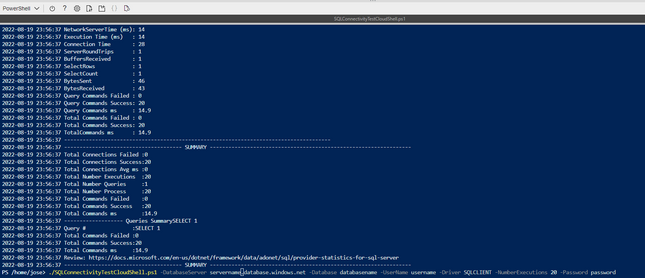
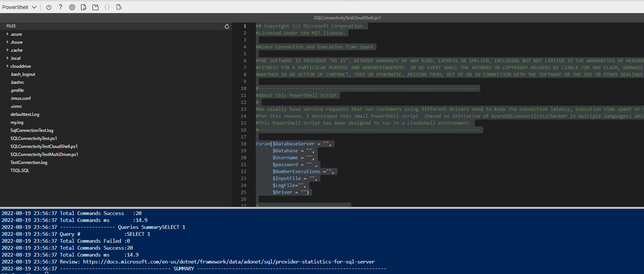
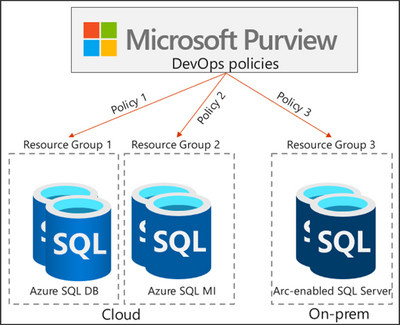
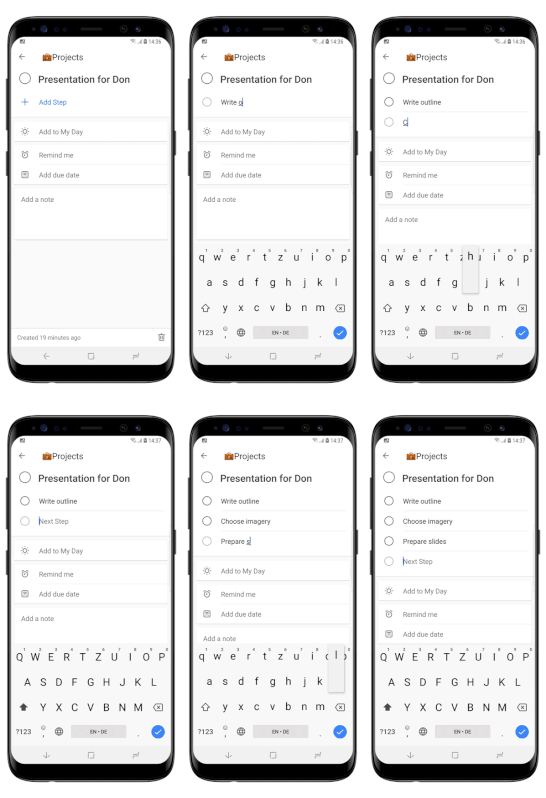

Recent Comments