Extend Azure IoT Central with the 1.0 REST APIs to build your production ready solution

This article is contributed. See the original author and article here.

IoT Central REST API goes GA!


Azure IoT Central REST API is now Generally Available and you can access it through the production 1.0 endpoint. IoT Central is an IoT application platform that reduces the burden and cost of developing, managing, and maintaining enterprise-grade IoT solutions. And with this latest API release, building a companion experience like a field technician application or a web-app to power your business workflows is easier than ever before.


Our solution builders can now leverage these APIs and the breadth of the IoT Central extensibility surface to develop production-ready solutions for their customers. Based on customer feedback, we have iterated on our API surface and made new investments to evolve the capabilities further. Using the v1.0 API, you can now:


  1. Manage API tokens that provide access to your application.

  2. Create and manage device templates in DTDLv2 format.

  3. Create, onboard, and manage devices within your application.

  4. Retrieve the set of user roles that are defined in your application.

  5. Add, update, and remove users within your application.


The feedback from our customers and partners in the public preview program has helped shaped our 1.0 release. The following set of changes have been introduced in our 1.0 release and we encourage everyone to adapt to this version in their client applications.


  1. Support for DTDLv1 based device templates has now been deprecated. All new device templates exported and imported via the 1.0 API surface will be in DTDLv2 format.

  2. We are deprecating management of Applications from our IoT Central API surface. Please use our Azure SDK to manage the IoT Central application instances.

  3. A few routes to manage entities including legacy data exports, device groups and jobs will not be in the 1.0 API surface for this first release.


Take a look at our IoT Central REST API Sample Companion Application on GitHub to get started on your journey with IoT Central. You can leverage the existing samples here to learn more about how to authenticate and authorize to use the Azure IoT Central REST APIs, query data from IoT Central, among other things.


Coming soon to our API surface, first through preview and then to our GA branch, is a series of capabilities that will further enhance your device management and data capture experiences. These features include but are not limited to:


  1. Ability to programmatically create and manage job instances within your IoT Central application allowing you to manage your connected devices at scale. Jobs let you do bulk updates to device and cloud properties and run commands.

  2. A seamless way to configure our recently announced data export pipeline to route your valuable IoT insights into your business workflows.

  3. A query API enabling you to programmatically access data from within your IoT Central application and power your companion experiences built with IoT Central.


We are committed to continuously improving and adding new capabilities to our IoT Central API surface. If you have any feedback, suggestions, or questions, let us know on our Microsoft Q&A or on Stack Overflow or email us at iotcentralapihelp@microsoft.com.  


We can’t wait to see what you’ll build with the IoT Central APIs!


Migrating to SQL: Cloud Migration Strategies and Phases in Migration Journey (Ep. 1) | Data Exposed

This article is contributed. See the original author and article here.

Understand the various cloud migration drivers, migration strategies, and various phases in the migration journey in this episode of Data Exposed with Venkata Raj Pochiraju. He’ll also introduce various database migration tools and services that Microsoft builds to help you in the migration journey.


Watch on Data Exposed


Resources:


View/share our latest episodes on Channel 9 and YouTube!


Sync Up – a OneDrive podcast : Episode 20, “Staying connected with Yammer”

Sync Up – a OneDrive podcast : Episode 20, “Staying connected with Yammer”

This article is contributed. See the original author and article here.

Sync Up is your monthly podcast hosted by the OneDrive team taking you behind the scenes of OneDrive, shedding light on how OneDrive connects you to all your files in Microsoft 365 so you can share and work together from anywhere. You will hear from experts behind the design and development of OneDrive, as well as customers and Microsoft MVPs. Each episode will also give you news and announcements, special topics of discussion, and best practices for your OneDrive experience.


So, get your ears ready and Subscribe to Sync up podcast!


In this new world of hybrid work, Yammer offers employees a way to come together socially to share what’s going on in their lives, both inside and outside work. In episode 20, we learn more about Yammer and discuss how OneDrive supports tech engagement among your employees. Out guest is Michael Holste, Product Manager on the Microsoft 365 Product Marketing team responsible for employee engagement, including products like Yammer and Viva connections.


To learn more about this check out our latest blog – Connect your hybrid workforce with Yammer + OneDrive


Tune in! 


Meet your show hosts and guests for the episode:


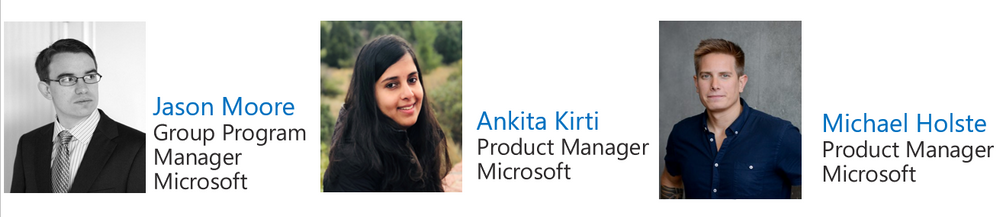
sync20.PNG


Jason Moore is the Principal Group Program Manager for OneDrive and the Microsoft 365 files experience.  He loves files, folders, and metadata. Twitter: @jasmo 


Ankita Kirti is a Product Manager on the Microsoft 365 product marketing team responsible for OneDrive for Business. Twitter: @Ankita_Kirti21


Michael HolstePMM  Mike Holste is a Product Manager on the Microsoft 365 product marketing team responsible for Employee Engagement, including Yammer and Viva Connections. 


Twitter: @Mike_Holste


Quick links to the podcast


Links to resources mentioned in the show:


Be sure to visit our show page to hear all the episodes, access the show notes, and get bonus content. And stay connected to the OneDrive community blog where we’ll share more information per episode, guest insights, and take any questions from our listeners and OneDrive users. We, too, welcome your ideas for future episodes topics and segments. Keep the discussion going in comments below.


As you can see, we continue to evolve OneDrive as a place to access, share, and collaborate on all your files in Office 365, keeping them protected and readily accessible on all your devices, anywhere. We, at OneDrive, will shine a recurring light on the importance of you, the user.  We will continue working to make OneDrive and related apps more approachable. The OneDrive team wants you to unleash your creativity. And we will do this, together, one episode at a time.


Thanks for your time reading and listening to all things OneDrive,


Ankita Kirti – OneDrive | Microsoft


Azure Marketplace new offers – Volume 136

Azure Marketplace new offers – Volume 136

This article is contributed. See the original author and article here.


We continue to expand the Azure Marketplace ecosystem. For this volume, 87 new offers successfully met the onboarding criteria and went live. See details of the new offers below:


Applications


Abilis Data Rocket.png

Abilis Data Rocket: Abilis Data Rocket is an end-to-end data architecture solution that delivers scalable data ingestion, trusted stewardship, cloud-based warehousing, and on-demand visual analytics. Move quickly from data to insight to facilitate reaching your organizational goals.


Airtonomy for Wind.png

Airtonomy for Wind: Airtonomy offers a fully autonomous, drone-based solution to inspect wind turbines and other critical infrastructure. Leverage proactive, self-service damage detection to minimize maintenance costs and maximize business agility.


AML Compliance & Fraud Management.png

AML Compliance & Fraud Management: Alessa on Microsoft Azure provides the anti-money laundering (AML) capabilities that banks, money services businesses, fintechs, casinos, insurance, and other regulated industries need in one integrated platform.


ApiGo.png

ApiGo: Powered by Microsoft Azure, ApiGo enables you to quickly and securely share your financial services with fintechs while maintaining open banking regulations.


Azure Cognitive Search Japanese Enhancement Pack.png

Azure Cognitive Search Japanese Enhancement Pack: Acroquest Technology’s Japanese Enhancement pack for Microsoft Azure Cognitive Search helps improve operational efficiency by addressing Japanese-specific issues that arise when using Azure Cognitive Search in Japanese documents. This application is available only in Japanese.


BizPay Central.png

BizPay Central: BizPay Central is a Microsoft Azure-based cloud payroll platform for organizations of any size operating in Jamaica or the Cayman Islands. List multiple companies under one account, share reference data across all payrolls under the same company, and more.


bSeated.png

bSeated: bSeated is a search engine for meeting rooms for Microsoft Outlook. Empower your employees to quickly find the best available room with occupancy, tags, available devices, climate conditions, and other factors as searchable room properties.


CentOS Server 7.9.png

CentOS Server 7.9: Ntegral provides this preconfigured image of CentOS Server 7.9 optimized for production environments on Microsoft Azure. CentOS is a popular virtual machine platform for all workloads, including Node.js, web applications, and database platforms.


ClinicOne Vaccination Mangement.png

ClinicOne Vaccination Management: ClinicOne provides a one-stop healthcare and medical diagnostic platform on Microsoft Azure for precise patient treatment, seamless clinic operation, and secure electronic health record management.


Comprehensive Risk-Management System.png

Comprehensive Risk Management System: Available only in Spanish, bigDigit’s comprehensive risk management system on Microsoft Azure extends your organization’s ability to identify risks and facilitates cross-area collaboration for greater control.


Couchbase Cloud – Database-as-a-Service.png

Couchbase Cloud – Database as a Service: Couchbase Cloud is a fully managed NoSQL database as a service hosted on your Microsoft Azure virtual network. Benefit from the in-memory performance of popular key-value data stores, the flexibility of JSON-based document databases, the familiarity of SQL, and the scalability of Azure.


cytric Travel & Expense.png

cytric Travel & Expense: Hosted on Microsoft Azure, cytric Travel & Expense facilitates the management of your organization’s complete travel program – from trip planning and booking to expense management and reimbursement.


Deployment and Operation for the OSDU Platform.png

Deployment and Operation for the OSDU Platform: Cegal’s OSDU data platform as a service drives digital transformation by helping exploration and production industry players tear down information silos and centralize data from various applications, tools, and platforms in one centralized cloud solution.


Egnyte for Microsoft Teams.png

Egnyte for Microsoft Teams: Egnyte for Microsoft Teams enables you to access and share your Egnyte managed content directly in Teams. Take full advantage of Egnyte’s advanced content management capabilities without ever leaving the Teams interface.


FWI Connected Workplace.png

FWI Connected Workplace: FWI Connected Workplace helps offices create the future of the hybrid workplace with a data-driven space optimization, resource management, and IoT technology platform. Capabilities include space management, meeting room and desk booking, mobile wayfinding, contact tracing, and usage analytics.


Global IDs Solution for Glossary Management.png

Global IDs Solution for Glossary Management: Global IDs glossary management solution enables enterprises to catalog their data assets using a scalable, automated process. Document your data environment comprehensively and empower users to find business-critical data and metadata quickly.


Grytics for Communities.png

Grytics for Communities: Grytics for Communities is a Microsoft Azure-based platform for analyzing, understanding, and monitoring all your workplace communities, including Microsoft Teams and Yammer. Identify best practices, produce automated reports, and galvanize your retention strategy.


Home Agent.png

Home Agent: Genoa Performance’s Home Agent captures and analyzes all information related to employees working remotely. Available only in Portuguese, Home Agent delivers processed information through a Microsoft Power BI portal.


Icertis Supplier Relationship Management App.png

Icertis Supplier Relationship Management App: Ensure compliance, minimize risk, and provide a more holistic view of supplier relationships with Supplier Relationship Management on Microsoft Azure. Optimize and consolidate workflows across the supplier management, sourcing, and contracting processes; increase visibility; and more.


IIOT Remote Monitoring Solution.png

IIOT Remote Monitoring Solution: Monitor the health of remote industrial assets, detect anomalies, and predict potential degradation with Microland’s Remote Industrial Monitoring Solution, based on Microsoft Azure IoT.


IN-D Aadhaar Number Masking.png

IN-D Aadhaar Number Masking: IN-D’s Masking Solution helps you identify Aadhaar images (both front and back) and mask them with the click of a button. IN-D’s technology in up to 99 percent accurate and can seamlessly integrate with client applications via a set of secure APIs.


LTI Device Data Management.png

LTI Device Data Management: LTI Device Data Management is an accelerator solution that enables you to quickly onboard devices and sensors, define KPI dashboards, and monitor device health and connectivity status.


Matrikon Data Broker.png

Matrikon Data Broker: Matrikon Data Broker enables data connectivity to third-party shopfloor and field control automation components via Microsoft Azure IoT Hub. Matrikon Data Broker provides a secure, centralized access point, and it can be used directly with Azure IoT Hub or as a standalone application.


MidVision RapidDeploy for VN Appliance 10.0.png

MidVision RapidDeploy for VN Appliance 10.0: MidVision offers this virtual machine image with RapidDeploy 5.0 and IBM DataPower Gateway 10.0 installed on Red Hat Enterprise Linux. Easily and quickly deploy, roll back, and redeploy application and configuration changes to your stack environment, OS, or other software or configurations on the VM.


MySQL on Ubuntu 20.04 LTS.png

MySQL on Ubuntu 20.04 LTS: Ntegral provides this preconfigured image of MySQL on Ubuntu 20.04 LTS. MySQL is a popular open-source relational database management system targeted for enterprise-scale applications on Microsoft Azure.


Narecom AI.png

Narecom AI – Machine learning AI that starts without the need for expertise: Narecom AI is a SaaS solution that allows you to start AI intuitively and easily without requiring knowledge of specialized programming technology. Simply upload data to build machine learning predictive models automatically.


Nevis Authentication Cloud.png

Nevis Authentication Cloud: Do you want to give your customers secure, simple, and passwordless access to your digital offers? The Nevis Authentication Cloud is a FIDO-certified solution that expands your infrastructure with passwordless authentication and transaction signatures.


N-Genius Online.png

N-Genius Online: N-Genius Online facilitates digital payment acceptance across the Middle East and Africa with a flexible, powerful online payment gateway solution emphasizing mobile acceptance, ease of integration, and uncomplicated user experiences.


Olive Data Ingestion Framework.png

Olive Data Ingestion Framework: Olive Data Ingestion Framework connects to any source to speed up data ingestion and transfer. The cloud-agnostic platform can be deployed with a minimal resource footprint and features a user-friendly web interface.


PDCApp.png

PDCApp: Based on the plan–do–check–act (PDCA) cycle and available only in Brazilian Portuguese, PDCApp boosts your teams’ connectivity and drives digital transformation across your organization. Organize, analyze, and monitor goals and KPIs; evaluate employee performance; and more with PDCApp.


PostgreSQL on Ubuntu 20.04 LTS.png

PostgreSQL on Ubuntu 20.04 LTS: This preconfigured image from Ntegral provides PostgreSQL on Ubuntu 20.04 LTS. PostgreSQL is a relational database management system targeted for enterprise-scale applications on Microsoft Azure.


PRISM.png

PRISM: PRISM is a dynamic asset-management analytics service driven by Microsoft Power BI. It takes information from numerous data sources, including Snow Inventory, Snow License Manager, and in-house systems, and delivers detailed dashboards that are relevant to your organization’s needs.


RPS .NET Java App Data Protection in Dev Test.png

RPS .NET/Java App Data Protection in Dev/Test: Protect the confidential data sets of your .NET and Java applications in development/test environments with REGDATA’s RPS integration components and RPS protection server. Transform confidential data into anonymized or pseudonymized values for application testers and developers.


RPS .NET Java App Data Protection in Production.png

RPS .NET/Java App Data Protection in Production: Protect the confidential data sets of your .NET and Java applications in production environments with REGDATA’s RPS integration components and RPS protection server. Capture and transform confidential data into encrypted, tokenized, or pseudonymized values.


RPS for CRM Dynamics Application Data Protection.png

RPS for CRM Dynamics Application Data Protection: Protect the confidential data in your Microsoft Dynamics 365 production environment with REGDATA’s RPS integration components and RPS protection server. Capture and transform confidential data into encrypted, tokenized, or pseudonymized values.


RPS for Databases Protection in Production.png

RPS for Databases Protection in Production: Protect confidential databases (SQL or NoSQL) in production environments with REGDATA’s RPS integration components and RPS protection server. Capture and transform confidential data into encrypted, tokenized, or pseudonymized values.


Semantix Digital Onboarding.png

Semantix Digital Onboarding: Semantix Digital Onboarding provides AI-based identity validation throughout the customer journey. Leverage facial recognition to validate customer identity across digital channel interactions with a smart, consolidated, scalable platform.


Skeyetech.png

Skeyetech: Skeyetech from Azur Drones is a drone-in-a-box solution designed to enhance security and support operations over sensitive sites. Skeyetech integrates easily with existing security solutions and offers mobility, higher responsiveness, outstanding visual capabilities, thermal imaging, and more.


Solver Corporate Performance Management.png

Solver Corporate Performance Management: Fast, data-driven decision-making is a key driver of your organization’s success. Solver is a cloud-based reporting and planning solution that enables better-informed business decisions with greater speed. Automate financial reporting, consolidation, analysis, budgeting, and forecasting processes.


totemomail Email Encryption Gateway.png

totemomail Email Encryption Gateway: totemomail offers user-friendly encryption for your email communication. It encrypts emails with internal and external recipients and protects email communications with business applications and devices, such as scanners.


Transact Payments.png

Transact Payments: As a one-stop shop payment provider, Transact Payments helps reduce the complexity of day-to-day operations for campus staff by delivering centralized payments, simplified reconciliation, and quick distribution of funds.


TransformPlus for Reverse Engineering Legacy Apps.png

TransformPlus for Reverse Engineering Legacy Apps: TCS MasterCraft TransformPlus enables the modernization of legacy applications by deciphering their functional and technical aspects to help organizations plan, strategize, and execute modernization.


Traydstream.png

Traydstream: The Traydstream platform leverages machine learning to check more than 250,000 rule permutations against an underlying transaction, dramatically reducing the time to complete checks on the dozens of documents every transaction generates.


Txture Cloud Tranformation Platform.png

Txture Cloud Transformation Platform: Txture Cloud Transformation helps cloud consulting professionals cut costs, reduce risk, and speed up cloud migrations by automating assessment and 6R decisions, comparing cloud target architectures, and automating migration wave planning.


Uptake PM Strategy Explorer.png

Uptake PM Strategy Explorer: Uptake PM Strategy Explorer delivers best-practice preventative maintenance strategies with recommended task frequency based on your organization’s equipment operating context. Easily explore, purchase, and download strategies from a comprehensive library of industrial equipment failure data.


Waaila.png

Waaila: Designed for seasoned analysts, marketing specialists, and anyone in between, Waaila on Microsoft Azure is an AI-powered solution that automates data quality monitoring for web analytics.


Windows Server 2019 Small.png

Windows Server 2019 Small: Belinda provides this preconfigured, lightweight image of Windows Server 2019. This version of Windows Server 2019 is ideal for small businesses, which can use it as an application server, a dev-test environment, and more.


Zylinc Novus.png

Zylinc Novus: Built on Microsoft Azure and developed for businesses that deal with a high volume of inbound calls, Novus is a cloud-based communication platform that integrates with Microsoft Teams, Exchange Server, Azure Active Directory, and more to ensure optimized availability and reliability.


Consulting services


AI Strategy Workshop 5-Day Workshop.png

AI Strategy Workshop: 5-Day Workshop: Transform your business’s artificial intelligence ideas and concepts into an actionable roadmap and implementation plan with dataroots’ AI Strategy Workshop. Learn how Microsoft Azure can leverage your AI solutions and how Azure services contribute to establishing an efficient AI solution environment.


App Modernization Design 4-Week Assessment.png

App Modernization Design: 4-Week Assessment: Get the information you need to determine which business applications are good candidates for migration to Microsoft Azure. Deliverables include an architecture document and a roadmap detailing Zure’s suggested project plan and cost estimate.


Application Modernization 5-Day Assessment.png

Application Modernization: 5-Day Assessment: Codit’s Application Modernization assessment will help your organization design, build, and run an enterprise-grade Microsoft Azure PaaS architecture for the legacy application of your choice.


Azure Active Directory Health Check 2-Week Assessment.png

Azure Active Directory Health Check: 2-Week Assessment: ADD will assess your Active Directory and Microsoft Azure Active Directory environment, then provide recommendations for utilizing the tools and resources already available in your organization to increase security and keep your data safe.


Azure Data Pipelines 10-Day Implementation.png

Azure Data Pipelines: 10-Day Implementation: Emumba will identify a single dataset that can be batch ingested, transformed, and stored in an enterprise-quality data analytics platform, enabling you to perform analytics, build predictive AI/ML algorithms, and facilitate better business decisions.


Azure Migration - 2-Week Assessment.png

Azure Migration – 2-Week Assessment: CTGlobal will help you define, assess, and document your cloud journey based on your organization’s needs. This assessment includes bringing your Microsoft Azure environment to a governed state to ensure you can enforce or audit applicable laws, regulations, and internal policies.


Azure Sentinel Accelerate 10-Day Implementation.png

Azure Sentinel Accelerate: 10-Day Implementation: Akari Solutions’ pilot deployment of Microsoft Azure Sentinel helps customers explore and evaluate Azure services and technologies with a focus on security. This offer includes scoping, planning, and executing a pilot or proof of concept for Azure Sentinel.


Azure Sentinel Proof of Concept.png

Azure Sentinel Proof of Concept: In this proof of concept, ProActive will review your infrastructure and datacenter platform before connecting your relevant data sources to Microsoft Azure Sentinel. Enable data monitoring, visualization, and analysis to drive informed decision-making across your organization.


Azure Synapse - 2-Hour Briefing.png

Azure Synapse – 2-Hour Briefing: Learn how Microsoft Azure Synapse Analytics helps businesses transform data into actionable insights in Bridgeall’s free briefing. Deliverables include an outline of a proposed implementation project and clearly defined next steps.


Azure Well-Architected Review 1-Week Assessment.png

Azure Well-Architected Review: 1-Week Assessment: Learn about the five pillars of Microsoft’s Azure Well-Architected Framework in Knowits’s one-week assessment. The Azure Well-Architected Framework features best practices to help customers build secure, high-performing, and resilient Microsoft Azure infrastructure for their applications.


BUI Managed Windows Virtual Desktop in Azure.png

BUI Managed Windows Virtual Desktop in Azure:


BUI provides proactive monitoring, incident management, and change and patch management for your Windows Virtual Desktop environment on Microsoft Azure. Leverage performance, security, cost, and compliance monitoring with regular feedback sessions and best-practice recommendations.


Build Teams-based Smart Workplaces.png

Build Teams-based Smart Workplaces: SJUSHIN provides consulting, environment configuration, hardware installation and monitoring, and ongoing management of a Microsoft Teams-based meeting room environment in your organization. This service is available only in Korean.


Cloud Cost Optimisation - 2-Week Assessment.png

Cloud Cost Optimization – 2-Week Assessment: Optimize Microsoft Azure costs and maximize ROI across your hybrid cloud environments with Communications Design & Management’s Cloud Cost Optimization assessment. De-allocate virtual machines when they’re not in use, configure Azure Automation to automate repetitive tasks, and more.


Cloud Security Assessment 2-Week Assessment.png

Cloud Security Assessment: 2-Week Assessment: The Logicalis Production Ready Cloud Platform Cloud Security Assessment provides a rapid analysis of an existing Microsoft Azure environment compared against best practices for security, performance, agility, scale, and cost.


CMMC Compliance with Azure 4 Week Implementation.png

CMMC Compliance with Azure: 4 Week Implementation: Insight’s Cybersecurity Maturity Model Certification (CMMC) services implementation helps clients use Microsoft Azure to meet the Department of Defense’s security and compliance standards. Achieve a mature security environment as defined by the DoD with speed and simplicity.


Credit Scoring (CSaaS) 3-Week Proof of Concept.png

Credit Scoring (CSaaS): 3-Week Proof of Concept: E-Level Cloud Services offers this three-week credit scoring as a service proof of concept. Manage your default risk with a precise estimation on the default probability of each client via Microsoft Azure Machine Learning.


Data Discovery as a Service 1-Week Assessment.png

Data Discovery as a Service: 1-Week Assessment: Data Discovery as a Service from Apption Corporation empowers users to improve their data use by analyzing and understanding the personally identifiable information and data quality risk of Microsoft Azure data assets and other data assets.


Data Literacy 1-Day Workshop.png

Data Literacy: 1-Day Workshop: VIQTOR DAVIS’s Data Literacy workshop explains how everyone in your organization can benefit from a good foundational understanding of what data is and why it’s important, its impacts on automation, and how to take advantage of Microsoft Azure data services.


Data Platform Modernization 10-Week Proof of Concept.png

Data Platform Modernization: 10-Week Proof of Concept: Applied Information Sciences’ Data Platform Modernization engagement provides a path to enable safe and secure access to data sets, empowering business users to unlock the next big opportunities for their organization on Microsoft Azure.


DevOps Modernization 4-Week Assessment.png

DevOps Modernization: 4-Week Assessment: Over the course of four weeks, Zure’s DevOps experts will gather information on your current and desired state of DevOps practices, processes, tooling, environment, and culture, then provide you with an actionable roadmap to boost DevOps across your organization.


Disaster Recovery as a Service - 2-Hour Workshop.png

Disaster Recovery as a Service – 2-Hour Workshop: Learn how to protect your applications and data from disasters and service disruptions by enabling a full recovery on Microsoft Azure in Brainscale’s free Disaster Recovery as a Service workshop.


Half-Day Defensive Coding Workshop.png

Half-Day Defensive Coding Workshop: In this free workshop from Magenium Solutions, you will learn the basics of defensive coding to help avoid common security defects. Topics include defensive coding techniques, fundamentals of build validation, writing tests for your code, and designing to enhance security models.


Informatica on Azure - 1-Hour Assessment.png

Informatica on Azure – 1-Hour Assessment: Utilizing a predefined architecture, Agile Solutions’ consultants will demonstrate how Informatica products can accelerate the migration of data into a strategic Microsoft Azure-based data hub using Azure SQL Database, Azure Data Lake Storage Gen2, and reporting via Microsoft Power BI.


Integrate RosettaNet Standards with Azure.png

Integrate RosettaNet Standards with Azure: TwoConnect’s proof of concept covers how to take your supply chain logistics applications to the next level with Microsoft Azure. Learn how your business can benefit from consolidating RosettaNet messaging and standards with Azure services.


Kubl Kubernetes - 4-Week Implementation.png

Kublr Kubernetes – 4-Week Implementation: Eastbanc Technologies provides managed Kubernetes services ranging from consulting to microservices development and Kubernetes infrastructure management. Centrally deploy, run, and manage Kubernetes clusters across your environments with a comprehensive container orchestration platform.


Machine Learning Ideation - 1-Day Workshop.png

Machine Learning Ideation – 1-Day Workshop: Want to start developing your AI and Microsoft Azure Machine Learning strategy but don’t know where to start? Verne Information Technology’s one-day workshop will help you understand the potential of AI and what kinds of problems it can solve for your business.


Managed Azure Subscription.png

Managed Azure Subscription: This offering from Dionar provides your organization with seamless Microsoft Azure management access control via Azure Lighthouse. Take advantage of a fully automated Azure platform, enterprise security via Azure Sentinel, and 24/7 management and incident response.


Migration Service 4-Week Implementation.png

Migration Service: 4-Week Implementation: The Logicalis Cloud Migration Service provides a proven approach for migrating your datacenter environment to Microsoft Azure. Logicalis will migrate environments on an application, database, server, or workload basis depending on your business requirements.


Mission Critical Azure.png

Mission Critical Azure: Wortell offers managed services for Microsoft Azure, including managing, monitoring, and deploying IaaS and PaaS resources using infrastructure as code/templates. Ensure your Azure environment remains secure and compliant.


Power & Utilities Gap-Fit Model 10-Week Assessment.png

Power & Utilities Gap-Fit Model: 10-Week Assessment: ADD’s 10-week gap-fit assessment for power and utilities companies helps facilitate digital transformation by implementing an integrated value chain powered by Microsoft Azure Analytics and tailored to customers’ business needs.


Retail & Wholesale Gap-Fit Model 10-Week Assessment.png

Retail & Wholesale Gap-Fit Model: 10-Week Assessment: ADD’s 10-week gap-fit assessment for retail and wholesale companies helps facilitate digital transformation by implementing an integrated value chain powered by Microsoft Azure Analytics and tailored to customers’ business needs.


SAP on Azure 1-Hour Briefing.png

SAP on Azure: 1-Hour Briefing: Learn about the business benefits of moving your SAP environment to Microsoft Azure in this free briefing from Edenhouse. Take the risk out of your cloud journey and drive digital transformation across your organization with Edenhouse and Azure.


Space Azure Lighthouse.png

Space Azure Lighthouse: Space Hellas offers a fully managed service for your mission-critical Microsoft Azure environment, providing easy Azure access control via Azure Lighthouse for customers with EA or CSP subscriptions on Azure.


Space Managed Arc Services.png

Space Managed Arc Services: Space Hellas offers a fully managed service for your mission-critical Microsoft Azure environment, providing easy Azure access control via Azure Lighthouse and Azure Arc for customers with EA or CSP subscriptions on Azure.


The Assurance Cloud Service.png

The Assurance Cloud Service: The Assurance Cloud Service provides end-to-end performance, fault, and service quality management, supporting AI/ML-driven closed-loop assurance for hybrid, physical, and virtualized networks across all domains in a SaaS model.


Windows Virtual Desktop for CMMC 2-Week Implementation.png

Windows Virtual Desktop for CMMC: 2-Week Implementation: Companies supplying products or services to the Department of Defense must control sensitive data types, such as CUI/ITAR. Summit 7 will deploy a Windows Virtual Desktop solution on Microsoft Azure Government to meet CMMC Level 3 Standards in an isolated enclave.


Windows Virtual Desktop Jump-Start 5-Day Implementation.png

Windows Virtual Desktop Jump-Start: 5-Day Implementation: Conterra’s Windows Virtual Desktop Jump-Start engagement is designed to help customers quickly respond to crisis or emergency situations in which enabling remote work to keep the business up and running is the top priority.


Windows Virtual Desktop 4-Week Implementation.png

Windows Virtual Desktop: 4-Week Implementation: Empower your employees to reach your workplace from anywhere while maintaining security with Svenska Coegi’s four-week Windows Virtual Desktop implementation. This service is available only in Swedish.


Your State-of-the-Art Analytics Platform 8-Week Proof of Concept.png

Your State-of-the-Art Analytics Platform: 8-Week Proof of Concept: This eight-week engagement from pmOne facilitates the rapid development of AI solutions from prototype to business process integrated machine learning models. Integrate, prepare, and store data from disparate sources in Microsoft Azure Data Lake to boost AI development.


May Webinars and Remote Work Resources

This article is contributed. See the original author and article here.

May 2021 Edition Sections:


  • Highlighted Events

  • Microsoft Teams – IT Admins & Planning

  • Microsoft Teams – End Users & Champions

  • Security & Compliance

  • Device Management

  • Blogs & Articles of Interest


Highlighted 


Upcoming Events


  • Live Panel: A Greener Public Service Through Tech


    Join us as Dr. Julia Glidden, Microsoft’s Corporate Vice President for Worldwide Public Sector launches Microsoft’s Public Sector Center of Expertise with a live webinar, featuring a panel of experts who will discuss how public servants around the world are leveraging technology to create greener governments and societies. Register now.


  • PowerApps PowerAppathon : USA and Canada


    The PowerAppathon Lab is a free, full-day event which provides a hands-on introduction to the Power Platform. For this special edition, we will be looking at the challenges, opportunities and use cases of Power Apps within the court system. Delegates are invited to join Microsoft and Pythagoras to learn how they can transform paper-based and inefficient processes by quickly creating purpose-built business applications. Where time zones allow, other countries and regions are welcome to join! Register now.


  • CityAge: Data-Driven Investments


    Join Jeremy M. Goldberg, Microsoft Worldwide Director of Critical Infrastructure and former Interim-CIO at the State of New York to discuss how city leaders can better use data to make the right infrastructure investments to build healthier, more liveable and resilient cities for the future. Register now.


Go further with Microsoft Lists


Learn all you can do with Microsoft Lists – your smart information tracking app in Microsoft 365. See how Lists evolve from SharePoint lists to empower individuals and teams to create, share and track information – including innovation in Microsoft Teams, information side-by-side your team conversations. We will teach you how to use and create views, configure conditional formatting, adjust forms and more. Plus, we will highlight extending lists with the integrated Power Platform and answer all frequently, or infrequently, asked questions. Get ready to become a Microsoft Lists pro, for free!


Microsoft Teams – IT Admins & Planning


Microsoft Teams: Plan your upgrade (Start here!)


Discover everything you need to facilitate a successful upgrade to Teams. By the end of this workshop, participants will be able to: (1) Understand why a formal plan is crucial for upgrade success, (2) Identify the steps to the upgrade success framework, (3) Recognize common attributes of successful customers, and (4) Create and implement their own upgrade plan. The audience for this session is All (Business Sponsors, IT Admins, User Readiness/Change Manager, Project Lead).


Microsoft 365 Virtual Training Day: Enable Remote Work with Microsoft Teams


To be productive in a remote environment, your employees need to be able to safely collaborate from anywhere. Microsoft 365 Virtual Training Day: Enabling Remote Work with Microsoft Teams helps you provide a remote workforce with the tools, resources and solutions they need to stay connected and productive. Join us to learn how to get the most out of Microsoft Teams online meetings, calling, video and chat, and empower your workforce to work from any location on any device. During this two-part training event, you will explore how to: (1) Enable your people to meet and collaborate from home, (2) Make productivity applications available on any device, and (3) Deliver the best remote user experience.


Teams Chalk Talk: Get to Teams – Zero to Production


Microsoft Teams can help your employees stay connected and collaborate with each other, especially in the current unprecedented time where remote work is a reality of employees around the world. Being able to chat, do video meetings and collaborate on Office documents within Teams can help companies stay productive. Whether you are a small business, a non-profit or a large organization, you can get started with Teams within Microsoft 365 or Office 365 suite – even before deploying any other Office app or service. Join Microsoft Teams experts as we review Teams implementation for collaboration, chat and meetings. We’ll share key configurations, considerations, best practices, and resources to get your users up and running quickly. After this session, you will be able to: (1) Recognize key success factors for technical and user readiness, (2) Identify pre-requisites and tenant setup for your environment, (3) Install the Teams clients appropriate for your organization, (4) Configure policies that enable your preferred user experiences, and (5) Leverage collaboration features to enhance remote work scenarios.


Customer Immersion Experience: Integrate Your Business into Microsoft Teams


The workforce relies on Microsoft Teams to chat, meet, and collaborate. But that’s just the beginning. Microsoft Teams can bring the applications and tools you’re already using, into one universal hub your workforce needs to get things done. During this interactive session, you will explore how to: (1) Integrate ready-to-use apps into the Teams experience, (2) Maintain control over which apps are accessible for your organization, (3) Create an App that embeds modern SharePoint pages in Teams using App Studio, (4) Manage permission and set up policies through the Admin Center, and (5) Scale business critical apps to your organization. Each session is limited to 15 participants, reserve your seat now.


Teams Chalk Talk: Energize your Live Events with Microsoft Teams


This 1-hour session will provide an opportunity to learn practical guidance about conducting engaging and energizing large, online virtual events using Microsoft Teams. This session is designed for anyone wishing to organize, produce or speak at a large, virtual event and is open to anyone. During this session, you will: (1) Understand best practices to ensure your large, online virtual event is successful using Microsoft Teams or Teams Live Events, (2) Gain practical, technical production knowledge to ensure your event is engaging, (3) Understand the Attendee experience, (4) Learn before-during-after tactics to build & continue your large, online event momentum with Webinar features, and (5) Leverage and understand step by step virtual event resources as found at aka.ms/virtualeventplaybook.


Teams Chalk Talk: Taking charge of AV quality experiences


Are you looking to ensure users have optimal experiences with meetings and voice capabilities in Teams? During this session, we’ll discuss tools, reporting and best practices to help you manage service quality — from establishing a proactive  strategy to resolving common quality issues as they arise. We’ll build upon best practices from Teams experts and make it real with examples of common scenarios that may arise as your organization embraces meetings and voice capabilities in Teams. Join us for an expert-led workshop for guidance on key resources and actionable insights to manage audio and video quality with Microsoft Teams. Your users will thank you for it! After this session, you will be able to: (1) Define key service metrics and user experience factors for quality, (2) Recognize concepts and metrics in core tools and resources that help you assess usage and quality, (3) Identify key indicators of poor experience in common scenarios and relevant actions to address, and (4) Establish a proactive quality management strategy to ensure optimal user experience.


Teams Chalk Talk: So…you want to make calls with Microsoft Teams?


Are you ready to add PSTN calling capabilities to Microsoft Teams? Join Microsoft Teams Engineering subject-matter-experts as they demystify the options for adding PSTN calling to Teams, provide you with best practices for configuring calling options and show you how to monitor call quality. After this session, you will be able to: (1) Understand the history of voice services in Microsoft products, (2) Identify what calling options in Microsoft Teams are right for you, (3) Configure your calling options in the Teams admin portal, and (4) Monitor and use call quality tools in Teams.


Teams Chalk Talk: Apps in Teams Fundamentals


Join Microsoft Teams experts as we review how you can deploy commonly-used applications directly within Teams, enabling your users to work more efficiently and effectively by accessing everything they need in a single interface. This foundational workshop covers basic capabilities across app management and security. With over 400 out-of-the-box applications available (and growing), you’re sure to find an app, or two, that your team can begin using today in Teams. After this session, you will be able to: (1) Identify suitable apps to meet the needs for your organization, (2) Recognize common attributes of successful app deployment, (3) Navigate security and compliance considerations for Teams’ apps, and (4) Determine the next steps to deploy an app to your environment.


Teams Chalk Talk: Supercharge key workflows with apps in Teams


Join Microsoft Teams experts as we review high-value scenarios including incident management (help desk), employee engagement, and productivity that can be enhanced through simple integrations in Teams. We focus on popular enterprise applications your users may already be using every day. Come see how easy it is to connect your systems, increase automation, and deliver improved experiences by bringing the apps your organization relies on into Teams. After this session, you will be able to: (1) Understand common app integrations for Teams across multiple scenarios and user personas, and (2) Understand third-party apps available for key scenarios.


Microsoft Teams – End User & Champions


Get Started with Microsoft Teams


Join us to learn how to accomplish the fundamental tasks in Teams. Learn how to easily communicate with your co-workers, save time while working and collaborating, and see how teamwork and projects can be managed in a central space. In this training you will learn how to: (1) Set up your profile and notifications, (2) Use chat and calling for 1:1 and group conversations, sharing and collaboration in Microsoft Teams, (3) Schedule and attend meetings, (4) Align your workgroup and projects, and (5) Collaborate on files and tools.


Customer Immersion Experience: Getting Started with Microsoft Teams


Whether you are switching from Skype for Business or brand new, join us to learn the basics of how to use Teams to chat with your colleagues and collaborate on projects. Join us for this session and leave this with everything you need to start using Teams. During this 2-hour interactive session, you will explore how to: (1) Set up your profile and notifications in Microsoft Teams, (2) Use chat and calling for 1:1 and group conversations, sharing and collaboration in Microsoft Teams, (3) Schedule and conduct meetings in Microsoft Teams, and (4) Align your team and teamwork in Microsoft Teams. Each session is limited to 15 participants, reserve your seat now.


Microsoft Teams: Master working from home


Working from home offers the opportunity to maintain your workflow while allowing flexibility in how and where you get your work done. Shifting to a remote worker status can be an adjustment as you look for ways to balance home and work life, maintain focus and be fully productive. Microsoft Teams can help you stay connected to your team while providing access to all of the tools and resources you need to get your work done. Join us to learn tips that can help set you up for success as you transition into a ‘work from home’ scenario. During this session, we’ll share: (1) Guidance for setting up your home environment for work, (2) Best practices for maintaining your workflow while working at home, (3) Tips for staying connected to your team while remote, and (4) Insights for effectively supporting a remote team.


Microsoft Teams: Staying connected with your team while remote


We designed Microsoft Teams to be a virtual office you can take anywhere you go. Work seamlessly and transparently with your remote team and discover greater collaboration and productivity. Join us for this session and explore how to avoid communication sinkholes and do more together, no matter where you are. Each session is limited to 15 participants, reserve your seat now. During this interactive session, you will explore how to: (1) Work together as a team from anywhere and with more flexibility, (2) Connect instantly with team members for fast-paced decision making, (3) Meet with anyone, anywhere through audio, video, and web conferences, and (4) Boost team culture with the digital equivalent of an open office space.


Integrate apps to do more in Microsoft Teams


Do you want to get more done in Teams? Receive targeted and timely updates? Access services directly through Teams? Apps let you complete tasks, receive updates and communicate. This session introduces you to the key activities needed to get started with adding applications, bots and connectors in Microsoft Teams today. Through a series of live demonstrations and best practices, you’ll leave this session with everything you need to start using apps in Teams. After this session, you will be able to: (1) See how applications, bots and connectors can help you be more efficient while working in Teams, (2) Select an application, bot or connector for your workspace, (3) Install an application, bot or connector, and (4) Use an application, bot or connector in your workspace.


Explore teams and channels in Microsoft Teams


Do you need to regularly collaborate with your workgroup where you need to access shared files, apps, and conversation threads? Join us to learn how to extend collaboration, provide visibility, and manage teamwork from a central space. Microsoft Teams is a robust collaboration tool, providing you anywhere, anytime access to your group projects, daily operations, knowledgebase resources, and large scope initiatives. Use teams and channels to collaborate in virtual workspaces with your entire group. In this 1-hour training, you will learn how to: (1) Join and organize your teams and channels, (2) Use channels to streamline projects and operations, (3) Collaborate with your team members, and (4) Create and manage teams as an owner.


Run Effective Meetings with Microsoft Teams


Have you spent significant time and resources to prepare for a meeting and felt it wasn’t productive and not much was accomplished? Join us to learn how to make your meetings engaging, productive, and meaningful. Use Microsoft Teams for your entire meeting experience. In this training, you will learn how to: (1) Schedule and join meetings and initiate calls, (2) Use collaborative tools such as sharing, whiteboards, meeting notes, recording, and more, (3) Easily access important meetings and related content at any time, and (4) Assess which audio and video devices are best for your meeting needs.


Customer Immersion Experience: Running Effective Meetings with Microsoft Teams


Whether you are switching from Skype for Business or brand new, join us to learn the basics of how to use Teams to chat with your colleagues and collaborate on projects. Join us for this session and leave this with everything you need to start using Teams. During this 2-hour interactive session, you will explore how to: (1) Set up your profile and notifications in Microsoft Teams, (2) Use chat and calling for 1:1 and group conversations, sharing and collaboration in Microsoft Teams, (3) Schedule and conduct meetings in Microsoft Teams, and (4) Align your team and teamwork in Microsoft Teams. Each session is limited to 15 participants, reserve your seat now.


Use chat and calling features in Microsoft Teams


Join us to learn how to extend your circle of communication and collaboration with Microsoft Teams. Easily connect with your colleagues anywhere, anytime and manage all your conversations from one central platform. In this 1-hour training you will learn how to: (1) Send and reply to chat messages, (2) Use messaging tools to enhance your conversations, (3) Manage your chat conversations, and (4) Use calling features.


Build collaborative workspaces in Microsoft Teams


Do you need an online, collaborative workspace for your project or workgroup? Join us to explore effective, virtual workspaces for projects and workgroups. Microsoft Teams offer the flexibility to set up a workspace that suits your needs. In this training, you will learn how to: (1) Determine the best approach for your collaboration needs, (2) Create workspaces for your team to provide the best teamwork experience, and (3) Determine best practices in Microsoft Teams to enhance productivity.


Leverage pro tips and tricks for Microsoft Teams


Do you use Microsoft Teams on a regular basis and want to learn more? Are you looking for ways to increase your efficiency and productivity in Teams? Join us to discover ways to enhance communication and increase your efficiency and productivity within Teams. Learn how Teams can help organize your workday and make it easier to stay connected with colleagues. In this training, you will learn how to: (1) Leverage formatting best practices to help get your messages noticed and responded to, (2) Integrate tools and best practices to streamline and collaboration process, and (3) Implement strategies to manage and organize your work.


Microsoft 365 Virtual Training Day: Building Microsoft Teams Integrations and Workflows


Remote work requires smarter workflows. Microsoft 365 Virtual Training Day: Building Microsoft Teams Integrations and Workflows shows you how the Microsoft Teams developer platform makes it easy to integrate your apps and services to improve productivity, make decisions faster and create collaboration around existing content and workflows. Join us to learn how to build apps for Teams and create integrated, people-centered solutions that can transform productivity in your organization, whether you’re on-site or working remotely. During this two-part training event, you will explore how to: (1) Build modern enterprise-grade collaboration solutions with Microsoft Teams, (2) Transform everyday business processes with Microsoft 365 platform integrations for Power Platform, SharePoint and Microsoft Office, and (3) Use the wealth of data in Microsoft Graph to extend Microsoft 365 experiences and build unique intelligent applications.


Security & Compliance


Microsoft 365 Virtual Training Day: Secure and Protect Your Organization


When employees are confident in their ability to collaborate remotely and securely, they are free to achieve more without worry. Learn how to protect data, devices, and applications while simplifying IT and minimizing the impact on employees at Microsoft Security Virtual Training Day: Secure and Protect Your Organization. During this free two-part learning event and accompanying Q&A, you’ll form the foundations to safeguard your company’s digital footprint. During this training event, you will explore how to: (1) Craft identity synchronization, protection, and management, (2) Utilize security in Microsoft 365, and (3) Integrate cloud app security and device management plans.


Customer Immersion Experience: Protecting Assets and Empowering Your Defenders


Today’s workforce can work from anywhere, on any device, and on any app. Security teams need to understand threat signals from disconnected products and optimize security with minimal complexity. During this 2-hour interactive session, you will explore how to: (1) Safeguard users from malware attacks such as phishing and spoofing with Office 365, (2) Use the Windows Defender ecosystem to proactively monitor and protect your users, (3) Utilize Office 365 ATP to help protect users from bad links and attachments, and (4) Let machine learning and automation protect users from threats. Each session is limited to 15 participants, reserve your seat now.


Microsoft 365 Virtual Training Day: Protect Sensitive Information and Manage Data Risk


As people increasingly shift to remote work, protecting your organization’s information and managing risk should be a top priority. Microsoft Security Virtual Training Day: Protect Sensitive Information and Manage Data Risk teaches you how to take advantage of Microsoft technologies that identify and remediate risks that arise from creating, storing, sharing, and using sensitive data. In addition, you’ll learn how to protect that data throughout its entire life cycle—on-premises and across devices, apps, and cloud services. During this two-part training event, you will explore how to: (1) Understand, identify, and protect your most sensitive data, (2) Identify and take action on insider risks and code-of-conduct violations, and (3) Utilize information protection and governance.


Customer Immersion Experience: Simplifying Your Privacy and Compliance Journey


Your business needs to control how sensitive data is managed. Join us and explore how to assess your compliance risk, protect sensitive and business critical data, and respond efficiently to data discovery requests. During this 2-hour interactive session, you will explore how to: (1) Simplify assessment of compliance risk, (2) Integrate protection and governance of data, and (3) Intelligently respond to data discovery requests. Each session is limited to 15 participants, reserve your seat now.


Customer Immersion Experience: Protecting Your Sensitive Information


Data needs to be protected wherever it’s stored and whenever it travels, and you need the tools to monitor policy violations and risky behavior. Join us to explore how to implement a comprehensive and integrated approach across devices, apps, cloud services, and on-premises. During this 2-hour interactive session, you will explore how to: (1) Identify, monitor and automatically protect sensitive information across Office 365, (2) Help classify and protect documents and email, and (3) Use policies to enable BYOD scenarios by protecting data at the app level. Each session is limited to 15 participants, reserve your seat now.


Customer Immersion Experience: Creating a Secure Online Meeting


With the dramatic shift to remote work, we all continue to seek creative ways to stay connected and productive in our jobs. How do we recreate those meetings, calls, and large events that previously brought us together and helped us achieve our business goals? Do we have the right tools and devices to do so? And how do we do all of this while keeping security top of mind? These aren’t easy questions to answer. This one-hour session will give you the opportunity to test drive Microsoft Teams, Yammer, and Power BI in a live cloud environment. A facilitator will guide you as you create a virtual company-wide meeting and explore how to: (1) Build a communication and collaboration hub, (2) Engage employees through chat and polls, (3) Set up automated meeting captioning, translation, and transcripts, and (4) Use analytical tools to make sense of data, categorize it, and make it easier to visualize. Each session is limited to 15 participants, reserve your seat now.


Customer Immersion Experience: Protecting Identity, Apps, Data and Devices


Identity is at the center of security: don’t compromise when it comes to your company’s valuable information. Join us to explore how to use secure authentication, govern access, get comprehensive protection and set the right identity foundation. During this 2-hour interactive session, you will explore how to: (1) Enable password protection, (2) Bring multi-factor authentication to your Windows 10 users, (3) Protect your users and data through Office 365 multi-factor authentication, and (4) Use conditional access to protect across devices, locations and apps. Each session is limited to 15 participants, reserve your seat now.


Device Management


Office Hours: Managing Windows 10 Devices & Updates


To support your efforts to deliver and deploy updates to the Windows 10 devices being used by remote, onsite, and hybrid workers across your organization, and manage those devices effectively, we are continuing our series of weekly “office hours” for IT professionals here on Tech Community. During office hours, we will have a broad group of product experts, servicing experts, and engineers representing Windows, Microsoft Endpoint Manager (Microsoft Intune, Configuration Manager), security, FastTrack, and more. They will be monitoring the Windows 10 servicing space and standing by to provide guidance, discuss strategies and tactics, and, of course, answer any specific questions you may have. Office hours are text-based; there is no audio or virtual meeting component. To post a question, you just need to be a member of the Tech Community. Simply visit the Windows 10 servicing space and click Start a new conversation. At the start of office hours, we’ll pin a post outlining the individuals on hand, and their areas of expertise. Can’t attend at the designated time? Again, no problem. Post a question in the Windows 10 servicing space up to 24 hours in advance and we’ll make sure we review it during office hours.


Getting Started with Windows Virtual Desktop


Businesses are shifting to a desktop experience that empowers IT and enables employees to be more productive and secure, but not all employees sit in an office or always work from secure locations.  With Windows Virtual Desktop, you can set up a scalable and flexible environment to unlock mobility, productivity and security. This new 2-hour session will give you the opportunity to get hands-on experience with Windows Virtual Desktop. During this session, you will explore how to: (1) Create your first Windows Virtual Desktop architecture, (2) Create images and assign them to users, (3) Operationalize the virtual desktop infrastructure with monitoring, scaling, and image management, and (4) Explore security best practices within Windows Virtual Desktop. Each session is limited to 15 participants, reserve your seat now.



Blogs & Articles of Interest


Public Sector Blog Website | RSS Feed


Featured Blog Roundup


Microsoft Teams Blog Website | RSS Feed


Office & Microsoft 365


Enterprise identity, mobility, and security


Microsoft Azure and Development


Windows, Operations, Management, and Deployment


Support and adoption


Misc


Thanks for stopping by and reading our monthly resources. Feel free to reach out in the comments below with any comments, questions or ideas on other events to add to the list. Here in Public Sector we want to make sure we are giving you the information and insights to best serve your needs in this community.