by Contributed | Nov 8, 2020 | Technology
This article is contributed. See the original author and article here.
It is not always easy to get started in AI. In fact, it is often tough for tech enthusiasts to know where exactly to begin their journey down the AI rabbit hole.
“The promises of AI are well known, but not a lot of people have the formal education needed to get started,” say core members of the Global AI Community. “So, we wanted to help educate people and connect them to experts that have gone through the learning process before.”
MVPs Willem Meints, from the Netherlands, Eva Pardi, from Denmark, and Sammy Deprez, from Belgium, are key organizers of the community group which empowers developers who are passionate about AI to share knowledge through events and meetups.
The mission of Global AI Community is simple: to connect AI communities across the world to share ideas and content with each other. The community wants to enable AI enthusiasts and professionals to join local user groups, connect with like-minded peers, or start their own user group.
Typically, Global AI Community hosts three annual AI events across 100 locations that span every corner of the globe. More recently, however, getting people to come together has posed somewhat of a challenge.
In order to overcome the complications posed by COVID-19, the group’s most recent event, Global AI Virtual, brought users together online for 36 hours in October.
“We’ve had a large number of tweets and emails telling us how inspiring the sessions are,” the team says. “We’ve seen some people that started using cognitive services thanks to a demo by Veronika, and Marian who demonstrated those during the first episode of the October Sessions.”
“We hope that by bringing together different experts into our online streams, we inspire people to start using AI.”
“With this experience in our pocket, we want to go back to local meetups and help them to get online too.”
While in-person events remain on the agenda — like The Global AI Bootcamp in January 2021 — there is the potential for hybrid events which merge the real world and the online world to ultimately bring more people to the meetups, the team says.
For the team, they remain passionate about the complete story that Microsoft AI technologies enable. “Microsoft AI users can start with the cognitive service and learn what AI can do for their app without having to learn any of the maths or statistics stuff,” they say.
“Then, when they’re ready, these users can start using the customizable versions of the cognitive services. And as their knowledge and requirements grow, they can start to use Azure Machine Learning Service to set up a machine learning pipeline and experimentation environment!”
Global AI Community works closely with product teams at Microsoft to share workshop content about the newest Azure AI products. Further, the group also provides a variety of resources to members of the community, including a free Meetup Pro account for user groups, event-in-a-box content, Azure passes, and support for booking Microsoft venues.
For more on this global community of AI educators and enthusiasts, check out the GitHub and Twitter @GlobAICommunity.
by Contributed | Nov 8, 2020 | Technology
This article is contributed. See the original author and article here.
Final Update: Sunday, 08 November 2020 15:30 UTC
We’ve confirmed that all systems are back to normal with no customer impact as of 11/08, 14:30 UTC. Our logs show the incident started on 11/08, 13:50 UTC and that during the 40 minutes that it took to resolve the issue 2159 subscriptions experienced intermittent data access issue in East US 2 region.
- Root Cause: The failure was due to a dependent backend component failure.
- Incident Timeline: 40 minutes – 11/08, 13:50 UTC through 11/08, 14:30 UTC
We understand that customers rely on Azure Log Analytics as a critical service and apologize for any impact this incident caused.
-Soumyajeet
by Contributed | Nov 8, 2020 | Technology
This article is contributed. See the original author and article here.
Final Update: Sunday, 08 November 2020 14:41 UTC
We’ve confirmed that all systems are back to normal with no customer impact as of 11/08, 13:14 UTC. Our logs show the incident started on 11/08, 12:14 UTC and that during the 1 hours that it took to resolve the issue some of customers experienced intermittent data latency and incorrect alert activation in West Europe region.
- Root Cause: The failure was due to one of the backend dependent service.
- Incident Timeline: 1 Hours – 11/08, 12:14 UTC through 11/08, 13:14 UTC
We understand that customers rely on Log Search Alerts as a critical service and apologize for any impact this incident caused.
-Madhav
by Contributed | Nov 8, 2020 | Technology
This article is contributed. See the original author and article here.
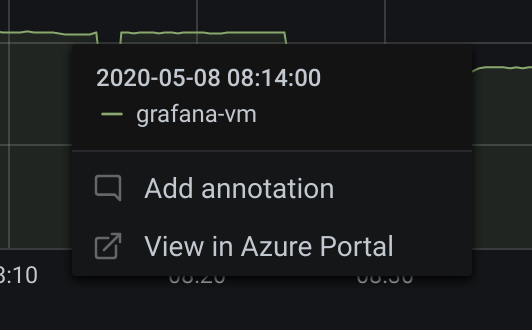
The new ‘Deep link’ feature was released as part of Grafana V7.0+, this is how it can assist you to start working in Grafana and continue in Log Analytics portal to drill deeper into your data.
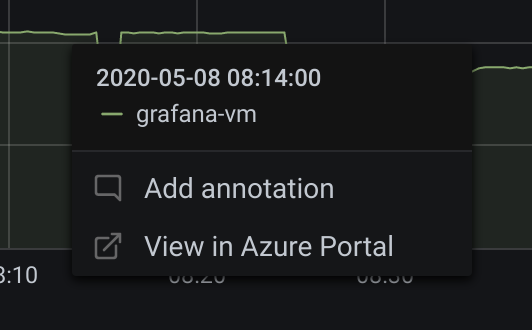
(Only available in Grafana v7.0+)
Click on a time series in the panel to see a context menu with a link to View in Azure Portal. Clicking that link opens the Azure Log Analytics query editor in the Azure Portal and runs the query from the Grafana panel there.
If you’re not currently logged in to the Azure Portal, then the link opens the login page. The provided link is valid for any account, but it only displays the query if your account has access to the Azure Log Analytics workspace specified in the query.
by Contributed | Nov 8, 2020 | Technology
This article is contributed. See the original author and article here.
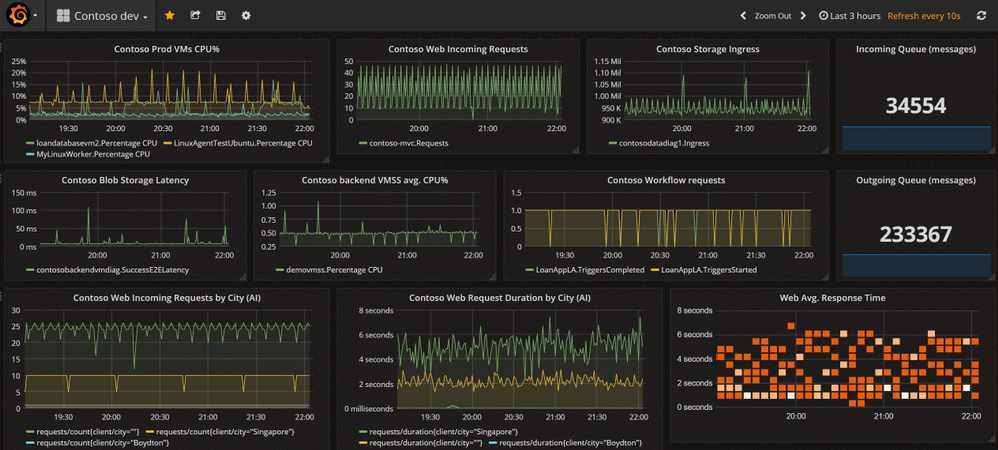
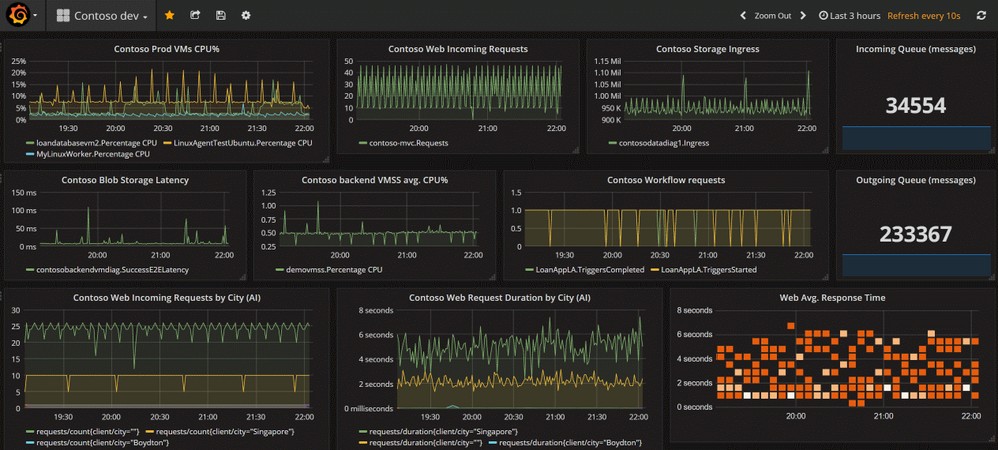
We are closely working with Grafana to provide you with new Azure Monitor capabilities when using Grafana’s dashboards. The following list consists of the upcoming features and bug fixes.
7.1.4
Features/Enhancements:
- Azure App Insights Alert error – tsdb.HandleRequest() failed to convert dataframe “” to tsdb.TimeSeriesSlice. #26897
- AzureMonitor: map more units. #26990
- Azuremonitor: do not set unit if literal “Unspecified”. #26839
7.1.5
Bug Fixes:
- AzureMonitor: fix panic introduced in 7.1.4 when unit was unspecified and alias was used. #27113
7.2.0
Features/Enhancements:
- AzureMonitor: select plugin route from cloudname. #27273
Bug Fixes:
- AzureMonitor: Change filterDimensions property to match what is stored. #27459
- Azure/Insights: Fix handling of legacy dimension values. #27513
7.3.0 (beta)
Features/Enhancements:
- AzureMonitor: Pass through null values instead of setting 0. #28126
Bug Fixes:
- Azure Analytics: FormatAs Time series groups bool columns wrong. #27713
- Azure: Fixes cancellation of requests with different Azure sources. #28180
You can also find our full changelog here: https://github.com/grafana/grafana/blob/master/CHANGELOG.md


Recent Comments