by Scott Muniz | Jul 9, 2020 | Uncategorized
This article is contributed. See the original author and article here.
Error: File ‘https://storageaccount.dfs.core.windows.net/parquettest/filename.snappy.parquet‘ cannot be opened because it does not exist or it is used by another process.
Here it goes:
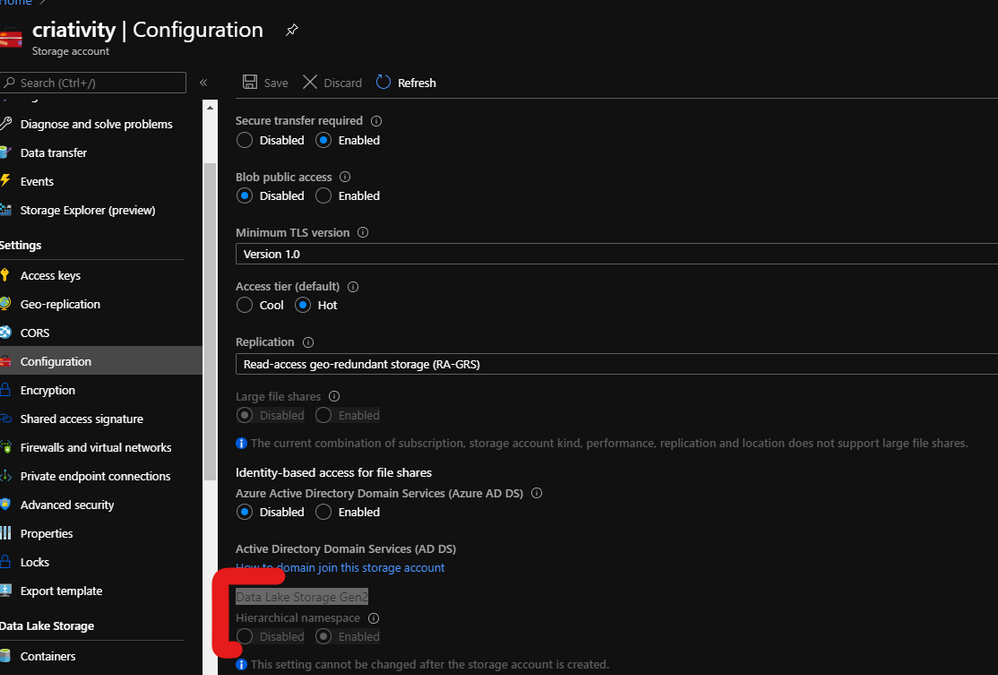
- First check if your account is Data Lake Storage Gen2. This is defined during the creation of the storage account. Fig. 1:
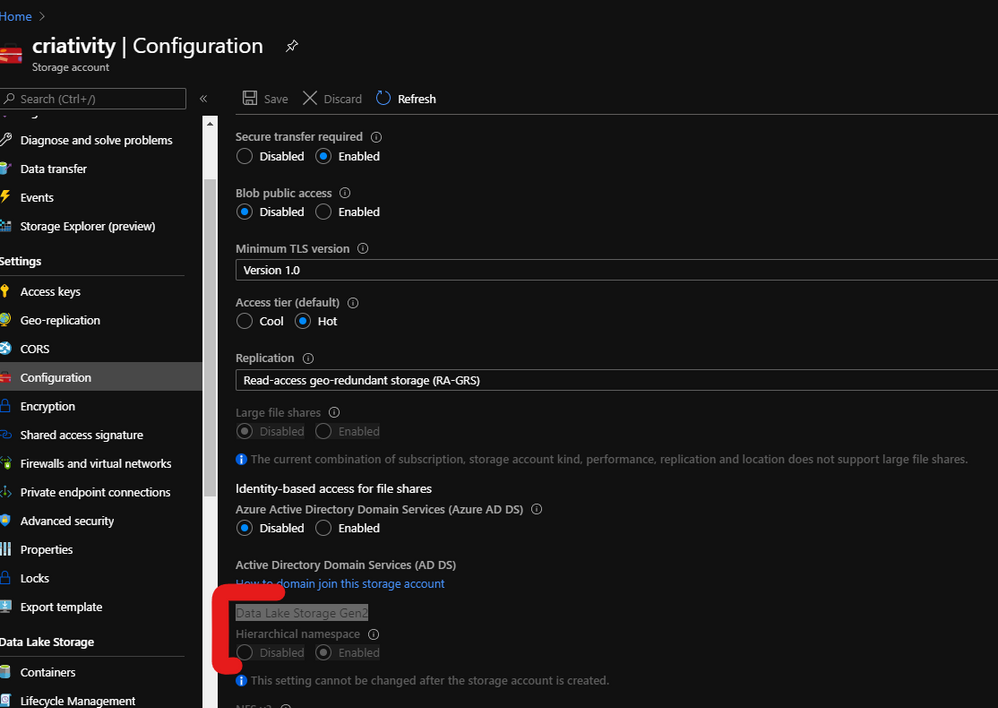
Fig. 1 Data Lake
- I am using for this test Selected NetworkAllow Trusted Microsoft services. But It should work with All Networks as well. Fig. 2.
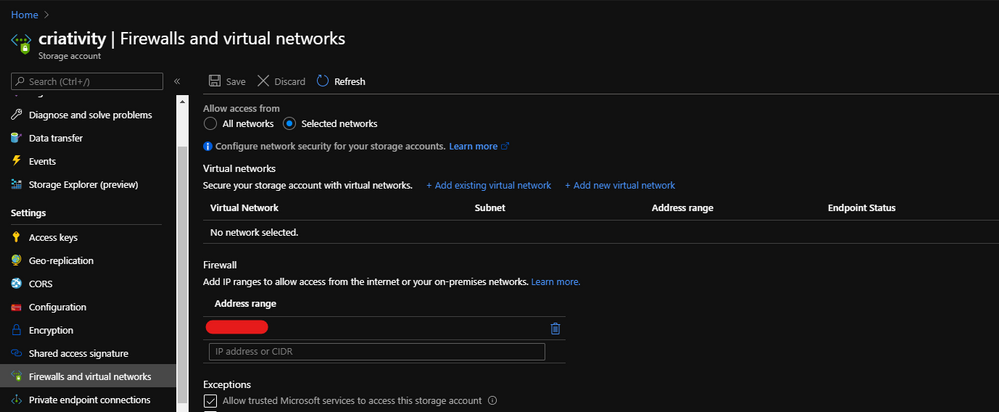 Fig. 2 Firewall
- Add the RBAC permission to your workspace. Fig. 3.
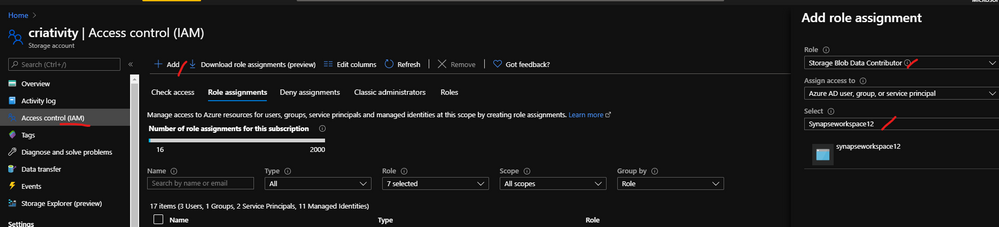 Fig. 3 RBAC
- Open Synapse Studio
- Open Data option for SQL on Demand
- Create a database
- Point to the database created.
- Create the MSI which requires create a master key
- Run OpenRowset using that credential as data source.
Follow the script:
CREATE DATABASE [YourDatabase]
GO
——-Change to YourDatabase
CREATE MASTER KEY ENCRYPTION BY PASSWORD= ‘XXXXX!0000’;
— Create a database scoped credential.
CREATE DATABASE SCOPED CREDENTIAL AppCred WITH IDENTITY = ‘Managed Identity’
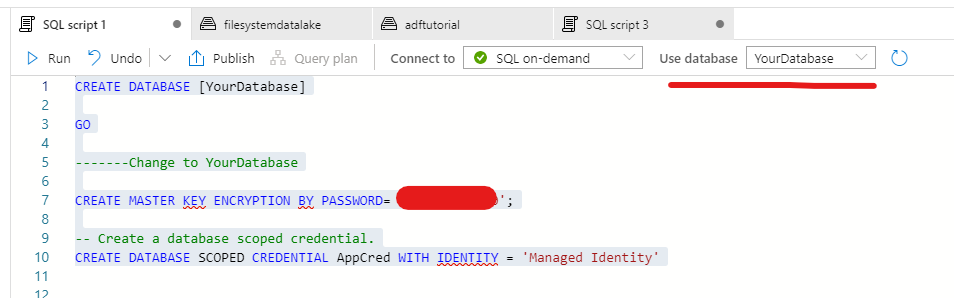
Note my Storage Account is called Criativity, you should use for the MSI .dfs instead of .blob.
CREATE EXTERNAL DATA SOURCE YourDataSourceName_criativity
WITH (
LOCATION = ‘https://criativity.dfs.core.windows.net‘,
cREDENTIAL = [AppCred]
)
SELECT TOP 100 *
FROM OPENROWSET(
BULK ‘parquet/*.parquet’,
DATA_SOURCE = ‘YourDataSourceName_criativity’,
FORMAT = ‘PARQUET’
) as X
That is it!
Thanks to the collegues Charl Roux and Veljko Vasic. :)
Liliam Leme
UK Engineer
by Scott Muniz | Jul 8, 2020 | Uncategorized
This article is contributed. See the original author and article here.
Our mission for Microsoft Defender ATP has always been to protect customers with the best endpoint security solution that they will absolutely love. Since day one, we have been hyper focused on getting direct customer feedback in our development process. For those who have had the opportunity to visit or interact with our teams in Israel, India, or Redmond they would have experienced a level of passion and customer obsession that is inspiring, infectious, and evident that customer focus is deep within the DNA of our culture.
This customer obsession has been the driving force behind our innovation and the features that we’ve delivered. Built in the cloud and based on the broadest and deepest threat intelligence in the world, Microsoft Defender ATP has evolved to become an industry leading, holistic, endpoint security solution.
Today, we are very proud to share that SC Media has awarded Microsoft Defender ATP a perfect 5-star rating in their 2020 Endpoint Security Review.
SC Media, a well-respected technical resource in the cybersecurity industry, has been around since 1989 and is the review arm of SC Magazine. In this review, the magazine highlighted the robustness of our built-in threat and vulnerability management capabilities, the ease with which customers can get an accurate picture of threat incidents, and the fact that our smart prioritization helps connect security alerts and vulnerabilities.
The review acknowledged that our automated investigation capabilities kick in at a certain alert threshold and how the alerts queue streamlines investigations and mitigates alert fatigue. It mentioned our advanced analytics, how they help to connect the dots between and within attacks, and how alerts are surfaced efficiently from several detection sources. It also mentioned that Microsoft Defender ATP simplifies security for all with easy to understand descriptions of threats and root causes right in Microsoft Defender Security Center.
Finally, our agentless, operationally lightweight approach, and simple management interface were highlighted and that security pros will find the product to be a comprehensive unified endpoint security solution that has a full set of capabilities to address today’s threat landscape.
The team is very proud of this recognition, but we really have our customers to thank the most for their partnership and collaboration in our journey with Microsoft Defender ATP.
Alon Rosental, Principal Group Program Manager, Microsoft Defender ATP
by Scott Muniz | Jul 8, 2020 | Azure, Microsoft, Technology, Uncategorized
This article is contributed. See the original author and article here.
Azure Migrate first made its appearance in September 2017. Since being Generally Available in 2018 the team behind it have worked hard adding capabilities to the product that helps add organisations on that data centre migration journey.
The latest feature that the team have released in preview is the ability to assess your on prem VMware virtual machines and understand what that would look like if migrated to the Azure VMware Solution (AVS).
The Azure VMware Solution allows your VMware workloads to run natively within Azure. This solution allows you to keep managing your VMs with the familiar VMware tools while taking advantage of the Azure scale and functionality.
I’ve used the Azure Migrate: Server Assessment Tool with a lot of customers, in order to assess what their current on prem server estate would look like if migrated to Azure in regards to cost and also identify any compatibility issues that need to be dealt with before the migration can go ahead. It’s been useful and successfully used by many to plan their data centre transformation.
I’m pleased to see we now have the capability within Azure Migrate to help those who are looking to migrate their VMware environments from on prem to the Azure VMware Solution (AVS) understand cost implications and compatibility issues.
Discovery of your servers is still the same. You can either import your server estate information from a CSV file or utilize the Azure Migrate: Server Assessment appliance to discover the data within your VMware estate.
Azure Migrate will then help you create an assessment report specifically with hosting your workloads within Azure VMware Solution (AVS) in mind.
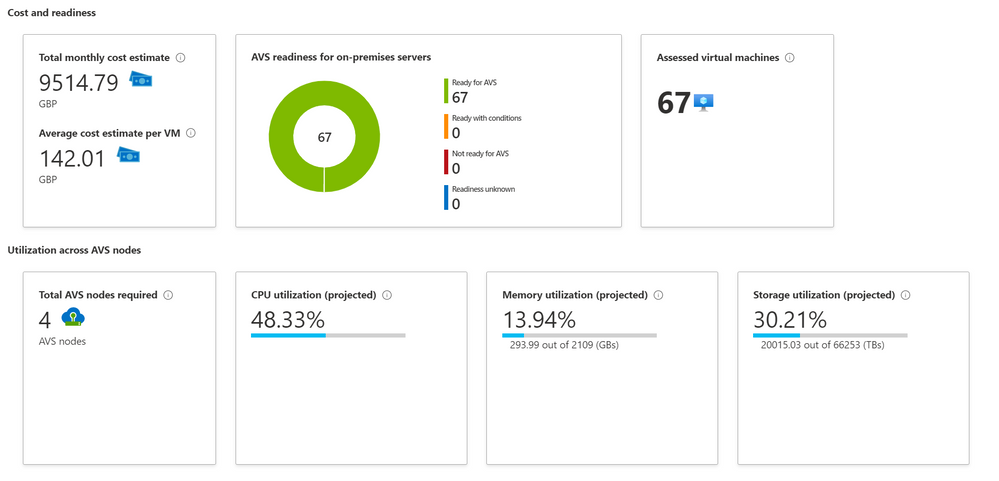
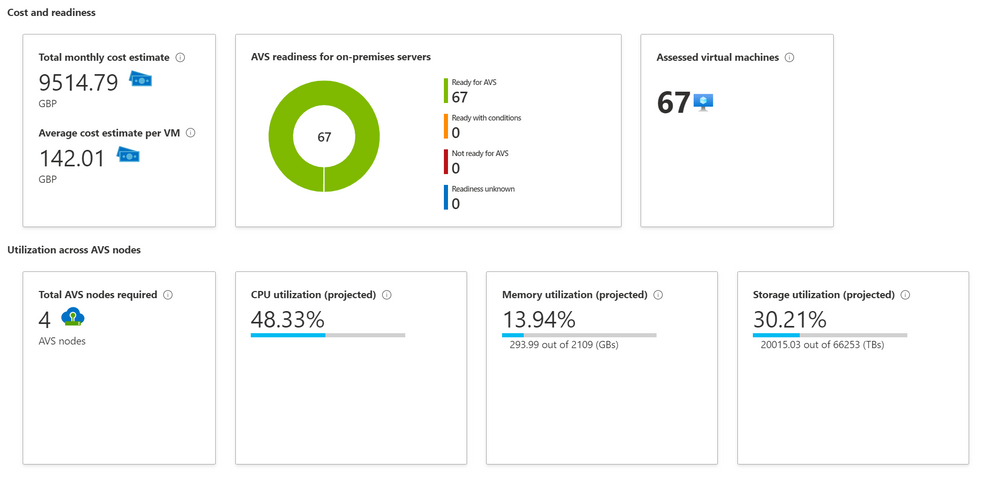 Azure Migrate Assessment Output
The information back from the Azure Migrate Assessment will give you an indication of cost, how many AVS nodes you’ll need and how much CPU, Memory and Storage will be utilized if you moved your workload over to those AVS nodes.
This new feature within Azure Migrate is available in public preview, so is readily available for all to try today. So, if you currently have a VMware environment hosted on prem and would like to see what it would look like if hosted in AVS, give it a go today!
by Scott Muniz | Jul 8, 2020 | Azure, Microsoft, Technology, Uncategorized
This article is contributed. See the original author and article here.
Azure Migrate first made its appearance in September 2017. Since being Generally Available in 2018 the team behind it have worked hard adding capabilities to the product that helps add organisations on that data centre migration journey.
The latest feature that the team have released in preview is the ability to assess your on prem VMware virtual machines and understand what that would look like if migrated to the Azure VMware Solution (AVS).
The Azure VMware Solution allows your VMware workloads to run natively within Azure. This solution allows you to keep managing your VMs with the familiar VMware tools while taking advantage of the Azure scale and functionality.
I’ve used the Azure Migrate: Server Assessment Tool with a lot of customers, in order to assess what their current on prem server estate would look like if migrated to Azure in regards to cost and also identify any compatibility issues that need to be dealt with before the migration can go ahead. It’s been useful and successfully used by many to plan their data centre transformation.
I’m pleased to see we now have the capability within Azure Migrate to help those who are looking to migrate their VMware environments from on prem to the Azure VMware Solution (AVS) understand cost implications and compatibility issues.
Discovery of your servers is still the same. You can either import your server estate information from a CSV file or utilise the Azure Migrate: Server Assessment appliance to discover the data within your VMware estate.
Azure Migrate will then help you create an assessment report specifically with hosting your workloads within Azure VMware Solution (AVS) in mind.
Azure Migrate Assessment Output
The information back from the Azure Migrate Assessment will give you an indication of cost, how many AVS nodes you’ll need and how much CPU, Memory and Storage will be utilised if you moved your workload over to those AVS nodes.
This new feature within Azure Migrate is available in public preview, so is readily available for all to try today. So, if you currently have a VMware environment hosted on prem and would like to see what it would look like if hosted in AVS, give it a go today!

by Scott Muniz | Jul 8, 2020 | Uncategorized
This article is contributed. See the original author and article here.
Introduction
In this series of articles, we will present Premier Services Offerings around Power BI. In this one we will present the Power BI Assessment.

Are you sure that your Power BI tenant follows Microsoft Best Practices? Are you noticing performance problems within your Premium dedicated capacity? Do you know how many users are consuming your reports? The Premier Services Offerings Power BI Assessment can answer these questions and more.
Power BI Assessment overview
Power BI Assessment is a proactive service delivered by a Microsoft accredited engineer to diagnose potential issues with your Power BI environment. Assessment is supported on both the Power BI Service (cloud) and Power BI Report Server (on premises) Engineer will provide valuable guidance on recommended practices to improve the health of your Power BI environment. At the end of this engagement, you will receive a comprehensive Power BI report with results of the assessment, a detailed best practice guidance deck and a summary report tailored to your environment.
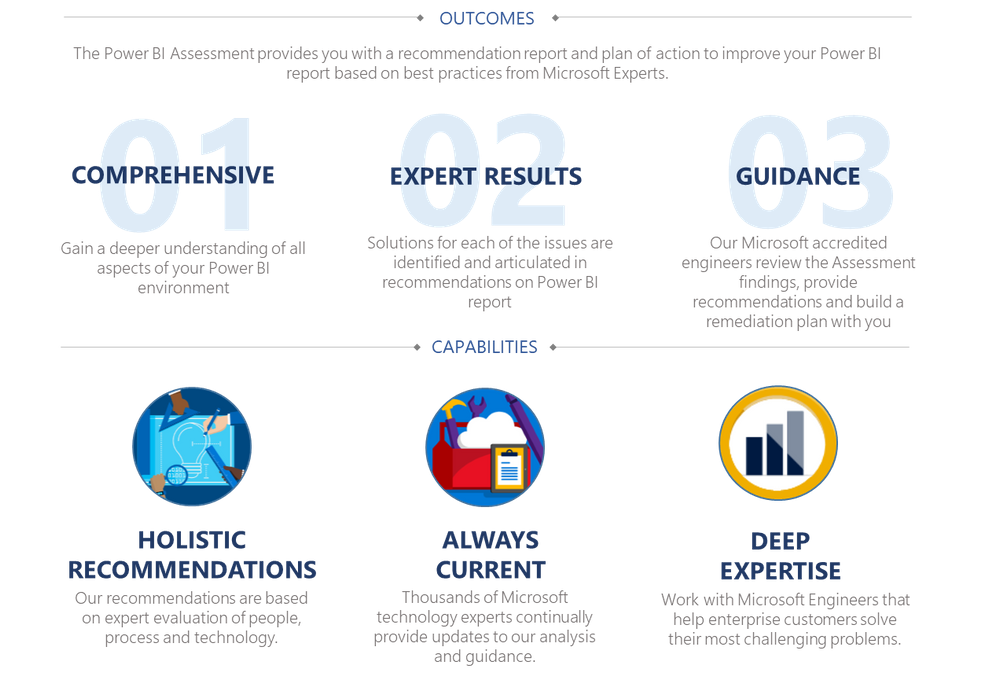
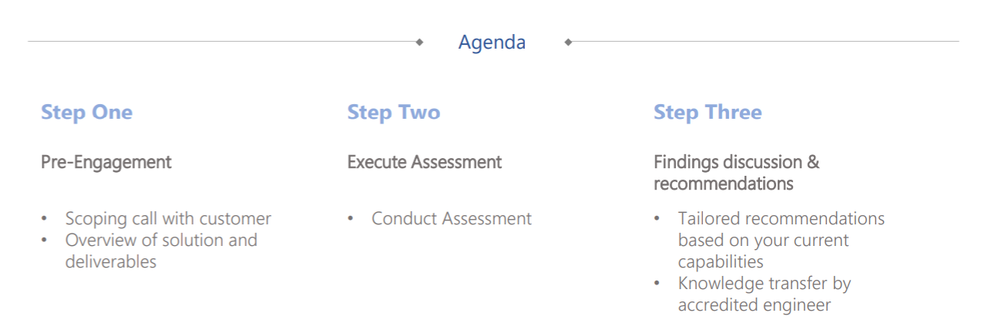
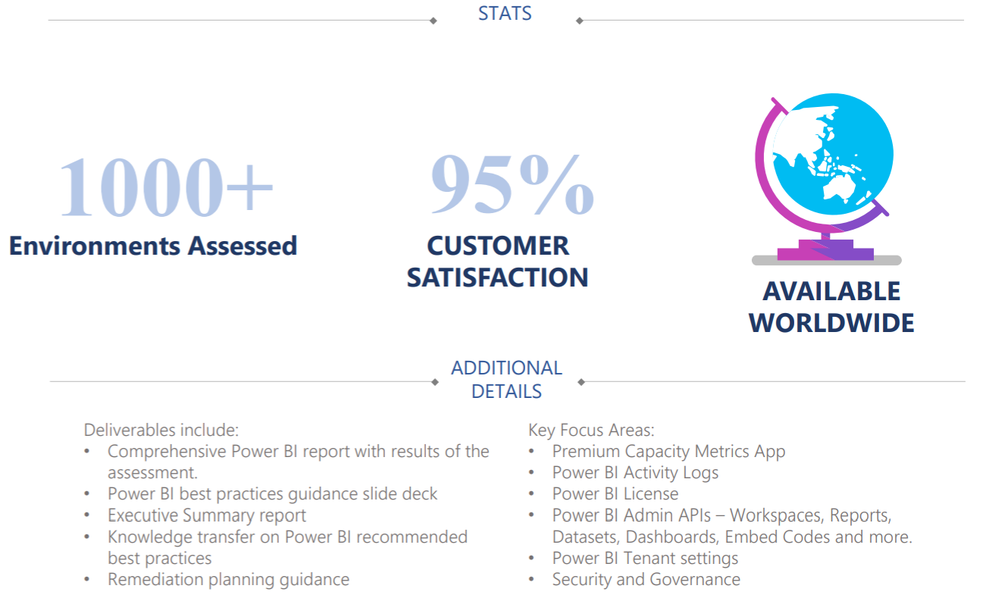
The deliverables include:
- Comprehensive Power BI report with results of the assessment.
- Power BI best practice guidance slide deck
- Executive Summary report
- Knowledge transfer on Power BI recommended best practices
- Remediation planning guidance
- Data collection scripts
Note that, the assessment will be even more valuable if you have Power BI Premium…
Some Key Focus Areas:
- Premium Capacity Metrics App
- Power BI Activity log
- Power BI Admin APIs – Workspaces, Reports, Datasets, Dashboards, Embed Codes and more.
- Power BI Tenant settings
- Security and Governance
- Power BI Report Server – execution logs, catalog database, performance counters and more.
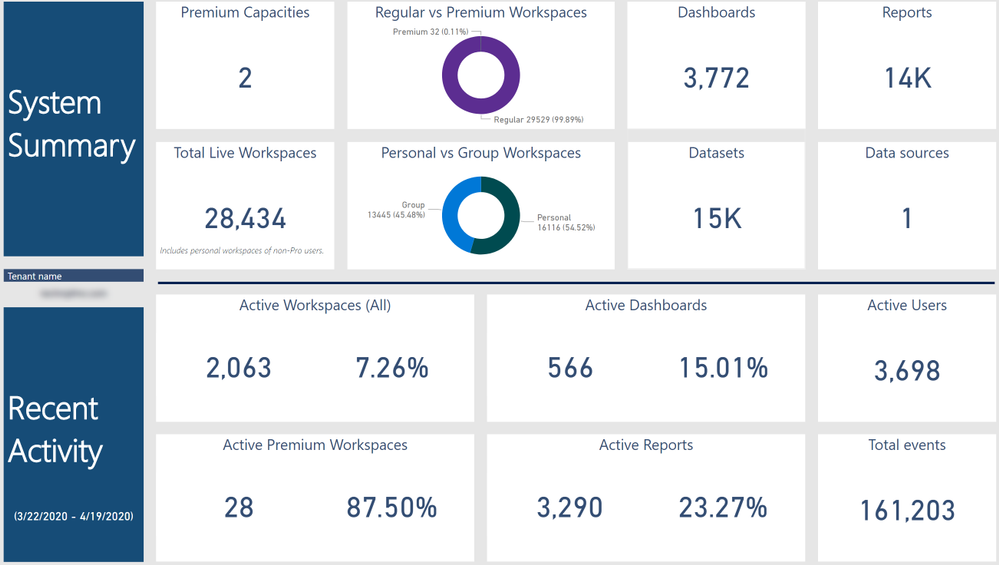
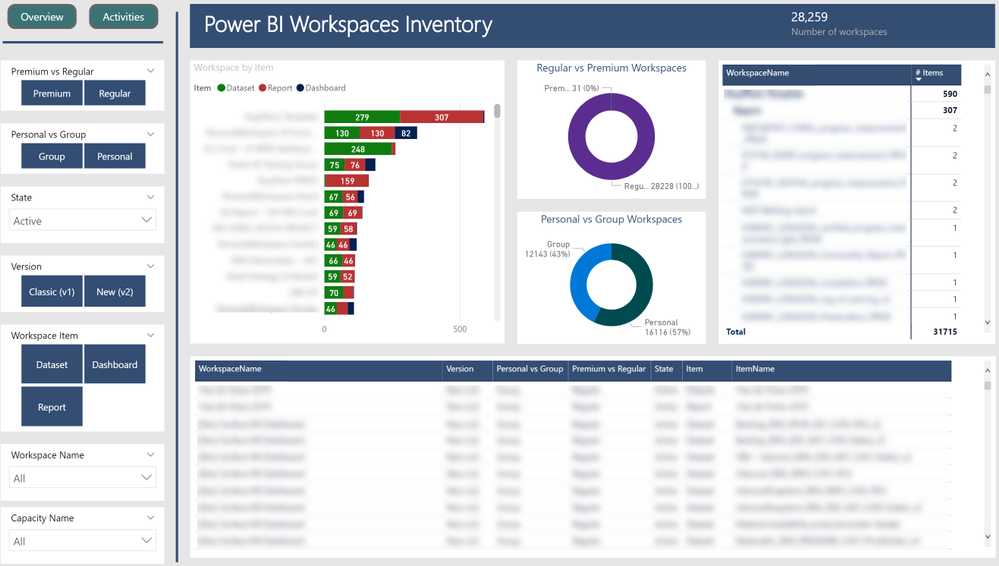
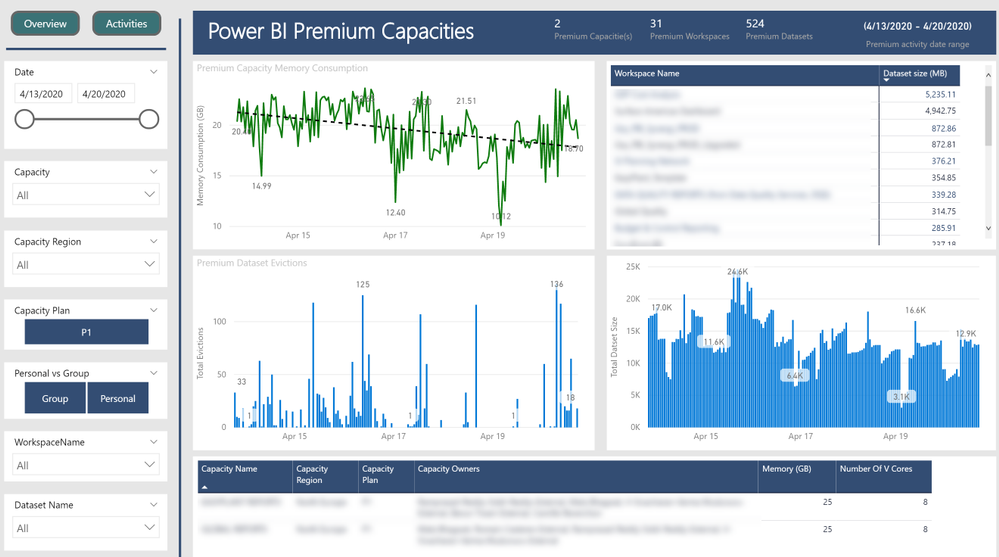
Screenshot of some of the pages from a sample output repot below:
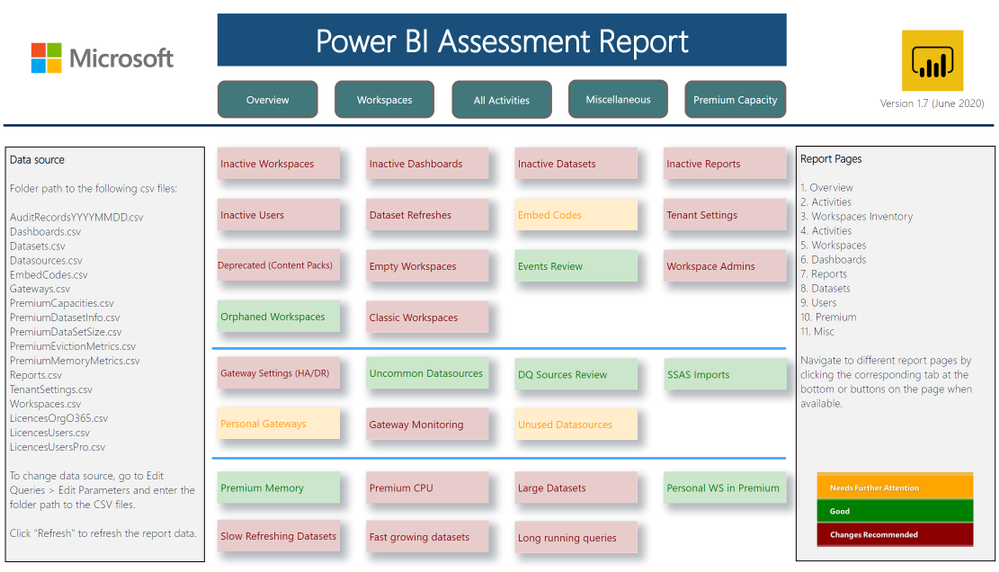
This service has already been delivered many times across the globe and received positive feedback. We continuously improve the content based on customer and engineer feedback.
Road Map
Some of the planned improvements in upcoming releases listed below:
- Collection of additional Premium capacity metrics
- Include data collection and metrics for Dataflows
- Include data collection and metrics for all Gateways in the tenant
- Other general improvements in data collection and reporting
Follow up and feedback
For further information, please contact your Microsoft Account Representative, Technical Account Manager (TAM) or Service Delivery Manager (SDM).
To improve our workshop, we always consider feedback from you. At Microsoft, achieving a high level of satisfaction among our customers and partners around the world is a core component of our business. For that reason, don’t hesitate to complete the surveys and provide feedback.
Special thanks and credits to the development team:
- Batuhan Yildiz, PM, ASD from USA
- Raghu Prasad B R, Data & AI PFE from USA
- Rick Meijvogel, Data & AI PFE from Netherlands
- Romain Casteres, Data & AI PFE from France
- Sajas Salahuddeen, Data & AI PFE from USA
- Tincy Elias, Data & AI PFE from UAE
- Viktor Radu, Data & AI PFE from USA
Thanks to Sajas Salahuddeen and Raghu Prasad B R for this article review.
Author: Romain Casteres, Senior Data & AI Premier Field Engineer based in Paris, France.


Recent Comments