by Scott Muniz | Jul 21, 2020 | Uncategorized
This article is contributed. See the original author and article here.
Today, we are excited to announce the public preview of Universal Print, and share news on the partners we are working with. Head over to the official public preview announcement to learn more!
Organizations of all sizes are excited about Universal Print
In March of 2020, we announced the private preview of Universal Print. Today, we have more than 2,500 organizations testing the new service. With the shift to remote work, being able to set up printers and users efficiently and effectively has become more important than ever. Universal Print remains an important part of fulfilling our customers’ business needs, and ~235,000 print jobs have been processed through Universal Print per month since the private preview began in March. Universal Print has enabled employees and teachers to continue printing from home, while critical industries such as healthcare, food processing, and government continue to utilize Universal Print for their needs.
|
“As the largest financial services institution in Norway, printing is critical to our day-to-day business. Universal Print has helped us streamline the way we manage print for cloud connected Windows 10 clients at DNB, and eliminated much of the frustration associated with printing. We have rolled out Universal Print to 1,000 users and counting thus far, and have been very pleased with the overall experience.” – Morten Fagermoen, EUC Architect, DNB Bank ASA
|
At Wild Rose School Division in Alberta, Canada, essential departments have continued to operate. Universal Print has enabled staff members to print from home, minimizing the number of times they had to enter school buildings to run print jobs.
|
“In a situation like this where access to the building is restricted as much as possible, it’s difficult to offer staff high volume print. If our HR or payroll departments need to run checks, they can’t do that from home. Being able to give them Universal Print right now has been a lifesaver. And it’s been able to help keep people safe in the face of a pandemic, by keeping them home as much as possible.” – Scott Hetherington, Senior Systems Analyst, Wild Rose School Division
|
Get involved with Universal Print
For more information on the public preview, please see our announcement post.
We invite you to join our other customers and partners here in the Universal Print Tech Community to discuss your experiences, ask questions or get support. Universal Print is a fully supported service, even during public preview. This community is also where the Universal Print team is sharing what they are working on, and where you can engage with them and share feedback, questions, and requests.
by Scott Muniz | Jul 21, 2020 | Uncategorized
This article is contributed. See the original author and article here.
Today we are excited to announce the public preview of Universal Print, a Microsoft 365 service that enables an intuitive, rich, and secure print experience for users, while helping IT reduce time and effort.
Organizations moving to the cloud with Microsoft 365 have responded en masse since we announced the private preview of Universal Print in March, and today we have more than 2,500 customers testing the new service. Many of them have accelerated their adoption of cloud services and Universal Print because employees and teachers working from home can now print to company or school printers from anywhere when connected to the internet. While many processes have gone paperless, many critical business processes – especially in education, healthcare, and other industries – still require print.
What is Universal Print?
Universal Print provides a user-friendly, easy print experience that also:
- Eliminates the need to install printer drivers because it is built into the Windows experience
- Helps you to find printers both near and outside of your current location
- Enables print from zero-trust networks via single sign-on (SSO) when connected to the internet and authenticated to Azure Active Directory (Azure AD).
For IT professionals who are managing print, Universal Print offers:
- A print solution to unblock the move to the cloud and support print for Azure AD users.
- Managed printing in zero-trust networks.
- Eliminates the need to manage print servers or the need for complex hybrid print solutions.
- A centralized portal that enables robust management capabilities.
- Visibility and insights into your print with reporting.
- Print data stored in the same manner as other Microsoft Office data, in accordance with Microsoft’s data management guidelines.
- Printer deployment and default printer configuration on end-user devices using Microsoft Endpoint Manager (Microsoft Intune).
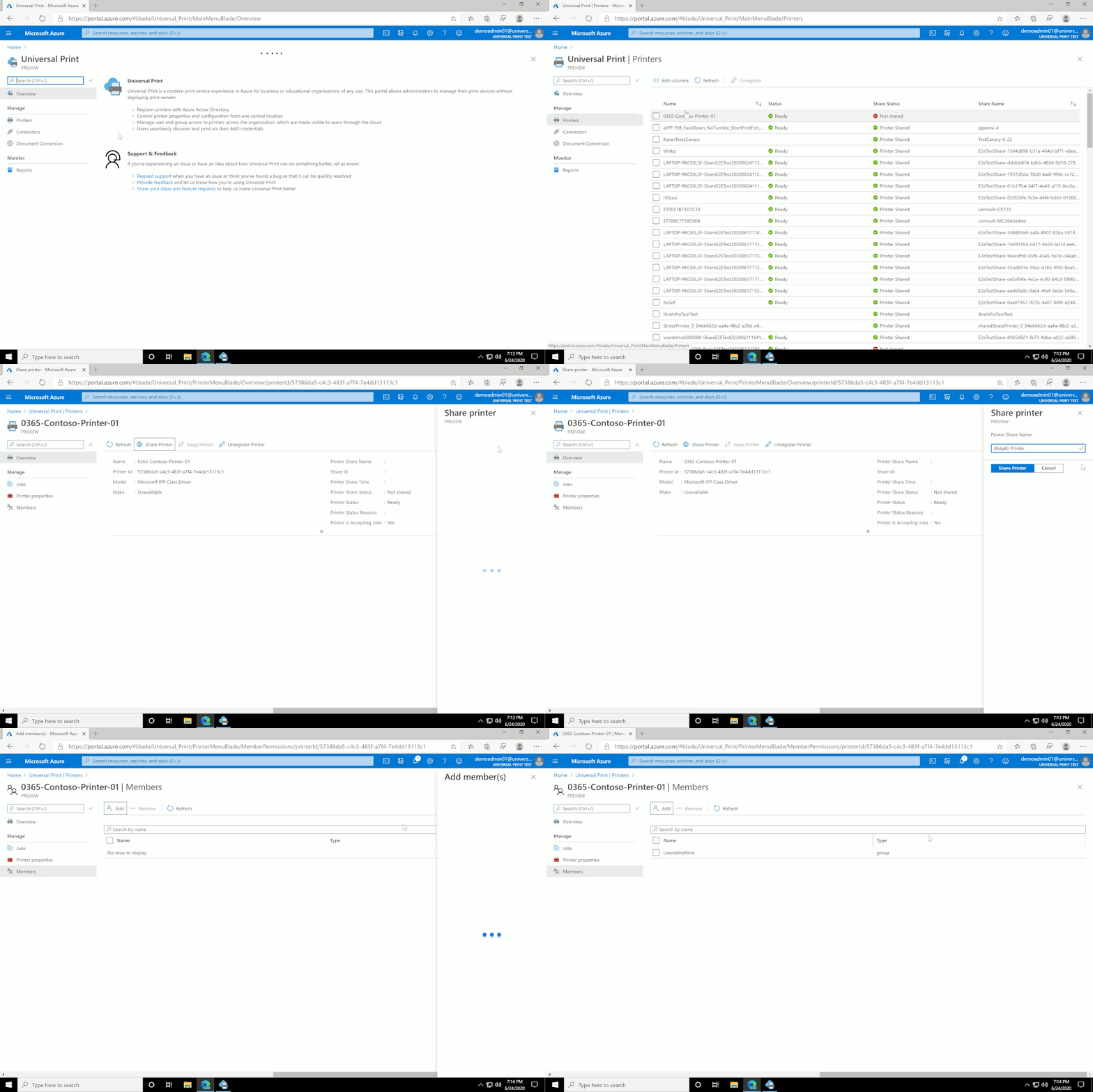 The ease of sharing a printer with Universal Print
Universal Print public preview rolling out globally
We are ready to roll out the Universal Print public preview to data centers in North America, Europe, and Asia Pacific in waves over the next weeks. We will start with Microsoft 365 E5 and A5 tenants, followed by customers who have a Microsoft 365 E3 or A3 subscriptions, and then those who have Windows 10 E3, A3 and E5 only subscriptions. And finally, we will complete the roll-out with Microsoft 365 Business Premium and Microsoft 365 Firstline F3 customers. Details will be published on the Universal Print release page, where you can start your journey with us.
Partners are essential to Universal Print
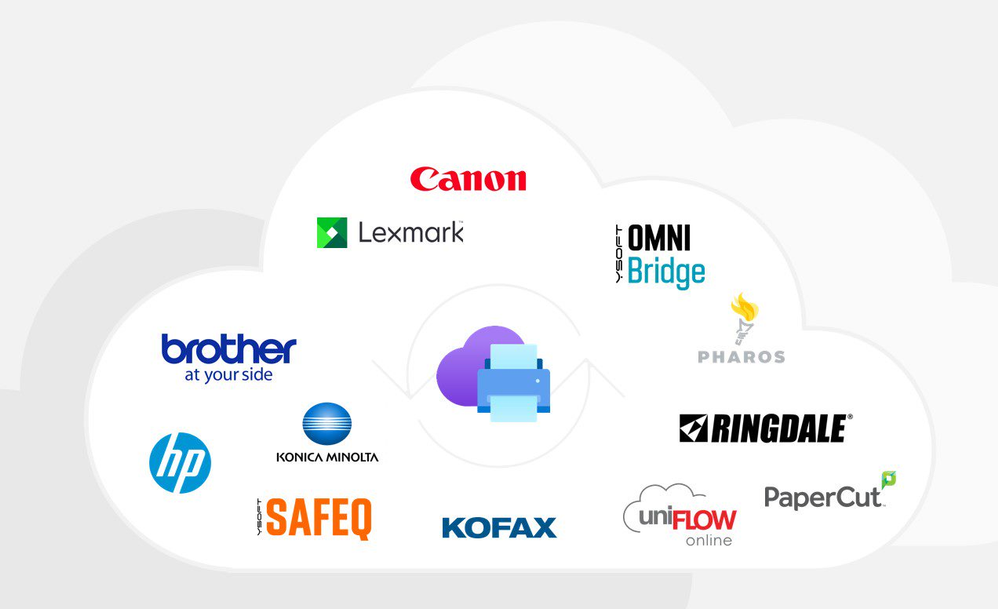 Universal Print partners
Customers are not the only ones getting onboard. The service opens opportunities to many partners who are selling print solutions to Microsoft 365 customers.
Partners are hard at work to integrate cloud solutions, software solutions, and printers with Universal Print.
For existing printers, customers can simply use a Universal Print connector application that connects printers to Universal Print. It is available for download and can be installed on any Windows 10 PC, learn more here. However, Printers that natively support Universal Print will offer the best cloud experience.
Brother is actively working on native device support for Universal Print.
|
“Brother is working with Microsoft to offer integration with the Universal Print service on select Brother devices in order for organizations to manage their print infrastructure through Microsoft 365 cloud services. This integration should be complete in early 2021.” — Frank Martin, Senior Director, Solutions Development Business Machine Group
|
Canon Inc. joined the Universal Print effort as a part of the private preview in March, and today is reaffirming its commitment to integrate with Universal Print:
|
“Canon, a leader in digital imaging solutions, will support the Universal Print solution natively with current imageRUNNER ADVANCE products beginning in 2H 2020. uniFLOW Online Express, a free SaaS solution running on Microsoft Azure, can provide device authentication, print/copy/scan/fax reporting, and scan to myself while using Universal Print.” — Isamu Sato, Senior General Manager, Digital Printing Business Operations, Canon Inc.
|
In addition, HP Inc. announced it will work with Microsoft to build a cloud-to-cloud integration with Universal Print and the HP Managed Print Cloud Services platform. Through this collaboration, organizations will be able to increase security, manage devices, and limit print jobs to authorized users.
|
“By collaborating with Microsoft to integrate Universal Print with HP Managed Print Cloud Services, we’re providing our customers with the flexibility to choose the solution that best suits their needs. This cloud-to-cloud integration will enable Universal Print users to print virtually anywhere, simply and securely.” — David Prezzano, General Manager and Global Head, Print Services and Solutions Category, HP Inc.
|
Kofax will be integrating Kofax ControlSuite with Universal Print:
|
“Kofax ControlSuite and Universal Print represent the future of work, providing customers a modern print infrastructure delivered through cloud services. Customers benefit from Microsoft’s cloud services while Kofax ControlSuite provides a single print management, cognitive capture and output management platform across the enterprise, resulting in reduced cost of ownership and improved, secure experiences for employees.” — Chris Huff, Chief Strategy Officer at Kofax.
|
Konica Minolta is partnering with Microsoft to integrate digital workplace services with Universal Print:
|
Konica Minolta is excited about the Universal Print technology from Microsoft that enhances our cloud printing services to the next level. Konica Minolta provides multifunction printers with hybrid print solution, unified technology of on-premises and cloud printing, to add more value to Universal Print – such as print management, secure printing and print-from-anywhere incl. home office to make remote work efficiently. Konica Minolta’s hybrid solution and services with Universal Print help customers digital transformation from on-premises to cloud smoothly to keep pace with customer’s maturity level. — Kazuo Taira, General Manager Digital Workplace Business at Konica Minolta
|
Today, Lexmark announces availability of firmware updates for currently marketed devices to provide native Universal Print support:
|
“Aligning with a cloud strategy is key for our customers as they continue down their journey for document optimization and infrastructure consolidation. Lexmark has a full product portfolio of devices that enable our customers to place the right device where it’s required within their business process. In partnership with Microsoft, we are committed to supporting initiatives such as Universal Print and working together on many other offerings to continue to enable digital transformation for our customers.” — Larry Early, director, Lexmark software and industry marketing
|
NT-ware, a member of the Canon Group, is working on integration with Universal Print for uniFLOW Online.
|
“Cloud technology is the future and Universal Print is another excellent proof that traditional server infrastructure can be moved to the cloud while simultaneously providing new benefits to organizations. uniFLOW Online supports Universal Print and is the answer for businesses seeking enhanced functionality, such as secure printing and scanning, all hosted in Azure.“ — Karsten Huster, CEO, NT-ware
|
PaperCut is building a native Universal Print connector:
|
“PaperCut brings all the print management power you need to give you the best Universal Print experience. The integration’s built in, making it easy for customers to track, control, and secure their Universal Print jobs.” — Jamie McClunie, Product Manager PaperCut
|
Pharos started on the cloud print path in 2013 and is now partnering with Microsoft on Universal Print:
|
Microsoft and Pharos share a vision of a world in which printing is simple, secure, and free of print servers. We look forward to supporting our customers who plan to use Universal Print and Azure Active Directory to simplify their printing operations. — Kevin Pickhardt, CEO, Pharos
|
Ringdale is partnering with us to integrate FollowMe:
|
“Strategically partnering with Microsoft allows Ringdale to augment Universal Print with our security and compliance features that are essential for large enterprises that are transforming their workplaces. Our customers and partners will be able to take advantage of Universal Print with their existing printing fleets.” — Jan Bollmann, Executive Vice President at Ringdale
|
Y Soft is announcing availability of YSoft OMNI BridgeTM, a serverless edge device that instantly connects in-market printers to Universal Print, with YSoft OMNI UP365TM, the first of YSoft OMNI AppsTM:
|
“For companies to accelerate Digital Transformation and take advantage of the Universal Print ecosystem today, they need their existing printer fleets to connect with Universal Print natively or keep maintaining costly on-premises infrastructure. With the YSoft OMNI SeriesTM product family, in particular YSoft OMNI Bridge, a serverless edge device, and YSoft OMNI UP365TM we are proud to work with Microsoft to address the need to support in-market printers with an instant and cost effective way to connect to Universal Print — truly providing businesses with the Future of Print!” — Bruce Leistikow, Director Product Marketing, Y Soft
|
There is a lot of excitement in the print industry with the introduction of Universal Print as part of Microsoft 365.
Give Universal Print a try and let us know how it works for you!
If you would like to participate in the public preview, go aka.ms/UP_TryNow for the details. If you are already part of the private preview, your Universal Print service will continue to work.
We invite you to join our other customers and partners in the Universal Print Tech Community to discuss your experiences, ask questions or get support. Universal Print is a fully supported service, even during public preview. This is also where the Universal Print team is sharing what they are working on, and where you can engage with them and share feedback, questions, and requests.
For more technical details and requirements, see the Universal Print documentation.

by Scott Muniz | Jul 21, 2020 | Uncategorized
This article is contributed. See the original author and article here.

Brother is a leading provider of office equipment technology and document management solutions, including award-winning color and black and white multifunctional printers, scanners, label printers and device-based cloud and mobile technologies.
Brother is working with Microsoft to offer integration with the Universal Print service on select Brother devices for organizations to manage their print infrastructure through Microsoft 365 cloud services. This integration should be complete in early 2021.
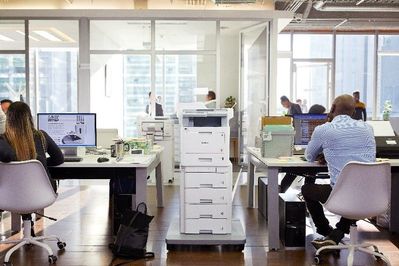
Using the Universal Print Console, companies will be able to do the following:
- Keep an eye on printer status, configurations, and availability
- See who’s using the Brother printers and how much they’re printing
- Configure user permissions
- Connect Brother devices natively to Universal Print cloud service without the need for an on-premises Universal Print connector.
by Scott Muniz | Jul 21, 2020 | Uncategorized
This article is contributed. See the original author and article here.
Canon, a leader in digital imaging solutions, is the first partner to work with Microsoft to help create the Universal Print solution.
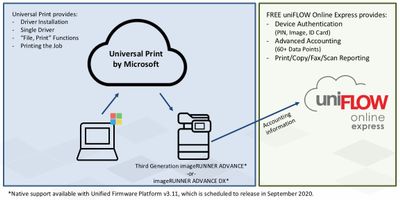
Native support for Universal Print with imageRUNNER ADVANCE DX and third generation imageRUNNER ADVANCE models is included from version 3.11 of the Unified Firmware Platform, which is scheduled to release in the second half of 2020. This allows users to print to these models using Universal Print without the need for local print servers.
Native connection for both new and older devices
Connecting a supported imageRUNNER ADVANCE device natively to Universal Print is a very simple process for administrators:
- From the Remote User Interface, navigate to the “Network settings” section and select “Settings for Universal Print”
- Here, enter the name of the printer to be used in Universal Print and the registration process is started
- After a few seconds, a registration URL and unique device code is shown
- Click on the registration URL, login with Azure AD credentials, enter the unique code, and complete the process
The administrator can share this print queue to all users in their Azure Active Directory or a selected number of users/groups. Default print settings such as double-sided printing can be applied.
By using the normal “Add Printer” option in Windows 10, the user can connect to the imageRUNNER ADVANCE printer. When printing a document, the user can control the supported functionality provided by the imageRUNNER ADVANCE device such as duplex, staple and hole-punch.
Printing to legacy or current Canon devices which do not support the Unified Firmware Platform is also possible by using the Universal Print connector software.
More information about imageRUNNER ADVANCE models can be found at www.usa.canon.com/simplyadvanced (USA) and https://www.canon-europe.com/business-printers-and-faxes/imagerunner-advance-dx/ (EMEA).
uniFLOW Online Express to support Universal Print by Microsoft
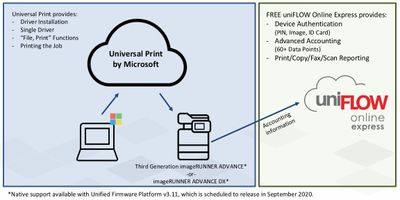
imageRUNNER ADVANCE devices also include a free connection to uniFLOW Online Express, a SaaS service also running on Microsoft Azure. uniFLOW Online Express can provide device authentication, comprehensive print/copy/fax/scan reporting, and scan to myself while using Microsoft Universal Print.
For additional functionality, a subscription to the full version of uniFLOW Online can be purchased. This adds features such as the ability to print via the cloud from other operating systems, secure printing, mobile printing, and scanning to other destinations such as OneDrive, OneDrive for Business, SharePoint Online and other cloud storage services delivering efficient electronic filing solution. In addition, imageRUNNER and imageCLASS/ i-SENSYS models connected to uniFLOW Online can use Universal Print without the need for the Universal Print connector software.
by Scott Muniz | Jul 21, 2020 | Uncategorized
This article is contributed. See the original author and article here.
Much like Universal Print by Microsoft, Kofax ControlSuite ushers in a new era of print and capture management possibilities. Together, ControlSuite and Universal Print empower cloud-ready organizations to take control of their print and capture needs in ways never before possible. The initial Universal Print launch utilizes the Universal Print connector as a proxy between the Universal Print services in the cloud and an organization’s existing on-premises print servers and devices. Kofax is excited to announce that our print-focused ControlSuite products, Equitrac and Output Manager, can work with Universal Print in this scenario to continue delivering the value upon which companies have come to depend.
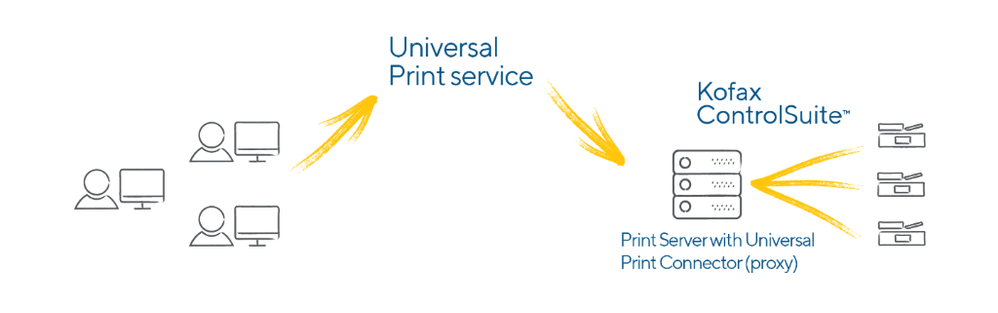
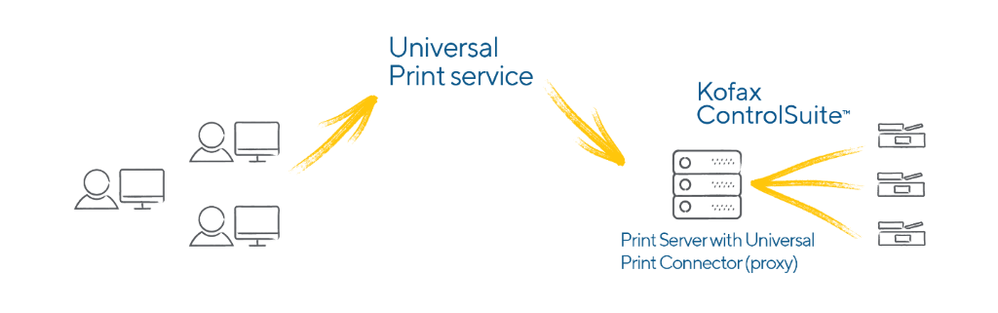
In its initial release, Universal Print will utilize the Universal Print connector to enable the Universal Print platform to connect to existing print devices which do not natively support the full Universal Print solution. The Universal Print connector allows the Universal Print service to route users’ documents through existing print servers where ControlSuite takes over to speed productivity, ease administrative work, minimize security breaches and reduce compliance costs. The general flow of documents in this architecture is diagrammed below:
Organizations with hybrid cloud/on-premises environments also typically run an on-prem Active Directory. It is important to note that ControlSuite utilizes these on-prem AD systems for authentication. Therefore, customers implementing the Universal Print connector to print to legacy devices will also need to configure Azure AD Connect to synchronize between the Azure AD and on-premises AD systems. This will ensure documents are identified with the appropriate user. After synchronization between AD systems has been configured, ControlSuite installation and configuration is exactly the same as for organizations who have not yet migrated to Universal Print.
After the initial launch of Universal Print, device manufacturers will begin releasing new devices that natively support the Universal Print platform without needing the proxy connector and may even offer firmware updates for existing devices. The shift to native Universal Print functionality will also allow third party vendors like Kofax to enable their products to manage devices through Microsoft Graph API connectivity, thereby reducing or even eliminating the need for on-premises print servers—realizing an even more tightly integrated and seamless user and administrator experience. Kofax looks forward to continuing the journey with Microsoft as the market continues the adoption of Universal Print. Learn more about ControlSuite at Kofax.com/controlsuite.


Recent Comments