
by Contributed | Apr 21, 2021 | Technology
This article is contributed. See the original author and article here.
Welcome to the eDiscovery in Microsoft 365 One Stop Shop Resource Page!
We built this page to help you easily find all relevant content and resources relating to the compliance solutions in Microsoft 365. Please bookmark this page for future reference as we will update it on an ongoing basis.

Requests for content can be submitted with this form: https://aka.ms/mipc/mipcOSS
Back to MIPC One Stop Shop Resource Page
by Contributed | Apr 21, 2021 | Technology
This article is contributed. See the original author and article here.
In December 2020, we notified the learning community of a couple changes to the Microsoft Certification program. Today, we’re announcing the effective time and date for the change in certification validity period. Starting 12 AM GMT on June 30, 2021, (5 PM PT on June 29, 2021), all newly earned role-based and specialty certifications will be valid for one year from the date the certification was earned. All required exams must be passed before 12 AM GMT on Jun 30, 2021 for certifications to remain valid for two years from the date they were earned; if the required exam(s) are passed after 12 AM GMT on June 30, 2021 certifications will be valid for 1-year from the date they were earned.
And, as a reminder, those who have earned role-based and specialty certifications can renew them annually for free by passing an online assessment on Microsoft Learn. This can be done at any time within six months before the certification expires. When the learner passes the renewal assessment, their certification is extended by one year from the current expiration date.
The shift to validating skills every year—rather than every two years—helps align Microsoft Certifications to evolving job roles and in-demand skills as a result of the rapid pace of change in cloud technologies. This new approach is intended to enable tech professionals to prove that their skills are relevant in the market and to help them stay up to date with evolving technology, while also reducing the stress, complexity, and cost of maintaining an active certification.
Related posts:
by Contributed | Apr 21, 2021 | Technology
This article is contributed. See the original author and article here.
Delivered by some of Microsoft’s top academic specialists, this event series will provide a broad overview of key emerging technologies and explore the role of tech on society and accessibility. We’ll dive into automated machine learning, serverless computing, face application programming and consider the role of the cloud in fighting a pandemic. We’ll also introduce, and help you explore, the world of Microsoft Learn.
Designed for HigherEd Students, this course is open for anyone to attend. Participants who attend at least four events will receive a voucher to schedule a relevant certification for free with Pearson Vue, valued at around $165USD**
Join us to gain valuable insights into bleeding edge technologies, expand your network and improve your employability.
**certification vouchers are limited to one per person, for the first 300 people who attend four events.
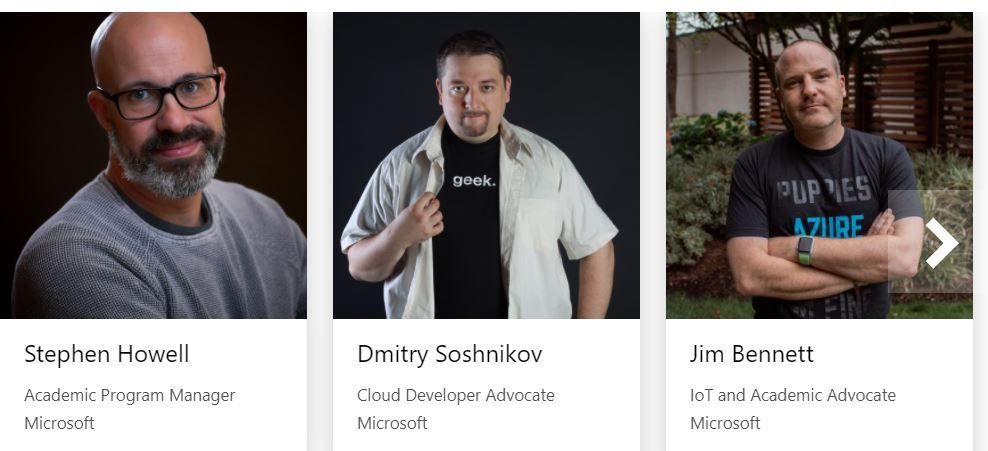
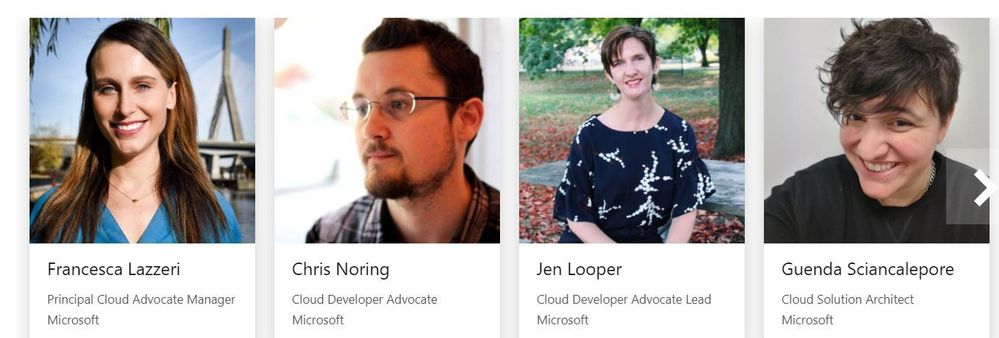
Speakers
Event Registration
Resources
Self-Paced Learning
Learn at your own speed and on your own schedule! Our structured lesson plans and learning paths provide the opportunity to skill up at your own pace.
Livestream Events
Be a part of the action live! Register for online sessions delivered by technical experts on the latest developer topics. Ask questions, gain knowledge, and improve your skills, all in real time.

by Contributed | Apr 21, 2021 | Technology
This article is contributed. See the original author and article here.
Scenario: The customer wants to configure the notebook to run without using the AAD configuration. Just using MSI.
Synapse uses Azure Active Directory (AAD) passthrough by default for authentication between resources.
Requisites:
- Synapse ( literally the workspace) MSI must have the RBAC – Storage Blob Data Contributor permission on the Storage Account. That is also the prerequisite documented
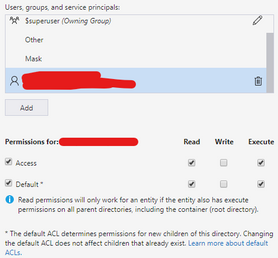
- However, I worked with a customer that setup ACL -> Read and execute permission on the Storage Account <I also tested and it works>
- It should work with or without the firewall on the storage. I mean firewall enable is not mandatory.
- However, If you by security reasons enabled the firewall on the storage be sure of the following:
ACL
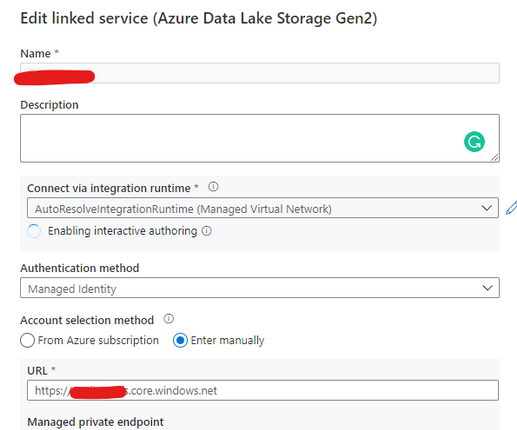
Step 1:
Open Synapse Studio and configure the Linked Server to this storage account using MSI:
Step 2:
Using config set point the notebook to the linked server as documented:
val linked_service_name = "LinkedServerName"
// replace with your linked service name


// Allow SPARK to access from Blob remotely
val sc = spark.sparkContext
spark.conf.set("spark.storage.synapse.linkedServiceName", linked_service_name)
spark.conf.set("fs.azure.account.oauth.provider.type", "com.microsoft.azure.synapse.tokenlibrary.LinkedServiceBasedTokenProvider")
//replace the container and storage account names
val df = "abfss://Container@StorageAccount.dfs.core.windows.net/"

print("Remote blob path: " + df)

mssparkutils.fs.ls(df)
In my example, I am using mssparkutils to list the container.
You can read more about mssparkutils here: Introduction to Microsoft Spark utilities – Azure Synapse Analytics | Microsoft Docs
Additionally:
This link will cover details about ADF, which is not the focus of this post. But, in terms of MSI it covers relevant permissions:
Copy and transform data in Azure Blob storage – Azure Data Factory | Microsoft Docs
Grant the managed identity permission in Azure Blob storage. For more information on the roles, see Use the Azure portal to assign an Azure role for access to blob and queue data.
- As source, in Access control (IAM), grant at least the Storage Blob Data Reader role.
- As sink, in Access control (IAM), grant at least the Storage Blob Data Contributor role.
That is it!
Liliam UK Engineer

by Contributed | Apr 21, 2021 | Technology
This article is contributed. See the original author and article here.
Welcome back to Reconnect, the biweekly series that catches up with former MVPs and their current activities.
This week we are thrilled to be joined by 14-time titleholder Steve Banks! Hailing from the Seattle area, Washington, Steve is President of Banks Consulting Northwest.
The business focuses on servicing the information technology needs of small to medium businesses in the greater Puget Sound region of Washington State. Moreover, Banks Consulting Northwest has participated extensively in Microsoft’s Technology Adoption Program, helping to gather feedback and real-world user experiences of Microsoft solutions in the small business space.
Steve has collaborated with Microsoft, Forbes, Hewlett-Packard, Trend Micro, and others on white papers and case studies. Further, he has been awarded the title of MVP 14 times from 2004 (Windows Server and Cloud & Datacenter Management) and holds Microsoft Certifications in Windows Client and Server products, including Small Business Server.
When he’s not hard at work, Steve plays a vital role in his community. He founded the Puget Sound Small Business Server User Group and likes to keep up to date with all things happening in the Microsoft space.
For example, he has contributed to multiple exams and coursework with Microsoft Learning, co-authored books on Small Business Server, and participated in numerous conferences and workshops related to Microsoft Server products and IT consulting.
For more on Steve, check out his Twitter @stevenabanks.


Recent Comments