
Microsoft 365 PnP Community – January 2022 update
This article is contributed. See the original author and article here.
Microsoft 365 Community (PnP) January 2021 update is out with a summary of the latest guidance, samples, and solutions from Microsoft or from the community for the community. This article is a summary of all the different areas and topics around the community work we do around Microsoft 365 ecosystem during the past month. Thank you for being part of this success.
Sharing is caring!
What is Microsoft 365 Community (PnP)
Microsoft 365 PnP is a nick-name for Microsoft 365 platform community activities coordinated by numerous teams inside of the Microsoft 365 engineering organizations. PnP is a community-driven open-source initiative where Microsoft and external community members are sharing their learning’s around implementation practices for Microsoft 365.
Topics vary from Microsoft Viva, Microsoft Graph, Microsoft Teams, Power Platform, OneDrive and SharePoint. Active development and contributions happen in GitHub by providing contributions to the samples, reusable components, and documentation for different areas. PnP is owned and coordinated by Microsoft engineering, but this is work done by the community for the community.
- See more details from New Microsoft 365 Patterns and Practices (PnP) team model with new community leads
The initiative is facilitated by Microsoft, but we have multiple community members as part of the PnP team (see team details in end of the article) and we are always looking to extend the PnP team with more community members. Notice that since this is open-source community initiative, so there’s no SLAs for the support for the samples provided through GitHub. Obviously, all officially released components and libraries are under official support from Microsoft.
Main resources around Microsoft 365 Community:
- Microsoft 365 Community – http://aka.ms/m365pnp – One location for all the resources and news around Microsoft 365 platform
- Microsoft 365 community blog – http://aka.ms/m365pnp/community/blog
- Microsoft 365 development blog – http://aka.ms/m365pnp-blog
- Microsoft 365 Community Channel on YouTube – http://aka.ms/m365pnp-videos
- Microsoft 365 Developer YouTube channel – https://aka.ms/M365DevYouTube
✍ Latest Dev Blog posts
Here are the latest blog posts and announcements around Microsoft 365 development topics from https://developer.microsoft.com/en-us/microsoft-365/blogs.
- 21st of December – New features in Microsoft Graph Bookings APIs provide enhanced booking infrastructure
- 21st of December – Microsoft Graph Bookings APIs now available on the v1 endpoint
Latest community posts at https://aka.ms/m365pnp/community/blog
- 11th of January – Adam Wójcik (Hitachi Energy) | @Adam2585878 – PnP PowerShell or CLI for Microsoft 365 or both or other
- 11th of January – Adam Wójcik (Hitachi Energy) | @Adam2585878 – CLI for Microsoft 365 on your mobile
- 8th of January – Garry Trinder (Microsoft) | @garrytrinder – CLI for Microsoft 365 v4.3
- 5th of January – Chandani Prajapati (Rapid Circle) | @Chandani_SPD – How to convert HTML content or file to PDF using the Muhimbi API?
Community call recording blog posts:
- 7th of January – Adaptive Cards community call – November 2021
- 7th of January – Microsoft 365 Developer Community Call recording – 6th of January, 2021
- 5th of January – Microsoft 365 Platform Call – 4th of January, 2022
- 31st of December – Viva Connections & SharePoint Framework Community Call – 30th of December, 2021
- 30th of December – Microsoft Identity Platform community call – December 2021
- 22nd of December – Microsoft 365 Platform Call – 21st of December, 2021
- 20th of December – Office Add-in Samples – December 2021 update
Microsoft 365 Developer Podcasts
In the Microsoft 365 Developer Podcast, Jeremy Thake and Paul Schaeflein talk Microsoft 365 with fellow industry experts. The show formerly known as Office 365 Podcast is back! New episodes out soon!
blog
Microsoft 365 PnP Weekly Podcasts and vlogs
PnP Weekly is a recurrent podcast with visitors where Vesa and Waldek talk about the latest news and announcements in Microsoft 365 and SharePoint areas.
- 11th of January – Microsoft 365 PnP Weekly – Episode 148 – Carmen Ysewijn (Qubix)
Community Calls
There are numerous different community calls on different areas. All calls are being recorded and published either from Microsoft 365 Developer or Microsoft 365 Community (PnP) YouTube channels. Recordings are typically released within the following 24 hours after the call. You can find a detailed agenda and links to specific covered topics on blog post articles at the Microsoft 365 developer blog when the videos are published.
- Microsoft 365 Platform Call – https://aka.ms/m365-dev-call – Updates and demos from Microsoft as weekly call on Tuesdays – topics vary from Microsoft Teams, Microsoft Graph, Power Platform, SharePoint, OneDrive and more
- Adaptive Cards https://aka.ms/adaptivecardscommunitycall – Updates and news around Adaptive Cards with live demos
- Microsoft identity platform https://aka.ms/IDDevCommunityCalendar – Latest on the identity side
- Office Add-ins https://aka.ms/officeaddinscommunitycall – News and community work around Office add-ins with live demos
- PowerApps https://aka.ms/PowerAppsMonthlyCall – Monthly summary on PowerApps community with live demos
- M365 Community Call https://aka.ms/spdev-sig-call – Bi-weekly – General topics on Microsoft 365 Dev from various aspects – Microsoft Teams, Microsoft Graph Toolkit, Provisioning, Automation, Scripting, Power Automate, Solution design
- Viva Connections & SharePoint Framework Community call https://aka.ms/spdev-spfx-call – Bi-weekly – Consists of topics around SharePoint Framework and JavaScript-based development in the Microsoft Teams and in SharePoint platform.
If you are interested in doing a live demo of your solution or sample in these calls, please do reach out to the PnP Team members (contacts later in this post) and they are able to help with the right setup. These are great opportunities to gain visibility for example for existing MVPs, for community members who would like to be MVPs in the future or any community member who’d like to share some of their learnings.
Microsoft 365 Community (PnP) Ecosystem in GitHub
Most of the community driven repositories are in the PnP GitHub organization as samples are not product specifics as they can contain numerous different solutions or the solution works in multiple different applications.
- Microsoft Graph Toolkit – Repository and project on Microsoft Graph Toolkit controls – welcomes community contributors
- PnPjs – PnPjs Framework repository
- CLI Microsoft 365 – Cross-OS command line interface to manage Office 365 tenant settings
- generator-spfx – Open-source Yeoman generator which extends the out-of-the-box Yeoman generator for SharePoint with additional capabilities
- generator-teams – Open-source Microsoft Teams Yeoman generator – Bots, Messaging Extensions, Tabs, Connectors, Outgoing Web hooks and more
- teams-dev-samples – Microsoft Teams targeted samples from community and Microsoft engineering
- script-samples – Scripting samples for automating operations in Microsoft 365 with PowerShell modules or CLIs
- Sharing is Caring – Getting started on learning how to contribute and be active on the community from GitHub perspective.
- pnpcore – The PnP Core SDK is an SDK designed to work against Microsoft 365 with Microsoft Graph API first approach
- powershell – PnP PowerShell module which is PowerShell Core module targeted for Microsoft 365
- pnpframework – PnP Framework is a .Net Standard 2.0 library targeting Microsoft 365 containing the PnP Provisioning engine and a ton of other useful extensions
- spfx-reference-scenarios – Samples for the Microsoft Teams and Viva Connections, implemented using SharePoint Framework
- sp-dev-fx-aces – Samples on the Adaptive Card Extensions for Microsoft Viva
- sp-dev-fx-webparts – Client-side web part samples from community and Microsoft engineering
- sp-dev-fx-extensions – Samples and tutorial code around SharePoint Framework Extensions
- sp-dev-fx-library-components – Samples and tutorial code around the SharePoint Framework library components
- sp-starter-kit – Starter kit solution for SharePoint modern experiences
- sp-dev-build-extensions – Different build extensions like gulp tasks and gulp plugins from the community and engineering around SharePoint development
- sp-dev-solutions – Repository for more polished and fine-tuned reusable solutions build with SharePoint Framework
- sp-dev-samples – Repository for other samples related on the SharePoint development topics – WebHooks etc.
- sp-dev-fx-controls-react – Reusable content controls for SharePoint Framework solutions build with React
- sp-dev-fx-property-controls – Reusable property pane controls to be used in web parts
- list-formatting – Open-source community-driven repository for the column and view formatting JSON definitions
- sp-dev-site-scripts – Open-source community-driven repository for community Site Designs and Site Scripts
- sp-dev-modernization – Tooling and guidance around modernizing SharePoint from classic to modern
- sp-power-platform-solutions – Solution and sample code for SharePoint Power Platform solutions
- powerfx-samples – Samples that demonstrate different usage patterns for the Power Fx low-code programming language
- powerapps-samples – Samples that demonstrate different usage patterns for Power Apps
- powerautomate-samples – Samples that demonstrate different usage patterns for Power Automate
- powerva-samples – Samples that demonstrate different usage patterns for Power Virtual Agents
- AdaptiveCards-Templates – Samples on showcasing the art of possible with adaptive cards
All SharePoint specific repositories or services supported directly by Microsoft are located in the SharePoint GitHub organization
- sp-dev-docs – Source for new SharePoint dev center documentation exposed from http://docs.microsoft.com/en-us/sharepoint/dev
- sp-dev-provisioning-templates – Open-source templates used by the SharePoint Look Book site
- sp-provisioning-service – Source code of the SharePoint look book site
Classic PnP named repositories – older tooling
- PnP-Tools – Tools and scripts targeted more for IT Pro’s and for on-premises for SP2013 and SP2016
- PnP-Provisioning-Schema – PnP Provisioning engine schema repository
Repositories in the GitHub Microsoft Search organization controlled by the PnP initiative
- pnp-modern-search – Home of PnP Modern Search solutions, see more from the documentation
Other related resources from GitHub
- Office add-in Patterns and Practices in GitHub – Community contributions welcome!
- Microsoft Graph GitHub organization
- OfficeDev GitHub organization – Includes all Microsoft Teams samples from Microsoft
What’s supportability story around the community tooling and assets?
Following statements apply across all of the community lead and contributed samples and solutions, including samples, core component(s) and solutions, like SharePoint Starter Kit, yo teams or PnP PowerShell. All Microsoft released SDKs and tools are supported based on the specific tool policies.
- PnP guidance and samples are created by Microsoft & by the Community
- PnP guidance and samples are maintained by Microsoft & community
- PnP uses supported and recommended techniques
- PnP is an open-source initiative by the community – people who work on the initiative for the benefit of others, have their normal day job as well
- PnP is NOT a product and therefore it’s not supported by Premier Support or other official support channels
- PnP is supported in similar ways as other open source projects done by Microsoft with support from the community by the community
- There are numerous partners that utilize PnP within their solutions for customers. Support for this is provided by the Partner. When PnP material is used in deployments, we recommend being clear with your customer/deployment owner on the support model
Please see the specifics on the supportability on the tool, SDK or component repository or download page.
Microsoft 365 PnP team model
In April 2020 we announced our new Microsoft 365 PnP team model and grew the MVP team quite significantly. PnP model exists for having more efficient engagement between Microsoft engineering and community members. Let’s build things together. Your contributions and feedback is always welcome! During August, we also crew the team with 5 new members. PnP Team coordinates and leads the different open-source and community efforts we execute in the Microsoft 365 platform.
We welcome all community members to get involved on the community and open-source efforts. Your input do matter!
- New Microsoft 365 Patterns and Practices (PnP) team members – November 2021 – Geetha Sivasailam (Artis Consulting) | @GSiVed, Natalie Pienkowska (Microsoft) | @NataliePienkow1, Derek Cash-Peterson (Sympraxis Consulting) | @Spdcp, João J. Mendes (Valo) | @joaojmendes, Joel Rodrigues (Storm Technology) | @JoelFMRodrigues, Rick Van Rousselt (Advantive) | @RickVanRousselt, Stephan Bisser (Solvion) | @stephanbisser, Tetsuya Kawahara | @techan_k, and Thomas Gölles (Solvion) | @thomyg
- New Microsoft 365 Patterns and Practices (PnP) team members – May 2021 – Gautam Sheth (Valo) and Patrick Lamber (Experts Inside AG)
- New Microsoft 365 Patterns and Practices (PnP) team members – February 2021 – April Dunnam (Microsoft), Emily Mancini (Sympraxis Consulting) and Veronique Lengelle (CPS)
- New Microsoft 365 Patterns and Practices (PnP) team members – December 2020 – Luise Freese and Sébastien Levert
- New Microsoft 365 Patterns and Practices (PnP) team members – August 2020 – Albert-Jan Schot (BLIS Digital), Koen Zomers (Microsoft), Paul Bullock (CaPa Creative), Rabia Williams (Microsoft) and Yannick Plenevaux (PVX Solutions)
Got feedback, suggestions or ideas? – Please let us know. Everything we do in this program is for your benefit. Feedback and ideas are more than welcome so that we can adjust the process for benefitting you even more.
Microsoft 365 PnP Recognition Program
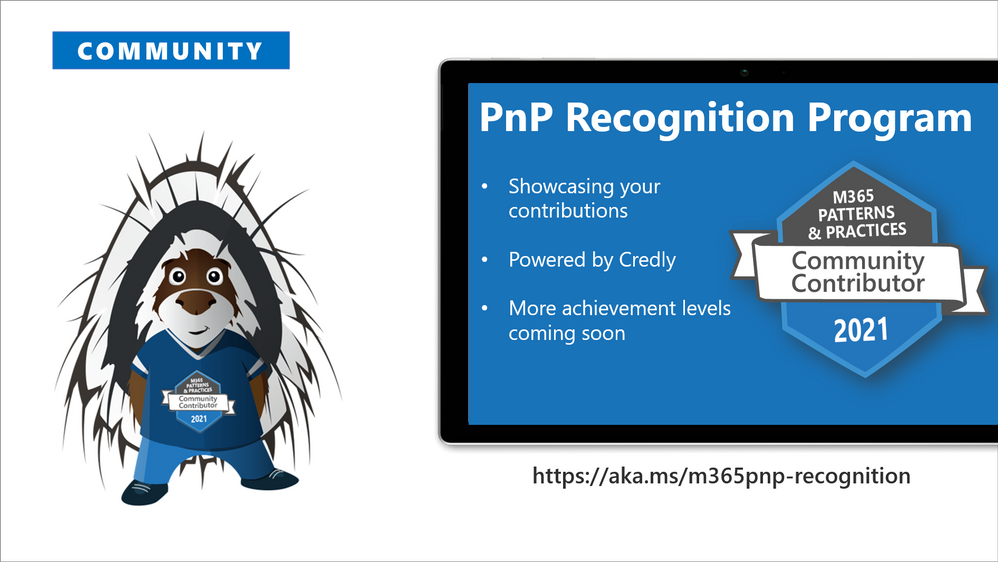
We are excited to announce new community contributor program for all the active community members. Through this program you can get officially acknowledged with the a Credly badge around your work on our open-source and community channels. See more from
https://aka.ms/m365pnp-recognition. Thank you for being part of this journey with us.
⚙ Area-specific updates
These are different areas which are closely involved on the community work across the PnP initiative. Some are lead and coordinated by engineering organizations, some are coordinated by the community and MVPs.
Microsoft Graph Toolkit
Microsoft Graph Toolkit is engineering lead initiative, which works closely with the community on the open-source areas. The Microsoft Graph Toolkit is a collection of reusable, framework-agnostic web components and helpers for accessing and working with Microsoft Graph. The components are fully functional right of out of the box, with built in providers that authenticate with and fetch data from Microsoft Graph.
- Latest version currently is 2.3.1 See the v2.3 announcement blog post for more details – Announcing a new Microsoft Teams authentication provider and file upload feature in the Microsoft Graph Toolkit
- mgt.dev – Microsoft Graph Toolkit Playground
- Getting started with Microsoft Graph Toolkit guidance video from developer community call by Beth Pan (Microsoft)
- Latest code and preview versions from https://aka.ms/mgt
All the latest updates on the Microsoft Graph Toolkit is being presented in our bi-weekly Microsoft 365 Generic Dev community call, including the latest community contributors.
Microsoft 365 Community docs
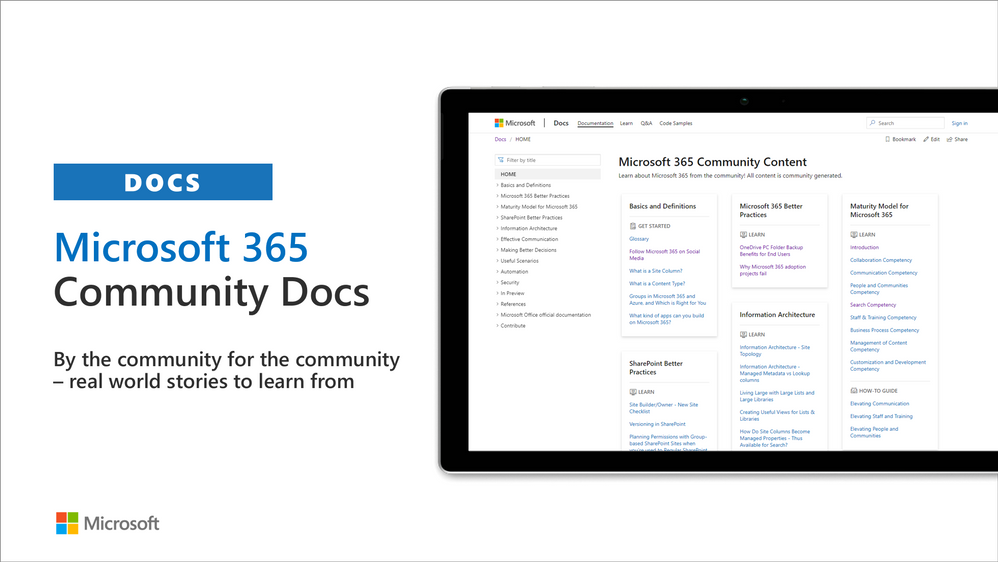
Community docs model was announced in the April 2020 and it’s great to see the interest for community to help each other by providing new guidance on the non-dev areas. See more on the announcement from the SharePoint blog – Announcing the Microsoft 365 Community Docs. We do welcome contributions from the community – our objective is to build a valuable location for articles from Microsoft and community together.
New articles
- Advanced Highlighted Content Web Part – Patrick Doran (NCDIT) | @swearpointjs
Have ideas for articles or want to contribute yourself? – Get involved! Here are also some additional resources explaining the model more detailed.
- YouTube – Introducing Microsoft 365 Community Docs
- GitHub issue list with articles ideas
SharePoint Framework development samples
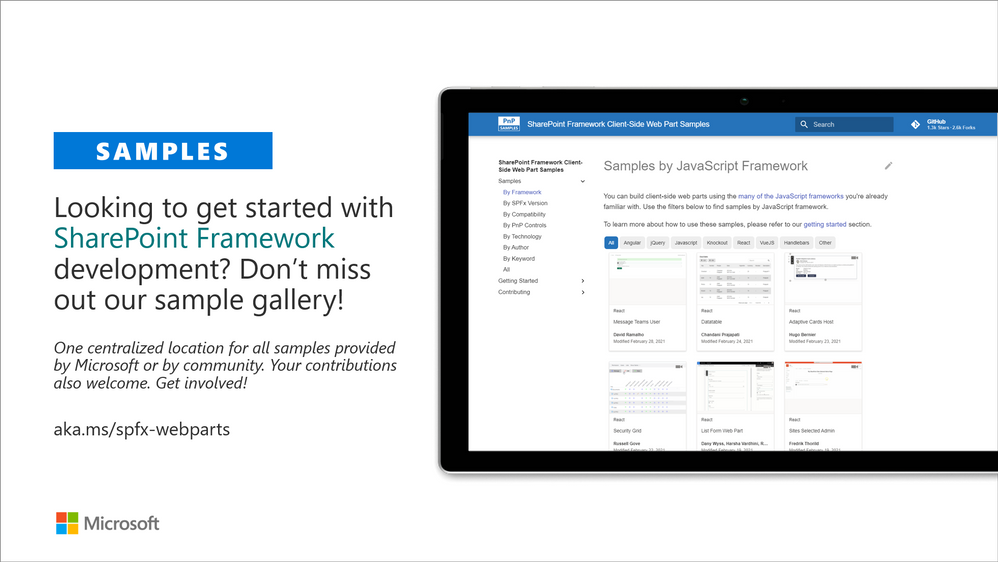
These are the updated SharePoint Framework samples which are available from the different repositories.
- New sample react-taxonomy-file-explorer by Markus Möller (Avanade) | @Moeller2_0, that renders a given termset as a tree and incorporates files similar than a folder structure in file explorer.
- Updated sample react-calendar by Mohammad Amer (Atea Global Services) | @Mohammad3mer
- Updated sample ImageCard-TodaysLunch by Giuliano De Luca | @delucagiulian
- Updated sample react-quotes by Yves Habersaat (Sword Group) | @yhabersaat
- Updated sample react-my-teams by Yves Habersaat (Sword Group) | @yhabersaat
- Updated sample react-advanced-page-properties by Abderahman Moujahid | Abderahman88
- Other adjustments to numerous samples by our awesome community members!
How to find what’s relevant for you? Take advantage of our SharePoint Framework web part and extension sample galleries – also includes solutions which work in Microsoft Teams
- Web Part sample gallery – http://aka.ms/spfx-webparts
- Extensions sample gallery – http://aka.ms/spfx-extensions
- Viva Connections Adaptive Card samples – http://aka.ms/spfx-aces
- Microsoft Teams samples build with SharePoint Framework – https://github.com/pnp/spfx-teams – These will be relocated soon
Microsoft Teams community samples
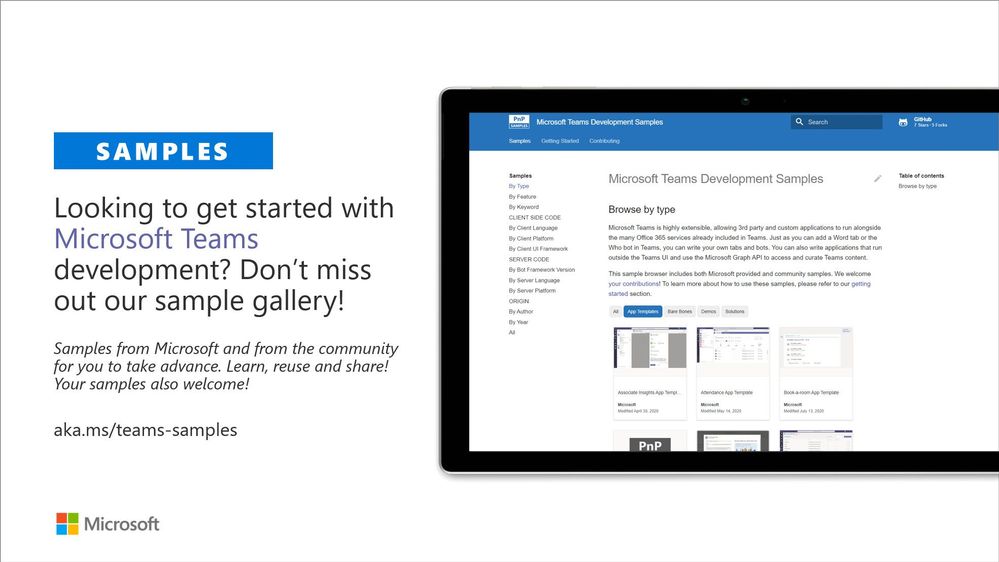
These are samples which have been contributed on the community samples since last summary. We do welcome all Microsoft Teams samples to this gallery. They can be implemented using in any technology.
- Numerous adjustments on existing samples and solutions
If you are interested on Microsoft Teams samples, we have just released also new Microsoft Teams sample gallery. Contributions to Microsoft Teams samples is also more than welcome. This gallery already surfaces all Microsoft samples, Microsoft Teams app templates and community samples.
Power Platform samples
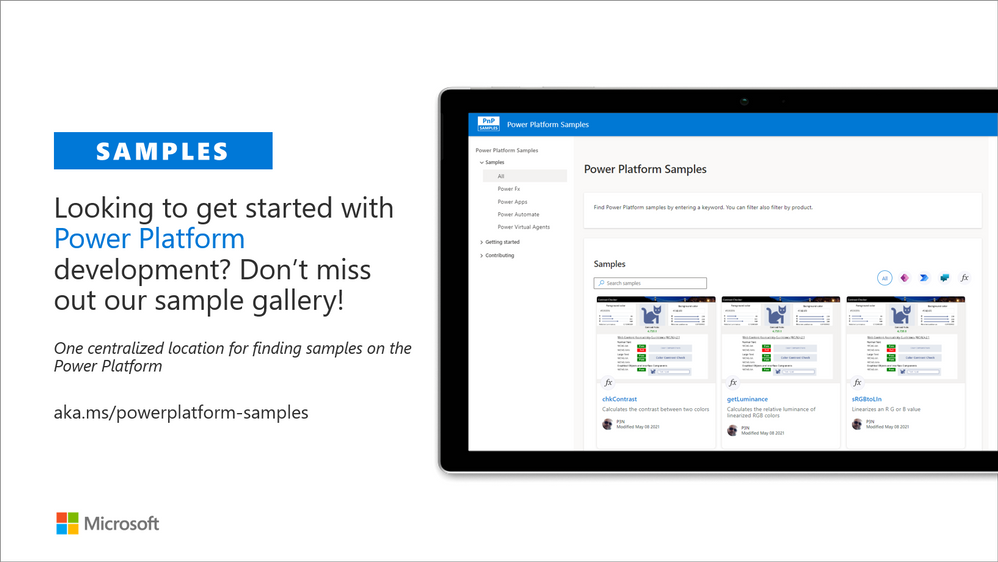
- New PowerFX sample table-functions by Bartolomeo Sorrentino (soulsoftware) | @bsorrentinoJ that allows to transform a Record in a Table
- New Power Apps sample covid-vaccine-survey by Siddharth Vaghasia | @siddh_me, that enables companies to collect surveys (data) on the vaccination status of their employees
- New Power Automate sample new-employee-tip-of-the-day by Adam Wójcik (Hitachi Energy) | @Adam2585878 that improves onboarding experience
There was also numerous smaller updates on the different Power Platforms samples. See more details on available samples from following location
- Power Platform sample gallery – https://aka.ms/powerplatform-samples
If you have any existing samples which you’d be willing to share with others – please submit a pull request or contact the PnP team members to get started on getting more closely involved on this initiative. Here to help.
Microsoft 365 Script Samples
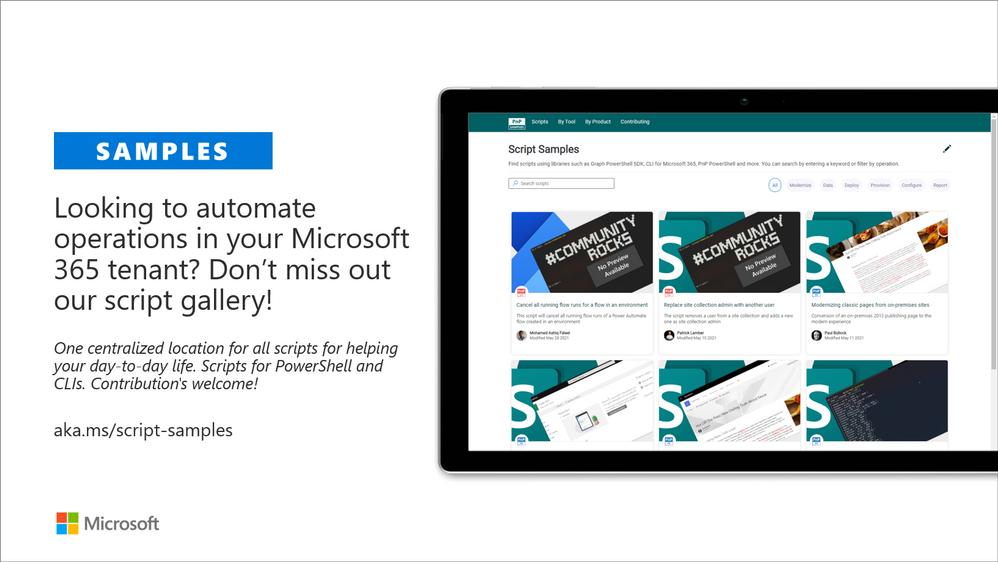
We have released new Microsoft 365 Script Sample gallery within past month. We welcome all scripts on Microsoft 365 automation to this centralized repository, targeted to help to manage and automate day-to-day operations.
Here are the latest updates on the Script Samples
- New Inventory Guest Sign-In Activity with CLI for M365 and Microsoft Graph by Pete Skelly (ThreeWill, LLC) | @pskelly
- New List guests within Teams in a tenant by Jiten Palmer | @Jitenpa44241205
- New Add Large List items to PnP Template by Jiten Palmer | @Jitenpa44241205
- New Collect and export Teams templates by Rodrigo Pinto (Storm Technology) | @ScoutmanPt
- Updated Improved reportingperformance on clone team operation by Rodrigo Pinto (Storm Technology) | @ScoutmanPt
- New Create a Teams based on a existing team template by Rodrigo Pinto (Storm Technology) | @ScoutmanPt
- New Delete a library exceeding the list threshold limit by Reshmee Auckloo | @reshmeeauckloo
- New Create bulk dummy documents, including minor/major versions, in SharePoint Document library by Kasper Bo Larsen (Fellowmind Denmark) | @kasperbolarsen
- New Export a csv report on all Microsoft Stream videos by Rodrigo Pinto (Storm Technology) | @ScoutmanPt
- New Run jobs in parallel using ForEach-Object -Parallel to iterate SharePoint site collections by Kasper Bo Larsen (Fellowmind Denmark) | @kasperbolarsen
If you have any existing scripts which you’d be willing to share with others – please submit a pull request or contact the PnP team members to get started on getting more closely involved on this initiative.
- Microsoft 365 Script Samples – https://aka.ms/script-samples
Independent Connectors Program
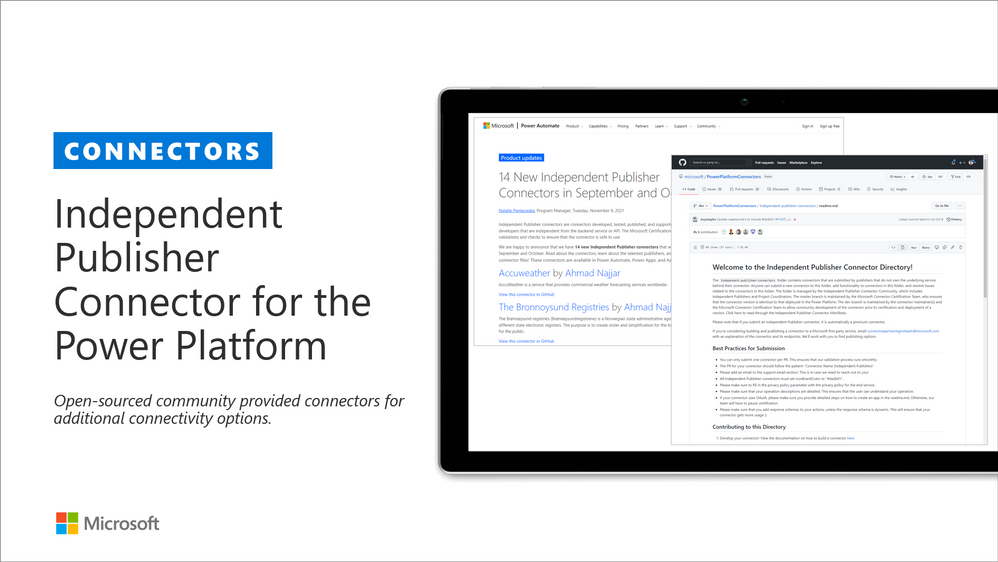
Microsoft Power Platform comes with a huge variety of already built-in connectors and also provides you with the ability of creating your own custom connectors. As of July 2021, anyone can submit the connectors they built to Microsoft Power Platform so that they can be used by others as well. Previously, only API owners could publish their connectors. The Independent Publisher Connector Program’s mission is to bring the best together: the best people, connecting great ideas to data, apps, and flows. We want to make it easier for connector developers to collaborate on connectors.
For more information, you can watch this video on Publish a connector to the Publish a connector to the Power Platform with Independent Publisher Connector Program gram and check out Microsoft Power Platform Connectors on GitHub
These are the latest connectors:
- Accuweather – Ahmad Najjar (Infoworker) | @ahmadn82
- Bronnoysundregistrene – Ahmad Najjar (Infoworker) | @ahmadn82
- OpenCage Geocoding – Ahmad Najjar (Infoworker) | @ahmadn82
- Yelp – Ahmad Najjar (Infoworker) | @ahmadn82
- ORB Intelligence – Ankita Singh and Aaryan Arora
- Notion – Chandra Sekhar & Harshini Varma (Capgemini) | @HarshiniVarmaa
- Spotify – Daniel Laskewitz (Sogeti) | @laskewitz
- Toggl Plan – Daniel Laskewitz (Sogeti) | @laskewitz
- Discord – Daniel Laskewitz (Sogeti) | @laskewitz & Michal Guzowski (Developico) | @abcguzowski
- ClickUp Team Manager – Duke DeVan (Hitachi Solutions) | @AyoSurice
- Dexcom – Joe Unwin (Hitachi Solutions) | @Flow_Joe
- Weather Forecast – Haimantika Mitra (Microsoft) | @HaimantikaM
- Carbon Intensity – Hasan Unlu
- LibreBor – Mario Trueba (KPMG) | @ mariotrueba365 & Marco Amoedo (KPMG)| @marcoamoedo
- CQC – Martyn Lesbirel (Dynamiti)
- UK Government Bank Holidays – Martyn Lesbirel (Dynamiti) |
- What3Words – Matt Beard (Data8) | @mattybeard
- FreeAgent – Nirmal| @Nirmal_kumar
- ITGlue – Nirmal | @Nirmal_kumar
- Jira Search– Paul Culmsee (Seven Sigma) | @paulculmsee
- Coinbase – Roy Paar (Microsoft)
- Microsoft D365CE v9 OnPrem – Roy Paar (Microsoft)
- New York Times – Roy Paar (Microsoft)
- The Weather Channel – Roy Paar (Microsoft)
- GoQR – Rui Santos (Microsoft)
- myStrom – Tomasz Poszytek| @TomaszPoszytek
- Clearbit – Troy Taylor (Hitachi Solutions) | @troystaylor
- EONET by NASA – Troy Taylor (Hitachi Solutions) | @troystaylor
- Etsy – Troy Taylor (Hitachi Solutions) | @troystaylor
- Federal Reserve Economic Data – Troy Taylor (Hitachi Solutions) | @troystaylor
- Hashify – Troy Taylor (Hitachi Solutions) | @troystaylor
- HubSpot CMS – Troy Taylor (Hitachi Solutions) | @troystaylor
- HubSpot CRM – Troy Taylor (Hitachi Solutions) | @troystaylor
- HubSpot Marketing – Troy Taylor (Hitachi Solutions) | @troystaylor
- Launch Library 2 – Troy Taylor (Hitachi Solutions) | @troystaylor
- Loripsum – Troy Taylor (Hitachi Solutions) | @troystaylor
- Mailbox Validator – Troy Taylor (Hitachi Solutions) | @troystaylor
- Secure Code Warrior – Troy Taylor (Hitachi Solutions) | @troystaylor
- SpaceX – Troy Taylor (Hitachi Solutions) | @troystaylor
- Unix Timestamp– Troy Taylor (Hitachi Solutions) | @troystaylor
- Airtable – Woong Choi (Seven Sigma)
Sharing is Caring initiative
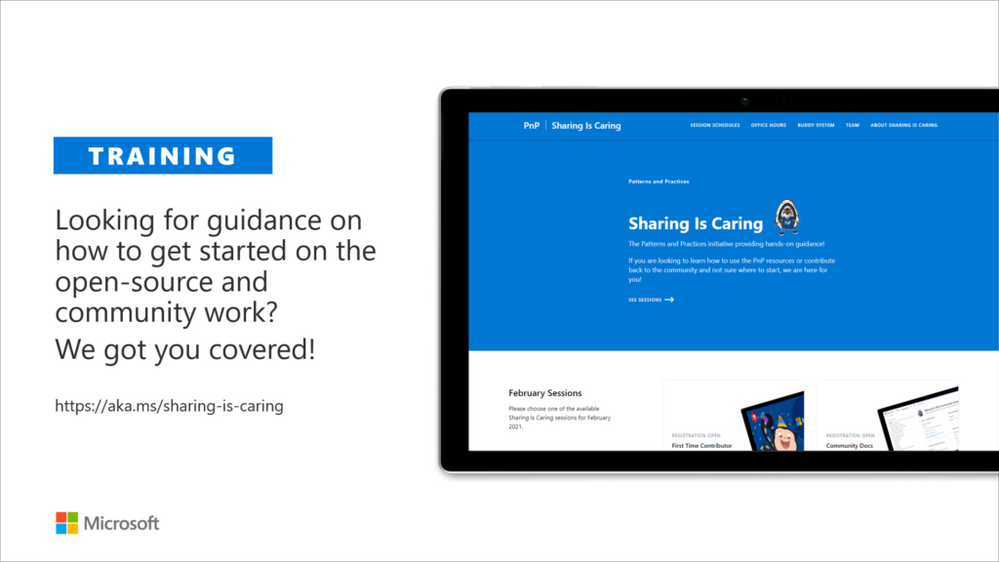
The “Sharing Is Caring” imitative is targeted for learning the basics around making changes in Microsoft Docs, in GitHub, submitting pull requests to the PnP repositories and in GitHub in general. Take advantage of this instructor lead training for learning how to contribute to docs or to open-source solutions. Everyone is welcome to learn how to get started on contributing to open-source docs or code!
- See more from the guidance documentation – including all upcoming instructor lead sessions which you can participate!
✍ Different Microsoft 365 related open-source initiatives build together with the community
See exact details on the latest updates from the specific open-source project release notes. You can also follow up on the project updates from our community calls. There are numerous active projects which are releasing new versions with the community even on weekly basis. Get involved!
- Microsoft Look Book – Discover the modern experiences you can build with SharePoint in Microsoft 365. Look book provides design examples for SharePoint Online which can be automatically provisioned to any tenant in the world. See more from https://lookbook.microsoft.com. This service is also provided as open-source solution sample from GitHub.
- yo teams – Open-source Yeoman generator for Microsoft Teams extensibility. Supports creation of bots, messaging extensions, tabs (with SSO), connectors and outgoing Webhooks. See more from https://aka.ms/yoteams.
- PnP Framework – .NET Standard 2.0 SDK containing the classic PnP Sites Core features for SharePoint Online. More around this package from GitHub.
- PnP Core SDK – The PnP Core SDK is an SDK designed to work for Microsoft 365 with Graph API first approach. It provides a unified object model for working with SharePoint Online and Teams which is agnostic to the underlying API’s being called. See more around the SDK from documentation.
- PnP PowerShell – PnP PowerShell is a .NET Core 3.1 / .NET Framework 4.6.1 based PowerShell Module providing over 400 cmdlets that work with Microsoft 365 environments and more specifically SharePoint Online and Microsoft Teams. See more details from documentation.
- Reusable SharePoint Framework controls – Reusable controls for SharePoint Framework web part and extension development. Separate projects for React content controls and Property Pane controls for web parts. These controls are using Office UI Fabric React controls under the covers and they are SharePoint aware to increase the productivity of developers.
- CLI for Microsoft 365 – Cross-OS command line interface to manage Office 365 tenant settings. See release notes for latest updates.
- PnPJs – PnPJs encapsulates SharePoint REST APIs and provides a fluent and easily usable interface for querying data from SharePoint sites. It’s a replacement of already deprecated pnp-js-core library. See changelog for the latest updates.
- PnP Provisioning Engine and PnP CSOM Core – PnP provisioning engine is part of the PnP CSOM extension. They encapsulate complex business driven operations behind easily usable API surface, which extends out-of-the-box CSOM NuGet packages. See changelog for the latest updates.
- PnP PowerShell – PnP PowerShell cmdlets are open-source complement for the SharePoint Online cmdlets. There are more than 300 different cmdlets to use and you can use them to manage tenant settings or to manipulate actual SharePoint sites. They See changelog for the latest updates.
- PnP Modern Search solution – The PnP ‘Modern Search’ solution is a set of SharePoint Online modern Web Parts allowing SharePoint super users, webmasters and developers to create highly flexible and personalized search based experiences in minutes. See more details on the different supported capabilities from https://aka.ms/pnp-search.
- Modernization tooling – All tools and guidance on helping you to transform you SharePoint to modern experiences from http://aka.ms/sppnp-modernize.
- SharePoint Starter Kit v2 – Building modern experiences with Microsoft Teams flavors for SharePoint Online and SharePoint 2019 – reference solution in GitHub.
- List formatting definitions – Community contributed samples around the column and view formatting in GitHub.
- Site Designs and Site Scripts – Community contributed samples around SharePoint Site Designs and Site Scripts in GitHub.
- DevOps tooling and scripts – Community contributed scripts and tooling automation around DevOps topics (CI/CD) in GitHub.
- Teams provisioning solution – Set of open-source Azure Functions for Microsoft Teams provisioning. See more details from GitHub.
✍ Documentation updates
Please see all the Microsoft 365 development documentation updates from the related documentation sets and repositories as listed below:
- Microsoft Teams platform documentation – Microsoft Docs | GitHub
- SharePoint Developer documentation – Microsoft Docs | GitHub
- Microsoft Graph documentation – Microsoft Docs | GitHub
- Office add-in documentation – Microsoft Docs | GitHub
Microsoft 365 Developer and Microsoft 365 Community YouTube video channels
You can find all Microsoft 365 related videos on our YouTube Channel at http://aka.ms/m365pnp/videos or at Microsoft 365 Dev. These channels contains already a significant amount of detailed training material, demo videos, and community call recordings.
Here are the new Microsoft demo or guidance videos released since the last monthly summary:
- Student Ambassador shows survey solution built with Power Platform and Microsoft Teams – Ayca Bas (Microsoft)- @aycabs, Lee Stott (Microsoft) | @Lee_Stott, Japhlet Nwamu (Microsoft) | @japhletnwamu
Community demos as following:
- Using inline editing with list formatting – inlineEditField attribute – Chris Kent (DMI) | @theChrisKent
- Updates on Independent Publisher Connectors & Notion Connector Demo – Natalie Pienkowska (Microsoft) | @NataliePienkow1 and Harshini Varma (Capgemini) | @HarshiniVarmaa and Chandra Sekhar Malla (Royal Group LLC) | @ChandraSMalla
- Introduction to the Microsoft 365 developer program and to the instant development environment – Vesa Juvonen (Microsoft) | @vesajuvonen
- Building Xbox games with Power Apps – Brian Dang (Microsoft) | @mrdang
- Discover the Microsoft Graph Toolkit –Sébastien Levert (Microsoft) | @SebastienLevert
- Outlook: Microsoft Ignite 2021 recap on the latest announcements – Juan Balmori Labra, Principal Program Manager (Microsoft) | @juaneloBalmor
- Getting started with using PnP Search Web Parts v4 – Mikael Svenson (Microsoft) | @mikaelsvenson and Franck Cornu | @FranckCornu
- Introduction to HtwoO React library – Fluent UI experiences easily – Julie Turner (Sympraxis Consulting) | @jfj1997
Key contributors to the January 2021 update
Here’s the list of active contributors (in alphabetical order) since last release details in GitHub repositories or community channels. PnP is really about building tooling and knowledge together with the community for the community, so your contributions are highly valued across the Microsoft 365 customers, partners and obviously also at Microsoft.
Thank you for your assistance and contributions on behalf of the community. You are truly making a difference! If we missed someone, please let us know.
- Abderahman Moujahid – Abderahman88
- Adam Wójcik (Hitachi Energy) | @Adam2585878
- Aimery Thomas | @aimery_thomas
- Albert-Jan Schot (BLIS Digital) | @appieschot
- André Lage (Datalynx AG) | @aaclage
- Andrew Burns (AmSty) | @SharePointRox
- Andrew Connell (Voitanos) | @andrewconnell
- Andy Harmon (Oldham Metropolitan Borough Council) | @andygharmon
- Anoop Tatti (Content+Cloud) | @anooptells
- Antti Pajunen (Forward Forever) | @anttipajunen
- Aric Bost (North Carolina Housing Finance Agency) | @1CyberState
- Arjun Menon (Tata Consulting Services) | @arjunumenon
- Asad Refai (Intelogy) | @asadrefai
- Bartolomeo Sorrentino (soulsoftware) | @bsorrentinoJ
- Beau Cameron (Aerie Consulting) | @Beau__Cameron
- Carmen Ysewijn (Qubix) | @carmenysewijn
- Chandani Prajapati (Rapid Circle) | @Chandani_SPD
- Chandra Sekhar Malla (Royal Group LLC) | @ChandraSMall
- Chris Kent (DMI) | @theChrisKent
- Christopher Graves (Arvato) | @Christo48927551
- Daniel Laskewitz (Sogeti) | @laskewitz
- Daniel Westerdale (Westerdale Solutions Ltd) | @westerdaled
- Danish Shafi | @builtbydan
- David Warner II (Catapult) | @DavidWarnerII
- Derek Cash Peterson (Sympraxis Consulting) | @spdcp
- Dipen Shah (Rapid Circle) | @Dips_365
- Elio Struyf (Struyf Consulting) | @eliostruyf
- Emily Mancini (Sympraxis Consulting) | @EEMancini
- Eric Overfield (PixelMill) | @EricOverfield
- Erwin van Hunen (Valo Intranet) | @erwinvanhunen
- Franck Cornu | @FranckCornu
- Gautam Sheth (Valo Solutions) | @gautamdsheth
- Geetha Sivasailam (Artis Consulting) | @GSiVed
- Giuliano De Luca | @delucagiulian
- Harshini Varma (Capgemini) | @HarshiniVarmaa
- Japhlet Nwamu (Microsoft) | @japhletnwamu
- Jasey Waegebaert (MI group) | Jwaegebaert
- Jiten Palmer | @Jitenpa44241205
- João Ferreira | @joaoferreira
- João J. Mendes (Valo Solutions) | @joaojmendes
- Joel Rodrigues (Storm Technology) | @JoelFMRodrigues
-
Jono Duncan (JourneyTEAM) | @SuaveJono
- Julie Turner (Sympraxis Consulting) | @jfj1997
- Kasper Bo Larsen (Fellowmind Denmark) | @kasperbolarsen
- Kathleen Boilek (Alaka’ina Foundation) | @kaboilek
- Kevin McDonnell (CPS) | @kevmcdonk
- Lance Yoder (Cerner) | @lyoder
- Laura Kokkarinen (Sulava) | @LauraKokkarinen
- Lee Stott (Microsoft) | @Lee_Stott
-
Lindsay Shelton (Stowers Institute for Medical Research) | @lshelton_tech
- Loïc Cimon (Sogeti) | @LoicCimon
- Luise Freese (M365Princess) | @LuiseFreese
- Marc Anderson, Sympraxis Consulting | @sympmarc
- Markus Möller (Avanade) | @Moeller2_0
- Matt Beard (Data8) | @mattybeard
- Michal Guzowski (Developico) | @abcguzowski
- Mike Dumka (Habanero Consulting) | @mikedumka
- Mohammad Amer (Atea Global Services) | @Mohammad3mer
- Nanddeep Nachan | @NanddeepNachan
- Nikki Chapple (NTT Cloud Communications) | @chapplenikki
- Paolo Pialorsi (PiaSys.com) | @PaoloPia
- Patrick Doran (NCDIT) | @swearpointjs
- Patrik Hellgren (Sherpas Group) | @patrikhellgren
- Patrick Lamber (ExpertsInside AG) | @patricklamber
- Paul Bullock (CPS) | @pkbullock
- Paul Culmsee (Seven Sigma) | @paulculmsee
- Paul Schaeflein (AddIn365) – @paulschaeflein
- Pedro Monte (BindTuning) | PedroMordeP
- Pete Skelly (ThreeWill ) | @pskelly
- Phil McNiven | phil0074
- Ralph Rivas (Sogeti) | @bigpix2000
- Reshmee Auckloo | @reshmeeauckloo
- Rick Van Rousselt (Advantive) | @RickVanRousselt
- Robert Dyjas (EQTek) | @Robdy
- Rodrigo Pinto (Storm Technology) | @ScoutmanPt
- Russell Gove (tronox) | @russgove
- Sekar Thangavel (IBM) | SekarThangavel
- Sergei Sergeev | @sergeev_srg
- Siddharth Vaghasia | @siddh_me
- Someleze Diko | @DikoSomeleze
- Stefan Bauer (n8d) | @StfBauer
- Stephan Bisser (Solvion) | @stephanbisser
- Tetsuya Kawahara | @techan_k
- Thomas Gölles (Solvion) | @thomyg
- Todd Baginski (Canviz) – @toddbaginski
- Tomasz Poszytek | @TomaszPoszytek
- Veronique Lengelle (CPS) | @veronicageek
- Vipul Kelkar (Rapid Circle) | @vipulkelkar
- Yannick Plenevaux (PVX Solutions) | @yp_code
- Yves Habersaat (Sword Group) | @yhabersaat
Companies: Here’s the companies, which provided support the community initiative for this month by allowing their employees working for the benefit of others in the community. There were also people who contributed from other companies during last month, but we did not get their logos and approval to show them in time for these communications. If you still want your logo for this month’s release, please let us know and share the logo with us. Thx.
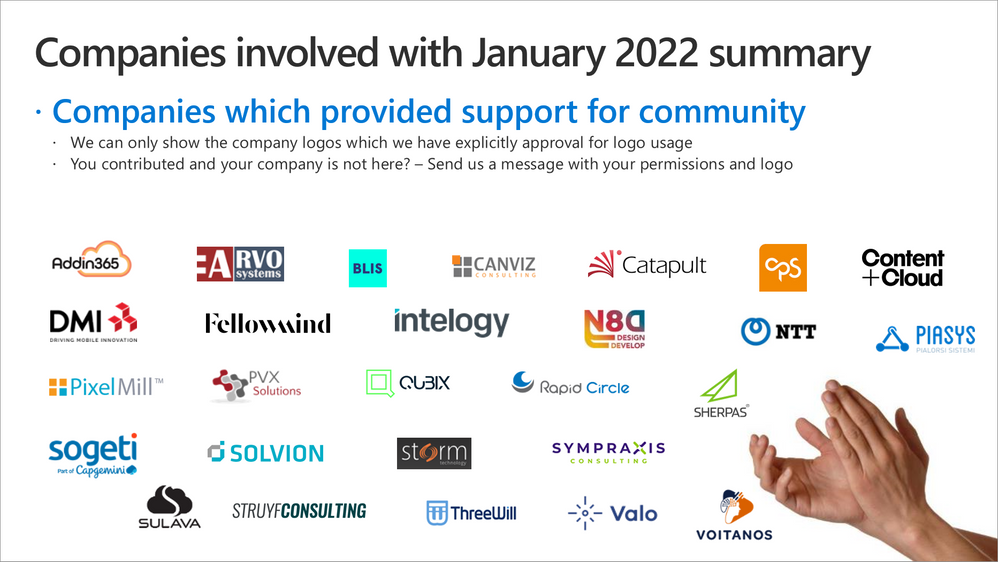
- Addin365
- Arvo Systems
- BLIS Digital
- Canviz Solutions
- Catapult Systems
- ClearPeople
- CPS
- Content+Cloud
- DMI
- Fellowmind
- Intelogy
- N8D
- NTT Digital Business Solutions
- Piasys
- PixelMill
- Pramerica
- PVX Solutions
- Qubix
- Rapid Circle
- Sherpas
- Solvion
- Sogeti
- Storm Technology
- Struyf Consulting
- Sulava
- Sympraxis Consulting
- ThreeWill
- Valo
- Voitanos
Microsoft people: Here’s the list of Microsoft people who have been closely involved with the PnP work during last month.
- Aakash Bhardwaj (Microsoft) | @aakash_316
- Alex Terentiev | @alexaterentiev
- Aline Tognini – alinefmr
- Allen Snow – @asnow003
- Andrey Esipov (Microsoft)
- April Dunnam (Microsoft) | @aprildunnam
- Arijit Mondal (Microsoft)
- Ayca Bas (Microsoft)- @aycabs
- +Bert Jansen (Microsoft) | @O365Bert
- Beth Pan – @beth_panx
- Beverly Kim – bvandaal
- +Bob German (Microsoft) | @Bob1German
- Brian Dang (Microsoft) | @mrdang
- Brian Jackett (Microsoft) | @BrianTJackett
- Bryan Petersen – petey121175
- Cathy Dew (Microsoft) | @catpaint
- Charles Sterling – @chass
- Christer Ljung (Microsoft)
- Dan Wahlin | @DanWahlin
- David Chesnut (Microsoft) | @davidchesnut
- Doğan Erişen – derisen
- Dragan Panjkov | @panjkov
- Ed Averett | @Ed_Averett
- Emily Lynam (Microsoft)
- Elizabeth Samuel – ElizabethSamuel-MSFT
- Garry Trinder (Microsoft) | @garrytrinder
- Haimantika Mitra (Microsoft) | @HaimantikaM
- Holger Lutz – HolgerLutz
- +Hugo Bernier (Microsoft) | @bernier
- Igor Ribeiro (Microsoft)
- James Eccles – jameseccles
- Japhlet Nwamu (Microsoft) | @japhletnwamu
- Jasmine Hoegh (Microsoft) | @sbjishu
- Jason Johnston – jasonjoh
- John Nguyen – johnguy0
- John Sudds | @jsuddsjr
- Jos Verlinde – Josverl
- Jyoti Pal (Microsoft)
- Kevin Coughlin – @kevintcoughlin
- Keyur Patel – keyur32
- Koen Zomers | @koenzomers
- Holland Kaviani – Holland-ODSP
- Laura Graham – Lauragra
- Linda Lu Cannon – lindalu-MSFT
- Loki Meyburg (Microsoft)- @lokimeyburg
- Luca Bandinelli – lucaband
- Mathangi Chakrapani (Microsoft)
- Matthijs Hoekstra | @mahoekst
- Max Kulakov (Microsoft)
- Michael Aldridge (Microsoft)
- Mikael Svenson | @mikaelsvenson
- Natalie Pienkowska | @NataliePienkow1
- Natalie Pienkowska – NataliePienkow1
- Nik Charlebois (Microsoft) | @NikCharlebois
- Nicolas Vogt – vogtn
- Niko | NikoMix
- Nikola Metulev – @metulev
- Orion O’Malley (Microsoft)
- Pam Green (Microsoft) | @contextuallib
- Parag Jain (Microsoft)
- Pat Miller – @PatMill_MSFT
- Patrick Rodgers | @mediocrebowler
- Rabia Williams (Microsoft) | @williamsrabia
- Richard Astbury (Microsoft) | @richorama
- Rick Kirkham | Rick-Kirkham
- Roy Paar
- Rui Santos
- Sam Larson | salarson
- Shane Weaver | shweaver-MSFT
- +Shreyansh Agrawal (Microsoft)
- Sébastien Levert | @sebastienlevert
- Srinivas Varukala (Microsoft) | @svarukala
- Steven Jia | Steven-Jia
- Shubham Gatkal (Microsoft)
- Tejas Mehta | @tpmehta
- Tom Resing | @resing
- Tomomi Imura (Microsoft) | @girlie_mac
- Vesa Juvonen (Microsoft) | @vesajuvonen
- Wajeed Shaikh | Wajeed-msft
- +Waldek Mastykarz (Microsoft) | @waldekm
- Wictor Wilen | @wictor
- Vincent Biret (Microsoft) | @baywet
MVP Community team
MVP Community team (PnP Team) manages the PnP community work in the GitHub and also coordinates different open-source projects around Microsoft 365 topics. PnP Team members have a significant impact on driving adoption of Microsoft 365 topics. They have shown their commitment to the open-source and community-driven work by constantly contributing to the benefit of the others in the community.
Thank you for all that you do!
- Albert-Jan Schot (BLIS Digital) | @appieschot
- Andrew Connell (Voitanos) | @andrewconnell
- Andrew Koltyakov (ARVO Systems) | @andrewkoltyakov
- Beau Cameron (Aerie Consulting) | @Beau__Cameron
- Chris Kent (DMI) | @theChrisKent
- David Warner II (Catapult) | @DavidWarnerII
- +Derek Cash-Peterson (Sympraxis Consulting) | @Spdcp
- Elio Struyf (Struyf Consulting) | @eliostruyf
- Emily Mancini (Sympraxis Consulting) | @EEMancini
- Eric Overfield (PixelMill) | @EricOverfield
- +Erwin van Hunen (Valo Intranet) | @erwinvanhunen
- Gautam Sheth (Valo Solutions) | @gautamdsheth
- Geetha Sivasailam (Artis Consulting) | @GSiVed
- João J. Mendes (Valo Solutions) | @joaojmendes
- Joel Rodrigues (Storm Technology) | @JoelFMRodrigues
- +Julie Turner (Sympraxis Consulting) | @jfj1997
- Laura Kokkarinen (Sulava) | @LauraKokkarinen
- Luise Freese | @LuiseFreese
- Marc D Anderson (Sympraxis Consulting) | @sympmarc
- Paolo Pialorsi (Piasys.com) | @PaoloPia
- Patrick Lamber (Expertsinside AG) | @patricklamber
- Paul Bullock (CPS) | @pkbullock
- Rick Van Rousselt (Advantive) | @RickVanRousselt
- Stefan Bauer (n8d) | @StfBauer
- Stephan Bisser (Solvion) | @stephanbisser
- Tetsuya Kawahara | @techan_k
- Thomas Gölles (Solvion) | @thomyg
- Velin Georgiev (Pramerica) | @velingeorgiev
- Veronique Lengelle (CPS) | @veronicageek
- Yannick Plenevaux (PVX Solutions) | @yp_code
Here are the Microsoft Internal PnP Core team members:
- Alex Terentiev | @alexaterentiev
- April Dunnam | @aprildunnam
- Bert Jansen | @O365Bert
- Bob German | @Bob1German
- Garry Trinder | @garrytrinder
- Hugo Bernier | @bernierh
- Koen Zomers | @koenzomers
- Mikael Svenson | @MikaelSvenson
- Natalie Pienkowska | @NataliePienkow1
- Patrick Rodgers | @mediocrebowler
- Rabia Williams | @williamsrabia
- Sébastien Levert | @sebastienlevert
- Vesa Juvonen | @vesajuvonen
- Waldek Mastykarz | @waldekm
- Wictor Wilen | @wictor
Next steps
See all of the available community calls, tools, components and other assets from https://aka.ms/m365pnp. Get involved!
Got ideas or feedback on the topics to cover, additional partnerships, product feature capabilities? – let us know. Your input is important for us, so that we can support your journey in Microsoft 365.
“Sharing is caring!”
Microsoft 365 Community (PnP) – January 13th 2021


Recent Comments