Applications
|
 |
ALFRED – AI Health Claims Automation: ALFRED on Microsoft Azure is an automated, end-to-end health and medical claims platform for cashless (planned or emergency) and post-discharge (reimbursement) claims processing with payout in less than 15 minutes.
|
 |
Amelia: Amelia is a comprehensive conversational AI agent that listens and interacts with people to solve problems. Able to take on a wide variety of business and engineering tasks, Amelia reads natural language, understands context, applies logic, infers implications, and learns through experience.
|
 |
Application Access Governance for Dynamics 365: Saviynt’s application access governance solution for Microsoft Dynamics 365 provides segregation of duty (SoD) management and continuous compliance monitoring with intelligent lifecycle management and risk-based access reviews to ensure users have access to the right data at the right time.
|
 |
AUSIS – AI Underwriting Platform: Artivatic Data Labs’ AUSIS is an AI-based underwriting automation and instant-decision platform that enables insurance businesses to perform real-time assessment for policyholders for risk, pricing, and policy decisions.
|
 |
Backdrop Powered by Miri: Use Backdrop CMS to create websites ranging from a single administrator’s personal blog to a complex, multi-role e-commerce platform. Backdrop is easily expandable with add-ins, modules, and themes to ensure your website fits your needs.
|
 |
Botfoundry in Azure (SaaS): Hosted on Microsoft Azure and powered by Azure Bot Service and Language Understanding (LUIS), Botfoundry enables you to build bots tailored to individual users and global organizations.
|
 |
CareFlow Vitals – electronic observations system: CareFlow Vitals is an observation and decision-support system designed to improve patient safety and outcomes. It calculates early warning scores, monitors and analyzes patient vital signs to identify deteriorating conditions, and provides risk scores to trigger escalation pathways.
|
 |
CARSURE – Auto & Vehicle Damage Assessment & Claims: Available on-premises or in the cloud, CARSURE is an AI-based platform for vehicle damage estimation and for assessment and claims automation. It eliminates the need for physical inspection by detecting damage using photos, video, or guided mobile tools.
|
 |
Cloud PAM for Azure, Azure AD, and Microsoft 365: Saviynt’s Cloud Privileged Access Management (Cloud PAM) solution provides privileged access to Microsoft Azure consoles and workloads and Azure Active Directory, along with tenant administration for Microsoft 365 applications, Azure services, and more.
|
 |
Conversational AI for Healthcare: Hyro’s conversational AI for healthcare seamlessly transforms troves of data into conversational interfaces powered by natural language understanding (NLU), simplifying the patient journey across channels such as websites, applications, and call centers.
|
 |
Conversational Analytics: Data Semantics Pvt. Ltd.’s Conversational Analytics platform on Microsoft Azure enables voice assistants and chat messengers to report real-time key performance indicators (KPIs) from business intelligence dashboards, CRM, ERP, and IT service management applications.
|
 |
COVID-19_Assessment: By providing a patient-centric care team model, dClinic’s private healthcare blockchain (PHB) and COVID-19 assessment platform help break down the traditional barriers of one-on-one interactions and data silos in healthcare.
|
 |
Delair.ai – Visual Intelligence for Infrastructure: The delair.ai platform rapidly and repeatedly analyzes imagery of enterprise assets to help improve reliability, manage projects, and lower operating costs. The AI-powered solution enables companies to manage, view, analyze, and collaborate around digital twins of assets.
|
 |
Delphix Masking for Azure (3TB): Delphix masking for Microsoft Azure enables you to find, mask, and govern up to 3 terabytes of sensitive data to maintain compliance in non-production environments. Secure relational databases, cloud-native data sources, and files for use by development and test teams.
|
 |
Desk To Go: Accessible via any device, Desk To Go is a virtual desktop solution hosted on Microsoft Azure. Work from anywhere with access to all your files as if you were right in front of your computer. This app is available in Portuguese, Spanish, and English.
|
 |
DgSecure: DgSecure data provisioning monitors access to elements containing raw, sensitive data; provides thorough identity inventory and classification of sensitive data; and delivers back-end automation of data subject requests for privacy standards, such as CCPA and GDPR.
|
 |
DNS Server (IaaS) for Ubuntu 18.04 LTS: Tidal Media offers an Ubuntu 18.04 LTS image configured with DNS Server (IaaS), providing security-, performance-, and operations-related insights into the DNS infrastructure of your organization by collecting, analyzing, and correlating analytic and audit logs and other related data from DNS servers.
|
 |
Dotclear CMS powered by MIRI: Written in PHP, the Dotclear content management system on Microsoft Azure respects web standards based on open-source solutions with multilingual interface and publishing capabilities.
|
 |
EcoStruxure for Healthcare: EcoStruxure for Healthcare is an IoT-based platform designed to help healthcare facilities of all sizes improve operational efficiency and patient safety and satisfaction through modernized infrastructure management.
|
 |
eDiscoveryPro – Prosecution Innovation Software: Data Vision Group LLC’s eDiscoveryPro is a scalable, highly secure application that complies with the FBI’s Criminal Justice Information Services. eDiscoveryPro enables district attorney’s offices to facilitate the transformation of paper-based workflows to digital processes.
|
 |
EspoCRM powered by MIRI: EspoCRM on Microsoft Azure provides companies and organizations with actionable insights that can help them enhance products and services, build and maintain fruitful relationships with customers, boost revenue, and drive business growth.
|
 |
ExpectID: IDology’s ExpectID enables you to find and approve legitimate identities while also deterring fraud. It completes identity verification with as little as a name and an address, allowing you to quickly validate customer identity to drive revenue and perform appropriate due diligence.
|
 |
ExponentCMS powered by MIRI: Exponent CMS is an open-source content management system written in PHP and designed to help site owners develop and easily manage dynamic websites without having to code web pages or manage site navigation.
|
 |
Fathym Low-Code Framework: The Fathym Low-Code Framework enables developers to host, manage, and deploy data-driven applications that are tool-, platform-, and cloud-agnostic. It reduces development time by applying best-practice workflows for cloud infrastructure automation and app orchestration.
|
 |
Firebird SQL RDBMS on Windows Server 2016: Cloud Infrastructure Services offers this image of Firebird, an open-source SQL relational database management system, configured on Windows Server 2016. Firebird offers ANSI-standard SQL features, concurrency, high performance, and powerful language support for stored procedures and triggers.
|
 |
Firebird SQL RDBMS on Windows Server 2019: Cloud Infrastructure Services offers this image of Firebird, an open-source SQL relational database management system, configured on Windows Server 2019. Firebird offers ANSI-standard SQL features, concurrency, high performance, and powerful language support for stored procedures and triggers.
|
 |
FreePBX 15 supporting commercial add-on modules: Build a cloud phone system, a call center, a traditional PBX with desk phones, or a fully software-based experience using WebRTC or softphones with FreePBX on Microsoft Azure. FreePBX includes a strong core-feature set and a large ecosystem of add-on modules.
|
 |
Frogmi Store Operations: Frogmi is a task management solution for retail that enables store managers, supervisors, and quality control personnel to perform store audits that automatically trigger tasks to support areas and then track the resolution of those tasks.
|
 |
FrontAccounting powered by MIRI: FrontAccounting on Microsoft Azure is a web-based accounting system for the entire ERP chain written in PHP and using MySQL. It enables users to submit purchase orders, maintain supplier accounts, send payments, and generate financial reports.
|
 |
Gender Fitness: Gender Fitness helps raise awareness of the gender balance in your meetings and delivers valuable insight into inclusion and participation. The application links to your organization’s Office 365 calendars and provides a simple two-question survey to attendees for each meeting.
|
 |
Geolog: Based on the Epos data management infrastructure, Geolog on Microsoft Azure offers petrophysical and geological analysis tools, well data management, and robust data integration.
|
 |
GetSimpleCMS powered by MIRI: Designed for small organizations and individuals who need a small-to-midsize website, GetSimpleCMS makes content management adaptable to users’ needs by creating suitable designs for tablets, desktops, smartphones, and other devices.
|
 |
Gitea – Git Server for Ubuntu 18.04: Gitea is a powerful and easy-to-maintain self-hosted Git service. It supports Git revision control and provides other collaborative features, including bug/issue tracking, development wiki pages, and code review.
|
 |
Graphnet CareCentric – shared care record: CareCentric integrates detailed information from acute hospitals, mental health and community organizations, general practices, and social care into a single digital care record available to clinicians and care professionals.
|
 |
Helpdesk: SteadyPoint Solutions’ Helpdesk is an IT service management system for assisting service desks with IT and non-IT trouble tickets. Designed to help small and medium-sized enterprises take their office experience to the next level, Helpdesk makes collaboration simple with the familiar Office 365 look and feel.
|
 |
Hexator: Intended for software developers, web coders, and administrators, Hexator is an online tool for hexadecimal encoding and decoding. Hexator encodes and decodes data from binary or text format to hexadecimal via copy and paste or file upload.
|
 |
I&D PORTAL: The I&D Portal platform for the financial sector streamlines business processes to help companies embrace digital transformation and reduce the costs, time, and resources associated with maintaining security control and compliance.
|
 |
InMobi Telco AdCloud-in-a-box: InMobi offers end-to-end cloud-based ad operations for global telecommunications companies (telcos) and mobile OEMs. Telcos can set up an internally managed ad operation to monetize devices, users, and data, while mobile OEMs can utilize a device monetization suite run by InMobi.
|
 |
Insignia Gatekeeper: Gatekeeper from Insignia Medical Systems automatically copies your picture archiving and communication system (PACS) and radiology information system (RIS) medical images to your Microsoft Azure environment, protecting against local disasters and malicious attacks with secure, write-once Azure storage.
|
 |
KALE LOGISTICS UPLIFT PORT COMMUNITY SYSTEM: Port Community Systems (PCS) from Kale Logistics Solutions enables secure information exchange between public and private stakeholders, improving the efficiency of seaports and airports. PCS optimizes, manages, and automates port processes by connecting transport and logistics chains.
|
 |
KeePass Password Safe on Windows Server 2016: Cloud Infrastructure Services offers this image configured with the open-source KeePass software. KeePass encrypts passwords and other sensitive information, such as documents, ATM PINs, and credit card numbers, using a master password or key file to secure the KeePass database.
|
 |
Managed Backup Services: Integrity Partners offers a managed service of dedicated backups for Office 365, including Microsoft Exchange Online, OneDrive for Business, SharePoint Online, and Microsoft Teams. Manage and monitor backups via web or mobile.
|
 |
Mantis powered by MIRI: Miri Infotech offers a version of Mantis Bug Tracker, an open-source bug-tracking system, preconfigured for running on Microsoft Azure. Features include tracking issues through a simple web-based interface; custom notifications; project management graphs; and time tracking.
|
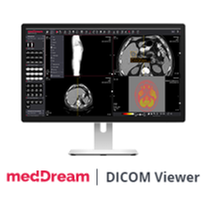 |
MedDream: DICOM Viewer by MedDream, a Softneta company, is a vendor-neutral medical image application that can be installed on Azure. The app integrates with patient portals, telemedicine systems, electronic health records, and any picture archiving system (PACS), including MedDream PACS, Orthanc, and more.
|
 |
MediaWiki – Wikipedia Server on Ubuntu 18.04 LTS: Tidal Media offers an Ubuntu server image configured with MediaWiki, a free and open-source wiki server. MediaWiki is a powerful, scalable software package and a feature-rich wiki implementation that uses PHP to process and display data stored in a database, such as MySQL.
|
 |
Medium Sentinel Services Scope: Integrity Partners Sp. z o.o. will deploy Microsoft Azure Sentinel in your environment so you can implement it in your security operations center (SOC). Receive cloud-native SIEM, enhanced security visibility across cloud and on-premises environments, and more.
|
 |
Microsoft SQL Server 2019 Developer for Ubuntu:18-04: Ntegral’s database container image contains Microsoft SQL Server 2019 Developer Edition on Ubuntu 18.04. It includes all the functionality of Enterprise Edition but is licensed for use as a development and test system, not as a production server.
|
 |
Microsoft SQL Server 2019 Enterprise for Ubuntu:18-04: Ntegral’s database container image contains a bring-your-own-license version of Microsoft SQL Server 2019 Enterprise Edition on Ubuntu 18.04. Enterprise Edition is ideal for apps requiring mission-critical in-memory performance, security, and high availability.
|
 |
Microsoft SQL Server 2019 Express for Ubuntu:18-04: Ntegral’s database container image contains Microsoft SQL Server 2019 Express Edition on Ubuntu 18.04. Express Edition is freely downloadable and distributable.
|
 |
Microsoft SQL Server 2019 Standard for Ubuntu:18-04: Ntegral’s database container image contains a bring-your-own-license version of Microsoft SQL Server 2019 Standard Edition on Ubuntu 18.04. Ntegral packages applications following industry standards and monitors all components and libraries for vulnerabilities and updates.
|
 |
Minimum Sentinel Services Scope: Integrity Partners Sp. z o.o. will perform a minimal deployment of Microsoft Azure Sentinel in your environment, performing remote monitoring and optional threat hunting. Receive cloud-native SIEM, enhanced security visibility across cloud and on-premises environments, and more.
|
 |
MiO – PoS, Agent Sales & Video Branches: MiO from Artivatic Data Labs is an integrated, video-based insurance platform designed to support digital branch applications for insurance policies, brokers, point-of-sale connections to customers, lead generation, and policy distribution.
|
 |
MistServer Streaming Media Toolkit for Ubuntu: Tidal Media offers an Ubuntu server image configured with MistServer, an open-source streaming-media toolkit for over-the-top (OTT) internet streaming. MistServer allows you to take any media from any location using any method, and deliver it to anyone, anywhere, in any format.
|
 |
Mix: Nuance’s Mix is a platform for creating advanced conversational experiences for chatbots and interactive voice response systems. With one tooling platform across the full software development lifecycle, enterprises gain greater control, accelerated development time, and increased business agility.
|
 |
Nuvepro Cloud Labs: Cloud Labs from Nuvepro Technologies Pvt. Ltd. is a marketplace and software-as-a-service platform that provides hands-on labs for fast and effective learning. Use the self-service portal to rapidly deploy and access a sandbox environment configured with a technology stack and compute power on a cloud of your choice.
|
 |
NVIDIA Image for AI – Optimized for PyTorch: Deploy on Microsoft Azure a virtual machine configured with NVIDIA’s PyTorch distribution, certified for maximum performance on NVIDIA GPUs and easy access to NVIDIA NGC. NGC is a hub for GPU-optimized software for deep learning, machine learning, and high-performance computing.
|
 |
NVIDIA Image for AI – Optimized for TensorFlow: NVIDIA’s GPU-optimized TensorFlow container included in this image will fast-track your end-to-end AI deployment and development process. Supported Azure virtual machine instances are NCv2, NCv3, and ND series.
|
 |
NVIDIA Image for AI using GPUs: NVIDIA NGC is a hub for GPU-optimized software for deep learning, machine learning, and high-performance computing. Containers from NGC require this image, and the supported Microsoft Azure virtual machine instances are the NCv2, NCv3, and ND series.
|
 |
October CMS powered by MIRI: This offer from Miri Infotech contains a hardened image of October CMS, a content management system designed to make website creation, design, and editing faster and more intuitive. October CMS is based on the PHP programming language and the Laravel web application framework.
|
 |
Omeka powered by MIRI: This offer from Miri Infotech contains a hardened image of Omeka, an open-source content management system for cultural institutions such as libraries and museums. Omeka is written in PHP and uses the Zend web application framework.
|
 |
Opensource Social Network (OSSN) on Ubuntu 18.04: This ready-to-run software offered by Tidal Media allows you to create a social networking website. The quick-deployment image will launch Open Source Social Network (OSSN) on Ubuntu 18.04.
|
 |
pivotx Powered by Miri: This virtual machine offered by Miri Infotech contains PivotX CMS, open-source software used for maintaining blogs, online journals, and other frequently updated websites. PivotX CMS is written in PHP and uses MySQL or flat files as a database.
|
 |
Python escaper: PythonEscaper by Glueo is an online tool for software developers and administrators who need to update a string in Python code and want to avoid the tedious work of doing it manually. PythonEscaper supports escaping and unescaping string literals.
|
 |
Quick Decisions, SAP Business One in Power BI: Streamline your SAP Business One decision-making with Innovación Orientada al Cliente’s pre-built dashboards in Microsoft Power BI. Dashboard categories cover sales, sales details, purchases, inventory, and accounts receivable. This offer is available only in Spanish.
|
 |
RiskCenter360: RiskCenter360 from Evertec enhances risk-management and fraud-prevention strategies with intuitive analytical tools, robust rules, and an analyst-friendly environment console for addressing alerts. This app is available in Spanish, Portuguese, and English.
|
 |
RiskMaster Creatio: RiskMaster Creatio makes risk-registration and risk-management processes easy and transparent. It can be used to manage a particular risk type, such as customer complaints, or a group of risks, such as operational risks. English and Russian software interfaces are available.
|
 |
Seenic AI Platform: Seenic AI, a proprietary visual AI platform from Everseen, blends AI and computer vision to aid retail stores. Seenic AI scans data and video of processes performed by humans, creates a digital blueprint of those processes, and shapes them for better outcomes.
|
 |
Seequent Central: Seequent Central, a geoscience model management solution, helps geologists and geophysicists visualize, track, integrate, and manage data from a centralized environment hosted on Microsoft Azure.
|
 |
SentryOne SQL Sentry: SQL Sentry from SentryOne is a scalable solution for database performance monitoring and for migrating and optimizing Microsoft SQL Server workloads on Microsoft Azure. SQL Sentry includes an intuitive environmental health dashboard, flexible alerting, and more.
|
 |
SepiaCMS: SepiaCMS by Sepia Solutions serves as a multi-site marketing platform with multilingual support and integrated modules for portal management. Customers can design with drag-and-drop tools and manage an unlimited number of domains in one place.
|
 |
Serendipity Powered by Miri: This virtual machine offered by Miri Infotech contains Serendipity, a PHP-powered blog engine. Although the default package is designed for the casual blogger, Serendipity offers an expandable framework and can be used with professional applications.
|
 |
Servian VisualCortex: With its intuitive self-serve interface and AI toolbox, VisualCortex from Servian harvests data from your cameras or video archive to provide insights on safety and security. Configure VisualCortex over your CCTV arrays or any combination of cloud or edge-compute setups.
|
 |
Skolsynk for Microsoft: Skolsynk for Microsoft is a collaboration between several Swedish teaching aid suppliers. It syncs schools, students, teachers, and groups from Microsoft 365 with teaching material providers. This app is available only in Swedish.
|
 |
SLM Cost Take-Out: SoftwareONE’s SLM Cost Take-Out aims to save your organization money by focusing on increasing operational effectiveness through analyzing software consumption.
|
 |
Solar Hand Sanitizer Simple: SIMPLE is a solar hand sanitizer for disinfection in public places. Its weather resistance makes it suitable for outdoor conditions as well as indoor spaces. Each dispenser can be powered by a photovoltaic panel and is fully autonomous.
|
 |
Solteq DataShovel: Solteq Oyj’s DataShovel is a next-generation data warehouse automation tool. DataShovel creates a visual model of the data warehouse, making customers’ workflows more agile and efficient. |
 |
Subrion CMS powered by MIRI: This ready-to-launch virtual machine offered by Miri Infotech contains Subrion CMS, an open-source content management system based on PHP and MySQL. Subrion CMS is used to build websites and is suitable for small projects as well as high-load portals.
|
 |
Temperature Detector API, Thermoquaesitor: Thermoquaesitor, a cross-browser REST API for apps that use thermal imaging, detects the temperatures of people’s faces based on photos. For one photo, the API may return multiple predictions with different probability scores of detected temperatures.
|
 |
Think ChatBot with Autotask: Think ChatBot from Think AI Consulting Corporation can engage with customers and reduce email volume at your business. Customers can get their ticket status and schedule assignments with the Autotask platform.
|
 |
Thycotic Secret Server Privileged Access Mgmt.: Thycotic’s flagship privileged access management (PAM) and least-privilege endpoint security offerings are hosted on Microsoft Azure and include Secret Server Cloud, Privilege Manager, and Account Lifecycle Manager.
|
 |
Tiki Wiki: Content Management Groupware: This offer from Miri Infotech contains a pre-configured one-click deployment of Tiki Wiki CMS, a free and open-source Wiki-based content management system.
|
 |
Verisium: Verisium is a marketing IoT platform that connects retail brands with customers through products, regardless of sales channels and geography, by embedding NFC chips and QR codes into products. |
 |
Webmin – Easy GUI SysAdmin Server for Ubuntu: This ready-to-run Ubuntu image from Tidal Media contains Webmin, a web-based interface for Unix system administration. Webmin removes the need to manually edit Unix configuration files and lets you manage a system remotely or from the console.
|
 |
Webmin – Easy GUI SysAdmin Server on LINUX Centos: This offer from Tidal Media contains Webmin on the CentOS Linux platform. Webmin is a web-based interface for Unix system administration. Using any modern web browser, you can set up user accounts, Apache, DNS, file sharing, and more.
|
Consulting services
|
 |
Azure Data Analytics Foundation: 4-Wk PoC: In this proof of concept, Data-Driven AI will conduct discovery workshops with stakeholders and deliver a modern data platform on Microsoft Azure that’s ready for advanced analytics, machine learning, and big data transformations.
|
 |
Azure Data Analytics Optimization 5-Day Assessment: Let Enimbos help you optimize data collected from your Microsoft Azure infrastructure. Enimbos bases its approach on four areas: ingestion and data preparation, data management and quality, machine learning and AI, and data visualization and reporting.
|
 |
Azure Kubernetes Service: 2- Week Workshop: In this workshop, Applied Cloud Systems will teach the fundamentals of Docker and Kubernetes and enable capabilities for deploying, scaling, and updating applications on Microsoft Azure Kubernetes Service.
|
 |
Azure Machine Learning: 2-Week Proof of Concept: In this proof of concept, Softcrylic will work with your team to scope and implement a predictive analytics business use case using your data in a private and secure Microsoft Azure virtual network. The outcome will be operational machine learning models that meet your expectations.
|
 |
Azure Sentinel Workshop & Deployment (Free): In this free engagement, Hydra Security will help your organization get started with Microsoft Azure Sentinel and security analytics by deploying and configuring an Azure Sentinel instance and integrating up to three supported log sources. |
 |
Azure Virtual WAN + Fortinet: 2 weeks assessment: Microsoft Azure Virtual WAN can provide low-latency secure routing and help your business reduce costs and complexity. In this offer, ANS Group Limited will deliver Azure Virtual WAN along with Fortinet SD-WAN capability.
|
 |
CAF Ready Transformation: 10-Week Implementation: Contino will provide the customer with a self-service, Microsoft Cloud Adoption Framework-aligned Microsoft Azure landing zone. Contino will upskill the customer’s engineering employees so they can take over at the conclusion of the engagement.
|
 |
Cloud & DC Transformation Advisory 1 Hour Briefing: Insight Direct (UK) Limited will provide an overview of its services and how you can benefit from them. These include discovery workshops, a hybrid cloud assessment, and proof-of-concept and migration services. This offer is available in Swedish.
|
 |
Comprehensive Azure Review 1 Week Assessment: IFI Techsolutions will analyze your Microsoft Azure environment, evaluate your resources, and help you adopt best practices to ensure that you get the most value out of your cloud investment.
|
 |
Comprehensive Azure Review 2 Week Implementation: Consultants from IFI Techsolutions will conduct a 360-degree review of your Microsoft Azure environment, analyzing it for cost savings, resource optimization, end-to-end security, and high availability so you can get the best value out of your Azure investment.
|
 |
Data Estate Modernization: 10 weeks implementation: In this engagement, Nordcloud’s experts will define a data operating model and implement an initial data platform for ingesting, managing, and analyzing data on Microsoft Azure.
|
 |
Development Project: Marketing, Sales, and Service: Iterbi Consulting provides companies with a marketing, sales, and service digital transformation strategy tailored to their needs. It offers seamless personalized communication with clients to influence their decision-making and drive quicker transactions. |
 |
Digital Connectivity Check: 2 Week Assessment: Before you can reap the benefits of the cloud, you need to know whether your network can handle the traffic. A solution architect from ANS Group Limited will conduct an assessment and detail any required changes to your network architecture.
|
 |
ExpressRoute & connectivity: 2 week Assessment: In this assessment, an ANS Group Limited solutions architect will help you validate your current network and determine what changes are required for you to be able to deliver Microsoft Azure ExpressRoute connectivity.
|
 |
GreenPages Cloud Xcelerator Program: GreenPages’ Cloud Xcelerator Program is a series of three workshops paired with a reference architecture implementation that includes a cloud opportunity assessment, a cloud readiness assessment, and a minimum viable cloud proof of concept that leverages the Cloud Xcelerator Platform. |
 |
HPE Accelerator Workshop for Cloud – SAP, 2 Days: Hewlett Packard Enterprise’s workshop will define a strategy and a timeline for your SAP-to-Azure migration. Topics will include economic modeling, SAP consolidation priorities, and key SAP operating requirements for Microsoft Azure.
|
 |
Implementation Project: Iterbi Consulting provides a marketing, sales, and service digital transformation tailored to your needs. Learn how to deliver a personalized, omnichannel customer experience while driving successful digital transformation in your organization. |
 |
ISV/SaaS Consulting Offer – 1 Week Workshop: Whether you want to migrate and modernize an app in the cloud or transfer workloads between clouds, LANcom Technology’s DevOps team will review your product and provide recommendations using industry best practices.
|
 |
ISV/SaaS Consulting Offer – Free 4 hour Assessment: Book a call with LANcom Technology in this free four-hour assessment. LANcom Technology’s DevOps team will carry out an initial assessment of your software and empower you with a high-level overview on the benefits of migrating your development to the cloud.
|
 |
Managed Services & Enablement: Iterbi Consulting’s managed services and marketing, sales, and service enablement provide mass content production to achieve your goals. Outsourcing with Iterbi enables your team to focus on essential tasks to hit performance targets. This offering is available in English and Russian. |
 |
Modern App with Kubernetes 1 Week Proof Of Concept: In this proof of concept, IFI Techsolutions consultants and architects will work closely with you to modernize, monitor, and scale your application using Microsoft Azure Kubernetes Services.
|
 |
Nordcloud – Data Enablement: 3 days workshop: Nordcloud’s workshop will allow business and technical stakeholders to understand the opportunity of building a data platform on Microsoft Azure. Nordcloud will define an operating model and select initial use cases for the implementation.
|
 |
Nordcloud’s CAF – 3 Days Workshop: In this workshop, Nordcloud will define an operating model to enable secure, agile, and cost-efficient use of Microsoft Azure across your organization. Nordcloud’s workshop is aligned with the Microsoft Cloud Adoption Framework roadmap.
|
 |
Public Sector ExpressRoute: 2 Weeks Assessment: ANS Group Limited will deliver Microsoft Azure ExpressRoute along with Fortinet SD-WAN capability so organizations can attain secure connectivity to the cloud while having access to public-sector networks such as PSN and HSCN.
|
 |
SAP on Azure Assessment – 6 week: Fast-track your journey to SAP S/4HANA on Microsoft Azure with this assessment from Fujitsu. The assessment will provide you with application and architecture recommendations, a migration plan, a business case, and more.
|
 |
Windows Virtual Desktop: 3 Week Implementation: In this engagement, Applied Cloud Systems will establish a pilot implementation of Windows Virtual Desktop for up to 50 users in preparation for production deployment. This engagement will allow for a work-from-home experience similar to being in the office.
|



Recent Comments