by Contributed | Jun 18, 2021 | Technology
This article is contributed. See the original author and article here.
SharePoint Framework Special Interest Group (SIG) bi-weekly community call recording from June 17th is now available from the Microsoft 365 Community YouTube channel at http://aka.ms/m365pnp-videos. You can use SharePoint Framework for building solutions for Microsoft Teams and for SharePoint Online.
Call summary:
Summer break and community call schedule updates reviewed. Register now for June trainings on Sharing-is-caring. You are invited to join the Viva Connections private preview! Update on SharePoint Framework v1.13.0 features – extensibility options with Viva Connections, Teams improvements, tooling updates, Store modernization and more. Released PnPjs for Client-side Libraries v2.6.0, CLI for Microsoft 365 v3.11.0 Beta, and PnP Modern Search v4.2.3 & v3.20.0. Microsoft Teams Toolkit for Visual Studio & Visual Studio Code now available for preview.
There were four PnP SPFx samples (2 extensions and 2 web parts) delivered in last 2 weeks. Great work!
Latest project updates include: (Bold indicates update from previous report 2 weeks ago)
PnP Project |
Current version |
Release/Status |
SharePoint Framework (SPFx) |
v1.12.1 |
v1.13.0 Preview in summer |
PnPjs Client-Side Libraries |
v2.6.0 |
v3.0.0 developments underway |
CLI for Microsoft 365 |
v3.11.0 Beta |
v3.10.0 preview released |
Reusable SPFx React Controls |
v2.7.0 (SPFx v1.11), v3.1.0 (SPFx v1.12.1) |
|
Reusable SPFx React Property Controls |
v2.6.0 (SPFx v1.11), v3.1.0 (SPFx v1.12.1) |
|
PnP SPFx Generator |
v1.16.0 |
Angular 11 support |
PnP Modern Search |
v4.2.3 & v3.20.0 |
|
The host of this call is Vesa Juvonen (Microsoft) @vesajuvonen. Q&A takes place in chat throughout the call.
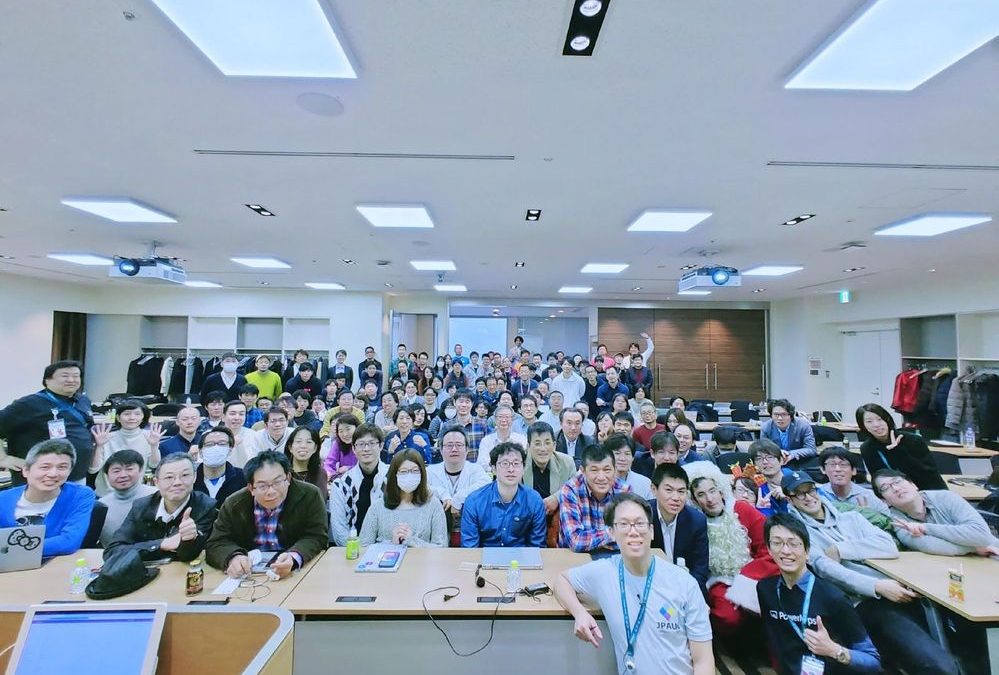
The waving wall! Impressive. Great to see you. Truly looking forward to seeing you in Las Vegas, Düsseldorf or another conference venue in the future!
Actions:
Demos:
- spfx-fast-serve: faster SharePoint Framework development – a spfx command line utility, that accelerates SPFx development by modifying your SPFx project to run a serve command immediately upon Save. Reduces SPFx build pipeline rebuild/reload time from >7 to <1 second by applying updates only changes rather than rebuilding entire project. Install CLI, spfx-fast-serve then apply fast-serve to your SPFx project. Presenter shows/explains project file modifications. Recently added hot model replacement (HMR) feature.
Building team time zone assistant Teams solution with SPFx v1.13, including Viva Connections Card – a Team Time Clock app shown as Teams app, Personal app and Viva Dashboard Card (SPFx web part + Adaptive Card extension). On Card, see high level information (people and time) and deep link into Teams to schedule meeting experience. Based on when people prefer to meet (green times), select time by aligning green fields in time slot. Full code walkthrough, many features.
Topic:
Microsoft Teams Toolkit for Visual Studio & Visual Studio Code now available for preview.
Did you know a feature in this latest version of the Teams Toolkit is the SPFx dev experience is truly integrated into this Toolkit? Of course, the build decision is largely a UX hosting decision. TypeScript devs, will prefer SPFx/M365 hosting while ISVs will gravitate to Azure for external hosting Please share feedback on your SPFx development experience in Teams Toolkit v2.0.
SPFx web part samples: (https://aka.ms/spfx-webparts)
Thank you for your great work. Samples are often showcased in Demos.
Agenda items:
Demos:
- Demo: spfx-fast-serve: faster SharePoint Framework development – Sergei Sergeev (Mastaq) | @sergeev_srg – 17:42
- Demo: Building team time zone assistant Teams solution with SPFx v1.13, including Viva Connections Card – Julie Turner (Sympraxis Consulting) | @jfj1997 & Derek Cash-Peterson | @spdcp – 31:22
Resources:
Additional resources around the covered topics and links from the slides.
General Resources:
Other mentioned topics:
Upcoming calls | Recurrent invites:
PnP SharePoint Framework Special Interest Group bi-weekly calls are targeted at anyone who is interested in the JavaScript-based development towards Microsoft Teams, SharePoint Online, and also on-premises. SIG calls are used for the following objectives.
- SharePoint Framework engineering update from Microsoft
- Talk about PnP JavaScript Core libraries
- Office 365 CLI Updates
- SPFx reusable controls
- PnP SPFx Yeoman generator
- Share code samples and best practices
- Possible engineering asks for the field – input, feedback, and suggestions
- Cover any open questions on the client-side development
- Demonstrate SharePoint Framework in practice in Microsoft Teams or SharePoint context
- You can download a recurrent invite from https://aka.ms/spdev-spfx-call. Welcome and join the discussion!
“Sharing is caring”
Microsoft 365 PnP team, Microsoft – 18th of June 2021

by Contributed | Jun 18, 2021 | Technology
This article is contributed. See the original author and article here.
Azure Policy can give us the ability to audit settings inside a virtual machine using Guest Configuration. However, at this time we can’t remediate those machines because the feature is not yet available. This means that although we can see that a virtual machine is non-compliant there is little you can do about fixing it from the policy blade itself.
One of the built-in Guest Configuration policies can audit whether specific software is installed in a Windows machine, this could be a full software program or a specific agent. But then how do install the software based on the non-compliant policy result?
Thanks to Azure Policy state change events we can now detect when a resource changes it’s compliance settings and we can subscribe to these events using an Event Grid Subscription. I’ve used Event Grid in a previous post, but this time I’m going to use an Azure Automation runbook and some PowerShell to install the missing software package (PowerShell 7).
Pre-Requisite Deployment
I’m going to need several different resources to make this all work – so I’ve scripted everything up as Bicep templates and PowerShell scripts to run the deployment. All the files are in the GitHub repository, you can download them, and the only modification will be the names of the resources in deploy.ps1.
After updating those fields, you can run the script, it will complete the following steps.
- Deploy a new storage account.
- Deploy a container into the storage account called software where the MSI file is placed.
- Deploy a new automation account which is assigned a managed identity. This feature is currently in preview and simplifies the previous approach to giving permissions to an automation service principal.
- Deploy a couple of variables into the automation account which are used by the runbook.
- Assign Contributor permission to the automation account managed identity.
- Install all the Az modules required by the runbook (this does take a bit of time to complete).
- Assign the policy below to the resource group. This will install the Guest Configuration agent which is a pre-requisite for the software installation policy.

- Create a system topic to listen to the policy state changes.
It takes a while to deploy the initial template – but be patient. There is some output logging so you can see what the rest of the script does.
- Download the PowerShell 7 MSI and upload it to the storage account.
- Publish the runbook to the automation account
- Create a webhook for the runbook
- Deploy and Event Grid Subscription and the software installation policy.
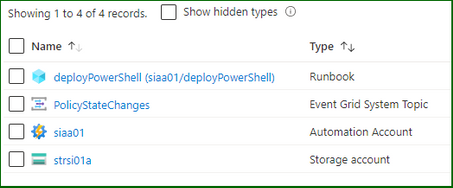
The policies will be deployed to the resource group…

The software installation file is ready in the storage account…
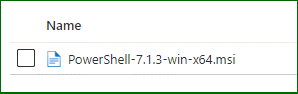
And the Event Grid subscription is listening for policy events…

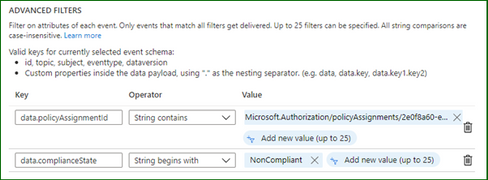
I’ve adjusted the filters for the events which I’m interested in – it should only fire the webhook when the software installation policy returns a non-compliant result.
Testing the Process
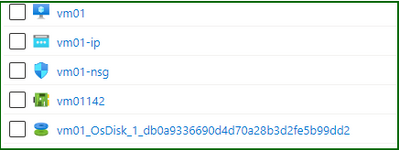
And now for some testing. I’ll create a standard Windows Server in the resource group by just going through the wizard – when complete my machine will not have PowerShell 7 installed (simply because it isn’t there out of the box).
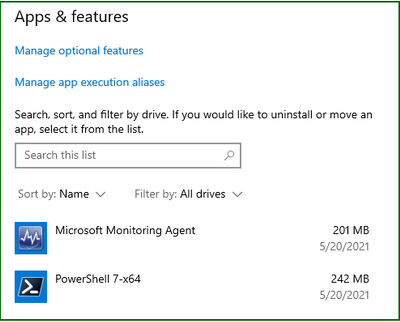
Checking the Apps and Features on the server…
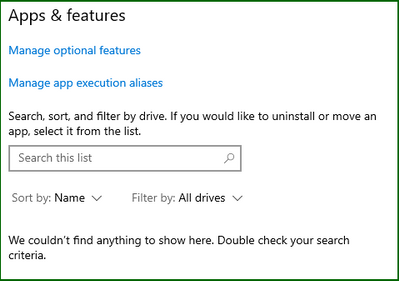
Things are going to start moving in this virtual machine, but at some point, that software installation policy is going to return a non-compliant result. This can happen either before or after the Guest Configuration agents are installed, now it doesn’t really matter. The Guest Configuration extension will eventually install and check for the installed application. It generally takes around 30 minutes for policy evaluation to complete – you can trigger an evaluation using PowerShell at any time by running.
Start-AzPolicyComplianceScan -ResourceGroupName SoftwareInstallation
It is called out in the documentation that state change events are only fired after the evaluation is complete. From my testing this took around 10 or so minutes so you have to patient.
While you wait, I’ll explain the runbook that is going to be run. The steps involved in this one are…
- Strip down the subject from the Event Grid event – the schema can be found here.
- Create a script object using a here-string and write that out to a script file in the runbook worker.
- Call the Invoke-AzVMRunCommand cmdlet on the virtual machine and run the script that is now in the runbook worker.
When it is eventually called – the extension runs the script which downloads and installs PowerShell from the storage account.
Back to the process and my software installation policy has returned a non-compliant result for my virtual machine. As I said before you need to wait until the evaluation cycle is complete before an event will be fired.

I’ve captured the policy event that was generated by the Azure platform and it is below – note how the fields correspond to our filters and the subject contains the affected resource id.
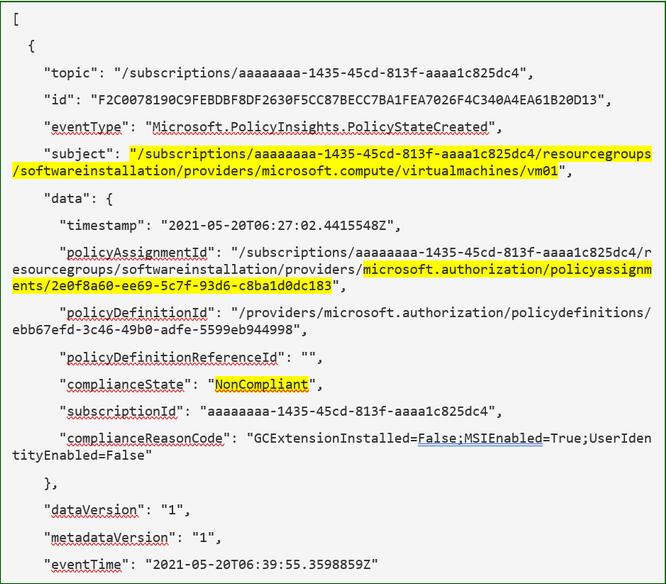
Now when I check the automation account I can see the job has been run and there are no errors in the runbook output which is a good sign…
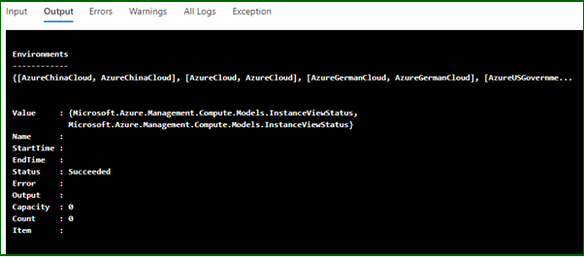
Finally, when I log on to the server, I can see the application has installed…
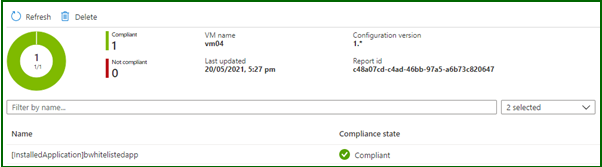
The Guest Configuration service runs on its own timer, in turn it sends reports back to a guest assignment object. Azure Policy then performs its evaluation based on these objects so there is an inherent delay in a resource becoming compliant. However now that the extensions and software is installed eventually this resource will report back as compliant to the guest configuration object and finally the policy.
Well, there it is, a way to use Azure Policy and state change events to trigger automation and remediate guest configuration policies. You could use this to install multiple agents on your virtual machines without affecting existing DSC configurations or custom script extensions. As always some caveats with the testing: –
- My testing cases are small and in no way should reflect your own testing.
- This is hosted on GitHub – if there are issues or you make changes, please submit a PR for review.
by Contributed | Jun 17, 2021 | Technology
This article is contributed. See the original author and article here.
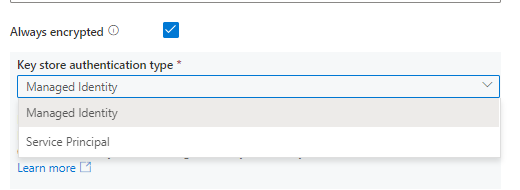
Always Encrypted is now supported in below connectors to protect sensitive data stored in databases for both source and sink in copy.
- Azure SQL Database connector
- Azure SQL Managed Instance connector
- SQL Server connector
by Contributed | Jun 17, 2021 | Technology
This article is contributed. See the original author and article here.
If you have many users using FSLogix profiles without issues and one or a few users who are consistently getting Temp profiles, check for the following:
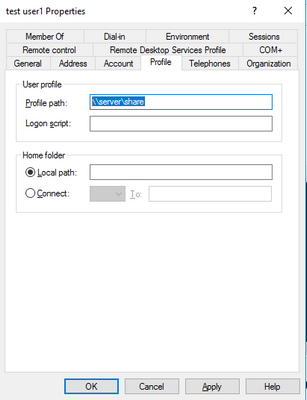
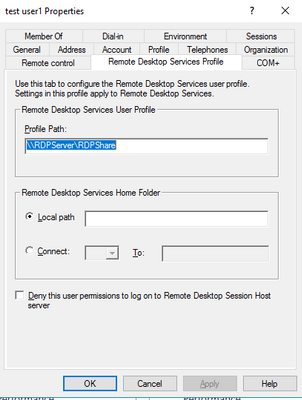
Do they have either a Roaming profile path set or a Remote desktop services profile path set? If they have either clear them and then test. If they had them, then FSLogix should work properly. If it still doesn’t work properly, then you would need to leave those paths cleared and look for another issue causing problems as well.
If you have the AD powershell module loaded and ADSI you can run the following script (putting in the user name) and the script will check for that user. Or below the script are shown the locations to check in a User profile window in AD Users and Computers.
Script==================================(copy below this)
$Username = “user name”
$ADuser = Get-ADUser -identity $Username –properties *
$user = [ADSI]”LDAP://$ADuser”
Try #try is here because if there is no TS profile path it errors out.
{
if( $user.psbase.invokeget(“TerminalServicesProfilePath”))
{
Write-Host “You have a Terminal Services Profile path set as ” $user.psbase.invokeget(“TerminalServicesProfilePath”) “. Please clear this value for this user and any other FSLogix Profile Container user.”
}
else
{
write-host “No Terminal Services Profile path set.”
}
}
Catch
{
write-host “No Terminal Services Profile path set.”
}
$objTest1 = Get-ADUser -Identity $Username -properties *
if(!$objTest1.ProfilePath -eq “”)
{
Write-Host “You have a Roaming Profile path set as ” $objTest1.ProfilePath “. Please clear this value for this user and any other FSLogix Profile Container user.”
}
else
{
write-host “No Roaming Profile path set.”
}
End script ========================(end copy above this)
If you have values in either of the highlighted locations shown below, they need to be removed if you want FSLogix to operate properly. You can’t have two profile solutions trying to manage one profile. It doesn’t work.
by Contributed | Jun 17, 2021 | Technology
This article is contributed. See the original author and article here.
Japan is home to one of the most active Power Platform communities in the world.
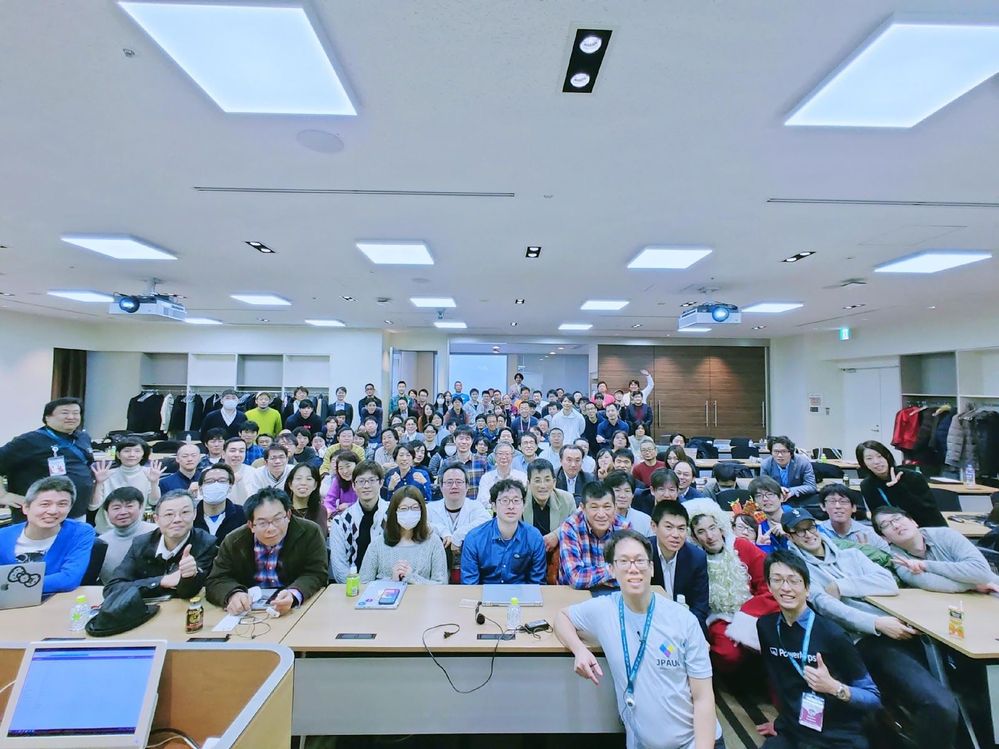
For instance, the Japan Power Apps User Group has hosted more than 50 community events since 2018 — covering everything from tips to use cases and demonstrations. Not only that, the community leaders of Power Automate and Power BI communities are also very passionate about empowering the community members to learn together.
With the number of Power Platform users and citizen developers growing in Japan, let’s meet the brains behind the group, five Business Applications MVPs, and find out what makes their community so unique.
Business Applications MVP Makoto Maeda says that IT literacy is relatively low in young people and that the group offers a fun, interactive way to improve education.
“I’m sure that more people are getting to know how attractive Power Platform is, and I like to promote it by helping users make the best use of the services,” Makoto says.
“We learn together, share worries and talk about everything. The members give me joy, and so I’m always looking forward to seeing them virtually every week.”
In terms of the industry, MVP Hiroaki Nagao notes that more and more jobs are including Power Platform as a preferred skill, which is encouraging more and more people to learn the suite of software applications.
“In the future, I believe we will see more opportunities for people who have gained experience in the business sector to work as consultants who can improve and build their own business processes and environments. I think the role of citizen developer, including the Power Platform, has had a huge impact on the industry in terms of creating this new career path.”
MVP Ryota Nakamura says that the group actively supports the momentum toward citizen developers with instructive sessions, a fun atmosphere and social media interactions. Going forward, Ryota would like to “deliver technical sessions that align with the business story and share the collaboration story of various technologies beyond the communities.”
Another MVP who works closely with the group is Junichi Kodama. Junichi presents and blogs about his original apps created with Power Platform because he wants “everybody to know that anyone can build whatever applications they like.”
Likewise, MVP Teruchika Yamada simply wants more people to know the power of the platform.
“Community leaders have helped me a lot — so, I like to pay it forward to other members,” Teruchika says. “Whenever I receive kind words at a community event and on social media — ‘your information helped me’ — it makes me extremely happy.”
For more on the user group, see the community pages and Facebook, Japan Power Apps User Group.
![[Guest Blog] My Path from Computer Vision to Mixed Reality](https://www.drware.com/wp-content/uploads/2021/06/fb_image.bmp)
by Contributed | Jun 17, 2021 | Technology
This article is contributed. See the original author and article here.
This article is written by Harpreet S Sawhney, a Principal Computer Vision Architect at Microsoft Mixed Reality + HoloLens at Microsoft, who shares his journey from computer vision to mixed reality as a part of our Humans of Mixed Reality series.
How I discovered Hololens and am Loving It!
At the start of my graduate student stint, I took my first course in Computer Vision at UMass, Amherst. Computer vision is a field that uses computing, algorithms and software to understand the physical world of entities and humans via cameras, imaging and related sensors. Computer vision has transitioned from a boutique and esoteric research field worked on by a few university and industry labs in the 90s to a mainstream field that has transformed the world via deployed products and emerging technologies.
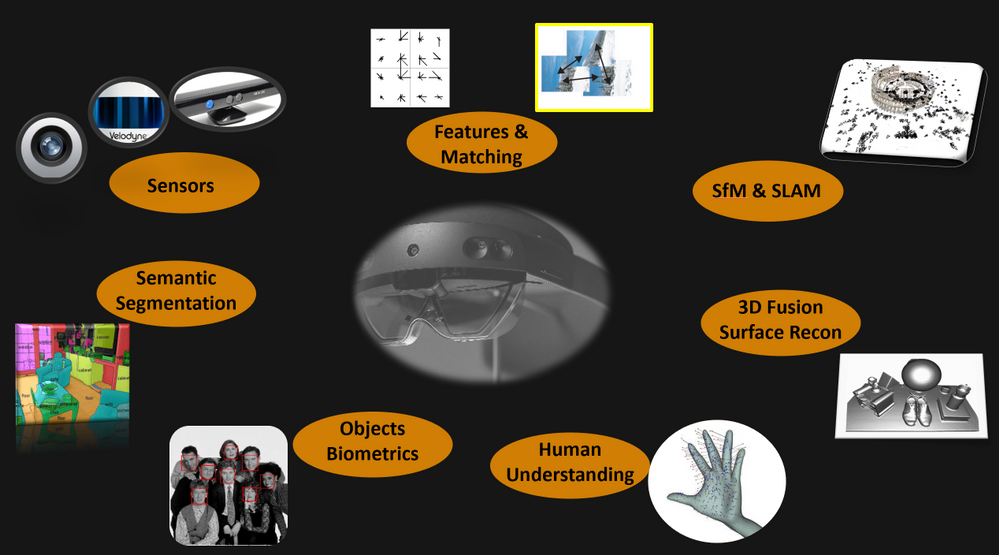
After working on almost all aspects of computer vision including Structure from Motion (SfM), object detection and tracking, 3D object recognition and video understanding at industry labs, I had the opportunity to experience a HoloLens demo at the Computer Vision and Pattern Recognition (CVPR) Conference in 2016. It’s safe to say that I have been hooked ever since.
It hit me that the next revolution in computing and peoples’ lives would be working with the physical world through a digital medium. The promise of Mixed Reality and HoloLens is tremendous. One of the biggest challenges in real-time, real world computer vision is building integrated multi-camera and multi-sensor systems on mobile platforms with synchronized data streams and on-board processing that will stand the test of dynamics of the platform, changing environments and environmental conditions.
When I first wore the HoloLens, I truly realized how beautiful the device worn on my head was. Capabilities such as integrated cameras, time-of-flight, inertial sensors, displays and processing created an integrated sensor-processor in a head-mounted compact format. If we ever get to a world in which the physical world is seamlessly augmented by an extension of our own visual and cognitive intelligence, then HoloLens is a significant first step in making that a reality.
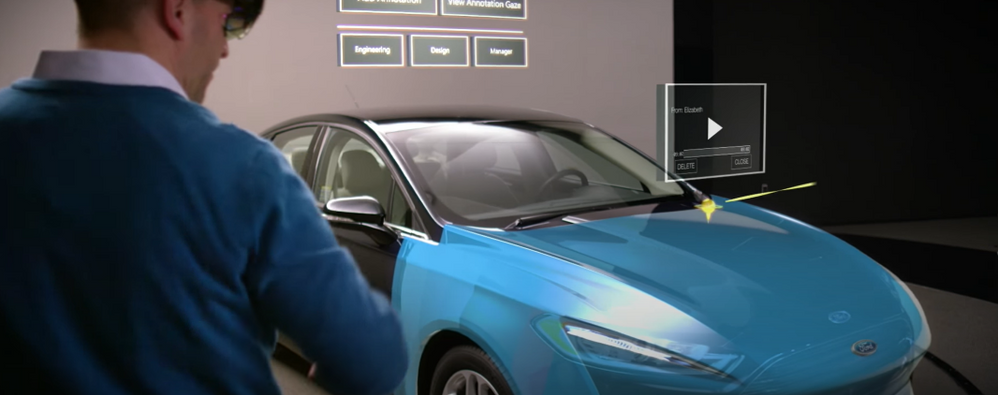
When I joined the Analog Science team in HoloLens at Microsoft in 2017, I began to explore gaps and challenges needed to make HoloLens in enterprise applications a reality. I quickly found that one of the most sought after capabilities in enterprises was locking holograms to objects for collaborative design and marketing as this video demonstrates:
Microsoft HoloLens: Partner Spotlight with Ford ( https://www.youtube.com/watch?v=3QyA7HhIYkg )
This problem is technically challenging, but, if solved, would open up object-locked holograms to the world of mixed reality. Imagine this: a time in the future when all user manuals, maintenance manuals, and training manuals are in mixed reality. For example, I can simply walk up to my car and ask my HoloLens to show me how to check the oil in my car and it takes me through the steps in 3D, directly aligned to the relevant parts of my car right there in my garage! Even better, every car owner, technician and user has the same experience. Another exciting component: the manual only has to be created just once in the factory, and then used millions of times wherever that car or the object is in the world, independent of its surroundings and environmental conditions. This is called object-locking as contrasted with world-locking in which holograms attach to locations in the world that HoloLens provided out-of-the-box via head-tracking. Thus Object Understanding (OU) in the the Analog Science HoloLens team was born!
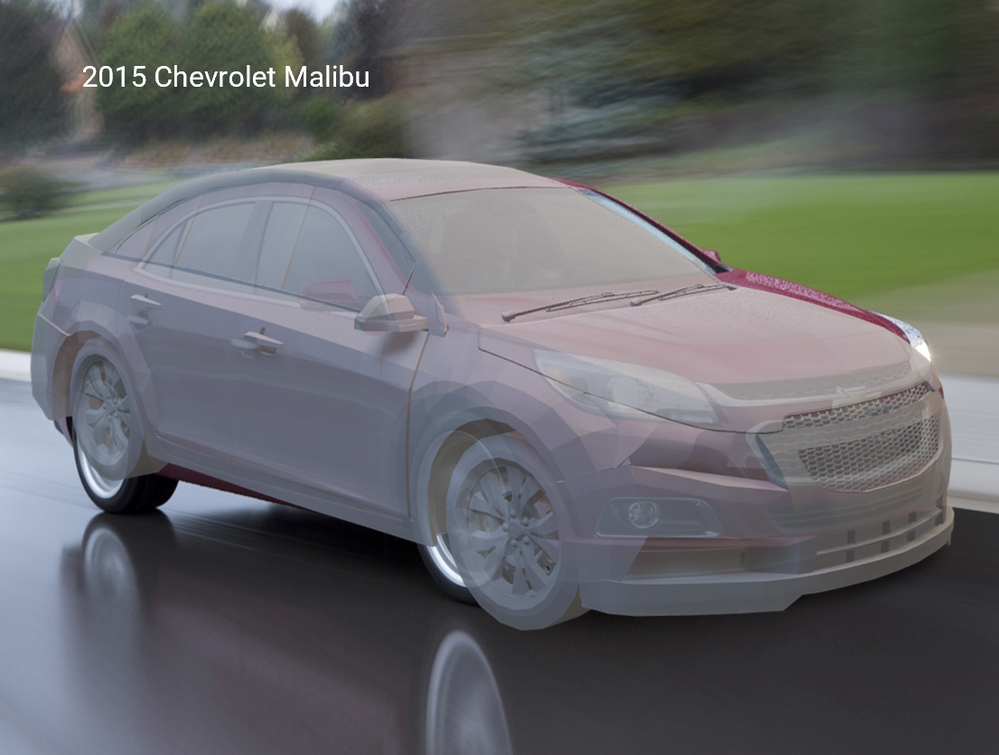
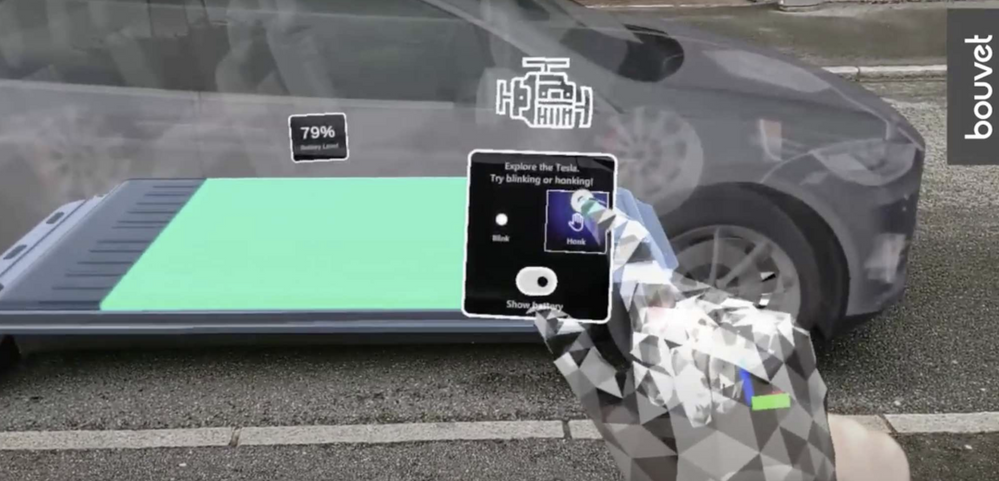
Believe it or not, I did the first data capture for algorithm development and experimentation with HoloLens in my own garage with my own car! The well-integrated and synchronized sensor suite not only enables real-time applications on the device, but also affords synchronized data captures for important offline development and performance evaluation. The key technology we developed for OU is automated detection and alignment of a Digital Twin (3D Model) of an object to its physical counterpart as shown for a car here.
|
Automatically detecting and aligning a Digital Twin (3D model) to its physical counterpart.
|
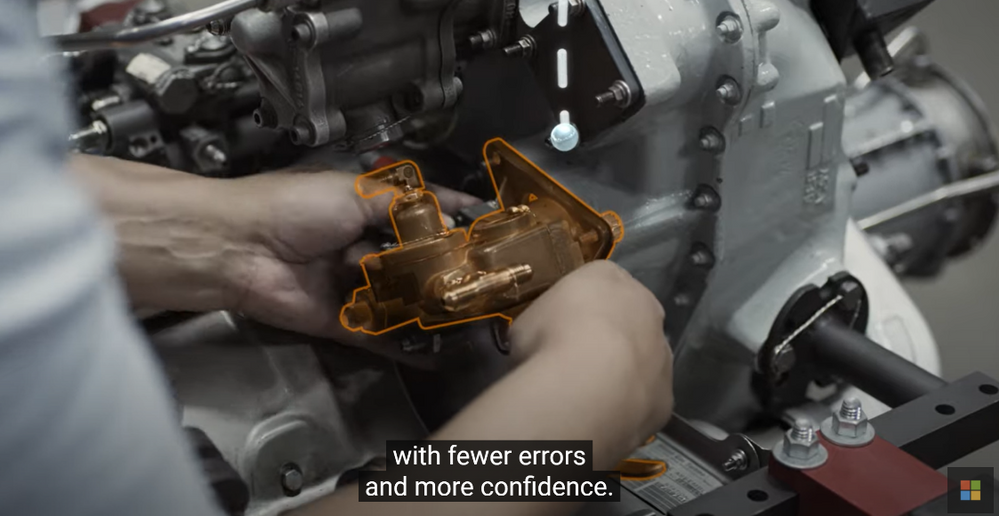
We also “discovered” a first-party product team, Dynamics 365 Guides, that makes on-the-job learning a magical experience for users, with automated and unobtrusive object detection using Azure Object Anchors and QR markers. Guides is a “killer app” for Mixed Reality and HoloLens, enabling 3D, in-situ workflows for training, task guidance and operations. A great example is demonstrated here.
Dynamics 365 Guides with HoloLens 2
We honed the HoloLens “Object Understanding” features by working closely with the Guides team as well as external partners such as Toyota. Object Understanding on HoloLens 2 was released as Public Preview in March 2021 under the banner of Azure Object Anchors (AOA) to achieve marker-less anchoring and the new experience will be available as Public Preview on August 1, 2021. A video of the integrated Guides + Object Anchors demo is here.
Object Anchors: Object Detection within Guides.
Examples of usage of Object Anchors by Toyota and others are here.
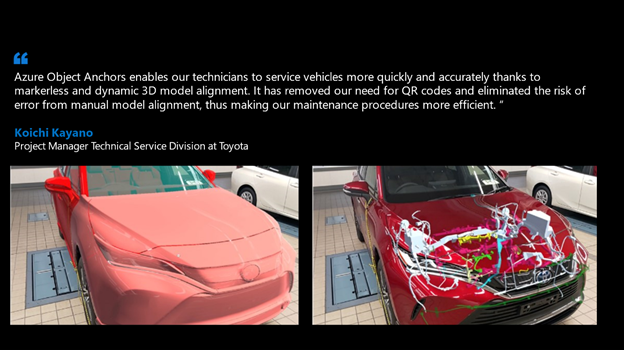
Azure Object Anchors – Object understanding with HoloLens
Object Anchors and its companion technology Azure Spatial Anchors are just the beginning in persistent location-locked and object-locked holographic content authoring and interaction. Imagine a world in the near future when people connect and collaborate with others as if they are together even when not physically present through Microsoft Mesh with spatial, object, and human augmentation that blurs the distinction between the digital and the physical!
That is the promise that drives me every day and helped blaze the path for my Computer Vision journey to HoloLens, Mixed Reality and Microsoft. I am thrilled to be creating the future of how humans work, play and live within the physical and human World in Mixed Reality!
#MixedReality #CareerJourneys


Recent Comments