
Using the VirusTotal V3 API with MSTICPy and Azure Sentinel
This article is contributed. See the original author and article here.
MSTICPy, our CyberSec toolset for Jupyter notebooks, has supported VirusTotal lookups since the very earliest days (the earliest days being only around two years ago!). We recently had a contribution to MSTICPy from Andres Ramirez and Juan Infantes at VirusTotal (VT), which provides a new Python module to access the recently-released version 3 of their API.
As well as a Python module, which provides the interface to lookup IoCs via the API, there is also a sample Jupyter notebook demonstrating how to use it.
As a side note, we’re delighted to get this submission, not just because it brings support for the awesome new VirusTotal API, but it is also first substantial contribution to MSTICPy from anyone outside MSTIC (Microsoft Threat Intelligence Center). Big thanks to Juan and Andres!
The two biggest features of the API are:
- the ability to query relationships between indicators
- the ability to visualize these relationships via an interactive network graph.
There is also an easy-to-use Python object interface exposed via the vt_py and vt_graph_api Python libraries (these are both required by the MSTICPy vtlookup3 module). You can read more about the VT Python packages by following the links in the previous sentence.
Why you would want to use VTLookup3
Alerts and incidents in Azure Sentinel will nearly always have a set of entities attached to them. These entities might be things like IP addresses, hosts, file hashes, URLs, etc. This is common to many SOC environments.
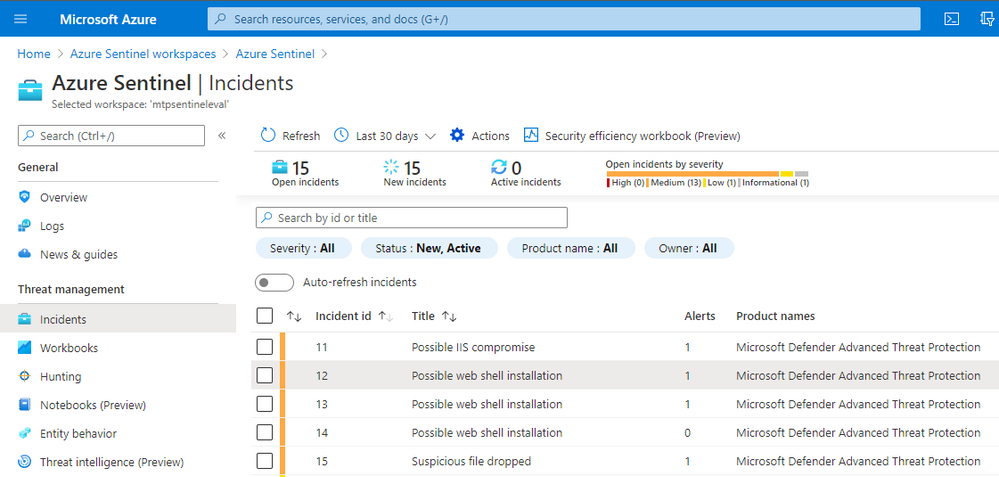
Let’s take an example of Microsoft Defender for Endpoint (MDE) alerts ingested into Azure Sentinel.
Note: MDE is the new name for Microsoft Defender Advance Threat Protection (MDATP) so you will probably see both terms kicking around for a while.
If we look at the incident detail and click on the Entities tab we see a list of entities related to the incident.
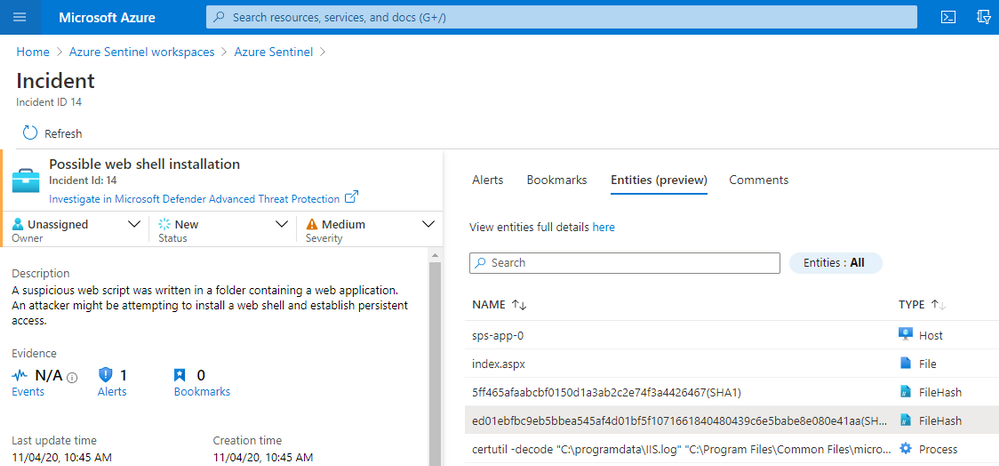
As part of your SOC triage you will want to check on whether any of these file hashes are known bad and possibly explore other related files, IPs. domains, etc. MSTICPy allows you to do custom correlation with arbitrary external data sources, including VT.
We will use one of the file hashes taken from this incident as we explore VT Lookup capabilities. Although our example below uses a file hash, you could use a URL, domain or IP Address as your starting point.
Getting started
There is a little bit of setup to do before you can get going.
Note: MSTICPy with extras
We’re in the process of moving a lot of the growing list of MSTICPy dependencies into optional installs. These are known as “extras” in the Python setup world. VirusTotal are the first to be “extra”d but we’re not picking on them. It was just, as a new package, it was easiest to start the dependency refactoring with a new library.
Install msticpy with the “vt3” extra
pip install msticpy[vt3]
or just install the vt_py and vt_graph_api packages directly:
pip install vt-py vt-graph-api nest_asyncio
Note: the nest_asyncio package is required for use in notebooks but not if you’re use the vtlookup3 module and VTLookup3 class in Python code.
In the notebook, import the modules:
from msticpy.sectools.vtlookupv3 import VTLookupV3
import nest_asyncio
And create an instance of the VTLookup3 class.
vt_lookup = VTLookupV3(vt_key)
You need to supply your VirusTotal API key when you create the VTLookup3 instance. You can supply this as a string or store it in your msticpyconfig.yaml configuration file.
This code, taken from the notebook will try to find the VT API key in your configuration.
from msticpy.common.provider_settings import get_provider_settings
vt_key = get_provider_settings(“TIProviders”)[“VirusTotal”].args[“AuthKey”]
Note: in the configuration file you can specify that the API key value be retrieved from an environment variable or from an Azure Key Vault. See MSTICPy Package Configuration for more details.
Using VTLookup3
VTLookup3 has the following methods:
- lookup_ioc – for single item lookups
- loopkup_iocs – for multiple lookups
lookup_ioc_relationships – to find IoCs and attributes that are related to the searched-for IoC
- lookup_iocs_relationships – to find relationships for multiple entities
- create_vt_graph – to build a graph from a relationship set
- render_vt_graph – to display the graph in the notebook.
We’ll look at each of these in turn.
Note: we use the terms IoC (indicator of compromise) and observable interchangably in this article. They indicate data items such as IP addresses, URLs, file hashes etc. that may be observed during an attack and thus become indicators of compromise.
Looking up a single IoC/observable
lookup_ioc works much like the other TI providers in MSTICPy except that it returns the results as a pandas DataFrame, even for a single IoC query.
FILE = ‘ed01ebfbc9eb5bbea545af4d01bf5f1071661840480439c6e5babe8e080e41aa’
example_attribute_df = vt_lookup.lookup_ioc(observable=FILE, vt_type=‘file’)
example_attribute_df
If an entry matching this ID is found in VT it is returned with some basic attributes such as submission times, name, and type.

Since the time stamp is returned as a Unix serial timestamp you might want to re-format into a more readable form using code like this.
example_attribute_df.assign(

    first_submission=pd.to_datetime(example_attribute_df.first_submission_date, unit=“s”, utc=True),

    last_submission=pd.to_datetime(example_attribute_df.last_submission_date, unit=“s”, utc=True)

)
This adds two columns to the data that display as human-readable datetimes
Note: we plan to change this soon so that the API will return datetime types directly.
We’ve added a convenience function to the notebook that allows you to return full details for a VirusTotal object. This isn’t done by default in the built-in methods but you can use this to query additional data for specific IDs.
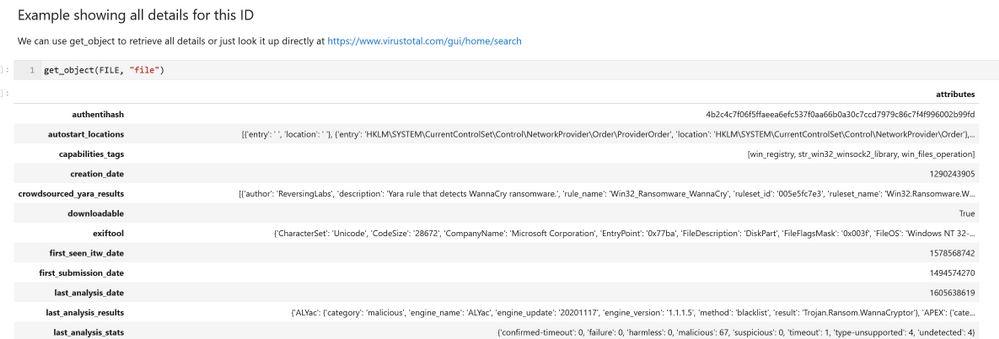
Note: get_object will be exposed in the core VTLookup3 interface in a future version. This simply implements the vt_py client.get_object call. You can use the vt_py method directly or go the VirusTotal site to see the details rendered in a more consumable fashion.
Looking up IoC Relationships
The lookup_ioc_relationships method shows off some of the capability of the new API. From a single indicator you can retrieve any related IoCs (in this case we’re using the same file hash as above). In the example here we’re retrieving any known parent processes for the malware that we are investigating.
example_relationship_df = vt_lookup.lookup_ioc_relationships(

    observable=FILE,

    vt_type=‘file’,

    relationship=‘execution_parents’)

example_relationship_df
This returns a DataFrame with the IDs of any related IoCs, their types, and the relationship type to the original observable.
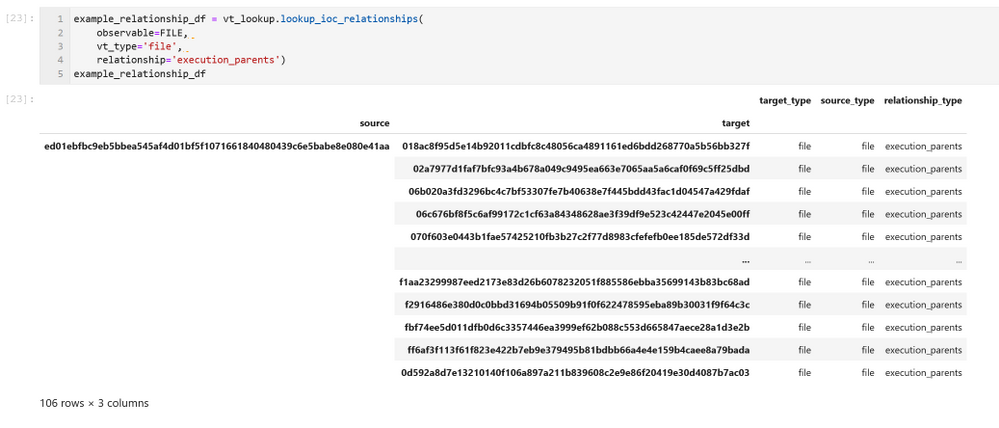
The source column is the ID of our original observable. The target column contains the known execution parents of this file. The results represent a simple graph with the nodes being the source and targets and edges being the relationship_type between them.
Use the limit parameter to this function to restrict how many related entities are returned.
You can look up details of any of the related parents using the get_object() function – but don’t do that just yet until you’ve read the next section.
Looking up multiple observables – lookup_iocs
You can use lookup_iocs to lookup multiple observables in a single call (e.g. IoCs extracted from a set of process events). Assuming that the observables are in a DataFrame called input_df, call lookup_iocs as follows:
results_df = vt_lookup.lookup_iocs(
    observables_df=input_df,
    observable_column=”colname_with_ioc”,
    observable_type_column=”colname_with_vt_type”
)
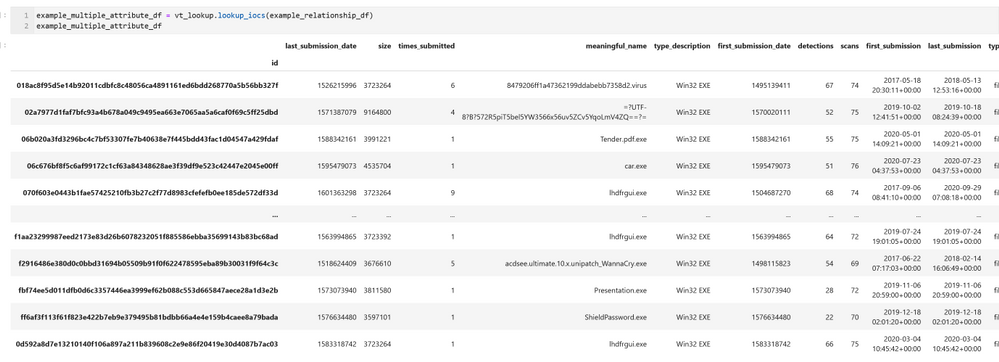
You can also submit the DataFrame that we generated earlier – example_relationship_df – directly as an input to lookup_iocs. In this case it will default to using the target and target_type columns for the observable_column and observable_type_column parameters, so these do not need to be specified as parameters.
Executing this brings back some basic details about each target item listed in our example_relationship_df DataFrame.
Expanding the Graph – looking up relationships for multiple IoCs
lookup_iocs_relationships is the equivalent of lookup_ioc_relationships but taking multiple IoC/observables as input.
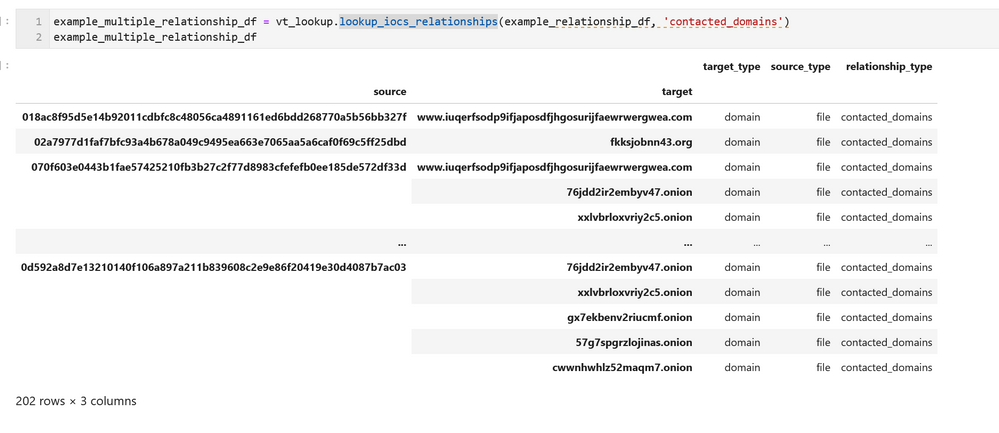
The output from this is shown using the previously generated DataFrame as input. Like lookup_iocs, this is defaulting to using the target and target_type columns for the observable_column and observable_type_column parameters; so we haven’t needed to include these parameters in the call.
You can use this API with an arbitrary DataFrame as input, specifying the observable_column and observable_type_column parameters. The data in both columns must be in the correct format for submission with valid vt_type strings (see the documentation for further details)
Importing the data to networkx
Networkx is probably the most popular Python graphing library. It only includes basic visualization capabilities but it does support a rich variety of graphing analysis and query functions. Since the data structure of the VT relationships is a graph, you can easily import the data into a networkx graph (and also plot it). Having the ability to manipulate the graph in networkx allows you to apply graphing functions and analysis on the data, such as finding the most central nodes, or those having the most neighbors.
We’ve given a simple example of importing the relationships DataFrame into a networkx graph and plotting a simple view of it with Bokeh.
from bokeh.io import output_notebook, show
from bokeh.plotting import figure, from_networkx
from bokeh.models import HoverTool
graph = nx.from_pandas_edgelist(
example_multiple_relationship_df.reset_index(),
    source=”source”,
    target=”target”,
    edge_attr=”relationship_type”,
)
plot = figure(
    title=”Simple graph plot”, x_range=(-1.1, 1.1), y_range=(-1.1, 1.1), tools=”hover”
)
g_plot = from_networkx(graph, nx.spring_layout, scale=2, center=(0, 0))
plot.renderers.append(g_plot)
output_notebook()
show(plot)
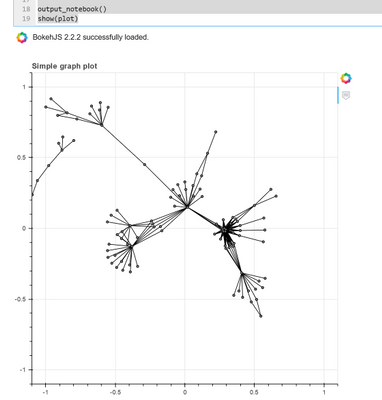
While this may look cosmic, it isn’t hugely informative and isn’t interactive in any way. On to better things…
Displaying the VT Graph
To see the data in its full glory use the create_vt_graph and render_vt_graph methods:
graph_id = vt_lookup.create_vt_graph(
    relationship_dfs=[example_relationship_df, example_multiple_relationship_df],
    name=”My first Jupyter Notebook Graph”,
    private=False,
)
vt_lookup.render_vt_graph(
    graph_id = graph_id,
    width = 900,
    height = 600
)
You may need to be patient with these APIs since a complex graph can take a while to build and render. In a few moments you should see an interactive graph render into an IFrame in the notebook as seen in the screen shot below.
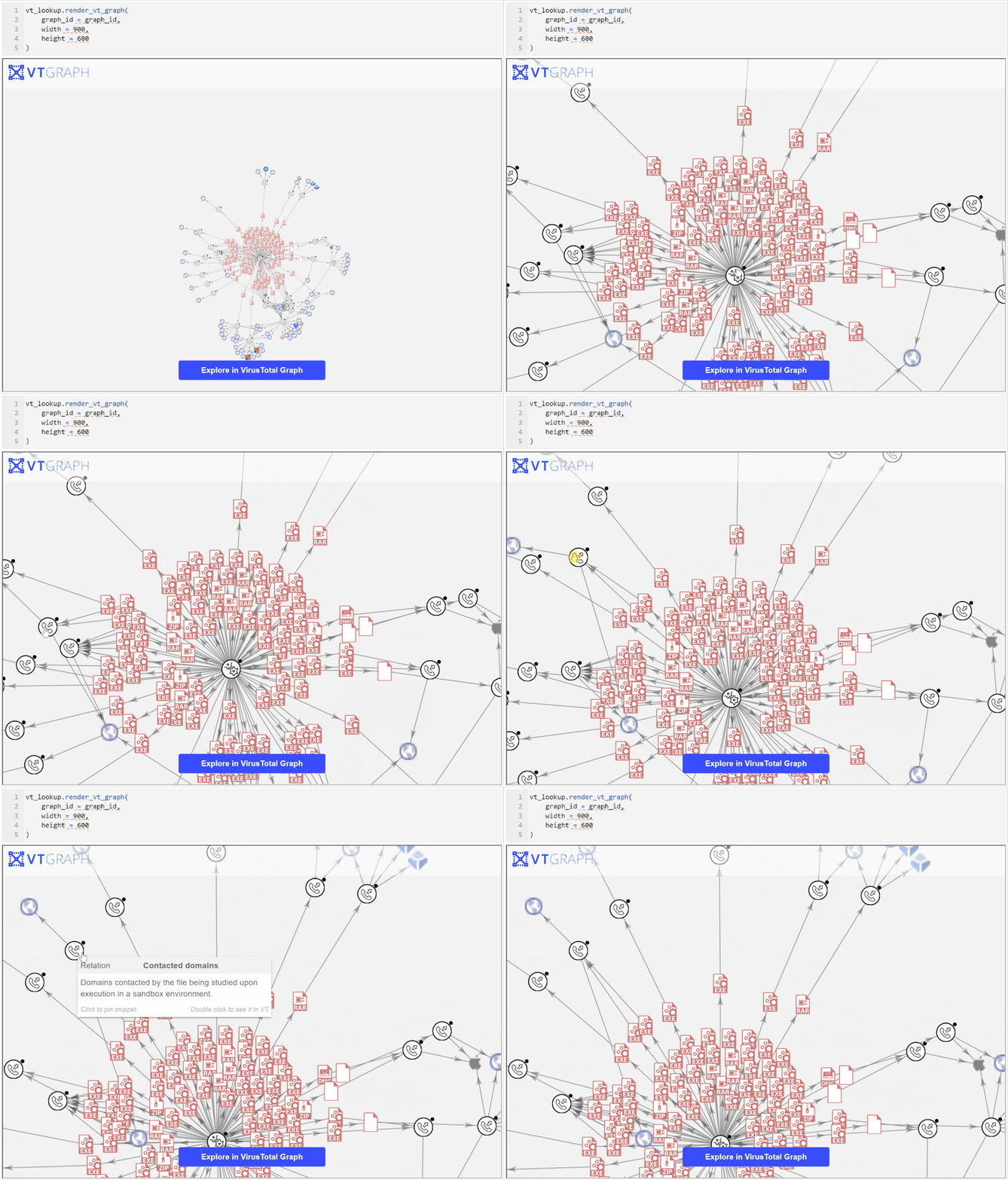
Exploring the graph on the VirusTotal site brings more capabilities such as being able to view further details about the graph entities, to search within the graph, and to search for, and add, additional nodes.
We very much appreciate this addition to MSTICPy. It brings a lot more of the power of VirusTotal data and exploration to the world of hunting and investigation in Jupyter notebooks.


Recent Comments