This article is contributed. See the original author and article here.
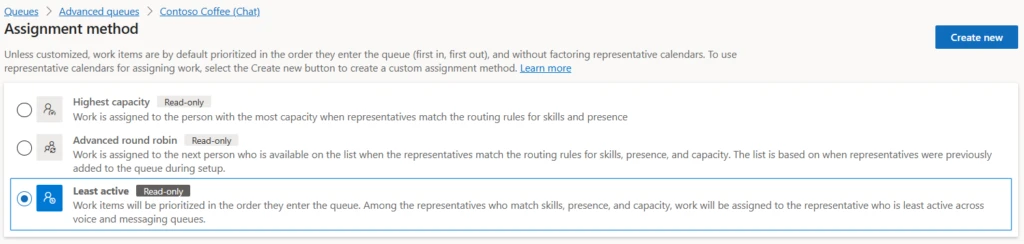
In customer service, efficient workload distribution is vital for high customer satisfaction and operational efficiency. Unified routing capabilities in Dynamics 365 Customer Service and Dynamics 365 Contact Center help organizations continuously fine-tune their operations. Least active routing assigns work items based on when service representatives finish their last conversation. Initially used for voice channels, this strategy is now extending to messaging channels, with the additional ability to factor in the load on a service rep, based on the concurrent conversations being handled.
What is least active routing?
Least active routing fairly distributes tasks among service representatives by considering last capacity release time. This ensures adequate rest between tasks, better utilization, improved customer satisfaction, as well as better customer service representative satisfaction.
Enhancements to least active routing
The extension of least active routing to messaging channels brings two significant enhancements. First, it has the ability to factor in the concurrent workload of a service representative. And second, it considers the workload and conversation completion across voice and messaging channels. These enhancements ensure fair and efficient workload distribution in a blended workforce handling multiple channels and individual service reps handling multiple conversations at the same time.
Least active routing in action
Contoso Health is a multinational healthcare and insurance provider. It has a large customer support organization covering more than 20 product lines, handled by more than 5,000 service representatives worldwide. Customers either call the contact center or use the chat option on the website to get their queries resolved.
In the contact center, a service representative can talk to only one customer at a time while engaging with up to three customers over chat in parallel. Eugenia, the director of customer support at Contoso, observes that some of her service representatives are being utilized up to 95% in their schedule. Meanwhile, others are occupied only for only 70-75%, and she wants to solve this problem. While doing that, she also wants to make sure not to impact the key metrics like customer satisfaction and SLAs. She comes across the least active routing assignment method and tries it for voice and messaging queues.
Scenario 1: Different workloads across service reps
Oscar Ward and Victoria Burke are two service representatives with the same skills. Oscar works on the Members Messaging queue, while Victoria works on Members Messaging and Returns Voice queues.
Number of conversations with Oscar: 1 chat
Number of conversations with Victoria: 1 call and 1 chat
At 1:00 PM, a new chat conversation arrives.
Because Oscar has fewer concurrent conversations than Victoria, the new chat is assigned to Oscar.
Scenario 2: Equal workloads across service reps
Maya and Hailey are two service representatives with the same skills. Maya works on the messaging queue for Orders, while Hailey works on the messaging queue for Orders and Voice queue for Delivery queries.
Let’s assume that Hailey is working on a call and chat at the same time while Maya is engaged in two chat conversations.
Maya completes one of the chats at 1:55 PM, and Hailey completes the chat at 2:00 PM. A new chat conversation arrives at 2:05 PM.
Number of conversations with Hailey: 1 call
Number of conversations with Maya: 1 chat
Because both Maya and Hailey have the same number of active assignments, the least active assignment strategy considers the last capacity release time across both voice and messaging queues.
Maya is determined to be least active compared to Hailey and therefore, the new chat is assigned to Maya.
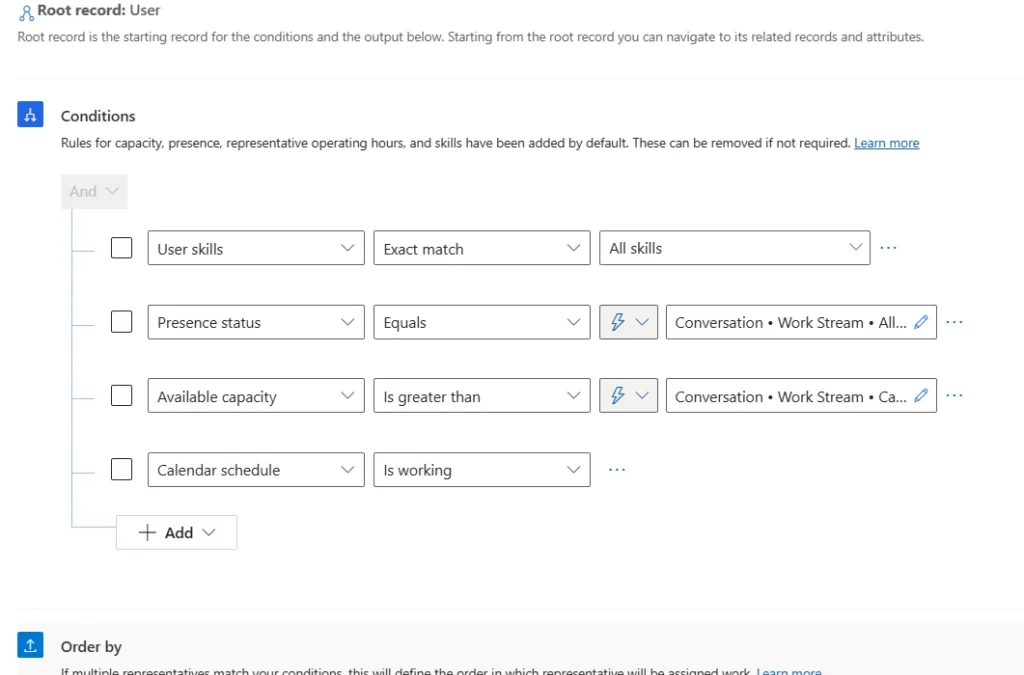
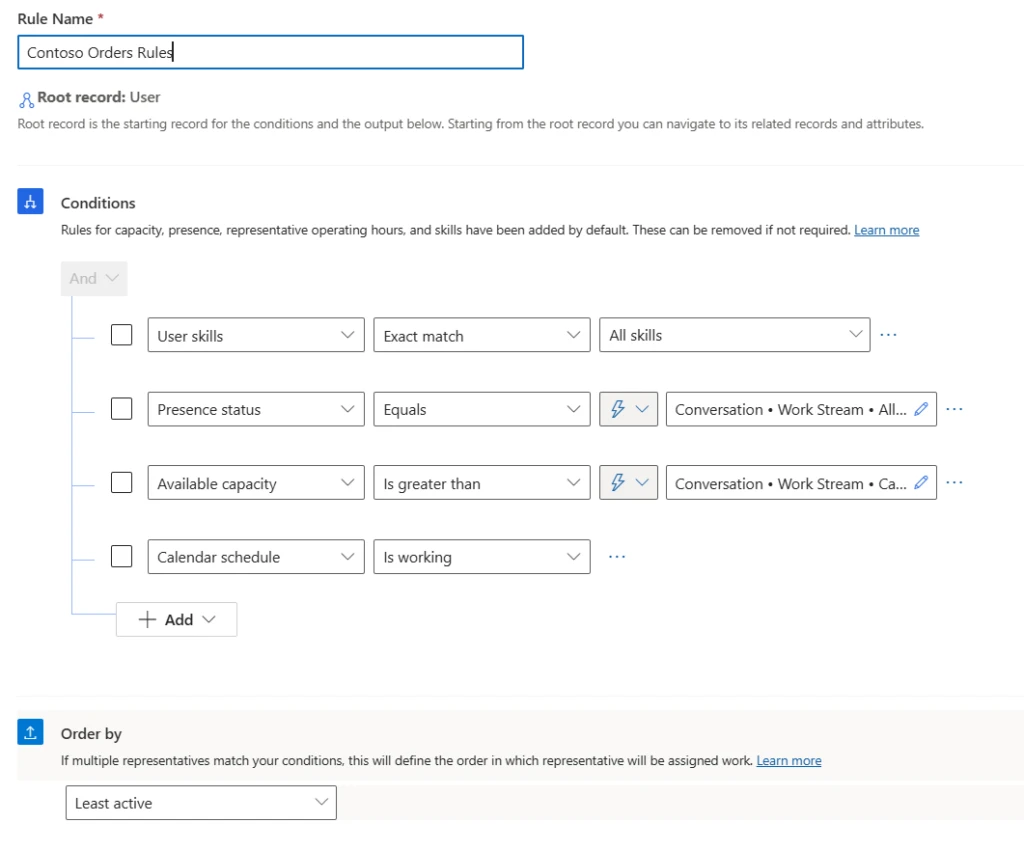
Note: Least active routing can also be used as an Order by condition in the custom assignment methods.
Build custom reports to monitor an agent’s last capacity release time
The least active assignment method works based on when the agent ended his or her last conversation. This data about the agent’s last call end time or last capacity release time, is available in the Dataverse entity ‘msdyn_agentchannelstateentity’. Organizations can use the model customization feature in Dynamics 365 Customer Service to build a custom report that provides a view of this data.
This article is contributed. See the original author and article here.
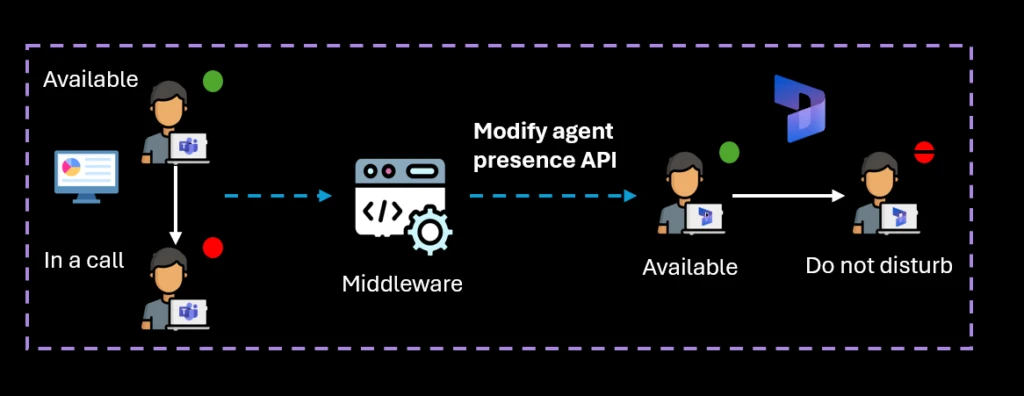
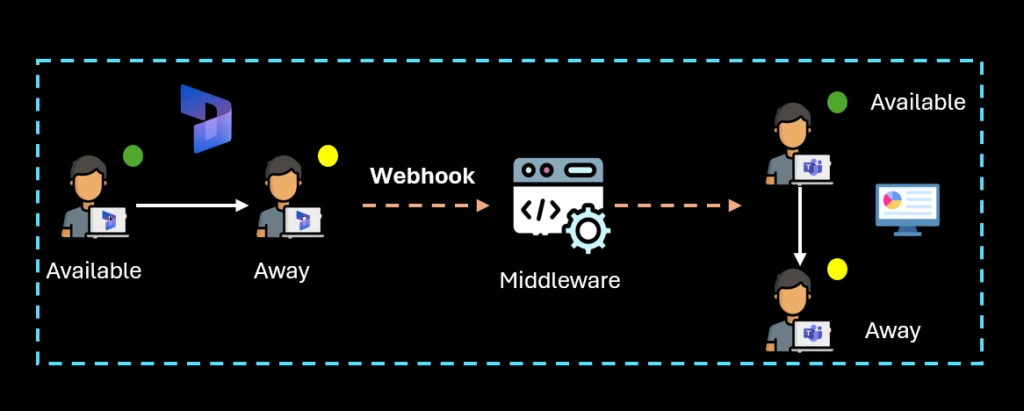
In addition to the contact center agent desktop, service representatives frequently interact with multiple platforms to participate in meetings and trainings. Also, they might use various tools for managing customer interactions across channels. To prevent overbooking contact center service reps, presence APIs synchronizes their availability and reflects it in real time across all relevant systems.
Dynamics 365 Contact Center provides presence synchronization APIs for server-to-server synchronization. These APIs allow for programmatically accessing and updating the status of service representatives, subscribing to presence change events, and maintaining consistent status updates across platforms. This ensures that service rep availability is accurate across all systems.
To understand the practical application of presence synchronization APIs, let’s consider the example of Contoso Bank. Contoso Bank has developed a collaboration application for their bank managers who handle priority customer calls in Dynamics 365 Contact Center but also need to use the collaboration tool for internal communications. By leveraging the presence synchronization APIs, Contoso Bank can synchronize the availability of managers between the collaboration tool and Dynamics apps. This ensures that when a bank manager is on a call, their status appears in the collaboration tool, preventing any interruptions or overbooking.
Presence APIs offer several key benefits to enhance your contact center operations:
Access and update presence status: Programmatically access and update the presence status of service representatives in Dynamics 365. This ensures their availability is accurate across all systems.
Avoid overbooking: Synchronize presence status to prevent service representatives from receiving multiple tasks simultaneously. This helps to avoid overbooking and potential service disruptions.
Cross-platform synchronization: Maintain consistent service representative status updates across platforms.
How does it work?
Presence APIs provide several methods to manage service representative availability:
Get presence: Retrieve the current presence status of a service representative.
Modify presence: Update the presence status of a service representative.
Subscribe to presence changes: Subscribe to presence change events to receive real-time updates.
Change agent presence in Dynamics 365 Contact Center based on a trigger in a third-party systemListen to presence change in Dynamics 365 Contact Center to trigger a change in a third-party system
This article is contributed. See the original author and article here.
One year ago, Microsoft launched its Contact Center as a Service (CCaaS) solution, powered by AI. This is built on top of the existing Dynamics 365 Customer Service capabilities. Today, we’re excited to announce the launch of the Desktop companion application (DCA) to further seamlessly allow service representatives and customers to speak more reliably and efficiently.
Faster connections, reliable service
Web crashes, freezes, and refreshes occur as a part of routine service. But what if these web glitches didn’t have to disrupt your service?
We built DCA to ensure representatives and customers stay connected during web application malfunctions. This vision is already enhancing customer service outcomes at scale. Customers across the world, including VIVID, use DCA daily after starting as our first preview customer months ago.
VIVID is a major housing provider that used our CCaaS solution to transform both the customer and employee experience. Call abandonment rates have plummeted, average speed to answer has fallen from six minutes to under a minute, and digital engagement has surged. Since adopting the platform, customers have seen faster first responses, a decrease in Bluetooth connectivity issues, and calls handled with increased reliability without call drops.
“Our calls are connecting quicker. It’s so speedy for agents to be able to answer the call and talk directly to them. The delay between accepting calls and being able to hear the customer has gone.” – VIVID
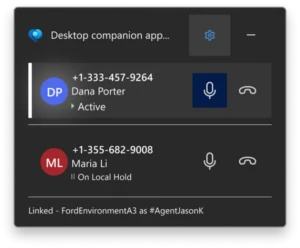
Once the admin for the organization installs DCA onto all service representatives’ machines, reps will be able to see all the important details of a call on the DCA screen. These details include calls on hold, active calls, and mute and end call buttons. The bottom line shows the connectivity status of DCA, and in the web application, a web browser extension does the same.
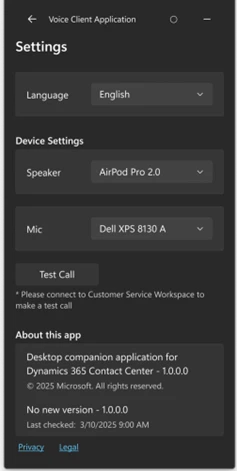
Further, CSRs can set their own language and device settings while checking for updates in the Settings tab.
With the Desktop companion application (DCA), contact centers can ensure a faster, more reliable calling experience for customers. Additionally, service reps can work more effectively with fewer disruptions.



Recent Comments