by Contributed | Apr 15, 2021 | Technology
This article is contributed. See the original author and article here.
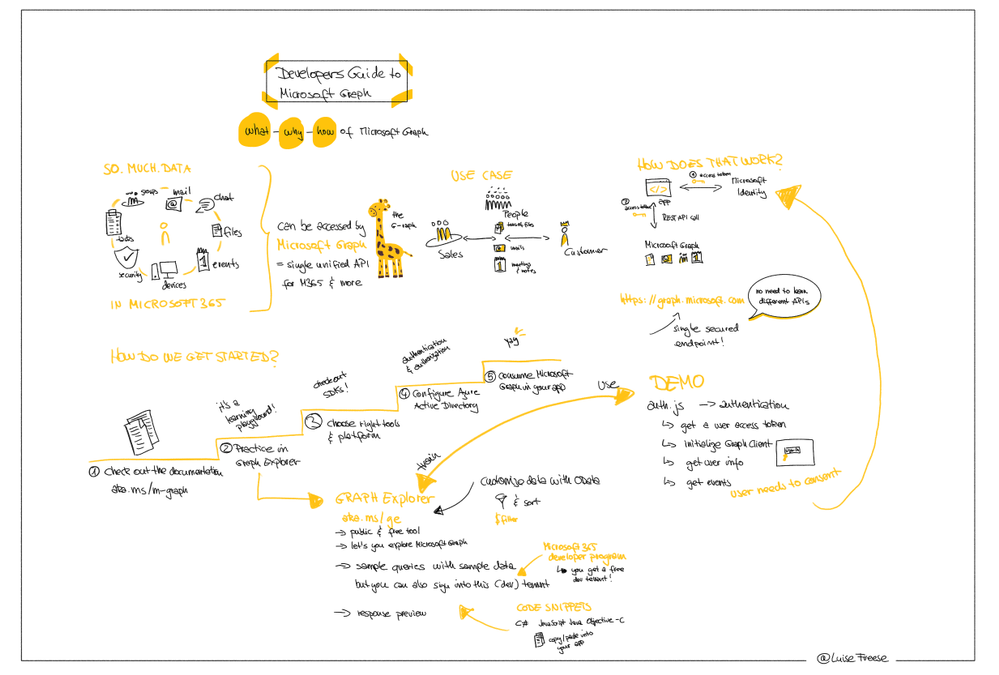
This week, I had the great pleasure to attend Microsoft’s Learn Together: Build apps for Microsoft Graph event. I also did sketchnotes of the event, you may find high resolution files (images, gifs and mp4) are available here on GitHub.
Call to action: Learn how to make apps with Microsoft Graph and complete this Microsoft Graph Learn Challenge
by Contributed | Apr 15, 2021 | Technology
This article is contributed. See the original author and article here.
Sure, being a student comes with homework, exams, and other harsh realities. But while you’re in school, you also have a rare and beautiful gift: student discounts.
As the Audience Evangelism Manager on the Azure for Students team at Microsoft, Ryan Mendenhall knows all of the benefits that you have as Microsoft Learn Student Ambassadors and what’s available for free to the students who come to your events.
Recently, Ryan shared a talk that highlights some of these benefits and demonstrates how they can be used together for a workshop. Here’s a look at what’s out there and how to save on developer tools as a student.
GitHub
You may already be using GitHub to store code, but there’s so much more to it—especially for students. If you haven’t already verified yourself as a student on GitHub yet, get started at GitHub Education.
Then check out the Student Developer Pack, which offers free access to more than 100 useful tools for managing domains, infrastructure, and mobile clients.
The pack helps you get your development career going by gathering a ton of great resources in one place. Did you know that you can get a 12-month subscription of Canva’s Pro tier design service? Or that you can register a free domain through Name.com? You’ll also find tools that help you stay on task (PomoDone), engage your audience with interactive forms and quizzes (Typeform), and start building real-time games (Unity).
Microsoft Azure for Students
Whether you get it through GitHub or some other way, a free Azure for Students account helps you learn, grow, and build on the cloud. And it’s not just a few services, either. It’s the entire Azure platform, ready to support whatever you’re inspired to build.
Start exploring services with $100 in Azure credit and free software such as SQL Server 2019, Machine Learning Server, and Visual Studio. Plus, there’s a library of Quickstart templates to help you get up and running. These shortcuts help you condense the monotonous steps of a deployment and get straight to designing and building.
Microsoft Learn
And, of course, you have access to Microsoft Learn for Students. Explore hours of modules, courses, and paths to see where your imagination can take you. Practice the skills that will help you stand out. Build proofs of concept to show off your knowledge of new technologies. Earn certifications, connect with other students who share your interests, and feed your curiosity.
Get started
Verify your student status through GitHub Education
Explore the GitHub Student Developer Pack
Create a free Azure for Students account
Explore Microsoft Learn for Students

by Scott Muniz | Apr 15, 2021 | Security, Technology
This article is contributed. See the original author and article here.
Official websites use .gov
A .gov website belongs to an official government organization in the United States.

Secure .gov websites use HTTPS A
lock ( )
) or
https:// means you’ve safely connected to the .gov website. Share sensitive information only on official, secure websites.
by Scott Muniz | Apr 15, 2021 | Security
This article was originally posted by the FTC. See the original article here.
There are no supplements proven to treat or prevent COVID-19. But that doesn’t stop some companies from making these kind of unsubstantiated claims, or even false claims that their products work as well — or better — than available COVID-19 vaccines. If you see claims like these, the FTC wants you to ignore them.
The first action taken under the COVID-19 Consumer Protection Act charges St. Louis-based chiropractor Eric Anthony Nepute and his company Quickwork LLC with deceptively marketing vitamin D and zinc products as proven immunity boosters that effectively treat or prevent COVID-19. What’s more, the defendants claim their products offer equal or better protection from the disease than available vaccines. The complaint, filed by the Department of Justice on the FTC’s behalf, says that the defendants don’t have the scientific evidence to back up their treatment or prevention claims, much less the claims that their products are as good as (or superior to) approved COVID-19 vaccines.
In addition to financial penalties, the government seeks to bar the defendants from making additional unsubstantiated claims about the effects of vitamin D and zinc on COVID-19.
When it comes to fighting COVID-19 and spotting unsupported treatment claims, follow these tips:
- When there’s a medical breakthrough to treat, prevent, or cure a disease, you’re not going to hear about it for the first time through an ad or sales pitch.
- Always talk with your doctor or healthcare professional before you try any product claiming to treat, prevent, or cure COVID-19.
- Visit CDC.gov and the FDA.gov for the most up-to-date information about COVID-19 and available vaccines.
Now, share what you know, and ask others to do the same.
Brought to you by Dr. Ware, Microsoft Office 365 Silver Partner, Charleston SC.
by Scott Muniz | Apr 15, 2021 | Security, Technology
This article is contributed. See the original author and article here.
Google has updated the stable channel for Chrome to 90.0.4430.72 for Windows, Mac, and Linux. This version addresses vulnerabilities that an attacker could exploit to take control of an affected system.
CISA encourages users and administrators to review the Chrome release and apply the necessary changes.
by Scott Muniz | Apr 15, 2021 | Security, Technology
This article is contributed. See the original author and article here.
Juniper Networks has released security updates to address vulnerabilities in multiple products. An attacker could exploit some of these vulnerabilities to take control of an affected system.
CISA encourages users and administrators to review the Juniper Security Advisories webpage and apply the necessary updates or workarounds.
by Scott Muniz | Apr 15, 2021 | Security, Technology
This article is contributed. See the original author and article here.
Cybersecurity researchers from Forescout and JSOF have released a report on a set of nine vulnerabilities—referred to as NAME:WRECK—affecting Domain Name System (DNS) implementations. NAME:WRECK affects at least four common TCP/IP stacks—FreeBSD, IPNet, NetX, and Nucleus NET—that are used in Internet of Things (IoT), operational technology (OT), and information technology (IT) devices. A remote attacker could exploit these vulnerabilities to take control of an affected system.
CISA encourages users and administrators to review the Forescout Research Labs and JSOF Research Labs report NAME:WRECK Breaking and Fixing DNS Implementations and Forescout NAME:WRECK web page for more information, including recommended mitigations.
by Contributed | Apr 15, 2021 | Technology
This article is contributed. See the original author and article here.
Initial Update: Thursday, 15 April 2021 10:22 UTC
We are aware of issues within Log Analytics and are actively investigating. Some customers may experience data access, data gaps, data latency and missed or delayed alerts in UAE Central region..
- Work Around: None
- Next Update: Before 04/15 14:30 UTC
We are working hard to resolve this issue and apologize for any inconvenience.
-Deepika
by Contributed | Apr 15, 2021 | Technology
This article is contributed. See the original author and article here.
If you make a mistake when configuring operating system firewall rules that block you from accessing the VM, or a service is stopping an IaaS VM from booting, or some other configuration problem such as a newly installed application is stopping you from accessing a Windows Server IaaS VM using RDP or remote PowerShell, you always have the option of interacting with the Special Administration Console (SAC), also known as Emergency Management Services (EMS) if you set it up beforehand.
Enabling EMS can provide you with another “get out of jail” card if something goes wrong with one of your Windows Server IaaS VMs.
Note: Serial Console access is also available for Linux VMs, and you can find out more about it in the following Docs article:
There are several steps that you need to take to enable Serial Console access to Windows Server IaaS VMs. The first is to configure the Windows Server VM operating system to support EMS, something that it isn’t configured for by default. You can do this by opening up an administrative command prompt (not PowerShell) on the VM once it is deployed and running the command:
Bcdedit /ems {current} on
You’ll then need to restart the VM.
When configuring Serial Console for a VM, you also need to ensure that you have an account configured as a member of the local Administrators group on the VM that uses password authentication. This is the account you’ll use to interact with the VM through EMS once you have authenticated.
The next step requires that you configure the VM to support boot diagnostics. It’s important to note that you’ll need to use a custom boot diagnostics account and that you can’t use managed boot diagnostics storage accounts at the time of writing. You can do this from CloudShell by running the command (substituting in the appropriate values for VM name, resource group and storage account that will store boot diagnostics data):
az vm boot-diagnostics enable --name MyVirtualMachine --resource-group MyResourceGroup --storage https://mystor.blob.core.windows.net/
Or by enabling it through the VM’s properties in the Azure portal in the Boot Diagnostics area of the Support + Troubleshooting section.
Once you’ve enabled boot diagnostics, the final step is to enable Serial Console at the subscription level. You can do this in CloudShell by running the following commands:
subscriptionId=$(az account show --output=json | jq -r .id)

az resource invoke-action --action enableConsole --ids "/subscriptions/$subscriptionId/providers/Microsoft.SerialConsole/consoleServices/default" --api-version="2018-05-01"
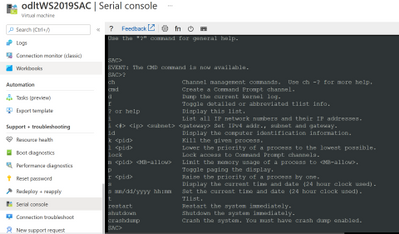
Once you’ve taken these steps you can access the Serial Console for the VM from the Serial Console area of the Support + Troubleshooting section.
Once you’ve made the connection to SAC, enter the following to create a channel that has the CMD instance
Cmd
You’ll then need to type the following to switch to the cmd channel
Ch -si 1
Press Enter and you’ll be presented with an authentication prompt. Authenticate with the account that has local credentials. Generally you’ll just press Enter when prompted for Domain and if you have to delete characters when authenticating, press <CTRL><H>
To start a PowerShell session from the command prompt, type PowerShell.exe
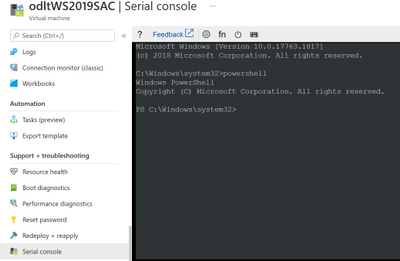
You can use PowerShell within a Serial Console to perform the following tasks:
- Edit the registry
- Enable RDP
- Manage services
- Configure service logon accounts
- Configure service startup types
- Configure service dependencies
- Perform network diagnostics
- Manage Windows Firewall settings
- Manage users and groups
- Manage the Windows Event Log
- View or remove installed applications
- Add and remove Windows roles and features
- Restart windows
- Configure network interfaces including setting IP addresses (remember that an Azure IaaS VM should always be configured from within the VM to use DHCP and any adapter address configuration should be performed external to the VM against the network adapter within the Azure console)
For more information on what you can do using cmd.exe and PowerShell within a Serial Console session, consult the following article:
Although you’ll probably not need it, you should enable EMS on all of your Windows Server IaaS VMs as a way of giving yourself a method of troubleshooting a VM you can’t connect to using RDP or Azure PowerShell.
by Contributed | Apr 15, 2021 | Technology
This article is contributed. See the original author and article here.
We use AI (Artificial Intelligence) integrated applications daily, from search engines optimized to find the most relevant content, to recommendation engines for streaming or shopping. During AI’s early years rising to popularity, improving applications with AI was only possible for companies with big budgets dedicated to research and experts, preventing companies that cannot effort an AI team to compete. Today AI is readily available for any product, without having to invest in research and development. There are open-source libraries that can help you train Machine Learning models like TensorFlow. With a fraction of the effort and the cost, pre-trained AI services are available to easily integrate into your applications, with APIs and UI based tools to train custom models for your specific use case. In Integrating AI series, I aim to help you decide if and how to integrate AI into your applications, get you started with Azure’s ready to use AI solutions, Cognitive Services and answer your most frequent questions when getting started.
Let’s start with these fundamental questions:
- What are the problems you can solve with AI?
- What do you need to know before starting to build your solution?
- How do you measure the success of your new AI features?
What are the problems you can solve with AI?
AI is a groundbreaking technology but not a magical solution for everything. It is important to know if you are adding value or solving an actual user problem. There are complex products like Wikipedia and Reddit that have a lot of information but use crowdsourcing and simple search to cater to unique needs without the help of AI. To make an informed decision, you need to start with your users’ needs. What are the problems they face? Is there a process that you can automize like filling expense forms that can be automated with Form Recognizer service? Send voice messages to your customers with updates using Speech Services? Do they make complex choices while using your product that could be customized to your users with the use of Personalizer? Do you need to improve the usability of your application with voice interactions and Language Understanding? It is important to solve a real need for your users instead of assuming the solution that will be useful. User research is the best way to figure out the issues and a lot can be surfaced by user analytics. You can use Metrics Advisor AI service to detect anomalies and figure out future AI solutions as well.
Once you have a clear definition of the problem and define how to measure success, it is time to explore practical solutions. You can read about the Azure customer stories and learn from their methods and design process. For example, read about BBC’s customer story before you read about the technical story of using Azure’s Speech, Azure Bot Service and Language Understanding Services together to solve the customer needs they identified.
Most AI solutions can fall into two categories. The first major use case for AI is automating the mindless repetitive jobs. If the users of an expense report or a hiring application need to type in information from a form or a receipt to your system, it is easily automated by OCR (Optical Character Recognition). Similar automations are possible for close captioning, translation, classifying images and automizing alert messages.
The second category of AI solutions can be categorized as complex human decisions based on data. You could give your friends recommendations on what to watch next easily, knowing what they like, what they don’t like. For example, a streaming service with thousands of movies to choose from, cannot surface relevant content with simple filtering of the genres or release dates. It would take forever to choose what to watch by browsing unless you know the exact name of the movie. For a decision like recommendation among thousands or millions of results, AI might be better at recommending to your best friend, maybe even better than you over time. Understanding the language and intent of people is another example. A human can understand and classify a review as positive or negative easily. For machines to detect the same emotions, you must do more than detect certain words to get sentiment.
What do you need to know before starting to build your solution?
Some problems are easier to solve than others with AI. Experimenting with different tools to confirming your solutions is important. All the Cognitive services are easy to try out and here is how to do that:
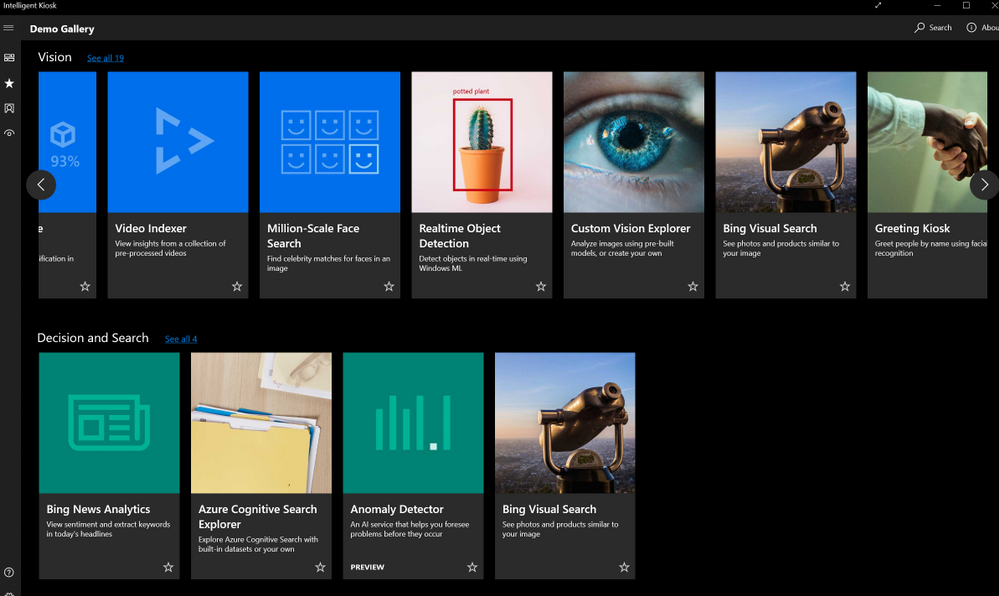
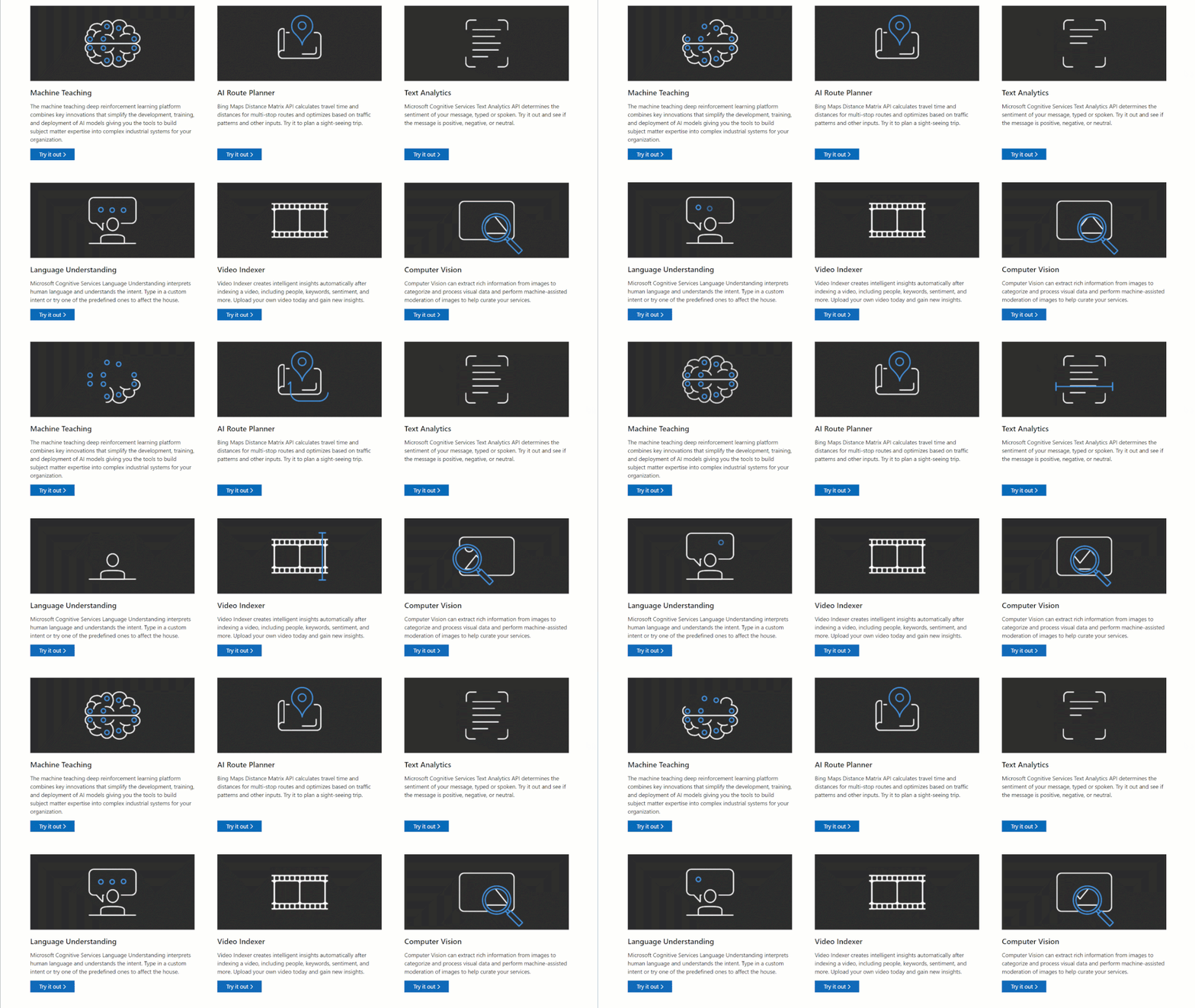
- Once you create an Azure resource, you can see the code samples, API call examples and try out the Rest API end points directly on the Cognitive Services API Reference pages.
-
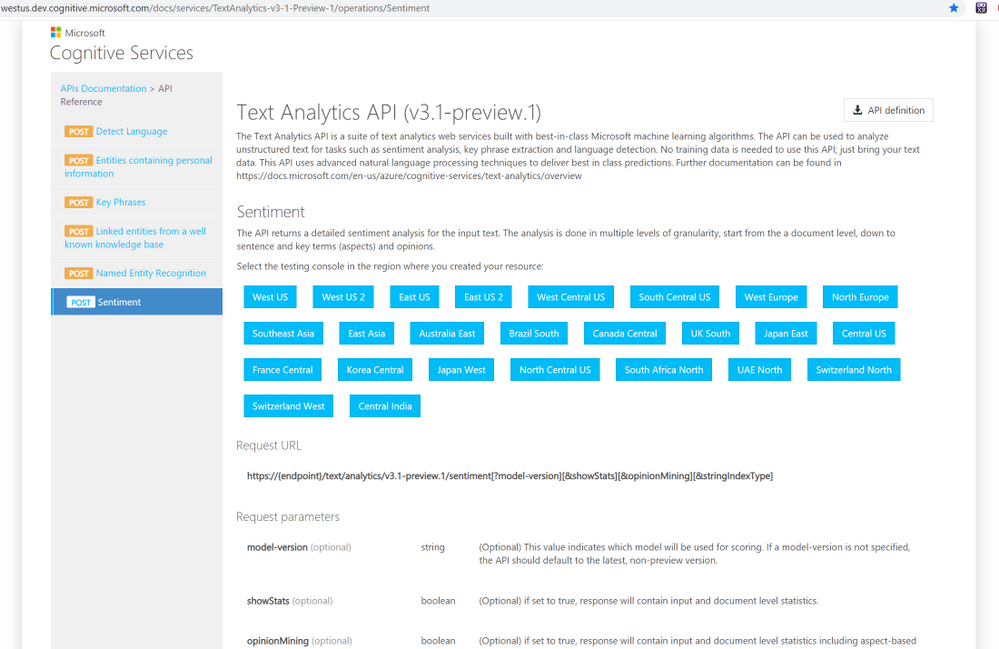 API descriptions
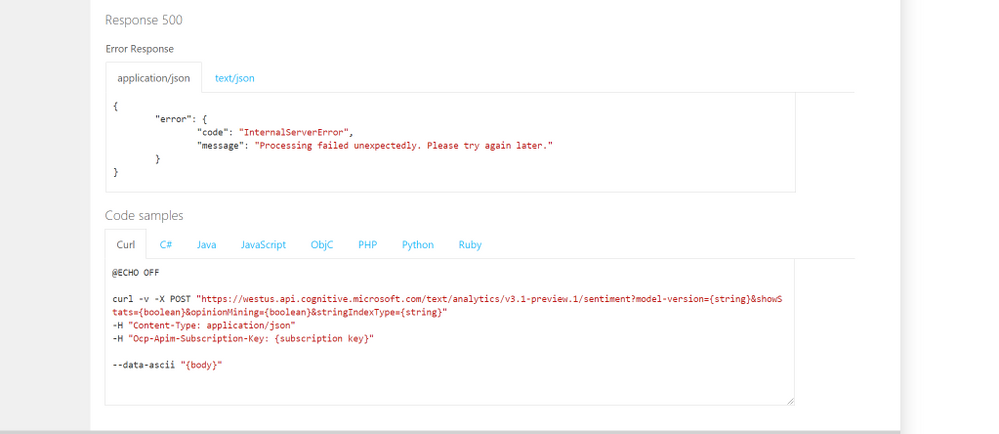 Code Samples
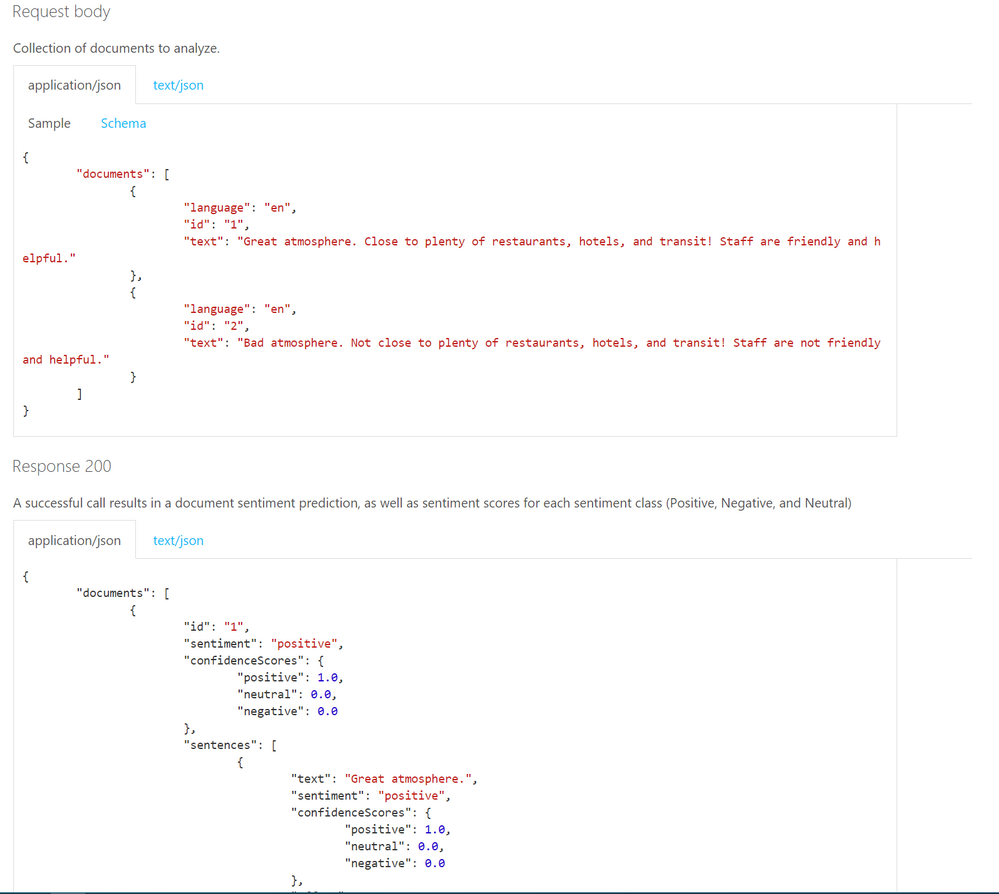 Request
Will your users love your solution?
Scaling an application and polishing the user experience takes most of the development time. It is better to try out features fast and adjust before making the investment in perfecting the wrong experience. You might assume an application flow that users are going to interact, but users can surprise you in their own creative ways of using your tools. Prototype your applications quickly and get user feedback early on.
Power platform is one of the tools that allows you to create mobile apps that integrates important AI capabilities without writing any code. With power platform, you can easily deploy and share your prototypes, without leaving the platform’s UI. After the free trial period, both training and using your AI models will cost but not as much as the development time of an actual app with AI and having to make major changes after the release. Check out some of the capabilities and use cases of AI Builder on Power Platform and how to train a custom vision model and creating a mobile app on Power Platform in this article.
There are other fast and easy options to add AI to your applications, without a big development investment, especially if you are adding the capabilities to an existing application. You can use a logic app to design an application on Azure platform to find twitter mentions of your brand and analyze the sentiment of the tweets. You can visualize the data on Power BI or your choice of visualization platform or tools.
Once you integrate your AI solution, you can make the new AI features to a limited group of users and compare the effectiveness of your solution with your non-AI features.
 AI Show Live every Friday on LearnTV
- Let us know the problems you are trying to solve and your specific use cases on the comments below.
Thanks!


Recent Comments