by Scott Muniz | Jun 14, 2021 | Security, Technology
This article is contributed. See the original author and article here.
| edk2 — edk2 |
A heap overflow in LzmaUefiDecompressGetInfo function in EDK II. |
2021-06-11 |
not yet calculated |
CVE-2021-28211
MISC |
2sic — 2sxc
|
An issue was discovered in 2sic 2sxc before 11.22. A XSS vulnerability in the sxcver parameter of dnn/ui.html allows an attacker to craft a malicious URL that executes a JavaScript payload in a victim’s browser. |
2021-06-07 |
not yet calculated |
CVE-2020-26885
MISC
MISC
CONFIRM
MISC |
N/A — N/A
|
Windows Kernel-Mode Driver Elevation of Privilege Vulnerability |
2021-06-08 |
not yet calculated |
CVE-2021-31952
MISC |
accela — civic_platform
|
Accela Civic Platform through 20.1 allows ssoAdapter/logoutAction.do successURL XSS. |
2021-06-09 |
not yet calculated |
CVE-2021-34370
MISC |
accela — civic_platform
|
portlets/contact/ref/refContactDetail.do in Accela Civic Platform through 20.1 allows remote attackers to obtain sensitive information via a modified contactSeqNumber value. |
2021-06-09 |
not yet calculated |
CVE-2021-34369
MISC |
accenture — annex_cloud_loyalty_experience_platform
|
An Insecure Direct Object Reference (IDOR) vulnerability in Annex Cloud Loyalty Experience Platform <2021.1.0.1 allows any authenticated attacker to modify any existing user, including users assigned to different environments and clients. It was fixed in v2021.1.0.2. |
2021-06-10 |
not yet calculated |
CVE-2021-31927
MISC
MISC |
accenture — annex_cloud_loyalty_experience_platform
|
Annex Cloud Loyalty Experience Platform <2021.1.0.1 allows any authenticated attacker to escalate privileges to superadministrator. It was fixed in v2021.1.0.2. |
2021-06-10 |
not yet calculated |
CVE-2021-31928
MISC
MISC |
accenture — annex_cloud_loyalty_experience_platform
|
Annex Cloud Loyalty Experience Platform <2021.1.0.1 allows any authenticated attacker to modify loyalty campaigns and settings, such as fraud prevention, coupon groups, email templates, or referrals. |
2021-06-10 |
not yet calculated |
CVE-2021-31929
MISC
MISC |
| accusoft — imagegear |
An improper array index validation vulnerability exists in the TIF IP_planar_raster_unpack functionality of Accusoft ImageGear 19.9. A specially crafted malformed file can lead to an out-of-bounds write. An attacker can provide a malicious file to trigger this vulnerability. |
2021-06-11 |
not yet calculated |
CVE-2021-21833
MISC |
accusoft — imagegear
|
A heap-based buffer overflow vulnerability exists in the PSD read_icc_icCurve_data functionality of Accusoft ImageGear 19.9. A specially crafted malformed file can lead to an integer overflow that, in turn, leads to a heap buffer overflow. An attacker can provide a malicious file to trigger this vulnerability. |
2021-06-11 |
not yet calculated |
CVE-2021-21795
MISC |
accusoft — imagegear
|
A memory corruption vulnerability exists in the PNG png_palette_process functionality of Accusoft ImageGear 19.9. A specially crafted malformed file can lead to a heap buffer overflow. An attacker can provide malicious inputs to trigger this vulnerability. |
2021-06-11 |
not yet calculated |
CVE-2021-21808
MISC |
accusoft — imagegear
|
An out-of-bounds write vulnerability exists in the JPG Handle_JPEG420 functionality of Accusoft ImageGear 19.9. A specially crafted malformed file can lead to memory corruption. An attacker can provide a malicious file to trigger this vulnerability. |
2021-06-11 |
not yet calculated |
CVE-2021-21824
MISC |
advantech — iview
|
The affected product is vulnerable to a SQL injection, which may allow an unauthorized attacker to disclose information on the iView (versions prior to v5.7.03.6182). |
2021-06-11 |
not yet calculated |
CVE-2021-32932
MISC |
advantech — iview
|
The affected product’s configuration is vulnerable due to missing authentication, which may allow an attacker to change configurations and execute arbitrary code on the iView (versions prior to v5.7.03.6182). |
2021-06-11 |
not yet calculated |
CVE-2021-32930
MISC |
advantech — webaccess
|
Advantech WebAccess 8.4.2 and 8.4.4 allows XSS via the username column of the bwRoot.asp page of WADashboard. |
2021-06-11 |
not yet calculated |
CVE-2021-34540
MISC
MISC |
| amd — cpu_products |
Potential speculative code store bypass in all supported CPU products, in conjunction with software vulnerabilities relating to speculative execution of overwritten instructions, may cause an incorrect speculation and could result in data leakage. |
2021-06-09 |
not yet calculated |
CVE-2021-26313
MISC
MLIST
CONFIRM
MLIST
MLIST
MLIST |
amd — cpu_products
|
Potential floating point value injection in all supported CPU products, in conjunction with software vulnerabilities relating to speculative execution with incorrect floating point results, may cause the use of incorrect data from FPVI and may result in data leakage. |
2021-06-09 |
not yet calculated |
CVE-2021-26314
MISC
MLIST
MLIST |
ansible — ansible
|
A flaw was found in Ansible if an ansible user sets ANSIBLE_ASYNC_DIR to a subdirectory of a world writable directory. When this occurs, there is a race condition on the managed machine. A malicious, non-privileged account on the remote machine can exploit the race condition to access the async result data. This flaw affects Ansible Tower 3.7 and Ansible Automation Platform 1.2. |
2021-06-09 |
not yet calculated |
CVE-2021-3533
MISC |
ansible — ansible
|
A flaw was found in Ansible where the secret information present in async_files are getting disclosed when the user changes the jobdir to a world readable directory. Any secret information in an async status file will be readable by a malicious user on that system. This flaw affects Ansible Tower 3.7 and Ansible Automation Platform 1.2. |
2021-06-09 |
not yet calculated |
CVE-2021-3532
MISC |
apache — apisix_dashboard
|
In Apache APISIX Dashboard version 2.6, we changed the default value of listen host to 0.0.0.0 in order to facilitate users to configure external network access. In the IP allowed list restriction, a risky function was used for the IP acquisition, which made it possible to bypass the network limit. At the same time, the default account and password are fixed.Ultimately these factors lead to the issue of security risks. This issue is fixed in APISIX Dashboard 2.6.1 |
2021-06-08 |
not yet calculated |
CVE-2021-33190
CONFIRM
MLIST
MLIST |
apache — http_server
|
Apache HTTP Server versions 2.4.0 to 2.4.46 A specially crafted Cookie header handled by mod_session can cause a NULL pointer dereference and crash, leading to a possible Denial Of Service |
2021-06-10 |
not yet calculated |
CVE-2021-26690
CONFIRM
CONFIRM
MLIST
MLIST
MLIST |
apache — http_server
|
In Apache HTTP Server versions 2.4.0 to 2.4.46 a specially crafted SessionHeader sent by an origin server could cause a heap overflow |
2021-06-10 |
not yet calculated |
CVE-2021-26691
CONFIRM
CONFIRM
MLIST
MLIST
MLIST |
apache — http_server
|
Apache HTTP Server versions 2.4.0 to 2.4.46 A specially crafted Digest nonce can cause a stack overflow in mod_auth_digest. There is no report of this overflow being exploitable, nor the Apache HTTP Server team could create one, though some particular compiler and/or compilation option might make it possible, with limited consequences anyway due to the size (a single byte) and the value (zero byte) of the overflow |
2021-06-10 |
not yet calculated |
CVE-2020-35452
CONFIRM
CONFIRM
MLIST
MLIST
MLIST |
apache — http_server
|
Apache HTTP Server versions 2.4.0 to 2.4.46 Unprivileged local users can stop httpd on Windows |
2021-06-10 |
not yet calculated |
CVE-2020-13938
CONFIRM
CONFIRM
MLIST
MLIST
MLIST |
apache — http_server
|
Apache HTTP Server versions 2.4.41 to 2.4.46 mod_proxy_http can be made to crash (NULL pointer dereference) with specially crafted requests using both Content-Length and Transfer-Encoding headers, leading to a Denial of Service |
2021-06-10 |
not yet calculated |
CVE-2020-13950
CONFIRM
CONFIRM
MLIST
MLIST
MLIST |
apache — http_server
|
Apache HTTP Server versions 2.4.6 to 2.4.46 mod_proxy_wstunnel configured on an URL that is not necessarily Upgraded by the origin server was tunneling the whole connection regardless, thus allowing for subsequent requests on the same connection to pass through with no HTTP validation, authentication or authorization possibly configured. |
2021-06-10 |
not yet calculated |
CVE-2019-17567
CONFIRM
CONFIRM
MLIST
MLIST
MLIST |
apache — http_server_versions
|
Apache HTTP Server versions 2.4.39 to 2.4.46 Unexpected matching behavior with ‘MergeSlashes OFF’ |
2021-06-10 |
not yet calculated |
CVE-2021-30641
CONFIRM
CONFIRM
MLIST
MLIST
MLIST |
apache — pdfbox
|
In Apache PDFBox, a carefully crafted PDF file can trigger an OutOfMemory-Exception while loading the file. This issue affects Apache PDFBox version 2.0.23 and prior 2.0.x versions. |
2021-06-12 |
not yet calculated |
CVE-2021-31811
MISC
MLIST
MLIST
MLIST
MLIST
MLIST
MLIST
MLIST
MLIST
MLIST
MLIST |
apache — pdfbox
|
In Apache PDFBox, a carefully crafted PDF file can trigger an infinite loop while loading the file. This issue affects Apache PDFBox version 2.0.23 and prior 2.0.x versions. |
2021-06-12 |
not yet calculated |
CVE-2021-31812
MISC
MLIST
MLIST
MLIST
MLIST
MLIST
MLIST
MLIST
MLIST
MLIST
MLIST |
atlassian — jira_server_and_data_center
|
The number range searcher component in Jira Server and Jira Data Center before version 8.5.14, from version 8.6.0 before version 8.13.6, and from version 8.14.0 before version 8.16.1 allows remote attackers inject arbitrary HTML or JavaScript via a cross site scripting (XSS) vulnerability. |
2021-06-07 |
not yet calculated |
CVE-2021-26078
MISC |
atlassian — jira_server_and_data_center
|
The CardLayoutConfigTable component in Jira Server and Jira Data Center before version 8.5.15, and from version 8.6.0 before version 8.13.7, and from version 8.14.0 before 8.17.0 allows remote attackers to inject arbitrary HTML or JavaScript via a cross site scripting (XSS) vulnerability. |
2021-06-07 |
not yet calculated |
CVE-2021-26079
MISC |
atlassian — jira_server_and_data_center
|
EditworkflowScheme.jspa in Jira Server and Jira Data Center before version 8.5.14, and from version 8.6.0 before version 8.13.6, and from 8.14.0 before 8.16.1 allows remote attackers to inject arbitrary HTML or JavaScript via a cross site scripting (XSS) vulnerability. |
2021-06-07 |
not yet calculated |
CVE-2021-26080
MISC |
| atom — atom |
The ATOM (ATOM – Smart life App for Android versions prior to 1.8.1 and ATOM – Smart life App for iOS versions prior to 1.8.2) does not verify server certificate properly, which allows man-in-the-middle attackers to eavesdrop on encrypted communication via a crafted certificate. |
2021-06-09 |
not yet calculated |
CVE-2021-20732
MISC
MISC |
auth0 — lock
|
auth0-lock is Auth0’s signin solution. Versions of nauth0-lock before and including `11.30.0` are vulnerable to reflected XSS. An attacker can execute arbitrary code when the library’s `flashMessage` feature is utilized and user input or data from URL parameters is incorporated into the `flashMessage` or the library’s `languageDictionary` feature is utilized and user input or data from URL parameters is incorporated into the `languageDictionary`. The vulnerability is patched in version 11.30.1. |
2021-06-04 |
not yet calculated |
CVE-2021-32641
MISC
MISC
CONFIRM |
aveva — intouch_runtime_2020_r2
|
The vulnerability could expose cleartext credentials from AVEVA InTouch Runtime 2020 R2 and all prior versions (WindowViewer) if an authorized, privileged user creates a diagnostic memory dump of the process and saves it to a non-protected location. |
2021-06-09 |
not yet calculated |
CVE-2021-32942
MISC
MISC |
battle.net — battle.net
|
Battle.net.exe in Battle.Net 1.27.1.12428 suffers from an elevation of privileges vulnerability which can be used by an “Authenticated User” to modify the existing executable file with a binary of his choice. The vulnerability exist due to weak set of permissions being granted to the “Authenticated Users Group” which grants the (F) Flag aka “Full Control” |
2021-06-09 |
not yet calculated |
CVE-2020-27383
MISC |
big-ip — big-iq
|
On version 8.0.x before 8.0.0.1, and all 6.x and 7.x versions, the BIG-IQ Configuration utility has an authenticated remote command execution vulnerability in undisclosed pages. Note: Software versions which have reached End of Technical Support (EoTS) are not evaluated. |
2021-06-10 |
not yet calculated |
CVE-2021-23024
MISC |
big-ip — edge_client
|
On version 7.2.1.x before 7.2.1.3 and 7.1.x before 7.1.9.9 Update 1, the BIG-IP Edge Client Windows Installer Service’s temporary folder has weak file and folder permissions. Note: Software versions which have reached End of Technical Support (EoTS) are not evaluated. |
2021-06-10 |
not yet calculated |
CVE-2021-23022
MISC |
big-ip — edge_client
|
On version 7.2.1.x before 7.2.1.3 and 7.1.x before 7.1.9.9 Update 1, a DLL hijacking issue exists in cachecleaner.dll included in the BIG-IP Edge Client Windows Installer. Note: Software versions which have reached End of Technical Support (EoTS) are not evaluated. |
2021-06-10 |
not yet calculated |
CVE-2021-23023
MISC |
bluez — bluez
|
Improper access control in BlueZ may allow an authenticated user to potentially enable information disclosure via adjacent access. |
2021-06-09 |
not yet calculated |
CVE-2021-0129
MISC |
bluez — bluez
|
The cli_feat_read_cb() function in src/gatt-database.c does not perform bounds checks on the ‘offset’ variable before using it as an index into an array for reading. |
2021-06-10 |
not yet calculated |
CVE-2021-3588
MISC |
| bosch — ip_cameras |
An authenticated attacker with administrator rights Bosch IP cameras can call an URL with an invalid parameter that causes the camera to become unresponsive for a few seconds and cause a Denial of Service (DoS). |
2021-06-09 |
not yet calculated |
CVE-2021-23852
CONFIRM |
| bosch — ip_cameras |
An error in the handling of a page parameter in Bosch IP cameras may lead to a reflected cross site scripting (XSS) in the web-based interface. This issue only affects versions 7.7x and 7.6x. All other versions are not affected. |
2021-06-09 |
not yet calculated |
CVE-2021-23854
CONFIRM |
bosch — ip_cameras
|
In Bosch IP cameras, improper validation of the HTTP header allows an attacker to inject arbitrary HTTP headers through crafted URLs. |
2021-06-09 |
not yet calculated |
CVE-2021-23853
CONFIRM |
bosch — ip_cameras
|
An error in the URL handler Bosch IP cameras may lead to a reflected cross site scripting (XSS) in the web-based interface. An attacker with knowledge of the camera address can send a crafted link to a user, which will execute javascript code in the context of the user. |
2021-06-09 |
not yet calculated |
CVE-2021-23848
CONFIRM |
bosch — ip_cameras
|
A Missing Authentication in Critical Function in Bosch IP cameras allows an unauthenticated remote attacker to extract sensitive information or change settings of the camera by sending crafted requests to the device. Only devices of the CPP6, CPP7 and CPP7.3 family with firmware 7.70, 7.72, and 7.80 prior to B128 are affected by this vulnerability. Versions 7.62 or lower and INTEOX cameras are not affected. |
2021-06-09 |
not yet calculated |
CVE-2021-23847
CONFIRM |
brocade — fabric_os
|
The host SSH servers of Brocade Fabric OS before Brocade Fabric OS v7.4.2h, v8.2.1c, v8.2.2, v9.0.0, and Brocade SANnav before v2.1.1 utilize keys of less than 2048 bits, which may be vulnerable to man-in-the-middle attacks and/or insecure SSH communications. |
2021-06-09 |
not yet calculated |
CVE-2020-15387
MISC |
brocade — fabric_os
|
Brocade Fabric OS prior to v9.0.1a and 8.2.3a and after v9.0.0 and 8.2.2d may observe high CPU load during security scanning, which could lead to a slower response to CLI commands and other operations. |
2021-06-09 |
not yet calculated |
CVE-2020-15386
MISC |
brocade — fabric_os
|
Running security scans against the SAN switch can cause config and secnotify processes within the firmware before Brocade Fabric OS v9.0.0, v8.2.2d and v8.2.1e to consume all memory leading to denial of service impacts possibly including a switch panic. |
2021-06-09 |
not yet calculated |
CVE-2020-15383
MISC |
| brocade — sannav |
Brocade SANnav before version 2.1.1 contains an Improper Authentication vulnerability that allows cleartext transmission of authentication credentials of the jmx server. |
2021-06-09 |
not yet calculated |
CVE-2020-15381
MISC |
| brocade — sannav |
Brocade SANnav before version 2.1.1 uses a hard-coded administrator account with the weak password ‘passw0rd’ if a password is not provided for PostgreSQL at install-time. |
2021-06-09 |
not yet calculated |
CVE-2020-15382
MISC |
brocade — sannav
|
Brocade SANnav before v.2.1.0a could allow remote attackers cause a denial-of-service condition due to a lack of proper validation, of the length of user-supplied data as name for custom field name. |
2021-06-09 |
not yet calculated |
CVE-2020-15379
MISC |
buffalo — wsr-1166dhp3
|
WSR-1166DHP3 firmware Ver.1.16 and prior and WSR-1166DHP4 firmware Ver.1.02 and prior allow an attacker to execute arbitrary OS commands with root privileges via unspecified vectors. |
2021-06-09 |
not yet calculated |
CVE-2021-20731
MISC
MISC |
buffalo — wsr-1166dhp3
|
Improper access control vulnerability in WSR-1166DHP3 firmware Ver.1.16 and prior and WSR-1166DHP4 firmware Ver.1.02 and prior allows an attacker to obtain configuration information via unspecified vectors. |
2021-06-09 |
not yet calculated |
CVE-2021-20730
MISC
MISC |
calipso — calipso
|
This affects all versions of package calipso. It is possible for a malicious module to overwrite files on an arbitrary file system through the module install functionality. |
2021-06-07 |
not yet calculated |
CVE-2021-23391
MISC
MISC |
cerberus — ftp_server_enterprise
|
The Web Client in Cerberus FTP Server Enterprise before 10.0.19 and 11.x before 11.0.4 allows XSS via an SVG document. |
2021-06-10 |
not yet calculated |
CVE-2019-25046
MISC
MISC |
circutor_sge-plc1000 — circutor_sge-plc1000
|
Improper Authentication vulnerability in the cookie parameter of Circutor SGE-PLC1000 firmware version 0.9.2b allows an attacker to perform operations as an authenticated user. In order to exploit this vulnerability, the attacker must be within the network where the device affected is located. |
2021-06-09 |
not yet calculated |
CVE-2021-33842
CONFIRM |
cloudforms — cloudforms
|
A flaw was found in Cloudforms. A role-based privileges escalation flaw where export or import of administrator files is possible. An attacker with a specific group can perform actions restricted only to system administrator. This is the affect of an incomplete fix for CVE-2020-10783. The highest threat from this vulnerability is to data confidentiality and integrity. Versions before cfme 5.11.10.1 are affected |
2021-06-07 |
not yet calculated |
CVE-2020-25716
MISC |
cloverdx — cloverdx
|
A Cross Site Request Forgery (CSRF) issue in Server Console in CloverDX through 5.9.0 allows remote attackers to execute any action as the logged-in user (including script execution). The issue is resolved in CloverDX 5.10, CloverDX 5.9.1, CloverDX 5.8.2, and CloverDX 5.7.1. |
2021-06-09 |
not yet calculated |
CVE-2021-29995
CONFIRM
MISC |
connmann — connmann
|
ConnMan (aka Connection Manager) 1.30 through 1.39 has a stack-based buffer overflow in uncompress in dnsproxy.c via NAME, RDATA, or RDLENGTH (for A or AAAA). |
2021-06-09 |
not yet calculated |
CVE-2021-33833
MLIST
MISC |
cubecoders — cubecoders
|
An issue was discovered in CubeCoders AMP before 2.1.1.8. A lack of validation of the Java Version setting means that an unintended executable path can be set. The result is that high-privileged users can trigger code execution. |
2021-06-10 |
not yet calculated |
CVE-2021-34539
MISC |
curl — curl
|
curl 7.61.0 through 7.76.1 suffers from exposure of data element to wrong session due to a mistake in the code for CURLOPT_SSL_CIPHER_LIST when libcurl is built to use the Schannel TLS library. The selected cipher set was stored in a single “static” variable in the library, which has the surprising side-effect that if an application sets up multiple concurrent transfers, the last one that sets the ciphers will accidentally control the set used by all transfers. In a worst-case scenario, this weakens transport security significantly. |
2021-06-11 |
not yet calculated |
CVE-2021-22897
MISC
MISC
MISC |
curl — curl
|
curl 7.75.0 through 7.76.1 suffers from a use-after-free vulnerability resulting in already freed memory being used when a TLS 1.3 session ticket arrives over a connection. A malicious server can use this in rare unfortunate circumstances to potentially reach remote code execution in the client. When libcurl at run-time sets up support for TLS 1.3 session tickets on a connection using OpenSSL, it stores pointers to the transfer in-memory object for later retrieval when a session ticket arrives. If the connection is used by multiple transfers (like with a reused HTTP/1.1 connection or multiplexed HTTP/2 connection) that first transfer object might be freed before the new session is established on that connection and then the function will access a memory buffer that might be freed. When using that memory, libcurl might even call a function pointer in the object, making it possible for a remote code execution if the server could somehow manage to get crafted memory content into the correct place in memory. |
2021-06-11 |
not yet calculated |
CVE-2021-22901
MISC
MISC
MISC |
curl — curl
|
curl 7.7 through 7.76.1 suffers from an information disclosure when the `-t` command line option, known as `CURLOPT_TELNETOPTIONS` in libcurl, is used to send variable=content pairs to TELNET servers. Due to a flaw in the option parser for sending NEW_ENV variables, libcurl could be made to pass on uninitialized data from a stack based buffer to the server, resulting in potentially revealing sensitive internal information to the server using a clear-text network protocol. |
2021-06-11 |
not yet calculated |
CVE-2021-22898
MISC
MISC
MISC |
datasette — datasette
|
Datasette is an open source multi-tool for exploring and publishing data. The `?_trace=1` debugging feature in Datasette does not correctly escape generated HTML, resulting in a [reflected cross-site scripting](https://owasp.org/www-community/attacks/xss/#reflected-xss-attacks) vulnerability. This vulnerability is particularly relevant if your Datasette installation includes authenticated features using plugins such as [datasette-auth-passwords](https://datasette.io/plugins/datasette-auth-passwords) as an attacker could use the vulnerability to access protected data. Datasette 0.57 and 0.56.1 both include patches for this issue. If you run Datasette behind a proxy you can workaround this issue by rejecting any incoming requests with `?_trace=` or `&_trace=` in their query string parameters. |
2021-06-07 |
not yet calculated |
CVE-2021-32670
MISC
MISC
MISC
CONFIRM
MISC |
| dell — emc_networker |
Dell EMC NetWorker, versions 18.x, 19.1.x, 19.2.x 19.3.x, 19.4, and 19.4.0.1 contain an Improper Certificate Validation vulnerability in the client (NetWorker Management Console) components which uses SSL encrypted connection in order to communicate with the application server. An unauthenticated attacker in the same network collision domain as the NetWorker Management Console client could potentially exploit this vulnerability to perform man-in-the-middle attacks to intercept and tamper the traffic between the client and the application server. |
2021-06-08 |
not yet calculated |
CVE-2021-21559
CONFIRM |
dell — emc_networker
|
Dell EMC NetWorker, 18.x, 19.1.x, 19.2.x 19.3.x, 19.4 and 19.4.0.1, contains an Information Disclosure vulnerability. A local administrator of the gstd system may potentially exploit this vulnerability to read LDAP credentials from local logs and use the stolen credentials to make changes to the network domain. |
2021-06-08 |
not yet calculated |
CVE-2021-21558
CONFIRM |
django — django
|
Django before 2.2.24, 3.x before 3.1.12, and 3.2.x before 3.2.4 has a potential directory traversal via django.contrib.admindocs. Staff members could use the TemplateDetailView view to check the existence of arbitrary files. Additionally, if (and only if) the default admindocs templates have been customized by application developers to also show file contents, then not only the existence but also the file contents would have been exposed. In other words, there is directory traversal outside of the template root directories. |
2021-06-08 |
not yet calculated |
CVE-2021-33203
MISC
CONFIRM
MISC |
django — django
|
In Django 2.2 before 2.2.24, 3.x before 3.1.12, and 3.2 before 3.2.4, URLValidator, validate_ipv4_address, and validate_ipv46_address do not prohibit leading zero characters in octal literals. This may allow a bypass of access control that is based on IP addresses. (validate_ipv4_address and validate_ipv46_address are unaffected with Python 3.9.5+..) . |
2021-06-08 |
not yet calculated |
CVE-2021-33571
MISC
MISC
CONFIRM |
drupal — core
|
Cross-site scripting vulnerability in l Drupal Core allows an attacker could leverage the way that HTML is rendered for affected forms in order to exploit the vulnerability. This issue affects: Drupal Core 8.8.X versions prior to 8.8.10; 8.9.X versions prior to 8.9.6; 9.0.X versions prior to 9.0.6. |
2021-06-11 |
not yet calculated |
CVE-2020-13688
CONFIRM |
drupal — core
|
Cross Site Request Forgery vulnerability in Drupal Core Form API does not properly handle certain form input from cross-site requests, which can lead to other vulnerabilities. |
2021-06-11 |
not yet calculated |
CVE-2020-13663
CONFIRM |
| e-series — santricity_os_controller_software |
E-Series SANtricity OS Controller Software 11.x versions prior to 11.70.1 are susceptible to a vulnerability which when successfully exploited could allow a remote attacker to discover information via error messaging which may aid in crafting more complex attacks. |
2021-06-11 |
not yet calculated |
CVE-2021-26997
MISC |
e-series — santricity_os_controller_software
|
E-Series SANtricity OS Controller Software 11.x versions prior to 11.70.1 are susceptible to a vulnerability which when successfully exploited could allow a remote attacker to cause a partial Denial of Service (DoS) to the web server. |
2021-06-11 |
not yet calculated |
CVE-2021-26993
MISC |
e-series — santricity_os_controller_software
|
E-Series SANtricity OS Controller Software 11.x versions prior to 11.70.1 are susceptible to a vulnerability which when successfully exploited could allow privileged attackers to execute arbitrary code. |
2021-06-11 |
not yet calculated |
CVE-2021-26995
MISC |
e-series — santricity_os_controller_software
|
E-Series SANtricity OS Controller Software 11.x versions prior to 11.70.1 are susceptible to a vulnerability which when successfully exploited could allow a remote attacker to discover system configuration and application information which may aid in crafting more complex attacks. |
2021-06-11 |
not yet calculated |
CVE-2021-26996
MISC |
eclipse — jetty
|
For Eclipse Jetty versions <= 9.4.40, <= 10.0.2, <= 11.0.2, it is possible for requests to the ConcatServlet with a doubly encoded path to access protected resources within the WEB-INF directory. For example a request to `/concat?/%2557EB-INF/web.xml` can retrieve the web.xml file. This can reveal sensitive information regarding the implementation of a web application. |
2021-06-09 |
not yet calculated |
CVE-2021-28169
CONFIRM |
edk2 — edk2
|
Example EDK2 encrypted private key in the IpSecDxe.efi present potential security risks. |
2021-06-11 |
not yet calculated |
CVE-2021-28213
MISC |
edk2 — edk2
|
An unlimited recursion in DxeCore in EDK II. |
2021-06-11 |
not yet calculated |
CVE-2021-28210
MISC |
emq_x_broker — emq_x_broker
|
EMQ X Broker versions prior to 4.2.8 are vulnerable to a denial of service attack as a result of excessive memory consumption due to the handling of untrusted inputs. These inputs cause the message broker to consume large amounts of memory, resulting in the application being terminated by the operating system. |
2021-06-08 |
not yet calculated |
CVE-2021-33175
MISC |
emtec — zoc
|
EmTec ZOC before 8.02.2 allows e[201~ pastes. |
2021-06-06 |
not yet calculated |
CVE-2021-32198
MISC |
enerlinox — comox
|
A CWE-269: Improper Privilege Management vulnerability exists in EnerlinÕX ComÕX versions prior to V6.8.4 that could cause disclosure of device configuration information to any authenticated user when a specially crafted request is sent to the device. |
2021-06-11 |
not yet calculated |
CVE-2021-22769
MISC |
estsoft — unegg
|
UnEGG v0.5 and eariler versions have a Integer overflow vulnerability, triggered when the user opens a malformed specific file that is mishandled by UnEGG. Attackers could exploit this and arbitrary code execution. This issue affects: Estsoft UnEGG 0.5 versions prior to 1.0 on linux. |
2021-06-11 |
not yet calculated |
CVE-2020-7860
MISC |
flarum — flarum
|
Flarum is a forum software for building communities. Flarum’s translation system allowed for string inputs to be converted into HTML DOM nodes when rendered. This change was made after v0.1.0-beta.16 (our last beta before v1.0.0) and was not noticed or documented. This allowed for any user to type malicious HTML markup within certain user input fields and have this execute on client browsers. The example which led to the discovery of this vulnerability was in the forum search box. Entering faux-malicious HTML markup, such as <script>alert(‘test’)</script> resulted in an alert box appearing on the forum. This attack could also be modified to perform AJAX requests on behalf of a user, possibly deleting discussions, modifying their settings or profile, or even modifying settings on the Admin panel if the attack was targetted towards a privileged user. All Flarum communities that run flarum v1.0.0 or v1.0.1 are impacted. The vulnerability has been fixed and published as flarum/core v1.0.2. All communities running Flarum v1.0 have to upgrade as soon as possible to v1.0.2. |
2021-06-07 |
not yet calculated |
CVE-2021-32671
MISC
CONFIRM
MISC |
flask-appbuilder — flask-appbuilder
|
Flask-AppBuilder is a development framework, built on top of Flask. User enumeration in database authentication in Flask-AppBuilder <= 3.2.3. Allows for a non authenticated user to enumerate existing accounts by timing the response time from the server when you are logging in. Upgrade to version 3.3.0 or higher to resolve. |
2021-06-07 |
not yet calculated |
CVE-2021-29621
MISC
CONFIRM
MISC |
foreman_project — foreman_project
|
A flaw was found in the Foreman project. The Proxmox compute resource exposes the password through the API to an authenticated local attacker with view_hosts permission. The highest threat from this vulnerability is to data confidentiality and integrity as well as system availability. Versions before foreman_fog_proxmox 0.13.1 are affected |
2021-06-07 |
not yet calculated |
CVE-2021-20259
MISC |
fxbin — bubble-fireworks
|
bubble fireworks is an open source java package relating to Spring Framework. In bubble fireworks before version 2021.BUILD-SNAPSHOT there is a vulnerability in which the package did not properly verify the signature of JSON Web Tokens. This allows to forgery of valid JWTs. |
2021-06-04 |
not yet calculated |
CVE-2021-29500
CONFIRM |
| gallagher — command_centre_server |
Improper Encoding or Escaping in Gallagher Command Centre Server allows a Command Centre Operator to alter the configuration of Controllers and other hardware items beyond their privilege. This issue affects: Gallagher Command Centre 8.40 versions prior to 8.40.1888 (MR3); 8.30 versions prior to 8.30.1359 (MR3); 8.20 versions prior to 8.20.1259 (MR5); version 8.10 and prior versions. |
2021-06-11 |
not yet calculated |
CVE-2021-23205
MISC |
| gallagher — command_centre_server |
A SQL Injection vulnerability in the OPCUA interface of Gallagher Command Centre allows a remote unprivileged Command Centre Operator to modify Command Centre databases undetected. This issue affects: Gallagher Command Centre 8.40 versions prior to 8.40.1888 (MR3); 8.30 versions prior to 8.30.1359 (MR3); 8.20 versions prior to 8.20.1259 (MR5); 8.10 versions prior to 8.10.1284 (MR7); version 8.00 and prior versions. |
2021-06-11 |
not yet calculated |
CVE-2021-23230
MISC |
| gallagher — command_centre_server |
Cleartext Storage of Sensitive Information in Memory vulnerability in Gallagher Command Centre Server allows Cloud end-to-end encryption key to be discoverable in server memory dumps. This issue affects: Gallagher Command Centre 8.40 versions prior to 8.40.1888 (MR3). |
2021-06-11 |
not yet calculated |
CVE-2021-23211
MISC |
| gallagher — command_centre_server |
Cleartext Storage of Sensitive Information in Memory vulnerability in Gallagher Command Centre Server allows OSDP reader master keys to be discoverable in server memory dumps. This issue affects: Gallagher Command Centre 8.40 versions prior to 8.40.1888 (MR3); All versions of 8.30. |
2021-06-11 |
not yet calculated |
CVE-2021-23182
MISC |
gallagher — command_centre_server
|
Exposure of Sensitive Information to an Unauthorized Actor vulnerability in Gallagher Command Centre Server allows OSDP key material to be exposed to Command Centre Operators. This issue affects: Gallagher Command Centre 8.40 versions prior to 8.40.1888 (MR3); 8.30 versions prior to 8.30.1359 (MR3). |
2021-06-11 |
not yet calculated |
CVE-2021-23204
MISC |
gallagher — command_centre_server
|
Improper Authorization vulnerability in Gallagher Command Centre Server allows command line macros to be modified by an unauthorised Command Centre Operator. This issue affects: Gallagher Command Centre 8.40 versions prior to 8.40.1888 (MR3); 8.30 versions prior to 8.30.1359 (MR3); 8.20 versions prior to 8.20.1259 (MR5); version 8.10 and prior versions. |
2021-06-11 |
not yet calculated |
CVE-2021-23140
MISC |
gallagher — command_centre_server
|
Improper Authorization vulnerability in Gallagher Command Centre Server allows macro overrides to be performed by an unprivileged Command Centre Operator. This issue affects: Gallagher Command Centre 8.40 versions prior to 8.40.1888 (MR3); 8.30 versions prior to 8.30.1359 (MR3); 8.20 versions prior to 8.20.1259 (MR5); version 8.10 and prior versions. |
2021-06-11 |
not yet calculated |
CVE-2021-23136
MISC |
| gitlab — gitlab |
An information disclosure vulnerability in GitLab EE versions 13.11 and later allowed a project owner to leak information about the members’ on-call rotations in other projects |
2021-06-08 |
not yet calculated |
CVE-2021-22215
MISC
CONFIRM |
| gitlab — gitlab |
All versions of GitLab CE/EE starting with 12.8 were affected by an issue in the handling of x509 certificates that could be used to spoof author of signed commits. |
2021-06-08 |
not yet calculated |
CVE-2021-22218
CONFIRM
MISC
MISC |
| gitlab — gitlab |
A cross-site leak vulnerability in the OAuth flow of all versions of GitLab CE/EE since 7.10 allowed an attacker to leak an OAuth access token by getting the victim to visit a malicious page with Safari |
2021-06-08 |
not yet calculated |
CVE-2021-22213
MISC
MISC
CONFIRM |
| gitlab — gitlab |
A denial of service vulnerability in all versions of GitLab CE/EE before 13.12.2, 13.11.5 or 13.10.5 allows an attacker to cause uncontrolled resource consumption with a specially crafted issue or merge request |
2021-06-08 |
not yet calculated |
CVE-2021-22217
MISC
CONFIRM
MISC |
gitlab — gitlab
|
When requests to the internal network for webhooks are enabled, a server-side request forgery vulnerability in GitLab CE/EE affecting all versions starting from 10.5 was possible to exploit for an unauthenticated attacker even on a GitLab instance where registration is limited |
2021-06-08 |
not yet calculated |
CVE-2021-22214
MISC
MISC
CONFIRM |
gitlab — gitlab
|
When requests to the internal network for webhooks are enabled, a server-side request forgery vulnerability in GitLab affecting all versions starting from 10.5 was possible to exploit for an unauthenticated attacker even on a GitLab instance where registration is disabled |
2021-06-11 |
not yet calculated |
CVE-2021-22175
MISC
MISC
CONFIRM |
gitlab — gitlab
|
A denial of service vulnerability in GitLab CE/EE affecting all versions since 11.8 allows an attacker to create a recursive pipeline relationship and exhaust resources. |
2021-06-11 |
not yet calculated |
CVE-2021-22181
MISC
CONFIRM |
gitlab — gitlab
|
An issue has been discovered in GitLab affecting all versions starting from 12.9.0 before 13.10.5, all versions starting from 13.11.0 before 13.11.5, all versions starting from 13.12.0 before 13.12.2. Insufficient expired password validation in various operations allow user to maintain limited access after their password expired |
2021-06-08 |
not yet calculated |
CVE-2021-22221
CONFIRM
MISC |
gitlab — gitlab
|
GitLab CE/EE since version 9.5 allows a high privilege user to obtain sensitive information from log files because the sensitive information was not correctly registered for log masking. |
2021-06-08 |
not yet calculated |
CVE-2021-22219
CONFIRM
MISC |
gitlab — gitlab
|
A denial of service vulnerability in all versions of GitLab CE/EE before 13.12.2, 13.11.5 or 13.10.5 allows an attacker to cause uncontrolled resource consumption with a very long issue or merge request description |
2021-06-08 |
not yet calculated |
CVE-2021-22216
CONFIRM
MISC |
| google — android |
In memory management driver, there is a possible out of bounds write due to a missing bounds check. This could lead to local escalation of privilege with no additional execution privileges needed. User interaction is not needed for exploitation.Product: AndroidVersions: Android SoCAndroid ID: A-183464866 |
2021-06-11 |
not yet calculated |
CVE-2021-0489
MISC |
| google — android |
In BinderDiedCallback of MediaCodec.cpp, there is a possible memory corruption due to a use after free. This could lead to local escalation of privilege with no additional execution privileges needed. User interaction is not needed for exploitation.Product: AndroidVersions: Android-11Android ID: A-173791720 |
2021-06-11 |
not yet calculated |
CVE-2021-0482
MISC |
| google — android |
In memory management driver, there is a possible memory corruption due to a use after free. This could lead to local escalation of privilege with no additional execution privileges needed. User interaction is not needed for exploitation.Product: AndroidVersions: Android SoCAndroid ID: A-183467912 |
2021-06-11 |
not yet calculated |
CVE-2021-0496
MISC |
google — android
|
In onActivityResult of EditUserPhotoController.java, there is a possible access of unauthorized files due to an unexpected URI handler. This could lead to local escalation of privilege with no additional execution privileges needed. User interaction is needed for exploitation.Product: AndroidVersions: Android-8.1 Android-9 Android-10 Android-11Android ID: A-172939189 |
2021-06-11 |
not yet calculated |
CVE-2021-0481
MISC |
google — android
|
In readVector of IMediaPlayer.cpp, there is a possible read of uninitialized heap data due to a missing bounds check. This could lead to local information disclosure with no additional execution privileges needed. User interaction is not needed for exploitation.Product: AndroidVersions: Android-9 Android-10 Android-11 Android-8.1Android ID: A-173720767 |
2021-06-11 |
not yet calculated |
CVE-2021-0484
MISC |
google — android
|
In getMinimalSize of PipBoundsAlgorithm.java, there is a possible bypass of restrictions on background processes due to a permissions bypass. This could lead to local escalation of privilege with no additional execution privileges needed. User interaction is not needed for exploitation.Product: AndroidVersions: Android-11Android ID: A-174302616 |
2021-06-11 |
not yet calculated |
CVE-2021-0485
MISC |
google — android
|
In createPendingIntent of SnoozeHelper.java, there is a possible broadcast intent containing a sensitive identifier. This could lead to local information disclosure with no additional execution privileges needed. User interaction is needed for exploitation.Product: AndroidVersions: Android-10 Android-11 Android-8.1 Android-9Android ID: A-174493336 |
2021-06-11 |
not yet calculated |
CVE-2021-0480
MISC |
google — android
|
In notifyScreenshotError of ScreenshotNotificationsController.java, there is a possible permission bypass due to an unsafe PendingIntent. This could lead to local escalation of privilege with User execution privileges needed. User interaction is not needed for exploitation.Product: AndroidVersions: Android-10 Android-11 Android-8.1 Android-9Android ID: A-178189250 |
2021-06-11 |
not yet calculated |
CVE-2021-0477
MISC |
google — android
|
In onCreate of CalendarDebugActivity.java, there is a possible way to export calendar data to the sdcard without user consent due to a tapjacking/overlay attack. This could lead to local escalation of privilege with User execution privileges needed. User interaction is not needed for exploitation.Product: AndroidVersions: Android-11Android ID: A-174046397 |
2021-06-11 |
not yet calculated |
CVE-2021-0487
MISC |
google — android
|
In FindOrCreatePeer of btif_av.cc, there is a possible use after free due to a race condition. This could lead to local escalation of privilege with no additional execution privileges needed. User interaction is not needed for exploitation.Product: AndroidVersions: Android-11 Android-9 Android-10Android ID: A-169252501 |
2021-06-11 |
not yet calculated |
CVE-2021-0476
MISC |
google — android
|
In on_l2cap_data_ind of btif_sock_l2cap.cc, there is possible memory corruption due to a use after free. This could lead to remote code execution over Bluetooth with no additional execution privileges needed. User interaction is not needed for exploitation.Product: AndroidVersions: Android-11 Android-10Android ID: A-175686168 |
2021-06-11 |
not yet calculated |
CVE-2021-0475
MISC |
google — android
|
In avrc_msg_cback of avrc_api.cc, there is a possible out of bounds write due to a heap buffer overflow. This could lead to remote code execution with no additional execution privileges needed. User interaction is not needed for exploitation.Product: AndroidVersions: Android-11 Android-8.1 Android-9 Android-10Android ID: A-177611958 |
2021-06-11 |
not yet calculated |
CVE-2021-0474
MISC |
google — android
|
In rw_t3t_process_error of rw_t3t.cc, there is a possible double free due to uninitialized data. This could lead to remote code execution over NFC with no additional execution privileges needed. User interaction is not needed for exploitation.Product: AndroidVersions: Android-9 Android-10 Android-11 Android-8.1Android ID: A-179687208 |
2021-06-11 |
not yet calculated |
CVE-2021-0473
MISC |
google — android
|
In memory management driver, there is a possible out of bounds write due to a missing bounds check. This could lead to local escalation of privilege with no additional execution privileges needed. User interaction is not needed for exploitation.Product: AndroidVersions: Android SoCAndroid ID: A-183464868 |
2021-06-11 |
not yet calculated |
CVE-2021-0490
MISC |
google — android
|
In memory management driver, there is a possible escalation of privilege due to a missing permission check. This could lead to local escalation of privilege with no additional execution privileges needed. User interaction is not needed for exploitation.Product: AndroidVersions: Android SoCAndroid ID: A-183461315 |
2021-06-11 |
not yet calculated |
CVE-2021-0491
MISC |
google — android
|
In memory management driver, there is a possible out of bounds write due to a missing bounds check. This could lead to local escalation of privilege with no additional execution privileges needed. User interaction is not needed for exploitation.Product: AndroidVersions: Android SoCAndroid ID: A-183459078 |
2021-06-11 |
not yet calculated |
CVE-2021-0492
MISC |
google — android
|
In memory management driver, there is a possible out of bounds write due to a missing bounds check. This could lead to local escalation of privilege with no additional execution privileges needed. User interaction is not needed for exploitation.Product: AndroidVersions: Android SoCAndroid ID: A-183461317 |
2021-06-11 |
not yet calculated |
CVE-2021-0493
MISC |
google — android
|
In memory management driver, there is a possible out of bounds write due to an integer overflow. This could lead to local escalation of privilege with no additional execution privileges needed. User interaction is not needed for exploitation.Product: AndroidVersions: Android SoCAndroid ID: A-183461318 |
2021-06-11 |
not yet calculated |
CVE-2021-0494
MISC |
google — android
|
In shouldLockKeyguard of LockTaskController.java, there is a possible way to exit App Pinning without a PIN due to a permissions bypass. This could lead to local escalation of privilege with no additional execution privileges needed. User interaction is not needed for exploitation.Product: AndroidVersions: Android-11 Android-9 Android-10Android ID: A-176801033 |
2021-06-11 |
not yet calculated |
CVE-2021-0472
MISC |
google — android
|
In memory management driver, there is a possible out of bounds write due to uninitialized data. This could lead to local escalation of privilege with no additional execution privileges needed. User interaction is not needed for exploitation.Product: AndroidVersions: Android SoCAndroid ID: A-183459083 |
2021-06-11 |
not yet calculated |
CVE-2021-0495
MISC |
google — android
|
In memory management driver, there is a possible memory corruption due to a double free. This could lead to local escalation of privilege with no additional execution privileges needed. User interaction is not needed for exploitation.Product: AndroidVersions: Android SoCAndroid ID: A-183461321 |
2021-06-11 |
not yet calculated |
CVE-2021-0498
MISC |
google — android
|
Improper access control vulnerability in goo blog App for Android ver.1.2.25 and earlier and for iOS ver.1.3.3 and earlier allows a remote attacker to lead a user to access an arbitrary website via the vulnerable App. |
2021-06-09 |
not yet calculated |
CVE-2021-20728
MISC
MISC |
google — android
|
In startIpClient of ClientModeImpl.java, there is a possible identifier which could be used to track a device. This could lead to remote information disclosure to a proximal attacker, with no additional execution privileges needed. User interaction is not needed for exploitation.Product: AndroidVersions: Android-10Android ID: A-154114734 |
2021-06-11 |
not yet calculated |
CVE-2021-0466
MISC |
google — android
|
In /proc/net of the kernel filesystem, there is a possible information leak due to a permissions bypass. This could lead to local information disclosure with no additional execution privileges needed. User interaction is not needed for exploitation.Product: AndroidVersions: Android-10Android ID: A-9496886 |
2021-06-11 |
not yet calculated |
CVE-2019-9475
MISC |
google — android
|
In memory management driver, there is a possible memory corruption due to a use after free. This could lead to local escalation of privilege with no additional execution privileges needed. User interaction is not needed for exploitation.Product: AndroidVersions: Android SoCAndroid ID: A-183461320 |
2021-06-11 |
not yet calculated |
CVE-2021-0497
MISC |
google — asylo
|
An attacker can modify the address to point to trusted memory to overwrite arbitrary trusted memory. It is recommended to update past 0.6.2 or git commit https://github.com/google/asylo/commit/53ed5d8fd8118ced1466e509606dd2f473707a5c |
2021-06-08 |
not yet calculated |
CVE-2021-22549
MISC |
google — asylo
|
An attacker can modify the pointers in enclave memory to overwrite arbitrary memory addresses within the secure enclave. It is recommended to update past 0.6.3 or git commit https://github.com/google/asylo/commit/a47ef55db2337d29de19c50cd29b0deb2871d31c |
2021-06-08 |
not yet calculated |
CVE-2021-22550
MISC |
google — asylo
|
An attacker can change the pointer to untrusted memory to point to trusted memory region which causes copying trusted memory to trusted memory, if the latter is later copied out, it allows for reading of memory regions from the trusted region. It is recommended to update past 0.6.2 or git commit https://github.com/google/asylo/commit/53ed5d8fd8118ced1466e509606dd2f473707a5c |
2021-06-08 |
not yet calculated |
CVE-2021-22548
MISC |
google — nextcloud_android
|
Nextcloud Android is the Android client for the Nextcloud open source home cloud system. Due to a timeout issue the Android client may not properly clean all sensitive data on account removal. This could include sensitive key material such as the End-to-End encryption keys. It is recommended that the Nextcloud Android App is upgraded to 3.16.1 |
2021-06-08 |
not yet calculated |
CVE-2021-32658
CONFIRM
MISC
MISC |
guild_wars_2 — guild_wars_2
|
The Gw2-64.exe in Guild Wars 2 launcher version 106916 suffers from an elevation of privileges vulnerability which can be used by an “Authenticated User” to modify the existing executable file with a binary of his choice. The vulnerability exist due to the improper permissions, with the ‘F’ flag (Full Control) for ‘Everyone’ group, making the entire directory ‘Guild Wars 2’ and its files and sub-dirs world-writable. |
2021-06-09 |
not yet calculated |
CVE-2020-27384
MISC |
hitachi — id_bravura_security_fabric
|
An issue was discovered in Hitachi ID Bravura Security Fabric 11.0.0 through 11.1.3, 12.0.0 through 12.0.2, and 12.1.0. When using federated identity management (authenticating via SAML through a third-party identity provider), an attacker can inject additional data into a signed SAML response being transmitted to the service provider (ID Bravura Security Fabric). The application successfully validates the signed values but uses the unsigned malicious values. An attacker with lower-privilege access to the application can inject the username of a high-privilege user to impersonate that user. |
2021-06-09 |
not yet calculated |
CVE-2021-3196
MISC
CONFIRM
CONFIRM |
ibm — financial_transaction_manager
|
IBM Financial Transaction Manager 3.2.4 is vulnerable to an XML External Entity Injection (XXE) attack when processing XML data. A remote attacker could exploit this vulnerability to expose sensitive information or consume memory resources. IBM X-Force ID: 192956. |
2021-06-11 |
not yet calculated |
CVE-2020-5003
CONFIRM
XF |
ibm — qradar_siem
|
IBM QRadar Analyst Workflow App 1.0 through 1.18.0 for IBM QRadar SIEM allows web pages to be stored locally which can be read by another user on the system. IBM X-Force ID: 196009. |
2021-06-11 |
not yet calculated |
CVE-2021-20396
CONFIRM
XF |
ibm — wepsphere_application_server
|
IBM WebSphere Application Server 7.0, 8.0, 8.5, and 9.0 is vulnerable to a privilege escalation vulnerability when using the SAML Web Inbound Trust Association Interceptor (TAI). IBM X-Force ID: 202006. |
2021-06-11 |
not yet calculated |
CVE-2021-29754
CONFIRM
XF |
icecoder — icecoder
|
In ICEcoder 8.0 allows, a reflected XSS vulnerability was identified in the multipe-results.php page due to insufficient sanitization of the _GET[‘replace’] variable. As a result, arbitrary Javascript code can get executed. |
2021-06-08 |
not yet calculated |
CVE-2021-32106
MISC
MISC |
| inlgss — definition |
A CWE-416: Use after free vulnerability exists inIGSS Definition (Def.exe) V15.0.0.21140 and prior that could result in loss of data or remote code execution due to use of unchecked input data, when a malicious CGF file is imported to IGSS Definition. |
2021-06-11 |
not yet calculated |
CVE-2021-22759
MISC |
| inlgss — definition |
A CWE-787: Out-of-bounds write vulnerability exists inIGSS Definition (Def.exe) V15.0.0.21140 and prior that could result in loss of data or remote code execution due to missing size checks, when a malicious WSP (Workspace) file is being parsed by IGSS Definition. |
2021-06-11 |
not yet calculated |
CVE-2021-22752
MISC |
| inlgss — definition |
A CWE-125: Out-of-bounds read vulnerability exists inIGSS Definition (Def.exe) V15.0.0.21140 and prior that could result in disclosure of information or remote code execution due to lack of user-supplied data validation, when a malicious CGF file is imported to IGSS Definition. |
2021-06-11 |
not yet calculated |
CVE-2021-22756
MISC |
inlgss — definition
|
A CWE-22: Improper Limitation of a Pathname to a Restricted Directory vulnerability exists inIGSS Definition (Def.exe) V15.0.0.21140 and prior that could result in remote code execution, when a malicious CGF or WSP file is being parsed by IGSS Definition. |
2021-06-11 |
not yet calculated |
CVE-2021-22762
MISC |
inlgss — definition
|
A CWE-787: Out-of-bounds write vulnerability exists inIGSS Definition (Def.exe) V15.0.0.21140 and prior that could result in disclosure of information or remote code execution due to lack of sanity checks on user-supplied data, when a malicious CGF file is imported to IGSS Definition. |
2021-06-11 |
not yet calculated |
CVE-2021-22755
MISC |
inlgss — definition
|
A CWE-787: Out-of-bounds write vulnerability exists inIGSS Definition (Def.exe) V15.0.0.21140 and prior that could result in loss of data or remote code execution due to lack of proper validation of user-supplied data, when a malicious CGF file is imported to IGSS Definition. |
2021-06-11 |
not yet calculated |
CVE-2021-22754
MISC |
inlgss — definition
|
A CWE-125: Out-of-bounds read vulnerability exists inIGSS Definition (Def.exe) V15.0.0.21140 and prior that could result in loss of data or remote code execution due to missing length checks, when a malicious WSP file is being parsed by IGSS Definition. |
2021-06-11 |
not yet calculated |
CVE-2021-22753
MISC |
inlgss — definition
|
A CWE-787: Out-of-bounds write vulnerability exists inIGSS Definition (Def.exe) V15.0.0.21140 and prior that could result in disclosure of information or execution of arbitrary code due to lack of input validation, when a malicious CGF (Configuration Group File) file is imported to IGSS Definition. |
2021-06-11 |
not yet calculated |
CVE-2021-22751
MISC |
inlgss — definition
|
A CWE-787: Out-of-bounds write vulnerability exists inIGSS Definition (Def.exe) V15.0.0.21041 and prior that could result in loss of data or remote code execution due to missing length checks, when a malicious CGF file is imported to IGSS Definition. |
2021-06-11 |
not yet calculated |
CVE-2021-22750
MISC |
inlgss — definition
|
A CWE-824: Access of uninitialized pointer vulnerability exists inIGSS Definition (Def.exe) V15.0.0.21140 and prior that could result in loss of data or remote code execution due to lack validation of user-supplied input data, when a malicious CGF file is imported to IGSS Definition. |
2021-06-11 |
not yet calculated |
CVE-2021-22758
MISC |
inlgss — definition
|
A CWE-125: Out-of-bounds read vulnerability exists inIGSS Definition (Def.exe) V15.0.0.21140 and prior that could result in disclosure of information or remote code execution due to lack of sanity checks on user-supplied input data, when a malicious CGF file is imported to IGSS Definition. |
2021-06-11 |
not yet calculated |
CVE-2021-22757
MISC |
inlgss — definition
|
A CWE-763: Release of invalid pointer or reference vulnerability exists inIGSS Definition (Def.exe) V15.0.0.21140 and prior that could result in loss of data or remote code execution due to missing checks of user-supplied input data, when a malicious CGF file is imported to IGSS Definition. |
2021-06-11 |
not yet calculated |
CVE-2021-22760
MISC |
inlgss — definition
|
A CWE-119: Improper Restriction of Operations within the Bounds of a Memory Buffer vulnerability exists inIGSS Definition (Def.exe) V15.0.0.21140 and prior that could result in disclosure of information or remote code e+F15xecution due to missing length check on user supplied data, when a malicious CGF file is imported to IGSS Definition. |
2021-06-11 |
not yet calculated |
CVE-2021-22761
MISC |
intel — atom_processors
|
Domain-bypass transient execution vulnerability in some Intel Atom(R) Processors may allow an authenticated user to potentially enable information disclosure via local access. |
2021-06-09 |
not yet calculated |
CVE-2020-24513
MISC |
intel — brand_verification_tool
|
Improper permissions in the installer for the Intel(R) Brand Verification Tool before version 11.0.0.1225 may allow an authenticated user to potentially enable escalation of privilege via local access. |
2021-06-09 |
not yet calculated |
CVE-2021-0086
MISC
MLIST |
intel — computing_improvement_program
|
Improper permissions in the installer for the Intel(R) Computing Improvement Program software before version 2.4.5982 may allow an authenticated user to potentially enable escalation of privilege via local access. |
2021-06-09 |
not yet calculated |
CVE-2021-0074
MISC |
intel — computing_improvement_program
|
Incorrect default privileges in the Intel(R) Computing Improvement Program before version 2.4.6522 may allow an authenticated user to potentially enable an escalation of privilege via local access. |
2021-06-09 |
not yet calculated |
CVE-2021-0052
MISC |
intel — csme
|
Improper buffer restrictions in a subsystem in the Intel(R) CSME versions before 11.8.86, 11.12.86, 11.22.86, 12.0.81, 13.0.47, 13.30.17, 14.1.53, 14.5.32 and 15.0.22 may allow a privileged user to potentially enable escalation of privilege via local access. |
2021-06-09 |
not yet calculated |
CVE-2020-8703
MISC
CONFIRM |
intel — csme
|
Out of bound read in a subsystem in the Intel(R) CSME versions before 12.0.81, 13.0.47, 13.30.17, 14.1.53 and 14.5.32 may allow a privileged user to potentially enable information disclosure via local access. |
2021-06-09 |
not yet calculated |
CVE-2020-24506
MISC
CONFIRM |
intel — csme
|
Improper initialization in a subsystem in the Intel(R) CSME versions before 11.8.86, 11.12.86, 11.22.86, 12.0.81, 13.0.47, 13.30.17, 14.1.53, 14.5.32, 13.50.11 and 15.0.22 may allow a privileged user to potentially enable information disclosure via local access. |
2021-06-09 |
not yet calculated |
CVE-2020-24507
MISC
CONFIRM |
intel — csme
|
Modification of assumed-immutable data in subsystem in Intel(R) CSME versions before 13.0.47, 13.30.17, 14.1.53, 14.5.32, 15.0.22 may allow an unauthenticated user to potentially enable escalation of privilege via physical access. |
2021-06-09 |
not yet calculated |
CVE-2020-24516
MISC |
intel — dsa
|
Insufficient control flow management in Intel(R) DSA before version 20.11.50.9 may allow an authenticated user to potentially enable escalation of privilege via local access. |
2021-06-09 |
not yet calculated |
CVE-2021-0073
MISC |
intel — dsa
|
Improper link resolution before file access in Intel(R) DSA before version 20.11.50.9 may allow an authenticated user to potentially enable an escalation of privilege via local access. |
2021-06-09 |
not yet calculated |
CVE-2021-0094
MISC |
intel — dsa
|
Uncontrolled search path element in Intel(R) DSA before version 20.11.50.9 may allow an authenticated user to potentially enable an escalation of privilege via local access. |
2021-06-09 |
not yet calculated |
CVE-2021-0090
MISC |
intel — ipp
|
Observable timing discrepancy in Intel(R) IPP before version 2020 update 1 may allow authorized user to potentially enable information disclosure via local access. |
2021-06-09 |
not yet calculated |
CVE-2021-0001
MISC |
intel — lms
|
Race condition in a subsystem in the Intel(R) LMS versions before 2039.1.0.0 may allow a privileged user to potentially enable escalation of privilege via local access. |
2021-06-09 |
not yet calculated |
CVE-2020-8704
MISC |
intel — nuc
|
Improper access control in system firmware for some Intel(R) NUCs may allow a privileged user to potentially enable escalation of privilege via local access. |
2021-06-09 |
not yet calculated |
CVE-2021-0067
MISC |
intel — nuc
|
Improper buffer restrictions in system firmware for some Intel(R) NUCs may allow a privileged user to potentially enable escalation of privilege via local access. |
2021-06-09 |
not yet calculated |
CVE-2021-0054
MISC |
intel — nuc_9_extreme_laptop_kit_lan_drivers
|
Insecure inherited permissions for some Intel(R) NUC 9 Extreme Laptop Kit LAN Drivers before version 10.42 may allow an authenticated user to potentially enable escalation of privilege via local access. |
2021-06-09 |
not yet calculated |
CVE-2021-0055
MISC |
intel — nuc_m15_laptop_kit_driver_pack
|
Incorrect default permissions in the Intel(R) NUC M15 Laptop Kit Driver Pack software before updated version 1.1 may allow an authenticated user to potentially enable escalation of privilege via local access. |
2021-06-09 |
not yet calculated |
CVE-2021-0058
MISC |
intel — nuc_m15_laptop_kit_driver_pack
|
Uncontrolled search path in the Intel(R) NUC M15 Laptop Kit Driver Pack software before updated version 1.1 may allow an authenticated user to potentially enable escalation of privilege via local access. |
2021-06-09 |
not yet calculated |
CVE-2021-0057
MISC |
intel — nuc_m15_laptop_kit_driver_pack
|
Insecure inherited permissions for the Intel(R) NUC M15 Laptop Kit Driver Pack software before updated version 1.1 may allow an authenticated user to potentially enable escalation of privilege via local access. |
2021-06-09 |
not yet calculated |
CVE-2021-0056
MISC |
intel — optane_dc_persistent_memory
|
Incorrect default permissions in the Intel(R) Optane(TM) DC Persistent Memory for Windows software versions before 2.00.00.3842 or 1.00.00.3515 may allow an authenticated user to potentially enable escalation of privilege via local access. |
2021-06-09 |
not yet calculated |
CVE-2021-0106
MISC |
intel — processor_diagnostic_tool
|
Uncontrolled search path element in the Intel(R) Processor Diagnostic Tool before version 4.1.5.37 may allow an authenticated user to potentially enable escalation of privilege via local access. |
2021-06-09 |
not yet calculated |
CVE-2020-8702
MISC |
| intel — processors |
Improper input validation in the firmware for some Intel(R) Processors may allow a privileged user to potentially enable escalation of privilege via local access. |
2021-06-09 |
not yet calculated |
CVE-2020-8700
MISC |
| intel — processors |
Improper initialization in the firmware for some Intel(R) Processors may allow a privileged user to potentially enable escalation of privilege via local access. |
2021-06-09 |
not yet calculated |
CVE-2020-12357
MISC |
| intel — processors |
Out of bounds read in the firmware for some Intel(R) Processors may allow an authenticated user to potentially enable escalation of privilege via local access. |
2021-06-09 |
not yet calculated |
CVE-2020-12360
MISC |
| intel — processors |
Insufficient control flow management in the firmware for some Intel(R) Processors may allow an unauthenticated user to potentially enable escalation of privilege via physical access. |
2021-06-09 |
not yet calculated |
CVE-2020-12359
MISC |
intel — processors
|
Improper input validation in the firmware for some Intel(R) Processors may allow an authenticated user to potentially enable denial of service via local access. |
2021-06-09 |
not yet calculated |
CVE-2020-24486
MISC |
intel — processors
|
Observable response discrepancy in some Intel(R) Processors may allow an authorized user to potentially enable information disclosure via local access. |
2021-06-09 |
not yet calculated |
CVE-2021-0089
MISC
MLIST
MLIST
MLIST |
intel — processors
|
Improper isolation of shared resources in some Intel(R) Processors may allow an authenticated user to potentially enable information disclosure via local access. |
2021-06-09 |
not yet calculated |
CVE-2020-24511
MISC
CONFIRM |
intel — processors
|
Race condition in the firmware for some Intel(R) Processors may allow a privileged user to potentially enable escalation of privilege via local access. |
2021-06-09 |
not yet calculated |
CVE-2020-8670
MISC |
intel — processors
|
Observable timing discrepancy in some Intel(R) Processors may allow an authenticated user to potentially enable information disclosure via local access. |
2021-06-09 |
not yet calculated |
CVE-2020-24512
MISC
CONFIRM |
intel — processors
|
Out of bounds write in the firmware for some Intel(R) Processors may allow a privileged user to potentially enable denial of service via local access. |
2021-06-09 |
not yet calculated |
CVE-2020-12358
MISC |
intel — processrs
|
Improper initialization in the firmware for some Intel(R) Processors may allow a privileged user to potentially enable a denial of service via local access. |
2021-06-09 |
not yet calculated |
CVE-2021-0095
MISC |
intel — proset_wireless_wifi
|
Insecure inherited permissions in some Intel(R) ProSet/Wireless WiFi drivers may allow an authenticated user to potentially enable information disclosure and denial of service via adjacent access. |
2021-06-09 |
not yet calculated |
CVE-2021-0105
MISC |
intel — rapid_storage_technology
|
Uncontrolled search path element in the installer for the Intel(R) Rapid Storage Technology software, before versions 17.9.0.34, 18.0.0.640 and 18.1.0.24, may allow an authenticated user to potentially enable escalation of privilege via local access. |
2021-06-09 |
not yet calculated |
CVE-2021-0104
MISC |
intel — realsense_ids
|
Improper authentication in some Intel(R) RealSense(TM) IDs may allow an unauthenticated user to potentially enable escalation of privilege via physical access. |
2021-06-09 |
not yet calculated |
CVE-2020-24514
MISC |
intel — realsense_ids
|
Protection mechanism failure in some Intel(R) RealSense(TM) IDs may allow an unauthenticated user to potentially enable escalation of privilege via physical access. |
2021-06-09 |
not yet calculated |
CVE-2020-24515
MISC |
intel — security_library
|
Use of cryptographically weak pseudo-random number generator (PRNG) in an API for the Intel(R) Security Library before version 3.3 may allow an authenticated user to potentially enable information disclosure via network access. |
2021-06-09 |
not yet calculated |
CVE-2021-0131
MISC |
intel — security_library
|
Missing release of resource after effective lifetime in an API for the Intel(R) Security Library before version 3.3 may allow a privileged user to potentially enable denial of service via network access. |
2021-06-09 |
not yet calculated |
CVE-2021-0132
MISC |
intel — security_library
|
Key exchange without entity authentication in the Intel(R) Security Library before version 3.3 may allow an authenticated user to potentially enable escalation of privilege via network access. |
2021-06-09 |
not yet calculated |
CVE-2021-0133
MISC |
intel — security_library
|
Improper input validation in an API for the Intel(R) Security Library before version 3.3 may allow a privileged user to potentially enable denial of service via network access. |
2021-06-09 |
not yet calculated |
CVE-2021-0134
MISC |
intel — server_board
|
Improper input validation in the BMC firmware for Intel(R) Server Board M10JNP2SB before version EFI BIOS 7215, BMC 8100.01.08 may allow an unauthenticated user to potentially enable an escalation of privilege via adjacent access. |
2021-06-09 |
not yet calculated |
CVE-2021-0070
MISC |
intel — server_board_m10jnp2sb
|
Path traversal in the BMC firmware for Intel(R) Server Board M10JNP2SB before version EFI BIOS 7215, BMC 8100.01.08 may allow an unauthenticated user to potentially enable a denial of service via adjacent access. |
2021-06-09 |
not yet calculated |
CVE-2021-0097
MISC |
intel — server_board_m10jnp2sb
|
Out of bounds write in the BMC firmware for Intel(R) Server Board M10JNP2SB before version EFI BIOS 7215, BMC 8100.01.08 may allow an unauthenticated user to potentially enable a denial of service via adjacent access. |
2021-06-09 |
not yet calculated |
CVE-2021-0113
MISC |
intel — server_board_m10jnp2sb
|
Buffer overflow in the BMC firmware for Intel(R) Server BoardM10JNP2SB before version EFI BIOS 7215, BMC 8100.01.08 may allow an unauthenticated user to potentially enable an escalation of privilege via adjacent access. |
2021-06-09 |
not yet calculated |
CVE-2021-0101
MISC |
| intel — server_boards |
Improper initialization in the BMC firmware for some Intel(R) Server Boards, Server Systems and Compute Modules before version 2.48.ce3e3bd2 may allow an authenticated user to potentially enable denial of service via local access. |
2021-06-09 |
not yet calculated |
CVE-2020-24475
MISC |
| intel — server_boards |
Out of bounds write in the BMC firmware for some Intel(R) Server Boards, Server Systems and Compute Modules before version 2.48.ce3e3bd2 may allow an authenticated user to potentially enable escalation of privilege via local access. |
2021-06-09 |
not yet calculated |
CVE-2020-24473
MISC |
intel — server_boards
|
Buffer overflow in the BMC firmware for some Intel(R) Server Boards, Server Systems and Compute Modules before version 2.48.ce3e3bd2 may allow an authenticated user to potentially enable escalation of privilege via adjacent access. |
2021-06-09 |
not yet calculated |
CVE-2020-24474
MISC |
intel — sps
|
Improper input validation in the Intel(R) SPS versions before SPS_E5_04.04.04.023.0, SPS_E5_04.04.03.228.0 or SPS_SoC-A_05.00.03.098.0 may allow a privileged user to potentially enable denial of service via local access. |
2021-06-09 |
not yet calculated |
CVE-2021-0051
MISC |
intel — sps_products
|
Insufficient control flow management in subsystem in Intel(R) SPS versions before SPS_E3_05.01.04.300.0, SPS_SoC-A_05.00.03.091.0, SPS_E5_04.04.04.023.0, or SPS_E5_04.04.03.263.0 may allow a privileged user to potentially enable escalation of privilege via local access. |
2021-06-09 |
not yet calculated |
CVE-2020-24509
MISC
CONFIRM |
intel — ssd_data_center_tool
|
Incorrect default permissions in the installer for the Intel(R) SSD Data Center Tool, versions downloaded before 12/31/2020, may allow an authenticated user to potentially enable escalation of privilege via local access. |
2021-06-09 |
not yet calculated |
CVE-2021-0100
MISC |
| intel — thunderbolt |
Improper conditions check in some Intel(R) Thunderbolt(TM) controllers may allow an authenticated user to potentially enable denial of service via local access. |
2021-06-09 |
not yet calculated |
CVE-2020-12292
MISC |
| intel — thunderbolt |
Uncontrolled resource consumption in some Intel(R) Thunderbolt(TM) controllers may allow an authenticated user to potentially enable denial of service via local access. |
2021-06-09 |
not yet calculated |
CVE-2020-12291
MISC |
intel — thunderbolt
|
Improper access control in some Intel(R) Thunderbolt(TM) controllers may allow an authenticated user to potentially enable denial of service via local access. |
2021-06-09 |
not yet calculated |
CVE-2020-12290
MISC |
intel — thunderbolt
|
Improper control of a resource through its lifetime in some Intel(R) Thunderbolt(TM) controllers may allow an authenticated user to potentially enable denial of service via local access. |
2021-06-09 |
not yet calculated |
CVE-2020-12293
MISC |
intel — thunderbolt
|
Insufficient control flow management in some Intel(R) Thunderbolt(TM) controllers may allow an authenticated user to potentially enable denial of service via local access. |
2021-06-09 |
not yet calculated |
CVE-2020-12294
MISC |
intel — thunderbolt
|
Improper input validation in some Intel(R) Thunderbolt(TM) controllers may allow an authenticated user to potentially enable denial of service via local access. |
2021-06-09 |
not yet calculated |
CVE-2020-12295
MISC |
intel — thunderbolt
|
Uncontrolled resource consumption in some Intel(R) Thunderbolt(TM) controllers may allow an authenticated user to potentially enable denial of service via local access. |
2021-06-09 |
not yet calculated |
CVE-2020-12296
MISC |
intel — thunderbolt
|
Out-of-bounds write in some Intel(R) Thunderbolt(TM) controllers may allow an authenticated user to potentially enable denial of service via local access. |
2021-06-09 |
not yet calculated |
CVE-2020-12289
MISC |
intel — thunderbolt
|
Protection mechanism failure in some Intel(R) Thunderbolt(TM) controllers may allow an authenticated user to potentially enable denial of service via local access. |
2021-06-09 |
not yet calculated |
CVE-2020-12288
MISC |
intel — unite_client
|
Improper access control in the Intel Unite(R) Client for Windows before version 4.2.25031 may allow an authenticated user to potentially enable an escalation of privilege via local access. |
2021-06-09 |
not yet calculated |
CVE-2021-0098
MISC |
intel — unite_client
|
Uncontrolled search path in the Intel Unite(R) Client for Windows before version 4.2.25031 may allow an authenticated user to potentially enable an escalation of privilege via local access. |
2021-06-09 |
not yet calculated |
CVE-2021-0108
MISC |
intel — unite_client
|
Unquoted service path in the Intel Unite(R) Client for Windows before version 4.2.25031 may allow an authenticated user to potentially enable an escalation of privilege via local access. |
2021-06-09 |
not yet calculated |
CVE-2021-0112
MISC |
intel — unite_client
|
Insecure inherited permissions in the Intel Unite(R) Client for Windows before version 4.2.25031 may allow an authenticated user to potentially enable an escalation of privilege via local access. |
2021-06-09 |
not yet calculated |
CVE-2021-0102
MISC |
intel — vt-d_products
|
Incomplete cleanup in some Intel(R) VT-d products may allow an authenticated user to potentially enable escalation of privilege via local access. |
2021-06-09 |
not yet calculated |
CVE-2020-24489
MISC |
intel — vtune_profiler
|
Insecure inherited permissions in the installer for the Intel(R) VTune(TM) Profiler before version 2021.1.1 may allow an authenticated user to potentially enable escalation of privilege via local access. |
2021-06-09 |
not yet calculated |
CVE-2021-0077
MISC |
| intland — codebeamer_alm |
A cross-site scripting (XSS) issue was discovered in Intland codeBeamer ALM 10.x through 10.1.SP4. It is possible to perform XSS attacks through using the WebDAV functionality to upload files to a project (Authn users), using the users import functionality (Admin only), and changing the login text in the application configuration (Admin only). |
2021-06-08 |
not yet calculated |
CVE-2020-26517
MISC
MISC |
intland — codebeamer_alm
|
A CSRF issue was discovered in Intland codeBeamer ALM 10.x through 10.1.SP4. Requests sent to the server that trigger actions do not contain a CSRF token and can therefore be entirely predicted allowing attackers to cause the victim’s browser to execute undesired actions in the web application through crafted requests. |
2021-06-08 |
not yet calculated |
CVE-2020-26516
MISC
MISC |
intland — codebeamer_alm
|
An insufficiently protected credentials issue was discovered in Intland codeBeamer ALM 10.x through 10.1.SP4. The remember-me cookie (CB_LOGIN) issued by the application contains the encrypted user’s credentials. However, due to a bug in the application code, those credentials are encrypted using a NULL encryption key. |
2021-06-08 |
not yet calculated |
CVE-2020-26515
MISC
MISC |
invoice_ninja — invoice_ninja
|
In Invoice Ninja before 4.4.0, there is an unsafe call to unserialize() in app/Ninja/Repositories/AccountRepository.php that may allow an attacker to deserialize arbitrary PHP classes. In certain contexts, this can result in remote code execution. The attacker’s input must be hosted at http://www.geoplugin.net (cleartext HTTP), and thus a successful attack requires spoofing that site or obtaining control of it. |
2021-06-06 |
not yet calculated |
CVE-2021-33898
MISC |
ipfire_2.25-core155 — ipfire_2.25-core155
|
lfs/backup in IPFire 2.25-core155 does not ensure that /var/ipfire/backup/bin/backup.pl is owned by the root account. It might be owned by an unprivileged account, which could potentially be used to install a Trojan horse backup.pl script that is later executed by root. Similar problems with the ownership/permissions of other files may be present as well. |
2021-06-09 |
not yet calculated |
CVE-2021-33393
MISC
MISC
MISC |
| irzip — irzip |
A null pointer dereference was discovered in ucompthread in stream.c in Irzip 0.631 which allows attackers to cause a denial of service (DOS) via a crafted compressed file. |
2021-06-10 |
not yet calculated |
CVE-2021-27345
MISC |
irzip — irzip
|
Use after free in lzma_decompress_buf function in stream.c in Irzip 0.631 allows attackers to cause Denial of Service (DoS) via a crafted compressed file. |
2021-06-10 |
not yet calculated |
CVE-2021-27347
MISC |
irzip — irzip
|
A null pointer dereference was discovered lzo_decompress_buf in stream.c in Irzip 0.621 which allows an attacker to cause a denial of service (DOS) via a crafted compressed file. |
2021-06-10 |
not yet calculated |
CVE-2020-25467
MISC
MISC |
jenkins — kiuwan_plugin
|
Jenkins Kiuwan Plugin 1.6.0 and earlier does not escape query parameters in an error message for a form validation endpoint, resulting in a reflected cross-site scripting (XSS) vulnerability. |
2021-06-10 |
not yet calculated |
CVE-2021-21666
CONFIRM
MLIST |
jenkins — kubernetes
|
Jenkins Kubernetes CLI Plugin 1.10.0 and earlier does not perform permission checks in several HTTP endpoints, allowing attackers with Overall/Read permission to enumerate credentials IDs of credentials stored in Jenkins. |
2021-06-10 |
not yet calculated |
CVE-2021-21661
CONFIRM
MLIST |
| jenkins — zebialabsxl_deploy_plugin |
A cross-site request forgery (CSRF) vulnerability in Jenkins XebiaLabs XL Deploy Plugin 10.0.1 and earlier allows attackers to connect to an attacker-specified URL using attacker-specified credentials IDs obtained through another method, capturing Username/password credentials stored in Jenkins. |
2021-06-10 |
not yet calculated |
CVE-2021-21665
CONFIRM
MLIST |
jenkins — zebialabsxl_deploy_plugin
|
A missing permission check in Jenkins XebiaLabs XL Deploy Plugin 10.0.1 and earlier allows attackers with Overall/Read permission to enumerate credentials ID of credentials stored in Jenkins. |
2021-06-10 |
not yet calculated |
CVE-2021-21662
CONFIRM
MLIST |
jenkins — zebialabsxl_deploy_plugin
|
An incorrect permission check in Jenkins XebiaLabs XL Deploy Plugin 10.0.1 and earlier allows attackers with Generic Create permission to connect to an attacker-specified URL using attacker-specified credentials IDs obtained through another method, capturing Username/password credentials stored in Jenkins. |
2021-06-10 |
not yet calculated |
CVE-2021-21664
CONFIRM
MLIST |
jenkins — zebialabsxl_deploy_plugin
|
A missing permission check in Jenkins XebiaLabs XL Deploy Plugin 7.5.8 and earlier allows attackers with Overall/Read permission to connect to an attacker-specified URL using attacker-specified credentials IDs obtained through another method, capturing Username/password credentials stored in Jenkins. |
2021-06-10 |
not yet calculated |
CVE-2021-21663
CONFIRM
MLIST |
| jerryscript — jerryscript |
An issue was discovered in JerryScript 2.4.0. There is a heap-use-after-free in ecma_bytecode_ref in ecma-helpers.c file. |
2021-06-10 |
not yet calculated |
CVE-2021-26199
CONFIRM |
jerryscript — jerryscript
|
An issue was discovered in JerryScript 2.4.0. There is a heap-use-after-free in ecma_is_lexical_environment in the ecma-helpers.c file. |
2021-06-10 |
not yet calculated |
CVE-2021-26194
CONFIRM |
jerryscript — jerryscript
|
An issue was discovered in JerryScript 2.4.0. There is a SEVG in ecma_deref_bigint in ecma-helpers.c file. |
2021-06-10 |
not yet calculated |
CVE-2021-26198
CONFIRM |
jerryscript — jerryscript
|
An issue was discovered in JerryScript 2.4.0. There is a heap-buffer-overflow in lexer_parse_number in js-lexer.c file. |
2021-06-10 |
not yet calculated |
CVE-2021-26195
CONFIRM |
jerryscript — jerryscript
|
An issue was discovered in JerryScript 2.4.0. There is a SEGV in main_print_unhandled_exception in main-utils.c file. |
2021-06-10 |
not yet calculated |
CVE-2021-26197
CONFIRM |
jt2go — teamcenter_visualization
|
A vulnerability has been identified in JT2Go (All versions < V13.1.0.3), Teamcenter Visualization (All versions < V13.1.0.3). The TIFF_loader.dll library in affected applications lacks proper validation of user-supplied data when parsing TIFF files. This could result in an out of bounds write past the end of an allocated structure. An attacker could leverage this vulnerability to execute code in the context of the current process. (ZDI-CAN-13131) |
2021-06-08 |
not yet calculated |
CVE-2021-27390
MISC |
kubernetes — kubernetes
|
An insecure modification vulnerability flaw was found in containers using nmstate/kubernetes-nmstate-handler. An attacker with access to the container could use this flaw to modify /etc/passwd and escalate their privileges. Versions before kubernetes-nmstate-handler-container-v2.3.0-30 are affected. |
2021-06-07 |
not yet calculated |
CVE-2020-1742
MISC |
labcup — labcup
|
In LabCup before <v2_next_18022, it is possible to use the save API to perform unauthorized actions for users without access to user management in order to, after successful exploitation, gain access to a victim’s account. A user without the user-management privilege can change another user’s email address if the attacker knows details of the victim such as the exact roles and group roles, ID, and remote authentication ID settings. These must be sent in a modified save API request. It was fixed in 6.3.0.03. |
2021-06-10 |
not yet calculated |
CVE-2021-33031
MISC
MISC |
lancom_rands — unified_firewall
|
LANCOM R&S Unified Firewall (UF) devices running LCOS FX 10.5 allow Relative Path Traversal. |
2021-06-10 |
not yet calculated |
CVE-2021-31538
MISC |
| libsapeextractor — library |
An improper input validation vulnerability in sdfffd_parse_chunk_FVER() in libsdffextractor library prior to SMR MAY-2021 Release 1 allows attackers to execute arbitrary code on mediaextractor process. |
2021-06-11 |
not yet calculated |
CVE-2021-25386
MISC |
libsapeextractor — library
|
An improper input validation vulnerability in scmn_mfal_read() in libsapeextractor library prior to SMR MAY-2021 Release 1 allows attackers to execute arbitrary code on mediaextractor process. |
2021-06-11 |
not yet calculated |
CVE-2021-25383
MISC |
libsapeextractor — library
|
An improper input validation vulnerability in sdfffd_parse_chunk_PROP() with Sample Rate Chunk in libsdffextractor library prior to SMR MAY-2021 Release 1 allows attackers to execute arbitrary code on mediaextractor process. |
2021-06-11 |
not yet calculated |
CVE-2021-25384
MISC |
libsapeextractor — library
|
An improper input validation vulnerability in sdfffd_parse_chunk_PROP() in libsdffextractor library prior to SMR MAY-2021 Release 1 allows attackers to execute arbitrary code on mediaextractor process. |
2021-06-11 |
not yet calculated |
CVE-2021-25385
MISC |
libsapeextractor — library
|
An improper input validation vulnerability in sflacfd_get_frm() in libsflacextractor library prior to SMR MAY-2021 Release 1 allows attackers to execute arbitrary code on mediaextractor process. |
2021-06-11 |
not yet calculated |
CVE-2021-25387
MISC |
liferay — liferay
|
Cross-site scripting (XSS) vulnerability in the Portal Workflow module’s edit process page in Liferay DXP 7.0 before fix pack 99, 7.1 before fix pack 23, 7.2 before fix pack 12 and 7.3 before fix pack 1, allows remote attackers to inject arbitrary web script or HTML via the currentURL parameter. |
2021-06-09 |
not yet calculated |
CVE-2021-29049
CONFIRM
MISC |
| linux — linux_kernel |
An issue was discovered in the Linux kernel before 5.8.2. fs/io_uring.c has a use-after-free related to io_async_task_func and ctx reference holding, aka CID-6d816e088c35. |
2021-06-07 |
not yet calculated |
CVE-2020-36387
MISC
MISC
MISC
MISC |
| linux — linux_kernel |
An issue was discovered in the Linux kernel before 5.0.19. The XFRM subsystem has a use-after-free, related to an xfrm_state_fini panic, aka CID-dbb2483b2a46. |
2021-06-07 |
not yet calculated |
CVE-2019-25045
MISC
MISC
MISC
MISC |
linux — linux_kernel
|
An issue was discovered in the Linux kernel before 4.14.16. There is a use-after-free in net/sctp/socket.c for a held lock after a peel off, aka CID-a0ff660058b8. |
2021-06-07 |
not yet calculated |
CVE-2018-25015
MISC
MISC
MISC
MISC |
linux — linux_kernel
|
A flaw double-free memory corruption in the Linux kernel HCI device initialization subsystem was found in the way user attach malicious HCI TTY Bluetooth device. A local user could use this flaw to crash the system. This flaw affects all the Linux kernel versions starting from 3.13. |
2021-06-08 |
not yet calculated |
CVE-2021-3564
MISC
MLIST
MLIST
MISC |
linux — linux_kernel
|
An issue was discovered in the Linux kernel before 5.10. drivers/infiniband/core/ucma.c has a use-after-free because the ctx is reached via the ctx_list in some ucma_migrate_id situations where ucma_close is called, aka CID-f5449e74802c. |
2021-06-07 |
not yet calculated |
CVE-2020-36385
MISC
MISC
MISC
MISC |
linux — linux_kernel
|
An issue was discovered in the Linux kernel before 5.8.1. net/bluetooth/hci_event.c has a slab out-of-bounds read in hci_extended_inquiry_result_evt, aka CID-51c19bf3d5cf. |
2021-06-07 |
not yet calculated |
CVE-2020-36386
MISC
MISC
MISC
MISC
MISC |
linux — ssl_network_extender_client
|
SSL Network Extender Client for Linux before build 800008302 reveals part of the contents of the configuration file supplied, which allows partially disclosing files to which the user did not have access. |
2021-06-08 |
not yet calculated |
CVE-2021-30357
MISC |
locutus — locutus
|
The package locutus before 2.0.15 are vulnerable to Regular Expression Denial of Service (ReDoS) via the gopher_parsedir function. |
2021-06-08 |
not yet calculated |
CVE-2021-23392
MISC
MISC
MISC |
manageengine — servicedesk_plus
|
Incomplete List of Disallowed Inputs in ManageEngine ServiceDesk Plus before version 11205 allows a remote, authenticated attacker to execute arbitrary commands with SYSTEM privileges. |
2021-06-10 |
not yet calculated |
CVE-2021-20081
MISC |
| mcafee — agent_for_windows |
Improper privilege management vulnerability in McAfee Agent for Windows prior to 5.7.3 allows a local user to modify event information in the MA event folder. This allows a local user to either add false events or remove events from the event logs prior to them being sent to the ePO server. |
2021-06-10 |
not yet calculated |
CVE-2021-31839
CONFIRM |
mcafee — agent_for_windows
|
A vulnerability in the preloading mechanism of specific dynamic link libraries in McAfee Agent for Windows prior to 5.7.3 could allow an authenticated, local attacker to perform a DLL preloading attack with unsigned DLLs. To exploit this vulnerability, the attacker would need to have valid credentials on the Windows system. This would result in the user gaining elevated permissions and being able to execute arbitrary code. |
2021-06-10 |
not yet calculated |
CVE-2021-31840
CONFIRM |
mcafee — data_loss_prevention
|
Improper Neutralization of Input in the ePO administrator extension for McAfee Data Loss Prevention (DLP) Endpoint for Windows prior to 11.6.200 allows a remote ePO DLP administrator to inject JavaScript code into the alert configuration text field. This JavaScript will be executed when an end user triggers a DLP policy on their machine. |
2021-06-09 |
not yet calculated |
CVE-2021-31832
CONFIRM |
mcafee — getsusp
|
Memory corruption vulnerability in the driver file component in McAfee GetSusp prior to 4.0.0 could allow a program being investigated on the local machine to trigger a buffer overflow in GetSusp, leading to the execution of arbitrary code, potentially triggering a BSOD. |
2021-06-09 |
not yet calculated |
CVE-2021-31837
CONFIRM |
microsoft — asp.net
|
ASP.NET Denial of Service Vulnerability |
2021-06-08 |
not yet calculated |
CVE-2021-31957
MISC |
microsoft — dwm_core_library
|
Microsoft DWM Core Library Elevation of Privilege Vulnerability |
2021-06-08 |
not yet calculated |
CVE-2021-33739
MISC |
microsoft — excel
|
Microsoft Excel Remote Code Execution Vulnerability |
2021-06-08 |
not yet calculated |
CVE-2021-31939
MISC
MISC |
microsoft — hyper-v
|
Windows Hyper-V Denial of Service Vulnerability |
2021-06-08 |
not yet calculated |
CVE-2021-31977
MISC |
microsoft — microsoft_enhanced_cryptographic_provider
|
Microsoft Enhanced Cryptographic Provider Elevation of Privilege Vulnerability This CVE ID is unique from CVE-2021-31201. |
2021-06-08 |
not yet calculated |
CVE-2021-31199
MISC |
microsoft — nfts
|
Windows NTFS Elevation of Privilege Vulnerability |
2021-06-08 |
not yet calculated |
CVE-2021-31956
MISC |
microsoft — outlook
|
Microsoft Outlook Remote Code Execution Vulnerability |
2021-06-08 |
not yet calculated |
CVE-2021-31949
MISC |
microsoft — paint_3d_remote
|
Paint 3D Remote Code Execution Vulnerability This CVE ID is unique from CVE-2021-31945, CVE-2021-31946. |
2021-06-08 |
not yet calculated |
CVE-2021-31983
MISC
MISC |
microsoft — scripting_engine
|
Scripting Engine Memory Corruption Vulnerability |
2021-06-08 |
not yet calculated |
CVE-2021-31959
MISC
MISC |
microsoft — sharepoint_server
|
Microsoft SharePoint Server Spoofing Vulnerability This CVE ID is unique from CVE-2021-31948, CVE-2021-31964. |
2021-06-08 |
not yet calculated |
CVE-2021-31950
MISC
MISC |
microsoft — sharepoint_server
|
Microsoft SharePoint Server Information Disclosure Vulnerability |
2021-06-08 |
not yet calculated |
CVE-2021-31965
MISC |
microsoft — sharepoint_server
|
Microsoft SharePoint Server Spoofing Vulnerability This CVE ID is unique from CVE-2021-31948, CVE-2021-31950. |
2021-06-08 |
not yet calculated |
CVE-2021-31964
MISC |
microsoft — sharepoint_server
|
Microsoft SharePoint Server Remote Code Execution Vulnerability This CVE ID is unique from CVE-2021-26420, CVE-2021-31963. |
2021-06-08 |
not yet calculated |
CVE-2021-31966
MISC |
microsoft — sharepoint_server
|
Microsoft SharePoint Server Remote Code Execution Vulnerability This CVE ID is unique from CVE-2021-26420, CVE-2021-31966. |
2021-06-08 |
not yet calculated |
CVE-2021-31963
MISC |
microsoft — sharepoint_server
|
Microsoft SharePoint Server Spoofing Vulnerability This CVE ID is unique from CVE-2021-31950, CVE-2021-31964. |
2021-06-08 |
not yet calculated |
CVE-2021-31948
MISC |
microsoft — windows_common_log_file_system_driver
|
Windows Common Log File System Driver Elevation of Privilege Vulnerability |
2021-06-08 |
not yet calculated |
CVE-2021-31954
MISC
MISC |
microsoft — windows_filter_manager
|
Windows Filter Manager Elevation of Privilege Vulnerability |
2021-06-08 |
not yet calculated |
CVE-2021-31953
MISC |
microsoft — windows_kernel
|
Windows Kernel Elevation of Privilege Vulnerability |
2021-06-08 |
not yet calculated |
CVE-2021-31951
MISC |
microsoft — windows_ntlm
|
Windows NTLM Elevation of Privilege Vulnerability |
2021-06-08 |
not yet calculated |
CVE-2021-31958
MISC |
mintty — mintty
|
Mintty before 3.4.7 mishandles Bracketed Paste Mode. |
2021-06-06 |
not yet calculated |
CVE-2021-31701
MISC |
mitsubishi — electric_melsec_iq-r_series_modules
|
Uncontrolled Resource Consumption vulnerability in Mitsubishi Electric MELSEC iQ-R series CPU modules (R00/01/02CPU all versions, R04/08/16/32/120(EN)CPU all versions, R08/16/32/120SFCPU all versions, R08/16/32/120PCPU all versions, R08/16/32/120PSFCPU all versions) allows a remote unauthenticated attacker to prevent legitimate clients from connecting to the MELSOFT transmission port (TCP/IP) by not closing a connection properly, which may lead to a denial of service (DoS) condition. |
2021-06-11 |
not yet calculated |
CVE-2021-20591
MISC
MISC |
modicon — x80_bmxnor0200H_rtu
|
A CWE-200: Exposure of Sensitive Information to an Unauthorized Actor vulnerability exists in Modicon X80 BMXNOR0200H RTU SV1.70 IR22 and prior that could cause information leak concerning the current RTU configuration including communication parameters dedicated to telemetry, when a specially crafted HTTP request is sent to the web server of the module. |
2021-06-11 |
not yet calculated |
CVE-2021-22749
MISC |
mongodb — go_driver
|
Specific cstrings input may not be properly validated in the MongoDB Go Driver when marshalling Go objects into BSON. A malicious user could use a Go object with specific string to potentially inject additional fields into marshalled documents. This issue affects all MongoDB GO Drivers up to (and including) 1.5.0. |
2021-06-10 |
not yet calculated |
CVE-2021-20329
CONFIRM |
moveit — transfer
|
In Progress MOVEit Transfer before 2019.0.6 (11.0.6), 2019.1.x before 2019.1.5 (11.1.5), 2019.2.x before 2019.2.2 (11.2.2), 2020.x before 2020.0.5 (12.0.5), 2020.1.x before 2020.1.4 (12.1.4), and 2021.x before 2021.0.1 (13.0.1), a SQL injection vulnerability exists in SILUtility.vb in MOVEit.DMZ.WebApp in the MOVEit Transfer web app. This could allow an authenticated attacker to gain unauthorized access to the database. Depending on the database engine being used (MySQL, Microsoft SQL Server, or Azure SQL), an attacker may be able to infer information about the structure and contents of the database and/or execute SQL statements that alter or delete database elements. |
2021-06-09 |
not yet calculated |
CVE-2021-33894
CONFIRM
MISC |
nagios_xi — nagios_xi
|
Nagios XI 5.7.5 and earlier allows authenticated admins to upload arbitrary files due to improper validation of the rename functionality in custom-includes component, which leads to remote code execution by uploading php files. |
2021-06-07 |
not yet calculated |
CVE-2021-3277
MISC |
netsetman — pro
|
An unauthenticated attacker with physical access to a computer with NetSetMan Pro before 5.0 installed, that has the pre-logon profile switch button within the Windows logon screen enabled, is able to drop to an administrative shell and execute arbitrary commands as SYSTEM via the “save log to file” feature. To accomplish this, the attacker can navigate to cmd.exe. |
2021-06-10 |
not yet calculated |
CVE-2021-34546
MISC
MISC
MISC
FULLDISC
MISC |
nextcloud — android_app
|
Nextcloud Android App (com.nextcloud.client) before v3.16.0 is vulnerable to information disclosure due to searches for sharees being performed by default on the lookup server instead of only using the local Nextcloud server unless a global search has been explicitly chosen by the user. |
2021-06-11 |
not yet calculated |
CVE-2021-22905
MISC
MISC |
nextcloud — deck
|
Nextcloud Deck before 1.2.7, 1.4.1 suffers from an information disclosure vulnerability when searches for sharees utilize the lookup server by default instead of only the local Nextcloud server unless a global search has been explicitly chosen by the user. |
2021-06-11 |
not yet calculated |
CVE-2021-22913
MISC
MISC |
| nextcloud — desktop_client |
Nextcloud Desktop Client before 3.3.1 is vulnerable to improper certificate validation due to lack of SSL certificate verification when using the “Register with a Provider” flow. |
2021-06-11 |
not yet calculated |
CVE-2021-22895
MISC
MISC
MISC
MISC |
nextcloud — end-to-end_encryption
|
Nextcloud End-to-End Encryption before 1.5.3, 1.6.3 and 1.7.1 suffers from a denial of service vulnerability due to permitting any authenticated users to lock files of other users. |
2021-06-11 |
not yet calculated |
CVE-2021-22906
MISC
MISC |
nextcloud — ios
|
Nextcloud iOS before 3.4.2 suffers from an information disclosure vulnerability when searches for sharees utilize the lookup server by default instead of only on the local Nextcloud server unless a global search has been explicitly chosen by the user. |
2021-06-11 |
not yet calculated |
CVE-2021-22912
MISC
MISC |
nextcloud — mail
|
Nextcloud Mail before 1.9.5 suffers from improper access control due to a missing permission check allowing other authenticated users to create mail aliases for other users. |
2021-06-11 |
not yet calculated |
CVE-2021-22896
MISC
MISC
MISC
MISC |
nextcloud — server
|
Nextcloud server before 19.0.11, 20.0.10, 21.0.2 is vulnerable to brute force attacks due to lack of inclusion of IPv6 subnets in rate-limiting considerations. This could potentially result in an attacker bypassing rate-limit controls such as the Nextcloud brute-force protection. |
2021-06-11 |
not yet calculated |
CVE-2021-22915
MISC
MISC |
nginx — nginx
|
NGINX before 1.13.6 has a buffer overflow for years that exceed four digits, as demonstrated by a file with a modification date in 1969 that causes an integer overflow (or a false modification date far in the future), when encountered by the autoindex module. |
2021-06-06 |
not yet calculated |
CVE-2017-20005
MISC
MISC
MISC
MISC
MLIST |
night_owl — doorbell_fw
|
Incorrect access control in push notification service in Night Owl Smart Doorbell FW version 20190505 allows remote users to send push notification events via an exposed PNS server. A remote attacker can passively record push notification events which are sent over an insecure web request. The web service does not authenticate requests, and allows attackers to send an indefinite amount of motion or doorbell events to a user’s mobile application by either replaying or deliberately crafting false events. |
2021-06-08 |
not yet calculated |
CVE-2020-28713
MISC
MISC |
ntpkeygen — ntpkeygen
|
ntpkeygen can generate keys that ntpd fails to parse. NTPsec 1.2.0 allows ntpkeygen to generate keys with ‘#’ characters. ntpd then either pads, shortens the key, or fails to load these keys entirely, depending on the key type and the placement of the ‘#’. This results in the administrator not being able to use the keys as expected or the keys are shorter than expected and easier to brute-force, possibly resulting in MITM attacks between ntp clients and ntp servers. For short AES128 keys, ntpd generates a warning that it is padding them. |
2021-06-08 |
not yet calculated |
CVE-2021-22212
CONFIRM
MISC
MISC |
nuvoton — npct75x_firmware
|
In Nuvoton NPCT75x TPM 1.2 firmware 7.4.0.0, a local authenticated malicious user with high privileges could potentially gain unauthorized access to TPM non-volatile memory. NOTE: Upgrading to firmware version 7.4.0.1 will mitigate against the vulnerability, but version 7.4.0.1 is not TCG or Common Criteria (CC) certified. Nuvoton recommends that users apply the NPCT75x TPM 1.2 firmware update. |
2021-06-08 |
not yet calculated |
CVE-2021-32015
MISC |
nxp — mifare_ultralight_and_ntag
|
On NXP MIFARE Ultralight and NTAG cards, an attacker can interrupt a write operation (aka conduct a “tear off” attack) over RFID to bypass a Monotonic Counter protection mechanism. The impact depends on how the anti tear-off feature is used in specific applications such as public transportation, physical access control, etc. |
2021-06-06 |
not yet calculated |
CVE-2021-33881
MISC
MISC
MISC
MISC |
omriinbar — raspap
|
Multiple privilege escalation vulnerabilities in RaspAP 1.5 to 2.6.5 could allow an authenticated remote attacker to inject arbitrary commands to /installers/common.sh component that can result in remote command execution with root privileges. |
2021-06-09 |
not yet calculated |
CVE-2021-33356
MISC
MISC
MISC
MISC
MISC
MISC |
omriinbar — raspap
|
A vulnerability exists in RaspAP 2.6 to 2.6.5 in the “iface” GET parameter in /ajax/networking/get_netcfg.php, when the “iface” parameter value contains special characters such as “;” which enables an unauthenticated attacker to execute arbitrary OS commands. |
2021-06-09 |
not yet calculated |
CVE-2021-33357
MISC
MISC |
omriinbar — raspap
|
Multiple vulnerabilities exist in RaspAP 2.3 to 2.6.5 in the “interface”, “ssid” and “wpa_passphrase” POST parameters in /hostapd, when the parameter values contain special characters such as “;” or “$()” which enables an authenticated attacker to execute arbitrary OS commands. |
2021-06-09 |
not yet calculated |
CVE-2021-33358
MISC
MISC
MISC |
| opendmarc — opendmarc |
OpenDMARC 1.4.1 and 1.4.1.1 allows remote attackers to cause a denial of service (NULL pointer dereference and application crash) via a multi-value From header field. |
2021-06-10 |
not yet calculated |
CVE-2021-34555
MISC
MISC |
openpgp — elgamal
|
Libgcrypt before 1.8.8 and 1.9.x before 1.9.3 mishandles ElGamal encryption because it lacks exponent blinding to address a side-channel attack against mpi_powm, and the window size is not chosen appropriately. (There is also an interoperability problem because the selection of the k integer value does not properly consider the differences between basic ElGamal encryption and generalized ElGamal encryption.) This, for example, affects use of ElGamal in OpenPGP. |
2021-06-08 |
not yet calculated |
CVE-2021-33560
MISC
MISC
MISC
MISC |
openplc — scadabr
|
OpenPLC ScadaBR through 0.9.1 on Linux and through 1.12.4 on Windows allows stored XSS via system_settings.shtm. |
2021-06-11 |
not yet calculated |
CVE-2021-26829
MISC
MISC |
openplc — scadabr
|
OpenPLC ScadaBR through 0.9.1 on Linux and through 1.12.4 on Windows allows remote authenticated users to upload and execute arbitrary JSP files via view_edit.shtm. |
2021-06-11 |
not yet calculated |
CVE-2021-26828
MISC
MISC
MISC |
palo_alto_networks — checkov
|
An unsafe deserialization vulnerability in Bridgecrew Checkov by Prisma Cloud allows arbitrary code execution when processing a malicious terraform file. This issue impacts Checkov 2.0 versions earlier than Checkov 2.0.139. Checkov 1.0 versions are not impacted. |
2021-06-10 |
not yet calculated |
CVE-2021-3040
MISC |
palo_alto_networks — cortex_xdr_agent
|
A local privilege escalation vulnerability exists in the Palo Alto Networks Cortex XDR agent on Windows platforms that enables an authenticated local Windows user to execute programs with SYSTEM privileges. This requires the user to have the privilege to create files in the Windows root directory or to manipulate key registry values. This issue impacts: Cortex XDR agent 5.0 versions earlier than Cortex XDR agent 5.0.11; Cortex XDR agent 6.1 versions earlier than Cortex XDR agent 6.1.8; Cortex XDR agent 7.2 versions earlier than Cortex XDR agent 7.2.3; All versions of Cortex XDR agent 7.2 without content update release 171 or a later version. |
2021-06-10 |
not yet calculated |
CVE-2021-3041
MISC |
palo_alto_networks — prisma_cloud_compute_console
|
An information exposure through log file vulnerability exists in the Palo Alto Networks Prisma Cloud Compute Console where a secret used to authorize the role of the authenticated user is logged to a debug log file. Authenticated Operator role and Auditor role users with access to the debug log files can use this secret to gain Administrator role access for their active session in Prisma Cloud Compute. Prisma Cloud Compute SaaS versions were automatically upgraded to the fixed release. This issue impacts all Prisma Cloud Compute versions earlier than Prisma Cloud Compute 21.04.412. |
2021-06-10 |
not yet calculated |
CVE-2021-3039
MISC |
polaris — office
|
Polaris Office v9.103.83.44230 is affected by a Uninitialized Pointer Vulnerability in PolarisOffice.exe and EngineDLL.dll that may cause a Remote Code Execution. To exploit the vulnerability, someone must open a crafted PDF file. |
2021-06-08 |
not yet calculated |
CVE-2021-34280
MISC |
poropro — kuaifancms
|
KuaiFanCMS V5.x contains an arbitrary file read vulnerability in the html_url parameter of the chakanhtml.module.php file. |
2021-06-11 |
not yet calculated |
CVE-2021-3256
MISC |
| powerlogic — multiple_products |
A CWE-640: Weak Password Recovery Mechanism for Forgotten Password vulnerability exists in PowerLogic PM55xx, PowerLogic PM8ECC, PowerLogic EGX100 and PowerLogic EGX300 (see security notification for version infromation) that could allow an attacker administrator level access to a device. |
2021-06-11 |
not yet calculated |
CVE-2021-22763
MISC |
| powerlogic — multiple_products |
A CWE-287: Improper Authentication vulnerability exists in PowerLogic PM55xx, PowerLogic PM8ECC, PowerLogic EGX100 and PowerLogic EGX300 (see security notification for version infromation) that could cause loss of connectivity to the device via Modbus TCP protocol when an attacker sends a specially crafted HTTP request. |
2021-06-11 |
not yet calculated |
CVE-2021-22764
MISC |
powerlogic — multiple_products
|
** UNSUPPORTED WHEN ASSIGNED ** A CWE-20: Improper Input Validation vulnerability exists in PowerLogic EGX100 (Versions 3.0.0 and newer) and PowerLogic EGX300 (All Versions) that could cause denial of service or remote code execution via a specially crafted HTTP packet.This CVE ID is unique from CVE-2021-22767. |
2021-06-11 |
not yet calculated |
CVE-2021-22768
MISC |
powerlogic — multiple_products
|
** UNSUPPORTED WHEN ASSIGNED ** A CWE-20: Improper Input Validation vulnerability exists in PowerLogic EGX100 (Versions 3.0.0 and newer) and PowerLogic EGX300 (All Versions) that could cause denial of service or remote code execution via a specially crafted HTTP packet.This CVE ID is unique from CVE-2021-22768 |
2021-06-11 |
not yet calculated |
CVE-2021-22767
MISC |
powerlogic — multiple_products
|
** UNSUPPORTED WHEN ASSIGNED ** A CWE-20: Improper Input Validation vulnerability exists in PowerLogic EGX100 (Versions 3.0.0 and newer) and PowerLogic EGX300 (All Versions) that could cause denial of service or remote code execution via a specially crafted HTTP packet. |
2021-06-11 |
not yet calculated |
CVE-2021-22765
MISC |
powerlogic — multiple_products
|
** UNSUPPORTED WHEN ASSIGNED ** A CWE-20: Improper Input Validation vulnerability exists in PowerLogic EGX100 (Versions 3.0.0 and newer) and PowerLogic EGX300 (All Versions) that could cause denial of service via a specially crafted HTTP packet. |
2021-06-11 |
not yet calculated |
CVE-2021-22766
MISC |
prtg — nework_monitor
|
PRTG Network Monitor 20.1.55.1775 allows /editsettings CSRF for user account creation. |
2021-06-10 |
not yet calculated |
CVE-2021-34547
MISC |
python — websockets
|
The aaugustin websockets library before 9.1 for Python has an Observable Timing Discrepancy on servers when HTTP Basic Authentication is enabled with basic_auth_protocol_factory(credentials=…). An attacker may be able to guess a password via a timing attack. |
2021-06-06 |
not yet calculated |
CVE-2021-33880
MISC |
qnap — qnap_nas
|
If exploited, this vulnerability allows an attacker to access resources which are not otherwise accessible without proper authentication. Roon Labs has already fixed this vulnerability in the following versions: Roon Server 2021-05-18 and later |
2021-06-08 |
not yet calculated |
CVE-2021-28810
CONFIRM |
qnap — qnap_nas
|
If exploited, this command injection vulnerability could allow remote attackers to run arbitrary commands. Roon Labs has already fixed this vulnerability in the following versions: Roon Server 2021-05-18 and later |
2021-06-08 |
not yet calculated |
CVE-2021-28811
CONFIRM |
qnap — qnap_nas
|
An improper access control vulnerability has been reported to affect QNAP NAS. If exploited, this vulnerability allows remote attackers to compromise the security of the software. This issue affects: QNAP Systems Inc. Helpdesk versions prior to 3.0.4. |
2021-06-11 |
not yet calculated |
CVE-2021-28814
MISC |
qnap — qnap_switches
|
Inclusion of sensitive information in the source code has been reported to affect certain QNAP switches running QSS. If exploited, this vulnerability allows attackers to read application data. This issue affects: QNAP Systems Inc. QSS versions prior to 1.0.3 build 20210505 on QSW-M2108-2C; versions prior to 1.0.3 build 20210505 on QSW-M2108-2S; versions prior to 1.0.3 build 20210505 on QSW-M2108R-2C; versions prior to 1.0.12 build 20210506 on QSW-M408. |
2021-06-11 |
not yet calculated |
CVE-2021-28805
MISC |
qnap — qnap_switches
|
An out-of-bounds read vulnerability has been reported to affect certain QNAP switches running QSS. If exploited, this vulnerability allows attackers to read sensitive information on the system. This issue affects: QNAP Systems Inc. QSS versions prior to 1.0.2 build 20210122 on QSW-M2108-2C; versions prior to 1.0.2 build 20210122 on QSW-M2108-2S; versions prior to 1.0.2 build 20210122 on QSW-M2108R-2C. |
2021-06-11 |
not yet calculated |
CVE-2021-28801
MISC |
| qualcomm — multiple_snapdragon_products |
Buffer overflow might occur while parsing unified command due to lack of check of input data received in Snapdragon Auto, Snapdragon Compute, Snapdragon Connectivity, Snapdragon Consumer Electronics Connectivity, Snapdragon Consumer IOT, Snapdragon Industrial IOT, Snapdragon IoT, Snapdragon Mobile, Snapdragon Voice & Music, Snapdragon Wired Infrastructure and Networking |
2021-06-09 |
not yet calculated |
CVE-2020-11235
CONFIRM |
| qualcomm — multiple_snapdragon_products |
Possible heap overflow while parsing NAL header due to lack of check of length of data received from user in Snapdragon Auto, Snapdragon Compute, Snapdragon Connectivity, Snapdragon Consumer IOT, Snapdragon Industrial IOT, Snapdragon Mobile |
2021-06-09 |
not yet calculated |
CVE-2020-11182
CONFIRM |
| qualcomm — multiple_snapdragon_products |
While processing server certificate from IPSec server, certificate validation for subject alternative name API can cause heap overflow which can lead to memory corruption in Snapdragon Auto, Snapdragon Compute, Snapdragon Connectivity, Snapdragon Consumer IOT, Snapdragon Industrial IOT, Snapdragon IoT, Snapdragon Mobile |
2021-06-09 |
not yet calculated |
CVE-2020-11176
CONFIRM |
| qualcomm — multiple_snapdragon_products |
Memory corruption due to buffer overflow while copying the message provided by HLOS into buffer without validating the length of buffer in Snapdragon Auto, Snapdragon Compute, Snapdragon Connectivity, Snapdragon Consumer IOT, Snapdragon Industrial IOT, Snapdragon Mobile, Snapdragon Wired Infrastructure and Networking |
2021-06-09 |
not yet calculated |
CVE-2020-11165
CONFIRM |
| qualcomm — multiple_snapdragon_products |
Stack out-of-bounds write occurs while setting up a cipher device if the provided IV length exceeds the max limit value in Snapdragon Auto, Snapdragon Compute, Snapdragon Connectivity, Snapdragon Consumer IOT, Snapdragon Industrial IOT, Snapdragon Mobile, Snapdragon Voice & Music, Snapdragon Wearables, Snapdragon Wired Infrastructure and Networking |
2021-06-09 |
not yet calculated |
CVE-2020-11267
CONFIRM |
| qualcomm — multiple_snapdragon_products |
Possible buffer overflow while updating ikev2 parameters for delete payloads received during informational exchange due to lack of check of input validation for certain parameters received from the ePDG server in Snapdragon Auto, Snapdragon Compute, Snapdragon Connectivity, Snapdragon Consumer IOT, Snapdragon Industrial IOT, Snapdragon IoT, Snapdragon Mobile |
2021-06-09 |
not yet calculated |
CVE-2020-11291
CONFIRM |
| qualcomm — multiple_snapdragon_products |
Possible buffer overflow in voice service due to lack of input validation of parameters in QMI Voice API in Snapdragon Auto, Snapdragon Compute, Snapdragon Connectivity, Snapdragon Consumer IOT, Snapdragon Industrial IOT, Snapdragon IoT, Snapdragon Mobile, Snapdragon Voice & Music, Snapdragon Wearables |
2021-06-09 |
not yet calculated |
CVE-2020-11292
CONFIRM |
| qualcomm — multiple_snapdragon_products |
While waiting for a response to a callback or listener request, non-secure clients can change permissions to shared memory buffers used by HLOS Invoke Call to secure kernel in Snapdragon Auto, Snapdragon Compute, Snapdragon Connectivity, Snapdragon Consumer IOT, Snapdragon Industrial IOT, Snapdragon Mobile, Snapdragon Voice & Music, Snapdragon Wired Infrastructure and Networking |
2021-06-09 |
not yet calculated |
CVE-2020-11298
CONFIRM |
| qualcomm — multiple_snapdragon_products |
Memory corruption due to ioctl command size was incorrectly set to the size of a pointer and not enough storage is allocated for the copy of the user argument in Snapdragon Auto, Snapdragon Compute, Snapdragon Connectivity, Snapdragon Consumer IOT, Snapdragon Industrial IOT, Snapdragon Mobile, Snapdragon Voice & Music, Snapdragon Wearables |
2021-06-09 |
not yet calculated |
CVE-2020-11240
CONFIRM |
| qualcomm — multiple_snapdragon_products |
Possible out of bound read in DRM due to improper buffer length check. in Snapdragon Auto, Snapdragon Compute, Snapdragon Connectivity, Snapdragon Consumer IOT, Snapdragon Industrial IOT, Snapdragon Mobile, Snapdragon Voice & Music, Snapdragon Wired Infrastructure and Networking |
2021-06-09 |
not yet calculated |
CVE-2020-11304
CONFIRM |
qualcomm — multiple_snapdragon_products
|
Out-of-bounds memory access can occur while calculating alignment requirements for a negative width from external components in Snapdragon Auto, Snapdragon Compute, Snapdragon Connectivity, Snapdragon Consumer IOT, Snapdragon Industrial IOT, Snapdragon Mobile, Snapdragon Voice & Music |
2021-06-09 |
not yet calculated |
CVE-2020-11161
CONFIRM |
qualcomm — multiple_snapdragon_products
|
Buffer over-read can happen while processing WPA,RSN IE of beacon and response frames if IE length is less than length of frame pointer being accessed in Snapdragon Auto, Snapdragon Compute, Snapdragon Connectivity, Snapdragon Consumer Electronics Connectivity, Snapdragon Consumer IOT, Snapdragon Industrial IOT, Snapdragon IoT, Snapdragon Mobile, Snapdragon Voice & Music, Snapdragon Wired Infrastructure and Networking |
2021-06-09 |
not yet calculated |
CVE-2020-11159
CONFIRM |
qualcomm — multiple_snapdragon_products
|
Possible stack out of bound write might happen due to time bitmap length and bit duration fields of the attributes like NAN ranging setup attribute inside a NAN management frame are not Properly validated in Snapdragon Auto, Snapdragon Compute, Snapdragon Connectivity, Snapdragon Consumer Electronics Connectivity, Snapdragon Consumer IOT, Snapdragon Industrial IOT, Snapdragon Mobile, Snapdragon Voice & Music, Snapdragon Wired Infrastructure and Networking |
2021-06-09 |
not yet calculated |
CVE-2020-11134
CONFIRM |
qualcomm — multiple_snapdragon_products
|
Possible out of bound read while WLAN frame parsing due to lack of check for body and header length in Snapdragon Auto, Snapdragon Compute, Snapdragon Connectivity, Snapdragon Consumer Electronics Connectivity, Snapdragon Consumer IOT, Snapdragon Industrial IOT, Snapdragon Mobile, Snapdragon Voice & Music, Snapdragon Wired Infrastructure and Networking |
2021-06-09 |
not yet calculated |
CVE-2020-11126
CONFIRM |
qualcomm — multiple_snapdragon_products
|
A race between command submission and destroying the context can cause an invalid context being added to the list leads to use after free issue. in Snapdragon Auto, Snapdragon Compute, Snapdragon Connectivity, Snapdragon Consumer IOT, Snapdragon Industrial IOT, Snapdragon Mobile, Snapdragon Voice & Music, Snapdragon Wearables |
2021-06-09 |
not yet calculated |
CVE-2020-11262
CONFIRM |
qualcomm — multiple_snapdragon_products
|
Possible integer overflow in RPMB counter due to lack of length check on user provided data in Snapdragon Auto, Snapdragon Compute, Snapdragon Connectivity, Snapdragon Consumer IOT, Snapdragon Industrial IOT, Snapdragon Mobile, Snapdragon Wired Infrastructure and Networking |
2021-06-09 |
not yet calculated |
CVE-2020-11306
CONFIRM |
qualcomm — multiple_snapdragon_products
|
Reachable assertion is possible while processing peer association WLAN message from host and nonstandard incoming packet in Snapdragon Auto, Snapdragon Compute, Snapdragon Connectivity, Snapdragon Consumer Electronics Connectivity, Snapdragon Consumer IOT, Snapdragon Industrial IOT, Snapdragon Mobile, Snapdragon Voice & Music, Snapdragon Wired Infrastructure and Networking |
2021-06-09 |
not yet calculated |
CVE-2021-1937
CONFIRM |
qualcomm — multiple_snapdragon_products
|
Possible use after free in Display due to race condition while creating an external display in Snapdragon Auto, Snapdragon Compute, Snapdragon Connectivity, Snapdragon Consumer IOT, Snapdragon Industrial IOT, Snapdragon Mobile, Snapdragon Voice & Music, Snapdragon Wearables |
2021-06-09 |
not yet calculated |
CVE-2021-1900
CONFIRM |
qualcomm — multiple_snapdragon_products
|
Possible Buffer over-read in ARP/NS parsing due to lack of check of packet length received in Snapdragon Auto, Snapdragon Compute, Snapdragon Connectivity, Snapdragon Consumer Electronics Connectivity, Snapdragon Consumer IOT, Snapdragon Industrial IOT, Snapdragon Mobile, Snapdragon Voice & Music, Snapdragon Wired Infrastructure and Networking |
2021-06-09 |
not yet calculated |
CVE-2020-11238
CONFIRM |
qualcomm — multiple_snapdragon_products
|
Use after free issue when importing a DMA buffer by using the CPU address of the buffer due to attachment is not cleaned up properly in Snapdragon Auto, Snapdragon Compute, Snapdragon Connectivity, Snapdragon Consumer IOT, Snapdragon Industrial IOT, Snapdragon Mobile, Snapdragon Voice & Music, Snapdragon Wearables |
2021-06-09 |
not yet calculated |
CVE-2020-11239
CONFIRM |
qualcomm — multiple_snapdragon_products
|
Trusted APPS to overwrite the CPZ memory of another use-case as TZ only checks the physical address not overlapping with its memory and its RoT memory in Snapdragon Auto, Snapdragon Compute, Snapdragon Connectivity, Snapdragon Consumer IOT, Snapdragon Industrial IOT, Snapdragon Mobile, Snapdragon Voice & Music, Snapdragon Wired Infrastructure and Networking |
2021-06-09 |
not yet calculated |
CVE-2020-11178
CONFIRM |
qualcomm — multiple_snapdragon_products
|
An improper free of uninitialized memory can occur in DIAG services in Snapdragon Compute, Snapdragon Industrial IOT, Snapdragon Mobile |
2021-06-09 |
not yet calculated |
CVE-2020-11260
CONFIRM |
| qualcomm — multiple_snapdragon_productss |
Memory corruption due to improper check to return error when user application requests memory allocation of a huge size in Snapdragon Auto, Snapdragon Compute, Snapdragon Connectivity, Snapdragon Consumer IOT, Snapdragon Industrial IOT, Snapdragon Mobile, Snapdragon Voice & Music, Snapdragon Wearables |
2021-06-09 |
not yet calculated |
CVE-2020-11261
CONFIRM |
| qualcomm — snapdragon_wired_infrastructure_and_networking |
Memory corruption due to lack of validation of pointer arguments passed to Trustzone BSP in Snapdragon Wired Infrastructure and Networking |
2021-06-09 |
not yet calculated |
CVE-2020-11259
CONFIRM |
| qualcomm — snapdragon_wired_infrastructure_and_networking |
Information disclosure issue due to lack of validation of pointer arguments passed to TZ BSP in Snapdragon Wired Infrastructure and Networking |
2021-06-09 |
not yet calculated |
CVE-2020-11265
CONFIRM |
qualcomm — snapdragon_wired_infrastructure_and_networking
|
Memory corruption due to lack of check of validation of pointer to buffer passed to trustzone in Snapdragon Wired Infrastructure and Networking |
2021-06-09 |
not yet calculated |
CVE-2020-11256
CONFIRM |
qualcomm — snapdragon_wired_infrastructure_and_networking
|
Memory corruption due to lack of validation of pointer arguments passed to TrustZone BSP in Snapdragon Wired Infrastructure and Networking |
2021-06-09 |
not yet calculated |
CVE-2020-11257
CONFIRM |
qualcomm — snapdragon_wired_infrastructure_and_networking
|
Memory corruption due to lack of validation of pointer arguments passed to Trustzone BSP in Snapdragon Wired Infrastructure and Networking |
2021-06-09 |
not yet calculated |
CVE-2020-11258
CONFIRM |
qualcomm — snapdragon_wired_infrastructure_and_networking
|
Image address is dereferenced before validating its range which can cause potential QSEE information leakage in Snapdragon Wired Infrastructure and Networking |
2021-06-09 |
not yet calculated |
CVE-2020-11266
CONFIRM |
rabbitmq — rabbitmq
|
RabbitMQ all versions prior to 3.8.16 are prone to a denial of service vulnerability due to improper input validation in AMQP 1.0 client connection endpoint. A malicious user can exploit the vulnerability by sending malicious AMQP messages to the target RabbitMQ instance having the AMQP 1.0 plugin enabled. |
2021-06-08 |
not yet calculated |
CVE-2021-22116
MISC |
receita — federal_irpf
|
Receita Federal IRPF 2021 1.7 allows a man-in-the-middle attack against the update feature. |
2021-06-12 |
not yet calculated |
CVE-2021-34682
MISC |
| red_hat — red_hat |
A flaw was found in wildfly. The EJBContext principle is not popped back after invoking another EJB using a different Security Domain. The highest threat from this vulnerability is to data confidentiality and integrity. Versions before wildfly 20.0.0.Final are affected. |
2021-06-07 |
not yet calculated |
CVE-2020-1719
MISC |
red_hat — red_hat
|
A flaw was found in the machine-config-operator that causes an OpenShift node to become unresponsive when a container consumes a large amount of memory. An attacker could use this flaw to deny access to schedule new pods in the OpenShift cluster. This was fixed in openshift/machine-config-operator 4.4.3, openshift/machine-config-operator 4.3.25, openshift/machine-config-operator 4.2.36. |
2021-06-07 |
not yet calculated |
CVE-2020-1750
MISC |
red_hat — red_hat
|
An improper authorization flaw was discovered in openstack-selinux’s applied policy where it does not prevent a non-root user in a container from privilege escalation. A non-root attacker in one or more Red Hat OpenStack (RHOSP) containers could send messages to the dbus. With access to the dbus, the attacker could start or stop services, possibly causing a denial of service. Versions before openstack-selinux 0.8.24 are affected. |
2021-06-07 |
not yet calculated |
CVE-2020-1690
MISC |
reg-viz — regi-suit
|
reg-keygen-git-hash-plugin is a reg-suit plugin to detect the snapshot key to be compare with using Git commit hash. reg-keygen-git-hash-plugin through and including 0.10.15 allow remote attackers to execute of arbitrary commands. Upgrade to version 0.10.16 or later to resolve this issue. |
2021-06-08 |
not yet calculated |
CVE-2021-32673
CONFIRM
MISC
MISC
MISC |
resteasy — resteasy
|
A reflected Cross-Site Scripting (XSS) flaw was found in RESTEasy in all versions of RESTEasy up to 4.6.0.Final, where it did not properly handle URL encoding when calling @javax.ws.rs.PathParam without any @Produces MediaType. This flaw allows an attacker to launch a reflected XSS attack. The highest threat from this vulnerability is to data confidentiality and integrity. |
2021-06-10 |
not yet calculated |
CVE-2021-20293
MISC |
restund — restund
|
Restund is an open source NAT traversal server. The restund TURN server can be instructed to open a relay to the loopback address range. This allows you to reach any other service running on localhost which you might consider private. In the configuration that we ship (https://github.com/wireapp/ansible-restund/blob/master/templates/restund.conf.j2#L40-L43) the `status` interface of restund is enabled and is listening on `127.0.0.1`.The `status` interface allows users to issue administrative commands to `restund` like listing open relays or draining connections. It would be possible for an attacker to contact the status interface and issue administrative commands by setting `XOR-PEER-ADDRESS` to `127.0.0.1:{{restund_udp_status_port}}` when opening a TURN channel. We now explicitly disallow relaying to loopback addresses, ‘any’ addresses, link local addresses, and the broadcast address. As a workaround disable the `status` module in your restund configuration. However there might still be other services running on `127.0.0.0/8` that you do not want to have exposed. The `turn` module can be disabled. Restund will still perform STUN and this might already be enough for initiating calls in your environments. TURN is only used as a last resort when other NAT traversal options do not work. One should also make sure that the TURN server is set up with firewall rules so that it cannot relay to other addresses that you don’t want the TURN server to relay to. For example other services in the same VPC where the TURN server is running. Ideally TURN servers should be deployed in an isolated fashion where they can only reach what they need to reach to perform their task of assisting NAT-traversal. |
2021-06-11 |
not yet calculated |
CVE-2021-21382
MISC
CONFIRM
MISC
MISC
MISC
MISC
MISC |
ripgrep — ripgrep
|
ripgrep before 13 allows attackers to trigger execution of arbitrary programs from the current working directory via the -z/–search-zip or –pre flag. |
2021-06-11 |
not yet calculated |
CVE-2021-3013
CONFIRM |
| ruby_on_rails — ruby_on_rails |
The actionpack ruby gem before 6.1.3.2, 6.0.3.7, 5.2.4.6, 5.2.6 suffers from a possible denial of service vulnerability in the Token Authentication logic in Action Controller due to a too permissive regular expression. Impacted code uses `authenticate_or_request_with_http_token` or `authenticate_with_http_token` for request authentication. |
2021-06-11 |
not yet calculated |
CVE-2021-22904
MISC
MISC |
ruby_on_rails — ruby_on_rails
|
The actionpack ruby gem (a framework for handling and responding to web requests in Rails) before 6.0.3.7, 6.1.3.2 suffers from a possible denial of service vulnerability in the Mime type parser of Action Dispatch. Carefully crafted Accept headers can cause the mime type parser in Action Dispatch to do catastrophic backtracking in the regular expression engine. |
2021-06-11 |
not yet calculated |
CVE-2021-22902
MISC
MISC |
ruby_on_rails — ruby_on_rails
|
The actionpack ruby gem before 6.1.3.2 suffers from a possible open redirect vulnerability. Specially crafted Host headers in combination with certain “allowed host” formats can cause the Host Authorization middleware in Action Pack to redirect users to a malicious website. This is similar to CVE-2021-22881. Strings in config.hosts that do not have a leading dot are converted to regular expressions without proper escaping. This causes, for example, `config.hosts << “sub.example.com”` to permit a request with a Host header value of `sub-example.com`. |
2021-06-11 |
not yet calculated |
CVE-2021-22903
MISC
MISC |
samsung — account
|
Intent redirection vulnerability in Samsung Account prior to version 10.8.0.4 in Android P(9.0) and below, and 12.2.0.9 in Android Q(10.0) and above allows attacker to access contacts and file provider using SettingWebView component. |
2021-06-11 |
not yet calculated |
CVE-2021-25403
MISC |
samsung — bixby_voice
|
Intent redirection vulnerability in Bixby Voice prior to version 3.1.12 allows attacker to access contacts. |
2021-06-11 |
not yet calculated |
CVE-2021-25398
MISC |
samsung — callbgprovier
|
Improper access control of a component in CallBGProvider prior to SMR JUN-2021 Release 1 allows local attackers to access arbitrary files with an escalated privilege. |
2021-06-11 |
not yet calculated |
CVE-2021-25410
MISC |
samsung — contacts
|
Improper sanitization of incoming intent in Samsung Contacts prior to SMR JUN-2021 Release 1 allows local attackers to get permissions to access arbitrary data with Samsung Contacts privilege. |
2021-06-11 |
not yet calculated |
CVE-2021-25413
MISC |
samsung — contacts
|
Improper sanitization of incoming intent in Samsung Contacts prior to SMR JUN-2021 Release 1 allows local attackers to copy or overwrite arbitrary files with Samsung Contacts privilege. |
2021-06-11 |
not yet calculated |
CVE-2021-25414
MISC |
samsung — galaxy_watch3_plugin
|
Improper log management vulnerability in Galaxy Watch3 PlugIn prior to version 2.2.09.21033151 allows attacker with log permissions to leak Wi-Fi password connected to the user smartphone within log. |
2021-06-11 |
not yet calculated |
CVE-2021-25421
MISC |
| samsung — galaxy_watch_plugin |
Improper log management vulnerability in Watch Active PlugIn prior to version 2.2.07.21033151 allows attacker with log permissions to leak Wi-Fi password connected to the user smartphone within log. |
2021-06-11 |
not yet calculated |
CVE-2021-25422
MISC |
samsung — galaxy_watch_plugin
|
Improper log management vulnerability in Galaxy Watch PlugIn prior to version 2.2.05.21033151 allows attacker with log permissions to leak Wi-Fi password connected to the user smartphone within log. |
2021-06-11 |
not yet calculated |
CVE-2021-25420
MISC |
samsung — galazy_watch_plugin
|
Improper log management vulnerability in Watch Active2 PlugIn prior to 2.2.08.21033151 version allows attacker with log permissions to leak Wi-Fi password connected to the user smartphone via log. |
2021-06-11 |
not yet calculated |
CVE-2021-25423
MISC |
samsung — gear_s
|
Information exposure vulnerability in Gear S Plugin prior to version 2.2.05.20122441 allows unstrusted applications to access connected BT device information. |
2021-06-11 |
not yet calculated |
CVE-2021-25406
MISC |
samsung — genericsoservice
|
An improper access control vulnerability in genericssoservice prior to SMR JUN-2021 Release 1 allows local attackers to execute protected activity with system privilege via untrusted applications. |
2021-06-11 |
not yet calculated |
CVE-2021-25412
MISC |
samsung — health
|
Improper check vulnerability in Samsung Health prior to version 6.17 allows attacker to read internal cache data via exported component. |
2021-06-11 |
not yet calculated |
CVE-2021-25425
MISC |
samsung — health
|
Intent redirection vulnerability in Samsung Health prior to version 6.16 allows attacker to execute privileged action. |
2021-06-11 |
not yet calculated |
CVE-2021-25401
MISC |
| samsung — internet |
Non-compliance of recommended secure coding scheme in Samsung Internet prior to version 14.0.1.62 allows attackers to display fake URL in address bar via phising URL link. |
2021-06-11 |
not yet calculated |
CVE-2021-25419
MISC |
samsung — internet
|
Improper component protection vulnerability in Samsung Internet prior to version 14.0.1.62 allows untrusted applications to execute arbitrary activity in specific condition. |
2021-06-11 |
not yet calculated |
CVE-2021-25418
MISC |
samsung — internet
|
Intent redirection vulnerability in Samsung Internet prior to version 14.0.1.20 allows attacker to execute privileged action. |
2021-06-11 |
not yet calculated |
CVE-2021-25400
MISC |
samsung — knoxcore
|
Improper caller check vulnerability in Knox Core prior to SMR MAY-2021 Release 1 allows attackers to install arbitrary app. |
2021-06-11 |
not yet calculated |
CVE-2021-25388
MISC
MISC |
samsung — mfc_charger_driver
|
A race condition in MFC charger driver prior to SMR MAY-2021 Release 1 allows local attackers to bypass signature check given a radio privilege is compromised. |
2021-06-11 |
not yet calculated |
CVE-2021-25395
MISC |
samsung — mfc_charger_driver
|
A use after free vulnerability via race condition in MFC charger driver prior to SMR MAY-2021 Release 1 allows arbitrary write given a radio privilege is compromised. |
2021-06-11 |
not yet calculated |
CVE-2021-25394
MISC |
samsung — notes
|
An improper access control vulnerability in ScreenOffActivity in Samsung Notes prior to version 4.2.04.27 allows untrusted applications to access local files. |
2021-06-11 |
not yet calculated |
CVE-2021-25405
MISC |
samsung — notes
|
Information Exposure vulnerability in Samsung Notes prior to version 4.2.04.27 allows attacker to access s pen latency information. |
2021-06-11 |
not yet calculated |
CVE-2021-25402
MISC |
samsung — notification
|
Improper access in Notification setting prior to SMR JUN-2021 Release 1 allows physically proximate attackers to set arbitrary notification via physically configuring device. |
2021-06-11 |
not yet calculated |
CVE-2021-25409
MISC |
| samsung — npu_driver |
A possible buffer overflow vulnerability in NPU driver prior to SMR JUN-2021 Release 1 allows arbitrary memory write and code execution. |
2021-06-11 |
not yet calculated |
CVE-2021-25408
MISC |
samsung — npu_driver
|
A possible out of bounds write vulnerability in NPU driver prior to SMR JUN-2021 Release 1 allows arbitrary memory write. |
2021-06-11 |
not yet calculated |
CVE-2021-25407
MISC |
samsung — npu_firmware
|
An improper input validation vulnerability in NPU firmware prior to SMR MAY-2021 Release 1 allows arbitrary memory write and code execution. |
2021-06-11 |
not yet calculated |
CVE-2021-25396
MISC |
samsung — phototable
|
Intent redirection vulnerability in PhotoTable prior to SMR MAY-2021 Release 1 allows attackers to execute privileged action. |
2021-06-11 |
not yet calculated |
CVE-2021-25390
MISC
MISC |
samsung — rkp_api
|
Improper address validation vulnerability in RKP api prior to SMR JUN-2021 Release 1 allows root privileged local attackers to write read-only kernel memory. |
2021-06-11 |
not yet calculated |
CVE-2021-25411
MISC |
samsung — s_secure
|
Improper running task check in S Secure prior to SMR MAY-2021 Release 1 allows attackers to use locked app without authentication. |
2021-06-11 |
not yet calculated |
CVE-2021-25389
MISC |
samsung — samsung
|
Assuming EL1 is compromised, an improper address validation in RKP prior to SMR JUN-2021 Release 1 allows local attackers to remap EL2 memory as writable. |
2021-06-11 |
not yet calculated |
CVE-2021-25415
MISC |
samsung — samsung
|
Assuming EL1 is compromised, an improper address validation in RKP prior to SMR JUN-2021 Release 1 allows local attackers to create executable kernel page outside code area. |
2021-06-11 |
not yet calculated |
CVE-2021-25416
MISC |
samsung — samsung
|
Improper authorization in SDP SDK prior to SMR JUN-2021 Release 1 allows access to internal storage. |
2021-06-11 |
not yet calculated |
CVE-2021-25417
MISC |
samsung — secsettings
|
Improper sanitization of incoming intent in SecSettings prior to SMR MAY-2021 Release 1 allows local attackers to get permissions to access system uid data. |
2021-06-11 |
not yet calculated |
CVE-2021-25393
MISC
MISC |
samsung — secure_folder
|
Intent redirection vulnerability in Secure Folder prior to SMR MAY-2021 Release 1 allows attackers to execute privileged action. |
2021-06-11 |
not yet calculated |
CVE-2021-25391
MISC
MISC |
| samsung — smart_manager |
Improper configuration in Smart Manager prior to version 11.0.05.0 allows attacker to access the file with system privilege. |
2021-06-11 |
not yet calculated |
CVE-2021-25399
MISC |
samsung — smartthings
|
Information Exposure vulnerability in SmartThings prior to version 1.7.64.21 allows attacker to access user information via log. |
2021-06-11 |
not yet calculated |
CVE-2021-25404
MISC |
samsung — telephonyui
|
An improper access control vulnerability in TelephonyUI prior to SMR MAY-2021 Release 1 allows local attackers to write arbitrary files of telephony process via untrusted applications. |
2021-06-11 |
not yet calculated |
CVE-2021-25397
MISC
MISC |
samsung — tizen_bluetooth
|
Improper authentication vulnerability in Tizen bluetooth-frwk prior to Firmware update JUN-2021 Release allows bluetooth attacker to take over the user’s bluetooth device without user awareness. |
2021-06-11 |
not yet calculated |
CVE-2021-25424
MISC |
samsung– dex
|
Improper protection of backup path configuration in Samsung Dex prior to SMR MAY-2021 Release 1 allows local attackers to get sensitive information via changing the path. |
2021-06-11 |
not yet calculated |
CVE-2021-25392
MISC
MISC |
sap — business_one
|
Under certain conditions, the installation of SAP Business One, version – 10.0, discloses sensitive information on the file system allowing an attacker to access information which would otherwise be restricted. |
2021-06-09 |
not yet calculated |
CVE-2021-33662
MISC
MISC |
sap — commerce_cloud
|
When SAP Commerce Cloud version 100, hosts a JavaScript storefront, it is vulnerable to MIME sniffing, which, in certain circumstances, could be used to facilitate an XSS attack or malware proliferation. |
2021-06-09 |
not yet calculated |
CVE-2021-33666
MISC
MISC |
sap — enable_now
|
Under certain conditions SAP Enable Now (SAP Workforce Performance Builder – Manager), versions – 1.0, 10 allows an attacker to access information which would otherwise be restricted leading to information disclosure. |
2021-06-09 |
not yet calculated |
CVE-2021-27637
MISC
MISC |
sap — internet_graphics_service
|
SAP Internet Graphics Service, versions – 7.20,7.20EXT,7.53,7.20_EX2,7.81, allows an unauthenticated attacker after retrieving an existing system state value can submit a malicious IGS request over a network which due to insufficient input validation in method Ups::AddPart() which will trigger an internal memory corruption error in the system causing the system to crash and rendering it unavailable. In this attack, no data in the system can be viewed or modified. |
2021-06-09 |
not yet calculated |
CVE-2021-27620
MISC
MISC |
sap — internet_graphics_service
|
SAP Internet Graphics Service, versions – 7.20,7.20EXT,7.53,7.20_EX2,7.81, allows an unauthenticated attacker after retrieving an existing system state value can submit a malicious IGS request over a network which due to insufficient input validation in method CDrawRaster::LoadImageFromMemory() which will trigger an internal memory corruption error in the system causing the system to crash and rendering it unavailable. In this attack, no data in the system can be viewed or modified. |
2021-06-09 |
not yet calculated |
CVE-2021-27622
MISC
MISC |
sap — internet_graphics_service
|
SAP Internet Graphics Service, versions – 7.20,7.20EXT,7.53,7.20_EX2,7.81, allows an unauthenticated attacker after retrieving an existing system state value can submit a malicious IGS request over a network which due to insufficient input validation in method CXmlUtility::CheckLength() which will trigger an internal memory corruption error in the system causing the system to crash and rendering it unavailable. In this attack, no data in the system can be viewed or modified. |
2021-06-09 |
not yet calculated |
CVE-2021-27623
MISC
MISC |
sap — internet_graphics_service
|
SAP Internet Graphics Service, versions – 7.20,7.20EXT,7.53,7.20_EX2,7.81, allows an unauthenticated attacker after retrieving an existing system state value can submit a malicious IGS request over a network which due to insufficient input validation in method CiXMLIStreamRawBuffer::readRaw () which will trigger an internal memory corruption error in the system causing the system to crash and rendering it unavailable. In this attack, no data in the system can be viewed or modified. |
2021-06-09 |
not yet calculated |
CVE-2021-27624
MISC
MISC |
sap — internet_graphics_service
|
SAP Internet Graphics Service, versions – 7.20,7.20EXT,7.53,7.20_EX2,7.81, allows an unauthenticated attacker after retrieving an existing system state value can submit a malicious IGS request over a network which due to insufficient input validation in method IgsData::freeMemory() which will trigger an internal memory corruption error in the system causing the system to crash and rendering it unavailable. In this attack, no data in the system can be viewed or modified. |
2021-06-09 |
not yet calculated |
CVE-2021-27625
MISC
MISC |
sap — internet_graphics_service
|
SAP Internet Graphics Service, versions – 7.20,7.20EXT,7.53,7.20_EX2,7.81, allows an unauthenticated attacker after retrieving an existing system state value can submit a malicious IGS request over a network which due to insufficient input validation in method CMiniXMLParser::Parse() which will trigger an internal memory corruption error in the system causing the system to crash and rendering it unavailable. In this attack, no data in the system can be viewed or modified. |
2021-06-09 |
not yet calculated |
CVE-2021-27626
MISC
MISC |
sap — internet_graphics_service
|
SAP Internet Graphics Service, versions – 7.20,7.20EXT,7.53,7.20_EX2,7.81, allows an unauthenticated attacker after retrieving an existing system state value can submit a malicious IGS request over a network which due to insufficient input validation in method ChartInterpreter::DoIt() which will trigger an internal memory corruption error in the system causing the system to crash and rendering it unavailable. In this attack, no data in the system can be viewed or modified. |
2021-06-09 |
not yet calculated |
CVE-2021-27627
MISC
MISC |
sap — manufacturing_execution
|
SAP Manufacturing Execution versions – 15.1, 1.5.2, 15.3, 15.4, does not contain some HTTP security headers in their HTTP response. The lack of these headers in response can be exploited by the attacker to execute Cross-Site Scripting (XSS) attacks. |
2021-06-09 |
not yet calculated |
CVE-2021-27615
MISC
MISC |
sap — mobile_sdk_certificate_provider
|
Under certain conditions, SAP Mobile SDK Certificate Provider allows a local unprivileged attacker to exploit an insecure temporary file storage. For a successful exploitation user interaction from another user is required and could lead to complete impact of confidentiality integrity and availability. |
2021-06-09 |
not yet calculated |
CVE-2021-33669
MISC |
sap — netweaver
|
SAP NetWeaver AS for ABAP (Web Survey), versions – 700, 702, 710, 711, 730, 731, 750, 750, 752, 75A, 75F, does not sufficiently encode input and output parameters which results in reflected cross site scripting vulnerability, through which a malicious user can access data relating to the current session and use it to impersonate a user and access all information with the same rights as the target user. |
2021-06-09 |
not yet calculated |
CVE-2021-21490
MISC
MISC |
sap — netweaver
|
SAP NetWeaver AS ABAP and ABAP Platform, versions – 700, 702, 710, 711, 730, 731, 740, 750, 751, 752, 753, 754, 755, contains function module SRM_RFC_SUBMIT_REPORT which fails to validate authorization of an authenticated user thus allowing an unauthorized user to execute reports in SAP NetWeaver ABAP Platform. |
2021-06-09 |
not yet calculated |
CVE-2021-21473
MISC
MISC |
| sap — netweaver_abap_server_and__abap_platform |
SAP NetWeaver ABAP Server and ABAP Platform (Enqueue Server), versions – KRNL32NUC – 7.22,7.22EXT, KRNL64NUC – 7.22,7.22EXT,7.49, KRNL64UC – 8.04,7.22,7.22EXT,7.49,7.53,7.73, KERNEL – 7.22,8.04,7.49,7.53,7.73, allows an unauthenticated attacker without specific knowledge of the system to send a specially crafted packet over a network which will trigger an internal error in the system due to improper input validation in method EncOAMParamStore() causing the system to crash and rendering it unavailable. In this attack, no data in the system can be viewed or modified. |
2021-06-09 |
not yet calculated |
CVE-2021-27606
MISC
MISC |
sap — netweaver_abap_server_and_abap_platform
|
SAP NetWeaver ABAP Server and ABAP Platform (Enqueue Server), versions – KRNL32NUC – 7.22,7.22EXT, KRNL64NUC – 7.22,7.22EXT,7.49, KRNL64UC – 8.04,7.22,7.22EXT,7.49,7.53,7.73, KERNEL – 7.22,8.04,7.49,7.53,7.73, allows an unauthenticated attacker without specific knowledge of the system to send a specially crafted packet over a network which will trigger an internal error in the system due to improper input validation in method EncPSetUnsupported() causing the system to crash and rendering it unavailable. In this attack, no data in the system can be viewed or modified. |
2021-06-09 |
not yet calculated |
CVE-2021-27629
MISC
MISC |
sap — netweaver_abap_server_and_abap_platform
|
SAP NetWeaver ABAP Server and ABAP Platform (Dispatcher), versions – KRNL32NUC – 7.22,7.22EXT, KRNL32UC – 7.22,7.22EXT, KRNL64NUC – 7.22,7.22EXT,7.49, KRNL64UC – 8.04,7.22,7.22EXT,7.49,7.53,7.73, KERNEL – 7.22,8.04,7.49,7.53,7.73,7.77,7.81,7.82,7.83, allows an unauthenticated attacker without specific knowledge of the system to send a specially crafted packet over a network which will trigger an internal error in the system due to improper input validation in method DpRTmPrepareReq() causing the system to crash and rendering it unavailable. In this attack, no data in the system can be viewed or modified. |
2021-06-09 |
not yet calculated |
CVE-2021-27628
MISC
MISC |
sap — netweaver_abap_server_and_abap_platform
|
SAP NetWeaver ABAP Server and ABAP Platform (Enqueue Server), versions – KRNL32NUC – 7.22,7.22EXT, KRNL64NUC – 7.22,7.22EXT,7.49, KRNL64UC – 8.04,7.22,7.22EXT,7.49,7.53,7.73, KERNEL – 7.22,8.04,7.49,7.53,7.73, allows an unauthenticated attacker without specific knowledge of the system to send a specially crafted packet over a network which will trigger an internal error in the system due to improper input validation in method EnqConvUniToSrvReq() causing the system to crash and rendering it unavailable. In this attack, no data in the system can be viewed or modified. |
2021-06-09 |
not yet calculated |
CVE-2021-27632
MISC
MISC |
sap — netweaver_abap_server_and_abap_platform
|
SAP NetWeaver ABAP Server and ABAP Platform (Enqueue Server), versions – KRNL32NUC – 7.22,7.22EXT, KRNL64NUC – 7.22,7.22EXT,7.49, KRNL64UC – 8.04,7.22,7.22EXT,7.49,7.53,7.73, KERNEL – 7.22,8.04,7.49,7.53,7.73, allows an unauthenticated attacker without specific knowledge of the system to send a specially crafted packet over a network which will trigger an internal error in the system due to improper input validation in method EnqConvUniToSrvReq() causing the system to crash and rendering it unavailable. In this attack, no data in the system can be viewed or modified. |
2021-06-09 |
not yet calculated |
CVE-2021-27631
MISC
MISC |
sap — netweaver_abap_server_and_abap_platform
|
SAP NetWeaver ABAP Server and ABAP Platform (Enqueue Server), versions – KRNL32NUC – 7.22,7.22EXT, KRNL64NUC – 7.22,7.22EXT,7.49, KRNL64UC – 8.04,7.22,7.22EXT,7.49,7.53,7.73, KERNEL – 7.22,8.04,7.49,7.53,7.73, allows an unauthenticated attacker without specific knowledge of the system to send a specially crafted packet over a network which will trigger an internal error in the system due to improper input validation in method EnqConvUniToSrvReq() causing the system to crash and rendering it unavailable. In this attack, no data in the system can be viewed or modified. |
2021-06-09 |
not yet calculated |
CVE-2021-27630
MISC
MISC |
sap — netweaver_abap_server_and_abap_platform
|
SAP NetWeaver ABAP Server and ABAP Platform (Dispatcher), versions – KRNL32NUC – 7.22,7.22EXT, KRNL32UC – 7.22,7.22EXT, KRNL64NUC – 7.22,7.22EXT,7.49, KRNL64UC – 8.04,7.22,7.22EXT,7.49,7.53,7.73, KERNEL – 7.22,8.04,7.49,7.53,7.73,7.77,7.81,7.82,7.83, allows an unauthenticated attacker without specific knowledge of the system to send a specially crafted packet over a network which will trigger an internal error in the system due to improper input validation in method ThSncIn() causing the system to crash and rendering it unavailable. In this attack, no data in the system can be viewed or modified. |
2021-06-09 |
not yet calculated |
CVE-2021-27607
MISC
MISC |
sap — netweaver_application_server
|
Information Disclosure vulnerability in UserAdmin application in SAP NetWeaver Application Server for Java, versions – 7.11,7.20,7.30,7.31,7.40 and 7.50 allows attackers to access restricted information by entering malicious server name. |
2021-06-09 |
not yet calculated |
CVE-2021-27621
MISC
MISC |
sap — netweaver_application_server_abap
|
SAP NetWeaver AS ABAP, versions – KRNL32NUC – 7.22,7.22EXT, KRNL32UC – 7.22,7.22EXT, KRNL64NUC – 7.22,7.22EXT,7.49, KRNL64UC – 8.04,7.22,7.22EXT,7.49,7.53,7.73, KERNEL – 7.22,8.04,7.49,7.53,7.73,7.77,7.81,7.82,7.83,7.84, allows an unauthorized attacker to insert cleartext commands due to improper restriction of I/O buffering into encrypted SMTP sessions over the network which can partially impact the integrity of the application. |
2021-06-09 |
not yet calculated |
CVE-2021-33663
MISC
MISC |
sap — netweaver_application_server_abap
|
SAP NetWeaver Application Server ABAP (Applications based on Web Dynpro ABAP), versions – SAP_UI – 750,752,753,754,755, SAP_BASIS – 702, 731 does not sufficiently encode user-controlled inputs, resulting in Cross-Site Scripting (XSS) vulnerability. |
2021-06-09 |
not yet calculated |
CVE-2021-33664
MISC
MISC |
sap — netweaver_application_server_abap
|
SAP NetWeaver Application Server ABAP (Applications based on SAP GUI for HTML), versions – KRNL64NUC – 7.49, KRNL64UC – 7.49,7.53, KERNEL – 7.49,7.53,7.77,7.81,7.84, does not sufficiently encode user-controlled inputs, resulting in Cross-Site Scripting (XSS) vulnerability. |
2021-06-09 |
not yet calculated |
CVE-2021-33665
MISC
MISC |
sap — netweaver_as
|
SAP NetWeaver AS for ABAP (RFC Gateway), versions – KRNL32NUC – 7.22,7.22EXT, KRNL64NUC – 7.22,7.22EXT,7.49, KRNL64UC – 8.04,7.22,7.22EXT,7.49,7.53,7.73, KERNEL – 7.22,8.04,7.49,7.53,7.73,7.77,7.81,7.82,7.83, allows an unauthenticated attacker without specific knowledge of the system to send a specially crafted packet over a network which will trigger an internal error in the system due to improper input validation in method ThCPIC() causing the system to crash and rendering it unavailable. In this attack, no data in the system can be viewed or modified. |
2021-06-09 |
not yet calculated |
CVE-2021-27633
MISC
MISC |
sap — netweaver_as
|
SAP NetWeaver AS for ABAP (RFC Gateway), versions – KRNL32NUC – 7.22,7.22EXT, KRNL64NUC – 7.22,7.22EXT,7.49, KRNL64UC – 8.04,7.22,7.22EXT,7.49,7.53,7.73, KERNEL – 7.22,8.04,7.49,7.53,7.73,7.77,7.81,7.82,7.83, allows an unauthenticated attacker without specific knowledge of the system to send a specially crafted packet over a network which will trigger an internal error in the system due to improper input validation in method ThCpicDtCreate () causing the system to crash and rendering it unavailable. In this attack, no data in the system can be viewed or modified. |
2021-06-09 |
not yet calculated |
CVE-2021-27634
MISC
MISC |
sap — netweaver_as
|
SAP NetWeaver AS for ABAP (RFC Gateway), versions – KRNL32NUC – 7.22,7.22EXT, KRNL64NUC – 7.22,7.22EXT,7.49, KRNL64UC – 8.04,7.22,7.22EXT,7.49,7.53,7.73, KERNEL – 7.22,8.04,7.49,7.53,7.73,7.77,7.81,7.82,7.83, allows an unauthenticated attacker without specific knowledge of the system to send a specially crafted packet over a network which will trigger an internal error in the system due to improper input validation in method memmove() causing the system to crash and rendering it unavailable. In this attack, no data in the system can be viewed or modified. |
2021-06-09 |
not yet calculated |
CVE-2021-27597
MISC
MISC |
sap — netweaver_as
|
SAP NetWeaver AS for JAVA, versions – 7.20, 7.30, 7.31, 7.40, 7.50, allows an attacker authenticated as an administrator to connect over a network and submit a specially crafted XML file in the application because of missing XML Validation, this vulnerability enables attacker to fully compromise confidentiality by allowing them to read any file on the filesystem or fully compromise availability by causing the system to crash. The attack cannot be used to change any data so that there is no compromise as to integrity. |
2021-06-09 |
not yet calculated |
CVE-2021-27635
MISC
MISC |
sap — scimono
|
Due to improper input sanitization, specially crafted LDAP queries can be injected by an unauthenticated user. This could partially impact the confidentiality of the application. |
2021-06-09 |
not yet calculated |
CVE-2021-33668
MISC |
seceon — aisiem
|
Seceon aiSIEM before 6.3.2 (build 585) is prone to an unauthenticated account takeover vulnerability in the Forgot Password feature. The lack of correct configuration leads to recovery of the password reset link generated via the password reset functionality, and thus an unauthenticated attacker can set an arbitrary password for any user. |
2021-06-08 |
not yet calculated |
CVE-2021-28293
MISC
MISC |
sensepost — gowitness
|
A vulnerability exists in gowitness < 2.3.6 that allows an unauthenticated attacker to perform an arbitrary file read using the file:// scheme in the url parameter to get an image of any file. |
2021-06-09 |
not yet calculated |
CVE-2021-33359
MISC
MISC |
sge-plc1000 — sge-plc1000_firmware
|
SGE-PLC1000 device, in its 0.9.2b firmware version, does not handle some requests correctly, allowing a remote attacker to inject code into the operating system with maximum privileges. |
2021-06-09 |
not yet calculated |
CVE-2021-33841
CONFIRM |
sharp — nec_displays
|
Sharp NEC Displays (UN462A R1.300 and prior to it, UN462VA R1.300 and prior to it, UN492S R1.300 and prior to it, UN492VS R1.300 and prior to it, UN552A R1.300 and prior to it, UN552S R1.300 and prior to it, UN552VS R1.300 and prior to it, UN552 R1.300 and prior to it, UN552V R1.300 and prior to it, UX552S R1.300 and prior to it, UN552 R1.300 and prior to it, V864Q R2.000 and prior to it, C861Q R2.000 and prior to it, P754Q R2.000 and prior to it, V754Q R2.000 and prior to it, C751Q R2.000 and prior to it, V964Q R2.000 and prior to it, C961Q R2.000 and prior to it, P654Q R2.000 and prior to it, V654Q R2.000 and prior to it, C651Q R2.000 and prior to it, V554Q R2.000 and prior to it) allows an attacker a buffer overflow and to execute remote code by sending long parameters that contains specific characters in http request. |
2021-06-07 |
not yet calculated |
CVE-2021-20699
MISC |
sharp — nec_displays
|
Sharp NEC Displays (UN462A R1.300 and prior to it, UN462VA R1.300 and prior to it, UN492S R1.300 and prior to it, UN492VS R1.300 and prior to it, UN552A R1.300 and prior to it, UN552S R1.300 and prior to it, UN552VS R1.300 and prior to it, UN552 R1.300 and prior to it, UN552V R1.300 and prior to it, UX552S R1.300 and prior to it, UN552 R1.300 and prior to it, V864Q R2.000 and prior to it, C861Q R2.000 and prior to it, P754Q R2.000 and prior to it, V754Q R2.000 and prior to it, C751Q R2.000 and prior to it, V964Q R2.000 and prior to it, C961Q R2.000 and prior to it, P654Q R2.000 and prior to it, V654Q R2.000 and prior to it, C651Q R2.000 and prior to it, V554Q R2.000 and prior to it) allows an attacker to obtain root privileges and execute remote code by sending unintended parameters that contain specific characters in http request. |
2021-06-07 |
not yet calculated |
CVE-2021-20698
MISC |
siemens — mendix_saml_module
|
A vulnerability has been identified in Mendix SAML Module (All versions < V2.1.2). The configuration of the SAML module does not properly check various restrictions and validations imposed by an identity provider. This could allow a remote authenticated attacker to escalate privileges. |
2021-06-08 |
not yet calculated |
CVE-2021-33712
MISC |
siemens — solid_edge
|
The jutil.dll library in all versions of Solid Edge SE2020 before 2020MP14 and all versions of Solid Edge SE2021 before SE2021MP5 lack proper validation of user-supplied data when parsing DFT files. This could result in an out-of-bounds write past the end of an allocation structure. An attacker could leverage this vulnerability to execute code in the context of the current process. |
2021-06-08 |
not yet calculated |
CVE-2021-31343
MISC |
siemens — solid_edge
|
The ugeom2d.dll library in all versions of Solid Edge SE2020 before 2020MP14 and all versions of Solid Edge SE2021 before SE2021MP5 lack proper validation of user-supplied data when parsing DFT files. This could result in an out-of-bounds write past the end of an allocated structure. An attacker could leverage this vulnerability to execute code in the context of the current process. |
2021-06-08 |
not yet calculated |
CVE-2021-31342
MISC |
silverstripe — csscontentparser
|
SilverStripe through 4.6.0-rc1 has an XXE Vulnerability in CSSContentParser. A developer utility meant for parsing HTML within unit tests can be vulnerable to XML External Entity (XXE) attacks. When this developer utility is misused for purposes involving external or user submitted data in custom project code, it can lead to vulnerabilities such as XSS on HTML output rendered through this custom code. This is now mitigated by disabling external entities during parsing. (The correct CVE ID year is 2020 [CVE-2020-25817, not CVE-2021-25817]). |
2021-06-08 |
not yet calculated |
CVE-2020-25817
CONFIRM
MISC
MISC
MISC |
silverstripe — formfield
|
In SilverStripe through 4.6.0-rc1, a FormField with square brackets in the field name skips validation. |
2021-06-08 |
not yet calculated |
CVE-2020-26138
CONFIRM
MISC
MISC
MISC |
silverstripe — graphql
|
In SilverStripe through 4.6.0-rc1, GraphQL doesn’t honour MFA (multi-factor authentication) when using basic authentication. |
2021-06-08 |
not yet calculated |
CVE-2020-26136
MISC
MISC
MISC
MISC |
simatic — simatic
|
A vulnerability has been identified in SIMATIC RF166C (All versions > V1.1 and < V1.3.2), SIMATIC RF185C (All versions > V1.1 and < V1.3.2), SIMATIC RF186C (All versions > V1.1 and < V1.3.2), SIMATIC RF186CI (All versions > V1.1 and < V1.3.2), SIMATIC RF188C (All versions > V1.1 and < V1.3.2), SIMATIC RF188CI (All versions > V1.1 and < V1.3.2), SIMATIC RF360R (All versions), SIMATIC RF615R (All versions > V3.0), SIMATIC RF680R (All versions > V3.0), SIMATIC RF685R (All versions > V3.0). Affected devices do not properly handle large numbers of incoming connections. An attacker may leverage this to cause a Denial-of-Service situation. |
2021-06-08 |
not yet calculated |
CVE-2021-31340
MISC |
simcenter — femap
|
A vulnerability has been identified in Simcenter Femap 2020.2 (All versions < V2020.2.MP3), Simcenter Femap 2021.1 (All versions < V2021.1.MP3). The femap.exe application lacks proper validation of user-supplied data when parsing FEMAP files. This could result in an out of bounds write past the end of an allocated structure, a different vulnerability than CVE-2021-27399. An attacker could leverage this vulnerability to execute code in the context of the current process. (ZDI-CAN-12819) |
2021-06-08 |
not yet calculated |
CVE-2021-27387
MISC |
simcenter — femap
|
A vulnerability has been identified in Simcenter Femap 2020.2 (All versions < V2020.2.MP3), Simcenter Femap 2021.1 (All versions < V2021.1.MP3). The femap.exe application lacks proper validation of user-supplied data when parsing FEMAP files. This could result in an out of bounds write past the end of an allocated structure, a different vulnerability than CVE-2021-27387. An attacker could leverage this vulnerability to execute code in the context of the current process. (ZDI-CAN-12820) |
2021-06-08 |
not yet calculated |
CVE-2021-27399
MISC |
smartstream — transaction_lifecycle_management_reconciliation_premium
|
SmartStream Transaction Lifecycle Management (TLM) Reconciliation Premium (RP) <3.1.0 allows XSS. This was fixed in TLM RP 3.1.0. |
2021-06-10 |
not yet calculated |
CVE-2020-24662
MISC
MISC |
squid — squid
|
An issue was discovered in Squid before 4.15 and 5.x before 5.0.6. An integer overflow problem allows a remote server to achieve Denial of Service when delivering responses to HTTP Range requests. The issue trigger is a header that can be expected to exist in HTTP traffic without any malicious intent. |
2021-06-08 |
not yet calculated |
CVE-2021-31807
MISC
MISC
FEDORA
FEDORA
MLIST |
suse — linux_enterprise_server
|
A Incorrect Default Permissions vulnerability in the packaging of inn of SUSE Linux Enterprise Server 11-SP3; openSUSE Backports SLE-15-SP2, openSUSE Leap 15.2 allows local attackers to escalate their privileges from the news user to root. This issue affects: SUSE Linux Enterprise Server 11-SP3 inn version inn-2.4.2-170.21.3.1 and prior versions. openSUSE Backports SLE-15-SP2 inn versions prior to 2.6.2. openSUSE Leap 15.2 inn versions prior to 2.6.2. |
2021-06-10 |
not yet calculated |
CVE-2021-31998
CONFIRM |
suse — opensuse
|
a UNIX Symbolic Link (Symlink) Following vulnerability in python-postorius of openSUSE Leap 15.2, Factory allows local attackers to escalate from users postorius or postorius-admin to root. This issue affects: openSUSE Leap 15.2 python-postorius version 1.3.2-lp152.1.2 and prior versions. openSUSE Factory python-postorius version 1.3.4-2.1 and prior versions. |
2021-06-10 |
not yet calculated |
CVE-2021-31997
CONFIRM |
tencent — gameloop
|
Tencent GameLoop before 4.1.21.90 downloaded updates over an insecure HTTP connection. A malicious attacker in an MITM position could spoof the contents of an XML document describing an update package, replacing a download URL with one pointing to an arbitrary Windows executable. Because the only integrity check would be a comparison of the downloaded file’s MD5 checksum to the one contained within the XML document, the downloaded executable would then be executed on the victim’s machine. |
2021-06-06 |
not yet calculated |
CVE-2021-33879
MISC
MISC |
thefuck — thefuck
|
The thefuck (aka The Fuck) package before 3.31 for Python allows Path Traversal that leads to arbitrary file deletion via the “undo archive operation” feature. |
2021-06-10 |
not yet calculated |
CVE-2021-34363
MISC
MISC
MISC |
thycotic — password_reset_server
|
Thycotic Password Reset Server before 5.3.0 allows credential disclosure. |
2021-06-11 |
not yet calculated |
CVE-2021-34679
MISC |
tiangolo — fastapi
|
FastAPI is a web framework for building APIs with Python 3.6+ based on standard Python type hints. FastAPI versions lower than 0.65.2 that used cookies for authentication in path operations that received JSON payloads sent by browsers were vulnerable to a Cross-Site Request Forgery (CSRF) attack. In versions lower than 0.65.2, FastAPI would try to read the request payload as JSON even if the content-type header sent was not set to application/json or a compatible JSON media type (e.g. application/geo+json). A request with a content type of text/plain containing JSON data would be accepted and the JSON data would be extracted. Requests with content type text/plain are exempt from CORS preflights, for being considered Simple requests. The browser will execute them right away including cookies, and the text content could be a JSON string that would be parsed and accepted by the FastAPI application. This is fixed in FastAPI 0.65.2. The request data is now parsed as JSON only if the content-type header is application/json or another JSON compatible media type like application/geo+json. It’s best to upgrade to the latest FastAPI, but if updating is not possible then a middleware or a dependency that checks the content-type header and aborts the request if it is not application/json or another JSON compatible content type can act as a mitigating workaround. |
2021-06-09 |
not yet calculated |
CVE-2021-32677
MISC
CONFIRM |
tigera — tigera
|
** DISPUTED ** BIRD through 2.0.7 does not provide functionality for password authentication of BGP peers. Because of this, products that use BIRD (which may, for example, include Tigera products in some configurations, as well as products of other vendors) may have been susceptible to route redirection for Denial of Service and/or Information Disclosure. NOTE: a researcher has asserted that the behavior is within Tigera’s area of responsibility; however, Tigera disagrees. |
2021-06-04 |
not yet calculated |
CVE-2021-26928
MISC |
tp-link — tp-link_builds
|
TP-Link TL-SG2005, TL-SG2008, etc. 1.0.0 Build 20180529 Rel.40524 is vulnerable to Cross Site Request Forgery (CSRF). All configuration information is placed in the URL, without any additional token authentication information. A malicious link opened by the switch administrator may cause the password of the switch to be modified and the configuration file to be tampered with. |
2021-06-10 |
not yet calculated |
CVE-2021-31659
MISC
MISC |
tp-link — tp-link_builds
|
TP-Link TL-SG2005, TL-SG2008, etc. 1.0.0 Build 20180529 Rel.40524 is affected by an Array index error. The interface that provides the “device description” function only judges the length of the received data, and does not filter special characters. This vulnerability will cause the application to crash, and all device configuration information will be erased. |
2021-06-10 |
not yet calculated |
CVE-2021-31658
MISC
MISC |
| ubuntu — ubuntu |
There is a stack-overflow at ecma-regexp-object.c:535 in ecma_regexp_match in JerryScript 2.2.0. |
2021-06-10 |
not yet calculated |
CVE-2020-23306
CONFIRM |
| ubuntu — ubuntu |
It was discovered that read_file() in apport/hookutils.py would follow symbolic links or open FIFOs. When this function is used by the openjdk-8 package apport hooks, it could expose private data to other local users. |
2021-06-12 |
not yet calculated |
CVE-2021-32548
MISC |
| ubuntu — ubuntu |
There is an Assertion ‘context.status_flags & PARSER_SCANNING_SUCCESSFUL’ failed at js-parser.c:2185 in parser_parse_source in JerryScript 2.2.0. |
2021-06-10 |
not yet calculated |
CVE-2020-23312
CONFIRM |
| ubuntu — ubuntu |
There is a heap-buffer-overflow at re-parser.c in re_parse_char_escape in JerryScript 2.2.0. |
2021-06-10 |
not yet calculated |
CVE-2020-23323
CONFIRM |
| ubuntu — ubuntu |
It was discovered that read_file() in apport/hookutils.py would follow symbolic links or open FIFOs. When this function is used by the openjdk-lts package apport hooks, it could expose private data to other local users. |
2021-06-12 |
not yet calculated |
CVE-2021-32547
MISC |
| ubuntu — ubuntu |
There is an Assertion in ‘context_p->next_scanner_info_p->type == SCANNER_TYPE_FUNCTION’ in parser_parse_function_arguments in JerryScript 2.2.0. |
2021-06-10 |
not yet calculated |
CVE-2020-23320
CONFIRM |
| ubuntu — ubuntu |
Prototype pollution vulnerability in ‘set-getter’ version 0.1.0 allows an attacker to cause a denial of service and may lead to remote code execution. |
2021-06-10 |
not yet calculated |
CVE-2021-25949
MISC
MISC |
| ubuntu — ubuntu |
Prototype pollution vulnerability in ‘expand-hash’ versions 0.1.0 through 1.0.1 allows an attacker to cause a denial of service and may lead to remote code execution. |
2021-06-10 |
not yet calculated |
CVE-2021-25948
MISC
MISC |
| ubuntu — ubuntu |
It was discovered that apport in data/apport did not properly open a report file to prevent hanging reads on a FIFO. |
2021-06-11 |
not yet calculated |
CVE-2021-25684
MISC |
ubuntu — ubuntu
|
There is a heap-buffer-overflow at lit-strings.c:431 in lit_read_code_unit_from_utf8 in JerryScript 2.2.0. |
2021-06-10 |
not yet calculated |
CVE-2020-23321
CONFIRM |
ubuntu — ubuntu
|
There is an Assertion in ‘(flags >> CBC_STACK_ADJUST_SHIFT) >= CBC_STACK_ADJUST_BASE || (CBC_STACK_ADJUST_BASE – (flags >> CBC_STACK_ADJUST_SHIFT)) <= context_p->stack_depth’ in parser_emit_cbc_backward_branch in JerryScript 2.2.0. |
2021-06-10 |
not yet calculated |
CVE-2020-23319
CONFIRM |
ubuntu — ubuntu
|
There is an Assertion in ‘context_p->token.type == LEXER_RIGHT_BRACE || context_p->token.type == LEXER_ASSIGN || context_p->token.type == LEXER_COMMA’ in parser_parse_object_initializer in JerryScript 2.2.0. |
2021-06-10 |
not yet calculated |
CVE-2020-23322
CONFIRM |
ubuntu — ubuntu
|
There is an Assertion ‘block_found’ failed at js-parser-statm.c:2003 parser_parse_try_statement_end in JerryScript 2.2.0. |
2021-06-10 |
not yet calculated |
CVE-2020-23314
CONFIRM |
ubuntu — ubuntu
|
There is an Assertion ‘context_p->next_scanner_info_p->type == SCANNER_TYPE_FUNCTION’ failed at js-parser-statm.c:733 in parser_parse_function_statement in JerryScript 2.2.0. |
2021-06-10 |
not yet calculated |
CVE-2020-23310
CONFIRM |
ubuntu — ubuntu
|
There is an Assertion ‘scope_stack_p > context_p->scope_stack_p’ failed at js-scanner-util.c:2510 in scanner_literal_is_created in JerryScript 2.2.0 |
2021-06-10 |
not yet calculated |
CVE-2020-23313
CONFIRM |
ubuntu — ubuntu
|
There is an Assertion ‘context_p->stack_depth == context_p->context_stack_depth’ failed at js-parser-statm.c:2756 in parser_parse_statements in JerryScript 2.2.0. |
2021-06-10 |
not yet calculated |
CVE-2020-23309
CONFIRM |
ubuntu — ubuntu
|
There is an Assertion ‘context_p->stack_top_uint8 == LEXER_EXPRESSION_START’ at js-parser-expr.c:3565 in parser_parse_expression in JerryScript 2.2.0. |
2021-06-10 |
not yet calculated |
CVE-2020-23308
CONFIRM |
ubuntu — ubuntu
|
There is an Assertion ‘context_p->token.type == LEXER_RIGHT_BRACE || context_p->token.type == LEXER_ASSIGN || context_p->token.type == LEXER_COMMA’ failed at js-parser-expr.c:3230 in parser_parse_object_initializer in JerryScript 2.2.0. |
2021-06-10 |
not yet calculated |
CVE-2020-23311
CONFIRM |
ubuntu — ubuntu
|
It was discovered that read_file() in apport/hookutils.py would follow symbolic links or open FIFOs. When this function is used by the openjdk-17 package apport hooks, it could expose private data to other local users. |
2021-06-12 |
not yet calculated |
CVE-2021-32553
MISC |
ubuntu — ubuntu
|
It was discovered that read_file() in apport/hookutils.py would follow symbolic links or open FIFOs. When this function is used by the openjdk-16 package apport hooks, it could expose private data to other local users. |
2021-06-12 |
not yet calculated |
CVE-2021-32552
MISC |
ubuntu — ubuntu
|
It was discovered that read_file() in apport/hookutils.py would follow symbolic links or open FIFOs. When this function is used by the openjdk-15 package apport hooks, it could expose private data to other local users. |
2021-06-12 |
not yet calculated |
CVE-2021-32551
MISC |
ubuntu — ubuntu
|
It was discovered that read_file() in apport/hookutils.py would follow symbolic links or open FIFOs. When this function is used by the openjdk-14 package apport hooks, it could expose private data to other local users. |
2021-06-12 |
not yet calculated |
CVE-2021-32550
MISC |
ubuntu — ubuntu
|
It was discovered that read_file() in apport/hookutils.py would follow symbolic links or open FIFOs. When this function is used by the xorg package apport hooks, it could expose private data to other local users. |
2021-06-12 |
not yet calculated |
CVE-2021-32554
MISC |
ubuntu — ubuntu
|
It was discovered that read_file() in apport/hookutils.py would follow symbolic links or open FIFOs. When this function is used by the xorg-hwe-18.04 package apport hooks, it could expose private data to other local users. |
2021-06-12 |
not yet calculated |
CVE-2021-32555
MISC |
ubuntu — ubuntu
|
It was discovered that the get_modified_conffiles() function in backends/packaging-apt-dpkg.py allowed injecting modified package names in a manner that would confuse the dpkg(1) call. |
2021-06-12 |
not yet calculated |
CVE-2021-32556
MISC |
ubuntu — ubuntu
|
It was discovered that the process_report() function in data/whoopsie-upload-all allowed arbitrary file writes via symlinks. |
2021-06-12 |
not yet calculated |
CVE-2021-32557
MISC |
ubuntu — ubuntu
|
It was discovered that read_file() in apport/hookutils.py would follow symbolic links or open FIFOs. When this function is used by the openjdk-13 package apport hooks, it could expose private data to other local users. |
2021-06-12 |
not yet calculated |
CVE-2021-32549
MISC |
ubuntu — ubuntu
|
It was discovered that the get_pid_info() function in data/apport did not properly parse the /proc/pid/status file from the kernel. |
2021-06-11 |
not yet calculated |
CVE-2021-25682
MISC |
ubuntu — ubuntu
|
It was discovered that the get_starttime() function in data/apport did not properly parse the /proc/pid/stat file from the kernel. |
2021-06-11 |
not yet calculated |
CVE-2021-25683
MISC |
ubuntu — ubuntu
|
There is a heap-use-after-free at ecma-helpers-string.c:772 in ecma_ref_ecma_string in JerryScript 2.2.0 |
2021-06-10 |
not yet calculated |
CVE-2020-23302
CONFIRM |
ubuntu — ubuntu
|
There is a heap-buffer-overflow at jmem-poolman.c:165 in jmem_pools_collect_empty in JerryScript 2.2.0. |
2021-06-10 |
not yet calculated |
CVE-2020-23303
CONFIRM |
unix — symbolic_link
|
A UNIX Symbolic Link (Symlink) Following vulnerability in python-HyperKitty of openSUSE Leap 15.2, Factory allows local attackers to escalate privileges from the user hyperkitty or hyperkitty-admin to root. This issue affects: openSUSE Leap 15.2 python-HyperKitty version 1.3.2-lp152.2.3.1 and prior versions. openSUSE Factory python-HyperKitty versions prior to 1.3.4-5.1. |
2021-06-10 |
not yet calculated |
CVE-2021-25322
CONFIRM |
| vembu — bdr_suite |
Vembu BDR Suite before 4.2.0 allows Unauthenticated Remote Code Execution by placing a command in a GET request (issue 2 of 2). |
2021-06-08 |
not yet calculated |
CVE-2021-26472
MISC
MISC
MISC
MISC
MISC |
vembu — bdr_suite
|
Vembu BDR Suite before 4.2.0 allows Unauthenticated Remote Code Execution by placing a command in a GET request (issue 1 of 2). |
2021-06-08 |
not yet calculated |
CVE-2021-26471
MISC
MISC
MISC
MISC
MISC |
vembu — bdr_suite
|
Vembu BDR Suite before 4.2.0 allows Unauthenticated file write via a GET request that specifies a file’s name and content. |
2021-06-08 |
not yet calculated |
CVE-2021-26473
MISC
MISC
MISC
MISC
MISC |
vembu — bdr_suite
|
Vembu BDR Suite before 4.2.0 allows Unauthenticated SSRF via a GET request that specifies a hostname and port number. |
2021-06-08 |
not yet calculated |
CVE-2021-26474
MISC
MISC
MISC
MISC
MISC |
vernemq_mqtt_broker — vernemq_mqtt_broker
|
VerneMQ MQTT Broker versions prior to 1.12.0 are vulnerable to a denial of service attack as a result of excessive memory consumption due to the handling of untrusted inputs. These inputs cause the message broker to consume large amounts of memory, resulting in the application being terminated by the operating system. |
2021-06-08 |
not yet calculated |
CVE-2021-33176
MISC |
welch_allyn — multiple_devices
|
The affected product is vulnerable to an out-of-bounds read, which can cause information leakage leading to arbitrary code execution if chained to the out-of-bounds write vulnerability on the Welch Allyn medical device management tools (Welch Allyn Service Tool: versions prior to v1.10, Welch Allyn Connex Device Integration Suite – Network Connectivity Engine (NCE): versions prior to v5.3, Welch Allyn Software Development Kit (SDK): versions prior to v3.2, Welch Allyn Connex Central Station (CS): versions prior to v1.8.6, Welch Allyn Service Monitor: versions prior to v1.7.0.0, Welch Allyn Connex Vital Signs Monitor (CVSM): versions prior to v2.43.02, Welch Allyn Connex Integrated Wall System (CIWS): versions prior to v2.43.02, Welch Allyn Connex Spot Monitor (CSM): versions prior to v1.52, Welch Allyn Spot Vital Signs 4400 Device (Spot 4400) / Welch Allyn Spot 4400 Vital Signs Extended Care Device: versions prior to v1.11.00). |
2021-06-11 |
not yet calculated |
CVE-2021-27408
MISC |
welch_allyn — multiple_products
|
The affected product is vulnerable to an out-of-bounds write, which may result in corruption of data or code execution on the Welch Allyn medical device management tools (Welch Allyn Service Tool: versions prior to v1.10, Welch Allyn Connex Device Integration Suite – Network Connectivity Engine (NCE): versions prior to v5.3, Welch Allyn Software Development Kit (SDK): versions prior to v3.2, Welch Allyn Connex Central Station (CS): versions prior to v1.8.6, Welch Allyn Service Monitor: versions prior to v1.7.0.0, Welch Allyn Connex Vital Signs Monitor (CVSM): versions prior to v2.43.02, Welch Allyn Connex Integrated Wall System (CIWS): versions prior to v2.43.02, Welch Allyn Connex Spot Monitor (CSM): versions prior to v1.52, Welch Allyn Spot Vital Signs 4400 Device (Spot 4400) / Welch Allyn Spot 4400 Vital Signs Extended Care Device: versions prior to v1.11.00). |
2021-06-11 |
not yet calculated |
CVE-2021-27410
MISC |
werkzeug — werkzeug
|
This affects the package Flask-Unchained before 0.9.0. When using the the _validate_redirect_url function, it is possible to bypass URL validation and redirect a user to an arbitrary URL by providing multiple back slashes such as evil.com/path. This vulnerability is only exploitable if an alternative WSGI server other than Werkzeug is used, or the default behaviour of Werkzeug is modified using ‘autocorrect_location_header=False. |
2021-06-11 |
not yet calculated |
CVE-2021-23393
MISC
MISC |
western_digital — edgerover
|
Western Digital EdgeRover before 0.25 has an escalation of privileges vulnerability where a low privileged user could load malicious content into directories with higher privileges, because of how Node.js is used. An attacker can gain admin privileges and carry out malicious activities such as creating a fake library and stealing user credentials. |
2021-06-11 |
not yet calculated |
CVE-2021-33205
CONFIRM |
whatsapp — business
|
A lack of filename validation when unzipping archives prior to WhatsApp for Android v2.21.8.13 and WhatsApp Business for Android v2.21.8.13 could have allowed path traversal attacks that overwrite WhatsApp files. |
2021-06-11 |
not yet calculated |
CVE-2021-24035
CONFIRM |
windows — mshtml_platform
|
Windows MSHTML Platform Remote Code Execution Vulnerability |
2021-06-08 |
not yet calculated |
CVE-2021-33742
MISC |
wordpress — wordpress
|
The FlightLog WordPress plugin through 3.0.2 does not sanitise, validate or escape various POST parameters before using them a SQL statement, leading to SQL injections exploitable by editor and administrator users |
2021-06-07 |
not yet calculated |
CVE-2021-24336
MISC
CONFIRM |
wordpress — wordpress
|
The Easy Preloader WordPress plugin through 1.0.0 does not sanitise its setting fields, leading to authenticated (admin+) Stored Cross-Site scripting issues |
2021-06-07 |
not yet calculated |
CVE-2021-24344
CONFIRM |
wordpress — wordpress
|
The WP Statistics WordPress plugin before 13.0.8 relied on using the WordPress esc_sql() function on a field not delimited by quotes and did not first prepare the query. Additionally, the page, which should have been accessible to administrator only, was also available to any visitor, including unauthenticated ones. |
2021-06-07 |
not yet calculated |
CVE-2021-24340
CONFIRM
MISC |
wordpress — wordpress
|
The id GET parameter of one of the Video Embed WordPress plugin through 1.0’s page (available via forced browsing) is not sanitised, validated or escaped before being used in a SQL statement, allowing low privilege users, such as subscribers, to perform SQL injection. |
2021-06-07 |
not yet calculated |
CVE-2021-24337
MISC
CONFIRM |
wowonder — wowonder
|
In WoWonder 3.0.4, remote attackers can take over any account due to the weak cryptographic algorithm in recover.php. The code parameter is easily predicted from the time of day. |
2021-06-11 |
not yet calculated |
CVE-2021-27200
MISC
MISC
MISC |
wp-cli — wp-cli
|
WP-CLI is the command-line interface for WordPress. An improper error handling in HTTPS requests management in WP-CLI version 0.12.0 and later allows remote attackers able to intercept the communication to remotely disable the certificate verification on WP-CLI side, gaining full control over the communication content, including the ability to impersonate update servers and push malicious updates towards WordPress instances controlled by the vulnerable WP-CLI agent, or push malicious updates toward WP-CLI itself. The vulnerability stems from the fact that the default behavior of `WP_CLIUtilshttp_request()` when encountering a TLS handshake error is to disable certificate validation and retry the same request. The default behavior has been changed with version 2.5.0 of WP-CLI and the `wp-cli/wp-cli` framework (via https://github.com/wp-cli/wp-cli/pull/5523) so that the `WP_CLIUtilshttp_request()` method accepts an `$insecure` option that is `false` by default and consequently that a TLS handshake failure is a hard error by default. This new default is a breaking change and ripples through to all consumers of `WP_CLIUtilshttp_request()`, including those in separate WP-CLI bundled or third-party packages. https://github.com/wp-cli/wp-cli/pull/5523 has also added an `–insecure` flag to the `cli update` command to counter this breaking change. There is no direct workaround for the default insecure behavior of `wp-cli/wp-cli` versions before 2.5.0. The workaround for dealing with the breaking change in the commands directly affected by the new secure default behavior is to add the `–insecure` flag to manually opt-in to the previous insecure behavior. |
2021-06-07 |
not yet calculated |
CVE-2021-29504
MISC
MISC
MISC
MISC
MISC
MISC
CONFIRM |
xen — xen
|
HVM soft-reset crashes toolstack libxl requires all data structures passed across its public interface to be initialized before use and disposed of afterwards by calling a specific set of functions. Many internal data structures also require this initialize / dispose discipline, but not all of them. When the “soft reset” feature was implemented, the libxl__domain_suspend_state structure didn’t require any initialization or disposal. At some point later, an initialization function was introduced for the structure; but the “soft reset” path wasn’t refactored to call the initialization function. When a guest nwo initiates a “soft reboot”, uninitialized data structure leads to an assert() when later code finds the structure in an unexpected state. The effect of this is to crash the process monitoring the guest. How this affects the system depends on the structure of the toolstack. For xl, this will have no security-relevant effect: every VM has its own independent monitoring process, which contains no state. The domain in question will hang in a crashed state, but can be destroyed by `xl destroy` just like any other non-cooperating domain. For daemon-based toolstacks linked against libxl, such as libvirt, this will crash the toolstack, losing the state of any in-progress operations (localized DoS), and preventing further administrator operations unless the daemon is configured to restart automatically (system-wide DoS). If crashes “leak” resources, then repeated crashes could use up resources, also causing a system-wide DoS. |
2021-06-11 |
not yet calculated |
CVE-2021-28687
MISC |
xen — xen
|
x86: Speculative vulnerabilities with bare (non-shim) 32-bit PV guests 32-bit x86 PV guest kernels run in ring 1. At the time when Xen was developed, this area of the i386 architecture was rarely used, which is why Xen was able to use it to implement paravirtualisation, Xen’s novel approach to virtualization. In AMD64, Xen had to use a different implementation approach, so Xen does not use ring 1 to support 64-bit guests. With the focus now being on 64-bit systems, and the availability of explicit hardware support for virtualization, fixing speculation issues in ring 1 is not a priority for processor companies. Indirect Branch Restricted Speculation (IBRS) is an architectural x86 extension put together to combat speculative execution sidechannel attacks, including Spectre v2. It was retrofitted in microcode to existing CPUs. For more details on Spectre v2, see: http://xenbits.xen.org/xsa/advisory-254.html However, IBRS does not architecturally protect ring 0 from predictions learnt in ring 1. For more details, see: https://software.intel.com/security-software-guidance/deep-dives/deep-dive-indirect-branch-restricted-speculation Similar situations may exist with other mitigations for other kinds of speculative execution attacks. The situation is quite likely to be similar for speculative execution attacks which have yet to be discovered, disclosed, or mitigated. |
2021-06-11 |
not yet calculated |
CVE-2021-28689
MISC |
xscreensaver — xscreensaver
|
XScreenSaver 5.45 can be bypassed if the machine has more than ten disconnectable video outputs. A buffer overflow in update_screen_layout() allows an attacker to bypass the standard screen lock authentication mechanism by crashing XScreenSaver. The attacker must physically disconnect many video outputs. |
2021-06-10 |
not yet calculated |
CVE-2021-34557
MISC
MISC
MISC
MISC
MLIST |
z-blogphp — z-blogphp
|
Open Redirect in Z-BlogPHP v1.5.2 and earlier allows remote attackers to obtain sensitive information via the “redirect” parameter in the component “zb_system/cmd.php.” |
2021-06-07 |
not yet calculated |
CVE-2020-18268
MISC
MISC |
zoho_manageengine — key_manager_plus
|
Zoho ManageEngine Key Manager Plus before 6001 allows Stored XSS on the user-management page while importing malicious user details from AD. |
2021-06-07 |
not yet calculated |
CVE-2021-28382
MISC
MISC |
zope_foundation — zope
|
Zope is an open-source web application server. This advisory extends the previous advisory at https://github.com/zopefoundation/Zope/security/advisories/GHSA-5pr9-v234-jw36 with additional cases of TAL expression traversal vulnerabilities. Most Python modules are not available for using in TAL expressions that you can add through-the-web, for example in Zope Page Templates. This restriction avoids file system access, for example via the ‘os’ module. But some of the untrusted modules are available indirectly through Python modules that are available for direct use. By default, you need to have the Manager role to add or edit Zope Page Templates through the web. Only sites that allow untrusted users to add/edit Zope Page Templates through the web are at risk. The problem has been fixed in Zope 5.21 and 4.6.1. The workaround is the same as for https://github.com/zopefoundation/Zope/security/advisories/GHSA-5pr9-v234-jw36: A site administrator can restrict adding/editing Zope Page Templates through the web using the standard Zope user/role permission mechanisms. Untrusted users should not be assigned the Zope Manager role and adding/editing Zope Page Templates through the web should be restricted to trusted users only. |
2021-06-08 |
not yet calculated |
CVE-2021-32674
CONFIRM
MISC
MISC
MISC |
zte — zte
|
A ZTE product has an information leak vulnerability. Due to improper permission settings, an attacker with ordinary user permissions could exploit this vulnerability to obtain some sensitive user information through the wizard page without authentication. This affects ZXHN H168N all versions up to V3.5.0_EG1T4_TE. |
2021-06-10 |
not yet calculated |
CVE-2021-21735
MISC |
zte — zte
|
A smart camera product of ZTE is impacted by a permission and access control vulnerability. Due to the defect of user permission management by the cloud-end app, users whose sharing permissions have been revoked can still control the camera, such as restarting the camera, restoring factory settings, etc.. This affects ZXHN HS562 V1.0.0.0B2.0000, V1.0.0.0B3.0000E |
2021-06-10 |
not yet calculated |
CVE-2021-21736
MISC |






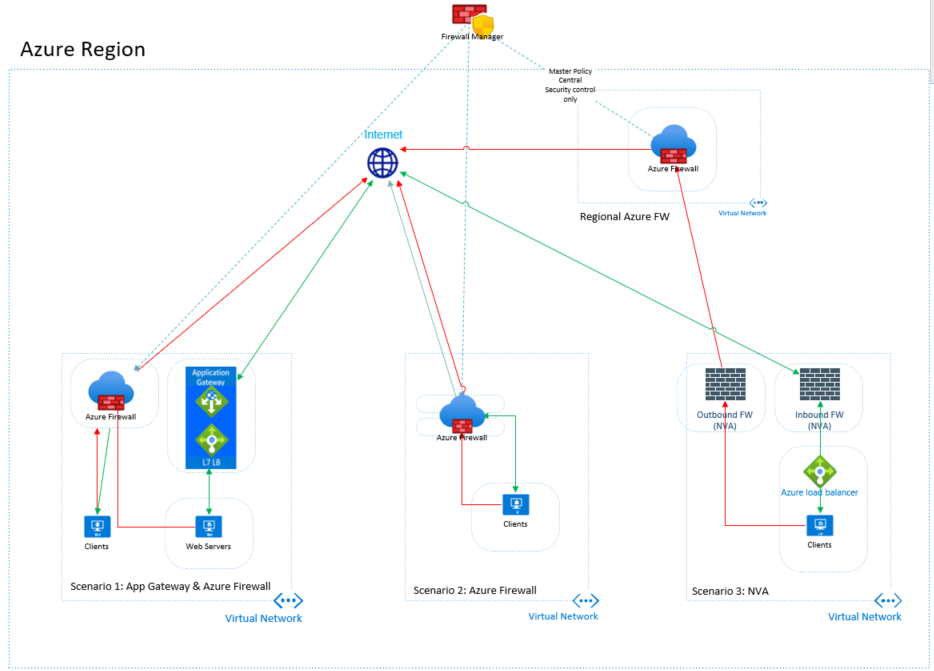
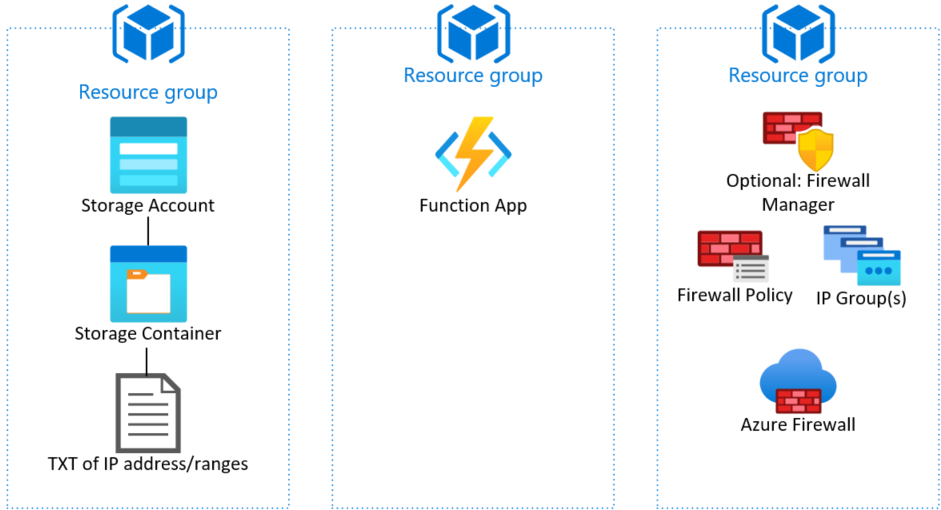
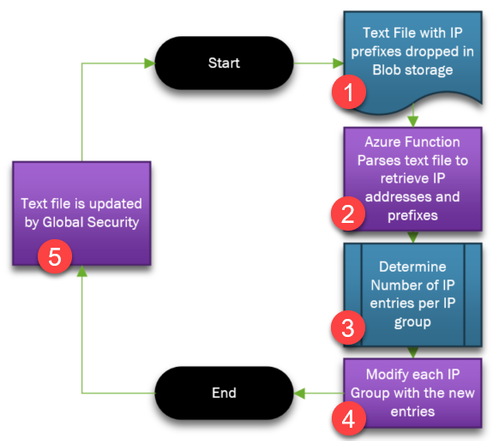

Recent Comments