by Scott Muniz | Jun 21, 2021 | Security, Technology
This article is contributed. See the original author and article here.
| ubuntu — ubuntu |
It was discovered that the process_report() function in data/whoopsie-upload-all allowed arbitrary file writes via symlinks. |
2021-06-12 |
not yet calculated |
CVE-2021-32557
MISC |
| 74cms — 74cms |
SQL Injection in 74cms 3.2.0 via the key parameter to plus/ajax_street.php. |
2021-06-16 |
not yet calculated |
CVE-2020-22211
MISC |
| 74cms — 74cms |
SQL Injection in 74cms 3.2.0 via the query parameter to plus/ajax_common.php. |
2021-06-16 |
not yet calculated |
CVE-2020-22209
MISC |
74cms — 74cms
|
SQL Injection in 74cms 3.2.0 via the id parameter to wap/wap-company-show.php. |
2021-06-16 |
not yet calculated |
CVE-2020-22212
MISC |
74cms — 74cms
|
SQL Injection in 74cms 3.2.0 via the x parameter to plus/ajax_street.php. |
2021-06-16 |
not yet calculated |
CVE-2020-22208
MISC |
74cms — 74cms
|
SQL Injection in 74cms 3.2.0 via the x parameter to ajax_officebuilding.php. |
2021-06-16 |
not yet calculated |
CVE-2020-22210
MISC |
advantech — webaccess/scada
|
Advantech WebAccess/SCADA Versions 9.0.1 and prior is vulnerable to redirection, which may allow an attacker to send a maliciously crafted URL that could result in redirecting a user to a malicious webpage. |
2021-06-18 |
not yet calculated |
CVE-2021-32956
MISC |
advantech — webaccess/scada
|
Advantech WebAccess/SCADA Versions 9.0.1 and prior is vulnerable to a directory traversal, which may allow an attacker to remotely read arbitrary files on the file system. |
2021-06-18 |
not yet calculated |
CVE-2021-32954
MISC |
apache — chainsaw
|
A deserialization flaw was found in Apache Chainsaw versions prior to 2.1.0 which could lead to malicious code execution. |
2021-06-16 |
not yet calculated |
CVE-2020-9493
MISC
MLIST
MLIST |
apache — cxf
|
A vulnerability in the JsonMapObjectReaderWriter of Apache CXF allows an attacker to submit malformed JSON to a web service, which results in the thread getting stuck in an infinite loop, consuming CPU indefinitely. This issue affects Apache CXF versions prior to 3.4.4; Apache CXF versions prior to 3.3.11. |
2021-06-16 |
not yet calculated |
CVE-2021-30468
CONFIRM
MLIST
MLIST
MLIST
MLIST |
apache — http_server
|
Apache HTTP Server protocol handler for the HTTP/2 protocol checks received request headers against the size limitations as configured for the server and used for the HTTP/1 protocol as well. On violation of these restrictions and HTTP response is sent to the client with a status code indicating why the request was rejected. This rejection response was not fully initialised in the HTTP/2 protocol handler if the offending header was the very first one received or appeared in a a footer. This led to a NULL pointer dereference on initialised memory, crashing reliably the child process. Since such a triggering HTTP/2 request is easy to craft and submit, this can be exploited to DoS the server. This issue affected mod_http2 1.15.17 and Apache HTTP Server version 2.4.47 only. Apache HTTP Server 2.4.47 was never released. |
2021-06-15 |
not yet calculated |
CVE-2021-31618
MISC
MISC
MLIST
MLIST
MLIST
FEDORA
FEDORA |
apache — pdfbox
|
In Apache PDFBox, a carefully crafted PDF file can trigger an infinite loop while loading the file. This issue affects Apache PDFBox version 2.0.23 and prior 2.0.x versions. |
2021-06-12 |
not yet calculated |
CVE-2021-31812
MISC
MLIST
MLIST
MLIST
MLIST
MLIST
MLIST
MLIST
MLIST
MLIST
MLIST |
apache — pdfbox
|
In Apache PDFBox, a carefully crafted PDF file can trigger an OutOfMemory-Exception while loading the file. This issue affects Apache PDFBox version 2.0.23 and prior 2.0.x versions. |
2021-06-12 |
not yet calculated |
CVE-2021-31811
MISC
MLIST
MLIST
MLIST
MLIST
MLIST
MLIST
MLIST
MLIST
MLIST
MLIST |
apollos_apps — apollos_apps
|
Apollos Apps is an open source platform for launching church-related apps. In Apollos Apps versions prior to 2.20.0, new user registrations are able to access anyone’s account by only knowing their basic profile information (name, birthday, gender, etc). This includes all app functionality within the app, as well as any authenticated links to Rock-based webpages (such as giving and events). There is a patch in version 2.20.0. As a workaround, one can patch one’s server by overriding the `create` data source method on the `People` class. |
2021-06-16 |
not yet calculated |
CVE-2021-32691
MISC
MISC
CONFIRM |
bandai — namco_fromsoftware_dark_souls_iii
|
Bandai Namco FromSoftware Dark Souls III allows remote attackers to execute arbitrary code. |
2021-06-15 |
not yet calculated |
CVE-2021-34170
MISC |
| bosch — multiple_products |
A use after free in hermes, while emitting certain error messages, prior to commit d86e185e485b6330216dee8e854455c694e3a36e allows attackers to potentially execute arbitrary code via crafted JavaScript. Note that this is only exploitable if the application using Hermes permits evaluation of untrusted JavaScript. Hence, most React Native applications are not affected. |
2021-06-15 |
not yet calculated |
CVE-2021-24037
CONFIRM
CONFIRM |
bosch — multiple_products
|
When using http protocol, the user password is transmitted as a clear text parameter for which it is possible to be obtained by an attacker through a MITM attack. This will be fixed starting from Firmware version 3.11.5, which will be released on the 30th of June, 2021. |
2021-06-18 |
not yet calculated |
CVE-2021-23846
CONFIRM |
bosch — multiple_products
|
This vulnerability could allow an attacker to hijack a session while a user is logged in the configuration web page. This vulnerability was discovered by a security researcher in B426 and found during internal product tests in B426-CN/B429-CN, and B426-M and has been fixed already starting from version 3.08 on, which was released on June 2019. |
2021-06-18 |
not yet calculated |
CVE-2021-23845
CONFIRM |
captive_portal — captive_portal
|
An authenticated Stored XSS (Cross-site Scripting) exists in the “captive.cgi” Captive Portal via the “Title of Login Page” text box or “TITLE” parameter in IPFire 2.21 (x86_64) – Core Update 130. It allows an authenticated WebGUI user with privileges to execute Stored Cross-site Scripting in the Captive Portal page. |
2021-06-17 |
not yet calculated |
CVE-2020-19202
MISC
MISC |
checksec — canopy
|
CheckSec Canopy before 3.5.2 allows XSS attacks against the login page via the LOGIN_PAGE_DISCLAIMER parameter. |
2021-06-18 |
not yet calculated |
CVE-2021-34815
MISC
MISC
MISC |
cisco — advanced_malware_protection
|
A vulnerability in the Cisco Advanced Malware Protection (AMP) for Endpoints integration of Cisco AsyncOS for Cisco Email Security Appliance (ESA) and Cisco Web Security Appliance (WSA) could allow an unauthenticated, remote attacker to intercept traffic between an affected device and the AMP servers. This vulnerability is due to improper certificate validation when an affected device establishes TLS connections. A man-in-the-middle attacker could exploit this vulnerability by sending a crafted TLS packet to an affected device. A successful exploit could allow the attacker to spoof a trusted host and then extract sensitive information or alter certain API requests. |
2021-06-16 |
not yet calculated |
CVE-2021-1566
CISCO |
cisco — anyconnect_secure_mobility_client
|
A vulnerability in the DLL loading mechanism of Cisco AnyConnect Secure Mobility Client for Windows could allow an authenticated, local attacker to perform a DLL hijacking attack on an affected device if the VPN Posture (HostScan) Module is installed on the AnyConnect client. This vulnerability is due to a race condition in the signature verification process for DLL files that are loaded on an affected device. An attacker could exploit this vulnerability by sending a series of crafted interprocess communication (IPC) messages to the AnyConnect process. A successful exploit could allow the attacker to execute arbitrary code on the affected device with SYSTEM privileges. To exploit this vulnerability, the attacker must have valid credentials on the Windows system. |
2021-06-16 |
not yet calculated |
CVE-2021-1567
CISCO |
cisco — anyconnect_secure_mobility_client
|
A vulnerability in Cisco AnyConnect Secure Mobility Client for Windows could allow an authenticated, local attacker to cause a denial of service (DoS) condition on an affected system. This vulnerability is due to uncontrolled memory allocation. An attacker could exploit this vulnerability by copying a crafted file to a specific folder on the system. A successful exploit could allow the attacker to crash the VPN Agent service when the affected application is launched, causing it to be unavailable to all users of the system. To exploit this vulnerability, the attacker must have valid credentials on a multiuser Windows system. |
2021-06-16 |
not yet calculated |
CVE-2021-1568
CISCO |
cisco — jabber
|
Multiple vulnerabilities in Cisco Jabber for Windows, Cisco Jabber for Mac, and Cisco Jabber for mobile platforms could allow an attacker to access sensitive information or cause a denial of service (DoS) condition. For more information about these vulnerabilities, see the Details section of this advisory. |
2021-06-16 |
not yet calculated |
CVE-2021-1570
CISCO |
cisco — jabber
|
Multiple vulnerabilities in Cisco Jabber for Windows, Cisco Jabber for Mac, and Cisco Jabber for mobile platforms could allow an attacker to access sensitive information or cause a denial of service (DoS) condition. For more information about these vulnerabilities, see the Details section of this advisory. |
2021-06-16 |
not yet calculated |
CVE-2021-1569
CISCO |
cisco — meeting_server
|
A vulnerability in the API of Cisco Meeting Server could allow an authenticated, remote attacker to cause a denial of service (DoS) condition on an affected device. This vulnerability exists because requests that are sent to the API are not properly validated. An attacker could exploit this vulnerability by sending a malicious request to the API. A successful exploit could allow the attacker to cause all participants on a call to be disconnected, resulting in a DoS condition. |
2021-06-16 |
not yet calculated |
CVE-2021-1524
CISCO |
cisco — small_business_220_series_smart_switches
|
Multiple vulnerabilities in the web-based management interface of Cisco Small Business 220 Series Smart Switches could allow an attacker to do the following: Hijack a user session Execute arbitrary commands as a root user on the underlying operating system Conduct a cross-site scripting (XSS) attack Conduct an HTML injection attack For more information about these vulnerabilities, see the Details section of this advisory. |
2021-06-16 |
not yet calculated |
CVE-2021-1543
CISCO |
cisco — small_business_220_series_smart_switches
|
Multiple vulnerabilities in the web-based management interface of Cisco Small Business 220 Series Smart Switches could allow an attacker to do the following: Hijack a user session Execute arbitrary commands as a root user on the underlying operating system Conduct a cross-site scripting (XSS) attack Conduct an HTML injection attack For more information about these vulnerabilities, see the Details section of this advisory. |
2021-06-16 |
not yet calculated |
CVE-2021-1542
CISCO |
cisco — small_business_220_series_smart_switches
|
Multiple vulnerabilities in the web-based management interface of Cisco Small Business 220 Series Smart Switches could allow an attacker to do the following: Hijack a user session Execute arbitrary commands as a root user on the underlying operating system Conduct a cross-site scripting (XSS) attack Conduct an HTML injection attack For more information about these vulnerabilities, see the Details section of this advisory. |
2021-06-16 |
not yet calculated |
CVE-2021-1571
CISCO |
cisco — small_business_220_series_smart_switches
|
Multiple vulnerabilities in the web-based management interface of Cisco Small Business 220 Series Smart Switches could allow an attacker to do the following: Hijack a user session Execute arbitrary commands as a root user on the underlying operating system Conduct a cross-site scripting (XSS) attack Conduct an HTML injection attack For more information about these vulnerabilities, see the Details section of this advisory. |
2021-06-16 |
not yet calculated |
CVE-2021-1541
CISCO |
cisco — unified_intelligence_center
|
A vulnerability in the web-based management interface of Cisco Unified Intelligence Center could allow an unauthenticated, remote attacker to conduct a cross-site scripting (XSS) attack against a user of the interface. This vulnerability exists because the web-based management interface does not properly validate user-supplied input. An attacker could exploit this vulnerability by persuading a user of the interface to click a crafted link. A successful exploit could allow the attacker to execute arbitrary script code in the context of the interface or access sensitive, browser-based information. |
2021-06-16 |
not yet calculated |
CVE-2021-1395
CISCO |
citrix — adc_and_netscaler_gateway
|
Citrix ADC and Citrix/NetScaler Gateway 13.0 before 13.0-76.29, 12.1-61.18, 11.1-65.20, Citrix ADC 12.1-FIPS before 12.1-55.238, and Citrix SD-WAN WANOP Edition before 11.4.0, 11.3.2, 11.3.1a, 11.2.3a, 11.1.2c, 10.2.9a suffers from uncontrolled resource consumption by way of a network-based denial-of-service from within the same Layer 2 network segment. Note that the attacker must be in the same Layer 2 network segment as the vulnerable appliance. |
2021-06-16 |
not yet calculated |
CVE-2020-8299
MISC |
citrix — adc_and_netscaler_gateway
|
Citrix ADC and Citrix/NetScaler Gateway before 13.0-82.41, 12.1-62.23, 11.1-65.20 and Citrix ADC 12.1-FIPS before 12.1-55.238 suffer from improper access control allowing SAML authentication hijack through a phishing attack to steal a valid user session. Note that Citrix ADC or Citrix Gateway must be configured as a SAML SP or a SAML IdP for this to be possible. |
2021-06-16 |
not yet calculated |
CVE-2020-8300
MISC |
citrix — cloud_connector
|
Citrix Cloud Connector before 6.31.0.62192 suffers from insecure storage of sensitive information due to sensitive information being stored in the Citrix Cloud Connector installation log files. Such information could be used by an malicious actor to access a Citrix Cloud environment. This issue affects all versions of Citrix Cloud Connector that were installed by passing secure client parameters for installation via the command line. The issue does not affect Citrix Cloud Connector if it was installed using the interactive installer or where a parameter file was used with the command-line installer. |
2021-06-16 |
not yet calculated |
CVE-2021-22914
MISC |
civicrm — civicrm
|
In CiviCRM before 5.21.3 and 5.22.x through 5.24.x before 5.24.3, users may be able to upload and execute a crafted PHAR archive. |
2021-06-17 |
not yet calculated |
CVE-2020-36388
MISC |
civicrm — civicrm
|
In CiviCRM before 5.28.1 and CiviCRM ESR before 5.27.5 ESR, the CKEditor configuration form allows CSRF. |
2021-06-17 |
not yet calculated |
CVE-2020-36389
MISC |
cleo — lexicom
|
An issue was discovered in Cleo LexiCom 5.5.0.0. The requirement for the sender of an AS2 message to identify themselves (via encryption and signing of the message) can be bypassed by changing the Content-Type of the message to text/plain. |
2021-06-18 |
not yet calculated |
CVE-2021-33577
MISC
MISC |
cleo — lexicom
|
An issue was discovered in Cleo LexiCom 5.5.0.0. Within the AS2 message, the sender can specify a filename. This filename can include path-traversal characters, allowing the file to be written to an arbitrary location on disk. |
2021-06-18 |
not yet calculated |
CVE-2021-33576
MISC
MISC |
connectwise — automate
|
An issue was discovered in ConnectWise Automate before 2021.5. A blind SQL injection vulnerability exists in core agent inventory communication that can enable an attacker to extract database information or administrative credentials from an instance via crafted monitor status responses. |
2021-06-17 |
not yet calculated |
CVE-2021-32582
MISC
MISC
MISC |
| contiki-ng — contiki-ng |
Contiki-NG is an open-source, cross-platform operating system for internet of things devices. A buffer overflow vulnerability exists in Contiki-NG versions prior to 4.6. After establishing a TCP socket using the tcp-socket library, it is possible for the remote end to send a packet with a data offset that is unvalidated. The problem has been patched in Contiki-NG 4.6. Users can apply the patch for this vulnerability out-of-band as a workaround. |
2021-06-18 |
not yet calculated |
CVE-2021-21281
MISC
CONFIRM |
| contiki-ng — contiki-ng |
Contiki-NG is an open-source, cross-platform operating system for internet of things devices. In versions prior to 4.5, buffer overflow can be triggered by an input packet when using either of Contiki-NG’s two RPL implementations in source-routing mode. The problem has been patched in Contiki-NG 4.5. Users can apply the patch for this vulnerability out-of-band as a workaround. |
2021-06-18 |
not yet calculated |
CVE-2021-21282
MISC
CONFIRM |
contiki-ng — contiki-ng
|
Contiki-NG is an open-source, cross-platform operating system for internet of things devices. It is possible to cause an out-of-bounds write in versions of Contiki-NG prior to 4.6 when transmitting a 6LoWPAN packet with a chain of extension headers. Unfortunately, the written header is not checked to be within the available space, thereby making it possible to write outside the buffer. The problem has been patched in Contiki-NG 4.6. Users can apply the patch for this vulnerability out-of-band as a workaround. |
2021-06-18 |
not yet calculated |
CVE-2021-21280
MISC
CONFIRM |
contiki-ng — contiki-ng
|
Contiki-NG is an open-source, cross-platform operating system for internet of things devices. In verions prior to 4.6, an attacker can perform a denial-of-service attack by triggering an infinite loop in the processing of IPv6 neighbor solicitation (NS) messages. This type of attack can effectively shut down the operation of the system because of the cooperative scheduling used for the main parts of Contiki-NG and its communication stack. The problem has been patched in Contiki-NG 4.6. Users can apply the patch for this vulnerability out-of-band as a workaround. |
2021-06-18 |
not yet calculated |
CVE-2021-21279
CONFIRM |
contiki-ng — contiki-ng
|
Contiki-NG is an open-source, cross-platform operating system for internet of things devices. The RPL-Classic and RPL-Lite implementations in the Contiki-NG operating system versions prior to 4.6 do not validate the address pointer in the RPL source routing header This makes it possible for an attacker to cause out-of-bounds writes with packets injected into the network stack. Specifically, the problem lies in the rpl_ext_header_srh_update function in the two rpl-ext-header.c modules for RPL-Classic and RPL-Lite respectively. The addr_ptr variable is calculated using an unvalidated CMPR field value from the source routing header. An out-of-bounds write can be triggered on line 151 in os/net/routing/rpl-lite/rpl-ext-header.c and line 261 in os/net/routing/rpl-classic/rpl-ext-header.c, which contain the following memcpy call with addr_ptr as destination. The problem has been patched in Contiki-NG 4.6. Users can apply a patch out-of-band as a workaround. |
2021-06-18 |
not yet calculated |
CVE-2021-21257
MISC
CONFIRM |
contiki-ng — contiki-ng
|
Contiki-NG is an open-source, cross-platform operating system for Next-Generation IoT devices. An out-of-bounds read can be triggered by 6LoWPAN packets sent to devices running Contiki-NG 4.6 and prior. The IPv6 header decompression function (<code>uncompress_hdr_iphc</code>) does not perform proper boundary checks when reading from the packet buffer. Hence, it is possible to construct a compressed 6LoWPAN packet that will read more bytes than what is available from the packet buffer. As of time of publication, there is not a release with a patch available. Users can apply the patch for this vulnerability out-of-band as a workaround. |
2021-06-18 |
not yet calculated |
CVE-2021-21410
CONFIRM
MISC |
curl — curl
|
curl 7.7 through 7.76.1 suffers from an information disclosure when the `-t` command line option, known as `CURLOPT_TELNETOPTIONS` in libcurl, is used to send variable=content pairs to TELNET servers. Due to a flaw in the option parser for sending NEW_ENV variables, libcurl could be made to pass on uninitialized data from a stack based buffer to the server, resulting in potentially revealing sensitive internal information to the server using a clear-text network protocol. |
2021-06-11 |
not yet calculated |
CVE-2021-22898
MISC
MISC
MISC
MLIST |
| d-link — dir-2640-us |
D-Link DIR-2640-US 1.01B04 is vulnerable to Buffer Overflow. There are multiple out-of-bounds vulnerabilities in some processes of D-Link AC2600(DIR-2640). Local ordinary users can overwrite the global variables in the .bss section, causing the process crashes or changes. |
2021-06-16 |
not yet calculated |
CVE-2021-34201
MISC
MISC
MISC
MISC |
d-link — dir-2640-us
|
D-Link DIR-2640-US 1.01B04 is vulnerable to Incorrect Access Control. Router ac2600 (dir-2640-us), when setting PPPoE, will start quagga process in the way of whole network monitoring, and this function uses the original default password and port. An attacker can easily use telnet to log in, modify routing information, monitor the traffic of all devices under the router, hijack DNS and phishing attacks. In addition, this interface is likely to be questioned by customers as a backdoor, because the interface should not be exposed. |
2021-06-16 |
not yet calculated |
CVE-2021-34203
MISC
MISC
MISC
MISC |
d-link — dir-2640-us
|
There are multiple out-of-bounds vulnerabilities in some processes of D-Link AC2600(DIR-2640) 1.01B04. Ordinary permissions can be elevated to administrator permissions, resulting in local arbitrary code execution. An attacker can combine other vulnerabilities to further achieve the purpose of remote code execution. |
2021-06-16 |
not yet calculated |
CVE-2021-34202
MISC
MISC
MISC
MISC |
d-link — dir-2640-us
|
D-Link DIR-2640-US 1.01B04 is affected by Insufficiently Protected Credentials. D-Link AC2600(DIR-2640) stores the device system account password in plain text. It does not use linux user management. In addition, the passwords of all devices are the same, and they cannot be modified by normal users. An attacker can easily log in to the target router through the serial port and obtain root privileges. |
2021-06-16 |
not yet calculated |
CVE-2021-34204
MISC
MISC
MISC
MISC |
db2 — db2
|
Db2 for Linux, UNIX and Windows (includes Db2 Connect Server) 11.1.4 and 11.5.5 is vulnerable to a denial of service as the server terminates abnormally when executing a specially crafted SELECT statement. IBM X-Force ID: 200658. |
2021-06-16 |
not yet calculated |
CVE-2021-29702
XF
CONFIRM |
dedecms — dedecms
|
SQL Injection vulnerability in DedeCMS 5.7 via mdescription parameter to member/ajax_membergroup.php. |
2021-06-16 |
not yet calculated |
CVE-2020-22198
MISC
MISC |
| dell — poweredge |
Dell PowerEdge R640, R740, R740XD, R840, R940, R940xa, MX740c, MX840c, and T640 Server BIOS contain a stack-based buffer overflow vulnerability in systems with NVDIMM-N installed. A local malicious user with high privileges may potentially exploit this vulnerability, leading to a denial of Service, arbitrary code execution, or information disclosure in UEFI or BIOS Preboot Environment. |
2021-06-14 |
not yet calculated |
CVE-2021-21556
CONFIRM |
| dell — poweredge |
Dell PowerEdge R640, R740, R740XD, R840, R940, R940xa, MX740c, MX840c, and T640 Server BIOS contain a heap-based buffer overflow vulnerability in systems with NVDIMM-N installed. A local malicious user with high privileges may potentially exploit this vulnerability, leading to a denial of Service, arbitrary code execution, or information disclosure in UEFI or BIOS Preboot Environment. |
2021-06-14 |
not yet calculated |
CVE-2021-21555
CONFIRM |
dell — poweredge
|
Dell PowerEdge R640, R740, R740XD, R840, R940, R940xa, MX740c, MX840c, and, Dell Precision 7920 Rack Workstation BIOS contain a stack-based buffer overflow vulnerability in systems with Intel Optane DC Persistent Memory installed. A local malicious user with high privileges may potentially exploit this vulnerability, leading to a denial of Service, arbitrary code execution, or information disclosure in UEFI or BIOS Preboot Environment. |
2021-06-14 |
not yet calculated |
CVE-2021-21554
CONFIRM |
dell — poweredge_server_bios_andPrecision_rack_bios
|
Dell PowerEdge Server BIOS and select Dell Precision Rack BIOS contain an out-of-bounds array access vulnerability. A local malicious user with high privileges may potentially exploit this vulnerability, leading to a denial of service, arbitrary code execution, or information disclosure in System Management Mode. |
2021-06-14 |
not yet calculated |
CVE-2021-21557
CONFIRM |
| ecshop — ecshop |
SQL Injection in ECShop 3.0 via the id parameter to admin/shophelp.php. |
2021-06-16 |
not yet calculated |
CVE-2020-22205
MISC |
| ecshop — ecshop |
SQL Injection in ECShop 3.0 via the aid parameter to admin/affiliate_ck.php. |
2021-06-16 |
not yet calculated |
CVE-2020-22206
MISC |
ecshop — ecshop
|
SQL Injection in ECShop 2.7.6 via the goods_number parameter to flow.php. . |
2021-06-16 |
not yet calculated |
CVE-2020-22204
MISC |
eip — stack_group_opener
|
An information disclosure vulnerability exists in the Ethernet/IP UDP handler functionality of EIP Stack Group OpENer 2.3 and development commit 8c73bf3. A specially crafted network request can lead to an out-of-bounds read. |
2021-06-17 |
not yet calculated |
CVE-2021-21777
MISC |
elemin — elemin
|
Elemin allows remote attackers to upload and execute arbitrary PHP code via the Themify framework (before 1.2.2) wp-content/themes/elemin/themify/themify-ajax.php file. |
2021-06-17 |
not yet calculated |
CVE-2013-20002
MISC
MISC
MISC
MISC |
elfinder — elfinder
|
elFinder is an open-source file manager for web, written in JavaScript using jQuery UI. Several vulnerabilities affect elFinder 2.1.58. These vulnerabilities can allow an attacker to execute arbitrary code and commands on the server hosting the elFinder PHP connector, even with minimal configuration. The issues were patched in version 2.1.59. As a workaround, ensure the connector is not exposed without authentication. |
2021-06-14 |
not yet calculated |
CVE-2021-32682
MISC
CONFIRM |
| enphase — envoy |
An issue was discovered on Enphase Envoy R3.x and D4.x devices. There is a custom PAM module for user authentication that circumvents traditional user authentication. This module uses a password derived from the MD5 hash of the username and serial number. The serial number can be retrieved by an unauthenticated user at /info.xml. Attempts to change the user password via passwd or other tools have no effect. |
2021-06-16 |
not yet calculated |
CVE-2020-25754
MISC
MISC
MISC |
enphase — envoy
|
An issue was discovered on Enphase Envoy R3.x and D4.x devices with v3 software. The default admin password is set to the last 6 digits of the serial number. The serial number can be retrieved by an unauthenticated user at /info.xml. |
2021-06-16 |
not yet calculated |
CVE-2020-25753
MISC
MISC
MISC |
enphase — envoy
|
An issue was discovered on Enphase Envoy R3.x and D4.x devices. There are hardcoded web-panel login passwords for the installer and Enphase accounts. The passwords for these accounts are hardcoded values derived from the MD5 hash of the username and serial number mixed with some static strings. The serial number can be retrieved by an unauthenticated user at /info.xml. These passwords can be easily calculated by an attacker; users are unable to change these passwords. |
2021-06-16 |
not yet calculated |
CVE-2020-25752
MISC
MISC
MISC |
enphase — envoy
|
An issue was discovered on Enphase Envoy R3.x and D4.x (and other current) devices. The upgrade_start function in /installer/upgrade_start allows remote authenticated users to execute arbitrary commands via the force parameter. |
2021-06-16 |
not yet calculated |
CVE-2020-25755
MISC
MISC
MISC |
excellent_infotek_corporation — e-document_system
|
An issue was discovered in EXCELLENT INFOTEK CORPORATION (EIC) E-document System 3.0. A remote attacker can use kw/auth/bbs/asp/get_user_email_info_bbs.asp to obtain the contact information (name and e-mail address) of everyone in the entire organization. This information can allow remote attackers to perform social engineering or brute force attacks against the system login page. |
2021-06-16 |
not yet calculated |
CVE-2021-34683
MISC
MISC |
fiyo — cms
|
In Fiyo CMS 2.0.6.1, the ‘tag’ parameter results in an unauthenticated XSS attack. |
2021-06-17 |
not yet calculated |
CVE-2020-35373
MISC |
fogproject — fogproject
|
FOGProject v1.5.9 is affected by a File Upload RCE (Authenticated). |
2021-06-16 |
not yet calculated |
CVE-2021-32243
MISC |
foxit — phantompdf
|
This vulnerability allows remote attackers to execute arbitrary code on affected installations of Foxit PhantomPDF 10.1.3.37598. User interaction is required to exploit this vulnerability in that the target must visit a malicious page or open a malicious file. The specific flaw exists within the handling of XFA templates. The issue results from the lack of proper validation of user-supplied data, which can result in a type confusion condition. An attacker can leverage this vulnerability to execute code in the context of the current process. Was ZDI-CAN-13531. |
2021-06-16 |
not yet calculated |
CVE-2021-31476
MISC
MISC |
ge — reason_rpv311
|
This vulnerability allows remote attackers to execute arbitrary code on affected installations of GE Reason RPV311 14A03. Authentication is not required to exploit this vulnerability. The specific flaw exists within the firmware and filesystem of the device. The firmware and filesystem contain hard-coded default credentials. An attacker can leverage this vulnerability to execute code in the context of the download user. Was ZDI-CAN-11852. |
2021-06-16 |
not yet calculated |
CVE-2021-31477
MISC
MISC |
google — android
|
In Chromecast bootROM, there is a possible out of bounds write due to an incorrect bounds check. This could lead to local escalation of privilege in the bootloader, with physical USB access, with no additional execution privileges needed. User interaction is not needed for exploitation.Product: AndroidVersions: Android SoCAndroid ID: A-174490700 |
2021-06-14 |
not yet calculated |
CVE-2021-0467
MISC |
google — android
|
Product: AndroidVersions: Android SoCAndroid ID: A-175402462 |
2021-06-14 |
not yet calculated |
CVE-2021-0324
MISC |
google — chrome
|
Use after free in Autofill in Google Chrome prior to 91.0.4472.101 allowed a remote attacker to potentially exploit heap corruption via a crafted HTML page. |
2021-06-15 |
not yet calculated |
CVE-2021-30546
MISC
MISC |
google — chrome
|
Use after free in BFCache in Google Chrome prior to 91.0.4472.101 allowed a remote attacker to potentially exploit heap corruption via a crafted HTML page. |
2021-06-15 |
not yet calculated |
CVE-2021-30544
MISC
MISC |
google — chrome
|
Use after free in Extensions in Google Chrome prior to 91.0.4472.101 allowed a remote attacker who had compromised the renderer process to potentially exploit heap corruption via a crafted HTML page. |
2021-06-15 |
not yet calculated |
CVE-2021-30545
MISC
MISC |
google — chrome
|
Use after free in Accessibility in Google Chrome prior to 91.0.4472.101 allowed an attacker who convinced a user to install a malicious extension to potentially exploit heap corruption via a crafted HTML page. |
2021-06-15 |
not yet calculated |
CVE-2021-30550
MISC
MISC |
hasicorp — nomad_and_nomad_enterprise
|
HashiCorp Nomad and Nomad Enterprise up to version 1.0.4 bridge networking mode allows ARP spoofing from other bridged tasks on the same node. Fixed in 0.12.12, 1.0.5, and 1.1.0 RC1. |
2021-06-17 |
not yet calculated |
CVE-2021-32575
MISC
MISC |
helm — helm
|
Helm is a tool for managing Charts (packages of pre-configured Kubernetes resources). In versions of helm prior to 3.6.1, a vulnerability exists where the username and password credentials associated with a Helm repository could be passed on to another domain referenced by that Helm repository. This issue has been resolved in 3.6.1. There is a workaround through which one may check for improperly passed credentials. One may use a username and password for a Helm repository and may audit the Helm repository in order to check for another domain being used that could have received the credentials. In the `index.yaml` file for that repository, one may look for another domain in the `urls` list for the chart versions. If there is another domain found and that chart version was pulled or installed, the credentials would be passed on. |
2021-06-16 |
not yet calculated |
CVE-2021-32690
MISC
CONFIRM |
| hitachi — abb_power_grids_ellipse |
Cross-site Scripting (XSS) vulnerability in the main dashboard of Ellipse APM versions allows an authenticated user or integrated application to inject malicious data into the application that can then be executed in a victim’s browser. This issue affects: Hitachi ABB Power Grids Ellipse APM 5.3 version 5.3.0.1 and prior versions; 5.2 version 5.2.0.3 and prior versions; 5.1 version 5.1.0.6 and prior versions. |
2021-06-14 |
not yet calculated |
CVE-2021-27887
CONFIRM |
hitachi — abb_power_grids_esoms
|
Information Exposure vulnerability in Hitachi ABB Power Grids eSOMS allows unauthorized user to gain access to report data if the URL used to access the report is discovered. This issue affects: Hitachi ABB Power Grids eSOMS 6.0 versions prior to 6.0.4.2.2; 6.1 versions prior to 6.1.4; 6.3 versions prior to 6.3. |
2021-06-14 |
not yet calculated |
CVE-2021-26845
CONFIRM |
hitachi — multiple_products
|
Improper Input Validation vulnerability in Hitachi ABB Power Grids Relion 670 Series, Relion 670/650 Series, Relion 670/650/SAM600-IO, Relion 650, REB500, RTU500 Series, FOX615 (TEGO1), MSM, GMS600, PWC600 allows an attacker with access to the IEC 61850 network with knowledge of how to reproduce the attack, as well as the IP addresses of the different IEC 61850 access points (of IEDs/products), to force the device to reboot, which renders the device inoperable for approximately 60 seconds. This vulnerability affects only products with IEC 61850 interfaces. This issue affects: Hitachi ABB Power Grids Relion 670 Series 1.1; 1.2.3 versions prior to 1.2.3.20; 2.0 versions prior to 2.0.0.13; 2.1; 2.2.2 versions prior to 2.2.2.3; 2.2.3 versions prior to 2.2.3.2. Hitachi ABB Power Grids Relion 670/650 Series 2.2.0 versions prior to 2.2.0.13. Hitachi ABB Power Grids Relion 670/650/SAM600-IO 2.2.1 versions prior to 2.2.1.6. Hitachi ABB Power Grids Relion 650 1.1; 1.2; 1.3 versions prior to 1.3.0.7. Hitachi ABB Power Grids REB500 7.3; 7.4; 7.5; 7.6; 8.2; 8.3. Hitachi ABB Power Grids RTU500 Series 7.x version 7.x and prior versions; 8.x version 8.x and prior versions; 9.x version 9.x and prior versions; 10.x version 10.x and prior versions; 11.x version 11.x and prior versions; 12.x version 12.x and prior versions. Hitachi ABB Power Grids FOX615 (TEGO1) R1D02 version R1D02 and prior versions. Hitachi ABB Power Grids MSM 2.1.0 versions prior to 2.1.0. Hitachi ABB Power Grids GMS600 1.3.0 version 1.3.0 and prior versions. Hitachi ABB Power Grids PWC600 1.0 versions prior to 1.0.1.4; 1.1 versions prior to 1.1.0.1. |
2021-06-14 |
not yet calculated |
CVE-2021-27196
CONFIRM
CONFIRM
CONFIRM
CONFIRM
CONFIRM
CONFIRM
CONFIRM |
| ibm — aix |
IBM AIX 7.1 could allow a non-privileged local user to exploit a vulnerability in the trace facility to expose sensitive information or cause a denial of service. IBM X-Force ID: 200663. |
2021-06-17 |
not yet calculated |
CVE-2021-29706
XF
CONFIRM |
ibm — financial_transaction_manager
|
IBM Financial Transaction Manager 3.0.2 and 3.2.4 is vulnerable to cross-site scripting. This vulnerability allows users to embed arbitrary JavaScript code in the Web UI thus altering the intended functionality potentially leading to credentials disclosure within a trusted session. IBM X-Force ID: 192952. |
2021-06-15 |
not yet calculated |
CVE-2020-5000
XF
CONFIRM |
ibm — resilient_soar
|
IBM Resilient SOAR V38.0 uses weaker than expected cryptographic algorithms that could allow an attacker to decrypt highly sensitive information. IBM X-Force ID: 199238. |
2021-06-16 |
not yet calculated |
CVE-2021-20566
CONFIRM
XF |
ibm — resilient_soar
|
IBM Resilient SOAR V38.0 could allow a local privileged attacker to obtain sensitive information due to improper or nonexisting encryption.IBM X-Force ID: 199239. |
2021-06-16 |
not yet calculated |
CVE-2021-20567
CONFIRM
XF |
| ibm — security_identity_manager |
IBM Security Identity Manager 6.0.2 could allow an authenticated malicious user to change the passwords of other users in the Windows AD environment when IBM Security Identity Manager Windows Password Synch Plug-in is deployed and configured. IBM X-Force ID: 197789. |
2021-06-16 |
not yet calculated |
CVE-2021-20488
XF
CONFIRM |
ibm — security_identity_manager
|
IBM Security Identity Manager 6.0.2 is vulnerable to server-side request forgery (SSRF). By sending a specially crafted request, a remote authenticated attacker could exploit this vulnerability to obtain sensitive data. IBM X-Force ID: 197591. |
2021-06-16 |
not yet calculated |
CVE-2021-20483
XF
CONFIRM |
| insyde — insydeh2o |
An issue was discovered in IdeBusDxe in Insyde InsydeH2O 5.x. Code in system management mode calls a function outside of SMRAM in response to a crafted software SMI, aka Inclusion of Functionality from an Untrusted Control Sphere. Modifying the well-known address of this function allows an attacker to gain control of the system with the privileges of system management mode. |
2021-06-16 |
not yet calculated |
CVE-2020-27339
MISC
MISC |
intel — brand_verification_tool
|
Improper permissions in the installer for the Intel(R) Brand Verification Tool before version 11.0.0.1225 may allow an authenticated user to potentially enable escalation of privilege via local access. |
2021-06-17 |
not yet calculated |
CVE-2021-0143
MISC |
jact — openclinic
|
Jact OpenClinic 0.8.20160412 allows the attacker to read server files after login to the the admin account by an infected ‘file’ GET parameter in ‘/shared/view_source.php’ which “could” lead to RCE vulnerability . |
2021-06-16 |
not yet calculated |
CVE-2020-20444
CONFIRM |
jdom — saxbuilder
|
An XXE issue in SAXBuilder in JDOM through 2.0.6 allows attackers to cause a denial of service via a crafted HTTP request. |
2021-06-16 |
not yet calculated |
CVE-2021-33813
MISC
MISC
MISC |
jenkins — generic_webhook_trigger_plugin
|
Jenkins Generic Webhook Trigger Plugin 1.72 and earlier does not configure its XML parser to prevent XML external entity (XXE) attacks. |
2021-06-18 |
not yet calculated |
CVE-2021-21669
CONFIRM
MLIST |
| jenkins — scriptler |
Jenkins Scriptler Plugin 3.2 and earlier does not escape parameter names shown in job configuration forms, resulting in a stored cross-site scripting (XSS) vulnerability exploitable by attackers with Scriptler/Configure permission. |
2021-06-16 |
not yet calculated |
CVE-2021-21667
CONFIRM
MLIST |
jenkins — scriptler
|
Jenkins Scriptler Plugin 3.1 and earlier does not escape script content, resulting in a stored cross-site scripting (XSS) vulnerability exploitable by attackers with Scriptler/Configure permission. |
2021-06-16 |
not yet calculated |
CVE-2021-21668
CONFIRM
MLIST |
jpress — jpress
|
An issue was discovered in JPress v3.3.0 and below. There are XSS vulnerabilities in the template module and tag management module. If you log in to the background by means of weak password, the storage XSS vulnerability can occur. |
2021-06-18 |
not yet calculated |
CVE-2021-33347
MISC
MISC |
kuaifancms — kuaifancms
|
KuaiFanCMS V5.x contains an arbitrary file read vulnerability in the html_url parameter of the chakanhtml.module.php file. |
2021-06-11 |
not yet calculated |
CVE-2021-3256
MISC |
| laiketui — laiketui |
LaikeTui 3.5.0 allows remote authenticated users to delete arbitrary files, as demonstrated by deleting install.lock in order to reinstall the product in an attacker-controlled manner. This deletion is possible via directory traversal in the uploadImg, oldpic, or imgurl parameter. |
2021-06-15 |
not yet calculated |
CVE-2021-34129
MISC |
laiketui — laiketui
|
LaikeTui 3.5.0 allows remote authenticated users to execute arbitrary PHP code by using index.php?module=system&action=pay to upload a ZIP archive containing a .php file, as demonstrated by the ../../../../phpinfo.php pathname. |
2021-06-15 |
not yet calculated |
CVE-2021-34128
MISC |
linux — linux_kernel
|
net/can/bcm.c in the Linux kernel through 5.12.10 allows local users to obtain sensitive information from kernel stack memory because parts of a data structure are uninitialized. |
2021-06-14 |
not yet calculated |
CVE-2021-34693
MISC
MLIST |
linux — linux_kernel
|
An Out-of-Bounds Read was discovered in arch/arm/mach-footbridge/personal-pci.c in the Linux kernel through 5.12.11 because of the lack of a check for a value that shouldn’t be negative, e.g., access to element -2 of an array, aka CID-298a58e165e4. |
2021-06-17 |
not yet calculated |
CVE-2021-32078
CONFIRM
CONFIRM
MISC |
lutils — lutils
|
All versions of package lutils are vulnerable to Prototype Pollution via the main (merge) function. |
2021-06-17 |
not yet calculated |
CVE-2021-23396
MISC |
magento — magento
|
magento-scripts contains scripts and configuration used by Create Magento App, a zero-configuration tool-chain which allows one to deploy Magento 2. In versions 1.5.1 and 1.5.2, after changing the function from synchronous to asynchronous there wasn’t implemented handler in the start, stop, exec, and logs commands, effectively making them unusable. Version 1.5.3 contains patches for the problems. |
2021-06-14 |
not yet calculated |
CVE-2021-32684
MISC
CONFIRM |
mantisbt — mantisbt
|
An XSS issue was discovered in manage_custom_field_edit_page.php in MantisBT before 2.25.2. Unescaped output of the return parameter allows an attacker to inject code into a hidden input field. |
2021-06-17 |
not yet calculated |
CVE-2021-33557
MISC
CONFIRM |
matrix — appservice-bridge
|
Matrix-appservice-bridge is the bridging service for the Matrix communication program’s application services. In versions 2.6.0 and earlier, if a bridge has room upgrade handling turned on in the configuration (the `roomUpgradeOpts` key when instantiating a new `Bridge` instance.), any `m.room.tombstone` event it encounters will be used to unbridge the current room and bridge into the target room. However, the target room `m.room.create` event is not checked to verify if the `predecessor` field contains the previous room. This means that any malicious admin of a bridged room can repoint the traffic to a different room without the new room being aware. Versions 2.6.1 and greater are patched. As a workaround, disabling the automatic room upgrade handling can be done by removing the `roomUpgradeOpts` key from the `Bridge` class options. |
2021-06-16 |
not yet calculated |
CVE-2021-32659
MISC
MISC
CONFIRM |
matrix — libolm
|
Matrix libolm before 3.2.3 allows a malicious Matrix homeserver to crash a client (while it is attempting to retrieve an Olm encrypted room key backup from the homeserver) because olm_pk_decrypt has a stack-based buffer overflow. Remote code execution might be possible for some nonstandard build configurations. |
2021-06-16 |
not yet calculated |
CVE-2021-34813
MISC
MISC
MISC |
mcusystem — mcusystem
|
The login page in the MCUsystem does not filter with special characters, which allows remote attackers can inject JavaScript without privilege and thus perform reflected XSS attacks. |
2021-06-18 |
not yet calculated |
CVE-2021-32536
MISC |
monstra — monstra
|
A local file inclusion vulnerability was discovered in the captcha function in Monstra 3.0.4 which allows remote attackers to execute arbitrary PHP code. |
2021-06-17 |
not yet calculated |
CVE-2020-25414
MISC |
moodle — moodle
|
Cross Site Scripting (XSS) in Moodle 3.10.3 allows remote attackers to execute arbitrary web script or HTML via the “Description” field. |
2021-06-16 |
not yet calculated |
CVE-2021-32244
MISC |
moxa — mgate_mb3180
|
An issue was discovered on MOXA Mgate MB3180 Version 2.1 Build 18113012. Attacker could send a huge amount of TCP SYN packet to make web service’s resource exhausted. Then the web server is denial-of-service. |
2021-06-18 |
not yet calculated |
CVE-2021-33823
MISC
MISC |
moxa — mgate_mb3180
|
An issue was discovered on MOXA Mgate MB3180 Version 2.1 Build 18113012. Attackers can use slowhttptest tool to send incomplete HTTP request, which could make server keep waiting for the packet to finish the connection, until its resource exhausted. Then the web server is denial-of-service. |
2021-06-18 |
not yet calculated |
CVE-2021-33824
MISC
MISC
MISC |
nedb — nedb
|
This affects all versions of package nedb. The library could be tricked into adding or modifying properties of Object.prototype using a __proto__ or constructor.prototype payload. |
2021-06-15 |
not yet calculated |
CVE-2021-23395
MISC |
nextcloud — android_app
|
Nextcloud Android app is the Android client for Nextcloud. In versions prior to 3.15.1, a malicious application on the same device is possible to crash the Nextcloud Android Client due to an uncaught exception. The vulnerability is patched in version 3.15.1. |
2021-06-17 |
not yet calculated |
CVE-2021-32694
CONFIRM
MISC
MISC |
nextcloud — android_app
|
Nextcloud Android app is the Android client for Nextcloud. In versions prior to 3.16.1, a malicious app on the same device could have gotten access to the shared preferences of the Nextcloud Android application. This required user-interaction as a victim had to initiate the sharing flow and choose the malicious app. The shared preferences contain some limited private data such as push tokens and the account name. The vulnerability is patched in version 3.16.1. |
2021-06-17 |
not yet calculated |
CVE-2021-32695
MISC
MISC
CONFIRM |
nextcloud — talk
|
Nextcloud Talk is a fully on-premises audio/video and chat communication service. Password protected shared chats in Talk before version 9.0.10, 10.0.8 and 11.2.2 did not rotate the session cookie after a successful authentication event. It is recommended that the Nextcloud Talk App is upgraded to 9.0.10, 10.0.8 or 11.2.2. No workarounds for this vulnerability are known to exist. |
2021-06-16 |
not yet calculated |
CVE-2021-32676
CONFIRM
MISC |
octopus — server
|
Affected versions of Octopus Server are prone to an authenticated SQL injection vulnerability in the Events REST API because user supplied data in the API request isn’t parameterised correctly. Exploiting this vulnerability could allow unauthorised access to database tables. |
2021-06-17 |
not yet calculated |
CVE-2021-31818
MISC |
| open_design_alliance — drawings_sdk |
An out-of-bounds write issue exists in the DWG file-reading procedure in the Drawings SDK (All versions prior to 2022.4) resulting from the lack of proper validation of user-supplied data. This can result in a write past the end of an allocated buffer and allow attackers to cause a denial-of-service condition or execute code in the context of the current process. |
2021-06-17 |
not yet calculated |
CVE-2021-32948
MISC |
| open_design_alliance — drawings_sdk |
An out-of-bounds read issue exists in the DWG file-recovering procedure in the Drawings SDK (All versions prior to 2022.4) resulting from the lack of proper validation of user-supplied data. This can result in a read past the end of an allocated buffer and allow attackers to cause a denial-of-service condition or read sensitive information from memory locations. |
2021-06-17 |
not yet calculated |
CVE-2021-32940
MISC |
| open_design_alliance — drawings_sdk |
An out-of-bounds read issue exists within the parsing of DXF files in the Drawings SDK (All versions prior to 2022.4) resulting from the lack of proper validation of user-supplied data. This can result in a read past the end of an allocated buffer and allows attackers to cause a denial-of-service condition or read sensitive information from memory locations. |
2021-06-17 |
not yet calculated |
CVE-2021-32950
MISC |
open_design_alliance — drawings_sdk
|
A use-after-free issue exists in the DGN file-reading procedure in the Drawings SDK (All versions prior to 2022.4) resulting from the lack of proper validation of user-supplied data. This can result in a memory corruption or arbitrary code execution, allowing attackers to cause a denial-of-service condition or execute code in the context of the current process. |
2021-06-17 |
not yet calculated |
CVE-2021-32944
MISC |
open_design_alliance — drawings_sdk
|
Drawings SDK (All versions prior to 2022.4) are vulnerable to an out-of-bounds read due to parsing of DWG files resulting from the lack of proper validation of user-supplied data. This can result in a read past the end of an allocated buffer and allows attackers to cause a denial-of service condition or read sensitive information from memory. |
2021-06-17 |
not yet calculated |
CVE-2021-32938
MISC |
open_design_alliance — drawings_sdk
|
An improper check for unusual or exceptional conditions issue exists within the parsing DGN files from Drawings SDK (Version 2022.4 and prior) resulting from the lack of proper validation of the user-supplied data. This may result in several of out-of-bounds problems and allow attackers to cause a denial-of-service condition or execute code in the context of the current process. |
2021-06-17 |
not yet calculated |
CVE-2021-32946
MISC |
open_design_alliance — drawings_sdk
|
An out-of-bounds write issue exists in the DGN file-reading procedure in the Drawings SDK (Version 2022.4 and prior) resulting from the lack of proper validation of user-supplied data. This can result in a write past the end of an allocated buffer and allow attackers to cause a denial-of-service condition or execute code in the context of the current process. |
2021-06-17 |
not yet calculated |
CVE-2021-32952
MISC |
open_design_alliance — drawings_sdk
|
An out-of-bounds write issue exists in the DXF file-recovering procedure in the Drawings SDK (All versions prior to 2022.4) resulting from the lack of proper validation of user-supplied data. This can result in a write past the end of an allocated buffer and allow attackers to cause a denial-of-service condition or execute code in the context of the current process. |
2021-06-17 |
not yet calculated |
CVE-2021-32936
MISC |
opencast — opencast
|
Opencast is a free and open source solution for automated video capture and distribution. Versions of Opencast prior to 9.6 are vulnerable to the billion laughs attack, which allows an attacker to easily execute a (seemingly permanent) denial of service attack, essentially taking down Opencast using a single HTTP request. To exploit this, users need to have ingest privileges, limiting the group of potential attackers The problem has been fixed in Opencast 9.6. There is no known workaround for this issue. |
2021-06-16 |
not yet calculated |
CVE-2021-32623
MISC
CONFIRM |
| opentext — brava! |
This vulnerability allows remote attackers to execute arbitrary code on affected installations of OpenText Brava! Desktop 16.6.3.84. User interaction is required to exploit this vulnerability in that the target must visit a malicious page or open a malicious file. The specific flaw exists within the parsing of DWF files. The issue results from the lack of proper validation of user-supplied data, which can result in a write past the end of an allocated buffer. An attacker can leverage this vulnerability to execute code in the context of the current process. Was ZDI-CAN-12719. |
2021-06-15 |
not yet calculated |
CVE-2021-31491
N/A |
| opentext — brava! |
This vulnerability allows remote attackers to execute arbitrary code on affected installations of OpenText Brava! Desktop Build 16.6.4.55. User interaction is required to exploit this vulnerability in that the target must visit a malicious page or open a malicious file. The specific flaw exists within the parsing of PDF files. The issue results from the lack of validating the existence of an object prior to performing operations on the object. An attacker can leverage this vulnerability to execute code in the context of the current process. Was ZDI-CAN-13673. |
2021-06-15 |
not yet calculated |
CVE-2021-31502
N/A |
| opentext — brava! |
This vulnerability allows remote attackers to disclose sensitive information on affected installations of OpenText Brava! Desktop 16.6.3.84. User interaction is required to exploit this vulnerability in that the target must visit a malicious page or open a malicious file. The specific flaw exists within the parsing of DWG files. The issue results from the lack of proper validation of user-supplied data, which can result in a read past the end of an allocated data structure. An attacker can leverage this in conjunction with other vulnerabilities to execute arbitrary code in the context of the current process. Was ZDI-CAN-13310. |
2021-06-15 |
not yet calculated |
CVE-2021-31501
N/A |
| opentext — brava! |
This vulnerability allows remote attackers to execute arbitrary code on affected installations of OpenText Brava! Desktop 16.6.3.84. User interaction is required to exploit this vulnerability in that the target must visit a malicious page or open a malicious file. The specific flaw exists within the processing of DWG files. The issue results from the lack of validating the existence of an object prior to performing operations on the object. An attacker can leverage this vulnerability to execute code in the context of the current process. Was ZDI-CAN-13311. |
2021-06-15 |
not yet calculated |
CVE-2021-31497
N/A |
| opentext — brava! |
This vulnerability allows remote attackers to execute arbitrary code on affected installations of OpenText Brava! Desktop 16.6.3.84. User interaction is required to exploit this vulnerability in that the target must visit a malicious page or open a malicious file. The specific flaw exists within the parsing of DXF files. The issue results from the lack of proper validation of user-supplied data, which can result in a write past the end of an allocated buffer. An attacker can leverage this vulnerability to execute code in the context of the current process. Was ZDI-CAN-13308. |
2021-06-15 |
not yet calculated |
CVE-2021-31496
N/A |
| opentext — brava! |
This vulnerability allows remote attackers to execute arbitrary code on affected installations of OpenText Brava! Desktop 16.6.3.84. User interaction is required to exploit this vulnerability in that the target must visit a malicious page or open a malicious file. The specific flaw exists within the parsing of DXF files. The issue results from the lack of proper validation of user-supplied data, which can result in a memory corruption condition. An attacker can leverage this vulnerability to execute code in the context of the current process. Was ZDI-CAN-13307. |
2021-06-15 |
not yet calculated |
CVE-2021-31495
N/A |
| opentext — brava! |
This vulnerability allows remote attackers to execute arbitrary code on affected installations of OpenText Brava! Desktop 16.6.3.84. User interaction is required to exploit this vulnerability in that the target must visit a malicious page or open a malicious file. The specific flaw exists within the parsing of DXF files. The issue results from the lack of proper validation of user-supplied data, which can result in a memory corruption condition. An attacker can leverage this vulnerability to execute code in the context of the current process. Was ZDI-CAN-13304. |
2021-06-15 |
not yet calculated |
CVE-2021-31493
N/A |
| opentext — brava! |
This vulnerability allows remote attackers to execute arbitrary code on affected installations of OpenText Brava! Desktop 16.6.3.84. User interaction is required to exploit this vulnerability in that the target must visit a malicious page or open a malicious file. The specific flaw exists within the parsing of DWF files. The issue results from the lack of proper validation of user-supplied data, which can result in a write past the end of an allocated buffer. An attacker can leverage this vulnerability to execute code in the context of the current process. Was ZDI-CAN-12720. |
2021-06-15 |
not yet calculated |
CVE-2021-31492
N/A |
| opentext — brava! |
This vulnerability allows remote attackers to execute arbitrary code on affected installations of OpenText Brava! Desktop 16.6.3.84. User interaction is required to exploit this vulnerability in that the target must visit a malicious page or open a malicious file. The specific flaw exists within the parsing of DXF files. The issue results from the lack of proper validation of user-supplied data, which can result in a write past the end of an allocated buffer. An attacker can leverage this vulnerability to execute code in the context of the current process. Was ZDI-CAN-13305. |
2021-06-15 |
not yet calculated |
CVE-2021-31494
N/A |
| opentext — brava! |
This vulnerability allows remote attackers to execute arbitrary code on affected installations of OpenText Brava! Desktop 16.6.3.84. User interaction is required to exploit this vulnerability in that the target must visit a malicious page or open a malicious file. The specific flaw exists within the parsing of SLDPRT files. The issue results from the lack of proper validation of a user-supplied value prior to dereferencing it as a pointer. An attacker can leverage this vulnerability to execute code in the context of the current process. Was ZDI-CAN-12659. |
2021-06-15 |
not yet calculated |
CVE-2021-31481
N/A |
| opentext — brava! |
This vulnerability allows remote attackers to execute arbitrary code on affected installations of OpenText Brava! Desktop 16.6.3.84. User interaction is required to exploit this vulnerability in that the target must visit a malicious page or open a malicious file. The specific flaw exists within the parsing of DWF files. The issue results from the lack of proper validation of user-supplied data, which can result in a write past the end of an allocated buffer. An attacker can leverage this vulnerability to execute code in the context of the current process. Was ZDI-CAN-12715. |
2021-06-15 |
not yet calculated |
CVE-2021-31487
N/A |
| opentext — brava! |
This vulnerability allows remote attackers to execute arbitrary code on affected installations of OpenText Brava! Desktop 16.6.3.84. User interaction is required to exploit this vulnerability in that the target must visit a malicious page or open a malicious file. The specific flaw exists within the parsing of DWF files. The issue results from the lack of proper validation of the length of user-supplied data prior to copying it to a fixed-length heap-based buffer. An attacker can leverage this vulnerability to execute code in the context of the current process. Was ZDI-CAN-12711. |
2021-06-15 |
not yet calculated |
CVE-2021-31485
N/A |
| opentext — brava! |
This vulnerability allows remote attackers to execute arbitrary code on affected installations of OpenText Brava! Desktop 16.6.3.84. User interaction is required to exploit this vulnerability in that the target must visit a malicious page or open a malicious file. The specific flaw exists within the parsing of DWF files. The issue results from the lack of proper validation of user-supplied data, which can result in a write past the end of an allocated buffer. An attacker can leverage this vulnerability to execute code in the context of the current process. Was ZDI-CAN-12710. |
2021-06-15 |
not yet calculated |
CVE-2021-31484
N/A |
| opentext — brava! |
This vulnerability allows remote attackers to execute arbitrary code on affected installations of OpenText Brava! Desktop 16.6.3.84. User interaction is required to exploit this vulnerability in that the target must visit a malicious page or open a malicious file. The specific flaw exists within the parsing of DWF files. The issue results from the lack of proper validation of the length of user-supplied data prior to copying it to a fixed-length heap-based buffer. An attacker can leverage this vulnerability to execute code in the context of the current process. Was ZDI-CAN-12709. |
2021-06-15 |
not yet calculated |
CVE-2021-31483
N/A |
| opentext — brava! |
This vulnerability allows remote attackers to execute arbitrary code on affected installations of OpenText Brava! Desktop 16.6.3.84. User interaction is required to exploit this vulnerability in that the target must visit a malicious page or open a malicious file. The specific flaw exists within the parsing of DWF files. The issue results from the lack of proper validation of user-supplied data, which can result in a write past the end of an allocated buffer. An attacker can leverage this vulnerability to execute code in the context of the current process. Was ZDI-CAN-12708. |
2021-06-15 |
not yet calculated |
CVE-2021-31482
N/A |
opentext — brava!
|
This vulnerability allows remote attackers to execute arbitrary code on affected installations of OpenText Brava! Desktop 16.6.3.84. User interaction is required to exploit this vulnerability in that the target must visit a malicious page or open a malicious file. The specific flaw exists within the parsing of DWF files. The issue results from the lack of proper validation of a user-supplied value prior to dereferencing it as a pointer. An attacker can leverage this vulnerability to execute code in the context of the current process. Was ZDI-CAN-12746. |
2021-06-15 |
not yet calculated |
CVE-2021-31500
N/A |
opentext — brava!
|
This vulnerability allows remote attackers to execute arbitrary code on affected installations of OpenText Brava! Desktop 16.6.3.84. User interaction is required to exploit this vulnerability in that the target must visit a malicious page or open a malicious file. The specific flaw exists within the parsing of PDF files. The issue results from the lack of proper validation of user-supplied data, which can result in a write past the end of an allocated buffer. An attacker can leverage this vulnerability to execute code in the context of the current process. Was ZDI-CAN-12633. |
2021-06-15 |
not yet calculated |
CVE-2021-31478
N/A |
opentext — brava!
|
This vulnerability allows remote attackers to execute arbitrary code on affected installations of OpenText Brava! Desktop 16.6.3.84. User interaction is required to exploit this vulnerability in that the target must visit a malicious page or open a malicious file. The specific flaw exists within the parsing of PDF files. The issue results from the lack of proper initialization of a pointer prior to accessing it. An attacker can leverage this vulnerability to execute code in the context of the current process. Was ZDI-CAN-12634. |
2021-06-15 |
not yet calculated |
CVE-2021-31479
N/A |
opentext — brava!
|
This vulnerability allows remote attackers to execute arbitrary code on affected installations of OpenText Brava! Desktop 16.6.3.84. User interaction is required to exploit this vulnerability in that the target must visit a malicious page or open a malicious file. The specific flaw exists within the parsing of DXF files. The issue results from the lack of proper validation of user-supplied data, which can result in a type confusion condition. An attacker can leverage this vulnerability to execute code in the context of the current process. Was ZDI-CAN-12654. |
2021-06-15 |
not yet calculated |
CVE-2021-31480
N/A |
opentext — brava!
|
This vulnerability allows remote attackers to execute arbitrary code on affected installations of OpenText Brava! Desktop 16.6.3.84. User interaction is required to exploit this vulnerability in that the target must visit a malicious page or open a malicious file. The specific flaw exists within the parsing of DWF files. The issue results from the lack of proper validation of user-supplied data, which can result in a write past the end of an allocated buffer. An attacker can leverage this vulnerability to execute code in the context of the current process. Was ZDI-CAN-12716. |
2021-06-15 |
not yet calculated |
CVE-2021-31488
N/A |
opentext — brava!
|
This vulnerability allows remote attackers to execute arbitrary code on affected installations of OpenText Brava! Desktop 16.6.3.84. User interaction is required to exploit this vulnerability in that the target must visit a malicious page or open a malicious file. The specific flaw exists within the parsing of DWF files. The issue results from the lack of proper validation of user-supplied data, which can result in a write past the end of an allocated buffer. An attacker can leverage this vulnerability to execute code in the context of the current process. Was ZDI-CAN-12745. |
2021-06-15 |
not yet calculated |
CVE-2021-31499
N/A |
opentext — brava!
|
This vulnerability allows remote attackers to disclose sensitive information on affected installations of OpenText Brava! Desktop 16.6.3.84. User interaction is required to exploit this vulnerability in that the target must visit a malicious page or open a malicious file. The specific flaw exists within the parsing of DWF files. The issue results from the lack of proper validation of user-supplied data, which can result in a read past the end of an allocated data structure. An attacker can leverage this in conjunction with other vulnerabilities to execute arbitrary code in the context of the current process. Was ZDI-CAN-12744. |
2021-06-15 |
not yet calculated |
CVE-2021-31498
N/A |
opentext — brava!
|
This vulnerability allows remote attackers to execute arbitrary code on affected installations of OpenText Brava! Desktop 16.6.3.84. User interaction is required to exploit this vulnerability in that the target must visit a malicious page or open a malicious file. The specific flaw exists within the parsing of DWF files. The issue results from the lack of proper validation of user-supplied data, which can result in a write past the end of an allocated buffer. An attacker can leverage this vulnerability to execute code in the context of the current process. Was ZDI-CAN-12717. |
2021-06-15 |
not yet calculated |
CVE-2021-31489
N/A |
opentext — brava!
|
This vulnerability allows remote attackers to execute arbitrary code on affected installations of OpenText Brava! Desktop 16.6.3.84. User interaction is required to exploit this vulnerability in that the target must visit a malicious page or open a malicious file. The specific flaw exists within the parsing of DWF files. The issue results from the lack of proper validation of user-supplied data, which can result in a write past the end of an allocated buffer. An attacker can leverage this vulnerability to execute code in the context of the current process. Was ZDI-CAN-12712. |
2021-06-15 |
not yet calculated |
CVE-2021-31486
N/A |
opentext — brava!
|
This vulnerability allows remote attackers to execute arbitrary code on affected installations of OpenText Brava! Desktop 16.6.3.84. User interaction is required to exploit this vulnerability in that the target must visit a malicious page or open a malicious file. The specific flaw exists within the parsing of DWF files. The issue results from the lack of proper validation of user-supplied data, which can result in a write past the end of an allocated buffer. An attacker can leverage this vulnerability to execute code in the context of the current process. Was ZDI-CAN-12718. |
2021-06-15 |
not yet calculated |
CVE-2021-31490
N/A |
otrs — ag_community_edition
|
DoS attack can be performed when an email contains specially designed URL in the body. It can lead to the high CPU usage and cause low quality of service, or in extreme case bring the system to a halt. This issue affects: OTRS AG ((OTRS)) Community Edition 6.0.x version 6.0.1 and later versions. OTRS AG OTRS 7.0.x version 7.0.26 and prior versions; 8.0.x version 8.0.13 and prior versions. |
2021-06-14 |
not yet calculated |
CVE-2021-21439
MISC |
otrs — ag_community_edition
|
There is a XSS vulnerability in the ticket overview screens. It’s possible to collect various information by having an e-mail shown in the overview screen. Attack can be performed by sending specially crafted e-mail to the system and it doesn’t require any user intraction. This issue affects: OTRS AG ((OTRS)) Community Edition 6.0.x version 6.0.1 and later versions. OTRS AG OTRS 7.0.x version 7.0.26 and prior versions. |
2021-06-16 |
not yet calculated |
CVE-2021-21441
MISC |
pagekit — pagekit
|
In PageKit v1.0.18, a user can upload SVG files in the file upload portion of the CMS. These SVG files can contain malicious scripts. This file will be uploaded to the system and it will not be stripped or filtered. The user can create a link on the website pointing to “/storage/exp.svg” that will point to http://localhost/pagekit/storage/exp.svg. When a user comes along to click that link, it will trigger a XSS attack. |
2021-06-16 |
not yet calculated |
CVE-2021-32245
MISC |
peloton — ttr01
|
Insufficient verification of data authenticity in Peloton TTR01 up to and including PTV55G allows an attacker with physical access to boot into a modified kernel/ramdisk without unlocking the bootloader. |
2021-06-15 |
not yet calculated |
CVE-2021-33887
MISC
MISC
MISC |
| phpcms — phpcms |
phpCMS 2008 sp4 allowas remote malicious users to execute arbitrary php commands via the pagesize parameter to yp/product.php. |
2021-06-16 |
not yet calculated |
CVE-2020-22201
MISC |
phpcms — phpcms
|
SQL Injection in phpCMS 2008 sp4 via the genre parameter to yp/job.php. |
2021-06-16 |
not yet calculated |
CVE-2020-22203
MISC |
phpcms — phpcms
|
SQL Injection vulnerability in phpCMS 2007 SP6 build 0805 via the digg_mod parameter to digg_add.php. |
2021-06-16 |
not yet calculated |
CVE-2020-22199
MISC |
phpmailer — phpmailer
|
PHPMailer before 6.5.0 on Windows allows remote code execution if lang_path is untrusted data and has a UNC pathname. |
2021-06-16 |
not yet calculated |
CVE-2021-34551
CONFIRM |
phpmailer — phpmailer
|
PHPMailer 6.4.1 and earlier contain a vulnerability that can result in untrusted code being called (if such code is injected into the host project’s scope by other means). If the $patternselect parameter to validateAddress() is set to ‘php’ (the default, defined by PHPMailer::$validator), and the global namespace contains a function called php, it will be called in preference to the built-in validator of the same name. Mitigated in PHPMailer 6.5.0 by denying the use of simple strings as validator function names. |
2021-06-17 |
not yet calculated |
CVE-2021-3603
MISC
CONFIRM |
| qemu — qemu |
An invalid pointer initialization issue was found in the SLiRP networking implementation of QEMU. The flaw exists in the udp6_input() function and could occur while processing a udp packet that is smaller than the size of the ‘udphdr’ structure. This issue may lead to out-of-bounds read access or indirect host memory disclosure to the guest. The highest threat from this vulnerability is to data confidentiality. This flaw affects libslirp versions prior to 4.6.0. |
2021-06-15 |
not yet calculated |
CVE-2021-3593
MISC |
| qemu — qemu |
An invalid pointer initialization issue was found in the SLiRP networking implementation of QEMU. The flaw exists in the bootp_input() function and could occur while processing a udp packet that is smaller than the size of the ‘bootp_t’ structure. A malicious guest could use this flaw to leak 10 bytes of uninitialized heap memory from the host. The highest threat from this vulnerability is to data confidentiality. This flaw affects libslirp versions prior to 4.6.0. |
2021-06-15 |
not yet calculated |
CVE-2021-3592
MISC |
qemu — qemu
|
An invalid pointer initialization issue was found in the SLiRP networking implementation of QEMU. The flaw exists in the udp_input() function and could occur while processing a udp packet that is smaller than the size of the ‘udphdr’ structure. This issue may lead to out-of-bounds read access or indirect host memory disclosure to the guest. The highest threat from this vulnerability is to data confidentiality. This flaw affects libslirp versions prior to 4.6.0. |
2021-06-15 |
not yet calculated |
CVE-2021-3594
MISC |
qemu — qemu
|
An invalid pointer initialization issue was found in the SLiRP networking implementation of QEMU. The flaw exists in the tftp_input() function and could occur while processing a udp packet that is smaller than the size of the ‘tftp_t’ structure. This issue may lead to out-of-bounds read access or indirect host memory disclosure to the guest. The highest threat from this vulnerability is to data confidentiality. This flaw affects libslirp versions prior to 4.6.0. |
2021-06-15 |
not yet calculated |
CVE-2021-3595
MISC |
qnap — nas
|
Insecure storage of sensitive information has been reported to affect QNAP NAS running myQNAPcloud Link. If exploited, this vulnerability allows remote attackers to read sensitive information by accessing the unrestricted storage mechanism. This issue affects: QNAP Systems Inc. myQNAPcloud Link versions prior to 2.2.21 on QTS 4.5.3; versions prior to 2.2.21 on QuTS hero h4.5.2; versions prior to 2.2.21 on QuTScloud c4.5.4. |
2021-06-16 |
not yet calculated |
CVE-2021-28815
CONFIRM |
quassel — quassel
|
Quassel through 0.13.1, when –require-ssl is enabled, launches without SSL or TLS support if a usable X.509 certificate is not found on the local system. |
2021-06-17 |
not yet calculated |
CVE-2021-34825
MISC |
rapid7 — nexpose
|
Rapid7 Nexpose is vulnerable to a non-persistent cross-site scripting vulnerability affecting the Security Console’s Filtered Asset Search feature. A specific search criterion and operator combination in Filtered Asset Search could have allowed a user to pass code through the provided search field. This issue affects version 6.6.80 and prior, and is fixed in 6.6.81. If your Security Console currently falls on or within this affected version range, ensure that you update your Security Console to the latest version. |
2021-06-16 |
not yet calculated |
CVE-2021-3535
CONFIRM |
receita — federal_irpf
|
Receita Federal IRPF 2021 1.7 allows a man-in-the-middle attack against the update feature. |
2021-06-12 |
not yet calculated |
CVE-2021-34682
MISC |
restund — restund
|
Restund is an open source NAT traversal server. The restund TURN server can be instructed to open a relay to the loopback address range. This allows you to reach any other service running on localhost which you might consider private. In the configuration that we ship (https://github.com/wireapp/ansible-restund/blob/master/templates/restund.conf.j2#L40-L43) the `status` interface of restund is enabled and is listening on `127.0.0.1`.The `status` interface allows users to issue administrative commands to `restund` like listing open relays or draining connections. It would be possible for an attacker to contact the status interface and issue administrative commands by setting `XOR-PEER-ADDRESS` to `127.0.0.1:{{restund_udp_status_port}}` when opening a TURN channel. We now explicitly disallow relaying to loopback addresses, ‘any’ addresses, link local addresses, and the broadcast address. As a workaround disable the `status` module in your restund configuration. However there might still be other services running on `127.0.0.0/8` that you do not want to have exposed. The `turn` module can be disabled. Restund will still perform STUN and this might already be enough for initiating calls in your environments. TURN is only used as a last resort when other NAT traversal options do not work. One should also make sure that the TURN server is set up with firewall rules so that it cannot relay to other addresses that you don’t want the TURN server to relay to. For example other services in the same VPC where the TURN server is running. Ideally TURN servers should be deployed in an isolated fashion where they can only reach what they need to reach to perform their task of assisting NAT-traversal. |
2021-06-11 |
not yet calculated |
CVE-2021-21382
MISC
CONFIRM
MISC
MISC
MISC
MISC
MISC |
| riot — riot-os |
RIOT-OS 2021.01 before commit bc59d60be60dfc0a05def57d74985371e4f22d79 contains a buffer overflow which could allow attackers to obtain sensitive information. |
2021-06-18 |
not yet calculated |
CVE-2021-31663
MISC
MISC
CONFIRM |
riot — riot-os
|
RIOT-OS 2021.01 before commit 07f1254d8537497552e7dce80364aaead9266bbe contains a buffer overflow which could allow attackers to obtain sensitive information. |
2021-06-18 |
not yet calculated |
CVE-2021-31662
CONFIRM
MISC |
riot — riot-os
|
RIOT-OS 2021.01 before commit 609c9ada34da5546cffb632a98b7ba157c112658 contains a buffer overflow that could allow attackers to obtain sensitive information. |
2021-06-18 |
not yet calculated |
CVE-2021-31661
MISC
CONFIRM |
riot — riot-os
|
RIOT-OS 2021.01 before commit 85da504d2dc30188b89f44c3276fc5a25b31251f contains a buffer overflow which could allow attackers to obtain sensitive information. |
2021-06-18 |
not yet calculated |
CVE-2021-31660
MISC
CONFIRM |
riot — riot-os
|
RIOT-OS 2021.01 before commit 44741ff99f7a71df45420635b238b9c22093647a contains a buffer overflow which could allow attackers to obtain sensitive information. |
2021-06-18 |
not yet calculated |
CVE-2021-31664
MISC
CONFIRM |
roanwiz — dext5editor
|
Parameter manipulation can bypass authentication to cause file upload and execution. This will execute the remote code. This issue affects: Raonwiz DEXT5Editor versions prior to 3.5.1405747.1100.03. |
2021-06-15 |
not yet calculated |
CVE-2020-7864
MISC |
safenet — keysource_management_console
|
SafeNet KeySecure Management Console 8.12.0 is vulnerable to HTTP response splitting attacks. A remote attacker could exploit this vulnerability using specially-crafted URL to cause the server to return a split response, once the URL is clicked. |
2021-06-16 |
not yet calculated |
CVE-2021-28979
MISC
MISC
MISC |
sap — netweaver_abap_server
|
SAP NetWeaver ABAP Server and ABAP Platform, versions – 700, 701, 702, 731, 740, 750, 751, 752, 753, 754, 755, 804, does not create information about internal and external RFC user in consistent and distinguished format, which could lead to improper authentication and may be exploited by malicious users to obtain illegitimate access to the system. |
2021-06-16 |
not yet calculated |
CVE-2021-27610
MISC
MISC |
secure_8 — secure_8
|
Secure 8 (Evalos) does not validate user input data correctly, allowing a remote attacker to perform a Blind SQL Injection. An attacker could exploit this vulnerability in order to extract information of users and administrator accounts stored in the database. |
2021-06-18 |
not yet calculated |
CVE-2021-3604
CONFIRM
CONFIRM |
sentinel — ldk_run-time_environment
|
The Sentinel LDK Run-Time Environment installer (Versions 7.6 and prior) adds a firewall rule named “Sentinel License Manager” that allows incoming connections from private networks using TCP Port 1947. While uninstalling, the uninstaller fails to close Port 1947. |
2021-06-16 |
not yet calculated |
CVE-2021-32928
MISC |
serenityos — serenityos
|
SerenityOS before commit 3844e8569689dd476064a0759d704bc64fb3ca2c contains a directory traversal vulnerability in tar/unzip that may lead to command execution or privilege escalation. |
2021-06-18 |
not yet calculated |
CVE-2021-31272
MISC
MISC
MISC
CONFIRM |
serenityos — test-crypto.cpp
|
SerenityOS in test-crypto.cpp contains a stack buffer overflow which could allow attackers to obtain sensitive information. |
2021-06-18 |
not yet calculated |
CVE-2021-33186
CONFIRM |
serenityos — testbitmap
|
SerenityOS contains a buffer overflow in the set_range test in TestBitmap which could allow attackers to obtain sensitive information. |
2021-06-18 |
not yet calculated |
CVE-2021-33185
CONFIRM |
sinamics — sm@rtserver
|
SINAMICS medium voltage routable products are affected by a vulnerability in the Sm@rtServer component for remote access that could allow an unauthenticated attacker to cause a denial-of-service condition, and/or execution of limited configuration modifications and/or execution of limited control commands on the SINAMICS Medium Voltage Products, Remote Access (SINAMICS SL150: All versions, SINAMICS SM150: All versions, SINAMICS SM150i: All versions). |
2021-06-15 |
not yet calculated |
CVE-2021-27388
MISC |
sing4g — 4gee_router_hh70vb_version_hh70_e1_02.00_22
|
An issue was discovered on 4GEE ROUTER HH70VB Version HH70_E1_02.00_22. Attackers can use slowhttptest tool to send incomplete HTTP request, which could make server keep waiting for the packet to finish the connection, until its resource exhausted. Then the web server is denial-of-service. |
2021-06-18 |
not yet calculated |
CVE-2021-33822
MISC
MISC
MISC |
slim — nfc_70_10.01_devices
|
Protectimus SLIM NFC 70 10.01 devices allow a Time Traveler attack in which attackers can predict TOTP passwords in certain situations. The time value used by the device can be set independently from the used seed value for generating time-based one-time passwords, without authentication. Thus, an attacker with short-time physical access to a device can set the internal real-time clock (RTC) to the future, generate one-time passwords, and reset the clock to the current time. This allows the generation of valid future time-based one-time passwords without having further access to the hardware token. |
2021-06-16 |
not yet calculated |
CVE-2021-32033
MISC
FULLDISC |
sonatype — nexus_repository_manager
|
Sonatype Nexus Repository Manager 3.x before 3.31.0 allows a remote authenticated attacker to get a list of blob files and read the content of a blob file (via a GET request) without having been granted access. |
2021-06-18 |
not yet calculated |
CVE-2021-34553
CONFIRM |
sonicos — sonicos
|
A buffer overflow vulnerability in SonicOS allows a remote attacker to cause a Denial of Service (DoS) by sending a specially crafted request. This vulnerability affects SonicOS Gen5, Gen6, Gen7 platforms, and SonicOSv virtual firewalls. |
2021-06-14 |
not yet calculated |
CVE-2021-20027
CONFIRM |
sourcecodester — alumni_management_system
|
SQL injection vulnerability in SourceCodester Alumni Management System 1.0 allows the user to inject SQL payload to bypass the authentication via admin/login.php. |
2021-06-15 |
not yet calculated |
CVE-2020-29214
EXPLOIT-DB |
sourcecodester — alumni_management_system
|
A Cross Site Scripting in SourceCodester Employee Management System 1.0 allows the user to execute alert messages via /Employee Management System/addemp.php on admin account. |
2021-06-15 |
not yet calculated |
CVE-2020-29215
EXPLOIT-DB |
stampit — supermixer
|
Prototype pollution in Stampit supermixer 1.0.3 allows an attacker to modify the prototype of a base object which can vary in severity depending on the implementation. |
2021-06-16 |
not yet calculated |
CVE-2020-24939
CONFIRM
CONFIRM
MISC |
striptags — striptags
|
The npm package “striptags” is an implementation of PHP’s strip_tags in Typescript. In striptags before version 3.2.0, a type-confusion vulnerability can cause `striptags` to concatenate unsanitized strings when an array-like object is passed in as the `html` parameter. This can be abused by an attacker who can control the shape of their input, e.g. if query parameters are passed directly into the function. This can lead to a XSS. |
2021-06-18 |
not yet calculated |
CVE-2021-32696
MISC
MISC
CONFIRM
MISC |
studio-42 — elfinder
|
The package studio-42/elfinder before 2.1.58 are vulnerable to Remote Code Execution (RCE) via execution of PHP code in a .phar file. NOTE: This only applies if the server parses .phar files as PHP. |
2021-06-13 |
not yet calculated |
CVE-2021-23394
CONFIRM
CONFIRM
CONFIRM
CONFIRM |
sylabs — singularity
|
Sylabs Singularity 3.5.x and 3.6.x, and SingularityPRO before 3.5-8, has an Incorrect Check of a Function’s Return Value. |
2021-06-15 |
not yet calculated |
CVE-2021-33622
MISC
MISC |
symfony — symfony
|
Symfony is a PHP framework for web and console applications and a set of reusable PHP components. A vulnerability related to firewall authentication is in Symfony starting with version 5.3.0 and prior to 5.3.2. When an application defines multiple firewalls, the token authenticated by one of the firewalls was available for all other firewalls. This could be abused when the application defines different providers for each part of the application, in such a situation, a user authenticated on a part of the application could be considered authenticated on the rest of the application. Starting in version 5.3.2, a patch ensures that the authenticated token is only available for the firewall that generates it. |
2021-06-17 |
not yet calculated |
CVE-2021-32693
MISC
CONFIRM
MISC
MISC |
synology — calendar
|
Use of hard-coded credentials vulnerability in php component in Synology Calendar before 2.4.0-0761 allows remote attackers to obtain sensitive information via unspecified vectors. |
2021-06-18 |
not yet calculated |
CVE-2021-34812
CONFIRM |
| synology — download_station |
Server-Side Request Forgery (SSRF) vulnerability in task management component in Synology Download Station before 3.8.16-3566 allows remote authenticated users to access intranet resources via unspecified vectors. |
2021-06-18 |
not yet calculated |
CVE-2021-34811
CONFIRM |
synology — download_station
|
Improper neutralization of special elements used in a command (‘Command Injection’) vulnerability in task management component in Synology Download Station before 3.8.16-3566 allows remote authenticated users to execute arbitrary code via unspecified vectors. |
2021-06-18 |
not yet calculated |
CVE-2021-34809
CONFIRM |
synology — download_station
|
Improper privilege management vulnerability in cgi component in Synology Download Station before 3.8.16-3566 allows remote authenticated users to execute arbitrary code via unspecified vectors. |
2021-06-18 |
not yet calculated |
CVE-2021-34810
CONFIRM |
synology — media_server
|
Server-Side Request Forgery (SSRF) vulnerability in cgi component in Synology Media Server before 1.8.3-2881 allows remote attackers to access intranet resources via unspecified vectors. |
2021-06-18 |
not yet calculated |
CVE-2021-34808
CONFIRM |
teamviewer — teamviewer
|
TeamViewer before 14.7.48644 on Windows loads untrusted DLLs in certain situations. |
2021-06-16 |
not yet calculated |
CVE-2021-34803
MISC |
tenvoy — tenvoy
|
tEnvoy contains the PGP, NaCl, and PBKDF2 in node.js and the browser (hashing, random, encryption, decryption, signatures, conversions), used by TogaTech.org. In versions prior to 7.0.3, the `verifyWithMessage` method of `tEnvoyNaClSigningKey` always returns `true` for any signature that has a SHA-512 hash matching the SHA-512 hash of the message even if the signature was invalid. This issue is patched in version 7.0.3. As a workaround: In `tenvoy.js` under the `verifyWithMessage` method definition within the `tEnvoyNaClSigningKey` class, ensure that the return statement call to `this.verify` ends in `.verified`. |
2021-06-16 |
not yet calculated |
CVE-2021-32685
MISC
MISC
CONFIRM |
thycotic — password_reset_server
|
Thycotic Password Reset Server before 5.3.0 allows credential disclosure. |
2021-06-11 |
not yet calculated |
CVE-2021-34679
MISC |
| tp-link — tl-wpa4220 |
TP-Link’s TL-WPA4220 4.0.2 Build 20180308 Rel.37064 does not use SSL by default. Attacker on the local network can monitor traffic and capture the cookie and other sensitive information. |
2021-06-15 |
not yet calculated |
CVE-2021-28858
MISC |
tp-link — tl-wpa4220
|
TP-Link’s TL-WPA4220 4.0.2 Build 20180308 Rel.37064 username and password are sent via the cookie. |
2021-06-15 |
not yet calculated |
CVE-2021-28857
MISC |
trend_micro — interscan_web_security_virtual_appliance
|
Trend Micro InterScan Web Security Virtual Appliance version 6.5 was found to have a reflected cross-site scripting (XSS) vulnerability in the product’s Captive Portal. |
2021-06-17 |
not yet calculated |
CVE-2021-31521
MISC |
trendnet — tw100-s4w1ca
|
In TrendNet TW100-S4W1CA 2.3.32, due to a lack of proper session controls, a threat actor could make unauthorized changes to an affected router via a specially crafted web page. If an authenticated user were to interact with a malicious web page it could allow for a complete takeover of the router. |
2021-06-17 |
not yet calculated |
CVE-2021-32424
MISC |
trendnet — tw100-s4w1ca
|
In TrendNet TW100-S4W1CA 2.3.32, it is possible to inject arbitrary JavaScript into the router’s web interface via the “echo” command. |
2021-06-17 |
not yet calculated |
CVE-2021-32426
MISC |
| ubuntu — ubuntu |
It was discovered that the get_modified_conffiles() function in backends/packaging-apt-dpkg.py allowed injecting modified package names in a manner that would confuse the dpkg(1) call. |
2021-06-12 |
not yet calculated |
CVE-2021-32556
MISC |
unegg — unegg
|
UnEGG v0.5 and eariler versions have a Integer overflow vulnerability, triggered when the user opens a malformed specific file that is mishandled by UnEGG. Attackers could exploit this and arbitrary code execution. This issue affects: Estsoft UnEGG 0.5 versions prior to 1.0 on linux. |
2021-06-11 |
not yet calculated |
CVE-2020-7860
MISC |
unifi_protect — g3_flex_camera_version
|
An issue was discovered in UniFi Protect G3 FLEX Camera Version UVC.v4.30.0.67. Attackers can use slowhttptest tool to send incomplete HTTP request, which could make server keep waiting for the packet to finish the connection, until its resource exhausted. Then the web server is denial-of-service. |
2021-06-18 |
not yet calculated |
CVE-2021-33818
MISC
MISC
MISC |
unifi_protect — g3_flex_camera_version
|
An issue was discovered in UniFi Protect G3 FLEX Camera Version UVC.v4.30.0.67.Attacker could send a huge amount of TCP SYN packet to make web service’s resource exhausted. Then the web server is denial-of-service. |
2021-06-18 |
not yet calculated |
CVE-2021-33820
MISC
MISC
MISC |
valine — valine
|
Valine 1.4.14 allows remote attackers to cause a denial of service (application outage) by supplying a ua (aka User-Agent) value that only specifies the product and version. |
2021-06-16 |
not yet calculated |
CVE-2021-34801
MISC |
veryfitpro — veryfitpro
|
The VeryFitPro (com.veryfit2hr.second) application 3.2.8 for Android does all communication with the backend API over cleartext HTTP. This includes logins, registrations, and password change requests. This allows information theft and account takeover via network sniffing. |
2021-06-16 |
not yet calculated |
CVE-2021-32612
MISC
MISC
MISC
FULLDISC |
vmware — tools
|
VMware Tools for Windows (11.x.y prior to 11.3.0) contains a denial-of-service vulnerability in the VM3DMP driver. A malicious actor with local user privileges in the Windows guest operating system, where VMware Tools is installed, can trigger a PANIC in the VM3DMP driver leading to a denial-of-service condition in the Windows guest operating system. |
2021-06-18 |
not yet calculated |
CVE-2021-21997
MISC |
wagtail — wagtail
|
Wagtail is an open source content management system built on Django. A cross-site scripting vulnerability exists in versions 2.13-2.13.1, versions 2.12-2.12.4, and versions prior to 2.11.8. When the `{% include_block %}` template tag is used to output the value of a plain-text StreamField block (`CharBlock`, `TextBlock` or a similar user-defined block derived from `FieldBlock`), and that block does not specify a template for rendering, the tag output is not properly escaped as HTML. This could allow users to insert arbitrary HTML or scripting. This vulnerability is only exploitable by users with the ability to author StreamField content (i.e. users with ‘editor’ access to the Wagtail admin). Patched versions have been released as Wagtail 2.11.8 (for the LTS 2.11 branch), Wagtail 2.12.5, and Wagtail 2.13.2 (for the current 2.13 branch). As a workaround, site implementors who are unable to upgrade to a current supported version should audit their use of `{% include_block %}` to ensure it is not used to output `CharBlock` / `TextBlock` values with no associated template. Note that this only applies where `{% include_block %}` is used directly on that block (uses of `include_block` on a block _containing_ a CharBlock / TextBlock, such as a StructBlock, are unaffected). In these cases, the tag can be replaced with Django’s `{{ … }}` syntax – e.g. `{% include_block my_title_block %}` becomes `{{ my_title_block }}`. |
2021-06-17 |
not yet calculated |
CVE-2021-32681
MISC
MISC
CONFIRM
MISC |
wbu-systems — codemeter
|
A buffer over-read vulnerability exists in Wibu-Systems CodeMeter versions < 7.21a. An unauthenticated remote attacker can exploit this issue to disclose heap memory contents or crash the CodeMeter Runtime Server. |
2021-06-16 |
not yet calculated |
CVE-2021-20093
MISC
MISC |
wbu-systems — codemeter
|
A denial of service vulnerability exists in Wibu-Systems CodeMeter versions < 7.21a. An unauthenticated remote attacker can exploit this issue to crash the CodeMeter Runtime Server. |
2021-06-16 |
not yet calculated |
CVE-2021-20094
MISC
MISC |
wire — wire
|
wire-webapp is the web version of Wire, an open-source messenger. A cross-site scripting vulnerability exists in wire-webapp prior to version 2021-06-01-production.0. If a user is instructed to open an image in a new tab (right click -> open in new tab, or copy the URL and paste it in the URL bar), an the image payload is executed on the domain hosting the app (app.wire.com). In particular, if an image contains malicious code in addition to the actual picture, this code is executed on app.wire.com. This allows the attacker to fully control the user account. The vulnerability was patched in version 2021-06-01-production.0. As a workaround, users should not try to open image URLs. |
2021-06-15 |
not yet calculated |
CVE-2021-32683
MISC
CONFIRM |
| wordpress — wordpress |
This Gallery from files WordPress plugin through 1.6.0 gives the functionality of uploading images to the server. But filenames are not properly sanitized before being output in an error message when they have an invalid extension, leading to a reflected Cross-Site Scripting issue. Due to the lack of CSRF check, the attack could also be performed via such vector. |
2021-06-14 |
not yet calculated |
CVE-2021-24349
CONFIRM |
| wordpress — wordpress |
The SP Project & Document Manager WordPress plugin before 4.22 allows users to upload files, however, the plugin attempts to prevent php and other similar files that could be executed on the server from being uploaded by checking the file extension. It was discovered that php files could still be uploaded by changing the file extension’s case, for example, from “php” to “pHP”. |
2021-06-14 |
not yet calculated |
CVE-2021-24347
CONFIRM |
| wordpress — wordpress |
The Stock in & out WordPress plugin through 1.0.4 has a search functionality, the lowest accessible level to it being contributor. The srch POST parameter is not validated, sanitised or escaped before using it in the echo statement, leading to a reflected XSS issue |
2021-06-14 |
not yet calculated |
CVE-2021-24346
CONFIRM
MISC |
| wordpress — wordpress |
In the Simple 301 Redirects by BetterLinks WordPress plugin before 2.0.4, the lack of capability checks and insufficient nonce check on the AJAX actions, simple301redirects/admin/get_wildcard and simple301redirects/admin/wildcard, made it possible for authenticated users to retrieve and update the wildcard value for redirects. |
2021-06-14 |
not yet calculated |
CVE-2021-24355
CONFIRM
MISC |
wordpress — wordpress
|
The import_data function of the Simple 301 Redirects by BetterLinks WordPress plugin before 2.0.4 had no capability or nonce checks making it possible for unauthenticated users to import a set of site redirects. |
2021-06-14 |
not yet calculated |
CVE-2021-24353
CONFIRM
MISC |
wordpress — wordpress
|
In the Simple 301 Redirects by BetterLinks WordPress plugin before 2.0.4, a lack of capability checks and insufficient nonce check on the AJAX action, simple301redirects/admin/activate_plugin, made it possible for authenticated users to activate arbitrary plugins installed on vulnerable sites. |
2021-06-14 |
not yet calculated |
CVE-2021-24356
CONFIRM
MISC |
wordpress — wordpress
|
The export_data function of the Simple 301 Redirects by BetterLinks WordPress plugin before 2.0.4 had no capability or nonce checks making it possible for unauthenticated users to export a site’s redirects. |
2021-06-14 |
not yet calculated |
CVE-2021-24352
CONFIRM
MISC |
wordpress — wordpress
|
The Smart Slider 3 Free and pro WordPress plugins before 3.5.0.9 did not sanitise the Project Name before outputting it back in the page, leading to a Stored Cross-Site Scripting issue. By default, only administrator users could access the affected functionality, limiting the exploitability of the vulnerability. However, some WordPress admins may allow lesser privileged users to access the plugin’s functionality, in which case, privilege escalation could be performed. |
2021-06-14 |
not yet calculated |
CVE-2021-24382
CONFIRM
MISC |
wordpress — wordpress
|
When deleting a date in the Xllentech English Islamic Calendar WordPress plugin before 2.6.8, the year_number and month_number POST parameters are not sanitised, escaped or validated before being used in a SQL statement, leading to SQL injection. |
2021-06-14 |
not yet calculated |
CVE-2021-24341
CONFIRM
MISC |
wordpress — wordpress
|
The menu delete functionality of the Side Menu – add fixed side buttons WordPress plugin before 3.1.5, available to Administrator users takes the did GET parameter and uses it into an SQL statement without proper sanitisation, validation or escaping, therefore leading to a SQL Injection issue |
2021-06-14 |
not yet calculated |
CVE-2021-24348
CONFIRM
MISC |
wordpress — wordpress
|
The theplus_more_post AJAX action of The Plus Addons for Elementor Page Builder WordPress plugin before 4.1.12 did not properly sanitise some of its fields, leading to a reflected Cross-Site Scripting (exploitable on both unauthenticated and authenticated users) |
2021-06-14 |
not yet calculated |
CVE-2021-24351
MISC
CONFIRM |
wordpress — wordpress
|
A lack of capability checks and insufficient nonce check on the AJAX action in the Simple 301 Redirects by BetterLinks WordPress plugin before 2.0.4, made it possible for authenticated users to install arbitrary plugins on vulnerable sites. |
2021-06-14 |
not yet calculated |
CVE-2021-24354
CONFIRM
MISC |
wordpress — wordpress
|
The page lists-management feature of the Sendit WP Newsletter WordPress plugin through 2.5.1, available to Administrator users does not sanitise, validate or escape the id_lista POST parameter before using it in SQL statement, therefore leading to Blind SQL Injection. |
2021-06-14 |
not yet calculated |
CVE-2021-24345
CONFIRM
MISC |
wowonder — wowonder
|
In WoWonder 3.0.4, remote attackers can take over any account due to the weak cryptographic algorithm in recover.php. The code parameter is easily predicted from the time of day. |
2021-06-11 |
not yet calculated |
CVE-2021-27200
MISC
MISC
MISC |
zettlr — zettlr
|
No filtering of cross-site scripting (XSS) payloads in the markdown-editor in Zettlr 1.8.7 allows attackers to perform remote code execution via a crafted file. |
2021-06-18 |
not yet calculated |
CVE-2021-26835
MISC
MISC |
znote — znote
|
A cross-site scripting (XSS) vulnerability exists in Znote 0.5.2. An attacker can insert payloads, and the code execution will happen immediately on markdown view mode. |
2021-06-18 |
not yet calculated |
CVE-2021-26834
MISC
MISC |
zoho — manageengine_password_manager_pro
|
In Zoho ManageEngine Password Manager Pro before 11.1 build 11104, attackers are able to retrieve credentials via a browser extension for non-website resource types. |
2021-06-16 |
not yet calculated |
CVE-2021-31857
MISC
CONFIRM |
zoho — manageengine_servicedesk_plus
|
Zoho ManageEngine ServiceDesk Plus MSP before 10519 is vulnerable to a User Enumeration bug due to improper error-message generation in the Forgot Password functionality, aka SDPMSP-15732. |
2021-06-16 |
not yet calculated |
CVE-2021-31159
CONFIRM
MISC
MISC |
| zoll — defibrillator_dashboard |
ZOLL Defibrillator Dashboard, v prior to 2.2, The affected products contain credentials stored in plaintext. This could allow an attacker to gain access to sensitive information. |
2021-06-16 |
not yet calculated |
CVE-2021-27487
MISC |
zoll — defibrillator_dashboard
|
ZOLL Defibrillator Dashboard, v prior to 2.2,The affected product’s web application could allow a low privilege user to inject parameters to contain malicious scripts to be executed by higher privilege users. |
2021-06-16 |
not yet calculated |
CVE-2021-27479
MISC |
zoll — defibrillator_dashboard
|
ZOLL Defibrillator Dashboard, v prior to 2.2, The affected products utilize an encryption key in the data exchange process, which is hardcoded. This could allow an attacker to gain access to sensitive information. |
2021-06-16 |
not yet calculated |
CVE-2021-27481
MISC |
zoll — defibrillator_dashboard
|
ZOLL Defibrillator Dashboard, v prior to 2.2,The affected products contain insecure filesystem permissions that could allow a lower privilege user to escalate privileges to an administrative level user. |
2021-06-16 |
not yet calculated |
CVE-2021-27483
MISC |
zoll — defibrillator_dashboard
|
ZOLL Defibrillator Dashboard, v prior to 2.2,The application allows users to store their passwords in a recoverable format, which could allow an attacker to retrieve the credentials from the web browser. |
2021-06-16 |
not yet calculated |
CVE-2021-27485
MISC |
zoll — defibrillator_dashboard
|
ZOLL Defibrillator Dashboard, v prior to 2.2, The web application allows a non-administrative user to upload a malicious file. This file could allow an attacker to remotely execute arbitrary commands. |
2021-06-16 |
not yet calculated |
CVE-2021-27489
MISC |
zrlog — zrlog
|
A Cross-site scripting (XSS) vulnerability exists in the comment section in ZrLog 2.1.3, which allows remote attackers to inject arbitrary web script and stolen administrator cookies via the nickname parameter and gain access to the admin panel. |
2021-06-15 |
not yet calculated |
CVE-2020-21316
MISC
MISC
MISC |
zzipblib — zziplib
|
Infinite Loop in zziplib v0.13.69 allows remote attackers to cause a denial of service via the return value “zzip_file_read” in the function “unzzip_cat_file”. |
2021-06-18 |
not yet calculated |
CVE-2020-18442
MISC |
by Contributed | Jun 21, 2021 | Technology
This article is contributed. See the original author and article here.
Part 2 – Deploy LAPS, Check! You’re all set, right? Maybe…
Hi Team, Eric Jansen here to follow up on some auditing suggestions that I mentioned for those of you that have LAPS deployed in your environment, in part one of this series. If you haven’t read part one, then part two likely won’t make much sense, so I encourage you to read that as a prerequisite. Since publishing part one, I’ve had questions, concerns, and feedback from readers, customers, friends, and other Microsoft engineers. In today’s blog, I’d like to address some of those to hopefully provide even more clarity on why auditing LAPS in your enterprise is so important.
I’m going to start by addressing a comment that I got from a cyber security engineer:
Security Engineer: “Our users don’t have the Remote Server Administration Tools (RSAT) on their workstations, so I don’t see this as a big risk”.
Me: “Uh oh. If you think that, being a security guy, then you probably aren’t the only one.”
Me: Proceeded to show examples of why having RSAT on the workstation doesn’t matter.
Note to self: Write this down – good content to share…
Ok, so why was this so alarming to me? In short, it’s because you don’t need the RSAT tools to accomplish this. You could use any number of tools to search a directory with the Lightweight Directory Access Protocol (LDAP), to include some that have no prerequisites and are built into the Windows OS. I just need to be a regular user with a relatively modern Windows OS that has PowerShell on it, and I have the ability to harvest LAPS passwords if delegations aren’t kept in check on computer objects.
Case in Point: The PowerShell ADSI Searcher Type Accelerator… The [ADSISearcher] Type Accelerator is a wrapper for the DirectorySearcher .Net Class, which comes from the System.DirectoryServices Namespace and is used to perform queries against the Active Directory Domain Services hierarchy using LDAP.
Below is a basic snippet of code that I wrote to demonstrate my point. By running this as a regular user in PowerShell, if the extended rights on the computer object aren’t set correctly, then the password harvesting fest will begin:
$ADSISearcher = [ADSISearcher]'(&(objectclass=computer)(ms-mcs-admpwd=*))'
$AllComputers = $ADSISearcher.FindAll()
$DailyHarvest = @()

Foreach($Comp in $AllComputers){
$DailyHarvest += New-Object psobject -Property @{Name = $Comp.properties.name; Password = $Comp.properties.'ms-mcs-admpwd';}
}

$DailyHarvest
Next is a common question that I get asked by customers:
Customer: “After running through your LAPS auditing blog and seeing less than desirable results in the findings from our environment, we’d like this addressed immediately, but on an on-going basis. What do we need to do to regularly audit this?”
Me: “Great question, maybe we just setup a group managed service account to run a scheduled task and if there are any findings, email a notification to a distribution list that includes the administrative support team with suggested investigative and fix actions.”
Like I said in part one, sometimes you just need that attention getter, but once the customer sees the findings, in most cases, they’ll want to fix it.
For those that do want to patch things up, you’d need to do scans of the environment like you would with anything else. One way to accomplish this would be to use a Group Managed Service Account (gMSA) to run on a scheduled task to run something similar to the one liner that I pointed out in part one, but maybe ‘out’ the list of machines with bad ACLs to a file on a share:
Get-ADComputer -Filter * -Properties MS-Mcs-AdmPwd | Where-Object MS-Mcs-AdmPwd -ne $null | Select -ExpandProperty Name | Out-File $Path
An item of note however is that a gMSA is derived from the Computer Class, which is derived from the User Class, which is why the gMSA has an attribute for primaryGroupID. If you look at said primaryGroupID for a gMSA you’ll notice that the default primary group is GROUP_RID_COMPUTERS, better known a “Domain Computers”. With that said, you’ll want to add the gMSA to the “Domain Users” group to get that same ‘apples-to-apples’ comparison so that it more closely mirrors the findings that I outlined in part one, where we would see pre-staged computer objects given excessive rights, again, the most common being “Domain Users”, “Authenticated Users”, ”BUILTINUsers”, and “Everyone”. Is it a true ‘apples-to-apples’ comparison though? Not exactly, because when the gMSA runs, it’s also a member of “Domain Computers”.
In one customer environment where we set this up, the scheduled task ran, but shockingly it came back with 1200+ MORE passwords (this was a large enterprise consisting of about 100K machines) when running under the gMSA context. The reason was because for those 1200+ machines, “Domain Computers” was given the “All Extended Rights” permission. So in their case, that also needed to be cleaned up.
But why does that matter if a regular user won’t be running as a gMSA? Great question!
You’re correct, the regular user wouldn’t be running as a gMSA, but it’s relatively easy to run as a computer, which has the same group membership (to “Domain Computers”). As an example, let’s say that your regular user account had an initial harvest, collecting passwords from 900 machines. Maybe a third of those are turned off or stale and permanently offline, and let’s say that for one reason or another you just can’t connect to another third of those. So, we’ll say that there’s roughly 300 machines that are online and you ARE able to connect to those machines. Now it’s just a matter of that user jumping on one of those machines as an admin and then running the same one line of code that they ran as a regular user, but this time as System.
For those that don’t know what that does, System has extensive privileges on the local computer, but more importantly for our mission of harvesting more LAPS passwords, it “acts as the computer on the network“.
So, if I’m running as System on one of the machines that I essentially was “given” the password to, when accessing a resource over the network it would be seen as the ComputerName$, which by default, will belong to ‘Domain Computers’. With that being the case and if “Domain Computers” was given the “All Extended Rights” permission, now I just got the keys to another 1200+ computer accounts…and the day just got worse.
Oh, but there’s more…
The last thing that I want to talk about is more of an interesting scenario that’s recently happened that’s very relevant, makes the LAPS password harvesting even more scary, and should hopefully convince those who don’t see this as a big deal that maybe they really should audit the LAPS permissions in their environment:
Customer: “In doing some coding to validate group members of “Protected Groups” I noticed that someone changed the password of the Administrator account for the domain, but everyone says that they didn’t do it. I need some help figuring out what’s going on.“
Me: “Interesting, let’s dig in…”
In this scenario, we ran the following command to figure out when and where this change occurred:
Repadmin /ShowObjMeta <DomainController> <”DN Path of the Administrator Account”>
When digging in, we found that the change was done at a DC at a remote site, at X time, on the prior day. So, he jumps on that DC, opens the security log and scrolls down to that timeframe, down to the second. In that second there were probably 40 or 50 events, BUT he found the event where the password change was logged! Awesome, except that no user was tied to that change, it showed that the DC itself made the change. I thought of a couple of scenarios of how that was possible, but then he mentioned that the version number for the pwdLastSet attribute was up to almost 400, which was quite high for this relatively small environment that isn’t even 10 years old yet. In short, we tracked it down to the LAPS client-side extension on the DC that was changing the password. We found that the LAPS GPO, which had the default account defined (-500 SID, representing the Administrator account), was applied at the Domain Level, which applied to Domain Controllers, which in fact changed the password for the Administrator account for the domain. So, when the password timestamp expired for each individual domain controller, upon the next policy refresh, that specific domain controller would reset the Administrator password; That explained why the version number was so high.
Just to verify the finding, he used Reset-AdmPwdPassword cmdlet from the AdmPwd.PS (LAPS) PowerShell module and set -WhenEffective to the current time, so that the password would be reset again upon the next policy refresh. The policy was refreshed and an updated Repadmin /ShowObjMeta showed that the password was changed on the DC that had Reset-AdmPwdPassword run against its computer object. Now the test…. Can he log in as Administrator to a DC, with the password that was written to the MS-MCS-AdmPwd attribute on that remote site’s DC? Yep…
So, if that’s the case, then the possibility exists that the domain’s Administrator account credentials could be harvested. From there, it’s game over, and the next thing you know, your pipeline is shutdown…
Also, in case it doesn’t go without saying, don’t install the LAPS client-side extension on the DC and have a policy try to manage it, or at least if you do, have a very good understanding of what you’re doing…but even then, I wouldn’t recommend it…
Until next time!
Disclaimer:
The content above contains a sample script. Sample scripts are not supported under any Microsoft standard support program or service. The sample scripts are provided AS IS without warranty of any kind. Microsoft further disclaims all implied warranties including, without limitation, any implied warranties of merchantability or of fitness for a particular purpose. The entire risk arising out of the use or performance of the sample scripts and documentation remains with you. In no event shall Microsoft, its authors, or anyone else involved in the creation, production, or delivery of the scripts be liable for any damages whatsoever (including, without limitation, damages for loss of business profits, business interruption, loss of business information, or other pecuniary loss) arising out of the use of or inability to use the sample scripts or documentation, even if Microsoft has been advised of the possibility of such damages.
Tags: LAPS, ms-Mcs-AdmPwd, ExtendedRightHolders, “All Extended Rights”, Security, Find-AdmPwdExtendedRights, Reset-AdmPwdPassword, Auditing, Pipeline

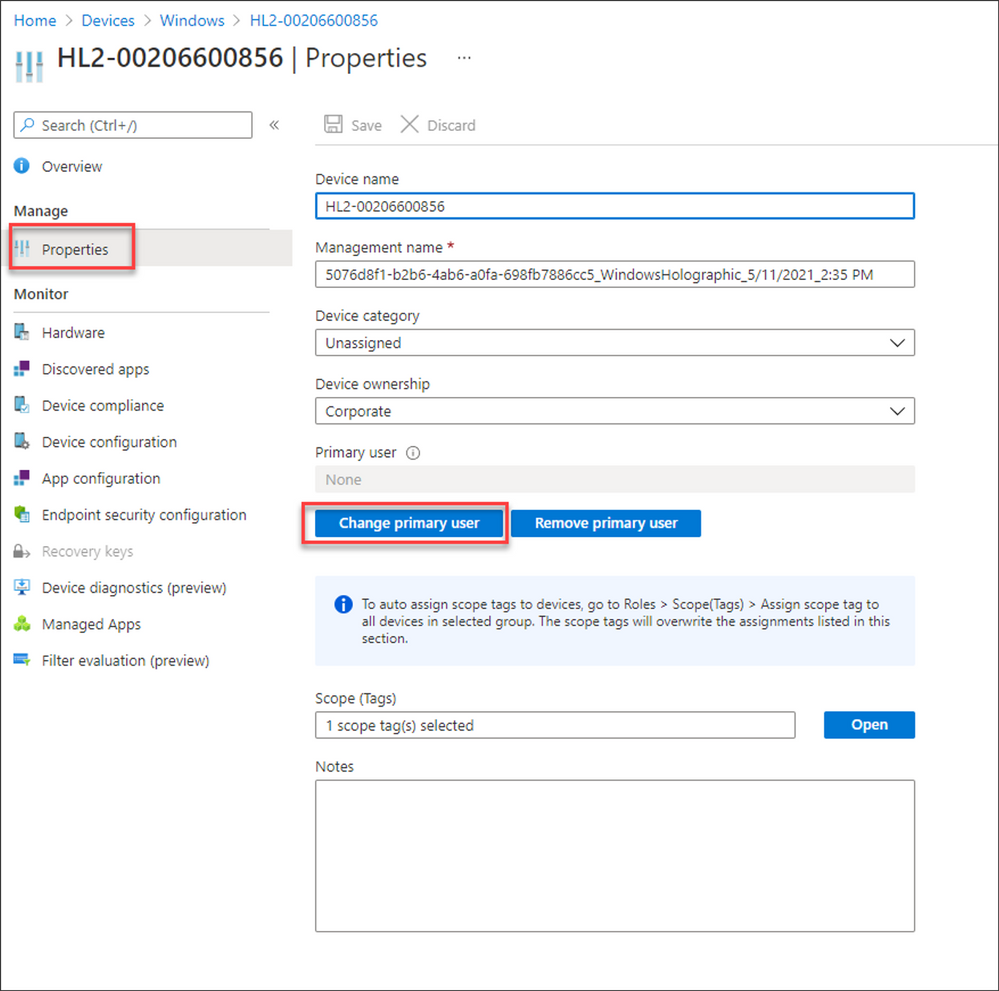

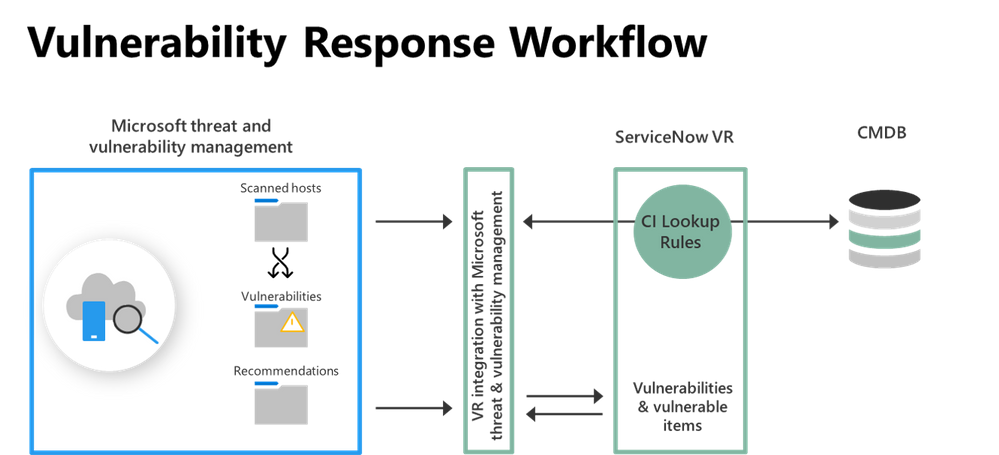
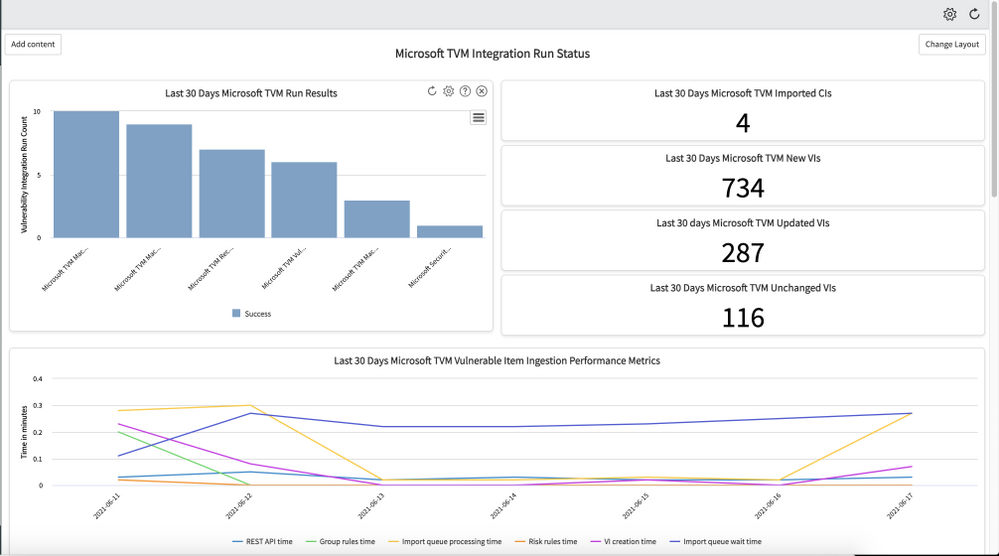
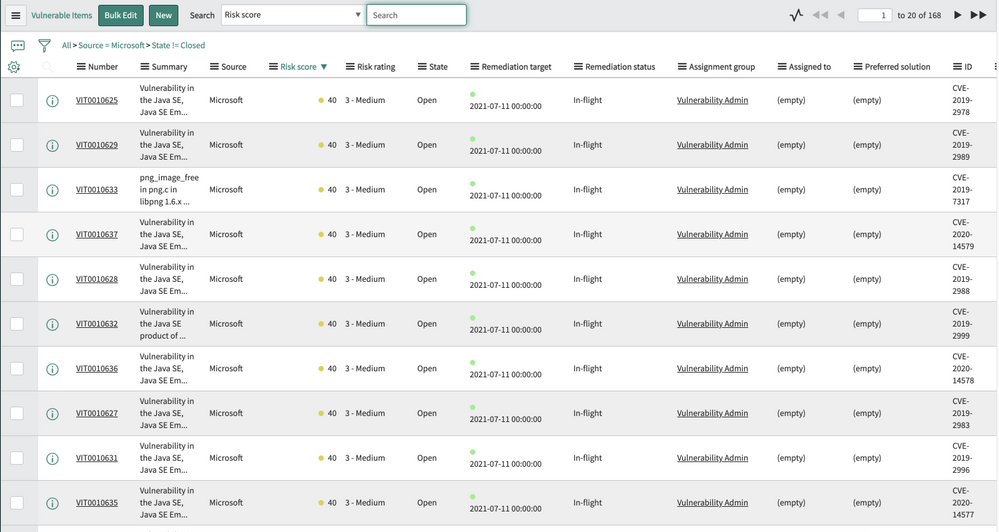



Recent Comments