by Contributed | Jan 4, 2021 | Dynamics 365, Microsoft 365, Technology
This article is contributed. See the original author and article here.
Although it may seem counter-intuitive, now that many people are working from home at least some of the time, having a streamlined mobile app for your sales team has become critically important. Whether they’re in the office, in their car, or just moving around their houses, sellers need to stay on top of their deals and get daily sales tasks done quickly. Being able to get work done on a phone is a huge time-saver.
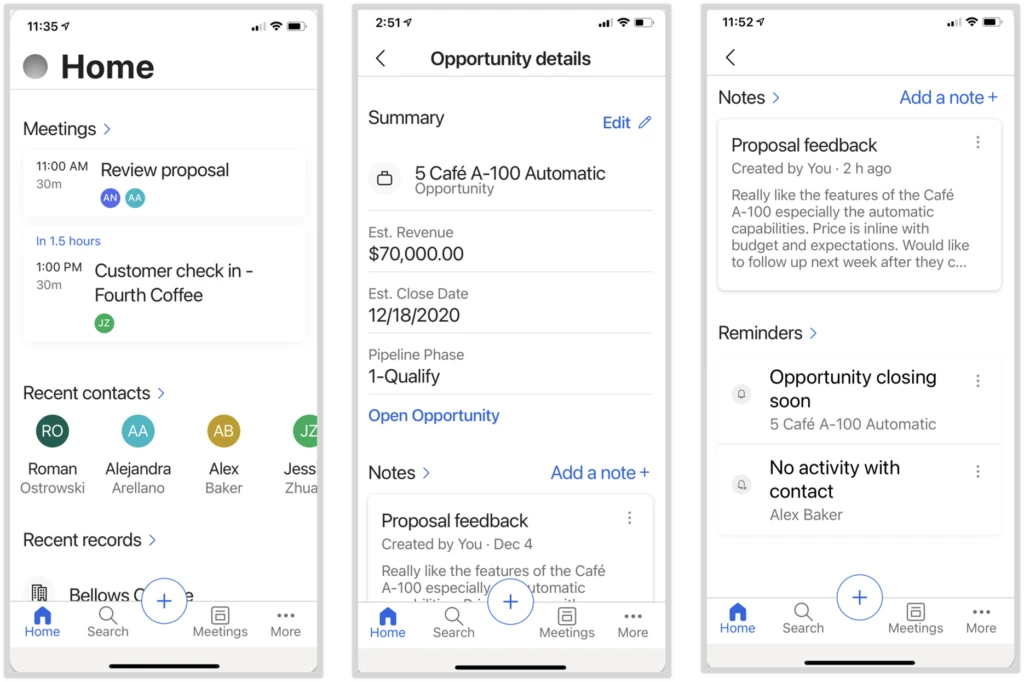
The new Dynamics 365 Sales mobile app, now available for preview, is optimized to help your sales team stay productive wherever they’re working. The key capabilities of the mobile app enable sellers to prepare for customer engagements, log and share information quickly, and find the information they need.
Mobile app highlights
The Sales mobile app helps your sales team:
- Prepare for customer engagements. As a seller prepares for a meeting, they see the meeting details, attendees, and their responses from Outlook along with the related data for which the appointment is tracked, such as opportunity title, estimated revenue, estimated closed date, pipeline phase, notes, and AI-generated reminders.
- Log and share information using native device capabilities and simplified forms. Details can be captured in notes using the device’s keyboard or voice-to-text capabilities, and can include attachments and images taken with the device’s camera. To streamline updating information, sellers use a lightweight, customizable form that allows them to edit the most important fields. Or if sellers need more info, they can access the full record with a single tap.
- Find and interact with sales data from an optimized home screen and with relevance search. The home page is optimized to display upcoming meetings and recently viewed records. Additionally, with relevance search, sellers can find the info they need, faster and more efficiently.
Get your sales organization started
The Dynamics 365 Sales Preview mobile app is available for public preview. Before sellers can use the app, admins need to take the following steps for their organization:
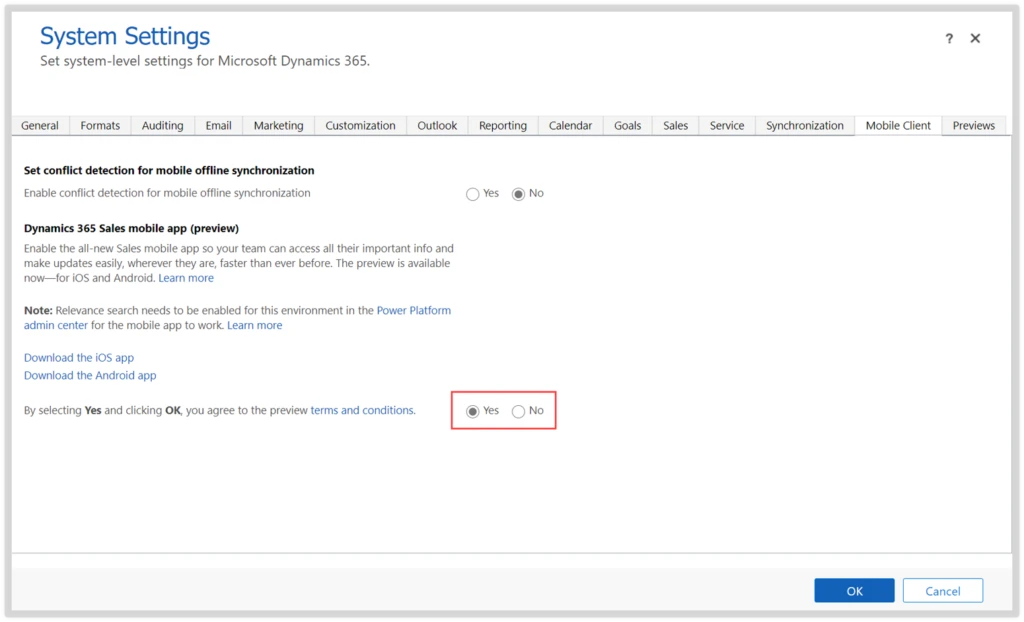
- Enable relevance search in the Power Platform admin center. Enabling relevance search is required for your sales team to use the mobile app and will also be available to all members of your organization.
- After you’ve enabled the mobile app and relevance search, let your sellers know they can install and start using the Dynamics 365 Sales mobile app.
Next steps and continued learning
To learn more about the Dynamics 365 Sales mobile app:
We’d like to hear your feedback, please share your ideas.
The post Enable the Dynamics 365 Sales Preview mobile app in Advanced Settings appeared first on Microsoft Dynamics 365 Blog.
Brought to you by Dr. Ware, Microsoft Office 365 Silver Partner, Charleston SC.

by Scott Muniz | Jan 4, 2021 | Security
This article was originally posted by the FTC. See the original article here.
If you, or someone you care about, lives in an assisted living facility or nursing home, read on. Because the bill funding the second round of Economic Impact Payments (EIPs) has now been signed into law. The money — right now, $600 per person who qualifies — will be sent out over the next few weeks. And, like last time, the money is meant for the PERSON, not the place they might live.
In the first round, which I’ll call EIP 1.0, we know that some nursing facilities tried to take the stimulus payments intended for their residents…particularly those on Medicaid. Which wasn’t, shall we say, legal, and kept some attorneys general busy recovering those funds for people.
Now, with EIP 2.0, we would hope those facilities have learned their lesson. But, just in case, let’s be clear: If you qualify for a payment, it’s yours to keep. If a loved one qualifies and lives in a nursing home or assisted living facility, it’s theirs to keep. The facility may not put their hands on it, or require somebody to sign it over to them. Even if that somebody is on Medicaid.
It would be worth a quick chat with management of the facility in question, just to remind them that the rules are the same this time through. And if you hear about a nursing home or assisted living facility being grabby about Economic Impact Payments, tell your state attorney general right away. And then tell the FTC at www.ReportFraud.ftc.gov.
Brought to you by Dr. Ware, Microsoft Office 365 Silver Partner, Charleston SC.
by Contributed | Jan 4, 2021 | Technology
This article is contributed. See the original author and article here.
There is a new release of SQL Server Analysis and Reporting Services Management Packs (7.0.29.0). These management packs can be used to monitor SQL Server Analysis Services and SQL Server Reporting Services versions 2012 and up as well as Power BI Report Server.
Please download at:
SSAS MP Changelog
- Improved performance of partition discovery for multidimensional databases
- Updated and improved SCOM 2019 HTML Dashboards to represent SSAS objects
SSRS MP Changelog
- Updated and improved SCOM 2019 HTML Dashboards to represent SSRS objects
- Updated alert description of Report Manager Accessible & Web Service Accessible monitors
by Contributed | Jan 4, 2021 | Technology
This article is contributed. See the original author and article here.
Microsoft’s Azure Sentinel, our Security Incident and Event Management (SIEM) solution, enables you to connect activity data from different sources into a shared workspace. That data ingestion is just the first step in the process though. The power comes from what you can now do with that data, including investigating incident alerts, building your own dashboards with workbooks, responding to threats with security playbooks and hunting for security threats.
Let’s take a look at some of the built-in rule templates that you can activate, to query and alert on that data.
Built-in rule templates
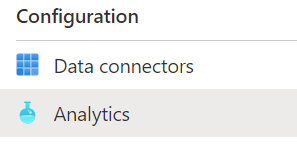
Your active rules and the list of available rule templates can be found in Azure Sentinel under ConfigurationAnalytics:
Azure Sentinel Analytics menu
The rule templates are published by Microsoft and are updated and added to as new events and threats are detected, classified as low, medium or high severity. There are currently just under 200 rule templates covering 38 different data sources, both from Microsoft and third parties.
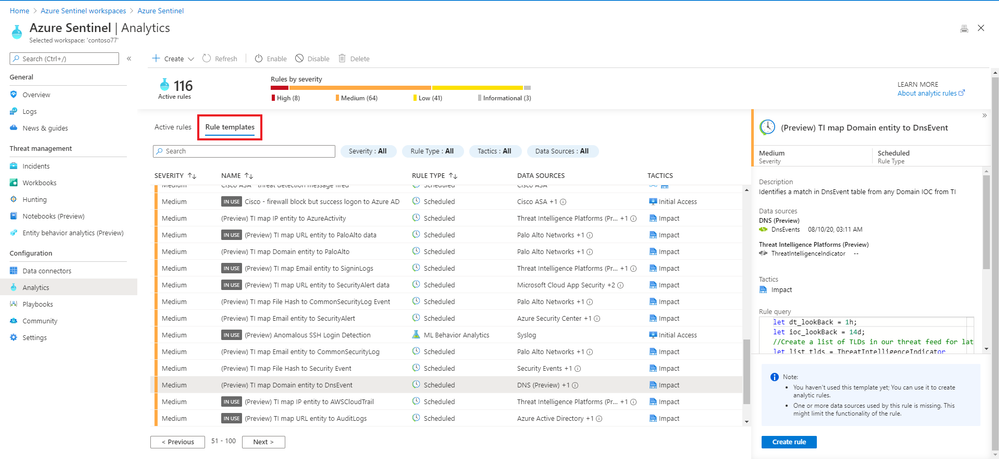 Some of the rule templates in Azure Sentinel
Examples
There are rule templates to create incidents in Azure Sentinel based on alerts from Azure Security Center, Office 365 Advanced Threat Protection (Preview) and Microsoft Defender Advanced Threat Protection. This helps you build one place to manage and investigate threats across different Microsoft products.
There are individual rules for Microsoft and non-Microsoft products:
High |
First access credential added to Application or Service Principal where no credential was present |
Azure Active Directory |
Medium |
Rare application consent |
Azure Active Directory |
Medium |
Full Admin policy created and then attached to Roles, Users or Groups |
Amazon Web Services |
Low |
Changes to AWS Security Group ingress and egress settings |
Amazon Web Services |
Medium |
Known Malware Detected |
VMWare Carbon Black Endpoint Standard (preview) |
Medium |
Port scan detected |
Sophos XG Firewall (preview) |
Medium |
New internet-exposed SSH endpoints |
Syslog |
Low |
Request for single resource on domain |
Zscaler |
There are also rules that combine more than one product, linking events that could indicate a possible incident:
High |
Anomalous login followed by Teams action |
Office 365 + Azure Active Directory |
High |
Multiple password reset by user |
Azure Active Directory + Security Events + Syslog + Office 365 |
And there are rules that detect a known threat from different data sources:
High |
Known IRIDIUM IP |
Office 365, DNS (preview), Cisco ASA, Palo Alto Networks, Security Events, Azure Active Directory, Azure Activity, Amazon Web Services |
High |
THALLIUM domains included in DCU takedown |
DNS (preview), Cisco ASA, Palo Alto Networks |
Anatomy of a rule template
As well as a severity and a list of the data source/s for this rule, a description tells you why this rule is important and may give you links to other relevant information.
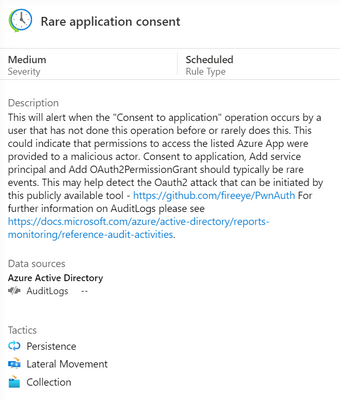 Azure Sentinel rule template description
The rule type can be:
Microsoft Security – these rules automatically create Azure Sentinel incidents from alerts generated in other Microsoft security products, in real time.
Scheduled – these run periodically based on the settings you configure and allow you to alter the query logic.
ML Behaviour Analytics – these are based on proprietary Microsoft machine learning algorithms, so you can’t see of change the query logic.
Fusion – this detects multistage attacks by identifying combinations of anomalous behaviors and suspicious activities observed at various stages of the kill chain. By design, these incidents are low-volume, high-fidelity, and high-severity, which is why this detection is turned ON by default. For more information on Fusion incident types, visit Advanced multistage attack detection in Azure Sentinel.
The tactics icons show what kind of threat this rule is related to:
Credential access, command and control, initial access, impact, defence evasion, collection, persistence, lateral movement, privilege escalation.
You can also see the details of the rule query, written in Kusto Query Language (KQL).
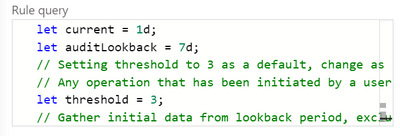
Scheduled rules have a frequency, a rule period and a rule threshold, and may allow event grouping, suppression, the creation of incidents from this alert and alert grouping.
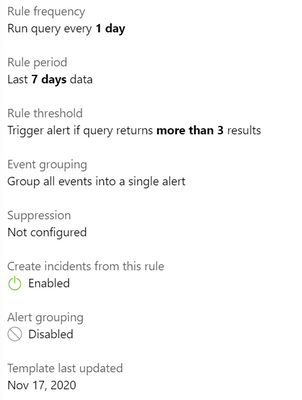 Rule template settings for a scheduled rule
Creating a rule from a rule template
To turn a rule template into an active rule for your environment, you just select the Create rule button. With the wizard, you can then customize any rule settings or the rule logic itself (if appropriate) and you will be warned if you don’t have the required data sources connected.
Choosing your rules
Azure Sentinel gives you a very powerful security capability, but it’s up to you to decide how to apply it to your organization. The built-in rule templates are a great start, or you may also choose to build your own queries. Take a look at the data sources across your environment and what security incident and event monitoring tools and processes you already have in place. What in particular do you need to monitor – network attacks? logins of administrative accounts? events from different systems that may be related?
In addition, the Azure security baseline for Azure Sentinel takes guidance from the Azure Security Benchmark‘s security controls.
Learn more:
MS Learn – Cloud-native security operations with Azure Sentinel
Docs – Tutorial: Detect threats out of the box
Docs – Tutorial: Create custom analytics rules to detect threats
Docs – Extend Azure Sentinel across workspaces and tenants
by Contributed | Jan 4, 2021 | Technology
This article is contributed. See the original author and article here.
To keep Service Fabric cluster running the old certificate are needed to be replaced with new certificates the below steps can help you rotate the old certificate with new certificates. This article assumes you are running cluster with thumbprint approach. In general the common name approach is recommended for easy certificate management. More information about certificate on Standalone cluster refer to Secure a cluster on Windows by using certificates – Azure Service Fabric | Microsoft Docs
Service Fabric with certificates that aren’t expired (cluster running with near expiry or non-expired certificates)
Important Note: Before you change below config, you should install all certificate on all nodes i.e. New certificate should be present and acled to Network Service before you start this operation on all nodes.
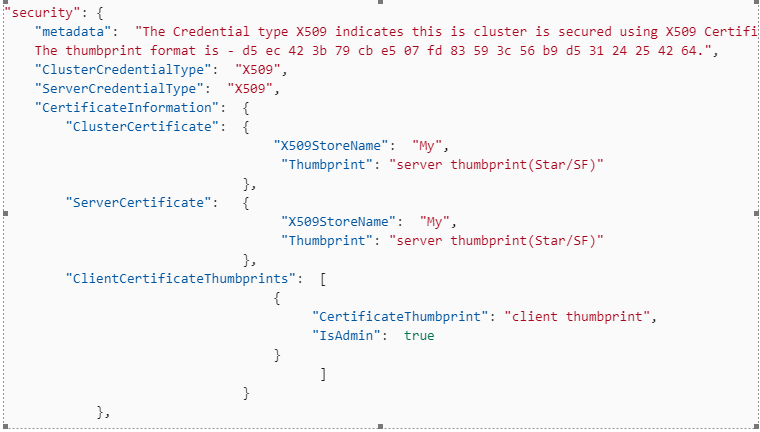
1. Open the Clusterconfig.json file for editing, and find the following section. If a secondary thumbprint is defined, you need to clean up old Service Fabric certificates before you go any further. i.e. trigger an upgrade to remove secondary certificate section first.
"security": {
    "metadata":  "The Credential type X509 indicates this cluster is secured using X509 Certificates.
    The thumbprint format is - d5 ec 42 3b 79 cb e5 07 fd 83 59 3c 56 b9 d5 31 24 25 42 64.",
    "ClusterCredentialType":  "X509",
    "ServerCredentialType":  "X509",
    "CertificateInformation":  {
        "ClusterCertificate":  {
                                   "X509StoreName":  "My",
                                    "Thumbprint": "*Old server thumbprint(Star/SF)*"
                               },
        "ServerCertificate":   {
                                    "X509StoreName":  "My",
 									"Thumbprint": "*Old server thumbprint(Star/SF)*"
                               },
        "ClientCertificateThumbprints":  [
                                   {
                                        "CertificateThumbprint": "*Old client thumbprint*",
                                        "IsAdmin":  true
                                   }
                                         ]
                               }
            },
2. Replace that section in the file with following section.
"security":  {
    "metadata":  "The Credential type X509 indicates this cluster is secured using X509 Certificates.
    The thumbprint format is - d5 ec 42 3b 79 cb e5 07 fd 83 59 3c 56 b9 d5 31 24 25 42 64.",
    "ClusterCredentialType":  "X509",
    "ServerCredentialType":  "X509",
    "CertificateInformation":  {
        "ClusterCertificate":  {
                                   "X509StoreName":  "My",
                                    "Thumbprint": "*New server thumbprint(Star/SF)*",
                                    "ThumbprintSecondary": "Old server thumbprint(Star/SF)"
                               },
        "ServerCertificate":   {
                                    "X509StoreName":  "My",
 									"Thumbprint": "*New server thumbprint(Star/SF)*",
                                    "ThumbprintSecondary": "Old server thumbprint(Star/SF)"
                               },
        "ClientCertificateThumbprints":  [
                                   {
                                        "CertificateThumbprint": "*Old client thumbprint*",
                                        "IsAdmin":  false
                                   },
                                   {
                                        "CertificateThumbprint": "*New client thumbprint*",
                                        "IsAdmin":  true
                                   }
                                         ]
                               }
            },



Recent Comments