by Contributed | Jan 22, 2021 | Technology
This article is contributed. See the original author and article here.
Microsoft periodically refreshes certificates in Office 365 as part of our effort to maintain a highly available and secure environment. From Jan 23rd, 2021, we are making a certificate change on our Microsoft Federation Gateway every six weeks that could affect some customers as detailed in this knowledge base article. The good news is you can easily avoid any disruption.
Who is affected?
This certificate change can affect any customer that is using the Microsoft Federation Gateway. If you are in a hybrid configuration or if you are sharing free/busy information between two different on-premises organizations using the Microsoft Federation Gateway as a trust broker, you need to take action.
When will the change occur?
After the change is scheduled to occur every six weeks. You must take action before then to avoid any disruption.
What type of issues will you face if no action is taken?
If you don’t take action, you won’t be able to use services that rely on the Microsoft Federation Gateway. For example:
- A cloud user might not be able to see free/busy information for an on-premises user and vice versa.
- MailTips might not work in a Hybrid configuration.
- Cross-premises free/busy might stop working between organizations that have organization relationships in place.
Additionally, if you run the Test-FederationTrust cmdlet, you receive an error message that indicates that the Delegation token has validation issues. For example, you receive an error message that resembles the following:
Id : TokenValidation
Type : Error
Message : Failed to validate delegation token.
And, you might receive one of the following error messages in the Exchange Web Services (EWS) responses:
An error occurred when processing the security tokens in the message
Autodiscover failed for email address User@contoso.com with error System.Web.Services.Protocols.SoapHeaderException: An error occurred when verifying security for the message
What action should you take?
You can use the following command on your Exchange Server to create a scheduled task to run the update process daily. This is how we recommend you keep your Federation Trust constantly updated. This will prevent you from being negatively affected by future metadata changes.
Schtasks /create /sc Daily /tn FedRefresh /tr “C:WindowsSystem32WindowsPowerShellv1.0powershell.exe -version 2.0 -command Add-PSSnapIn Microsoft.Exchange.Management.PowerShell.E2010; $fedTrust = Get-FederationTrust;Set-FederationTrust -Identity $fedTrust.Name -RefreshMetadata;Set-FederationTrust -Identity $fedTrust.Name -RefreshMetadata” /ru System
If you prefer to not use a scheduled task, you can manually run the command at any time to refresh the metadata. If you choose a manual option, it will be cumbersome as you will have to keep track of this task every six weeks or run it daily.
Get-Federationtrust | Set-FederationTrust –RefreshMetadata
The Exchange Hybrid Team

by Contributed | Jan 22, 2021 | Technology
This article is contributed. See the original author and article here.
Thursday, February 04, 2021, 08:30 AM – 03:00 PM (CST)
This third installment of the Cloud Security and Compliance Series (CS2) Virtual series is curated for DoD contractors looking to meet cybersecurity regulations, address security threats, and glean best practices for their Microsoft cloud investments. Many previous speakers include @RichardWakeman (Microsoft), Katie Arrington (OUSD), and several CMMC AB board members. Next month CS2 will host @Rima Reyes , @Dave Jennings (TEAMS) and @Morné Pretorius of the Teams GCC / GCC High / DoD product group as well as @Matt Soseman , Microsoft Sr Architect speaking on Microsoft Defender and applications for CMMC. See below for the full set of speakers.
 CS2 Speakers
This conference will provide those currently deployed in Microsoft 365 US Sovereign Cloud environments and Azure Government the unique opportunity to hear from Microsoft stakeholders and regulatory experts, including many third-party assessors (C3PAO’s).
by Scott Muniz | Jan 22, 2021 | Security
This article was originally posted by the FTC. See the original article here.
The US Department of the Treasury and the IRS are working hard to get a second round of Economic Impact Payments (EIP) to people. You might have already gotten your payment direct deposited into your bank account. That started on December 29th. You might have gotten a check in the mail. But, like last time, some people will get their payment in the mail on an EIP VISA debit card. Don’t be surprised if the way you get this second round of payments is different than the first time. Whichever way you get your payment, it’s all money the government wants you to have, and quickly. So: if you qualify for an Economic Impact Payment, look at your bank account for a direct deposit, keep an eye out for a check in the mail, or watch your mailbox carefully this month for an EIP Visa debit card.
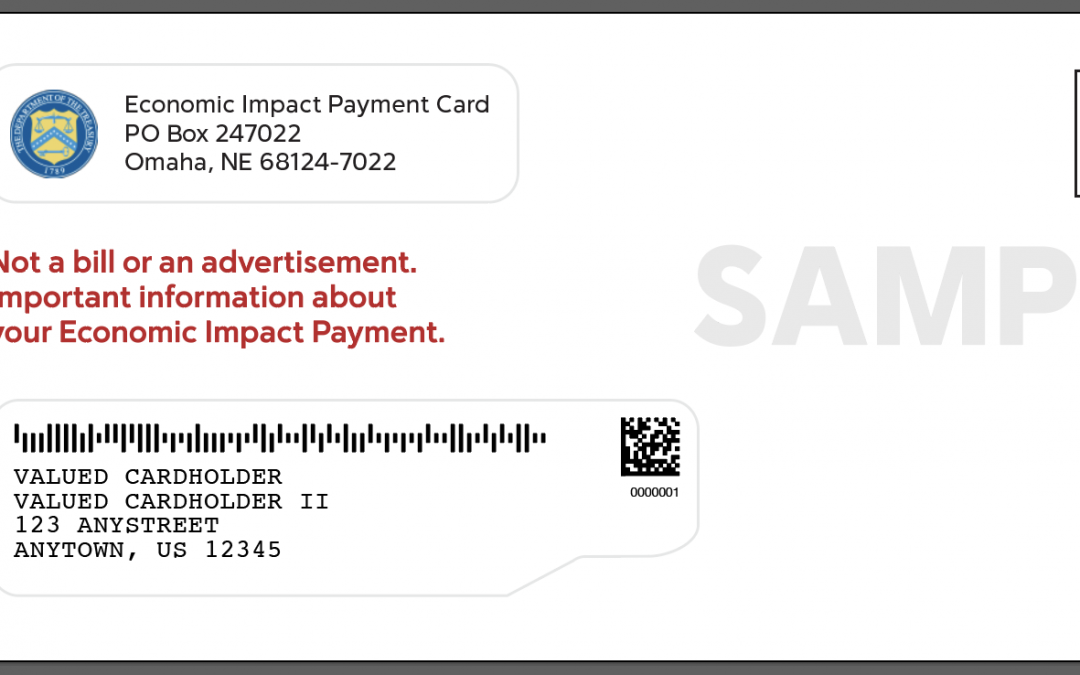
With checks, you know the drill: get the check, deposit the check. Since you might not have gotten money on a VISA debit card before, here’s a bit more info. The EIP VISA debit card will come in an envelope that looks like this:

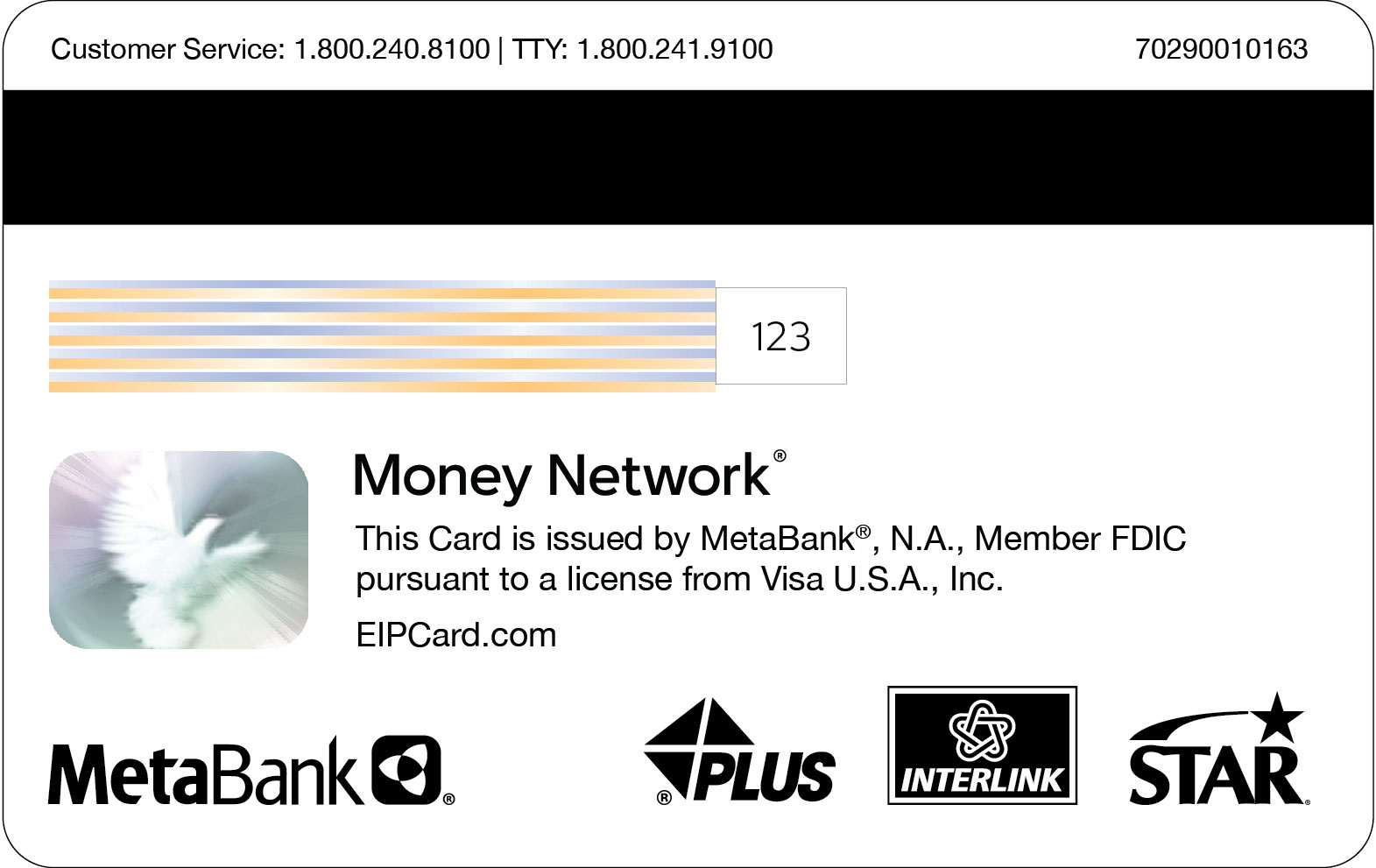
The debit cards are managed by Money Network Financial, LLC and issued by Treasury’s financial agent, MetaBank®, N.A., and will look like this:

If you got an EIP VISA debit card in the mail, here’s what to do.
- Activate the EIP VISA debit card right away by calling 1-800-240-8100. To activate your card, you’ll have to give the last six digits your Social Security number. Once the card is activated, you can use it anywhere that accepts VISA debit cards, including online or in a store, or at an ATM to get cash. You also can transfer the money from the card to your personal bank account without fees. Keep in mind that the EIP debit cards will expire after three years. If that happens, call customer service to request the funds be sent to you as a check.
- Got questions about the EIP card? Call the 24-hour call center at 1-800-240-8100. You can also visit EIPCard.com for information on using your EIP card, like where to log in to see your card balance, or where to find an in-network ATM to get money out of the card at no charge.
- Got more general EIP questions? The IRS also has an FAQs page in English, or in Spanish.
And one last thing. Like last time, scammers are at work trying to get your money and/or personal information. Remember that the government will never call, text, email, or ask you to click on a link to activate your EIP card or get your money. If anyone does, it’s a scam. Don’t give anyone your personal or financial information, like your Social Security or bank account numbers. And never pay anyone to get your EIP funds. Report any scam immediately to the FTC at ReportFraud.ftc.gov.
Brought to you by Dr. Ware, Microsoft Office 365 Silver Partner, Charleston SC.
by Contributed | Jan 22, 2021 | Technology
This article is contributed. See the original author and article here.
Apple recently announced Apple Silicon Macs. These devices run on 64-bit ARM (RISC) CPUs relative to the previous generation of Macs that ran on Intel CPUs. Apple also announced a translation layer called Rosetta 2 that allows apps built for Intel Macs to run on the new Apple Silicon Macs.
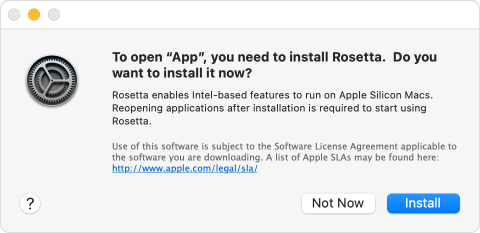
Intune apps on macOS such as Intune Company Portal and the Intune MDM agent depend on the Rosetta 2 translation layer for managing Apple Silicon Macs. If you purchase a new Apple Silicon Mac running macOS 11.x (Big Sur), Rosetta 2 does not come pre-installed and the end-user is prompted by macOS to install it on first launch of an Intel-based application.
macOS installation prompt for Rosetta
If you are upgrading to macOS 11 on Intel Macs, this is not an issue.
Issue: Apple Silicon (M1) Macs fail to run shell scripts when enrolled via Apple Automated Device Enrollment (ADE)
In this scenario, the device gets enrolled into Intune using macOS Setup Assistant. If you have configured shell scripts for these Macs, the Intune MDM agent is automatically installed on the Mac. However, the Intune MDM agent cannot start because Rosetta 2 is not installed. macOS 11 does not prompt the end user to install Rosetta 2 in this case.
If you are enrolling your Apple Silicon Macs using Company Portal, you will be prompted to install Rosetta 2 on first launch of Company Portal.
Recommendation
Install Rosetta 2 on Apple Silicon Macs to ensure app compatibility with Intel-based apps using one of the following steps:
Recommend users to install Rosetta 2 manually by launching any installed Intel-based app on the Apple Silicon Mac.
Recommend users to open Terminal and run the following command or provide a script that runs this command to users:
Let us know if you have any additional questions on this by replying back to this post or tagging @IntuneSuppTeam out on Twitter.
by Contributed | Jan 22, 2021 | Technology
This article is contributed. See the original author and article here.
The need for faster data quality
Data validation, data transformation and de-identification can be complex and time-consuming. As data volumes grow, new downstream use cases and applications emerge, and expectations of timely delivery of high-quality data increase the importance of fast and reliable data transformation, validation, de-duplication and error correction.
How the City of Spokane improved data quality while lowering costs
To abstract their entire ETL process and achieve consistent data through data quality and master data management services, the City of Spokane leveraged DQLabs and Azure Databricks. They merged a variety of data sources, removed duplicate data and curated the data in Azure Data Lake Storage (ADLS).
“Transparency and accountability are high priorities for the City of Spokane,” said Eric Finch, Chief Innovation and Technology Officer, City of Spokane. “DQLabs and Azure Databricks enable us to deliver a consistent source of cleansed data to address concerns for high-risk populations and to improve public safety and community planning.”
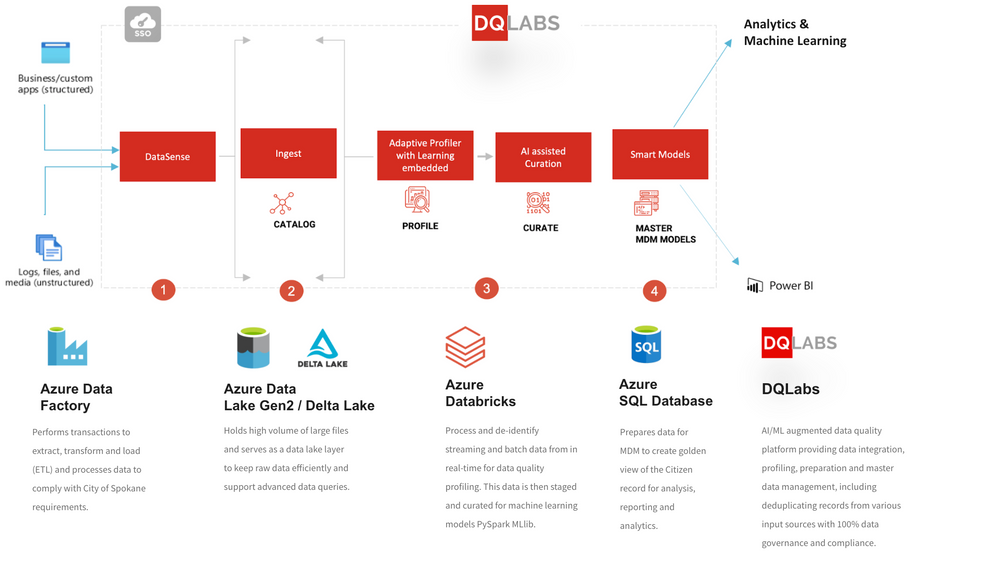
City of Spokane ETL/ELT process with DQLabs and Azure Databricks
How DQLabs leverages Azure Databricks to improve data quality
“DQLabs is an augmented data quality platform, helping organizations manage data smarter,” said Raj Joseph, CEO, DQLabs. “With over two decades of experience in data and data science solutions and products, what I find is that organizations struggle a lot in terms of consolidating data from different locations. Data is commonly stored in different forms and locations, such as PDFs, databases, and other file types scattered across a variety of locations such as on-premises systems, cloud APIs, and third-party systems.”
To help customers make sense of their data and answer even simple questions such as, “is it good?” or “is it bad?” are far more complicated than organizations ever anticipated. To solve these challenges, DQLabs built an augmented data quality platform. DQLabs helped the City of Spokane to create an automated cloud data architecture using Azure Databricks to process a wide variety of data formats, including JSON and relational databases. They first leveraged Azure Data Factory (ADF) with DQLabs’ built-in data integration tools to connect the various data sources and orchestrate the data ingestion at different velocities, for both full and incremental updates.
DQLabs uses Azure Databricks to process and de-identify both streaming and batch data in real time for data quality profiling. This data is then staged and curated for machine learning models PySpark MLlib.
Learn more and get started
Continue reading how the City of Spokane improved data quality while lowering their TCO using DQLabs. Then get hands on with Azure Databricks by attending a Quickstart Lab.


Recent Comments