by Contributed | Dec 14, 2020 | Technology
This article is contributed. See the original author and article here.
Following on from the announcement that Azure Stack HCI is now generally available I am pleased to share with you a new episode of Azure Unblogged. I had the pleasure of chatting to Matt McSpirit, Senior Program Manager, Customer Programs & Partner Ecosystem at Microsoft. Matt and I talk about what Azure Stack HCI is, how you can use it within your environment and how it works with Windows, Linux, Kubernetes, Windows Admin Centre and Azure Arc.
You can watch the full video here or on Microsoft Channel 9.
I hope you enjoyed the video if you have any questions feel free to leave a comment and if you want to check out some of the resources Matt mentioned please check out the links below:
by Contributed | Dec 13, 2020 | Technology
This article is contributed. See the original author and article here.
<Posting on behalf of Cireson>
Cireson has been innovating in the System Center community for almost a decade. First starting with extending System Center Service Manager by bringing the best features to the web and by adding capabilities requested by the community. The result of that innovation is the most cohesive ITSM and ITAM experience on the market with no plans for slowing down heading into 2021.
By offering apps and integrations to organizations of every System Center shape and size. Our main goal is to help our customers achieve more with System Center Service Manager.
Try Our Apps for Free
For starters, those who work in the Service Manager console can take advantage of some of our free tools such as:
- Advanced Send Email a console task on Work Items that provides Analysts a way to send email on Work Items right to their Affected Users
- Auto Close helps simplify this ITIL process by providing Administrators a streamlined way to automatically move Work Items to a Closed status, set their Implementation Results on compatible Work Items and keep your Service Manager environment lean and in shape
- Notify Analyst removes the need to configure notification subscriptions and edit management packs by providing a simple interface to choose when to notify Analysts of Assignment Changes, and Analysts + End Users when Action Logs are updated.
Upgrade for Maximum Power
But for those looking to radically transform their organizations with System Center, Cireson also offers solutions that improve end user satisfaction, simplify automation efforts, and lastly unite your ITSM/ITAM practices in Service Manager.
- PowerShell Activity lets you run your own PowerShell, call any module, and run with any of your Run as Accounts directly within the context of Service Requests or Change Requests. No external automation tools required!
- Asset Management enables you to pull System Center inventory up into Hardware and Software Assets to track them across your organization. Not to mention the ability to manage Vendors, Financial information, Warranty, and full Asset Lifecycle management. Coupled with our Custom Asset Import Connectors you can also tap into other non-System Center data sources within your environment to further shape your data
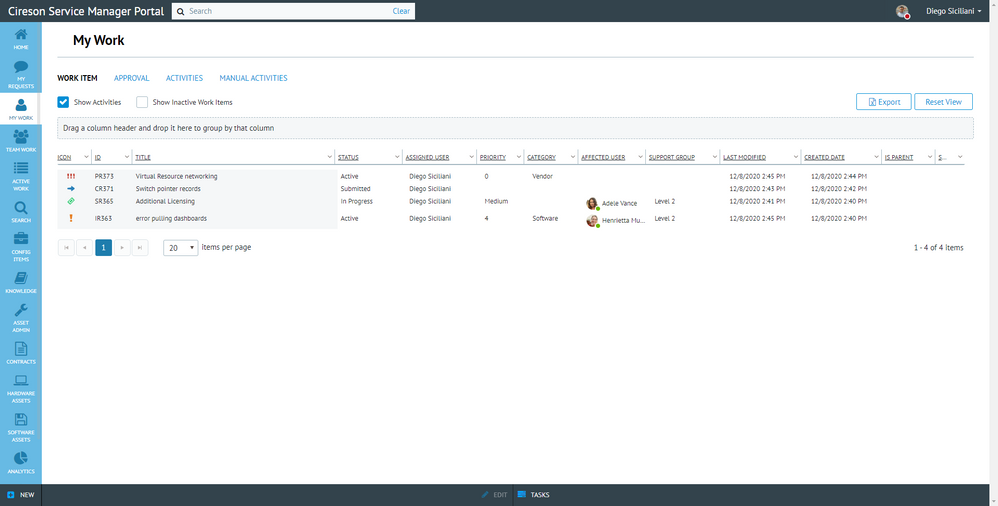
- Service Manger Portal provides support for full ITIL Work Item management for Analysts, Improved Request Offering experience for End Users, SQL/OData Dashboards for reporting, and Global Search which provides the ability to search across the entire System Center stack. With the Cireson Service Manager Portal, you can wield the power of a unified data center through a single web interface
Service Manager Portal
Bring SCSM into Microsoft Teams
And now you can take your Service Manager investments even further into Azure. Bring the collaboration of Microsoft 365 and Teams to the heart of System Center with integration for Service Manager!
Cireson has recently announced the availability of Work and Configuration Item management directly from Microsoft Teams. Offering employees at every level of your organization the ability to work with Service Manager in a wholly new way through a familiar Teams chat experience.
With Support Bot for Teams, you can:
- Search for Work Items like Incidents, Problems, or Change Requests from chat
- Find any Configuration Items that syncs in from Active Directory, Configuration Manager, Operations Manager, or custom ones that exist in Service Manager
- Return search results that auto-expand as feature rich Teams cards
- Turn any message from any conversation into a Comment on a Work Item
- Customize notifications you receive through the Cireson Service Manager portal
- Theme and brand the bot to your organization’s needs
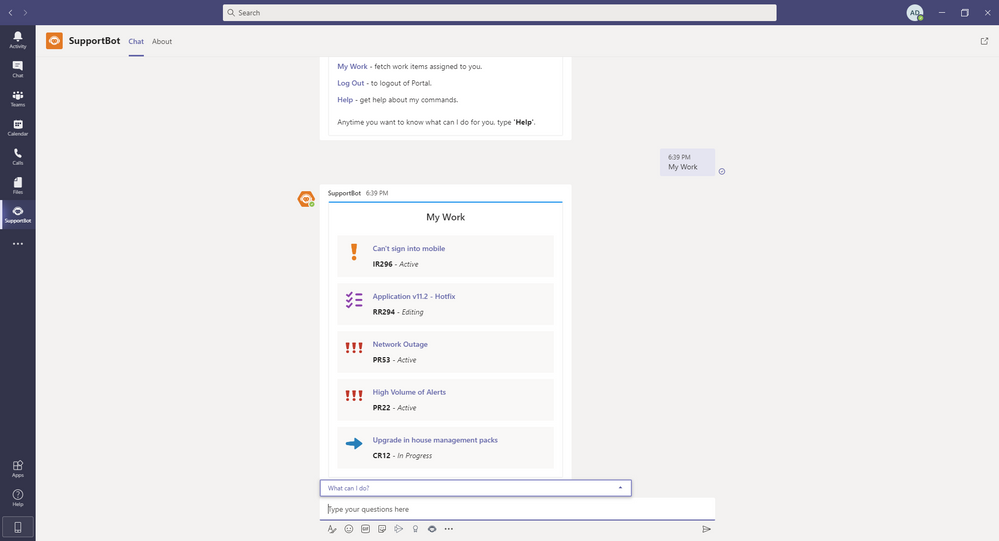 Chat with Support Bot
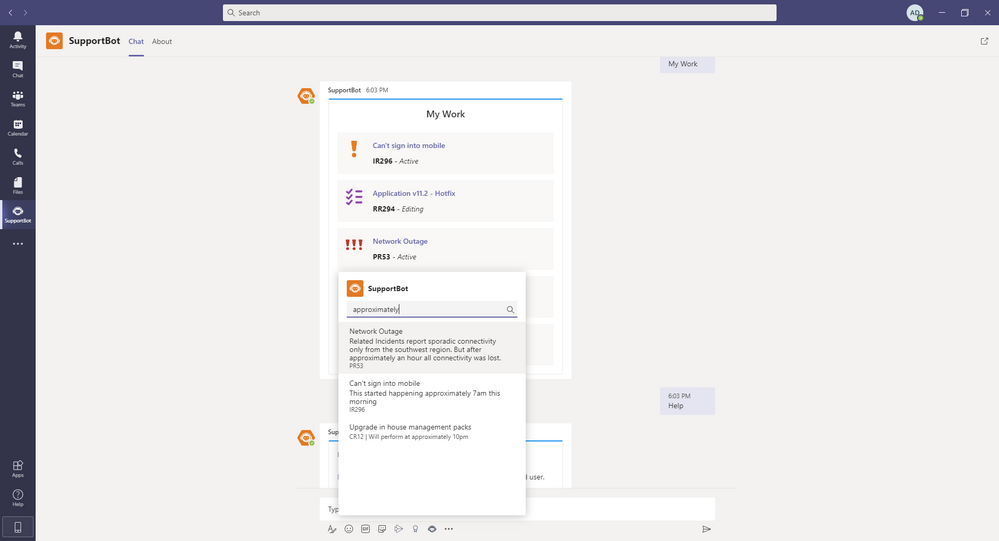 Chat with Support Bot
Support Bot is just one of our many integrations to SCSM that is driven by our community that customers and non-customers alike can participate in. Connect with peers, get expert advice, or even inspiration for your next piece of automation over at https://community.cireson.com/.
To learn more about our full suite of apps or if you want to see the Cireson Portal for System Center Service Manager in action, drop us a line at team@cireson.com.

by Scott Muniz | Dec 13, 2020 | Security, Technology
This article is contributed. See the original author and article here.
Official websites use .gov
A .gov website belongs to an official government organization in the United States.

Secure .gov websites use HTTPS A
lock ( )
) or
https:// means you’ve safely connected to the .gov website. Share sensitive information only on official, secure websites.
by Contributed | Dec 13, 2020 | Technology
This article is contributed. See the original author and article here.
This installment is part of a broader series to keep you up to date with the latest features in Azure Sentinel. The installments will be bite-sized to enable you to easily digest the new content.
Note: The Log Analytics agent is sometimes referred to as the OMS Agent or the Microsoft Monitoring Agent (MMA).
We’ve made some improvements to the Log Analytics agent that will make it even easier and flexible for you to use across a wider range of platforms.
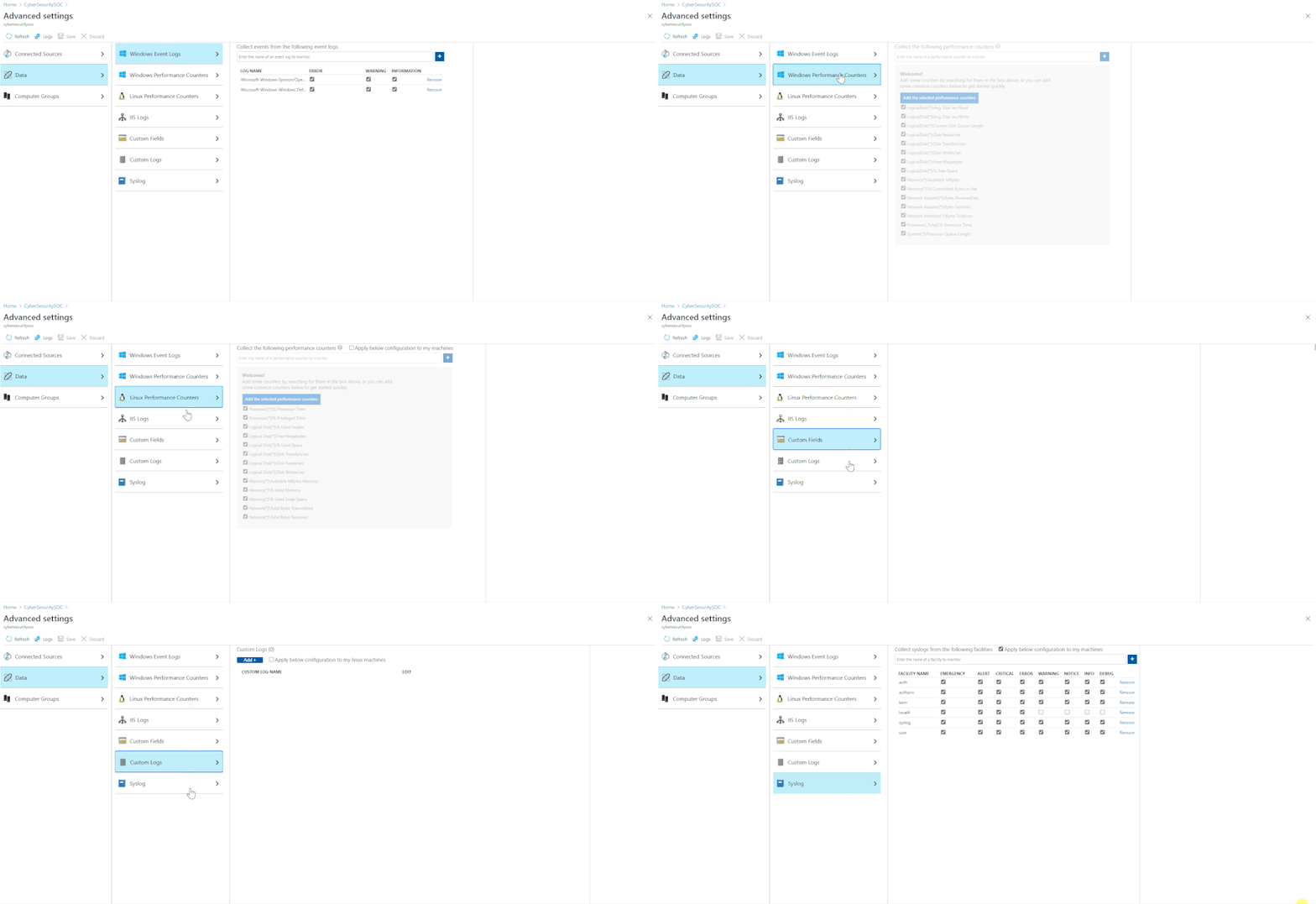
If you’re unfamiliar with this product, the Azure Log Analytics agent collects telemetry from Windows and Linux virtual machines in any cloud, on-premises machines, and those monitored by System Center Operations Manager and sends it collected data to your Log Analytics workspace. You can read more about it here. You can also read the release notes for the agent here.
In Azure Sentinel, it can be used to facilitate the sending of the following events to your workspace:
- Windows Security events
- Syslog
- Common Event Format (CEF) logs
- Windows Firewall logs
- DNS logs
- IIS logs
- Network connections
Support for new operating systems
The Log Analytics agent can now be installed on an even wider range of Linux distros. We recently added support for:
- CentOS 8
- RedHat 8
- SUSE Linux 15
Click here to see the full list of supported OSs.
Support for Python 3
Probably even more anticipated then our expanded OS support, we are happy to announce that starting from Agent version 1.13.27, the Linux Log Analytics Agent will support both Python 2 and 3. This means that customers now have the option to use whatever Python version they prefer (or whatever comes by default on their machine). This works both for a direct install of the agent and when installing as part of the CEF log forwarder.
Get started today!
Try out the new connector and let us know your feedback using any of the channels listed in the Resources.
You can also contribute new connectors, workbooks, analytics and more in Azure Sentinel. Get started now by joining the Azure Sentinel Threat Hunters GitHub community and follow the guidance.
With thanks to @Jeremy Tan, @Chi_Nguyen and @Ofer_Shezaf for their inputs on this blog post.
by Contributed | Dec 13, 2020 | Technology
This article is contributed. See the original author and article here.
Final Update: Sunday, 13 December 2020 20:02 UTC
We’ve confirmed that all systems are back to normal with no customer impact as of 12/13, 19:40 UTC. Our logs show the incident started on 11/20, 02:40 UTC and that during the duration of ~23 days that it took to resolve the issue some customers experienced alerting failures. For new alerts that fired post 12/13 19:40 UTC, these are accurately reflecting the state of the resource health. For alerts in Fired/Resolved status between 11/20 02:40 UTC and 12/13 19:40 UTC, please depend on notifications that are setup through Action groups for accurate status of resource health.
Root Cause: Root cause has been isolated to data from older version of code which was impacting Metric Alerts in Azure Portal.
Incident Timeline: ~23 days – 11/20, 02:40 UTC through 12/13, 19:40 UTC
We understand that customers rely on Metric Alerts as a critical service and apologize for any impact this incident caused.
-Anupama
Update: Sunday, 13 December 2020 18:35 UTC
Root cause has been isolated to data from old version of code which was impacting Metric Alerts in Azure Portal. Mitigation is complete on most of the instances and is in progress for last couple of instances.
- Work Around: None
- Next Update: Before 12/13 21:00 UTC
-Anupama
Update: Sunday, 13 December 2020 15:06 UTC
Root cause has been isolated to data from old version of code which was impacting Metric Alerts in Azure Portal. To address this issue we have rolled out a hotfix deployment. Some customers may continue to experience alerting failures.
- Work Around: None
- Next Update: Before 12/13 18:30 UTC
We are working hard to resolve this issue and apologize for any inconvenience.
-Sandeep
Initial Update: Sunday, 13 December 2020 11:18 UTC
We are aware of issues within Metric Alerts and are actively investigating. Some customers may see alerts still active in the Azure Portal even though they receive resolved notification. Our logs show the incident started on 12/07, ~15:00 UTC.
- Work Around: None
- Next Update: Before 12/13 15:30 UTC
We are working hard to resolve this issue and apologize for any inconvenience.
-Sandeep


Recent Comments