by Scott Muniz | Aug 4, 2020 | Alerts, Microsoft, Technology, Uncategorized
This article is contributed. See the original author and article here.
Today I am happy to announce an expansion of our longstanding partnership with Bitnami (now part of VMware) to deliver a collection of production-ready templates on the Azure marketplace for our open source database services—namely, MySQL, MariaDB, and Postgres.
In this blog post you can learn about the Bitnami Certified Apps (what many of us call “templates”) for our Azure Database for MySQL and Azure Database for MariaDB services are available on the Azure Marketplace and are production-ready. You can also find Bitnami templates using Azure Database for PostgreSQL.
More importantly, these Bitnami templates make it easy for you to manage the complexity of modern software deployments.
And when we say the Bitnami templates make it easy, we mean easy: these templates for our Azure open source databases give you a one-click solution to deploy your applications for production workloads. Bitnami packages the templates following industry standards—and continuously monitors all components and libraries for vulnerabilities and application updates.
Invent with purpose on Azure with Bitnami templates !
Bitnami templates available with PostgreSQL on Azure Marketplace
The current collection of Bitnami production-ready templates on the Azure marketplace are for these applications.
- Magento for MySQL
- Moodle for MySQL
- WordPress for MariaDB
- Drupal for MariaDB
The Bitnami Community Catalog on the Azure Marketplace give you certified applications that are always up-to-date, highly secure, and built to work right out of the box.
In these solution templates for the Azure open source database services, our Azure and Bitnami engineering teams have worked together to incorporate all the best practices for performance, scale, and security—to make the Bitnami templates ready for you to consume, with no additional integration work necessary.
Magento with MySQL on Azure
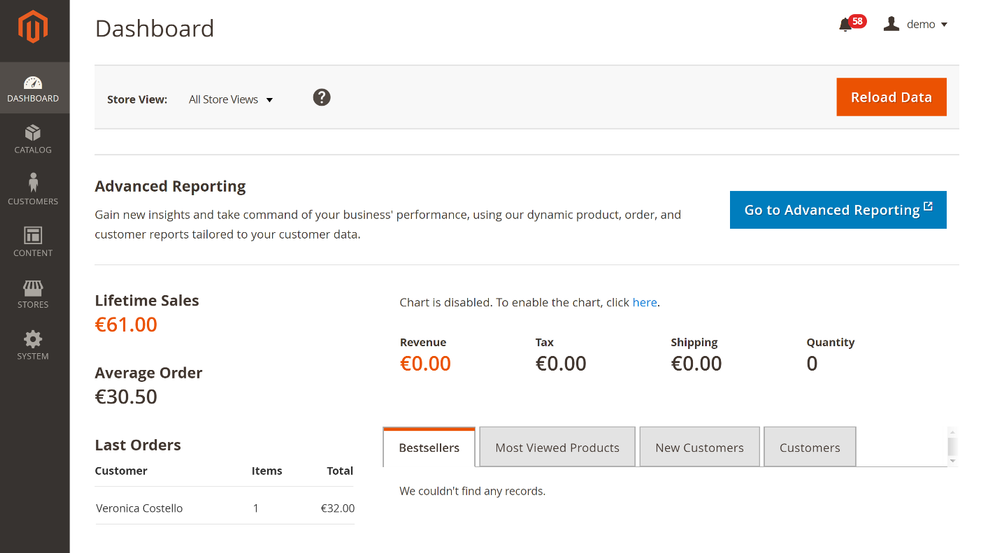
Caption : Magento with Azure Database for MySQL
Since so many of us are staying at home right now, I suspect that many of you are using some type of online retailer to purchase groceries and everyday home items. Many online retailers are built on top of Magento, an open source e-commerce solution developed in PHP. Bitnami simplifies the deployment of Magento on Azure with an Azure Marketplace solution that runs Magento on a Virtual machine and uses Azure Database for MySQL for data storage with ProxySQL for load balancing.
Try Magento Bitnami template that works with Azure Database for MySQL
Moodle with MySQL on Azure
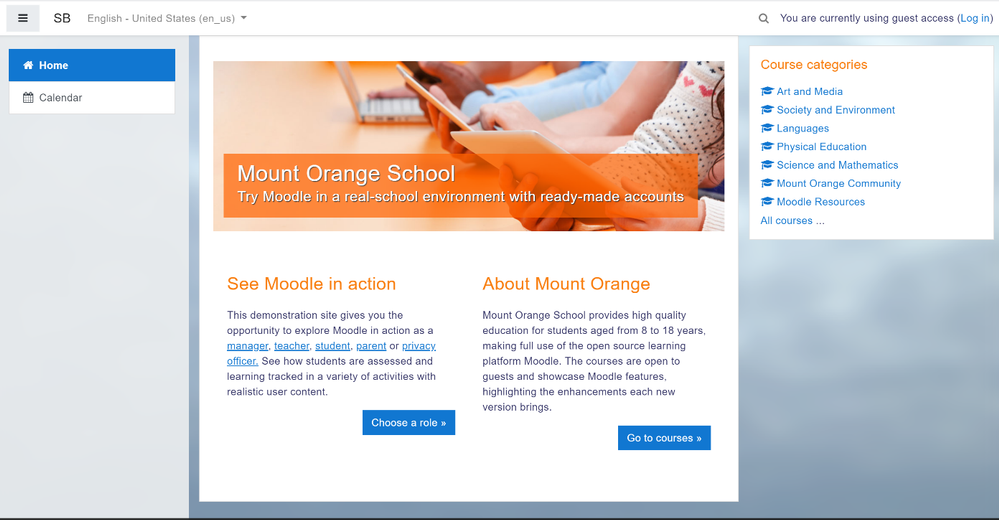
Caption : Moodle with Azure Database for MySQL
With schools trying to provide online education to their students whether it is an elementary school or a university, Moodle can help you build a learning hub quickly and with ease. This Bitnami template for Moodle uses a virtual machine for the application front-end and the Azure Database for MySQL service for the application data. It is also configured to provide high availability, ease of scaling, and high performance.
Try Moodle with Azure Database for MySQL
WordPress with MariaDB on Azure
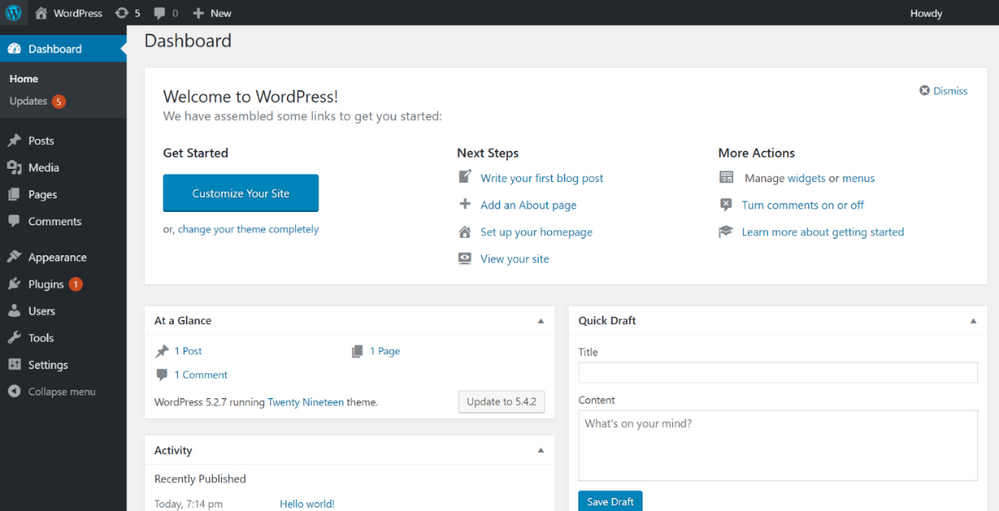
Caption: WordPress with Azure Database for MariaDB
You can create a hassle-free WordPress application for a company blog website or eCommerce Website using this template for Azure. This solution uses a virtual machine for the application front-end and the Azure Database for MariaDB service for the application data in addition to ProxySQL load-balancer. You get high availability with the ProxySQL load-balancer as well as high performance.
Check out our Azure Friday video on how to deploy WordPress on Azure using this Bitnami template (and MariaDB of course.)
Try WordPress with Azure Database for MariaDB
Drupal with MariaDB on Azure
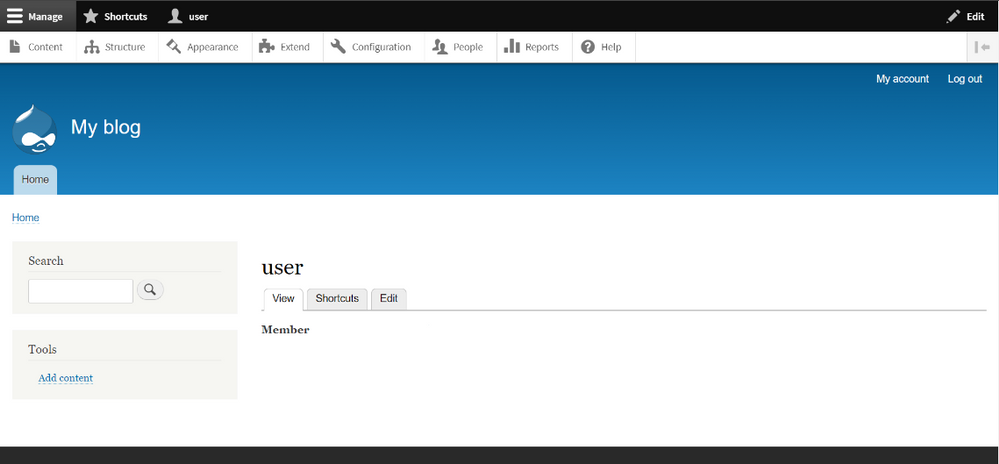
Caption: Drupal with Azure Database for MariaDB
Whether you are creating websites for non-profits, healthcare providers, government agencies, or other organizations—it’s easy to build, run, and optimize your Drupal-based websites on Azure.
With our Bitnami template for Drupal, you get a virtual machine for the application front-end and the Azure Database for MariaDB service for the application data. The production-ready template is configured to provide high performance and better database scalability for your application.
Try Drupal with Azure Database for MariaDB
Grafana with MariaDB on Azure
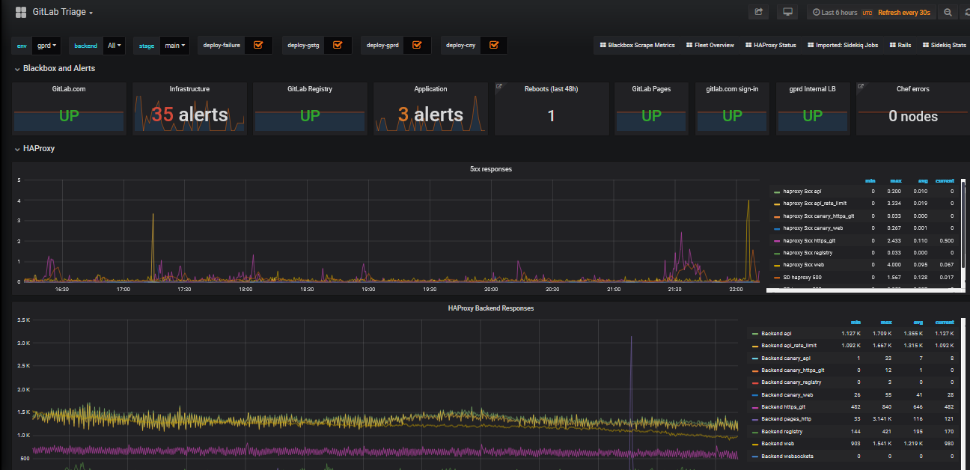
Caption: Grafana with Azure Database for MariaDB
I suspect many of you love Grafana. I know I do. With this Bitnami template for Grafana, you can build an application monitoring application on Azure that can help you troubleshoot and investigate issues with your solutions, no matter where the diagnostics data and metrics are stored. You can process massive amounts of data and visualize the data through customizable dashboards. This Bitnami template for Grafana uses a multi-node Grafana front-end and the Azure Database for MariaDB service for the application data.
Try Grafana with Azure Database for MariaDB
If you’re building an application on Azure using Grafana, Drupal, WordPress, Moodle, or Magento—plus our MySQL or MariaDB managed databases—here are a few of the reasons I recommend you consider taking advantage of the Bitnami templates on the Azure Marketplace.
Bitnami templates lower your TCO
These Bitnami production-ready templates are available to you at no additional cost than the underlying Azure services being used to host the application. These services are already optimized to reduce the total cost of ownership using the elastic cloud infrastructure.
You also get Azure advisor recommendations for your managed database service, so you can scale up or down based on your usage telemetry.
Managed database services on Azure enable you to focus on your application—not your database
Azure managed database services provide high availability with 99.9% SLA and ease of scale up or down your servers based on what your application needs are. You can easily backup and perform point-in-time restore for business continuity and disaster recovery. Using ProxySQL for WordPress and Magento solutions that provides intelligent load balancing across different databases and scalability to transparent route the traffic to read replicas to scale out.
Security benefits that are built into Azure
With these Bitnami templates on Azure, you can use built-in security features like using SSL connectivity to the database server and using Azure Role-based access control (RBAC) to control who has access to the server.
You can also use our Advanced Threat Protection feature for the managed databases to detect anomalous activities indicating unusual and potentially harmful attempts to access or exploit databases.
You can also read this blog post from Bitnami (now part of VMWare). We are thrilled to work with Bitnami and focus on simplifying the experience for developers to build solutions using community based applications like WordPress , Moodle and more.
What our leaders are saying about the Bitnami & Azure collaboration
Sunil Kamath is Director of Product Management for OSS databases at Microsoft Azure Data—here is Sunil’s take on the importance of our partnership:
“Developers want simple, fast ways to deploy production-ready solutions on the cloud. We have been excited about our partnership with Bitnami—now part of VMware—to deliver what customers say they care about the most. Today, together with Bitnami, we are thrilled to launch new production-ready and enterprise-grade Bitnami templates for WordPress, Drupal, Magento, and more, making it easier than ever for developers to run these solutions on the Azure cloud. These solutions are built to fully utilize the best-in-class intelligence, enterprise security, and scalability offered by Azure database services for MySQL, MariaDB, and PostgreSQL.“
Daniel Lopez is the former CEO/Founder of Bitnami and is now Sr. Director R&D at VMware. When asked for his perspective on the partnership with Microsoft Azure, Daniel said:
“Bitnami has worked closely with Microsoft for many years to provide Azure customers with a wide array of ready to deploy open source software in a variety of formats including virtual machines, containers, Helm Charts, and ARM Templates; and across environments including Azure and Azure Stack. Our recent expansion of this partnership with the Azure Data team is a particularly exciting area of development as we’re bringing together the convenience and simplicity of Bitnami applications with the power and scalability of Azure Data services; creating a low-friction and high-value win for customers. We’re also proud of this collaboration in highlighting the type of innovation and benefits the cloud operating model allows us to unlock.”
Want to learn more about Azure open source databases & Bitnami?
Below are some resources if you want to dig in further and try out some of these Bitnami production-ready templates with our Azure open source databases.
Oh and if you have ideas for more Bitnami templates we should create that you think you and other developers would benefit from on the Azure Marketplace, please provide feedback on UserVoice. We would love your input.
by Scott Muniz | Aug 3, 2020 | Uncategorized
This article is contributed. See the original author and article here.
Version 8.4 of the Microsoft JDBC Driver for SQL Server has been released. Version 8.4.0 brings many added features, changes, and fixed issues over the previous production release.
Added
- Added support for sensitivity ranking when using SQL Data Discovery and Classification #1338 #1373
- Added SQLServerDatabaseMetaData.getDatabaseCompatibilityLevel() API to return the database compatibility level #1345
- Added support for Azure SQL DNS Caching #1357
- Added delayed durability option to SQLServerConnection.commit() #1310
- Introduced SQLServerBulkCSVFileRecord.setEscapeColumnDelimitersCSV() to escape delimiters and double quotes when using bulk copy to load from CSV files #1312
- Added certificate expiry validation when using Always Encrypted with secure enclaves #1321
- Added SQL State to Exception when a connection is closed #1326
- Introduced extended bulk copy support against Azure Data Warehouse #1331
- Introduced ‘delayLoadingLobs’ connection property to provide backward compatibility when streaming LOBs #1336
- Added connection properties to specify a custom SocketFactory #1217
- Added support for Client Certificate Authentication #1284
- Added support for JAVA 14 #1290
- Added support for authentication to Azure Key Vault using Managed Identity #1286
- Added an option to configure the list of trusted Azure Key Vault endpoints #1285
Changed
- Added database name to Always Encrypted enclave caching key #1388
- Added functionality to validate both certificate beginning and expiration dates when creating an encrypted connection #1394
- Improved exception message when connecting to a redirection-enabled Azure server #1311
- Improved performance when parsing a connection string #1317
- Updated the driver to throw a warning when TLS version lower than 1.2 is negotiated #1322
- Updated SQLServerPreparedStatement.setObject() to retrieve TVP name from SQLServerDataTable #1282
Fixed
- Fixed an issue with DatabaseMetaData.getColumns() intermittently returning table column descriptions in an incorrect order #1348
- Fixed an issue with spatial datatypes casting error when Always Encrypted is enabled #1353
- Fixed an issue with DatabaseMetaData.getColumns() not returning the correct type for IS_AUTOINCREMENT and IS_GENERATEDCOLUMN against Azure Data Warehouse #1356
- Fixed an issue with Geography.STAsBinary() and Geometry.STAsBinary() returning WKB format instead of CLR format #1364
- Fixed an issue with allowing non-MSSQL ResultSets to bulk copy DateTimeOffset #1365
- Fixed an issue with batch insertion failing when Always Encrypted is enabled #1378
- Fixed an issue with Managed Identity authentication failing due to expiry date format mismatch #1308
- Fixed an issue with streams not getting closed when using Always Encrypted with secure enclaves #1315
- Fixed an issue with retrieving SQL VARIANT as its underlying type #1320
- Fixed issues with the driver not being JAVA 8 compliant #1328
- Fixed an issue with PreparedStatement when inserting large spatial data types #1337
- Fixed an issue with escaping curly brackets in connection strings #1251
- Fixed a warning when retrieving Operating System information from SQL Server Linux when using distributed transactions #1279
- Fixed a potential NullPointerException issue when retrieving data as java.time.LocalTime or java.time.LocalDate type with SQLServerResultSet.getObject() #1250
Getting the latest release
The latest bits are available to download from Microsoft, from the GitHub repository, and via Maven Central.
Add the JDBC 8.4 RTW driver to your Maven project by adding the following code to your POM file to include it as a dependency in your project (choose .jre8, .jre11, or .jre14 for your required Java version).
<dependency>
  <groupId>com.microsoft.sqlserver</groupId>
  <artifactId>mssql-jdbc</artifactId>
  <version>8.4.0.jre11</version>
</dependency>
Help us improve the JDBC Driver by taking our survey, filing issues on GitHub or contributing to the project.
Please also check out our
tutorials to get started with developing apps in your programming language of choice and SQL Server.
David Engel
by Scott Muniz | Aug 3, 2020 | Uncategorized
This article is contributed. See the original author and article here.
This instalment is part of a broader series to keep you up to date with the latest features in Azure Sentinel. The instalments will be bite-sized to enable you to easily digest the new content.
Sentinel incident data is now available in your Log Analytics workspace! You can use this data to report on metrics within your Security Operations Center. Typical SOC metrics include incidents created over time, mean time to triage, mean time to closure, etc. With the new SecurityIncident table now available in Log Analytics you will be able to run queries to get the metrics that are operationally important for your SOC. In addition, we’ve added the Security Operational Efficiency workbook into your templates so you have a pre-built SOC metrics workbook out-of-the-box for you to use.
How do I use the new SecurityIncident table?
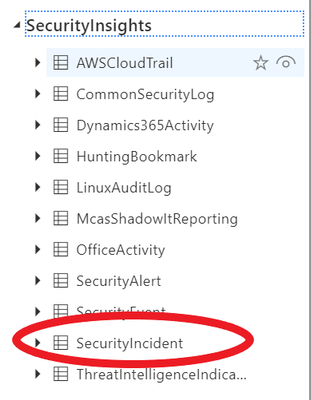
It’s easy: the SecurityIncident table will have been automatically created in your Log Analytics workspace when you have Azure Sentinel set up over said workspace. You can see the SecurityIncident table if you go to the Log Analytics blade:
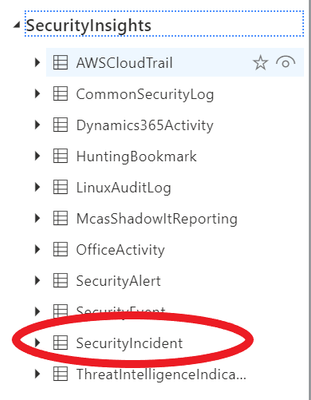
You can query this table as you normally would query any other table using KQL.
Log entries in the SecurityIncident table
Every time you update an incident, a new log entry will be added to the SecurityIncident table. This allows for querying the changes made to incidents and allows for even more powerful SOC metrics, but you need to be mindful of this when constructing queries for this table as you may need to remove duplicate entries for an incident (dependent on the exact query you are running).
For example, if you wanted to return a list of all incidents sorted by their incident number but only wanted to return the most recent log per incident, you could do this using the arg_max KQL operator*:
List incidents by incident number
SecurityIncident
| summarize arg_max(LastModifiedTime, *) by IncidentNumber
*For more information on the arg_max and other KQL aggregation functions, please see here.
Another couple of query examples using this table are below:
Mean time to closure
SecurityIncident
| summarize arg_max(TimeGenerated,*) by IncidentNumber
| extend TimeToClosure =  (ClosedTime - CreatedTime)/1h
| summarize 5th_Percentile=percentile(TimeToClosure, 5),50th_Percentile=percentile(TimeToClosure, 50), 90th_Percentile=percentile(TimeToClosure, 90),99th_Percentile=percentile(TimeToClosure, 99)
Mean time to acknowledge
SecurityIncident
| summarize arg_max(TimeGenerated,*) by IncidentNumber
| extend TimeToTriage =  (FirstModifiedTime - CreatedTime)/1h
| summarize 5th_Percentile=max_of(percentile(TimeToTriage, 5),0),50th_Percentile=percentile(TimeToTriage, 50), 90th_Percentile=percentile(TimeToTriage, 90),99th_Percentile=percentile(TimeToTriage, 99)
Security Operational Efficiency workbook
To complement the SecurityIncidents table, we’ve provided you an out-of-the-box security operational efficiency workbook template that you can use to monitor your SOC operations. The workbook contains the following metrics:
- Incidents created over time
- Incidents created by closing classification, severity, owner and status
- Mean time to triage
- Mean time to closure
- Incidents created by severity, owner, status, product and tactics over time
- Time to triage percentiles
- Time to closure percentiles
- Mean time to triage per owner
- Recent activities
- Recent closing classifications
You can find this new workbook template by navigating to the “Workbooks” blade in Azure Sentinel and selecting the “Templates” tab.
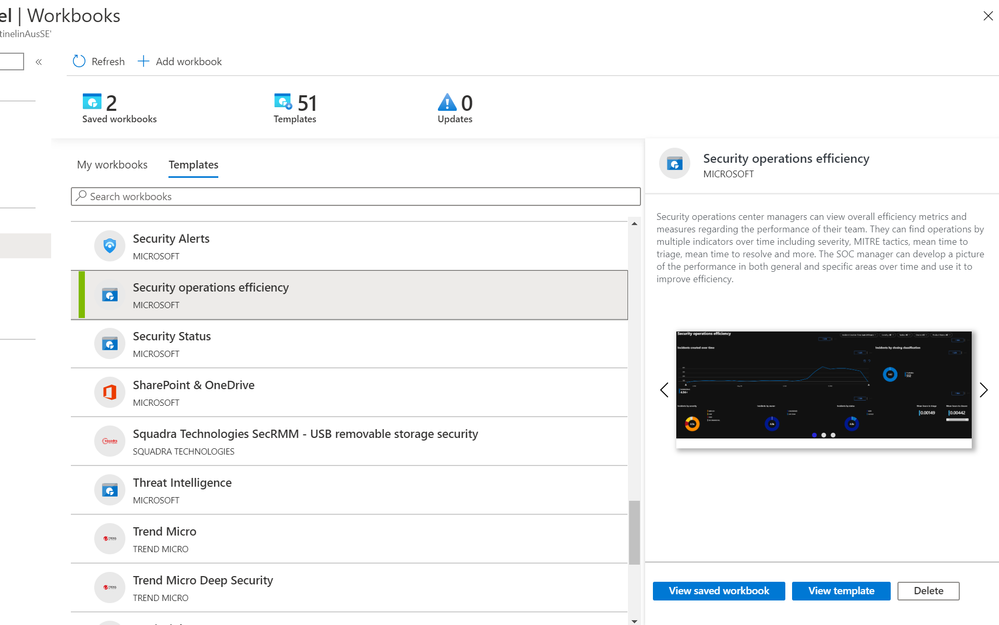
We will be releasing additional workbooks that use the information found within the SecurityIncidents table in the near future, so watch this space!
Get started today!
We encourage you to use the new SecurityIncident table to get stats for your SOC and how incidents are being handled. If you make some interesting workbooks, please share them here on our GitHub repo with the community. Try it out and let us know what you think!
by Scott Muniz | Aug 3, 2020 | Alerts, Microsoft, Technology, Uncategorized
This article is contributed. See the original author and article here.
With the ever-growing cloud resources in your environment, I can’t emphasize enough how important it is to prioritize security hygiene and more importantly to constantly monitor the status of the security posture. Azure Security Center continuously assesses your resources, subscriptions for security issues. It mimics the work of a security analyst, reviews security recommendations across all workloads, applies advanced algorithms to determine how critical each recommendation is, and calculates Secure Score based on the active recommendations. Overall secure score is an accumulation of all your recommendation scores and you can view your overall secure score across your subscriptions. The score will vary based on subscription selected, the amount of resources that you have in that subscriptions and the active recommendations on those resources. Read this article to understand more about Azure Security Center Secure Score.
We’ve heard your feedback on being notified when the Secure Score downgrades by X%. We recently uploaded an automation artifact to the Azure Security Center Github repository, a playbook that helps you to monitor the secure score of the subscriptions easily and to send an alert via email once the Secure Score decreases for a configurable percentage value. This blog post explains how this automation works.
How does the automation work?
This playbook uses Secure Score API to pull the Secure Score. At every execution, it pulls the list of subscriptions for the user and for each subscription, it gets the percentage of ‘ascScore’ which is then stored in the Log Analytics workspace with the subscription ID as maximum points and current points. At every occurrence (can be defined during the deployment of the ARM template), it pulls the last scanned points and derives the score in percentage (%) and compares it with the current score. If the Logic app identifies the current score minus last scanned score percentage is greater than or equal to configured score reduction threshold (defined during deployment), it fires an alert over email.
Pre-requisites:
This playbook uses Managed identity. You need to assign reader permissions to the subscriptions you want to export for the Managed identity.
To assign Managed Identity to specific scope:
- Make sure you have owner permissions for this scope.
- Go to the subscription/management group page.
- Press ‘Access Control (IAM)’ on the navigation bar.
- Press ‘+Add’ and ‘Add role assignment’.
- Choose Reader role.
- Assign access to Logic App.
- Choose the subscription where the logic app was deployed.
- Choose ‘Send-SecureScoreReductionAlert’ Logic App. (The name might differ based on what you’ve saved the logicapp as)
- Press ‘save’.
NOTE: You can assign permissions only as an owner and make sure all selected subscriptions registered to Azure Security Center.
To assign reader permissions to subscriptions:
You have three options:
- You can assign reader permissions at the management group level for the managed identity. (preferred)
- You can assign reader permissions for the Managed Identity for each one of the subscriptions you want to get data on.
- You can use the provided PowerShell script Grant-SubscriptionPermissions.ps1 to add the identity to all subscriptions.
Deployment process and details
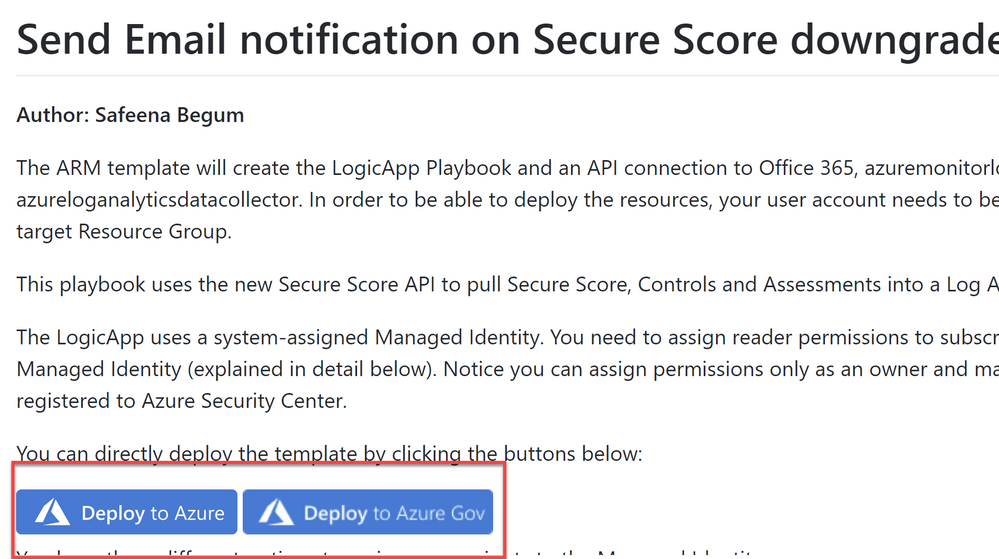
Navigate to Azure Security Center GitHub repository and select “Deploy to Azure” or “Deploy to Azure Gov” (as shown in ‘Image 1’) under Secure Score Reduction Alerts automation
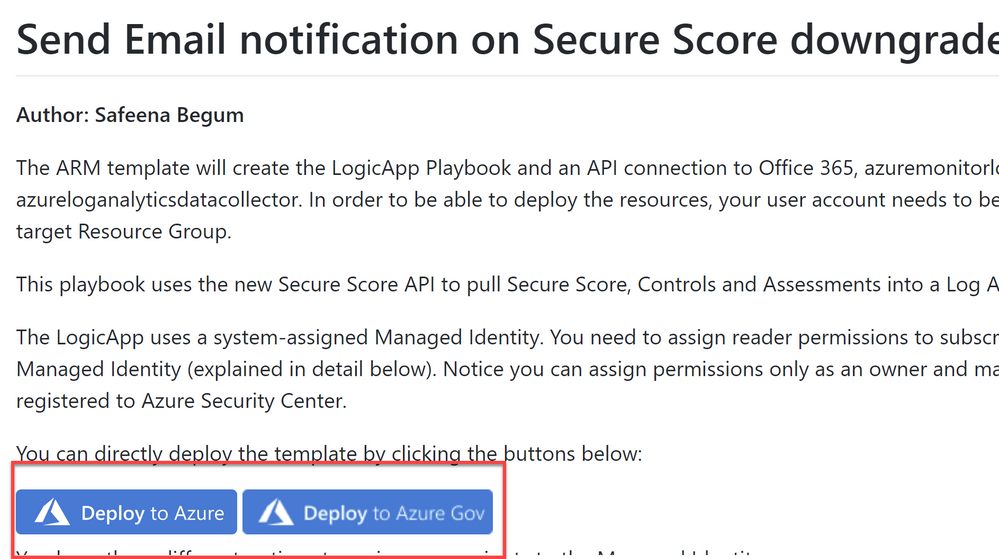
Image 1: Git Hub repository
Once you have clicked on ‘Deploy’ option in the screen above, you should automatically be redirected to the Azure portal Custom deployment page where you can fill in the details of requirement as shown in ‘Image 2’
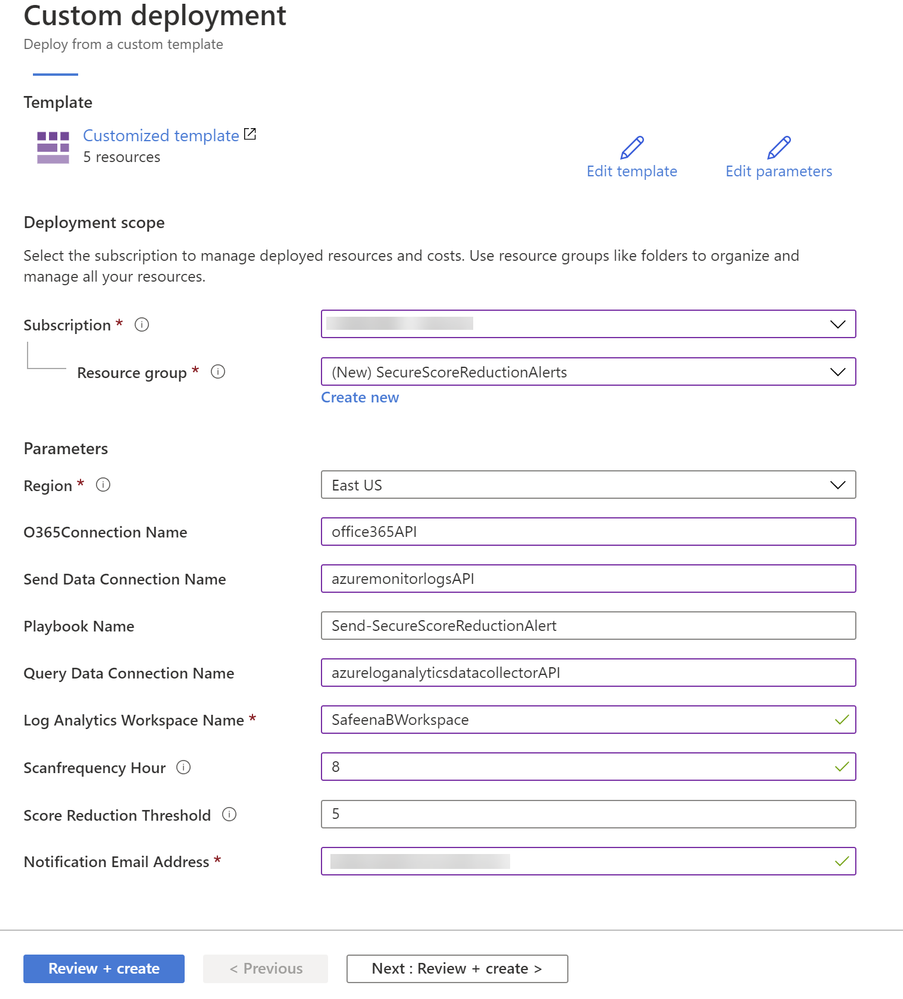
Image 2: Azure portal, Custom Deployment
Note that all the above fields are customizable per your needs. In my example above, I have filled in the details for your reference.
The ARM template will create the Logic App playbook and as you notice in ‘Image 2’ we are using three API connections O365 for sending notification alerts, Azure log monitor to query and list action for Log Analytics and Azure Log Analytics API to store the data.
During the deployment of the Logic App, you can define the Scanfrequency hour (Occurrence in hours) depending on how often you would want the logic app to scan your subscriptions. You could also define Score Reduction Threshold, where you can specify at what percentage (%) reduction, would you want the logic app to notify you on the reduction.
Once you review and create from ‘Image 2’, you would notice below resources created from the ARM template (Refer Image 3)
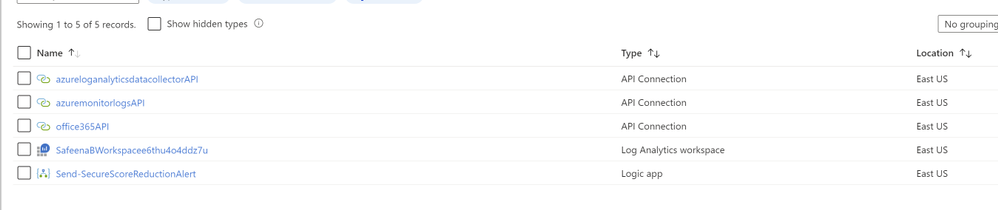
Image 3: Summary of the resources created from the ARM template
After the successful deployment, make sure you authorize connections to the Office365API and AzuremonitorlogsAPI. You can do that by simply clicking on Office365API connection and selecting ‘Edit API Connection’ and click on ‘Authorize’ as shown in ‘Image 4’.
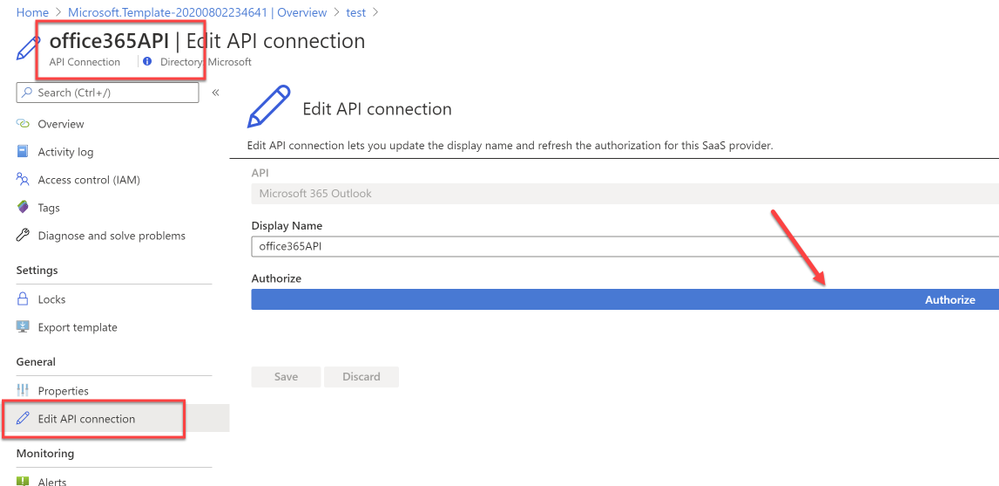
Image 4: Authorize O365 API Connection
Similarly authorize the ‘azuremonitorlogs API’ connection too. Refer example ‘Image 5’
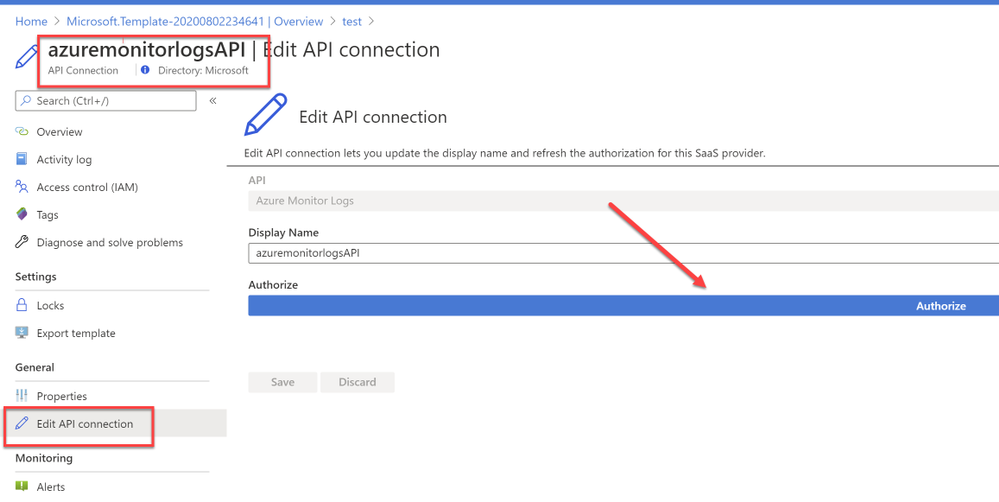
Image 5: Authorize AzureMonitorLogs API Connection
NOTE: If you’re specifying an existing workspace, You might have to manually change the connections within the Logicapp (Since the connections cannot be used across the subscriptions (by design), the connection needs to be authorized in the subscription for the first time to the Log Analytics Workspace).
You can easily authorize connection by navigating to the Logic app that’s deployed and selecting ‘Logic app designer’ , when you select the first ‘For each’ loop, under ‘Run query and list results’ variable as shown in ‘Image 6’
That should pop-up a login window asking you to sign-in. After a successful sign-in, you would notice the successful connection as shown in ‘Image 6’
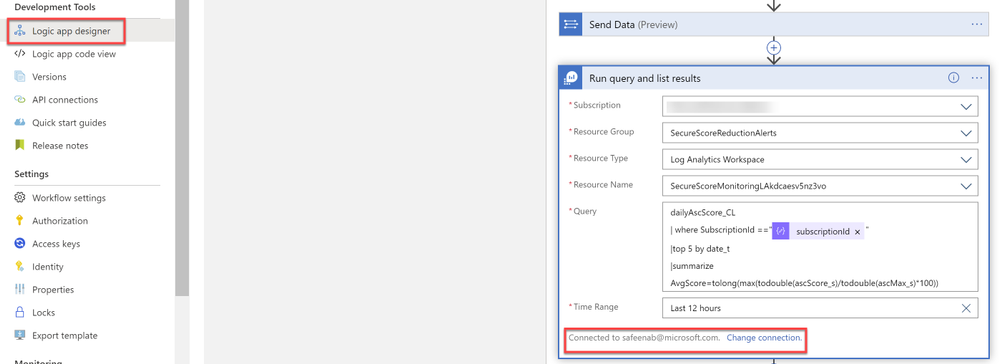
Image 6: Successful connection to Workspace
The logicapp will create another custom log (dailyAscScore_CL) within that workspace. So, for the first 5-10 minutes (soon after the deployment), until the database values are created in the custom table, you might experience failed runs. Once there’s data to display, the runs will always succeed.
Output:
In an event when the Azure Security Center score reduces by the configured percentage and depending on the Scanfrequencyhour you’ve set in ‘Image 1’, it would drop you an alert notification to the email you specified in ‘Image 1’ as shown in ‘Image 7’
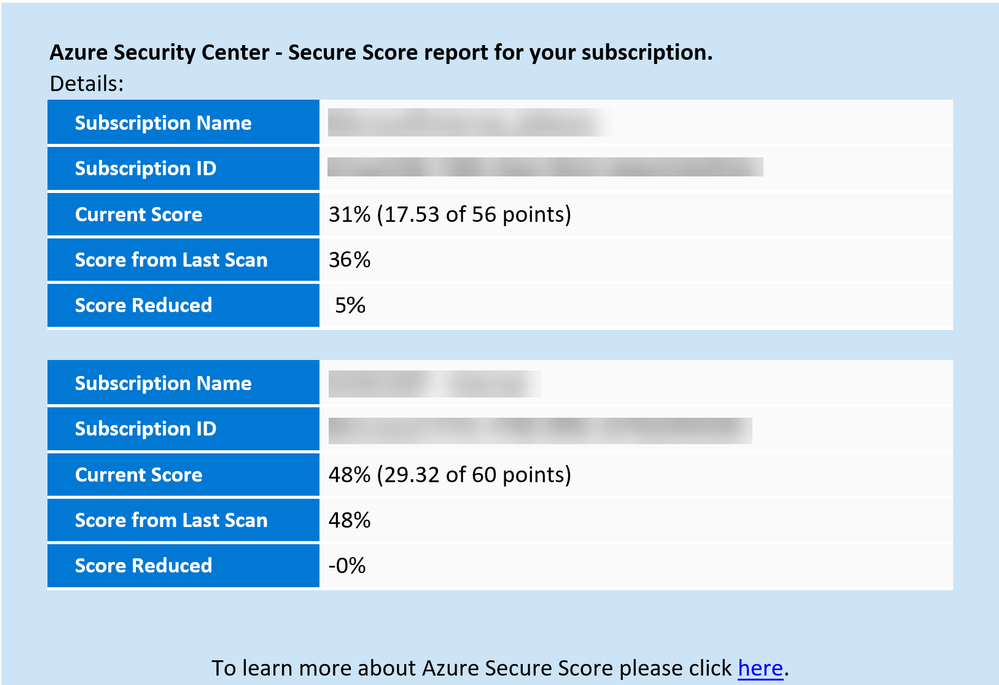
Image 7: Email notification alert
This logic app as well as many other can be found here:
Direct Link to GitHub sample
Azure Security Center GitHub Repo
I hope you enjoyed reading this article, go ahead and deploy this playbook in your environment and prioritize monitoring security hygiene.
Reviewer
Special thanks to:
Yuri Diogenes, @Yuri Diogenes, Senior Program Manager (CxE ASC Team)
by Scott Muniz | Aug 3, 2020 | Uncategorized
This article is contributed. See the original author and article here.
Howdy folks,
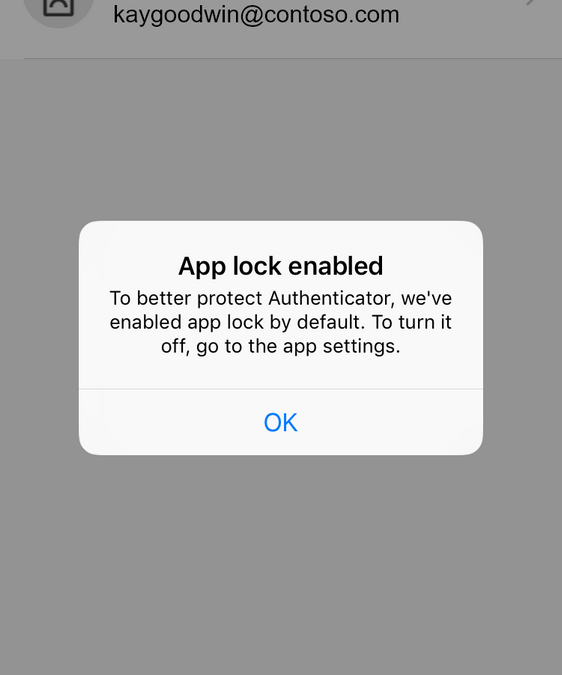
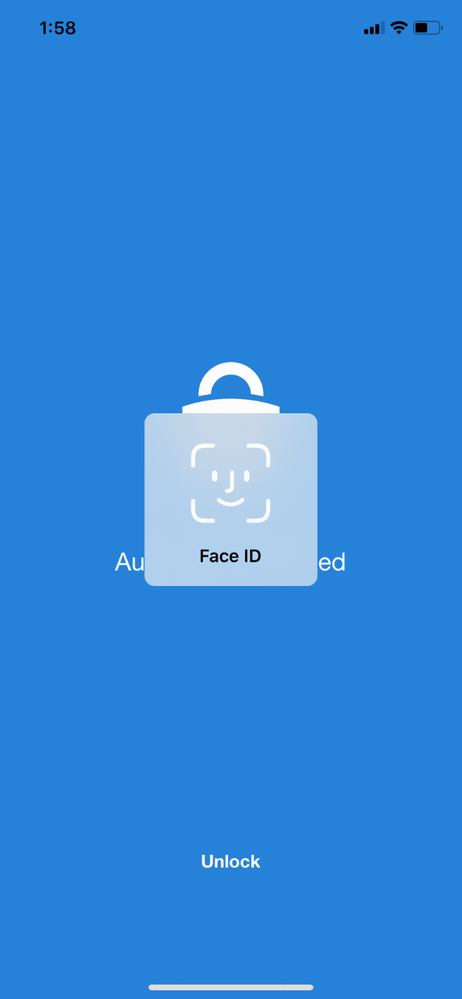
We’re always listening to your feedback about Microsoft Authenticator and what we can do to make the app more secure and easier for end users. A few years ago, we released our App Lock feature in response to feedback that you wanted to make sure your app was secured by a PIN or biometric. Last month, we expanded App Lock’s protection. Now, if App Lock is enabled, when you approve any notification, you’ll also have to provide your PIN or biometric.
With our latest release, as part of our effort to make your sign-in experience even more secure, App Lock will be enabled by default if you’ve set up a PIN or biometric on your device.
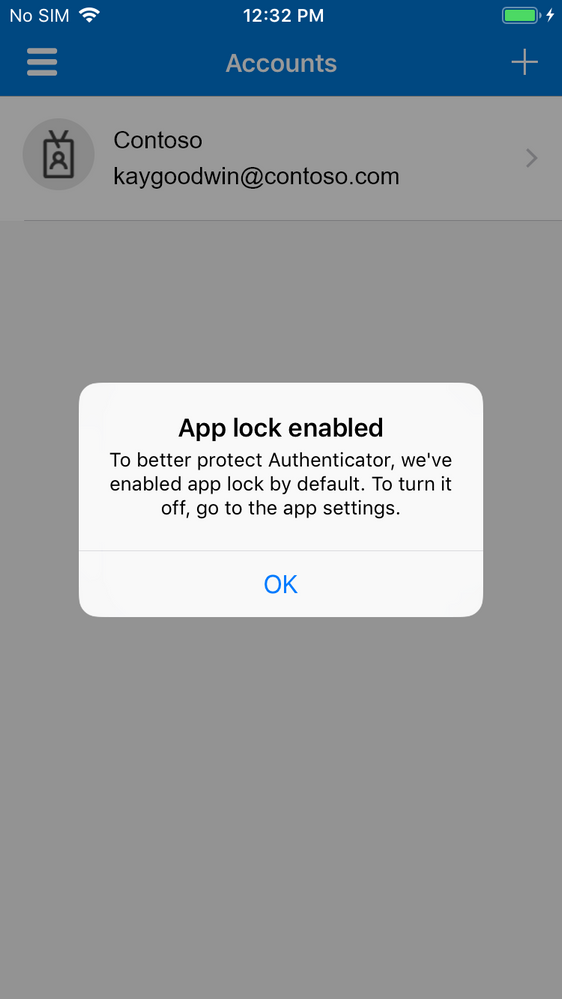
Try it out
If you don’t have the Microsoft Authenticator app yet, get it here. You’ll need to be on version 6.4.22+ on iOS to try this out.
We’ve been rolling out this feature to iOS TestFlight starting today, and we’ll be gradually rolling out to all users over the next few weeks. The update will come to Android next month.
How different notifications will work
Azure AD and MSA MFA notifications
Currently, when the notification arrives on the phone, you can click approve/deny from the lock screen. However, when app lock is enabled, you will have to launch the app (on iOS) or launch a dialog (on Android) before you can click approve/deny, and you’ll also need to provide an additional PIN/bio gesture to successfully authenticate. Thus, even if you leave your phone unlocked on your desk and walk away, a passerby cannot approve the notification for you.
Enterprise on-premise MFA notifications that already require a PIN
The flow will remain as it is today. After you interact with the notification, you will need to provide your MFA pin (not your device pin). In subsequent approvals, you will have the option to use your device bio gesture instead of your MFA pin.
Azure AD and MSA Phone sign-in notifications
The flow will remain as it is today.
Additional questions
If you have questions, check out our FAQ page.
Also, we want to hear from you! Feel free to leave comments down below or reach out to us on Twitter (@AzureAD)
Best regards,
Alex Simons (@Alex_A_Simons)
Corporate VP of Program Management
Microsoft Identity Division
Learn more about Microsoft identity:


Recent Comments