
This article is contributed. See the original author and article here.
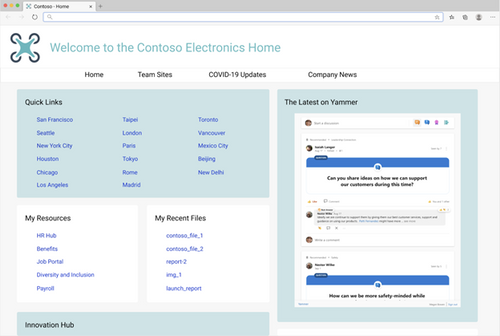
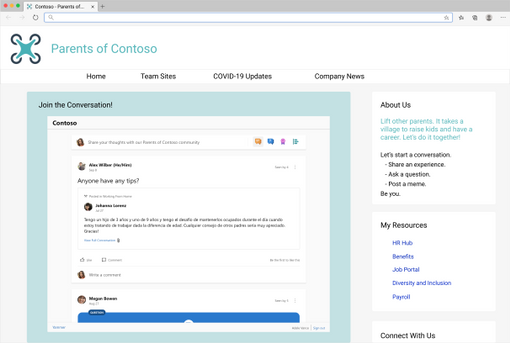
Soon, you can bring the new Yammer to a web page near you! This is an update to the current embeddable JavaScript widgets that brings Yammer’s new platform experience to any HTML based application. We plan to start rolling out starting December 2020.
You will not need to take any additional actions, if the feed is eligible to be upgraded (see known limitations chart below), your users will see the new Yammer instead of the Classic Yammer in the Embeds!
What’s new and different about this updated experience?
You’ll get the new Yammer experience including rich media previews and visual treatment for questions, praise, and polls. Plus, you’ll get an improved, relevant Home Feed to stay on top of conversations across your communities – embed the Home Feed on your intranet home page to help your employees stay up-to-date on their personalized feed.
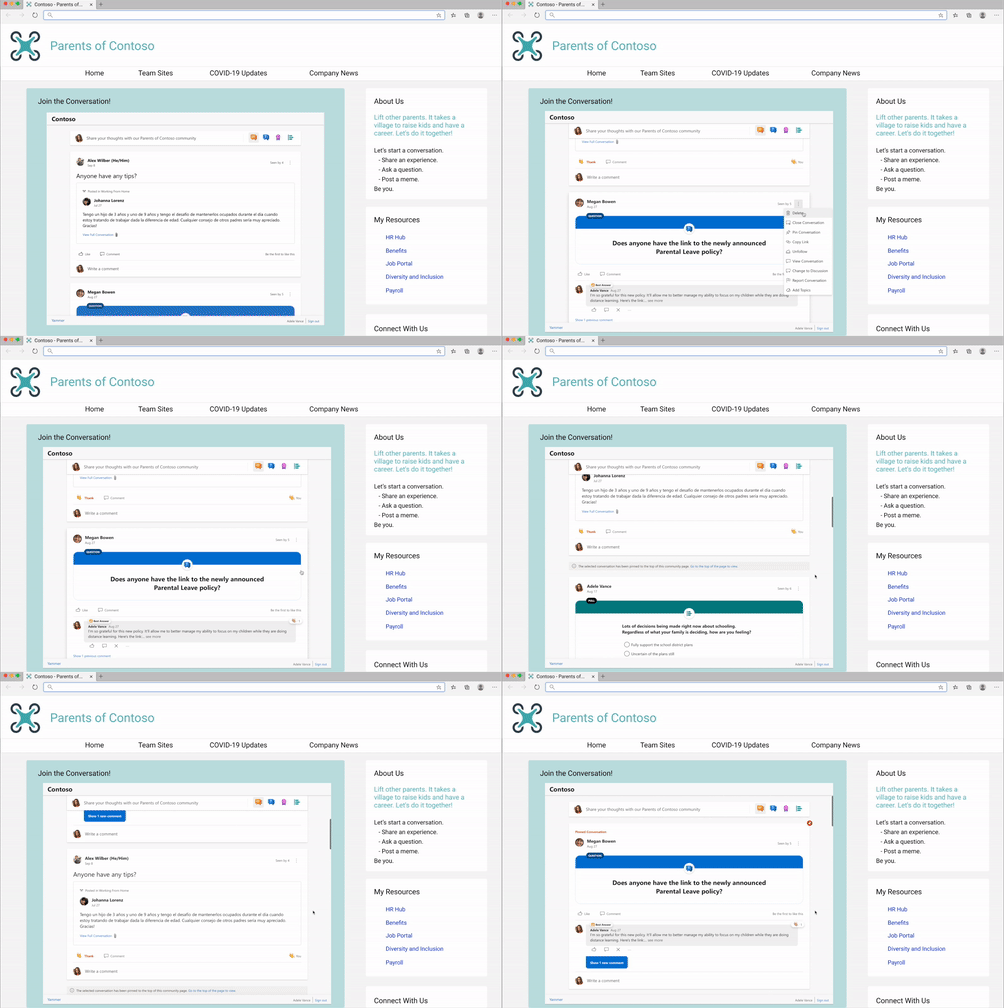
The new Yammer Embed brings more functionality, like reacting to and pinning conversations.
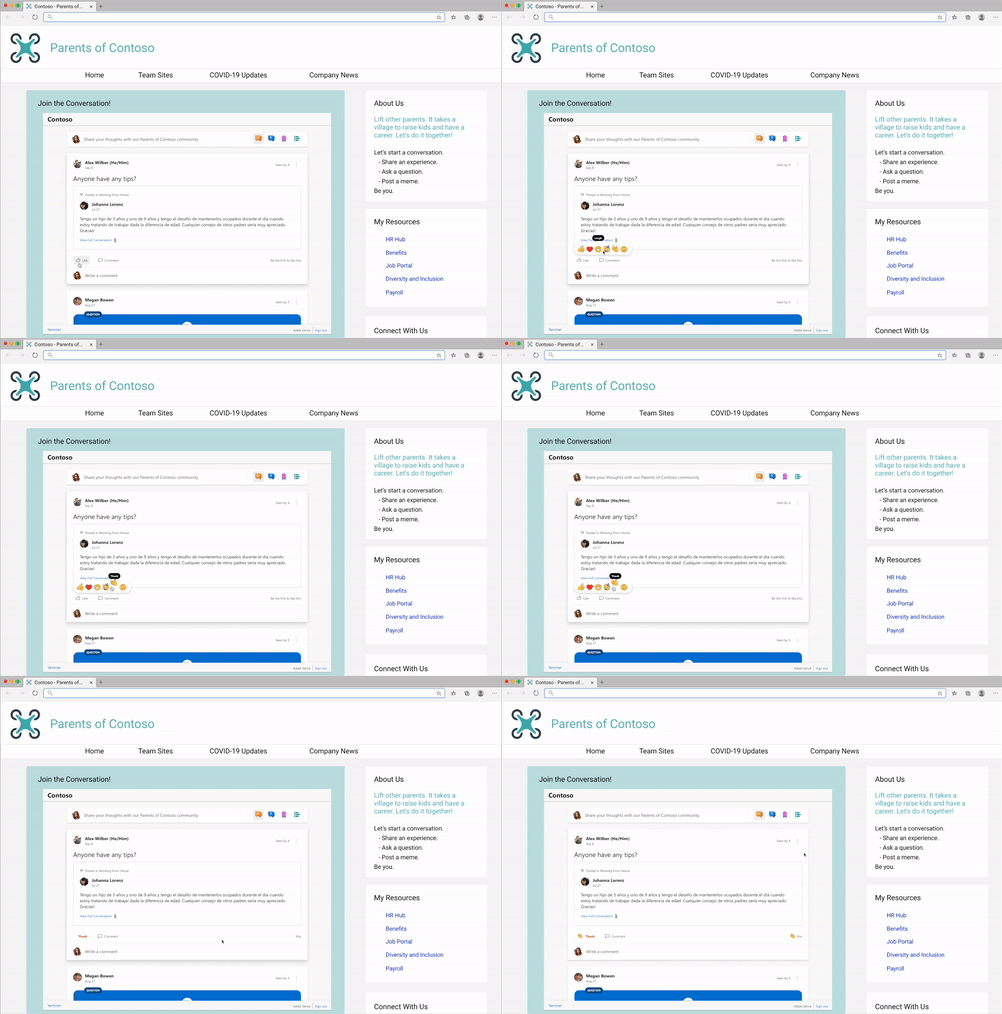
- Start a conversation in any community
- Create any type of Yammer post directly from Embed– questions, polls, praise, etc.
- Upload of images & files into new conversations and replies
- Use rich text in messages
- Close Conversation, Mark Best Answer to a Question
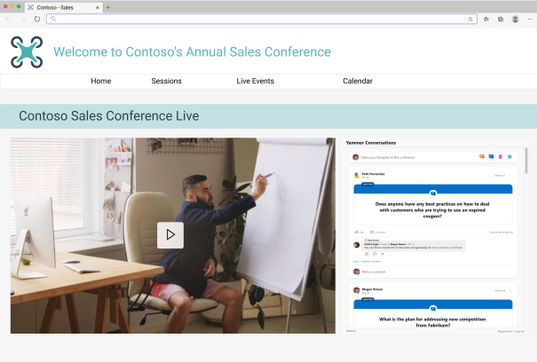
We’ve seen our customers embed Yammer in a variety of ways, including embedding the conversations for virtual events. Need help with this? Request virtual event assistance for embed.
Or embedding conversations for community and team sites.
Current limitations and future development
Limitation | Estimated Timeline for changes |
defaultGroupId configuration: We are currently still working on supporting this configuration, which will allow for home, user, topic, and Open Graph feeds to be set to the provided defaultGroupId to publish to. Currently, if home, topic, or user feeds are used with a defaultGroupId configured, the feed will be set to the community feed of the defaultGroupId. The defaultGroupId parameter is invalid for community feeds and will set the publisher to the provided defaultGroupId for Open Graph feeds. | CY2021 Q1
|
External networks: Embeds that attempt to access a feed from an external network will be redirected to use the existing classic Yammer Embeds | CY2021 Q2 |
Metadata Overrides for Open Graph feeds: the ability to override ‘type’, ‘title’, ‘image’, ‘description’ are no longer supported | NA
|
IE11 redirection: Users attempting to load the Embeds on IE11 will be redirected to use the existing classic Yammer Embeds | NA |
Additionally, feature requests and feedback can be submitted to newyammerembedpreview@service.microsoft.com.
How are you embedding Yammer at your organization? Please share your tips and best practices is in the comments below.
Brought to you by Dr. Ware, Microsoft Office 365 Silver Partner, Charleston SC.

Recent Comments