From systems of record to systems of action: Dynamics 365, agentic business applications for the frontier

From systems of record to systems of action: Dynamics 365, agentic business applications for the frontier

This article is contributed. See the original author and article here.

Business leaders are facing a new reality. AI and agents are transforming traditional systems of record into systems of action, becoming applications that not only store data but use it to drive decisions and outcomes.

In this new model, the user experience becomes almost invisible. What matters most is the foundation: structured data, clear governance, and business logic that allows agents to operate effectively. 

These are agentic business applications. They can help teams scale up capacity, lower operational costs, grow topline revenue, and surface key insights on an ongoing basis for smarter, faster decisions.

But technology alone isn’t enough. Business transformation requires functional leaders to align processes with these new capabilities. That means rethinking how work gets done. Agents can operate in the background, continuously monitoring, analyzing, and acting. They surface insights and take action, helping leaders stay focused on outcomes.

Early adopters—what we call Frontier Firms—are building the right foundations now. They are investing in agentic customer relationship management (CRM), enterprise resource management (ERP), and contact center solutions (CCaaS), as well as rethinking how to align business processes with agents. They realize there must be a fundamental shift in how work gets done.

Microsoft agentic business applications: Toolkit for the frontier

To help organizations move to the Frontier, Microsoft offers a suite of agentic business applications with Dynamics 365—bringing enterprise-grade AI and Microsoft Copilot experiences across CRM, ERP, and CCaaS. Organizations can extend Dynamics 365 with Microsoft Power Platform and Microsoft Copilot Studio to build custom AI-powered applications and agents tailored to unique business needs.

At the core of every agentic business application there are three components: 

  1. Agents that transform business processes. 
  2. Copilot that empowers every employee to maximize productivity. 
  3. A unified, secure data platform that connects insights across the enterprise. 

Let’s take a look at each of the components of the stack. 

Expanding Dynamics 365 agents in key business functions

Over the last year, we have launched more than a dozen business process agents in Dynamics 365, giving organizations a starting point to transform sales, service, finance, and supply chain. We’re continuing to expand our agent portfolio to deliver proactive and growth-oriented outcomes.

In Dynamics 365 Sales, the new Sales Close Agent (in public preview beginning October 25, 2025) help sellers prioritize high-value opportunities, identify and mitigate risks for deals in pipeline proactively, and close simple transactions—accelerating deal velocity and improving win rates.

Also in Dynamics 365 Sales, agents are moving to public preview and general availability, including Sales Research Agent (public preview began on October 1, 2025) and Sales Qualification Agent (with general availability beginning October 25, 2025).

In Dynamics 365 Customer Service and Dynamics 365 Contact Center, the new Quality Evaluation Agent (general availability beginning October 24, 2025) gives supervisors and service teams a real-time pulse on service quality across both human and AI-led interactions. Unlike traditional, manual approaches that review a small fraction of engagements, this agent uses the speed and scale of AI to evaluate the majority of cases and conversations, uncover actionable insights, and assess AI-handled interactions. It monitors quality metrics, detect anomalies, and initiate corrective actions—enabling broader, faster, and more consistent quality management.

In addition, service agents moving to general availability beginning October 24, 2025, include: Case Management Agent in Dynamics 365 Customer Service and Customer Knowledge Management Agent, and Customer Intent Agent in Dynamics 365 Customer Service and Contact Center. In Dynamics 365 Field Service, Scheduling Operations Agent, in public preview, keeps schedules agile and service running smoothly.

“By adopting agents in Dynamics 365 service solutions, we’re making every interaction faster and more empathetic. In a service where demand exceeds capacity, this can be a game changer.

Agents help gather information, route contacts based on need, and streamline resolution—enabling counselors to focus on direct support to young people.

In our fundraising unit, we’re also exploring how agents can manage inbound calls to reduce abandonment rates from 20 to 30% to under 5%—directly lifting revenue streams that fund vital services.”

—Helen Vahdat, Chief Information Officer, yourtown (Kids Helpline)

In our ERP portfolio, customers can use Account Reconciliation Agent in Dynamics 365 Finance and the Supplier Communications Agent in Dynamics 365 Supply Chain Management to complete reconciliation faster and process inbound supplier emails autonomously.

“The Account Reconciliation Agent pilot sharpened our team’s understanding of AI in practice and paved the way for a confident move toward the Supplier Communication Agent where we see clear potential to drive efficiency and enhance collaboration.”

—Wolfgang Bauer, ERP Team Lead, Haas Baumanagement GmbH

Additionally, customers can access Sales Order Agent and Payables Agent in Dynamics 365 Business Central and Time and Expense Agent and Activity Approvals Agent in Dynamics 365 Project Operations.

To further support organizations on their journey to the frontier, we’re making it easier to get started with agents. Beginning in late November 2025, Dynamics 365 Premium SKUs—including Dynamics 365 Sales Premium, Customer Service Premium, Supply Chain Management Premium, and Finance Premium—will include 1,000 Copilot Credits per user, per month, pooled at the tenant level. New and existing customers can use these credits to run agents in the scenarios most meaningful to their business. When the included capacity is exhausted, customers can add more capacity with additional Copilot Credits as needed.

Benchmarks—The Sales Research Bench 

As organizations begin using agents to transform core processes, the next priority is ensuring these solutions deliver measurable value so that leaders can make confident high-impact decisions. Microsoft is meeting this need through benchmarks that provide a standardized evaluation framework to continuously measure quality of output from AI solutions. The most recent example is the Sales Research Bench, which uses a 100-point scale to measure what we have heard from sales leaders that matters most to them: accuracy, relevance, clarity, and transparency. More specifically, the Sales Research Bench evaluates how AI solutions generate text and data visualizations in response to the strategic, multi-faceted questions that sales leaders have about their business data. 

The Sales Research Bench runs 200 business research questions typical of enterprise sales leaders on a sample customized data schema that reflects the complexities of enterprise environments. It assesses performance across 8 quality dimensions with scoring by large language models (Azure Foundry out-of-box evaluators for two dimensions and OpenAI’s GPT 4.1 model with specific instructions for the other six dimensions). Dimension-specific scores are weighted to create a composite quality score.

In evaluations executed by Microsoft using the Sales Research Bench framework, the Sales Research Agent in Dynamics 365 outperforms both ChatGPT-5 and Claude Sonnet 4.5. More details on the benchmark methodology and results are available here. We intend to publish the full evaluation package including the 200 benchmark questions and sample dataset in the coming months, so others can run these evaluations themselves.

With this approach, we’re creating purpose-built agent benchmarks aligned to the priorities of business leaders. Our intent is to demonstrate a new standard for trust and transparency, providing clear insight into the quality and performance of agents in a specific business function. We also plan to publish agent performance regularly to reduce friction and help leaders make confident, data-driven decisions.  

Bar graph showing Microsoft Sales Research Bench Composite scores.
Results: Results reflect testing completed on October 19, 2025, applying the Sales Research Bench methodology to evaluate Microsoft’s Sales Research Agent (part of Dynamics 365 Sales), ChatGPT by OpenAI using a ChatGPT Pro license with GPT-5 in Auto mode, and Claude Sonnet 4.5 by Anthropic using a Claude Max license.1

Empowering everyone with Microsoft Copilot

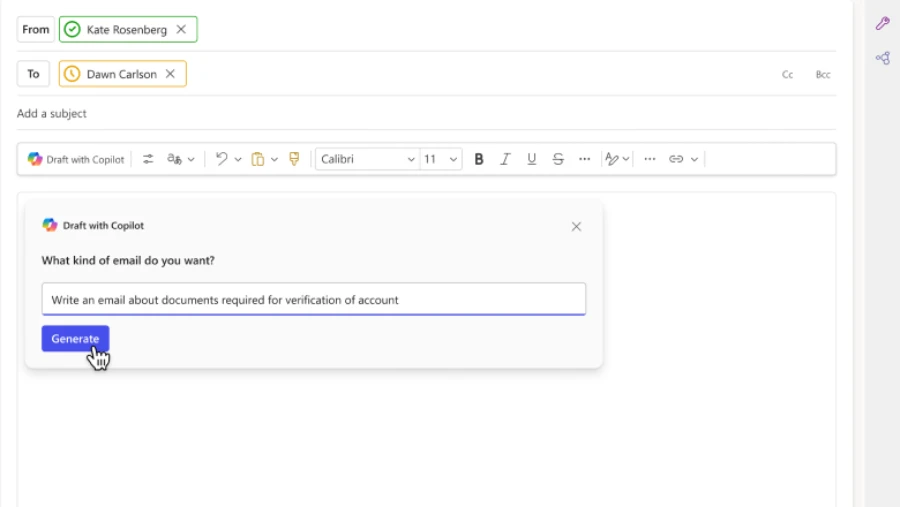
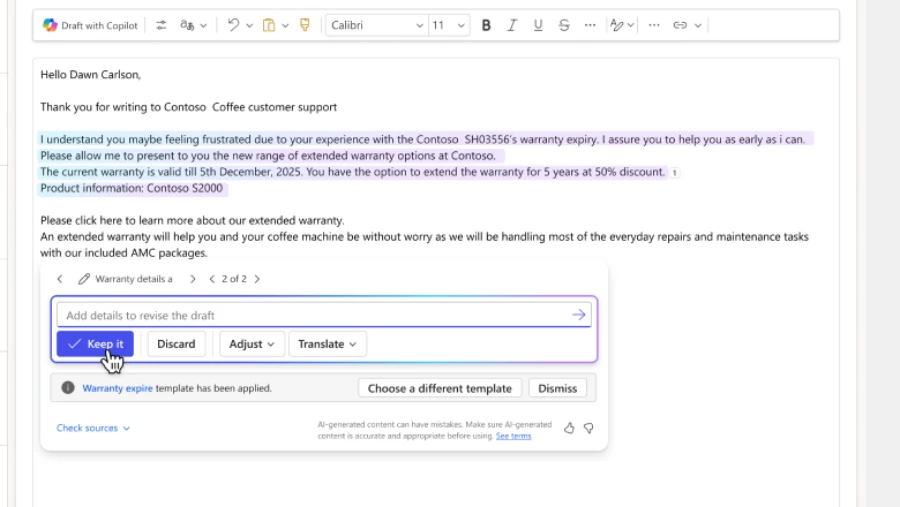
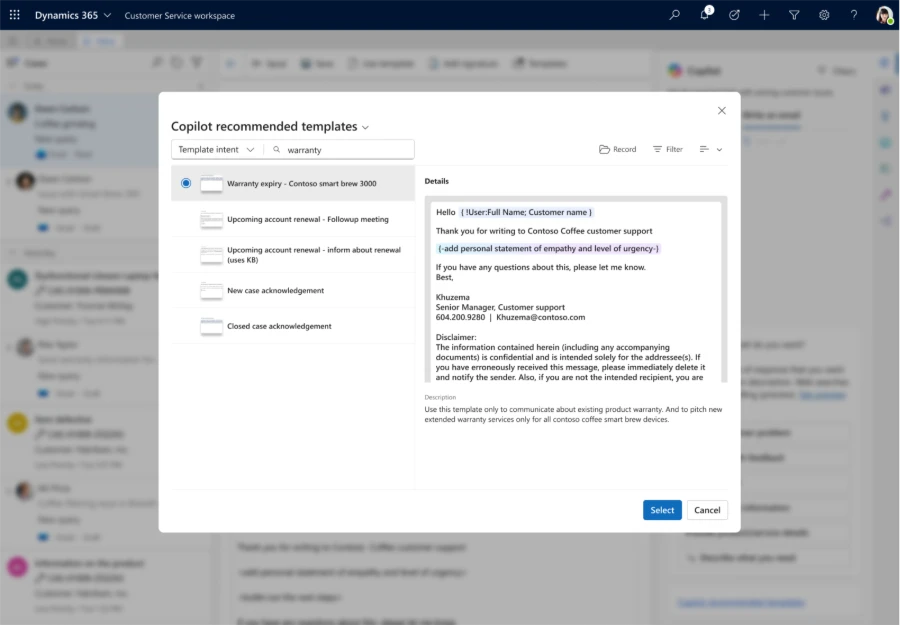
The next critical layer in agentic transformation is Microsoft Copilot, which is embedded across Dynamics 365 enhancing sales, customer service, and finance. By automating routine tasks, such as summarizing key opportunities, drafting email responses to customer queries, and predicting and acting on supply chain disruptions, Microsoft Copilot frees employees to focus on strategic work to drive more impact.

With Copilot in Dynamics 365 Sales, sellers can spend less time in their CRM, and more time nurturing customer relationships. For example, Copilot can provide quick summaries of sales opportunities and leads, meeting preparations, and account-related news.

Grand & Toy uses Copilot’s real-time insights, dashboards, and time-saving features like chat summarization, email creation, and sentiment analysis to deliver exceptional customer service.

Connecting businesses on a unified, trusted platform

Lastly, there is the data layer—the foundation of agentic transformation. When unified, it can connect every interaction, insight, and action. With integration between Dynamics 365 and Microsoft 365, organizations can unify data and workflows, so teams can stay focused and make faster decisions.

Built on Microsoft Dataverse, Dynamics 365 agents deliver real-time insights across departments like sales, service, and finance without silos and enabling faster and more collaborative decision-making.

Banco PAN is a strong example of this transformation, using Dataverse as a core part of their Dynamics 365 solution to enable real-time integration across systems.

“Our operators now have immediate access to the customer’s history and can resolve issues more quickly.”

—Tulio Prado, Service Superintendent at Banco PAN

Dynamics 365 seamlessly connects with Power Platform and Copilot Studio, creating a unified foundation for apps, agents, and AI. This deep integration empowers everyone—not just professional developers—to build, customize, and deploy intelligent solutions that adapt to business needs. By bringing low-code innovation and enterprise-grade security together, organizations can streamline processes and workflows, reduce costs, and unlock new ways to work smarter.

Explore more

With today’s business applications varying widely in capability and impact, organizations face critical choices. Agentic business applications are the path forward. Discover how leading companies are moving on that path with Dynamics 365, beyond static systems of record to intelligent systems of action to drive real-time insights, automation, and growth.

Explore new ai innovation at bale


Read the blog ›

  • Tune into the Business Applications Launch Event streaming October 23, 2025 on YouTube to see real-world solutions built on Microsoft agentic business applications.
  • Join us at Microsoft Ignite 2025 in San Francisco, California from November 18 to 21, 2025. Connect with industry leaders, explore hands-on demos, and be there to get the latest product announcements. Attend Innovation Sessions that delve deeper into how agentic business applications are reshaping the future of work and actionable strategies for leadership.

1 Methodology and Evaluation dimensions: Sales Research Bench includes 200 business research questions relevant to sales leaders that were run on a sample customized data schema. Each AI solution was given access to the sample dataset using different access mechanisms that aligned with their architecture. Each AI solution was judged by large language model judges for the responses the solution generated to each business question, including text and data visualizations. We evaluated quality based on 8 dimensions, weighting each according to qualitative input from customers, what we have heard customers say they value most in AI tools for sales research: Text Groundedness (25%), Chart Groundedness (25%), Text Relevance (13%), Explainability (12%), Schema Accuracy (10%), Chart Relevance (5%), Chart Fit (5%), and Chart Clarity (5%). Each of these dimensions received a score from a large language model judge from 20 as the worst rating to 100 as the best. For example, the large language model judge would give a score of 100 for chart clarity if the chart is crisp and well labeled, score of 20 if the chart is unreadable or misleading. Text Groundedness and Text Relevance used Azure Foundry’s out-of-box large language model evaluators, while judging for the other six dimensions leveraged Open AI’s GPT 4.1 model with specific guidance. A total composite score was calculated as a weighted average from the 8 dimension-specific scores. More details on the methodology can be found in this blog: The Sales Research Agent and Sales Research Bench

The post From systems of record to systems of action: Dynamics 365, agentic business applications for the frontier appeared first on Microsoft Dynamics 365 Blog.

Brought to you by Dr. Ware, Microsoft Office 365 Silver Partner, Charleston SC.

Empowering Finance with an AI Assistant in Microsoft 365 Copilot 

Empowering Finance with an AI Assistant in Microsoft 365 Copilot 

This article is contributed. See the original author and article here.

The Finance solution in Microsoft 365 Copilot is now generally available 

Finance plays a critical role in helping organizations make confident, data-driven decisions. Yet despite decades of automation, much of finance work still happens in spreadsheets and emails. Teams spend hours reconciling data from multiple systems, investigating variances, or fielding ad-hoc questions about budgets, spend, or invoices. The result is slower insight, longer close cycles, and less time for strategic analysis. 

The Finance solution in Microsoft 365 Copilot, formerly Microsoft Copilot for Finance, is now generally available, helping finance teams bring ERP-connected data and workflows directly into the flow of work. Built with Microsoft 365 Copilot, this role-based AI solution connects to your existing systems of record, such as Microsoft Dynamics 365 Finance or SAP. It also infuses AI assistance into the tools you already use every day, like Excel and Outlook. 

The result: faster financial operations, fewer manual handoffs, and better collaboration between finance, business teams, and IT. 

A New Way to Work With Finance Data 

Microsoft 365 Copilot bridges productivity tools and enterprise systems, so financial information becomes conversational and accessible. Instead of switching between applications or waiting for manually generated reports, you can simply ask questions in natural language: 

  • “Identify the key drivers for forecast variances for March.” 
  • “Highlight period over period trends across regions.” 
  • “Draft a response to the customer regarding the last payment.” 

Copilot interprets the request; when needed, retrieves data from ERP systems under your existing governance controls, and provides traceable, actionable answers. It not only lists figures, it highlights anomalies, explains the drivers of change, and creates draft narratives ready for review or sharing. 

This connected experience reduces repetitive work. It also shortens the time between question and answer, and keeps financial insights grounded in governed, auditable data. 

Core Capabilities Now Available 

The Finance solution in Microsoft 365 Copilot delivers a suite of capabilities designed to simplify financial operations, improve accuracy, and enhance productivity across the finance organization. 

Financial Reconciliation (Generally Available) 

Reconciliation has always been one of finance’s most time-consuming tasks: matching transactions, detecting exceptions, and validating balances. Copilot transforms this process into an interactive experience.

It identifies unmatched transactions, detects potential differences, and suggests next steps. You can review and confirm matches directly in Excel, reducing manual work and improving audit confidence. Show the desired workflow to Copilot once, save it as a template and set up an AI action to get the same steps to be performed on a regular basis. The results can be mailed directly to your inbox. Organizations piloting these capabilities have reduced reconciliation time from days to hours while improving overall data quality. 

Animated Gif Image
Customer Communications in Outlook (Public Preview) 

Finance teams often handle hundreds of customer inquiries via email: checking payment status, confirming invoices, or clarifying balances. With Copilot in Outlook, these messages become opportunities for automation. When an inquiry arrives, Copilot drafts a context-aware reply that includes relevant invoice details or payment confirmations pulled directly from ERP data. Finance professionals can review and send with confidence, knowing each response is accurate, consistent, and aligned with company records. 

Variance Analysis (Public Preview) 

When actuals deviate from the forecast, finance teams must quickly understand why. Variance analysis in Copilot accelerates this process. It identifies anomalies or shifts in financial performance and uses natural language to explain key drivers, such as currency fluctuations, delayed revenue recognition, or cost overruns. It can even draft summary explanations for management reporting. Instead of spending hours building pivot tables, finance teams can spend minutes reviewing insights and refining recommendations. 

Animated Gif Image
Data Preparation in Excel (Public Preview) 

Preparing data for analysis can consume more time than the analysis itself. Through the Finance solution, Copilot automates this step. When ERP data is exported into Excel, Copilot recognizes column types, fills missing values, and reshapes tables into analysis-ready formats. The result is cleaner, standardized data for forecasting, reporting, and machine-learning models—all produced in a fraction of the time. 

Together, these capabilities give finance professionals a connected, AI-assisted workflow across Microsoft 365, where every task, from reconciliation to communication, happens faster, with fewer errors and greater insight. 

Enterprise-Grade Security and Governance 

The Finance solution is built on the same trusted security foundation as Microsoft 365. All interactions honor existing role-based access, compliance, and audit controls, ensuring users only see the data they’re authorized to view. Finance data never leaves your governed environment, and all prompts and responses remain subject to your organization’s security, data-loss-prevention, and privacy policies. 

For IT leaders, this design delivers confidence that Copilot operates within the same enterprise boundaries as your other Microsoft 365 workloads—no additional infrastructure or integration complexity required. Identity management, permissions, and governance remain consistent across finance, sales, and service scenarios. 

Deployment and Management Made Simple 

IT administrators can deploy the Finance solution directly from Microsoft AppSource, making it easy to discover, install, and configure without custom integration work. Once installed, the solution can be connected to your organization’s ERP systems, such as Dynamics 365 Finance or SAP, through guided setup experiences. 

Because it runs within Microsoft 365 Copilot, deployment aligns with your existing Microsoft 365 tenant configuration. There’s no new infrastructure to provision and no separate AI environment to secure. Administrators can manage permissions, configure data connections, and monitor adoption through familiar Microsoft 365 admin centers. 

Finance leaders, meanwhile, can roll out Copilot incrementally, starting with high-impact tasks like reconciliation and variance analysis, before expanding to broader finance workflows across teams and regions. 

How to Get Started 

The Finance solution in Microsoft 365 Copilot is designed to integrate with your current environment quickly. Here’s how to begin: 

  1. Check prerequisites – Ensure your organization is licensed for Microsoft 365 Copilot and that the users who will access the Finance solution have permissions aligned with your ERP system (for example, Dynamics 365 Finance or SAP). 
  1. Visit Microsoft AppSource – Search for Finance in Microsoft 365 Copilot and initiate the installation. 
  1. Connect your ERP system – Use the guided configuration experience to establish a secure connection between Copilot and your ERP environment. All credentials and permissions remain governed by your existing identity and compliance policies. 
  1. Assign access and roles – Within the Microsoft 365 admin center, assign appropriate access to finance teams and business users based on their roles. 
  1. Start using Copilot – Launch Excel or Outlook and begin exploring finance-related tasks, such as reconciliation support, variance explanations, or drafting customer communications. 
  1. Monitor and optimize adoption – IT can track usage, gather feedback, and adjust configurations as needed through existing Microsoft 365 management tools. 

Welcome to the Finance solution in Microsoft 365 | Microsoft Learn 

Finance solution in Microsoft 365 Copilot Series | Dynamics Bites Series

From Systems of Record to Systems of Action 

By bringing ERP data, productivity tools, and AI assistance together, the Finance solution in Microsoft 365 Copilot helps organizations move from static systems of record to dynamic systems of action. Finance teams no longer have to wait for reports or toggle between applications. They can access insights instantly, collaborate seamlessly, and act with confidence. 

For finance professionals, that means faster close cycles and clearer insights. 
For business leaders, it means timely answers grounded in governed data. 
For IT, it means secure scalability across the Microsoft cloud. 

This is finance reimagined for the agentic AI era—more connected, conversational, and compliant by design. 

Learn More 

The Finance solution in Microsoft 365 Copilot is now generally available. Explore how you can bring AI assistance into your finance organization today. 

  • Visit Microsoft AppSource to download and configure the solution. 
  • Review Microsoft Learn documentation for setup and administration guidance. 
  • Discover more about Microsoft 365 Copilot and role-based AI solutions across Sales, Service, and Finance. 

With Microsoft 365 Copilot bringing finance together with your ERP data, you can accelerate decision-making, enhance data confidence, and empower every finance professional to do more, directly within Microsoft 365. 

The post Empowering Finance with an AI Assistant in Microsoft 365 Copilot  appeared first on Microsoft Dynamics 365 Blog.

Brought to you by Dr. Ware, Microsoft Office 365 Silver Partner, Charleston SC.

Use custom productivity tools in Dynamics 365 Customer Service

Use custom productivity tools in Dynamics 365 Customer Service

This article is contributed. See the original author and article here.

As customer service teams strive to deliver faster, more personalized support, the need for tailored productivity enhancements has never been greater. With the introduction of custom productivity tools in Dynamics 365 Copilot Service Workspace (CSw), organizations can now equip customer service representatives with purpose-built utilities that streamline workflows, reduce clicks, and eliminate context switching. 

From generic to purpose built 

While CSw offers a robust set of out-of-the-box tools, many organizations have unique operational needs that require more than standard capabilities. Custom productivity tools bridge this gap by allowing developers and admins to embed lightweight, task-specific utilities directly into the service rep experience. 

Whether it’s a quick calculator for warranty eligibility, a guided script for onboarding, a mini-dashboard for SLA tracking, or a custom appointment scheduler as shown below, these tools empower service reps to work smarter without leaving their workspace. 

Appointment scheduler example of custom productivity tools in Dynamics 365 Copilot Service Workspace (CSw)

Custom productivity tools are built using familiar web technologies (HTML, JavaScript, CSS) and hosted as web resources in Dataverse. Admins can surface these tools in the productivity pane or as side panels within sessions. Subsequently, they are contextually available based on the service rep’s workflow. 

Administrator settings of custom productivity tools in Dynamics 365 Copilot Service Workspace (CSw)

Key features include: 

  • Context-aware rendering: Tools can access session data, such as customer ID or case type, to personalize functionality. 
  • Two-way data flow: Tools can read from and write to Dynamics 365 records using Web API calls. 
  • Lightweight deployment: No need for full app development—just upload and configure. 

Real-world impact 

Organizations are already using custom productivity tools to: 

  • Automate repetitive tasks like case classification or knowledge article suggestions. 
  • Provide service reps with quick-reference guides and calculators. 
  • Integrate third-party services (e.g., shipping trackers, billing systems) directly into CSw. 

The result? Faster resolution times, fewer errors, and happier service reps. 

Custom productivity tools are part of our broader vision to be the most flexible and user-friendly workspace in the industry. As we continue to invest in extensibility, these tools will play a key role in helping organizations tailor CSw to their unique service models without compromise. 

Learn more 

To get started with custom productivity tools, read the documentation: Manage custom productivity tools | Microsoft Learn 

The post Use custom productivity tools in Dynamics 365 Customer Service appeared first on Microsoft Dynamics 365 Blog.

Brought to you by Dr. Ware, Microsoft Office 365 Silver Partner, Charleston SC.

Announcing sensitive data redaction for voice AI agents

Announcing sensitive data redaction for voice AI agents

This article is contributed. See the original author and article here.

We are excited to introduce sensitive data redaction in Dynamics 365 Contact Center, a major advancement in privacy-first AI for customer service. This new capability empowers organizations to deliver intelligent voice experiences while ensuring that customers’ sensitive information remains protected throughout the interaction. 

This feature is designed specifically for human interaction with voice AI agents, allowing voice AI agent makers to flag variables as sensitive in Microsoft Copilot Studio. Once flagged, these variables are automatically redacted from all system-level outputs—including call recordings, transcriptions, and diagnostic logs—ensuring that no sensitive data is stored or exposed. 

Built for privacy, designed for trust 

Sensitive data redaction reflects Microsoft’s commitment to responsible AI and secure customer engagement. By embedding privacy controls directly into the conversational design process, organizations can confidently deploy Voice AI agents that meet both customer expectations and regulatory requirements. 

This feature supports a wide range of use cases, including: 

  • Financial services: Redacting account numbers, PINs, and transaction details 
  • Healthcare: Protecting patient identifiers and medical information 
  • Public sector: Ensuring compliance with data handling standards for citizen services 

Empowering contact center teams 

With sensitive data redaction, contact center teams can: 

  • Design privacy-aware voice AI agents using intuitive tools in Copilot Studio 
  • Ensure compliance with global data protection regulations like GDPR, HIPAA, and PCI-DSS 
  • Streamline operations by removing the need for manual data sanitization or external redaction tools 
  • Build customer trust by transparently protecting sensitive information during voice interactions 

Protecting privacy

This release marks a significant milestone in Microsoft’s journey to deliver secure, scalable, and intelligent contact center solutions. By enabling privacy-first voice AI experiences, we’re helping organizations modernize customer engagement while upholding the highest standards of data protection. 

Learn more 

To learn more about sensitive data redaction and how to implement it, read the documentation: Mask sensitive data and prevent unauthorized access | Microsoft Learn 

The post Announcing sensitive data redaction for voice AI agents appeared first on Microsoft Dynamics 365 Blog.

Brought to you by Dr. Ware, Microsoft Office 365 Silver Partner, Charleston SC.

What’s new in Copilot Studio: September 2025

What’s new in Copilot Studio: September 2025

This article is contributed. See the original author and article here.

In the September 2025 edition of our monthly roundup, we’re recapping the most exciting new features recently released in Microsoft Copilot Studio.

The post What’s new in Copilot Studio: September 2025 appeared first on Microsoft 365 Blog.

Brought to you by Dr. Ware, Microsoft Office 365 Silver Partner, Charleston SC.

Integrate Field Service bookings with Outlook and Teams, now Generally Available. 

Integrate Field Service bookings with Outlook and Teams, now Generally Available. 

This article is contributed. See the original author and article here.

Frontline technicians juggle more than just work orders—they balance customer visits, team meetings, and personal commitments. Until now, keeping these schedules aligned often meant switching back and forth between apps. 

With Release Wave 2 2025, we’re excited to announce the General Availability (GA) of Exchange Integration for Dynamics 365 Field Service. This capability syncs work order bookings directly into Outlook and Teams calendars, giving technicians a unified view of their schedules in one place, where they already collaborate with their team. 

Why this matters

Field service organizations rely on accurate scheduling to keep operations running smoothly. Yet, frontline workers have traditionally had to check multiple sources—Field Service for bookings, Outlook for meetings, Teams for collaboration—just to piece together their day. 

With this Integration: 

  • Work order bookings appear automatically in Outlook and Teams calendars
  • Technicians see everything in one place—work assignments, team meetings, personal appointments. 
  • Dispatchers reduce scheduling confusion, since work orders sync within 15 minutes. 

The result: fewer missed updates, less app switching, and more time spent serving customers. 

How the integration works

  • One-way sync: Bookings tied to work orders and created or edited in Dynamics 365 Field Service → Exchange (Outlook and Teams). 
  • Fast updates: Bookings sync within 15 minutes. 
  • Seamless experience: Technicians stay focused in Outlook and Teams with no extra steps. 
  • Synced fields are not configurable: If changing what fields sync is essential, please upvote this idea on the product team’s Idea’s portal and describe your scenario: Microsoft Idea 

Important note for existing customers:

If your organization already uses an Exchange integration with Field Service to sync appointments, contacts, or tasks, you’ll notice an important change after GA: 
Field Service work order bookings will begin syncing into Outlook and Teams calendars. 

To ensure a smooth transition: 

– Prepare your users for this update to prevent unexpected duplicate or overlapping events. 

– If needed, disable the sync for all user mailboxes or turn off the Exchange Online email server profile to opt out of this feature. 

Getting started: Best practices 

  1. Train users to expect work order bookings in their Outlook and Teams calendars and explain what information will appear in appointments versus Field Service. 
  1. Roll out the integration progressively to the field while collecting feedback to identify where the integration is working, where it is not, and why.  
  1. Give feedback to the Microsoft Product team on feature gaps and changes you’d like to see using the Ideas portal

Frequently Asked Questions 

Q: When will Exchange Integration be generally available? 
A: Exchange Integration is available to all customers with Wave 2 2025. 

Q: Does the sync work both ways? 
A: No. The sync is one-way, from Field Service to Exchange. Updates made in Outlook or Teams do not flow back to Field Service. 

Q: How often does the sync run? 
A: Bookings appear in Outlook and Teams within 15 minutes. 

Q: What happens if we already have an Exchange integration set up? 
A: You’ll begin to see Field Service work order bookings added to calendars after GA. Prepare users for this change to avoid confusion. Turn off the feature via mailbox or server profile settings if needed.

Q: Can we control which bookings sync? 
A: No, only work order related bookings will sync 2 weeks into the future and 1 week into the past. Admins can manage who is set up for integration by enabling or disabling the sync on their mailbox in Dynamics. 

Q: Do we need new licenses?
A: No additional licenses are required beyond standard Dynamics 365 Field Service and Microsoft 365 licensing. 


Conclusion 

With the Calendar Integration now generally available, your technicians gain a clearer view of their day, your dispatchers simplify scheduling, and your organization eliminates unnecessary friction. 

Ready to keep everyone in sync? Enable Calendar Integration in Dynamics 365 Field Service today.  [Learn more in our documentation] 

The post Integrate Field Service bookings with Outlook and Teams, now Generally Available.  appeared first on Microsoft Dynamics 365 Blog.

Brought to you by Dr. Ware, Microsoft Office 365 Silver Partner, Charleston SC.