by Contributed | Jun 18, 2021 | Technology
This article is contributed. See the original author and article here.
Microsoft Viva is an employee experience platform that brings together communications, knowledge, learning, resources, and insights. Powered by Microsoft 365 and experienced primarily through Microsoft Teams, Viva fosters a culture where people and teams are empowered be their best from anywhere.
On Thursday, June 17th Microsoft’s Michael Gannotti presented on how Microsoft Viva can take your organization employee experience to the next level. Coverage included: Microsoft Viva Connections, Microsoft Viva Topics, Microsoft Viva Learning, and Microsoft Viva Insights.
Watch the video below and be sure to grab the resources below that. Have questions around Viva? Be sure to join the Viva AMA on June 23rd. Click this link to learn more!
Resources:
Thanks for visiting – Michael Gannotti LinkedIn | Twitter
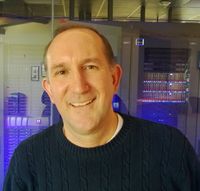 Michael Gannotti
Automated machine learning transcript:
00:00:00.000 –> 00:00:00.620
Carson Heady
Very good.
00:00:01.440 –> 00:00:03.160
Carson Heady
Ready to begin to kick us off?
00:00:04.330 –> 00:00:36.100
Carson Heady
Alright, well thank you so much everyone for joining today. Really ecstatic about the excitement about our recent announcement from Microsoft Viva. And if you don’t know me, I’m Carson Heady, the director for the central region for our major health providers and payers and really excited to be part of the session today specifically is more and more information comes out about Viva. So I know many of you have already been exposed to some level of even knowledge specifically some of the components that may fall into your existing investments.
00:00:36.310 –> 00:01:01.910
Carson Heady
With Microsoft, so we’re joined today by Michael Gianotti is one of our principle teams. Technical specialists really excited to have him. He runs our healthcare blog for Microsoft US Health and Life Sciences, and I’ve had the pleasure of working with him for about a year and a half now. So without further ado, I’m going to turn it over to Michael to talk about our experience, employee experience and cultural tool Viva.
00:01:02.750 –> 00:01:29.590
Michael Gannotti
Excellent thank you Carson. So as he said, just by quick way of introduction, my name is Mike Shotty an I’m a principle technical technical specialist here at Microsoft covering our healthcare and Life Sciences group just as a quick advertisement for us. We do have a blog at AKA DOT Ms Slash HLS blague that’s AKA Dot Ms Slash.
00:01:29.640 –> 00:02:00.150
Michael Gannotti
HLS blog and after today’s presentation, all the slides that you’ll see today will be available off of that. I’ll have a post as well as the recording from today and then other resources available for you so you know. Please be sure to check that out. We’ll have that. Like I said, it will be up by tomorrow morning and you’ll be able to get to those materials just couple of quick housekeeping items as we go. We’re doing kind of a mute all as we go through just to.
00:02:00.280 –> 00:02:01.560
Michael Gannotti
Ensure that.
00:02:01.810 –> 00:02:02.440
Michael Gannotti
Uh.
00:02:03.450 –> 00:02:34.170
Michael Gannotti
You know that we have a semblance of order as we’re going through an will still heal here. Dings for a while. People are joining, but please if you have questions as we go through, we’re not going to have a lot of time for Q&A. I will tell you that. But having said that, please Pope feel free to post them here or do hands up. I will take pauses periodically also to take in field questions. And like I said, we’ve got a lot of material to cover today.
00:02:34.220 –> 00:02:40.710
Michael Gannotti
Uh, as we talk about Microsoft Viva, which is my favorite area of conversation these days so.
00:02:42.030 –> 00:03:04.420
Michael Gannotti
Just one last quick little. This isn’t a plug for me. It’s from our Viva group. If you go to the blog, I’ll have that post tomorrow will be up. I’m going to include a link to this so that you can get to that, but the Microsoft Viva team is having an AMA or ask me anything on June 23rd. So next week you can ask them.
00:03:01.330 –> 00:03:01.680
Schabow, Brett S
Thanks.
00:03:05.080 –> 00:03:35.490
Michael Gannotti
Any question you have that you didn’t get it it’s not a presentation. It’s just to ask us anything you want and they’ll answer so that is available. But without further ado, let’s get on with today’s presentation, so I have a couple of slides we’re going to cover the kind of setup and help to explain what Microsoft’s thoughts are around Viva, where our view is our direction, and it gives you a sense as to not only why we’ve done what we’ve done.
00:03:35.880 –> 00:03:43.400
Michael Gannotti
But where we’re going? The first of those is around employees in that first slide that I kind of race through. That said, resilience.
00:03:44.050 –> 00:03:53.930
Michael Gannotti
A lot of this goes really back to the beginning of the pandemic, and when the pandemic began, we saw a large outpouring of.
00:03:55.380 –> 00:04:22.120
Michael Gannotti
Workers from their workplace to outside to working remote, and with that there is a lot of stressors that came about that we’ve seen you know here at Microsoft with our competitors with our customers, our partners across the board even like I work healthcare and Life sciences. Even with providers who are, you know, typically we think of the clinicians and those folks. There’s a whole wealth of staff outside of that realm.
00:04:22.750 –> 00:04:37.680
Michael Gannotti
Begin to work remotely and we’ll talk about that mix as we go through. But as those stressors came about, we started looking at things we looked at was trying to figure out what’s the major thing that keeps employees one.
00:04:38.280 –> 00:05:02.890
Michael Gannotti
Or productive even in a work remote view you know, working remotely and number two job retention. Because if I can work remotely I can work anywhere and we did see some of that with various companies where they saw pressures on their org with people starting the shop themselves and the number one thing that we saw was around engagement. When you have engaged employees, they’re more productive.
00:05:03.560 –> 00:05:18.730
Michael Gannotti
And there are also more likely to stay where they’re at and be retained, and as a part of that we started looking at and breaking down the six major areas that really Viva as we get into it is meant to address.
00:05:19.340 –> 00:05:40.950
Michael Gannotti
And these are those areas that contribute to that engaged employee experience. Number one is around empowerment. Do I have the tools and things I need at my fingertips to easily get my job done, or are we making it difficult? I gotta, you know, click from here to here to here to here and have 10 million windows open or we simplifying.
00:05:41.620 –> 00:06:07.760
Michael Gannotti
Number two is job growth. Do I feel like my employers investing in my growth professionally through training and opportunities so I have opportunities both within role to grow and expand, but also possibly to grow and expand and move into other areas within the organization and training. Do I have a sense of purpose that’s greater than just me clocking in? You know many, many moons ago?
00:06:08.900 –> 00:06:09.710
Michael Gannotti
As a.
00:06:11.580 –> 00:06:13.520
Michael Gannotti
Dishwasher in high school.
00:06:14.940 –> 00:06:24.850
Michael Gannotti
I had the experience where I would go in during the day and I literally punch a clock in with a paper ballot and punch out and that was my sole purpose.
00:06:26.210 –> 00:06:36.280
Michael Gannotti
But when we have an organization that we’re, we’re doing things and we feel we’re we’re contributing a part of something greater than ourselves in that case.
00:06:37.060 –> 00:07:02.590
Michael Gannotti
Am I am I experiencing that? Do I feel that tie to that large organization? The next is around focus and this is huge? Right now we’re in a virtual meeting. You are in a Microsoft Teams meeting and we know that for many employees as they moved outside working remotely and from home that that became problematic in that they’d start earlier.
00:07:03.390 –> 00:07:16.200
Michael Gannotti
And you know, there are days where I would go especially early on in dealing with some of my customers where I’d get up. I’d be logged in early and I may not even get to the shower until noon or later.
00:07:16.470 –> 00:07:31.720
Michael Gannotti
Uh, and we saw people looking at virtual meetings and saying, hey, if I don’t have to worry about bringing me into the Roman this and that racking stacking meetings. So is the org providing me tools that help me to clear the deck?
00:07:32.480 –> 00:07:38.910
Michael Gannotti
Be able to focus on the things I need to do, as well as organizationally are they assisting me.
00:07:39.730 –> 00:08:09.870
Michael Gannotti
Connections is another one. Again, if you’re not working in the workplace. If you’re not a frontline worker there everyday, but were pushed to remote or now you’re in a hybrid situation with some mom campus or you know at your organization’s location and others remotely and scattered, you’re not having the water cooler talks you’re not meeting at the coffee pot, you’re not going by their cube, said hey, what’s up and making those connections that are both personal?
00:08:09.920 –> 00:08:35.240
Michael Gannotti
In professional that help with Karere with getting your job done as you make connections and on that personal level again being engaged in the last is around employee well being and we’re going will hit on that at the very end. Is my employer proactively looking after my well being and will be taking a look at how and what we’re doing to address that?
00:08:36.300 –> 00:09:01.350
Michael Gannotti
So with all of that, we looked at tools that can enable those things, and we recognize that our customers and even ourselves as well as partners have many tools, some of which come from Microsoft, others from competitors or partners, homegrown apps, etc. And there’s a whole range of things that could plug into areas that addressed those six areas.
00:09:02.160 –> 00:09:35.690
Michael Gannotti
So rather though then saying look, let’s build all new tools, we decided to build what we’re calling an experience platform and we talk about Viva. That’s what it is. It is an experience platform, bringing together many of the things that we talked about in that you see here into a single experience that simplifies it for employees and brings them to where they’re at in, where there working, and we’re doing that today, primarily through four modules. There will be more things down the line will.
00:09:36.160 –> 00:10:03.790
Michael Gannotti
Being out saying not today, but today we’re really looking at and focusing on four key areas that we’re going to walk through today, the first of which will be connections, Viva connections, and that is the module that’s really addressing the transmission of corporate culture of communications as well as applications. And we’ll get into that in a tailored experience for users based on their role.
00:10:04.500 –> 00:10:29.510
Michael Gannotti
And engaging them. It’s not just a one way. Push in a here’s all our corporate marketing. That’s not what it is and we’ll see why. Next we’ll see we’re going to take a look at topics. Topics is all about harnessing the power of knowledge, management and next expertise enterprise wide and bringing it proactively to users that you’ll see.
00:10:30.490 –> 00:11:00.300
Michael Gannotti
After that will take take a look at Skilling and growth which comes under our Viva learning module in under Viva Learning. We’ll see how no we’re not replacing your learning management system, but what we are doing is integrating with that for your corporate compliance component as well as the full continuum of learning from everything from a department or project team that needs to breed some documentation all the way up through divisions etc. To that final you know.
00:11:00.390 –> 00:11:11.370
Michael Gannotti
Corporate compliance training that takes place in aggregating it and bring it. Serving it to our users. And finally we’ll take a look at it. Insights that is all about.
00:11:11.940 –> 00:11:14.750
Michael Gannotti
Providing actionable insights.
00:11:15.490 –> 00:11:16.880
Michael Gannotti
To the individual.
00:11:17.700 –> 00:11:34.700
Michael Gannotti
So there management and then finally, organizationally, and we’ll take a look at all those areas with that, because that’s a lot to cover. So buckle your seatbelts and we are going to begin. I’ll take questions at the end of the first module.
00:11:36.040 –> 00:11:37.620
Michael Gannotti
The last point just to.
00:11:39.060 –> 00:11:45.350
Michael Gannotti
Put this to bed right here. Everything that I’m going to show you falls under your existing.
00:11:46.050 –> 00:11:53.620
Michael Gannotti
Privacy and security policies and postures that you set up in your organization using 365.
00:11:54.720 –> 00:12:24.850
Michael Gannotti
As I said, this is about the experience as far as the back end and the things that we’re doing to secure that data and information and privacy. It’s still all respected. I’ll mention that as we go, but that’s an important piece, and then the last thing is platform in ecosystem. We just had build. We announced a slew of a vendor or partners and people that are going to market today. We also released the APIs so everything I’m going to show you is meant to be extended meant to be leveraged.
00:12:25.110 –> 00:12:25.470
Michael Gannotti
Uh.
00:12:26.460 –> 00:12:46.110
Michael Gannotti
Both by yourselves as well as partners and vendors out there. So without further ado, let’s jump into corporate corporate connections or Viva connections and talk about that corporate culture and communication. So Viva connections is all about bringing the next generation Intranet.
00:12:47.240 –> 00:12:58.460
Michael Gannotti
Based on Microsoft share point online modern framework that’s important to keep in mind. The modern framework. A lot of my customers have migrated up.
00:12:59.020 –> 00:13:33.980
Michael Gannotti
To the cloud or there in the process of doing that with their share point. But it’s still in what we call classic mode, so this is not your daddy’s your Grandpa SharePoint. This is modern framework. It’s meant to be responsive design. It is it does all kinds of things that lend themselves to connections as well as we have pieces coming down the Pike with connections as a part of that. But it brings this next generation Intranet highly tailored for people based on their role within an organization. So different people may have very different.
00:13:34.030 –> 00:13:44.850
Michael Gannotti
Experiences and brought to them where they work, which is that single pane of glass that you may have noticed just quickly go back to.
00:13:45.440 –> 00:13:46.330
Michael Gannotti
This slide.
00:13:47.330 –> 00:13:51.190
Michael Gannotti
With all the VV experiences, while we can get to many of them.
00:13:51.950 –> 00:14:25.250
Michael Gannotti
Via browsers and going places were bringing it right within teams where you’re at right now, and again that single pane of glass to get work done. So we’re bringing the full fidelity of the modern intranet next generation Intranet where you’re tailing tailoring experiences right within teams, but not just teams on the desktop. The browser, Mac, PC as well as mobile so you know here I am my iPhone, I have it, I can’t show you our internal stuff on a public call.
00:14:25.310 –> 00:14:56.170
Michael Gannotti
But I’m on it right and I’m getting it right here, so we’re going to take a look at what this looks like. Kind of walk through and then I have a demo environment where I can show some extensions and living breathing pieces of this, but at a quick highlight. This is what it looks like for a user instead of them going in the morning to start their day and having to go out to a company intranet which most people won’t do. They have work to get done as soon as teams.
00:14:56.220 –> 00:14:57.060
Michael Gannotti
Fires up.
00:14:57.790 –> 00:15:15.410
Michael Gannotti
The first thing that’s going to greet them is their company intranet, so here we’re seeing this branded experience for this Relic Cloud company. It is a full fidelity experience, so all the navigational elements come over. I’ll show you the interactive pieces as well how that’s working.
00:15:16.700 –> 00:15:41.960
Michael Gannotti
We’re getting all of that within here. We’re also getting things like personalization via audience profile targeting. So today there are two pieces that are coming this summer. In this view, the updated company feed that you can use in lieu of or as a replacement to your news. But today the news piece that’s there.
00:15:42.870 –> 00:16:12.660
Michael Gannotti
You can do audience profiling. You can do rollups of news, so there’s a wealth of things around that that blog I mentioned. That’s my next post on extending this so you can do this today, but with this company feed, we’re giving additional information all around this. The next piece is here in this dashboard and the dashboard is a tile based view of applications that people need to get their job done.
00:16:13.960 –> 00:16:45.710
Michael Gannotti
The beauty of it is not only can we tailor news, events and information that we’re bringing to people, but we also can tailor the applications that we’re going to integrate and provide here. So again, I may have a knowledge worker. I may have a frontline worker, and they may have very different views, and here we can see some examples of tiles which can be different sizes with images without different types of interaction. But I have here one that’s what we call a no code.
00:16:45.920 –> 00:16:52.330
Michael Gannotti
Where I’m seeing all of my tasks across outlook across planner across Microsoft to do.
00:16:53.000 –> 00:17:21.340
Michael Gannotti
And I’m seeing how many I have do so 11 tile that with no code we drop it on the dashboard and everybody sees it, but they see their tasks here. I see a tile for eight what we call a low code so we have no code for our different services in the cloud and some of our partners that we’ve announced. And I have a slide at the end that will show you many of those of it. You’re probably using today.
00:17:21.870 –> 00:17:53.060
Michael Gannotti
Uh, I have no code. Once you can just drop in, but here’s an example of a low code using nothing more than the power platform or Microsoft Power apps. Creating an application with workflow for somebody to have it return to work at building access by doing a COVID check and it walks through some steps and you can click and get a little pop up and walk through, fill out the information to be provided building access. Then we’re seeing some additional ones here.
00:17:53.110 –> 00:17:58.510
Michael Gannotti
But we said that you know the beauty of it is here I am. I’m in teams. I didn’t have to go anywhere.
00:17:59.270 –> 00:18:01.940
Michael Gannotti
We brought it to you, but what about mobile?
00:18:03.030 –> 00:18:22.200
Michael Gannotti
Well, when I go to my mobile view in Microsoft Teams and here we are in the teams client on a iPhone. I think in this case we’re getting the same branded experience. Now we’re looking at the feed with all that targeted information for me. Brought with full fidelity.
00:18:22.840 –> 00:18:45.000
Michael Gannotti
And with full engagement in interaction. So when I click an we start to scroll through, this will see here things like you know, like comment, there was a share. We’re seeing other pieces where we’ve even brought in teams meeting. We can bring in all kinds of content in the new feed that’s coming out again.
00:18:45.720 –> 00:19:00.770
Michael Gannotti
You know it provides then full fidelity, an full interactivity, right? So even here in this teams conversation that’s meant then made available, we can do things like take pictures, record audio, all the things that I would expect.
00:19:01.340 –> 00:19:29.270
Michael Gannotti
And when we go through and we look at all the information that’s feeding up. Will see again that fidelity of experience. Nothing that the organization has to do or set up just by virtue of having Viva connections set up and running and having the feed it recognizes it. Microsoft Teams brings it in, lays it out cleanly as it should, and presents it right through the client, not something separate. The people after you.
00:19:30.780 –> 00:20:00.450
Michael Gannotti
Then as we go to the dashboard. So here is that dashboard on the desktop. In here we see it in the mobile view for this woman who is a knowledge worker. She’s saying, you know some of those that we mentioned, including integration into their time off system to there could be Kronos could be whatever here we have direct integration into Yammer and at a leadership. So there’s a Yammer community, and again, full interactivity. I don’t have to go to Yammer.
00:20:00.500 –> 00:20:24.880
Michael Gannotti
I just simply click ask type my question and then I can receive an answer from that community. So we’re getting all of that. We’re seeing additional ones, no code drop Inns from other Viva modules that will be seeing in a bit. For example from insights we’re seeing here it recognizes, hey, this woman she’s been running like a hamster on a wheel. She needs to take a break.
00:20:25.490 –> 00:20:55.920
Michael Gannotti
Interjecting to go ahead and step back and kind of do some breathing exercises. We also see here a mandated learning module. It’s being presented and both of these you’ll note or different sizes. Again, you can tailor the tiles for different size. Different layouts. For here we have some imagery, but here it’s pulling in a mandated learning module that it recognizes she needs to do, and if we go through we’ll see additional information it’s there.
00:20:56.200 –> 00:21:09.870
Michael Gannotti
But then when we come over here now, we’re seeing a different individual, and in his case he is a frontline worker. His view looks very different, right? Same exact dashboard.
00:21:10.780 –> 00:21:41.100
Michael Gannotti
But we audience profile the tiles so and we can profile and based on Azure Active Directory groups or 365 groups. And when we do he’s now seeing for example shifts ’cause he is shift driven. So he’s going to clock in with Kronos or with Microsoft shifts. He’s going to take. He doesn’t have to do the COVID checker to get back to building access. He’s never left. He’s been there every day but he has a daily health check.
00:21:41.150 –> 00:21:47.960
Michael Gannotti
The TS to answer some questions. He’s seeing things around his pay around stock some communications.
00:21:48.600 –> 00:22:04.640
Michael Gannotti
And so all of that is brought front and center to him again, right within that mobile view doesn’t have to go anywhere. And getting all of that there. So I’m going to pause. I saw one question was posted. Carson, you want to read what we’ve got?
00:22:09.590 –> 00:22:40.480
Carson Heady
Yeah, definitely can’t great question here and I think you’ll like the answer. So is it fair to say Viva is meant to be an Intranet site replacement? And certainly there are some components that can speak to Intranet. There’s a lot of projects that we’re having specific to Internet replacement that may incorporate Viva, but it can be so much more. So. Michael, do you want to feel that? Yeah, so it definitely so number one. Yes it can. It can be your replacement for an Internet, but also it really depends on where you’re at.
00:22:40.770 –> 00:23:11.790
Michael Gannotti
The 365 journey. If you’re already on share point modern framework, it could be the extension and now they added capability of bringing it into teams with full fidelity, like I’m going to show with bringing you know things like the dashboard and other components so it becomes much more. It becomes that single place I go to get information. The applications I need and to really start my day again brought within teams.
00:23:11.830 –> 00:23:44.320
Michael Gannotti
Although I could go to a web page right? Because it is based on SharePoint online, but if you’re in the older SharePoint or if you haven’t moved to the cloud yet, it becomes one of those things where yes, it can be the replacement for the home of your Internet. Doesn’t have to replace everything else right where there’s typically a continuum and a migration in a phased approach to bring things into modern, but certainly yes it can be. And the beauty of it is. And I’m not going to really.
00:23:44.360 –> 00:23:50.150
Michael Gannotti
In on licensing today, but I will say this about connections. If you own share point online.
00:23:50.860 –> 00:24:10.100
Michael Gannotti
If you, oh, Microsoft Teams you on this and it’s a matter of enabling. I’ve got a blog post with four little videos literally walking you through in real time step-by-step. Who owns the data? The data is your data, so you said you’re a health care and data. I mean, we’re fully HIPAA compliant were fully.
00:24:10.930 –> 00:24:41.240
Michael Gannotti
I’m not going to go through all that certifications. That’s all I deal with is healthcare and life sciences. So Microsoft is fully certified. The data is, your data is not ours, it’s your data. It’s in your tenant and all the controls are there for you to secure that data. We don’t look at your data, that’s not that’s all in the SL A, that’s a whole separate conversation, but real quickly. I do want to quickly show an example of this so.
00:24:41.290 –> 00:25:11.670
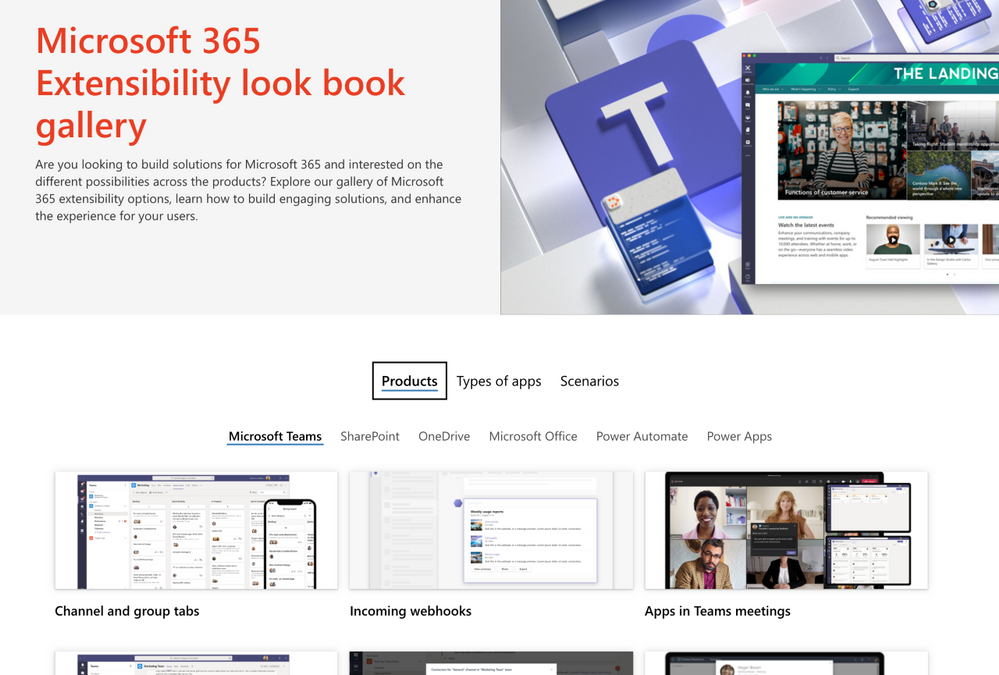
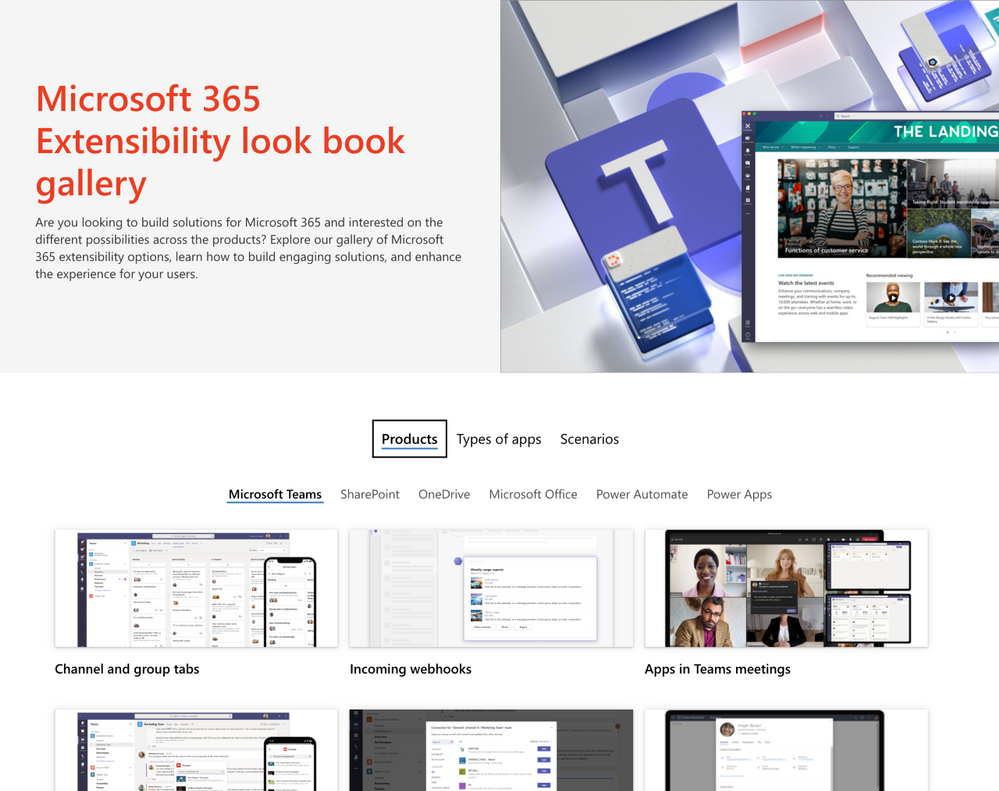
Michael Gannotti
Here I’ve set up using. If you go to lookbook.microsoft.com if you haven’t been there, you should be, especially if you’re looking at modern Intranet. This is a template. A solutions template for modern corporate intranet and here you can see things like this global app navigation where I can see my site sites I’m following. I can see things like the news I’m following my files all that’s there, but when I set it up into connections.
00:25:11.840 –> 00:25:28.990
Michael Gannotti
Now it’s available here full fidelity. I’m getting this mega menu where within that I can audience profile target links. So based on your role you may see some links you might not see others. This icon that indicates we’re on the landing.
00:25:29.760 –> 00:26:00.400
Michael Gannotti
It’s interactive that global NAV that you saw on the just the screen. You know regular browser view. It’s all that contents brought front and center to meet right here as well. It’s an interactive icon and then I can bring things like video and targeted news and so here you can see we’ve got news, most of it coming published here, but some of its rolling up. This particular piece was rolling up from a leadership connection, and again, we’re we can audience profile target?
00:26:00.450 –> 00:26:11.460
Michael Gannotti
So some people get some news. Other people may see additional news items that are not their own, and then because it’s all share point online modern framework.
00:26:12.040 –> 00:26:43.120
Michael Gannotti
Right from in here we can do very rich things, not just video delivery. So here’s a stream video, but even to the extent that hey, if we have returned to work and we have a mixed metaphor of people, maybe they need. I had a customer yesterday talking about how they were radically changing their workplaces and consolidating so that they were going to have hotel in another things and the employees coming back they don’t even know what to expect in those buildings. So here we have an example.
00:26:43.230 –> 00:27:13.160
Michael Gannotti
Of taking something like share point spaces, which is with share point modern framework out of the box. Nothing separate to purchase and just with the addition of a little Insta 360 360 degree camera were able to set up an immersive 360 degree view for virtual tours by had a headset which I don’t Vita VR could put it on and be in 3D immersed but here I can come in.
00:27:13.370 –> 00:27:37.520
Michael Gannotti
And you can see now I’m entering this zone where I can see fully all around in 360 degrees. I can add explanations through text. I can add file popups, I can add audio popups, I can navigate through an area to provide views of it. Even adding in this case of added a video so.
00:27:40.450 –> 00:27:58.990
Michael Gannotti
Station of the area. Right. From there you can do these very rich immersive environments and I’ve never left teams. I brought it front and Center for my users so that is connections that we have any quick other last questions before we move on Carson.
00:28:00.060 –> 00:28:10.350
Carson Heady
Yeah Michael, there was another chat in the chat and it was. Is it possible to post notifications on the front page to an individual team opposed to of you for the entire company?
00:28:11.400 –> 00:28:38.900
Michael Gannotti
Yeah, so absolutely so. The again the way that we do it is audience profile targeting. So it’s based on either in Azure Active Directory group or a Office 365 group and a lot of people say, well, we don’t have all those. You have teams you do, so you may have. You will want to do some organizational exercises around those groups and targeting. But having said that, when you set up a team for your group.
00:28:40.350 –> 00:28:55.800
Michael Gannotti
There’s an Office 365 group automatically. That’s an entity that can be targeted so you know like we have, for example, an Carson and I are in this. We’re in the HLS healthcare and life sciences U.S. team.
00:28:56.860 –> 00:29:27.360
Michael Gannotti
It’s a US based team for all the folks that are in healthcare and life sciences. That’s a group that can be targeted on the home page of our corporate intranet MSW, which is in my teams when I log in there, it is so absolutely. You can target it on those teams, take it one step further because we have with all of this in 365, it’s all integrated, so the workflow via power automate you could go ahead and even push things in the teams channels.
00:29:27.420 –> 00:29:32.340
Michael Gannotti
Send off notifications and all kinds of different things based on a post.
00:29:34.220 –> 00:29:45.280
Michael Gannotti
There’s that’s a wealth of things we could talk about this all day, and maybe we’ll do a separate session on just this, but a ton that you can do there, it’s all available again if you have.
00:29:45.640 –> 00:30:10.070
Michael Gannotti
Uh, Microsoft Teams and you have PowerPoint Aksumite PowerPoint just brought it up. If you have if you have Microsoft Teams and SharePoint on line you on this it’s a matter of enabling. And again I have a video little series on the post and I’ll provide the links to that in this tomorrow, but be sure to check that blog to see information around that.
00:30:10.930 –> 00:30:12.110
Michael Gannotti
Alright, moving on.
00:30:12.790 –> 00:30:25.160
Michael Gannotti
That’s the longest section that we spend is around that when the next is around what we call Viva topics Viva topics is all about curating and bringing information to people.
00:30:26.120 –> 00:30:57.210
Michael Gannotti
Right, uh? Bringing that to them wherever it is in the organization. Security trimming you only see what you have access to, but being able to based upon the content that is out there and exist today to be able to go through and mine that data. Mine the users ’cause it uses the Microsoft graph which underlies all of this to be able to intelligently create pages called topics pages.
00:30:57.270 –> 00:31:04.480
Michael Gannotti
Then out of the box will present suggested users suggested content which can be document, web pages etc.
00:31:06.330 –> 00:31:22.340
Michael Gannotti
Suggested sites and related topics and have all that that can then be extended by your subject matter experts if need be. But the beauty of it is, while it creates these pages that are navigable.
00:31:23.180 –> 00:31:25.870
Michael Gannotti
Searchable where you can search form.
00:31:26.930 –> 00:31:56.520
Michael Gannotti
What it does is it brings them to you front and center and so here we are. We’re looking at a teams conversation and so the way that we handle this is through teams. You can bubble this up when Bob him up in Outlook email as well as even in a SharePoint page. Today the office suite down the road right? But today here we see this word sore is underlined because there was a project going on.
00:31:56.570 –> 00:32:04.420
Michael Gannotti
Lot of folks publishing content around this project, which means a topics page was automatically generated.
00:32:05.070 –> 00:32:32.740
Michael Gannotti
When I come here because they mentioned’s or they didn’t have to search for it, it intelligently understands. Hey, so when I mouse over I get a pop up. I get a topics page pop up that’s going to say look, here’s a hot at a highlight. Some of the things in this page and I can go directly to them like in click on a person there and click on a resource directly. I also see alternate names that were added.
00:32:34.380 –> 00:32:35.270
Michael Gannotti
By this
00:32:35.890 –> 00:32:46.560
Michael Gannotti
and so from here, if you’re not seeing it, I saw somebody asked, you know, I want to exit and rejoin because we did switch and move forward and probably hanging on your end.
00:32:48.270 –> 00:33:07.230
Michael Gannotti
So from here I can go ahead though, and then if I want to see the details I can click view details. It brings. In this case the page front and center in teams and I’m seeing suggested people files. It even has in here a Yammer group Q&A around.
00:33:08.000 –> 00:33:28.260
Michael Gannotti
This’s or project where people can ask questions around the project because it’s a large enterprise wide one and so again I don’t even have to leave here I I’ve accessed it in teams, right. It popped up during our conversation. I’ve asked it I can go ahead, click ask a question.
00:33:28.930 –> 00:33:44.570
Michael Gannotti
Type the questions, submit that, and then because I’ve gone ahead and submitted, people can answer that, and here we go. It’s gonna head, it’s answered them. I can rate that answer and it did all that, all in line. So it’s all about bringing corporate.
00:33:45.170 –> 00:33:47.750
Michael Gannotti
Enterprise Wide knowledge management.
00:33:48.350 –> 00:33:57.860
Michael Gannotti
Bringing it front and center. Consolidating that and then serving it up. Contextual E where people are working in discussing that content.
00:33:59.450 –> 00:34:03.770
Michael Gannotti
And again, they’re going to go through here. Then I can go over to my home page.
00:34:04.900 –> 00:34:07.860
Michael Gannotti
This is going to provide me a view of content.
00:34:08.680 –> 00:34:32.380
Michael Gannotti
Not in line with me discussing, but based upon the people I’m working with, the things assigned to me and the topics and content that I’m producing or emailing or discussing. It’s taking all those signals and it’s going to proactively suggest content to me again, security trimmed. I only see what I have access to, but.
00:34:33.150 –> 00:34:50.260
Michael Gannotti
Kind of anticipating based upon all the things I’m working at, so I’m not reinventing the wheel. Or as I began something I may see related content people popping up here and then I can go ahead and select that and access that content from this location.
00:34:51.860 –> 00:34:52.170
Martinesky, Margaret A
Fred.
00:34:54.190 –> 00:34:56.750
Martinesky, Margaret A
I’m fine, I’m just in a seminar right now.
00:34:58.850 –> 00:35:03.400
Michael Gannotti
Alright click mute again. I saw somebody unmuted themselves when we started hearing something.
00:35:03.600 –> 00:35:33.640
Michael Gannotti
Uh, so that is in a nutshell, and finally I can manage the pages that I’m actually may be assigned. So for example, I’ve been assigned content internally at Microsoft. We have topics it recognizes a lot of content from my blog, it created an HLS blog topic because a lot of documentation with that recurring theme and it recognized it, built the page, and then I was able to extend it at charts I have.
00:35:33.980 –> 00:35:49.480
Michael Gannotti
Tricks in there. I’ve got videos on working and using the blog etc. So extended but here I can come and see a single view to manage that page and pages that may be assigned to me.
00:35:51.640 –> 00:36:21.680
Michael Gannotti
That’s it for topics. Topics is also released. So we’ve released connections is out today. It’s in production. You can turn it on and access that topics like ways is also released for general availability. There is the the option to get trial licenses etc and start to play with that and take a look at it. But any questions around Microsoft?
00:36:21.730 –> 00:36:23.040
Michael Gannotti
Viva topics
00:36:27.030 –> 00:36:30.490
Michael Gannotti
I don’t know if you saw it. Was there any questions around that Carson?
00:36:31.040 –> 00:36:40.710
Carson Heady
Not around topics specifically. There was a question pertinent to policy’s in teams being used to either hide or show the Viva site to guest users.
00:36:36.660 –> 00:36:37.090
Michael Gannotti
OK.
00:36:41.700 –> 00:36:52.580
Michael Gannotti
To guest users, yeah, so that’s a great question. Actually, I’ll just quick address it. You can show based on the app policy.
00:36:53.220 –> 00:37:08.240
Michael Gannotti
That’s where you then light it up for everybody. You can do that globally. You can do it for select. You can do targeted policies within your org. We provide a bunch out of the box ones, but yes, you can absolutely show or hide that.
00:37:09.540 –> 00:37:28.740
Michael Gannotti
Tab for and you may want to do that to start with anyways, right? You may want to roll it out to a select group of users, give them a preview of it and then go. But yes, you can, through the policy is ’cause that’s where you set it up and we show that in that whole piece of turning on connection. So great question.
00:37:31.150 –> 00:37:32.210
Michael Gannotti
Moving on.
00:37:32.760 –> 00:38:02.300
Michael Gannotti
Viva learning I love evil learning. I’m an ex. My background is actually my degrees elementary education. That’s what I have my degree and I taught 8th grade language arts to students and southern cow. Mostly migrant Ed and I love that my first job in it out of teaching was as an instructional web designer. So Viva learning is something that’s new IT is in preview now. We’ve just published out and I’ll provide links to those.
00:38:03.410 –> 00:38:27.600
Michael Gannotti
We’ve just gone ahead and published out the ability for you to turn this on in your org to make it available to your users so you can take a look at that. But what Viva Learning does is corral the learning continuum of everything from, let’s say, project team that may have documentation people need to review before hand all the way up.
00:38:28.280 –> 00:38:59.770
Michael Gannotti
To that corporate compliance mandated learning that’s being served up through and establish learning management system. And we’re not replacing that were simply bringing that full continuum together in a single location for users to access it to make it easier for them to see not only what they have or what’s recommended, but even what’s available within the org. Bringing it in one place. Microsoft Teams. So we’re going to take a look at this.
00:38:59.980 –> 00:39:30.630
Michael Gannotti
Real quickly and kind of walk through and here you can see some people they’re getting ready with this projects or we’re going to look at two different levels from a departmental or in this case a project team doing some of that. And then we’re going to take a look at the enterprise level. So in this case they’ve set up a team for this project where they can add a whole host of people who are going to be involved in this enterprise wide project. They want to bring learning.
00:39:30.810 –> 00:39:36.300
Michael Gannotti
It’s pertinent for this project front and center to the users in their team.
00:39:36.880 –> 00:39:38.510
Michael Gannotti
We’ll take a look at globally in a bit.
00:39:39.470 –> 00:39:51.630
Michael Gannotti
So here what they’re going to do is the person who’s managing this is going to add Viva learning right within the team as a tab, and they’re going to go ahead, give it a name.
00:39:52.640 –> 00:40:25.050
Michael Gannotti
And they’re calling it’s or learning there, then going to find some courses they want to apply as a part of this, and so they’re going to do searches and it’s going to display available courses that are there for them. They can select the ones they want. Once they’re done, they can go ahead and save that it’s going to set up that tab for them. Here it is, sore learning and you see in that administrative you for the person managing the team. They’re seeing that here with the courses they selected.
00:40:25.260 –> 00:40:55.800
Michael Gannotti
And again, you can see it’s coming from a range of places, right? So here we have something coming leading innovation that’s coming from their corporate LMS system. But we see other ones that are available as well. So in this case we see something from LinkedIn learning so we can integrate not only documentation in your LMS, but even repository’s out there on the Internet. You can even bring in SharePoint content, will talk about that.
00:40:55.850 –> 00:41:15.030
Michael Gannotti
Or content simply by virtue of a link, so a whole range of content can come from different places. Here is just the PowerPoint. They have to go through and they can click add new and they can start to do that. Here you can see I can continue to go and look for additional content that they may want to take an ad.
00:41:15.780 –> 00:41:45.590
Michael Gannotti
Had that those materials there that’s going to appear then for my users and then as they are taking those courses, you know here you see some of the back end pieces, but as they are taking them I can take a look at who’s done, who’s completed it, who hasn’t? Will see that you in a moment this is going down into that back end view. This is from somebody who’s enabling Viva learning for the enterprise. And here you see some of the course is that they’ve made available.
00:41:46.420 –> 00:41:53.020
Michael Gannotti
But there’s other ones, and these are third party. So in this case for example Cornerstone. That’s an LMS system.
00:41:53.470 –> 00:42:03.350
Michael Gannotti
Uh, SuccessFactors from SAP? Those are ones as we have partners coming online in integrating providing that integration.
00:42:04.680 –> 00:42:36.570
Michael Gannotti
Then we’re able to simply point and click on the back end. If you have licensing and availability and select those as well as ones out there on the web that are web based, repository’s, like edx. Here we have a SharePoint site for example where we may have set up a library and there’s a whole it has a thing how to set up a learning catalog in SharePoint. Very straightforward and simple. You can and you can set that up and then have that available as well.
00:42:36.800 –> 00:42:45.290
Michael Gannotti
And here we see this is an on boarding catalog, so we can select all this content, make it available. We can assign content.
00:42:45.420 –> 00:43:10.630
Michael Gannotti
Uh, we can recommend content so it will show up. There’s three primary views from an enterprise level, and that’s what we’re getting into here that people see assigned. Content recommended based on a roll and then all that’s available. So here I can go through. We can start to select people or teams active direct Azure Active Directory groups.
00:43:11.290 –> 00:43:15.910
Michael Gannotti
Uh, do in this case anytime it’s not assigned this recommended.
00:43:16.920 –> 00:43:18.290
Michael Gannotti
But notes in there.
00:43:18.940 –> 00:43:46.450
Michael Gannotti
And while we’re done, it’s gonna go ahead, create that, make it available, and then once it’s available and people start to take it again, I can come through right here within from the teams area. Somebody who set that up. And then I can start to see you know who’s taking the content. I can check the status so I can send nasty grams or not, but get an idea around that. We can also do some reporting on that.
00:43:47.080 –> 00:43:50.190
Michael Gannotti
From a user standpoint I come in.
00:43:51.340 –> 00:43:59.370
Michael Gannotti
And here’s learning at the enterprise level as a tab on the side I come in and I see content assigned to me personally.
00:44:00.560 –> 00:44:24.760
Michael Gannotti
I can see content recommended like we were recommending content and again this is coming from anywhere and then finally I can see you know recently viewed. Bookmarked as a whole range of content and then any of the content that’s made available to me it can be trending completed. Here we go. We’re starting to see modules available from LinkedIn from Microsoft Learn.
00:44:25.380 –> 00:44:55.250
Michael Gannotti
But instead of the learning being all over one place to get your work done. And again, it’s just showing more repository’s single pane of glass, I can take courses right from within teams when I fire him off, and then when I’m done, it’s finished. Also when I’m in my intranet, if I go in search all those things that we’ve been putting together, content was not showing on my mobile device, only desktop client.
00:44:56.010 –> 00:45:00.990
Michael Gannotti
Uh, I don’t know if you mean content from learning or the content here.
00:45:02.610 –> 00:45:35.390
Michael Gannotti
So at a rate moving on with this, this is showing now coming in the Internet and you can see where they search. They are even seeing those learning modules right within company search right? So right out of share point you can see it. You can get him there as you’re searching. We’re going to suggest and bubble those things up via search as well. And then because it’s all here, you’re able to go ahead Viva learning and you can start to search. You can add those and provide them with in conversations that you’re having.
00:45:35.600 –> 00:45:46.470
Michael Gannotti
But it’s kind of that whole round trip. Peace microlearning and sharing a mobile that’s going to be enabled as well. Again, all of this in learning is in preview today.
00:45:47.490 –> 00:45:54.700
Michael Gannotti
And it’s being phased in, rolled out in the preview later this summer. It will be enabled.
00:45:55.450 –> 00:46:00.590
Michael Gannotti
Any questions on learning before I move on to the final module of insights?
00:46:03.650 –> 00:46:33.290
Michael Gannotti
Is it possible to use Ella? Any LMS system? So the short answer is yes, we did open the APIs. We’re continuing the open provide additional APIs so you will see number one additional vendors coming online. There’s a whole range from we work with. Edu a lot like you know there’s. So there’s people like blackborne all those out there so number one with us opening up the APIs now everybody can begin, not just.
00:46:33.630 –> 00:46:54.100
Michael Gannotti
Companies we had worked early on with directly, but they can now start to take advantage of that to provide that integration, but also there is the capability for you to leverage that as well. I just saw another question come up Carson. What was that? When I saw something I was in the middle of explaining so I missed it.
00:46:54.400 –> 00:47:02.030
Carson Heady
You’re good, is there an additional cost to use that module, or is it just the cost of the individual LMS systems that they might be using?
00:47:02.310 –> 00:47:22.510
Michael Gannotti
Yeah, that’s a great question, so I I can’t get so they have not announced publicly cost models. I will tell you. Typically when we’re talking about integration to third party, if there is a cost there for a connector or something, then there would be a cost associated with that.
00:47:23.460 –> 00:47:41.160
Michael Gannotti
And if it’s free to if there free connectors to like free repository’s of things, you’re self hosting and typically there’s not. But we have not announced that, so I don’t have that information to be able to pass on to you here. All I can say is stay tuned there.
00:47:42.190 –> 00:47:44.970
Michael Gannotti
There later in this summer’s.
00:47:45.550 –> 00:47:51.940
Michael Gannotti
My knowledge that they will be releasing so there’s announcements still coming out around the learning piece.
00:47:53.960 –> 00:48:02.010
Michael Gannotti
The last one I do know the licensing exactly around, so let me go ahead and let’s start into.
00:48:02.650 –> 00:48:13.790
Michael Gannotti
Productivity an while being with insights, insights is all about providing actionable insights into peoples behavior and well being.
00:48:15.320 –> 00:48:24.830
Michael Gannotti
It’s really around that and it’s around doing that at a personal level. A management level and an organizational level, so with insights.
00:48:26.740 –> 00:48:58.090
Michael Gannotti
And this is talking about some of the personal ones. And then we’ll we’ll see some of this in action. It’s all about taking data driven because everything when you’re in a Microsoft 365, you know when you’re in email and you’re actively creating emails, actively reading and scrolling through, that’s all tracked on the back end when you’re in a meeting like this. That’s tracked how long urine are you typing and multitasking. I I got an alert was is this an optional meeting?
00:48:58.150 –> 00:49:05.240
Michael Gannotti
Uh, and it was my managers meeting because all of us on his team and our weekly meeting while he’s talking. What are we doing or?
00:49:06.420 –> 00:49:08.080
Michael Gannotti
Which is why we’re not on video.
00:49:09.140 –> 00:49:13.160
Michael Gannotti
And it recognize that and said, hey, is this an actual meeting? Universe is optional.
00:49:14.580 –> 00:49:46.220
Michael Gannotti
For you, Carson’s laughing, I kid you not, it was. And it happened during a meeting during the meeting and I told him and he laughed, but that was expected so but everything, all these signals are being tracked in the Microsoft graph as a part of it. And what insights does on a personal level, it provides you personal insight into your activity, and it gives you actual actionable recommendations that you can do how to take some time from mindfulness to take a break.
00:49:46.500 –> 00:50:16.770
Michael Gannotti
Right how to proactively lock time for you so you’re not in the raccoons rack and stack AM meeting, you know, hamster on a wheel cycle that many people get into how to stay connected with people you’ve been conversing and prompting that so that you know you’ve been working with people. And maybe now you’re moving on but to re establish and maintain those connections and do that and how to prepare for your day through an email summary in the morning.
00:50:16.830 –> 00:50:50.960
Michael Gannotti
And it’s serve at up to you and so here you can see within Viva Insights. This is at a personal level, their first showing the state connected right? We’re seeing some people here as well as being able to PROACTIVELY leverage the power of AI to look for time that you have available and to go ahead and schedule. You know, make it available, not schedule it without you selecting, but being able to for you to then do nothing more. Instead of having to go out to your calendar, look for free time but but Blondeau.
00:50:51.420 –> 00:51:07.120
Michael Gannotti
Have the AI bring it front and center so you can select that which is important to you. Here you can see the select focus time where you can go ahead and it looks for free time and it will allow you to just go ahead and book it and block it.
00:51:08.070 –> 00:51:38.380
Michael Gannotti
So other people can’t grab it, and here’s that holistic view for that individual as they come in. When they click insights which can be enabled for organizations today, you can turn this on for the individuals so they can see this and they can have it on mine. You can get a couple of things. Number one you know. You get this little good morning. It’s a new day. Next we have here send praises to your colleagues, which is one of those features I can send praise and then.
00:51:38.430 –> 00:52:09.500
Michael Gannotti
Not only did they receive that, but then there management is alerted around that those become items that are trackable. We can pull later so that they can go ahead as a part of a review process. Hey, these people have called you out in a good way and there we have that we also have to take a break taking some time and we have guided things that you can make available to your users with exercises. How are you feeling today? This is all private and by the way I want to be very clear.
00:52:09.550 –> 00:52:12.520
Michael Gannotti
As we get into management in organizational.
00:52:13.290 –> 00:52:44.530
Michael Gannotti
We D identify the people here so that when we’re looking from a management level versus personal, I can’t see individuals. In fact, I can’t see the my team unless I have at least nine or more members. You can ratchet that number higher. I have a customer that has a present in Germany. They’re at wanted it up to 16 and they went ahead and did that, but you can’t lower below that and that’s where compliancy sake so that you can see views.
00:52:44.750 –> 00:52:51.470
Michael Gannotti
But not of individuals. Could you repeat when every Viva lot? Yes, I will at the very end.
00:52:53.260 –> 00:53:23.360
Michael Gannotti
And so here you see some other things. Top actions for today stay connected. Protect time. Things that are, you know, Ben assigned on your To Do List. Here you can see I can explore for example how I’m feeling over time so I can get a sense of what’s going on. Build a habit of emotional awareness is one of those things and you know that becomes important for people as they’re managing their own time. Here you can see where I’m going to go ahead and send praise.
00:53:23.630 –> 00:53:43.530
Michael Gannotti
And where I want to put that as it just directly to them my putting it in the channel and everybody can see that you know it’s a part of that. And of course have their management know that they have been praised and I can even set up reminders. I just did this this morning so that every Friday I have time to remind me to go ahead and do that.
00:53:46.130 –> 00:54:05.330
Michael Gannotti
And then again schedule focus time and I can see some recommended times based off of what AI I can go ahead and again set up reminders for myself, but we’re bringing it all together in a single place for user. We’re also providing that here within this mobile view.
00:54:05.530 –> 00:54:11.440
Michael Gannotti
Uh, and I’m gonna kinda go quickly and skip past that just because we want to.
00:54:12.450 –> 00:54:39.290
Michael Gannotti
Make sure we get to the rest and get into the management, but all the views are there for individuals in their mobile client. The next is around management. How was your team doing right? If I have less than nine then I could certainly go up and have access to the next higher level so that we have an aggregate at the next management level. But here I can see things where it’s starting.
00:54:41.430 –> 00:54:42.340
Michael Gannotti
What just happened?
00:54:43.940 –> 00:54:44.770
Michael Gannotti
Let me.
00:54:45.420 –> 00:54:50.260
Michael Gannotti
I don’t know why that skip back. I did something in PowerPoint.
00:54:50.860 –> 00:54:58.750
Michael Gannotti
So let me go through here and click the squares an go way down back to insights.
00:54:59.720 –> 00:55:02.270
Michael Gannotti
And we will go here. Here we go.
00:55:03.480 –> 00:55:34.140
Michael Gannotti
And so from here you can see I’m seeing some things around burnout and employees and I can start to drill into these. You can see I can do things around freeing up capacity. But now I’m looking at employee burnout average after hours and it does a comparison of mine another like size teams and how much they are doing them based off of that I can go ahead. I can view recommended plans and I can see best practices. I can even go ahead and select and we have some preview ones.
00:55:34.320 –> 00:55:54.330
Michael Gannotti
Available to help people with unplugging, preserving quiet time in my own team, my manager recognized in the beginning the pandemic. We were like hamsters on a wheel because we were served. You know, helping with all the healthcare customers as they were ramping up on virtual healthcare et cetera and so.
00:55:54.970 –> 00:55:58.950
Michael Gannotti
He actually scheduled a day a week where we read a book.
00:56:00.440 –> 00:56:03.360
Michael Gannotti
Oh, shoot, where is it? I’m having a Minecraft.
00:56:06.680 –> 00:56:23.040
Michael Gannotti
There, oh dare to lead that was it. And so Paul my bookcase. Now we read the whole we we read the book but we went through chapter at a time together. Had discussions were able to have some deep conversations, but it gave us a chance to step back from the business.
00:56:23.860 –> 00:56:29.380
Michael Gannotti
Breathe connect with each other and be more proactive in what we were doing.
00:56:31.120 –> 00:56:36.920
Michael Gannotti
And you know, get some strategic thinking about how we engage with each other and with customers.
00:56:37.490 –> 00:57:09.320
Michael Gannotti
And he did a lot of that was driven off of this workplace analytics data that we’re serving up here in insights from a organizational standpoint again. And we’ve I’ll relate an experience with Microsoft that we have here. We can even go higher and look organizationally wide and start to see things around organizational resilience around effective management, and other things that we’re tracking. And these can be customized, and we can pull feeds from a range of things and make them available.
00:57:09.380 –> 00:57:39.100
Michael Gannotti
But once we do, the beauty of it is again, organizationally, those executives. They can start to look at things were going to give them proactive pieces that you can make available form to be able to start to address areas of concern that they’re seeing proactively. They’re going to have all kinds of organizational deep charts. And here you can see some of the reports that are here, as well as the ability to build these reports and do dynamic ones.
00:57:39.410 –> 00:57:55.930
Michael Gannotti
And it Microsoft again, from an organizational standpoint, we saw that employees were logging in earlier and because they were at home, they were not stepping away for breakfast. They were not stepping away for lunch. We were go go, go, go, go, go, go, go, go.
00:57:56.550 –> 00:58:06.410
Michael Gannotti
And so they actually, as a part of that organizationally in the insights they were gaining through all this reable to then say, look, we understand.
00:58:07.070 –> 00:58:22.940
Michael Gannotti
That you’re under tremendous stress. We understand our employees across the board having all kinds of stressors and working longer hours. And they gave us five additional mental health days to take and which are managed for this calendar year and our managers.
00:58:23.850 –> 00:58:54.530
Michael Gannotti
Continue to remind us mind. Just reminded us in our one on one extremely in our team meeting on Monday. Make sure you’re taking those days on top of your vacation days, but it’s the idea that the organization understands my needs by workflows and across the organization, and again can based off of that start to take action here. They’re just showing some of this setup surround this. We also have just released something called an R package.
00:58:54.640 –> 00:59:09.440
Michael Gannotti
Tool kit that has a repository more than 100 function so you can go through and create all kinds of visualizations and output reports. But the tool is available for that. We’re not going to go through it because of time.
00:59:10.410 –> 00:59:13.560
Michael Gannotti
It will start in here, but we’re just going to keep moving.
00:59:14.420 –> 00:59:20.570
Michael Gannotti
And keep moving on because we have three last things I want to highlight before we conclude.
00:59:22.330 –> 00:59:46.490
Michael Gannotti
Viva prerequisites from a connection standpoint, you need to have share point modern framework you want to turn on the app bar and global application on that. Again, I have a four video set that wash U through step by step doing all of this. And if you don’t do that, you’ll see that you do lose features, insights.
00:59:47.160 –> 01:00:17.560
Michael Gannotti
You have to. You really need to have it a bare minimum. Your mailbox is turned on an exchange online. We’re leveraging the graph, which is calling all this information from exchange, SharePoint teams, Yammer, all this stuff. The signals you want them populating and lighting up, but at a bare minimum you need to have that exchange online from a topics piece. Your core sites that you want to get information.
01:00:17.610 –> 01:00:18.120
Michael Gannotti
From
01:00:18.850 –> 01:00:26.170
Michael Gannotti
they they need to be turned on and we need to have content hosted in there again will go through.
01:00:27.330 –> 01:00:37.260
Michael Gannotti
And do that. There’s more information I’ll provide you, but if you want to have that and what the underlining you need to have that information available, and finally for learning.
01:00:37.610 –> 01:00:49.650
Michael Gannotti
Uh, you need to turn that on. There is a process. I’ll provide the links around that. As far as ecosystem, this is at a quick highlights. I know I’m getting actually 2 minutes over.
01:00:50.330 –> 01:00:54.140
Michael Gannotti
From a timeline prospect, that question was asked directly.
01:00:54.800 –> 01:00:56.070
Michael Gannotti
Topics is out.
01:00:57.630 –> 01:01:05.190
Michael Gannotti
Connections is out and available, the desktop version the mobile is coming out in the summer.
01:01:05.820 –> 01:01:17.550
Michael Gannotti
Uh, we are. We are in preview of public preview for insights as well As for learning and over the course of this summer.
01:01:18.190 –> 01:01:42.820
Michael Gannotti
Insights will go general availability for everybody, so we’ll learning connections, the mobile and the dashboard within that and that new feed. Those are all being released over this summer and then finally topics V2 is coming, so this is the timeline again. I’ll provide these slides in my piece, but what’s next?
01:01:43.740 –> 01:02:13.890
Michael Gannotti
You know, talk to your account. Teams get a presentation, participate in it. We have briefing sessions through our MTC’s. I do them all the time for my customers where we dive into all of it. Or you know much longer for all of it than an hour as well as individual components. Check out the blog at AKA DOT Ms Slash HLS blog AKA Dot Ms Slash HLS blog. We’ve been posting there.
01:02:14.120 –> 01:02:25.240
Michael Gannotti
Tune in next week to the AMA. I’ll provide a link in the post that has this recording, but that’s it. From my perspective and on my end I can stay for another.
01:02:25.370 –> 01:02:32.380
Michael Gannotti
A couple of moments. If there are any last questions you know, please feel free.
01:02:33.110 –> 01:02:34.010
Michael Gannotti
The shoot those.
01:02:34.810 –> 01:03:05.160
Carson Heady
Yeah Michael, thank you so much for this. Obviously a lot of great questions in the chat as I posted in the chat, there will be some opportunity for getting the recordings if you’d like to get a copy of that, feel free to reach out to me or to your account. Team will make sure you get a copy of that. Furthermore, if you want to continue the discussion, Michael did a great job of articulating some of the ways that we can do that, through briefings with our technology center. With some of our technical specialist. So definitely reach out if there’s opportunity to continue the dialogue and thank you for the vibrant.
01:02:48.270 –> 01:02:48.560
Michael Gannotti
Yeah.
01:03:05.270 –> 01:03:06.210
Carson Heady
Interest today.
01:03:07.390 –> 01:03:15.300
Michael Gannotti
Yeah, and I was there any last, uh, some great questions in the chat. If you’re interested, continue. Oh yeah, with topics.
01:03:15.760 –> 01:03:47.420
Michael Gannotti
Uh, yes, unlicensed users. Yeah, we have organizations. I do have organizations that have rolled this out for a subset, so I had one that just bought their 100,000 plus users and they bought 5000 licenses of topics. So yes to that. Can you put a link to the recording in this conversation after the fact? Once it’s loaded up an uploaded? Sure yes. ’cause I’m gonna upload that will put it into YouTube.
01:03:47.560 –> 01:03:59.410
Michael Gannotti
So that I’m not sharing it from my one drive, so we’ll have that and it will be embedded in a post, so I’ll put the post link ’cause that will have all the resources as well in there. So great question there.
01:03:59.960 –> 01:04:21.010
Michael Gannotti
Uh, recording yes, there will be a recording. Is this recorded? Yes it is. Are there metric data reporting on the percentage of target audience who actually viewed notices? I’m going to assume you mean a post for news posts an so if you’re posting yes we have analytics around all that whole separate topic. But yes.
01:04:21.600 –> 01:04:22.210
Michael Gannotti
Uh.
01:04:23.120 –> 01:04:26.490
Michael Gannotti
To see teams Insights is a requirement.
01:04:27.710 –> 01:04:41.370
Michael Gannotti
Insight, so for both Viva and so you get it through the licensing. That’s a great question. My insights an workplace analytics. That’s how the licensing come. It’s not we’re not doing a separate one on top of that.
01:04:41.740 –> 01:04:54.950
Michael Gannotti
Uh, skill sets for Viva admin. There’s four modules, there’s four different sets of skills that are addressed, so Viva is abroad in brela for experience platform.
01:04:55.560 –> 01:04:57.560
Michael Gannotti
Each of those is handled differently.
01:04:58.940 –> 01:05:07.340
Michael Gannotti
And could you please repeat when every variable module will be available? I already did that, I think that’s it. I think we’re caught up Carson.
01:05:08.120 –> 01:05:35.700
Michael Gannotti
So feel free on the post. I’ll post the link in here once that’s live. Feel free to ask questions there. Feel free to connect with me on LinkedIn and paying me if you try to email me. Email is where messaging goes to die so good luck getting ahold of me. I get four 500 and sometimes more in a day. I’ve taken his enter protsch I let it wash over me.
01:05:36.670 –> 01:05:51.680
Michael Gannotti
So yeah, I’ll this conversation is ongoing, so you can go ahead post stuff here and then finally again, I’ll do will handle that there, and if you have requests for particular pieces around Viva, we’re doing ongoing series at I’ll put the.
01:05:52.230 –> 01:05:53.200
Michael Gannotti
Link right here.
01:05:54.350 –> 01:06:02.570
Michael Gannotti
HTTPS wack wack AKA dot Ms Slash HLS BLOG.
01:06:03.420 –> 01:06:05.390
Michael Gannotti
Now you have no excuse, there we go.
01:06:05.650 –> 01:06:08.370
Michael Gannotti
Uh HLS blog.
01:06:11.300 –> 01:06:41.090
Michael Gannotti
There it is. My little post. If you go there we continue to do posts around Viva. I have a whole thing on how to set up video, how to set up spaces with that virtual tours. All that kind of stuff and we’re doing many more. Next one is on audience profile targeting which you may want to see. So with that I’m going to shut up. We’re going to close this out. Thank you for coming. Really appreciate it. I love this topic in a passionate about it, but talk to your account team.
01:06:41.290 –> 01:06:46.670
Michael Gannotti
So they can help you. That is like an Carson Vidya. Have a great day.
01:06:42.680 –> 01:06:43.260
Carson Heady
Very good.
01:06:46.850 –> 01:06:48.650
Carson Heady
Thank you so much all take care.
























































Recent Comments