
by Scott Muniz | Sep 2, 2020 | Uncategorized
This article is contributed. See the original author and article here.
 Welcome to HLS Security Monthly! Security Monthly will feature Microsoft’s Scott Murray covering various security topics that should be of interest to anyone covering security in the Enterprise space.
In this inaugural episode, Microsoft’s Scott Murray and Tony Sims are going to discuss how easy it is to get started with evaluating Defender ATP via the Evaluation Lab offering that is built right into the Defender platform.
Join Scott and Tony for this important security focused webcast on Monday 9/14 at 2pm eastern/1pm Central. You can join the webcast directly from the link provided below or grab the .ics calendar invite file to add the event to your work calendar. Better yet share the calendar invite with your security colleagues.
When: Monday, 9/14 at 2pm eastern/1pm central
Where: Online Microsoft Teams Live Event
Who: Host – Scott Murray, Guest – Tony Sims, Producer – Michael Gannotti
Access the event via the link or calendar invite:
Thanks for visiting – Michael Gannotti LinkedIn | Twitter
 Michael Gannotti
by Scott Muniz | Sep 2, 2020 | Uncategorized
This article is contributed. See the original author and article here.

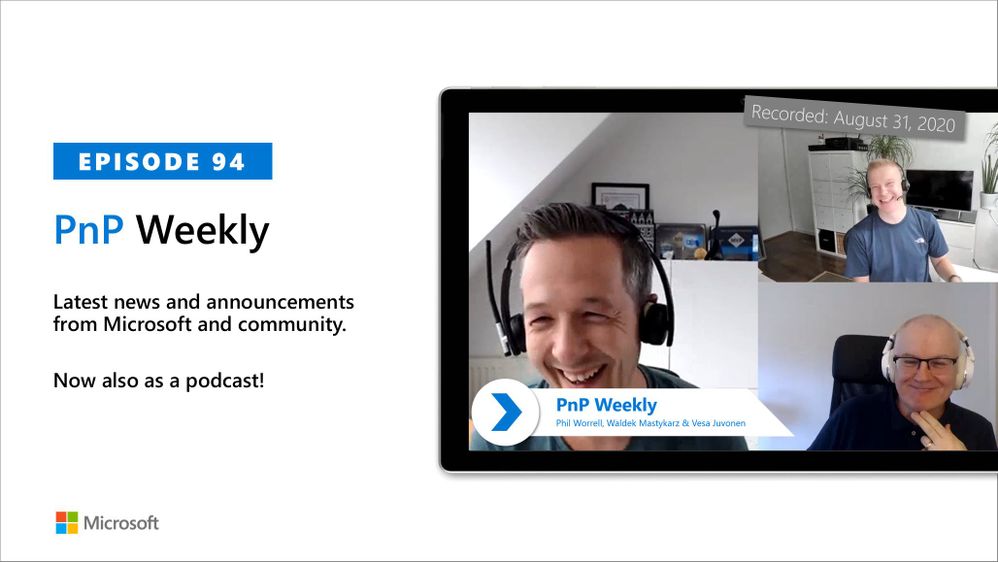
In this weekly discussion of latest news and topics around Microsoft 365, hosts – Vesa Juvonen (Microsoft), Waldek Mastykarz (Rencore), are joined by. by Phil Worrell (Swisscom) – Community Evangelist based in Switzerland.
The trio discusses the significance of the datacenter and cloud adoption in Switzerland, embracing the new work reality, and REgarding 365 – a WW community of MVPs delivering opinions, interviews, conferences, blog posts, weekly talk show and support on everything Microsoft 365.
Waldek and the PnP CLI team are gearing up to ship v3.0 of PnP CLI for Microsoft 365 this weekend. In this episode, 17 recently released articles from Microsoft and the PnP Community are highlighted.
This episode was recorded on Monday, August 31, 2020.
Did we miss your article? Please use #PnPWeekly hashtag in the Twitter for letting us know the content which you have created.
As always, if you need help on an issue, want to share a discovery, or just want to say: “Job well done”, please reach out to Vesa, to Waldek or to your PnP Community.
Sharing is caring!
by Scott Muniz | Sep 2, 2020 | Uncategorized
This article is contributed. See the original author and article here.
Microsoft customers around the globe have responded to COVID-19 by moving their office employees to remote work. With more people working from home, identity-driven security solutions are required to help safeguard company resources. Nathan Lasnoski, Chief Technology Officer at Concurrency, has worked with many of our customers to implement a Zero Trust security strategy that puts identity protection at the center. In this “Voice of the Partner” blog, he shares how this approach has benefited global marine manufacturer, Brunswick Corporation.
Supporting Modern Work with Zero Trust
By Nathan Lasnoski, Chief Technology Officer, Concurrency
Concurrency is a business and technology professional services firm driving technology innovation and organizational change management. Today, like most organizations, our clients are confronting challenges associated with migrating a significant percentage of employees to remote work in response to COVID-19. This has been tough for everyone, but I’ve found that organizations that adopt a Zero Trust security model have been able to move to remote work faster and more securely.
Brunswick Corporation is a great example of a client whose investments in Zero Trust and identity modernization have made the transition to remote work smoother. Brunswick’s brands manufacture boats and marine propulsion systems. It also owns Freedom Boat Club, the world’s largest social club that allows people to get the benefits of a boat without owning one.
We got involved with Brunswick about 18 months ago. The organization needed a partner to help digitally transform its business in a way that enhances security. When COVID-19 began to spread, these efforts also made it easier and more secure for Brunswick employees to work from home. In this post, I’ll outline a few of the core tenets of Zero Trust that guided our work.
Zero Trust is the baseline for modern work
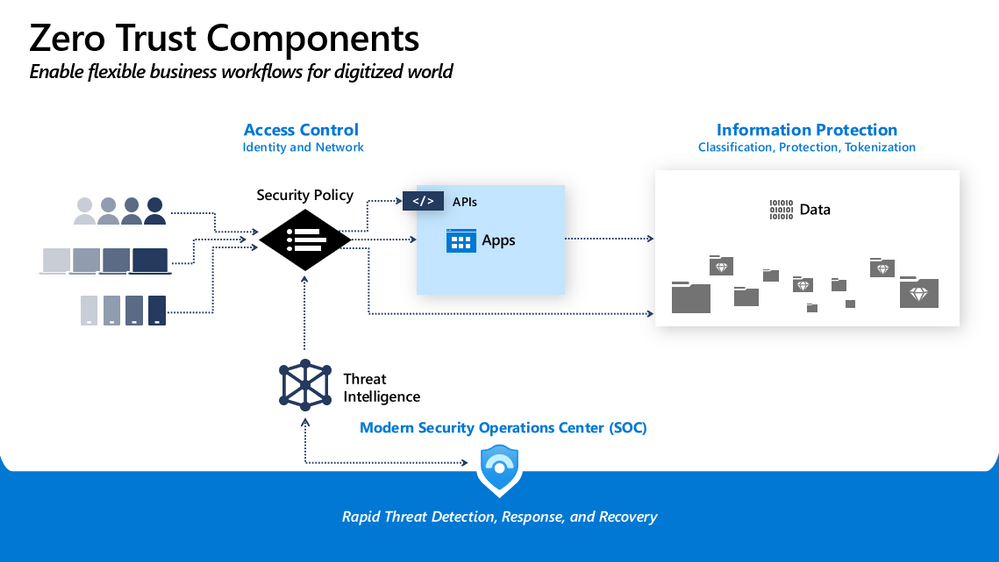
Before I dive in, I should define Zero Trust. In the traditional network security model, IT creates a wall to keep out the bad actors, while allowing largely free communications inside. This approach was mostly successful when apps were hosted almost exclusively inside the network, but organizations have moved more business assets to the cloud. Today, people are no longer tethered to a company-provided desktop in the physical workplace. They access work data from any device and any network. Employees aren’t the only users. Partners and contractors also need access. It’s no longer possible to automatically trust traffic inside the network. In a Zero Trust model, users and devices, both inside and outside the corporate network, are verified in real time before gaining access.
It starts with identity
A key component of Brunswick’s cloud journey was identity modernization. As the company shifted to a Zero Trust security model, they needed tools to verify users who wanted to use its apps and systems—whether they were inside the network accessing on-premises apps or outside the network accessing software-as-a-service (SaaS) apps.
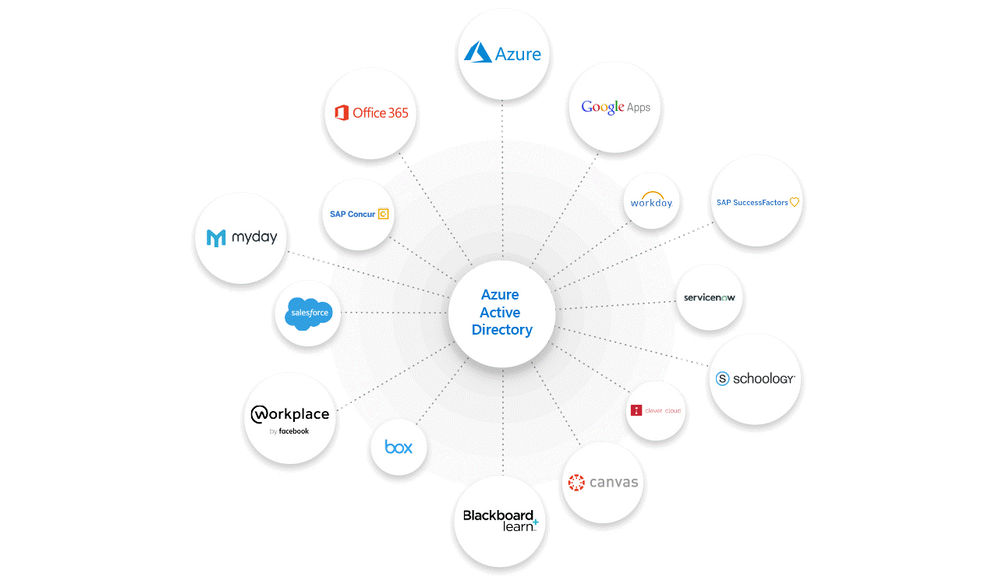
Brunswick deployed Azure Active Directory (Azure AD) to manage identities and access. Azure AD integrates with Office 365 and thousands of non-Microsoft software-as-a-service (SaaS) apps, such as Workday, SAP, or Adobe. With Azure AD App Proxy, Brunswick can also connect on-premises apps to Azure AD. Unifying credentials into one identity lets employees sign in once using single sign-on (SSO) to use all their apps—whether Office 365, non-Microsoft, or on-premises.
With Azure AD, Brunswick can apply universal security controls, like multi-factor authentication (MFA), to all their connected apps. MFA requires at least two authentication factors at every sign-in, reducing the likelihood that an account will be compromised.
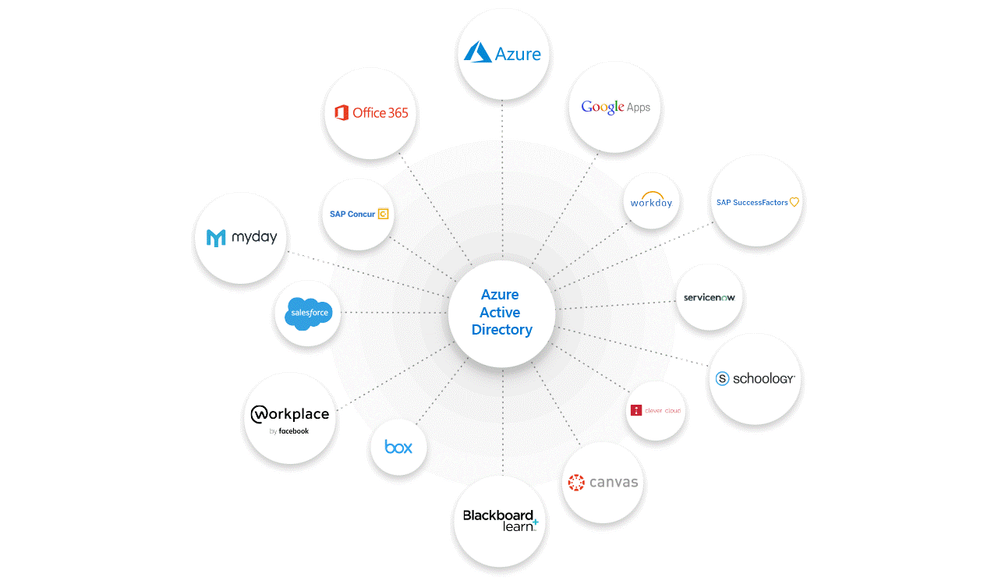 Figure 1: Azure AD allows users to sign in once and access Office 365 and non-Microsoft apps.
Network Micro-segmentation
The Zero Trust approach is premised on the idea that you should “assume breach.” That’s why it’s important not to automatically trust access requests, even those that originate on the corporate network. If organizations make it easy for resources to talk to each other, they also make it easy for an attacker to move around.
When Brunswick and Concurrency migrated the Brunswick’s data center to Microsoft Azure, we implemented micro-segmentation. We isolated workloads from each other and applied security policies to each segment. In this model, systems and devices aren’t automatically connected, making it difficult for an attacker to move laterally. As Alan Mitchell, CISO of Brunswick Corporation, explained in a recent interview, “Think of micro-segmentation like a battleship with compartments that I can shut off. If water flows in, it can be limited to a specific area, and we can respond, versus worrying that the whole ship is sinking.”
Evaluate and enforce device compliance
Devices are the last frontier in a Zero Trust model, because that’s where the data lives after people successfully access it. When employees use personal or unmanaged devices for work, it becomes more challenging to make sure the devices are healthy and safe. Every user applies different security controls to their devices, downloads a variety of mobile apps, and may or may not apply security updates recommended by the manufacturer. To apply Zero Trust principles to any Android, iOS, macOS, and Windows devices requesting access to the network, Brunswick uses Microsoft Endpoint Manager to ensure that only devices that are compliant with its security standards can access corporate resources. To further protect corporate data and intellectual property, data can only be accessed using trusted apps and shared with other trusted apps.
Protect data
One of the reasons that security is so challenging is that threats continually evolve. It’s impossible to secure every potential endpoint. To reduce the risk that sensitive information will be leaked, organizations protect the data itself—both at rest and in flight. Brunswick deployed Azure Information Protection and Microsoft Data Loss Prevention to classify and safeguard privileged information. Alan said, “It’s difficult to keep up with every threat vector, so we put policies, controls, and data labeling in place to make it harder for someone to copy sensitive information to a USB drive or a cloud storage device.”
Apply Conditional Access policies
The reason that Brunswick selected Microsoft 365 security solutions is because the products are integrated and work together. This makes detecting and responding to incidents more effective. It also allows the company to apply Zero Trust in a consistent approach. Azure AD Conditional Access is a very important tool. With Azure AD, Microsoft Endpoint Manager, Azure Information Protection, and other Microsoft 365 solutions, Brunswick is able to create granular Conditional Access policies to control access based on context. These policies can be especially useful for a remote workforce. When users try to sign in, Azure AD Conditional Access policies use Microsoft Endpoint Manager to check the health of their device, their location, which application they are trying to access, and other risk factors. If the access request doesn’t meet Brunswick policies, Azure AD can automatically block access or force a password reset, among other actions.
COVID-19 has forced many organizations to quickly deploy new technology to enable secure business continuity, but the virus has only accelerated existing trends. The office isn’t going away, but at Concurrency, we believe that as organizations move more of their infrastructure to the cloud so they can focus on product innovation, employees will take advantage of the flexibility of working from anywhere. A Zero Trust security strategy makes both possible.
Learn more
A Zero Trust security strategy can help you improve security for your remote workforce. By verifying identities and devices with Azure AD Conditional Access policies, you can reduce the risk of compromise.
Read more about Microsoft’s approach to Zero Trust
Find out how to apply Conditional Access policies.
by Scott Muniz | Sep 2, 2020 | Uncategorized
This article is contributed. See the original author and article here.
In Azure API management, you can build your developer portal in two ways: managed version and self-hosted version.
By using self-hosted portal, you can edit the portal’s codebase and extend the provided core functionality. As in the self-hosted portal, sometimes you will need to add some customized JavaScript files to fulfill a specific function. This blog describes how you can add a customized JavaScript file into the self-hosted developer portal for your Azure API management service.
Pre-requirements:
Before we start, we must setup our local environment first.
To set up a local development environment, you need to have:
Steps to implement:
Once you are done with the above preparations, you can follow these steps to add the JavaScript file.
- Navigate to the local api-management-developer-portal repository.
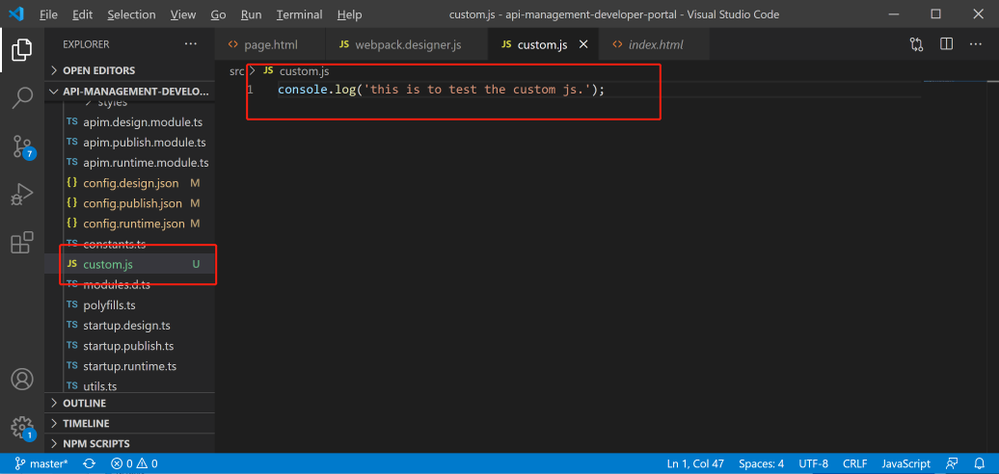
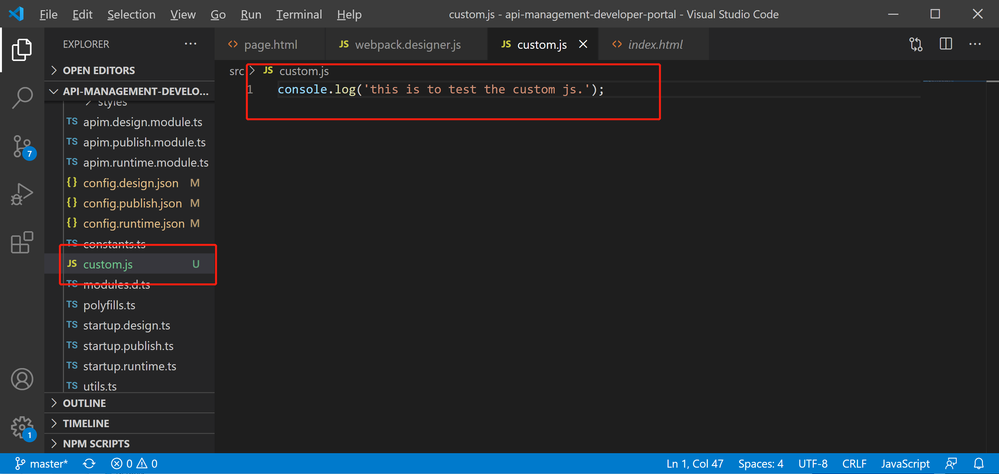
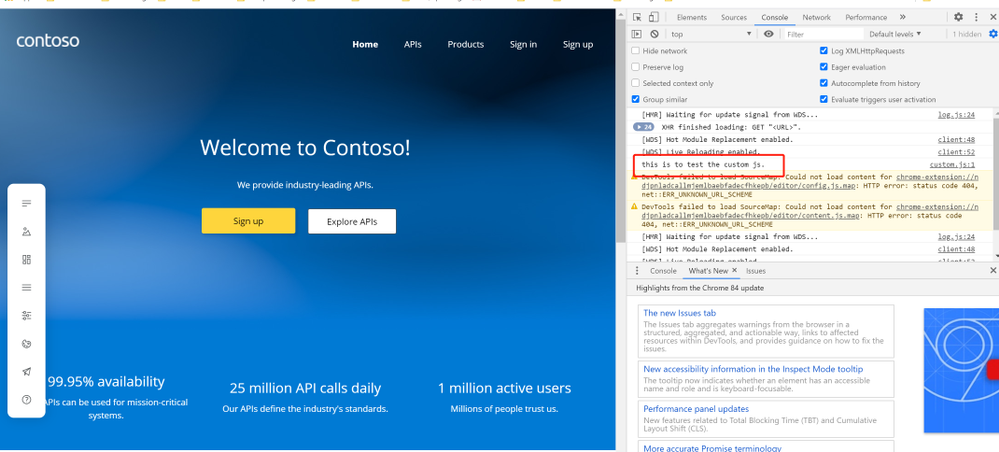
- Create the customized JavaScript file, named custom.js. This is the file to add all the functions you want to have in your self -hosted developer portal. In my case, I just add one line code, which intends to print out ‘this is to test the custom js.’ in the console of browser.
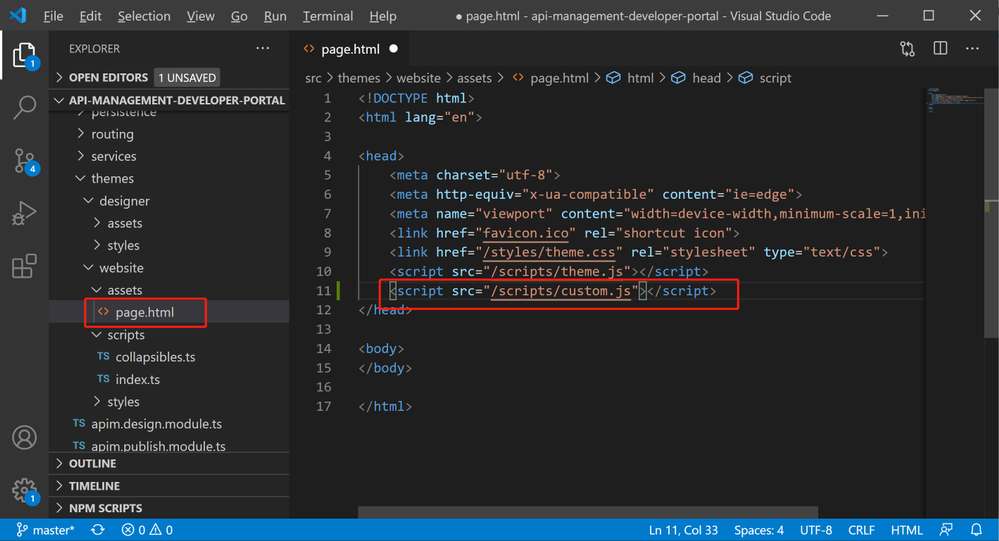
- Open file .srcthemeswebsiteassetspage.html , this page.html is the root html for the self-hosted developer portal. Then add the script into <header> section like below.
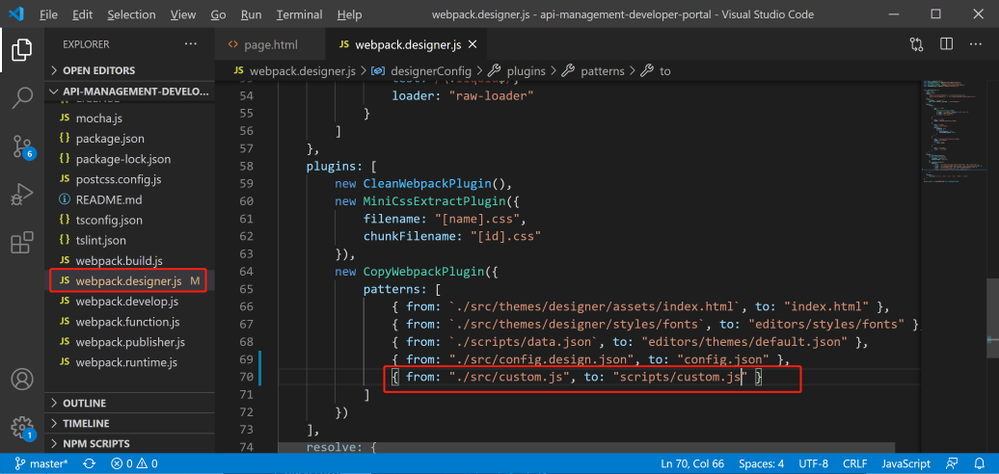
- In the local debug environment, we need let webpack to know the custom.js file. So we need to go to webpack.designer.js, add the following code.
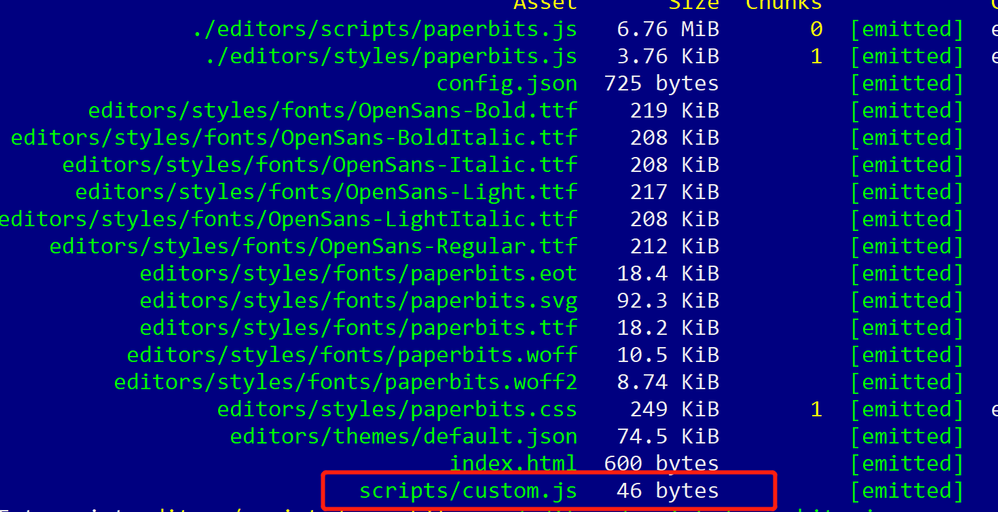
- Run code: npm run build-designer. This will create static files and put them into the .distdesigner folder. We will be able to see file custom.js added during the process.
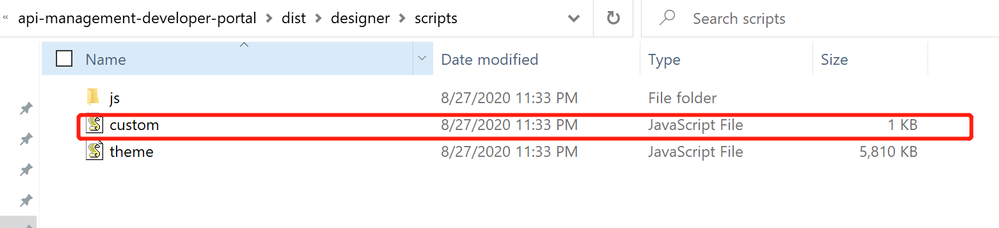
- Navigating to .distdesignerscripts and check if the custom.js file is showing up there.
- Run code: npm start, to startup the local host. In the browser console, we will be able to see the line below, which shows that the custom.js has been successfully added.
this is to test the custom js
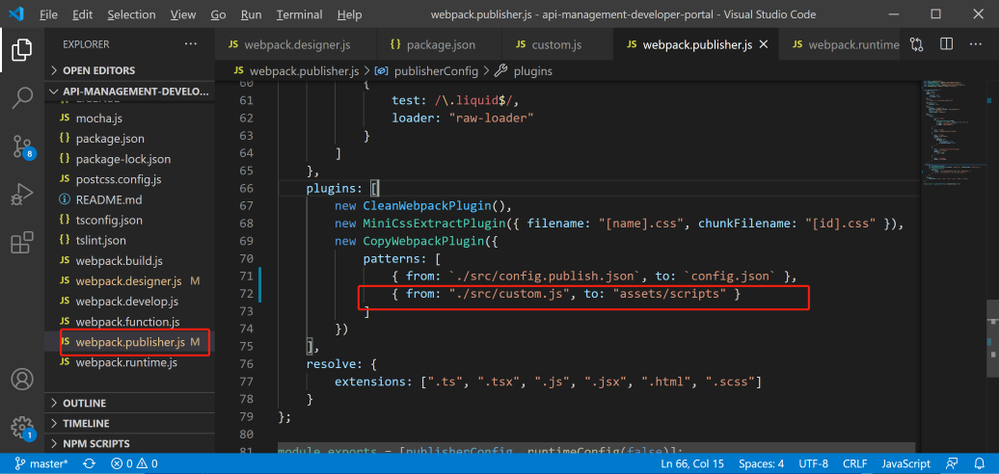
- Once local debug success, we can publish the web page. The same process happens, and we will need to update the webpack, so that the custom.js will be included while publishing the website. The name of the webpack for publishing is webpack.publisher.js.
- Run code: npm run publish. This will create static files and put them into the .distwebsite folder. We will be able to see file custom.js added during the process.

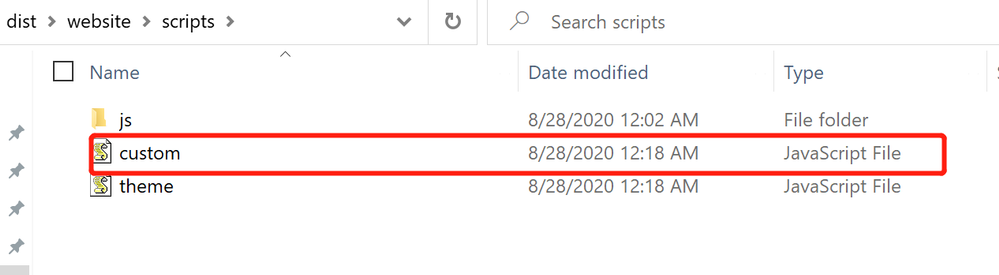
- Navigating to .distwebsitescripts and check if the custom.js file is showing up there.
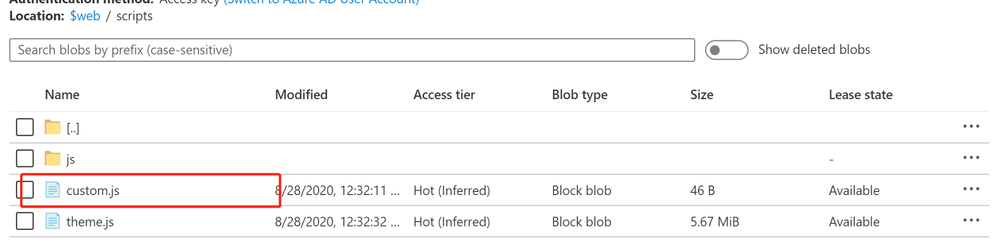
- Finally, we can upload the locally generated static files to a blob, and make them accessible to the visitors. In the blob container ‘$web’, I can successfully see custom.js there.


Recent Comments