by Scott Muniz | Sep 14, 2020 | Uncategorized
This article is contributed. See the original author and article here.
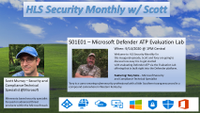
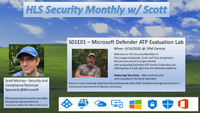 The HLS Security Monthly features Microsoft’s Scott Murray covering various security topics that should be of interest to anyone covering security in the Enterprise space.
In this inaugural episode, Microsoft’s Scott Murray and Tony Sims discussed how easy it is to get started with evaluating Defender ATP via the Evaluation Lab offering that is built right into the Defender platform.
Resources:
Thanks for visiting – Michael Gannotti LinkedIn | Twitter
 Michael Gannotti
by Scott Muniz | Sep 14, 2020 | Uncategorized
This article is contributed. See the original author and article here.
“Change is the end result of all true learning.” – Leo Buscaglia.
That statement is most true for change management. In little over a week during Microsoft Ignite 2020, the SharePoint, OneDrive, Yammer and Stream speakers will be firing on all cylinders delivering sessions for this year’s conference – to give you that peek ahead with guidance and excitement – and to answer questions and engage along the way.
We’re to help – to push the end result in your favor. Some sessions are delivered via the Ignite website, while many live on the coming Microsoft 365 Adoption Center: Virtual Hub. This will both help IT pros, developers, and community champions prepare for the Ignite days and beyond (all links will go directly individual session pages – live or on-demand; note: pre-Ignite (before Sept.22.2020), some links may show the Virtual Hub landing page as a placeholder).
All SharePoint, OneDrive, Planner, Stream, Visio, and Lists sessions across five discovery categories (click each to jump to that section):
Steady your minds, find your favorites, and engage.
First, always suggest attending Jeff Teper & Jared Spataro’s overview sessions
Organizations are moving to a hybrid workplace to support the needs of remote and onsite employees. Jeff and team dive into how teams collaborate fluidly with the latest innovations across Microsoft Teams, SharePoint, Microsoft Lists and OneDrive. He’ll also showcase how organizations can improve employee engagement, communications, and knowledge sharing through SharePoint, Yammer, and Project Cortex.
Catch Jeff’s session:
- DB158 | “Enabling collaboration, communication, and knowledge sharing with Microsoft Teams, SharePoint, Project Cortex, and more” by Jeff Teper, CVP – SharePoint, OneDrive, and Teams engineering (delivered three times):
When, where, and how we work is fundamentally changing. Join Jared to learn about the risks and durable trends impacting teamwork, organizational productivity, and employee wellbeing. He’ll share the latest research and a framework for success for every IT professional and business leader to empower People for the new world of work, as well as the latest innovation in Microsoft 365 and Teams empowering human ingenuity at scale.
Catch Jared’s session:
- KEY04 | “The Future of Work” by Jared Spataro, CVP – Microsoft 365 marketing (delivered three times):
[Back to top]
Content and team collaboration with OneDrive, Microsoft Lists, Visio, and Planner
Microsoft 365 is designed to be a universal toolkit for teamwork – to give you the right tools for the right task, along with common services to help you seamlessly work across applications. OneDrive is the clear place to work across all files on web, desktop and mobile. SharePoint promotes the intelligent content service backbone that powers teamwork – to better collaborate on proposals, projects, and campaigns throughout your organization – and is integrated with Microsoft Teams, Microsoft Lists, Planner, Visio and much more.
These sessions put teamwork first:
- DB136 | “Embrace a New Way of Work with Microsoft 365” by Angela Byers and Shin-Yi Lim
(delivered three times):
- OneDrive
- Microsoft Lists
- Visio
- Planner and Tasks
- “Living in Teams? Now, so does your intranet!” by Tejas Mehta and Prateek Dudeja
There will also be two (2x) Ask the Experts opportunities focused on files, lists and tasks running in different time zones to ensure everyone has a chance to connect with our engineering and marketing teams for Q&A. Add them to your session calendar:
- Ask the Experts: “Embrace a New Way of Work with Microsoft 365”
[Back to top]
Project Cortex, knowledge discovery and content intelligence
Our world is rapidly transforming. The amount of data each of us must process is ever increasing. Project Cortex applies advanced AI to accelerate knowledge discovery and content management. Project Cortex automatically organizes content and expertise across your systems and teams, helping you to create topic pages that deliver just-in-time knowledge in the apps people use every day. And Project Cortex enables you to build no-code AI models that understand content, extract important information, and apply metadata to improve compliance, and accelerate content-centric business processes.
These sessions will find you before you find them:
There will also be two (2x) Ask the Experts opportunities running in different time zones to ensure everyone has a chance to connect with our engineering and marketing teams for Q&A. Add them to your session calendar:
- Ask the Experts: “Project Cortex: Knowledge discovery and content intelligence in Microsoft 365”
[Back to top]
Employee engagement and the intelligent intranet
Intranets remain a mission critical tool of digital transformation. They bring together multiple pieces of information, processes, and people to empower organizations to keep employees engaged and informed and to share knowledge and expertise. Modern SharePoint, along with Yammer and Microsoft Stream, is ready to power your entire intelligent intranet with more engaging, easier to create site and web content experiences that provide industry-leading time to value across mobile, web, and desktop.
These sessions will make you intelligent about the intelligent intranet:
[Back to top]
IT pro administration, migration, and the developer platform
With growing digital data in your organizations, need for simplified governance of this corporate data and staying current in compliance are becoming critical for business’s success. With OneDrive, SharePoint and Microsoft 365, your data is in the most secure and compliant place. And we continue the journey to modernize the entire admin experience. The new admin and security centers offer much more control for migration, compliance, and overall management of your modern workspace.
And, devs, we got you covered, too: yo @microsoft/sharepoint –solution-name “hello-Ignite-2020.” Dive into the latest SharePoint Framework innovation, Microsoft Graph power, and all the PnP goodness.
These sessions give you the control to manage and customize your Ignite IT needs to custom apps and APIs:
[Back to top]
Virtual Booth hours to meet with product group team members (Thursday, 9/24)
Toward the end of Ignite, the OneDrive and SharePoint product group will host Virtual Booths via Microsoft Teams. This is a time to see product demos, ask questions and provide feedback directly to the product group team members.
Use this time to learn, connect and engage across several focus areas for OneDrive and SharePoint (links coming soon):
|
Focus area
|
Thursday, Sept. 24th
8:00am – 10:00am PDT
|
Thursday, Sept. 24th
4:00pm – 6:00pm PDT
|
|
OneDrive
|
Join live
|
Join live
|
|
Microsoft Lists and business apps
|
Join live
|
Join live
|
|
Project Cortex
|
Join live
|
Join live
|
|
Intelligent intranet
|
Join live
|
Join live
|
|
Migration and administration
|
Join live
|
Join live
|
|
Security and compliance
|
Join live
|
Join live
|
|
Developer
|
Join live
|
Join live
|
[Back to top]
Other product related, pre-Ignite 2020 session guides
You can also review the following related guides to other technology:
Ignite 2020 (September 22-24) [virtual]
Connect with Microsoft experts and your world-wide community like never before. Experience the all-new Microsoft Ignite on a global scale. Microsoft Ignite is for anyone who is motivated to be on the frontier of innovation and tech. We recognize that the role of IT has shifted considerably, as has the way IT decisions are made. Therefore, our key segments and sessions are meant for all roles, from developers and IT implementers to those who make large-scale purchasing decisions for enterprise tech and security solutions.
Join locally. Connect globally. Register today to:
- Create your agenda and meet the speakers.
- Explore learning modules to sharpen existing skills or add new ones.
- Check out the Featured Partners who help bring Microsoft Ignite to life—and to screens around the world.
- Discuss topics with experts and peers, check out fun activities, and connect with your global community.
For the best event experience, make sure you are registered so you can view content during the live event and access all content on-demand after the event is over. If you are registered, you will be able to stream on-demand, but sessions will not be enabled for download or offline viewing. Visit the session scheduler to explore and discover compelling content. You can refine results by time, session type, industry and more. Simply click the “Add to schedule” button to place a session on your customized schedule, or the RSVP button if it a session with limited capacity.
Learn more at Microsoft.com/Ignite and follow the action on Twitter: @MS_Ignite, @SharePoint, @OneDrive, @Project, @MSVisio and @MicrosoftStream.
 Microsoft Ignite 2020 – Sept.22-24, 2020 myignite.microsoft.com
See you there,
Mark Kashman, senior product manager – Microsoft
GO TO MYIGNITE
by Scott Muniz | Sep 14, 2020 | Uncategorized
This article is contributed. See the original author and article here.
All of our work spaces are in the midst of drastic change. Whether you’re coming back to the office, working from home, planning for the future of collaboration, or some combination, there is a best practice out there for you and your organization. On Wednesday, October 14th, at 12 Noon EST, we are teaming up with Poly to deliver a CollabCast with Sam Brown, focused on finding the right meeting solutions for your workspaces.

Agenda:
- Finding the right solution for every workspace
- Microsoft Teams Solutions for
- Mobile Workers
- Phones for Desk/Office Workers
- Small, Medium and Large Room Solutions
- Poly Promotions to get you and your customers to Native Teams
- Live Q&A
Presenters:


Event details:
OR
Pete and I will be your producers. Bring your questions and we look forward to seeing you there!

Sam Brown, Microsoft Teams Technical Specialist

Pete Anello, Senior Microsoft Teams Technical Specialist
![[Guest Blog] My rocky road to programming](https://www.drware.com/wp-content/uploads/2020/09/large-457)
by Scott Muniz | Sep 14, 2020 | Uncategorized
This article is contributed. See the original author and article here.
This article by Humans of IT Student Ambassador Dustin Thompson, a Computer Science senior from the University of Central Florida is part of our Student Ambassador Spotlight series in the lead-up to Microsoft Ignite. Dustin shares about his unconventional journey into computer science and offers some advice and encouragement to students that may be going through similar circumstances.
To say that my path to becoming a computer scientist was straightforward would be a lie. In fact, I didn’t even understand what a logarithm was going into college. Let’s rewind the clocks a couple of decades.
Rough Start
I was born to a mother that really wants to see me succeed. During the formative years of my life, she spent a lot of energy reading with me, teaching me Russian, and shuffling me to piano lessons and baseball practice. However, things quickly took a much rougher turn and as a developing kid, I did not take this change in direction well. The situation at home got hectic – I started rebelling, and before you know it, I was cutting class about as often as I would be failing assignments and tests. Needless to say, I was not a good kid. To add to my unconventional background, I studied theater growing up, not programming. I went to arts schools from 6th to 12th grade. My big plan was to graduate, move to L.A., and live life as a bohemian artist in hopes of making it in Hollywood. When I saw how that worked out for a friend of mine who got his GED and tried to make an early start, I got scared straight. But what does a guy who graduates in the bottom 10% of his class do at that point?
Crossroads
“No way I’m considering the military,” I thought. After some research, I discovered that community colleges did not often require specific GPA requirements. The inevitable choice for me was to go back to school and take a stab at college. I remember on the ride home from orientation, feeling lost, scared, yet oddly inspired – I was thinking back on my early days when I was a productive young boy. I thought about how much I loved science, music, and other fruitful subjects growing up. I thought that if I’m going to do this, I might as well go all the way and major in something STEM-related, just like my 7-year-old self would’ve wanted. Well, after a slow, slow two and a half years, I finally managed to get into the University of Central Florida’s CECS department. The shock of transferring was painful. On top of financial and lifestyle burdens, I felt so demotivated by how little I knew and how ridiculous my background was compared to my peers. All around me, fellow students had years of experience in tech whereas I wasn’t even capable of printing Hello World to the screen yet.
It wasn’t until after a year at UCF that I finally started to come out of my shell.
I took some professors that changed my life and indirectly introduced me to some lifelong friends. They showed me how to be proactive, how to apply the skills I learn in class, and how to find opportunities. Because of them, I started landing interviews and going to events. I attended my first hackathon at HackGT 6.

(HackGT 6)
I wrote an interpreter from scratch in Python at that event. This was two semesters after first learning how to code.
The purpose of all that was to illustrate a point repeated so often that it’s often regarded as background noise: Success isn’t a straight line. I mean, if you told me back in high school that I’d end up playing around with C++ graphics libraries in my free time, I’d proudly display the C++ I managed to pull off on my math quiz that day. Don’t think that just because you didn’t get the head start that many others around you got, you’re destined for failure or even just mediocrity. I hope to be able to convey this message through the Microsoft Humans of IT program this year.
Some Advice
Get involved. You can’t simply rely on luck to get where you want. Join a club at your university or start one if you’re feeling ambitious! Participate in events held by universities and companies such as hackathons like OpenHack (see more: https://openhack.microsoft.com/ & https://mlh.io/seasons/na-2020/events) and conferences like Microsoft Ignite (see more: https://myignite.microsoft.com/home). Try to explore your passions as well. Are you taking a bunch of discrete math courses but are really curious about how AI works? Find an AI club at your school or try to get a head start on learning via the Internet. The world is your oyster so make use of it. Believe me, you’ll surprise yourself – just as I was surprised by my own journey.
#HumansofIT
#StudentAmbassador
#KeepOnKeepingOn
by Scott Muniz | Sep 14, 2020 | Uncategorized
This article is contributed. See the original author and article here.
This post is jointly authored by Abhishek Hemrajani, Principal Product Leader, and Harsh Gupta, Director, Product Management, Workspace Services.
As customers continue to move to the cloud at rapid pace, having the tools and guidance to get them there makes all the difference. Today, organizations moving from on-premises without guidance can find it challenging and even frustrating to take the proper steps in order to ensure a smooth transition.
Citrix and Microsoft recognize that the journey to the cloud is different for each organization. Abhishek Hemrajani, Principal Product Leader at Microsoft, and I are excited to announce the development and publication of a migration guide to assist in your project.
Abhishek and the Microsoft Azure team collaborated directly with Citrix to create a guide that will help with easing the process of migrating from VMware vSphere to Citrix Virtual Apps and Desktops service on Microsoft Azure.
Prior to our development of this guide, customers had to pick from piecemeal solutions and blogs that caused delayed or even stalled migration projects. Citrix and Microsoft set out to create a comprehensive end-to-end guide to help you move to the Azure cloud with confidence; enabling you to effectively strategize, plan and execute a transition to the Azure cloud.
Migrating to cloud resources will modernize your deployment, providing enhanced elasticity, scalability, and management. With this documentation you’ll discover how to migrate from Citrix Virtual Apps and Desktops on VMware vSphere to Citrix Virtual Apps and Desktops service on Microsoft Azure. Some key areas of migration guidance include:
- Moving from Citrix Virtual Apps and Desktops on-prem to Citrix Cloud – Virtual Apps and Desktops service and leverage the latest in cloud management technology.
- Migrating from Citrix Storefront with Gateway to Citrix Workspace Service and Gateway Service in Citrix Cloud.
- Transitioning from Citrix Workspace Environment Manager (WEM) to WEM cloud service.
- Shifting on-prem hosted VDAs on vSphere to VDAs hosted on Azure
- File server transition to file servers on Azure and more
With the documentation now available in Citrix Tech Zone, we have spared no detail in walking customers through the process, including graphical diagrams, architecture and console images that take you step by step. This documentation combined with the new Citrix Automated Configuration Tool (tech preview) for Virtual Apps and Desktops enables IT to shorten the process of moving to the cloud.
To ensure this documentation is clear and concise, we reached out to several industry technical experts to test the process before publishing. Trond Eirik Haavarstein, Chief Automation Officer at xenappblog LLC recently tested the process and was pleased with the details the documentation and tools provided.
“After doing a lot of migrations to Citrix Cloud I’m really excited to have the Automated Configuration Tool and the extremely detailed Tech Zone document at my hands,” he said. “This is the resources I needed years ago.”
We know you’ll find this information helpful in your journey to the Azure cloud. Get the migration guide today.


Recent Comments