by Scott Muniz | Jan 15, 2021 | Security
This article was originally posted by the FTC. See the original article here.
Scammers are at it again, pretending to be from a government agency to rip people off. Here’s what you need to know about the latest coronavirus relief fund scam.
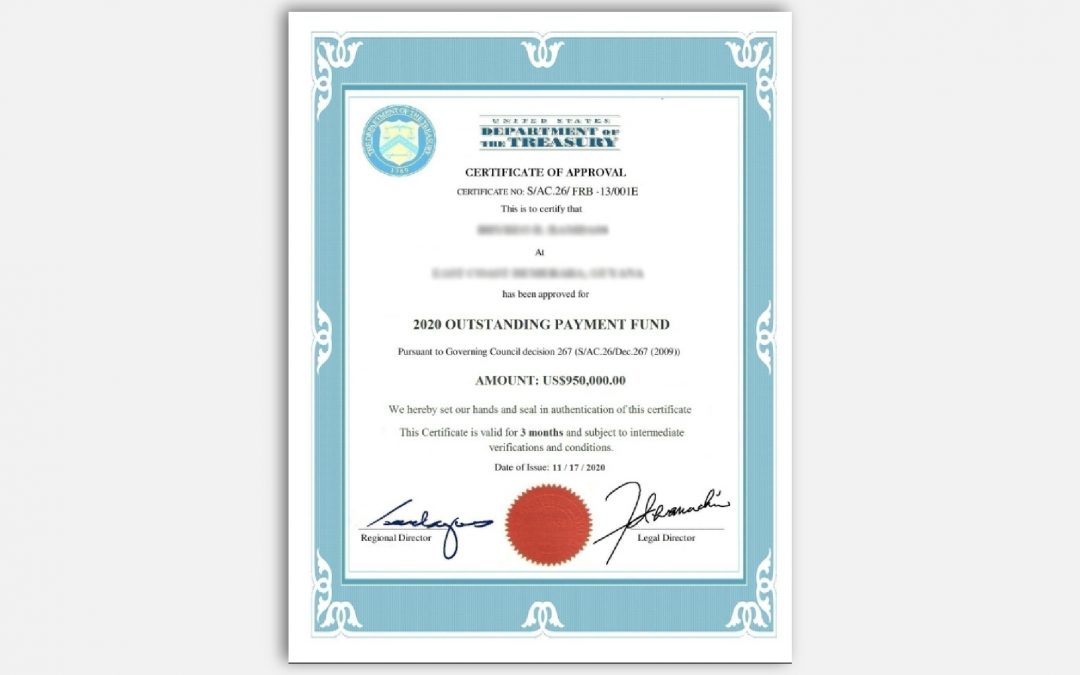
You get an email that looks to be from Joe Simons of the Federal Trade Commission. It says you’re getting coronavirus relief money. The email includes a fake certificate to make you think the money is real.
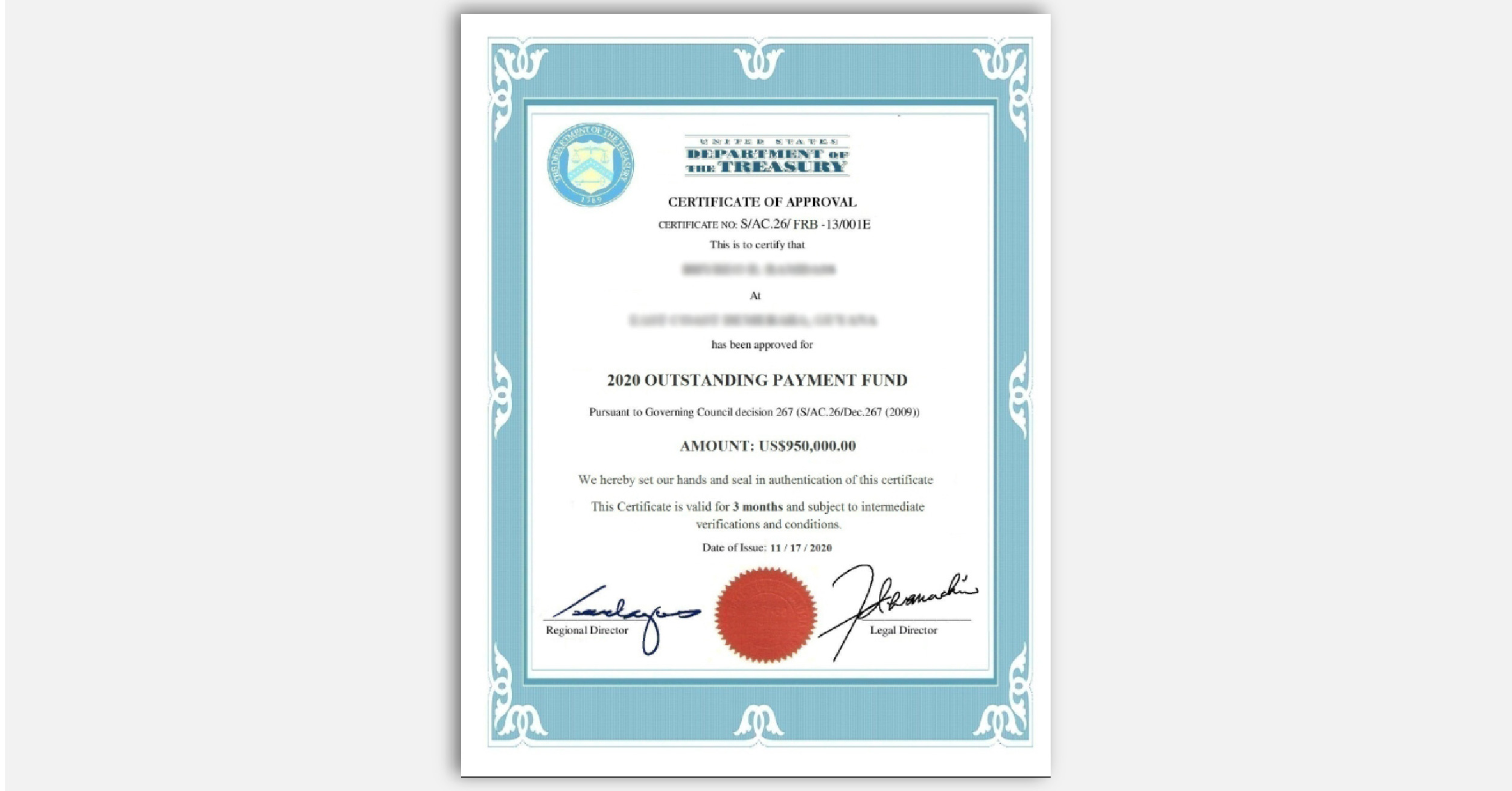
If you reply, they say you have to pay taxes before you get your money. They may include a fake letter from the IRS, like this one, to convince you.
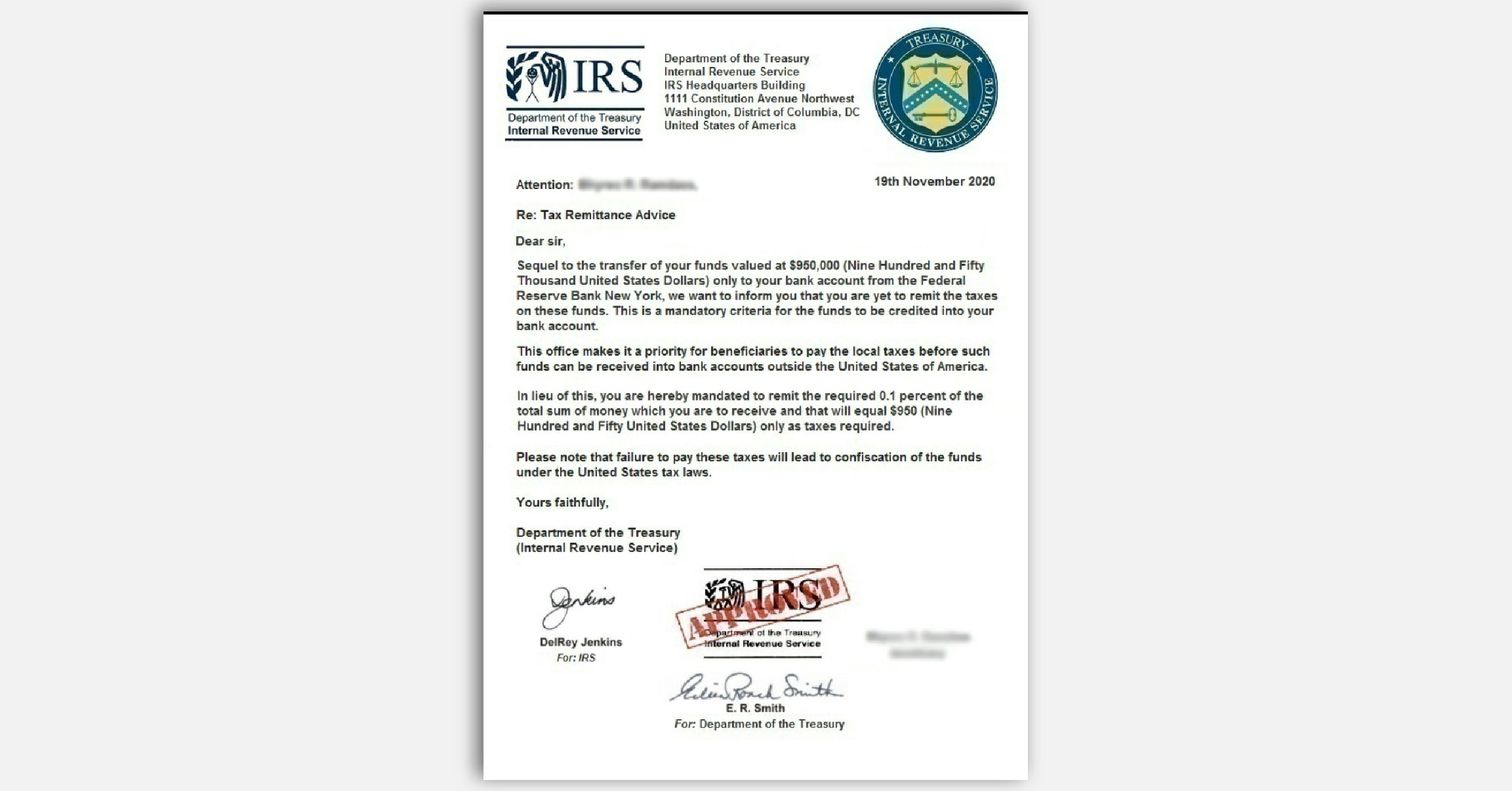
If you pay, they say you must pay the State Department for a certificate that proves the funds are not related to any terrorist activity and the money is cleared for you to receive. (Yes, really!)
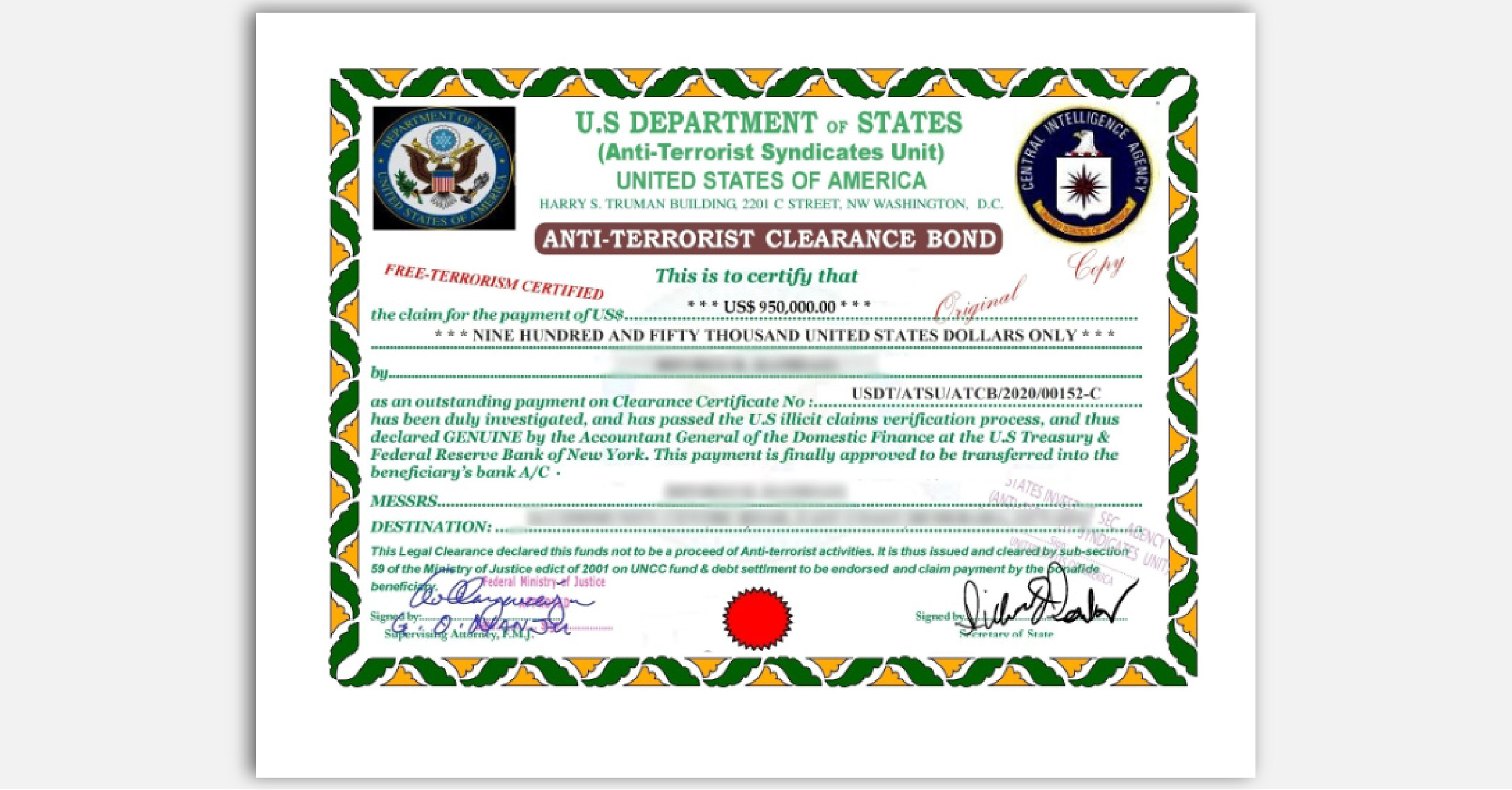
Finally, if you pay that, they send you a fake remittance order showing that the money is on the way to your bank account.
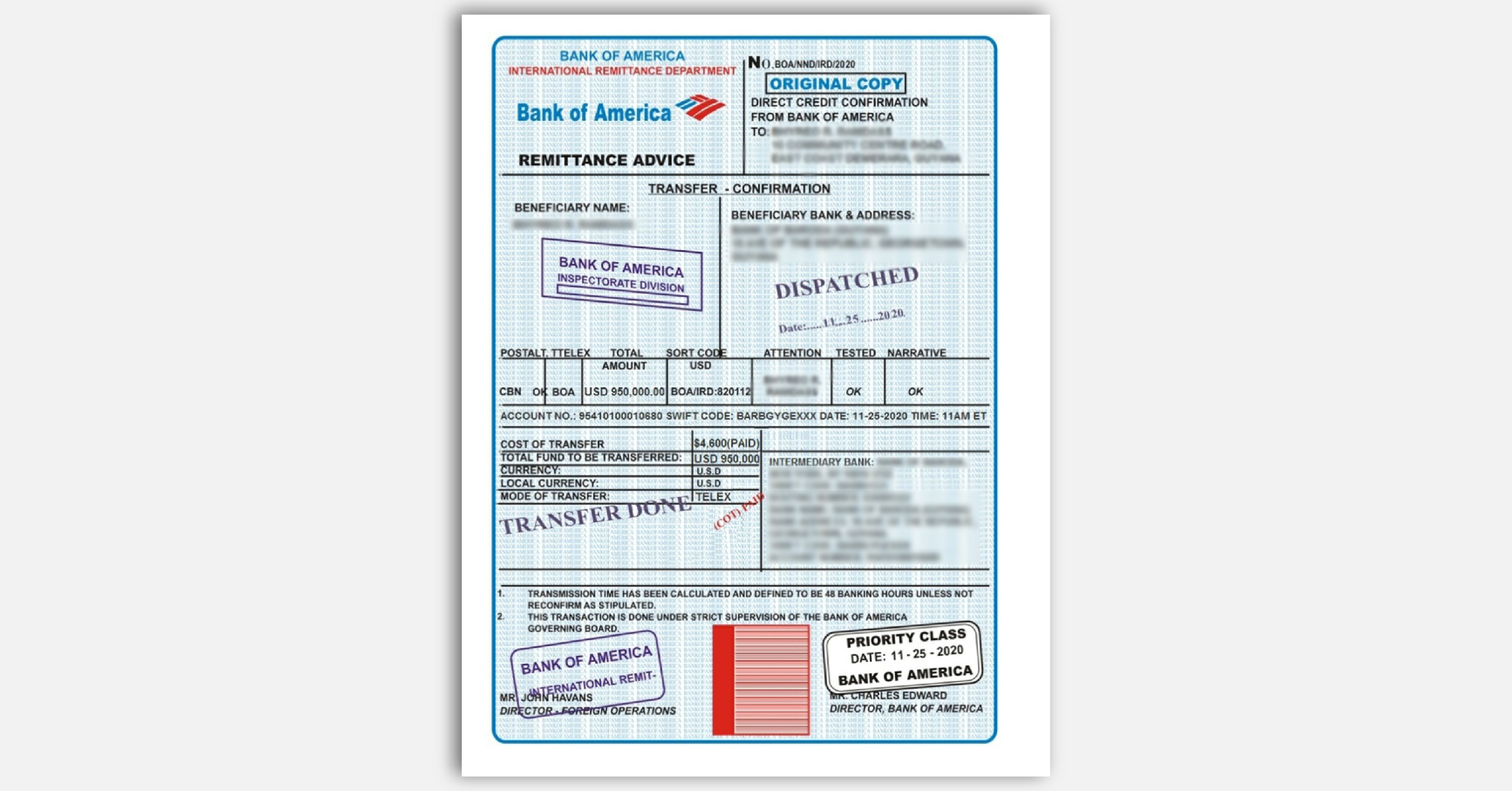
As you might have suspected by now, the money never shows up. That’s because every step of the way was carried out by scammers looking to steal your money. So, what can you do to protect yourself against imposters when their stories keep changing?
- Be suspicious of any call, email, text, or letter from a government agency asking for money or information. Government agencies don’t call you with threats or promises of – or demands for – money. Scammers do.
- Don’t trust caller ID – it can be faked. Even if it might look like a real call from a real government agency, don’t trust it.
- Never pay with a gift card or wire transfer. If someone tells you to pay this way, it’s a scam.
- Check with the real agency. Look up their number. Call them to find out if they’re trying to reach you – and why.
If you look up Joe Simons, you’ll see that he is the Chairman of the FTC. But Joe didn’t email you. Scammers pretending to be Joe did.
Here’s another sign this is a scam: The FTC is not involved in distributing coronavirus economic stimulus money in any way. Economic stimulus payments come from the IRS. The IRS won’t contact you by phone, email, text message, or social media with information about any payments related to the coronavirus pandemic, or to ask you for personal or financial information. Check out irs.gov/coronavirus for the latest info about coronavirus relief payments.
If you get an email that says you’re getting some money, don’t reply, period. And definitely don’t give them your bank account or other financial information. Report it to the FTC at ReportFraud.ftc.gov.
Brought to you by Dr. Ware, Microsoft Office 365 Silver Partner, Charleston SC.
by Scott Muniz | Jan 14, 2021 | Security, Technology
This article is contributed. See the original author and article here.
Original release date: January 14, 2021
Microsoft has released a security advisory to address a remote code execution vulnerability, CVE-2021-1647, in Microsoft Defender. A remote attacker can exploit this vulnerability to take control of an affected system. This vulnerability was detected in exploits in the wild.
CISA encourages users and administrators to review Microsoft Advisory for CVE-2021-1647 and apply the necessary updates.
This product is provided subject to this Notification and this Privacy & Use policy.
by Scott Muniz | Jan 14, 2021 | Security, Technology
This article is contributed. See the original author and article here.
Original release date: January 14, 2021
Cisco has released security updates to address vulnerabilities in Cisco products. A remote attacker could exploit some of these vulnerabilities to take control of an affected system. For updates addressing lower severity vulnerabilities see the Cisco Security Advisories page.
CISA encourages users and administrators to review the following Cisco Advisories and apply the necessary updates:
This product is provided subject to this Notification and this Privacy & Use policy.
by Scott Muniz | Jan 14, 2021 | Security, Technology
This article is contributed. See the original author and article here.
Original release date: January 14, 2021
Juniper Networks has released security updates to address vulnerabilities affecting multiple products. An attacker could exploit some of these vulnerabilities to cause take control of an affected system.
CISA encourages users and administrators to review the Juniper Networks security advisories page and apply the necessary updates.
This product is provided subject to this Notification and this Privacy & Use policy.
by Scott Muniz | Jan 13, 2021 | Security, Technology
This article is contributed. See the original author and article here.
This Analysis Report uses the MITRE Adversarial Tactics, Techniques, and Common Knowledge (ATT&CK®) framework. See the ATT&CK for Enterprise framework for all referenced threat actor tactics and techniques.
The Cybersecurity and Infrastructure Security Agency (CISA) is aware of several recent successful cyberattacks against various organizations’ cloud services. Threat actors are using phishing and other vectors to exploit poor cyber hygiene practices within a victims’ cloud services configuration. The information in this report is derived exclusively from several CISA incident response engagements and provides the tactics, techniques, and procedures; indicators of compromise (IOCs) that CISA observed as part of these engagements; and recommended mitigations for organization to strengthen their cloud environment configuration to protect against, detect, and respond to potential attacks.
For a downloadable copy of IOCs, see AR21-013A.stix.
Note: the activity and information in this Analysis Report is not explicitly tied to any one threat actor or known to be specifically associated with the advanced persistent threat actor attributed with the compromise of SolarWinds Orion Platform software and other recent activity.
Background
These types of attacks frequently occurred when victim organizations’ employees worked remotely and used a mixture of corporate laptops and personal devices to access their respective cloud services. Despite the use of security tools, affected organizations typically had weak cyber hygiene practices that allowed threat actors to conduct successful attacks.
Technical Details
The cyber threat actors involved in these attacks used a variety of tactics and techniques—including phishing, brute force login attempts, and possibly a “pass-the-cookie” attack—to attempt to exploit weaknesses in the victim organizations’ cloud security practices.
Phishing
CISA observed cyber threat actors using phishing emails with malicious links to harvest credentials for users’ cloud service accounts (Phishing: Spearphishing Link [T1566.002]). The cyber actors designed emails that included a link to what appeared to be a secure message and also emails that looked like a legitimate file hosting service account login. After a targeted recipient provided their credentials, the threat actors then used the stolen credentials to gain Initial Access [TA0001] to the user’s cloud service account (Valid Accounts [T1078]). CISA observed the actors’ logins originating from foreign locations (although the actors could have been using a proxy or The Onion Router (Tor) to obfuscate their location). The actors then sent emails from the user’s account to phish other accounts within the organization. In some cases, these emails included links to documents within what appeared to be the organization’s file hosting service.
In one case, an organization did not require a virtual private network (VPN) for accessing the corporate network. Although their terminal server was located within their firewall, due to remote work posture, the terminal server was configured with port 80 open to allow remote employees to access it—leaving the organization’s network vulnerable. The threat actor attempted to exploit this by launching brute force login attempts (Brute Force [T1110]).
Forwarding Rules
In several engagements, CISA observed threat actors collecting sensitive information by taking advantage of email forwarding rules, which users had set up to forward work emails to their personal email accounts (Email Collection: Email Forwarding Rule [T1114.003]).
Modified Forwarding
In one case, CISA determined that the threat actors modified an existing email rule on a user’s account—originally set by the user to forward emails sent from a certain sender to a personal account—to redirect the emails to an account controlled by the actors. The threat actors updated the rule to forward all email to the threat actors’ accounts.
Keyword Search Rule
Threat actors also modified existing rules to search users’ email messages (subject and body) for several finance-related keywords (which contained spelling mistakes) and forward the emails to the threat actors’ account.
New Rule Creation and Forwarding
In addition to modifying existing user email rules, the threat actors created new mailbox rules that forwarded certain messages received by the users (specifically, messages with certain phishing-related keywords) to the legitimate users’ Really Simple Syndication (RSS) Feeds or RSS Subscriptions folder in an effort to prevent warnings from being seen by the legitimate users.
Authentication
CISA verified that the threat actors successfully signed into one user’s account with proper multi-factor authentication (MFA). In this case, CISA believes the threat actors may have used browser cookies to defeat MFA with a “pass-the-cookie” attack (Use Alternate Authentication Material: Web Session Cookie [T1550.004]).
The threat actors attempted brute force logins (Brute Force [T1110]) on some accounts. However, this activity was not successful. This thwarted attempt was due, in part, to the threat actors not guessing a correct username/password combination, as well as the organization’s use of MFA to access their cloud environment.
CISA recommends the following steps for organizations to strengthen their cloud security practices.
- Implement conditional access (CA) policies based upon your organization’s needs.
- Establish a baseline for normal network activity within your environment.
- Routinely review both Active Directory sign-in logs and unified audit logs for anomalous activity.
- Enforce MFA.
- Routinely review user-created email forwarding rules and alerts, or restrict forwarding.
- Have a mitigation plan or procedures in place; understand when, how, and why to reset passwords and to revoke session tokens.
- Follow recommend guidance on securing privileged access.
- Consider a policy that does not allow employees to use personal devices for work. At a minimum, use a trusted mobile device management solution.
- Resolve client site requests internal to your network.
- Consider restricting users from forwarding emails to accounts outside of your domain.
- Allow users to consent only to app integrations that have been pre-approved by an administrator.
- Audit email rules with enforceable alerts via the Security and Compliance Center or other tools that use the Graph API to warn administrators to abnormal activity.
- Implement MFA for all users, without exception.
- Conditional access should be understood and implemented with a zero-trust mindset.
- Ensure user access logging is enabled. Forward logs to a security information and event management appliance for aggregation and monitoring so as to not lose visibility on logs outside of logging periods.
- Use a CA policy to block legacy authentication protocols.
- Verify that all cloud-based virtual machine instances with a public IP do not have open Remote Desktop Protocol (RDP) ports. Place any system with an open RDP port behind a firewall and require users to use a VPN to access it through the firewall.
- Focus on awareness and training. Make employees aware of the threats—such as phishing scams—and how they are delivered. Additionally, provide users training on information security principles and techniques as well as overall emerging cybersecurity risks and vulnerabilities.
- Establish blame-free employee reporting and ensure that employees know who to contact when they see suspicious activity or when they believe they have been a victim of a cyberattack. This will ensure that the proper established mitigation strategy can be employed quickly and efficiently.
- Ensure existing built-in filtering and detection products (e.g., those for spam, phishing, malware, and safe attachments and links are enabled.
- Organizations using M365 should also consider the following steps.
- Assign a few (one to three) trusted users as electronic discovery (or eDiscovery) managers to conduct forensic content searches across the entire M365 environment (Mailboxes, Teams, SharePoint, and OneDrive) for evidence of malicious activity.
- Disable PowerShell remoting to Exchange Online for regular M365 users. Disabling for non-administrative users will lower the likelihood of a compromised user account being used to programmatically access tenant configurations for reconnaissance.
- Do not allow an unlimited amount of unsuccessful login attempts. To configure these settings, see password smart lockout configuration and sign-in activity reports.
- Consider using a tool such as Sparrow or Hawk—open-source PowerShell-based tools used to gather information related to M365—to investigate and audit intrusions and potential breaches.[1][2]
Resources
January 13, 2021: Initial Version


Recent Comments