This article is contributed. See the original author and article here.
Microsoft is dedicated to helping organizations transform the way people work using secure, enterprise-grade AI capabilities, no matter which business applications teams depend on. Starting today, you can seamlessly integrate role-specific Copilot capabilities into Microsoft 365 applications and popular customer relationship management (CRM) and contact center systems for sales and customer service professionals.
Now generally available, Microsoft Copilot for Sales and Microsoft Copilot for Service bring together the power of Microsoft Copilot for Microsoft 365 with role-specific insights and actions to streamline business processes, automate repetitive tasks, and unlock creativity. Both provide flexibility to integrate with your existing contact center and CRM systems, such as Salesforce and ServiceNow, to get more done with less effort.
Transform sales productivity with Copilot for Sales
Sellers today face more challenges than ever. A recent survey revealed that 79% of sellers are supporting more customers and accounts than the previous year.1Gartner® research recommends that to drive better sales impact, “sellers must relinquish some control over customer interactions and give AI-powered technology—generative AI, emotion AI and digital humans—more responsibility to execute core selling activities…Let salespeople focus on where they excel: engaging buyers on a human level to understand their needs, motivations and objections, and ultimately validate that a purchase is right for them.”2
At Microsoft, we have been working hard to deliver an AI solution that would address these needs. Last fall, we announced our vision for Copilot for Sales, an AI assistant designed for sales teams to maximize productivity and close more deals. We’re excited to announce that Copilot for Sales is now generally available. Copilot for Sales builds on Copilot for Microsoft 365, enhancing it with connectivity to CRM platforms like Microsoft Dynamics 365 Sales and Salesforce Sales Cloud to bring sales-specific insights and recommendations to apps like Outlook, Microsoft Teams, and Word.
Today, Copilot for Sales helps sellers and sales managers:
Generate sales meeting preparation briefs in Word.
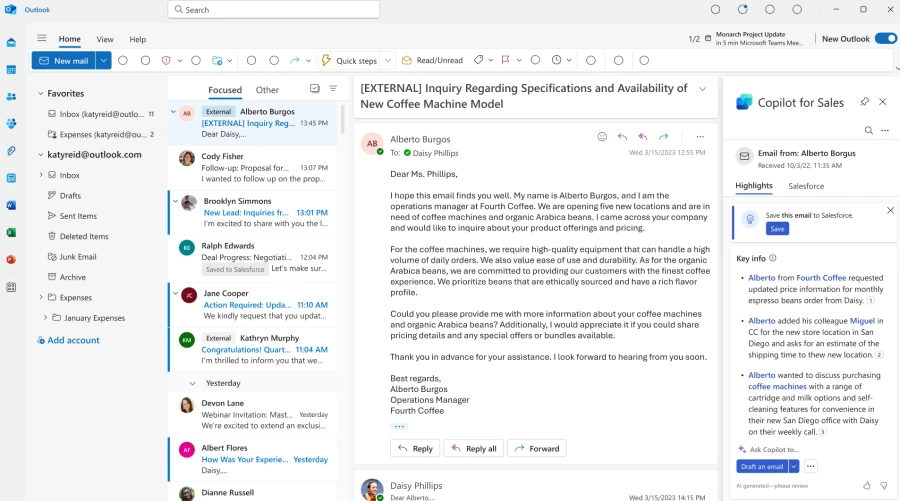
Summarize emails and surface relevant buying intent and budget, authority, need, timing (BANT) analysis in Outlook.
Generate emails in Outlook with relevant product, account, relationship, and opportunity information from their CRM system and Microsoft Graph.
Add leads and update CRM records directly from Outlook.
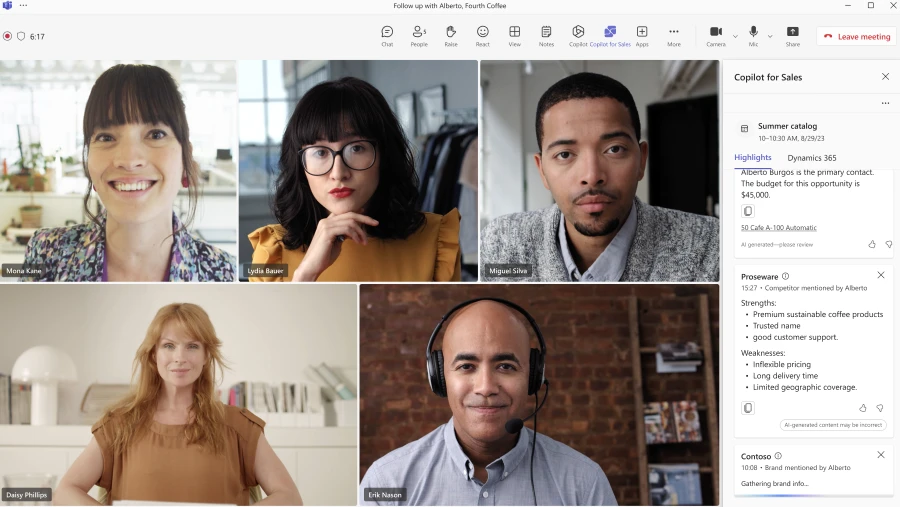
View meeting preparation notes and real-time sales insights during calls in Teams.
View sales meeting summaries in Teams with conversation analysis, sales keywords and KPIs, and suggested tasks.
Create collaborative deal rooms in Teams that sync with CRM data.
Copilot for Microsoft 365 is also included in Copilot for Sales, providing sellers with additional productivity enhancements, like:
Generate presentations in PowerPoint.
Generate plans and organize team information in OneNote.
Ask questions in natural language to catch up on customer interactions using Microsoft Copilot’s chat experience.
Late this month, Copilot for Sales will also bring CRM connectivity to the Microsoft Copilot chat experience, allowing sellers and sales managers to get quick insights on conversion and win rate, sales cycle, and pipeline. Later this year, we plan to enhance Copilot experiences in Microsoft PowerPoint and OneNote as well, tailoring them to address seller-specific needs with CRM connectivity.
Early adopter customers of Copilot for Sales are already seeing an impact in their sales organizations. Avanade employees have been previewing Copilot for Sales capabilities like updating Dynamics 365 Sales records from Outlook, summarizing email threads, generating email drafts, and summarizing meetings with conversation intelligence. These AI capabilities have helped Avanade employees show their clients that they are top of mind, while helping them work more productively.
When we interviewed Copilot for Sales users at Avanade, they reported that Copilot minimizes the need to jump between different interfaces, and the email summary feature saves them 30 to 60 minutes per week. And the impact goes beyond just time savings; Copilot for Sales is improving the quality of sellers’ interactions with their customers as well.
“When our sellers can reduce the time spent on sifting through multiple channels to find what matters with Copilot for Sales, we can be more focused so that we can deliver with clients and drive our business strategy faster.”
Often, an organization’s knowledge is distributed across disparate systems—customer records and case histories in one or multiple CRM systems, along with information scattered across knowledge base articles, public websites, offline files, and more. As a result, agents are tasked with navigating multiple apps to not only access critical insights, but also then manage their engagement with customers, collaborate with internal teams, and take action. According to Gartner, “43 percent of (customer service) reps reported they were overwhelmed by the number of systems and tools needed to complete work.”3
Copilot for Service unlocks an organization’s trusted knowledge to accelerate onboarding and case resolution, improve efficiency, and automate tasks for agents in their flow of work. Without costly development time, organizations can simply point to their data and, in a few minutes, unlock generative AI-powered conversations across their knowledge bases. And for agents, they can tap into this knowledge with a copilot embedded directly in their desktop software of choice such as Salesforce, as well as the other tools they already use every day like Outlook and Teams.
Today, Copilot for Service can help organizations:
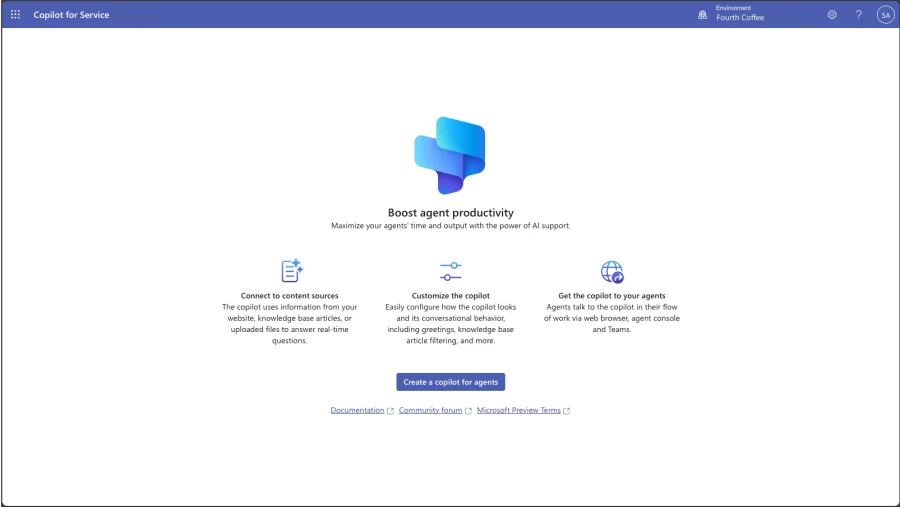
Enable generative AI-powered conversations across all of their data with simplified point-and-click access to public websites, SharePoint, knowledge base articles, and offline files.
Access knowledge sources with pre-built integrations for Salesforce, ServiceNow, and Zendesk.
Embed a copilot in agent desktops from Salesforce and other channels to support agents where they work.
Copilot for Microsoft 365 is also included in Copilot for Service. We will introduce additional features in Microsoft 365 apps beginning later this month that will integrate data from CRM systems like Microsoft Dynamics 365 Customer Service and Salesforce Service Cloud including:
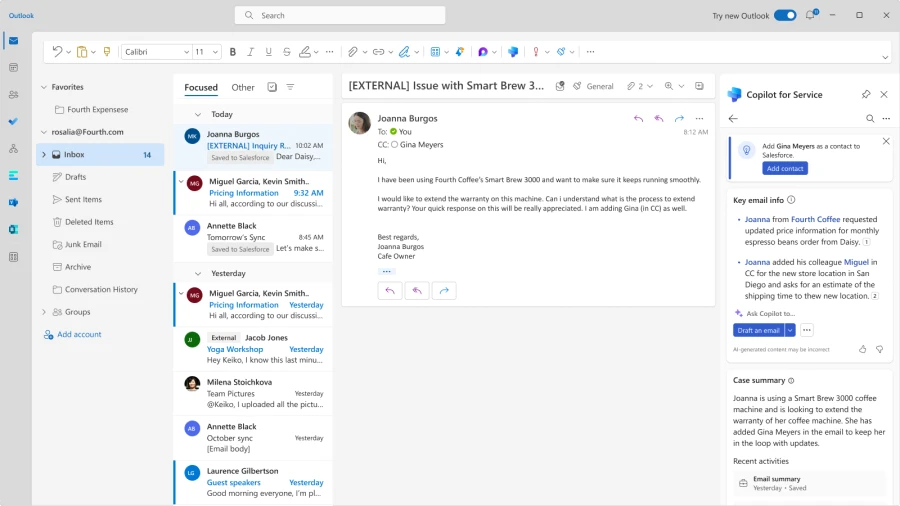
In Outlook, use Copilot to summarize and draft emails, access case summaries, browse and update CRM records, and schedule meetings informed by case summaries and other relevant information from CRM records.
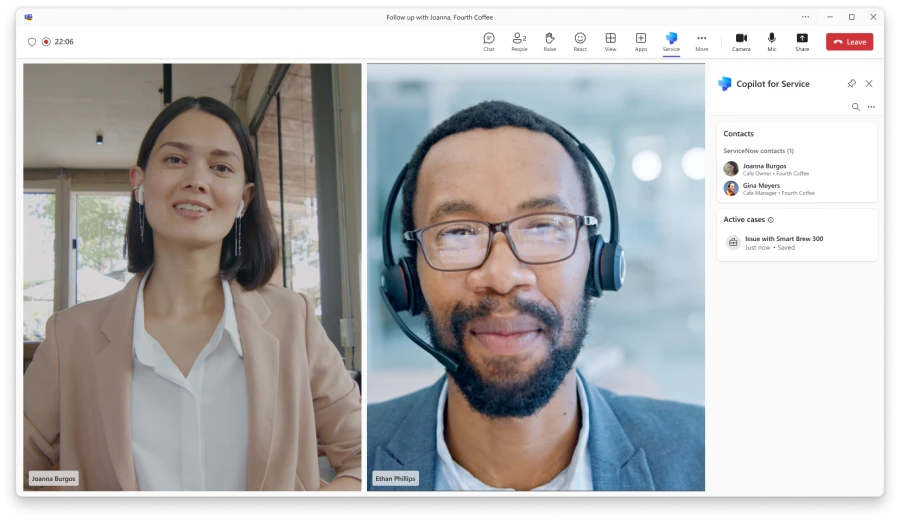
In Teams, use Copilot to browse and update CRM records during a meeting, as well as recap meetings, suggest follow-up action items, and create tasks that can all be saved to CRM systems directly from Teams.
In the Microsoft Copilot chat experience, use Copilot to ask questions over cases and contacts, as well as summarize cases—all from CRM data.
We’re thrilled to see the initial impact that our early adopter customers and partners are having with Copilot for Service. RSM, the leading provider of assurance, tax, and consulting services for the middle market, is equipping agents with the information they need to support customers without changing applications or searching through hundreds of knowledge articles.
“Six months ago, we launched a pilot focused on leveraging Microsoft Copilot for Service and Microsoft Copilot Studio, which provides a framework to build AI-enabled business processes. We have been working to execute against use cases for our own business with a focus on practical AI, and we are thrilled to now be in a position to bring this productivity enhancing technology to help clients implement AI for their businesses.”
—Christian Hutter, RSM’s Microsoft practice leader
Copilot for Service
Modernize your contact center with Copilot designed for service.
Both Copilot for Sales and Copilot for Service are available now for $50 per user/month, which includes the Copilot for Microsoft 365 license. If you already have Copilot for Microsoft 365, you can purchase Copilot for Sales or Copilot for Service for an additional $20 per user/month.
1. Microsoft. “Sellers’ attitudes about AI.” June 2023. An Ipsos study commissioned by Microsoft. Study included 700 participants who use professional CRM systems at organizations of at least 300 people. Industries include Financial Services, Professional Services, Manufacturing, Retail, Technology, and Healthcare.
2. Gartner Article, Focus Your Sellers on the Critical Art of Being Human, September 2023, https://www.gartner.com/en/articles/focus-your-sellers-on-the-critical-art-of-being-human GARTNER is a registered trademark and service mark of Gartner, Inc. and/or its affiliates in the U.S. and internationally and is used herein with permission. All rights reserved.
This article is contributed. See the original author and article here.
We want to help everyone navigate this new world of work. At Microsoft, we’re taking a learn-it-all approach with Copilot, working alongside our customers and employees to understand what the organizations getting the most value out of Copilot are doing right.
This article is contributed. See the original author and article here.
In our January 2024 edition of What’s New in Microsoft Teams, we are highlighting 33 new features and enhancements to Microsoft Teams. These updates will help you collaborate more effectively, streamline workflows, and stay connected with your team. Keep reading to find out more about the latest updates and how they can help you and your organization. From new enhancements to meetings to improvements in chats, Teams Phone, Teams Devices, Platform, and Frontline Workers, there is something for everyone.
Some of my favorite features are Immersive Spaces and Decorate your Background. Immersive Spaces lets you transform your meeting into a 3D immersive experience by allowing your team to join a pre-built immersive space by selecting the view menu in a Teams meeting. Decorate your Background uses AI decorate and customize your real-world room, such as by removing clutter or adding plants to a wall. And this month we announced Intelligent recap is included with the Copilot for Microsoft 365 so users with a Copilot license will now also have access to Intelligent Recap in Teams even if you do not have a Teams Premium license.
And every month we highlight new devices that are certified and ready to use for Teams. You can find more devices for all types of spaces and uses at aka.ms/teamsdevices.
Please check out all the updates and give me your feedback! I’ll try to reply and answer questions as they come up.
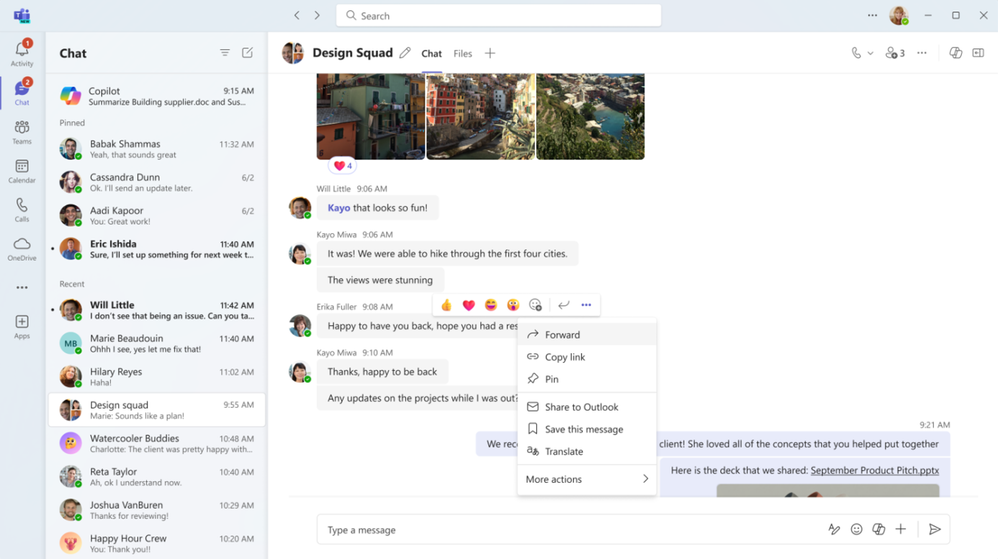
Forward chat messages Forward chat makes it easier to get your work done with fewer clicks. Share a message with another colleague by right clicking the message and selecting “forward” or by clicking the “…” on the message and then “forward”. You can also add additional context to the message to provide greater clarity for the recipient. Messages can be forwarded to 1:1 chats and group chats.
Meetings
Mesh in Microsoft Teams To support hybrid work and geographically distributed organizations, we created Microsoft Mesh and integrated it right into Teams.
Mesh in Teams transforms your Teams meeting into a 3D immersive experience using next-generation technology that helps virtual connections feel more like face-to-face ones.
Getting started is easy. From the View menu in a Teams meeting, select the immersive space (3D) option, and enter a pre-built immersive space where you can connect and collaborate with others in 3D and with those in the standard 2D meeting experience. Whether you choose to use Mesh in Teams for a team social gathering, a brainstorming session, or a round-table discussion, you can use the same Teams features you love from within a 3D space, like accessing shared content for collaboration, communicating with Teams chat, and using live reactions to express yourself.
Mesh in Teams enhances your favorite Teams features by making you feel like you are physically co-located with others. Being in the same 3D environment creates a strong feeling of togetherness, or co-presence. This co-presence can spark spontaneous moments of dialogue and strengthen the bond of a shared experience. Visual and audio cues enable a sense of immersion that help keep you in the moment and eliminate external distractions. Spatial Audio and audio zones enable you to have multiple, simultaneous conversations and communicate effectively in subgroups without talking over each other – just like in the physical world.
Mesh in Teams is available with core Teams licenses. Organizations can also host larger events with custom, immersive experiences tailored to their needs with Microsoft Mesh, available through Teams Premium.
Intelligent recap included with Copilot for Microsoft 365 License If you have a Copilot for Microsoft 365 License you now have intelligent recap for Teams included in your license. Use intelligent recap after meetings to get a summary of the meeting. This summary includes personalized timeline markers to easily browse recordings by when you joined or left, when a screen was shared, and when your name was mentioned. You can also browse recordings by speakers, chapters, and topics as well as access AI-generated meeting notes, tasks, and go to name mentions in the transcript.
Decorate your background Make meetings more fun and personal with Decorate your background. Meeting participants can now use generative background effects in Teams to show up their best – even when the space they’re working from isn’t at its best. With Decorate your background, meeting participants can use the power of AI to generate a background that decorates and enhances their real-world room, such as by cleaning up clutter or adding plants to a wall. This capability is available for users with a Teams Premium license.
People specific link support for Collaborative notes With the launch of Collaborative notes, we are making meetings more effective and secure by using a new link type created by Collaborative notes. The new Collaborative notes component will generate a People specific link (PSL) by default. This link type offers more controlled access than a Company specific link (CSL) and aligns with tenants who have their file-sharing policy set as specific people. Tenants who previously had Collaborative notes disabled due to lack of PSL support can now enable and use the feature.
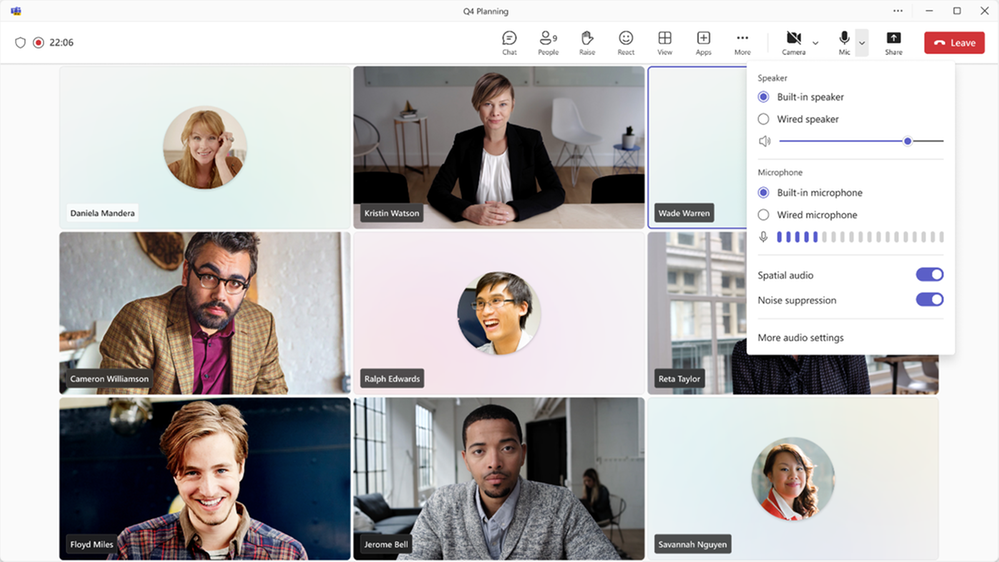
Automatically view up to 9 videos (3×3) in Teams meetings in Chrome and Edge With this update, you will now be able to automatically see up to 9 videos (3×3) on Chrome and Edge on your screen by default without an explicit action. Previously, Microsoft Teams Meetings supported a maximum of 4 videos (2×2) on the screen by default on web browsers.
Simplified audio and video controls Audio and video fly-outs in meetings are designed to make it easier and more efficient for you to manage your audio and video settings during Teams meetings. Now, when you want to select your camera or mic device, you can choose the right device directly from the fly-outs. You can also adjust the volume, spatial audio, and noise suppression controls from the audio fly-out. If you didn’t select your background during the pre-join screen, you can easily change your background directly from the camera fly-out. We’ve also made avatars accessible from the camera fly-out so you can use avatars in meetings. You can also adjust brightness and soft focus from the camera fly-out.
Virtual appointments
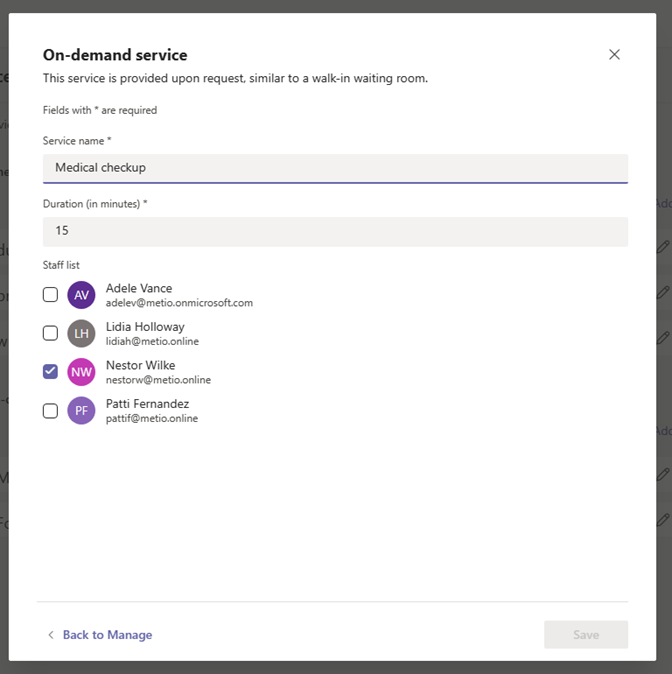
Assign staff and set duration for on-demand Virtual Appointments Scheduling administrators and staff managing on-demand appointments can assign specific staff members and set appointment duration to handle on-demand services. This ensures that when an on-demand appointment is requested, there is a designated staff member assigned to the appointment and the duration of the appointment will be determined. The designated staff member also receives a notification to attend the on-demand appointment. This capability is available for users with a Teams Premium license.
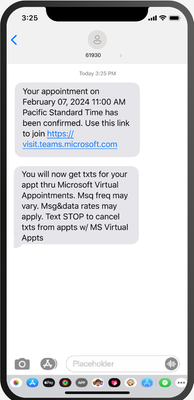
SMS notifications in Virtual Appointments template SMS notifications are available for appointments set up and scheduled using the virtual appointments template within the Teams app to improve the attendees’ appointment experience. Attendees will receive SMS text notifications about their appointment, including appointment details and the meeting join link so they can join directly from mobile if desired. Text notifications are sent for appointment confirmation, updates, and a reminder 15 minutes before the appointment begins. This capability is available for users with a Teams Premium license and is available for users in Canada, United Kingdom, and United States.
Teams Rooms and Devices
Find Certified for Teams devices for all types of spaces and uses at aka.ms/teamsdevices.
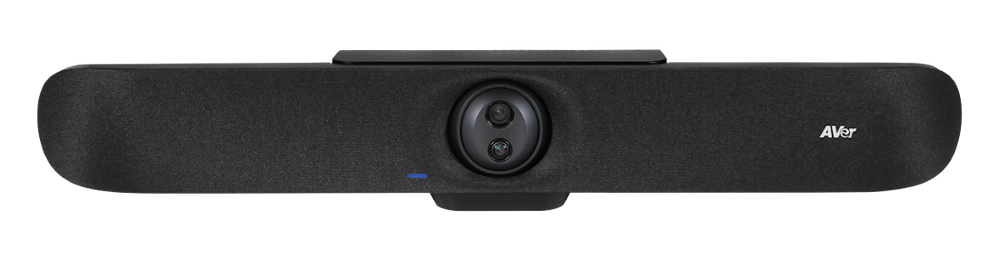
Newly certified for Teams AVer VB350 With a Hybrid 18X Zoom for Medium & Large Rooms With a streamlined design, dual 4K lenses, seamless lens switching, upgraded audio technology, and simple setup, the VB350 is the ultimate all-in-one solution for next-level video meetings. Level up to premium audio and video by using this powerful new video bar in your mid-to-large conference rooms. Learn more about AVer – VB350.
Newly certified for Teams Lenovo ThinkSmart 180 This premium conference bar delivers superior audio and visual experience featuring a modern form factor and best-in-class AI-accelerated performance. This stylish and easy-to-set-up meeting room bar will transform your small and medium-sized meeting rooms into next-generation collaboration spaces in no time at all. Impressive AI features follow the conversation, adjusting the view and audio to allow remote participants to feel like they’re sitting around the table, even if they’re across the world. Learn more about Smart Collaboration | Lenovo Tech today.
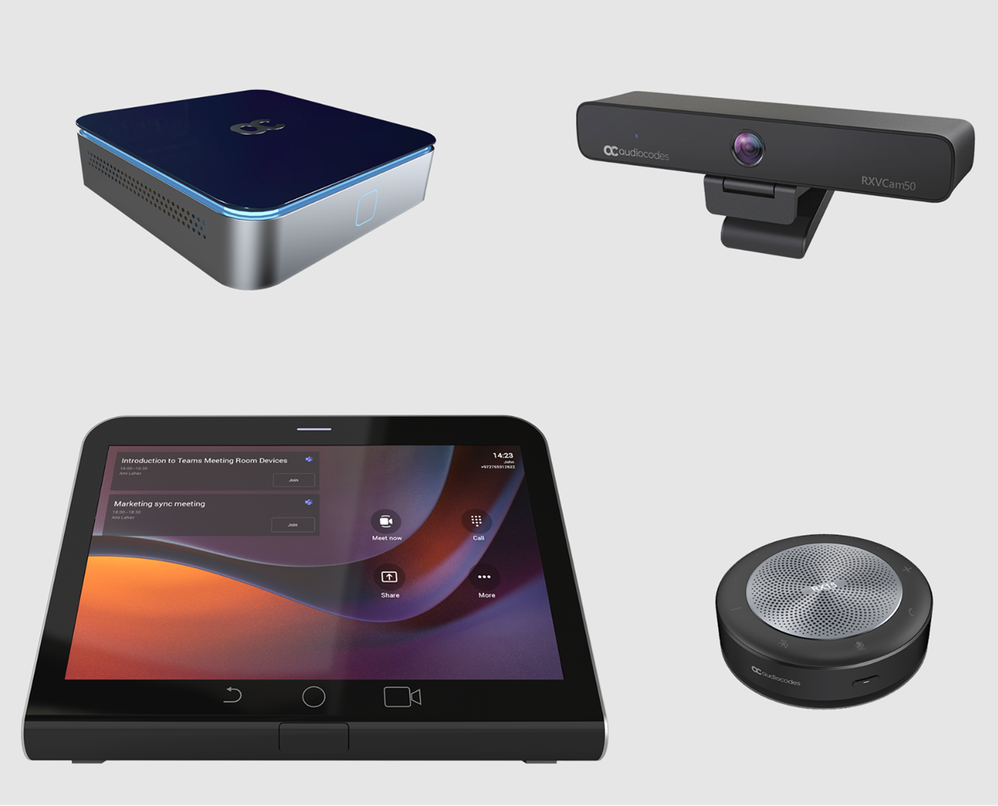
AudioCodes RXV200-B20 bundle is now certified for Teams The RXV200 bundle is designed to deliver an optimal hybrid meeting experience for focus rooms and includes the RXV200 intelligent A/V hub, the RX-PAD touch room controller, the RXVCam50 camera and RX15 speaker. The RXV200 is an Android Microsoft Teams Rooms device that orchestrates multiple audio and video peripherals to deliver an optimal hybrid meeting experience for all participants wherever they are located. The RXV200’s modular design supports content sharing, allowing participants to connect their personal devices via an HDMI cable, as well as dual screens and a wide range of AI capabilities. Learn more about AudioCodes RXV200 bundles.
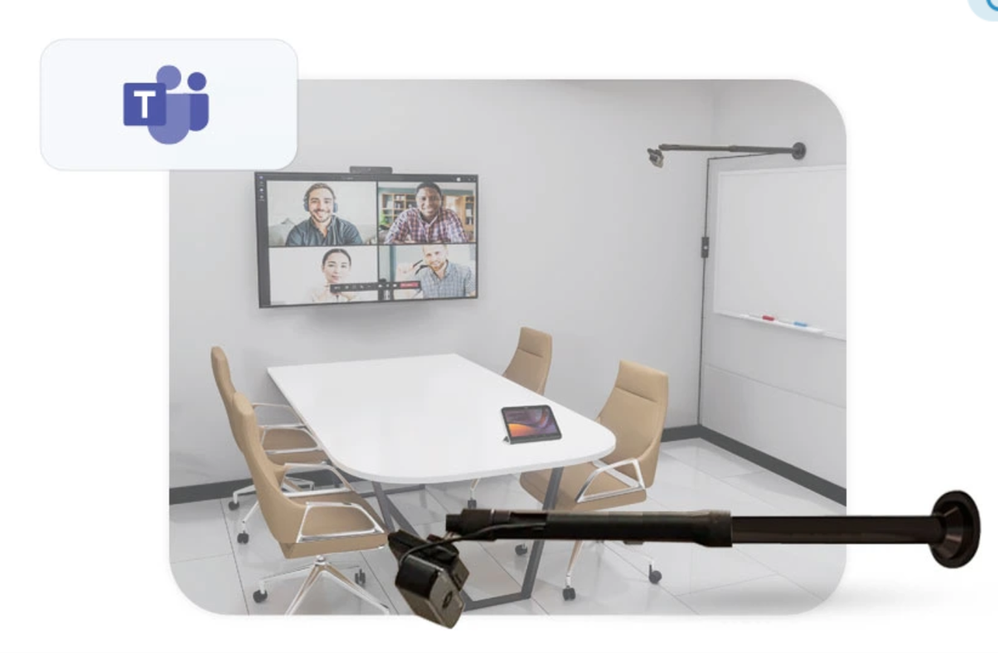
AudioCodes RXVCam10-CC AudioCodes RXVCam10-CC content camera is now certified for Teams. The RXVCam10-CC enables whiteboard content to be easily shared between physically present and remote meeting participants. In conjunction with Microsoft Teams AI content enhancement capabilities, the RXVCam10-CC simplifies team collaboration and brainstorming in hybrid meetings. Leveraging Microsoft Teams AI, the RXVCam10-CC offers intelligent whiteboard detection and automatically adjusts the frame to include the entire whiteboard. It also offers additional content enhancements such as image sharpening, contrast adjustment and overlaying a transparent view of the presenter. The RXVCam10-CC is designed for durability and is easy to install in any meeting room thanks to its adjustable whiteboard mount accessory. Learn more about RXVCam10-CC.
Management of BYOD (Bring your own device) meeting spaces with Teams Rooms Pro Management The ability to view BYOD (bring your own device) rooms in the Pro Management Portal provides IT admins with a comprehensive overview of their BYOD rooms’ utilization and activities. With this new addition, IT admins will gain valuable insights into how these spaces are being utilized, enabling them to make data driven decisions.
New Shared display mode for BYOD meeting rooms The new shared display mode provides you the ability to extend your Teams meeting via a pop-out and view-only version of the stage onto the TV screen in BYOD meeting rooms. This mode ensures the meeting content is extended to the front of the room for others to see and provides you the peace of mind that your desktop is for their viewing only, minimizing the personal information others in the room can see.
Teams Phone
New partner integrations for Teams Phone contact center The Teams Phone contact center and compliance recording certification programs ensure that contact center and compliance recording solutions work smoothly and dependably with Teams by requiring them to pass third-party testing. We have recently certified two new ISV partners, BrightPattern and CenterPal. With these additions we now have 24 Contact Center certified solution partners and 13 Compliance Recording certified solution partners, and there are many more on the way.
Mobile
Updates to mobile in-call user experience Improving your access to calling features with a new and improved user interface during calls.
Live meeting status for mobile On mobile devices, Teams calendar shows the live status of a meeting with the pictures of the people who are on the call, if the meeting is being recorded and how long the meeting has lasted.
Play Azure protected voicemail in mobile Teams app You can now use a link to get to your Azure protected voicemails from the Teams App. You will see a notification for the voicemail on the Teams App and can click the attached link to open the voicemail on the web browser.
Collaborative Apps
1Page The 1Page app is the all-in-one productivity tool that creates a platform to empower sales professionals by connecting them with data, insights, and even prospective or existing customers. Now, with a co-pilot plugin, streamlined data and real-time insights can be accessed from the 1Page app with conversational language prompts across the Microsoft 365 ecosystem.
Alvao Alvao for Microsoft Teams automates routine processes, boosts team productivity, and helps users focus on key projects. With the latest extension into Microsoft 365 applications, tickets opened in outlook can more easily connect with an agent. The app helps with logging chat messages to tickets, creating a simple to track list of tickets to solve, and gives agents the ability to take and resolve tickets immediately.
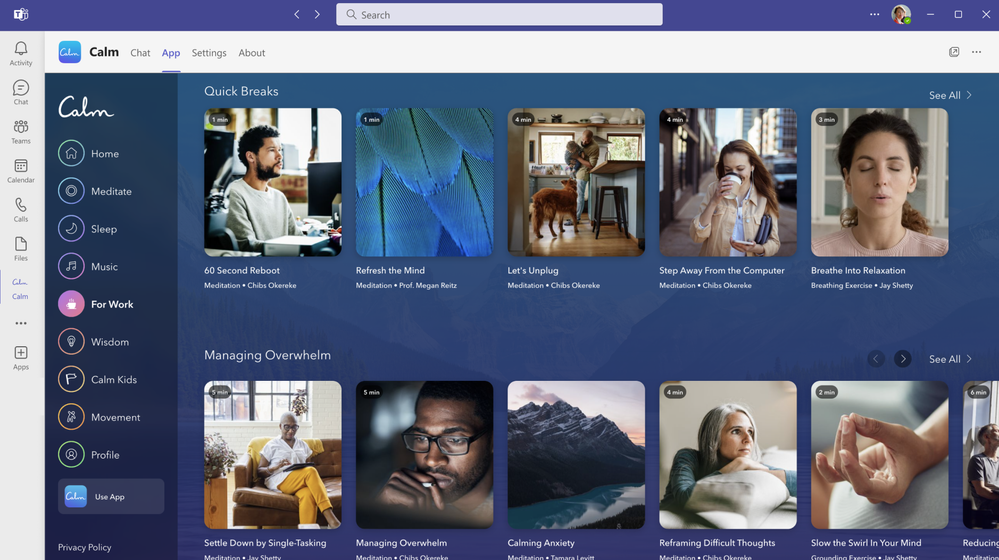
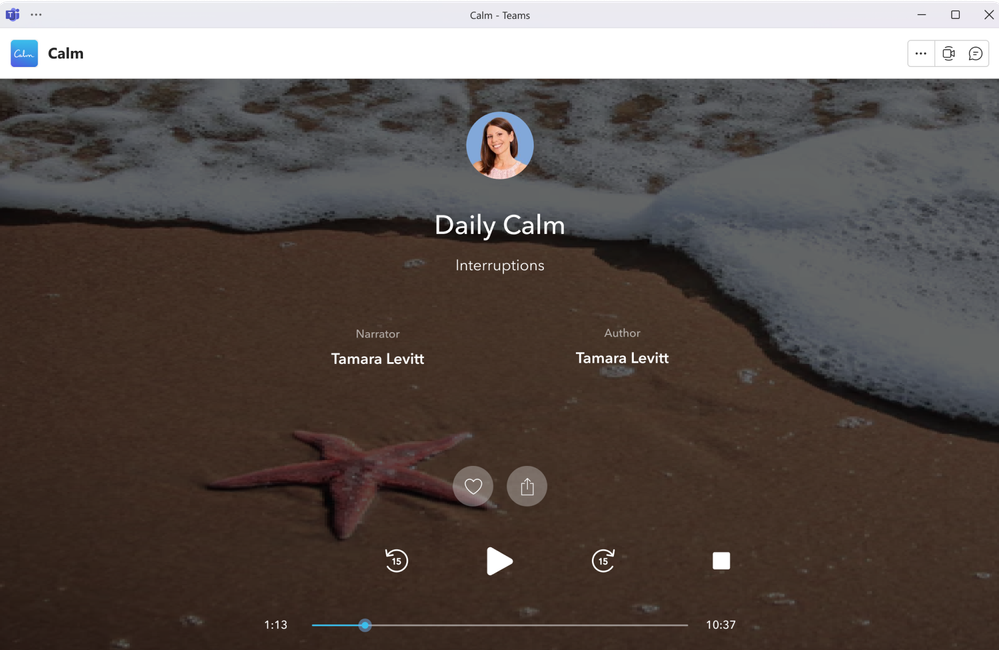
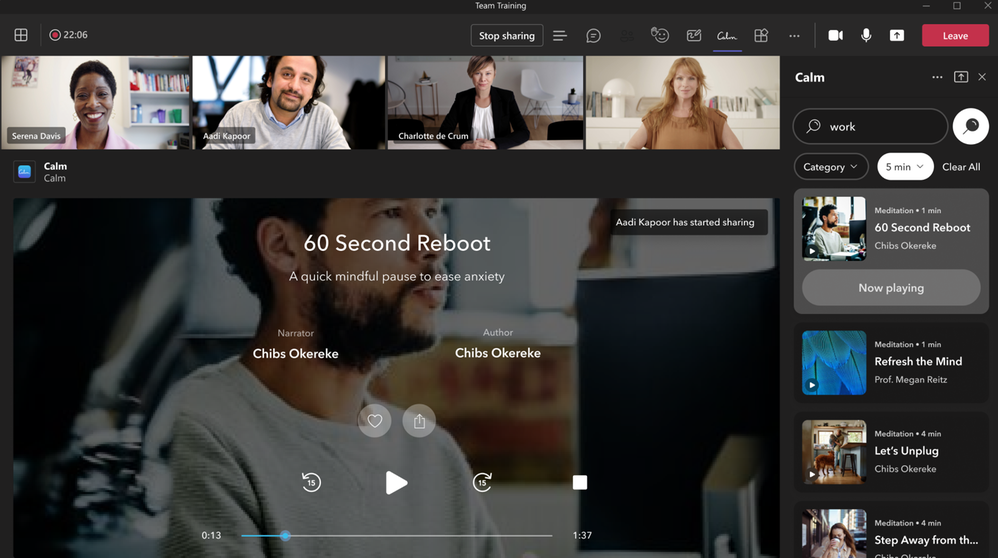
Calm Calm for Microsoft Teams integrates the #1 app for sleep, meditation, and relaxation into your everyday workflow. Calm’s mindfulness content helps you feel more relaxed, productive, and connected by allowing you to engage with more than 3,000 Calm sessions within the Teams interface. This includes content to prepare for key moments at work, music to help focus, breathing exercises, movement, and more. You can access mindfulness sessions for yourself or with others during meetings, share mindfulness content via chat, and set reminders for mental health breaks to help reduce stress and anxiety, reset, refocus, and build resilience.
Planning for Educators Planning for Educators gives users the tools to streamline the planning process in Microsoft Teams so they can spend more time focusing on teaching. This flexible planning tool allows educators to organize and manage class resources including lesson plans, assignments, files, videos, and links. Students can also benefit from Planning’s comprehensive visual timeline and content made more accessible through Microsoft’s Immersive Reader.
SYNQ Frontline Hero The SYNQ Frontline Hero app brings SYNQ’s retail services to Microsoft Teams to connect retail store staff with customers at the speed and convenience of Teams. Staff can use this to efficiently manage in-store and curbside pickup orders, quickly answer customer queries in chat, and respond to requests for staff assistance or customer service.
IT Administration and Security
Configure maintenance window for Teams devices Within the Teams Admin Center, admins can set up the time windows for their Teams devices maintenance. These time windows will be used for performing any device maintenance tasks, such as automatic updates.
Extended real-time telemetry retention for up to 7 days Admins in Teams admin center can troubleshoot meeting quality more efficiently thanks to real-time telemetry that is available for an extended period (up to 7 days following the conclusion of a meeting) for users with Teams Premium licenses. This helps admins find and solve quality issues with detailed telemetry after the meeting for up to 7 days. s This feature is available with a Teams Premium license.
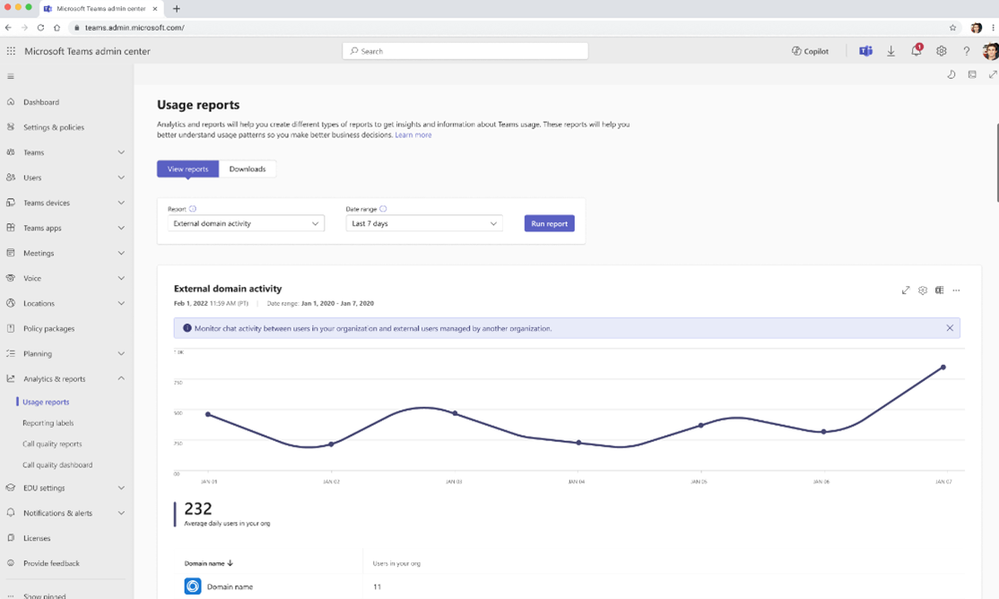
Microsoft Teams admin center – external domain activity report Teams administrators can see which managed domains their users interact with using the external domain activity report. The report will surface the list of domains that your tenant has communicated with via managed communication, and how many internal users have been part of that communication. This report is available for those with open federation on and those with explicit allow lists.
Watermark support for recording playback Watermarked meetings can now have recording enabled. A watermark with an email ID will show up during the playback of the recorded meeting. After a meeting is over, users can view the recorded content with watermarking on web and mobile platforms. This feature requires a Teams Premium license.
New Meeting Option and Meeting Policy ‘Turn off copying or forwarding of meeting chat’ A new meeting option called ‘Turn off copying or forwarding of meeting chat’ lets the meeting organizer disable the ability to copy and share meeting chat messages for participants to prevent data leakage. With this restriction on, meeting participants will not be able to copy chat messages using the menu option or keyboard shortcut, forward messages, or share messages to Outlook. Admins can control whether an organizer can use this feature in the Meeting Options page by using Meeting Policy setting in Teams admin center. Admins can also choose the default value for this meeting option in Meeting Templates they create. This feature requires a Teams Premium license.
Frontline Worker Solutions
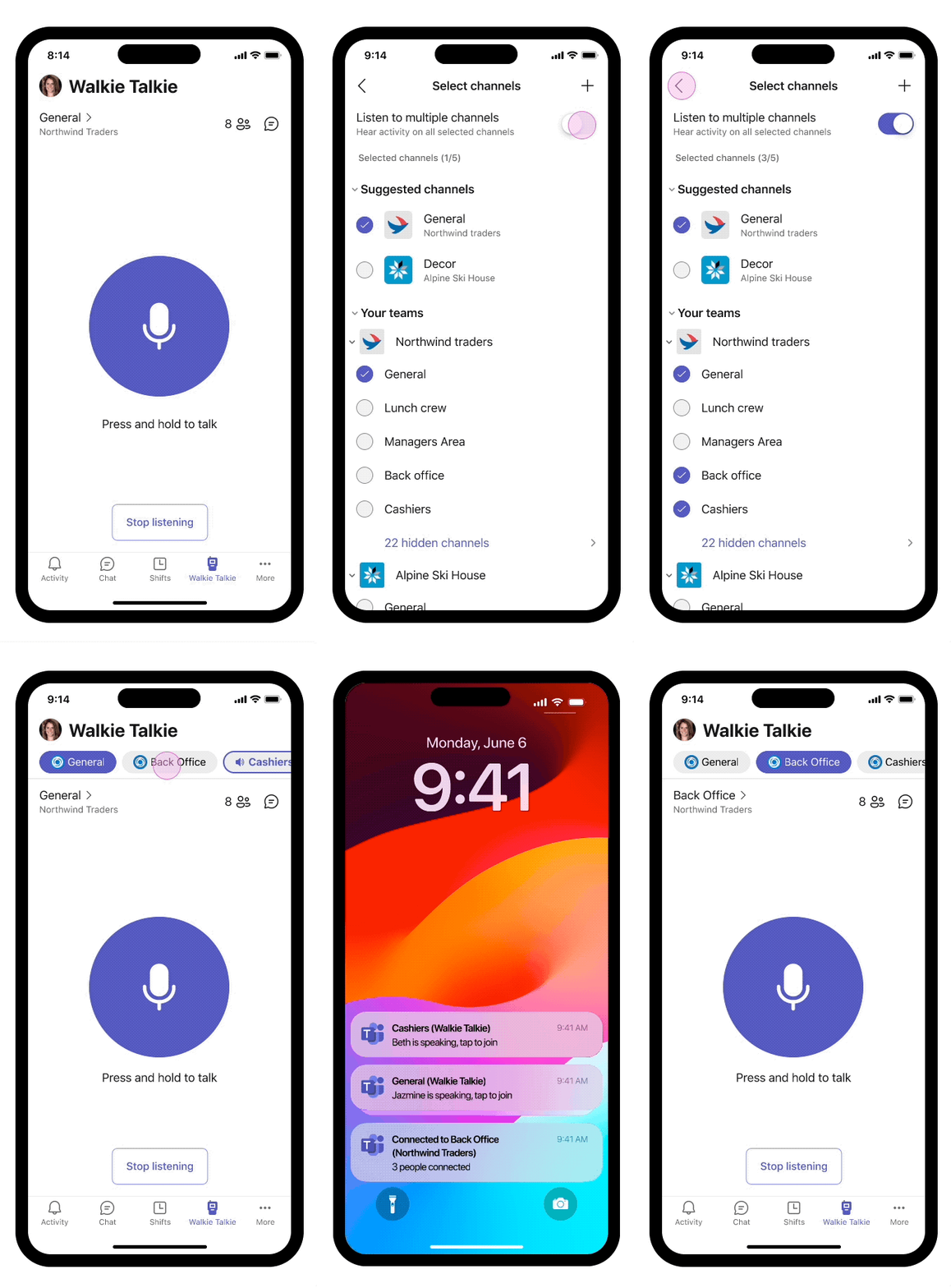
Walkie Talkie: Automatically listen to multiple channels Frontline workers who use Walkie Talkie in Teams can now choose to automatically listen to incoming messages from any of their pinned favorite Teams channels (up to 5 favorite channels). This new feature helps you keep in touch with and easily initiate PTT transitions on multiple channels without needing to switch channels manually.
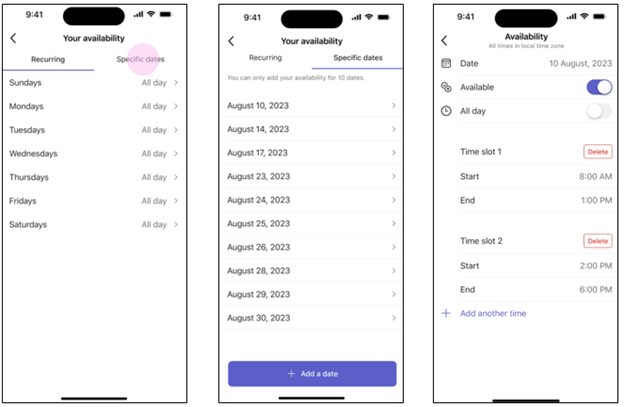
Allow frontline teams to set their shift availability for specific dates Frontline workers can now choose their preferred dates to work, making it easier for them to handle different scheduling needs. This new feature adds to the existing options for weekly availability that repeat. To learn more about recent enhancements to Shifts in Teams, read the latest blog – Discover the latest enhancements in Microsoft Shifts.
This article is contributed. See the original author and article here.
A guide for sales managers and sellers who want to improve their customer engagement and collaboration with multiple sequences now available across Dynamics 365 Sales.
Productivity and efficiency are important to sales teams. Improving customer engagement, as well as collaboration when multiple team members work on an account, can be key to securing deals faster, and bringing better business results. With the support of multiple sequences in Dynamics 365 Sales, this now becomes easier than ever.
In this blog, we will show you how you can streamline parallel sales processes, coordinate your sales efforts, and optimize your customer interactions. You will also learn how to create, manage, and monitor multiple sequences in Dynamics 365 Sales. Whether you are a sales manager or a seller, we will cover some useful tips and best practice to make the most of this powerful feature.
Ready to boost your sales performance with multiple sequences? Sign up for a free trial of Dynamics 365 Sales today and discover how it can transform your sales organization.
What are sequences and why do you need them?
Sequences are a series of steps that sellers can follow to engage with customers and prospects in a consistent and effective way. They help sales managers provide guidance on best practices and ensure that every customer interaction is aligned with the sales strategy. Sequences can include various types of activities, such as emails, phone calls and tasks. In addition, sellers can utilize sequences as well, to automate their successful selling formulas and reduce manual work.
But what if you have multiple team members working on the same record (for example an account)? How can you ensure that they are not stepping on each other’s toes or sending conflicting messages to the customer? How can you leverage the expertise and skills of different sellers to create a better customer experience?
This is where multiple sequences come in handy. Multiple sequences allow you to connect more than one sequence to a record, so that different sellers can work simultaneously on the same record with different sequences. For example, you can have an account manager and a solution architect working on the same opportunity, each with their own set of activities. This way, you can optimize your customer engagement and collaboration to drive better business outcomes.
How to connect multiple sequences to a record?
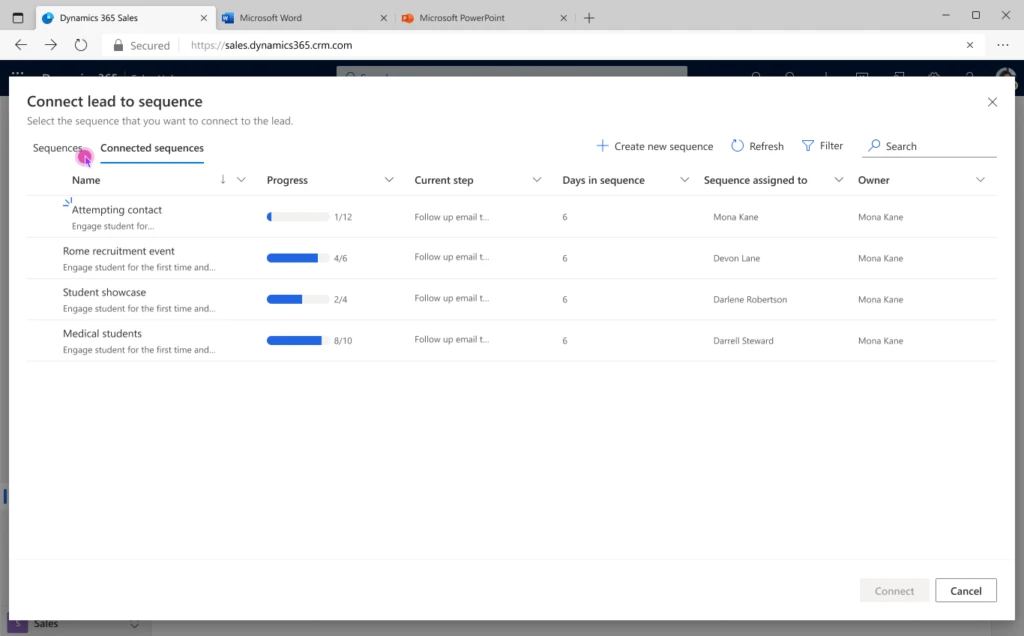
There are two ways to connect multiple sequences to a record: manually and automatically.
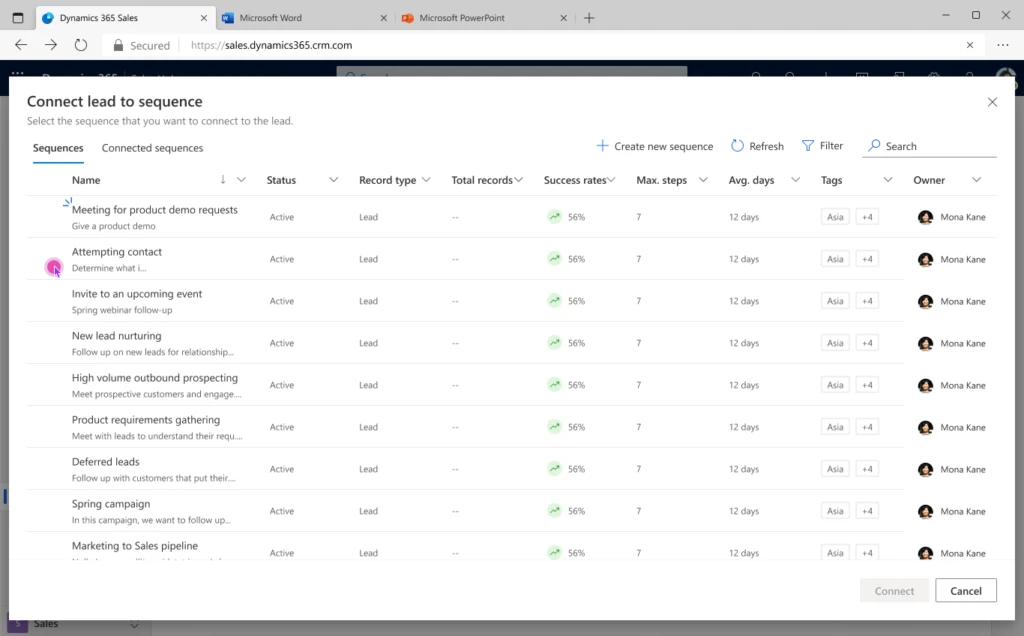
Manually connecting a record to a sequence: Connect a record to a sequence by using the connect sequence button on the record page to launch the connect sequence dialog. You can connect multiple sequences to a record at the same time, as long as the record owner or the sequence owner has the relevant permissions to do so. You can also disconnect a sequence from a record manually, by selecting the disconnect sequence button on the record page.
Automatically connecting a record to a sequence: Connect a record to a sequence by using the segmentation feature. Segmentation allows you to define criteria for a group of records that qualify for a sequence. For example, you can create a segment for all the opportunities that have a high probability of closing in the next quarter. You can then associate a sequence to that segment, so that whenever a record meets the criteria, it is automatically connected to the sequence.
Manually connect record to sequence
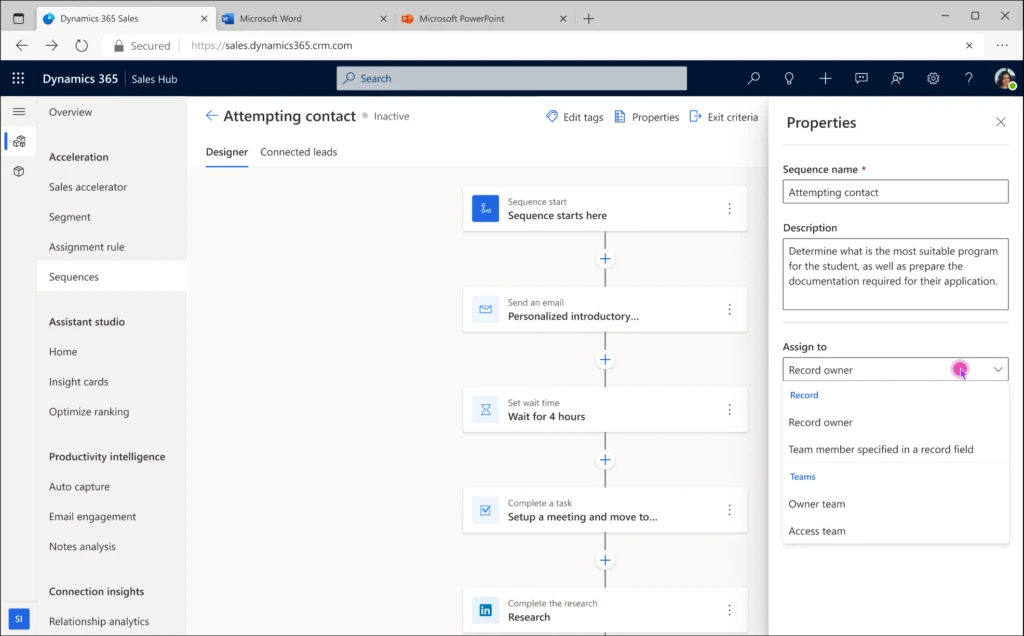
How to assign a sequence to a different user than the record owner?
By default, when a record is connected to a sequence, the sequence is assigned to the record owner. However, you may want to assign a sequence to a different user, depending on their role and responsibilities. For example, you may want to assign a sequence to a specialist role for a record, such as a solution architect or a technical consultant.
To do this, you can use the sequence assignment feature. Sequence assignment allows you to select a field in the record entity or a related entity that can be used to assign the sequence. For example, if you have a field called opportunity_rep in the opportunity entity, you can assign the sequence to the user who is specified as the opportunity rep for that record. You can also use the properties pane to assign the sequence to the account owner, or owner/access team with capability to assign the sequence to a user with a specific role in the respective team.
Automatic assignment of Sequence
How to view the connected sequences and users for a record?
Once you have connected multiple sequences to a record, you may want to view the connected sequences and the users who are working on them. This can help you get a better understanding of the customer engagement and collaboration happening on the record and what work is left to execute.
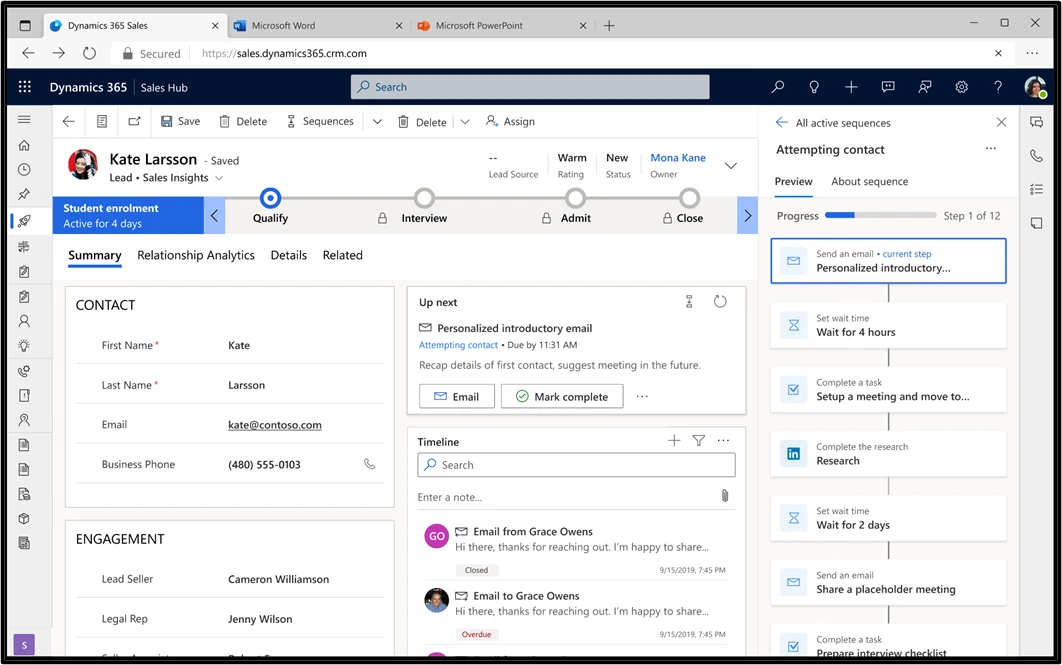
To see the sequences and users that are linked to a record, you can select the sequence title from the Up next widget which will take you to the preview pane that shows all the sequences that are related to the record. The sequence preview gives you a full overview of the sequence, including the progress and activities for different paths. To see a sequence, choose the name of the sequence in the Up next widget. The sequence opens in a pane showing the list of activities that have been set up within it.
You can also use the sequence stats report to see status, progress, and performance of each sequence. In addition, you can see the number of completed, overdue, and upcoming activities, as well as each email’s open rate, click rate, and conversion rate in the sequence.
View sequences connected to a Record.
How to view sequence steps in a record using the Up next widget?
In cases where a record is associated with multiple sequences, you may want to efficiently plan the execution by accessing all the available steps of these sequences. The new enhancements empower you to achieve precisely that! Now, the sequence name showcased on the Up next widget transforms into a clickable link. Upon clicking, it reveals a comprehensive list of all steps associated with that specific sequence. This feature facilitates the simultaneous viewing of both executed and upcoming steps in a single pane, streamlining the planning process for the subsequent steps.
View all sequence steps in preview pane by clicking on Sequence name in Up next widget
Conclusion
Multiple sequences in Dynamics 365 Sales are a powerful capability that can help you improve your customer engagement and collaboration:
By connecting multiple sequences to a record, you can optimize your sales process and leverage the skills and expertise of different sellers.
By assigning a sequence to a different user than the record owner, you can ensure that the right person is doing the right activity.
By viewing the connected sequences and users of a record, you can get a better insight into the customer communication and collaboration happening on the record.
With multiple sequences, you can drive better business outcomes and gain a competitive edge in the marketplace.
This article is contributed. See the original author and article here.
Since HCI 23h2 was announced, HCIBox users have been asking me and the Jumpstart team, “when will HCIBox be ready?” Some are interested in the new cloud deployment features, others are curious about a refreshed AKS on HCI. The wait is over. At last, HCIBox 23H2 is here and ready for you to get hands-on.
HCIBox now supports Azure Stack HCI 23H2 and is ready to offer the latest capabilities of Azure edge environments with native Azure Arc and AKS integration in a self-contained sandbox. This sandbox deploys easily into an Azure subscription, and uses nested virtualization to emulate an HCI cluster inside an Azure VM. This allows users to experience many Azure Stack HCI 23H2 features like the new cloud deployment featurewith minimal manual effort. HCIBox automatically generates a ready-to-go ARM template that can be used to deploy a new HCI cluster. The cloud deployment also automatically provisions Arc resource bridge and AKS components, and HCIBox comes with additional modules to showcase cloud VM management and AKS on HCI.
As part of this release, most aspects of the HCIBox codebase were refactored to simplify and streamline the deployment experience. The network configuration has also been redesigned, with dedicated subnets for both guest VM management and AKS.
In response to user feedback the HCIBox documentation has also been revised and simplified, with dedicated guides for deploying with either Azure Developer CLI(azd)or Azure CLI. This is a direct continuation of our investment in azd, following the release of azd support in Jumpstart Agora and the Retail industry scenario. But we aren’t stopping here! There is much more in store for HCIBox in the coming months. Join the discussion on the Azure Arc Jumpstart Github repositoryto contribute!
Many aspects of the HCIBox provisioning process have changed with this release and we encourage all users to thoroughly review the updated documentation. Be sure to also check out our new Jumpstart Lightning video where we discuss the new release. Get started with HCIBox today!









Recent Comments